

Salesmaster is a point-of-sale (POS) app for nail salons and nail art studios on Android, iPhone & iPad, Windows and Mac. You can create nail services with variants such as hands or feet and simple or full set, offer decoration and nail-shape add-ons, keep a client's bill open with Save order while you work, sell polish and cuticle oil with stock, reward regulars with loyalty points, and see net profit in Finance. A Free plan lets you try it first.
Problems every nail salon knows
If any of these sound familiar, this page is for you.
- 01
Nail art prices are hard to add up
Gel or acrylic extensions, simple accents or a full set, plus glitter, chrome and rhinestones on five nails. Worked out in your head, the total you quote can be different every time.
- 02
Long sessions, scattered bills
A set of extensions with nail art can take two hours. Meanwhile other clients walk in, and who added which decoration is left to a technician who is concentrating on her work.
- 03
Refills nobody can check
A refill price is only valid for up to three weeks. Without records, you can't tell when a client's last set was done and whether the refill price still applies.
- 04
Costly supplies, unclear profit
Gel, tips, a dozen polish colours, cotton and tissues, plus technician pay and rent. Weekends look busy, but how much is left after all of that?
Your nail menu, with variants
Start with the price list you already share on Instagram. In Salesmaster, each service is one item in the Catalog with the type Service, which carries no stock. Group them into categories such as Manicure & gel, Nail art & extensions, Hand & foot spa, and Products so the cashier finds any service in one or two taps on the Sale screen.
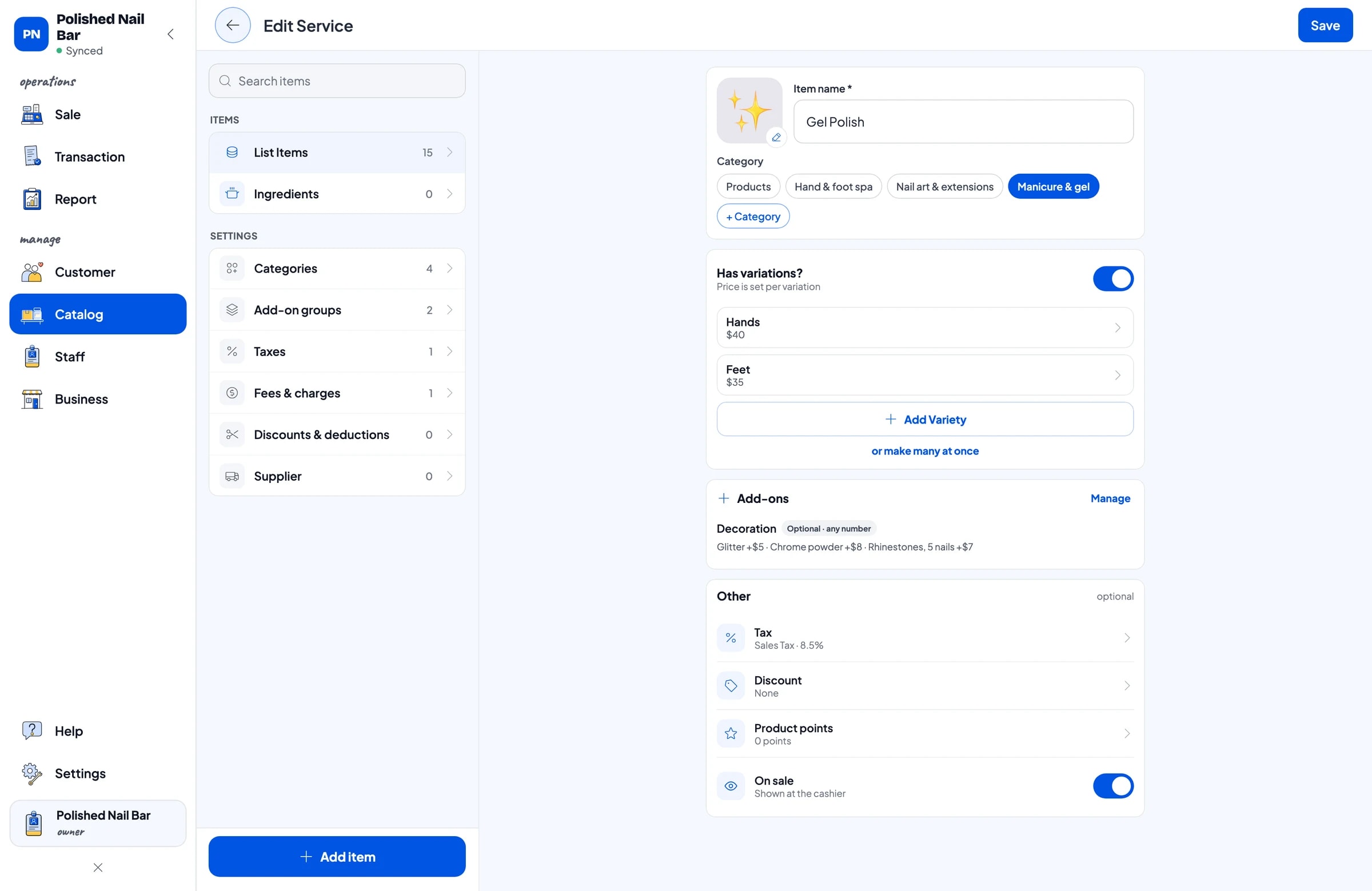
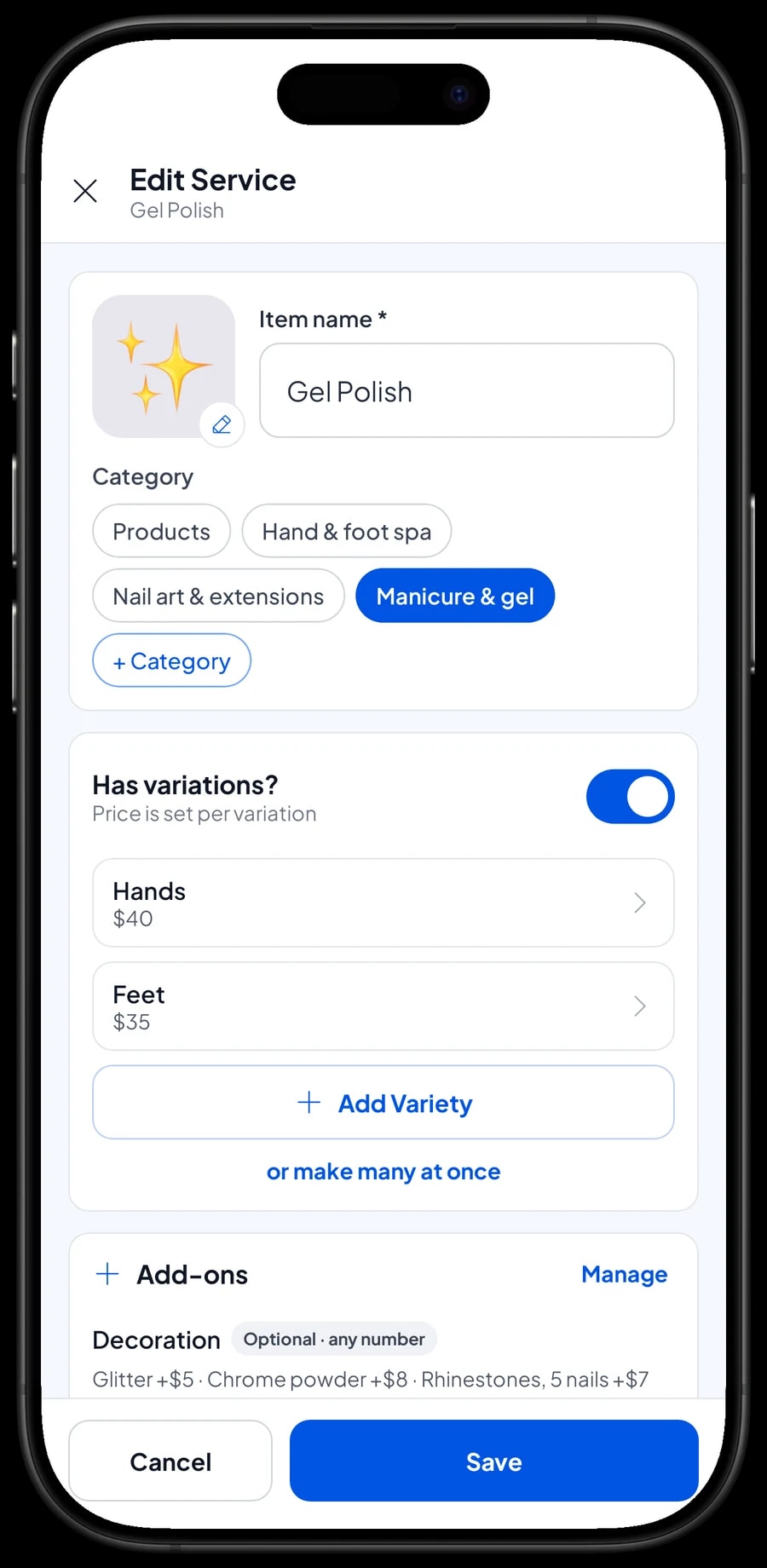
A service with several prices only needs one item with variants. Gel polish on hands or feet, nail art as simple accent nails, a full set or a 3D character set, extensions in gel, acrylic or as a refill. The cashier picks the variant and the price follows.
Each variant can also carry its own cost, such as the gel and tips used on one set of extensions. Your gross profit then shows which services really pay, not just which ones are booked most.
- Step 1: Open Catalog → Categories and create Manicure & gel, Nail art & extensions, Hand & foot spa, and Products.
- Step 2: Open Catalog → List Items, add a new item and choose the type Service.
- Step 3: For services with several options, add variants with their price and cost.
- Step 4: Save the item and check on the Sale screen that the variants appear when you tap it.
Add-ons: decorations and nail shape
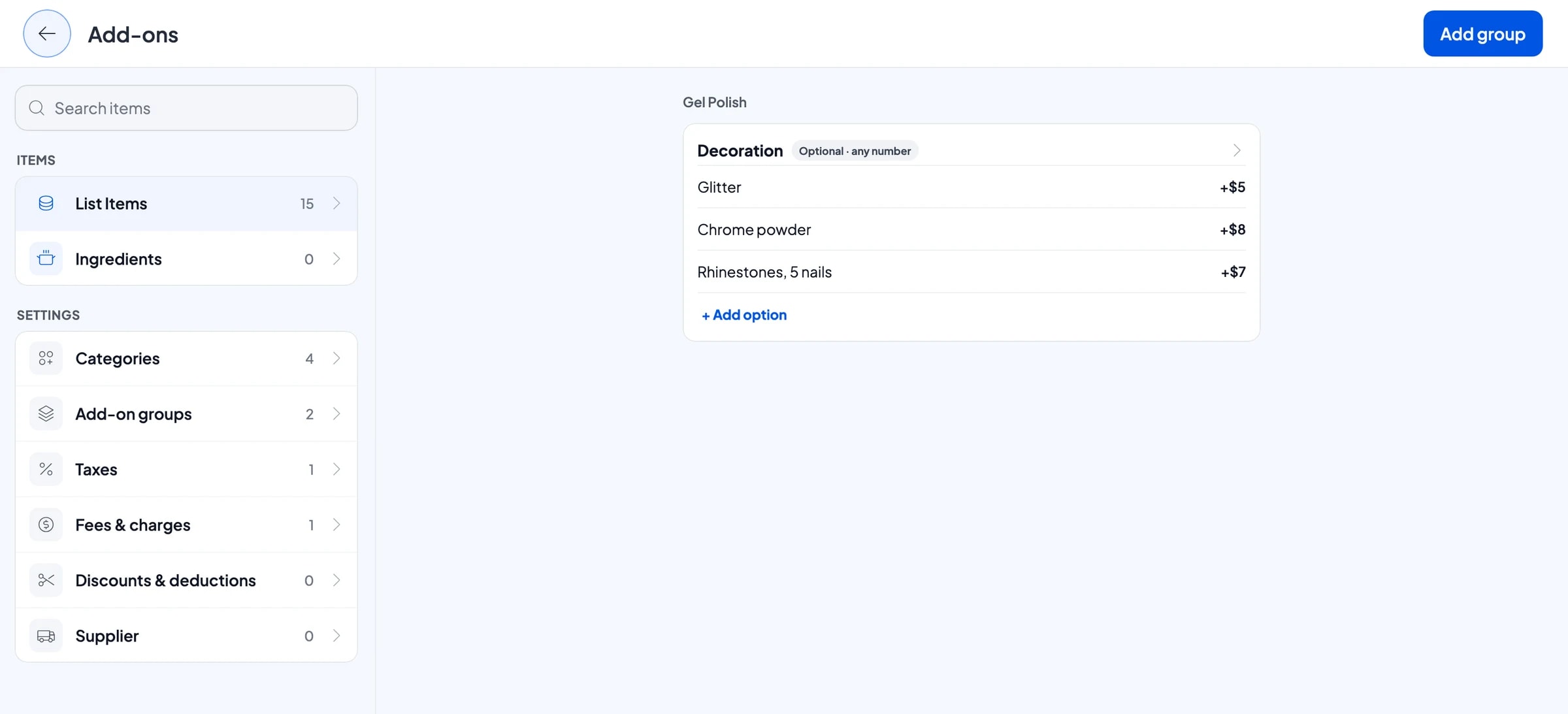
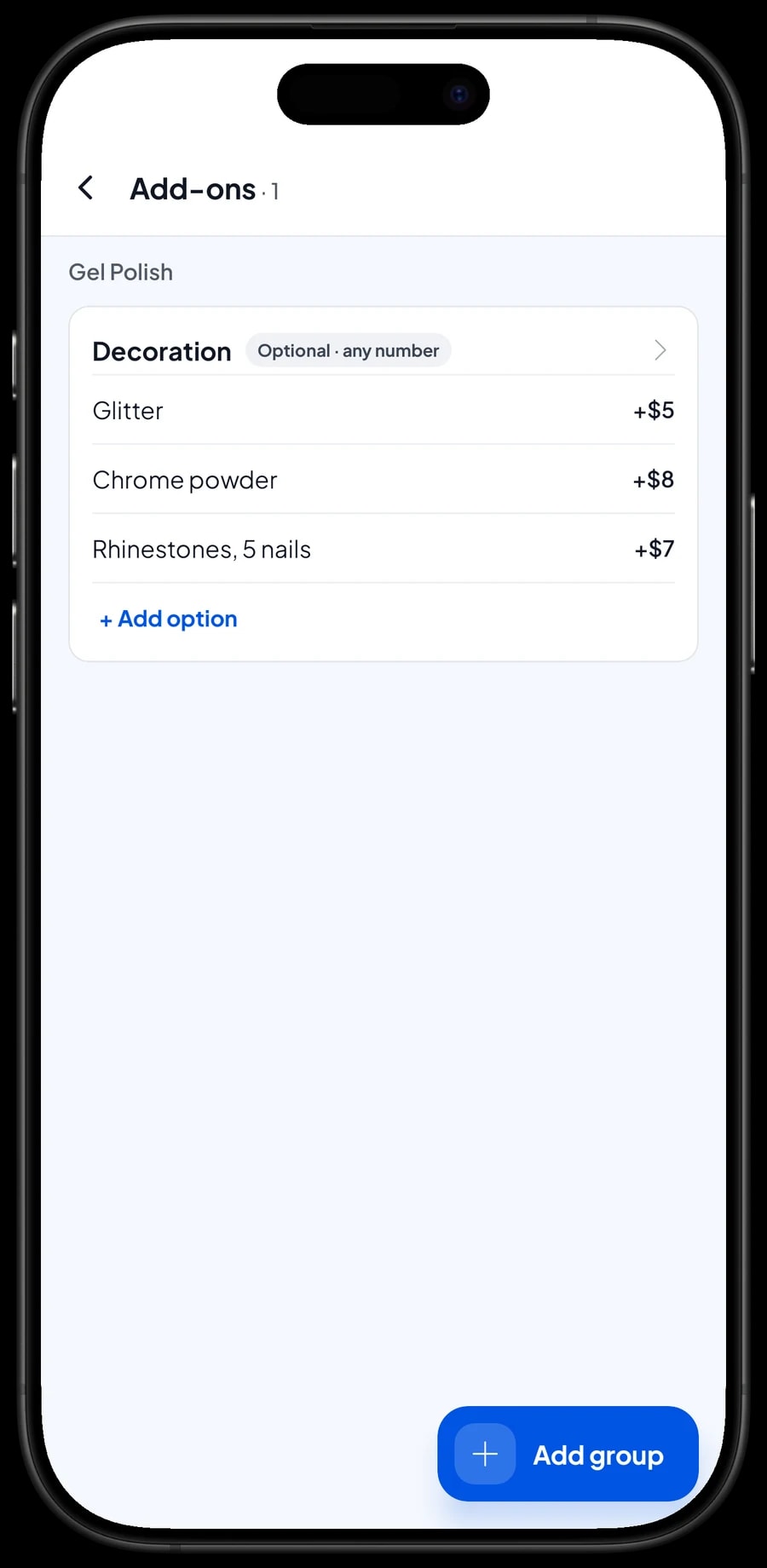
Decorations a client chooses are add-ons. One add-on group, such as "Decoration" with glitter, chrome powder and rhinestones on five nails, can be attached to several services at once: gel polish, manicure with gel polish, nail art and extensions. The client can pick more than one, and each price is added to the bill.
Choices where exactly one option applies, like the nail shape for extensions, work as add-ons too. A "Nail shape" group with square and almond at no extra charge and coffin for a little more can be made required and limited to one choice, so the shape is always asked for.
That turns a complicated nail art price into a few taps: pick the service, pick the variant, tick the decorations, and the total is ready.
- Step 1: Open the service in Catalog → List Items and manage its add-ons.
- Step 2: Create a Decoration group with glitter, chrome powder and rhinestones and their prices.
- Step 3: Create a Nail shape group, make it required and limit it to one choice.
- Step 4: Attach the same groups to the other services that use them.
Open bills while you work
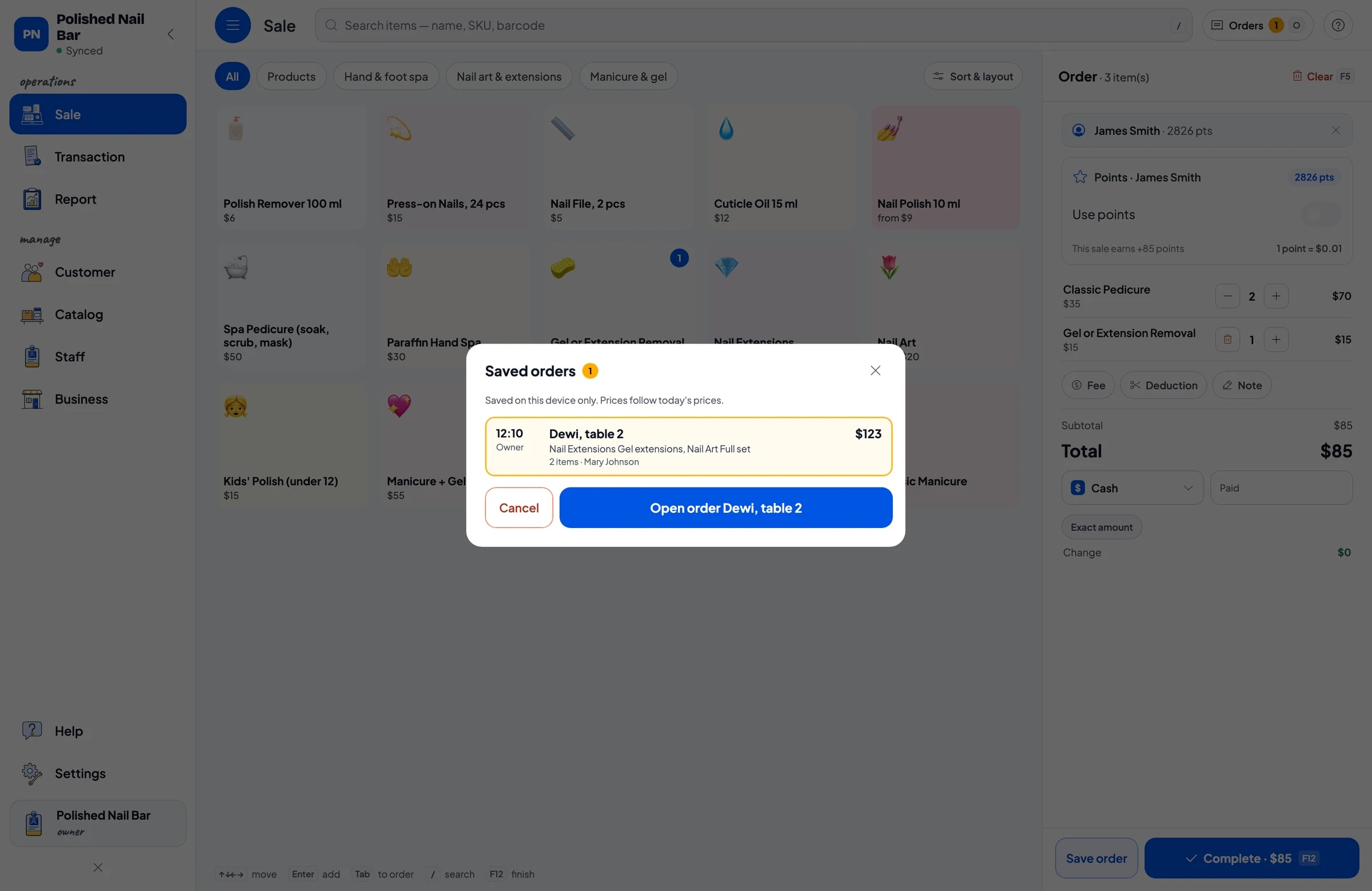
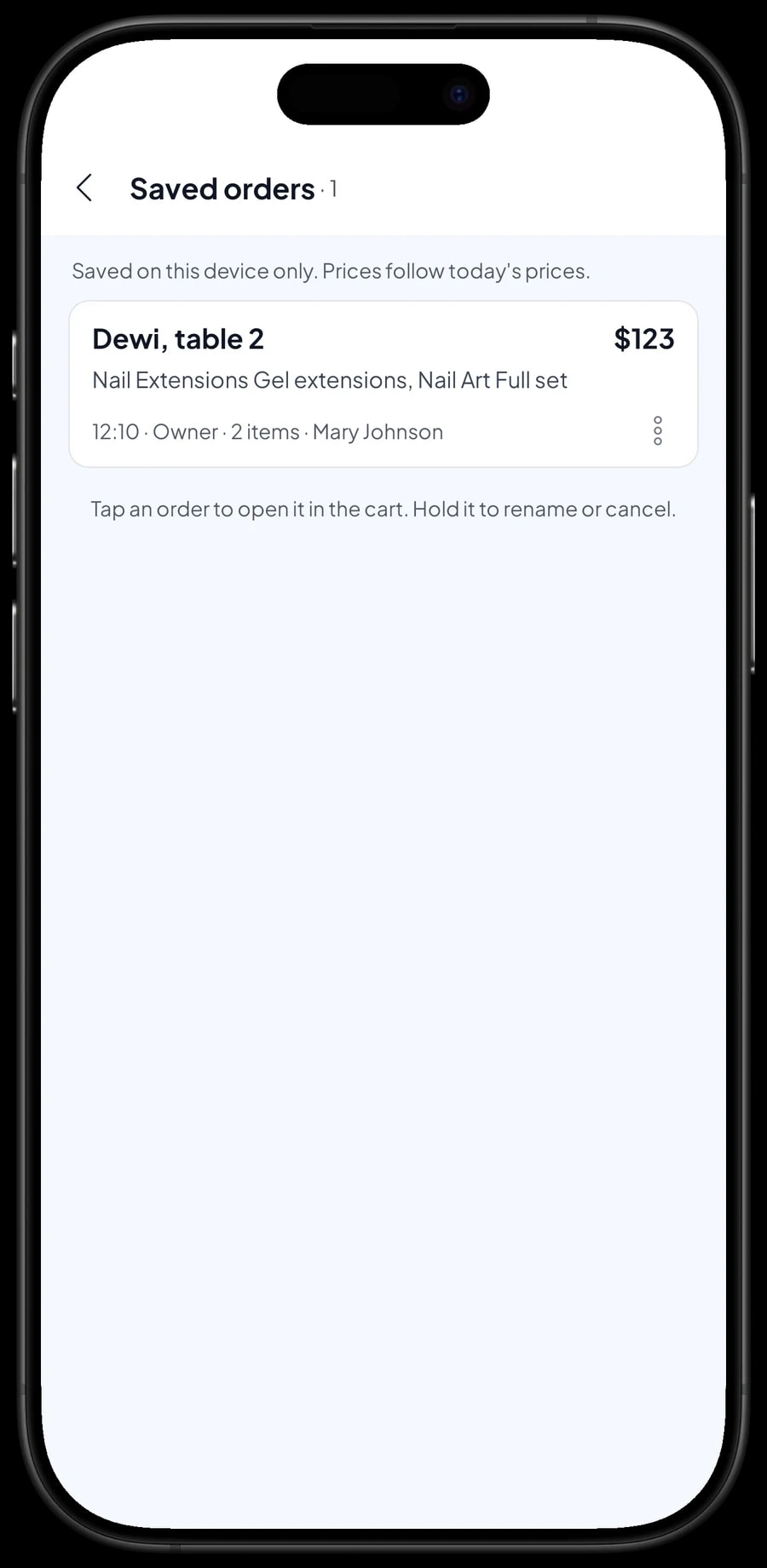
Nail clients pay when they are done, and decorations often get added halfway through. When a client sits down, put their service in the cart and tap Save order. Give it a name that is easy to spot, such as "Dewi, table 2". The bill is kept as a saved order, and the cashier can serve someone else.
If the client adds chrome or rhinestones, open the order and add them. When they are finished, pick the order from Saved orders, offer a cuticle oil for home care, and take the payment in one go.
A saved order isn't counted as a sale until it is paid. Saved orders live on the device that created them, so create and complete them on the same counter device.
Polish, cuticle oil and press-ons with stock
Products you sell, such as nail polish, cuticle oil, nail files, press-on nails and polish remover, are items of type Product with a selling price, a purchase cost and opening stock. Polish that comes in several colours is one item with colour variants, such as nude, classic red and soft pink, and each colour keeps its own stock.
Every sale takes the product off stock, and Salesmaster warns you when stock runs low. When a delivery arrives, add it to stock. Supplies used at the table, like gel, tips, cotton and tissues, are easiest to record as expenses in Finance.
Payments, sales tax and receipts
Create the payment methods you accept: cash, card, a mobile wallet, bank transfer, or anything else. Reports show how much came in through each method, so the drawer and your bank balance are easy to reconcile. If you charge sales tax, set it once in Fees or Tax.
Promotions, like a weekday price or a bridal party discount, are set up in Deductions. Salesmaster doesn't record a booking deposit as a partial payment. If a client pays one, sell it right away as a separate Service item called “Down payment” for the amount received; after the appointment, sell the service at its full price and tap Add Deduction for the deposit amount, so the drawer and reports match on both days. Once paid, the receipt can print on a Bluetooth or USB thermal printer, or go out by WhatsApp, email or a web receipt link with your studio's logo and Instagram.
Nail technicians and cashiers
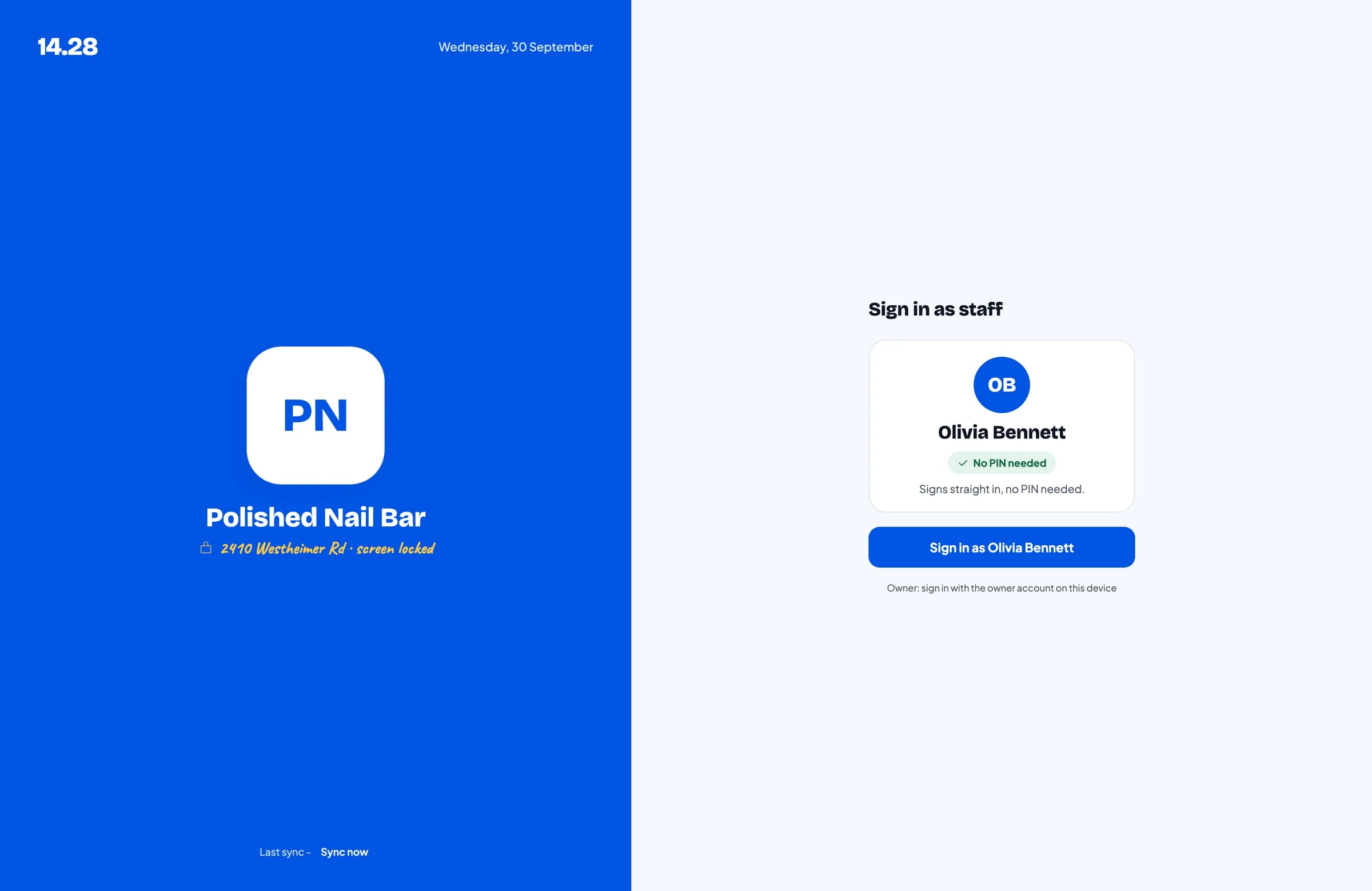
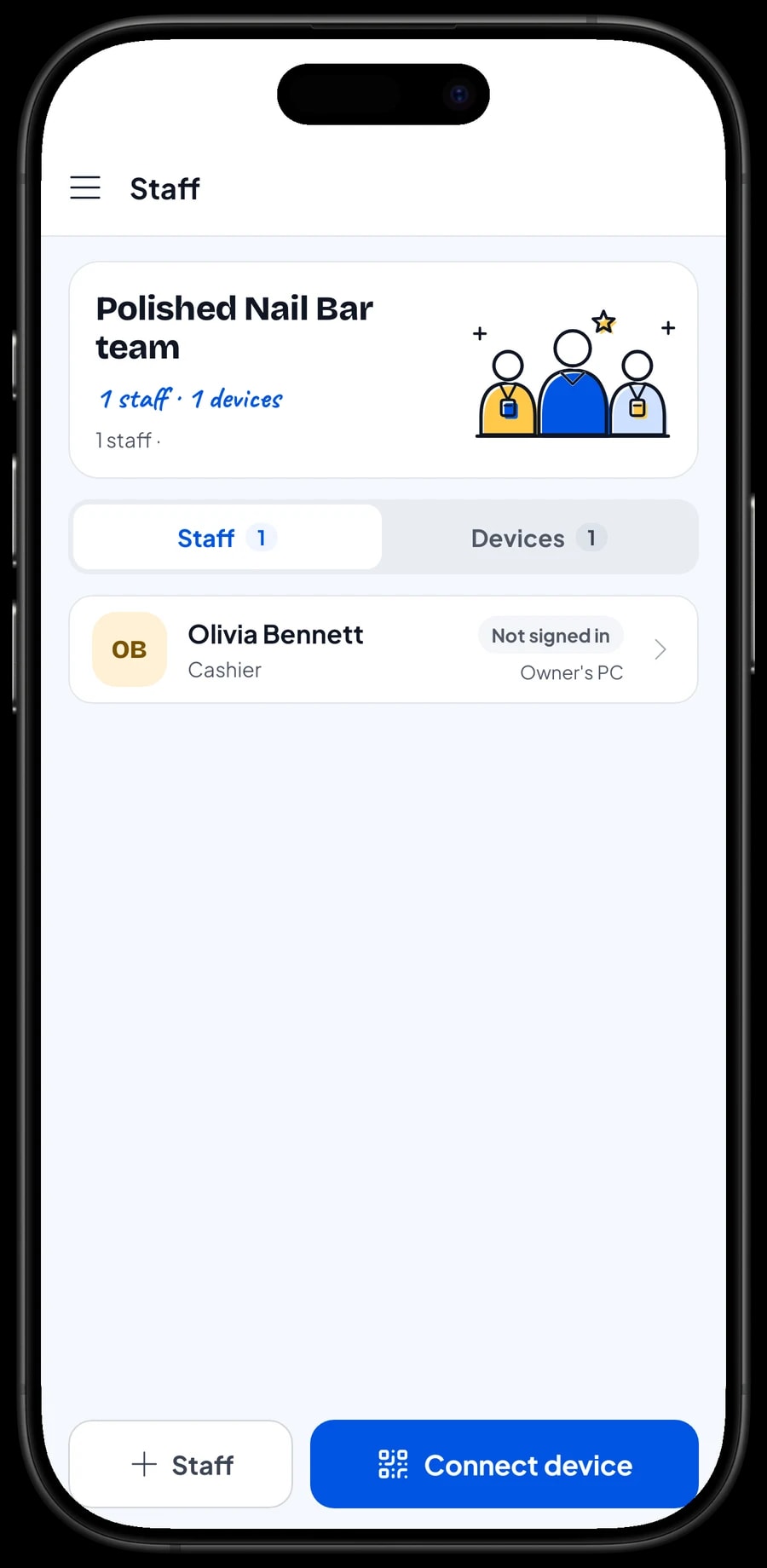
The owner signs in with the main account, and one account signs in on one device at a time. The cashier or a technician who rings up sales doesn't need your account: add them as staff and register a cashier device for them. Staff sign in with a PIN, and you decide what they can see and change. Staff accounts come with Bronze Pro (1 staff) and Silver Pro (2 staff).
Salesmaster doesn't calculate technician commission automatically. Write the technician's name in the sale note so it can be checked, and record their pay as an expense in Finance.
Client history, refills and loyalty points
Save the client at checkout; a name and phone number is enough. Their visit history is kept, so when someone comes in for a refill you can see when their last set was done and decide whether the refill price still applies. Notes like the gel colour used can go on the sale too.
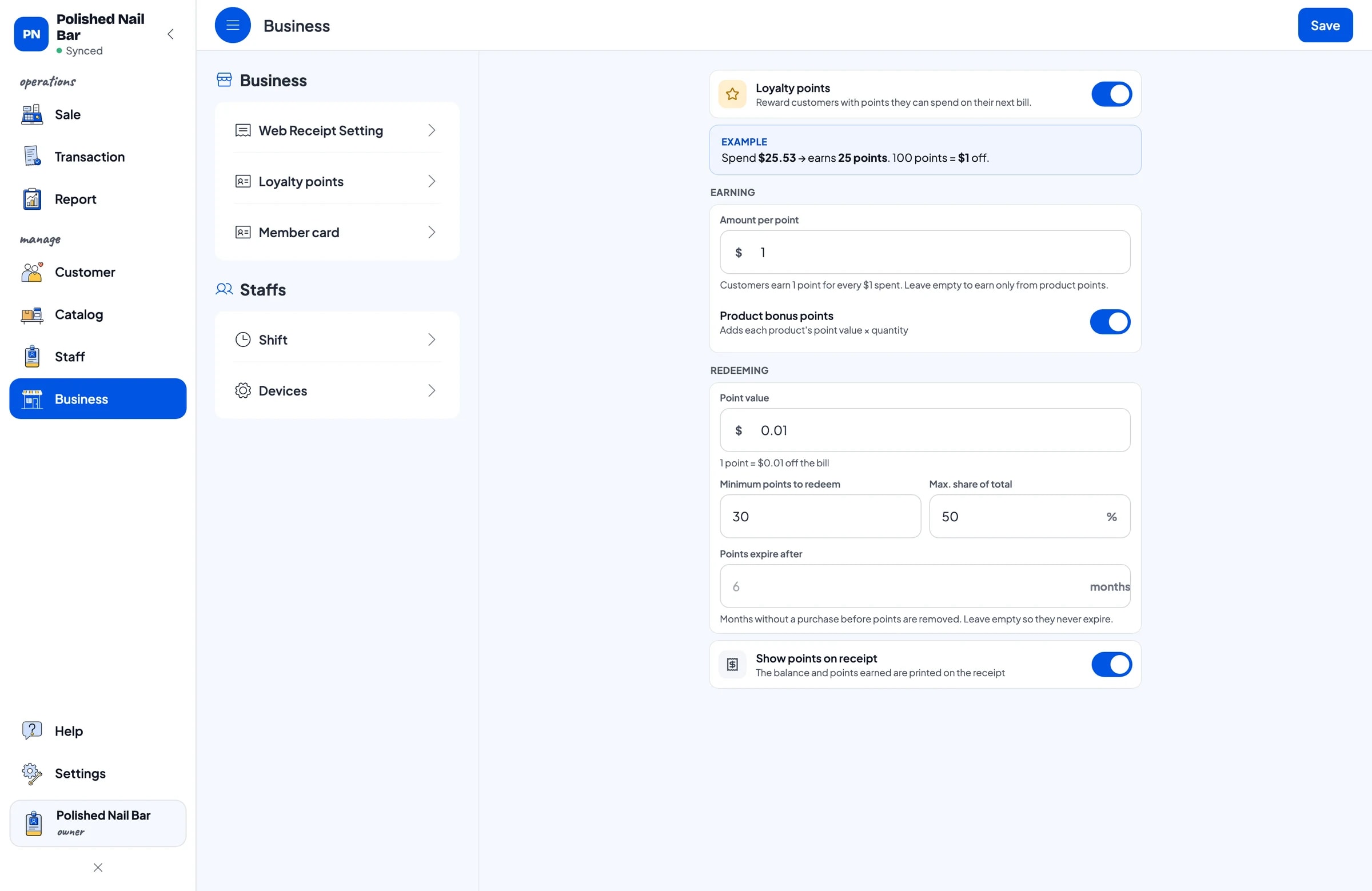
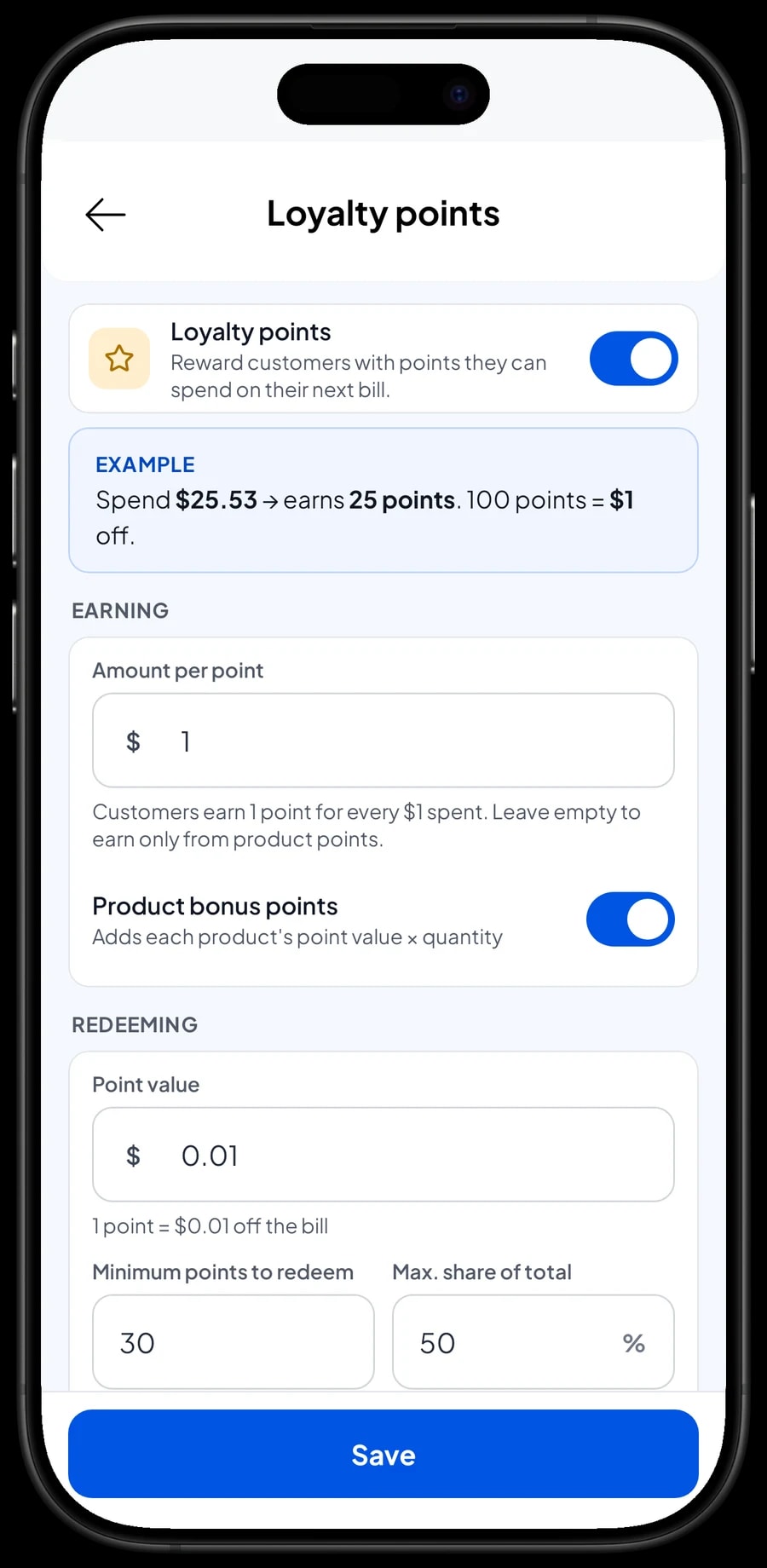
Turn on Loyalty points to give clients a reason to return. You set the rules: the amount spent per point, the value of a point when redeemed, the minimum points to redeem, and the maximum share of a bill that points can cover. Points are added with every sale, and regulars can get a member card in their name.
Sales reports and net profit
Reports are available by day, week, month and year. You see total revenue, gross and net sales, discounts, tax, payment methods and revenue by service and product, so it is clear whether the studio lives mostly on gel polish, extensions, nail art or retail.
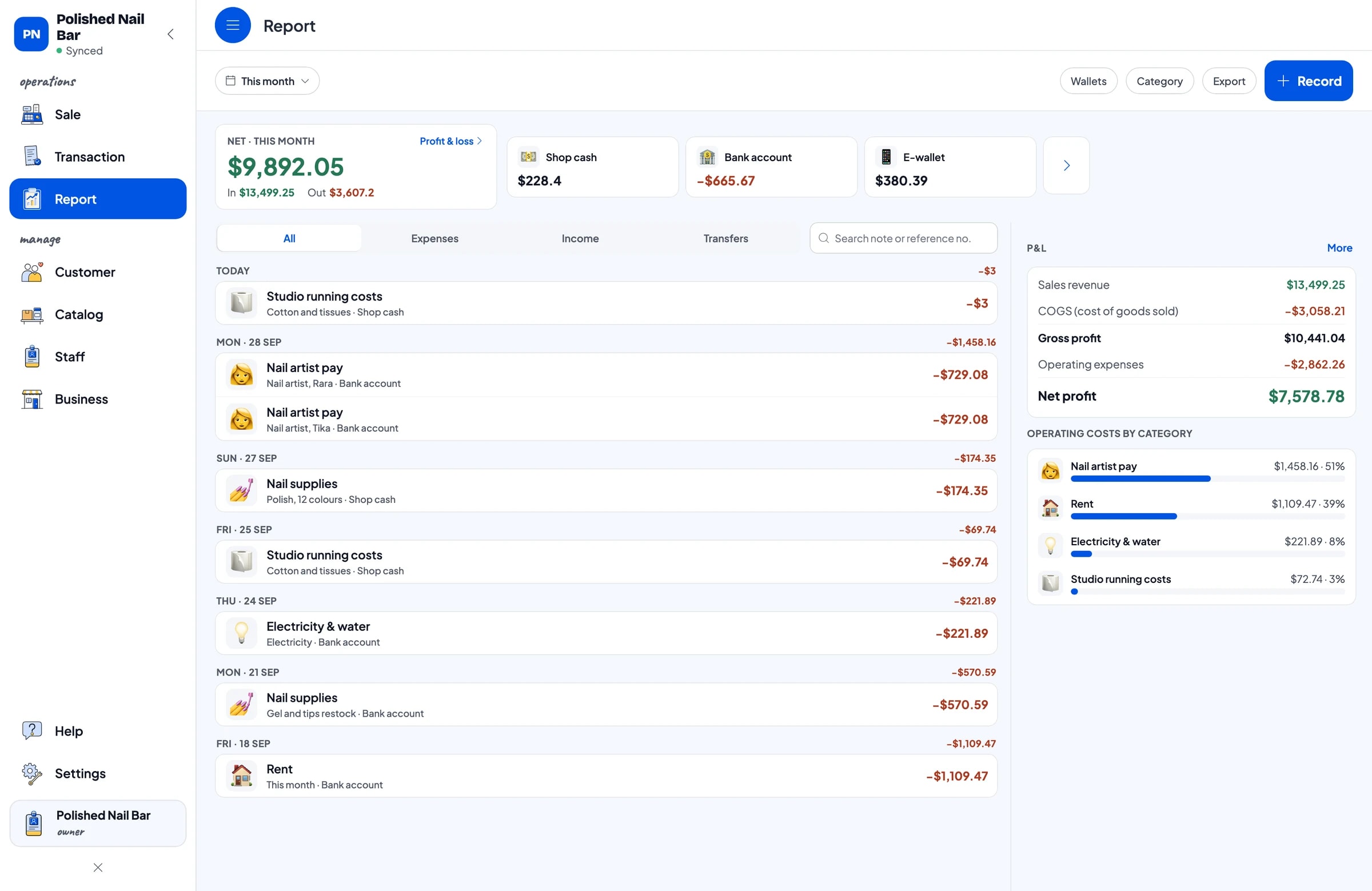
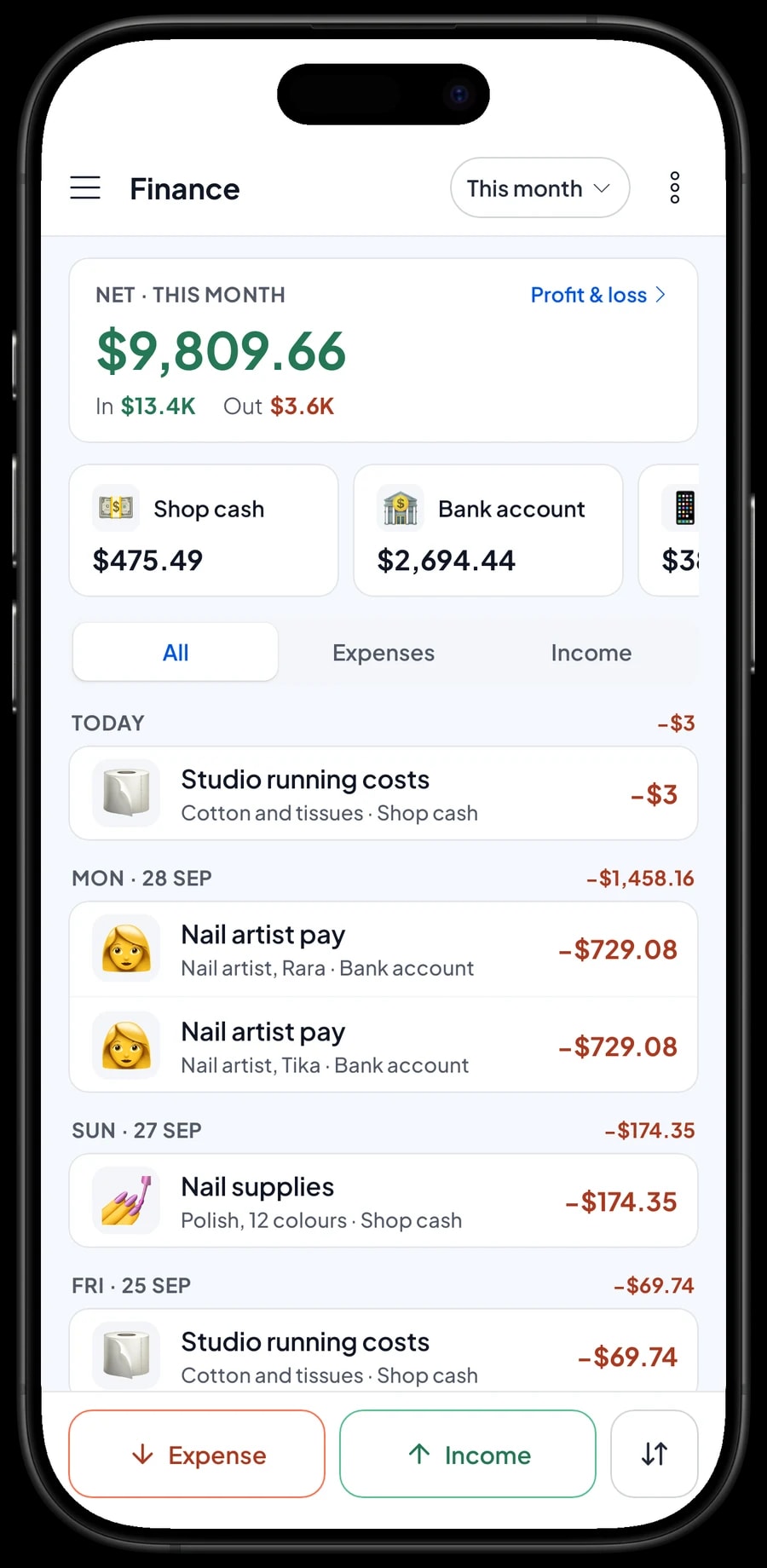
For real profit, record expenses in Finance: nail supplies such as gel, tips and polish, technician pay, rent, electricity and water, and studio running costs like cotton and tissues. Each expense has a category and the wallet it was paid from. The Finance report then shows revenue minus costs and operating expenses: your studio's net profit.
Reports can be exported to Excel or PDF. Compare a normal month with prom, wedding season or the holidays to see when you need another technician.
Get started in a day, and keep working offline
You don't need to close the studio to switch to Salesmaster. Install the app on the counter phone or tablet, create an account, and enter the services from your price list with their variants. Add your decoration and nail-shape groups, then the products you sell.
If the internet drops, checkout keeps working. Sales are saved on the device and sent to the cloud when the connection is back. Offline mode works for up to 7 days; after that the app needs to connect briefly to sync. Because your data lives in your account, nothing is lost if a device breaks or is replaced.
Step-by-step guides for every feature are in the Salesmaster Help Centre, and our team is on WhatsApp if you need help setting up your service menu.
An example nail salon catalog
Use this table as a starting point and replace the names and prices with your own services.
| Category | Item | Variants | Add-ons | Item type |
|---|---|---|---|---|
| Manicure & gel | Classic Manicure | - | - | Service |
| Manicure & gel | Gel Polish | Hands, Feet | Decoration | Service |
| Nail art & extensions | Nail Art | Simple accent nails, Full set, 3D character set | Decoration | Service |
| Nail art & extensions | Nail Extensions | Gel, Acrylic, Refill | Decoration, Nail shape | Service |
| Nail art & extensions | Gel or Extension Removal | - | - | Service |
| Hand & foot spa | Spa Pedicure | - | - | Service |
| Products | Nail Polish 10 ml | Nude, Classic red, Soft pink | - | Product |
| Products | Cuticle Oil 15 ml | - | - | Product |
| Products | Press-on Nails, 24 pcs | - | - | Product |
Treatments are Services with no stock, and decorations or nail shapes are add-ons. Polish, cuticle oil and press-ons you sell are Products, so their stock is counted.
Which plan fits your studio
Start by counting clients per day. A nail studio serving about 7 clients a day records roughly 200 transactions a month.
| Plan | Price | Transactions / month | Staff accounts | Good for |
|---|---|---|---|---|
| Free | Free | 30 | Owner only | To try your services and decoration add-ons before using it for real. |
| Solo Pro | $4.90/month | 3,000 | Owner only | Solo nail artists and home studios. |
| Bronze Pro | $6.90/month | 5,000 | 1 staff | Studios with one cashier or technician ringing up sales on their own device. |
| Silver Pro | $9.90/month | 8,000 | 2 staff | Busier salons with two staff on separate devices. |
Every plan includes checkout, catalog, receipts, reports and offline mode. You can change plans at any time. See pricing →
Frequently asked questions
- How do I price nail art with extra decorations?
- Create nail art as a service with simple, full set or 3D variants, then create a Decoration add-on group with glitter, chrome and rhinestones. The cashier picks the variant and the decorations, and the total is calculated.
- Can I keep a bill open while the client is still being served?
- Yes, with Save order. The bill is saved under the client's name and opened again when they are done. It stays on the device that created it and isn't a sale until it is paid.
- Does Salesmaster take bookings?
- No. There is no booking calendar. Keep appointments where you already keep them. If a client pays a booking deposit, sell it as a separate Service item called “Down payment”, then after the appointment sell the service at full price with an Add Deduction equal to the deposit.
- How can I tell if a client still qualifies for a refill price?
- Save the client with every sale. Their visit history shows when the last set was done, so you can check whether it is still within your refill window.
- Can I track polish stock by colour?
- Yes. Create polish as a Product with colour variants. Each colour has its own price, purchase cost and stock, and it goes down with every sale.
- Can Salesmaster calculate technician commission?
- Not automatically. Write the technician's name in the sale note so it can be checked, and record wages and commission paid as expenses in Finance.
- Can my technicians use their own device?
- Yes, with staff accounts. One account signs in on one device at a time, so staff use a staff device and sign in with a PIN. Staff accounts come with Bronze Pro (1 staff) and Silver Pro (2 staff).
Need help setting up your catalog? Chat with our team on WhatsApp →



