

Salesmaster is a point-of-sale (POS) app for barbershops on Android, iPhone & iPad, Windows and Mac. You can list your cuts and shaves, offer add-ons such as hair tonic or a pomade finish, sell grooming products with stock on the same ticket, reward regulars with loyalty points and member cards, and see net profit after wages and supplies in Finance. A Free plan lets you try it first.
Problems every barbershop knows
If any of these sound familiar, this page is for you.
- 01
A full waiting bench, a slow register
On Saturday afternoon and before the holidays, every seat is taken. Each finished client is totaled by hand, change is counted, and the next client waits for a barber who also has to write things down.
- 02
Tonic and styling go unbilled
Barbers offer hair tonic, a vitamin treatment or a pomade finish at the end of a cut. If it isn't recorded, the money never reaches the drawer, and nobody knows how much slips away.
- 03
Pomade runs out without warning
Water-based pomade flies off the shelf, but you only notice it is gone when a client asks for one. Restocking turns into a last-minute rush.
Your menu of cuts, shaves and grooming
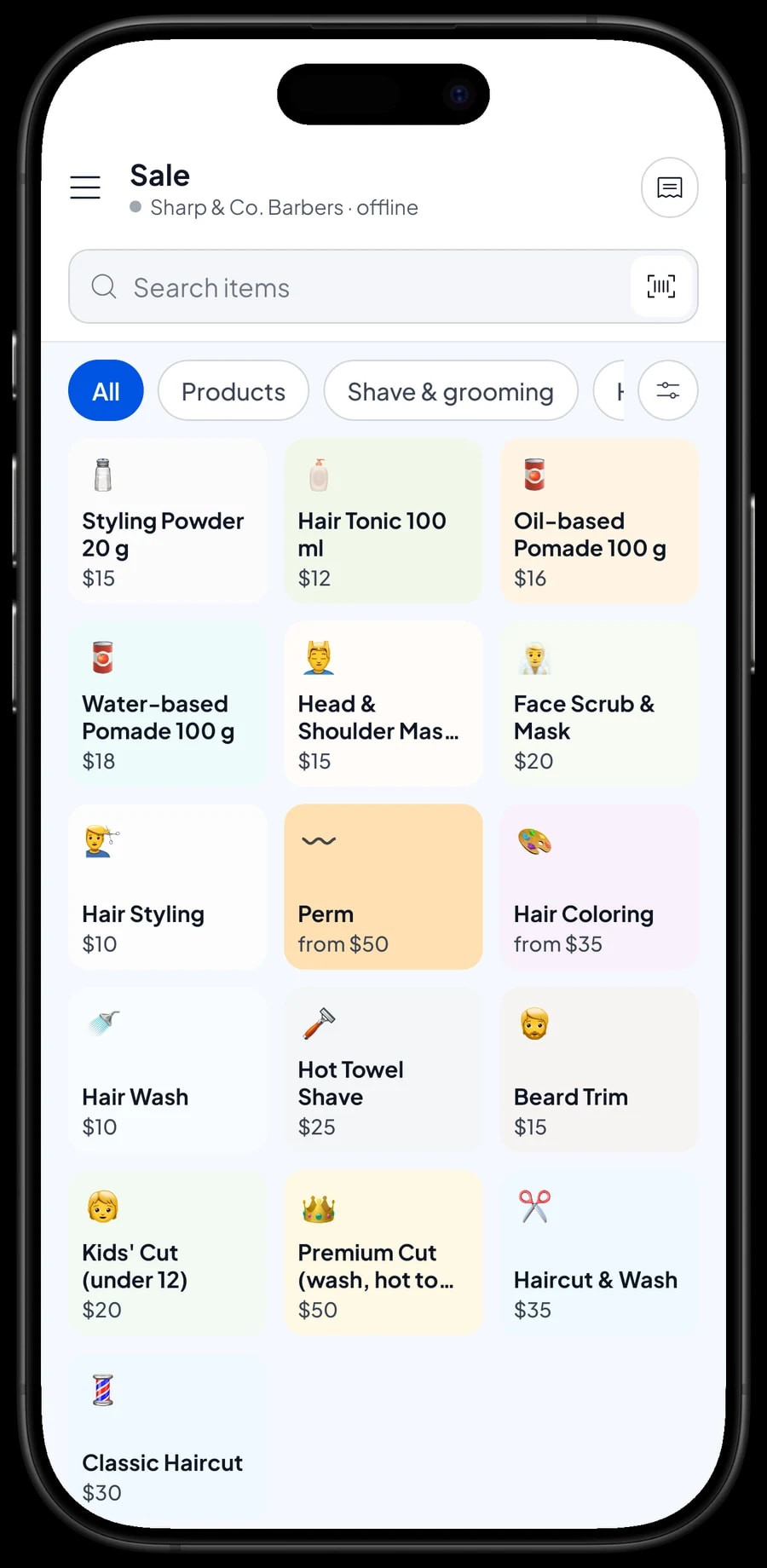
Start with the price board on the wall. In Salesmaster, each service is one item in the Catalog with the type Service, which carries no stock. Group them into categories such as Haircuts, Shave & grooming, and Products so the cashier finds any service in one tap on the Sale screen.
The packages you offer are services with their own price: a classic haircut, a haircut and wash, a premium cut with wash, hot towel and massage, and a kids' cut for under-12s. Extras like a beard trim, hot towel shave, hair wash, styling, face scrub and head and shoulder massage are items of their own too.
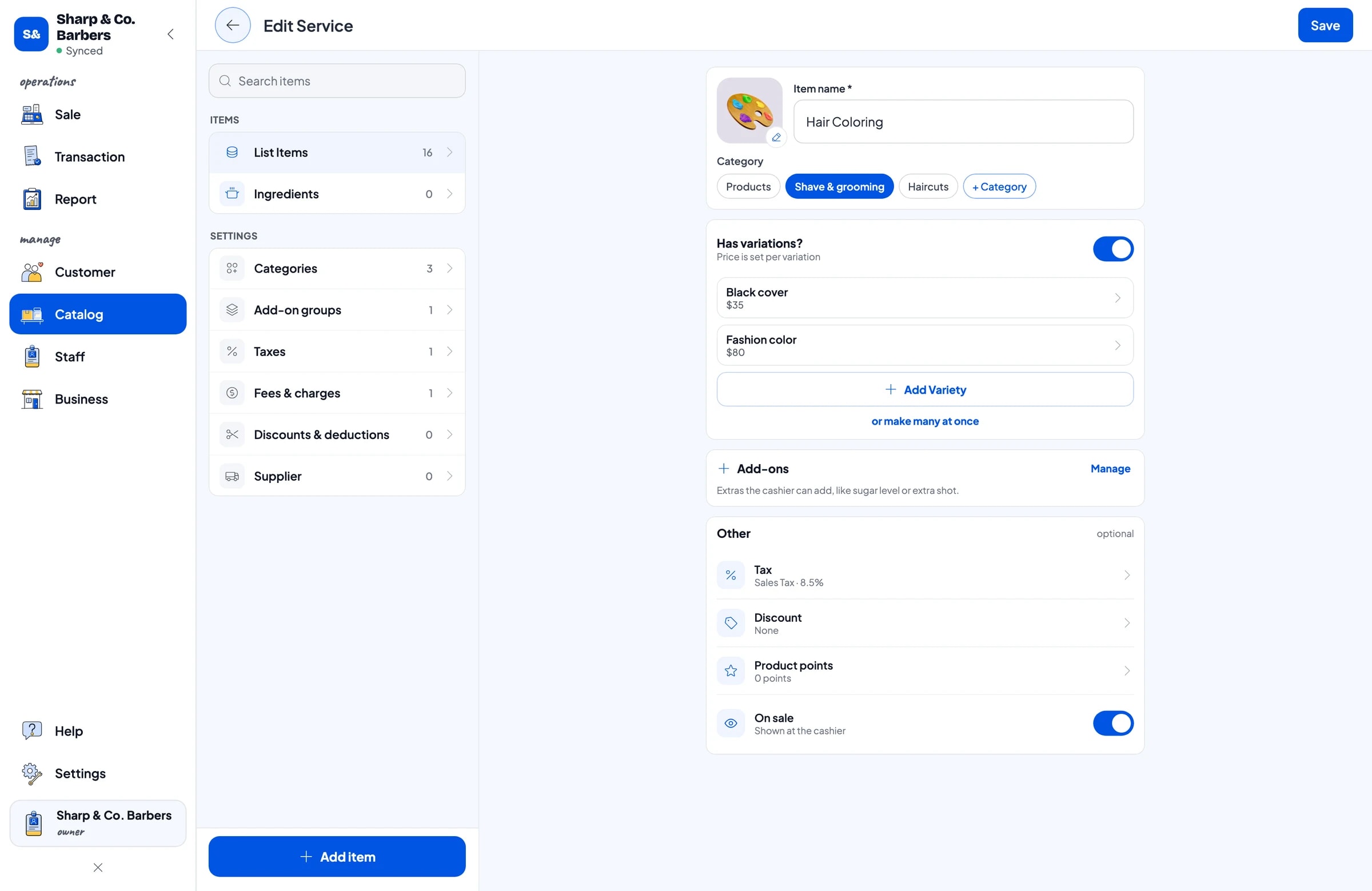
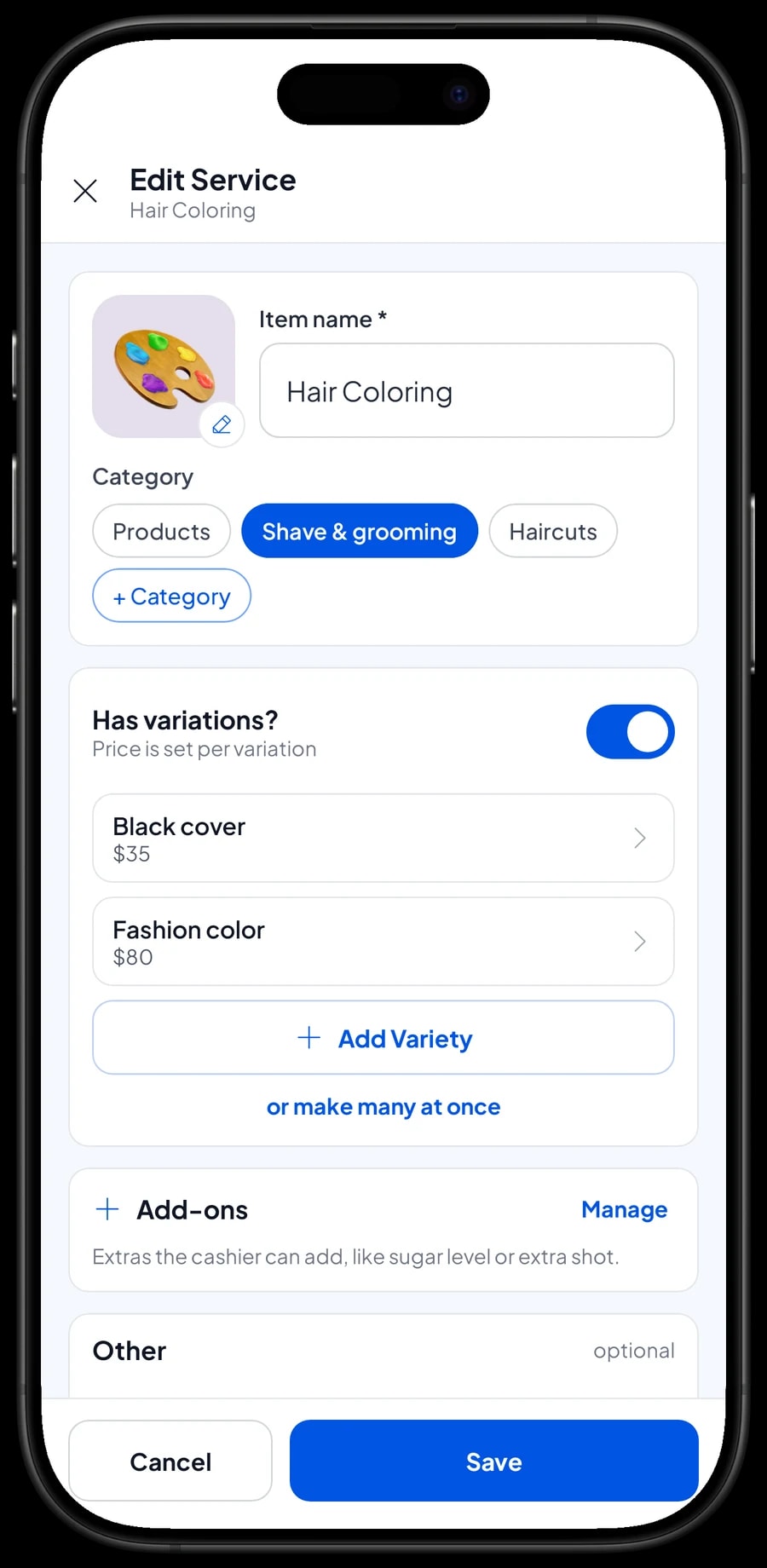
A service whose price depends on a choice only needs one item with variants. Hair coloring with a black cover or a fashion colour, a perm as a down perm or a full perm. The cashier picks the variant and the price follows.
- Step 1: Open Catalog → Categories and create Haircuts, Shave & grooming, and Products.
- Step 2: Open Catalog → List Items, add a new item and choose the type Service for each service.
- Step 3: For services with several options, such as hair coloring, add variants with their prices.
- Step 4: Save the item and check on the Sale screen that it appears under the right category.
Add-ons: hair tonic, vitamins and a pomade finish
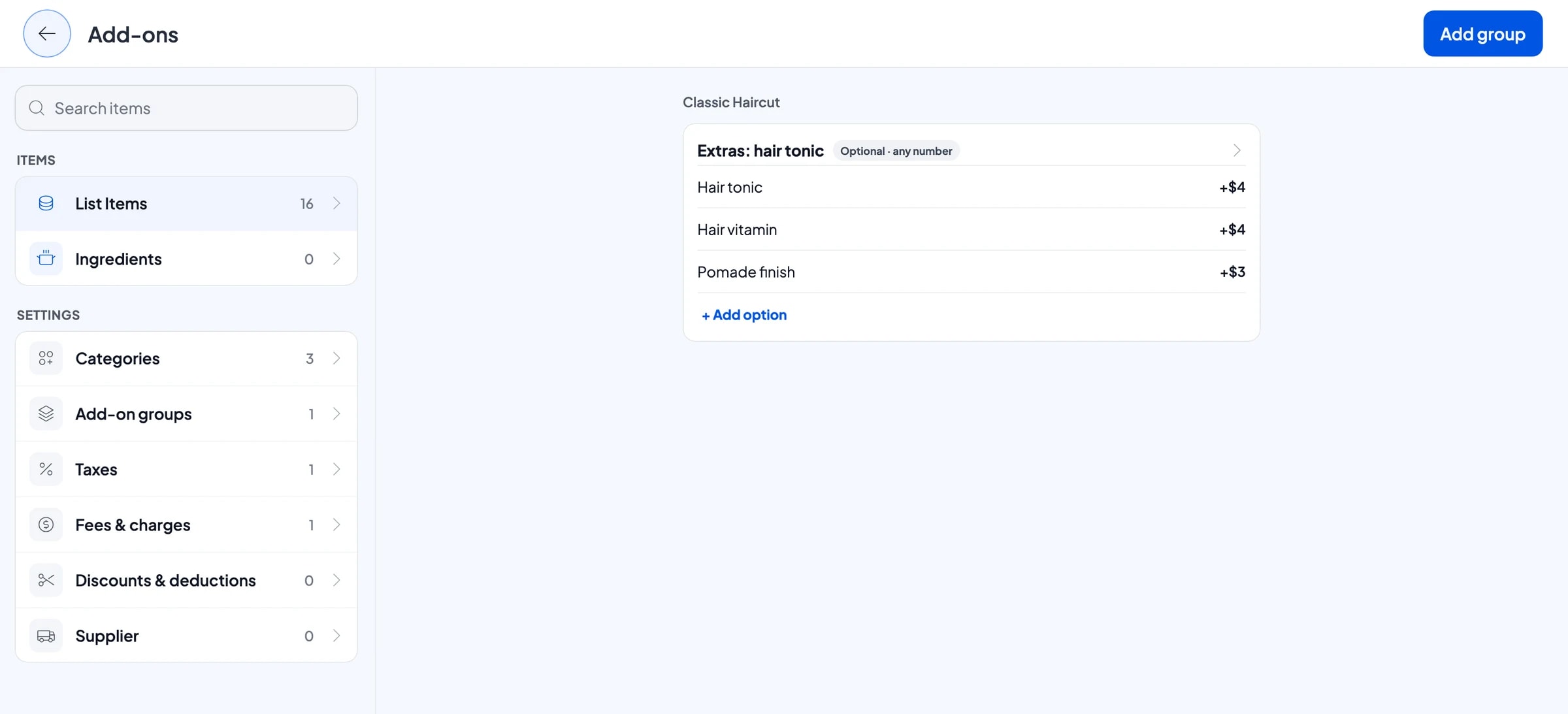
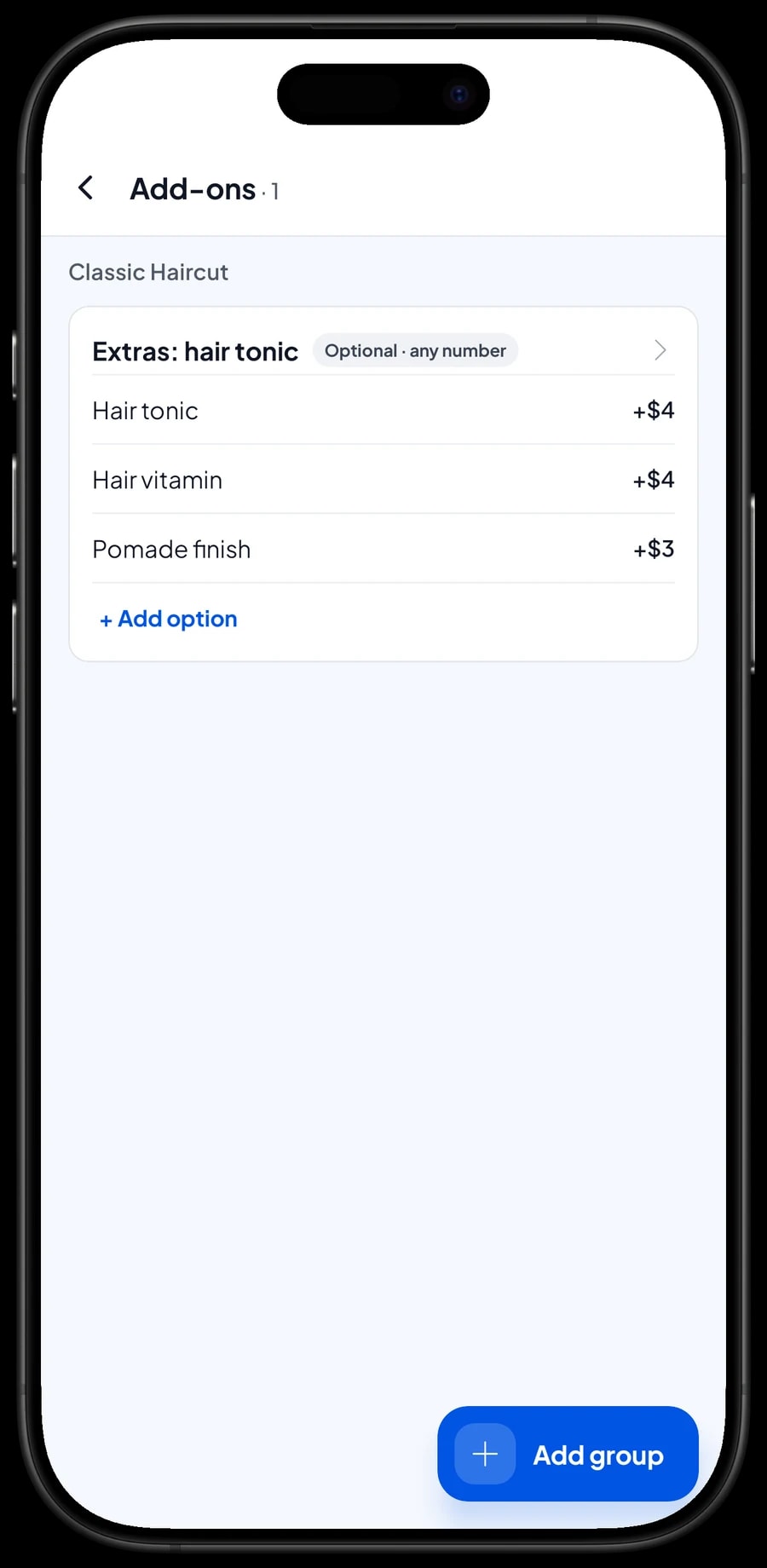
Extras offered at the end of a cut are add-ons. One add-on group, such as "Extras: hair tonic" with hair tonic, a hair vitamin and a pomade finish, can be attached to every haircut at once: the classic cut, cut and wash, premium cut and kids' cut.
When the cashier picks a haircut, the extras appear and their price is added to the ticket. The barber just calls out what was used, and nothing slips through.
Keep add-ons and take-home products apart. Tonic the barber applies in the chair is an add-on. A bottle of tonic the client buys to use at home is a Product with its own stock.
- Step 1: Open a haircut in Catalog → List Items and manage its add-ons.
- Step 2: Create an add-on group, such as Extras: hair tonic, and enter each option with its price.
- Step 3: Make the group optional so the cashier can skip it when there are no extras.
- Step 4: Attach the same group to your other haircuts.
Fast checkout when the bench is full
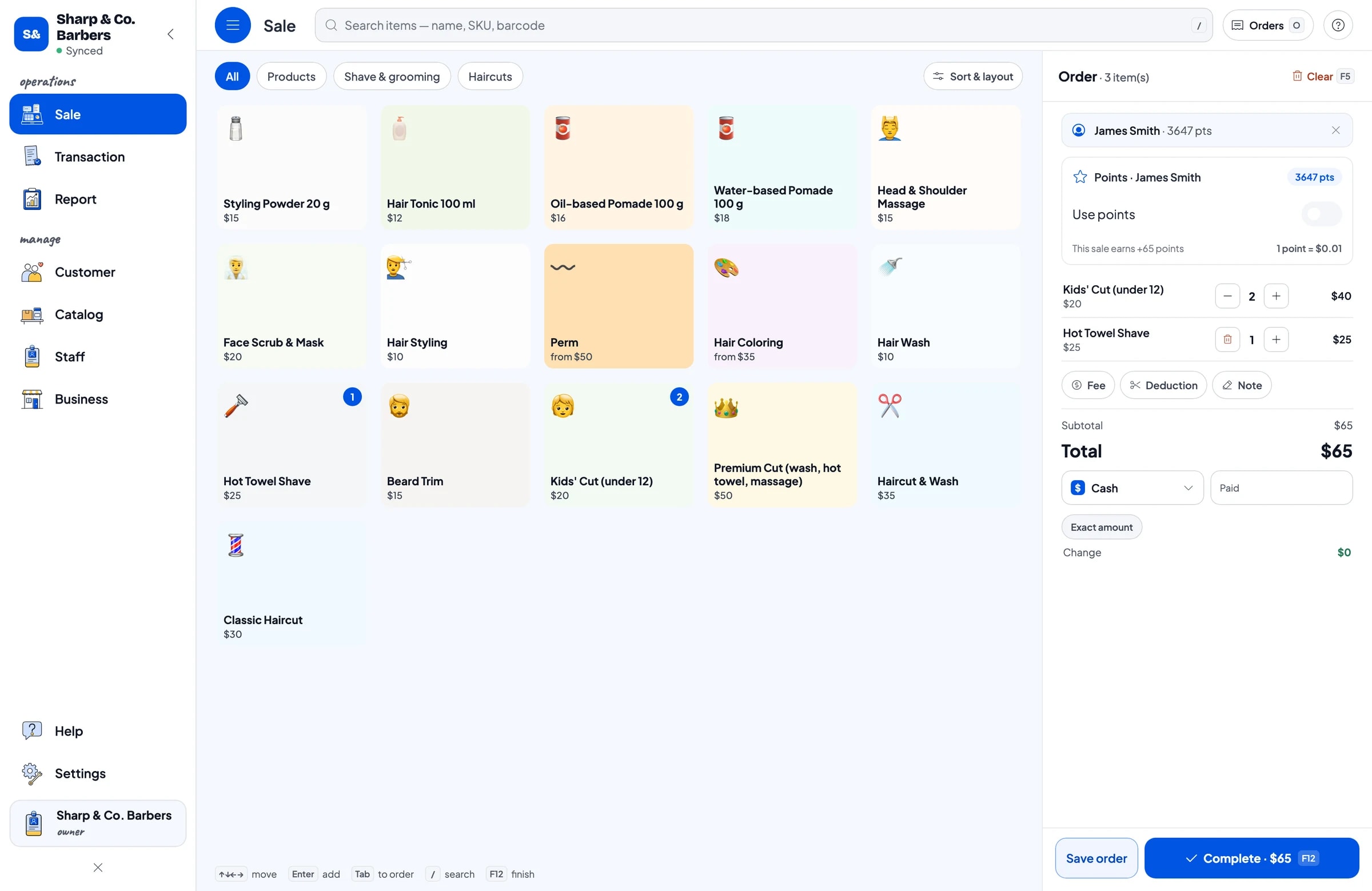
A barbershop runs on speed. As soon as a client stands up, the cashier taps the service, picks any add-ons, adds the pomade they want to buy and chooses the payment method. A sale takes a few taps, and the next client can sit down.
If the barber takes the money, Salesmaster runs on a phone at the front counter. With a dedicated cashier, a tablet or laptop at the desk is more comfortable for a long line. The catalog syncs to every device in your shop.
Salesmaster has no queue numbers or appointment calendar. Keep using your walk-in list or booking book, and record the sale in Salesmaster when the client is done.
Pomade and grooming products with stock
Water-based and oil-based pomade, hair tonic and styling powder are items of type Product with a selling price, a purchase cost and opening stock. Every sale takes them off stock, and Salesmaster warns you when stock runs low. If a product has a barcode, enter it so the cashier can simply scan it.
Because services and products live in one catalog, a client who gets a cut and buys pomade pays once. In the reports, service revenue and product revenue show up separately, item by item.
When a delivery arrives, add it to stock and keep the distributor's details as a supplier. Supplies your barbers use, like blades and talc, are easiest to record as expenses in Finance.
Payments, sales tax and receipts
Create the payment methods you accept: cash, card, a mobile wallet, bank transfer, or anything else. Reports show how much came in through each method, so the drawer and your bank balance are easy to reconcile. If you charge sales tax, set it once in Fees or Tax.
Promotions, like a student price or a weekday discount, are set up in Deductions. Once paid, the receipt can print on a Bluetooth or USB thermal printer, or go out by WhatsApp, email or a web receipt link with your shop's logo and Instagram.
Barbers, cashiers and staff devices
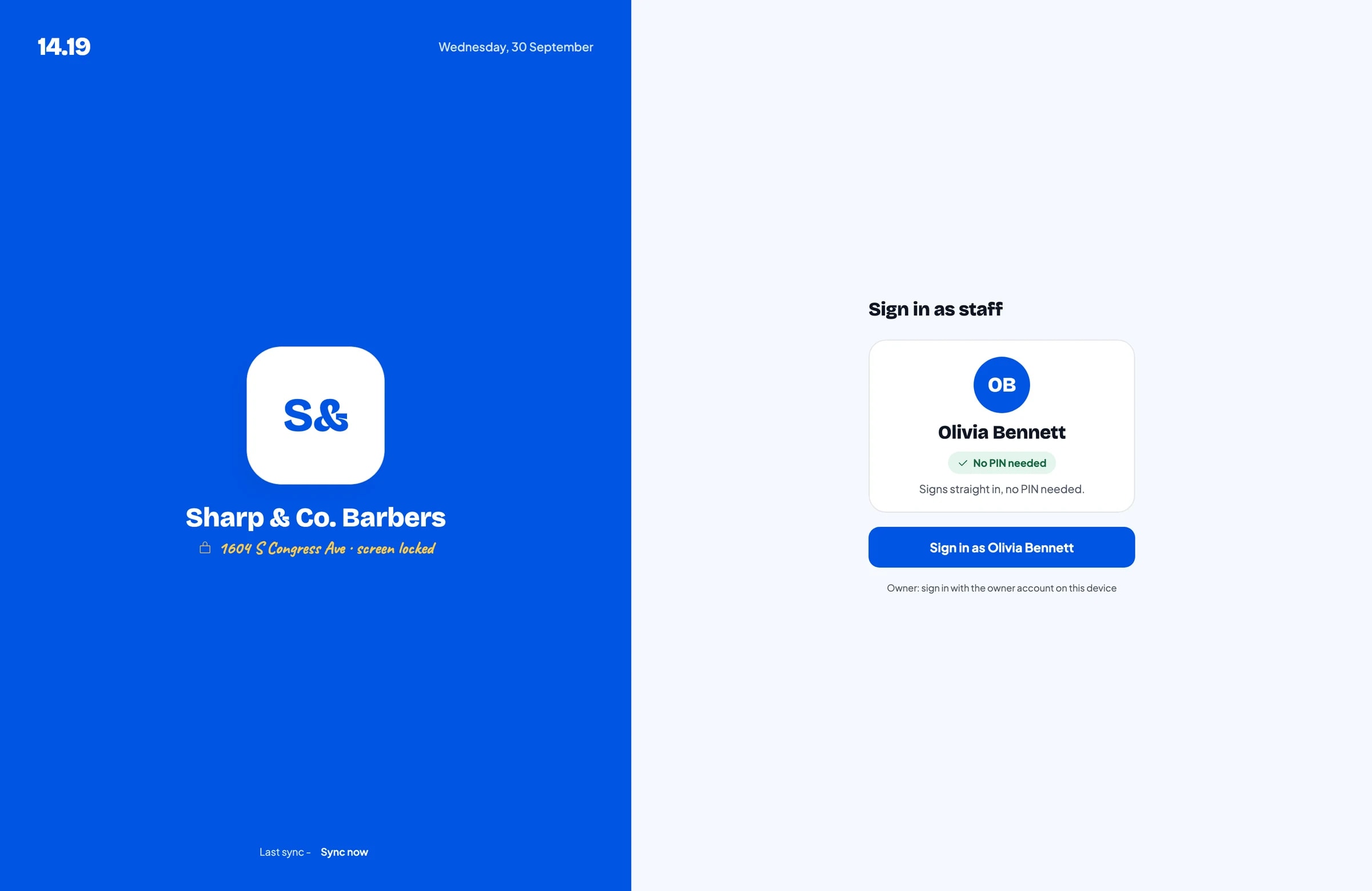
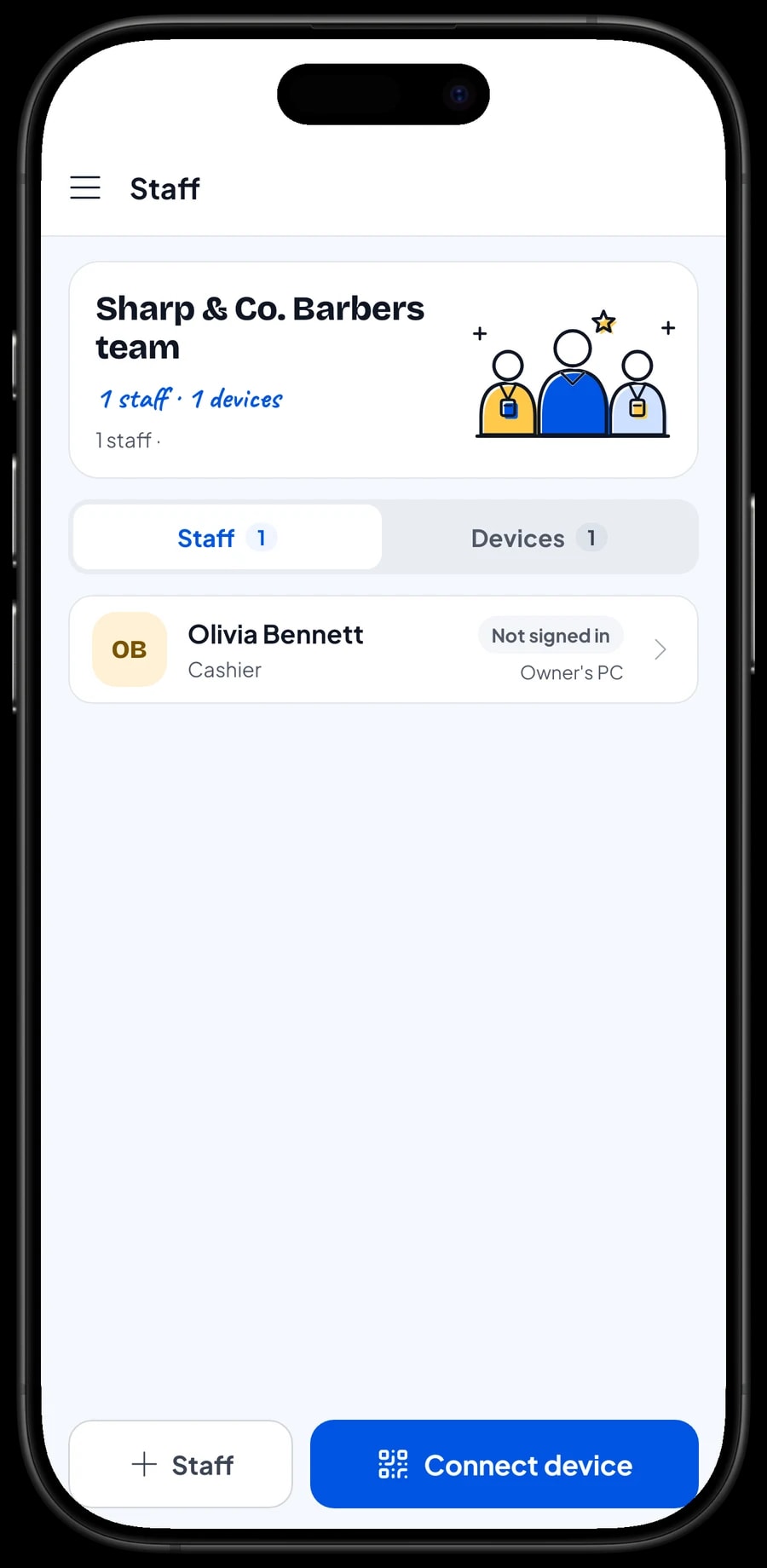
The owner signs in with the main account, and one account signs in on one device at a time. The cashier or a barber who rings up sales doesn't need your account: add them as staff and register a cashier device for them. Staff sign in with a PIN, and you decide what they can see and change. Staff accounts come with Bronze Pro (1 staff) and Silver Pro (2 staff).
Salesmaster doesn't calculate barber commission automatically. If barbers are paid per head, write the barber's name in the sale note so it can be checked, and record their pay as an expense in Finance.
Regulars: loyalty points and member cards
Barbershop clients come back every three to four weeks. Save them at checkout (a name and phone number is enough) and their visit history is kept. You can see who comes like clockwork and who hasn't been back in a while.
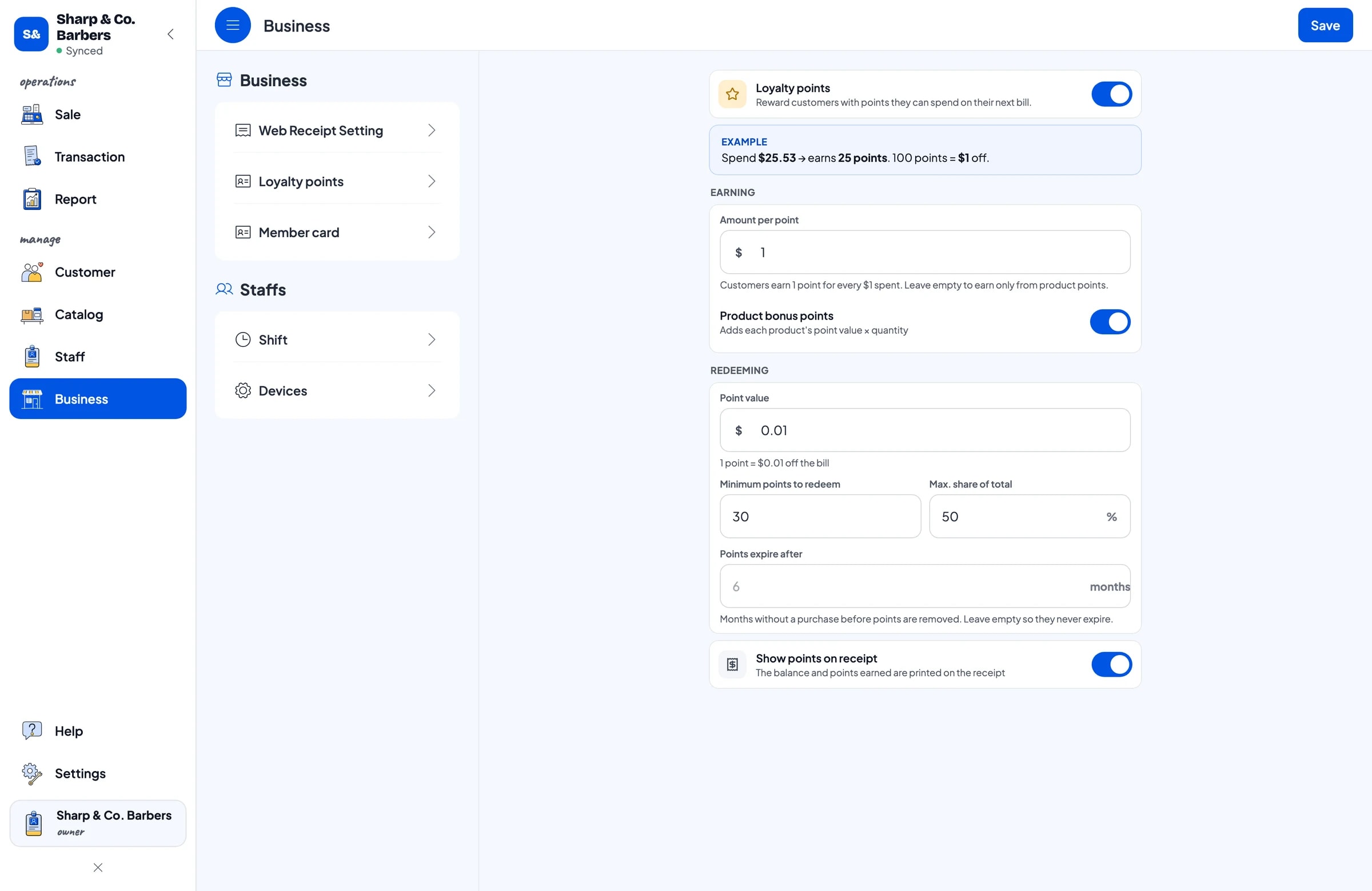
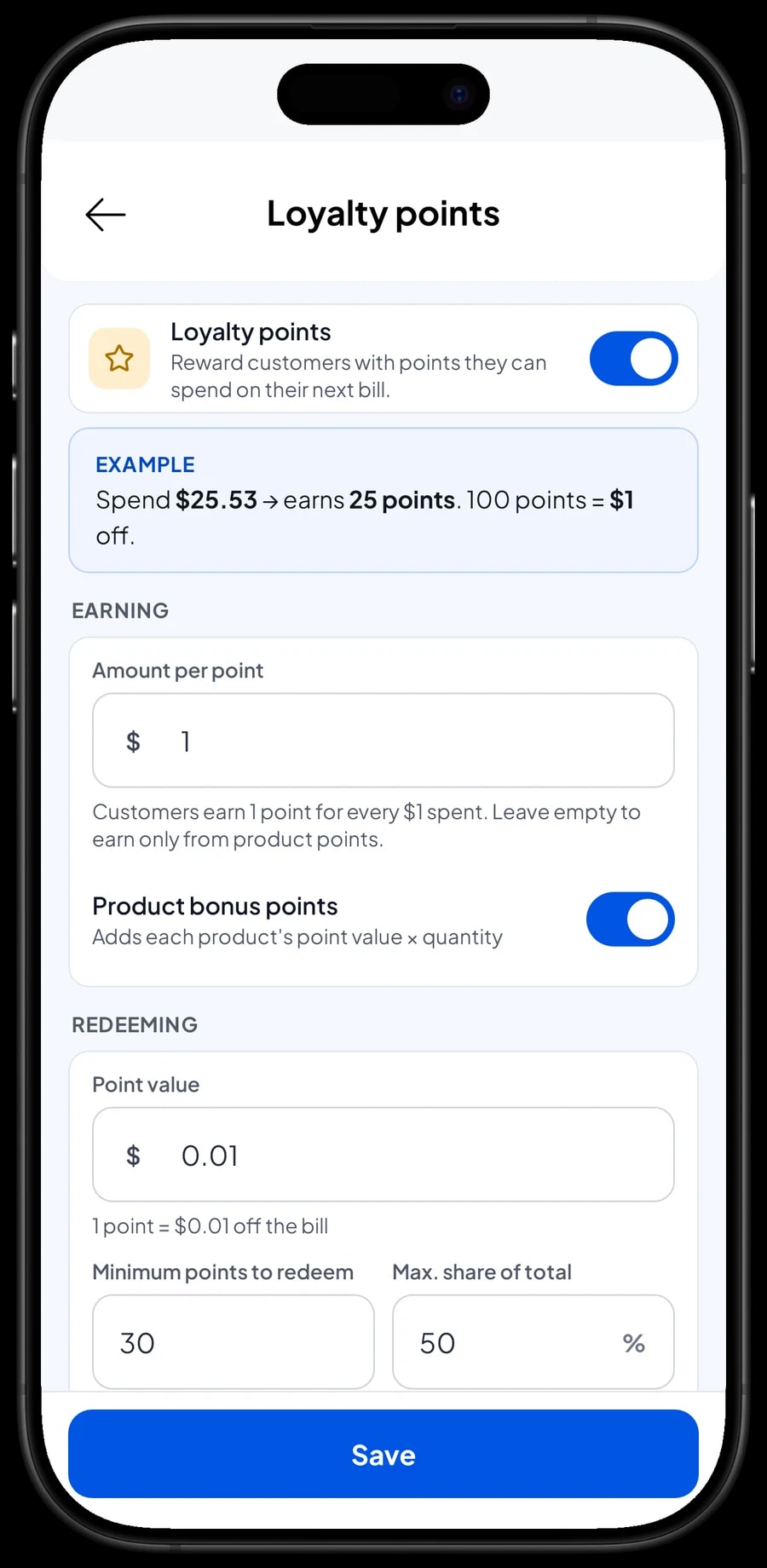
Turn on Loyalty points to give them a reason to return to your chair. You set the rules: the amount spent per point, the value of a point when redeemed, the minimum points to redeem, and the maximum share of a ticket that points can cover. Points are added automatically, and the discount is worked out when a client redeems. Regulars can also get a member card in their name.
Sales reports and net profit
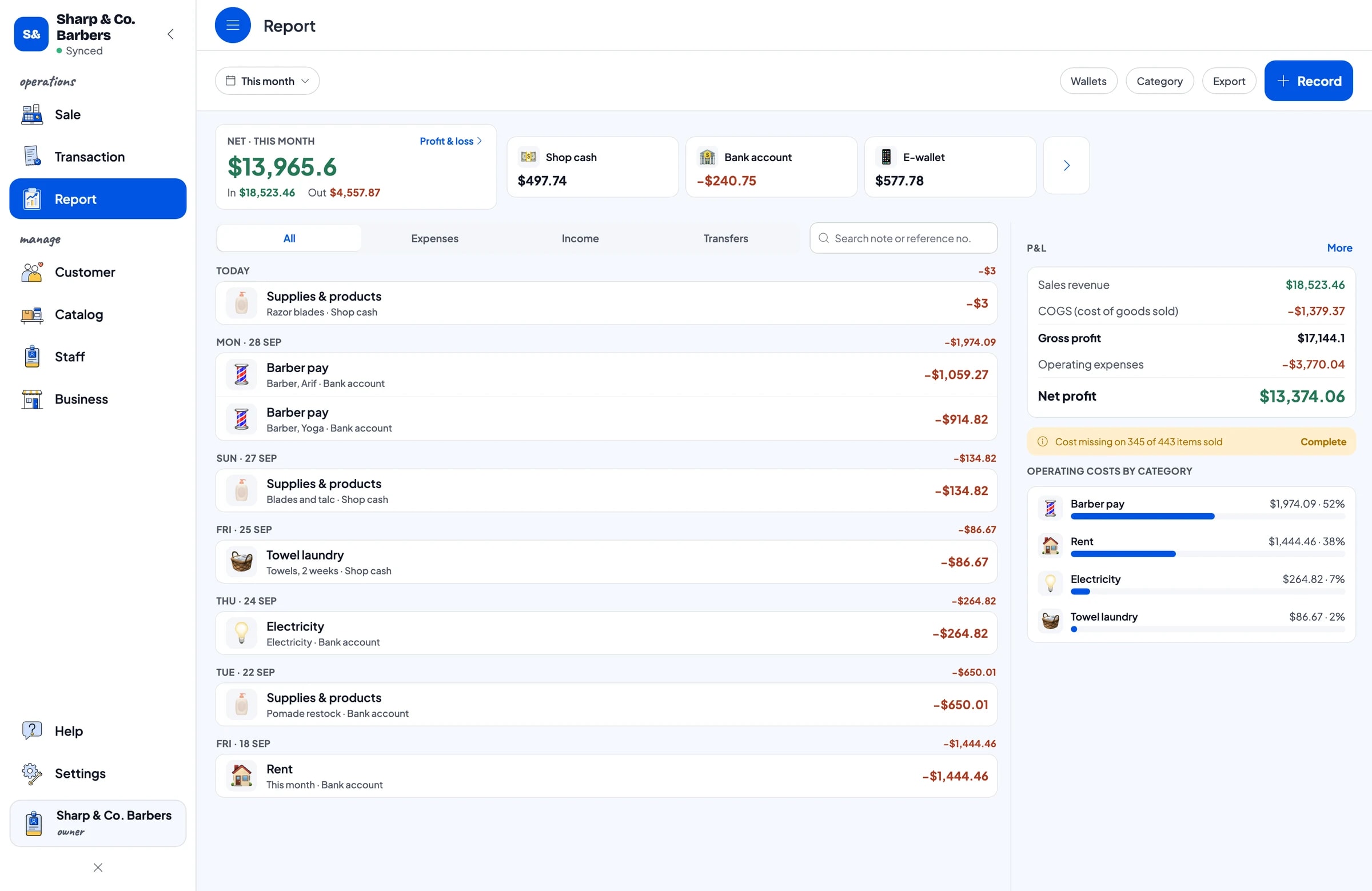
Reports are available by day, week, month and year. You see total revenue, gross and net sales, discounts, tax, payment methods and revenue by service and product, so it is clear which days are busiest, which services sell most and how much pomade adds to the month.
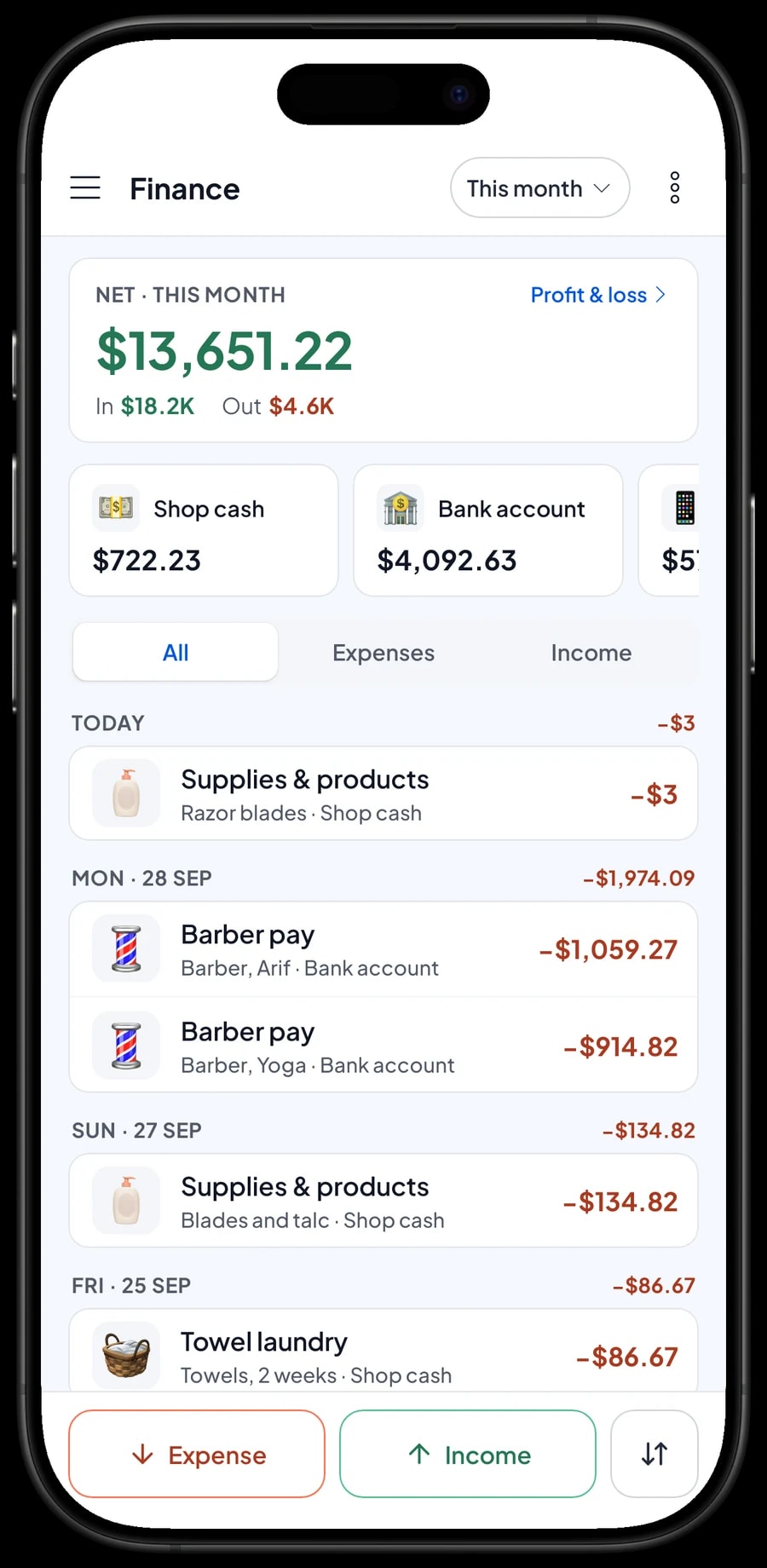
For real profit, record expenses in Finance: pomade restocks, blades and talc, barber pay, rent, electricity and towel laundry. Each expense has a category and the wallet it was paid from, such as shop cash, a bank account or an e-wallet. The Finance report then shows revenue minus costs and operating expenses: your shop's net profit.
Reports can be exported to Excel or PDF. Compare a normal month with back-to-school or the holidays to see when you need another barber.
Get started in a day, and keep working offline
You don't need to close the shop to switch to Salesmaster. Install the app on the front-counter phone or tablet, create an account, and enter the services from your price board, the add-ons you usually offer and the products you sell. If you use a Bluetooth thermal printer, connect it too.
If the internet drops, checkout keeps working. Sales are saved on the device and sent to the cloud when the connection is back. Offline mode works for up to 7 days; after that the app needs to connect briefly to sync. Because your data lives in your account, nothing is lost if a device breaks or is replaced.
Step-by-step guides for every feature are in the Salesmaster Help Centre, and our team is on WhatsApp if you need help setting up your service menu.
An example barbershop catalog
Use this table as a starting point and replace the names and prices with your own services.
| Category | Item | Variants | Add-ons | Item type |
|---|---|---|---|---|
| Haircuts | Classic Haircut | - | Hair tonic, Hair vitamin, Pomade finish | Service |
| Haircuts | Haircut & Wash | - | Hair tonic, Hair vitamin, Pomade finish | Service |
| Haircuts | Premium Cut | - | Hair tonic, Hair vitamin, Pomade finish | Service |
| Haircuts | Kids' Cut (under 12) | - | Hair tonic, Hair vitamin, Pomade finish | Service |
| Shave & grooming | Beard Trim | - | - | Service |
| Shave & grooming | Hair Coloring | Black cover, Fashion colour | - | Service |
| Shave & grooming | Perm | Down perm, Full perm | - | Service |
| Products | Water-based Pomade 100 g | - | - | Product |
| Products | Hair Tonic 100 ml | - | - | Product |
Services are Service items with no stock, and extras in the chair are add-ons. Pomade, bottled tonic and styling powder that clients take home are Products, so their stock is counted.
Which plan fits your barbershop
Start by counting heads per day. A barbershop serving about 10 clients a day records roughly 300 transactions a month.
| Plan | Price | Transactions / month | Staff accounts | Good for |
|---|---|---|---|---|
| Free | Free | 30 | Owner only | To try your service menu and add-ons before using it for real. |
| Solo Pro | $4.90/month | 3,000 | Owner only | One-chair shops run by the owner. |
| Bronze Pro | $6.90/month | 5,000 | 1 staff | Shops with one cashier or barber ringing up sales on their own device. |
| Silver Pro | $9.90/month | 8,000 | 2 staff | Busier shops with two staff on separate devices. |
Every plan includes checkout, catalog, receipts, reports and offline mode. You can change plans at any time. See pricing →
Frequently asked questions
- Can hair tonic and pomade be added to a haircut?
- Yes. Create an add-on group with hair tonic, a hair vitamin and a pomade finish, and attach it to your haircuts. When the cashier picks a cut, the extras appear and their price is added to the ticket.
- Can I keep track of pomade stock?
- Yes. Create pomade as a Product with opening stock. It goes down with every sale, and Salesmaster warns you when stock runs low.
- Does Salesmaster have a queue or booking system?
- No. There are no queue numbers or appointment calendar. Keep your usual walk-in list or booking book, and record the sale in Salesmaster when the client is done.
- Can Salesmaster calculate barber commission?
- Not automatically. Write the barber's name in the sale note so it can be checked, and record wages and commission paid as expenses in Finance so your net profit stays accurate.
- Can the shop keep working when the internet is down?
- Yes. Sales are saved on the device and sync when the internet is back. Offline mode works for up to 7 days before the app needs to connect.
- Can my barbers and I use separate devices?
- Yes, with staff accounts. One account signs in on one device at a time, so staff use a staff device and sign in with a PIN. Staff accounts come with Bronze Pro (1 staff) and Silver Pro (2 staff).
Need help setting up your catalog? Chat with our team on WhatsApp →



