

Salesmaster is a point-of-sale (POS) app for art supply and craft stores on Android, iPhone & iPad, Windows and Mac. Yarn, paint, ribbon and canvas use colour or size variants with their own price, cost and stock, workshops are sold as services, regulars earn loyalty points, and stock purchases, tutor fees and ads go into Finance so you can see real net profit.
Problems craft stores know well
A craft store sells hundreds of small things that are identical except for their colour. If any of these sound familiar, this page is for you.
- 01
Colours run out without warning
Dusty pink yarn flies off the shelf while mustard piles up. If stock is only counted per product name, you learn a colour is gone when a customer halfway through a project asks for it.
- 02
One product, two ways to sell it
Felt goes by the sheet or the ten-pack, hot glue as a gun or just the sticks. Cashiers have to remember which price is which, and stock gets messy fast.
- 03
Workshops and retail blur together
The Saturday class brings in money, but also a tutor fee and materials taken off the shelf. Without separate records, it is hard to know if the class actually pays.
- 04
Loyal makers, but no record of them
Knitters and painters who come in every week keep the store going. Without customer records, you don't know who they are or have a way to give them a reason to come back.
Building your catalog: colours and sizes as variants
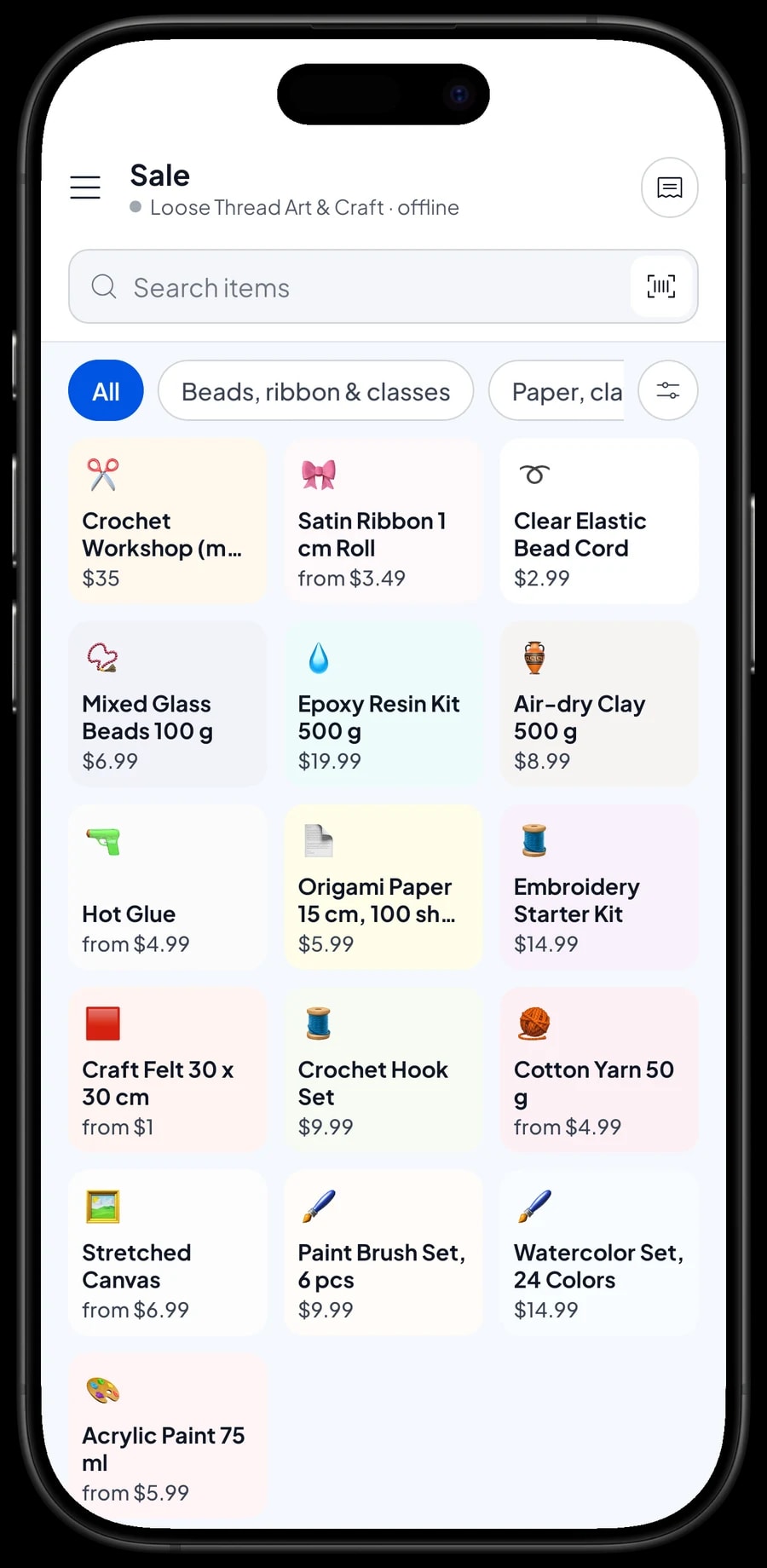
Set up categories that match your shelves, such as Paint & canvas, Yarn, felt & sewing, Paper, clay & glue, and Beads, ribbon & classes. Categories show as tabs on the Sale screen, so staff find any item in one or two taps.
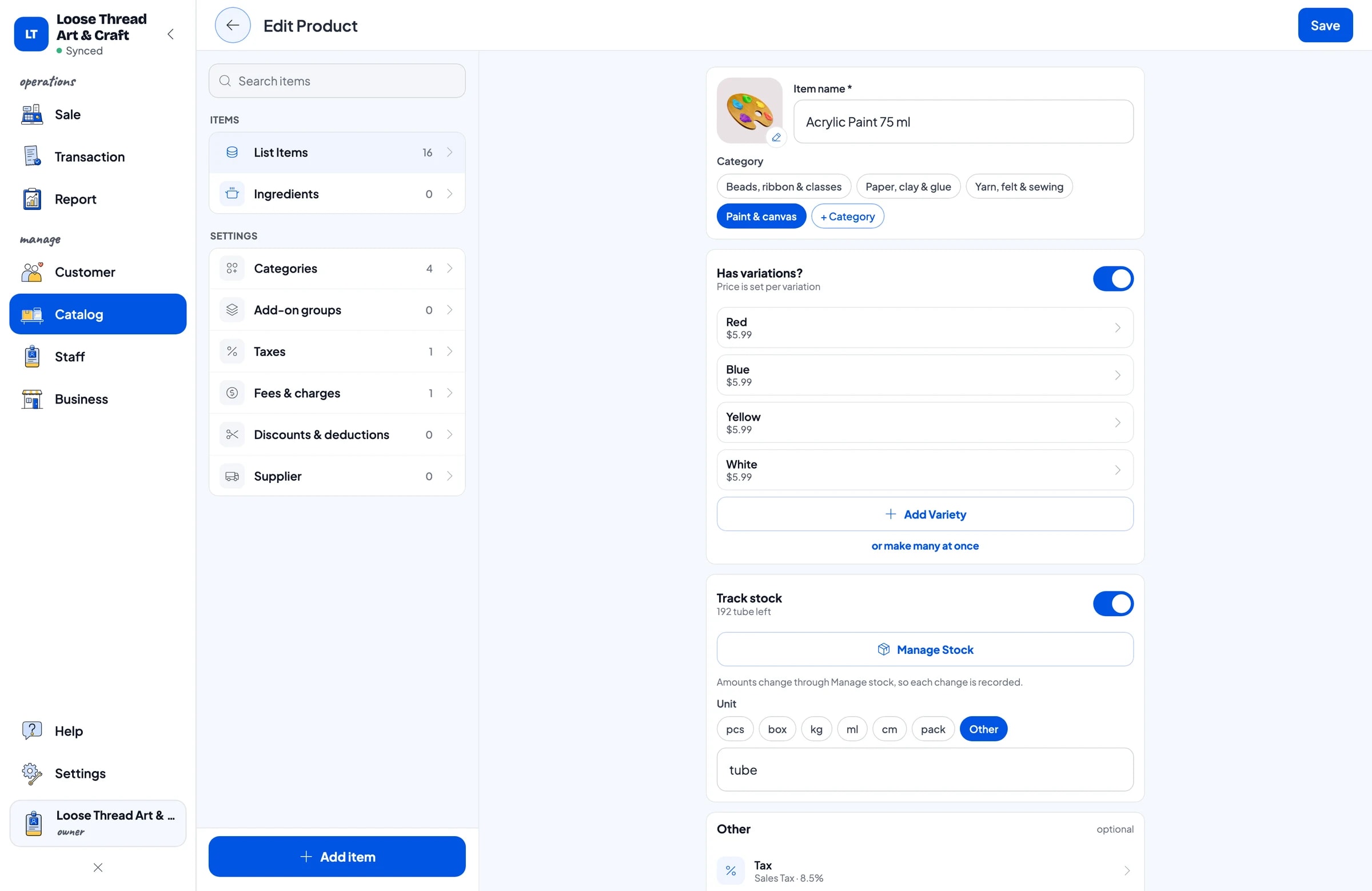
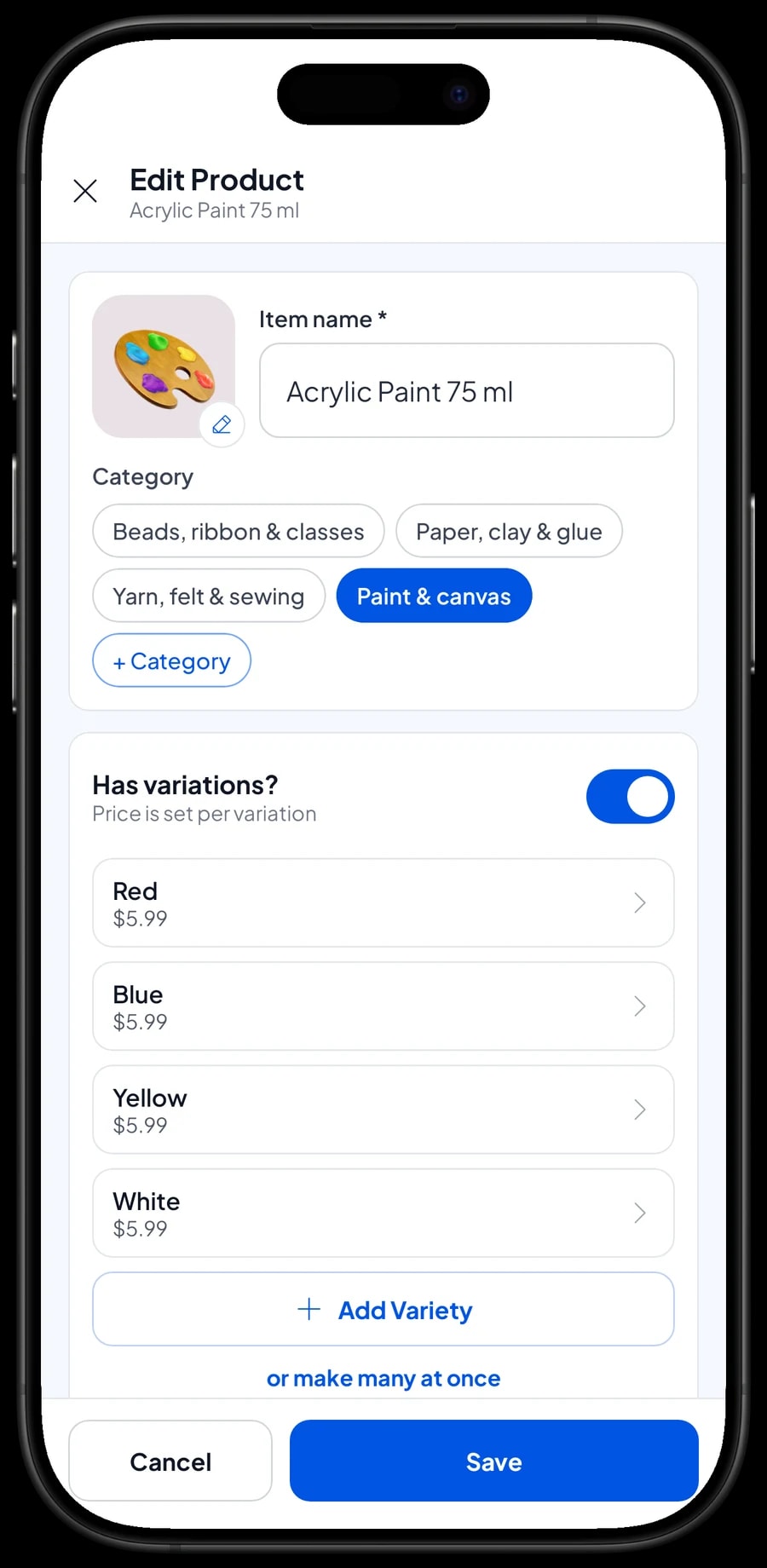
Products that differ only by colour are one item with variants. Acrylic Paint 75 ml with Red, Blue, Yellow and White; Cotton Yarn 50 g with Cream, Dusty Pink, Sage and Mustard; Satin Ribbon 1 cm with Red, Gold and White. Products that differ by size use variants too, like a Stretched Canvas in 20 x 20 cm, 30 x 40 cm and 40 x 60 cm, each at its own price.
Every variant has its own price, cost and stock. So dusty pink yarn is counted separately from sage, even when they cost the same.
- Step 1: In Catalog, create categories that match your shelves.
- Step 2: Add one item for each product, with its name, unit and category.
- Step 3: Add a variant for every colour or size, with its own price and cost.
- Step 4: Turn on Stock Tracking and enter the opening stock for every variant.
Sold single or by the pack
Many craft supplies sell two ways. Craft Felt 30 x 30 cm goes as a single sheet or a 10-pack. Hot Glue is sold as the gun or as a 10-pack of sticks. The tidy way is to make these variants, such as Single sheet and 10-pack, each with its own price and stock.
Salesmaster doesn't turn pack stock into single-sheet stock automatically. When you open a pack of felt to sell by the sheet, record a stock adjustment: one pack out, ten sheets in on the Single sheet variant. That way the app matches what is on the shelf.
The same goes for beads sold by the 100 g bag and the 25 g scoop, or yarn sold by the ball and by the bundle. Decide which way you sell most often, then set up the variants.
Checking out baskets full of small things
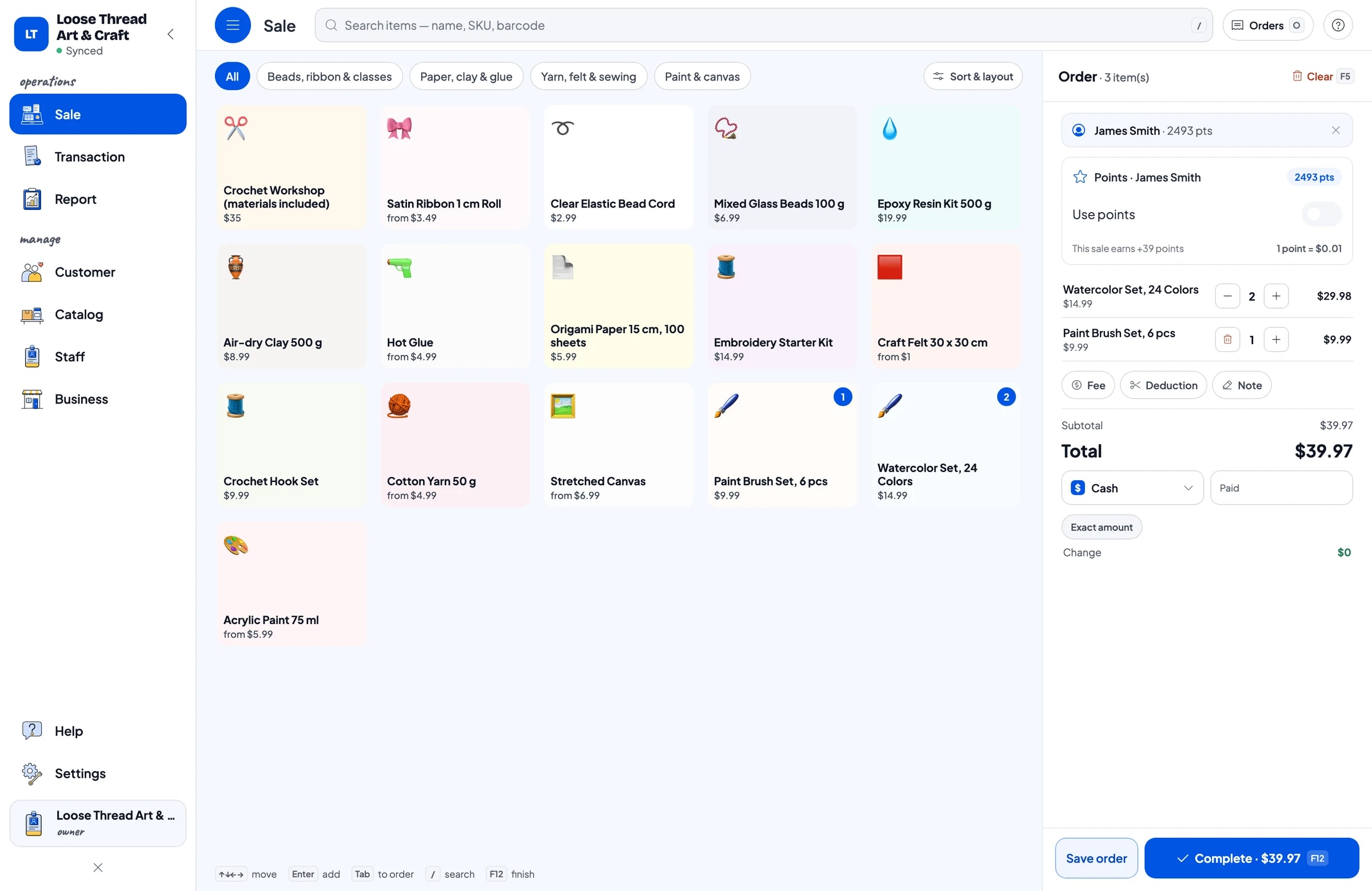
Craft customers rarely buy just one thing. One basket can hold three colours of yarn, a crochet hook set, two canvases and a glue gun. On the Sale screen the cashier picks a category tab, taps the product, picks the colour, and the total adds up. Products with a factory barcode, like watercolor sets or origami paper, can simply be scanned.
Set up the payment methods you accept, such as cash, card, bank transfer or e-wallets. Receipts print on Bluetooth or USB thermal printers, or go out by WhatsApp, email or a web receipt link. Discounts on specific products, such as colours you want to clear, are set up in Deductions.
Every sale is saved under Transactions, with the products, colours, sales tax and payment method. When a customer comes back looking for the same yarn colour as last month, open their sale and see which variant they bought.
Classes and workshops as services
Crochet, painting or resin workshops are a good way to bring in new customers. Create each class as a Service item, such as Crochet Workshop (materials included) with session as its unit. Service items have no stock, so a class can be sold as many times as you like.
Salesmaster has no class sign-up calendar. What most stores do: participants pay for the class at the register like any sale, saved under their name in Customers. Write the class date in the sale note so you can find the participant list again.
If class materials come off your shelves, like yarn and hooks, that stock doesn't go down automatically when a class is sold. Record the materials used as a stock adjustment after the class, and record the tutor fee in Finance. Then you can see what the class really earns.
- Step 1: Add each class as a Service item with session as the unit.
- Step 2: When someone signs up, sell the class on the Sale screen with them as the customer.
- Step 3: Write the class date in the sale note.
- Step 4: After the class, record the materials used as a stock adjustment and the tutor fee in Finance.
Regulars: loyalty points and member cards
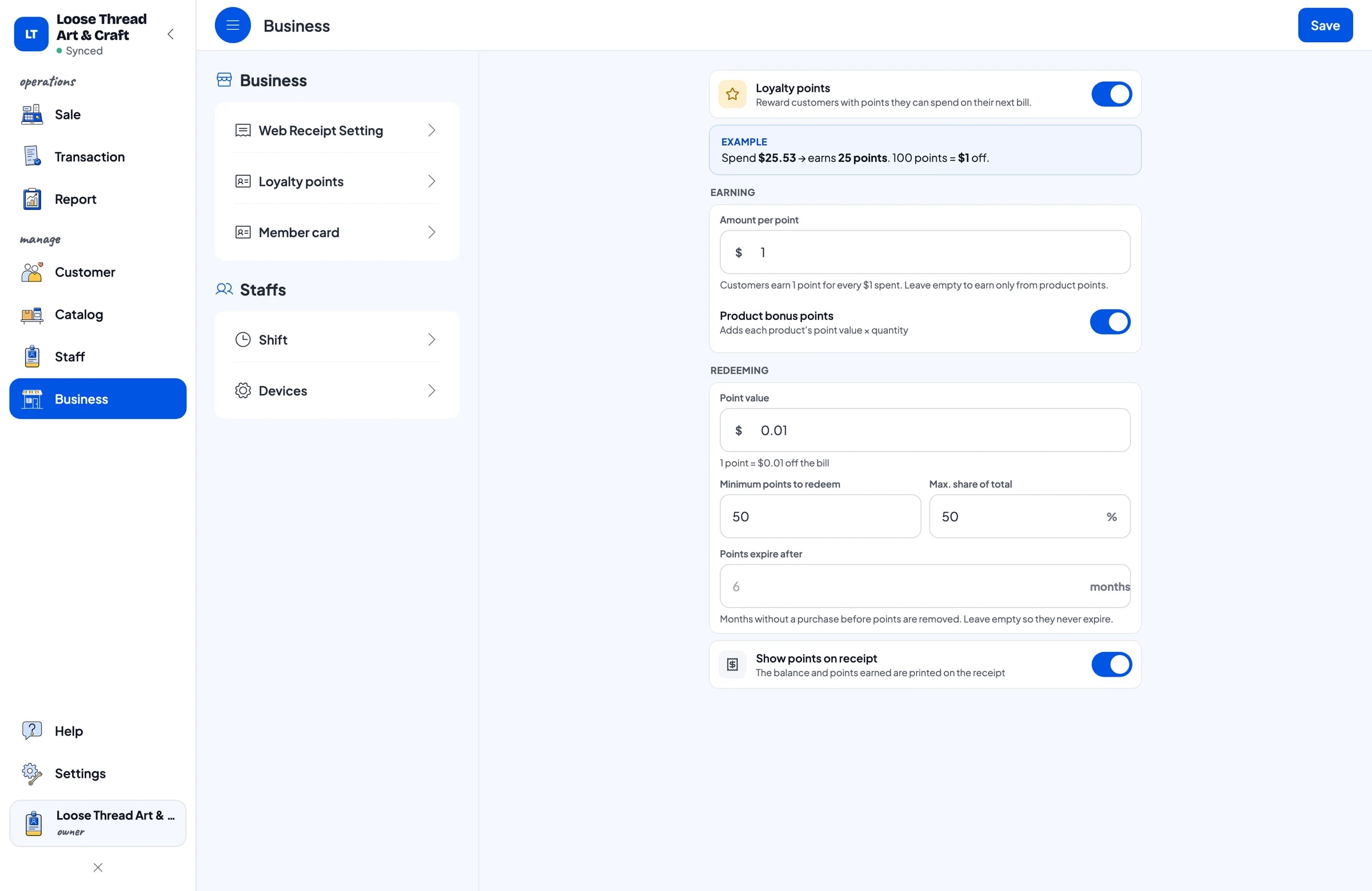
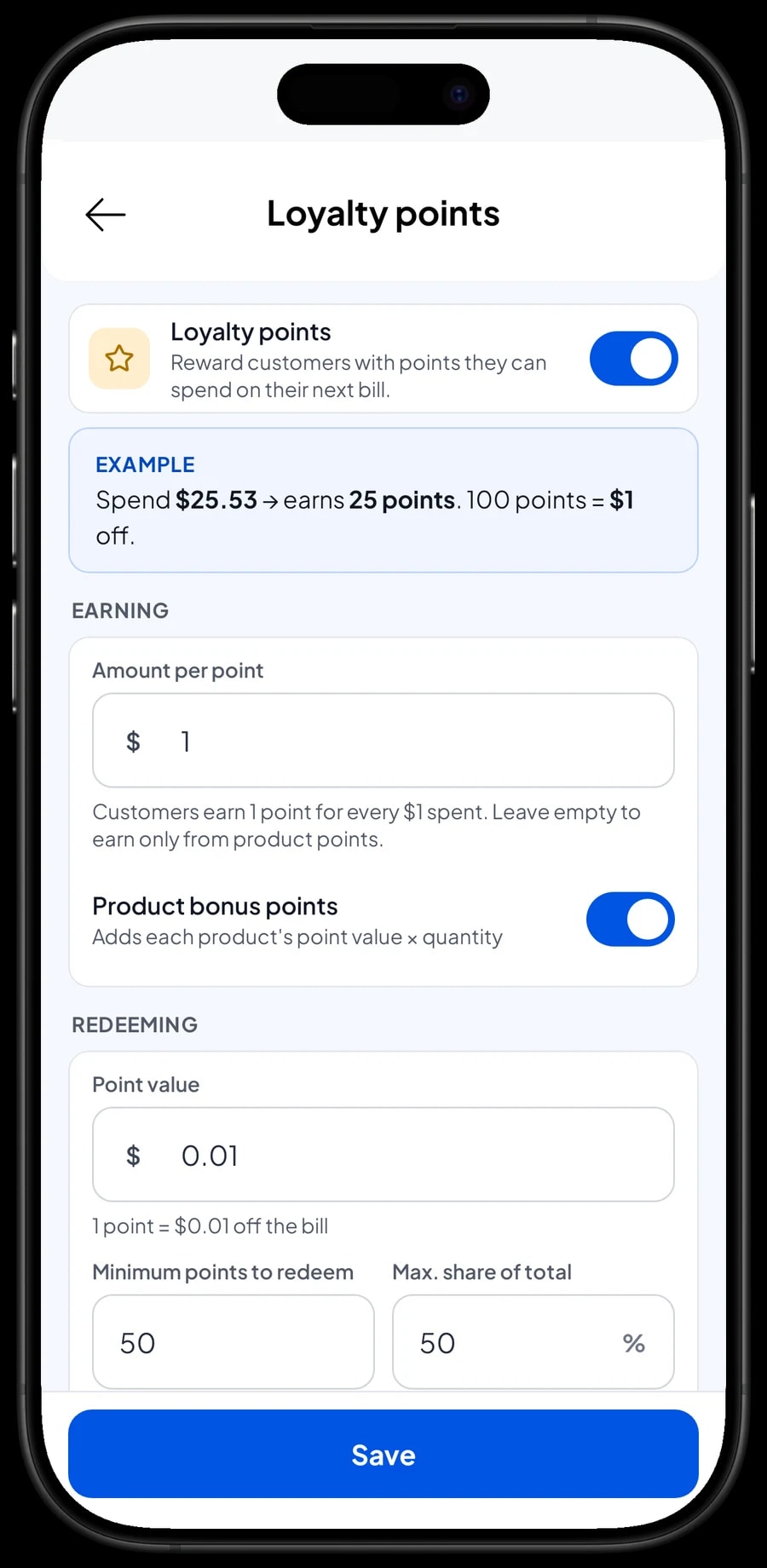
Knitters, painters and teachers who come in every week are your most valuable customers. Save the customer on the sale (a name and phone number is enough), then turn on Loyalty points. You set the rules: how much spending earns 1 point, what 1 point is worth, the minimum points to redeem, and the most a redemption can take off a sale.
Points add up automatically on every sale, class payments included, and the discount is worked out when the customer redeems. Regulars can also get a member card in their name, and their purchase history is kept under Customers, so you know who buys yarn and who prefers paint.
Shop assistants and cashier devices
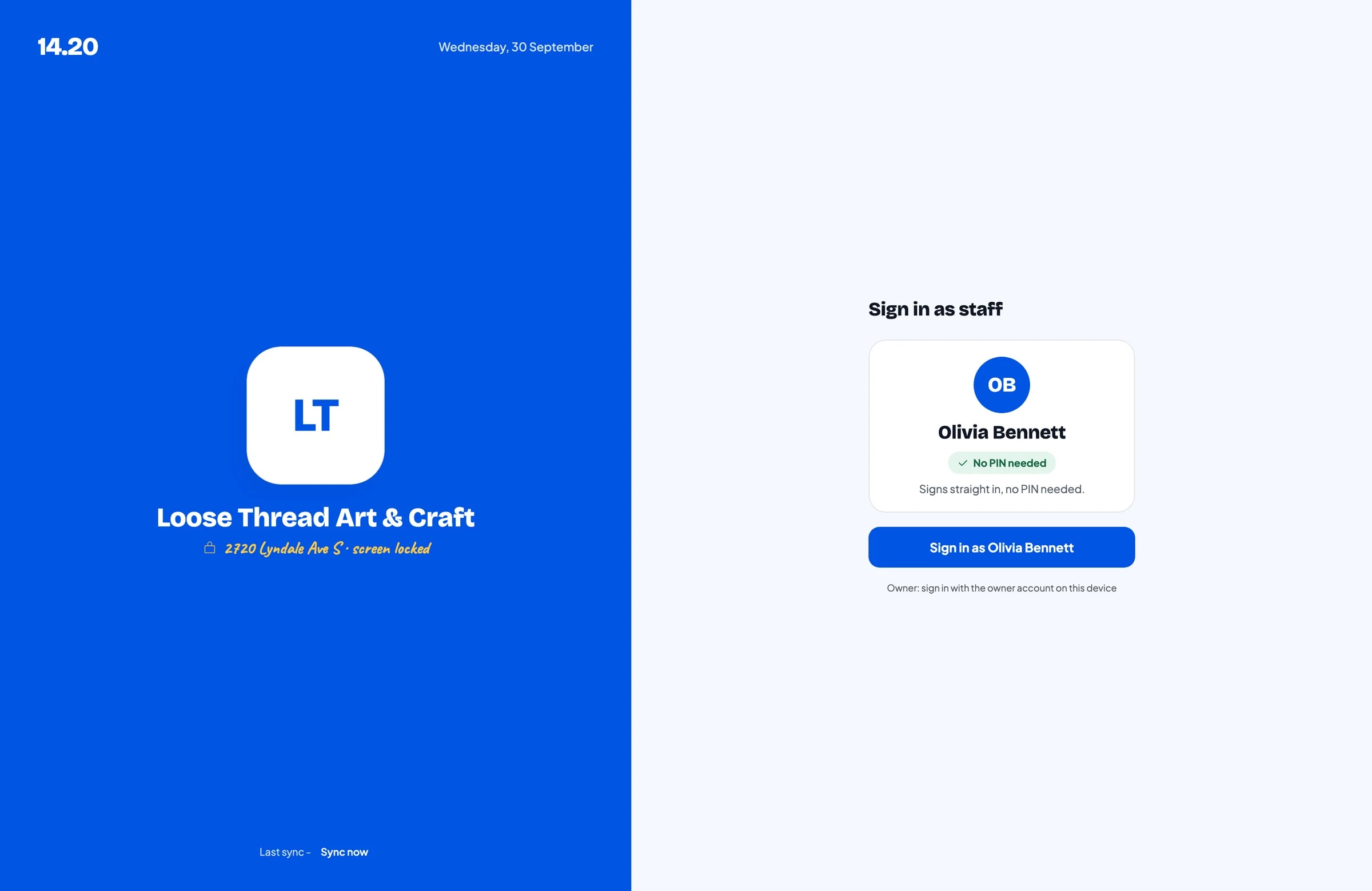
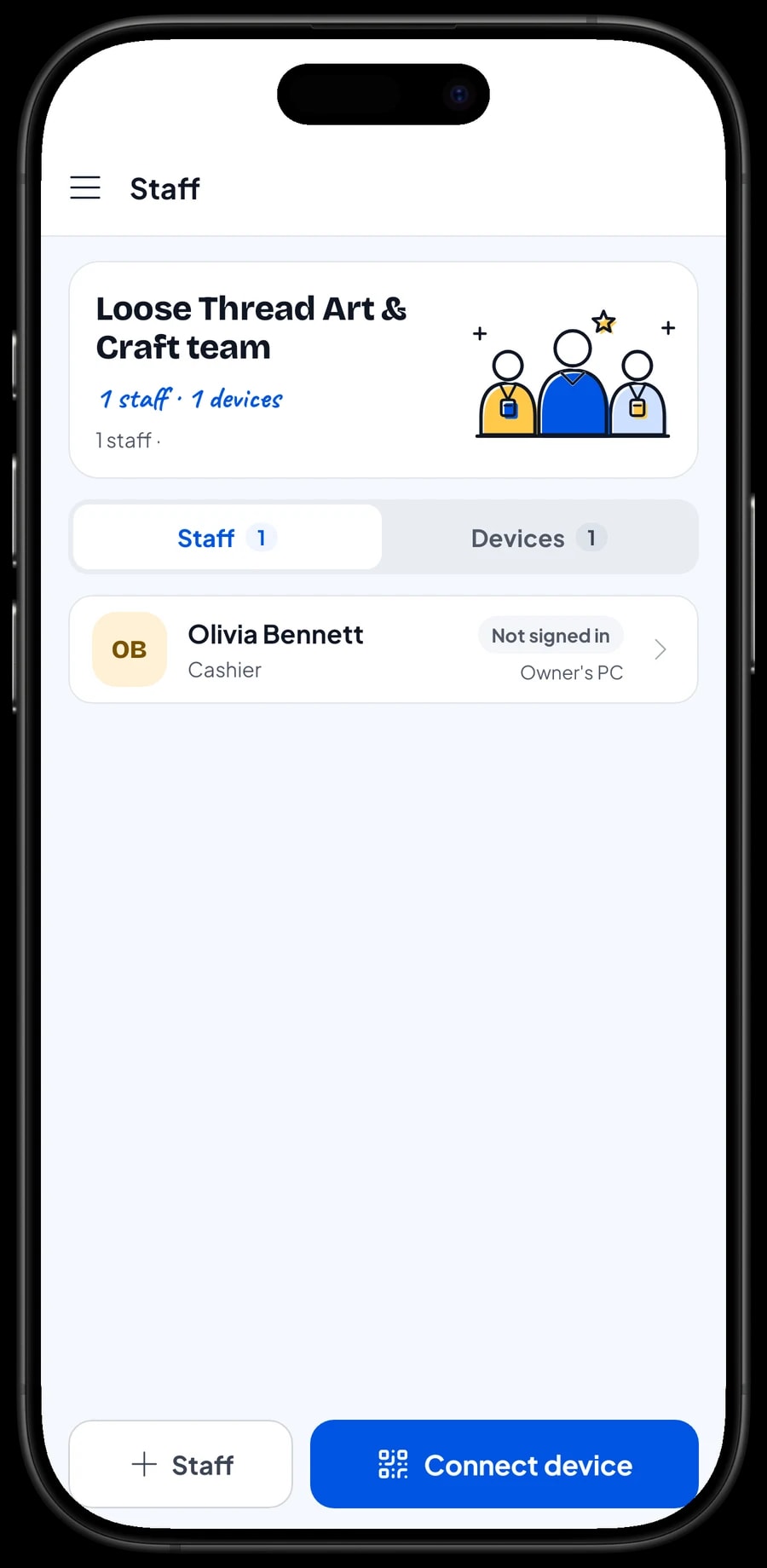
The owner signs in with the main account. An account signs in on one device at a time, so shop assistants don't use your account. Add them as staff and register a cashier device for them. Staff sign in with a PIN, with the role you give them. Staff accounts come with Bronze Pro (1 staff) and Silver Pro (2 staff).
Reports: best-selling colours and busy seasons
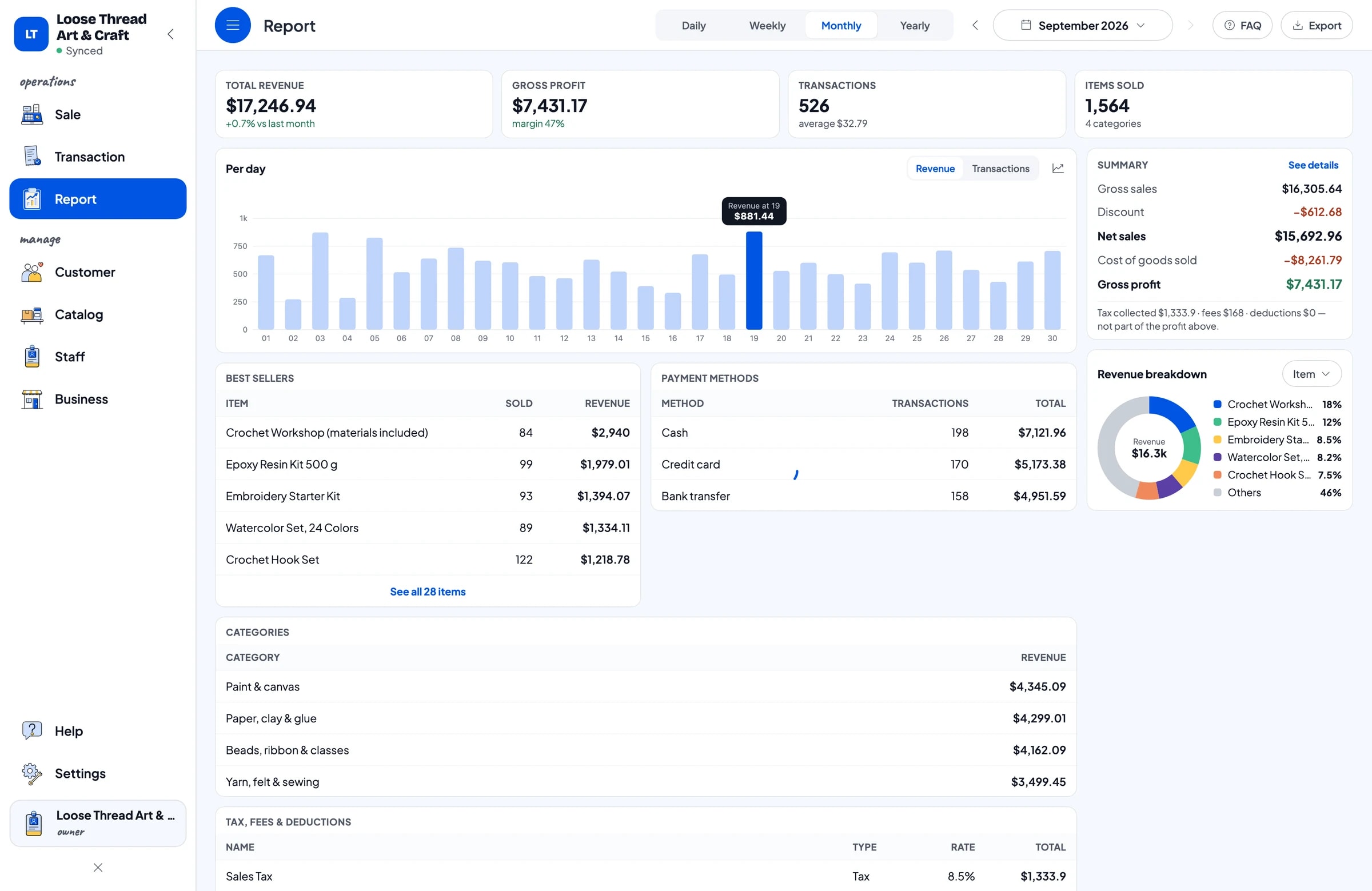
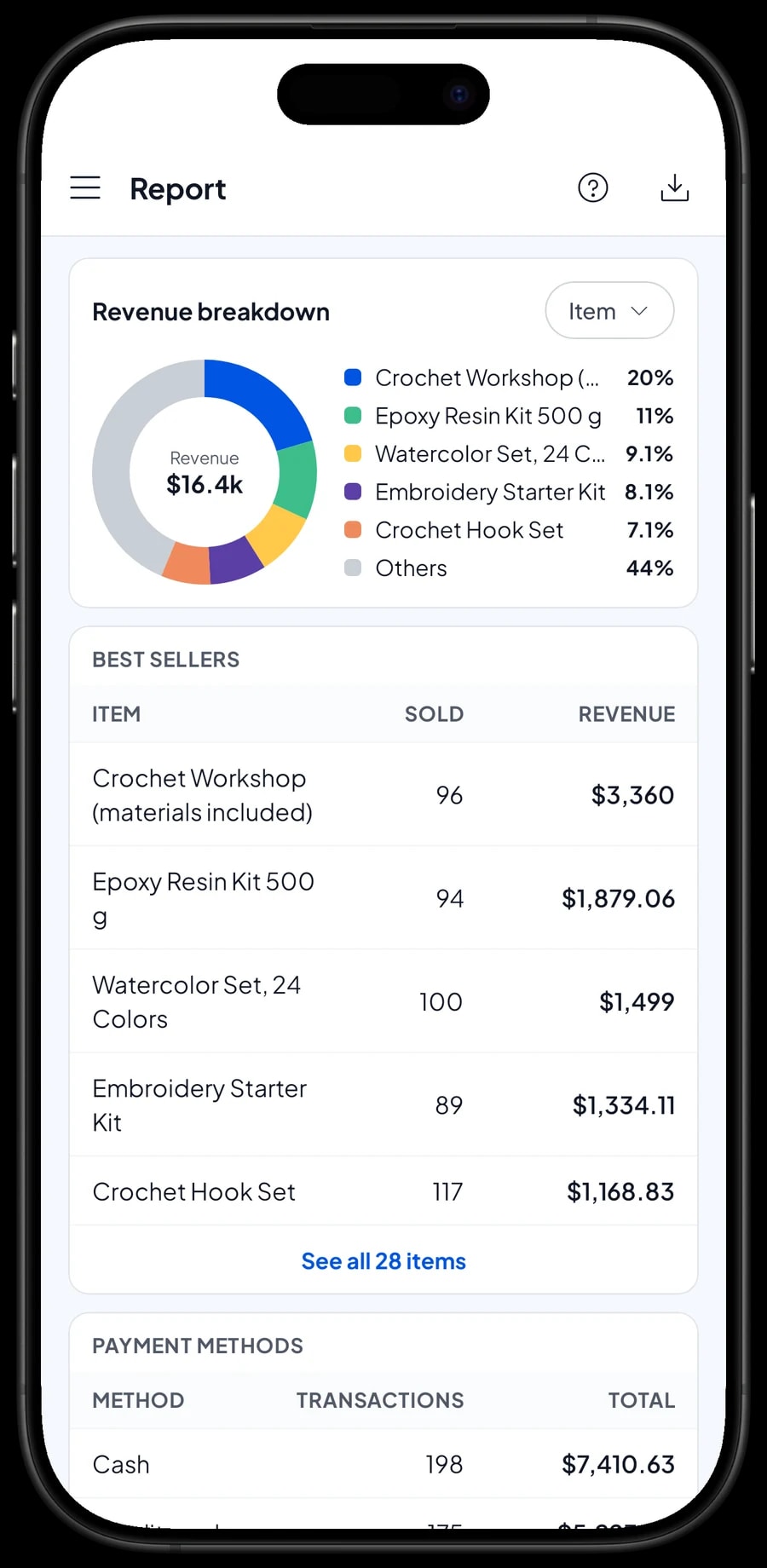
Reports come daily, weekly, monthly and yearly. You see total revenue, gross profit, sales tax, payment methods and best sellers. For a craft store, that means seeing which colours and sizes run out fastest, so restocking stops being guesswork.
Craft stores have their own busy seasons: back to school, the weeks before holidays when people make their own gifts, and whenever a technique takes off on social media. Compare monthly reports to have stock ready before the rush.
Reports export to Excel or PDF, or print on a thermal printer.
Expenses and real net profit
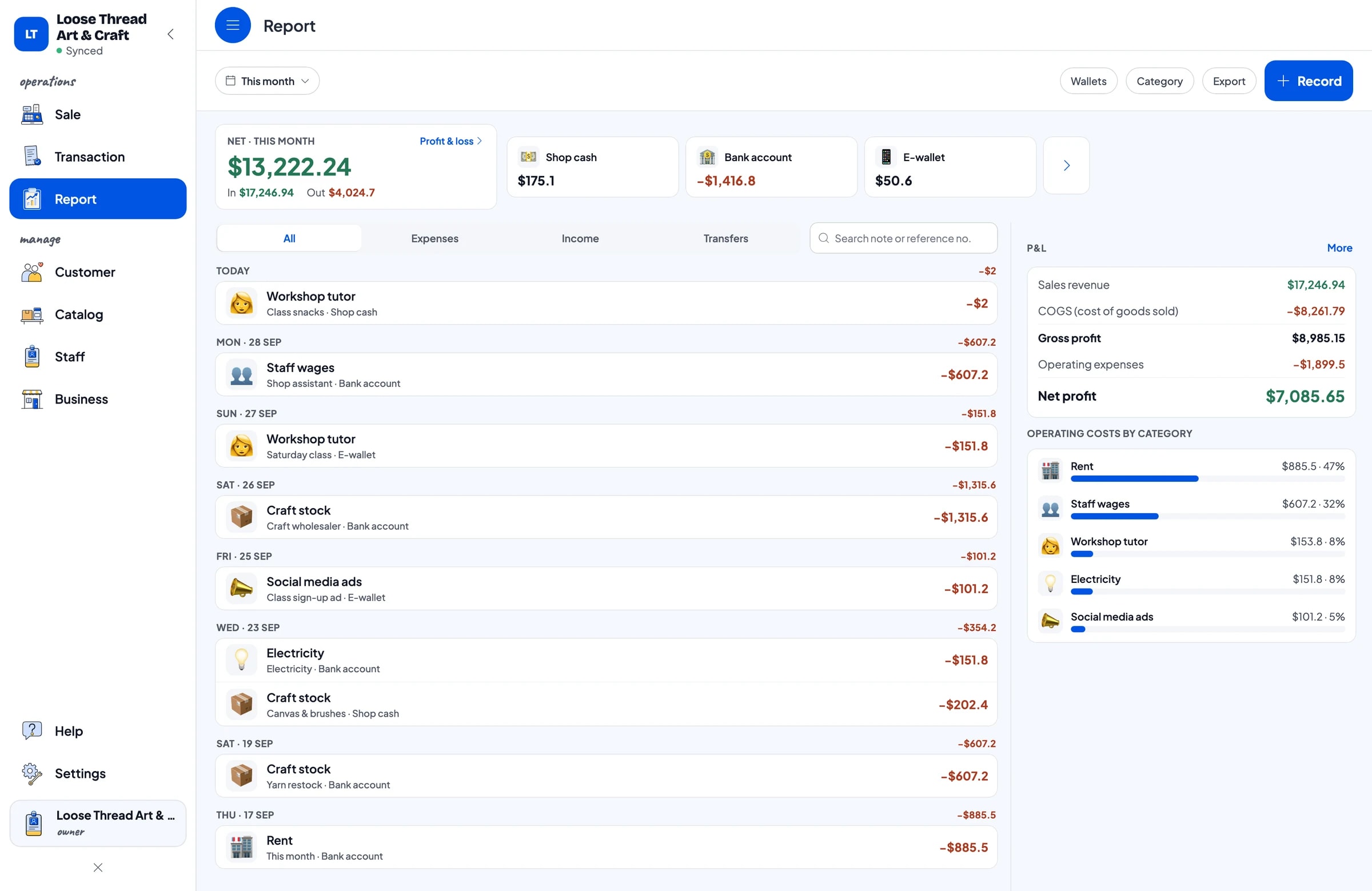
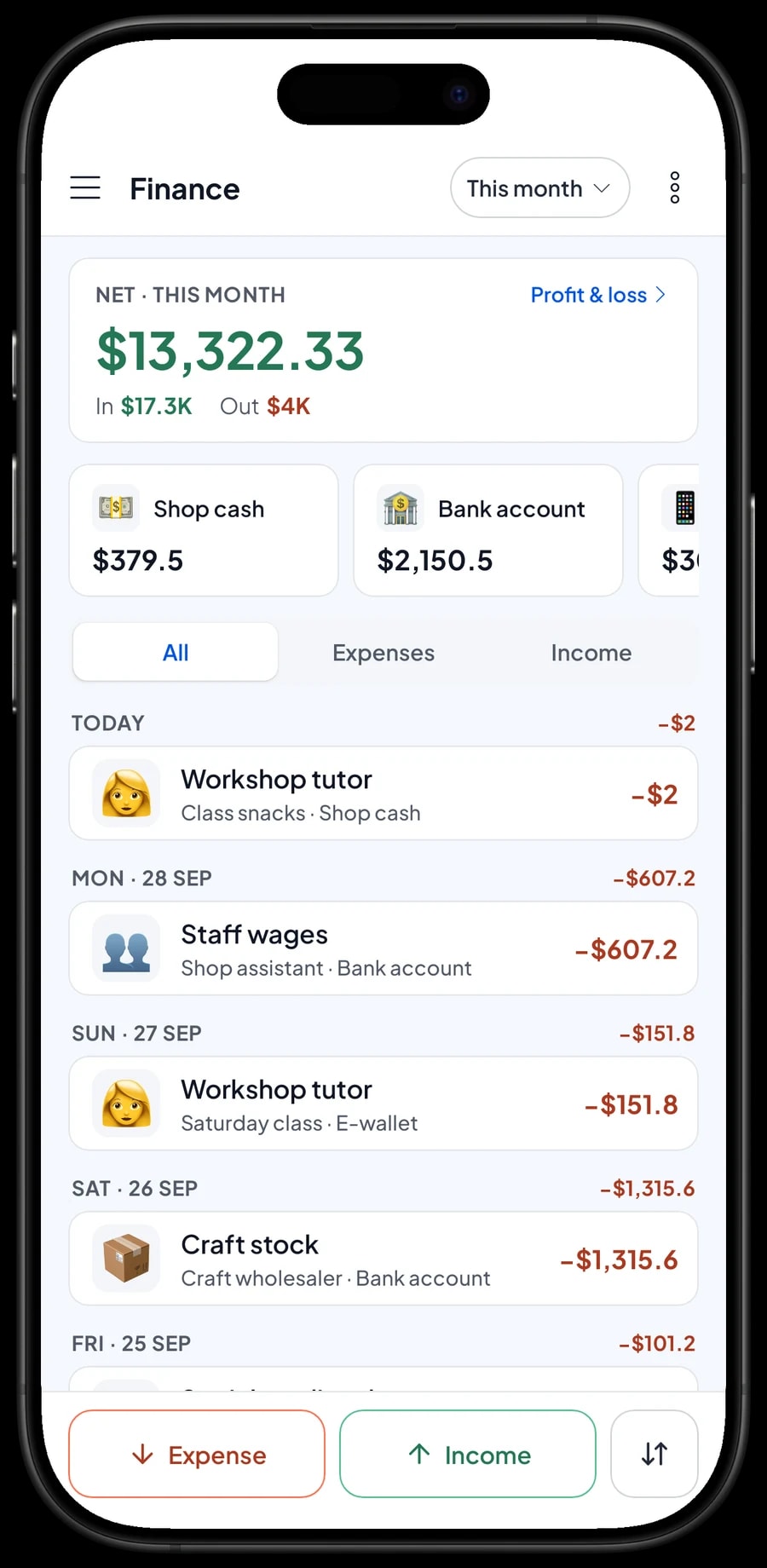
Record expenses in Finance with categories that fit your store, such as Craft stock, Staff wages, Rent, Electricity, Workshop tutor and Social media ads. Every expense also has the wallet it came from: shop cash, bank account or e-wallet.
The Finance report then shows revenue minus the cost of goods sold and operating costs, which is your store's net profit. Because tutor fees and class ads have their own categories, you can set them against class revenue and decide whether to add more workshops or keep them monthly.
- Step 1: Open Finance and set up wallets such as shop cash, bank account and e-wallet.
- Step 2: Create expense categories such as craft stock, workshop tutor and social media ads.
- Step 3: Record every expense with its category, wallet and a short note.
- Step 4: At month end, check revenue, cost of goods, operating costs and profit in the Finance report.
Get started in a day, and keep selling offline
Install Salesmaster on your cashier phone, tablet or laptop and create an account. If your catalog runs to hundreds of colours, set it up on a laptop first (Windows or Mac) and then use it on the phone or tablet at the counter. Start with what sells most, such as yarn, paint and canvas with their colours and sizes, and add the rest over time.
Sales are saved on the device first and sent to the cloud when the internet is back. Offline mode works for up to 7 days; after that the app needs to connect briefly to sync. Because your data lives in your account, you don't lose records if a device breaks or is replaced.
Example catalog for a craft store
Use this table as a starting point. Swap in your own products, colours and prices.
| Category | Item | Variants | Unit | Item type |
|---|---|---|---|---|
| Paint & canvas | Acrylic Paint 75 ml | Red, Blue, Yellow, White | tube | Product |
| Paint & canvas | Stretched Canvas | 20 x 20 cm, 30 x 40 cm, 40 x 60 cm | pc | Product |
| Yarn, felt & sewing | Cotton Yarn 50 g | Cream, Dusty Pink, Sage, Mustard | ball | Product |
| Yarn, felt & sewing | Craft Felt 30 x 30 cm | Single sheet, 10-pack | sheet | Product |
| Yarn, felt & sewing | Embroidery Starter Kit | - | kit | Product |
| Paper, clay & glue | Hot Glue | Glue gun, Glue sticks 10-pack | pc | Product |
| Paper, clay & glue | Air-dry Clay 500 g | - | pack | Product |
| Beads, ribbon & classes | Satin Ribbon 1 cm Roll | Red, Gold, White | roll | Product |
| Beads, ribbon & classes | Crochet Workshop (materials included) | - | session | Service |
Products that come in colours or sizes are one item with variants, so every colour keeps its own stock. Classes are Services, and materials used in class are recorded as stock adjustments.
Which plan fits your store
Start by counting sales per day. A craft store serving about 20 customers a day records roughly 600 transactions a month, and more around back to school and the holidays.
| Plan | Price | Transactions / month | Staff accounts | Good for |
|---|---|---|---|---|
| Free | Free | 30 | Owner only | To try checkout and color variants before using it for real. |
| Solo Pro | $4.90/month | 3,000 | Owner only | Craft stores where the owner runs the register. |
| Bronze Pro | $6.90/month | 5,000 | 1 staff | Stores with one shop assistant on their own cashier device. |
| Silver Pro | $9.90/month | 8,000 | 2 staff | Busy stores with regular workshops, with two staff on separate devices. |
Every plan includes checkout, catalog, receipts, reports and offline mode. You can change plans at any time. See pricing →
Frequently asked questions
- Can Salesmaster track yarn and paint stock by colour?
- Yes. Create each product as one item and add its colours as variants. Every colour has its own price, cost and stock, and its stock goes down each time that colour sells.
- What if I sell something both single and by the pack?
- Make both variants, such as Single sheet and 10-pack, each with its own price and stock. Pack stock doesn't turn into single stock automatically, so record a stock adjustment when you open a pack.
- Can I sell classes and workshops with Salesmaster?
- Yes. Create each class as a Service item and sell it at the register like any other sale. There is no sign-up calendar, so write the class date in the sale note. Materials taken from stock for the class are recorded as a stock adjustment.
- Can schools or bulk buyers get a different price?
- There is no automatic tiered pricing by quantity. Create a bulk price as its own variant or item that the cashier picks, or add a deduction to the whole sale at checkout.
- Can regular customers earn points?
- Yes. Turn on Loyalty points and set how much spending earns a point, what a point is worth, the minimum to redeem and the maximum discount. Points add up automatically on every sale saved to a customer.
- Can the store keep selling when the internet is down?
- Yes. Sales are saved on the device and sync when the internet is back. Offline mode works for up to 7 days before the app needs to connect to sync.
Need help setting up your catalog? Chat with our team on WhatsApp →



