
Salesmaster is a point-of-sale (POS) app for car and motorbike washes on Android, iPhone & iPad, Windows and Mac. Each wash package is a Service item with a variant per vehicle size, extras such as tyre shine and floor mat wash are add-ons, and vehicles still being washed can be held with Save order until pickup. Loyalty points and a real net profit report are included.
Problems every wash knows
If any of these sound familiar, this page is for you.
- 01
Weekend lines out to the street
Saturday morning, cars and bikes all arrive at once. The washers are flat out, the cashier is writing in a notebook, and nobody is sure which vehicle has paid.
- 02
A different price for every vehicle
Scooter, sport bike, sedan, SUV, pickup, plus tyre shine, scent spray or a floor mat wash. Small extras like these are exactly the ones that go unbilled.
- 03
Cash that never quite adds up
Most payments are small and in cash. At closing, the drawer doesn't match the notebook, because half the sales never made it onto paper.
- 04
Soap, water and power add up quietly
Snow foam, wax, tyre shine, the pump's electricity and washer wages go out a little at a time. Without records, nobody knows what one wash really earns.
Wash packages as Service items with vehicle variants
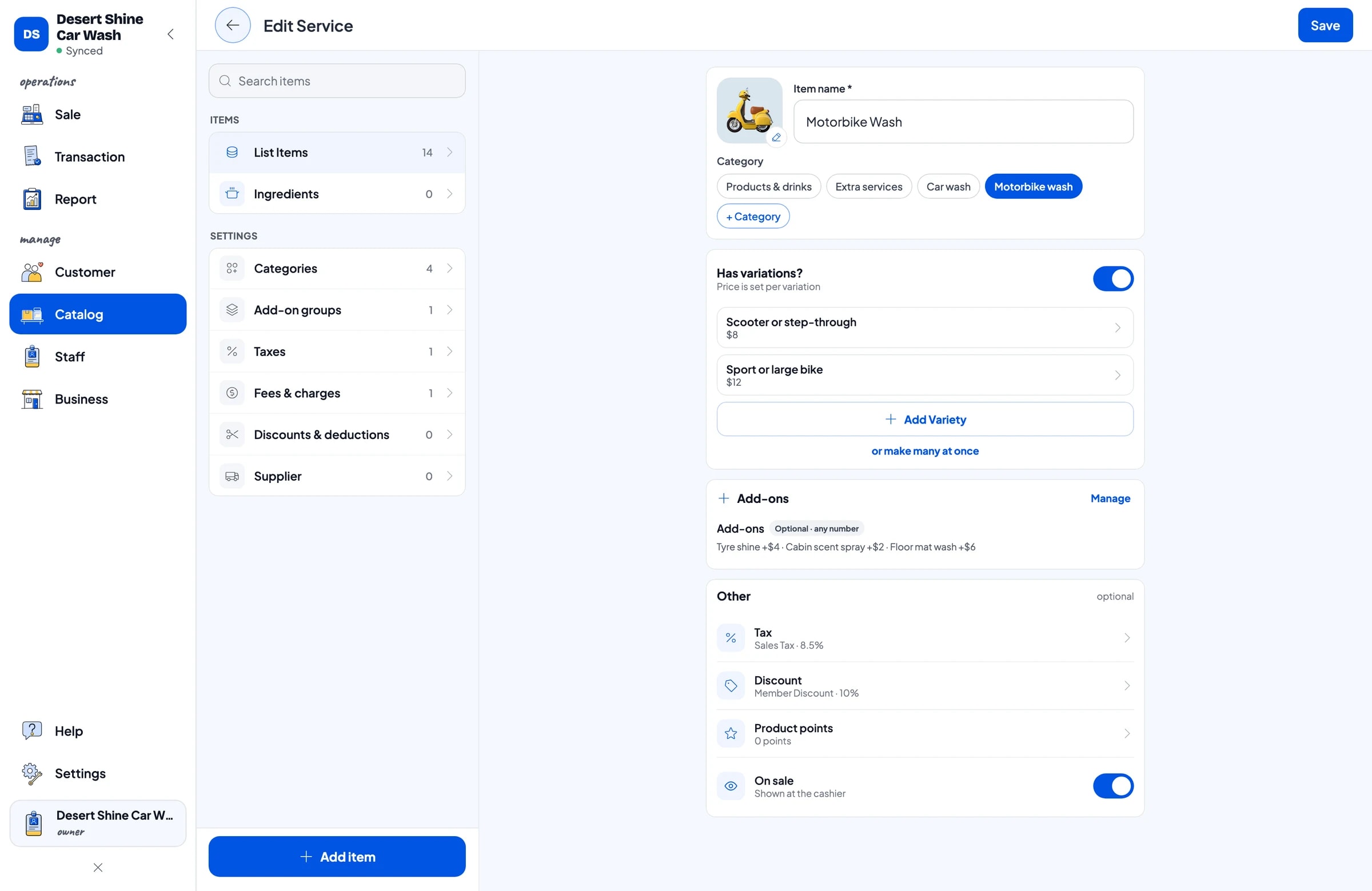
Create categories such as Motorbike wash, Car wash, Extra services and Products & drinks. Each wash package is a Service item, because what you sell is work, not goods. Service items have no stock, so there is nothing to count.
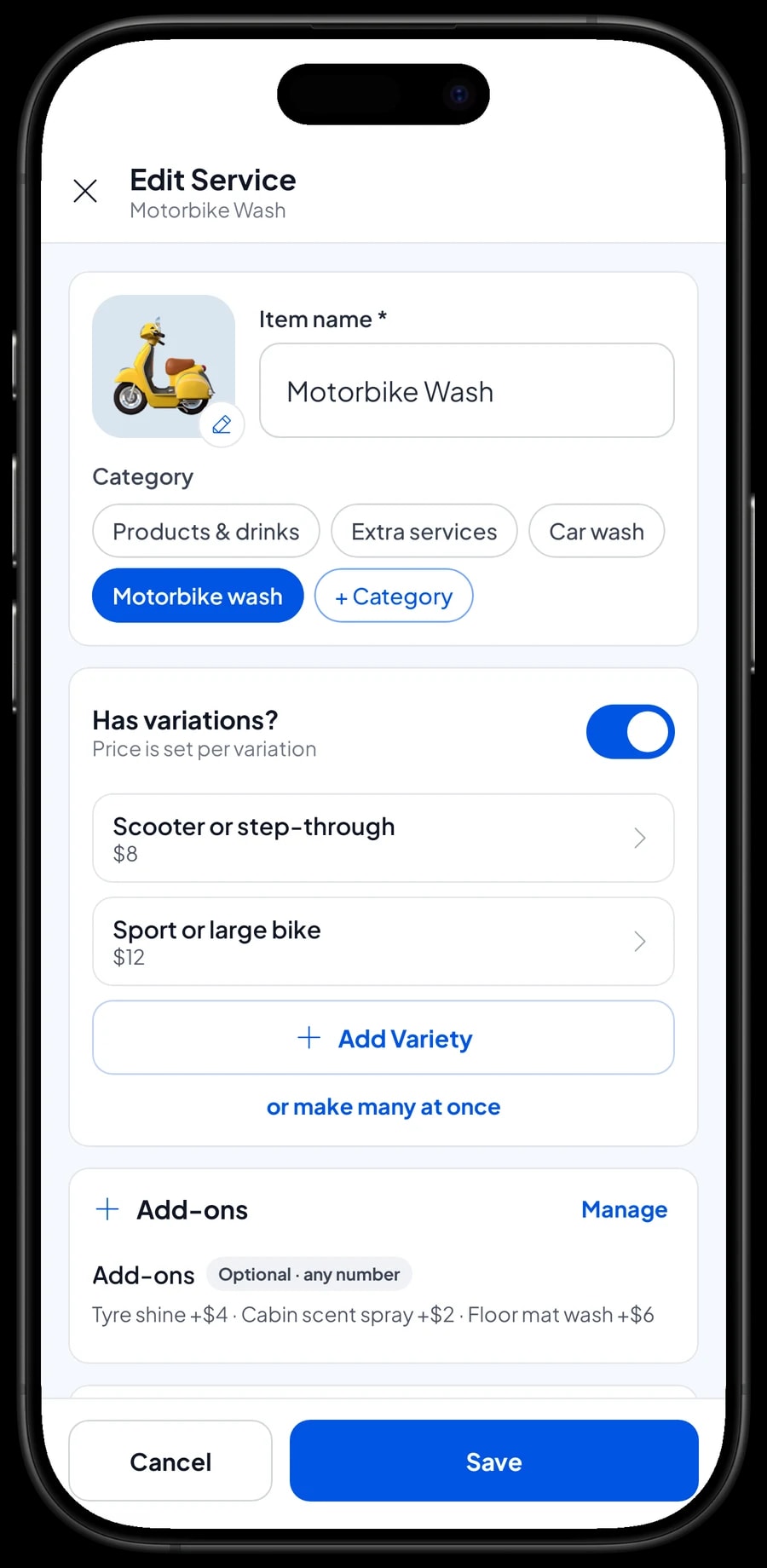
Prices by vehicle are variants. Motorbike Wash has Scooter or step-through and Sport or large bike. Car Wash on Hydraulic Lift has Compact or sedan, Minivan or SUV and Pickup truck. The cashier picks the package, then the vehicle, and the right price goes in.
Services that can stand on their own, like Underbody Wash, Engine Bay Clean, Hand Wax or Cabin Fogging, are separate Service items. Customers can add them to any wash, and their revenue shows up clearly in reports.
- Step 1: Open Catalog → Categories and create Motorbike wash, Car wash, Extra services and Products & drinks.
- Step 2: Open Catalog → List Items, add a new item and choose the Service type.
- Step 3: Add a variant for each vehicle size with its price.
- Step 4: Repeat for services such as underbody wash, hand wax and cabin fogging.
Tyre shine, scent spray and floor mats as add-ons
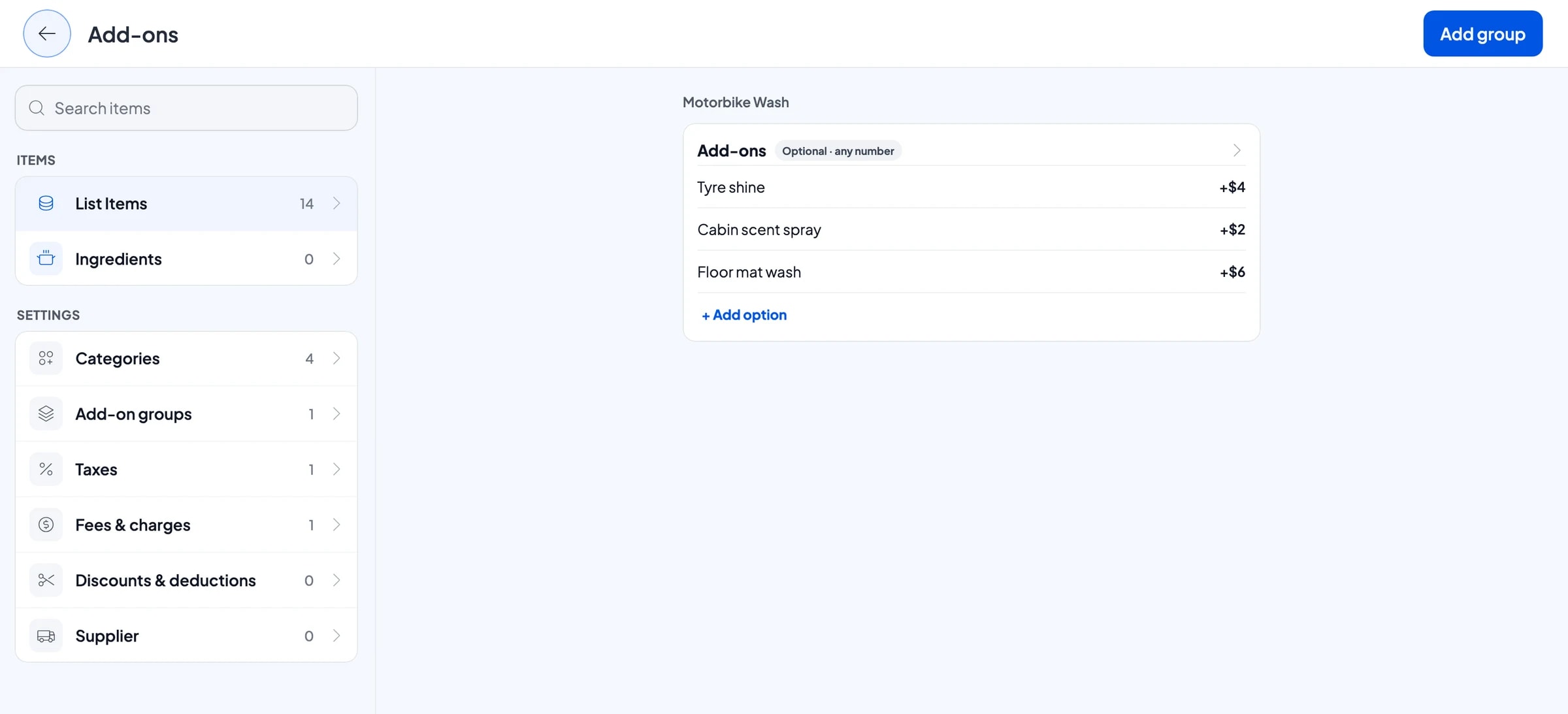
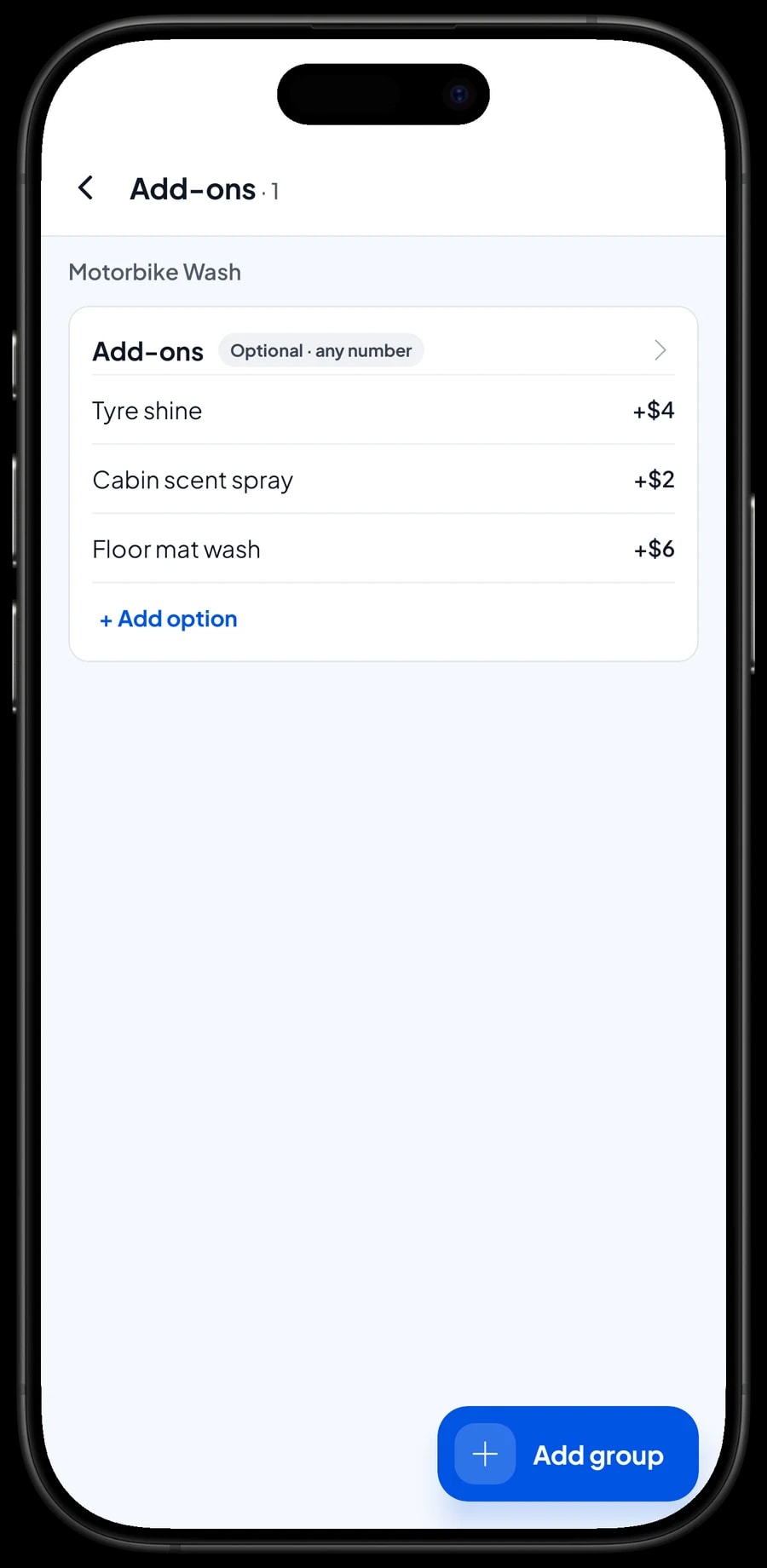
The small extras you offer during a wash work best as add-ons. Create one add-on group called Add-ons with Tyre shine, Cabin scent spray and Floor mat wash, each with its extra price, and attach the group to your wash packages.
When the cashier puts a Motorbike Wash or a Car Wash on Hydraulic Lift in the cart, the extras appear. The cashier ticks what the customer asked for and the price is added. No more tyre shine done and never charged.
Add-on groups can be optional or required. For a wash they are usually optional, so the cashier doesn't have to pick anything when the customer only wants the basic wash.
- Step 1: Open the wash package in Catalog → List Items and choose Manage add-ons.
- Step 2: Create an Add-ons group with options such as Tyre shine, Cabin scent spray and Floor mat wash, each with its extra price.
- Step 3: Attach the same group to the other packages that use it.
- Step 4: Test it on the Sale screen: add a wash and check that the extras appear.
A pay-at-pickup queue with Save order
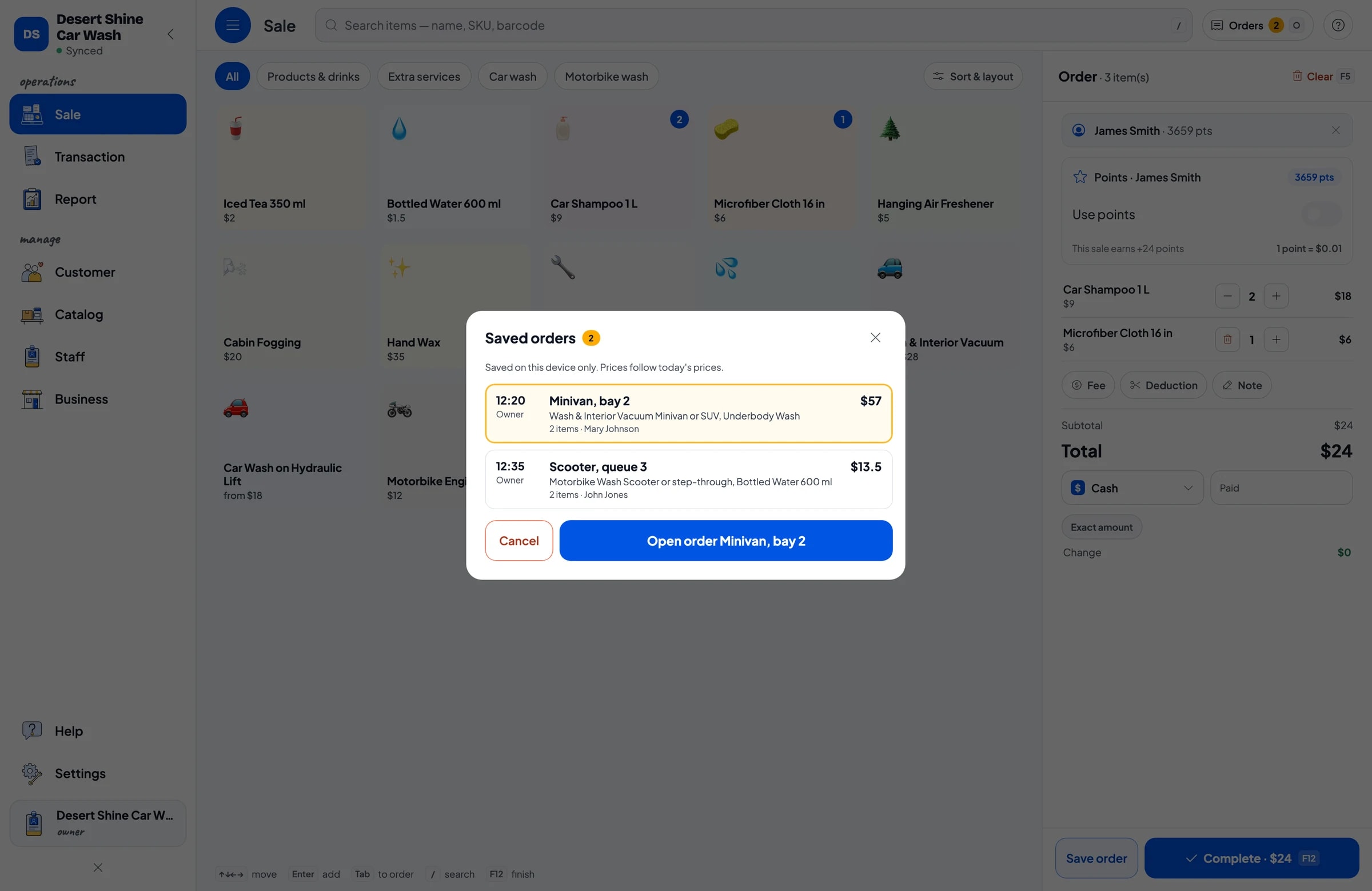
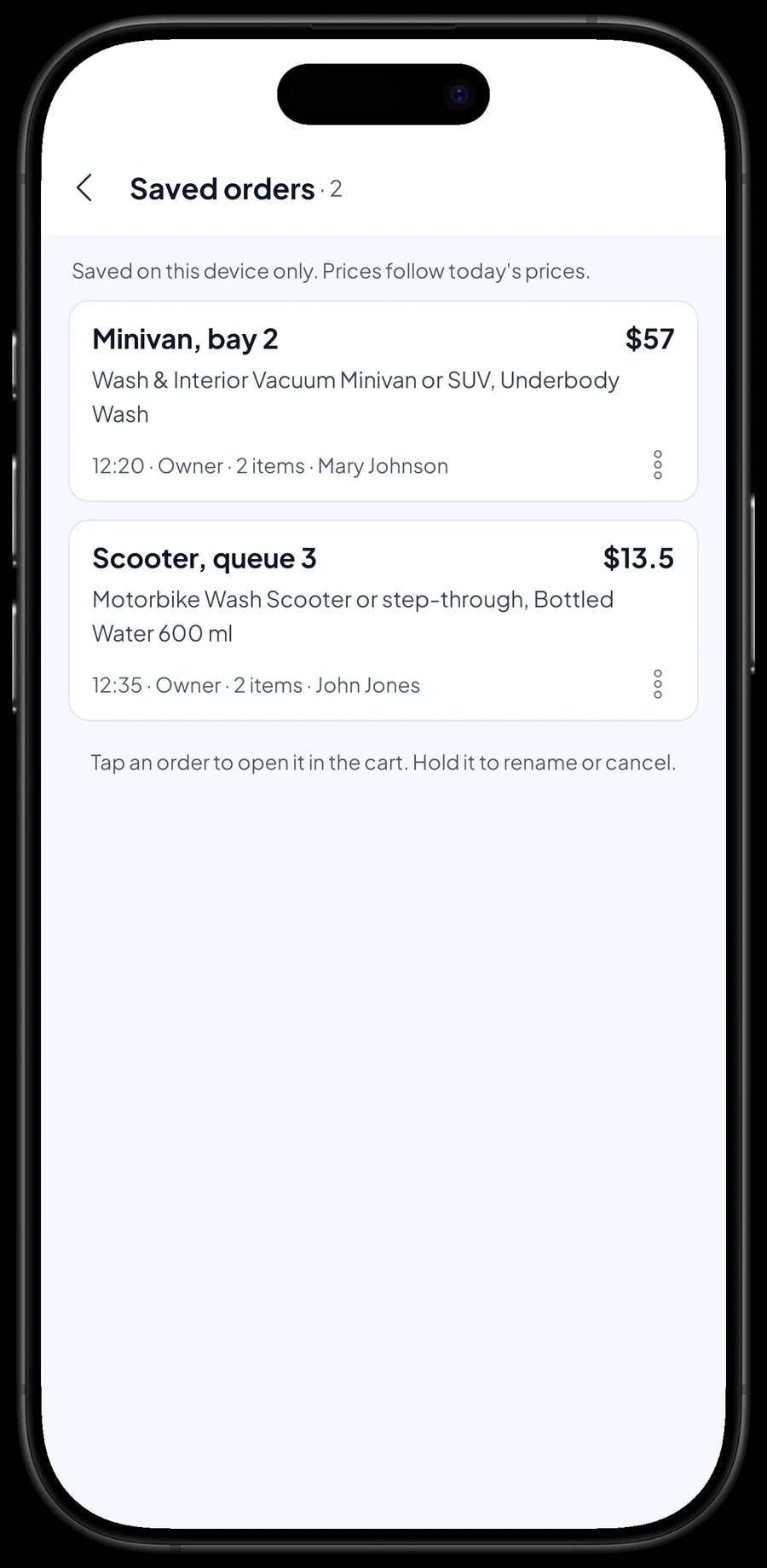
Many customers pay when they pick up the vehicle, not when they drop it off. When a vehicle comes in, the cashier builds the order and taps Save order. The cart is kept as a saved order under the name you give it, such as the bay or queue number: "Minivan, bay 2" or "Scooter, queue 3".
If the customer asks for more while waiting, say an underbody wash or a bottle of water, open the saved order and add it. When the vehicle is done, pick the order from the list and take the payment. A saved order is not counted as a sale, and does not take drinks off stock, until it is paid.
Saved orders live on the device that created them. Use one cashier device for the queue and finish each payment on that same device.
Drinks and products, payments and receipts
Customers who wait often buy a drink, a hanging air freshener or a microfiber cloth. These are Product items with their own stock, so you know when bottled water or iced tea needs restocking.
You create the payment methods yourself: cash, card, bank transfer, e-wallet or anything else you take. Reports show how much came in through each method, so the drawer and the bank balance are easy to reconcile. Sales tax and other fees are set once in Fees or Tax.
Receipts print on a Bluetooth thermal printer or go out as a web receipt link with your logo and contact details. Customers can see from it when their car was last washed.
Regulars: loyalty points and member cards
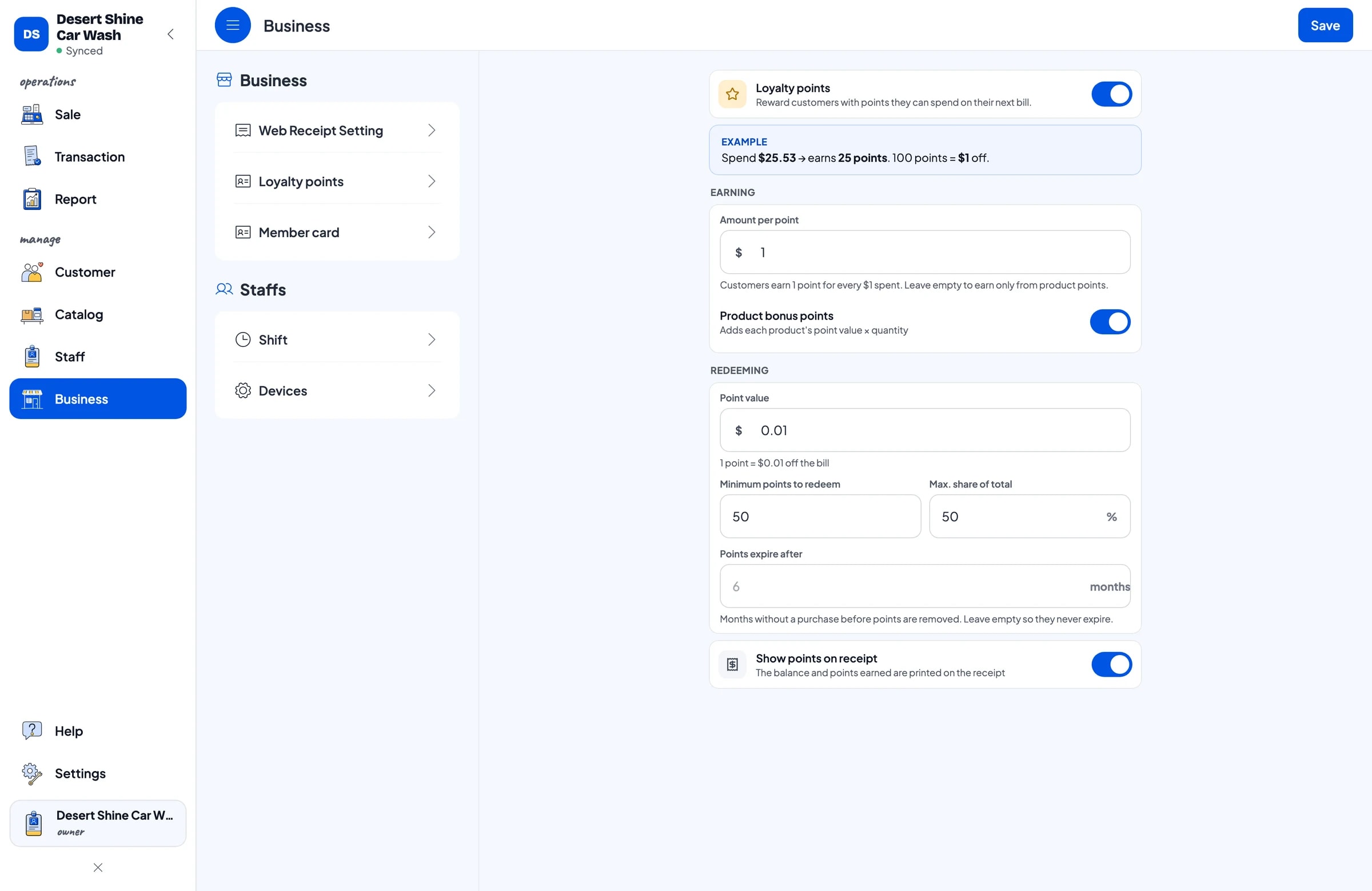
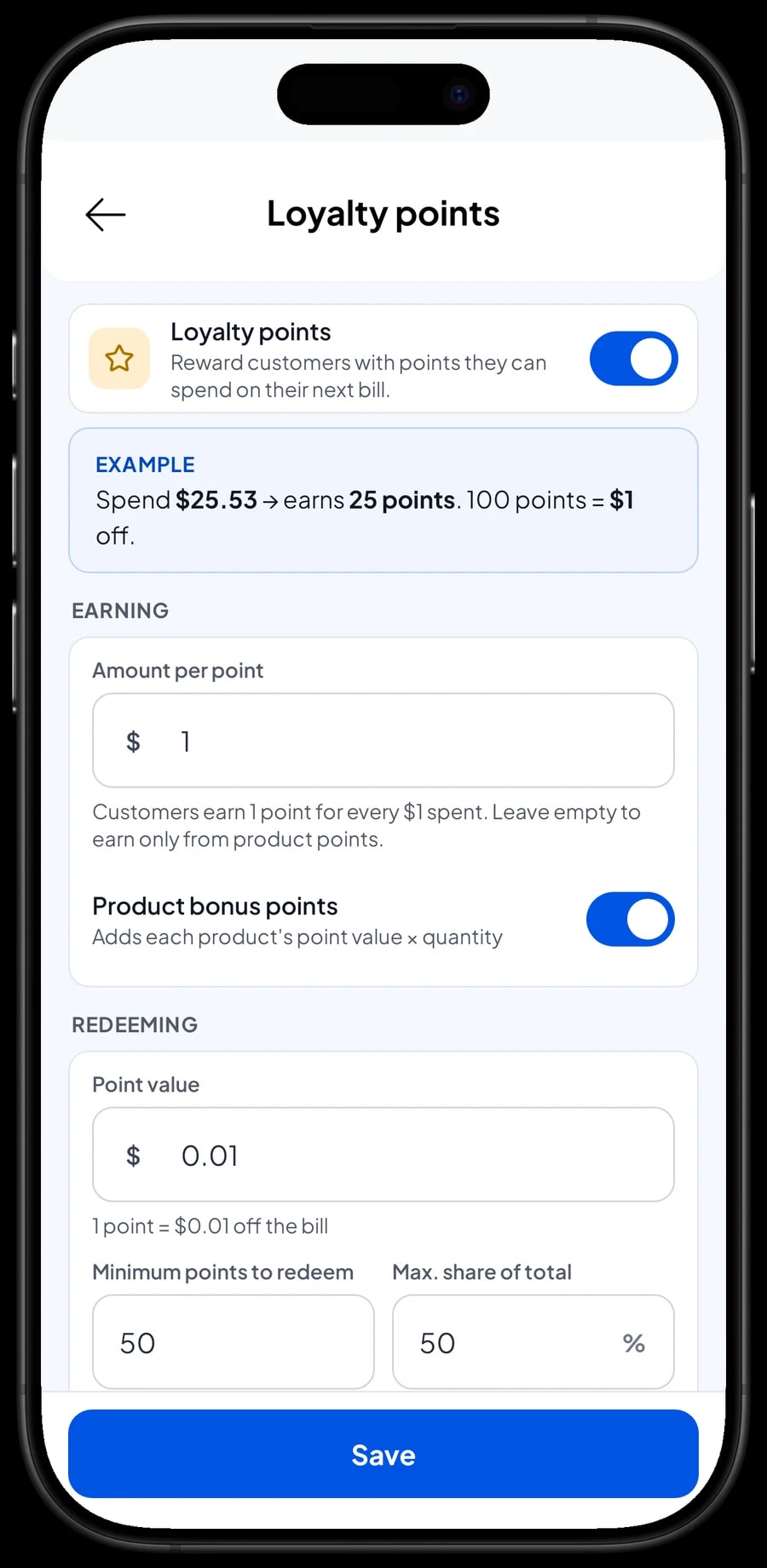
A wash lives on customers who come back every week. Save the customer at checkout with a name and phone number, then turn on Loyalty points under Business. You set the rules: the amount spent per point, what a point is worth, the minimum points to redeem, and the maximum share of a bill that points can cover.
Points are added with every sale. When a customer wants to use them, the cashier redeems and the discount is applied straight away. Regulars can also get a member card in their name that the cashier can scan.
Staff and cashier devices
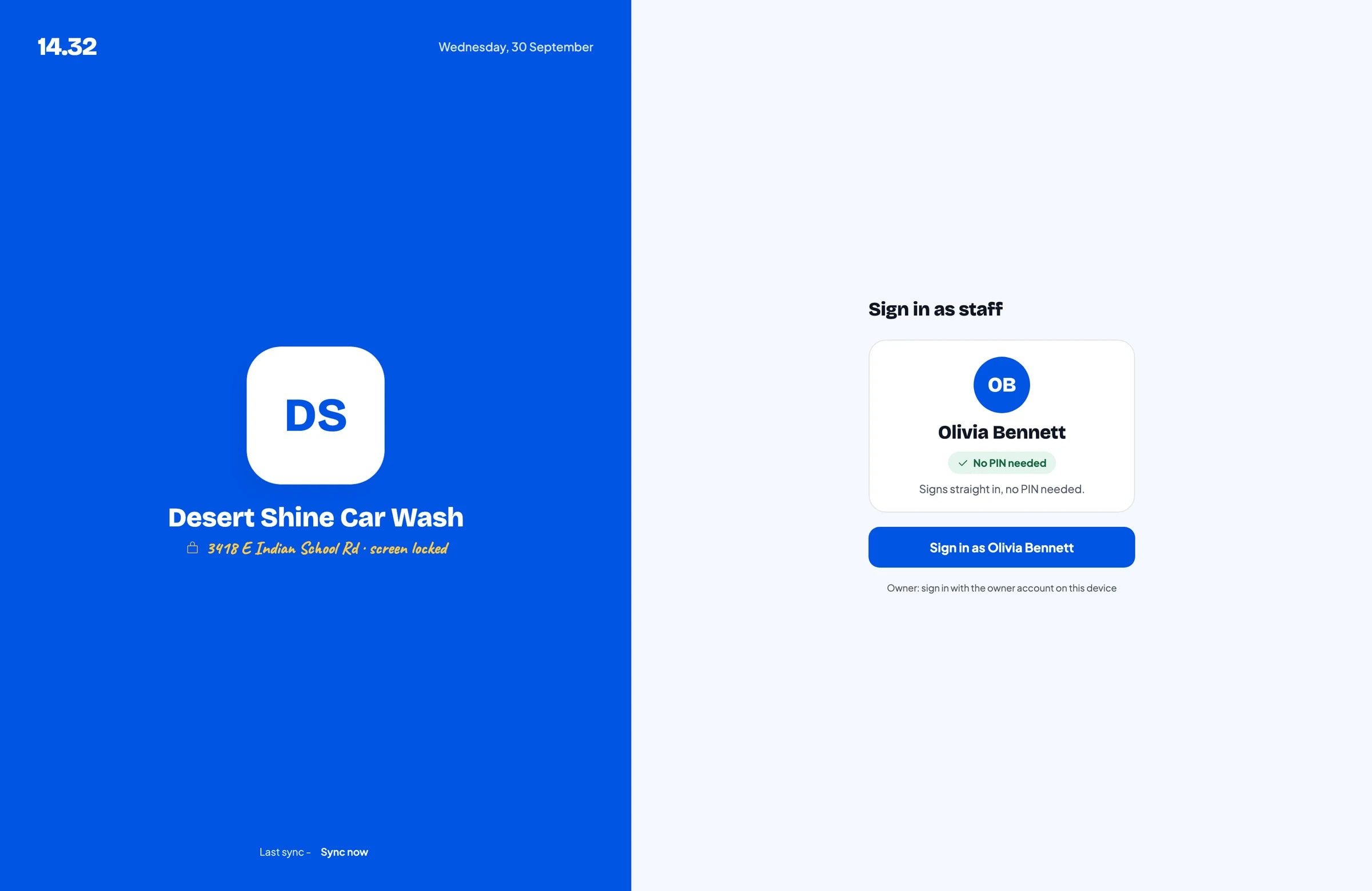
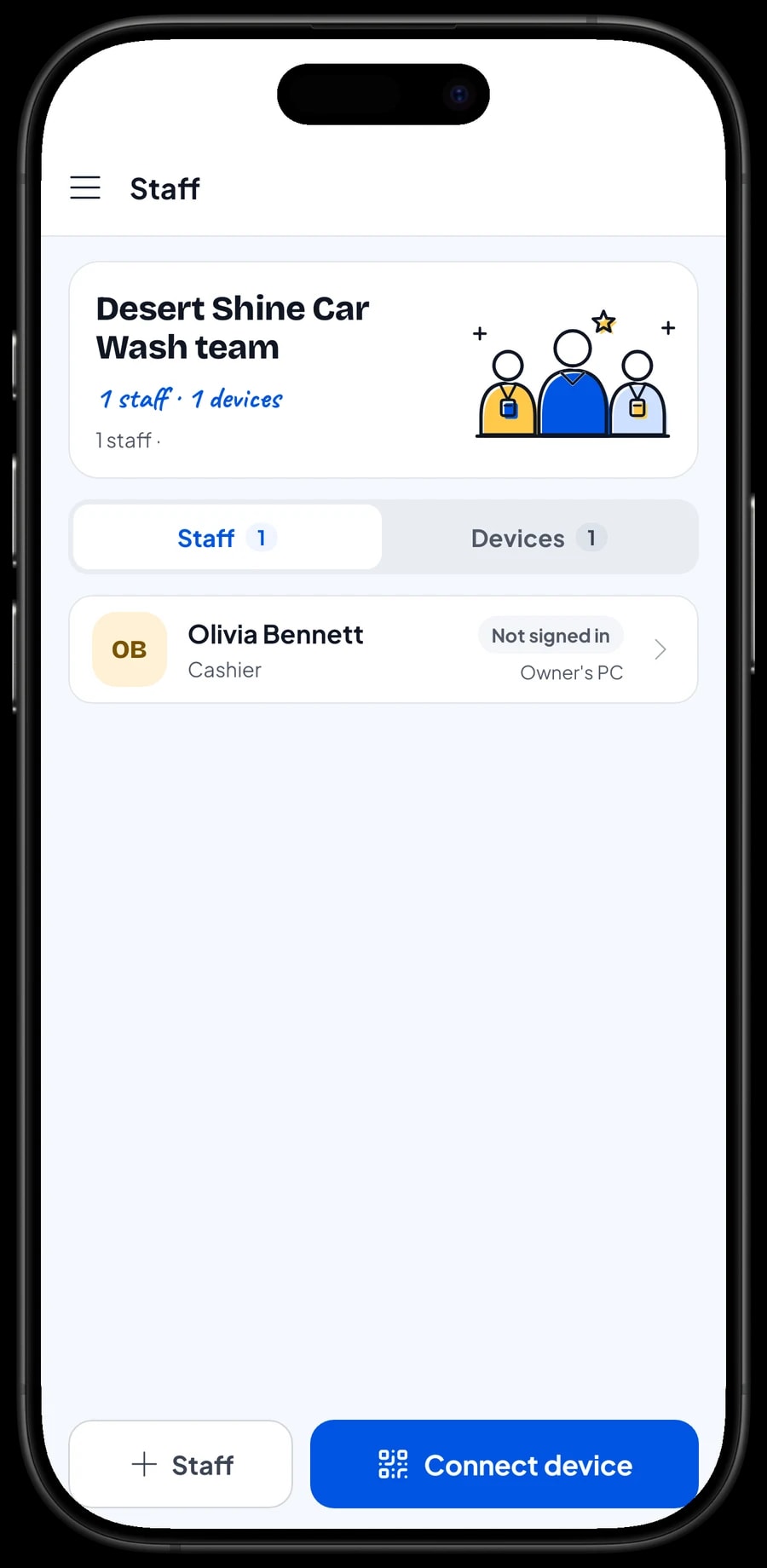
An account signs in on one device at a time. If someone other than the owner runs the till, add them as staff and register a cashier device for them. Staff sign in with a PIN and see only what you allow. Staff accounts come with Bronze Pro (1 staff) and Silver Pro (2 staff).
Daily reports and real net profit
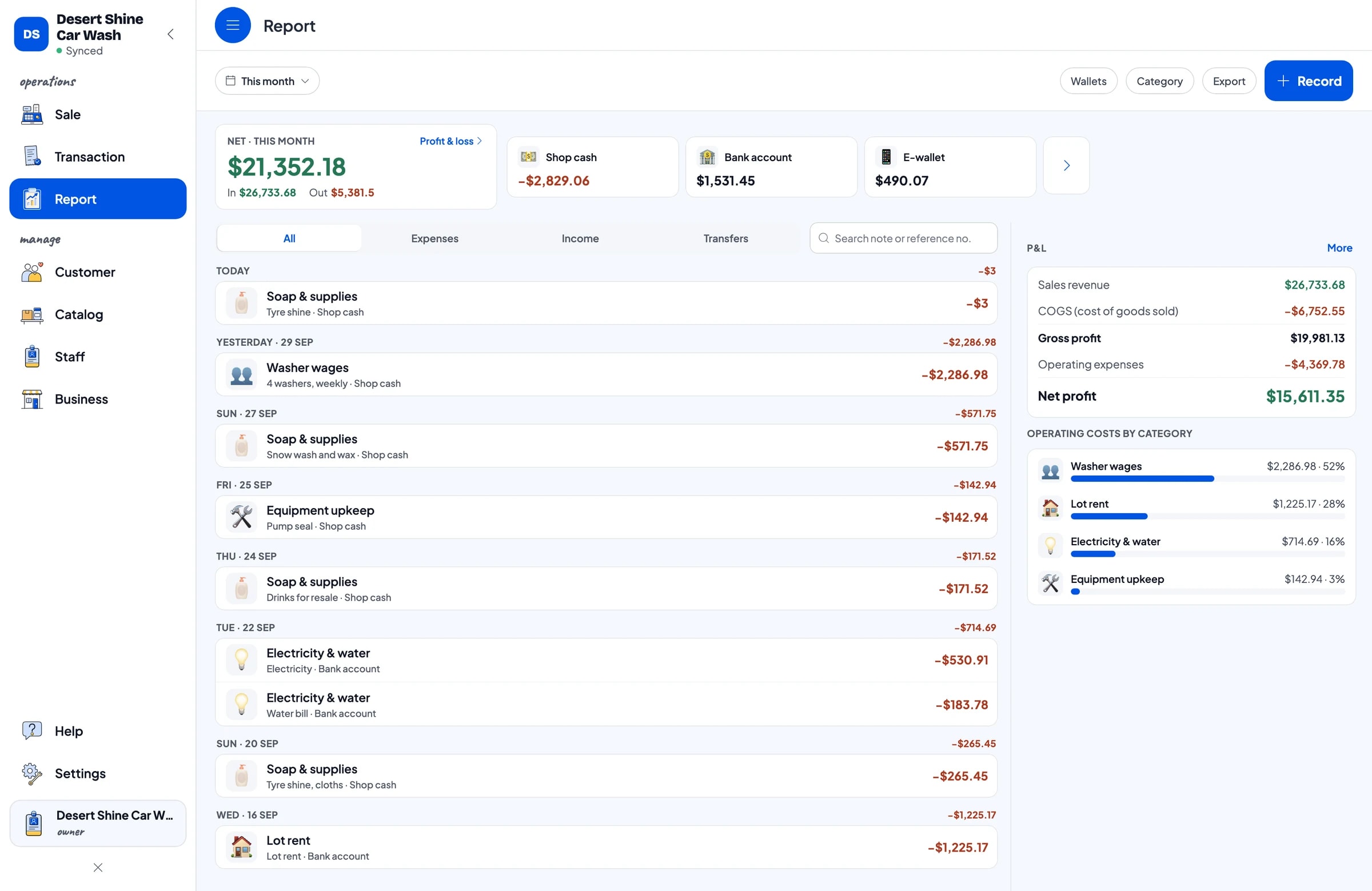
Daily, weekly, monthly and yearly reports show total revenue, discounts, tax, payment methods and revenue by item. You can see whether bikes or cars bring in more, and which days are busiest.
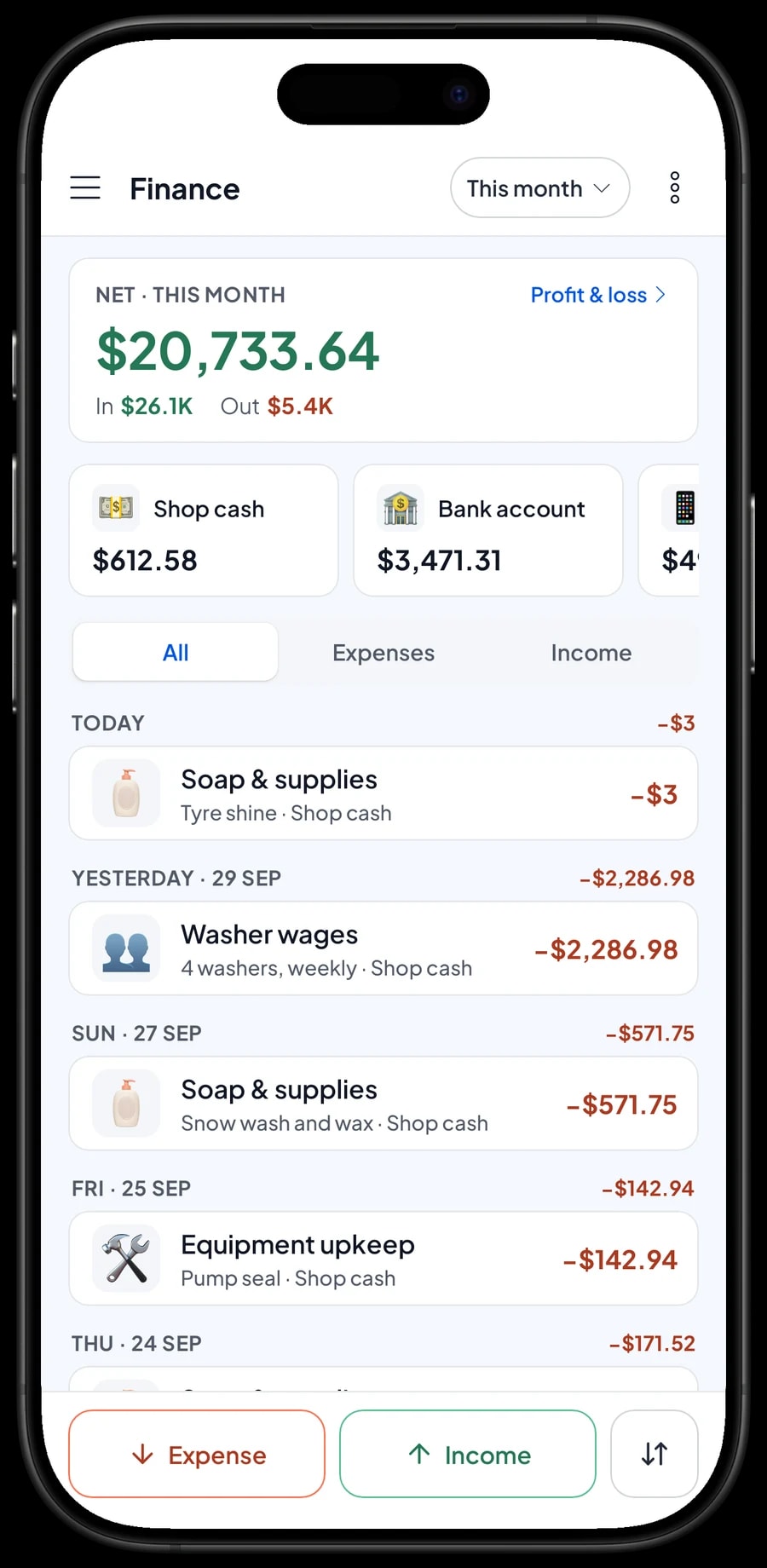
For real profit, record expenses in Finance: soap and supplies, washer wages, electricity and water, lot rent, and equipment upkeep. Each expense has a category and the wallet it came from. The Finance report shows revenue minus costs, your wash's net profit. Reports export to Excel or PDF.
Start in a day, keep going when the signal drops
Install Salesmaster on the counter phone or tablet, create an account, and enter your main wash packages with their vehicle variants and one add-on group. That's enough for day one. Drinks and extra services can come later.
Washes often sit on open lots with patchy signal. Every sale is saved on the device first and sent to the cloud when the connection returns. Offline mode works for up to 7 days; after that the app needs to connect briefly to sync and verify your account.
An example car wash catalog
Use this table as a starting point and replace the packages and prices with your own.
| Category | Item | Variants | Add-ons | Item type |
|---|---|---|---|---|
| Motorbike wash | Motorbike wash | Scooter or step-through, Sport or large bike | Tyre shine, Cabin scent spray | Service |
| Motorbike wash | Motorbike wash & polish | - | Tyre shine, Cabin scent spray | Service |
| Motorbike wash | Motorbike engine wash | - | - | Service |
| Car wash | Car wash on hydraulic lift | Compact or sedan, Minivan or SUV, Pickup truck | Tyre shine, Floor mat wash | Service |
| Car wash | Wash & interior vacuum | Compact or sedan, Minivan or SUV | Tyre shine, Floor mat wash | Service |
| Extra services | Underbody wash | - | - | Service |
| Extra services | Hand wax | - | - | Service |
| Products & drinks | Hanging air freshener | - | - | Product |
| Products & drinks | Bottled water 600 ml | - | - | Product |
Wash packages and services are Service items with no stock. Things sold as they are, like drinks and air fresheners, are Products so their stock is counted.
Which plan fits your wash
Start by counting vehicles per day. A wash that handles about 20 vehicles a day records roughly 600 transactions a month.
| Plan | Price | Transactions / month | Staff accounts | Good for |
|---|---|---|---|---|
| Free | Free | 30 | Owner only | To try the checkout and your wash packages before using it for real. |
| Solo Pro | $4.90/month | 3,000 | Owner only | Washes where the owner runs the till. |
| Bronze Pro | $6.90/month | 5,000 | 1 staff | Washes with one cashier on their own device. |
| Silver Pro | $9.90/month | 8,000 | 2 staff | Busier washes with two staff on separate devices. |
Every plan includes checkout, catalog, receipts, reports and offline mode. You can change plans at any time. See pricing →
Frequently asked questions
- Can I charge different prices for different vehicles?
- Yes. Make each wash package a Service item with a variant per vehicle size, such as Compact or sedan, Minivan or SUV and Pickup truck. Each variant has its own price.
- How do I charge for tyre shine or scent spray?
- Create an add-on group with those extras and attach it to your wash packages. When a wash goes in the cart, the cashier picks the extras and the price is added.
- Customers pay at pickup. How do I keep track?
- Use Save order and put the plate or bay number in the order name. Saved orders stay on the device that created them and are not sales until paid, so finish each one on the same device.
- Can I run a tenth-wash-free punch card?
- Salesmaster doesn't count visits for automatic rewards. What it has is Loyalty points based on the amount spent: you set how much earns a point and what a point is worth, so regulars still earn a discount.
- Does soap stock go down with every wash?
- Not for Service packages. The simplest approach is to record soap and supply purchases as expenses in Finance, so the cost is included in your profit.
- Does the app work when the internet is down?
- Yes. Sales are saved on the device and sync when the internet is back. Offline mode works for up to 7 days.
Need help setting up your catalog? Chat with our team on WhatsApp →



