

Salesmaster is a point-of-sale (POS) app for streetwear stores and independent clothing brands on Android, iPhone & iPad, Windows and Mac. Every product can have size or colour variants with their own price, cost and stock, the cashier can scan barcodes, and reports show your best sellers, expenses and net profit each month. A Free plan lets you try it first.
Problems every streetwear store knows
Streetwear runs on drops and design. What causes headaches is usually everything behind the counter.
- 01
Large sold out, XL piling up
One tee design comes in four sizes. Without stock per size, you find out Large is gone when a customer is already standing at the rack asking for it.
- 02
Drop day, long line
You announce a drop on Instagram and the store fills up within the hour. A cashier who looks up prices or rings up the wrong size makes the line even longer.
- 03
Production costs you can't see
Money goes out to the garment maker, the screen printer, labels and bags. Without a record, you can't tell which design actually made money after every cost.
Building your catalog: categories, designs and variants
Start with the way customers browse your racks. Create categories such as Tees & shirts, Hoodies & jackets, Pants & shorts, and Hats, bags & more. On the Sale screen these show up as tabs, so the cashier finds a product with one tap.
Each design is one item, and its sizes are added as variants: M, L, XL and XXL for a tee, or 30, 32 and 34 for chinos. Every variant has its own price, cost and stock. If your XXL uses more fabric and sells for a little more, give that variant a different price.
For products where the choice is colour rather than size, like a fleece hoodie in black, olive and navy or a cap in black, cream and navy, use the colour as the variant name. When a design comes in both sizes and colours, the cleanest setup is one item per colorway with size variants inside it, for example Heavyweight Tee Black and Heavyweight Tee White, each with M to XL.
- Step 1: In Catalog, create categories that match your racks.
- Step 2: Add one item to your catalog for each design.
- Step 3: In that item, add size or colour variants, each with its own price and cost.
- Step 4: Turn on Stock Tracking and enter the opening stock for every variant.
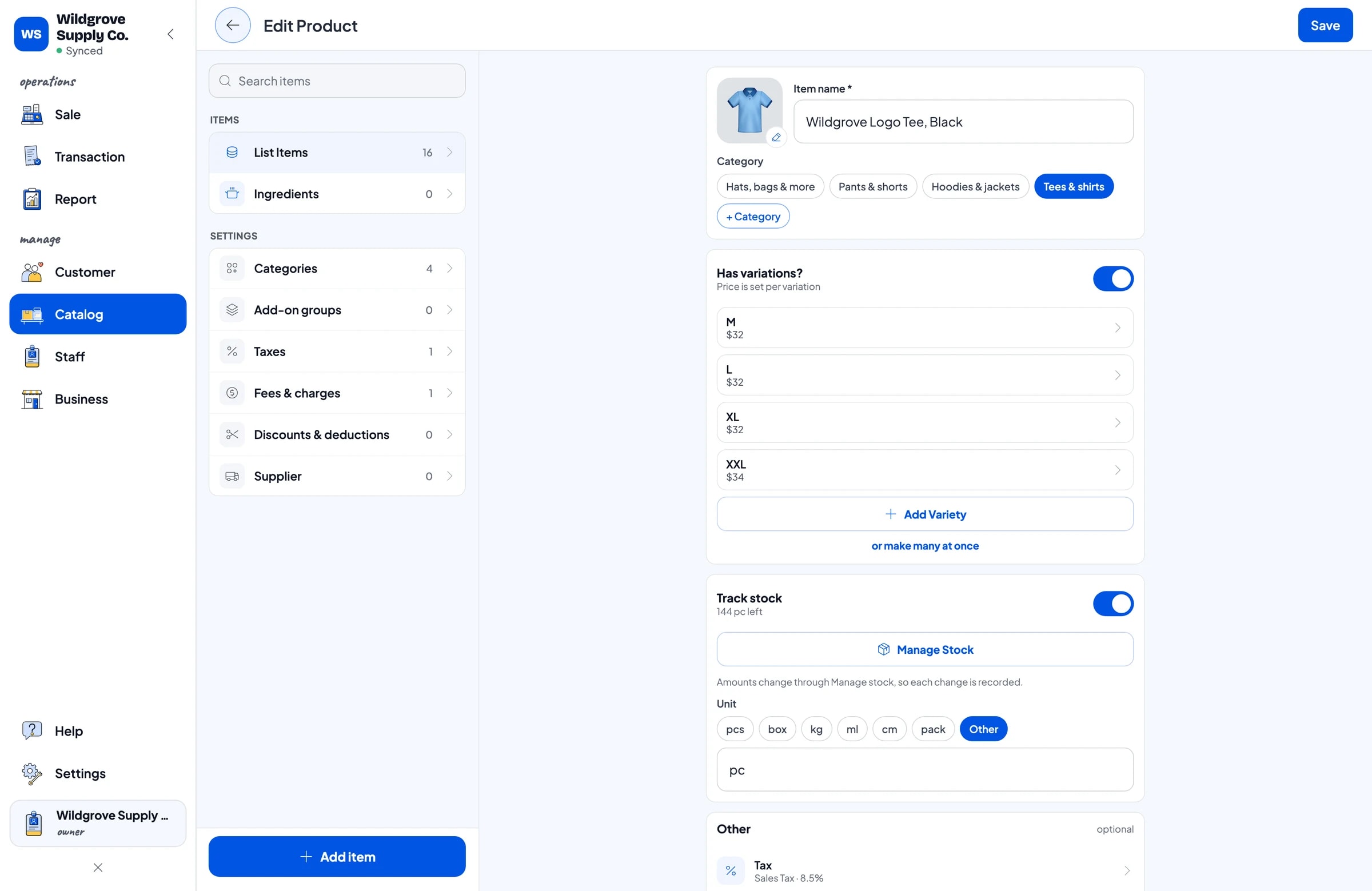
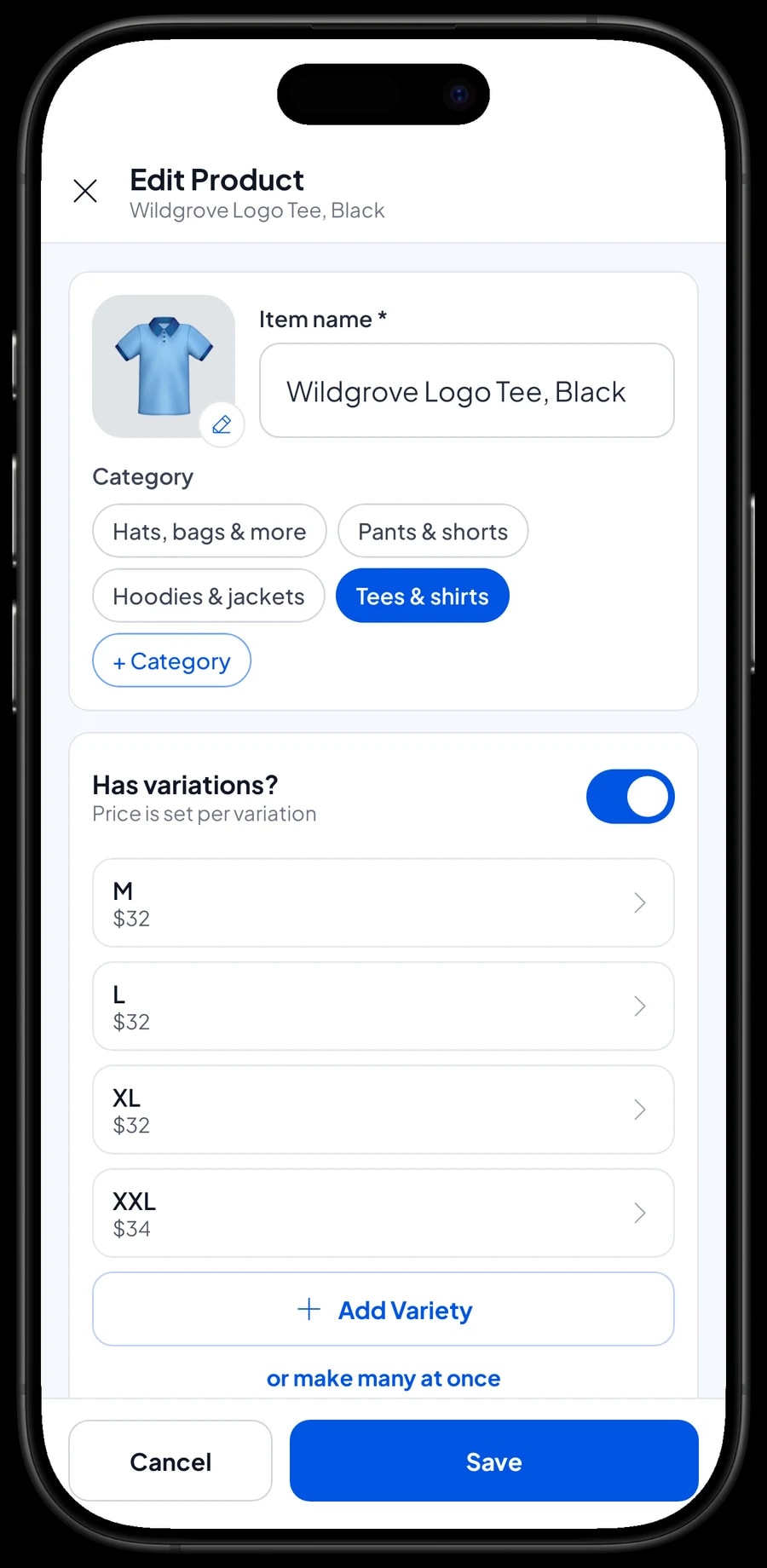
Stock per size, from the garment maker to the rack
Because stock is kept per variant, you know exactly how many Mediums and how many XLs are left. Every sale takes the right variant off stock automatically, so you don't need to count the racks every night just to know which sizes to reorder.
When a production run arrives, add its stock per size. Save your garment maker, screen printer and cap supplier as suppliers so you know who makes what. If a tee has a misprint and can't be sold, or pieces go out for a photo shoot, record a stock adjustment so the app matches what is on the rack.
One thing to know: every variant stands on its own. Stock does not move between sizes automatically. If a customer swaps a Large for an XL, record a stock adjustment on both variants and write the reason in the sale note.
- Step 1: Save your garment maker and other suppliers under Catalog → Inventory → Supplier.
- Step 2: When stock arrives, open Catalog → Inventory → Stock and add the quantity for each variant.
- Step 3: Record misprints and photo-shoot samples as stock adjustments.
- Step 4: Check stock per size before you reorder a design.
Fast checkout on drop day, with barcode scanning
On the Sale screen the cashier taps a product, picks the size, and it goes into the cart. If your products carry barcode labels, the cashier just scans them. That matters most on drop day, when the store is full and nobody has time to search the screen or type in prices.
Customers can pay with any payment method you create, such as cash, card, bank transfer or e-wallet. Drop-day deals, like a discount for the first customers or a tee-and-cap bundle, can be set up as a discount on specific products, or as a deduction on the whole sale with Add Deduction in the cart. Sales tax is set once and calculated on every sale.
After payment, print the receipt on a Bluetooth or USB thermal printer, or send it by WhatsApp, email or a web receipt link that carries your logo, colours and social links. The web receipt is a handy way to remind customers to follow the store before the next drop.
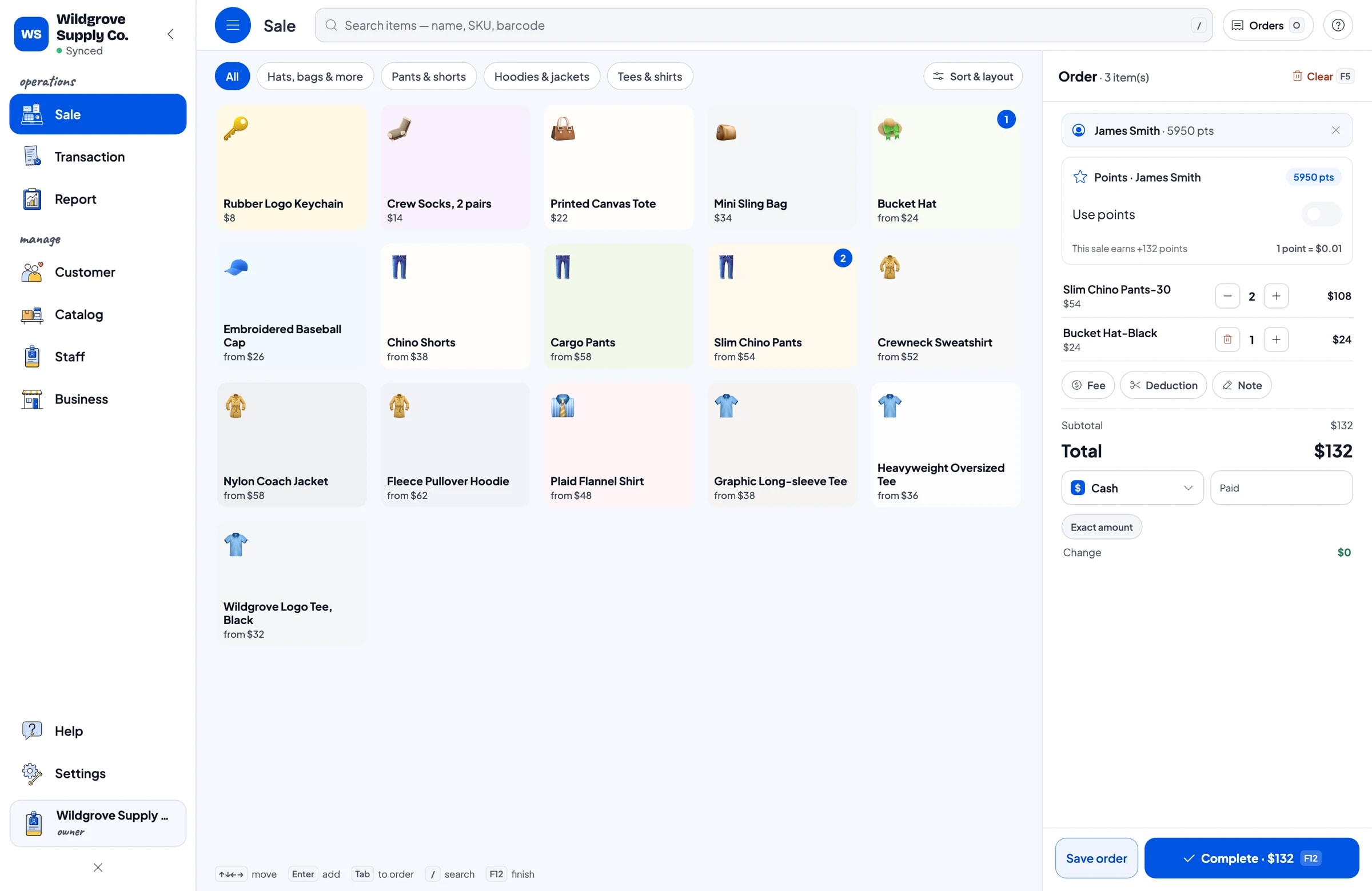
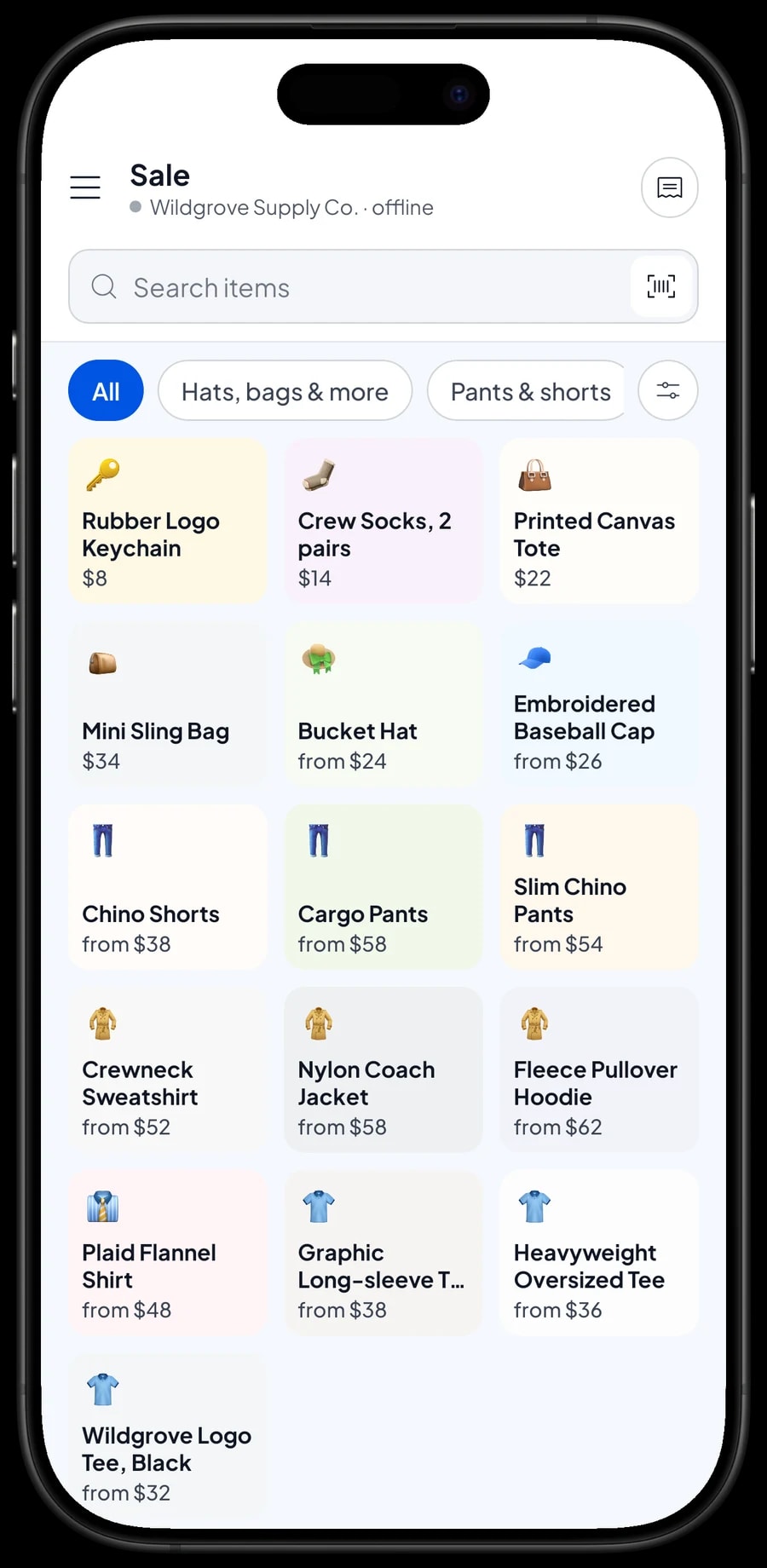
Online orders, wholesale accounts and consignment
Many brands sell through Instagram, their own website or marketplaces as well as the store. Salesmaster does not connect to those channels automatically. What most shops do instead: record each paid online order as a sale at the register, with transfer or e-wallet as the payment method and the order number in the note. That way the store and online share one stock count.
For wholesale or stockist customers, the simplest way is to add a deduction to the whole sale with Add Deduction when they buy. If you want a wholesale price to appear as its own option, you can create a variant such as L Wholesale, but remember that every variant has its own stock, so your Large stock would be split in two. There is no automatic tiered or quantity pricing; the cashier picks the price.
Consignment pieces from other brands are common in streetwear stores. There is no dedicated consignment feature, but you can save each brand as a supplier and give their products their own category, such as Consignment. At the end of the month, revenue by product in your reports and the transaction history show what of theirs sold, which is what you settle with them.
Shop crew and cashier devices
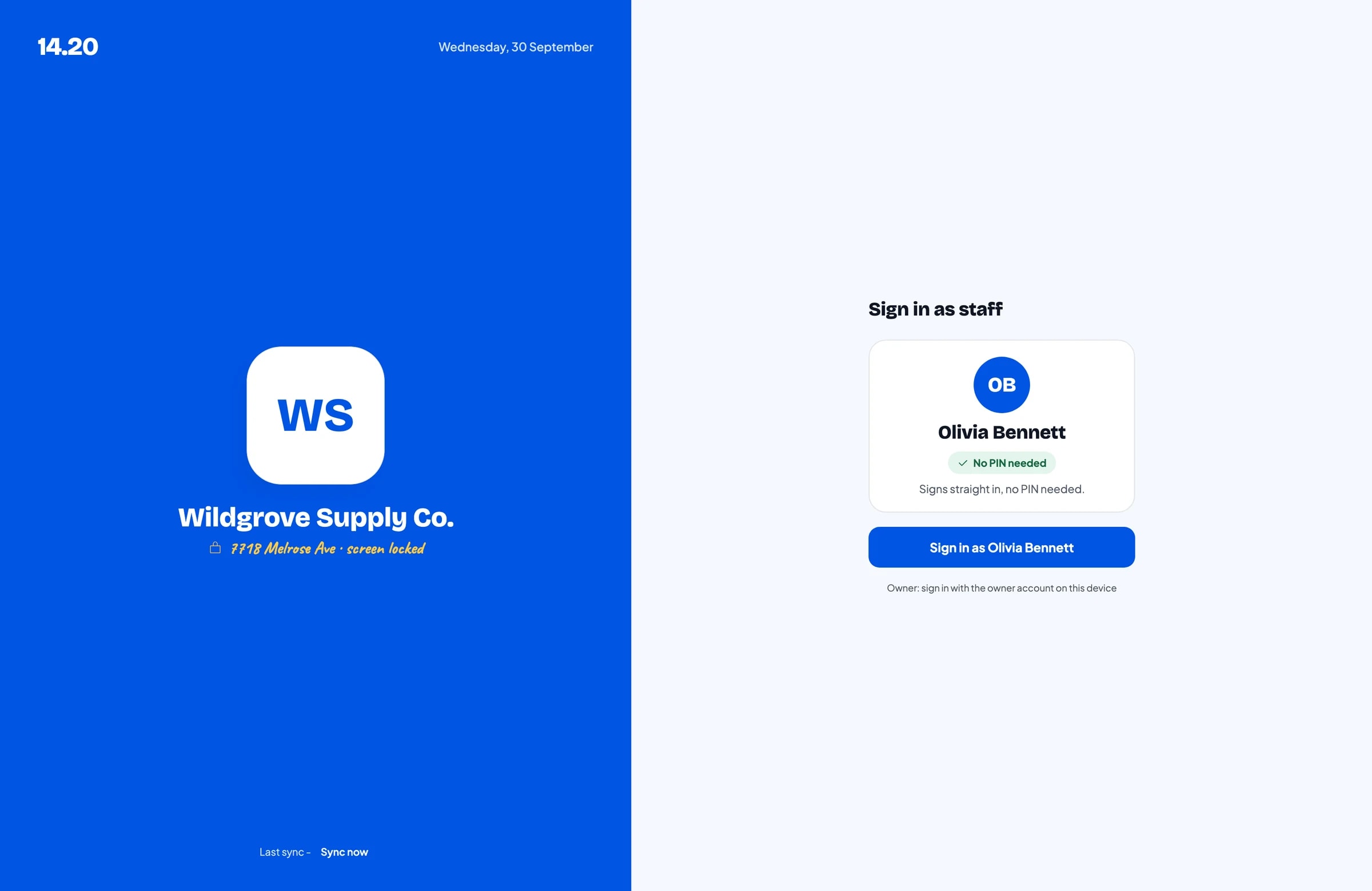
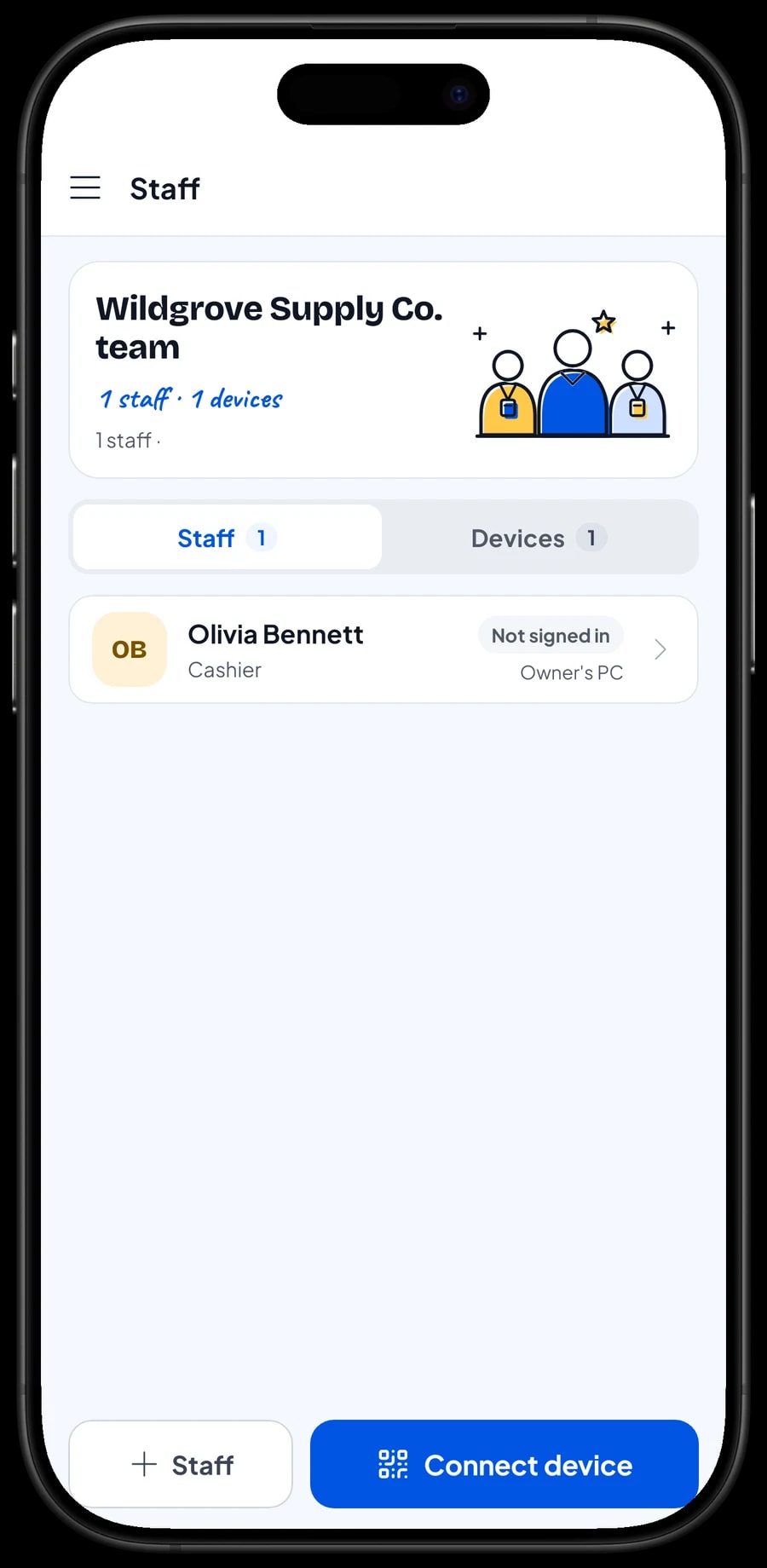
A Salesmaster account signs in on one device at a time. If other people run the register, add them as staff and register a cashier device for them. Staff sign in with a PIN and only see what you allow. Staff accounts come with Bronze Pro (1 staff) and Silver Pro (2 staff), so the owner can keep watching from their own device.
Your community: loyalty points and member cards
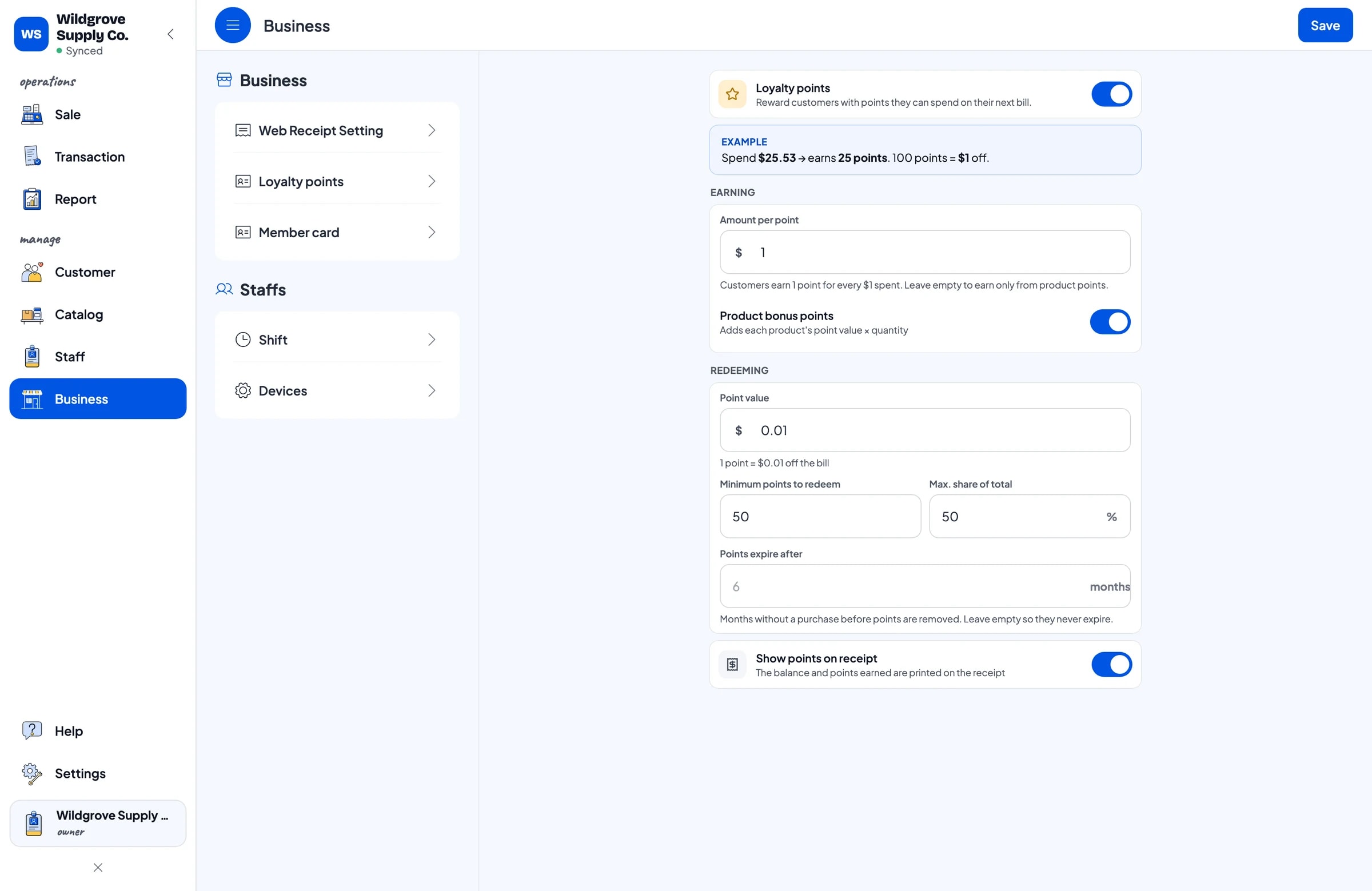
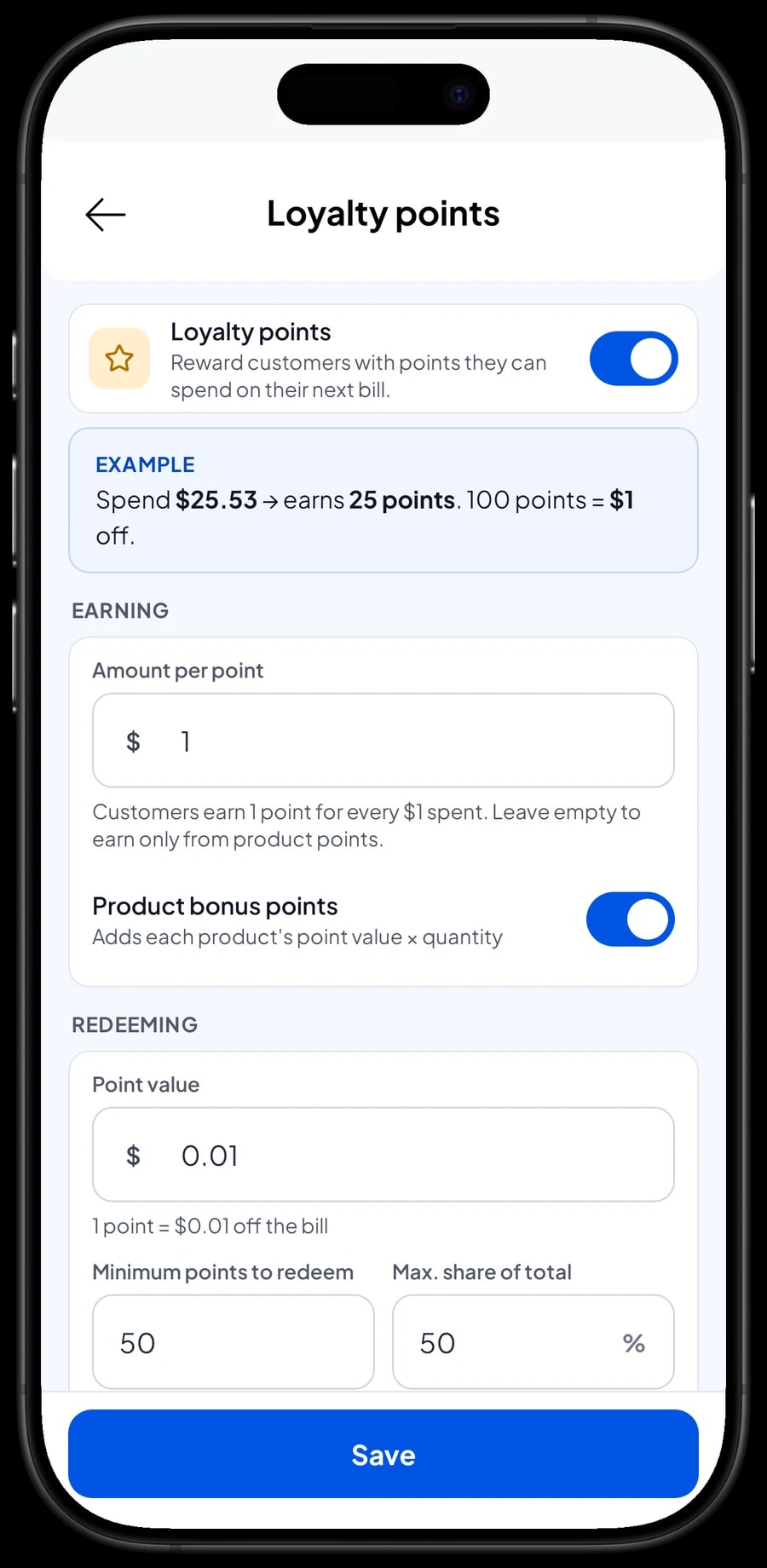
Streetwear stores have regulars who show up for every drop. Save their name and phone number at checkout, then turn on loyalty points. You set the rules: how much a customer spends for 1 point, what 1 point is worth when redeemed, the minimum points to redeem, and the maximum share of a bill that points can cover.
Points are added automatically with every sale, and the cashier applies their points in the cart when a customer wants to redeem. Regulars can also get a member card in their name. Every customer's purchase history is saved, so you know who always buys XL or always picks up a cap, and you can message them when their size is restocked.
Best-seller reports after every drop
Reports are available by day, week, month and year. You see total revenue, gross and net sales, discounts, tax collected, payment methods, and revenue by product. After a drop, this answers the question that matters most for the next design: which products brought in the most money.
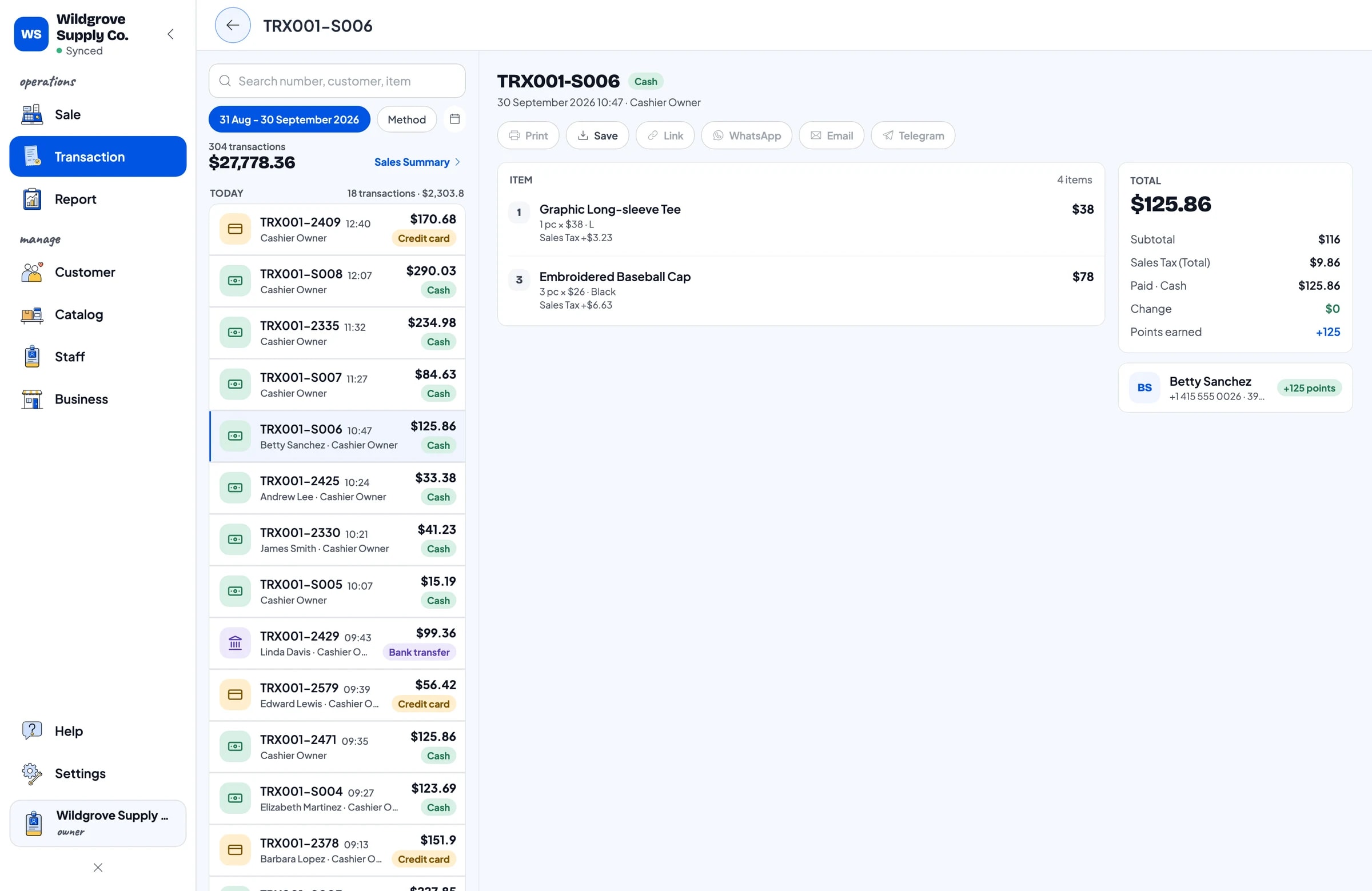
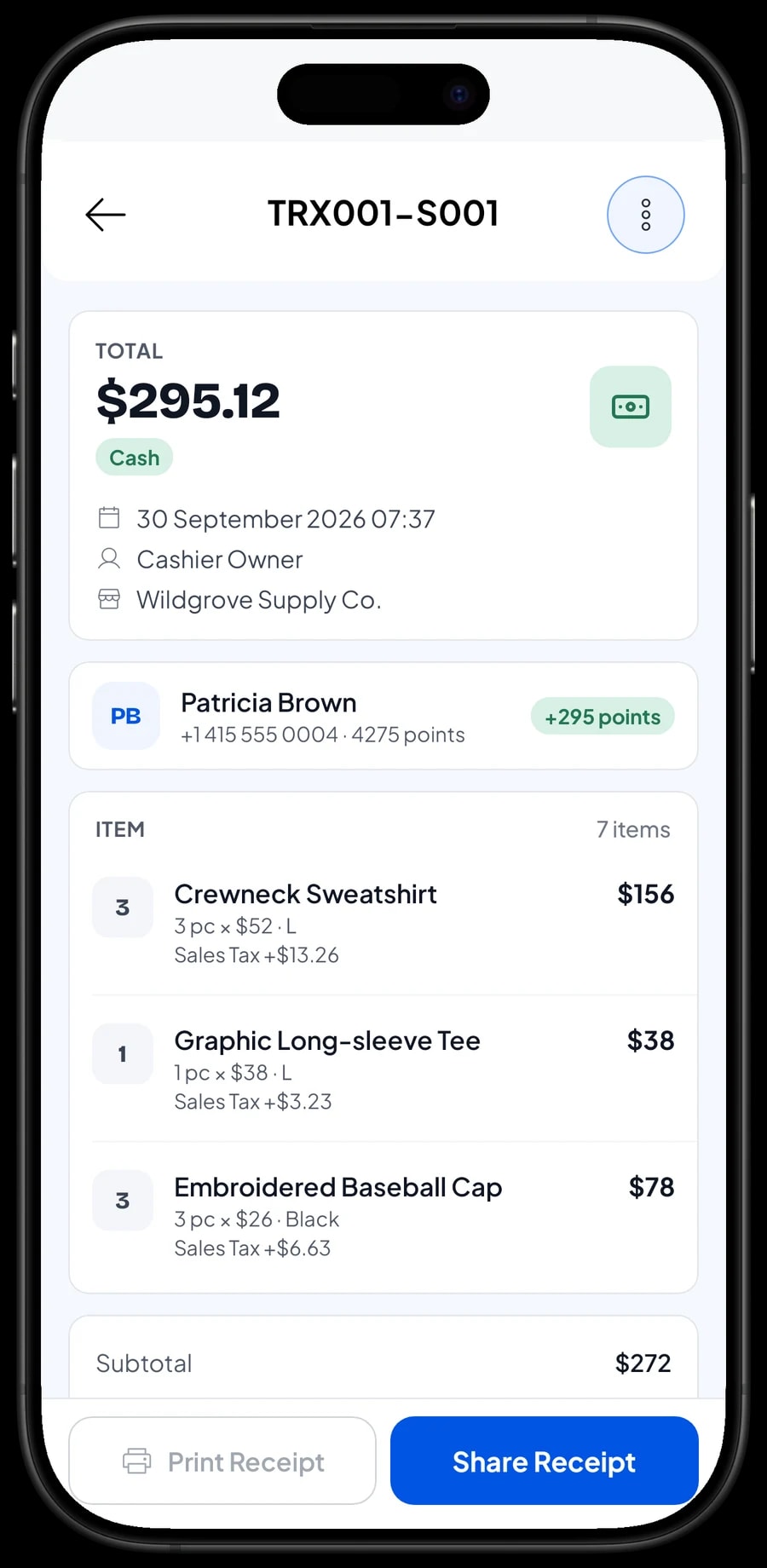
Every sale can be opened again under Transactions, with its products, sizes, tax, payment method and the points the customer earned. That is useful when someone comes back to exchange a size, because you can confirm what they bought and when.
Reports export to Excel or PDF, ready for a business partner or your accountant.
Production costs, expenses and real net profit
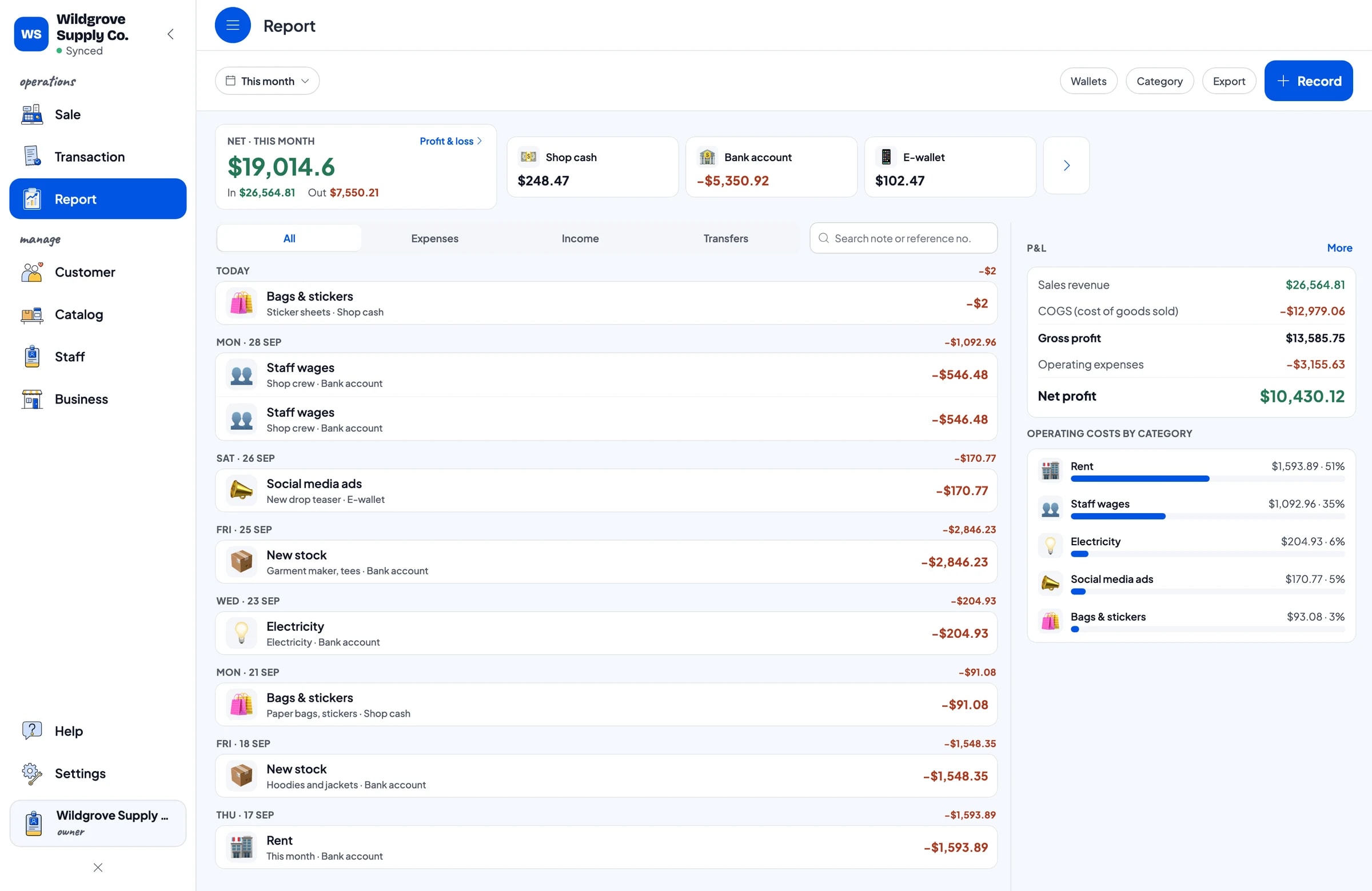
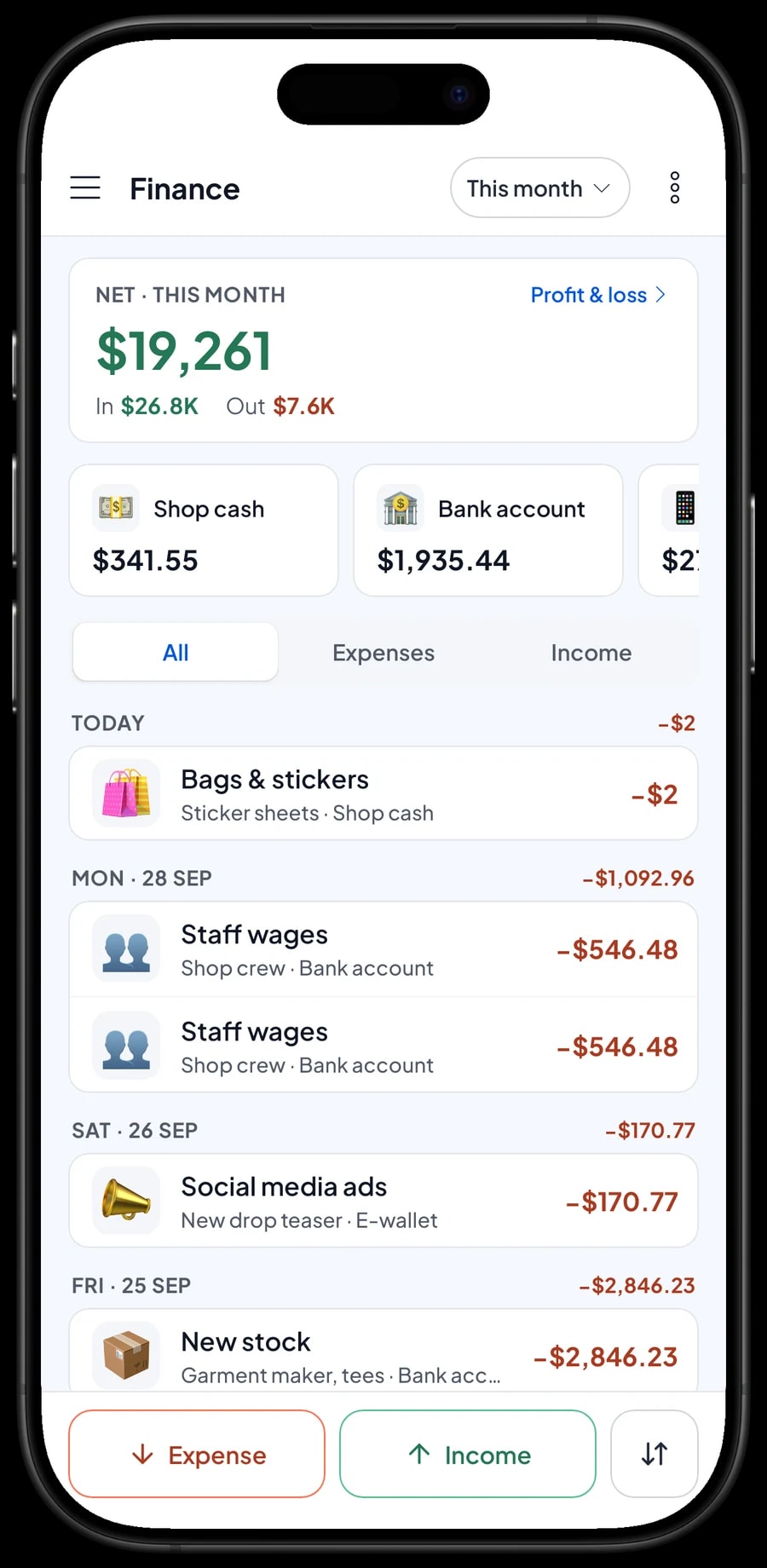
A big drop-day total does not always mean profit. Record your expenses in Finance: restocking from the garment maker, staff wages, rent, electricity, social media ads for the next drop, and bags and stickers. Each expense has a category and the wallet it came from, such as shop cash, your bank account or an e-wallet.
Because every variant keeps its own cost, Salesmaster calculates the cost of goods from what actually sold. The Finance report then shows revenue minus cost of goods and operating expenses, which is your store's net profit. Sales tax you collect is kept apart from profit, because that money isn't yours.
- Step 1: Open Finance and set up wallets such as shop cash, bank account and e-wallet.
- Step 2: Create expense categories that fit your store, such as new stock and social media ads.
- Step 3: Record every expense with its category, wallet and a short note.
- Step 4: At month end, check revenue, cost of goods, operating costs and profit in the Finance report.
Get set up before your next drop
You don't need to close the store to switch to Salesmaster. Install the app on the phone, tablet or laptop at the counter, create an account, and add the collection that is on the racks now, with size variants and stock. A large catalog is easier to enter on a Windows or Mac laptop. Connect a thermal printer and barcode scanner if you use them.
Sales are saved on the device first and sent to the cloud when there is internet, so checkout keeps working if the store Wi-Fi drops. Offline mode works for up to 7 days before the app needs to connect and sync. Once checkout runs smoothly, start recording expenses in Finance. By the next drop, you will have stock per size, a list of your regulars and a clear profit number.
An example streetwear catalog
Use this table as a starting point and replace the names, sizes and prices with your own products.
| Category | Product | Variants | Price per variant | Stock |
|---|---|---|---|---|
| Tees & shirts | Logo tee | M, L, XL, XXL | XXL costs more | Per size |
| Tees & shirts | Heavyweight oversized tee | Black, White, Heather Gray | Same | Per colour |
| Tees & shirts | Plaid flannel shirt | M, L, XL | Same | Per size |
| Hoodies & jackets | Fleece pullover hoodie | Black, Olive, Navy | Same | Per colour |
| Hoodies & jackets | Nylon coach jacket | M, L, XL | Same | Per size |
| Pants & shorts | Slim chino pants | 30, 32, 34 | Same | Per size |
| Pants & shorts | Cargo pants | 30, 32, 34 | Same | Per size |
| Hats, bags & more | Embroidered baseball cap | Black, Cream, Navy | Same | Per colour |
| Hats, bags & more | Printed canvas tote | - | One price | One stock count |
Products without options, like a tote or a keychain, are regular items with one price and one stock count. Products that come in sizes or colours use variants, so every size keeps its own stock.
Which plan fits your store
Start by counting sales per day. A store serving about 10 customers a day records roughly 300 transactions a month, and often many more in a month with a drop.
| Plan | Price | Transactions / month | Staff accounts | Good for |
|---|---|---|---|---|
| Free | Free | 30 | Owner only | To try checkout and the catalog before using it for real. |
| Solo Pro | $4.90/month | 3,000 | Owner only | Small stores and brands where the owner runs the register. |
| Bronze Pro | $6.90/month | 5,000 | 1 staff | Stores with one crew member on their own cashier device. |
| Silver Pro | $9.90/month | 8,000 | 2 staff | Busy stores with two staff on separate devices. |
Every plan includes checkout, catalog, receipts, reports and offline mode. You can change plans at any time. See pricing →
Frequently asked questions
- Can Salesmaster track stock per size?
- Yes. Create one item per design and add the sizes as variants. Each variant has its own price, cost and stock, and its stock goes down automatically with every sale.
- What if a tee comes in several sizes and colours?
- The cleanest setup is one item per colorway, for example Heavyweight Tee Black and Heavyweight Tee White, each with size variants. That way every colour and size combination keeps its own stock.
- Can the cashier scan barcodes?
- Yes. Salesmaster supports barcode scanning, so the cashier scans a product label to add it to the cart. It keeps the line moving on drop day.
- Does Salesmaster sync with my online store or marketplaces?
- No, Salesmaster doesn't connect to online stores or marketplaces automatically. Record each paid online order as a sale at the register, with the order number in the note, so the store and online orders share one stock count.
- How do I handle a size exchange?
- Open the original sale under Transactions to confirm the purchase, then record stock adjustments for the size that came back and the size that went out, with the reason in the note. Stock doesn't move between variants automatically.
- Can I give stockists or wholesale buyers a different price?
- Yes, in two ways. Add a deduction to the whole sale when they buy, or create a wholesale price as a variant that the cashier picks. Variants keep their own stock, so the deduction is usually easier. There is no automatic tiered pricing.
- Can the store keep selling when the internet is down?
- Yes. Sales are saved on the device and sync when the internet is back. Offline mode works for up to 7 days before the app needs to connect to sync.
Need help setting up your catalog? Chat with our team on WhatsApp →



