

Salesmaster is a point-of-sale (POS) app for tailors, alteration shops and small garment makers on Android, iPhone & iPad, Windows and Mac. You can list your services with variants for each style, sell fabric and notions as stocked products, keep orders that are paid at pickup with Save order, send receipts by WhatsApp or email, and see net profit after wages and supplies in Finance. A Free plan lets you try it first.
Problems every tailor knows
If any of these sound familiar, this page is for you.
- 01
The paper ticket is gone
A customer comes in for their suit, but the claim ticket has disappeared. Now the price, the measurements and the promised date all depend on someone's memory while the customer waits at the counter.
- 02
Labor and fabric in one number
Some customers bring their own fabric, others buy it from you. If every job is written down as one total, you can't tell how much you earn from sewing and how much from selling cloth.
- 03
Nobody knows how much fabric is left
How many yards of shirting are still on the bolt? Are there suit buttons in the drawer? Usually you find out after you have promised the job and the cutter is ready to start.
- 04
A busy season, an unclear profit
Prom, weddings and the holidays bring a rush of work. But after uniform fabric, piecework pay, rent and electricity, what is actually left? Without recorded expenses, it's a guess.
Listing your services: made to measure, alterations and bulk work
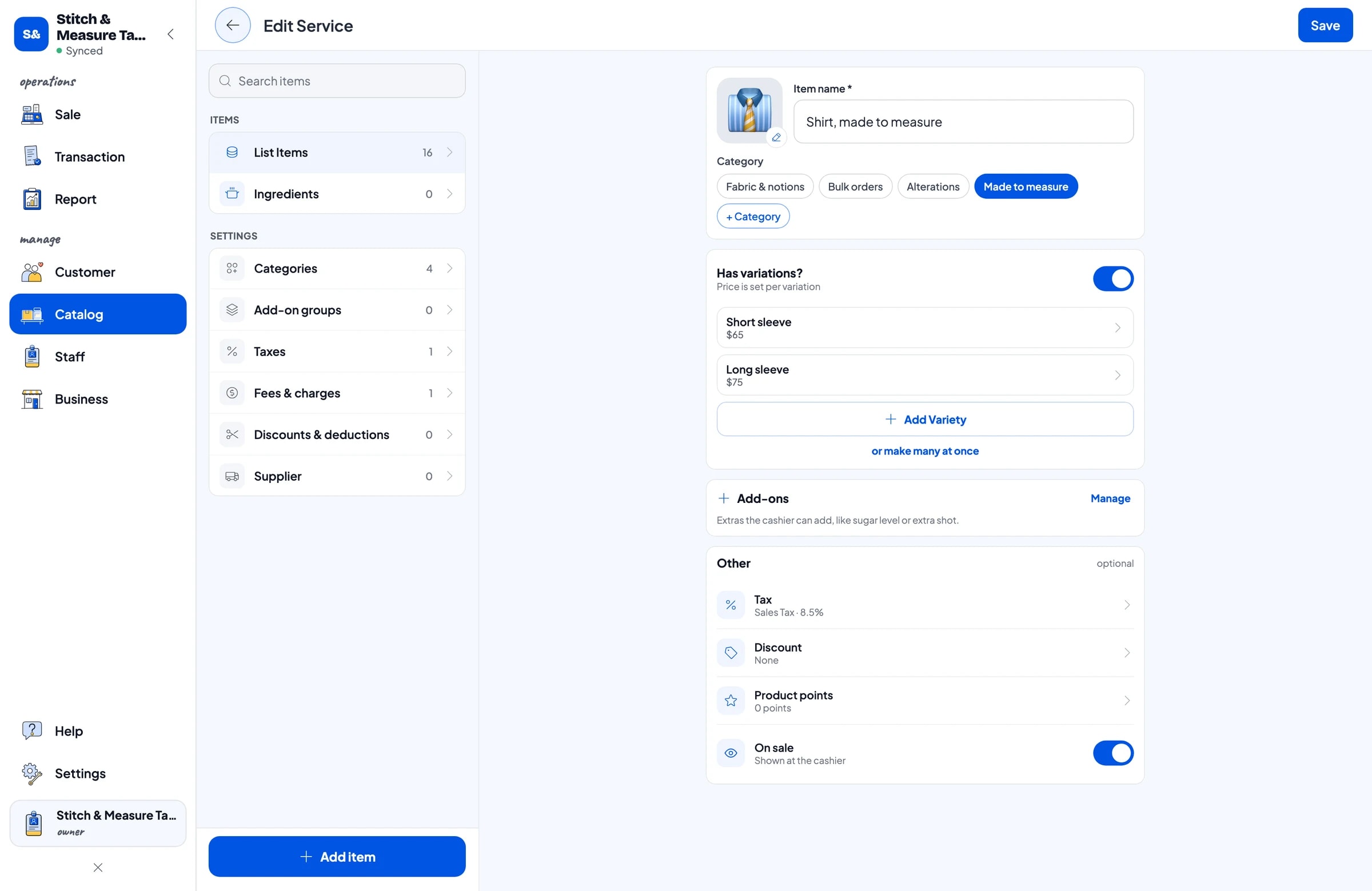
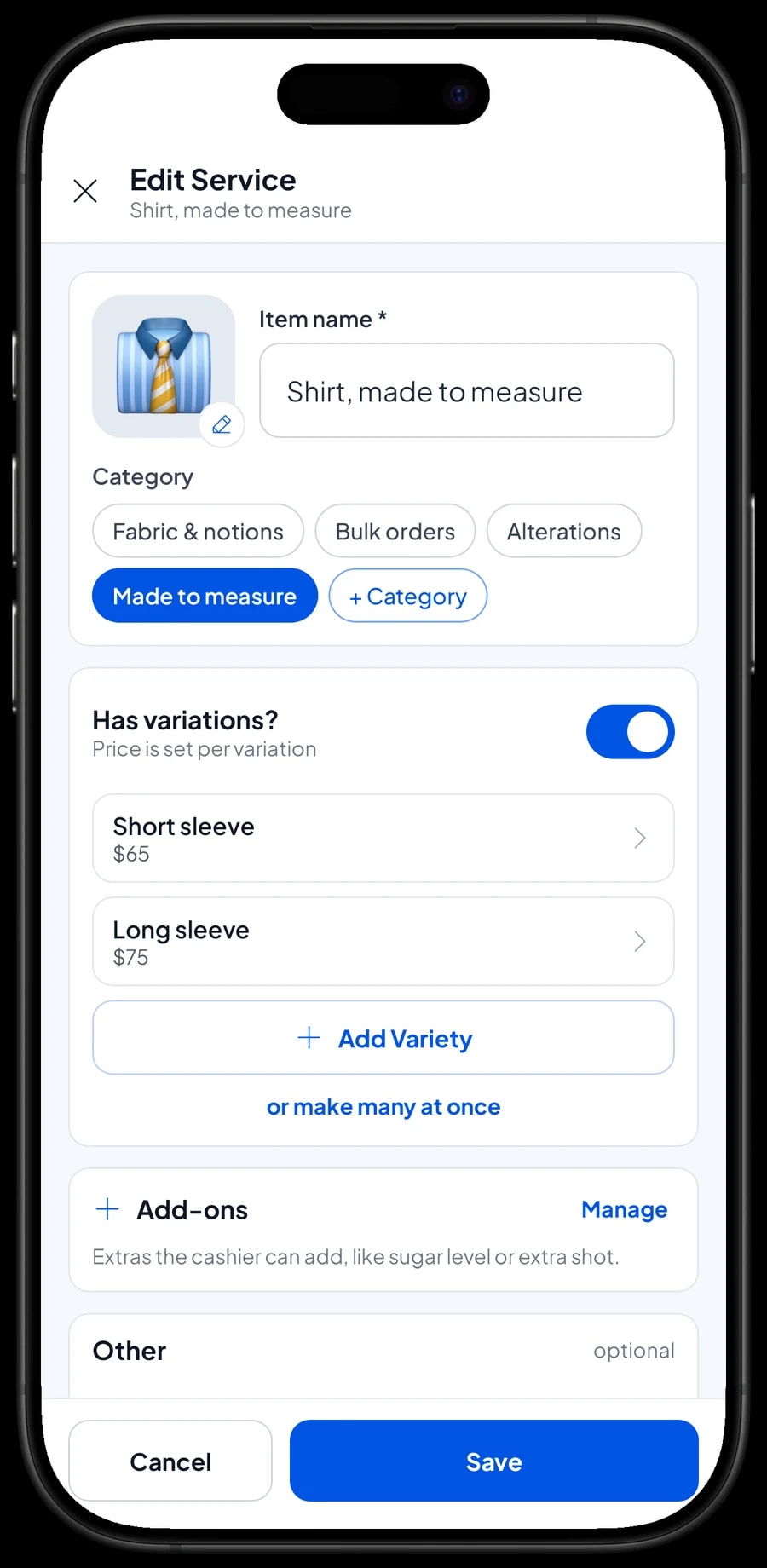
Start with the price list you already quote to customers. In Salesmaster, each service is one item in the Catalog with the type Service. Services don't carry stock, so a name and a price are enough. Group them into categories such as Made to measure, Alterations, Bulk orders and Fabric & notions, so whoever is at the counter finds the right job in one or two taps on the Sale screen.
A service with different prices for different styles only needs one item with variants. A shirt with short or long sleeves, a classic or a lace kebaya, a jacket alone or a full suit: the cashier picks the variant and the price follows. Each variant has its own price and can have its own cost, such as thread and small buttons used on one piece, so your gross profit comes closer to the truth.
Alterations work the same way. A standard hem and an original hem, a zipper for trousers and one for a jacket. Prices that used to live in one person's head become one list that everyone in the shop uses.
- Step 1: Open Catalog → Categories and create categories such as Made to measure, Alterations, Bulk orders and Fabric & notions.
- Step 2: Open Catalog → List Items, add a new item and choose the type Service for each sewing job.
- Step 3: For jobs with several styles, add variants and enter a price for each one.
- Step 4: Save the item and open the Sale screen to check it appears under the right category.
Fabric, lining and notions as stocked products
Fabric you sell is an item of type Product with the unit set to yards, such as Cotton Shirting or Suiting Wool Blend. Cart quantities are whole numbers, so sell fabric by the whole yard, or add a half-yard variant if you cut smaller lengths. Notions like suit button sets are sold by the set. Enter the selling price and the purchase cost, then record your opening stock. Every sale takes the fabric off stock, and Salesmaster warns you when stock runs low.
This is how you keep labor and fabric apart. A customer who brings their own cloth is charged for the sewing only. A customer who buys cloth from you gets one ticket with the sewing job and a few yards of fabric. In the reports, service revenue and fabric revenue show up separately, item by item.
When a delivery of fabric arrives, add it to stock. If a piece is damaged, stained or used for a sample, record a stock adjustment so the number in the app matches the bolts on the shelf. You can also keep your suppliers' details in the app.
Orders picked up later, with measurements attached
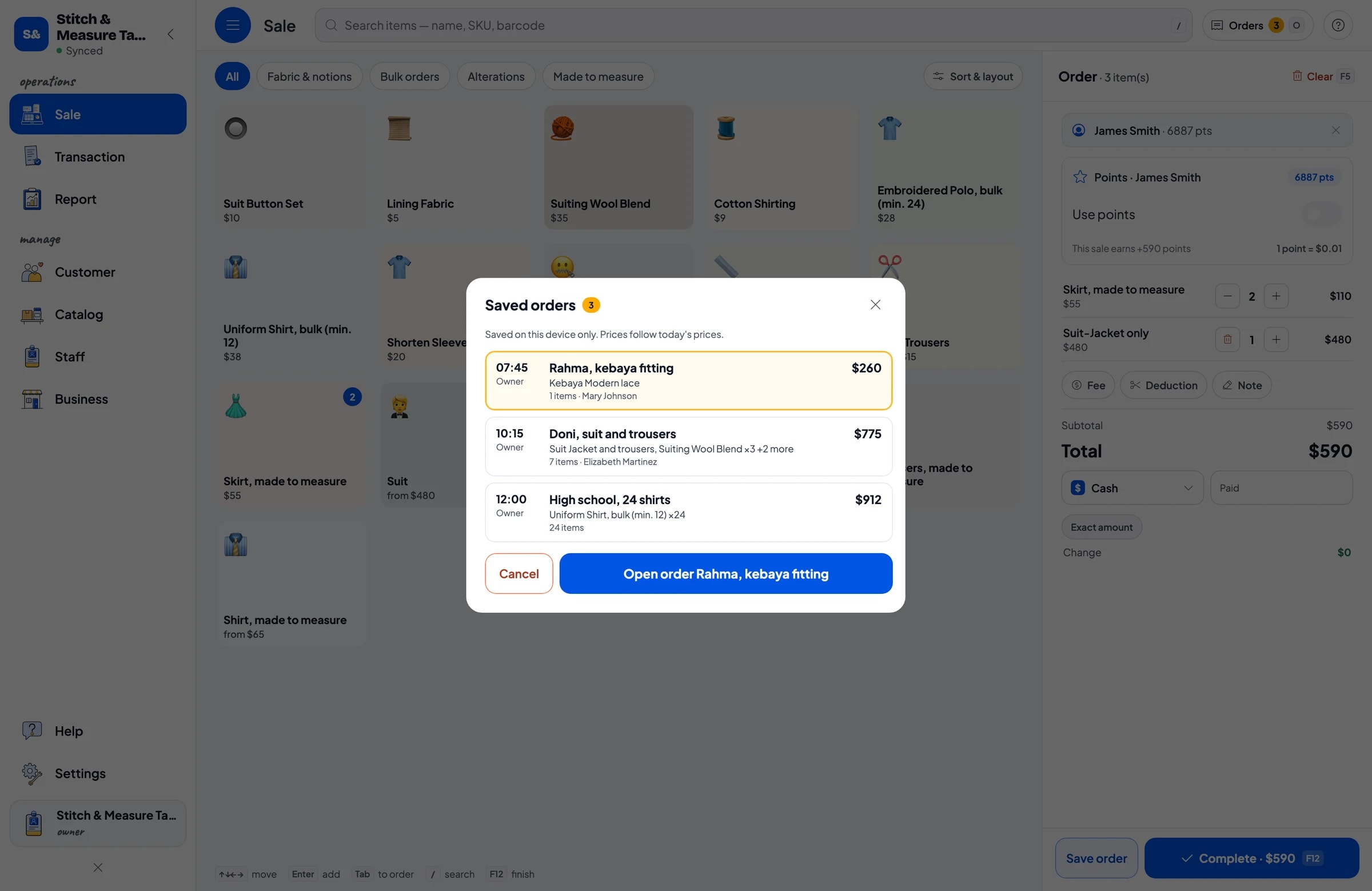
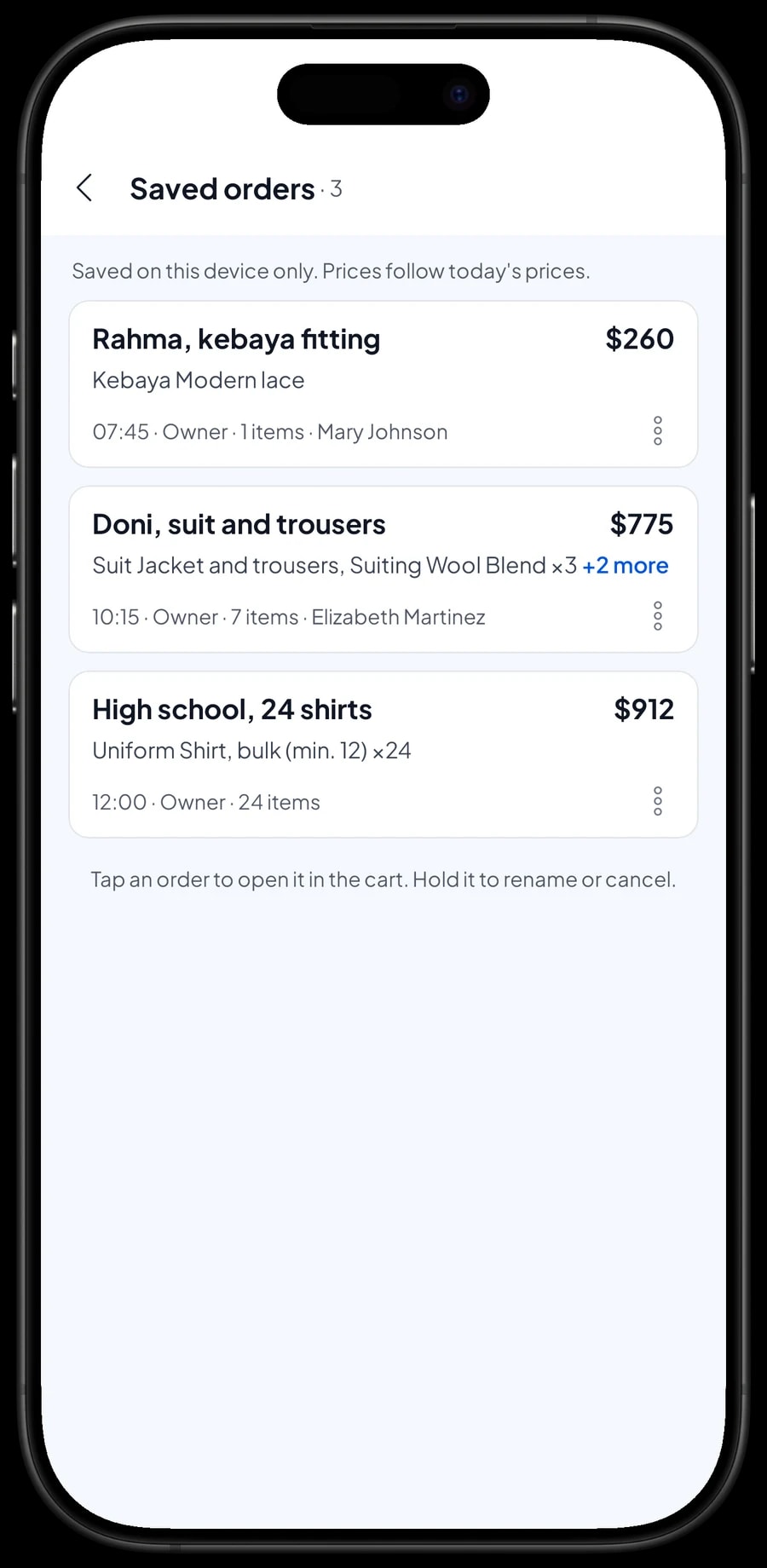
In a tailor shop, work is rarely finished the same day. That is what Save order is for. The cashier puts the job and any fabric in the cart and keeps it as a saved order under a name that is easy to spot, such as "Rahma, kebaya fitting" or "Doni, suit and trousers". When the customer comes back, open Saved orders, pick the order, add any last-minute alteration, and take the payment.
Measurements go into the Note on the item, for example "Bust 92, waist 74", and the fitting date goes into the order note. Salesmaster has no dedicated measurement form, but these notes stay with the sale once it is paid, so when the same customer orders again you can look back at the earlier ticket in their purchase history.
A saved order isn't counted as a sale and doesn't take fabric off stock until it is paid. Saved orders live on the device that created them, so save and complete them on the same counter device, such as the tablet at the front desk.
Salesmaster doesn't record a deposit as a partial payment. If a customer pays something up front, sell it right away as a separate Service item called "Down payment" for the amount received. When the balance is paid, the saved order keeps its full price and the cashier taps Add Deduction for the deposit amount, so the drawer and reports match on both days.
Bulk orders and uniforms
Bulk work is different from a single suit: a school orders 24 uniform shirts, a company wants embroidered polos for every employee. Create the bulk item with a price per piece and put the minimum in the name, for example "Uniform Shirt, bulk (min. 12)". When the order comes in, the cashier enters 24 as the quantity and the total is calculated.
Salesmaster doesn't lower prices automatically for larger quantities. If you give a better price above 50 pieces, create separate variants, such as "12–49 pcs" and "50+ pcs", and the cashier picks the one that applies. A discount for a particular customer can be set up in Deductions.
Details like "logo on left chest" or the split of sizes S, M, L and XL go into the item Note. Large orders are usually kept with Save order until delivery. The fabric and piecework pay spent on that order are recorded in Finance, so you can see whether big jobs really pay off.
Payments, sales tax and receipts
Create the payment methods you accept: cash, card, bank transfer, a mobile wallet, or anything else. Schools and businesses often pay bulk orders by transfer, while walk-in alterations are paid in cash or by card. Reports show how much came in through each method, so the cash drawer and your bank balance are easy to reconcile.
If you charge sales tax, set it once in Fees or Tax and it is calculated on every sale and shown separately in reports. A delivery fee for uniforms dropped off at a school can be set up there too.
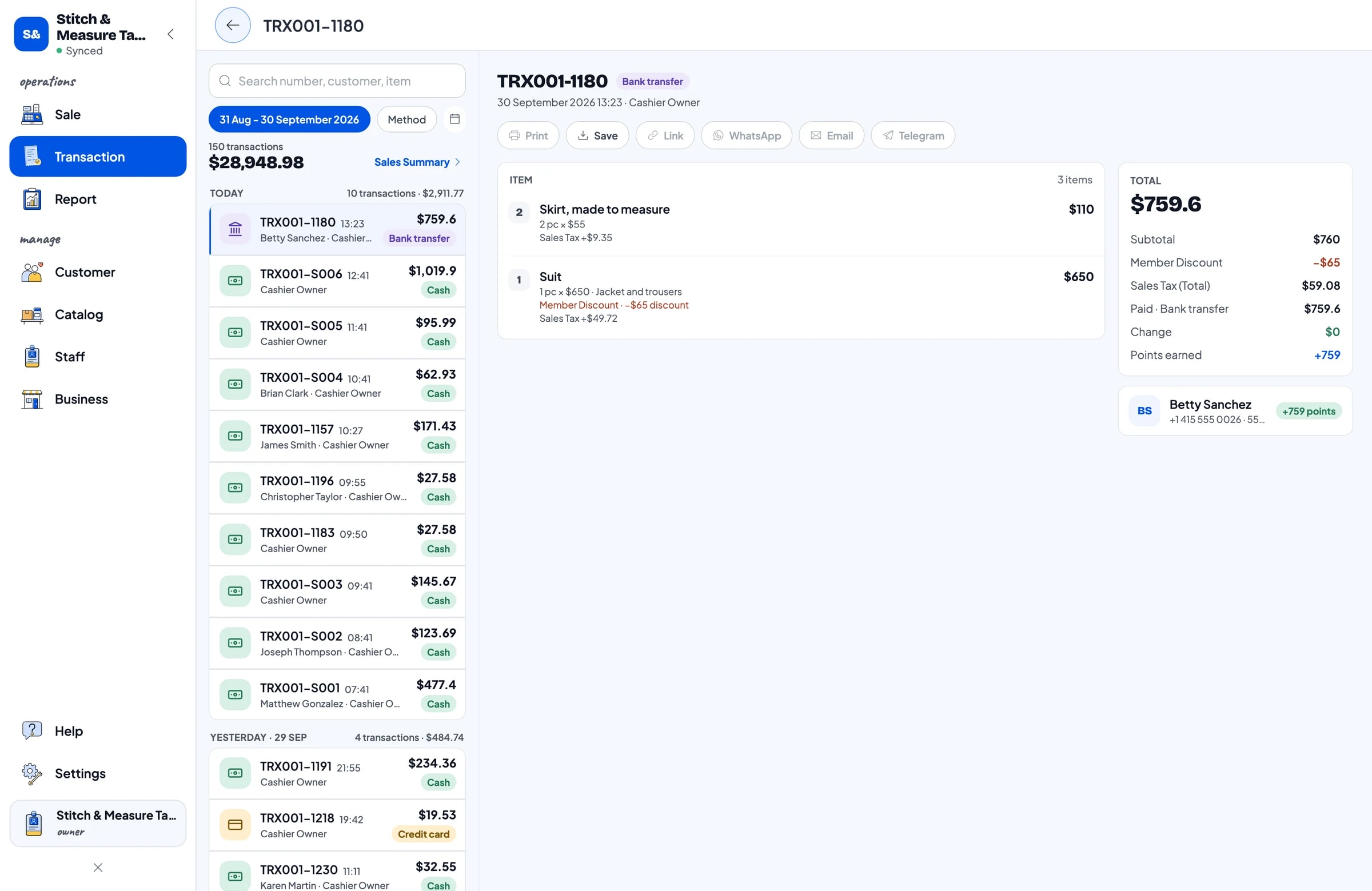
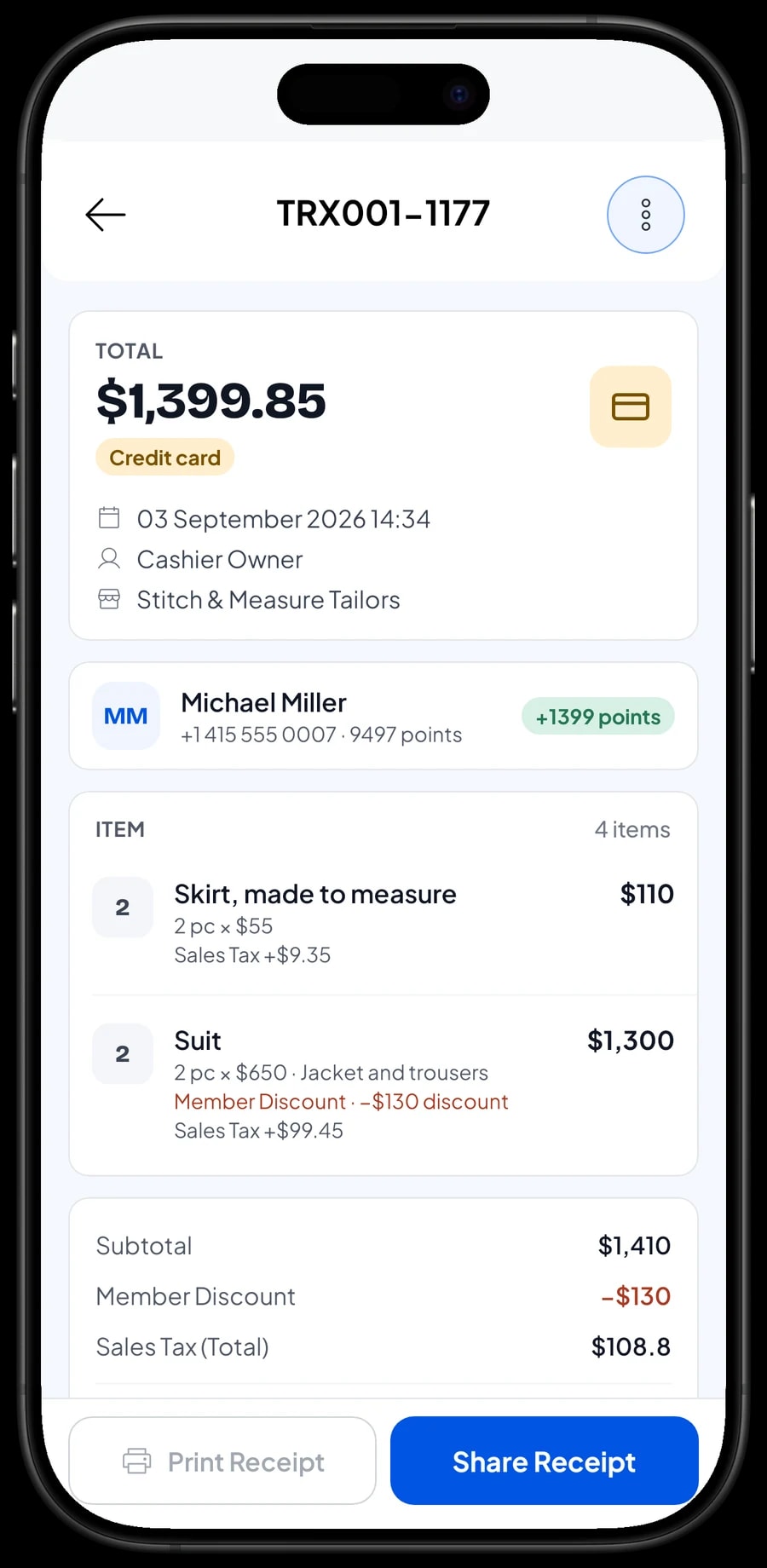
Once paid, the receipt can print on a Bluetooth or USB thermal printer, or go out by WhatsApp, email or a web receipt link with your shop's logo and contact details. A digital receipt helps business customers who need proof of payment for their office.
Counter staff and cashier devices
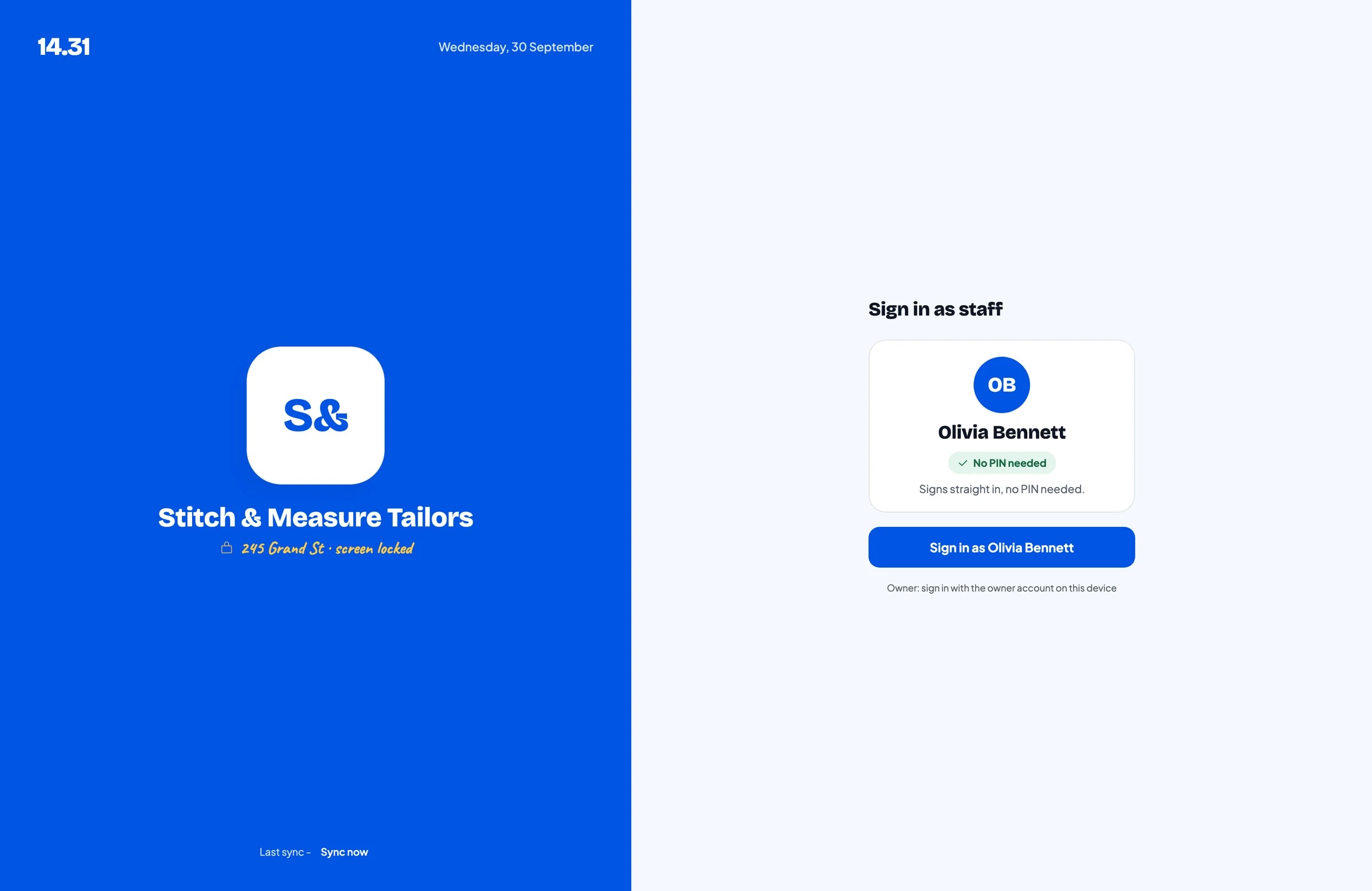
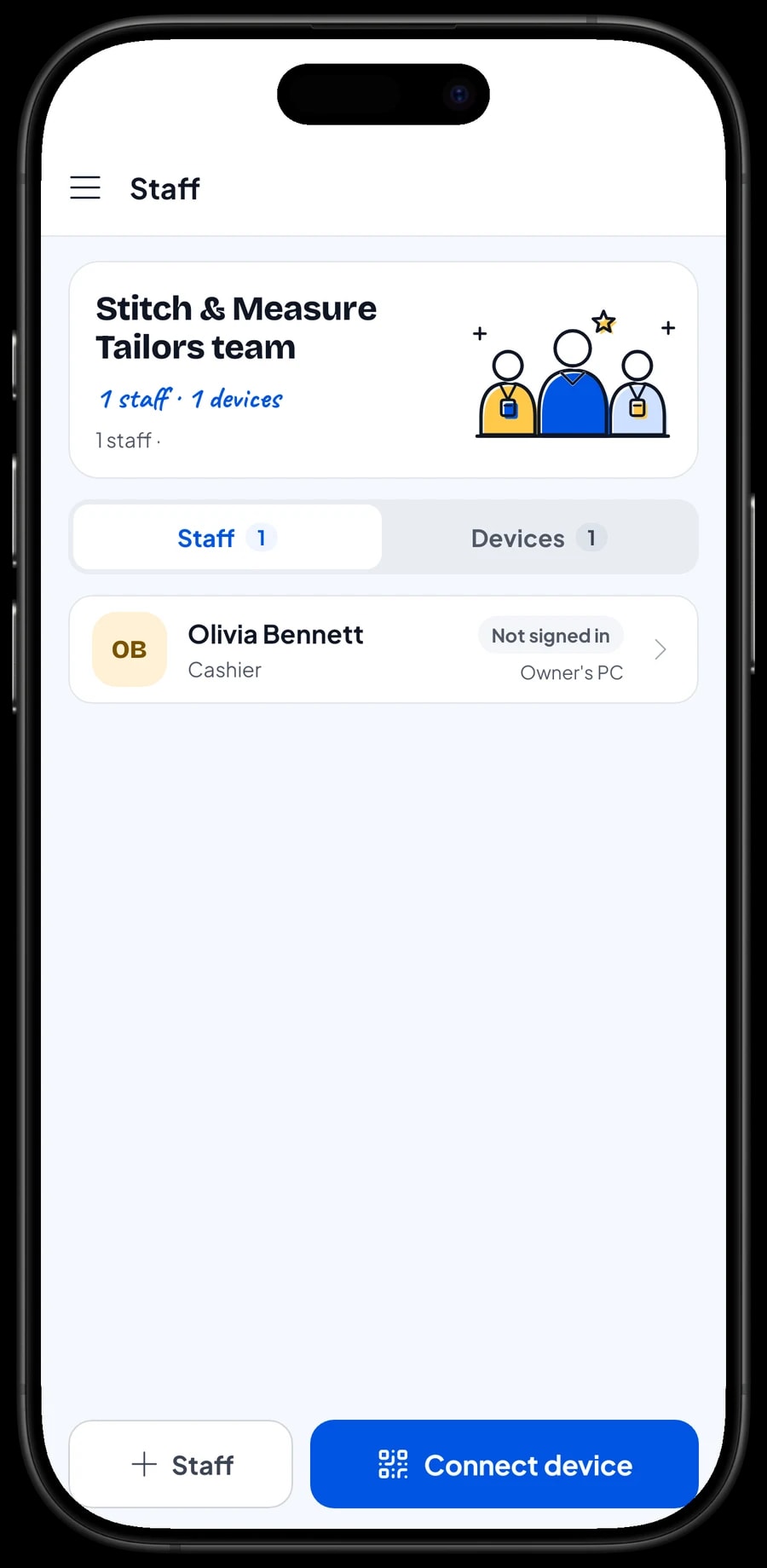
The owner signs in with the main account, and one account signs in on one device at a time. If someone takes orders at the front while you work in the back, add them as staff and register a cashier device for them. Staff sign in with a PIN, and you decide what they can see and change. Staff accounts come with Bronze Pro (1 staff) and Silver Pro (2 staff).
Regular customers: history and loyalty points
Tailors live on customers who come back, from the person who has every pair of trousers hemmed with you to the company that reorders uniforms every year. Save the customer at checkout; a name and phone number is enough. Their purchase history is kept, so you can see what they have had made or altered before.
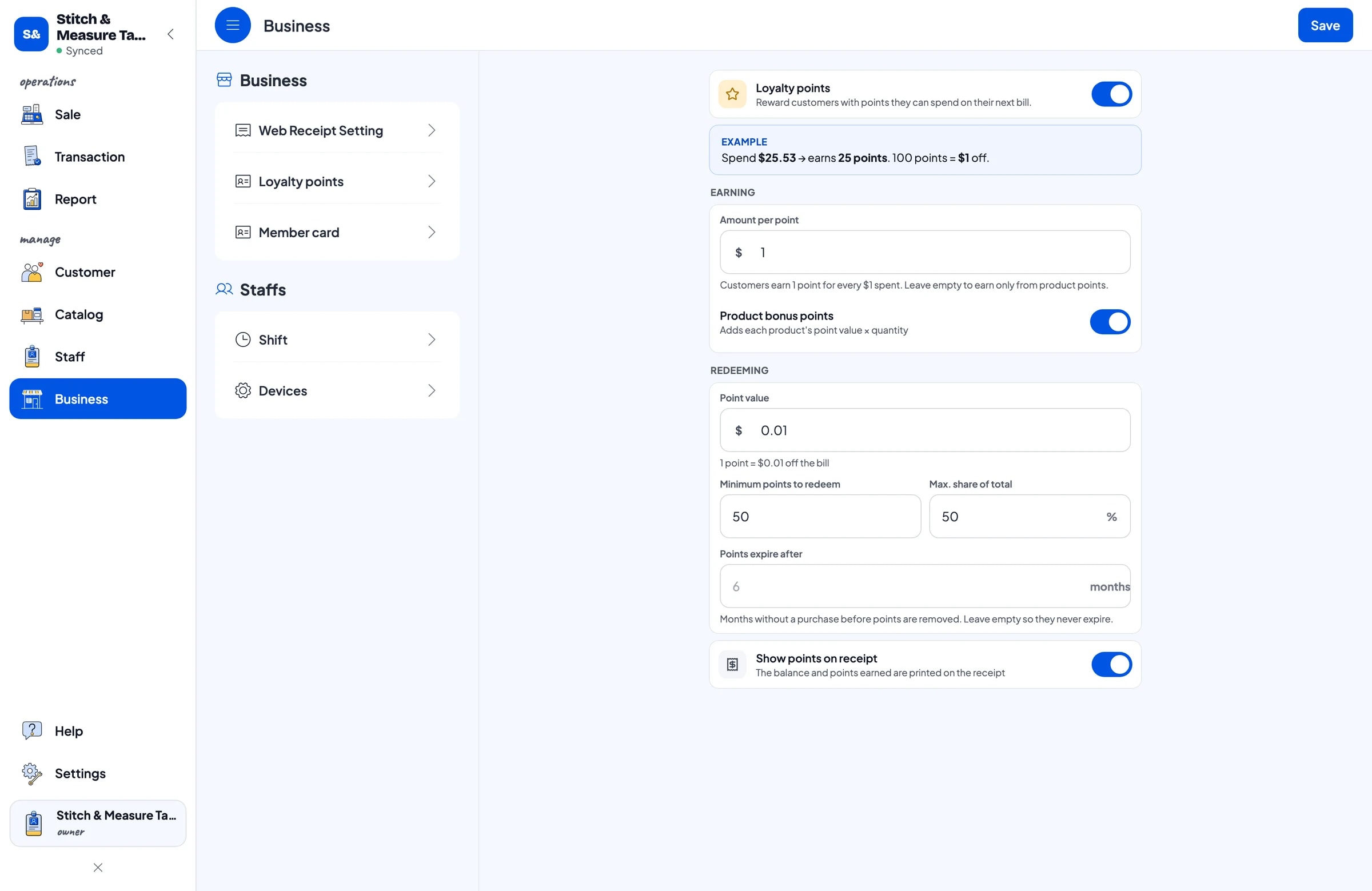
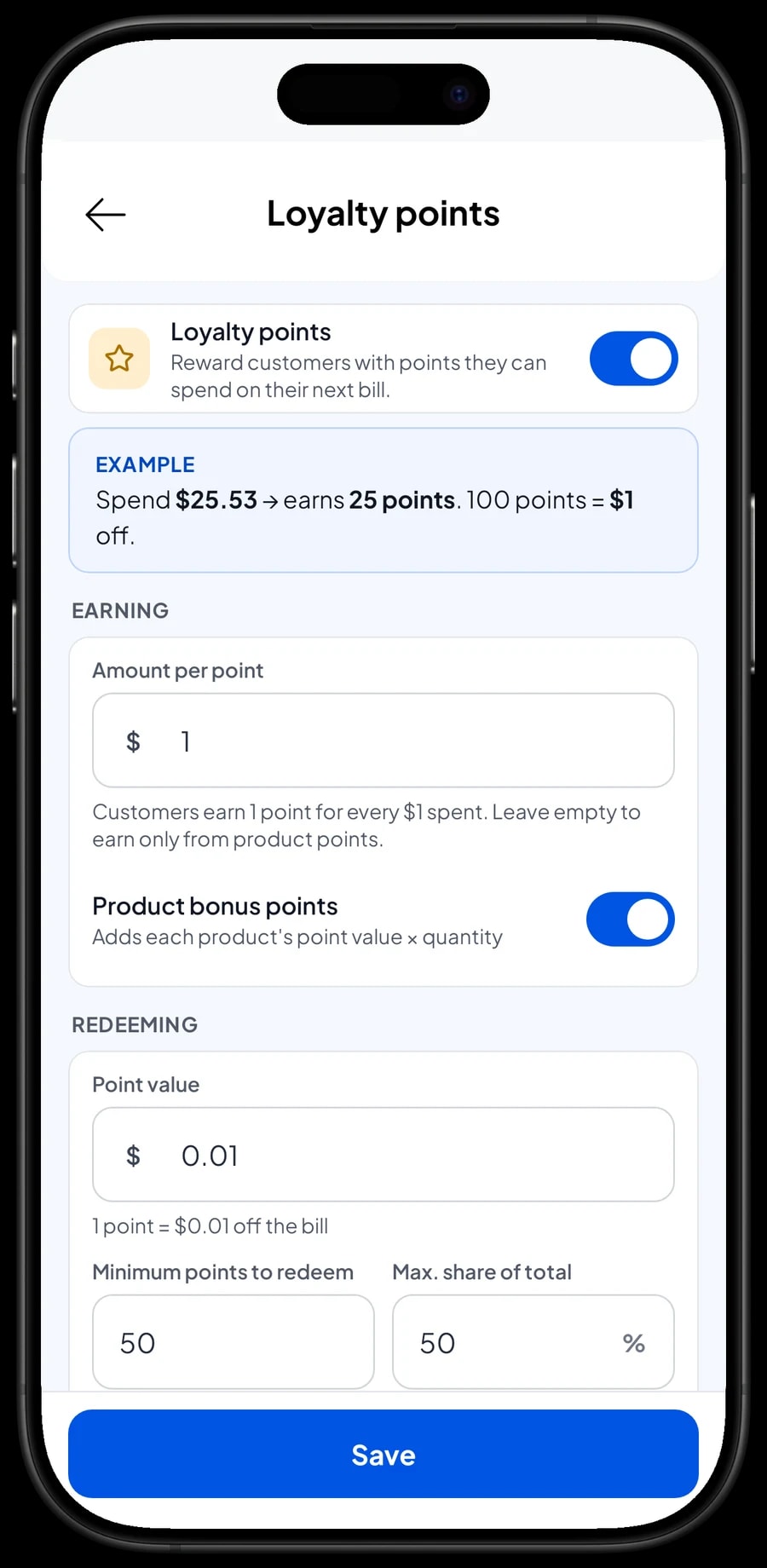
Turn on Loyalty points if you want to give people a reason to return. You set the rules: the amount spent per point, the value of a point when redeemed, the minimum points to redeem, and the maximum share of a bill that points can cover. Points are added with every sale, and regulars can get a member card in their name.
Sales reports and net profit after wages
Reports are available by day, week, month and year. You see total revenue, gross and net sales, discounts, tax collected, payment methods and revenue by item, so it is clear whether the shop lives mostly on alterations, made-to-measure work, bulk orders or fabric sales.
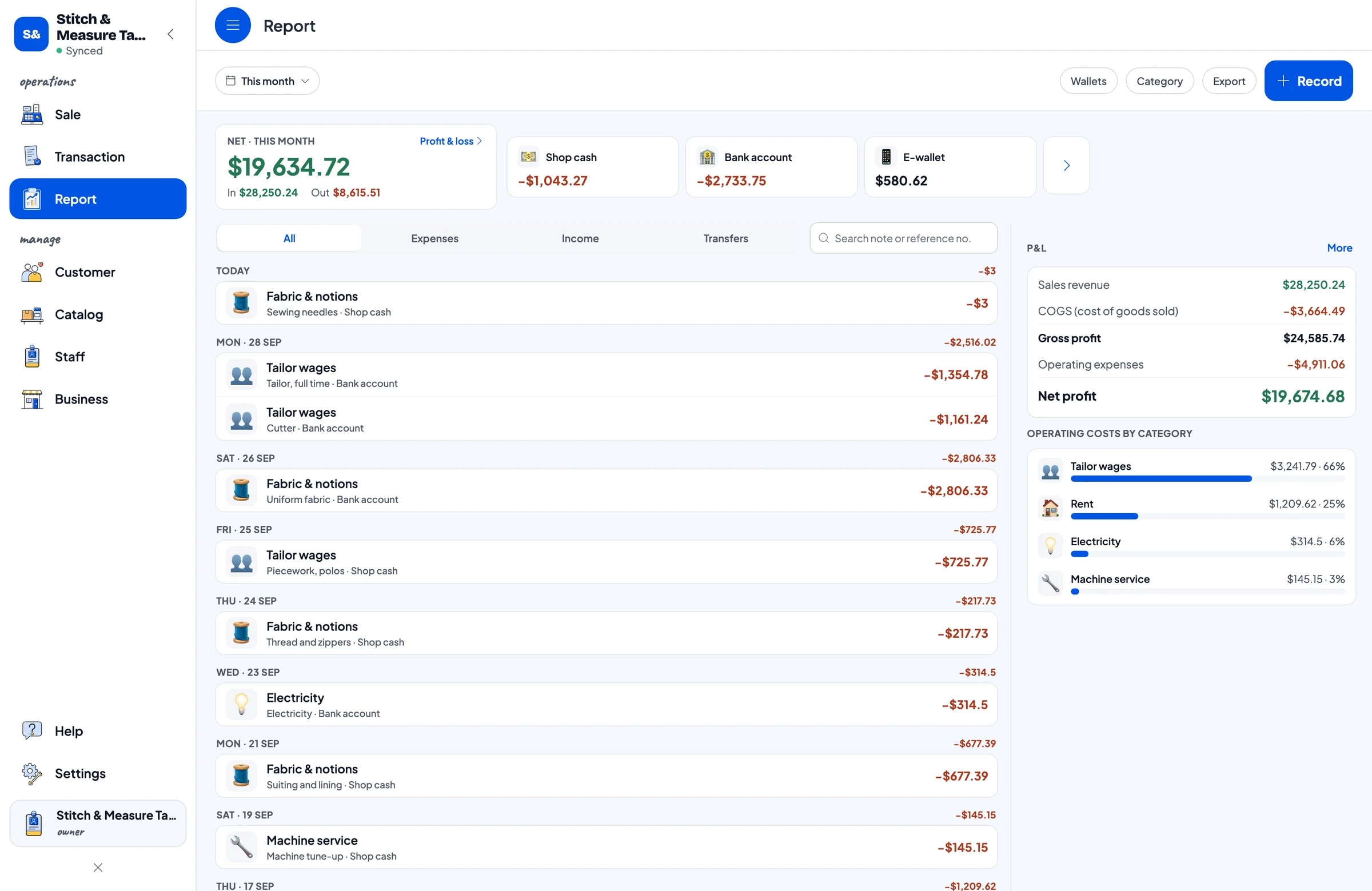
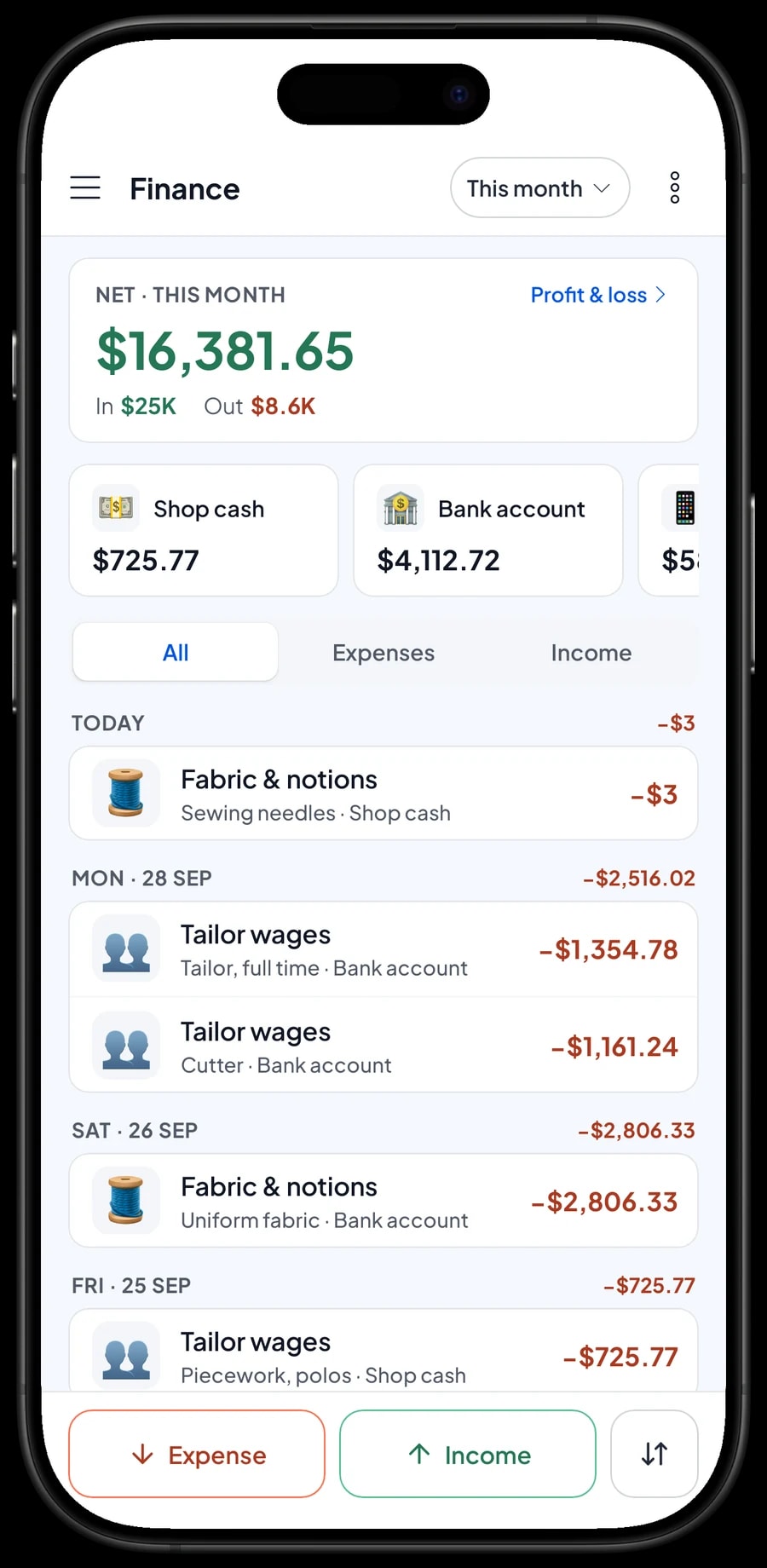
For real profit, record expenses in Finance: fabric and notions, tailor wages and piecework, the pattern cutter, rent, electricity and machine servicing. Each expense has a category and the wallet it was paid from, such as shop cash, a bank account or an e-wallet. The Finance report then shows revenue minus costs and operating expenses: your net profit.
Reports can be exported to Excel or PDF for your accountant. Compare a normal month with prom or wedding season to see when you need extra hands.
Get started in a day, and keep working offline
You don't need to stop taking work to switch to Salesmaster. Install the app on the phone or tablet at the counter, create an account, and enter the 10 to 20 jobs you are asked for most, with their variants. Add the fabric you stock and how many yards you have. Jobs already in progress can be entered as saved orders so everything is in one place.
If the internet drops, the shop keeps working. Sales are saved on the device and sent to the cloud when the connection is back. Offline mode works for up to 7 days; after that the app needs to connect briefly to sync. Because your data lives in your account, nothing is lost if a device breaks or is replaced.
Step-by-step guides for every feature are in the Salesmaster Help Centre, and our team is on WhatsApp if you need help setting up your price list.
An example tailor shop catalog
Use this table as a starting point and replace the names and prices with your own.
| Category | Item | Variants | Unit | Item type |
|---|---|---|---|---|
| Made to measure | Shirt, made to measure | Short sleeve, Long sleeve | pc | Service |
| Made to measure | Suit | Jacket only, Jacket and trousers | pc | Service |
| Made to measure | Dress | Plain long dress, Evening dress | pc | Service |
| Alterations | Hem Trousers | Standard hem, Original hem | pc | Service |
| Alterations | Zipper Replacement | Trousers, Jacket | pc | Service |
| Alterations | Take In or Let Out | - | pc | Service |
| Bulk orders | Uniform Shirt, bulk (min. 12) | - | pc | Service |
| Fabric & notions | Cotton Shirting | - | yard | Product |
| Fabric & notions | Suit Button Set | - | set | Product |
Work you do is a Service, with no stock. Fabric, lining and buttons that you buy and resell are Products, so their stock goes down with every sale.
Which plan fits your shop
Start by counting tickets per day. A tailor serving about 5 customers a day, alterations included, records roughly 150 transactions a month.
| Plan | Price | Transactions / month | Staff accounts | Good for |
|---|---|---|---|---|
| Free | Free | 30 | Owner only | To try recording jobs and saved orders before using it for real. |
| Solo Pro | $4.90/month | 3,000 | Owner only | Home tailors and alteration kiosks run by the owner alone. |
| Bronze Pro | $6.90/month | 5,000 | 1 staff | Tailors with one person at the front counter on their own device. |
| Silver Pro | $9.90/month | 8,000 | 2 staff | Busier garment makers with two staff on separate devices. |
Every plan includes checkout, catalog, receipts, reports and offline mode. You can change plans at any time. See pricing →
Frequently asked questions
- Can I put sewing work and fabric on the same ticket?
- Yes. Create sewing jobs as Service items and fabric as Products sold by the yard. The cashier adds both to the same cart, and reports show the revenue of each item separately.
- How do I record an order that is paid at pickup?
- Use Save order. The cart is kept as a saved order under the customer's name and opened again when they come back. It stays on the device that created it and isn't a sale until it is paid.
- Can Salesmaster record a deposit?
- Not as a partial payment on one sale. Sell the deposit right away as a separate Service item called "Down payment" for the amount received. When the balance is paid, open the saved order at its full price and tap Add Deduction for the deposit amount.
- Where do I keep customer measurements?
- There is no dedicated measurement form. Write the measurements in the item Note, such as "Bust 92, waist 74". Notes stay with the sale, so you can find them again in the customer's purchase history.
- Can bulk prices drop automatically for bigger orders?
- No. Create separate price variants, such as "12–49 pcs" and "50+ pcs", and the cashier picks the right one when recording the order.
- Does fabric stock go down automatically?
- Yes, when fabric is sold as a Product item. Every sale takes it off stock, and damaged or sample pieces are recorded as stock adjustments. Fabric a customer brings in doesn't need to be recorded.
- Can my counter staff and I use separate devices?
- Yes, with staff accounts. One account signs in on one device at a time, so staff use a staff device and sign in with a PIN. Staff accounts come with Bronze Pro (1 staff) and Silver Pro (2 staff).
Need help setting up your catalog? Chat with our team on WhatsApp →



