
Salesmaster is a point-of-sale (POS) app for tyre and wheel shops on Android, iPhone & iPad, Windows and Mac. Each tyre size is a variant with its own price, cost and stock, fitting and alignment are Service items on the same bill, and jobs still on the lift can be kept with Save order until the vehicle is done. Reports and Finance show your sales and real net profit.
Problems every tyre shop knows
If any of these sound familiar, this page is for you.
- 01
Too many sizes to remember
175/65 R14, 185/65 R15, 205/55 R16, and then scooter sizes like 80/90-14. Every size has its own price, and a new cashier is bound to mix them up.
- 02
Nobody knows what is on the shelf
A customer calls about one size and you have to walk to the back to check. The popular sizes run out and nobody notices until a car is already waiting.
- 03
One vehicle, a long bill
Four tyres, four mount-and-balance jobs, four valve stems and an alignment. Add it up on paper while the customer waits and one missed line is money lost.
- 04
Cash tied up in stock
Tyres and wheels are expensive. Without knowing which sizes actually sell and what the shop really earns, money sits on the rack in sizes nobody asks for.
Tyre sizes as variants, each with its own stock
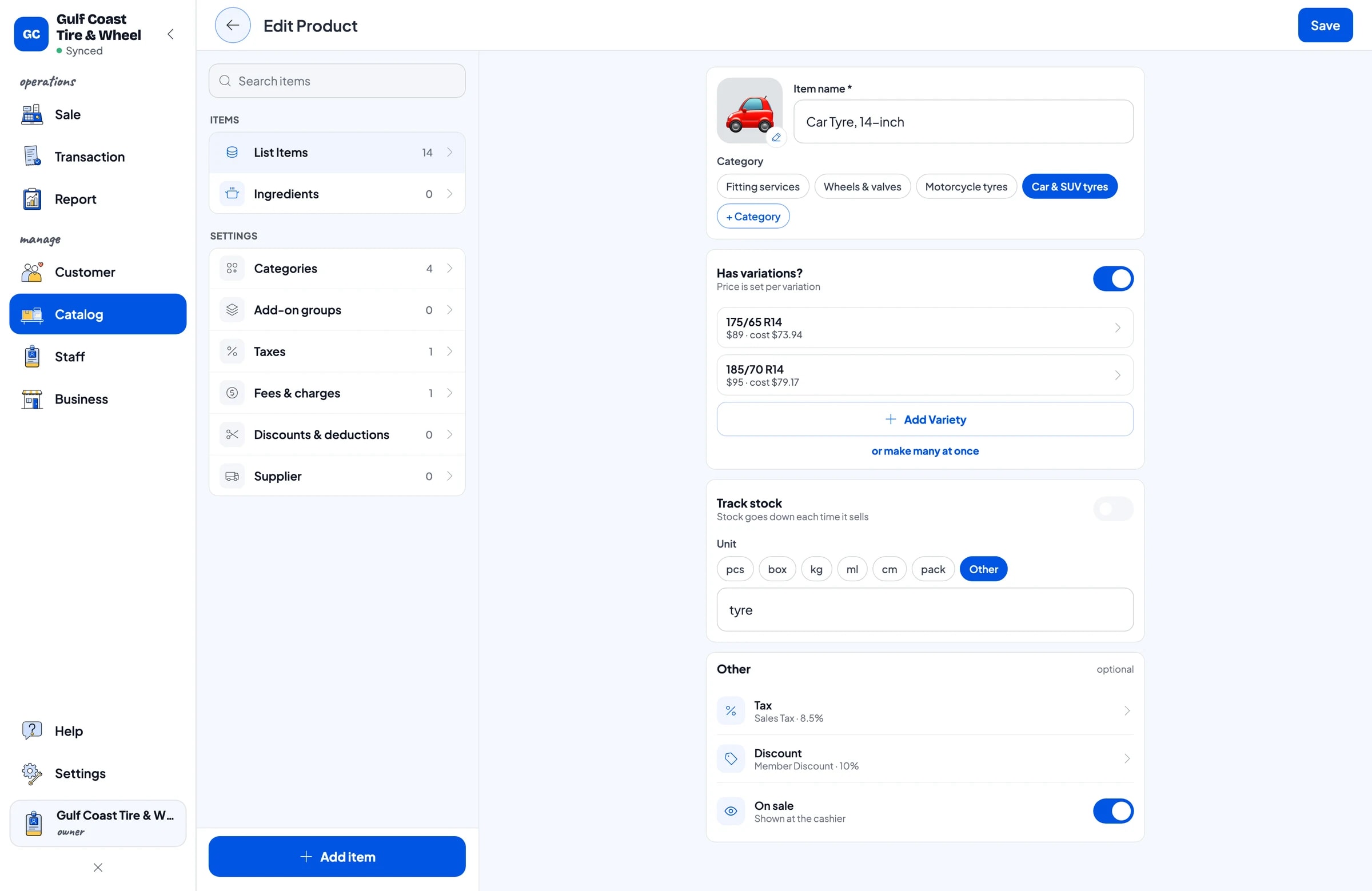
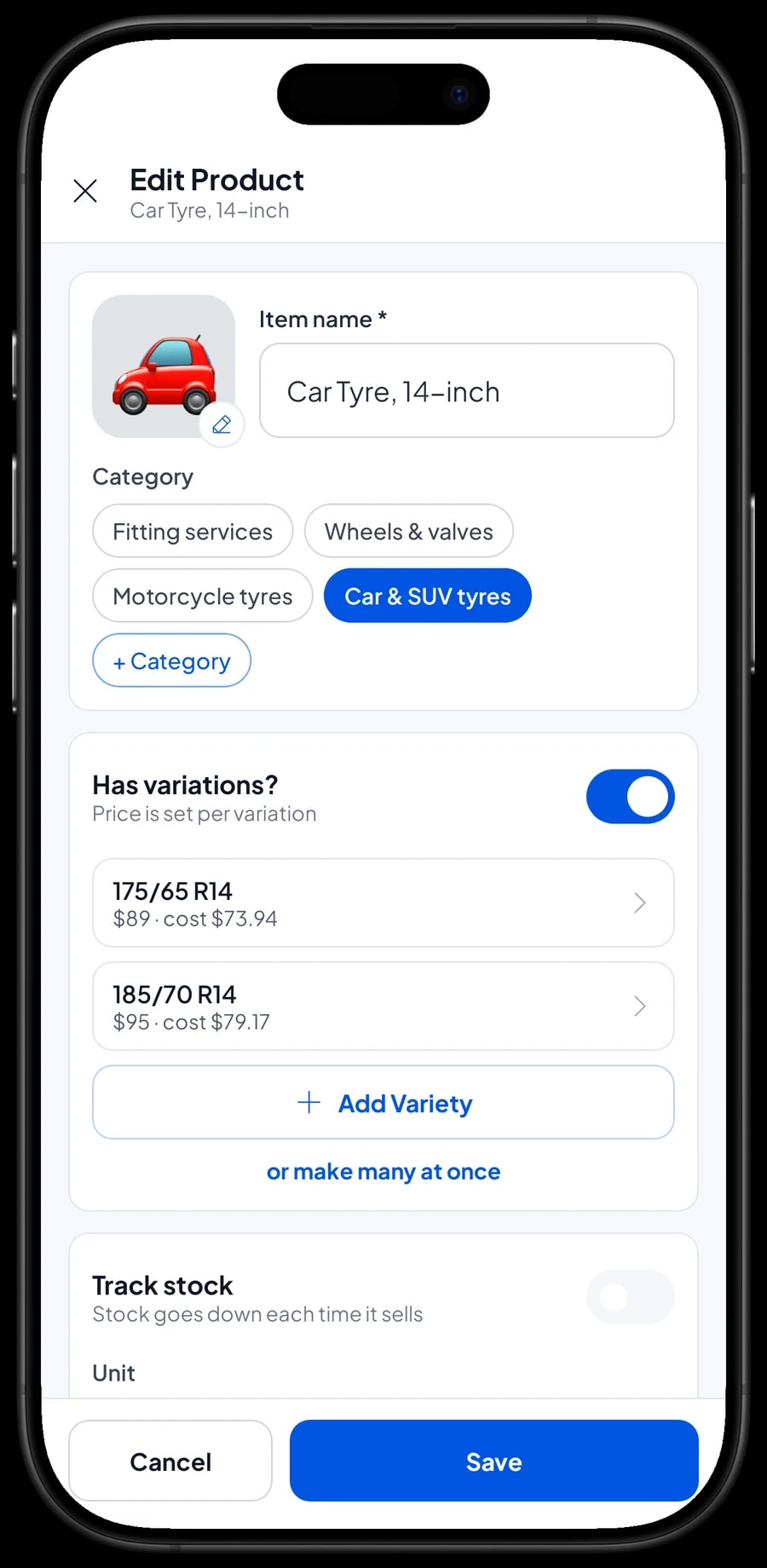
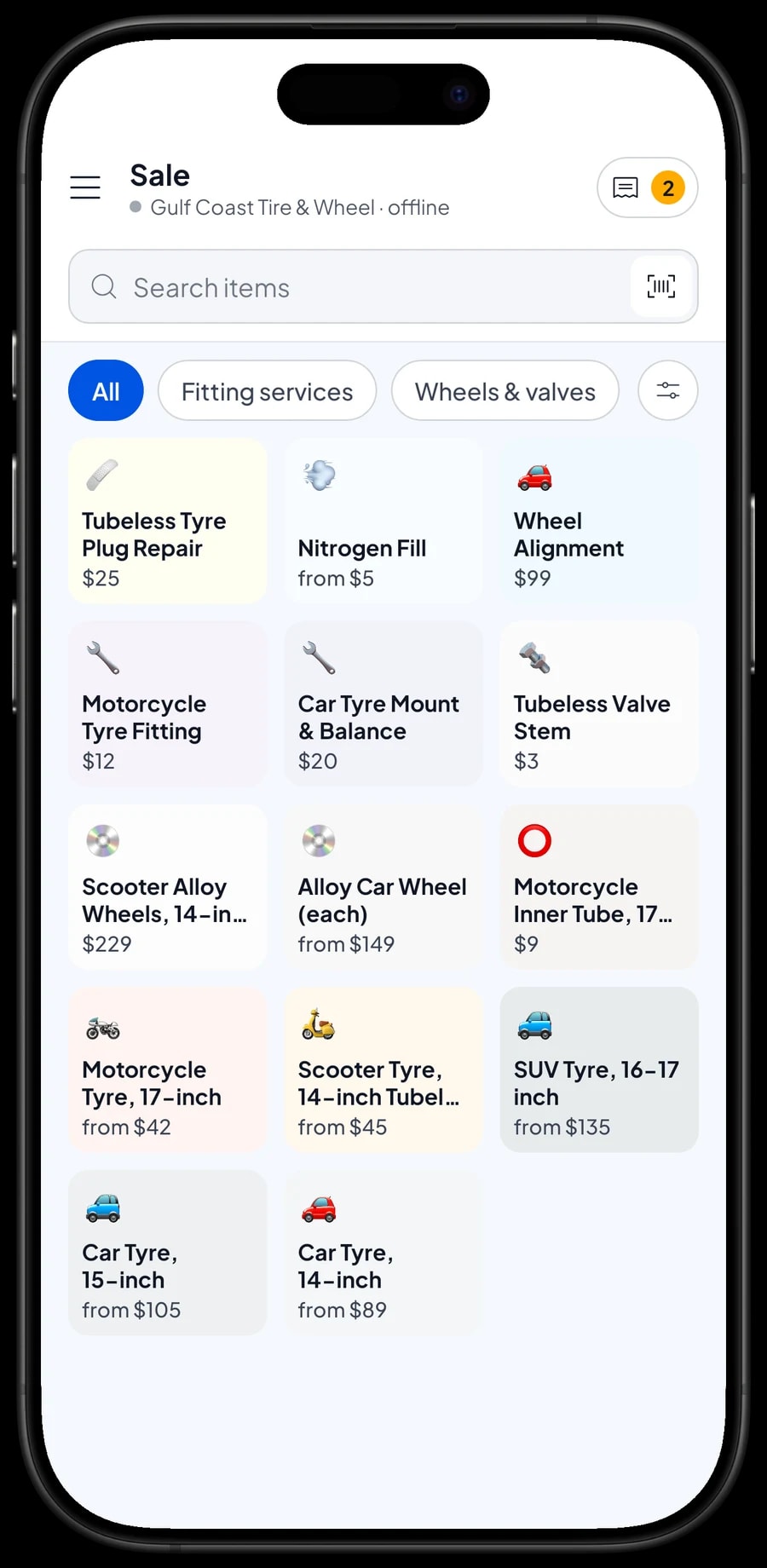
Group your catalog into categories such as Car & SUV tyres, Motorcycle tyres, Wheels & valves and Fitting services. Then create one item per tyre group, for example Car Tyre, 14-inch, and add each size as a variant: 175/65 R14 and 185/70 R14. The cashier picks the item, taps the size, and the right price goes on the bill.
Every variant has its own price, its own cost and its own stock. When four 265/65 R17 all-terrain tyres are sold, only that size goes down. You can see what is left of every size without walking to the stockroom, and answer a phone inquiry in seconds.
Wheels work the same way, such as an Alloy Car Wheel with 15 x 6.5 in and 16 x 7 in variants. Things that come in only one form, like a tubeless valve stem or a 17-inch motorcycle inner tube, are plain items with one price.
- Step 1: Open Catalog → Categories and create Car & SUV tyres, Motorcycle tyres, Wheels & valves and Fitting services.
- Step 2: Open Catalog → List Items and add a Product item such as Car Tyre, 14-inch.
- Step 3: Add each size as a variant and enter its selling price and cost.
- Step 4: Turn on stock tracking and enter the opening stock for every size.
Fitting, balancing and alignment as Service items
Shop labor goes in as Service items: Car Tyre Mount & Balance per wheel, Motorcycle Tyre Fitting per wheel, Wheel Alignment, Nitrogen Fill with motorcycle and car variants, and Tubeless Tyre Plug Repair. Service items have no stock, so only the revenue is counted.
Because parts and labor sit in the same cart, one vehicle gets one complete bill: four tyres, four mount-and-balance jobs, four valve stems and an alignment. The cashier just changes the quantities and the total follows.
Reports show service revenue separately from tyre sales. That tells you whether the balancer and the alignment rack are earning enough to cover your fitters' wages.
Cars on the lift: keep the bill with Save order
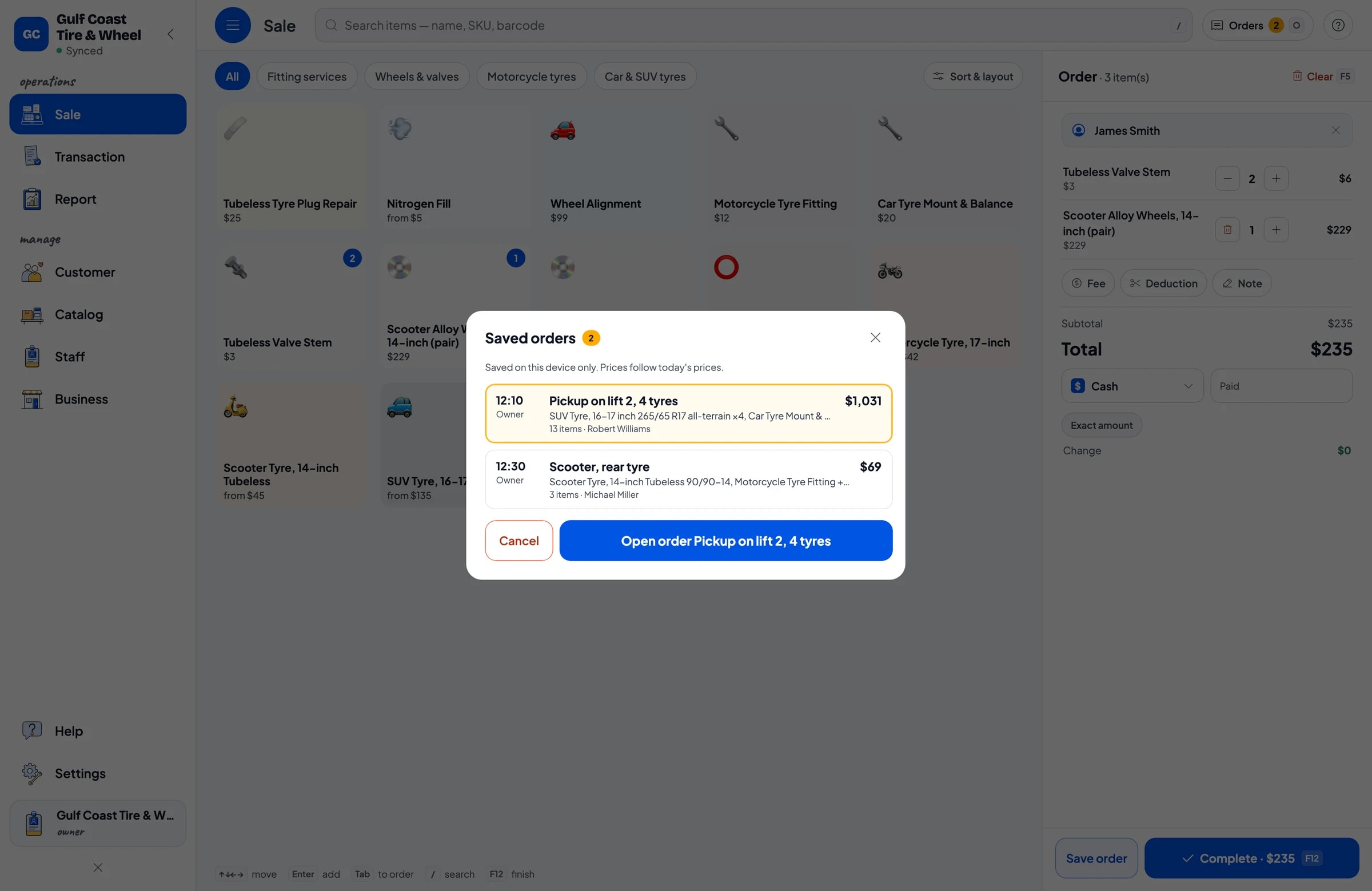
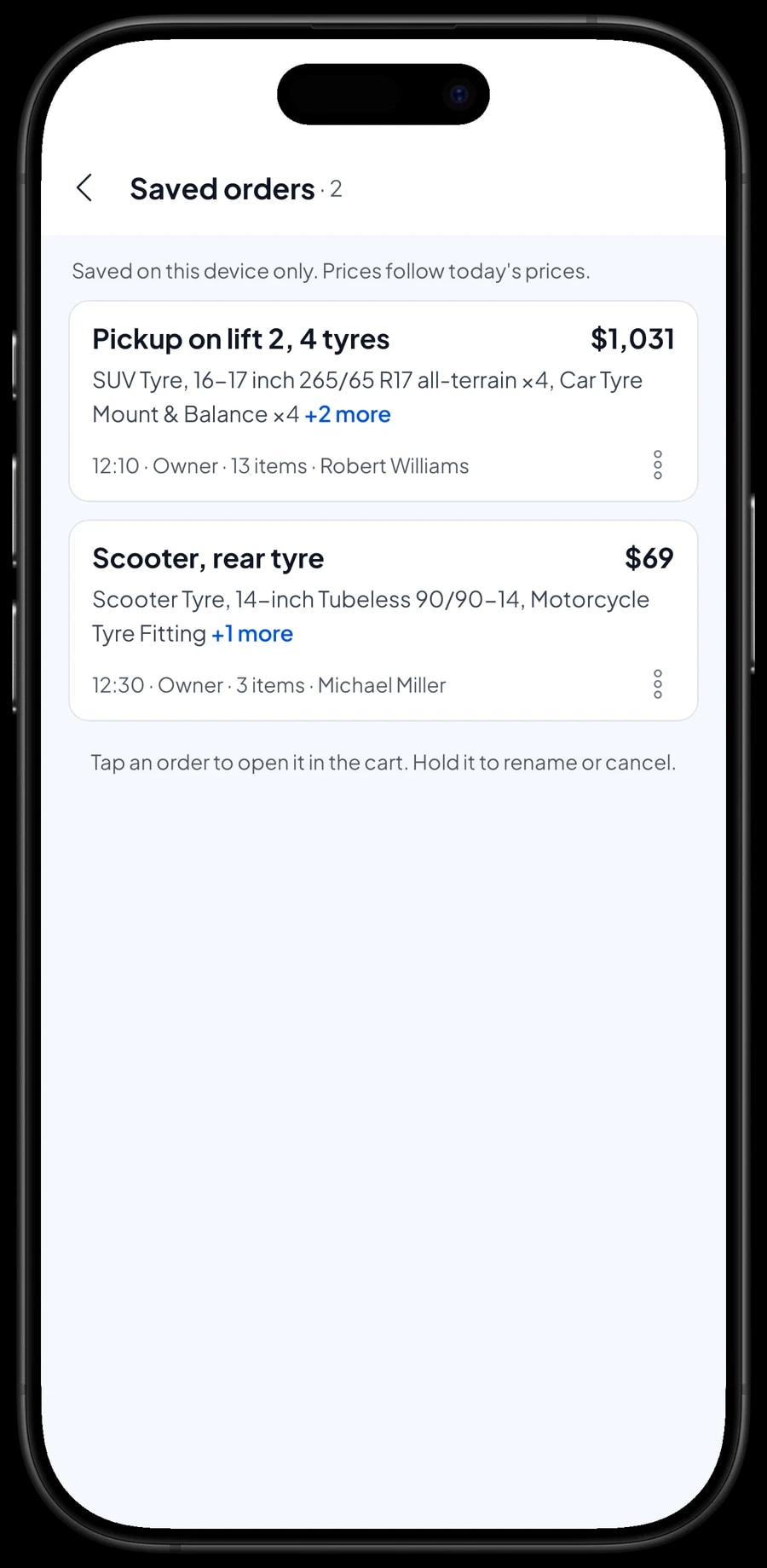
Tyre customers usually wait while the work is done. The cashier can start the bill as soon as the car goes up and tap Save order. The cart is kept as a saved order under the name you give it, such as "Pickup on lift 2, 4 tyres".
If the fitter finds a valve that needs replacing, or the customer decides to add an alignment, open the saved order and add it. When the car comes down, complete the payment. A saved order is not a sale until it is paid, and it does not take stock off until then.
Saved orders live on the device that created them, so finish the payment on the same device. A saved order is a held cart, not a customer tab or a record of money owed.
Payments, sales tax and receipts
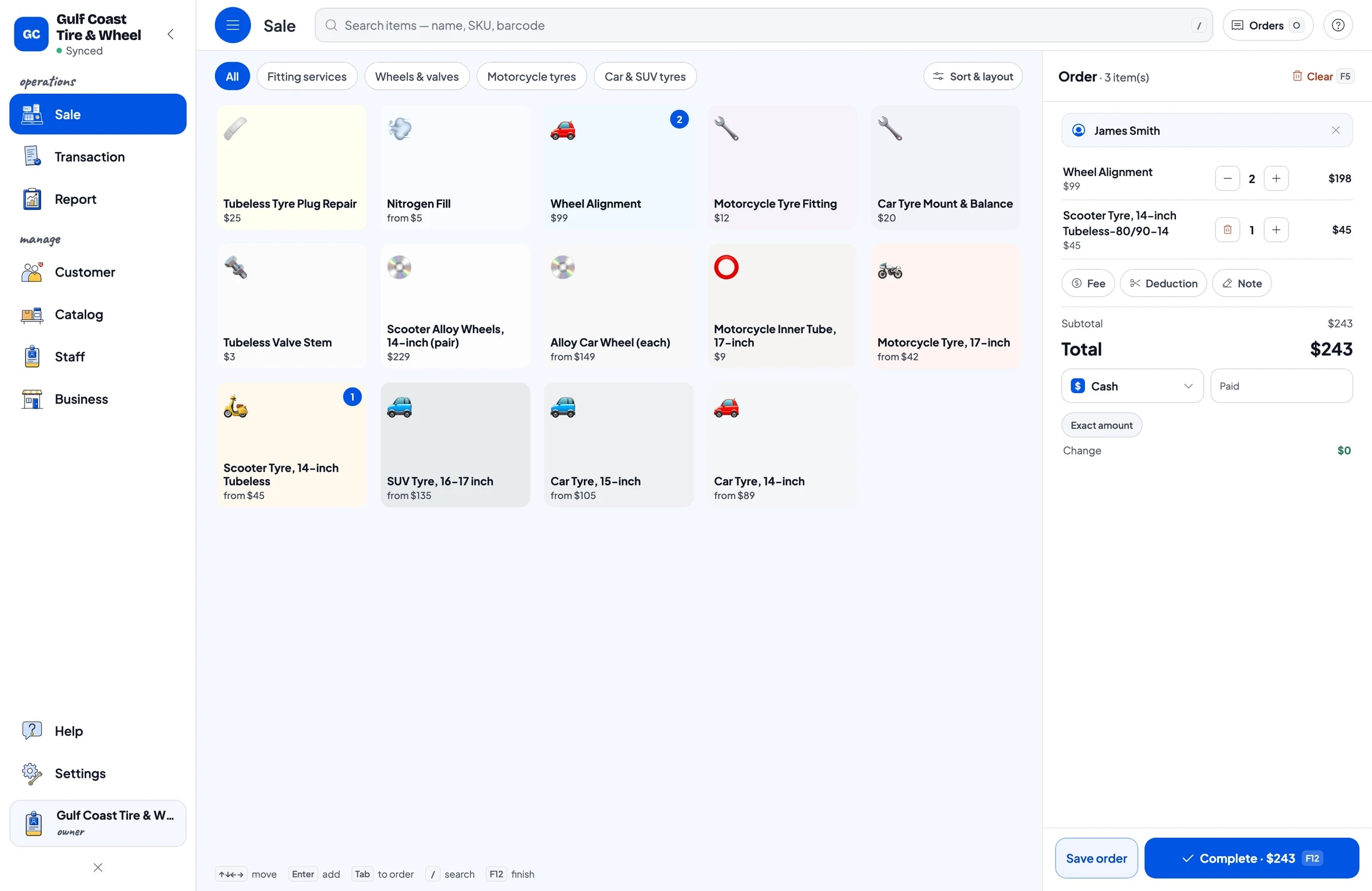
On the Sale screen the cashier adds tyres and services, then picks a payment method. You create the payment methods yourself: cash, card, bank transfer, e-wallet or anything else you accept. Salesmaster does not connect directly to card terminals, so a card payment is recorded as a payment method and stays separate in reports.
Tyres that have to be ordered in are often paid with a deposit. Salesmaster has no partial payments or deposits on one sale. If a customer leaves money down on a special order, sell it right away as a separate Service item called "Down payment" for the amount received. When the tyres are fitted, sell them at full price and tap Add Deduction for the deposit amount, so the drawer and reports match on both days.
Sales tax is set once in Fees or Tax and calculated on every sale. Discounts for regulars or fleet customers are set in Deductions. Receipts print on a thermal printer or go out as a web receipt link.
History by customer and by vehicle
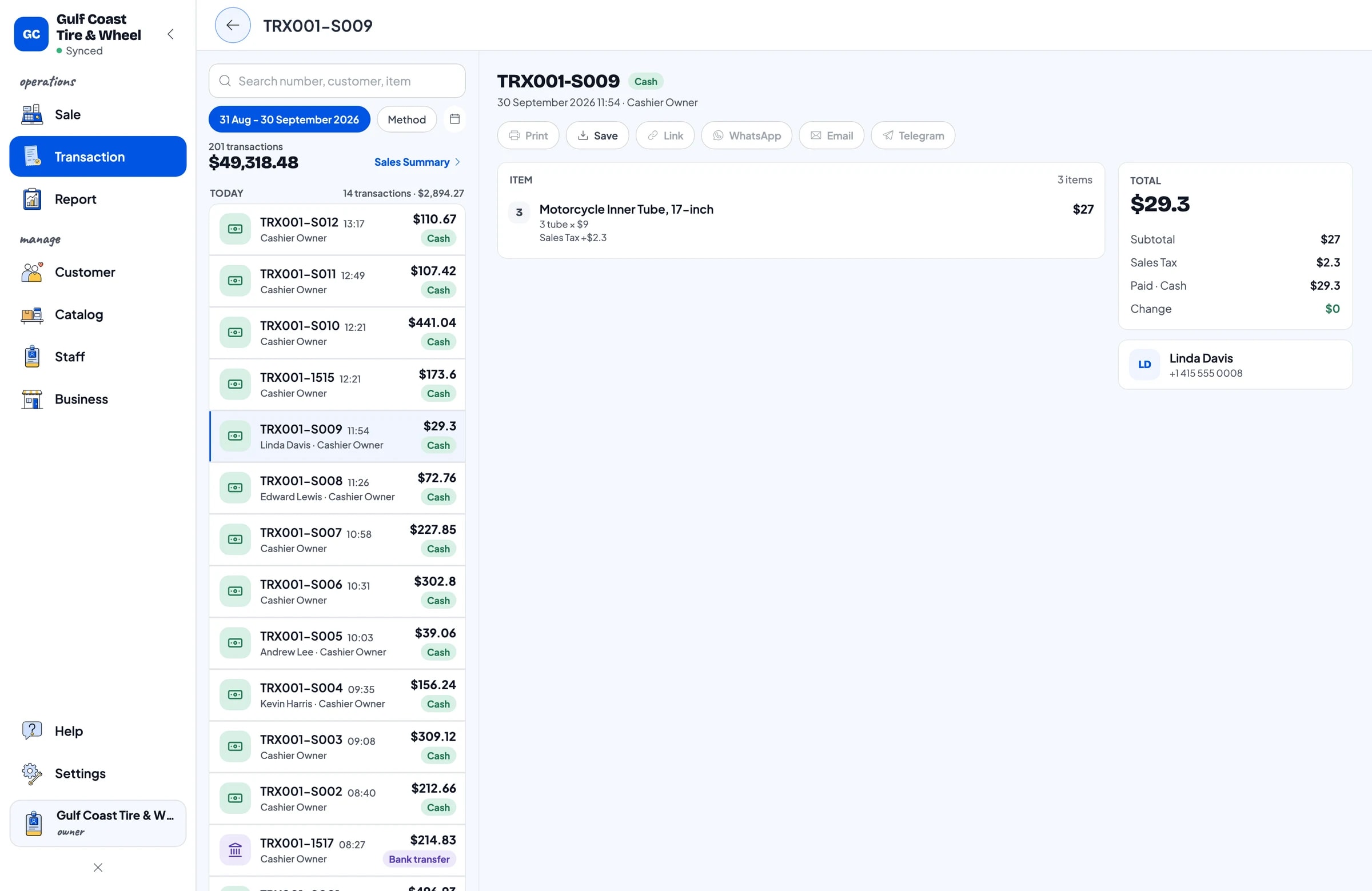
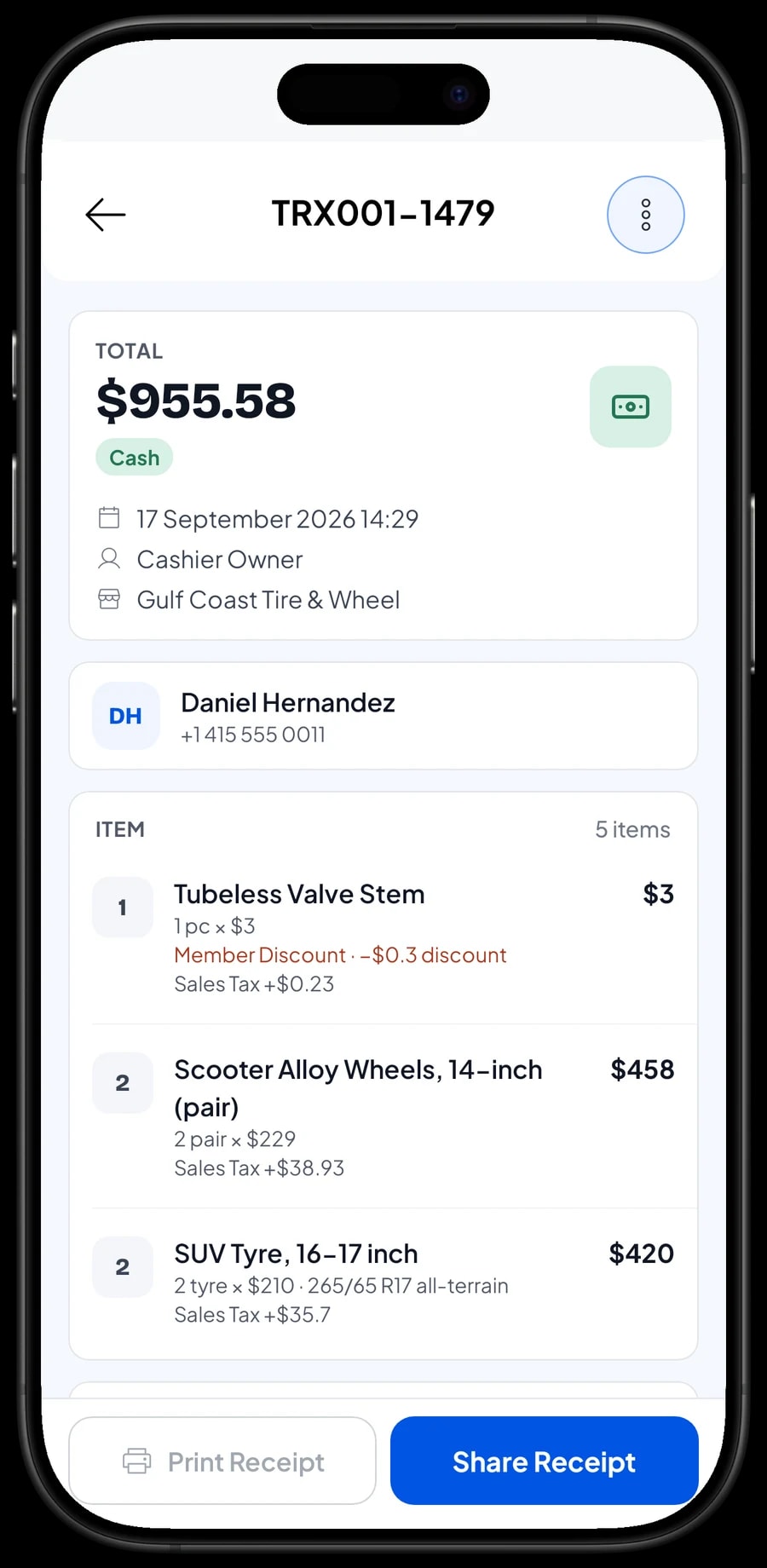
Every sale is kept in Transactions with the date, customer, tyre sizes, services done, discounts, tax and payment method. When a customer comes back and asks what size went on their car last time, you look it up instead of guessing.
Save customers in Customers with a name and phone number. For customers with more than one vehicle, put the plate number in the sale note so each vehicle's history is easy to find.
Staff and cashier devices
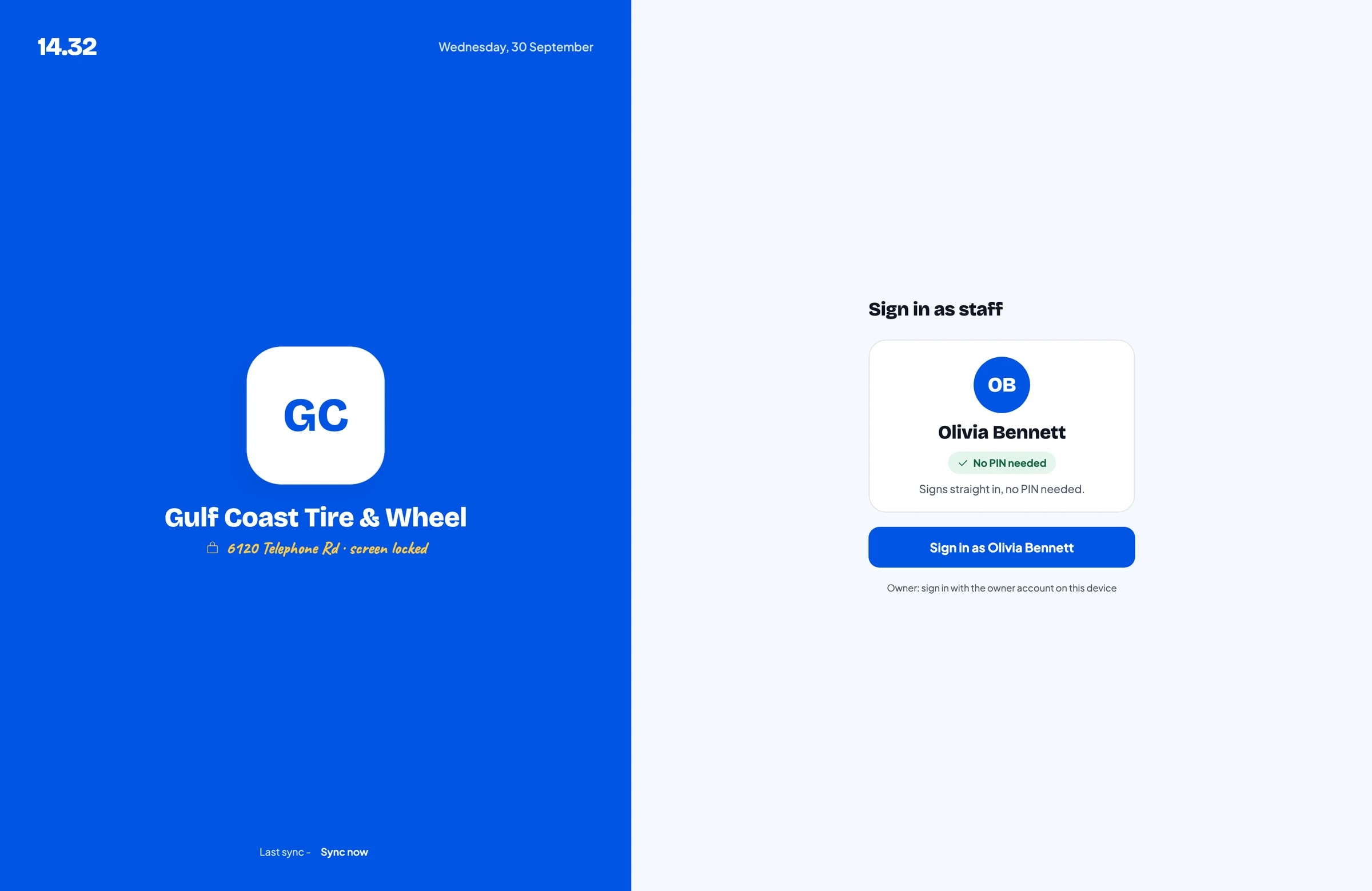
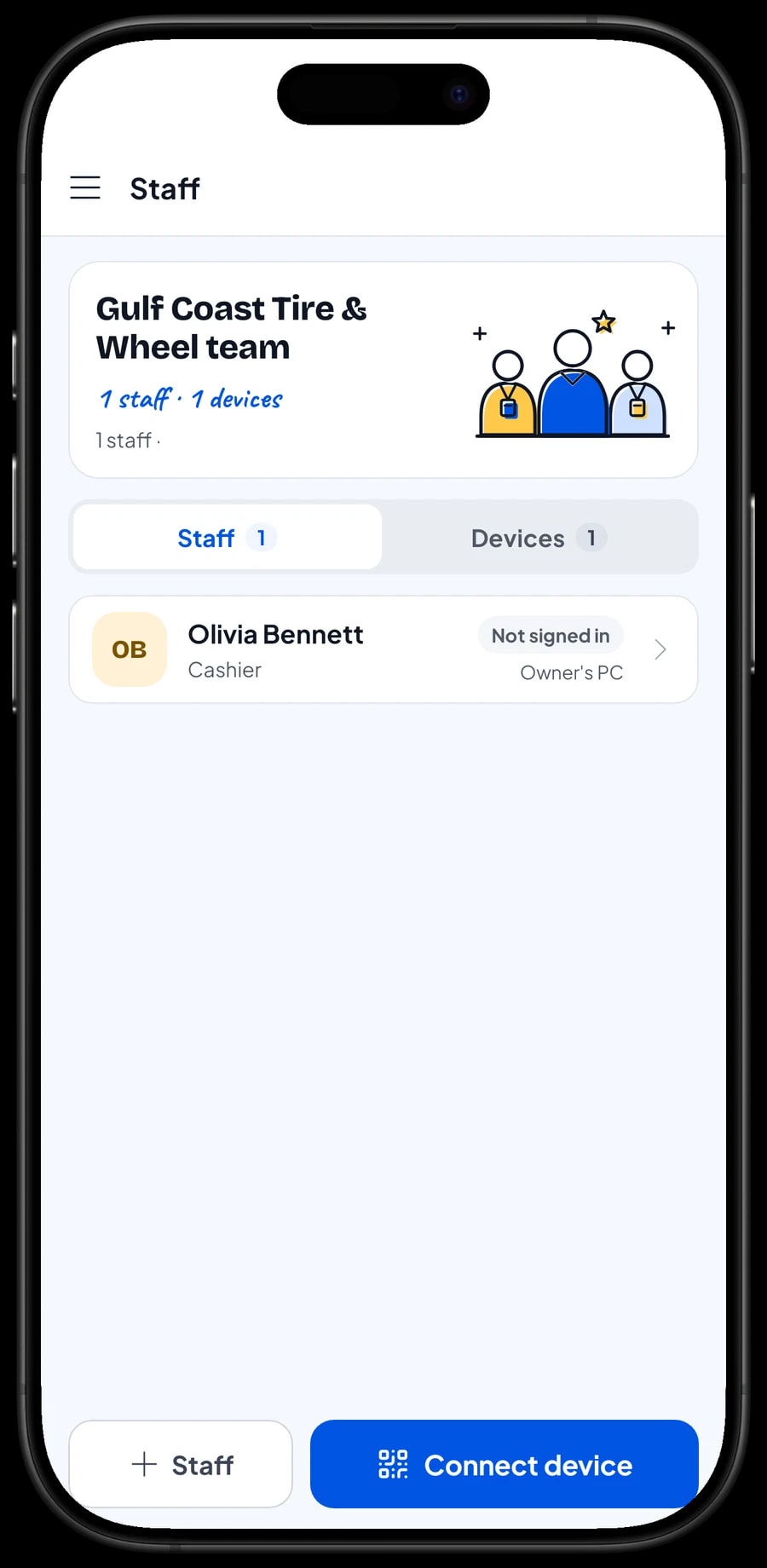
An account signs in on one device at a time. If the cashier and the owner use different devices, add the cashier as staff and register a cashier device for them. Staff sign in with a PIN and only see what you allow. Staff accounts come with Bronze Pro (1 staff) and Silver Pro (2 staff).
Reports: which sizes are worth stocking
Reports come by day, week, month and year, with total revenue, discounts, tax, payment methods and revenue by item. You can see which tyre sizes and which services bring in the most.
That is what you need before calling the distributor. Sizes that sell fast deserve deeper stock; sizes that rarely move can be kept to one set or ordered when a customer asks. Reports export to Excel or PDF.
Watch the seasons too. Compare this month with the same month last year, so the sizes that pick up before holidays or bad weather are already on the rack when the rush starts.
Expenses and real net profit
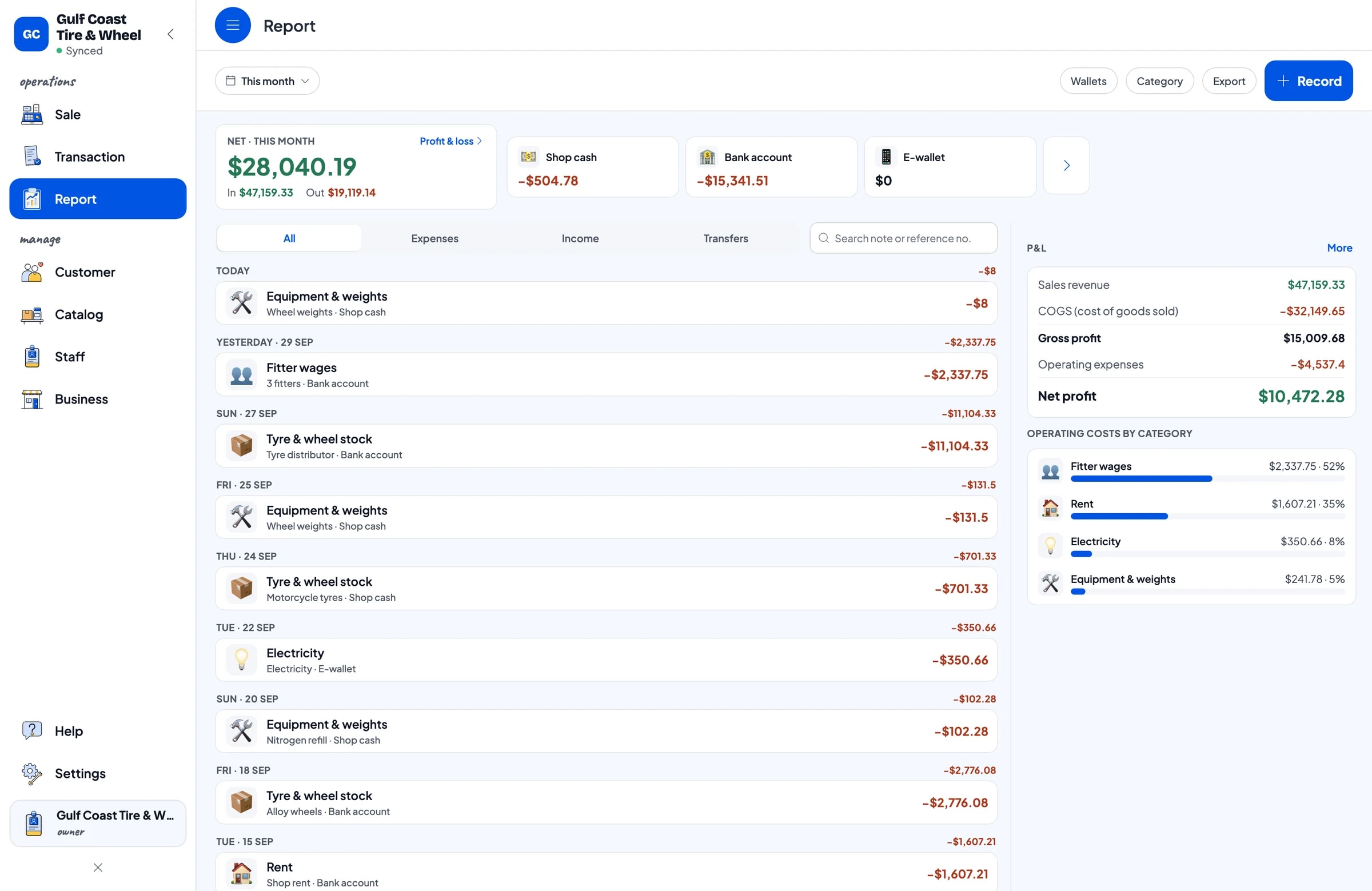
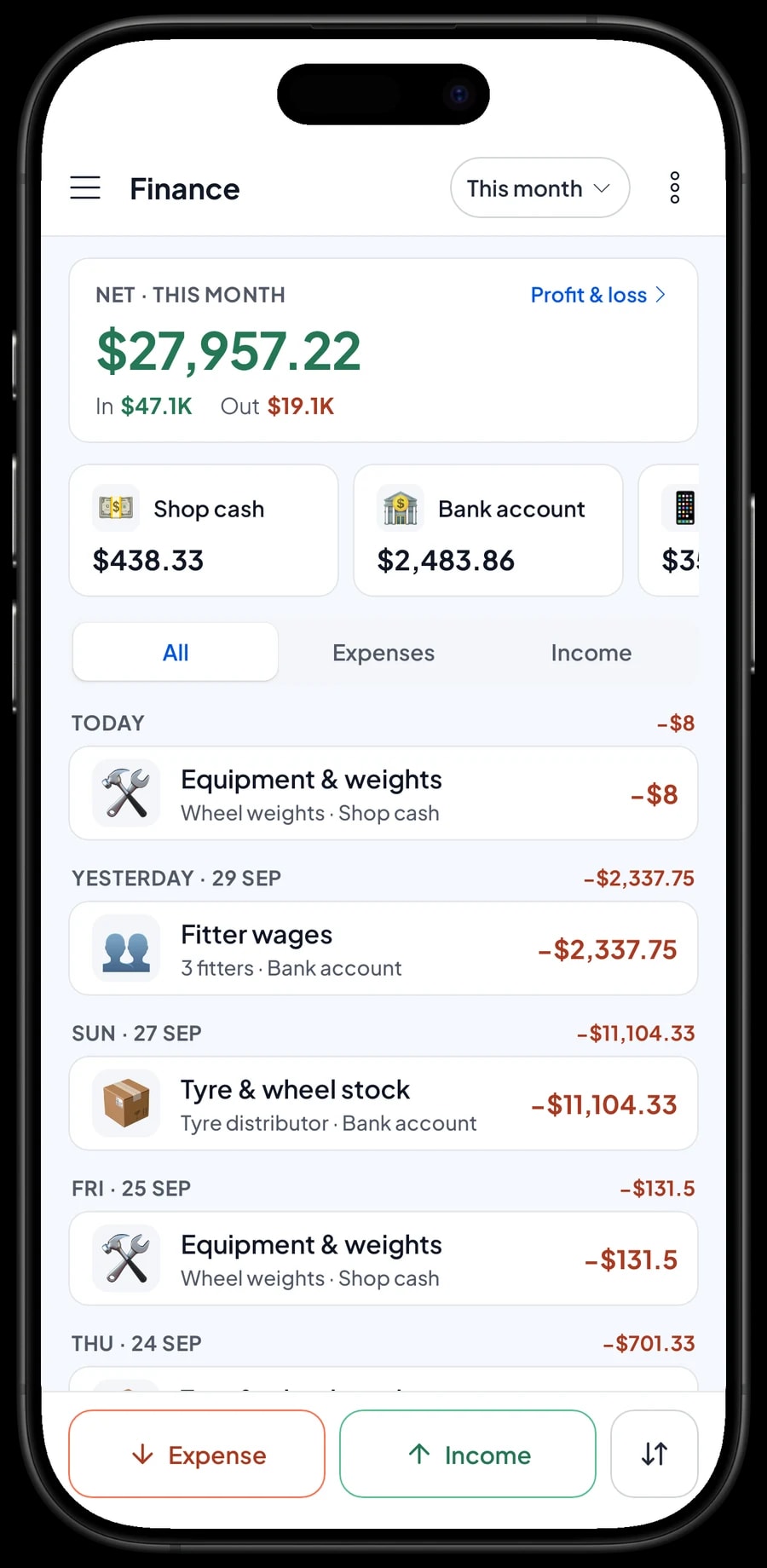
In Finance, record tyre and wheel stock purchases, fitter wages, rent, electricity, and equipment and wheel weights. Each expense has a category and the wallet it came from: shop cash, bank account or e-wallet.
The Finance report shows revenue minus the cost of goods from each size's cost and your operating costs: your shop's net profit. Sales tax collected from customers is not counted as profit.
You can keep selling when the internet drops. Sales are saved on the device and sync when the connection is back, with offline mode for up to 7 days. To get started, enter the sizes you sell most and your fitting services first, then fill in the rest of the catalog over the following days.
An example tyre shop catalog
Use this table as a starting point and replace the sizes and prices with your own stock.
| Category | Item | Variants | Item type | Unit |
|---|---|---|---|---|
| Car & SUV tyres | Car tyre, 14-inch | 175/65 R14, 185/70 R14 | Product | tyre |
| Car & SUV tyres | Car tyre, 15-inch | 185/65 R15, 195/65 R15 | Product | tyre |
| Car & SUV tyres | SUV tyre, 16-17 inch | 205/55 R16, 215/60 R17, 265/65 R17 all-terrain | Product | tyre |
| Motorcycle tyres | Motorcycle tyre, 17-inch | 70/90-17, 80/90-17, 110/70-17 | Product | tyre |
| Motorcycle tyres | Motorcycle inner tube, 17-inch | - | Product | tube |
| Wheels & valves | Alloy car wheel | 15 x 6.5 in, 16 x 7 in | Product | wheel |
| Wheels & valves | Tubeless valve stem | - | Product | pc |
| Fitting services | Car tyre mount & balance | - | Service | wheel |
| Fitting services | Wheel alignment | - | Service | service |
| Fitting services | Nitrogen fill | Motorcycle (2 tyres), Car (4 tyres) | Service | service |
Tyres and wheels are Products so stock is counted per size. Fitter work is a Service with no stock, added to the same cart as the tyres.
Which plan fits your tyre shop
Start by counting sales per day. A shop that serves about 6 vehicles a day records roughly 180 transactions a month.
| Plan | Price | Transactions / month | Staff accounts | Good for |
|---|---|---|---|---|
| Free | Free | 30 | Owner only | To try the checkout and set up your tyre sizes before using it for real. |
| Solo Pro | $4.90/month | 3,000 | Owner only | Shops where the owner runs the counter. |
| Bronze Pro | $6.90/month | 5,000 | 1 staff | Shops with one cashier on their own device. |
| Silver Pro | $9.90/month | 8,000 | 2 staff | Busier shops with two staff on separate devices. |
Every plan includes checkout, catalog, receipts, reports and offline mode. You can change plans at any time. See pricing →
Frequently asked questions
- Can Salesmaster track tyre stock by size?
- Yes. Create one item per tyre group, such as Car Tyre, 15-inch, and add each size as a variant. Every variant has its own price, cost and stock.
- How do I charge for fitting and balancing?
- Create them as Service items, for example Car Tyre Mount & Balance per wheel. Services carry no stock and go in the same cart as the tyres, so the customer pays once.
- A customer paid a deposit on tyres we have to order. How do I record it?
- Salesmaster has no deposits or partial payments on one sale. Sell the deposit right away as a separate Service item called "Down payment" for the amount received, and keep the job as a saved order. When the tyres are fitted, open the order at its full price, tap Add Deduction for the deposit amount and take the rest, on the same device.
- Can fleet customers get a special price?
- There is no automatic tiered or quantity pricing. Give a discount through Deductions, or create separate variants such as Fleet and Retail that the cashier chooses.
- Can a saved order be opened on another device?
- No. A saved order stays on the device that created it and is not a sale until it is paid. Finish the payment on the same device.
- Does the app work when the internet is down?
- Yes. Sales are saved on the device and sync when the internet is back. Offline mode works for up to 7 days.
Need help setting up your catalog? Chat with our team on WhatsApp →



