

Salesmaster is a point-of-sale (POS) app for cosmetics, skincare and beauty supply shops on Android, iPhone & iPad, Windows and Mac. You can create products with shade or size variants that each have their own price and stock, scan barcodes at checkout, reward regulars with loyalty points and member cards, and see net profit after restocking and shop costs in Finance. A Free plan lets you try it first.
Problems every beauty shop knows
If any of these sound familiar, this page is for you.
- 01
The shade they want is sold out
There seem to be plenty of lip creams on the shelf, but the best-selling shade ran out last week. The customer leaves empty-handed, and you only notice when you tidy the display.
- 02
Hundreds of products, too many prices
Serums, toners, sunscreens, sheet masks, powders, mascaras. A new cashier has to hunt for price stickers one by one, and the after-work line keeps growing.
- 03
Loyal customers drift away
Skincare buyers come back every month for the same routine. Without points or a member card, there is no strong reason to come back to your shop instead of the one down the street.
- 04
Testers and promos eat the margin
Lip testers, review videos, a weekend promotion. Sales look healthy, but after all of that, how much profit is actually left?
Shade, scent and size variants with their own stock
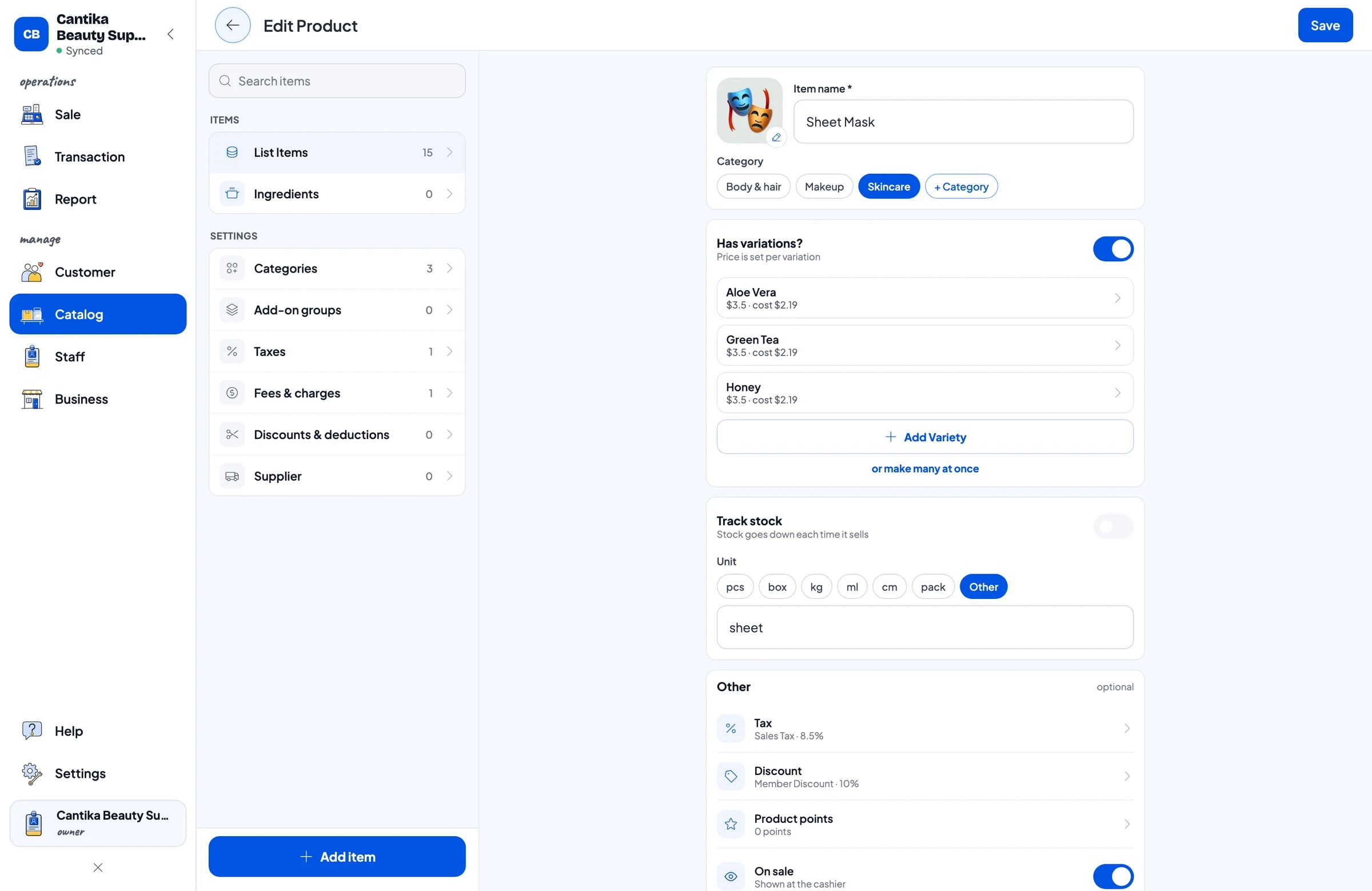
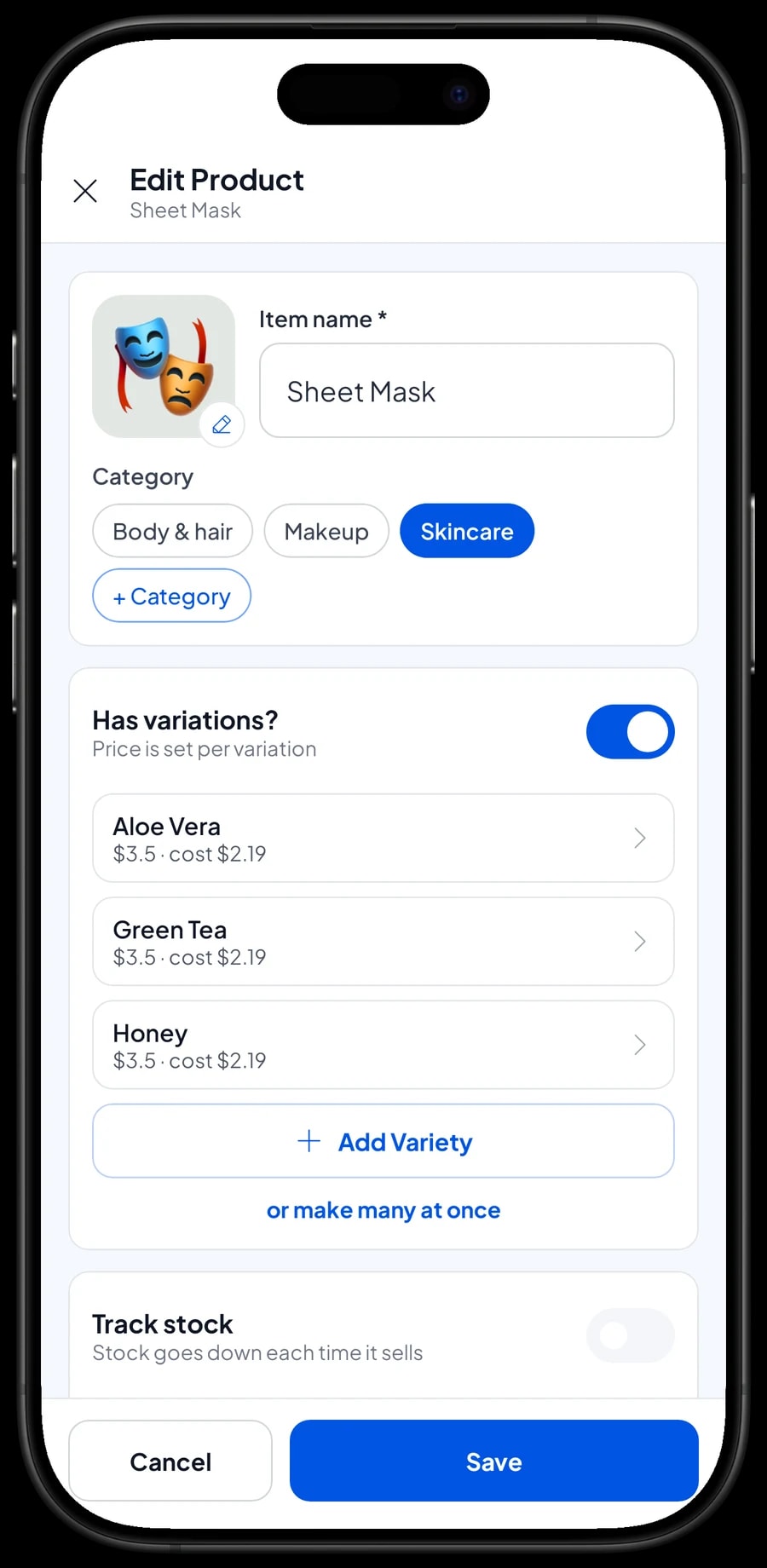
Start with the products customers ask for most. In Salesmaster, each product is one item of type Product in the Catalog. Group them into categories such as Skincare, Makeup, and Body & hair so the cashier finds anything in one or two taps on the Sale screen.
A product that comes in several options only needs one item with variants. Matte lip cream in 01 Nude, 02 Rosy and 03 Brick Red, cushion foundation in Light, Natural and Tan, sheet masks in aloe vera, green tea and honey. Each variant has its own price, its own purchase cost and its own stock. So instead of "20 lip creams left", you see which shade is down to 2.
Sizes work well as variants too, such as a travel size and a full size of the same toner, because the prices differ. Salesmaster doesn't convert stock between sizes, so each size keeps its own count.
- Step 1: Open Catalog → Categories and create Skincare, Makeup, and Body & hair.
- Step 2: Open Catalog → List Items and add a new item of type Product.
- Step 3: Add a variant for each shade, scent or size, with its selling price and purchase cost.
- Step 4: Record the opening stock of each variant.
Fast checkout with barcode scanning
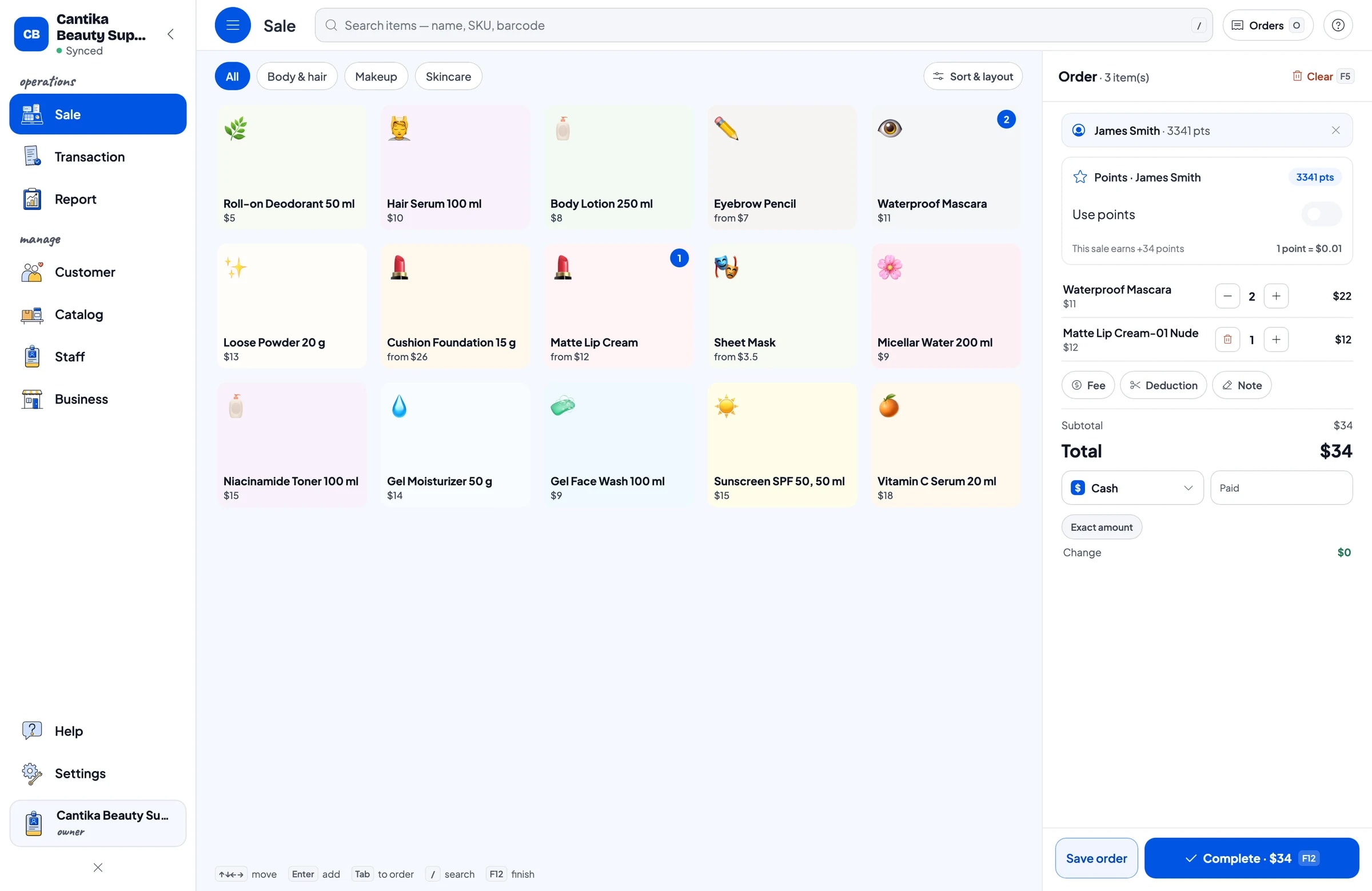
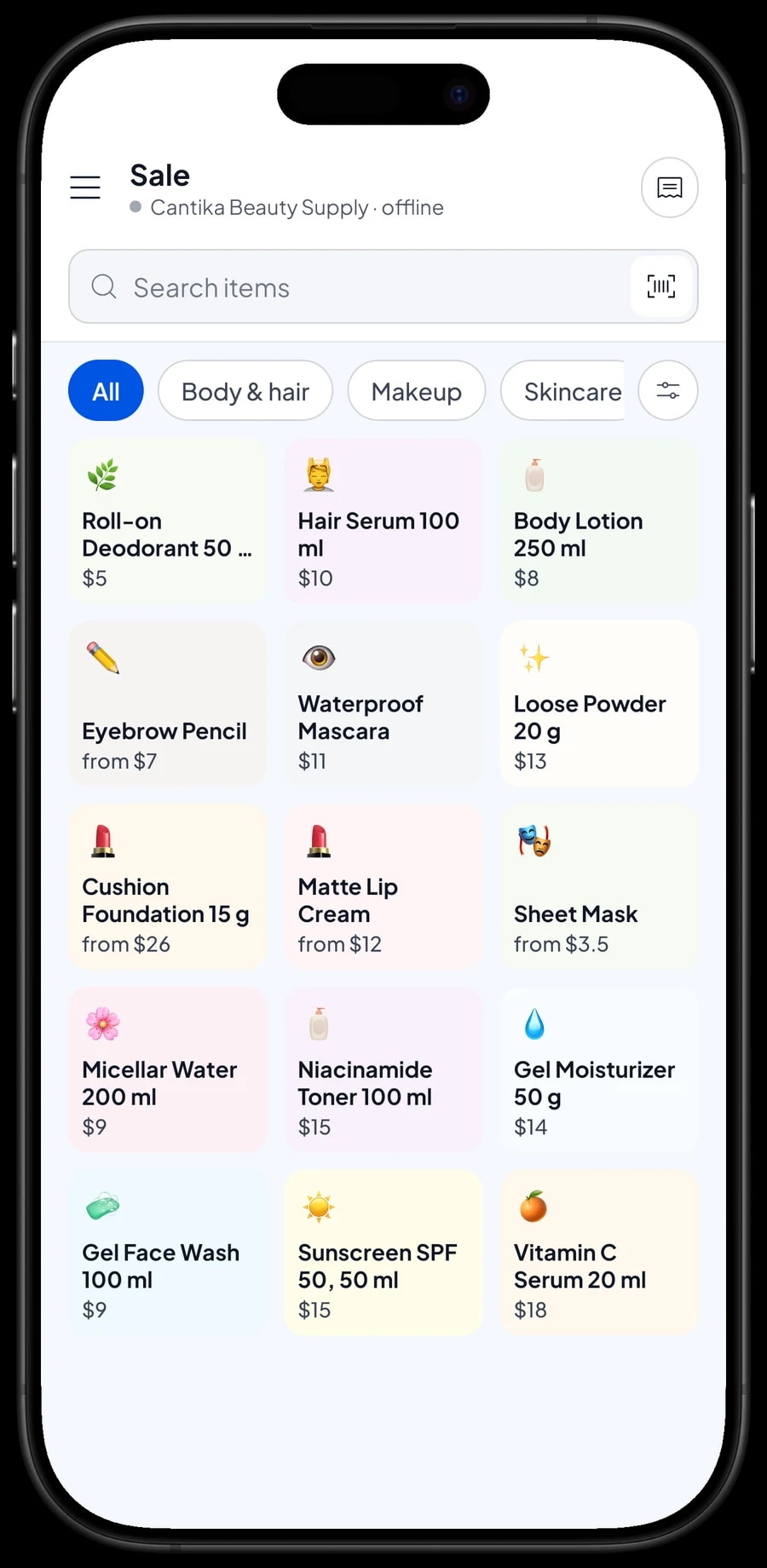
Almost every cosmetic and skincare product already carries a barcode. Enter the barcode on each product or variant while you build the catalog, and the cashier simply scans it on the Sale screen, using the phone or tablet camera or a barcode scanner connected to the counter device. The product goes into the cart at the right price.
With barcodes, a new cashier doesn't need to learn hundreds of prices, and picking the wrong shade happens less because each shade has its own code. Items without a barcode, like gift sets you put together yourself, can still be found by name or picked from their category.
At busy times, like the after-work rush, weekends and the weeks before the holidays, that speed shows. A customer with five or six products is rung up quickly, and the total always matches the price in your catalog.
Restocking, testers and suppliers
Every sale takes the product off stock, and Salesmaster warns you when stock runs low. That way you can reorder a popular shade before it sells out, not after a customer is disappointed.
When a delivery arrives from your distributor, add the stock for each variant, and keep the distributor's details in the app as a supplier. Products opened as testers, damaged in transit or lost are recorded as stock adjustments, so the number in the app matches what is on the shelf.
The cost of testers and giveaways can also be recorded as an expense in Finance, for example under a Testers category. Then you know exactly how much goes into testers every month.
Reseller prices, discounts, payments and receipts
Many beauty shops also sell to resellers, salons or makeup artists. Salesmaster has no automatic quantity pricing, so create separate price variants such as "Retail" and "Wholesale", and the cashier picks the right one. Promotions, like a weekend discount or a price for a bundle, are set up in Deductions.
Create the payment methods you accept: cash, card, a mobile wallet, bank transfer, or anything else. Orders from your online store or social media don't flow into Salesmaster automatically, but you can record them by hand on the Sale screen with their own payment method, so your reports show shop and online sales in one place.
If you charge sales tax, set it once in Fees or Tax and it is calculated on every sale. Once paid, the receipt can print on a Bluetooth or USB thermal printer, or go out by WhatsApp, email or a web receipt link with your shop's logo and social links.
Beauty advisors and cashiers
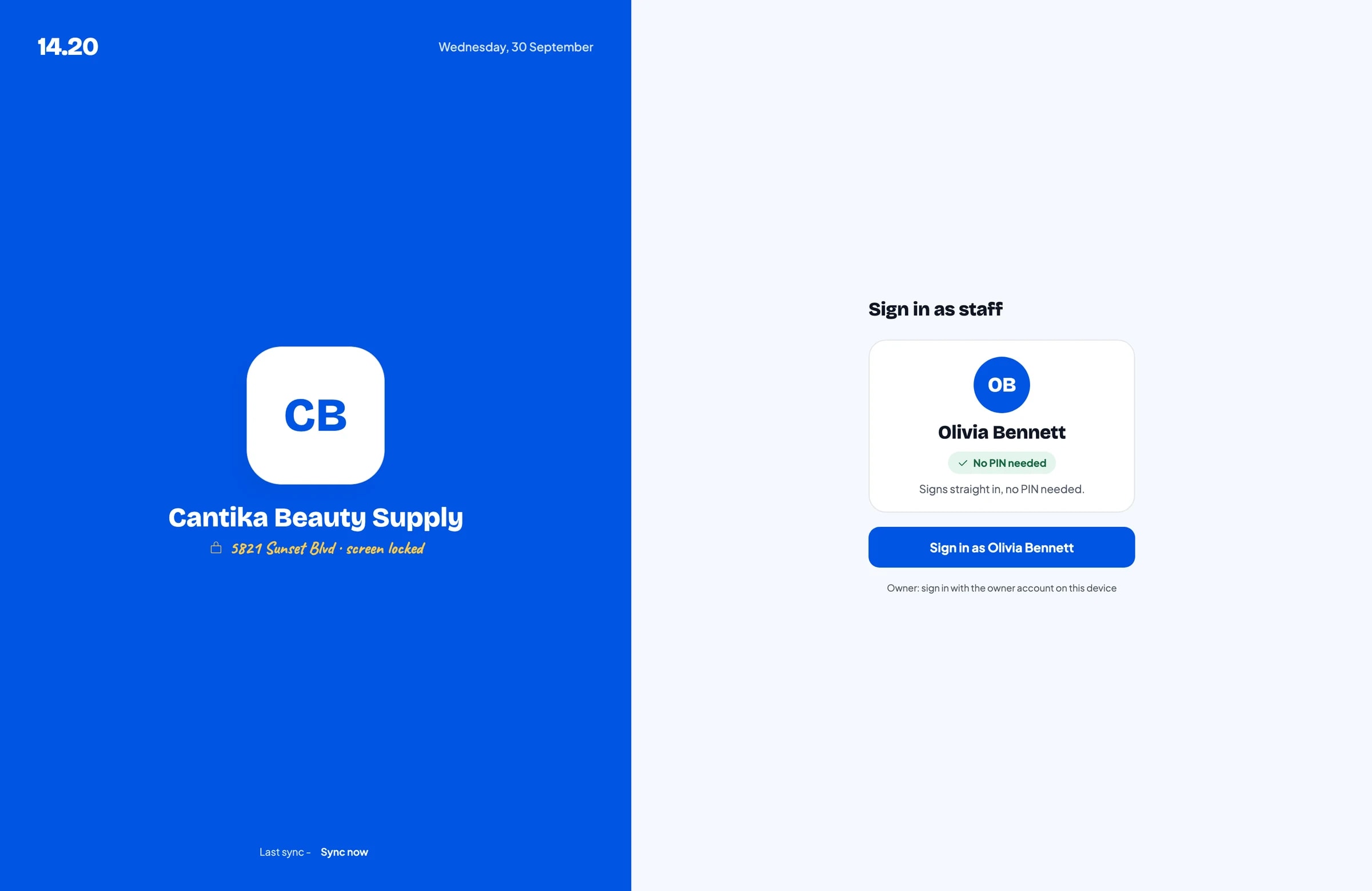
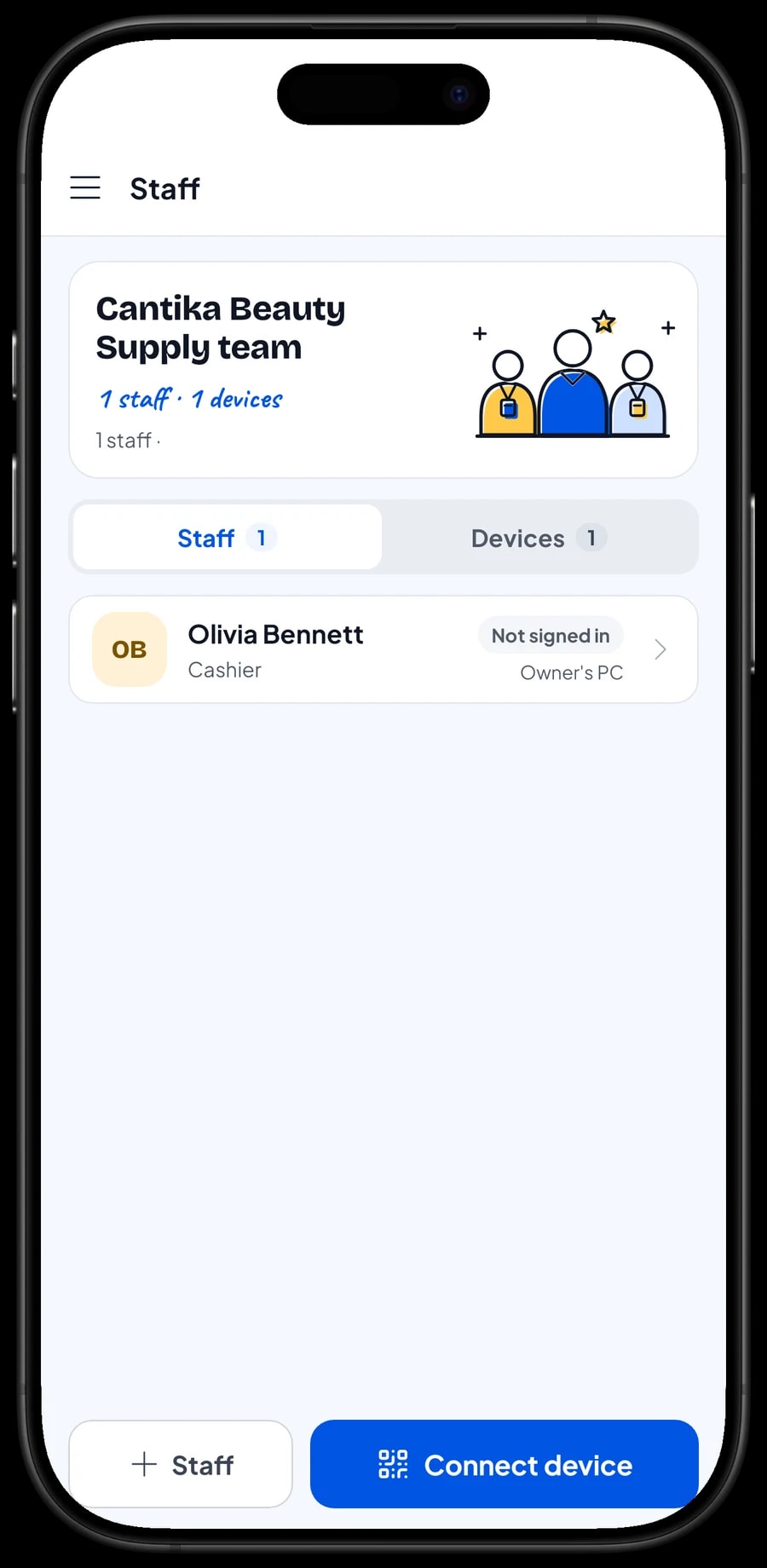
The owner signs in with the main account, and one account signs in on one device at a time. Cashiers and beauty advisors don't need your account: add them as staff and register a cashier device for them. Staff sign in with a PIN, and you decide what they can see and change. Staff accounts come with Bronze Pro (1 staff) and Silver Pro (2 staff).
Loyalty points and member cards
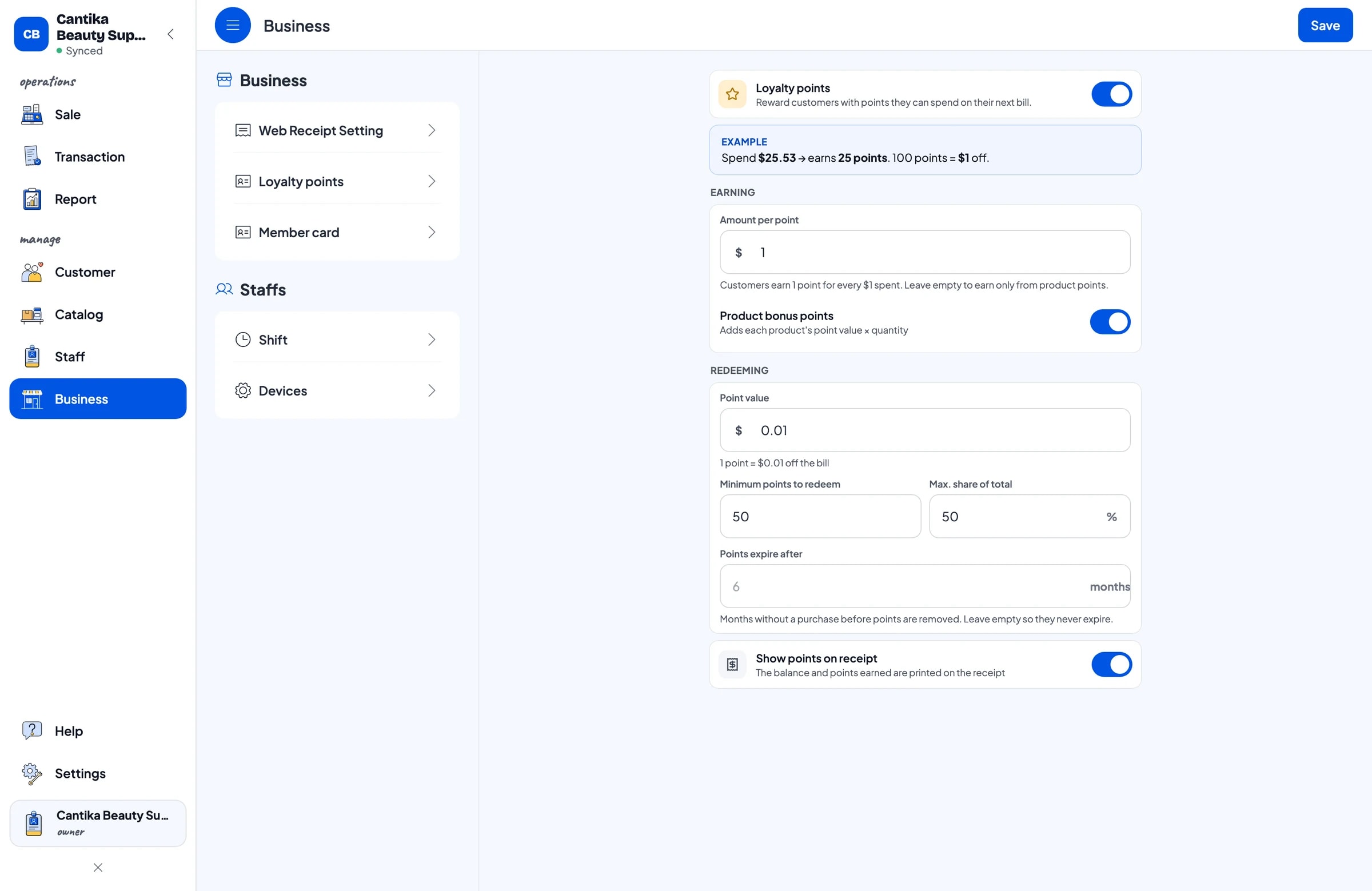
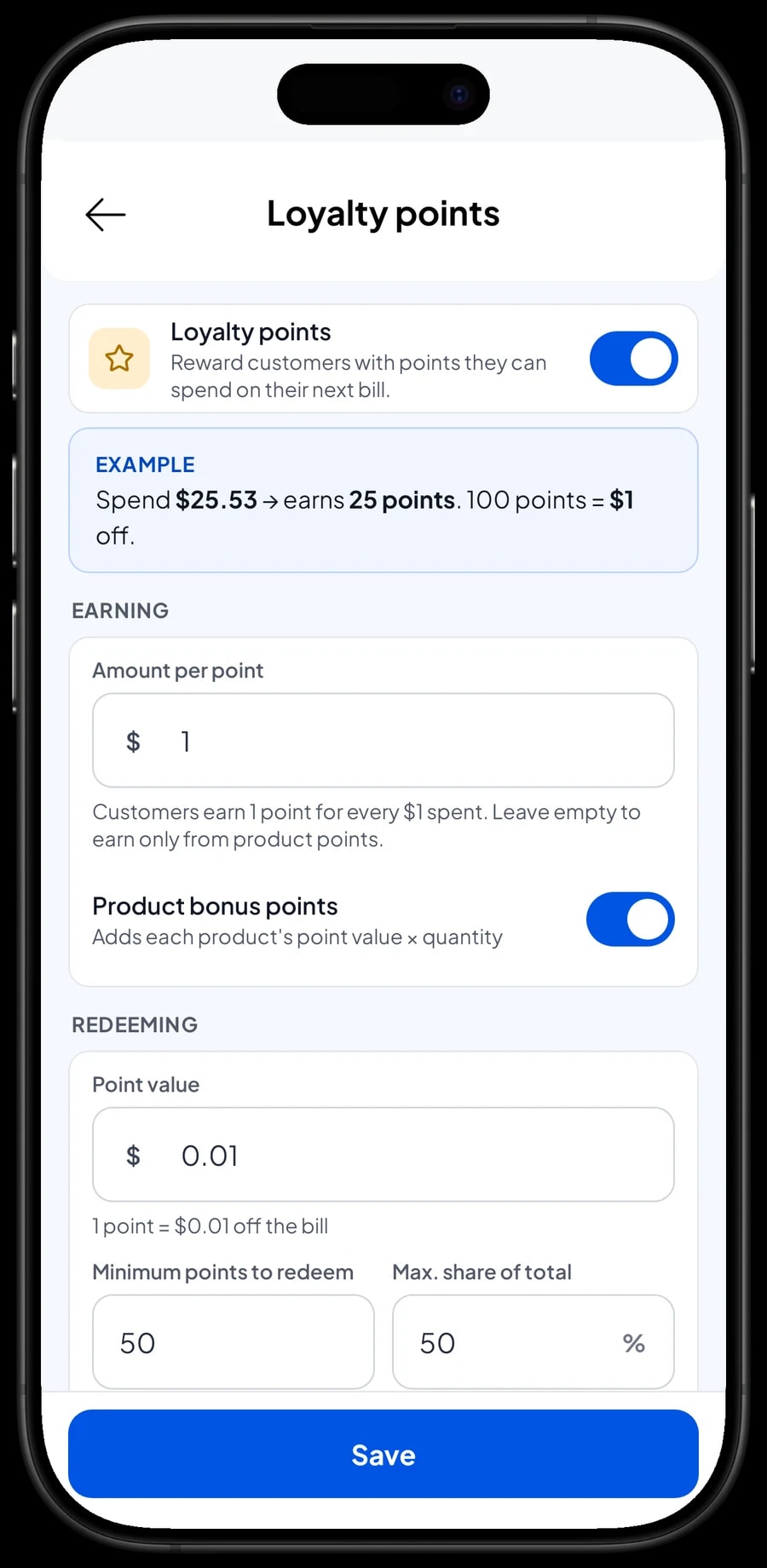
Skincare customers are loyal to their routine: the same cleanser, toner, serum and sunscreen every month. Give them a reason to buy it from you. Save the customer at checkout (a name and phone number is enough) and turn on Loyalty points.
You set the rules: the amount spent per point, the value of a point when redeemed, the minimum points to redeem, and the maximum share of a bill that points can cover. Points are added with every sale, and the cashier doesn't calculate anything when a customer wants to use them. Regulars can also get a member card in their name.
Each customer's purchase history is kept. When someone forgets the name of the serum they bought last month, the cashier can simply look it up.
Sales reports: your best-selling products
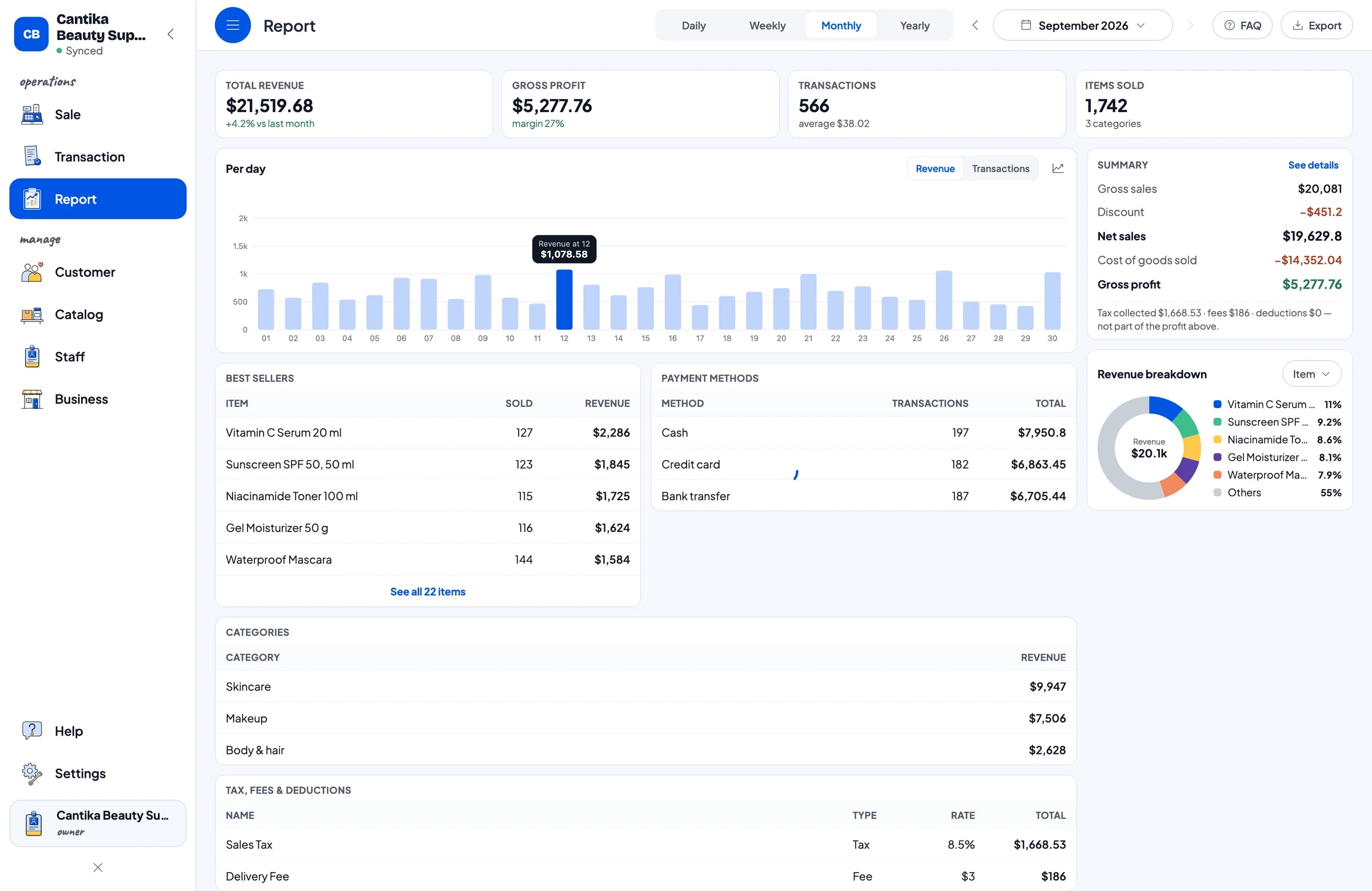
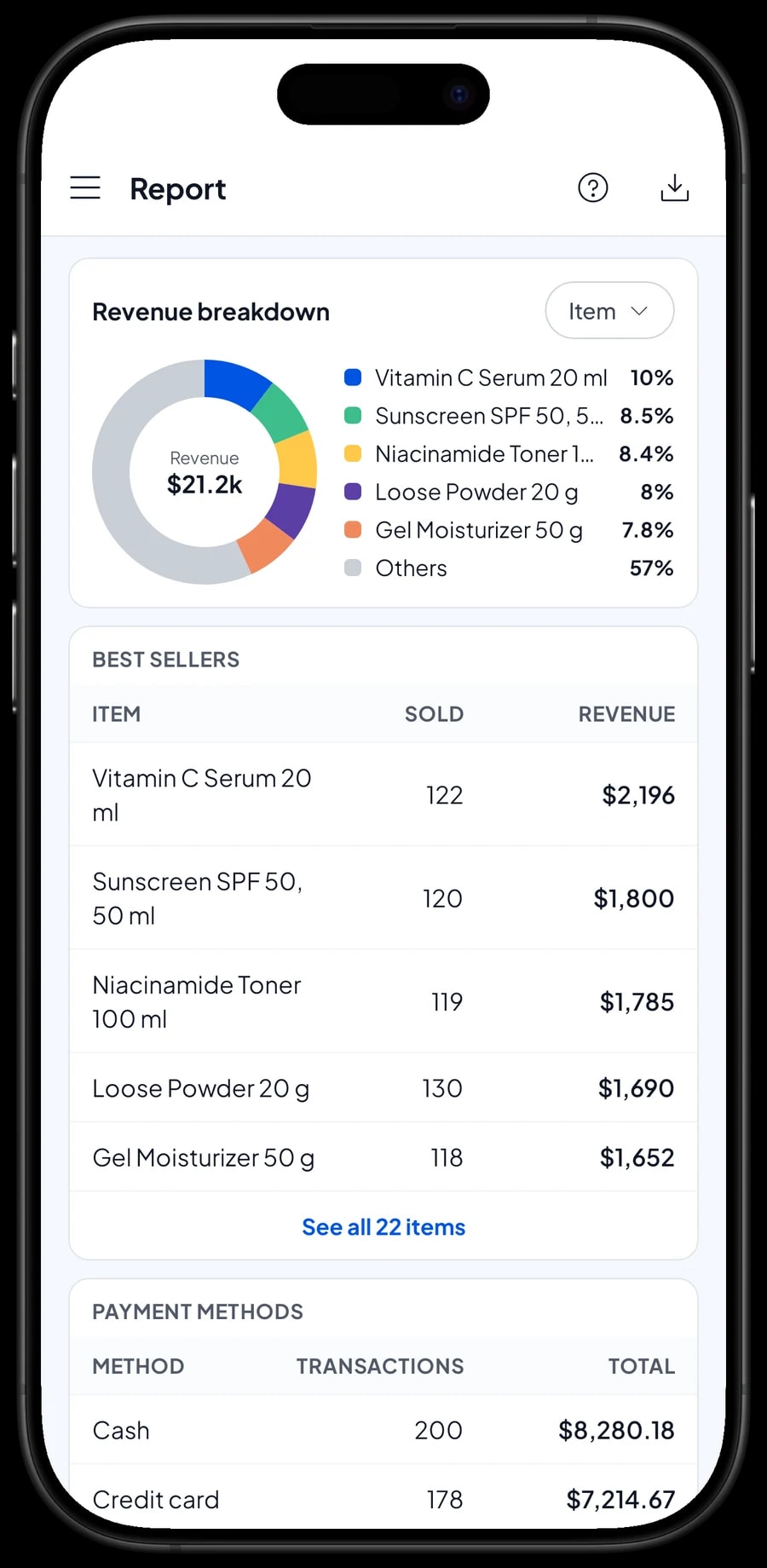
Reports are available by day, week, month and year. You see total revenue, gross and net sales, discounts, tax collected, payment methods and revenue by product, so it is clear which products bring in the most and where your restocking money should go.
Compare a normal week with a holiday week, or December with a quiet month. Reports can be exported to Excel or PDF for a business partner or your accountant.
Expenses and net profit
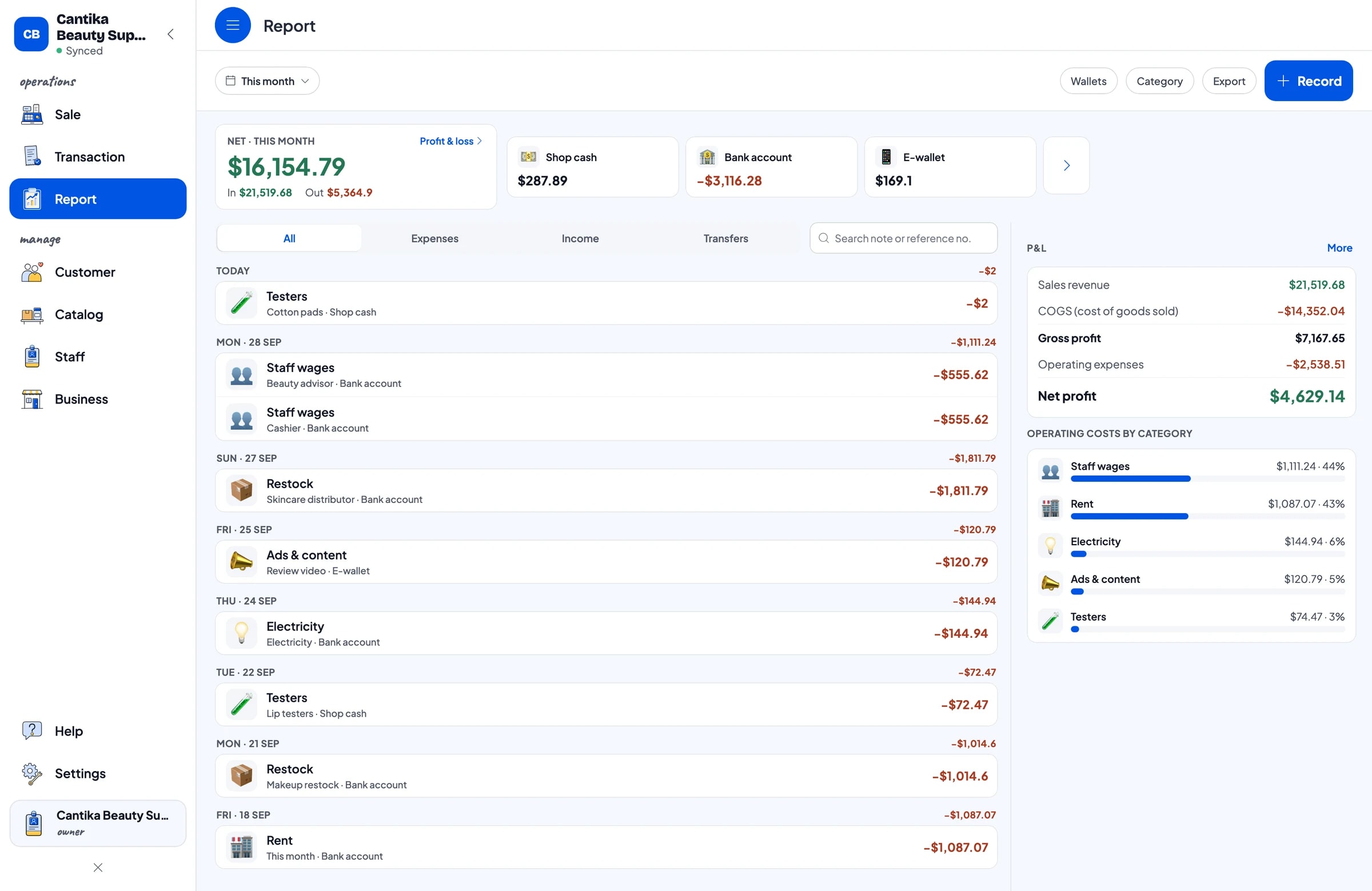
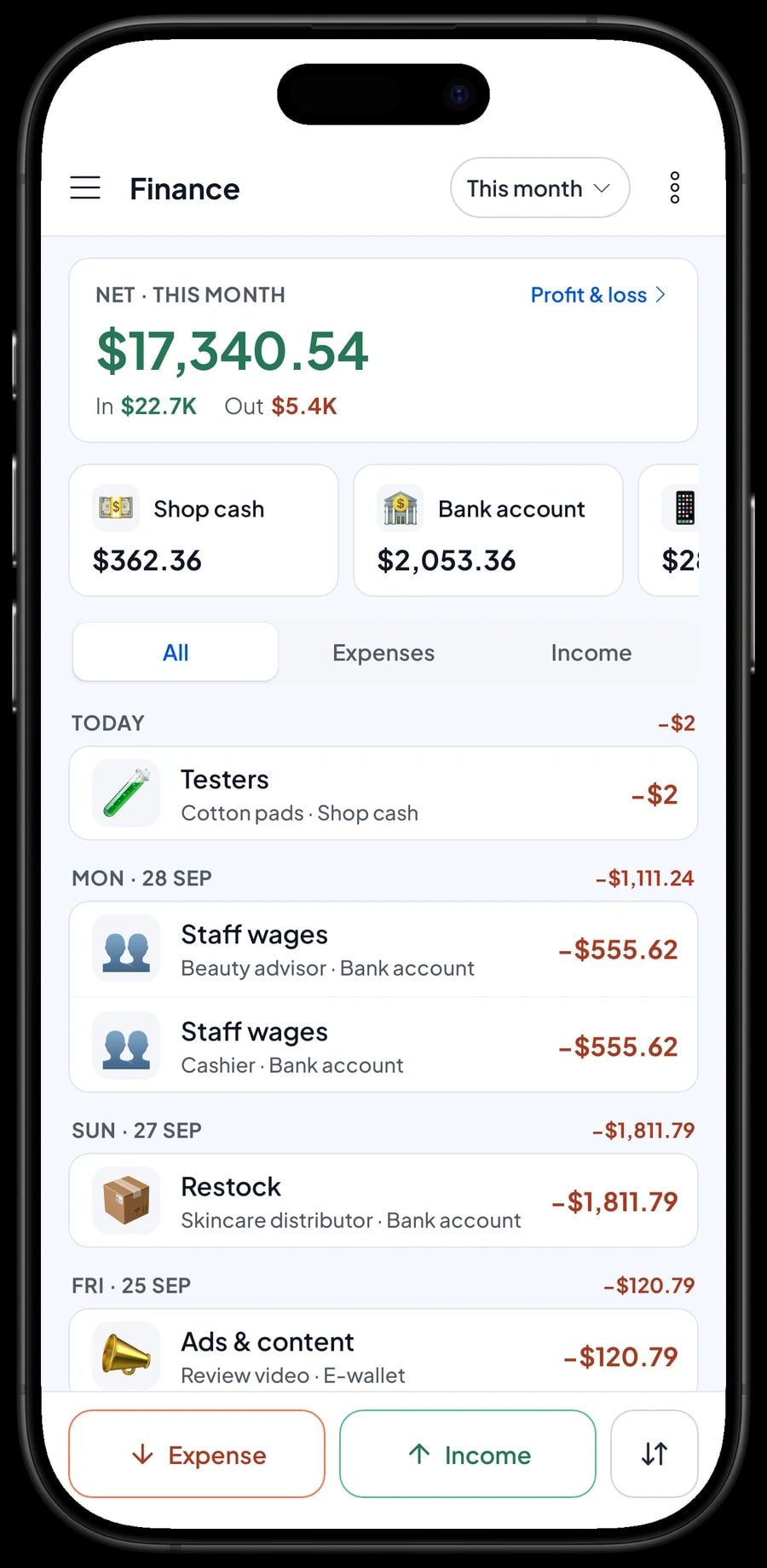
Because every variant carries a purchase cost, reports already show gross profit. For real profit, record expenses in Finance: restocking from distributors, wages for beauty advisors and cashiers, rent, electricity, ads and review content, and testers. Each expense has a category and the wallet it was paid from, such as shop cash, a bank account or an e-wallet.
The Finance report then shows revenue minus cost of goods and operating costs: your shop's net profit. Tax collected from customers is kept apart from profit. With these numbers, you can judge whether the money spent on ads and testers pays for itself.
Get started in a day, and keep selling offline
You don't need to close the shop to switch to Salesmaster. Install the app on the counter phone, tablet or laptop, create an account, and enter your best sellers first with their shades and barcodes. A long catalog is easier to enter on a Windows or Mac laptop. Everything else can be added during quiet hours.
If the internet drops, checkout keeps working. Sales are saved on the device and sent to the cloud when the connection is back. Offline mode works for up to 7 days; after that the app needs to connect briefly to sync. Because your data lives in your account, nothing is lost if a device breaks or is replaced.
Step-by-step guides for every feature are in the Salesmaster Help Centre, and our team is on WhatsApp if you need help setting up your catalog.
An example cosmetics shop catalog
Use this table as a starting point and replace the names and prices with your own products.
| Category | Product | Variants | Unit | Barcode |
|---|---|---|---|---|
| Skincare | Vitamin C Serum 20 ml | - | bottle | From the pack |
| Skincare | Sunscreen SPF 50, 50 ml | - | tube | From the pack |
| Skincare | Sheet Mask | Aloe Vera, Green Tea, Honey | sheet | Per variant |
| Makeup | Matte Lip Cream | 01 Nude, 02 Rosy, 03 Brick Red | pc | Per variant |
| Makeup | Cushion Foundation 15 g | Light, Natural, Tan | pc | Per variant |
| Makeup | Eyebrow Pencil | Black, Dark Brown | pc | Per variant |
| Body & hair | Body Lotion 250 ml | - | bottle | From the pack |
| Body & hair | Hair Serum 100 ml | - | bottle | From the pack |
Every cosmetic is a Product so its stock is counted. Shades and scents are variants with their own stock and barcode, so the cashier never rings up the wrong colour.
Which plan fits your shop
Start by counting sales per day. A beauty shop serving about 20 customers a day records roughly 600 transactions a month.
| Plan | Price | Transactions / month | Staff accounts | Good for |
|---|---|---|---|---|
| Free | Free | 30 | Owner only | To try the catalog and barcode scanning before using it for real. |
| Solo Pro | $4.90/month | 3,000 | Owner only | Small beauty shops where the owner runs the till. |
| Bronze Pro | $6.90/month | 5,000 | 1 staff | Shops with one cashier or beauty advisor on their own device. |
| Silver Pro | $9.90/month | 8,000 | 2 staff | Busier shops with two staff on separate devices. |
Every plan includes checkout, catalog, receipts, reports and offline mode. You can change plans at any time. See pricing →
Frequently asked questions
- Can Salesmaster track stock per shade?
- Yes. Create the product with shade variants, such as 01 Nude, 02 Rosy and 03 Brick Red. Each variant has its own price, purchase cost and stock, and its stock goes down with every sale.
- Can the cashier scan barcodes on cosmetics?
- Yes. Enter the barcode on the product or its variants, then scan it on the Sale screen with the device camera or a barcode scanner. The product goes straight into the cart at its price.
- How do I give resellers or salons a different price?
- There is no automatic tiered pricing. Create price variants such as "Retail" and "Wholesale", and the cashier picks the right one when serving a reseller.
- How do I record products opened as testers?
- Take them off stock with a stock adjustment so the app matches the shelf. If you want to know what testers cost you each month, also record them as an expense in Finance.
- Do online orders come in automatically?
- No. Salesmaster doesn't connect to online stores. Record online orders by hand on the Sale screen, with their own payment method so they are easy to separate in reports.
- Can customers collect points?
- Yes. Turn on Loyalty points and set the rules: spend per point, point value, minimum to redeem and the maximum share of a bill. Points are added automatically, and regulars can get a member card.
- Can my cashier and I use separate devices?
- Yes, with staff accounts. One account signs in on one device at a time, so the cashier uses a staff device and signs in with a PIN. Staff accounts come with Bronze Pro (1 staff) and Silver Pro (2 staff).
Need help setting up your catalog? Chat with our team on WhatsApp →



