

Salesmaster is a point-of-sale (POS) app for food stalls and small home-style eateries (warung) on Android, iPhone & iPad, Windows and Mac. You set up dishes with variants like thigh or breast and extras like a fried egg or more rice, hold takeaway orders and eat-first orders with Save order, deduct ingredient stock by recipe, and see net profit once expenses are recorded in Finance. It keeps working without internet for up to 7 days.
Problems every food stall knows
A warung runs on small margins and short rushes. If these sound familiar, this guide is for you.
- 01
Everyone arrives at lunchtime
Office workers, builders and takeaway orders all land in the same hour. Adding up in your head or on paper slows the line, and wrong change happens more than anyone admits.
- 02
Small extras that never get billed
An extra egg, more rice, a spoon of anchovy sambal. Each one is small, but forget them every day and it adds up by the end of the month.
- 03
Takeaway and pay-later orders get lost
A nearby office orders takeaway for noon, a regular eats now and pays on the way out. The record is a scrap of paper, and soon nobody is sure which orders have been paid.
- 04
Busy every day, profit still a guess
The cash drawer looks full, but groceries, cooking gas, a helper's wages and rent go out every week too. Without records, you can't say how much the stall really makes.
Setting up your menu: rice plates, noodles, sides and drinks
Start with the menu board you already have. In Salesmaster, every dish is one item in the Catalog. Group them the way customers order, for example Rice plates, Noodles & breakfast, Sides and Drinks. With four categories, the cashier can reach any dish in one or two taps on the Sale screen.
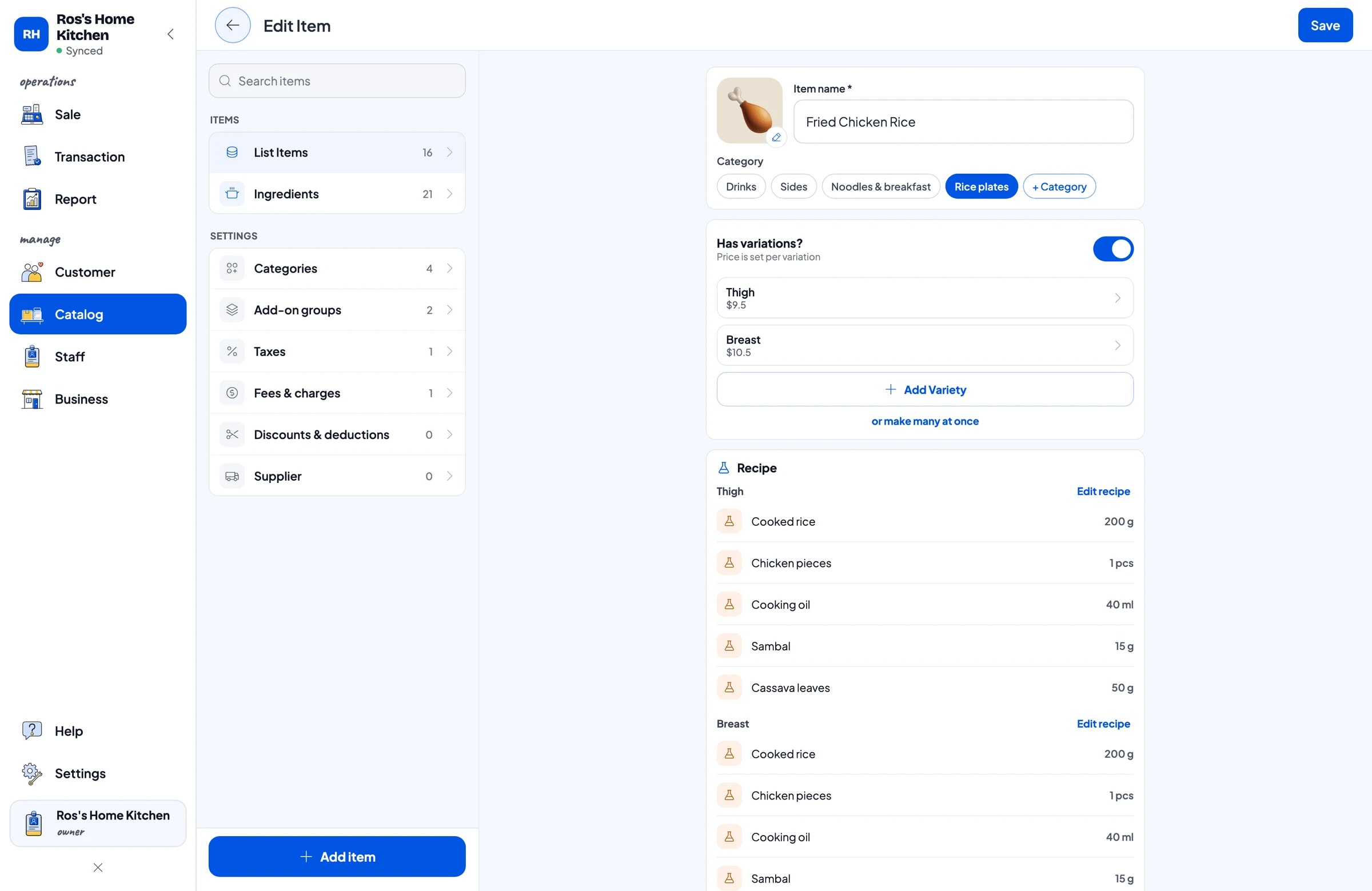
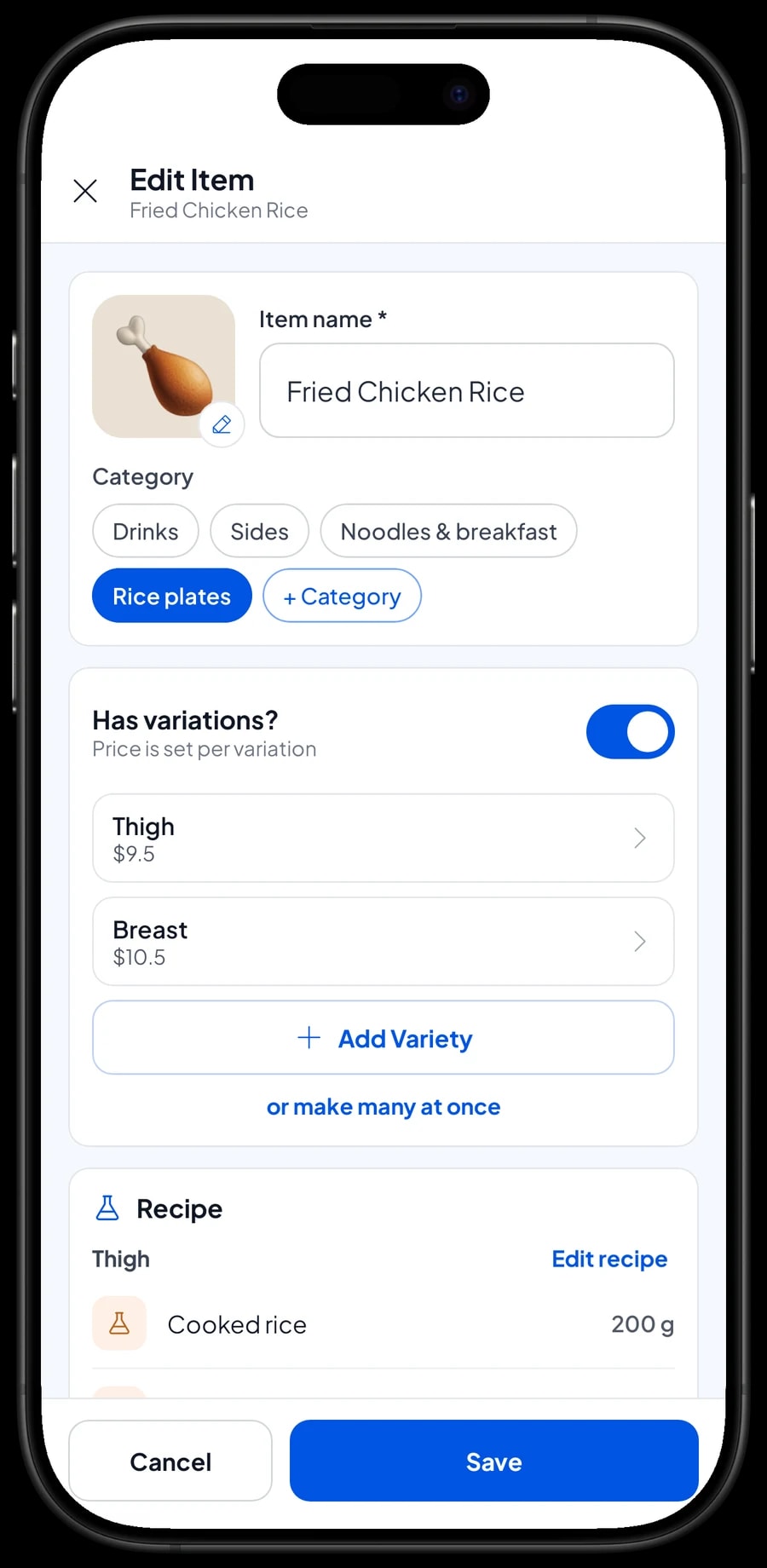
A dish with more than one price is a single item with variants. Fried chicken rice with thigh or breast, fried rice regular or special, sweet tea hot or iced: the cashier picks the variant and the price follows, and the menu stays short.
Single sides such as fried chicken or fried tofu and tempeh get their own items and unit. Packaged crackers and bottled water are regular products with their own stock.
- Step 1: Open Catalog → Categories and create categories such as Rice plates, Noodles & breakfast, Sides and Drinks.
- Step 2: Open Catalog → List Items and add each dish with its name, price, unit and category.
- Step 3: For dishes with two or more prices, such as thigh and breast, add variants to the item and set a price for each.
- Step 4: Open the Sale screen and ring up a test sale to check that dishes and prices are right.
Extra egg, extra rice and spice levels, always billed
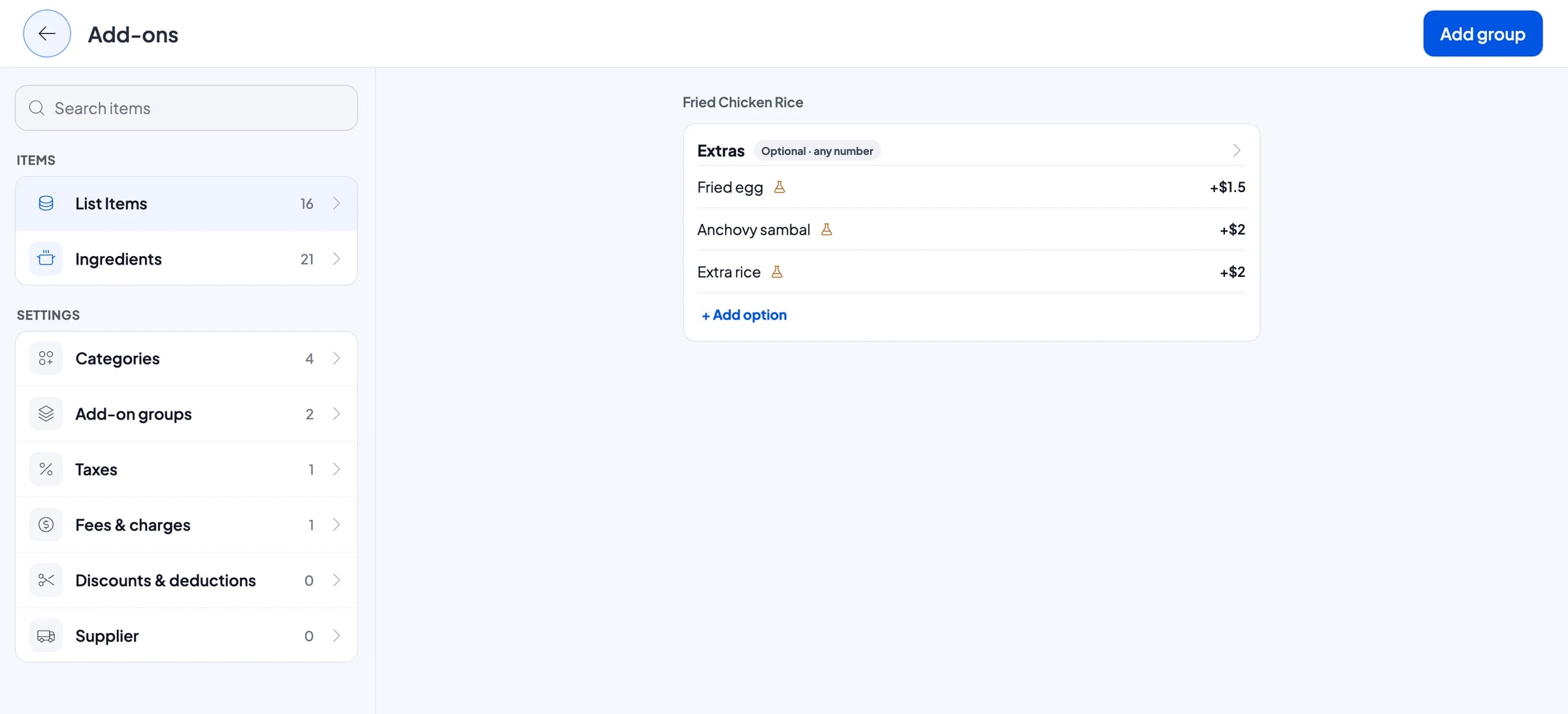
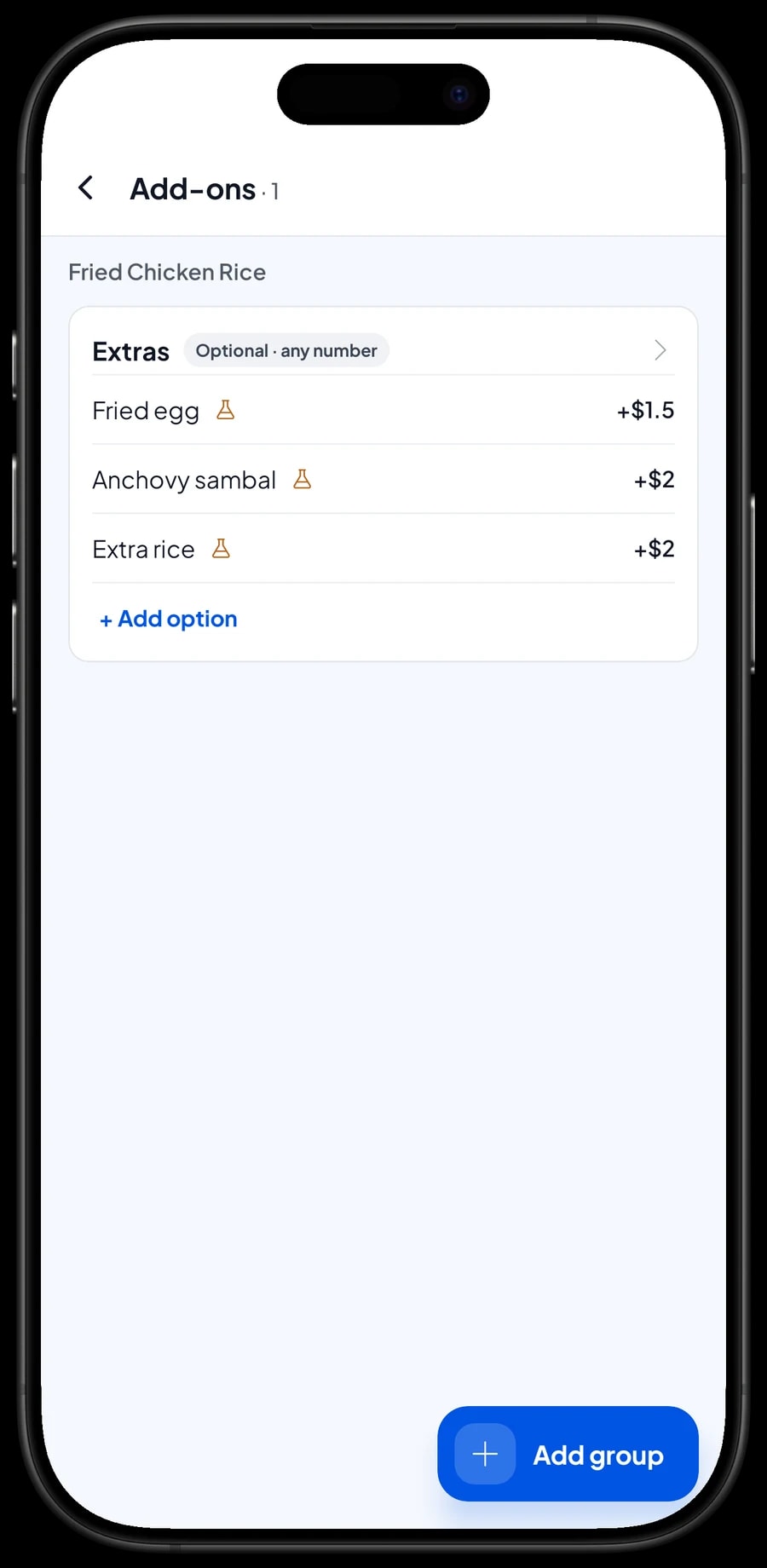
Almost every warung order has an extra. In Salesmaster, extras are add-ons. One add-on group, say Extras with a fried egg, anchovy sambal and extra rice, can be attached to many dishes at once. When the cashier picks a dish, the extras appear, and their prices go straight into the total.
Choices that don't change the price work as add-ons too, such as a spice level for fried rice, fried noodles and noodle soup: not spicy, medium or extra hot. The choice is saved with the sale, so the kitchen knows exactly what to cook.
For one-off requests like "sambal on the side", the cashier types a Note on the order, and it is saved with the transaction.
- Step 1: Open a dish in Catalog → List Items, choose Manage add-ons and create a new group, for example Extras.
- Step 2: Add the options with a name and price, such as fried egg, anchovy sambal and extra rice.
- Step 3: Attach the group to the dishes that use it, for example every rice and noodle dish.
- Step 4: Create a second group for spice level with no extra charge and attach it to the dishes that can be made spicy.
Takeaway and eat-first orders with Save order
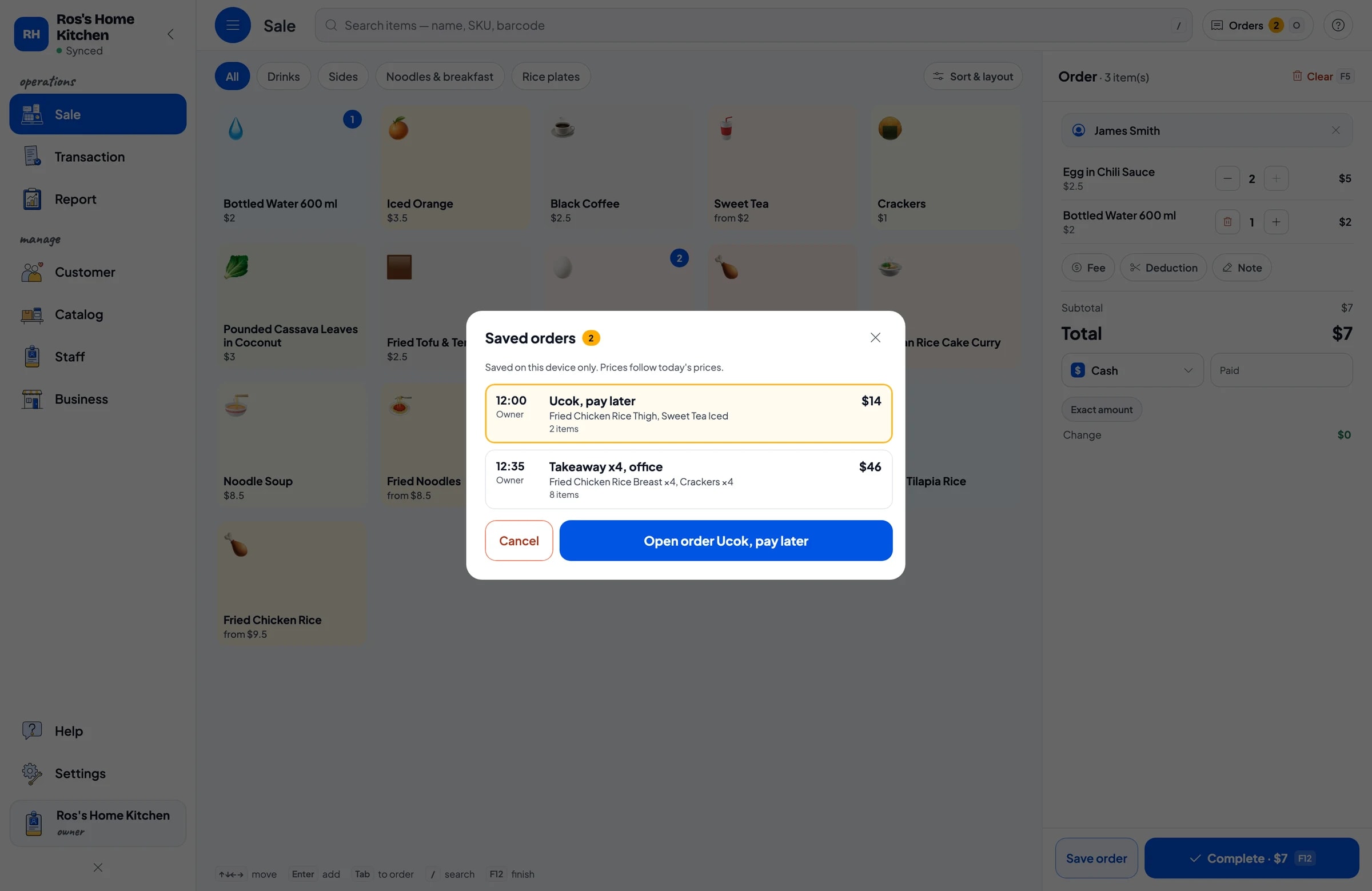
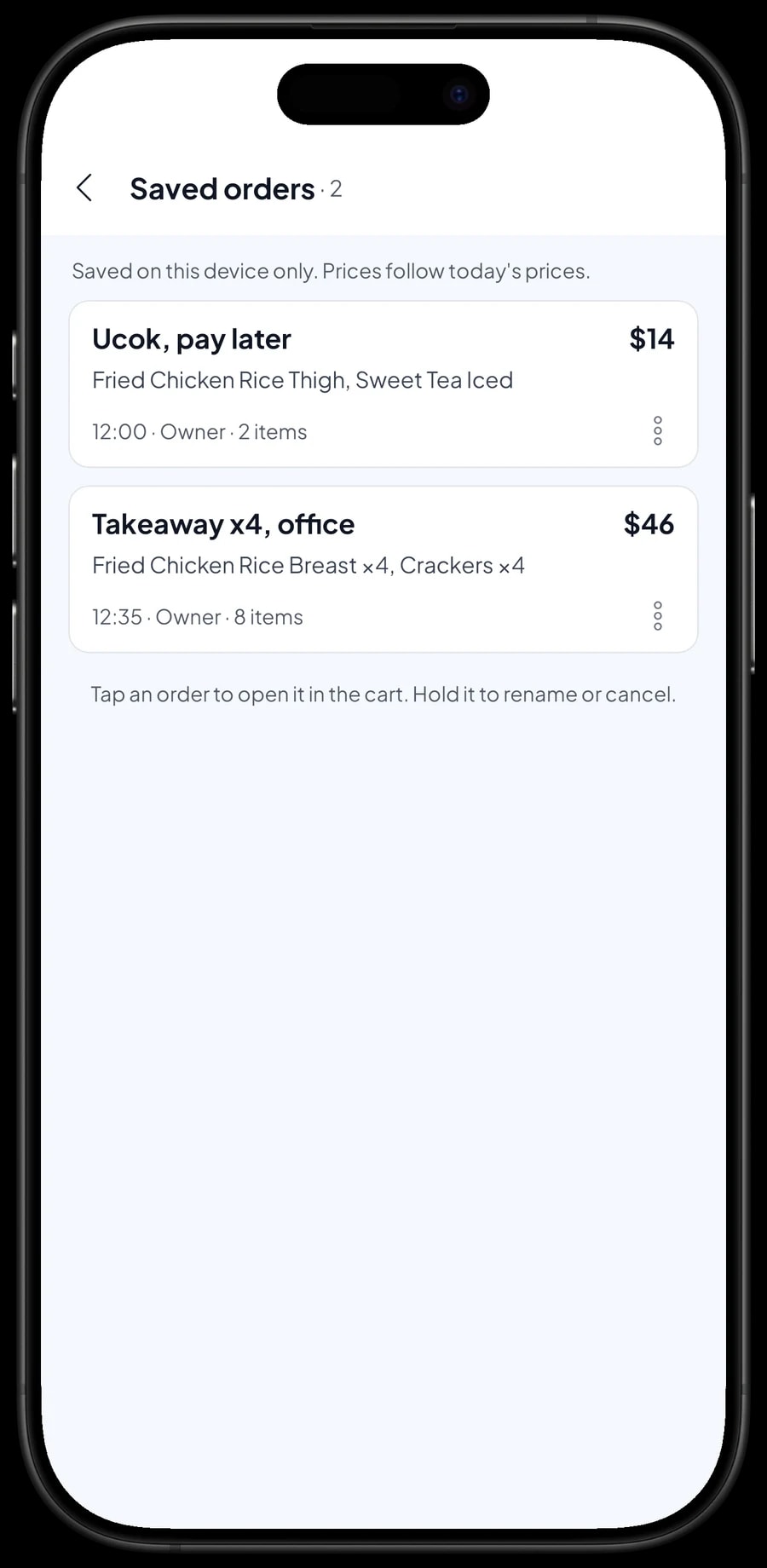
Most warung take takeaway orders from nearby offices for noon, and let some regulars eat first and pay before they leave. Save order handles both. The cart is kept as a saved order under the name you give it, such as "Takeaway x4, office" or "Ucok", and you can add a note like "pick up at 12.00".
Once the order is saved, the cashier moves on to the next customer. When the takeaway is collected or the customer comes to pay, open Saved orders, pick the order, add anything ordered since, and complete the payment.
A saved order is not counted as a sale and does not take stock off until it is paid, so the daily report only shows money that actually came in. Saved orders stay on the device that created them, so finish the payment on the same phone or tablet.
Keep in mind that a saved order is a held cart, not a debt ledger. Salesmaster does not keep running tabs or customer credit. Use Save order for orders paid the same day or within a few days, and keep long-running debts in your own notebook.
Cash, cards, transfers and receipts
Set up the payment methods you actually take: cash, card, bank transfer or an e-wallet. For cash, the cashier enters the amount received and the change is worked out for them, so no more wrong change in a long line.
If you charge sales tax, set it once in Fees or Tax and it is added to every sale. Discounts, such as a regulars' price, go in Deductions.
Receipts can print on a Bluetooth thermal printer with 58 mm or 80 mm paper, or go out by WhatsApp, email or a web receipt link.
Ingredient stock from recipes: rice, chicken, eggs and oil
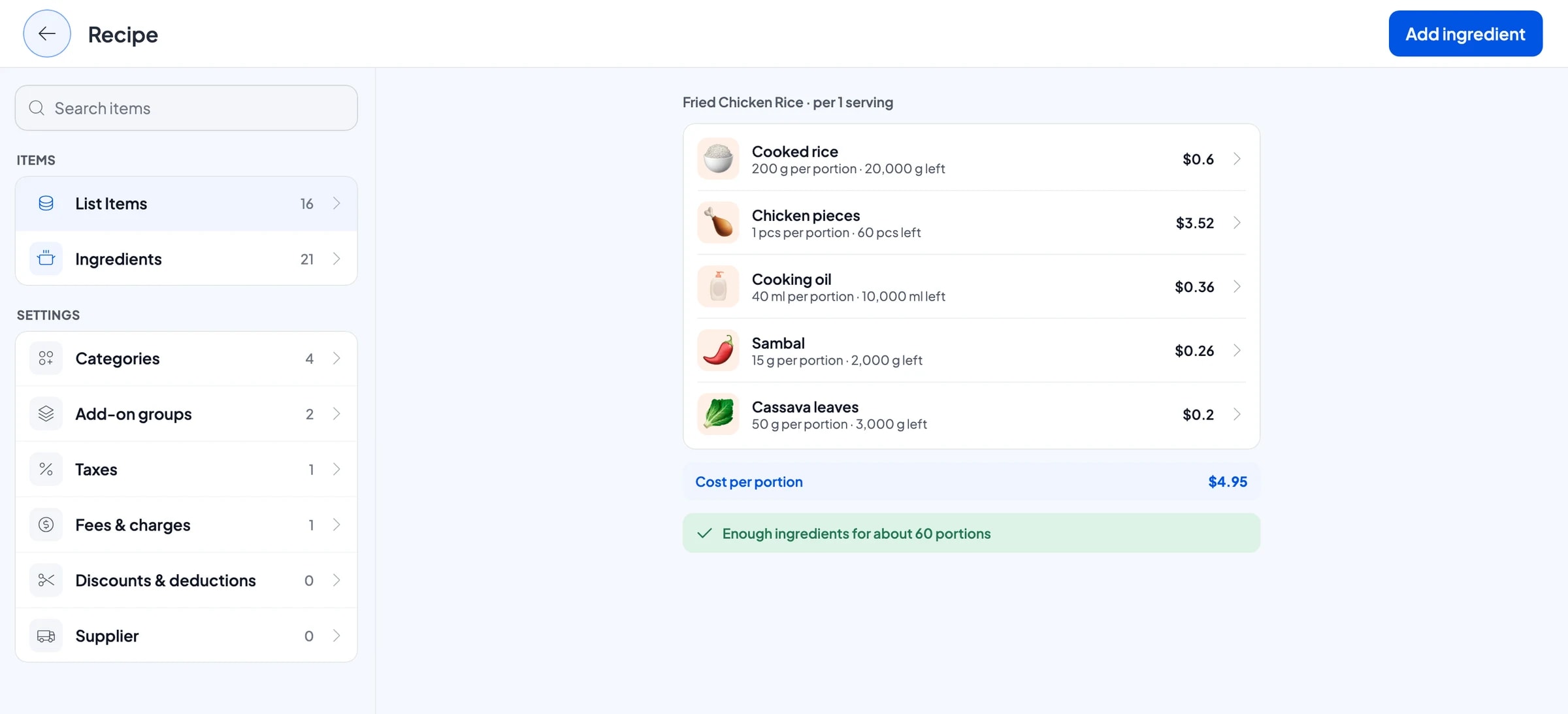
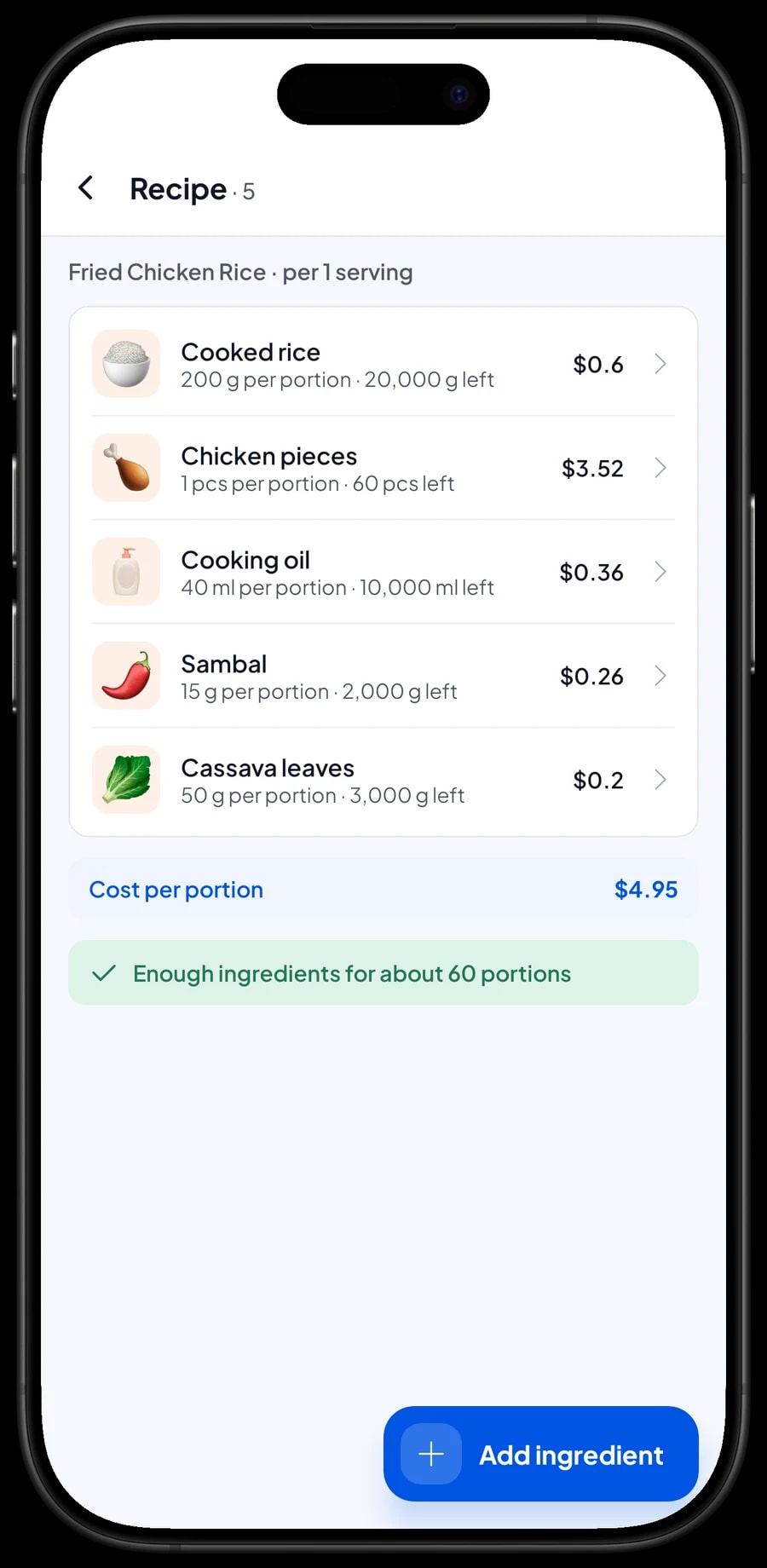
A warung sells cooking, not packaged goods. In Salesmaster, cooked dishes are Made-to-order items with a recipe. You record each ingredient once, such as cooked rice in grams, chicken by the piece, eggs by the piece and cooking oil in milliliters, and then write how much one portion uses.
Every portion sold takes its ingredients off stock. One fried chicken rice with thigh, for example, uses 200 g of rice, 1 piece of chicken, 40 ml of oil, 15 g of sambal and 50 g of cassava leaves. At the end of the day you can see how much chicken and how many eggs are left without counting the fridge, and you know what to buy tomorrow morning.
When you shop, record the purchase with its price. Salesmaster uses it to work out the cost of goods for each plate.
- Step 1: Turn on made-to-order items, then open Catalog → Inventory → Raw materials.
- Step 2: Add ingredients such as cooked rice, chicken, eggs, cooking oil and sambal, with their unit, opening stock and purchase price.
- Step 3: Open each cooked dish in Catalog → List Items, make it Made-to-order and fill in the recipe for each variant.
- Step 4: After every grocery run, record the purchase so stock and cost of goods stay accurate.
A helper on the till
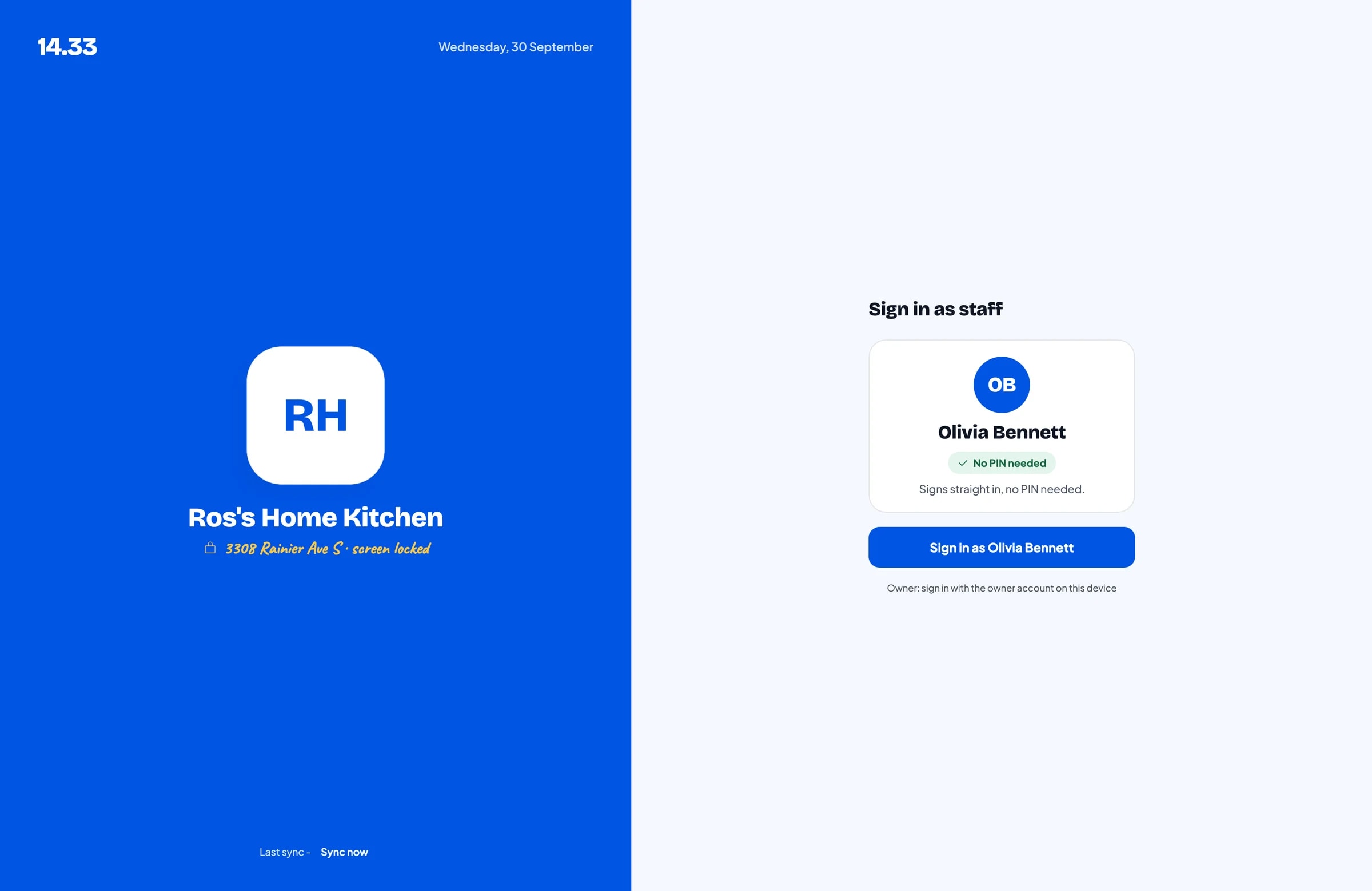
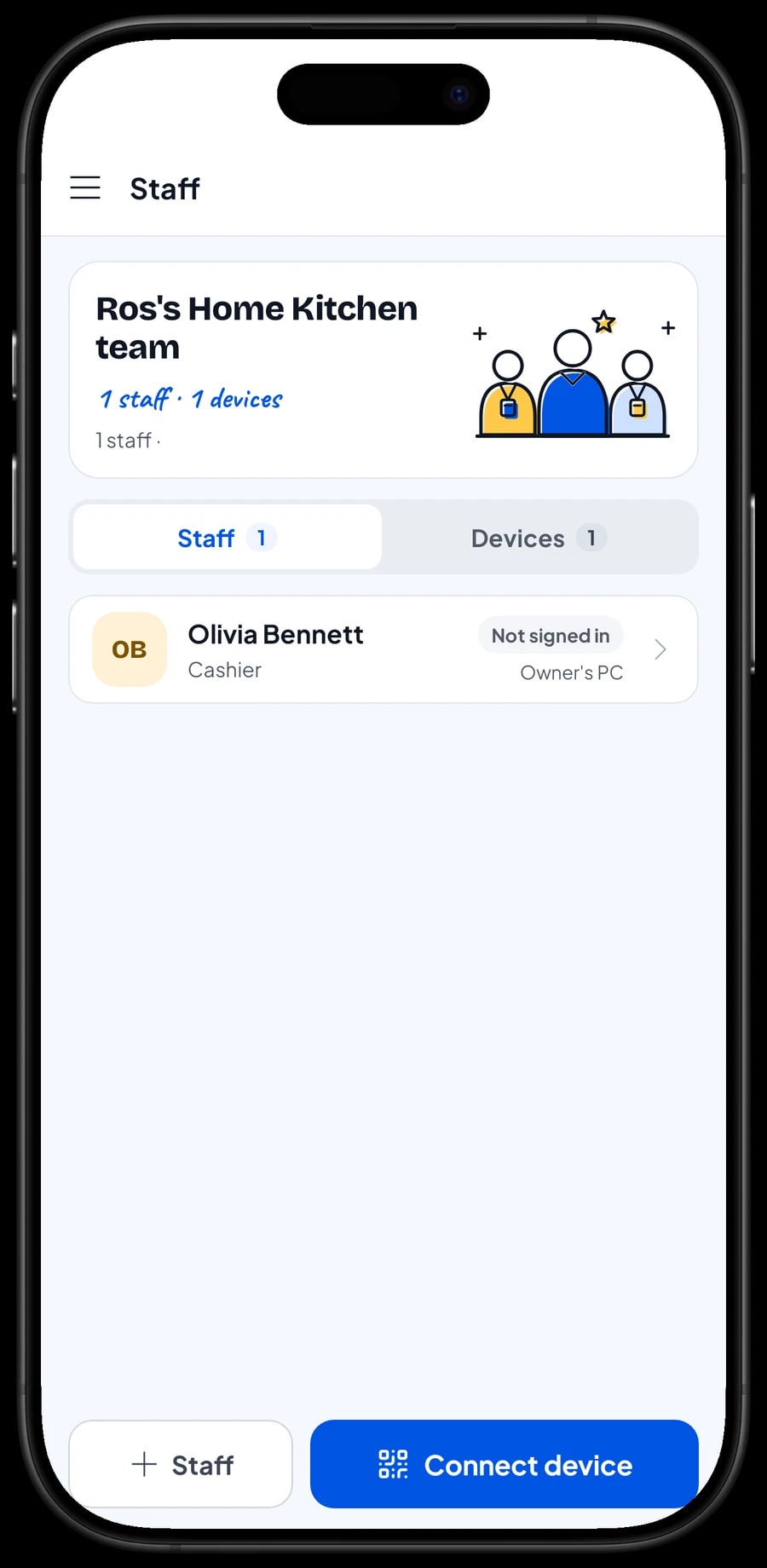
In many warung the owner cooks while a helper or family member runs the till. Add them as staff and register the counter phone as a staff device. Staff sign in with a PIN and can only open what you allow. An account signs in on one device at a time, so an extra cashier device uses a staff account. Staff accounts come with Bronze Pro (1 staff) and Silver Pro (2 staff).
Daily reports and your real net profit
Every evening, open the Report to see the day's sales, how much came in by cash, card or e-wallet, and which dishes sold best. Reports also run by week, month and year, so you can compare an ordinary Tuesday with a busy Saturday.
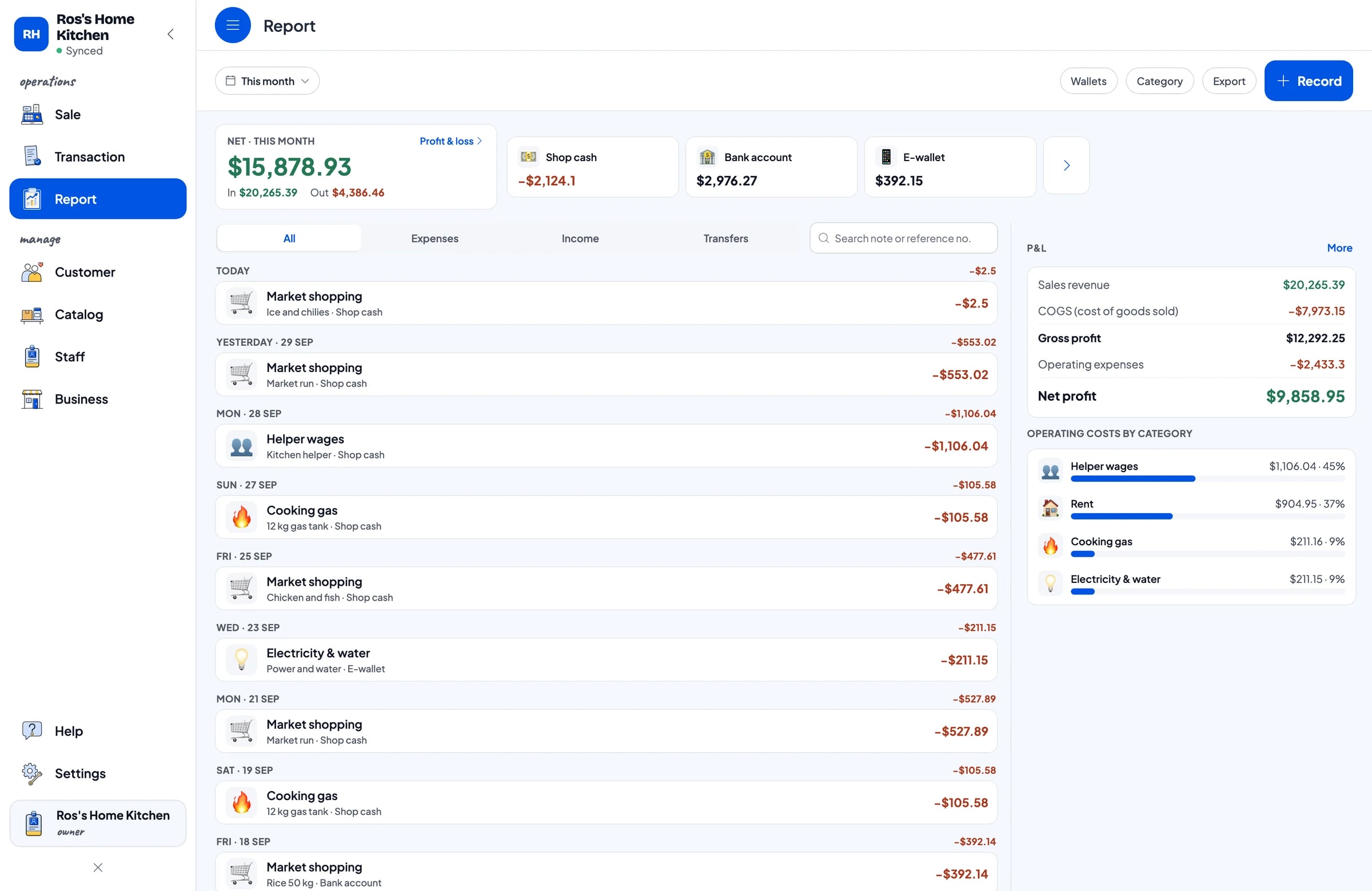
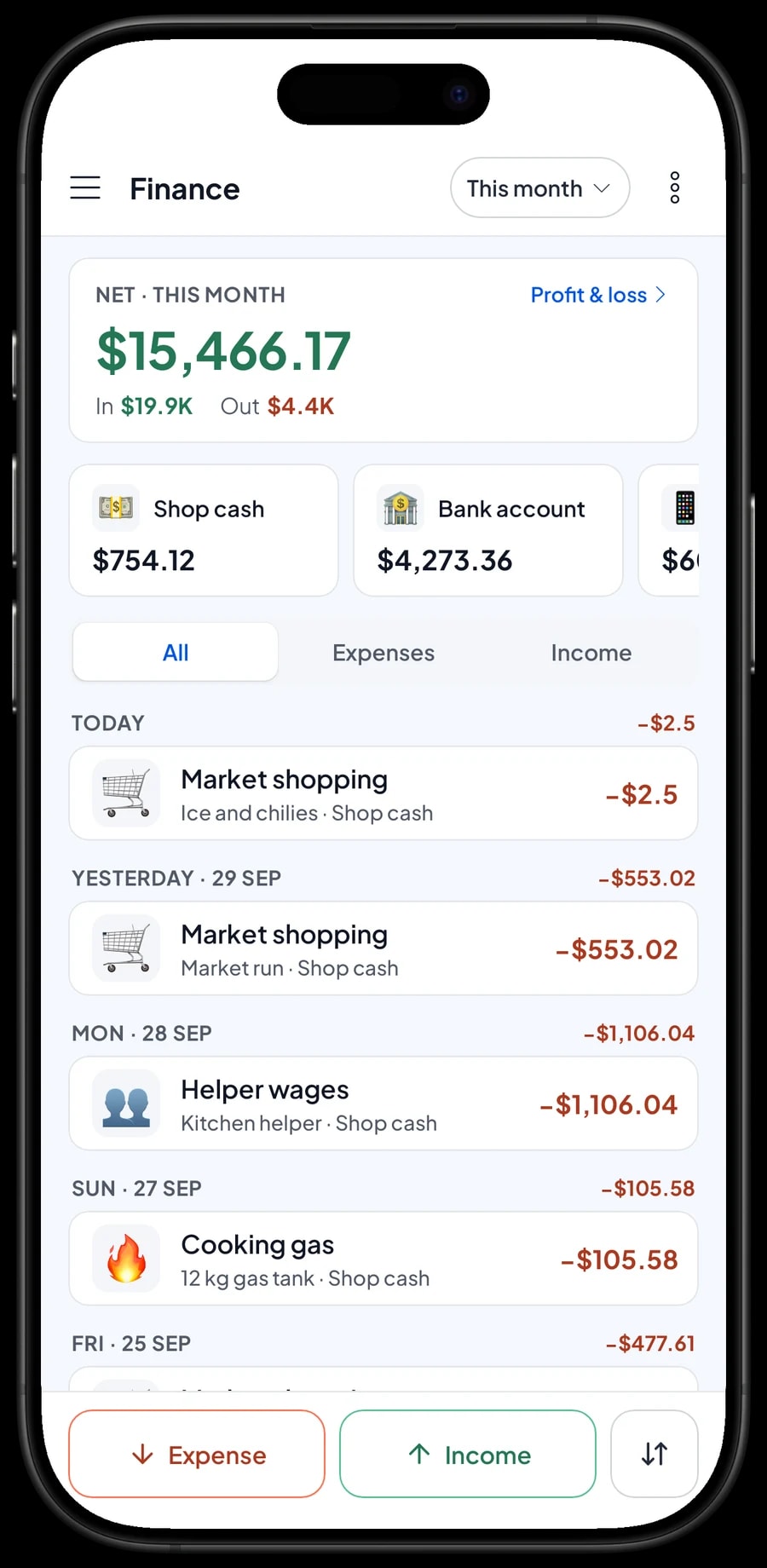
For real profit, record the stall's expenses in Finance: market shopping, cooking gas, helper wages, rent, electricity and water. Each expense has a category and the wallet it came from, such as shop cash, a bank account or an e-wallet. The Finance report then shows revenue minus cost of goods and operating costs: your stall's net profit.
- Step 1: Open Finance (under Report on desktop) and create expense categories such as Market shopping, Cooking gas, Helper wages and Rent.
- Step 2: Whenever money goes out, record the amount, the category and the wallet it came from.
- Step 3: At the end of the month, open the Finance report to see revenue, cost of goods, expenses and net profit.
Keep selling when the signal drops
Market halls, basements and back streets often have patchy signal. Salesmaster saves every sale on the device first and sends it to the cloud when the connection is back. Offline mode works for up to 7 days; after that the app needs to connect briefly to sync and verify your account. Signing up and the first sync need internet.
Your data lives in your account, so nothing is lost if a phone breaks or is replaced. Sign in on the new phone and your menu, stock and sales history come back.
Start tomorrow morning without closing the stall
You don't have to set everything up at once. Tonight, install Salesmaster on your phone and create an account. Enter the dishes on your menu board, 15 to 20 to begin with, including their variants and extras. Add cash and your other payment methods, and pair a Bluetooth thermal printer if you use one.
Tomorrow, run the till as usual. Anything you forgot can be added in the quiet hour after lunch. In the evening, open the daily report and check it against the cash in the drawer. Once the till feels natural, add ingredients and recipes for your best sellers, then start recording expenses in Finance.
Within two weeks you will have daily sales, saved orders, ingredient stock and net profit in one place.
An example food stall menu
Use this table as a starting point and swap in your own dishes and prices.
| Category | Dish | Variants | Add-ons | Item type |
|---|---|---|---|---|
| Rice plates | Fried chicken rice | Thigh, Breast | Fried egg, Anchovy sambal, Extra rice | Made-to-order |
| Rice plates | Fried rice | Regular, Special | Fried egg, Spice level | Made-to-order |
| Rice plates | Fried tilapia rice | - | Extra rice | Made-to-order |
| Noodles & breakfast | Fried noodles | Regular, Special | Spice level | Made-to-order |
| Noodles & breakfast | Rice cake curry (lontong sayur) | - | - | Made-to-order |
| Sides | Fried chicken | Thigh, Breast | - | Made-to-order |
| Sides | Fried tofu & tempeh | - | - | Made-to-order |
| Sides | Crackers | - | - | Product |
| Drinks | Sweet tea | Hot, Iced | - | Made-to-order |
| Drinks | Bottled water 600 ml | - | - | Product |
Packaged crackers and bottled water are regular products with their own stock. Dishes cooked at the stall are Made-to-order items, so it is their ingredients that come off stock.
Which plan fits your stall
Start by counting customers per day. A stall serving about 35 to 40 customers a day records roughly 1,100 transactions a month.
| Plan | Price | Transactions / month | Staff accounts | Good for |
|---|---|---|---|---|
| Free | Free | 30 | Owner only | To try the checkout flow for a few days before using it for real. |
| Solo Pro | $4.90/month | 3,000 | Owner only | Stalls where the owner runs the till. |
| Bronze Pro | $6.90/month | 5,000 | 1 staff | Stalls with one helper on the till using their own phone. |
| Silver Pro | $9.90/month | 8,000 | 2 staff | Busy stalls with two staff, such as a cashier and someone running deliveries. |
Every plan includes checkout, catalog, receipts, reports and offline mode. You can change plans at any time. See pricing →
Frequently asked questions
- Can Salesmaster keep a running tab for regular customers?
- No. Salesmaster does not keep customer tabs or credit. What it has is Save order: the cart is held under the customer's name until paid, but it isn't a sale yet and it lives only on the device that saved it. Use it for orders paid soon, and keep long-running debts in your own notebook.
- How do I charge for an extra egg or extra rice?
- Create an add-on group, for example Extras with a fried egg, anchovy sambal and extra rice, and attach it to your rice and noodle dishes. When the cashier picks a dish, they tick the extras and the price is added to the total.
- Can a food stall keep selling when the internet is down?
- Yes. Sales are saved on the device and sync when the internet is back. Offline mode works for up to 7 days before the app needs to connect to sync.
- Does a small stall need a receipt printer?
- No. Receipts can be sent by WhatsApp, email or a web receipt link. If customers often ask for paper, use a Bluetooth thermal printer with 58 mm or 80 mm paper.
- Can I see how much chicken and how many eggs are left without counting?
- Yes, if your dishes are Made-to-order items with recipes. Every portion sold takes chicken, eggs, rice and the other ingredients off stock. Record each grocery run so the numbers stay right.
- Can the owner and a helper use separate phones?
- Yes, through staff accounts. An account signs in on one device at a time, so the owner uses the main account and the helper signs in with a PIN on a staff device. Staff accounts come with Bronze Pro (1 staff) and Silver Pro (2 staff).
Need help setting up your catalog? Chat with our team on WhatsApp →



