

Salesmaster is a point-of-sale (POS) app for gyms and fitness centres on Android, iPhone & iPad, Windows and Mac. Memberships, day passes and training sessions are service items with duration variants, protein shakes are made-to-order items that take ingredients off stock by recipe, and bottled drinks and gear have tracked stock. Trainer pay, rent and equipment upkeep go into Finance so you see net profit. A Free plan lets you try it first.
Problems every gym knows
If any of these sound familiar, this page is for you.
- 01
The after-work rush at the front desk
Between five and seven in the evening, new members sign up, drop-ins buy day passes and people finishing their workout want a drink. The front desk writes it all down while handling cash, and the line keeps growing.
- 02
Too many packages to remember
One-, three- and twelve-month memberships, a student rate, ten-session training packs, Zumba and Spinning. When prices live in someone's head, something eventually gets charged wrong.
- 03
The shake bar runs on guesswork
Whey powder runs out without warning, water and protein bars disappear from the fridge, and nobody knows how many were sold. The drinks corner feels busy, but is it actually making money?
- 04
Membership money in, profit unclear
Payments arrive in cash, by card and by bank transfer. After trainer pay, rent, electricity and the treadmill service, what is left? Without recorded expenses, profit is a guess.
Memberships and day passes as service items
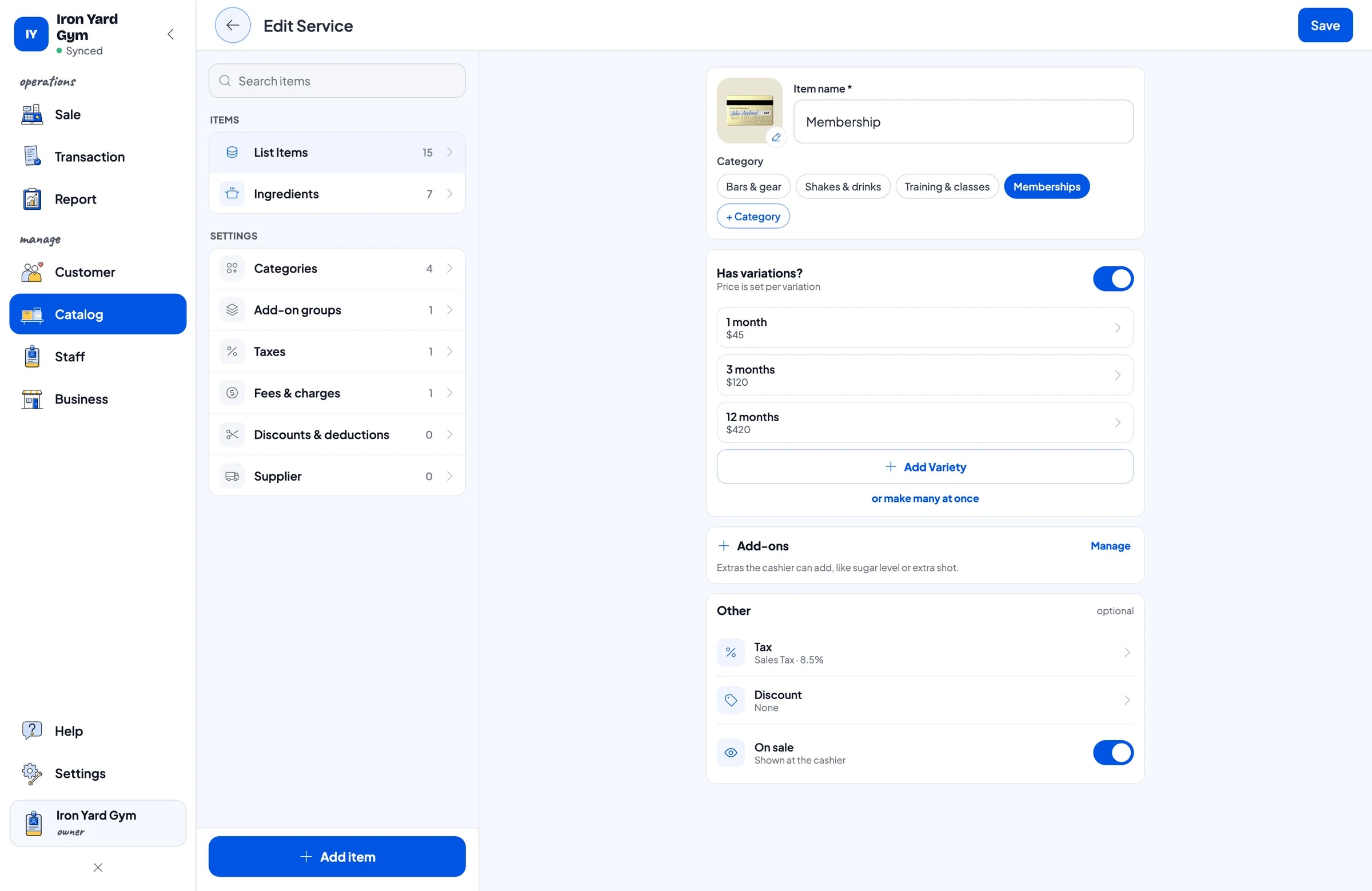
Start with the price list on your front desk. In Salesmaster, everything you sell is one item in the Catalog. Memberships, day passes, locker rental and towel rental are Service items, because nothing comes off stock when you sell them. Group them into categories such as Memberships, Training & classes, Shakes & drinks and Bars & gear, so the front desk finds anything in one or two taps.
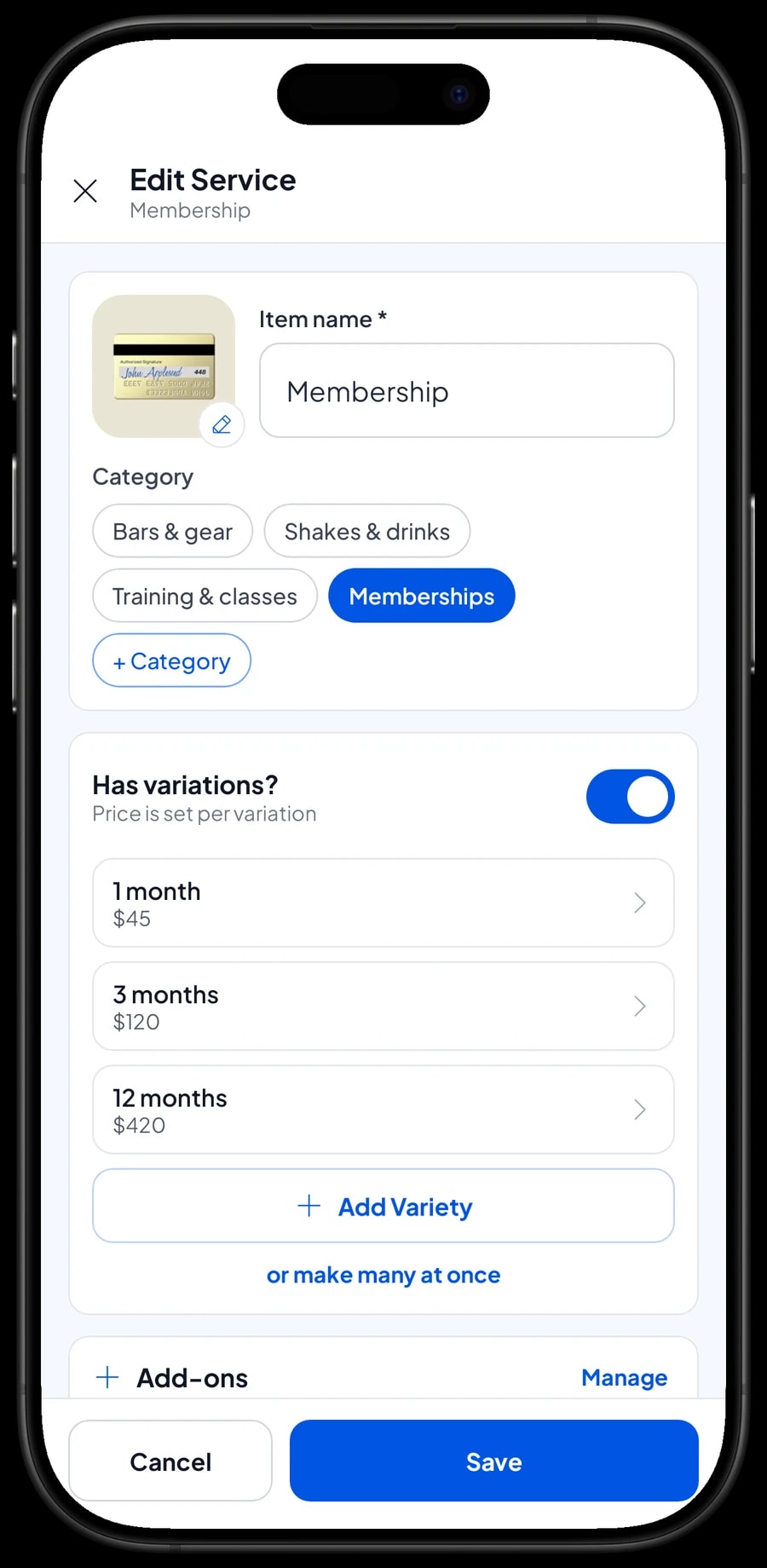
A membership with several lengths only needs one item with variants: 1 month, 3 months and 12 months, each with its own price. The front desk picks the variant and the price follows. A rate that stands on its own, like a student membership, can be a separate item so its sales show up clearly in your reports.
Worth knowing up front: Salesmaster is a point-of-sale app, not membership software. It records the sale of a membership, but it does not track expiry dates and has no door check-in. What many gyms do instead: attach the customer to every membership sale and write the active period in the transaction note, for example "active Oct 1 to Oct 31". The customer's purchase history then shows when their last membership was bought.
- Step 1: Open Catalog → Categories and create Memberships, Training & classes, Shakes & drinks, and Bars & gear.
- Step 2: Open Catalog → List Items and add a Membership item as a Service.
- Step 3: Add the variants 1 month, 3 months and 12 months, each with its price.
- Step 4: Add Day Pass, Locker Rental and Towel Rental as Service items with a fixed price.
Personal training, session packs and group classes
Personal training works the same way. Create one Personal Training item with 1 session and 10 sessions as variants. Group classes such as Zumba, Spinning and Body combat can be one Group Class item with the class type as the variant, so your reports show which classes people buy most.
Salesmaster does not count remaining sessions automatically, and it has no class timetable or booking. For a ten-session pack, write the trainer's name and the number of sessions in the transaction note when the pack is sold, and keep track of sessions used in the trainer's log or the customer's notes. Keep announcing the class schedule the way you already do, on a board or in your members' group chat.
Other front-desk services, such as a body composition check on the gym's scale, are Service items with a fixed price. Everything goes into the same sale, so a drop-in who buys a day pass, a towel and a bottle of water pays once.
- Step 1: Add a Personal Training item as a Service with 1 session and 10 sessions variants.
- Step 2: Add a Group Class item with Zumba, Spinning and Body combat variants.
- Step 3: When selling a session pack, write the trainer's name and the session count in the transaction note.
The shake bar: flavors and add-ons
Many gyms have a drinks corner for members who have just finished training. Protein shakes usually come in a few flavors, and members often ask for extras. In Salesmaster, make Protein Shake one item with flavor variants such as Chocolate, Banana oat and Peanut butter banana, each with its own price.
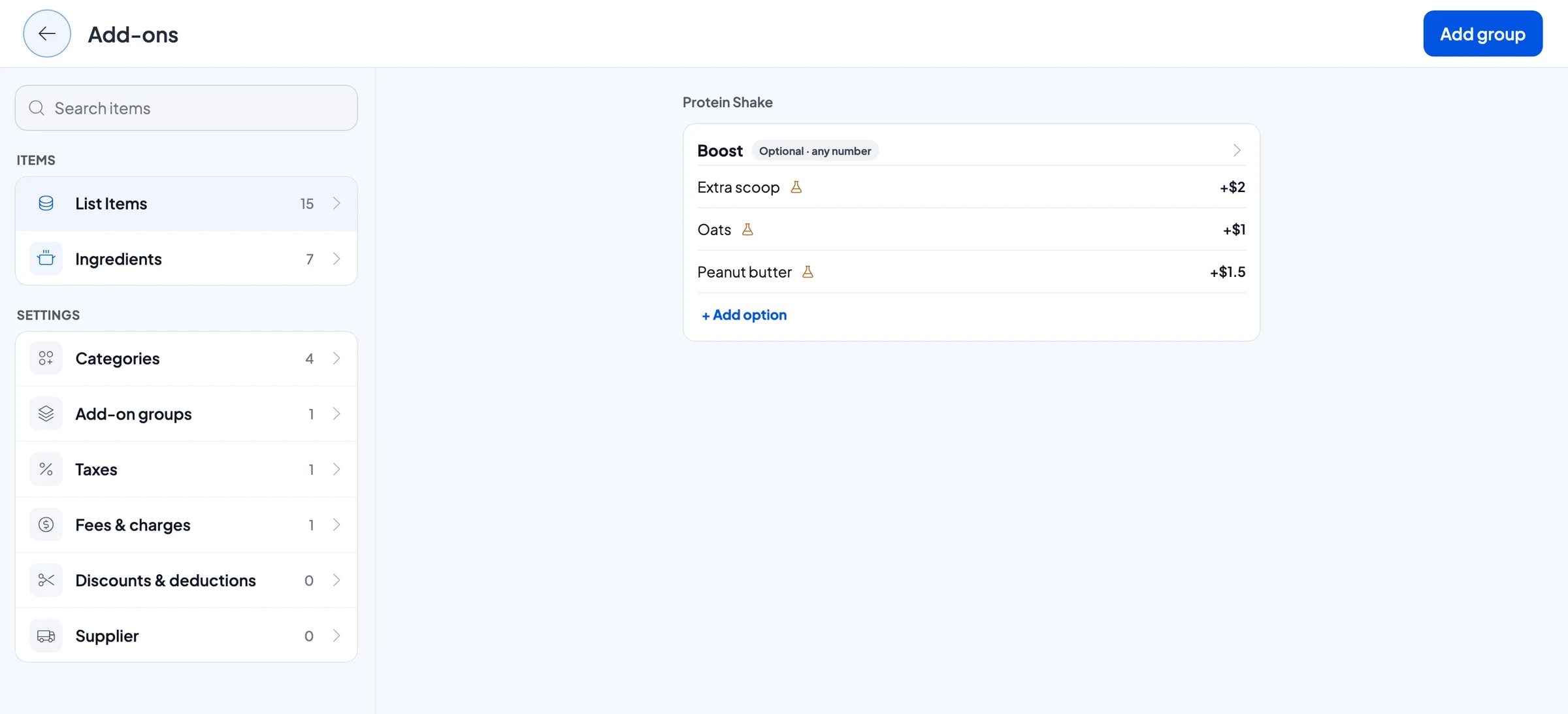
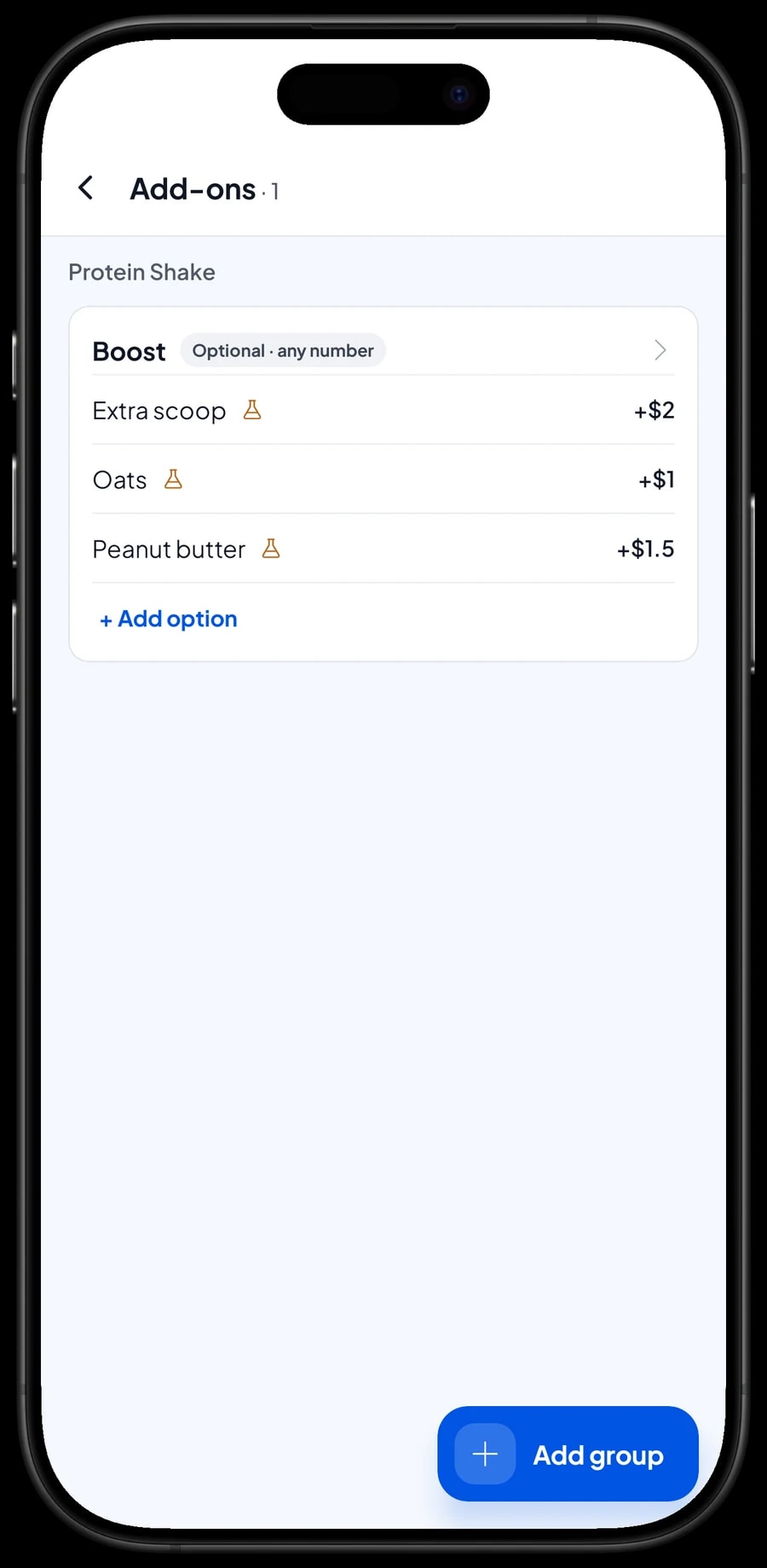
Extras a member can choose, like an extra scoop of whey, oats or peanut butter, are add-ons. Add-ons are managed on the item itself, and their prices are added automatically. Nobody has to work out "chocolate shake plus a scoop" in their head.
Packaged drinks such as 600 ml water and isotonic drinks, and protein bars, are Product items with their own stock. Every bottle sold takes one off stock, and you can check what is left in the stock list before you reorder from your supplier.
Whey and milk stock taken off by recipe
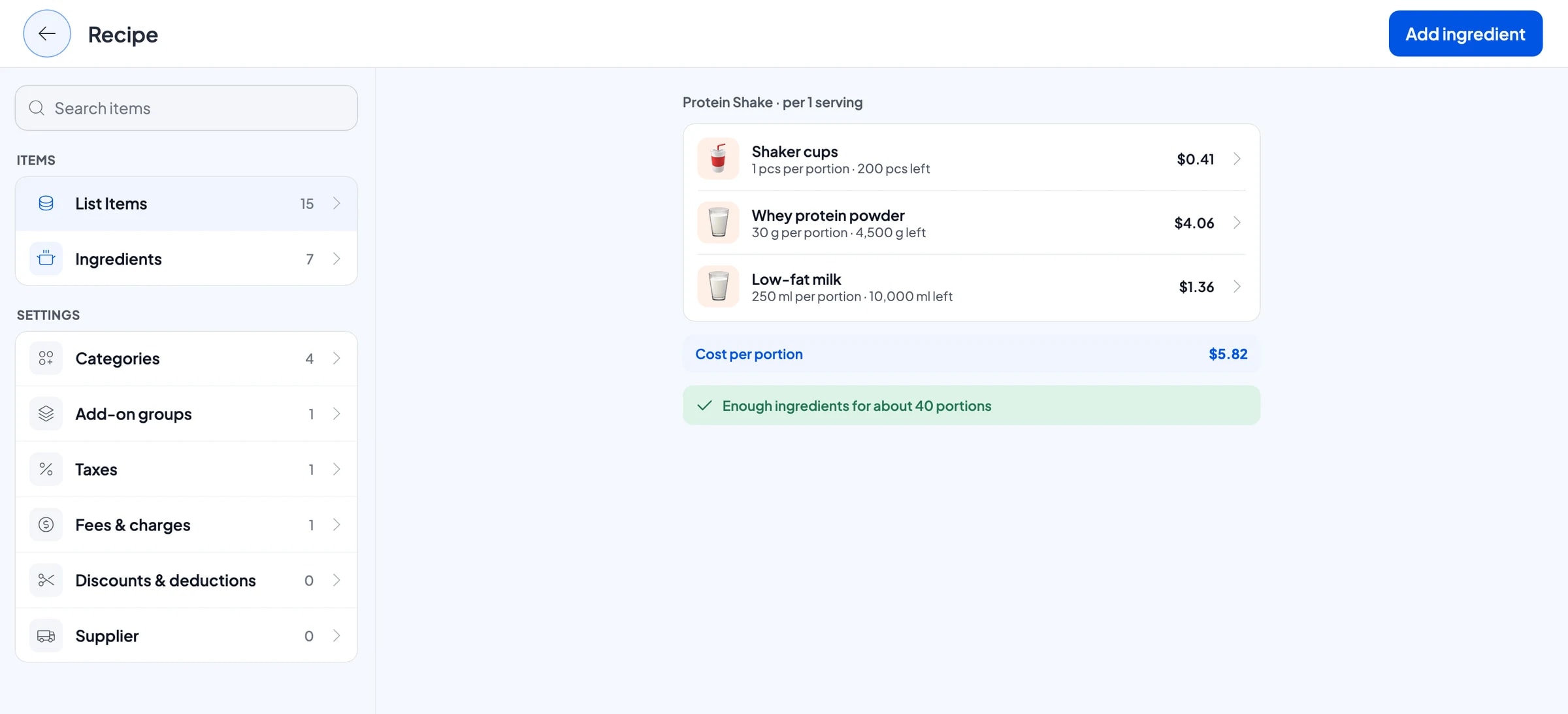
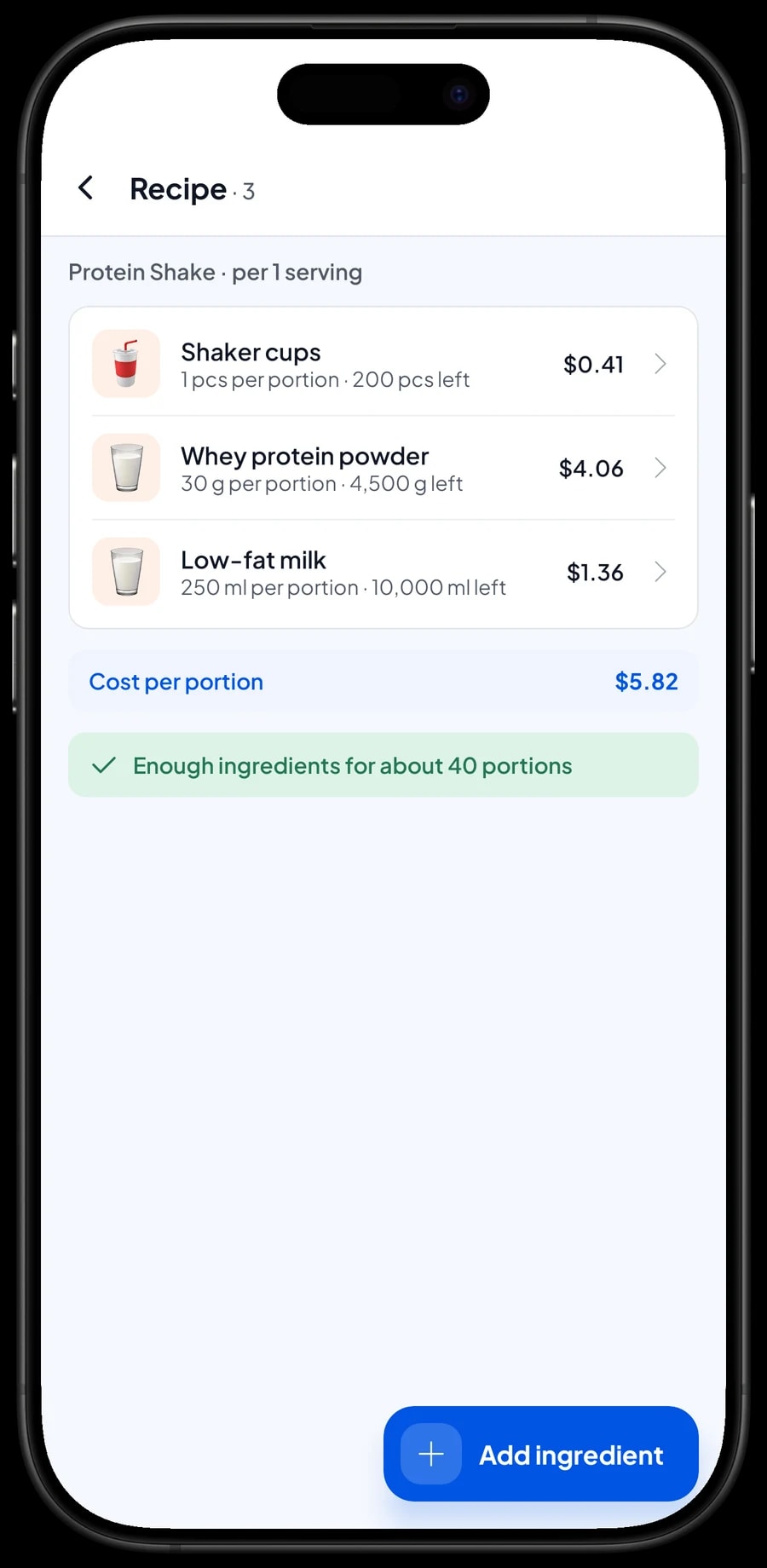
A shake mixed on the spot has no stock of its own. What runs out is what goes into it: whey powder, milk, bananas, oats and shaker cups. In Salesmaster, items like this are Made-to-order with a recipe. You record each ingredient once in the unit you use (grams for whey, milliliters for milk, pieces for cups) and write how much one serving uses.
Every shake sold takes its ingredients off stock according to that flavor's recipe. Add-ons can carry a recipe too, so an extra scoop takes another 30 grams of whey. When you buy supplies, record the purchase with its price, and Salesmaster uses it to work out what one shake costs you. Your profit report then uses real ingredient costs.
If you buy whey in large tubs, there is no automatic conversion from tub to grams. Record whey stock in grams from the start, and when you open a new tub, add its weight as an ingredient stock adjustment.
- Step 1: Turn on made-to-order items, then open Catalog → Inventory → Raw materials.
- Step 2: Add ingredients such as whey protein powder (g), low-fat milk (ml) and shaker cups (pcs), with opening stock and purchase price.
- Step 3: Create Protein Shake as a Made-to-order item and fill in the recipe for each flavor.
- Step 4: Fill in a recipe for add-ons such as the extra scoop too.
Payments, sales tax and receipts
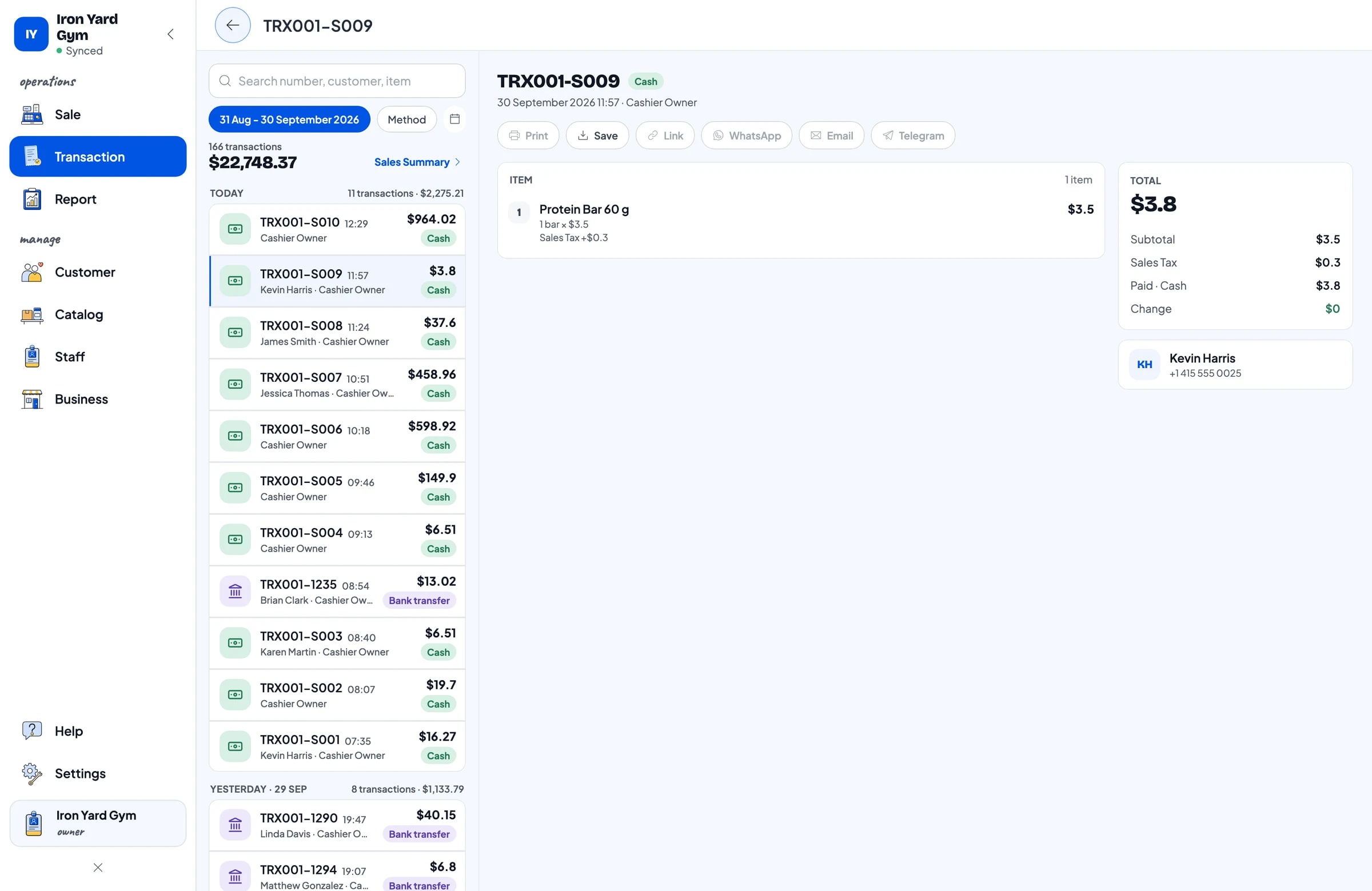
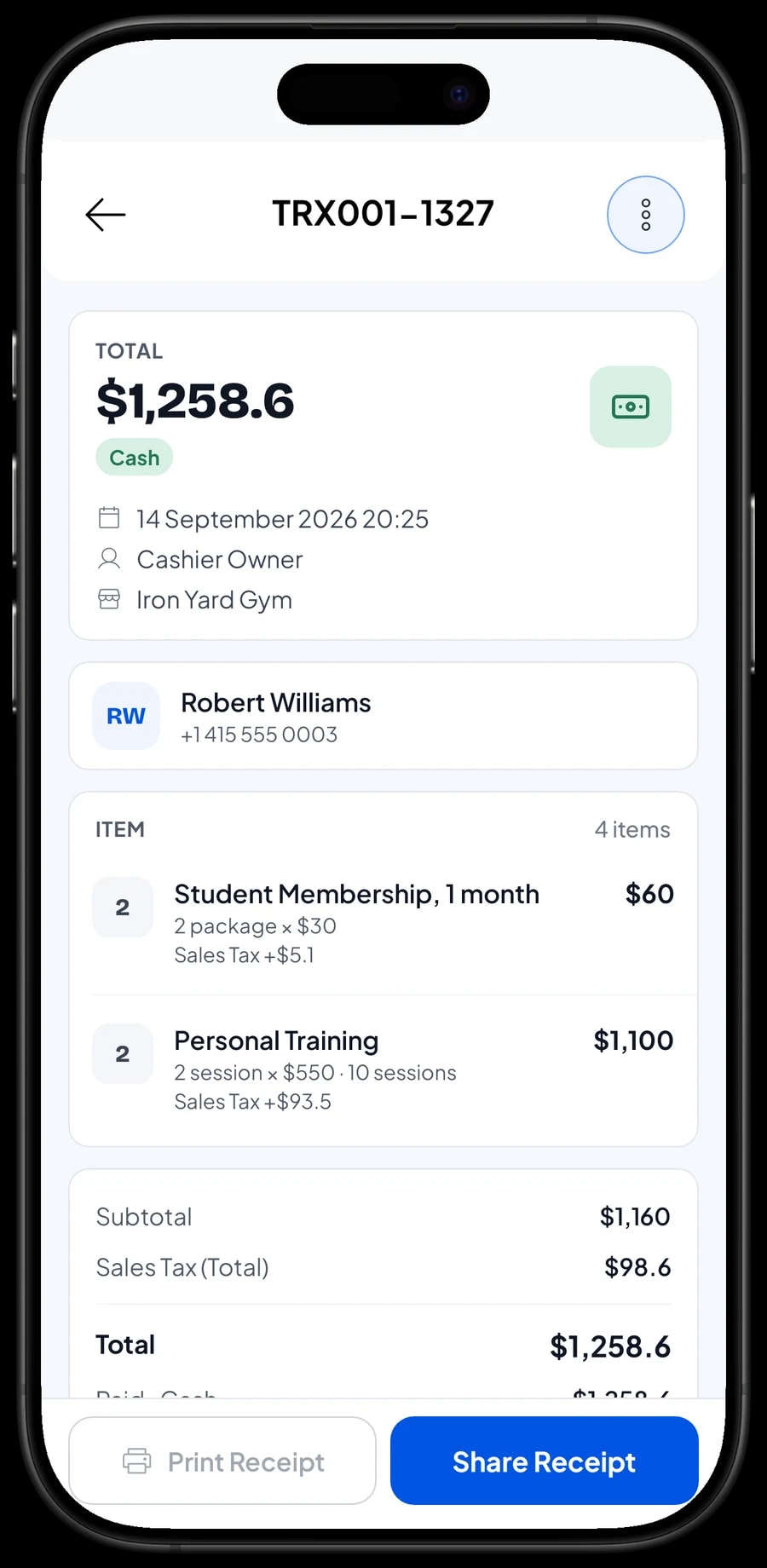
Set up the payment methods you accept: cash, card, bank transfer, e-wallets or any other method you create. Memberships are often paid by card or transfer, while water is paid in cash. Reports show how much came in through each method, so the cash drawer and your bank statement are easy to reconcile.
If you charge sales tax, set it once in Fees or Tax and it is calculated on every sale. Promotions, such as a waived joining fee in January or a bring-a-friend price, are set up in Deductions.
Once paid, the receipt can print on a Bluetooth thermal printer or go out by WhatsApp or email. The web receipt carries your gym's logo and social links, so a new member finds the account where you post the class schedule. Salesmaster has no installment plans and does not record part payments on one sale. If a member pays a deposit, sell it as a separate Service item called "Down payment" for the amount received; when the rest is paid, sell the membership at its full price and tap Add Deduction for the deposit amount, so the drawer and reports match on both days.
Front desk staff and trainers
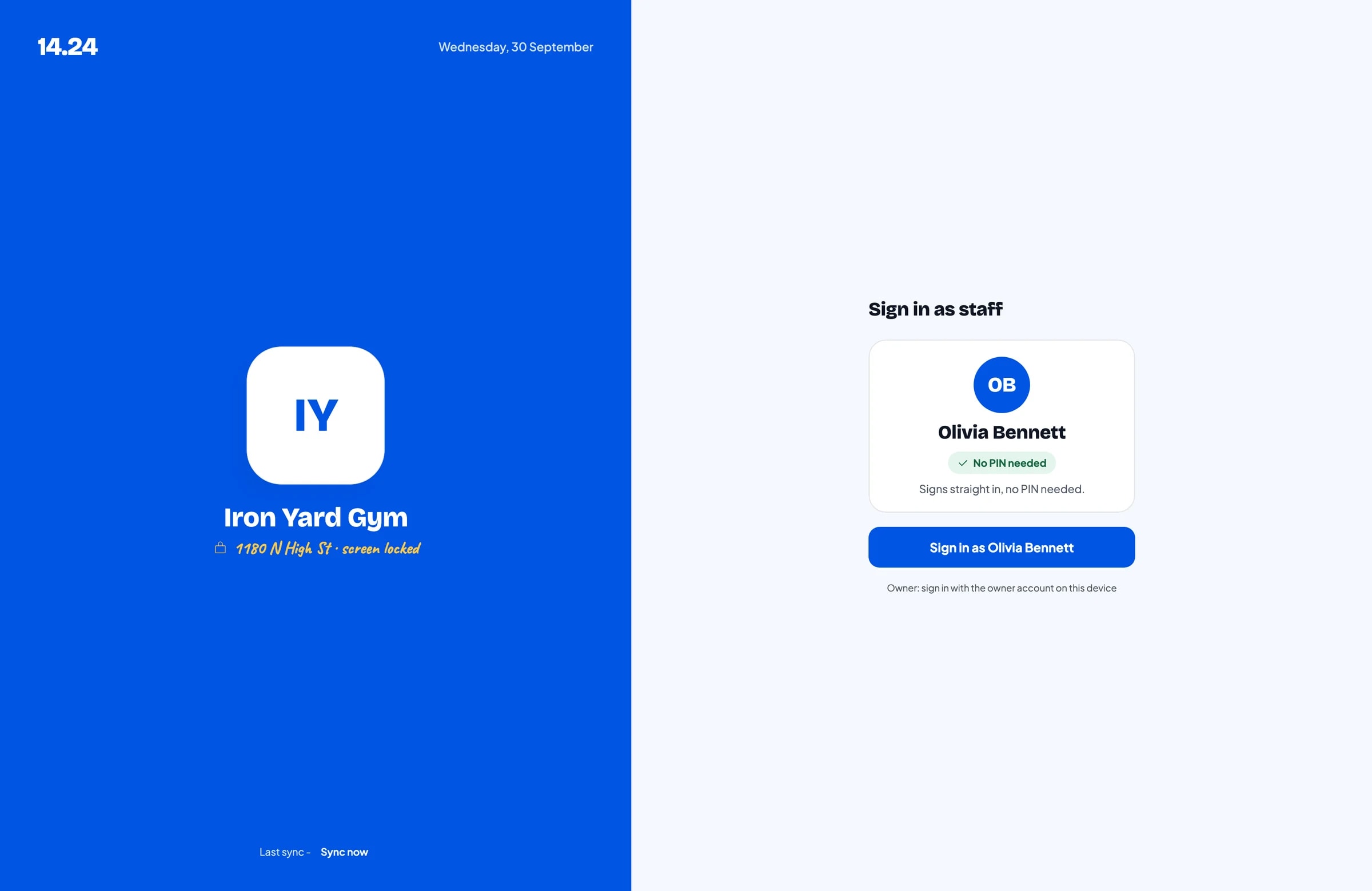
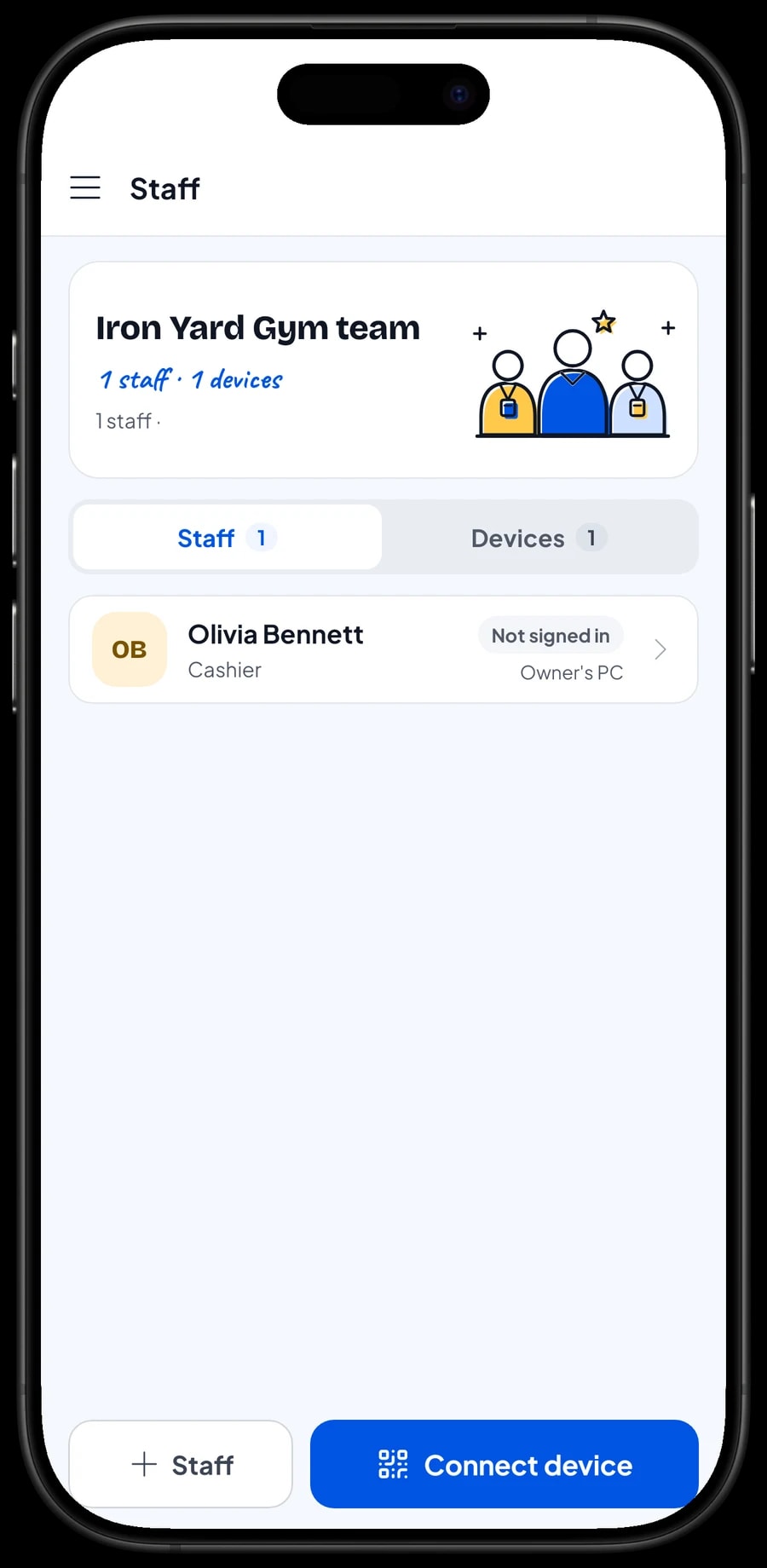
The owner signs in with the main account, and an account is active on one device at a time. Front desk staff don't need your account: add them as staff with a role, then register the front-desk device for them. Staff sign in with a PIN, and you decide what they can see and change, for example selling memberships without editing their prices. Staff accounts come with Bronze Pro (1 staff) and Silver Pro (2 staff).
Member records, loyalty points and member cards
Pick or add the customer on every sale; a name and phone number is enough. Their purchase history is kept: when they bought a membership, which training pack they took, and which shake they usually order. It helps the front desk greet members by name and remind them to renew on time.
To reward loyal members, turn on Loyalty points under Business. You set the rules: the amount spent per point, the value of a point when redeemed, the minimum points to redeem, and the maximum share of a bill points can cover. Points are added automatically, so members who renew and buy shakes regularly can trade them for a discount. Members can also get a member card in their name.
Sales reports and your gym's net profit
Reports are available by day, week, month and year. You see total revenue, gross and net sales, discounts, tax, payment methods and revenue by item. That makes it clear whether most of your money comes from monthly memberships, training packs or the shake bar, and which days are busiest.
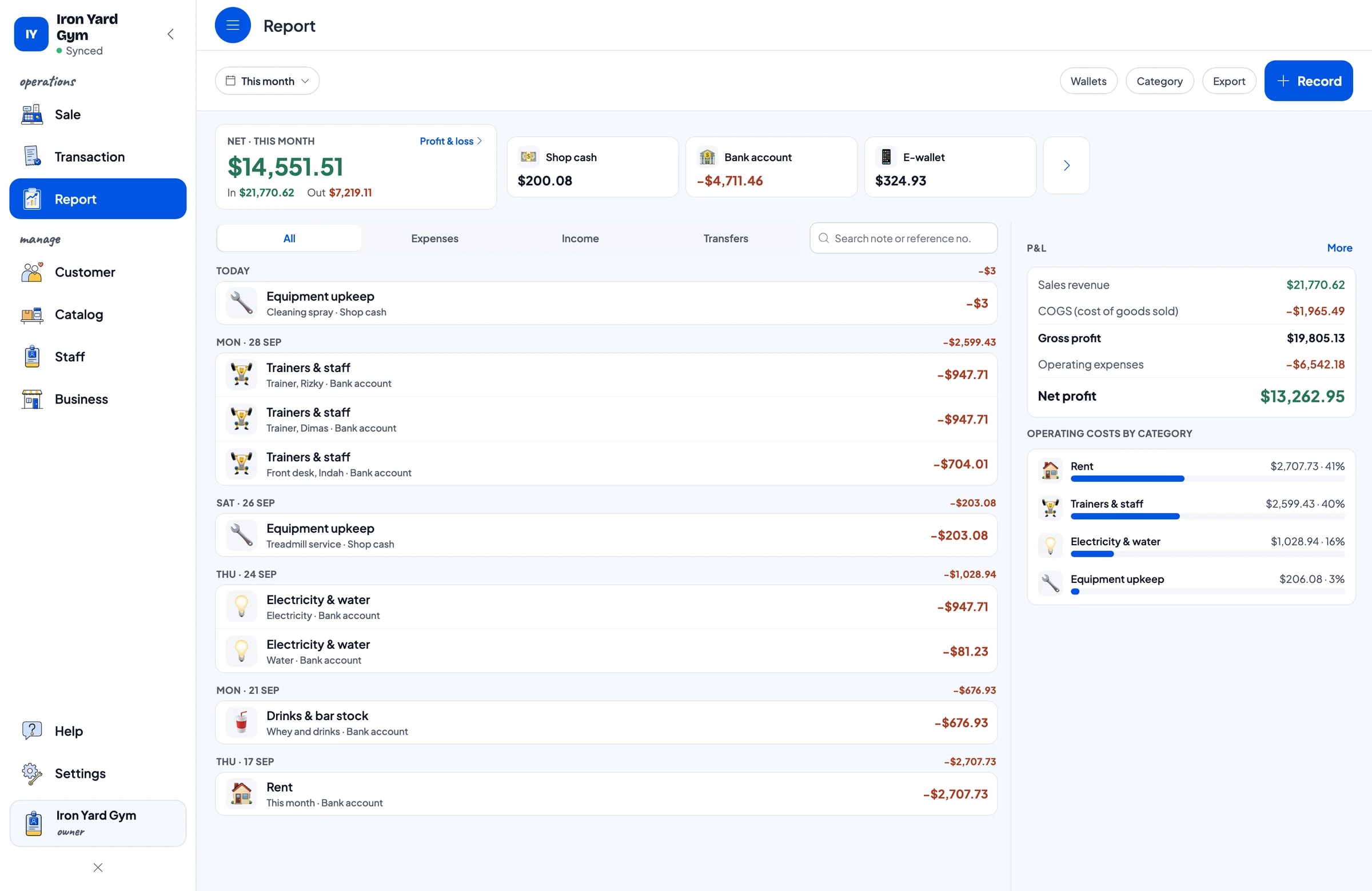
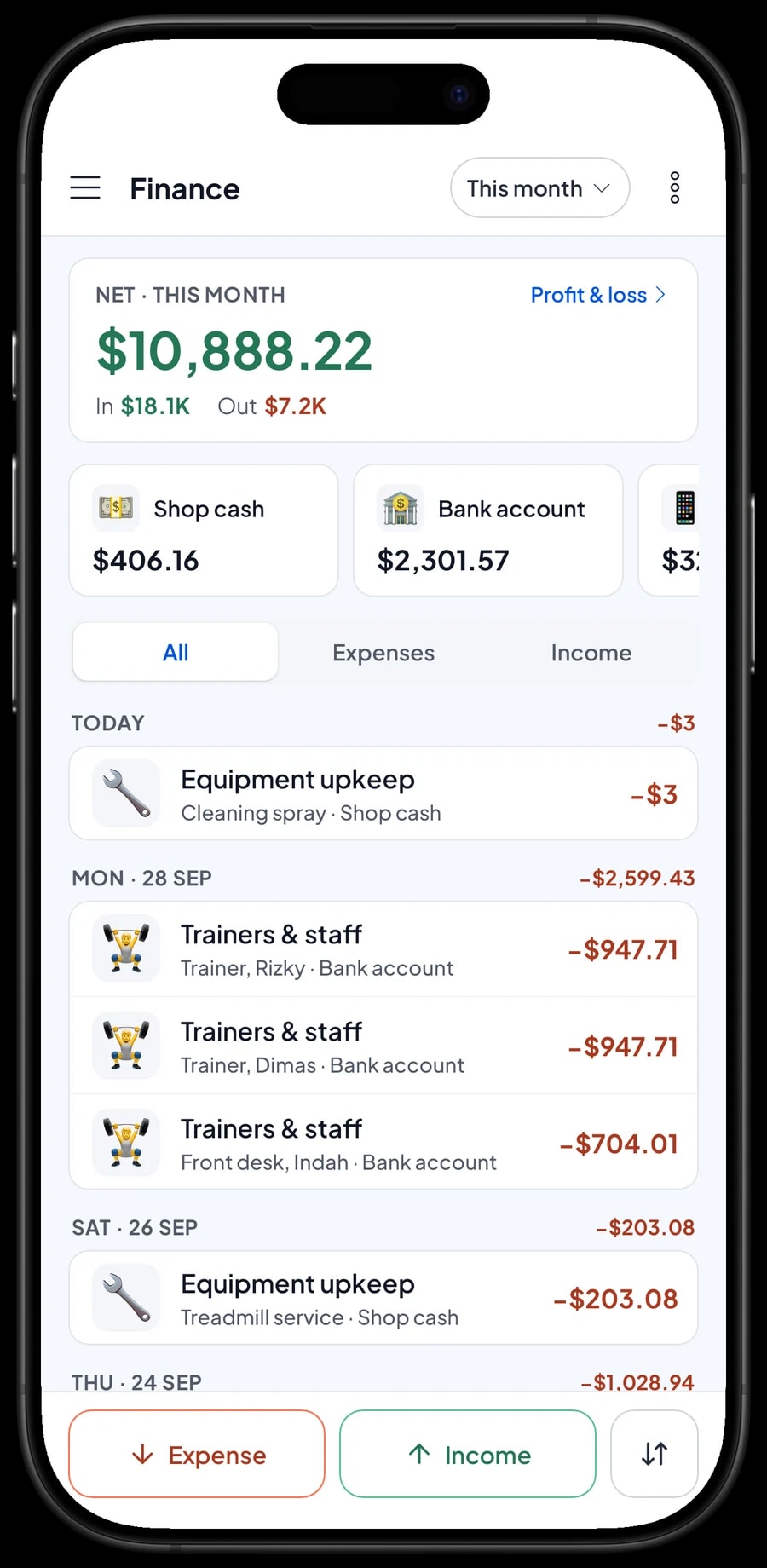
For real profit, record expenses in Finance: whey and drinks, trainer and front desk pay, rent, electricity, water and equipment upkeep like a treadmill service. Each expense has a category and the wallet it was paid from, such as shop cash, a bank account or an e-wallet. The Finance report then shows revenue minus cost of goods and operating costs: your gym's net profit.
Reports can be exported to Excel or PDF, or printed on the thermal printer, for your accountant or business partner. Every sale is saved on the device first and syncs when the internet is back; offline mode works for up to 7 days, so the front desk keeps selling when the gym Wi-Fi goes down.
Get started in a day
You don't need to close the gym to switch to Salesmaster. Pick a quiet hour, such as early afternoon, install the app on the front-desk phone, tablet or laptop, and create an account. Enter memberships, day passes and training packs first, because those sell most often. Drinks and gear can follow during quiet moments.
On day one, run the front desk as usual and attach the customer every time someone buys or renews a membership. In the evening, open the daily report and compare it with the cash in the drawer and your card and bank totals. Once the desk is comfortable, move on to ingredients and shake recipes, then to recording expenses in Finance. Within a few weeks, your gym has complete records of sales, stock and profit.
An example gym catalog
Use this table as a starting point and replace the names and prices with your own price list.
| Category | Item | Variants | Add-ons | Item type |
|---|---|---|---|---|
| Memberships | Membership | 1 month, 3 months, 12 months | - | Service |
| Memberships | Day Pass | - | - | Service |
| Memberships | Student Membership, 1 month | - | - | Service |
| Memberships | Locker Rental, 1 month | - | - | Service |
| Training & classes | Personal Training | 1 session, 10 sessions | - | Service |
| Training & classes | Group Class | Zumba, Spinning, Body combat | - | Service |
| Shakes & drinks | Protein Shake | Chocolate, Banana oat, Peanut butter banana | Extra scoop, Oats, Peanut butter | Made-to-order |
| Shakes & drinks | Mineral Water 600 ml | - | - | Product |
| Bars & gear | Protein Bar 60 g | - | - | Product |
| Bars & gear | Gym Gloves | - | - | Product |
Memberships, classes and training sessions are Service items because they have no stock. Packaged drinks and gear are Products with their own stock. Shakes mixed to order are Made-to-order items, so it is their ingredients that come off stock.
Which plan fits your gym
Start by counting sales per day. A small gym with around 5 to 10 purchases a day, from day passes and renewals to drinks, records roughly 150 to 300 transactions a month.
| Plan | Price | Transactions / month | Staff accounts | Good for |
|---|---|---|---|---|
| Free | Free | 30 | Owner only | To try the front-desk checkout before using it for real. |
| Solo Pro | $4.90/month | 3,000 | Owner only | Small gyms where the owner runs the front desk. |
| Bronze Pro | $6.90/month | 5,000 | 1 staff | Gyms with one front desk staff member on their own device. |
| Silver Pro | $9.90/month | 8,000 | 2 staff | Gyms with two front-desk staff or a separate shake bar, each on their own device. |
Every plan includes checkout, catalog, receipts, reports and offline mode. You can change plans at any time. See pricing →
Frequently asked questions
- Can Salesmaster track when a membership expires?
- Not automatically. Salesmaster records membership sales, but it does not calculate expiry dates and has no check-in. Attach the customer to every sale and write the active period in the transaction note. The customer's purchase history shows when their last membership was bought.
- How do I sell 1-, 3- and 12-month memberships?
- Create one Membership item as a Service and add 1 month, 3 months and 12 months as variants, each with its price. The front desk just picks the variant on the Sale screen.
- Can Salesmaster count remaining personal training sessions?
- No. A ten-session pack can be sold as a variant at the pack price, but sessions used are not counted automatically. Write the trainer and session count in the transaction note and keep a session log with the trainer.
- Is there a class schedule or booking?
- No. Salesmaster is a POS app and has no class calendar. Publish your schedule as you do now, and sell group classes as an item with class-type variants when members pay.
- Can whey stock go down with every shake sold?
- Yes. Record whey as an ingredient in grams, create Protein Shake as a Made-to-order item and fill in its recipe. Every shake sold takes whey, milk and other ingredients off stock, including those from add-ons like an extra scoop.
- Can the front desk keep selling when the internet is down?
- Yes. Sales are saved on the device and sync when the internet is back. Offline mode works for up to 7 days before the app needs to connect to sync.
- How much does Salesmaster cost for a gym?
- You can start on the Free plan to try it. Gyms with front desk staff usually choose Bronze Pro or Silver Pro, because both include staff accounts. Prices for each plan are in the plan table on this page, and paying yearly costs less.
Need help setting up your catalog? Chat with our team on WhatsApp →



