
Search results
9 guides for “Print a receipt”
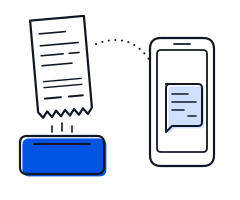
Connect a Bluetooth printer
Pair a thermal printer, set the paper width, and print receipts automatically after each sale.

Transactions
See completed sales, search and filter them, resend or print receipts, download a sales summary, and delete a wrong transaction.

Troubleshooting
The receipt comes out of the printer.
Create a sale
Record a sale, take payment, and print, share or email the receipt.
Store data
Set the store name, logo, address, phone, email and website that show on printed receipts, web receipts and the member card.
Frequently Asked Questions
Quick answers on printing receipts, stock, selling offline, changing phones, staff accounts, exporting reports and contacting the Salesmaster team.
Receipt configuration
Receipt ID — the ID format printed on receipts.

Introduction
Salesmaster is a simple POS app for small shops: record sales, print receipts, track stock and see reports on a phone, tablet or computer.
Payment methods
This is the name the cashier sees at checkout and the one printed on the receipt.

Chat with our team on WhatsApp.
Support hours 09:00–17:00 WITA (GMT+8)
Chat on WhatsApp