HelpIDDownload free

Introduction

Salesmaster is a simple POS app for small shops: record sales, print receipts, track stock and see reports on a phone, tablet or computer.

Updated 2026-10-09v3.1
Short answer

Download Salesmaster, sign in with your Google or Apple account, name your business, then fill your Catalog. You are then ready to record your first sale.

On this page (5)
  1. What can Salesmaster do?
  2. Who is Salesmaster for?
  3. Getting started
  4. Frequently asked questions
  5. Related guides

Salesmaster is a simple POS app for small shops. Record sales, print receipts and keep track of stock without writing in a book.

What can Salesmaster do?

  • Sale: record sales quickly, including by scanning barcodes.
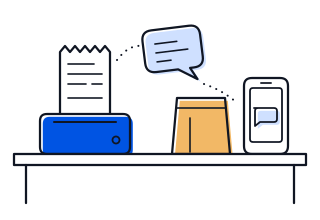
  • Receipts: print receipts on a Bluetooth or USB thermal printer, or send the customer a receipt link.
  • Catalog: keep all your products and services with their prices.
  • Stock: stock goes down automatically with every sale.
  • Customers: save the details of your regular customers.
  • Reports: see your daily sales results.

Salesmaster keeps working when the internet drops. Your data is sent automatically as soon as the device is back online.

Who is Salesmaster for?

For business owners who want a tidy record of their sales, for example:

  • small grocery shops and clothing stores
  • cafés, eateries and bakeries
  • salons, barbers and service businesses such as workshops or laundries

When you sign up, you pick your type of business. Salesmaster then matches the examples and feature suggestions to it.

Getting started

  1. Download Salesmaster on your device.
  2. Follow Sign in and first setup to create your account.
  3. Make your first sale.

Frequently asked questions

Is Salesmaster free?

There is a free plan to start. The Pro plans (Solo, Bronze, Silver) raise the limits and add features such as staff accounts. The limits of each plan are on salesmaster.app/pricing.

Can I use it without internet?

Yes. Sales are saved on the device and sent automatically when the connection is back. Connect the device to the internet at least once every 7 days.

Which devices are supported?

Android, iPhone and iPad, Windows, and Mac. One account works on all of them.

Did this guide help?
can't find the answer?

Ask our team directly

Send your question and a screenshot, and our team will help.

Support hours 09:00–17:00 WITA (GMT+8)