

Salesmaster is a point-of-sale (POS) app for bakeries and cake shops on Android, iPhone & iPad, Windows and Mac. Breads and cakes use variants for pan sizes or by-the-slice prices, cake decorations are add-ons, and custom cake orders are held with Save order until the customer picks them up. Flour, eggs, butter, boxes and jars come off stock by recipe, regulars earn loyalty points, and the Finance report shows your real net profit.
Problems every bakery knows
A bakery works two shifts: in the kitchen before dawn, and at the counter all day. If these sound familiar, this page is for you.
- 01
One cake, many prices
Chiffon cake whole or by the slice, brownies by the pan or the piece, birthday cakes in three sizes. When the cashier has to remember every price, typing the wrong one is easy.
- 02
Cake orders live in a notebook
A birthday cake is ordered three days ahead, with a name to pipe and a deposit paid. Notes in a notebook or a chat thread get lost, and a forgotten order means an unhappy family.
- 03
Expensive ingredients run out quietly
Butter, chocolate and whipping cream cost the most. Without tracking what each bake uses, you find out they are gone when the batter is already half mixed.
- 04
No idea what a slice really costs
Egg and butter prices move every month. Without a cost per loaf or per cake, you can't tell whether today's prices still leave you a margin.
Setting up your breads, cakes and cookies
Start with categories that match your display case, such as Bread, Cakes and Cookies. In Salesmaster, every product is one item in the Catalog with its own unit: a sandwich loaf per loaf, a sweet bun per piece, a chiffon cake per cake, pineapple tarts per jar.
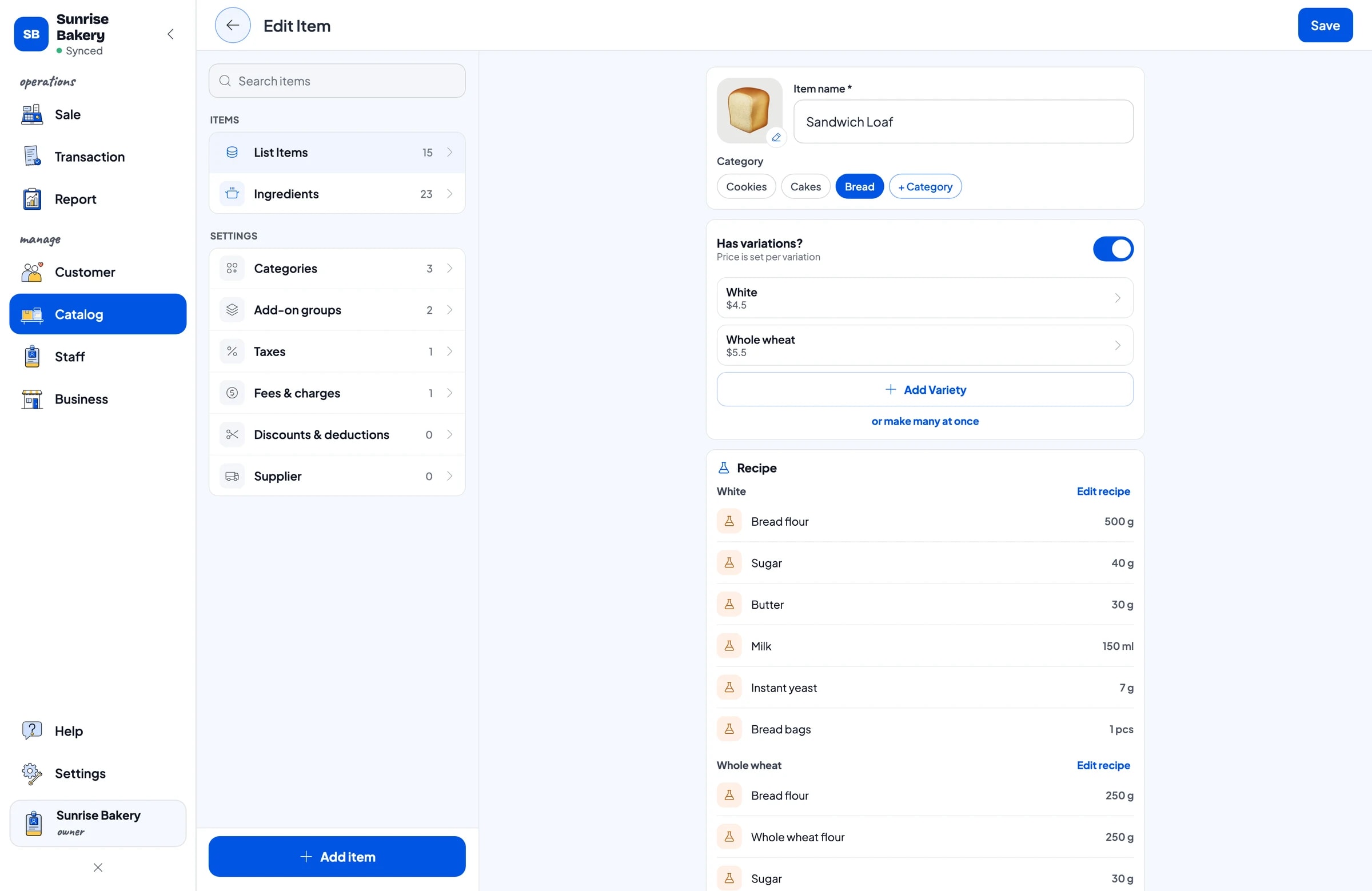
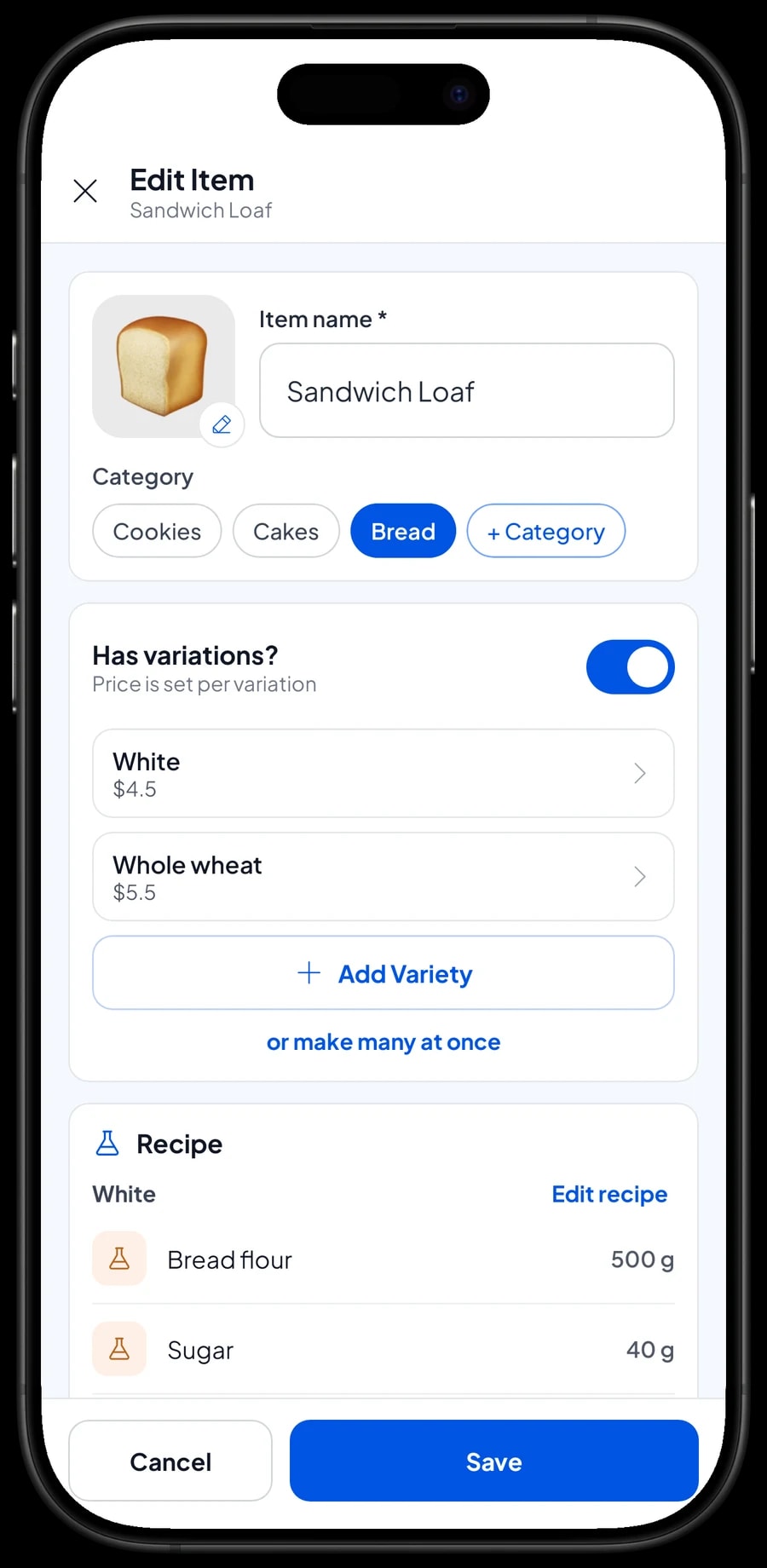
A product with several options only needs one item with variants. The sandwich loaf has White and Whole wheat variants; the sweet bun has Chocolate, Cheese and Beef floss. Each variant has its own price, so the cashier taps the product, picks the variant, and the price follows.
Things you sell as they are, like number candles, are regular products with their own stock. If your catalog is long, enter it on a laptop first (Windows or Mac) and then use it on the phone or tablet at the counter. The catalog syncs to your shop's devices.
- Step 1: Open Catalog → Categories and create categories such as Bread, Cakes and Cookies.
- Step 2: Open Catalog → List Items and add each product with its name, unit and category.
- Step 3: For products with several options, add variants and set a price for each one.
- Step 4: Open the Sale screen and ring up one product with its variant to check it.
By the slice or the whole cake
Chiffon cake, brownies and cheesecake are often sold two ways: a whole cake to take home, or a single slice to eat now. Make both variants of one item. The Pandan Chiffon Cake, for example, has a Whole cake variant and a Slice variant, each with its own price. Baked brownies have Whole pan 20x20 and Piece.
This keeps your reports tidy. Every chiffon cake sale lands on one item, and you can see whether customers buy whole cakes or slices more often. That tells you how many cakes to cut each morning.
Birthday cakes use variants for pan sizes too, such as 16 cm, 20 cm and 24 cm. Each size has its own price and its own recipe, because a 24 cm cake uses far more batter and cream than a 16 cm one.
Names on cakes, toppers and gift wrap
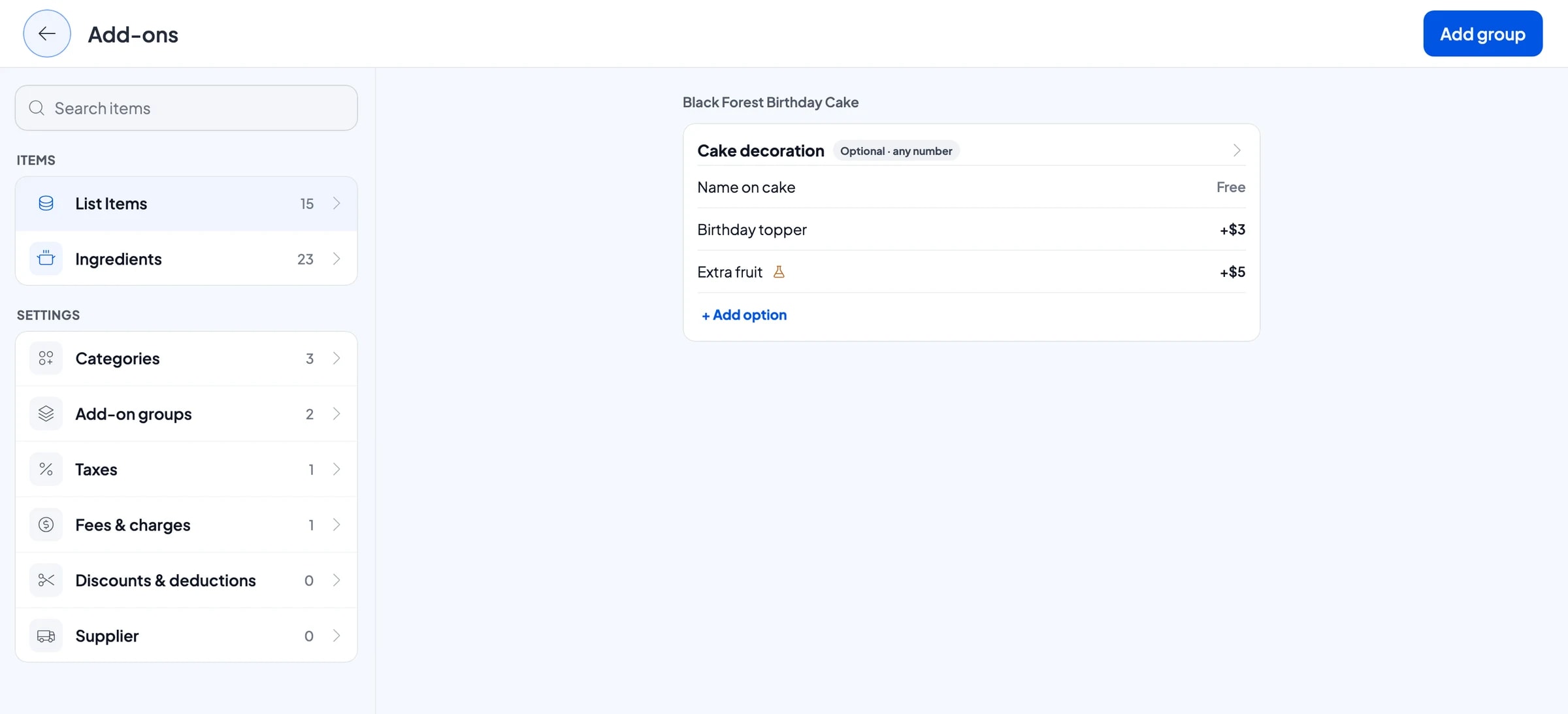
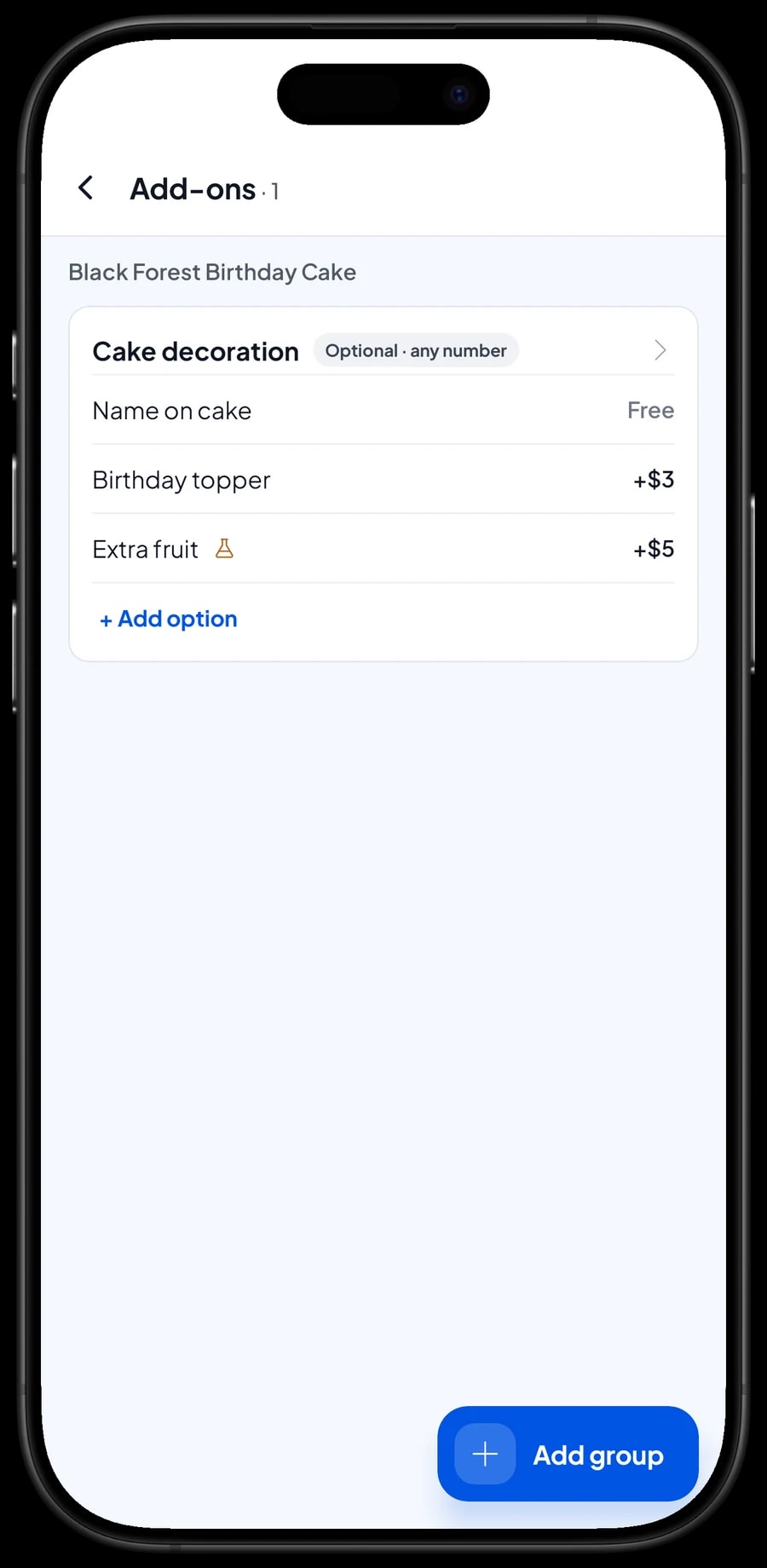
Extras for a cake are add-ons. Create a Cake decoration group with a free Name on cake option, a Birthday topper with an extra charge, and Extra fruit with an extra charge. Attach the group to every birthday cake.
For cookies, create a Gift wrap group with a Ribbon & card option. When someone buys a jar of pineapple tarts as a present, the cashier ticks it and the price is added to the total.
The exact wording, such as "Happy 7th, Nayla", goes in the item note during the sale, so the kitchen knows exactly what to pipe. Add-ons can carry ingredients too, so Extra fruit can take fruit off stock.
- Step 1: Open a birthday cake in Catalog → List Items and add an add-on group called Cake decoration.
- Step 2: Add the options, such as Name on cake, Birthday topper and Extra fruit, with their extra charges.
- Step 3: Create a Gift wrap group for cookie jars with a Ribbon & card option.
- Step 4: Attach each group to every product that uses it.
Custom cake orders with Save order
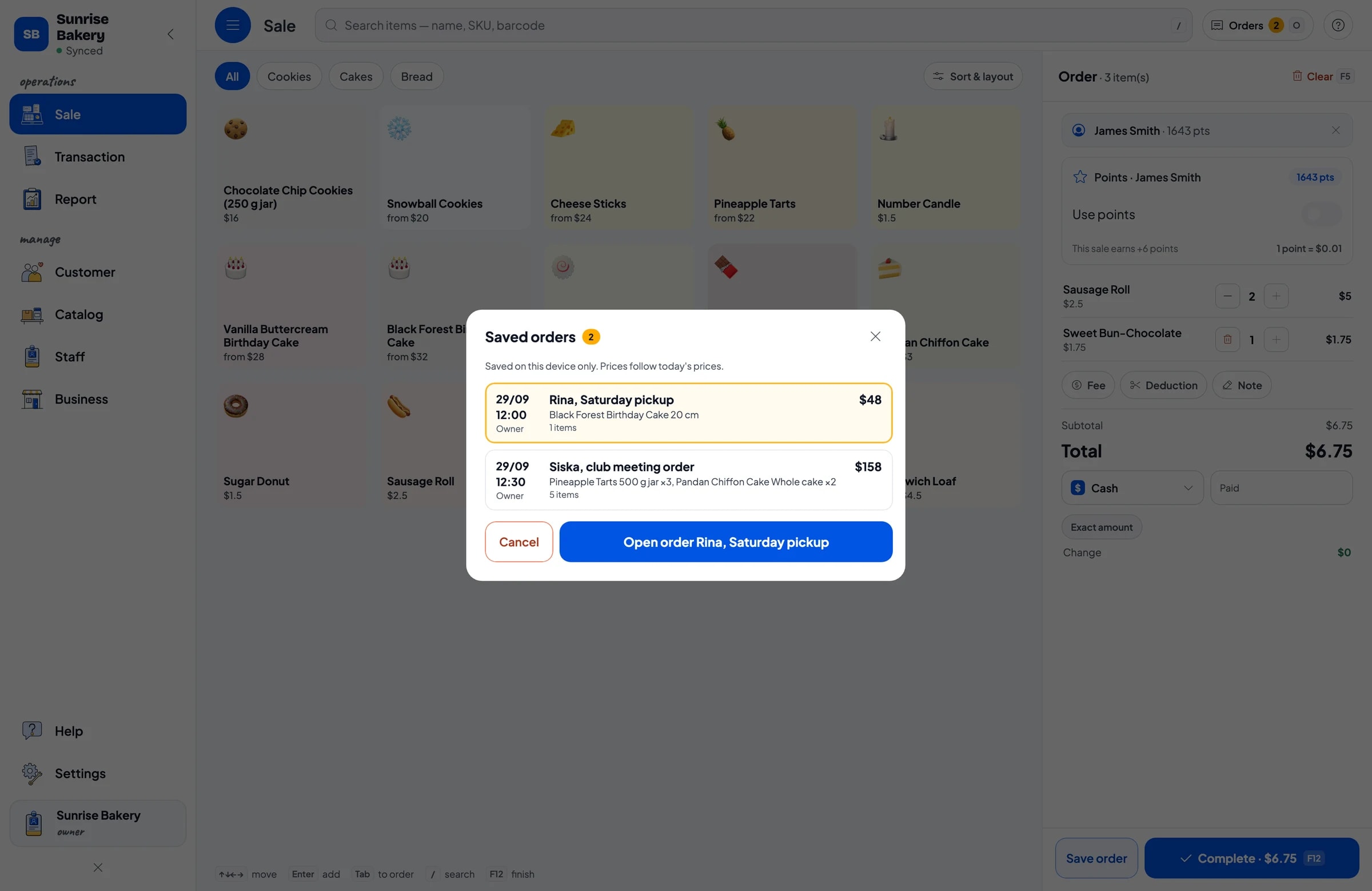
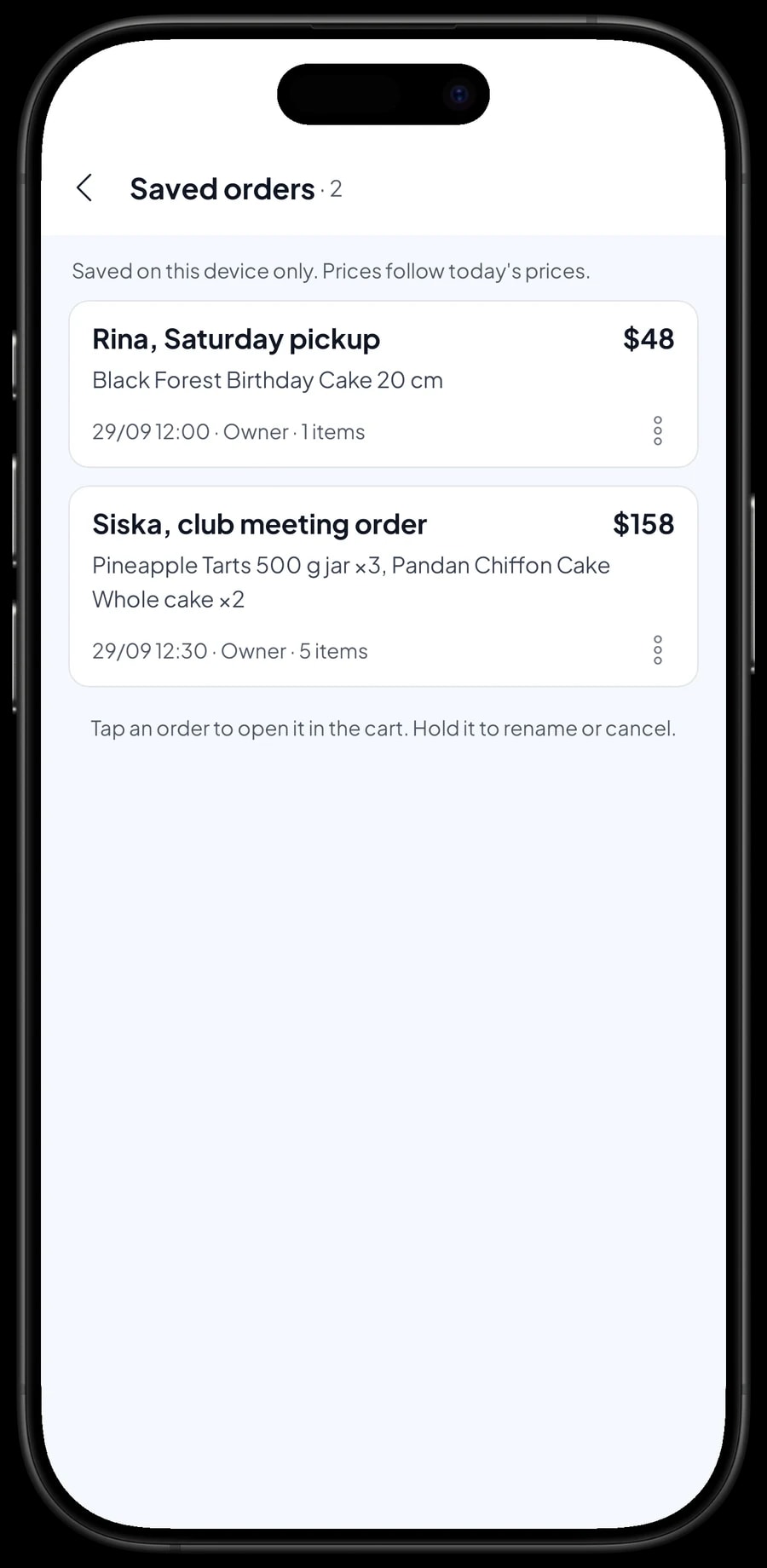
Birthday cakes and party orders are usually placed days in advance. Put the order in the cart with its size, decorations and a note with the wording, then tap Save order and give it a clear name, such as "Rina, Saturday pickup". It waits in your list of saved orders.
If the customer pays a deposit, sell it straight away as a separate Service item called "Down payment" for the amount received, and write "DP paid" in the saved order's name. When the customer arrives, open the order, add candles or anything else they want, and tap Add Deduction for the deposit amount before completing the payment. The drawer and reports then match on both days.
A saved order is not counted as a sale and does not take stock off until it is paid. Saved orders live on the device that created them, so create and finish each order on the same counter device.
Flour, eggs and butter taken off stock by recipe
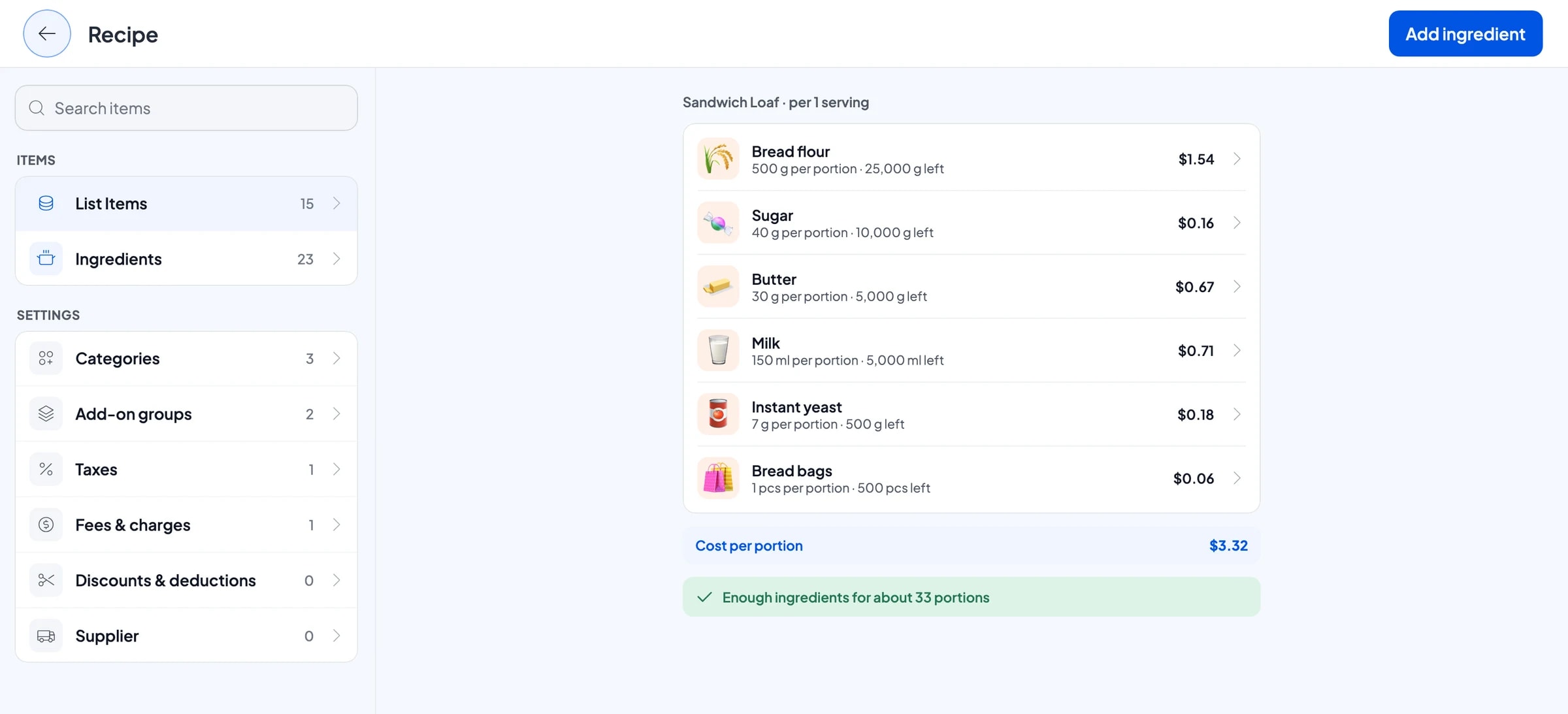
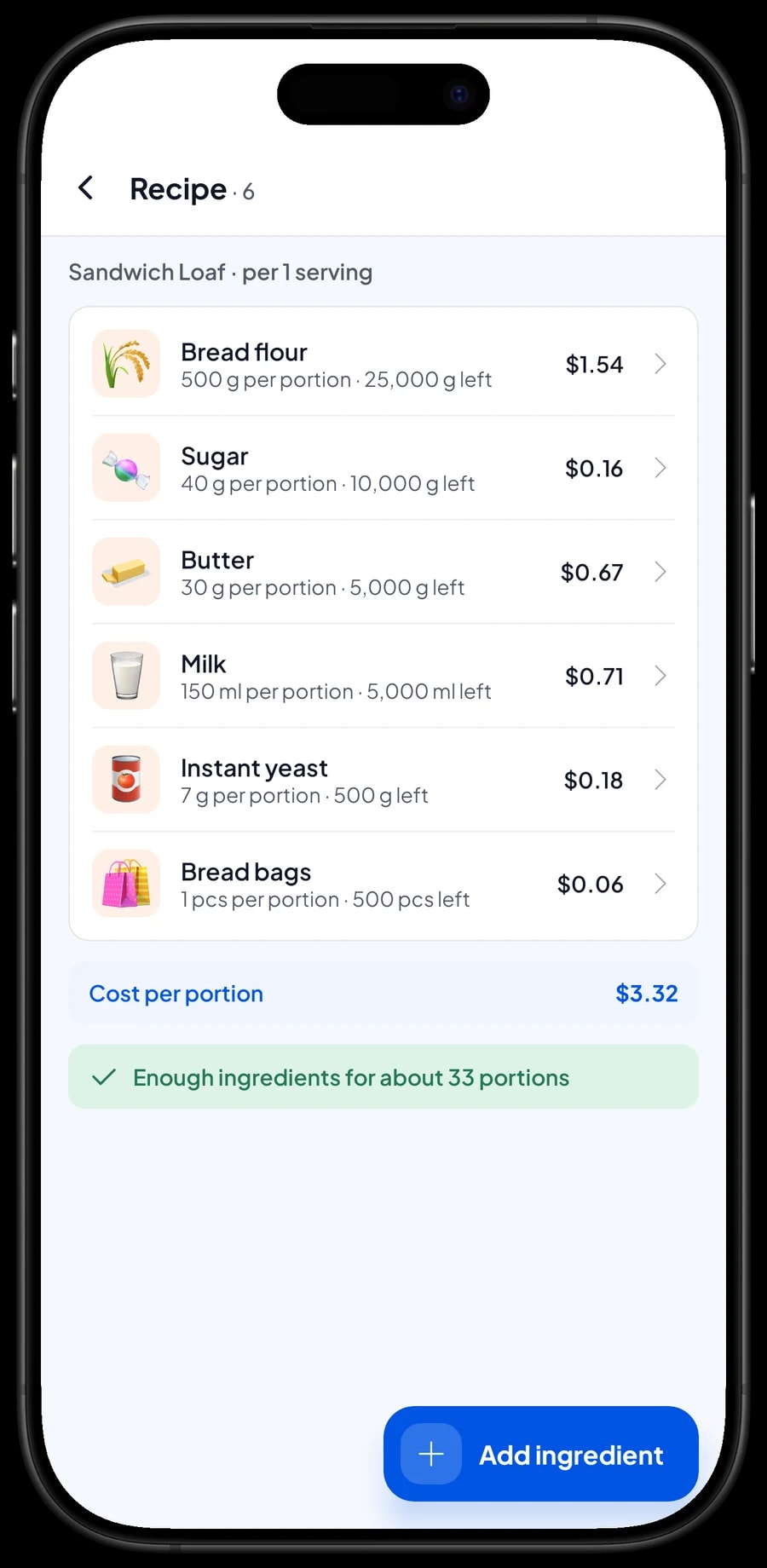
Breads and cakes use the same ingredients over and over: flour, sugar, butter, eggs, milk and yeast. In Salesmaster, products like these are Made-to-order items with a recipe. You record each ingredient once, such as flour in grams, eggs by the piece and milk in millilitres, and write how much one product uses.
A white sandwich loaf, for example, uses 500 g of bread flour, 40 g of sugar, 30 g of butter, 150 ml of milk, 7 g of yeast and one bread bag. Every product sold takes its ingredients off stock according to the recipe, packaging included: bread bags, loaf boxes, cake boxes and cookie jars.
Record each purchase of ingredients with its price. Salesmaster uses those prices to work out the cost of goods for each loaf or cake, so you know the margin on every product and can adjust prices when butter goes up.
- Step 1: Turn on made-to-order items, then open Catalog → Inventory → Raw materials.
- Step 2: Add ingredients such as flour, sugar, butter, eggs, milk, yeast, boxes and bread bags, with opening stock and purchase price.
- Step 3: Change each product to a Made-to-order item and fill in the recipe for every variant.
- Step 4: Record every purchase of ingredients so stock and cost of goods stay accurate.
Counter staff and cashier devices
The owner signs in with the main account on their own device. Whoever runs the counter is added as staff, and the counter phone or tablet is registered as a staff device. Staff sign in with a PIN and only see what you allow. Staff accounts come with Bronze Pro (1 staff) and Silver Pro (2 staff).
Regulars: loyalty points and member cards
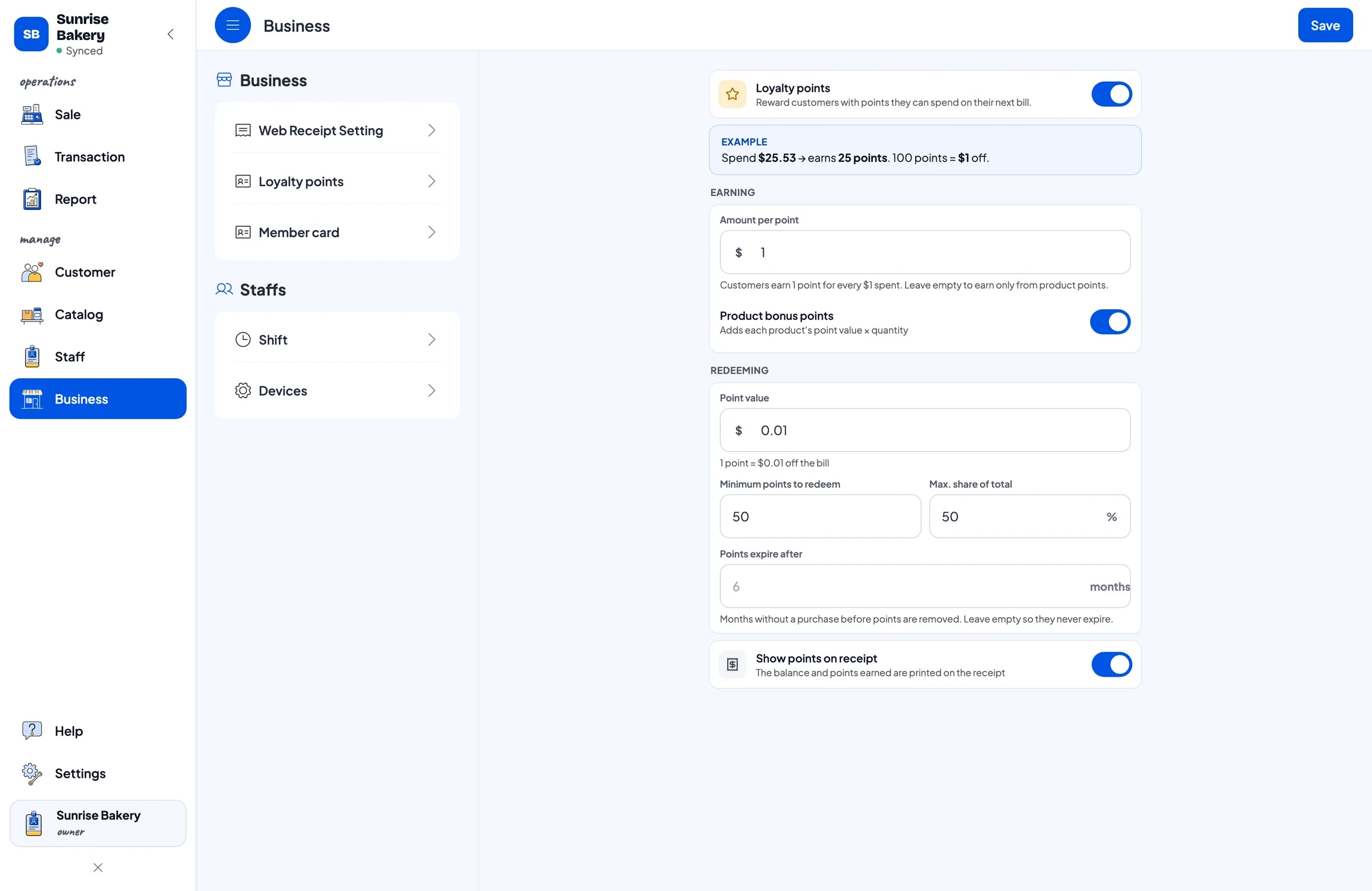
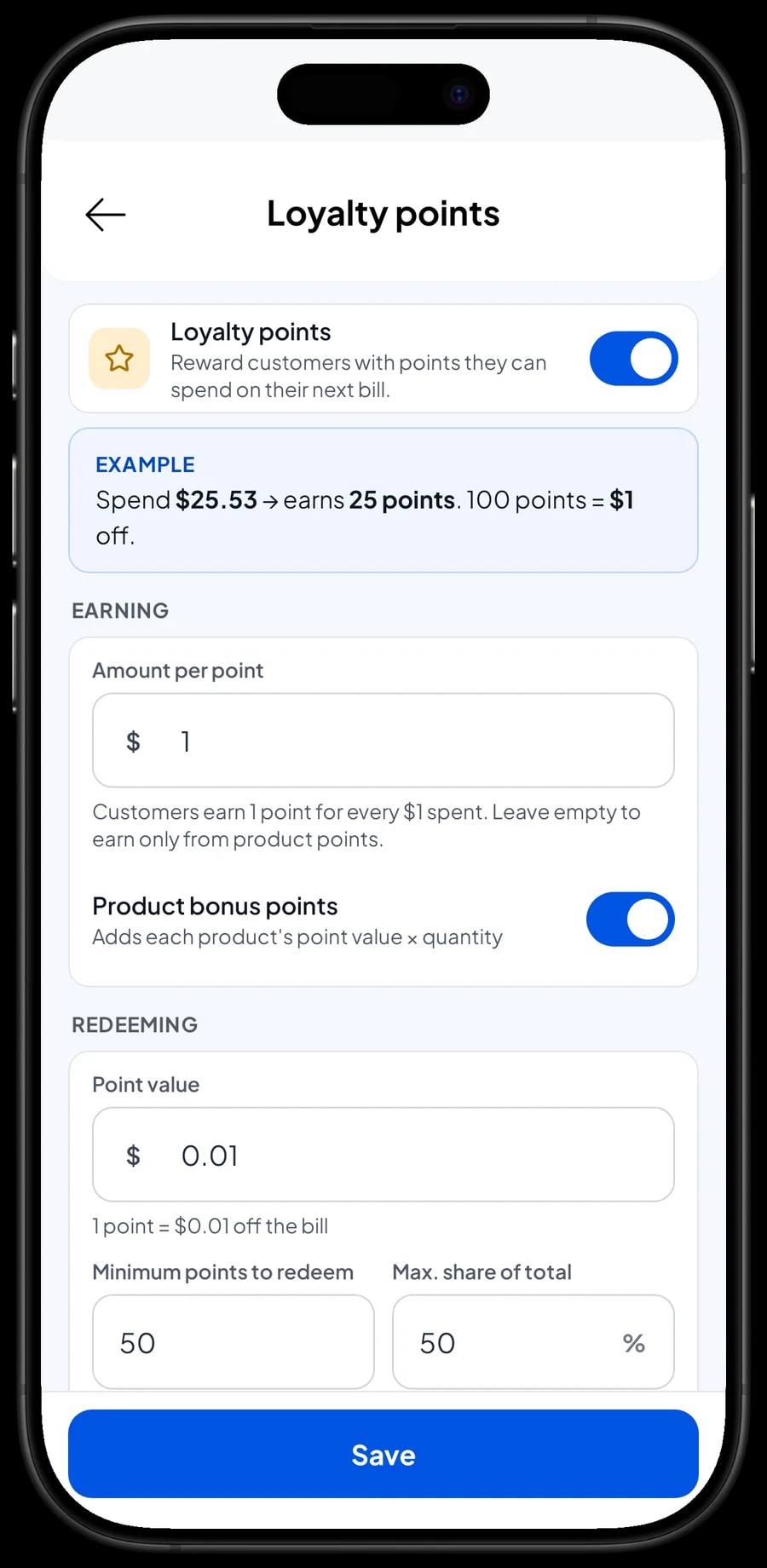
A bakery lives on the customers who stop by every morning. Save a customer's name and phone number at checkout and turn on Loyalty points. You set the rules: for example 1 point for every $1 spent, each point worth $0.01, at least 50 points to redeem, and points covering no more than half of a bill.
Points are added with every sale, and when a customer wants to use them, the discount is applied straight away. Loyal customers can also get a member card in their name. Their purchase history is kept, so you know who buys a loaf every morning and who orders a cake for every birthday in the family.
Sales reports and real net profit
Reports by day, week, month and year show total revenue, discounts, tax, payment methods and the revenue split by product. You can see which breads sell out every day and which are often left over, and adjust how much you bake.
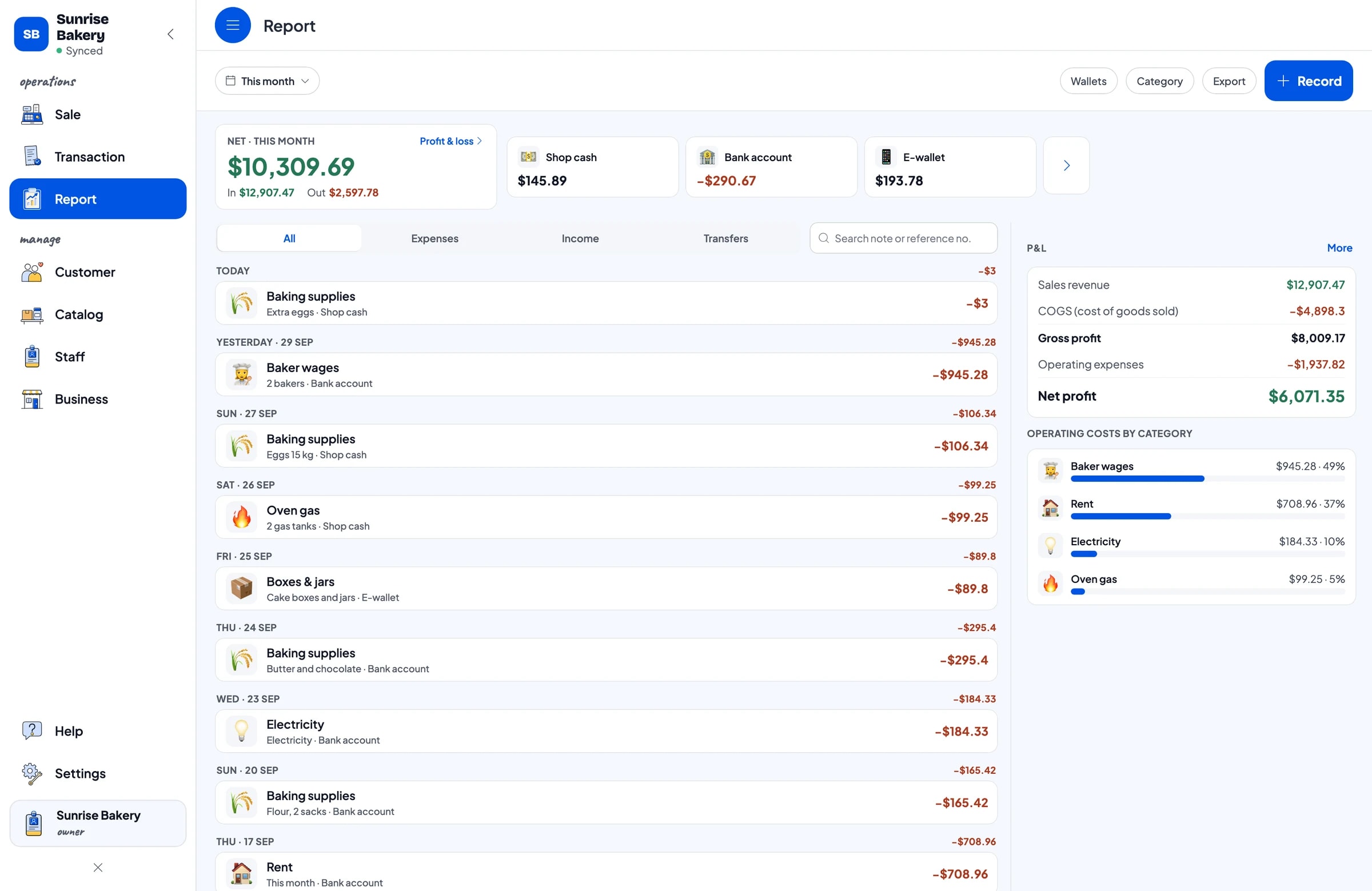
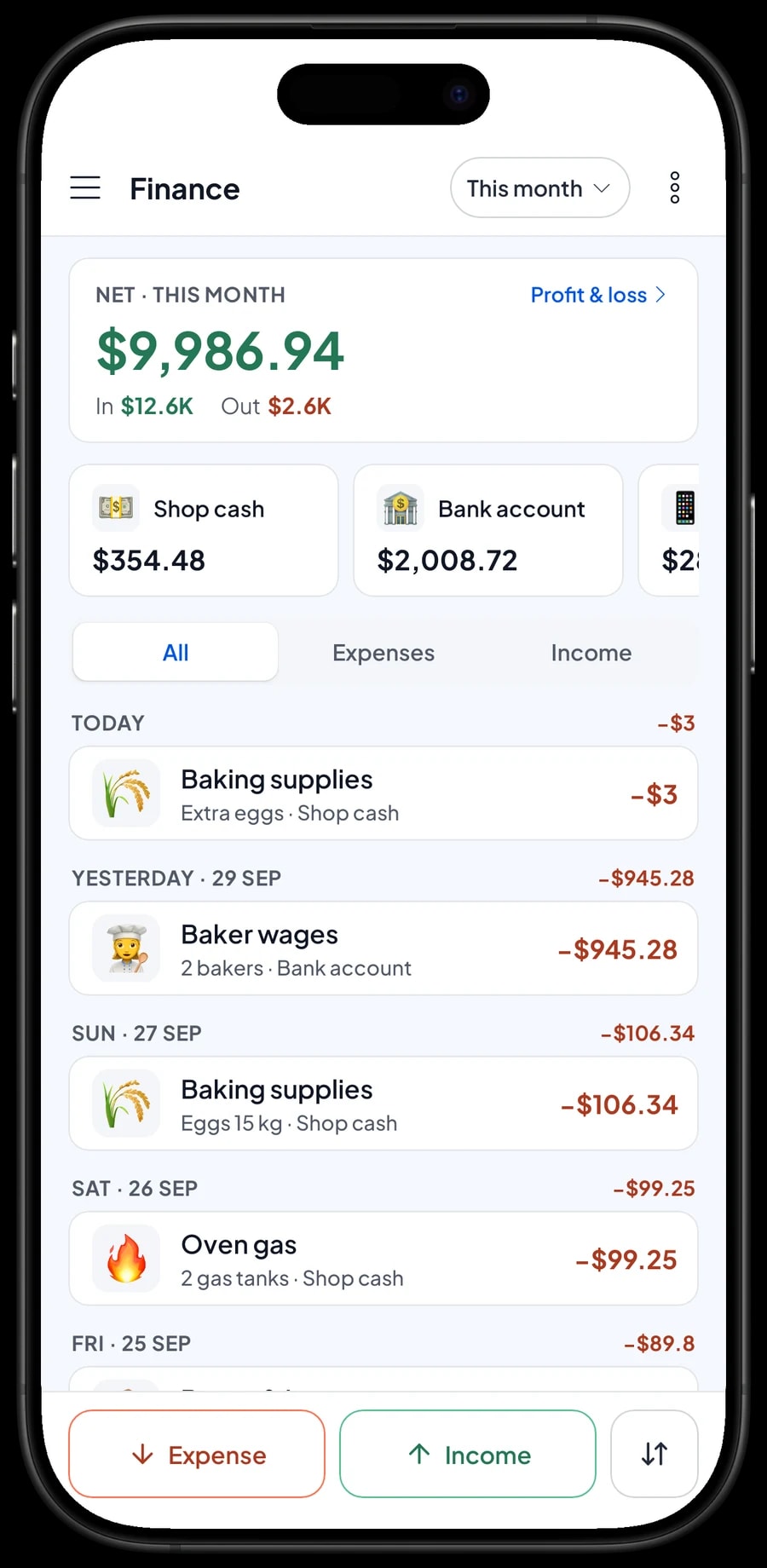
Record expenses in Finance: baking supplies, boxes and jars, baker wages, rent, electricity and oven gas. Each expense has a category and the wallet it was paid from, such as shop cash or a bank account. The Finance report then shows revenue minus cost of goods and operating costs: your bakery's net profit. Sales tax you collect is kept apart from profit.
Reports can be exported to Excel or PDF to send to your accountant or a business partner.
Getting started without closing the shop
Install Salesmaster on the counter phone or tablet, create an account, and enter your best sellers first, with their variants. Connect a Bluetooth thermal printer if you give paper receipts; receipts can also go out by WhatsApp, email or a web receipt link.
On day one, run the counter as usual and add missing products during quiet moments. If the internet drops, sales are saved on the device and sync when the connection is back; offline mode works for up to 7 days. In the evening, compare the daily report with the cash in the drawer.
Once the counter runs smoothly, move on to ingredients and recipes, then start recording expenses in Finance. Within a week or two you have complete records of sales, ingredient use and profit.
An example bakery catalog
Use this table as a starting point and replace the names, sizes and prices with your own products.
| Category | Product | Variants | Add-ons | Item type |
|---|---|---|---|---|
| Bread | Sandwich loaf | White, Whole wheat | - | Made-to-order |
| Bread | Sweet bun | Chocolate, Cheese, Beef floss | - | Made-to-order |
| Bread | Sausage roll | - | - | Made-to-order |
| Cakes | Pandan chiffon cake | Whole cake, Slice | - | Made-to-order |
| Cakes | Baked brownies | Whole pan 20x20, Piece | - | Made-to-order |
| Cakes | Black Forest birthday cake | 16 cm, 20 cm, 24 cm | Name on cake, Topper, Extra fruit | Made-to-order |
| Cakes | Number candle | - | - | Product |
| Cookies | Pineapple tarts | 250 g jar, 500 g jar | Ribbon & card | Made-to-order |
Add packaging such as bread bags, loaf boxes, cake boxes per size and cookie jars as ingredients in each recipe. Things sold as they are, like number candles, are regular products with their own stock.
Which plan fits your bakery
A small bakery serving about 7 customers a day records roughly 200 transactions a month; a shop on a busy street can be several times that.
| Plan | Price | Transactions / month | Staff accounts | Good for |
|---|---|---|---|---|
| Free | Free | 30 | Owner only | To try the checkout and catalog before using it for real. |
| Solo Pro | $4.90/month | 3,000 | Owner only | Home bakeries where the owner runs the counter. |
| Bronze Pro | $6.90/month | 5,000 | 1 staff | Shops with one person at the counter on their own device while the owner bakes. |
| Silver Pro | $9.90/month | 8,000 | 2 staff | Busier bakeries with two staff on separate devices. |
Every plan includes checkout, catalog, receipts, reports and offline mode. You can change plans at any time. See pricing →
Frequently asked questions
- Can I sell a cake by the slice and as a whole cake?
- Yes. Create one item with two variants, such as Whole cake and Slice, each with its own price. All sales still add up under one item in your reports.
- How do I take a custom cake order with a deposit?
- Save the order with Save order and name it with the customer and pickup day. Sell the deposit right away as a separate Service item called "Down payment" for the amount received. On pickup day, open the order, which keeps the cake at its full price, add a whole-sale Add Deduction equal to the deposit, and complete the payment. Saved orders live on the device that created them, so finish it on the same device.
- Does ingredient stock go down when I bake or when I sell?
- When you sell. Made-to-order items take ingredients off stock by recipe each time they are sold. Unsold bread doesn't use up stock in the app, so check your real shelves against the ingredient list now and then.
- Can Salesmaster tell me what one loaf costs to make?
- Yes. Fill in the recipe for each product and record ingredient purchases with their prices. Salesmaster works out the cost of goods from the recipe, and the profit report uses it.
- Is there a rewards program for regular customers?
- Yes. Turn on Loyalty points and set your own rules: the amount spent per point, what a point is worth, the minimum points to redeem and the maximum discount. Regulars can also get a member card.
- Can the counter staff and the owner use separate devices?
- Yes, through staff accounts. An account signs in on one device at a time, so the owner keeps the main account and the counter device is registered as a staff device. Staff accounts come with Bronze Pro (1 staff) and Silver Pro (2 staff).
- Can the bakery keep selling if the internet goes down?
- Yes. Sales are saved on the device and sync when the connection returns. Offline mode works for up to 7 days before the app needs to connect to sync.
Need help setting up your catalog? Chat with our team on WhatsApp →



