

Salesmaster is a point-of-sale (POS) app for skin clinics, aesthetic studios and independent therapists on Android, iPhone & iPad, Windows and Mac. Treatments are service items and retail skincare is tracked as products with stock, both can go on one bill, client details and purchase history are kept, loyalty points are added automatically, and the Finance report shows net profit after expenses. It is a checkout and bookkeeping tool, not a clinical records system.
Problems clinics and therapists run into
A clinic sells two things at once, treatments and products. That is where the records usually fall apart.
- 01
Treatments and retail on separate records
A client finishes a facial and buys a serum and sunscreen on the way out. The treatment goes in the appointment book, the products on another slip, and the month never quite adds up.
- 02
Retail stock you can't see
The serum everyone asks for is down to two bottles, while slower products sit on the shelf tying up cash. You only find out when a client asks.
- 03
Treatments with many price points
Light or medium peels, a facial with a sheet mask or LED added, multi-session packages. When prices live in someone's head, extras go unbilled.
- 04
Good revenue, heavy costs
Practitioner fees, therapist pay, rent, treatment supplies and social media ads. Without tracking expenses, you can't say what the practice actually earns.
Setting up your treatment and product list
Start with the price list you already use at the front desk. In Salesmaster, each treatment is one item of type Service: skin consultation, basic facial, deep cleansing facial, microdermabrasion, chemical peel, face massage. Service items carry no stock, which fits work done by a practitioner or therapist.
Retail skincare, such as cleansers, toners, moisturizers, sunscreen, serums and sheet masks, is set up as items of type Product with their own stock. Each sale takes the product off stock automatically.
Group items into categories, for example Consultation & facials, Skin treatments, Packages and Skincare, so the front desk finds anything in a tap or two on the Sale screen. If your list is long, build the catalog on a laptop first and use it on the tablet or phone at the desk; the catalog syncs to your clinic's devices.
- Step 1: Open Catalog → Categories and create categories such as Consultation & facials, Skin treatments, Packages and Skincare.
- Step 2: Open Catalog → List Items and add each treatment as a Service item with its price.
- Step 3: Add each retail product as a Product item, with its selling price and purchase cost.
- Step 4: Enter opening stock for your products so stock levels are right from day one.
One treatment, several price levels
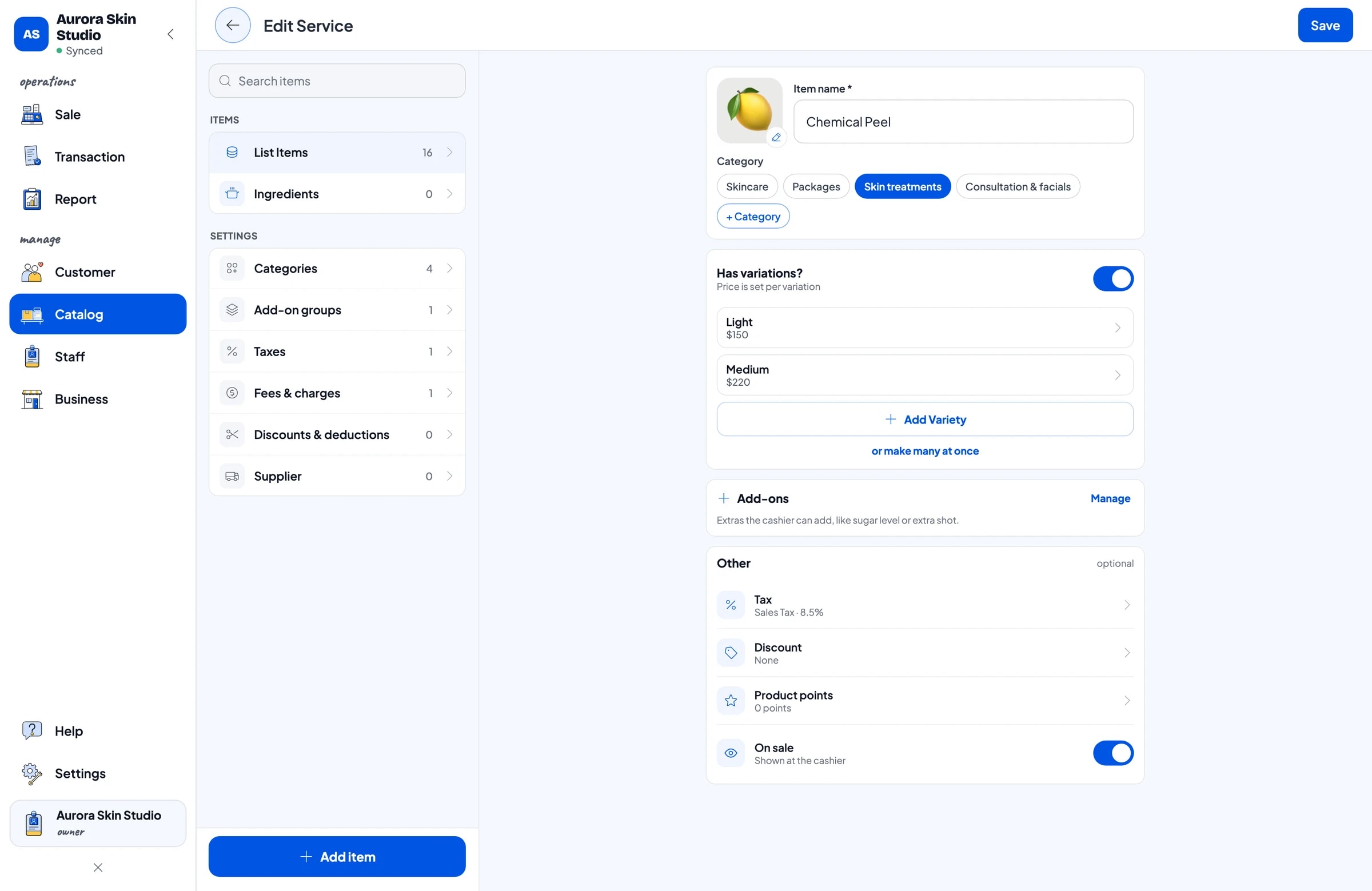
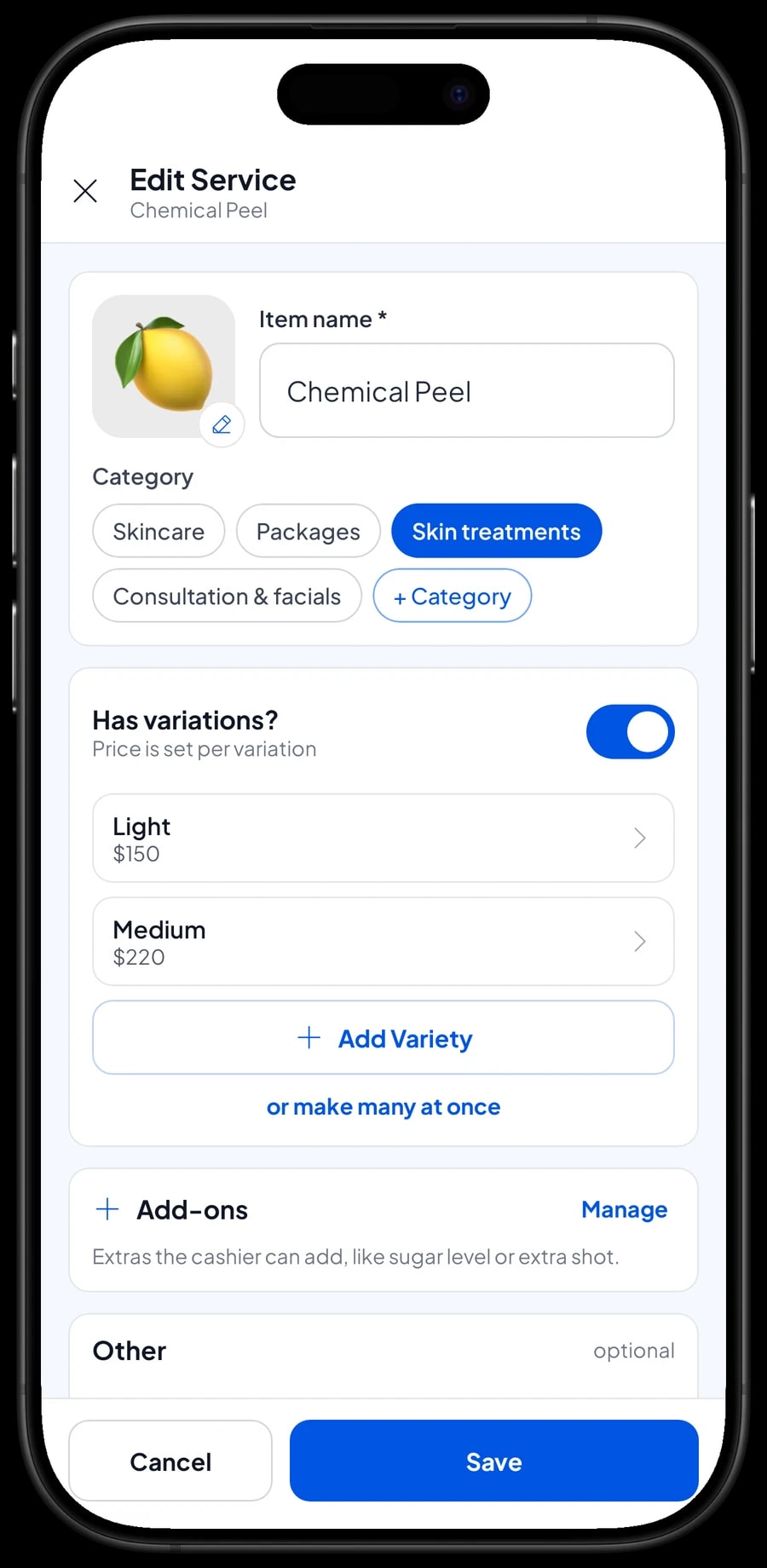
Many treatments come in levels. A light chemical peel and a medium one are priced differently and use different supplies. Instead of two separate items, create one item with variants. Each variant has its own price and its own cost, so your profit figures stay right for each level.
Variants work for retail too. The same moisturizer can come as a gel for normal to oily skin and a cream for dry skin. Each product variant keeps its own stock, so you can see which one is running low.
At checkout, the front desk picks the item and then the variant. The price follows the variant, with no price list to look up.
- Step 1: Open the item in Catalog → List Items.
- Step 2: Add variants, for example Light and Medium, each with its own price and cost.
- Step 3: For products with variants, enter the stock of each variant separately.
Treatment extras that always get billed
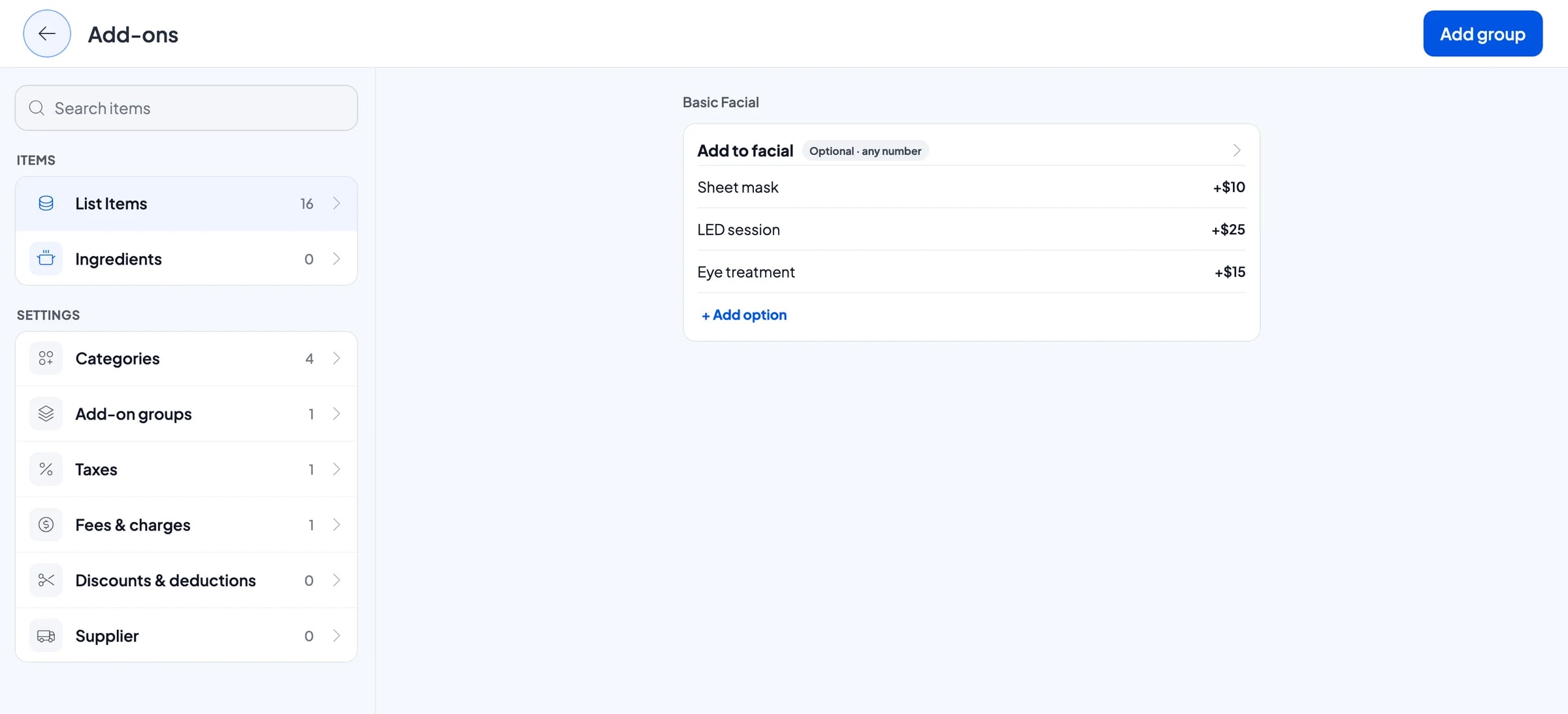
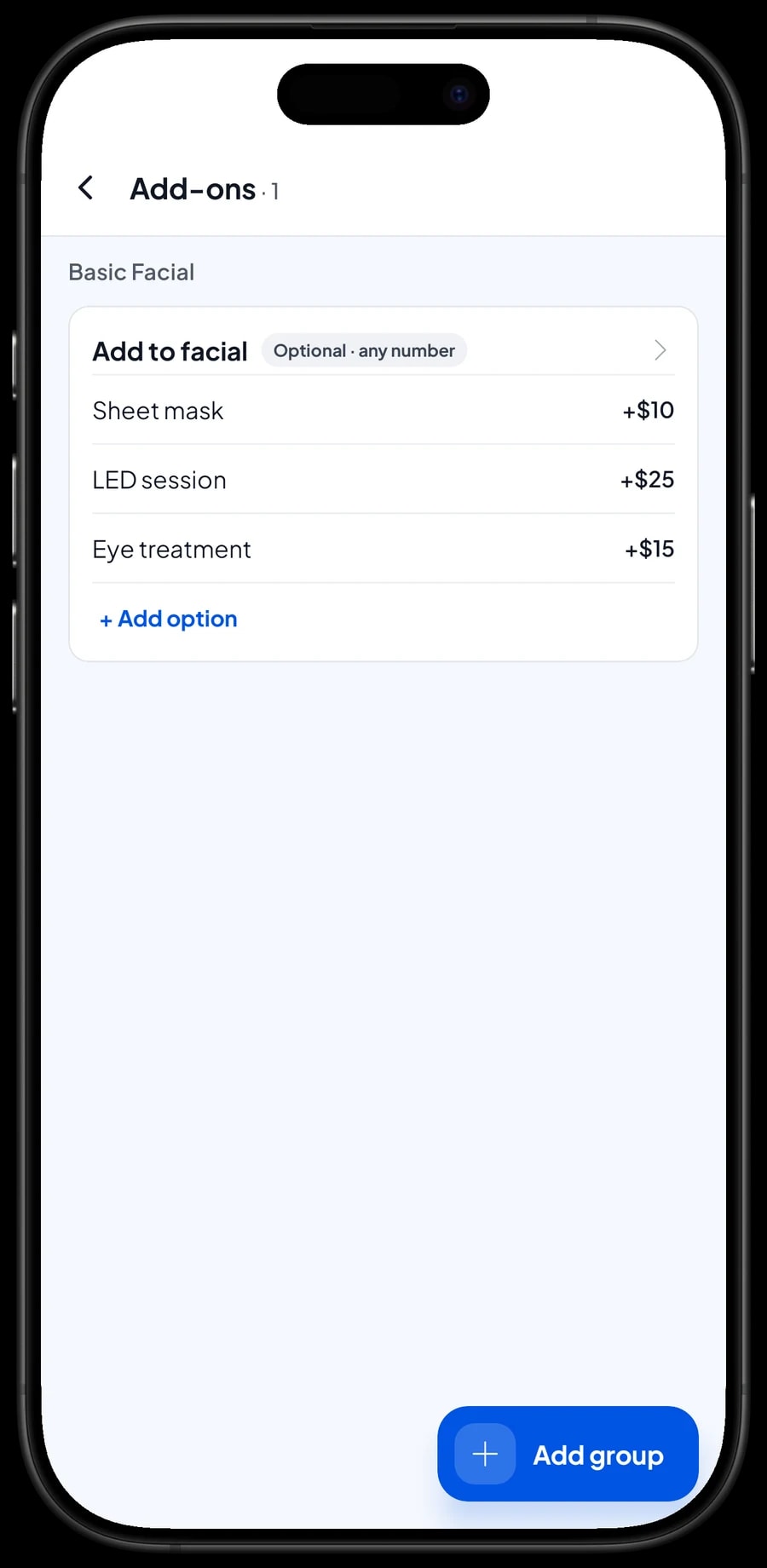
Facial clients often add something partway through: a sheet mask, an LED session, an eye treatment. Extras like these are the easiest thing to forget at the desk. In Salesmaster, create one add-on group from the item, such as Add to facial, and attach it to all your facials and to microdermabrasion.
When the front desk picks Basic Facial on the Sale screen, the extras appear right away. Tick the ones used and their prices are added to the total. One add-on group can be attached to many items, so you never need an item for every combination.
However your therapists pass the extras to the desk, on a slip or in person, the point is that everything is on the bill before the client pays.
- Step 1: Open the facial in Catalog → List Items and choose Manage add-ons.
- Step 2: Create the Add to facial group with Sheet mask, LED session and Eye treatment, each with its extra price.
- Step 3: Attach the same group to the other facials and treatments that offer these extras.
Treatments and skincare on one bill
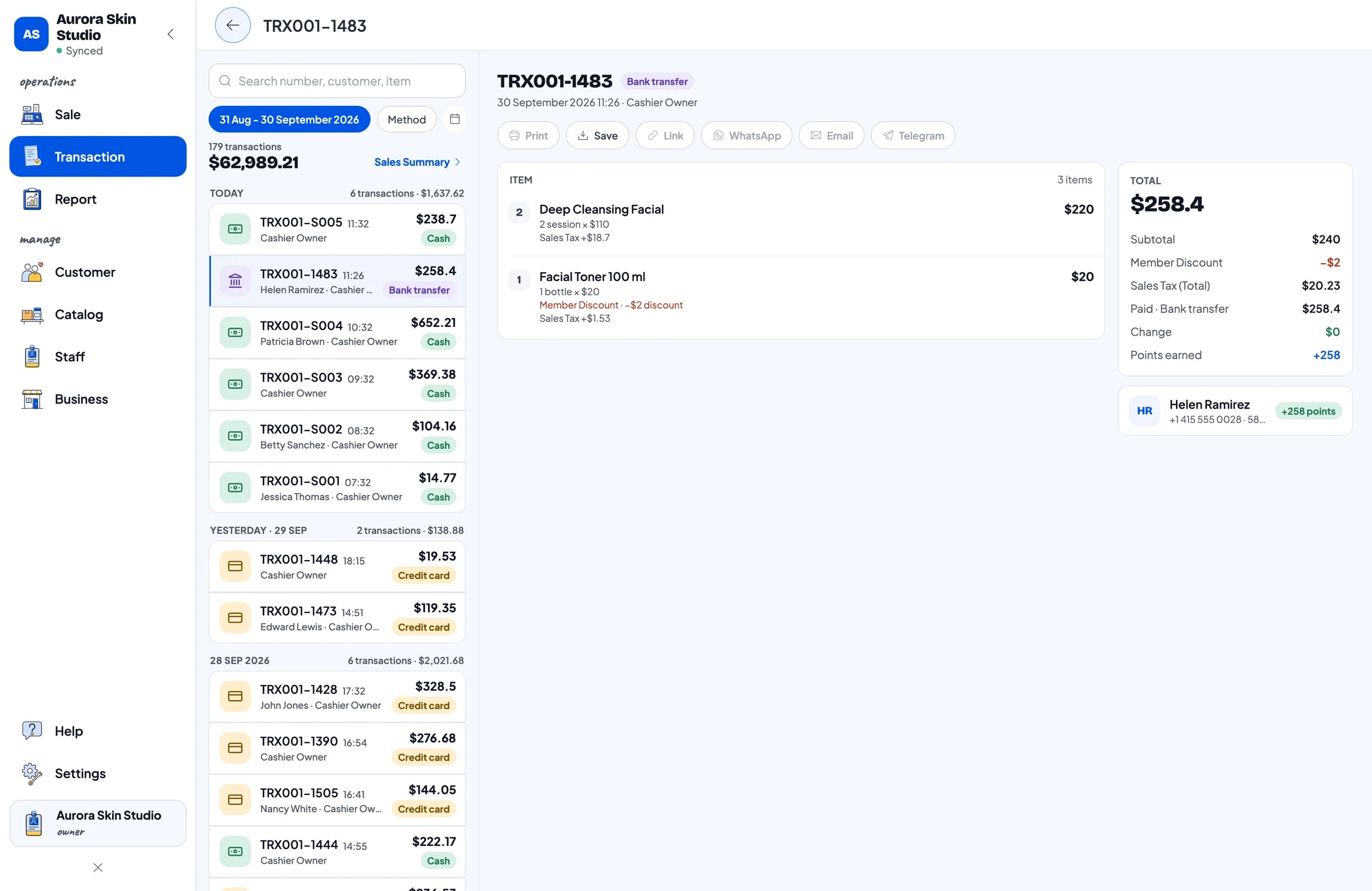
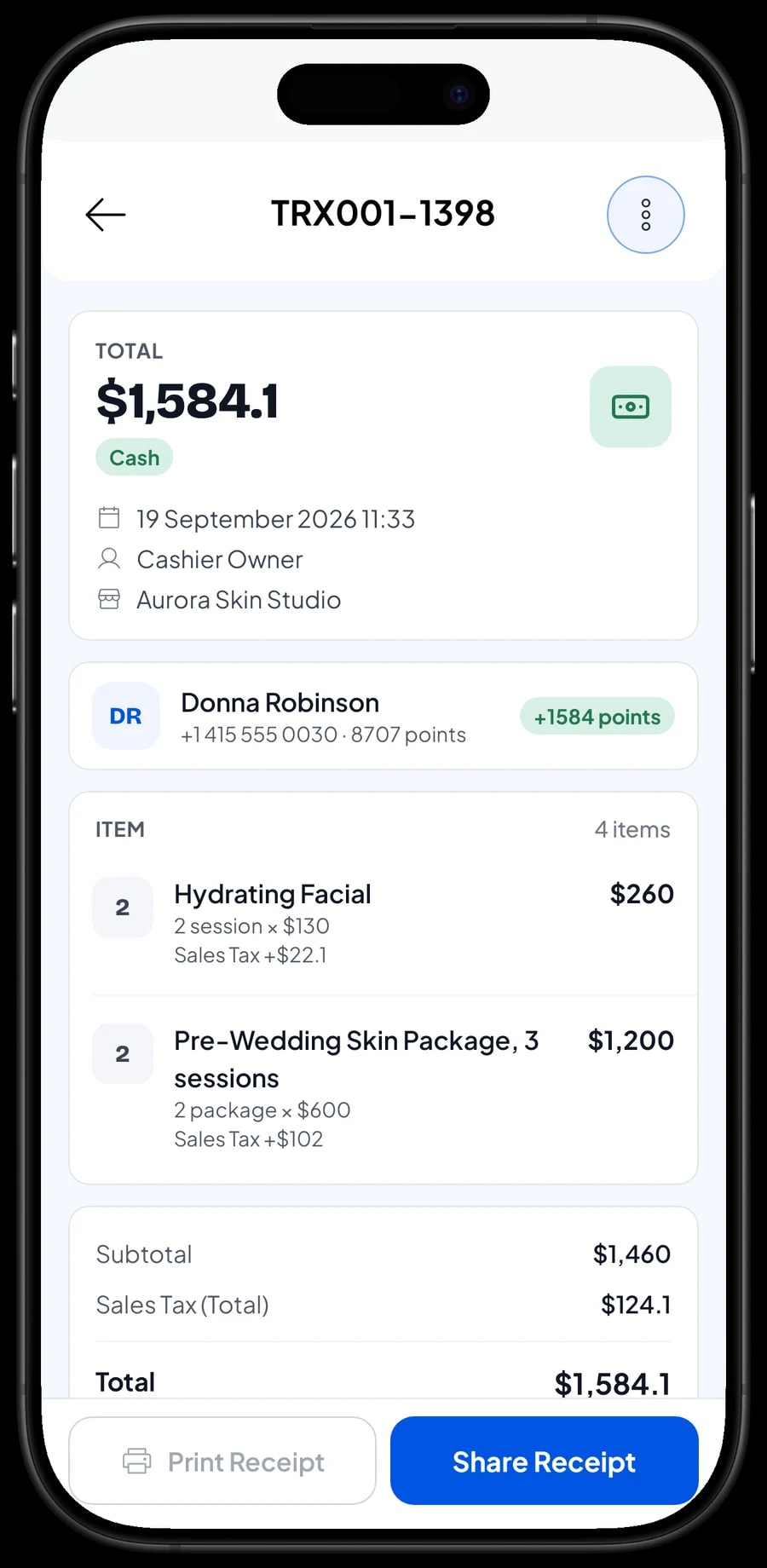
After a treatment, clients come back to the desk and often buy what their therapist suggested. On the Sale screen, the front desk puts the treatment and the products in the same cart and picks the client. One bill covers everything, and your reports still show treatment revenue and retail sales item by item.
Set up the payment methods you accept: cash, card, bank transfer, e-wallets or any other method you create yourself. If you charge sales tax, set it once in Fees or Tax and it is added to every sale. Offers such as a first-visit discount are set up in Deductions.
Receipts can print on a Bluetooth thermal printer, or go out by WhatsApp, email or a web receipt link with your clinic's logo and social links. Many clinic clients prefer a digital receipt they can keep.
The sale note is handy for front-desk details such as which practitioner or therapist did the treatment. Salesmaster is not a clinical records system: treatment notes, skin history and consent forms belong in your clinic's own records.
Retail stock you can count on
Retail skincare is cash sitting on a shelf. In Salesmaster, every product and every product variant has its own stock. Stock goes down with each sale, and you can check what's left at any time, so you reorder sunscreen or serum before the shelf is empty.
When a delivery arrives, record the stock you received. Suppliers can be recorded in the catalog's inventory section, so you know where each product comes from. The purchase cost you enter is used to work out profit per product.
Supplies used during treatments, like cotton pads, masks or peel solutions, can be recorded as expenses in Finance when you buy them. That way their cost still counts against your profit even though you don't sell them by the piece.
- Step 1: Open the stock list in the catalog's inventory section to see what's left of each product.
- Step 2: When a delivery arrives, add the stock you received.
- Step 3: Add your suppliers in the same inventory section.
- Step 4: If a product is damaged or used as a tester, make a stock adjustment so the app matches the shelf.
Front desk, therapists and staff devices
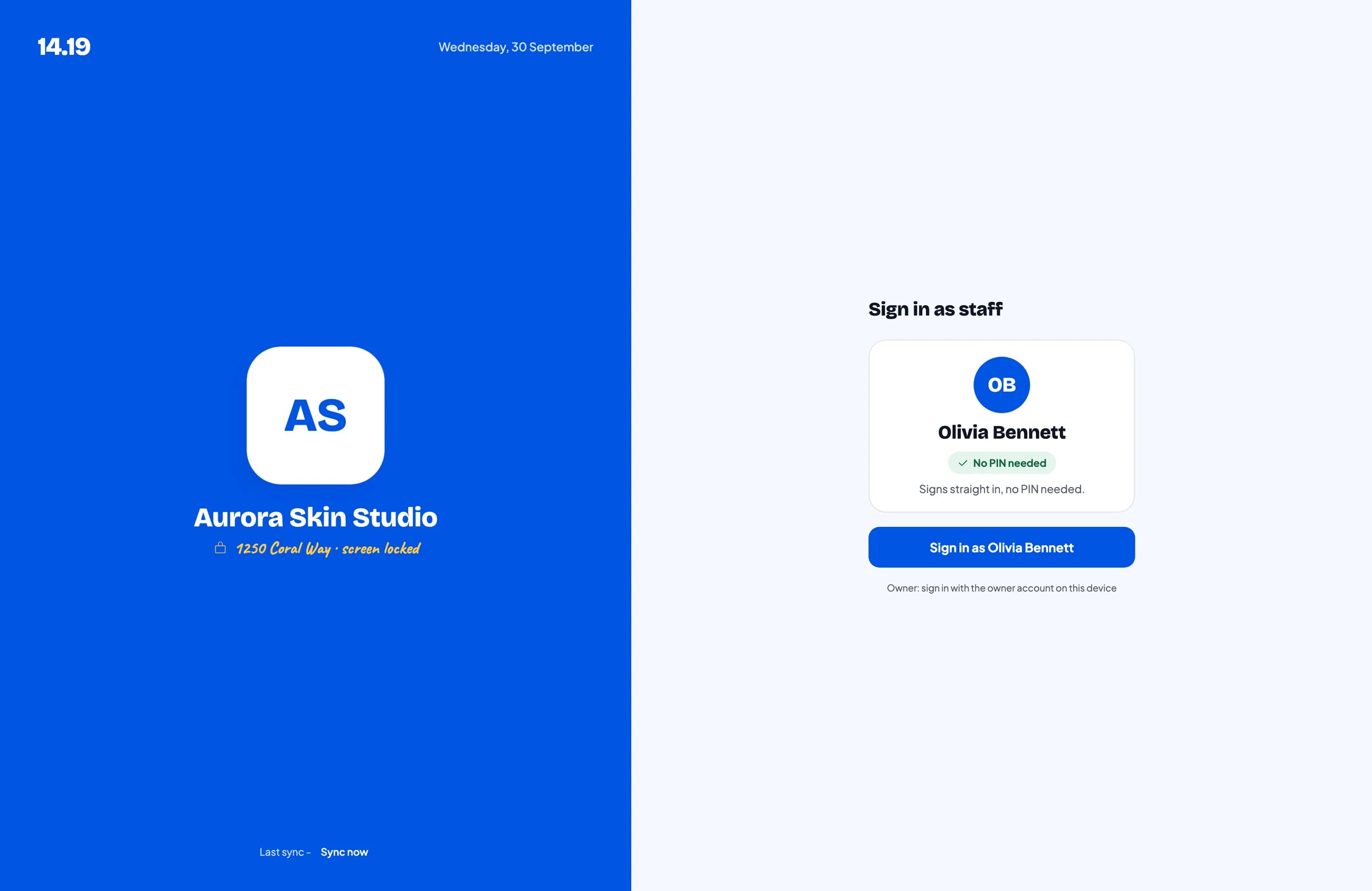
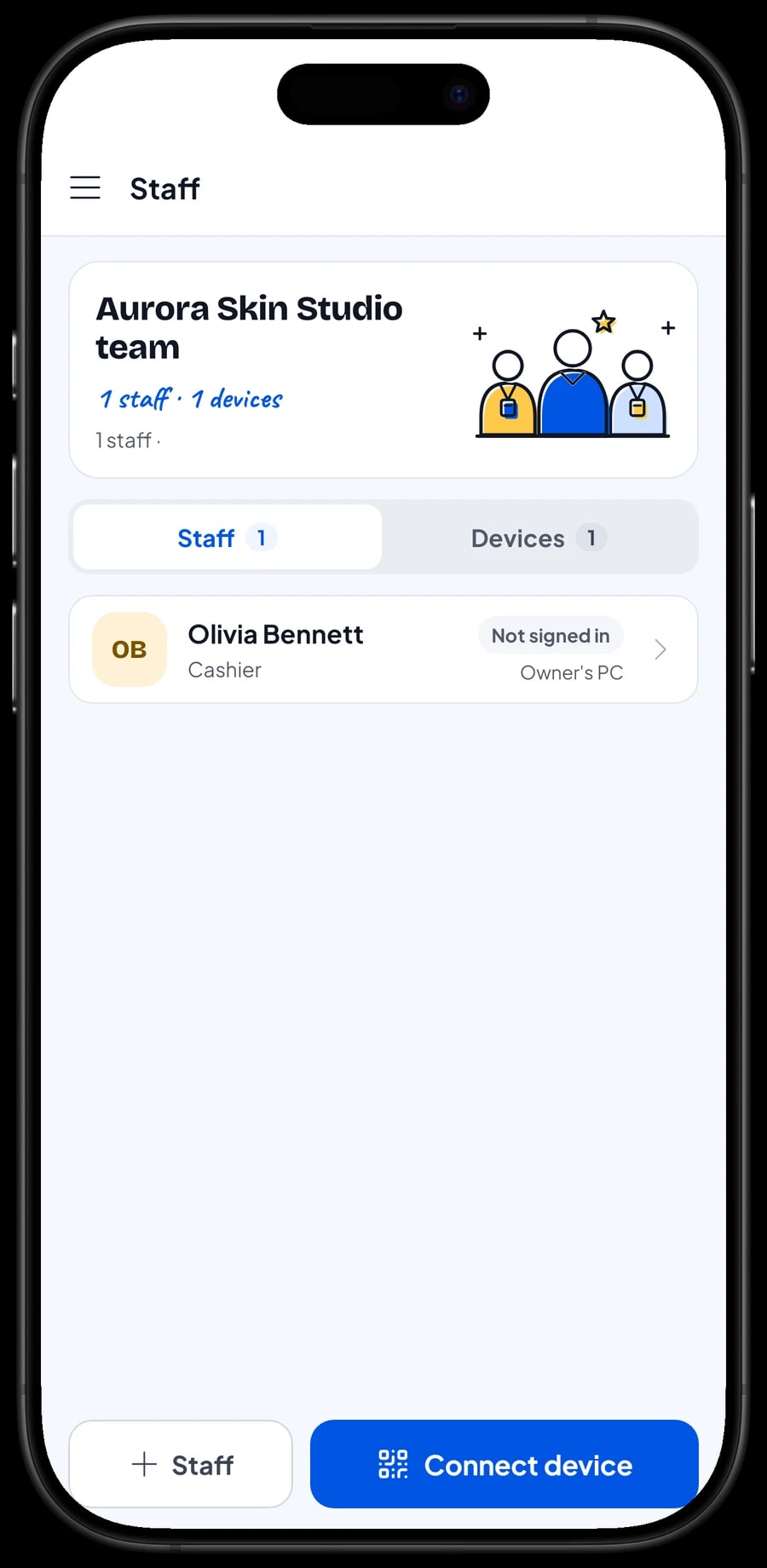
The owner signs in with the main account. An account is active on one device at a time, so the front desk doesn't use yours. Add your receptionist as staff and register the desk device for them. Staff sign in with a PIN and see only what you allow. Staff accounts come with Bronze Pro (1 staff) and Silver Pro (2 staff).
Salesmaster does not calculate practitioner or therapist commission. A simple way to handle it: put the practitioner's name in the sale note, then record the fees and commission you pay as expenses in Finance.
Regular clients: history and loyalty points
Clinics and therapists live on clients who come back. Save the client at checkout; a name and phone number are enough. Their purchase history is kept, so you can see which treatments and products they bought and when they last visited.
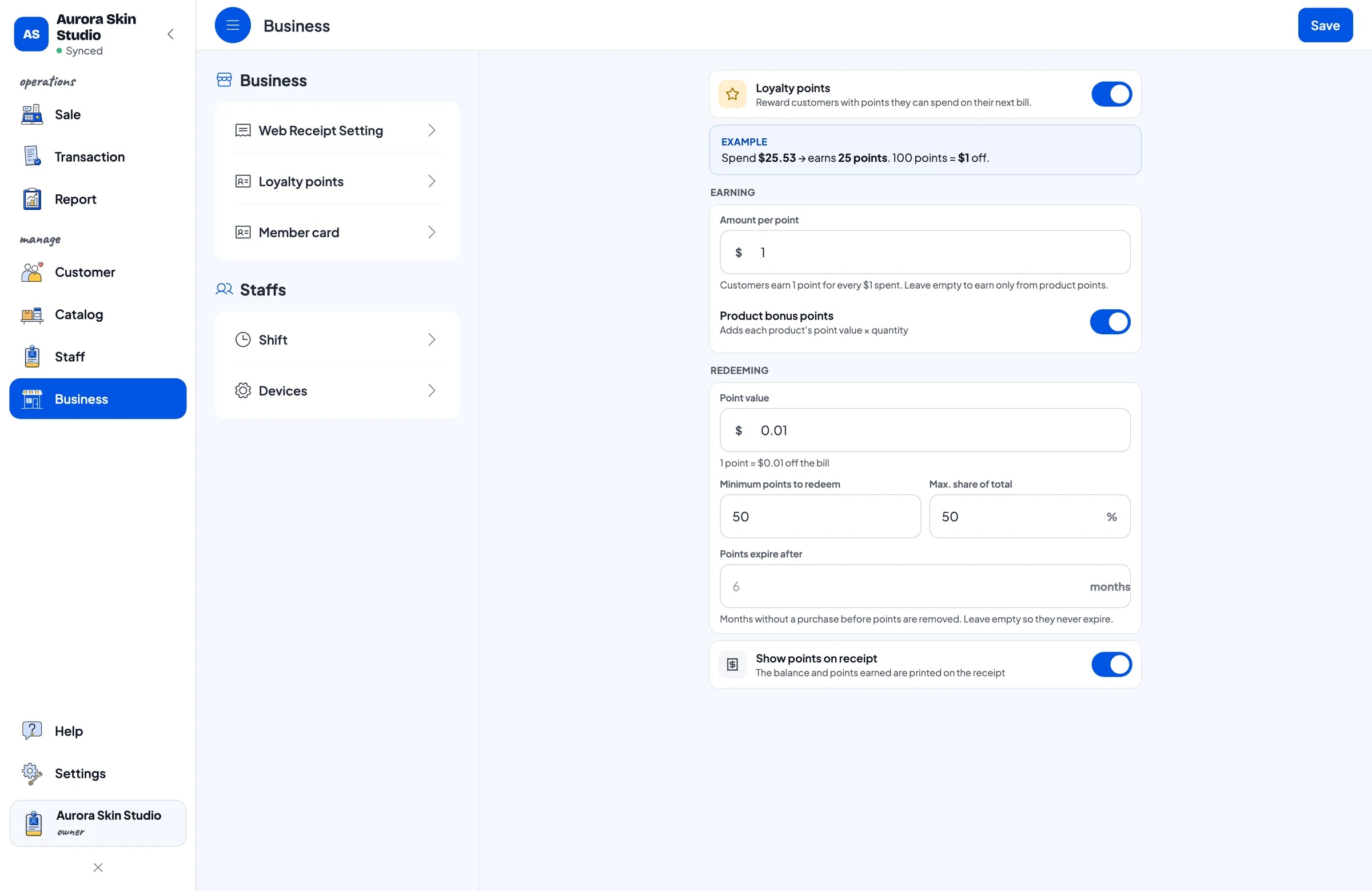
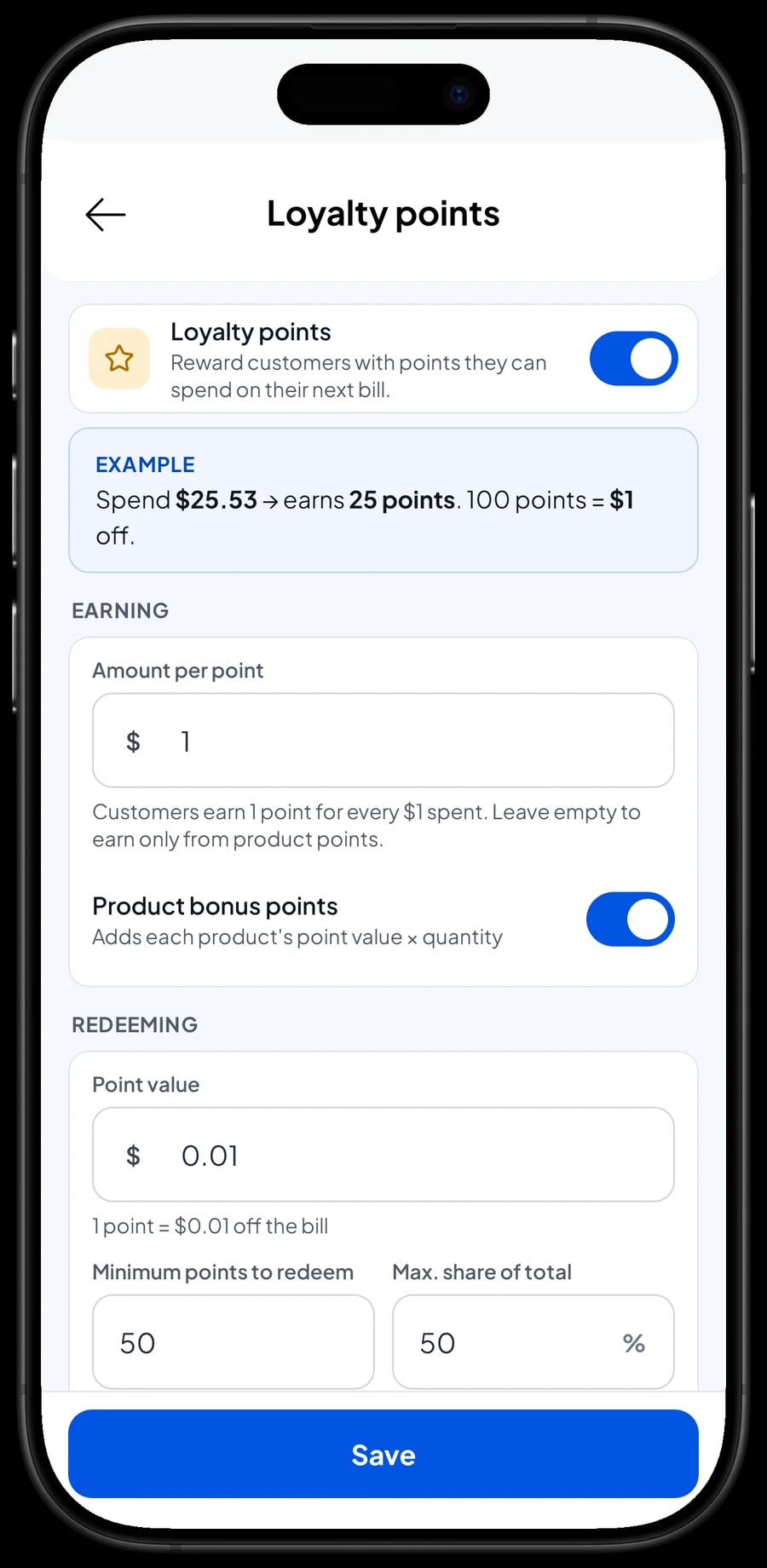
Turn on Loyalty points and set the rules: the amount spent per point, what a point is worth when redeemed, the minimum points to redeem, and the maximum share of a bill points can cover. Points are added with every sale. Loyal clients can also get a member card in their name.
Multi-session packages, such as a Facial Package of 5 sessions, are sold as one item. Salesmaster doesn't count remaining sessions for you. Write the session used in the sale note at each visit, for example "5-session package, session 2", so the client's history shows how the package is being used.
Sales reports and your real net profit
Reports are available by day, week, month and year. You see total revenue, gross and net sales, discounts, tax collected, payment methods, and revenue by item, so it is clear which treatments and products bring in the most.
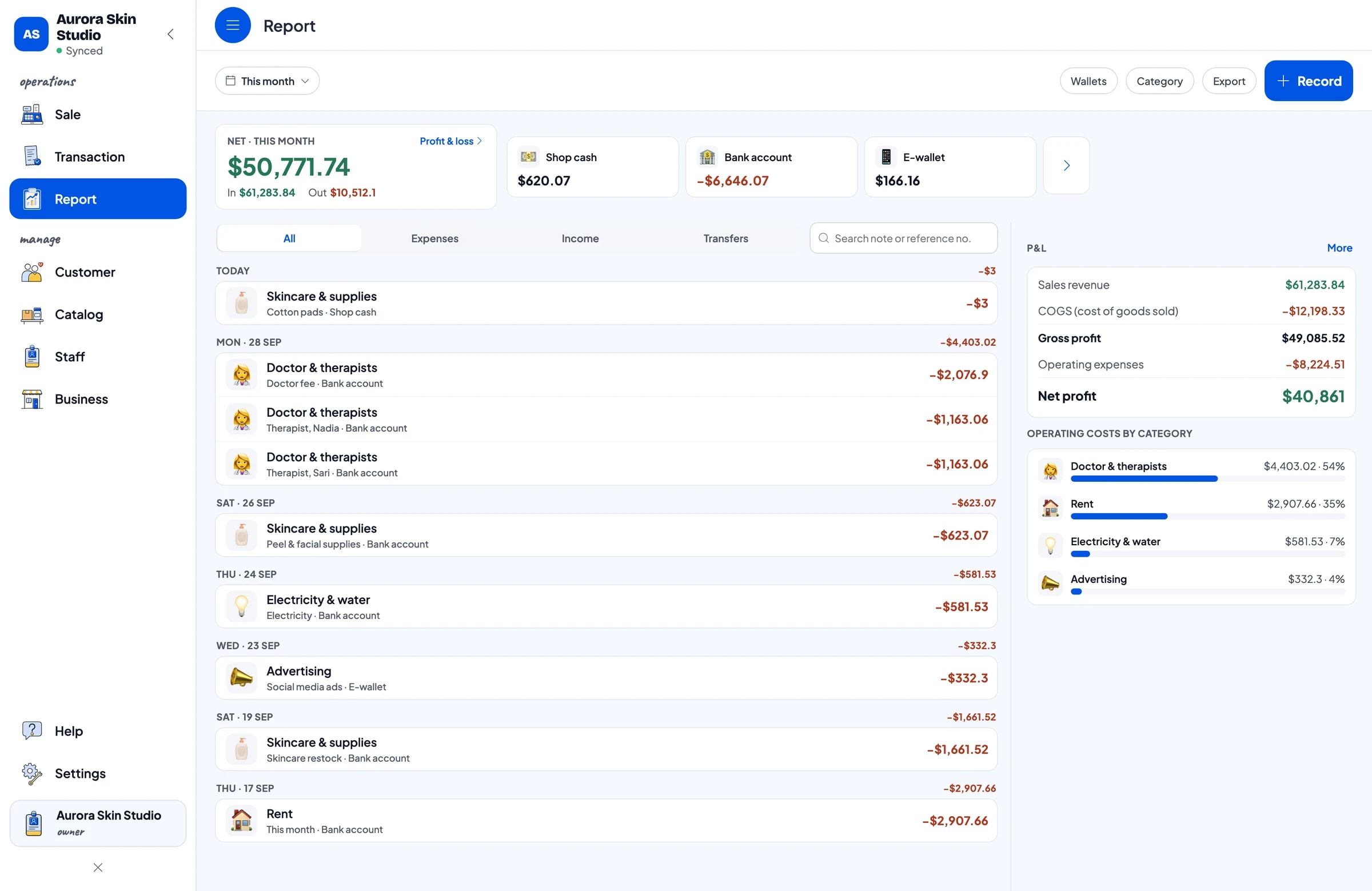
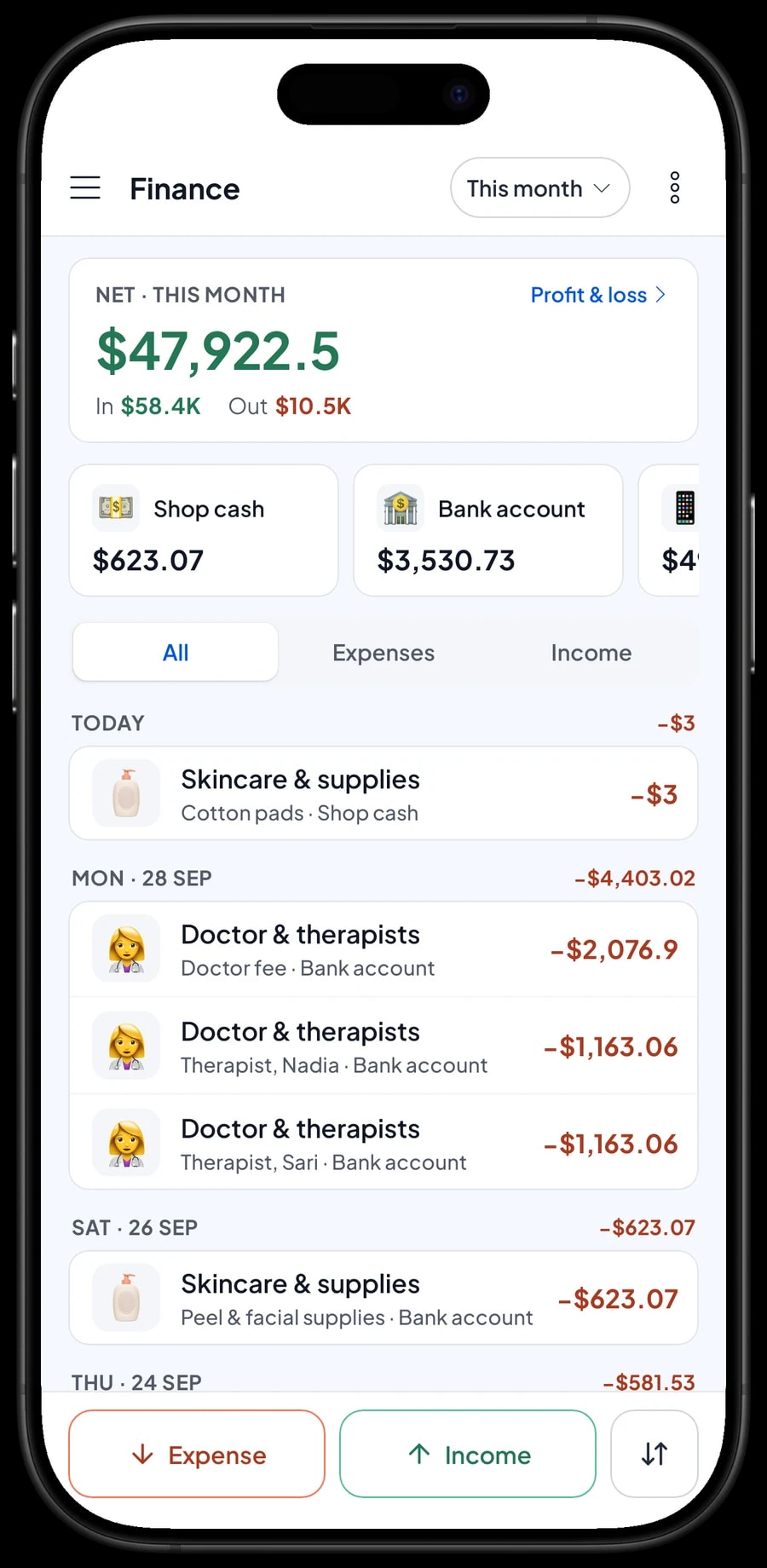
For real profit, record expenses in Finance: skincare restocks, peel and facial supplies, practitioner fees, therapist pay, rent, electricity and social media ads. Each expense has a category and the wallet it came from, such as shop cash, a bank account or an e-wallet. The Finance report then shows revenue minus cost of goods and operating costs.
Reports export to Excel or PDF for your accountant or business partner.
Get started without closing the clinic
Install Salesmaster on the front-desk tablet or phone and create an account. Enter your most-booked treatments and the skincare on your shelf first, with opening stock. Connect a Bluetooth thermal printer if you give paper receipts.
On day one, run the desk as usual. In the evening, open the daily report and compare it with the cash drawer and your card and bank deposits. Once checkout feels routine, add variants and add-ons, turn on loyalty points, and start recording expenses in Finance.
Sales are saved on the device and sync when the connection is back, so checkout keeps working if the clinic Wi-Fi drops. Offline mode works for up to 7 days. If you'd like help setting up your catalog, our team is on WhatsApp.
An example clinic catalog
Use this as a starting point and replace the names and prices with your own treatments and products.
| Category | Item | Variants | Add-ons | Item type |
|---|---|---|---|---|
| Consultation & facials | Skin consultation | - | - | Service |
| Consultation & facials | Basic facial | - | Sheet mask, LED session, Eye treatment | Service |
| Consultation & facials | Deep cleansing facial | - | Sheet mask, LED session, Eye treatment | Service |
| Skin treatments | Chemical peel | Light, Medium | - | Service |
| Skin treatments | Microdermabrasion | - | Sheet mask, LED session, Eye treatment | Service |
| Packages | Facial package, 5 sessions | - | - | Service |
| Skincare | Moisturizer 30 g | Gel, Cream | - | Product |
| Skincare | Sunscreen SPF 50 | - | - | Product |
| Skincare | Niacinamide serum 20 ml | - | - | Product |
Treatments done by a practitioner or therapist are Service items with no stock. Products you sell to clients are Product items, so their stock is tracked.
Which plan fits your clinic
Count your bills per day. A clinic seeing 6 to 8 clients a day, plus a few retail-only sales, records roughly 200 transactions a month.
| Plan | Price | Transactions / month | Staff accounts | Good for |
|---|---|---|---|---|
| Free | Free | 30 | Owner only | To try checkout and the catalog before using it for real. |
| Solo Pro | $4.90/month | 3,000 | Owner only | Independent therapists and small clinics where the owner runs the desk. |
| Bronze Pro | $6.90/month | 5,000 | 1 staff | Clinics with one receptionist on their own desk device. |
| Silver Pro | $9.90/month | 8,000 | 2 staff | Busier clinics with two staff on separate devices. |
Every plan includes checkout, catalog, receipts, reports and offline mode. You can change plans at any time. See pricing →
Frequently asked questions
- Can Salesmaster store clinical records or treatment notes?
- No. Salesmaster is a POS app, not a clinical records system. It keeps client details (name and phone number) and purchase history. Treatment notes, before-and-after photos and consent forms should stay in your clinic's own records.
- Can a treatment and retail products go on one bill?
- Yes. Treatments are Service items and skincare is set up as Product items. Both go in the same cart, and product stock comes off automatically when the bill is paid.
- Does Salesmaster have appointment booking?
- No, there is no booking calendar. Keep appointments the way you do now, for example in a booking app, by WhatsApp or in a diary, and record the sale in Salesmaster when the client pays.
- How do I handle multi-session packages?
- Sell the package as one Service item, such as a Facial Package of 5 sessions. Salesmaster doesn't count remaining sessions, so write the session used in the sale note at each visit, for example "5-session package, session 3".
- Can Salesmaster work out therapist commission?
- Not automatically. Put the practitioner's or therapist's name in the sale note, then record the fees and commission you pay as expenses in Finance so they count against profit.
- Can I take deposits for treatments?
- There is no deposit or partial payment on a single sale. If a client pays a deposit, sell it as its own sale with a Service item called "Down payment" for the amount received. When the treatment is done, sell the treatment at its full price and tap Add Deduction for the deposit amount, so the drawer and reports match on both days.
- Can the clinic keep taking payments if the internet is down?
- Yes. Sales are saved on the device and sync when the connection returns. Offline mode works for up to 7 days before the app needs to connect to sync.
Need help setting up your catalog? Chat with our team on WhatsApp →



