

Salesmaster is a point-of-sale (POS) app for gift shops and souvenir stores on Android, iPhone & iPad, Windows and Mac. Each gift box or hamper is a product with its own price, cost and stock, souvenirs can be sold singly or by the dozen through variants, and gift wrap is added as an add-on. Bulk orders can be kept with Save order, and the Finance report shows the shop's net profit.
Problems every gift shop knows
If any of these sound familiar, this page is for you.
- 01
The holiday rush arrives all at once
Before the holidays and in tourist season, shoppers and tour groups come in together. The cashier has to be quick, but nobody can remember the prices of hundreds of small items.
- 02
Gift boxes sell out unnoticed
Your best-selling coffee hamper is down to two boxes just as a big order comes in. Without recorded stock, you only find out when a customer is already waiting.
- 03
Gift wrap goes unbilled
A shopper asks for wrapping, the cashier is busy with paper and ribbon, and the wrapping fee never makes it onto the total. A little every day adds up.
- 04
Seasonal sales, unclear profit
One month is packed, the next is quiet. After paying makers, hamper fillings, rent and staff, you're never quite sure what the shop actually earned.
Building your catalog: gift boxes, souvenirs, home goods and wrap
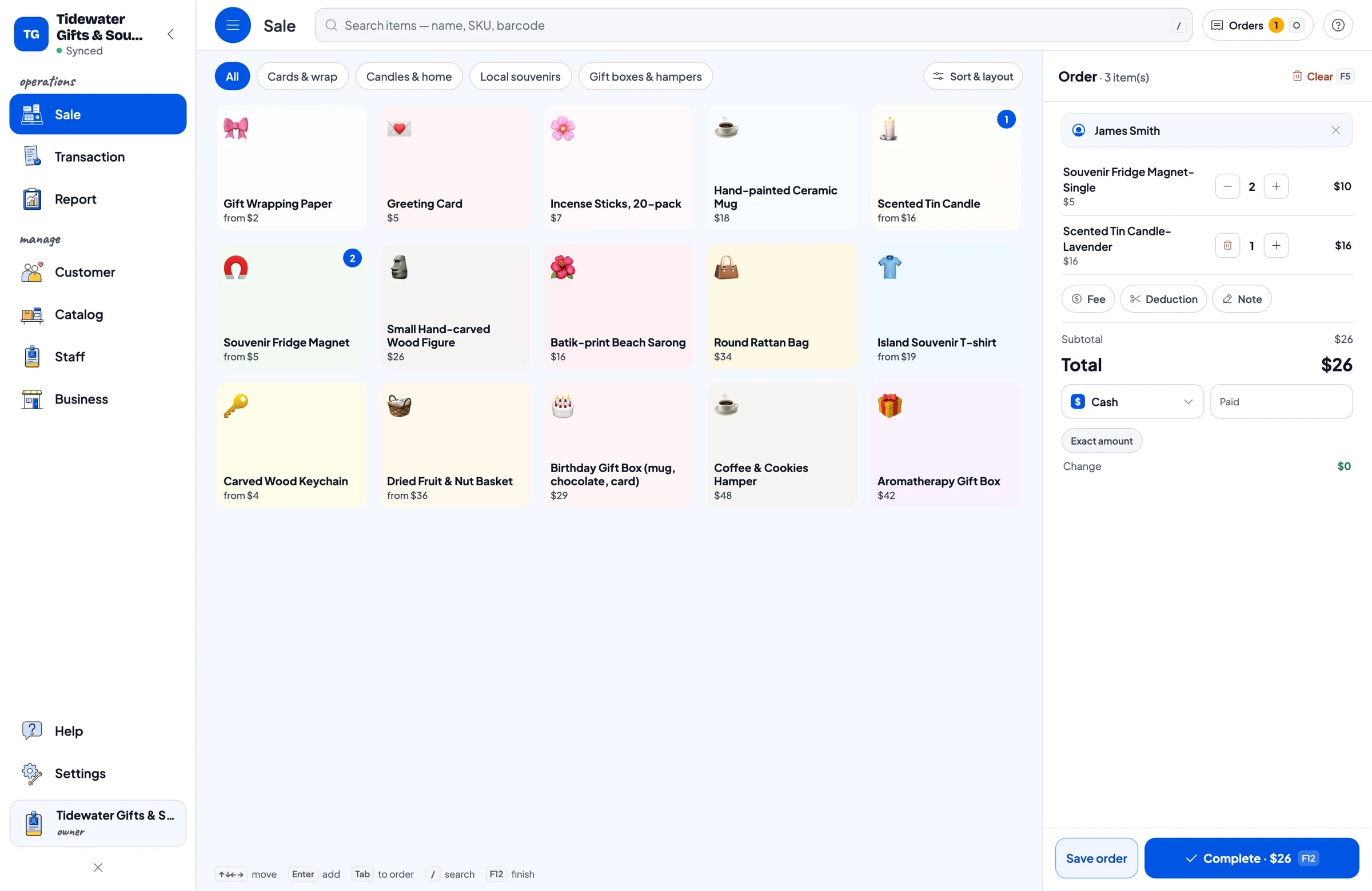
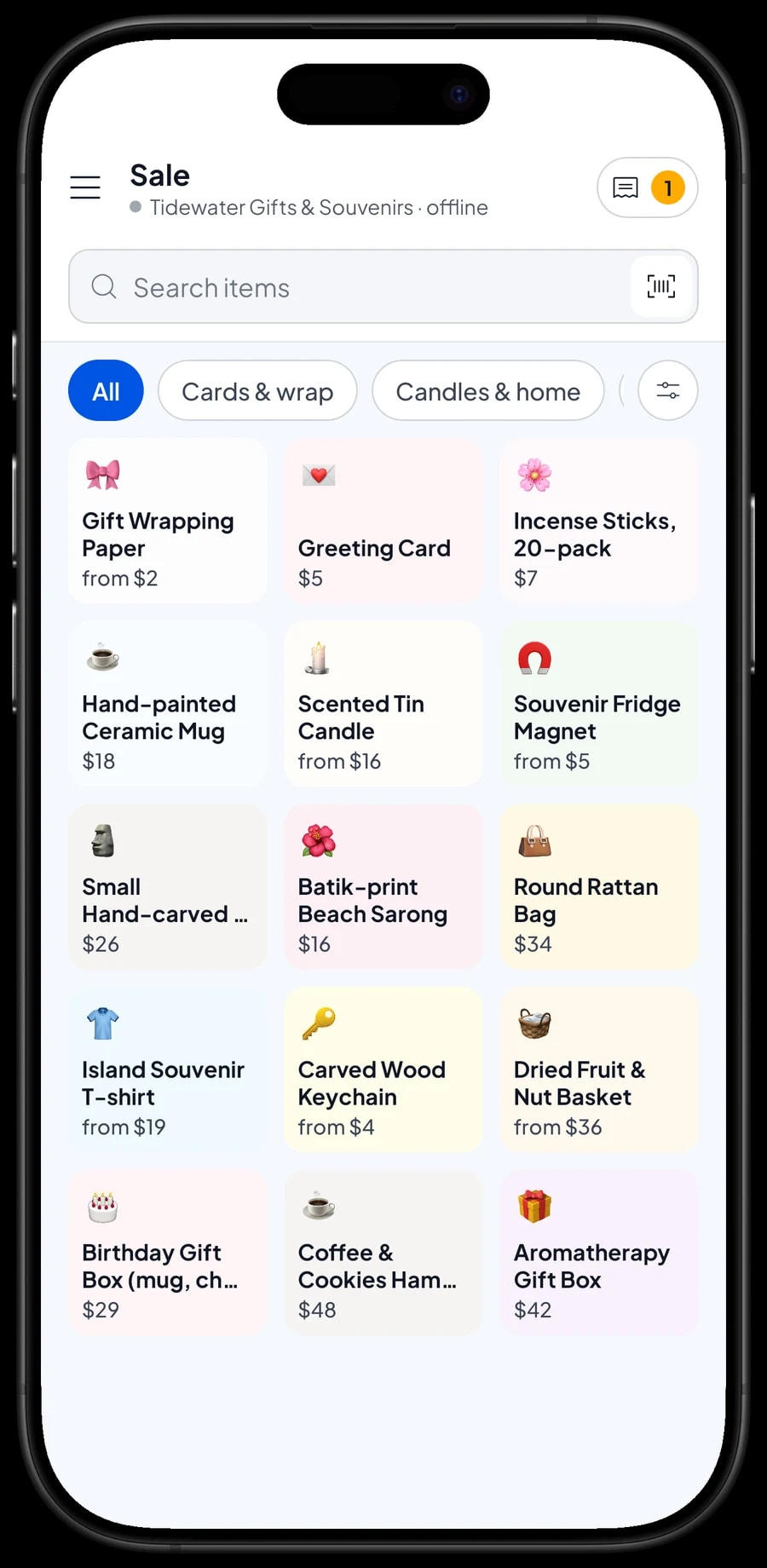
Gift shops sell many small items at many different prices. Start with categories that match how shoppers browse, such as Gift boxes & hampers, Local souvenirs, Candles & home, and Cards & wrap. On the Sale screen, the cashier taps a category and then the item, with no price list to look up.
Every product is one item in the Catalog with its name, selling price, cost and unit: piece for a mug or a small carving, pack for incense sticks, sheet for wrapping paper. If your products carry supplier barcodes, the cashier can scan them with the camera or a barcode scanner, so look-alike items never get mixed up.
A long catalog is easier to enter on a laptop (Windows or Mac); it then syncs to the phone or tablet at the counter.
- Step 1: Open Catalog → Categories and create categories such as Gift boxes & hampers, Local souvenirs and Cards & wrap.
- Step 2: Open Catalog → List Items and add each product with its name, price, cost, unit and category.
- Step 3: Enter the opening stock for the products you want to track.
- Step 4: Ring up a test sale on the Sale screen to check prices and categories.
Gift boxes and hampers as products of their own
Curated gift boxes are the heart of many gift shops. The simplest way to handle them in Salesmaster is to create each box as one product, such as the Aromatherapy Gift Box, the Coffee & Cookies Hamper or the Birthday Gift Box. Each has its own price, cost and stock, just like any other item.
When you assemble ten boxes in the morning, add ten to that box's stock. Each sale takes one off. The cost you enter, meaning the fillings, box and ribbon for one box, is used in reports to show the gross profit on every box sold.
One thing to know: assembling a box does not take the mug, candle or cookies inside it off stock. If you also sell those fillings on the shelf, record what you used as a stock adjustment when you build the boxes.
- Step 1: Open Catalog → List Items and add the gift box as a new item in Gift boxes & hampers.
- Step 2: Enter the selling price and the cost per box (fillings, box, paper and ribbon).
- Step 3: After assembling boxes, add the number you made to the item's stock.
- Step 4: If the fillings are also sold singly, take them off stock with a stock adjustment.
Sizes, scents and bulk packs with variants
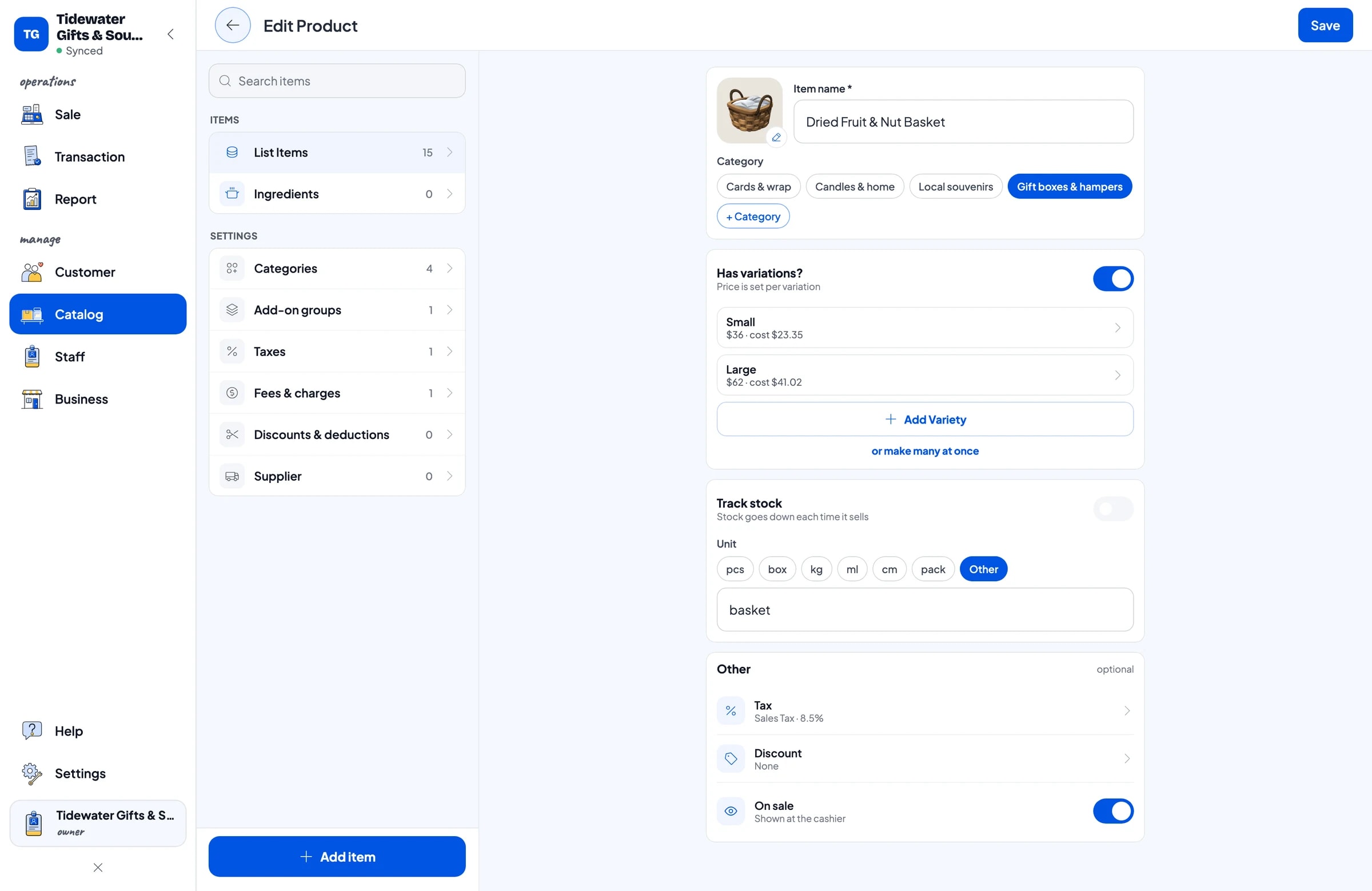
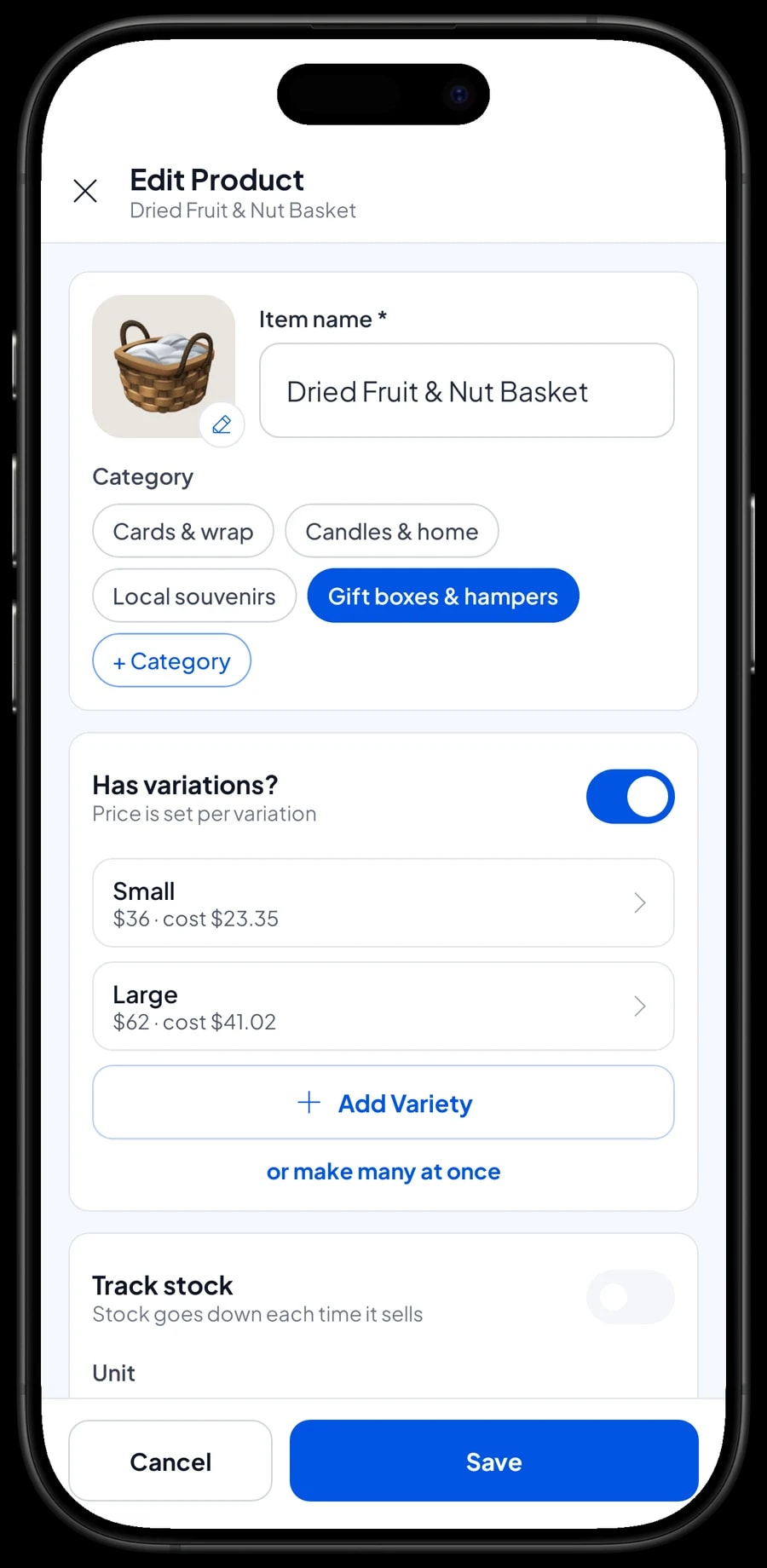
Lots of souvenir items come in several options. The fruit and nut basket comes Small or Large, the tin candle comes in Lavender, Frangipani and Vanilla, and the souvenir T-shirt in M, L and XL. Each of these is one item with variants: the cashier picks the variant and the price follows.
Every variant has its own price, cost and stock, so you can see which scent is running low and which shirt size sells best.
Variants also handle bulk pricing. Tour groups often buy keychains or fridge magnets in quantity. Create Single and Dozen (or 6-pack) variants with their own prices, and the cashier picks the right one. Salesmaster doesn't change prices automatically by quantity, so the bulk price is always chosen through its variant. Variant stock is separate too: selling a dozen doesn't take singles off stock, so set up stock per variant the way you actually store the goods.
- Step 1: Open an item in Catalog → List Items, such as the Dried Fruit & Nut Basket.
- Step 2: Add variants such as Small and Large, each with its price and cost.
- Step 3: For bulk items, create Single and Dozen variants with their own prices.
- Step 4: Enter stock for each variant and save.
Gift wrap that always gets billed
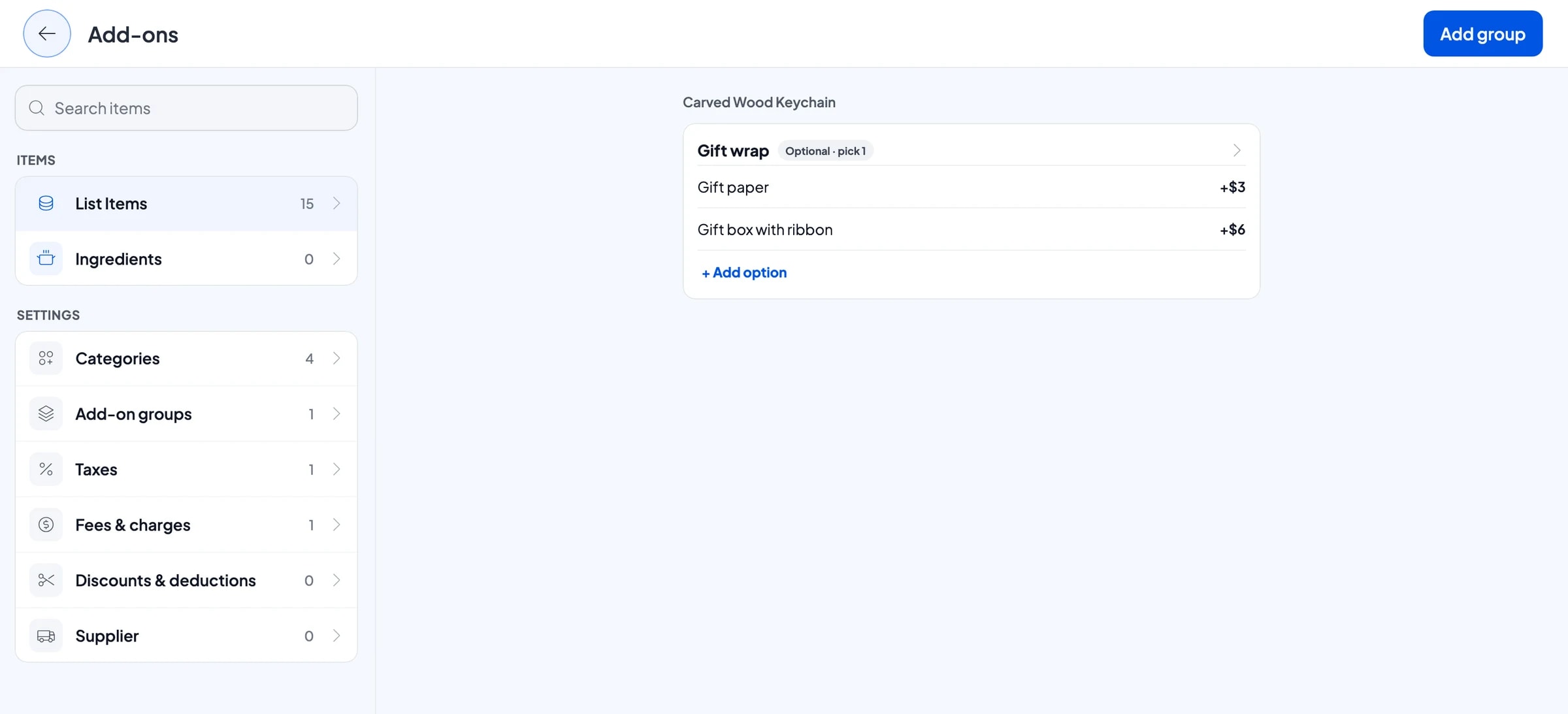
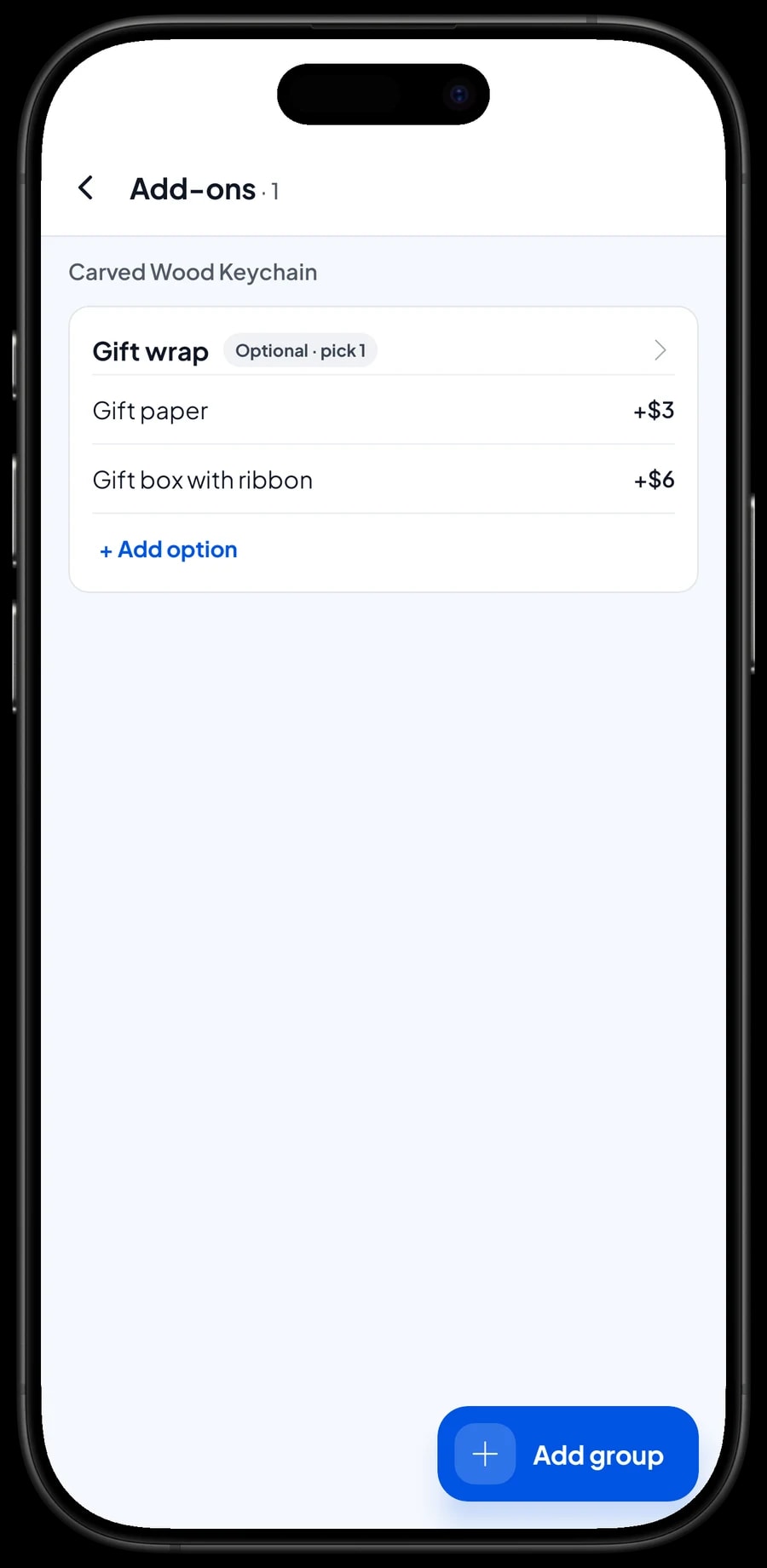
Almost every shopper in a gift shop asks, "Can you wrap it?" So the fee is never missed, create a Gift wrap add-on with options such as Gift paper and Gift box with ribbon. Add-ons are managed from the item with Manage add-ons, and one add-on group can be attached to many products: keychains, T-shirts, rattan bags, candles, mugs and more.
When a shopper wants wrapping, the cashier picks the option while adding the item to the cart. The price goes straight onto the total, and the receipt shows which item was wrapped and how. Because the add-on is optional, shoppers who don't want wrapping can pay straight away.
For a short message, like "Happy birthday, Rina", the cashier can type it in the sale's Note.
- Step 1: Open a product in the Catalog and choose Manage add-ons.
- Step 2: Create a Gift wrap group and mark it optional.
- Step 3: Add options such as Gift paper and Gift box with ribbon, each with its extra price.
- Step 4: Attach the same group to the other products you often wrap.
Office orders and boxes picked up later
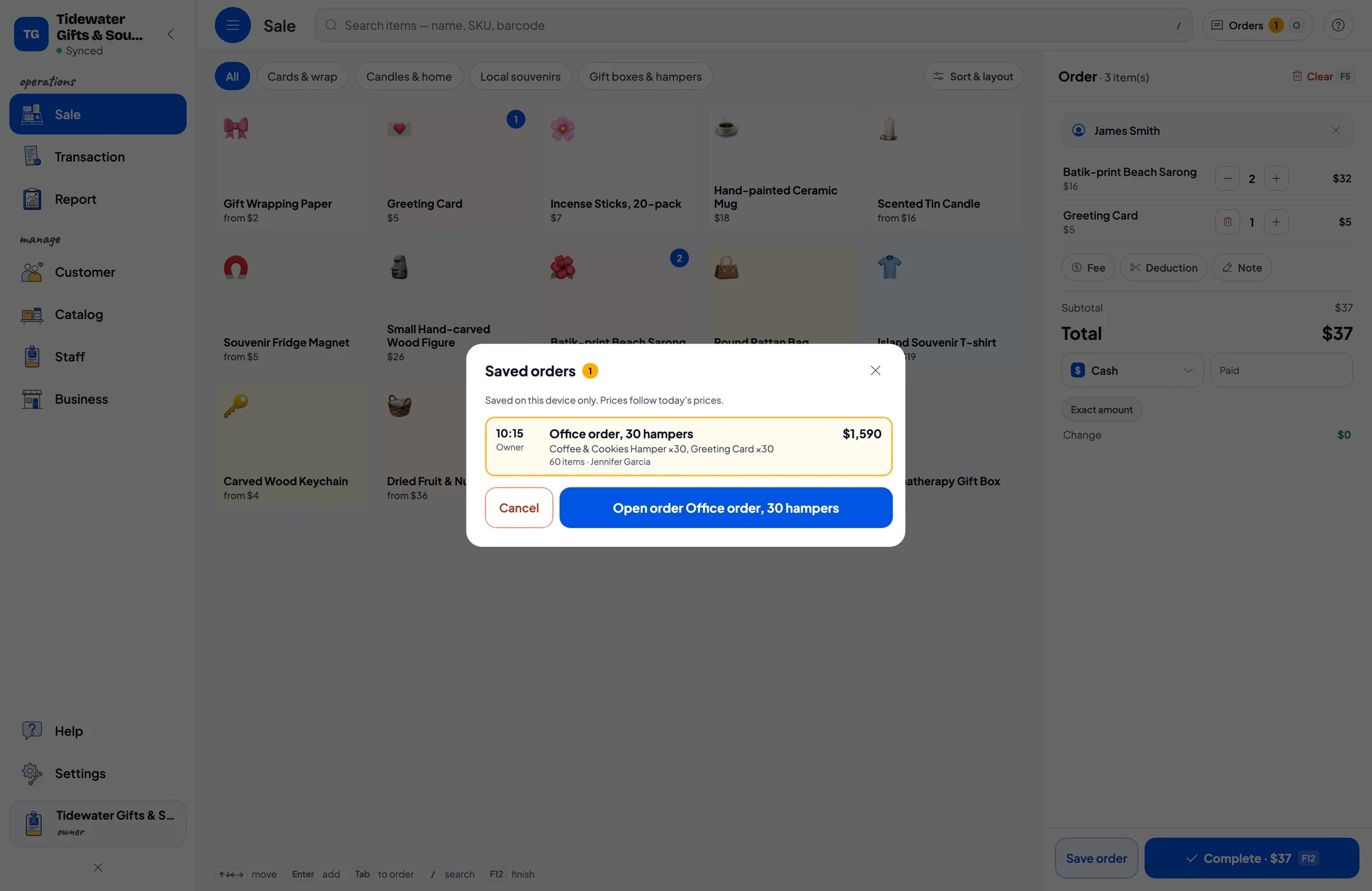
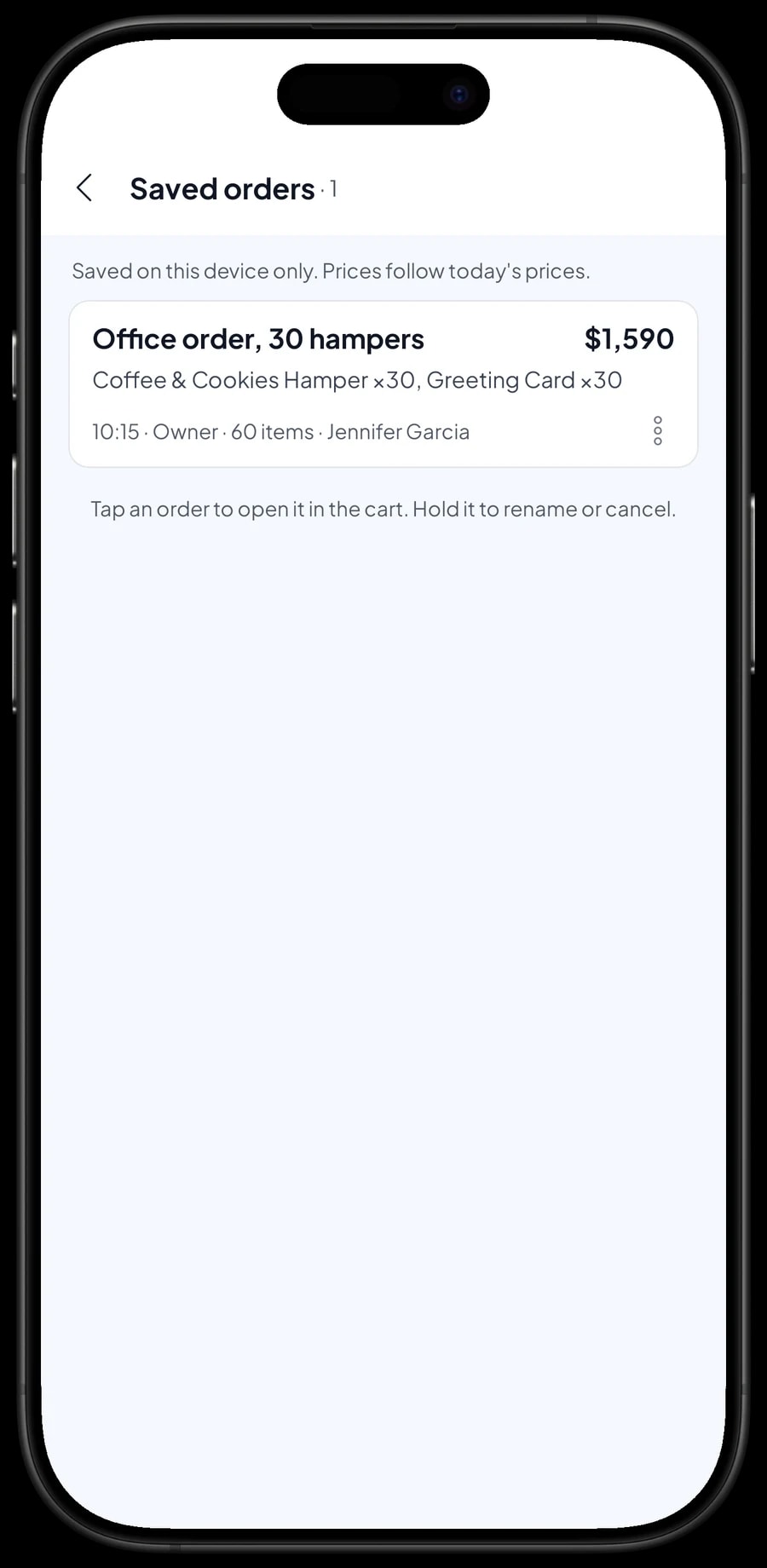
Before the holidays, companies often order dozens of gift boxes at once and collect or pay a few days later. That's what Save order is for. Put the boxes and their cards in the cart, then save it under a clear name, such as "Office order, 30 hampers".
Salesmaster doesn't record deposits or partial payments on a sale. If the customer pays a deposit, sell it right away as a separate Service item called "Down payment" for the amount received, and mark the order, such as "50% deposit paid". When the order is collected, it keeps its full price and the cashier taps Add Deduction for the deposit amount, so the drawer and reports match on both days. Details like a company card for each box can go in the line note.
A saved order isn't counted as a sale and doesn't take stock off until it's paid, so your reports stay clean if the order changes or is cancelled. Saved orders live on the device that created them, so open and complete them on that same device.
- Step 1: On the Sale screen, add the gift boxes and extras to the cart.
- Step 2: Tap Save order and name it, for example the company and the number of boxes.
- Step 3: Write special instructions in the order note, and sell any deposit as a separate Down payment item.
- Step 4: When the order is collected, open Saved orders and complete the payment.
Payments, sales tax and receipts for visitors
Souvenir shoppers pay in many ways. Create the payment methods you accept, such as cash, card, bank transfer or an e-wallet. Reports show how much came in through each method, so the cash drawer and your bank balance are easy to reconcile.
If you collect sales tax, set it once in Fees or Tax and it's calculated on every sale; a delivery fee can be set there too. Group discounts and seasonal promotions go in Deductions.
Receipts can print on a Bluetooth or USB thermal printer. Visitors who don't want paper can get the receipt by WhatsApp, email, or a web receipt link with your shop's logo, colours and social links.
Shop assistants and cashier devices
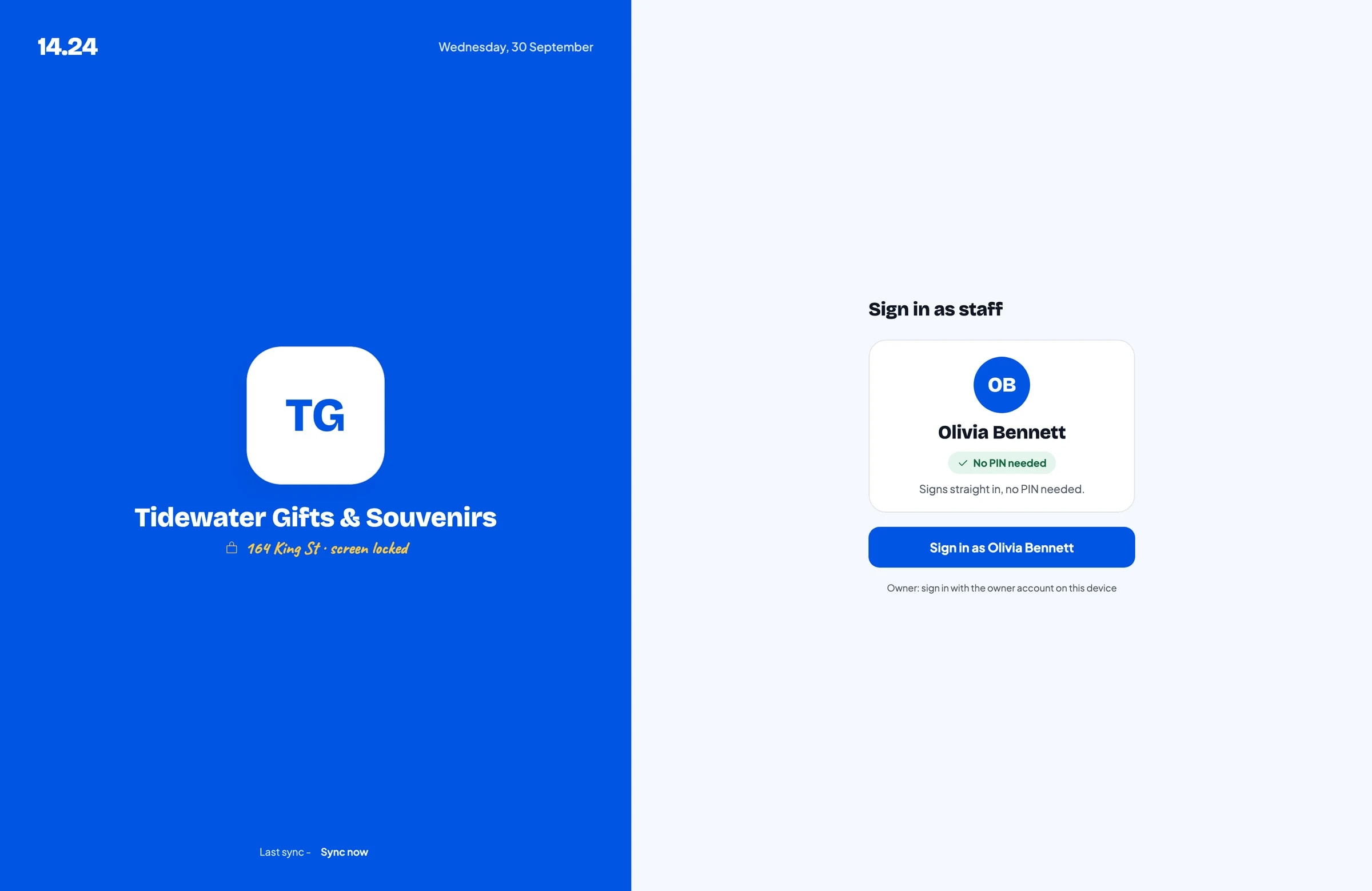
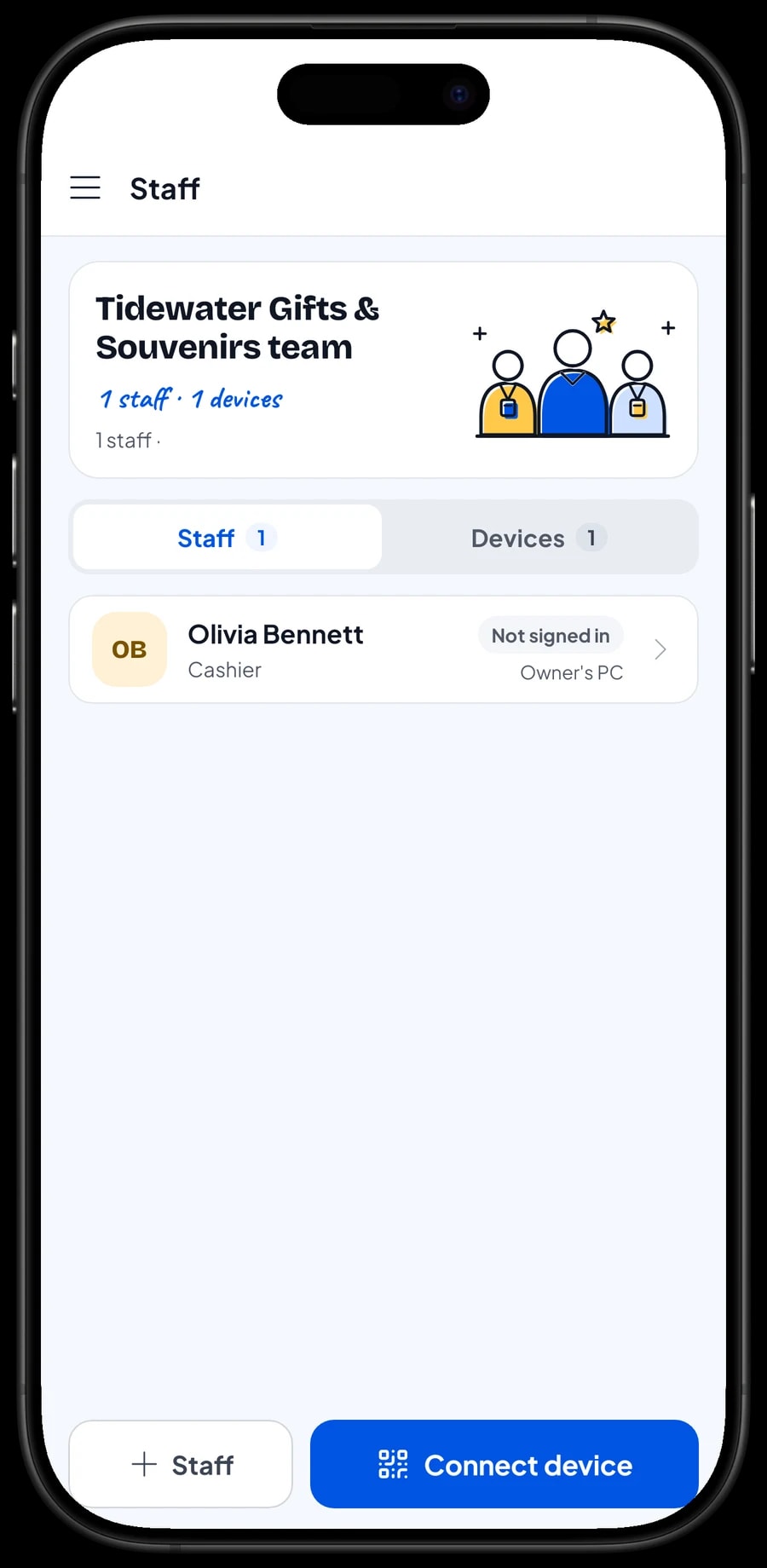
The owner signs in with the main account, and an account is signed in on one device at a time. Shop assistants don't need your account: add them as staff and register a cashier device for them. Staff sign in with a PIN, and you decide what they can see and change. Staff accounts come with Bronze Pro (1 staff) and Silver Pro (2 staff).
Sales reports and seasonal net profit
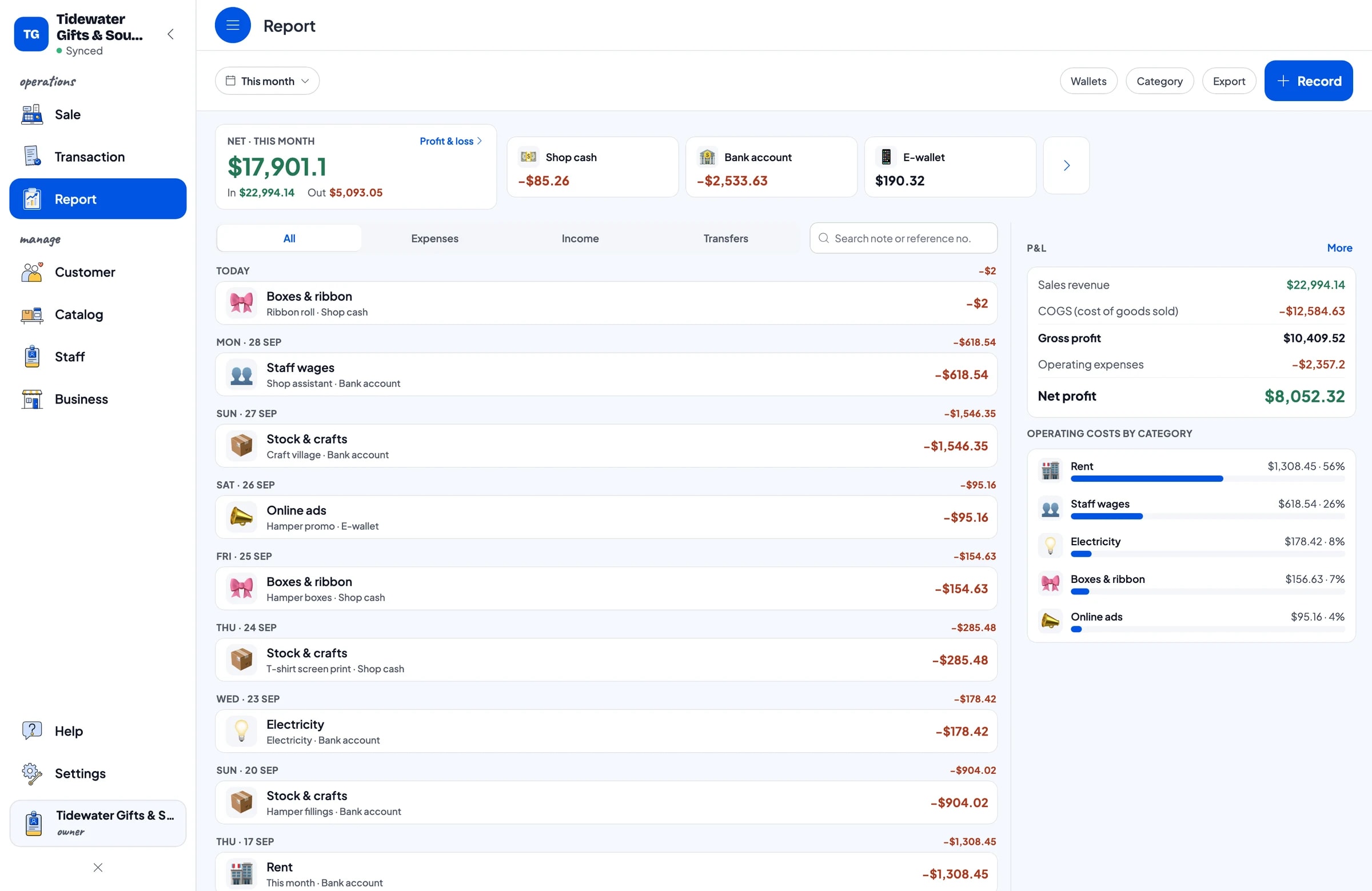
Reports are available by day, week, month and year. You see total revenue, gross and net sales, discounts, tax collected, payment methods, and revenue by product. It becomes clear which gift boxes sell before the holidays and which souvenirs move in tourist season.
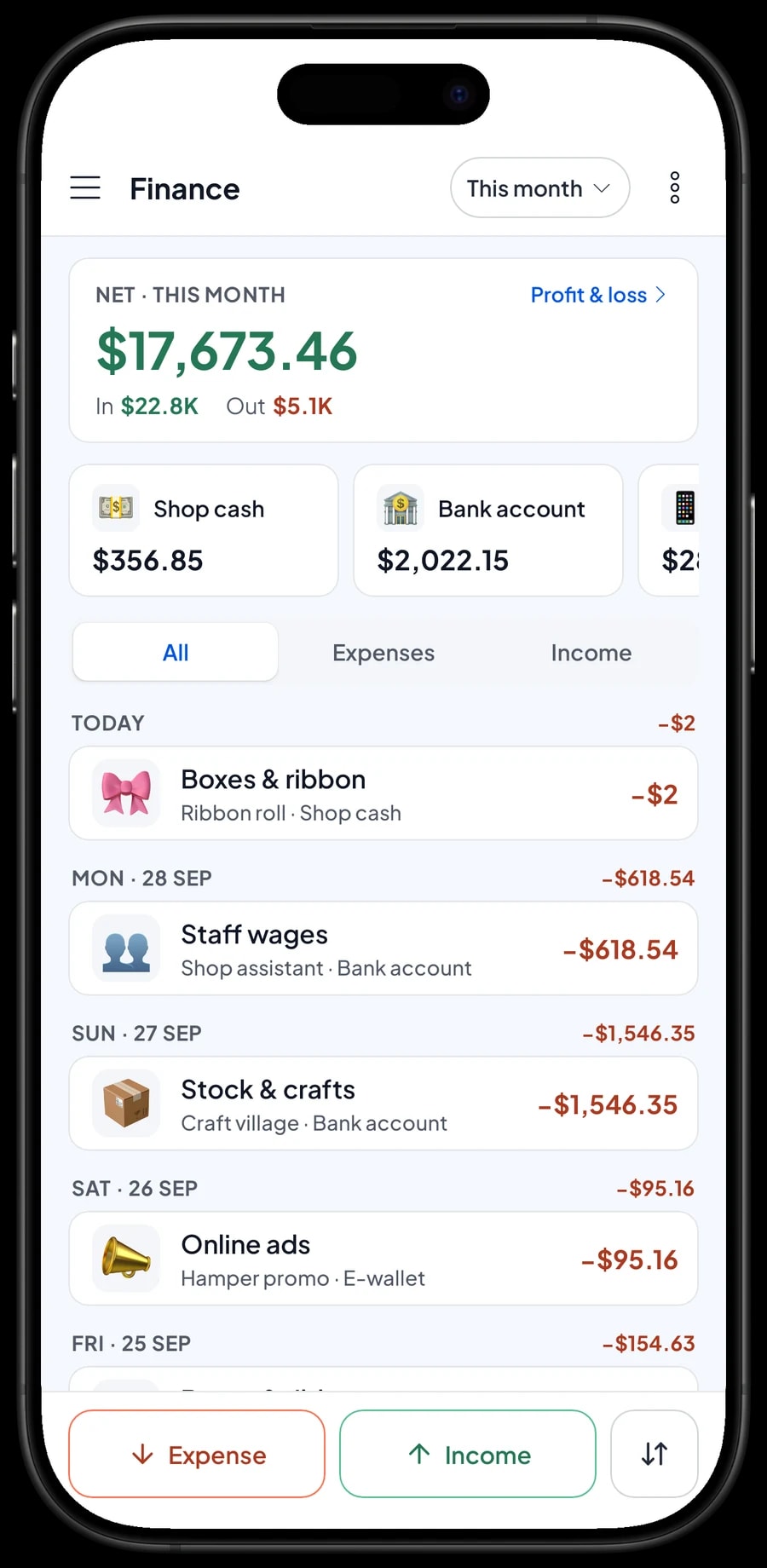
For real profit, record expenses in Finance: payments to local makers, hamper fillings, T-shirt printing, wages, rent, electricity, boxes and ribbon, and online ads. Each expense has a category and the wallet it was paid from, such as shop cash, a bank account or an e-wallet. The Finance report then shows revenue minus cost of goods and operating costs: your shop's net profit.
Because gift retail is seasonal, compare monthly reports year over year before buying stock. Reports export to Excel or PDF for your accountant.
Get set up before the busy season
The best time to switch to Salesmaster is a few weeks before your busy season. Install the app on the counter phone or tablet, create an account, and enter your 20 to 30 best sellers first, including the gift boxes people order most. Create the Gift wrap add-on and connect your thermal printer if you use one.
In the first days, add anything missing during quiet moments and compare the daily report with the cash in the drawer each evening. Then enter opening stock and start recording expenses in Finance. If the internet in a tourist area drops, sales are saved on the device and sync later, with offline mode for up to 7 days.
Step-by-step guides are in the Salesmaster Help Centre, and our team is on WhatsApp if you need help.
An example gift shop catalog
Use this table as a starting point and replace the names and prices with your own products.
| Category | Product | Variants | Add-ons | Unit |
|---|---|---|---|---|
| Gift boxes & hampers | Coffee & Cookies Hamper | - | - | box |
| Gift boxes & hampers | Dried Fruit & Nut Basket | Small, Large | - | basket |
| Local souvenirs | Carved Wood Keychain | Single, Dozen | Gift wrap | piece |
| Local souvenirs | Souvenir T-shirt | M, L, XL | Gift wrap | piece |
| Local souvenirs | Souvenir Fridge Magnet | Single, 6-pack | Gift wrap | piece |
| Candles & home | Scented Tin Candle | Lavender, Frangipani, Vanilla | Gift wrap | piece |
| Candles & home | Hand-painted Ceramic Mug | - | Gift wrap | piece |
| Cards & wrap | Greeting Card | - | - | piece |
| Cards & wrap | Gift Wrapping Paper | Sheet, Roll | - | sheet |
Gift boxes are products with their own stock. Add boxes to stock after you assemble them, and record the fillings you used as a stock adjustment if you also sell those fillings singly.
Which plan fits your gift shop
Start by counting sales per day. A small gift shop serving about 10 shoppers a day records roughly 300 transactions a month, and that can climb several times over in the holiday season.
| Plan | Price | Transactions / month | Staff accounts | Good for |
|---|---|---|---|---|
| Free | Free | 30 | Owner only | To try the checkout and catalog before the busy season. |
| Solo Pro | $4.90/month | 3,000 | Owner only | Gift shops and souvenir stalls where the owner runs the till. |
| Bronze Pro | $6.90/month | 5,000 | 1 staff | Shops with one assistant on their own cashier device. |
| Silver Pro | $9.90/month | 8,000 | 2 staff | Busier souvenir stores with two staff on separate devices. |
Every plan includes checkout, catalog, receipts, reports and offline mode. You can change plans at any time. See pricing →
Frequently asked questions
- How do I set up gift boxes in the Salesmaster POS?
- Create each gift box as a product in the Catalog with its selling price, cost per box and its own stock. Add boxes to stock after you assemble them. Assembling doesn't automatically take the fillings off stock, so if you also sell them singly, record what you used as a stock adjustment.
- Can gift wrapping be added to the total automatically?
- Yes. Create a Gift wrap add-on with options such as Gift paper and Gift box with ribbon, and attach it to the products you often wrap. The cashier picks the option when adding the item, and the price goes onto the total and the receipt.
- Is there automatic bulk pricing for tour groups?
- There's no automatic tiered or quantity pricing. Set bulk prices up as variants, such as Single and Dozen, each with its own price, and the cashier picks the right one.
- How do I handle a corporate order that paid a deposit?
- Keep it with Save order under a clear name, such as "Office order, 30 hampers". Salesmaster doesn't record partial payments on one sale, so sell the deposit right away as a separate Service item called "Down payment" for the amount received. When the order is paid off, open it at its full price and tap Add Deduction for the deposit amount. The saved order stays on the device that created it and becomes a sale when it's paid.
- Can the shop keep selling if the internet drops?
- Yes. Sales are saved on the device and sync when the connection is back. Offline mode works for up to 7 days before the app needs to connect to sync.
- Can my shop assistant use their own device?
- Yes, through staff accounts. An account is signed in on one device at a time, so the owner adds staff and registers a cashier device for them. Staff accounts come with Bronze Pro (1 staff) and Silver Pro (2 staff).
Need help setting up your catalog? Chat with our team on WhatsApp →



