

Salesmaster is a point-of-sale (POS) app for jewellery stores and gold shops on Android, iPhone & iPad, Windows and Mac. Each design is one item with weight variants such as 2 g, 3 g and 5 g, each with its own price, cost and stock, and every sale is stored with the customer's details. Repairs, engraving and cleaning are service items, orders picked up later are kept with Save order, and the Finance report shows net profit after stock, wages, rent and security.
Problems every jewellery shop knows
In a gold shop, one gram either way is real money. The books have to be exact.
- 01
Same design, different weights
A plain band at 2 grams, 3 grams and 5 grams are very different prices. If stock is only tracked by design, you don't know which weights are still in the case.
- 02
The gold price keeps moving
When gold goes up or down, your prices follow. If costs aren't updated too, the profit on paper stops matching reality.
- 03
Customers come back with questions
Someone wants to sell a piece back or asks when they bought it. Without a purchase history, you're digging through old paper receipts.
- 04
Big inventory, big overheads
Supplier invoices, gold bars, a guard, CCTV, rent. Money leaves in large amounts, and without records you can't see what the shop actually made.
Jewellery with weight variants
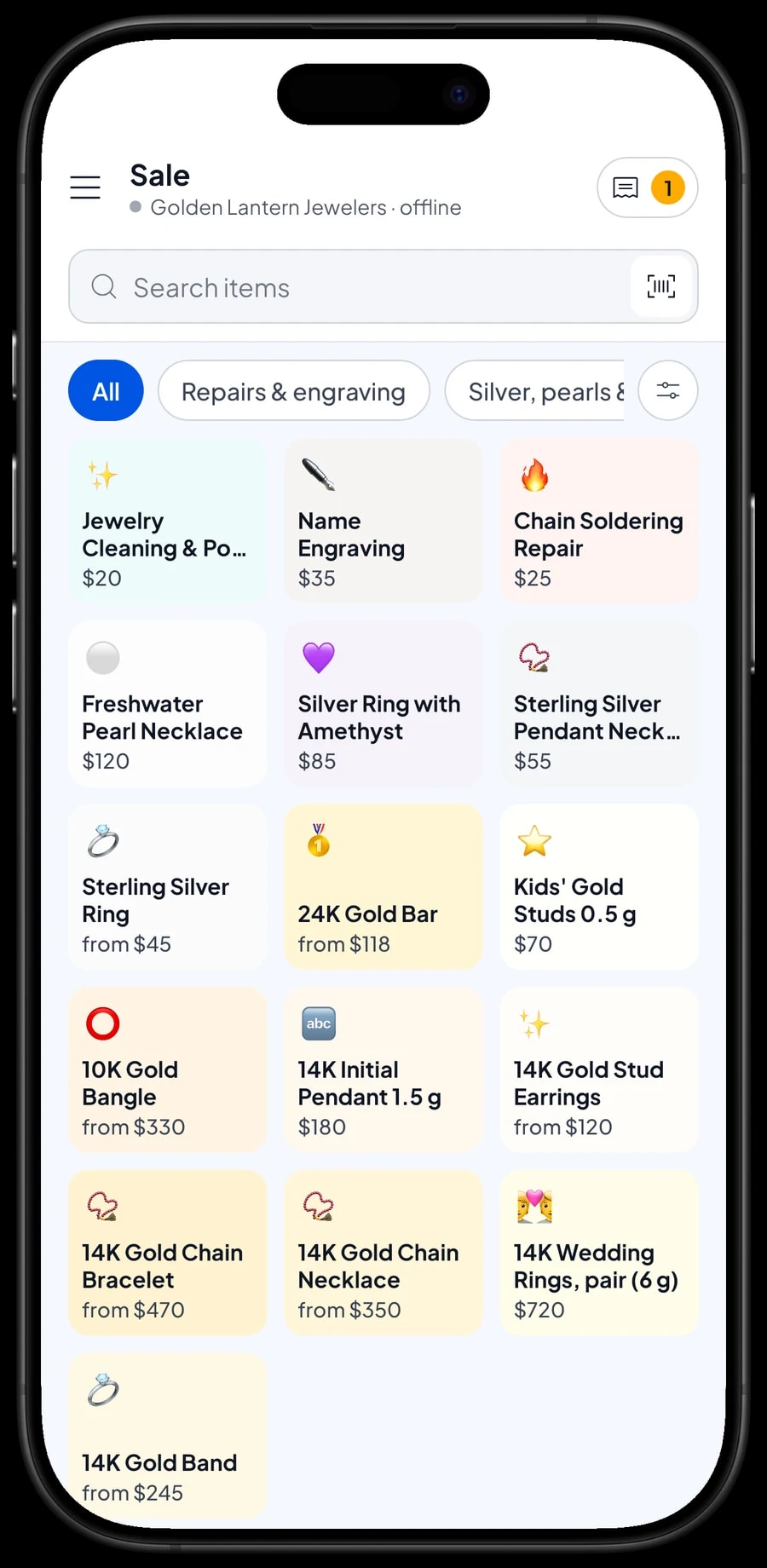
Group your stock into categories like Gold jewellery, Gold bars, Silver, pearls & gems, and Repairs & engraving. Categories appear as tabs on the Sale screen, so staff find any piece in a tap or two.
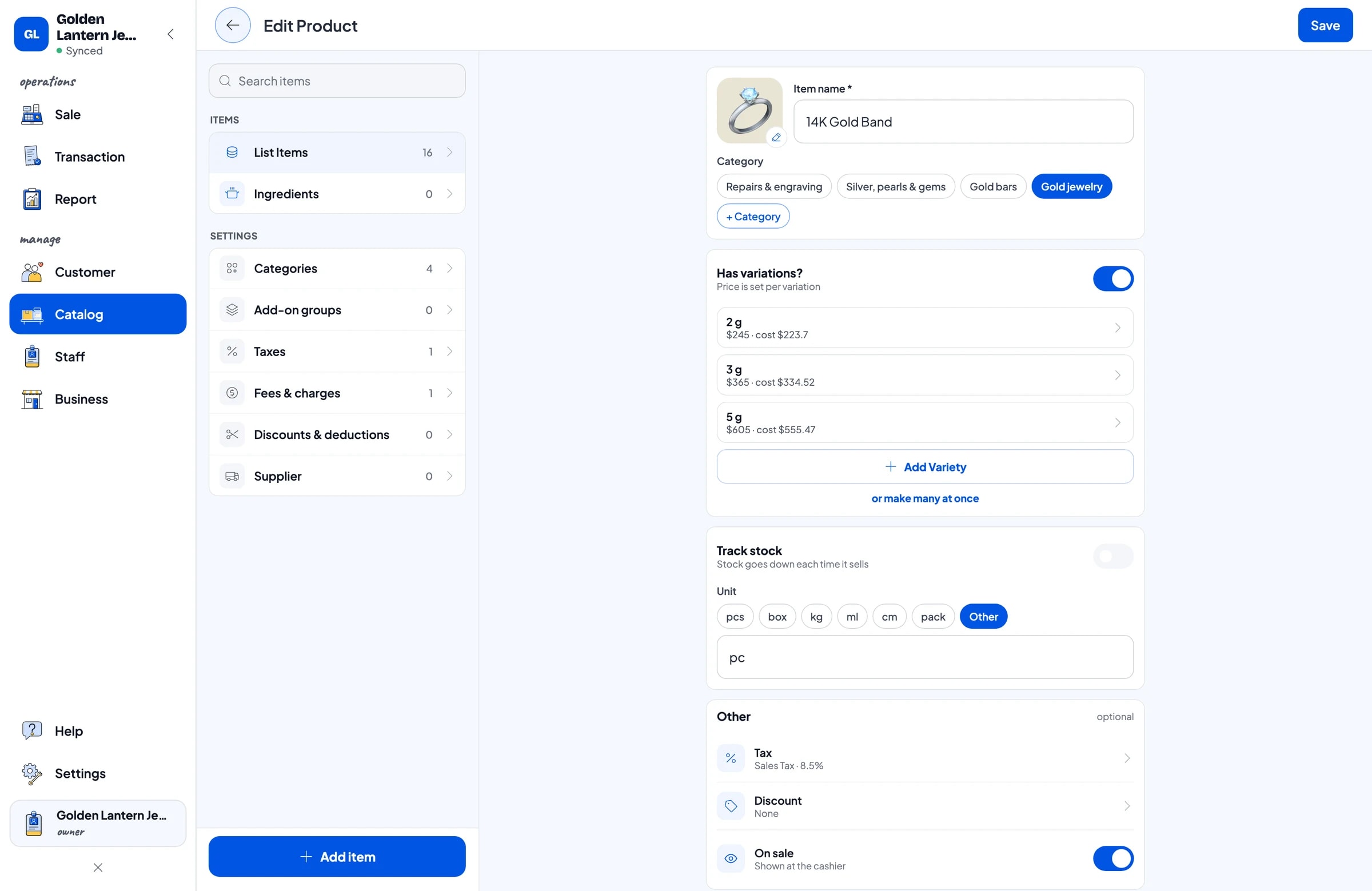
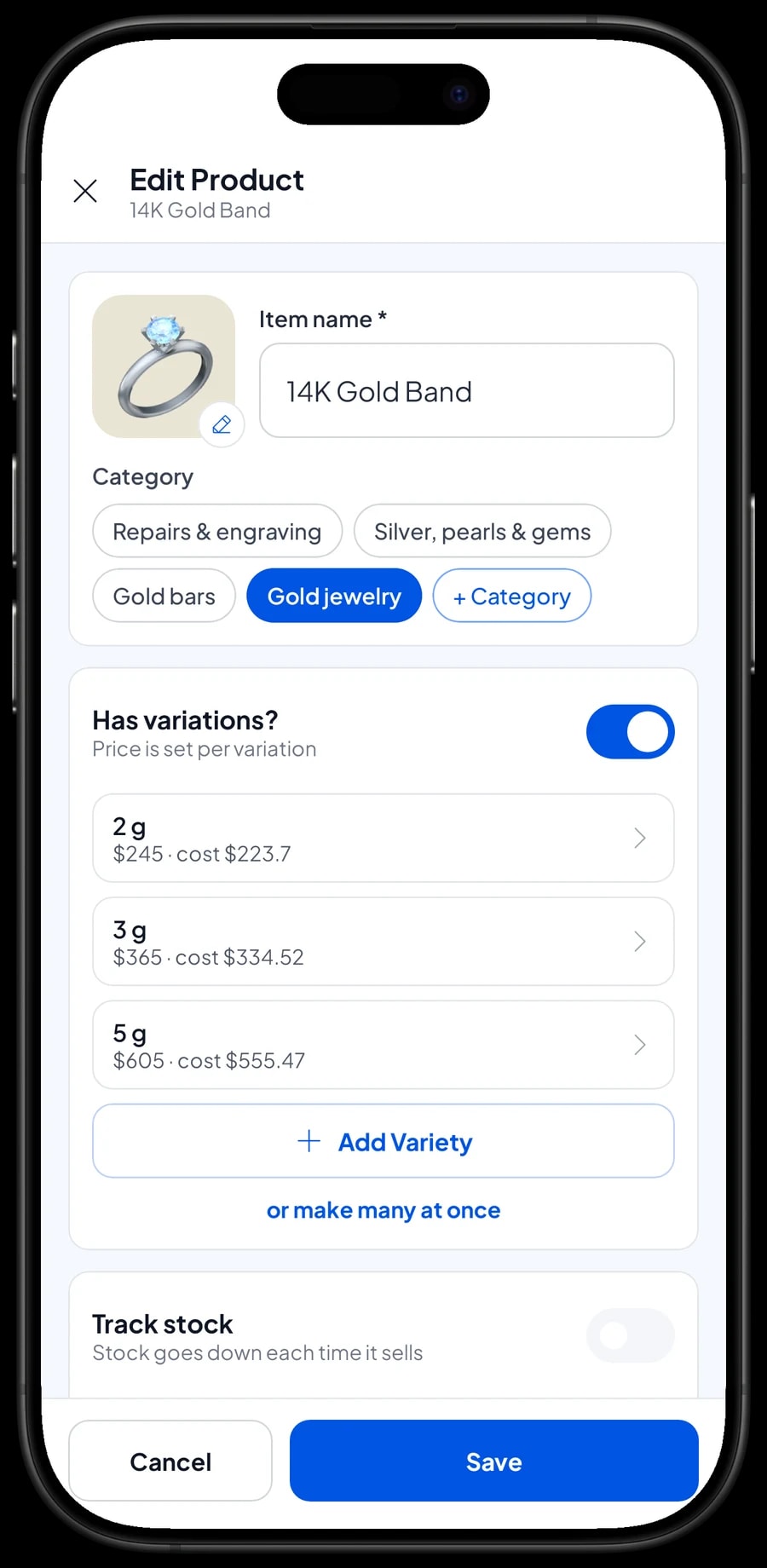
Each design is one item, and each weight is a variant. 14K Gold Band can have 2 g, 3 g and 5 g variants. 14K Gold Chain Necklace can have 3 g, 5 g and 8 g. Every variant has its own selling price, its own cost and its own stock, so you know exactly which weights are left.
Gold bars work the same way: 24K Gold Bar with 1 g, 2 g, 5 g and 10 g variants. Pieces with only one option, like a 14K Initial Pendant 1.5 g or a pair of 14K wedding rings, are regular items.
- Step 1: Open Catalog → Categories and create categories such as Gold jewellery, Gold bars and Repairs & engraving.
- Step 2: Open Catalog → List Items and add one item for each design.
- Step 3: Add a variant for each weight, with its selling price and cost.
- Step 4: Enter the stock for each variant based on what's in the case and the safe.
Updating prices when gold moves
Salesmaster doesn't pull a daily gold price, and it doesn't calculate price from weight times a price per gram. Each variant's price is a number you set. When the gold price changes, open the item in Catalog → List Items and update the variant prices.
Update the cost as well when you buy new stock at a different price. Reports use the variant cost to calculate gross profit, so it should match what you last paid.
If you charge labor separately from the metal, create labor as its own service item. Your reports then show how much came from gold and how much from workmanship.
Selling with customer records
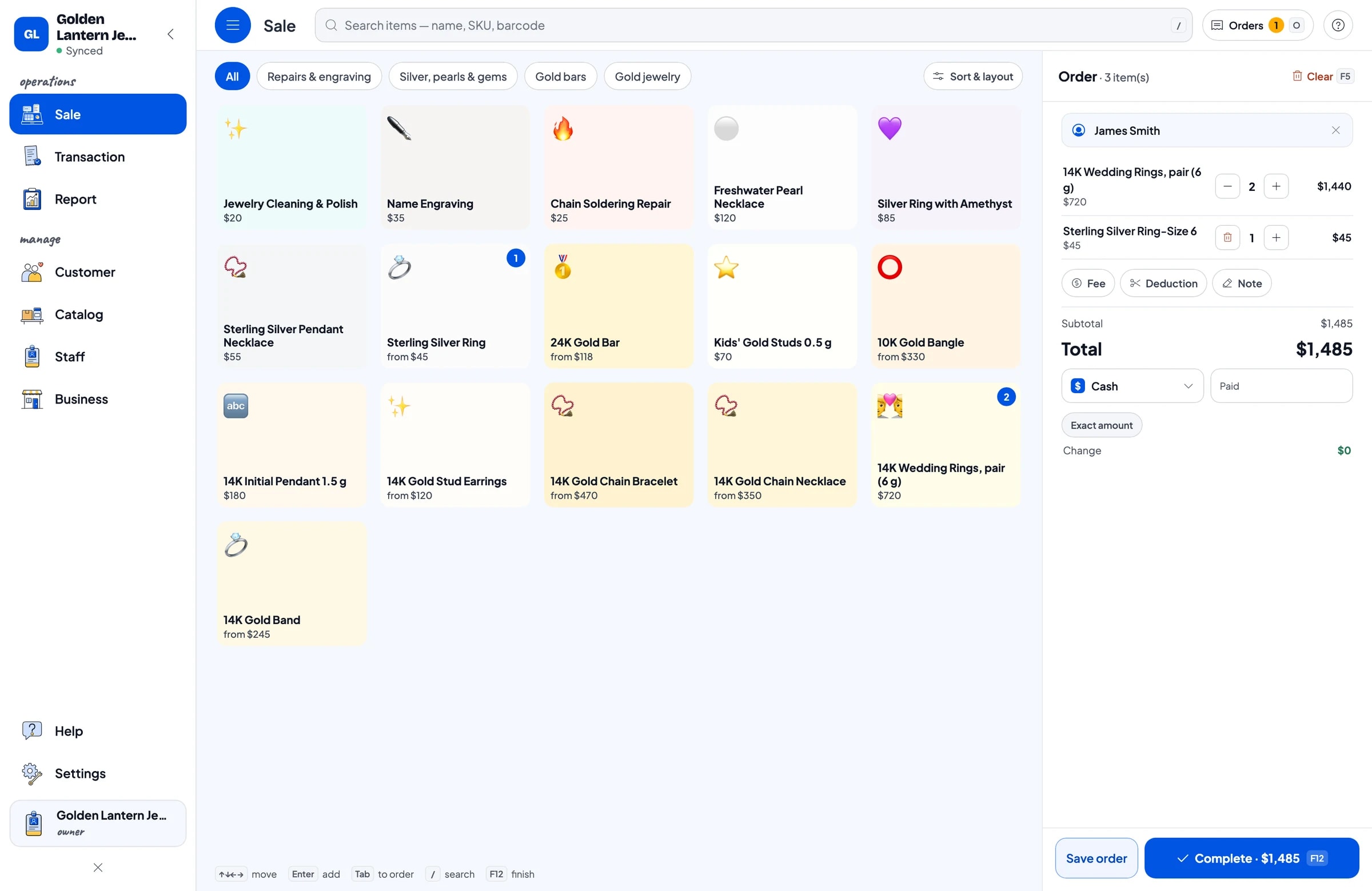
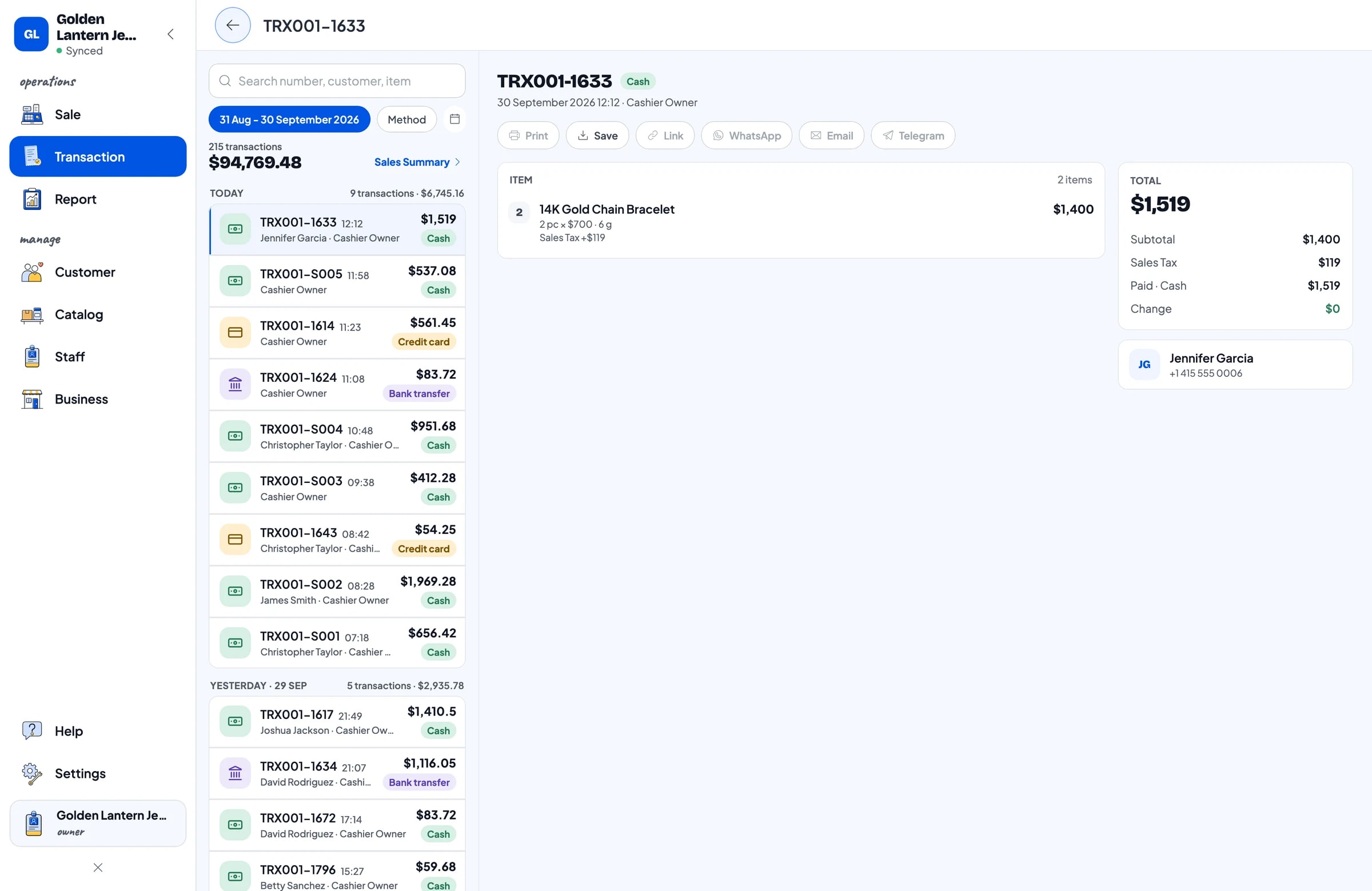
On the Sale screen, staff pick the piece, choose the weight and add the customer's name. For a jewellery shop it pays to always fill this in: name and phone number are stored under Customers, and their purchase history is there whenever you need it.
Add notes to a sale for anything extra, such as karat, an internal stock code or ring size. Receipts can be printed on a thermal printer or sent by WhatsApp, email or a web receipt link, which is a proof of purchase that's hard to lose.
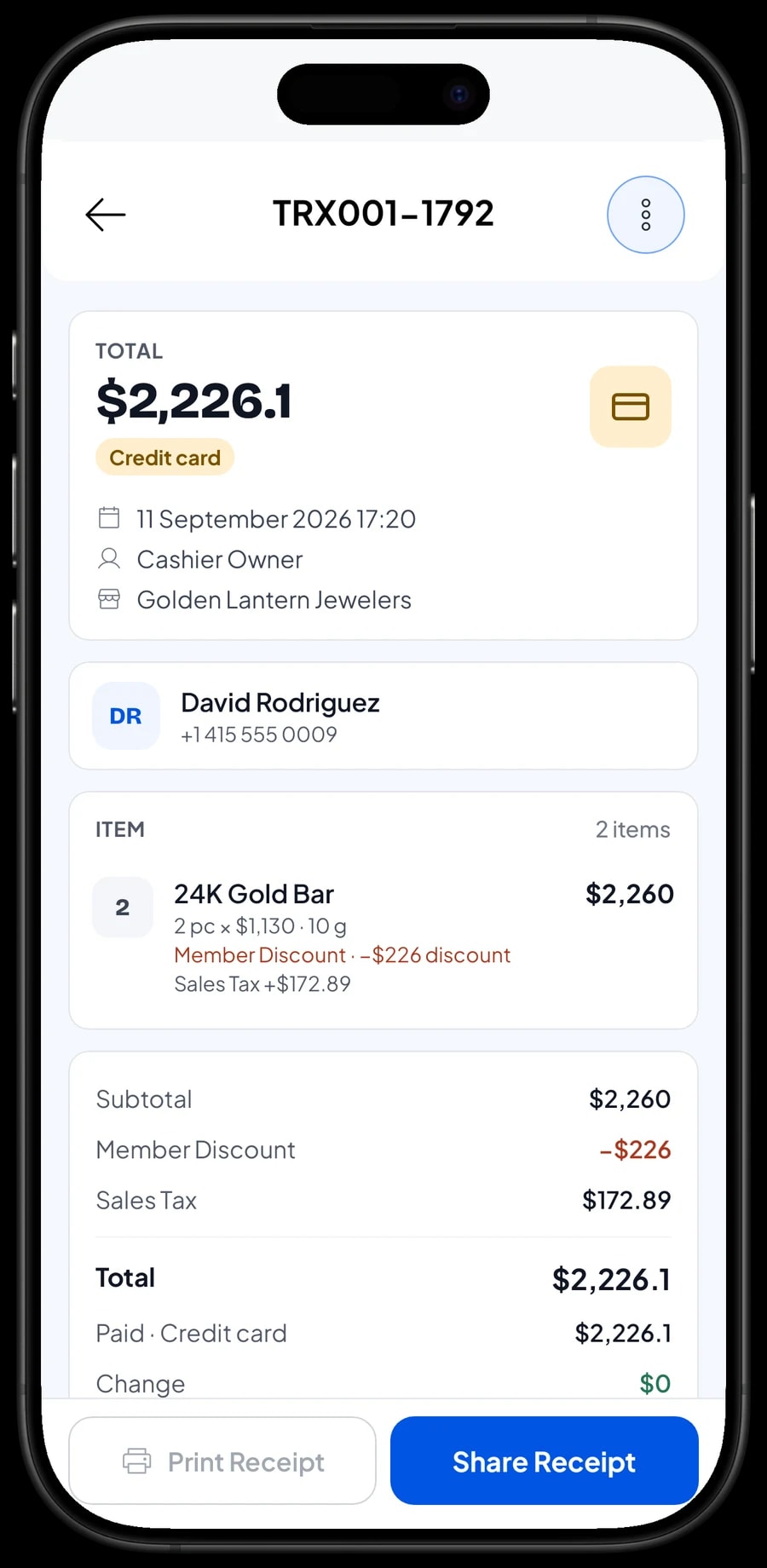
Regular customers can get a member card. If you give them a discount, create one such as Member Discount in Deductions, and the cashier applies it at checkout. Sales tax is set up once with the name and rate you choose, then added to every sale.
Payments and sale details
Create the payment methods you accept, such as cash, card, bank transfer or mobile wallets. Salesmaster doesn't connect to card terminals, so each one is simply a payment method you record. Reports split takings by method, which makes matching your bank deposits easy.
Every sale's detail shows the piece, weight, price, discounts, tax, any delivery fee and the payment method. When a customer comes back with a question, find the sale under Transactions or through their customer record.
Soldering, engraving and cleaning
Bench work is set up as service items in the catalog, each with its own price: Chain Soldering Repair, Name Engraving, and Jewellery Cleaning & Polish. Services can go on the same sale as jewellery, like a pair of wedding rings plus two engravings.
Reports show service revenue per item, so you can see what the bench contributes to the shop. Workshop supplies you buy are recorded in Finance as expenses.
Orders that are ready tomorrow
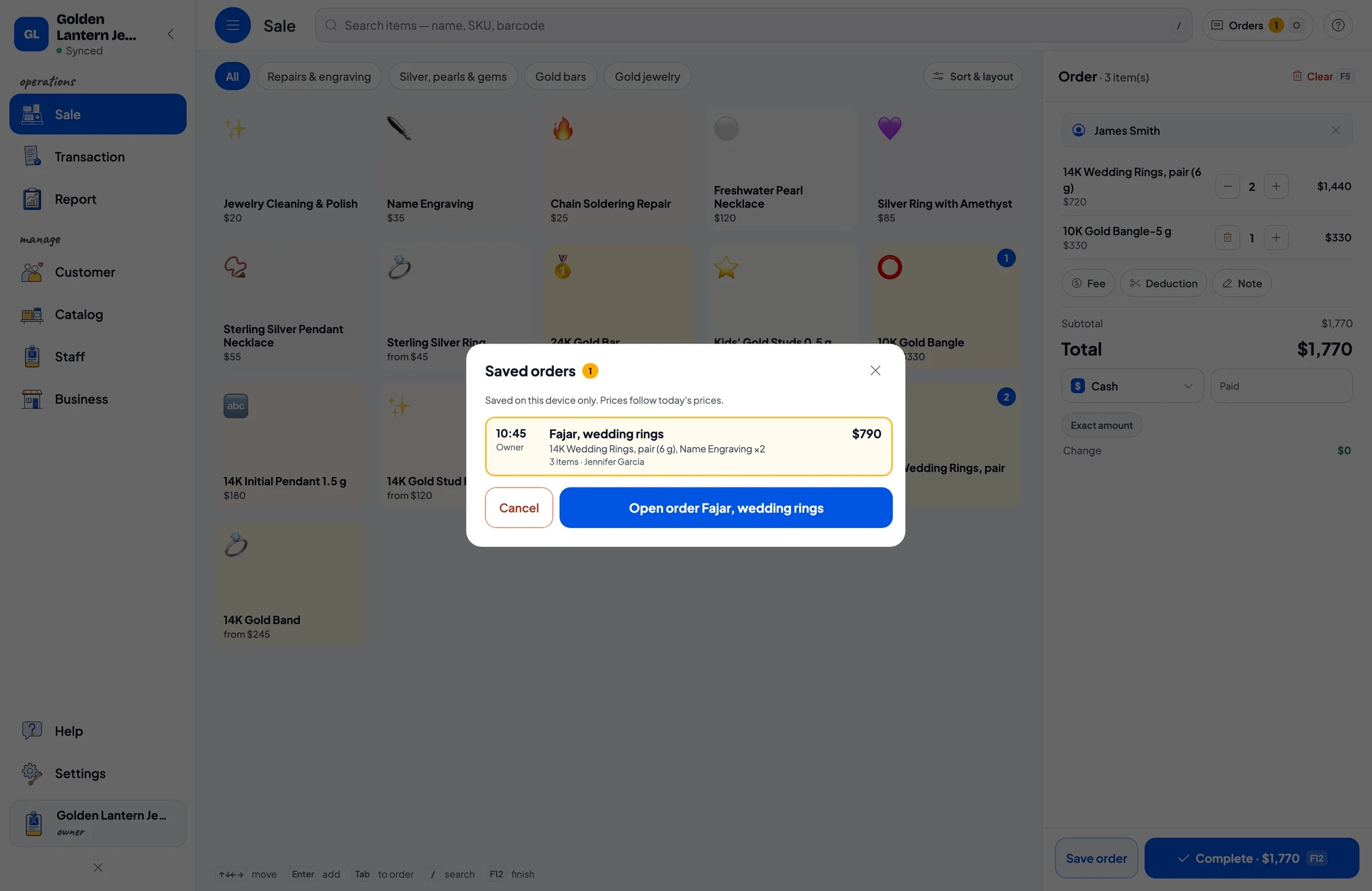
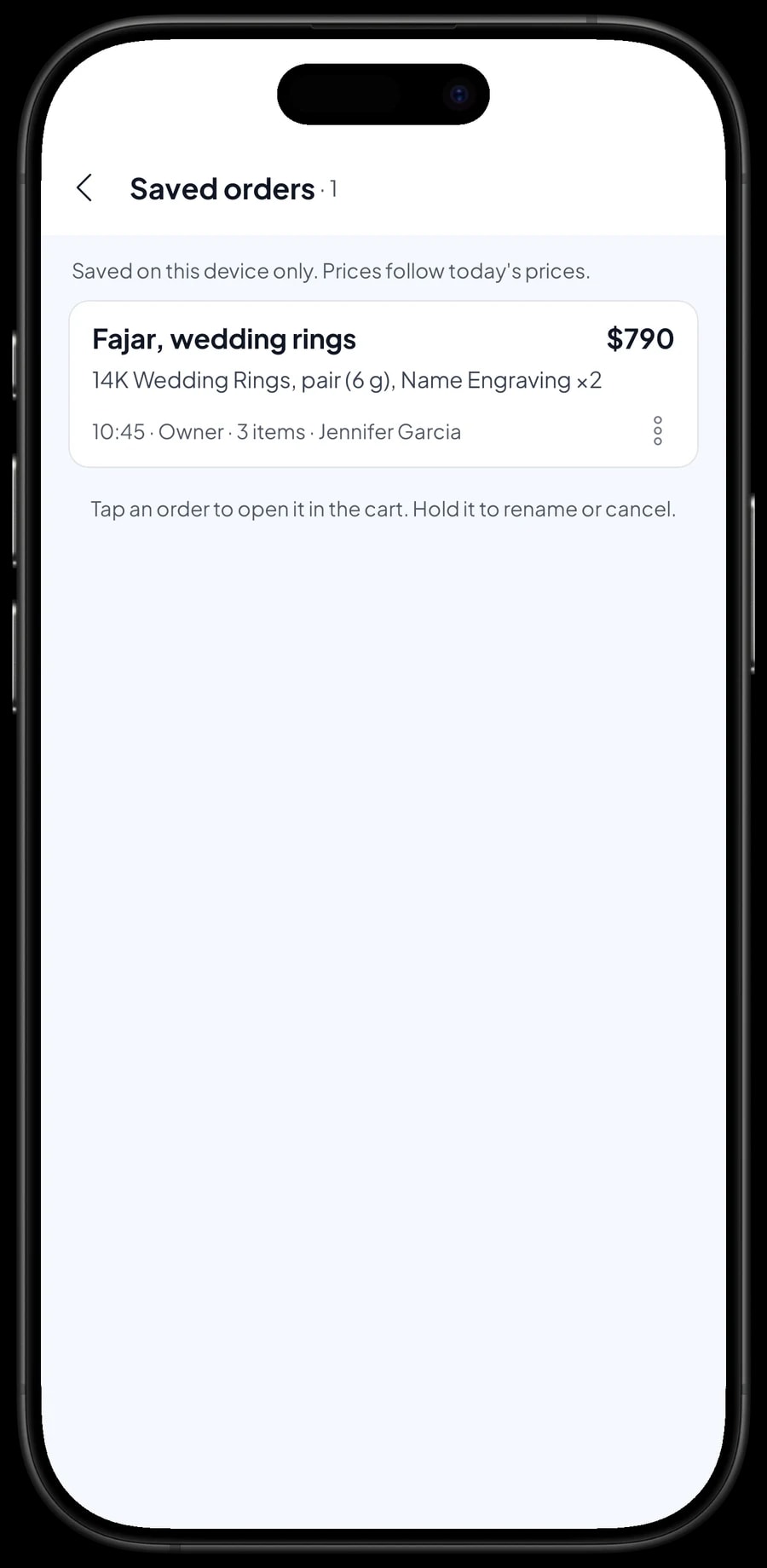
Wedding bands that need engraving or resizing are usually picked up the next day. Add the rings and the service to the cart, note the names to engrave, then tap Save order and name it, for example “Fajar, wedding rings”, with a note like “Ready tomorrow”.
When the customer comes in, open the order from Saved orders and take payment. A saved order isn't counted as a sale and doesn't take stock off until it's paid, and it's stored on the device where it was created.
Salesmaster doesn't record deposits or partial payments on a sale. If the customer pays part up front, sell it right away as a separate Service item called “Down payment” for the amount received. At pickup, the order keeps its full price and staff tap Add Deduction for the down payment, so the drawer and reports match on both days. Set the pieces aside too, since stock only drops when the order is paid.
Buying gold back from customers
Many gold shops also buy jewellery back. Salesmaster has no dedicated buy-back transaction. A practical way to handle it: record what you paid the customer in Finance as an expense under a category like Gold & stock buying, with the customer's name and the piece in the note.
If you'll resell the piece, add it to the right variant's stock as a stock adjustment and update the cost if needed. If it's going to the refiner, recording the expense is enough.
Sales staff and cashier devices
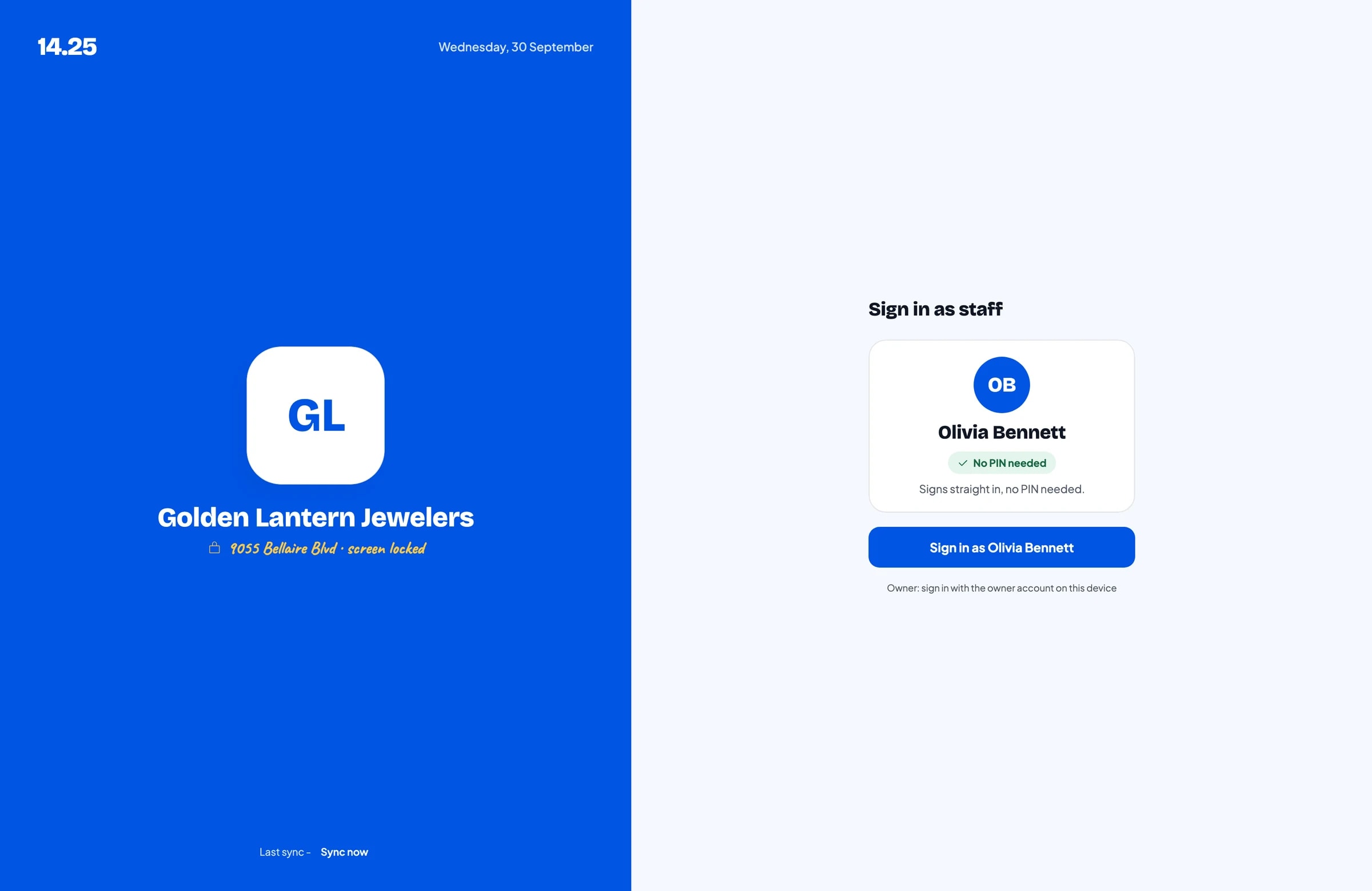
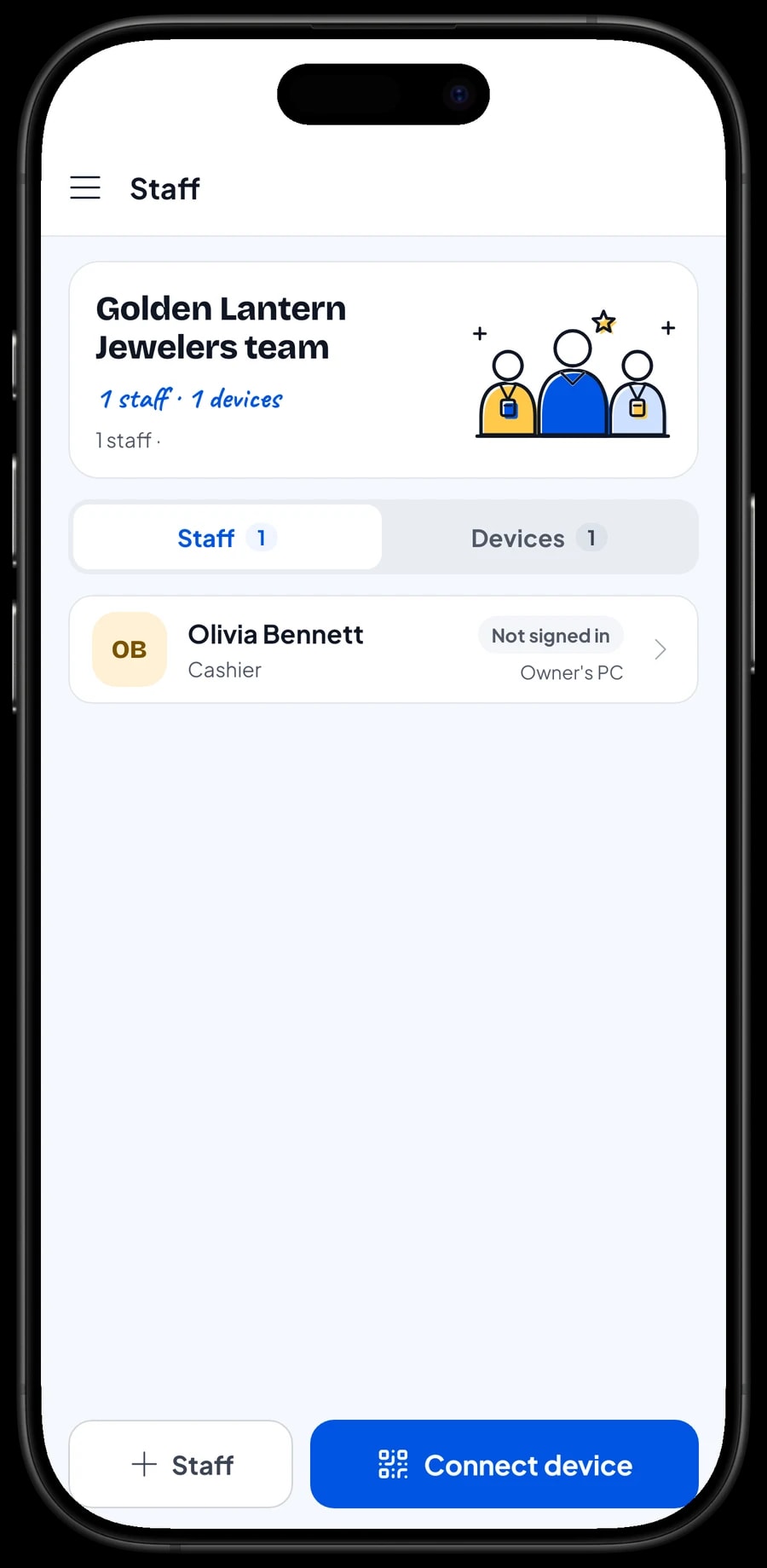
The owner signs in with the main account, and an account is signed in on one device at a time. Sales staff get a staff account with a PIN on a cashier device you register. Staff accounts come with Bronze Pro (1 staff) and Silver Pro (2 staff).
Expenses and net profit
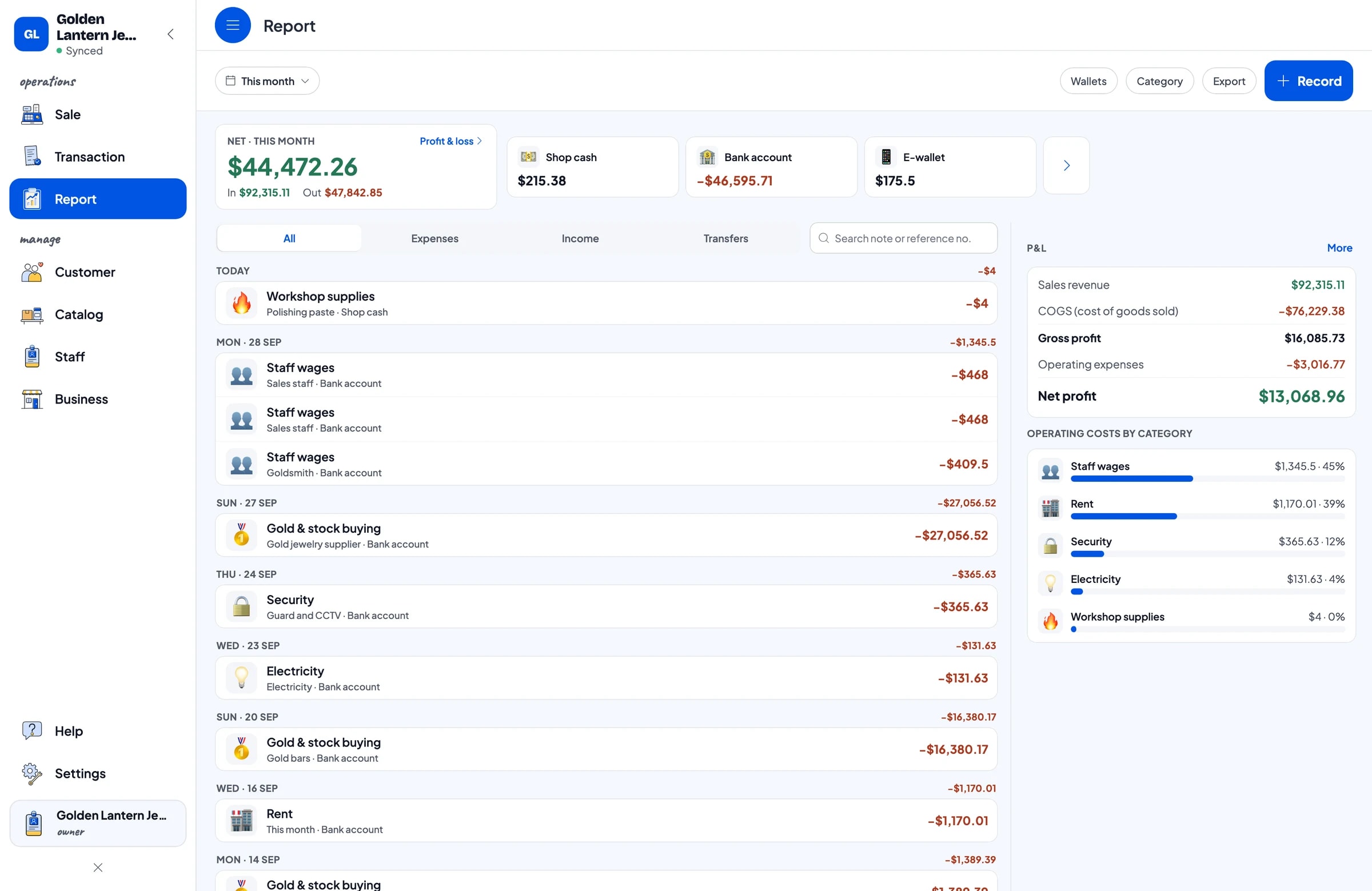
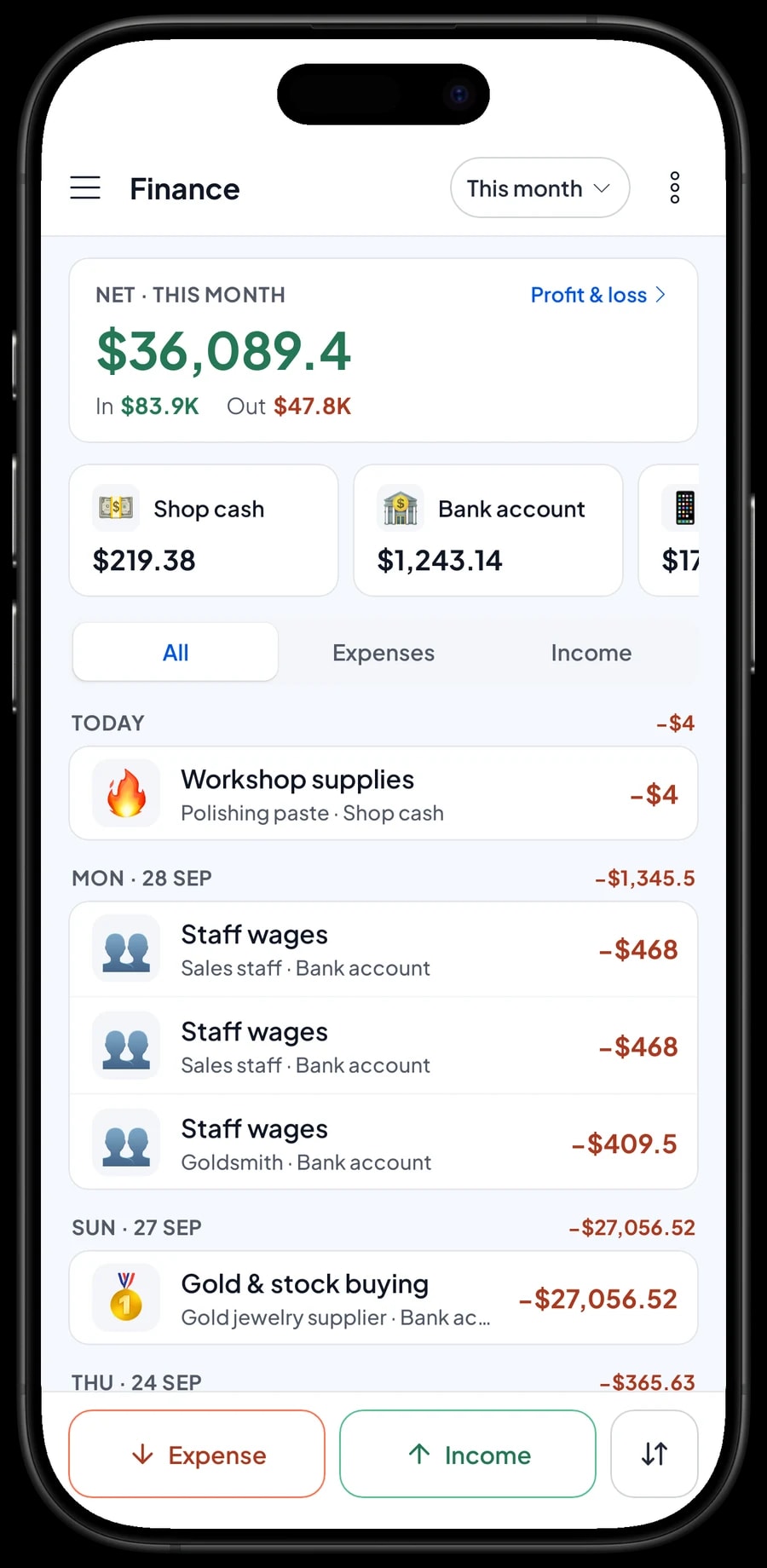
Record the shop's costs in Finance: gold jewellery from suppliers, gold bars, silver and pearls, staff and goldsmith wages, rent, a guard and CCTV, and electricity. Each expense has a category, a wallet it was paid from, and a note.
The Finance report shows revenue minus cost of goods and operating costs, which is the shop's net profit. Sales reports by day, week, month and year export to Excel or PDF. The app keeps working offline for up to 7 days, then syncs when you're back online.
An example jewellery shop catalog
Use this table as a starting point. Swap in your own designs, weights and today's prices.
| Category | Item | Variants | Price | Type |
|---|---|---|---|---|
| Gold jewellery | 14K Gold Band | 2 g, 3 g, 5 g | $245 – $605 | Product |
| Gold jewellery | 14K Gold Chain Necklace | 3 g, 5 g, 8 g | $350 – $910 | Product |
| Gold jewellery | 14K Wedding Rings, pair (6 g) | - | $720 | Product |
| Gold bars | 24K Gold Bar | 1 g, 2 g, 5 g, 10 g | $118 – $1,130 | Product |
| Silver, pearls & gems | Sterling Silver Ring | Size 6, 7, 8 | $45 | Product |
| Silver, pearls & gems | Freshwater Pearl Necklace | - | $120 | Product |
| Repairs & engraving | Name Engraving | - | $35 | Service |
| Repairs & engraving | Chain Soldering Repair | - | $25 | Service |
Each design is one item with weight variants, so stock is tracked by weight. Prices here are only examples; update variant prices and costs whenever the gold price moves.
Which plan fits your jewelry shop
A jewelry shop serving around 7 customers a day plus some repairs records roughly 200 transactions a month, and more in wedding and holiday season.
| Plan | Price | Transactions / month | Staff accounts | Good for |
|---|---|---|---|---|
| Free | Free | 30 | Owner only | To try weight variants and checkout before using it for real. |
| Solo Pro | $4.90/month | 3,000 | Owner only | Small shops run by the owner alone. |
| Bronze Pro | $6.90/month | 5,000 | 1 staff | Shops with one salesperson on their own cashier device. |
| Silver Pro | $9.90/month | 8,000 | 2 staff | Busier shops with two salespeople on separate devices. |
Every plan includes checkout, catalog, receipts, reports and offline mode. You can change plans at any time. See pricing →
Frequently asked questions
- Can Salesmaster track jewellery stock by weight?
- Yes. Create one item per design and add weights as variants, such as 2 g, 3 g and 5 g. Each variant has its own price, cost and stock.
- Do prices follow the daily gold price automatically?
- No. You set each variant's price yourself. When the gold price moves, update the variant prices and costs in Catalog → List Items.
- How do I record gold I buy back from a customer?
- There's no dedicated buy-back transaction. Record what you paid in Finance as an expense, then add the piece back to stock as a stock adjustment if you plan to resell it.
- Can a customer leave a deposit on a ring order?
- Salesmaster doesn't record deposits or partial payments on a sale. Sell the deposit right away as a separate Service item called “Down payment” for the amount received, and keep the order with Save order. At pickup, open the order at its full price, tap Add Deduction for the deposit amount, and take the rest. Saved orders are stored on the device where they were created.
- How do I charge for soldering and engraving?
- Create each service as a service item with its own price. Services can be sold on the same sale as jewellery, and their revenue shows separately in reports.
- Can I see a customer's purchase history?
- Yes. Add the customer's name to each sale, and every purchase is kept under Customers with the piece, weight, price and date.
Need help setting up your catalog? Chat with our team on WhatsApp →



