

Salesmaster is a point-of-sale (POS) app for laundries and dry cleaners on Android, iPhone & iPad, Windows and Mac. You can price services by weight or by piece, set regular, express and same-day turnaround as variants, offer fragrance and packing as add-ons, keep drop-offs that are paid at pickup with Save order, send receipts by WhatsApp or email, and see net profit after expenses in Finance. A Free plan lets you try it first.
Problems every laundry knows
If any of these sound familiar, this page is for you.
- 01
Handwritten tickets and wrong totals
A customer drops off a bag, you weigh it, work out the price on a calculator and write a ticket. Tickets get lost, a number is miscopied, the express surcharge is forgotten, and the gap only shows up when you count the till.
- 02
Too many prices to remember
Wash-dry-iron, wash-dry-fold, ironing only, then regular, express and same day. Add bed covers by size, suits, dresses and rugs by the square metre, and a new counter clerk needs weeks to learn it all.
- 03
A back room full of bags, and who has paid?
Some customers pay at drop-off, others at pickup. Without a clear list, it is hard to see which orders are still waiting for payment and how much each one owes.
- 04
Revenue you can see, profit you can't
Money comes in every day, but so do bills for detergent, bags, dryer gas, electricity, water, wages and rent. Without recorded expenses, you are guessing what the business really earns.
Setting up your services: by weight, by piece, and turnaround
A laundry sells services, not products. In Salesmaster, each service is one item in the Catalog with the unit that fits it: kg for wash-and-fold, pc for a bed cover or a suit, set for sheets, pair for shoes and m² for rugs. Group them into categories such as By the kilo, By the piece, Shoes & bags and For sale, so the counter clerk finds any service in a tap or two on the Sale screen.
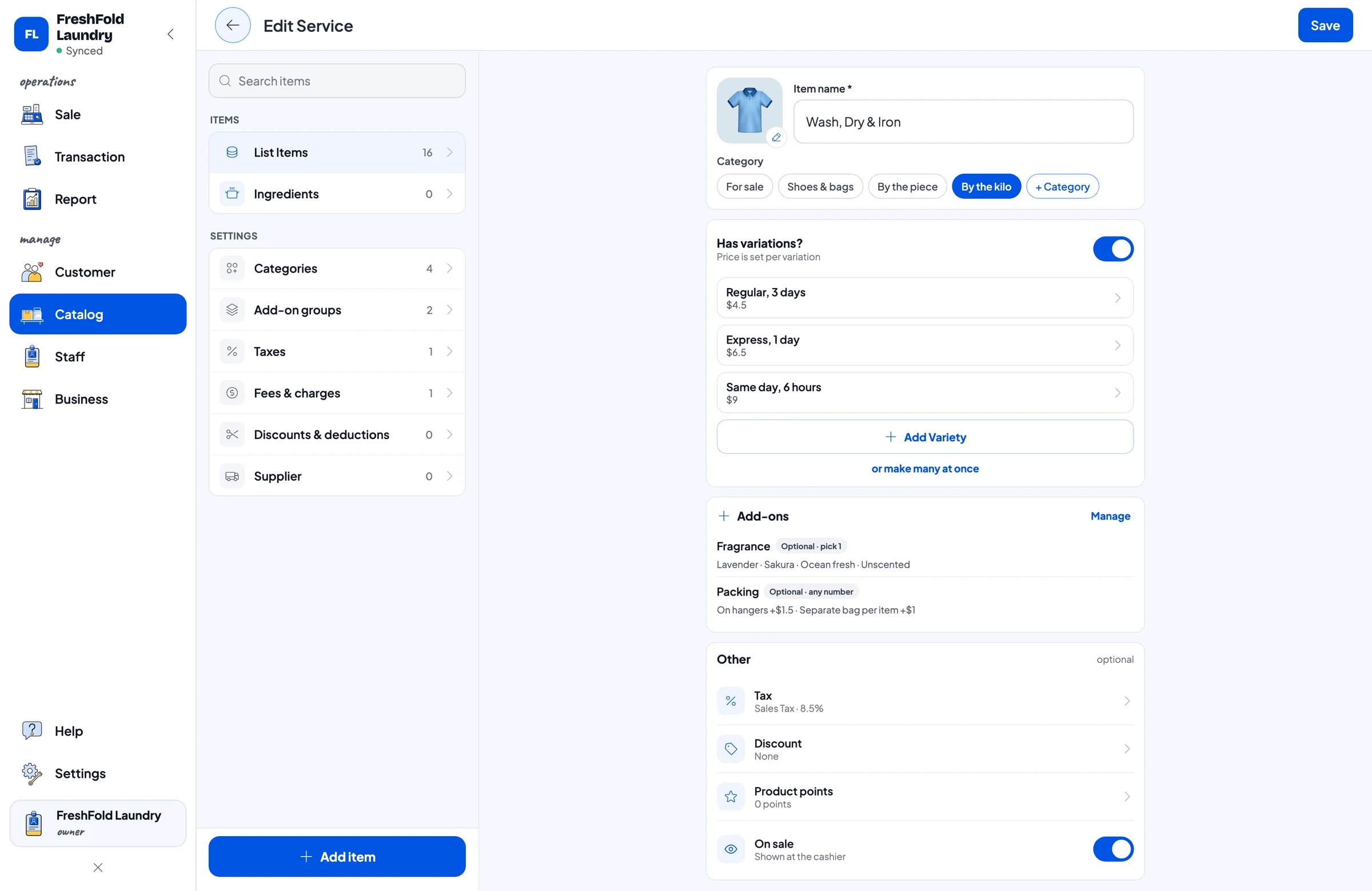
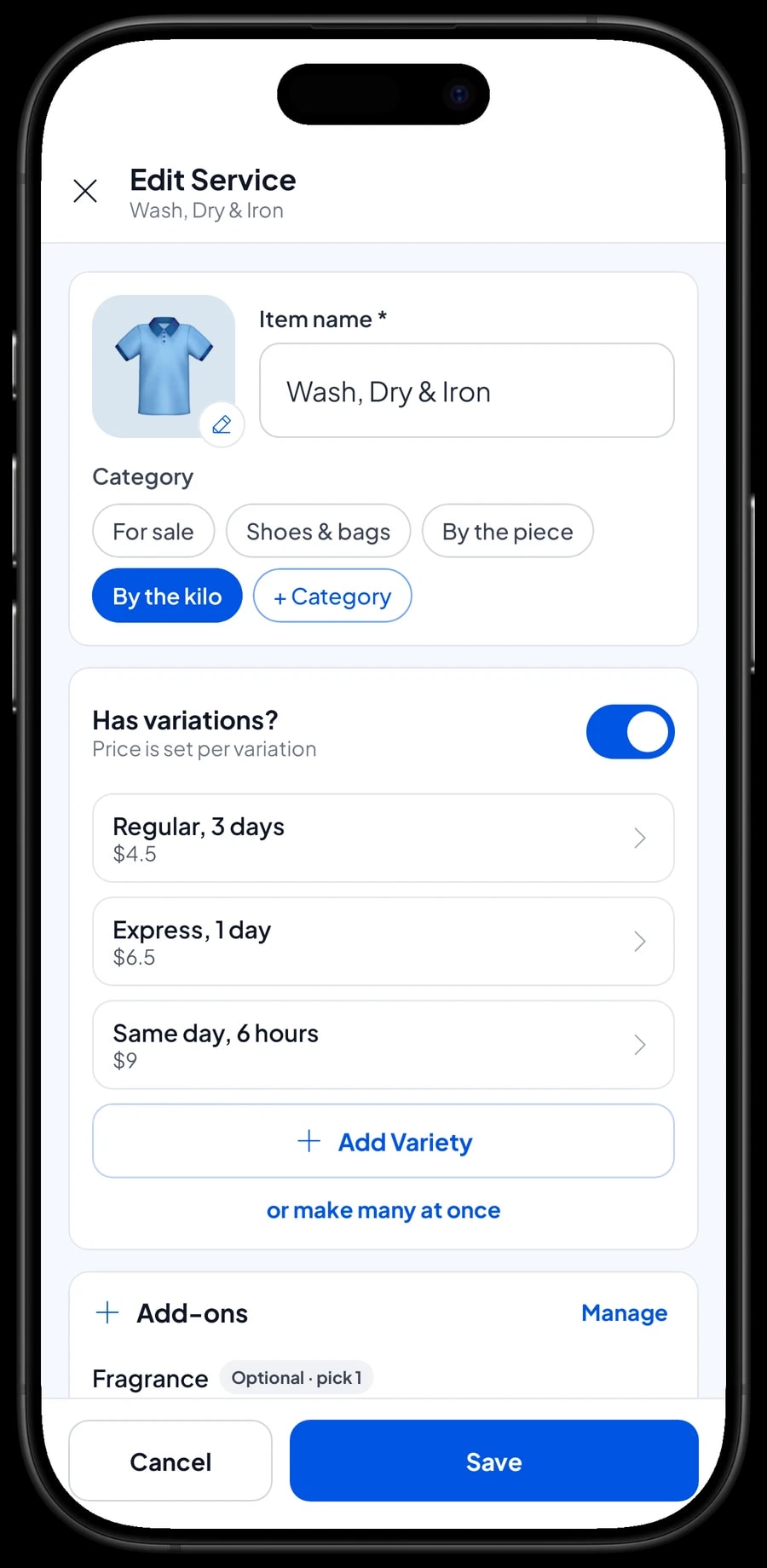
Turnaround works best as variants. Wash, Dry & Iron is a single item with Regular (3 days), Express (1 day) and Same day (6 hours) variants, each with its own price per kg. The clerk picks the variant, rounds the weight on the scale up to the next whole kg and enters it as the quantity (cart quantities are whole numbers), and the total is worked out. Bed covers follow the same idea: one item with Single, Queen and King variants.
Prices don't change automatically with weight. If you give regulars or large commercial loads a different rate, create it as a separate variant the clerk chooses, or apply a discount from Deductions.
- Step 1: Open Catalog → Categories and create categories such as By the kilo, By the piece, Shoes & bags and For sale.
- Step 2: Open Catalog → List Items and add a service such as Wash, Dry & Iron with kg as its unit.
- Step 3: Add turnaround variants such as Regular, Express and Same day, each with its price per kg.
- Step 4: Add piece services such as Bed Cover, Suit and Rug with their own units and prices.
Fragrance and packing as add-ons
Laundry customers have small preferences that matter to them: lavender, sakura or no fragrance at all for sensitive skin, shirts on hangers, or each piece in its own bag. These are cleaner as add-ons than as scribbles on a ticket.
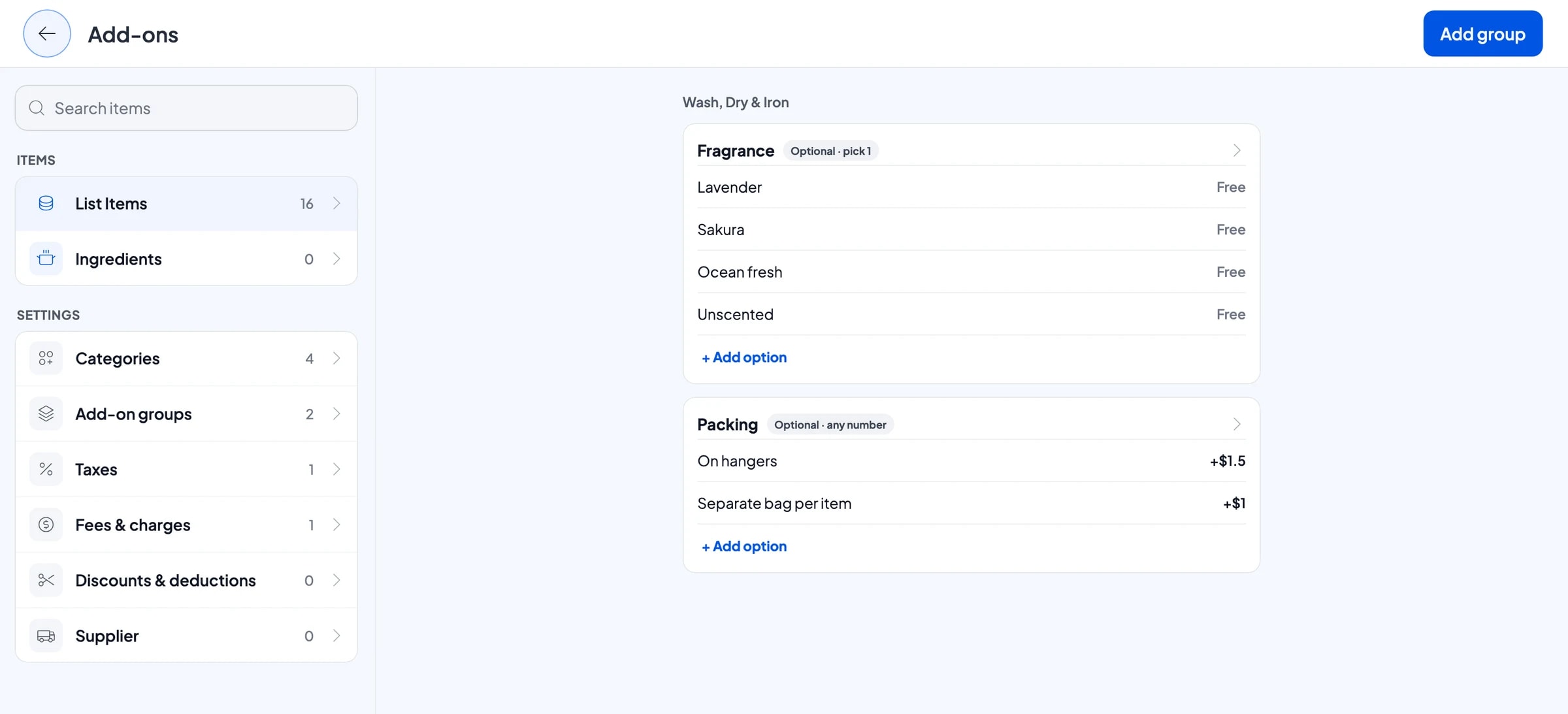
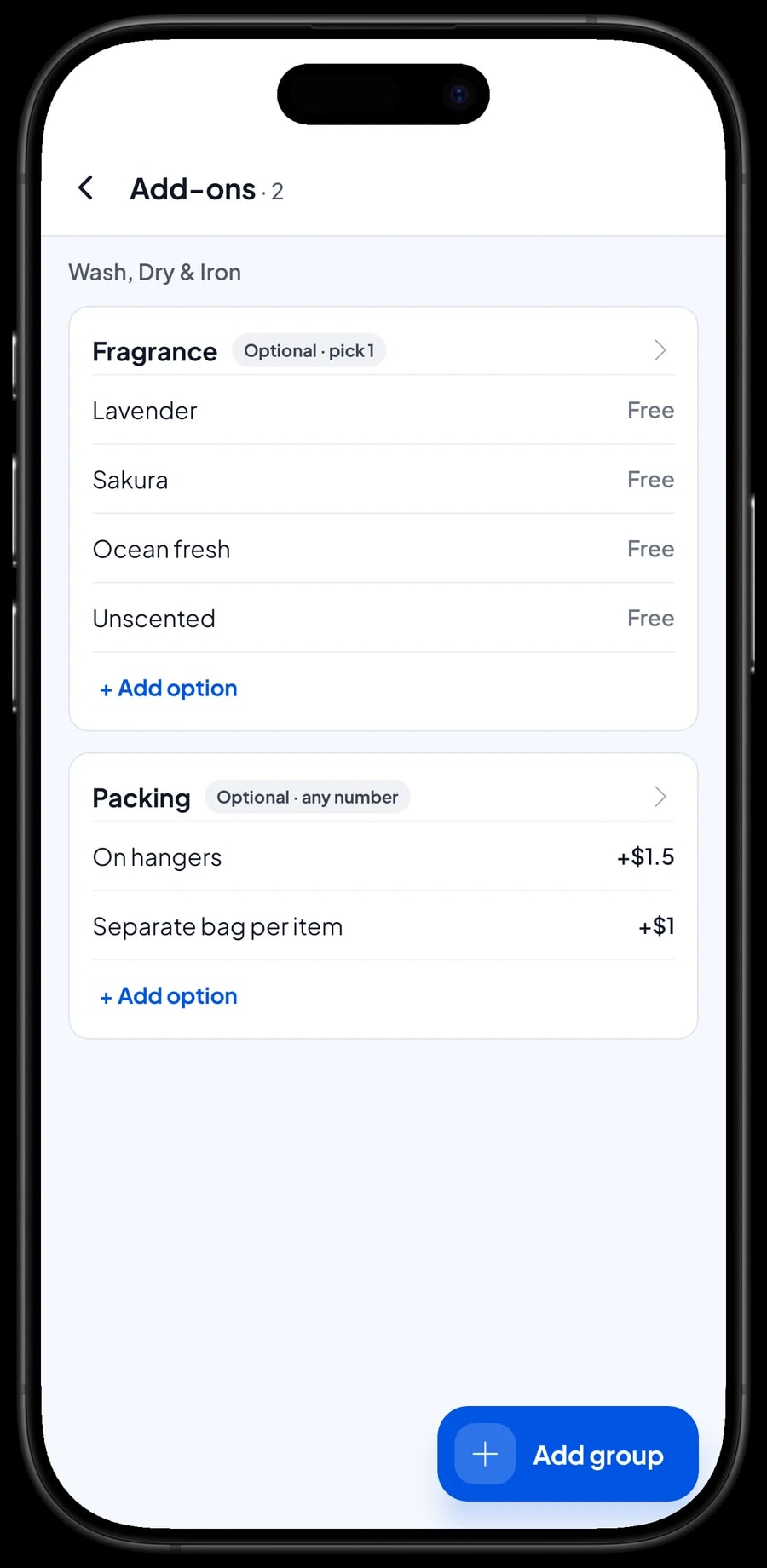
Create a Fragrance group with Lavender, Sakura, Ocean fresh and Unscented, and limit it to one choice. Create a Packing group with On hangers and Separate bag per item, each with its own surcharge. One add-on group can be attached to many services, so Wash, Dry & Iron, Ironing Only, suits and dresses all share it.
At drop-off, the clerk picks the service, then the fragrance and packing. The choices are saved with the order, so whoever does the ironing knows which fragrance to use and what goes on a hanger.
- Step 1: Open the service in Catalog → List Items and go to its add-ons.
- Step 2: Create a Fragrance group with free options and set it to one choice at most.
- Step 3: Create a Packing group with options such as On hangers and Separate bag per item, each with its surcharge.
- Step 4: Attach the same groups to the other services that use them.
Drop-offs that are paid at pickup
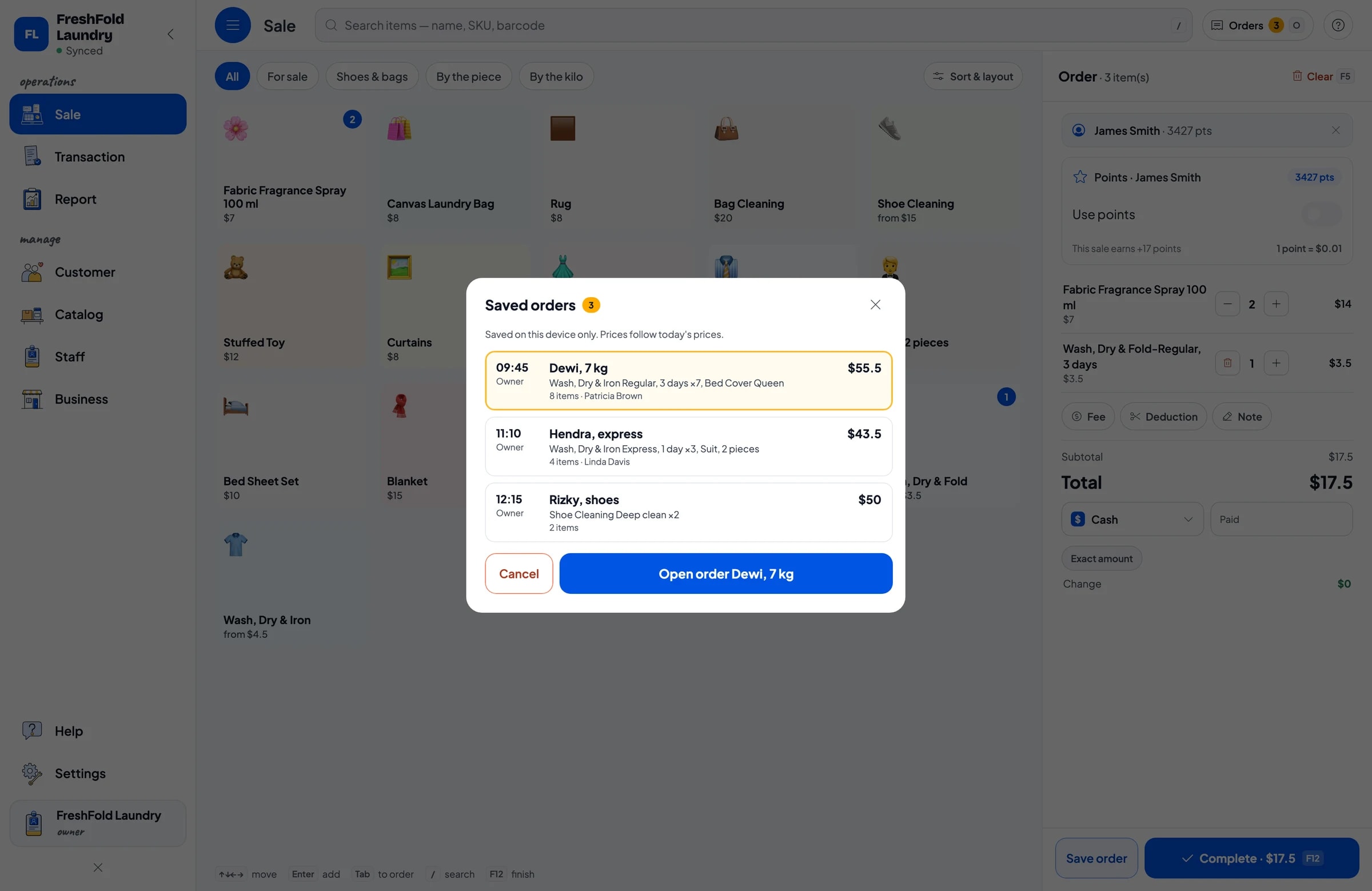
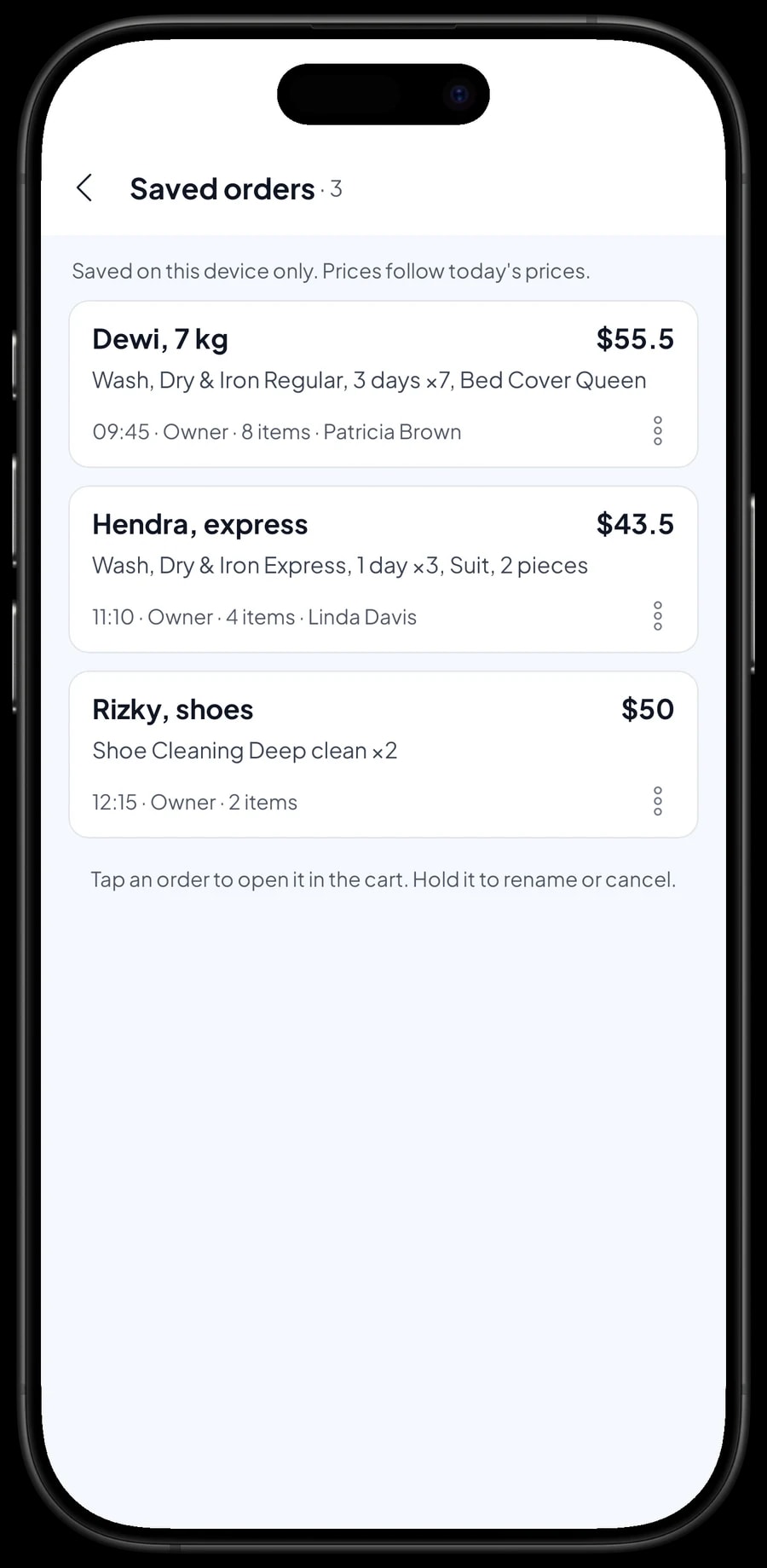
Most laundry customers leave their bag today and pay when they collect it a day or three later. That is what Save order is for. The clerk enters the services, weight and add-ons as usual, then saves the cart under a name that is easy to find, such as Dewi, 7 kg, with a note like Ready Thursday.
When the customer comes back, open Saved orders, pick their name, add anything they brought in later, and complete the payment. Only then does the order become a sale and appear in your reports. If a customer prefers to pay at drop-off, simply complete the sale right away.
Two things to know. Saved orders live on the device that created them, so take the payment on that same counter phone or tablet. And a saved order is a cart waiting to be paid, not a customer account or a running balance; one sale can't be split into a deposit and a final payment. If a customer pays something up front, sell it right away as a separate Service item called Down payment for the amount received. At pickup, the order keeps its full price and the clerk taps Add Deduction for the down payment, so the drawer and reports match on both days.
- Step 1: On the Sale screen, pick the service and its variant, then enter the weight rounded up to the next whole kg.
- Step 2: Choose fragrance and packing, and add any piece items.
- Step 3: Tap Save order and enter the customer's name and a note such as the ready date.
- Step 4: At pickup, open Saved orders, pick the order and complete the payment.
Payments, sales tax and receipts
Create the payment methods you accept: cash, card, bank transfer, a mobile wallet or anything else you take. Reports show how much came in through each method, so cash in the drawer and deposits in the bank are easy to reconcile each night.
If you charge sales tax, set it once in Fees or Tax and it is calculated on every sale. A pickup-and-delivery fee can be set there too, so it is never forgotten. Discounts for regulars or a slow-day promotion go in Deductions.
Once paid, the receipt can print on a Bluetooth thermal printer with 58 mm or 80 mm paper, or go to the customer by WhatsApp, email or a web receipt link that carries your logo and contact details. A digital receipt suits customers who always lose the paper one.
Things you sell: laundry bags and fragrance sprays
Many laundries also sell a few products, such as canvas laundry bags or fabric fragrance spray. Unlike services, these have stock. Create them as regular products in a For sale category with an opening stock, and every sale takes them off stock.
Supplies you use yourself, like detergent, softener, bags and dryer gas, are simplest to record as expenses in Finance when you buy them. Their cost then comes off your profit without having to measure usage per load.
When a delivery arrives or a count doesn't match, update the stock in Catalog → Inventory → Stock. Stock history is kept, so you can see when products came in and when they sold.
Counter staff and staff devices
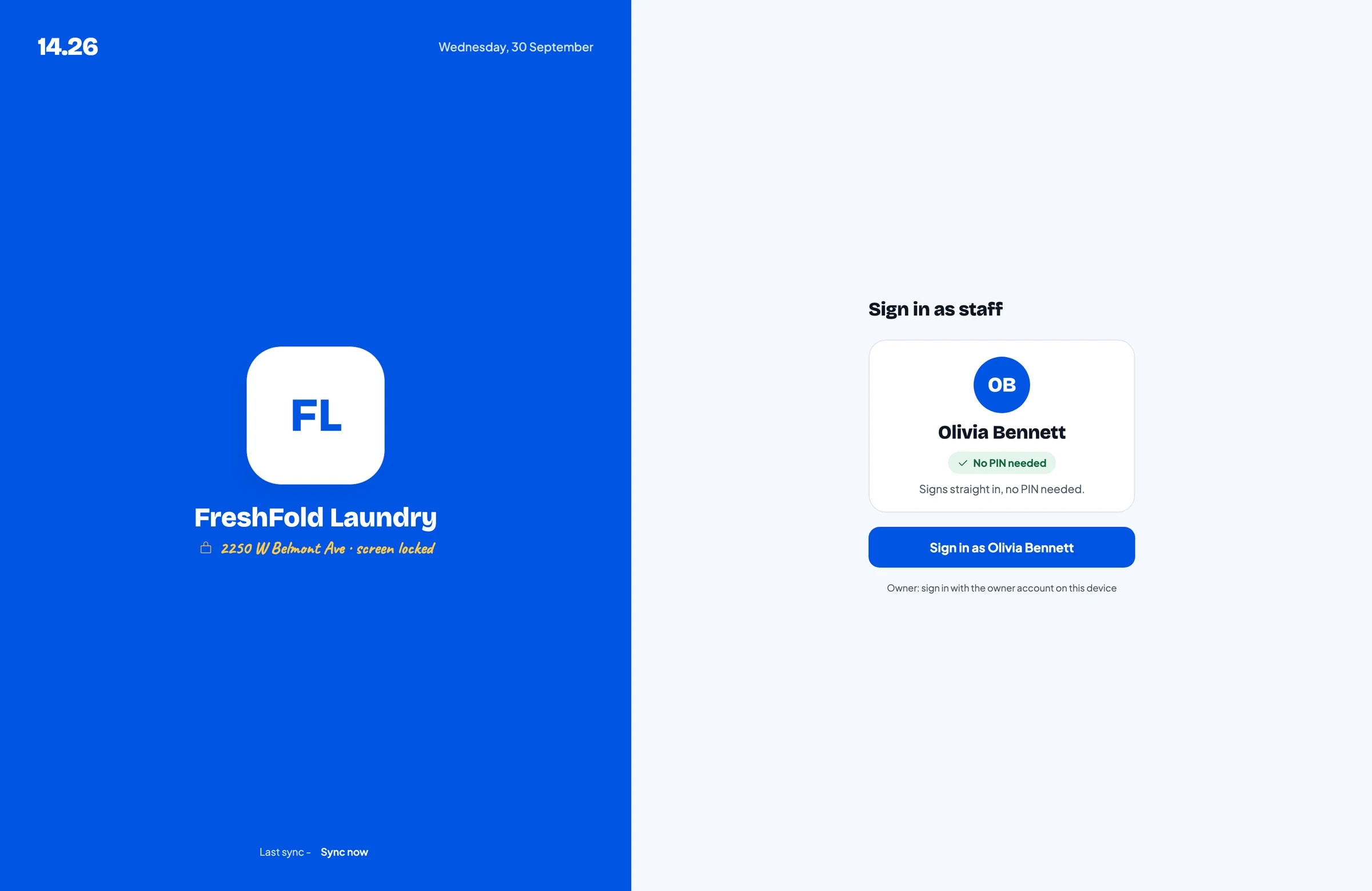
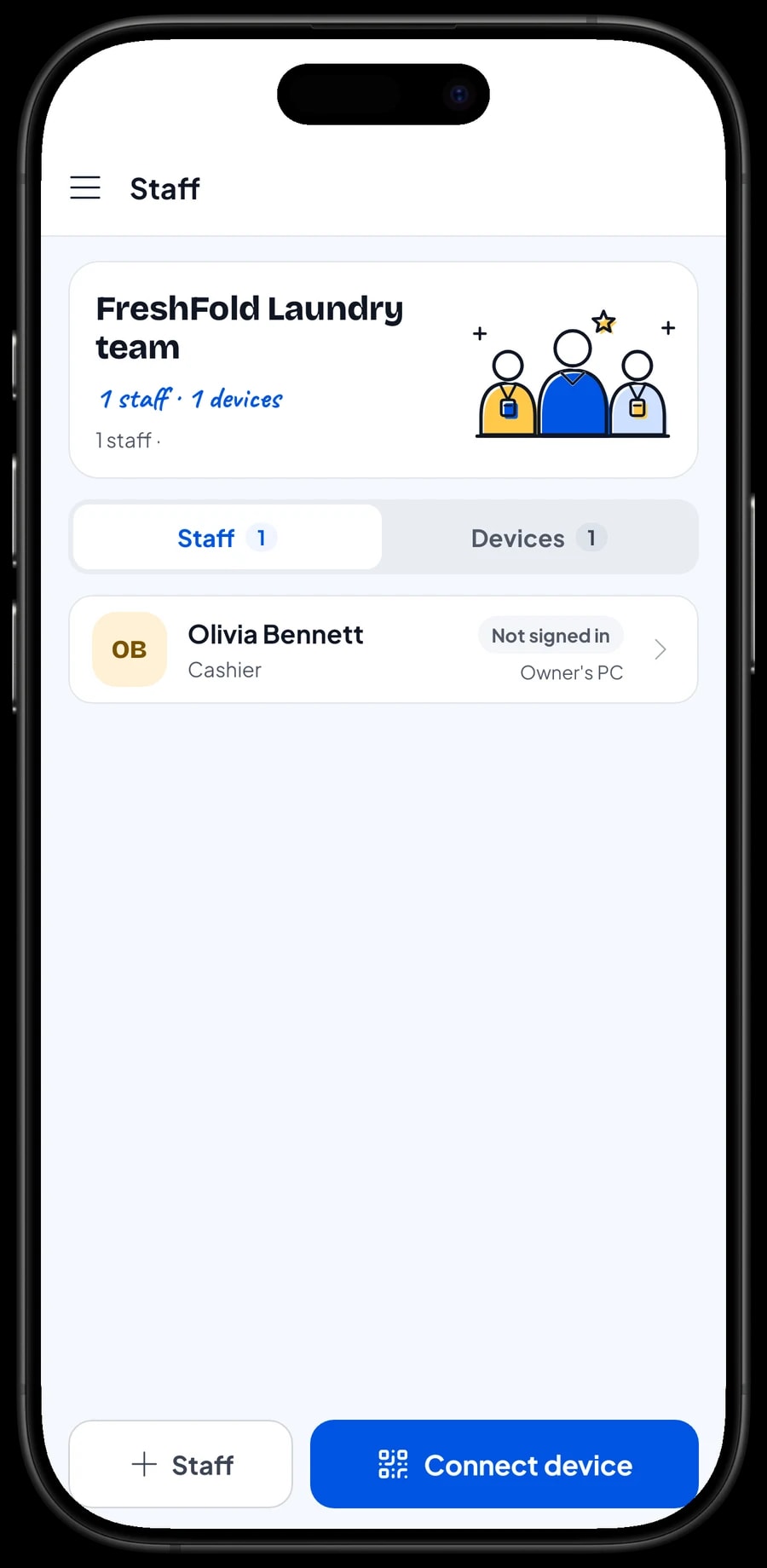
The owner signs in with the main account. Counter staff don't need your account: add them as staff, register the counter phone or tablet as a staff device, and they sign in with a PIN. You decide what they can see and change. Staff accounts come with Bronze Pro (1 staff) and Silver Pro (2 staff). An account signs in on one device at a time, so extra devices run on staff accounts.
Regulars: loyalty points and member cards
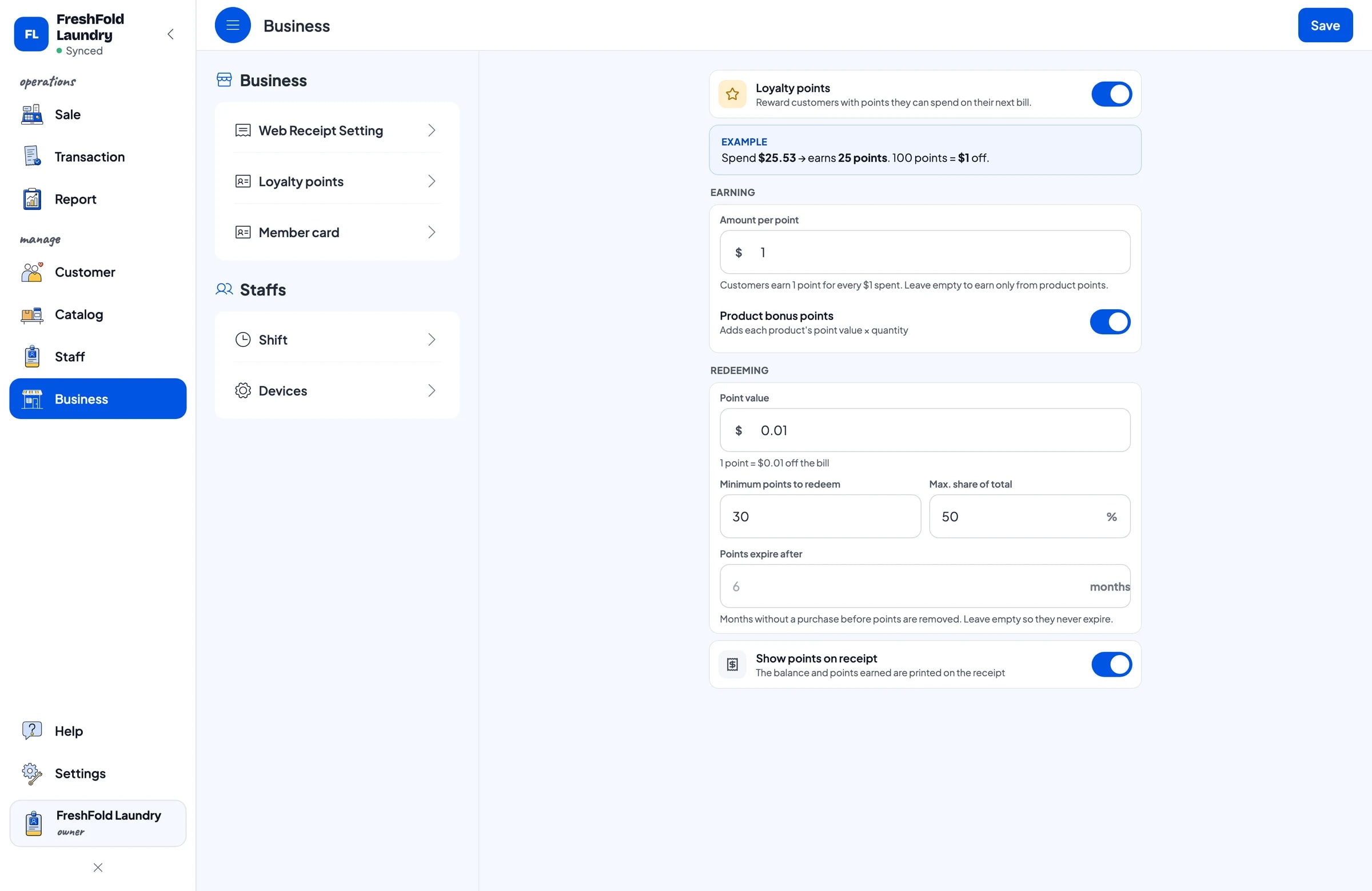
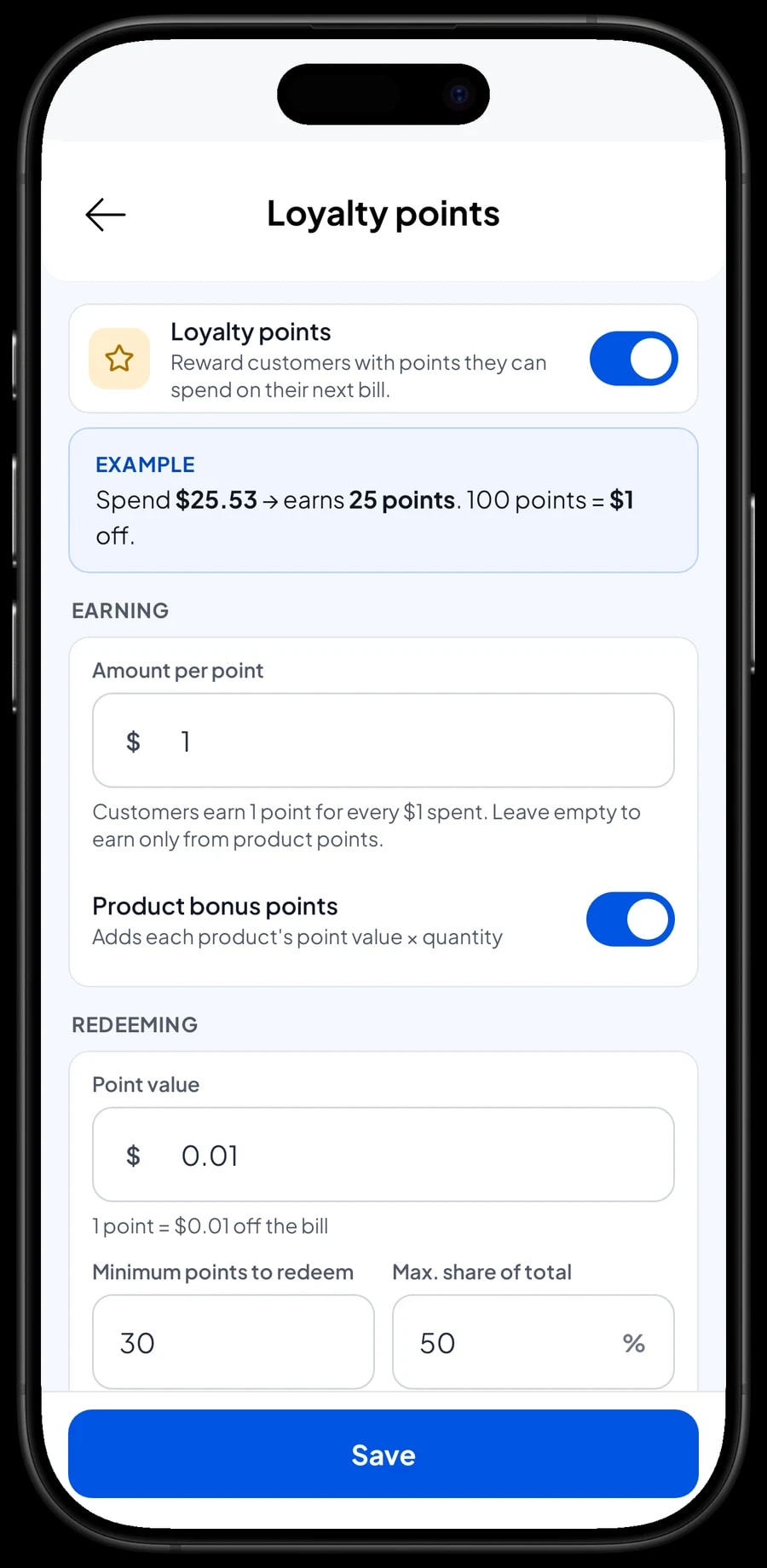
A laundry lives on people who come back every week: students, busy families, landlords with sheets to wash. Save the customer at checkout, a name and phone number is enough, and turn on Loyalty points under Business.
You set the rules: the amount spent per point, what a point is worth when redeemed, the minimum points to redeem and the maximum share of a bill that points can cover. Points are added with every sale, and when a customer wants to use them the discount is applied straight away. Loyal customers can also get a member card in their name.
Each customer's purchase history is kept under Customers, so you can see who comes in every week and who hasn't been back for a while.
Revenue, expenses and real net profit
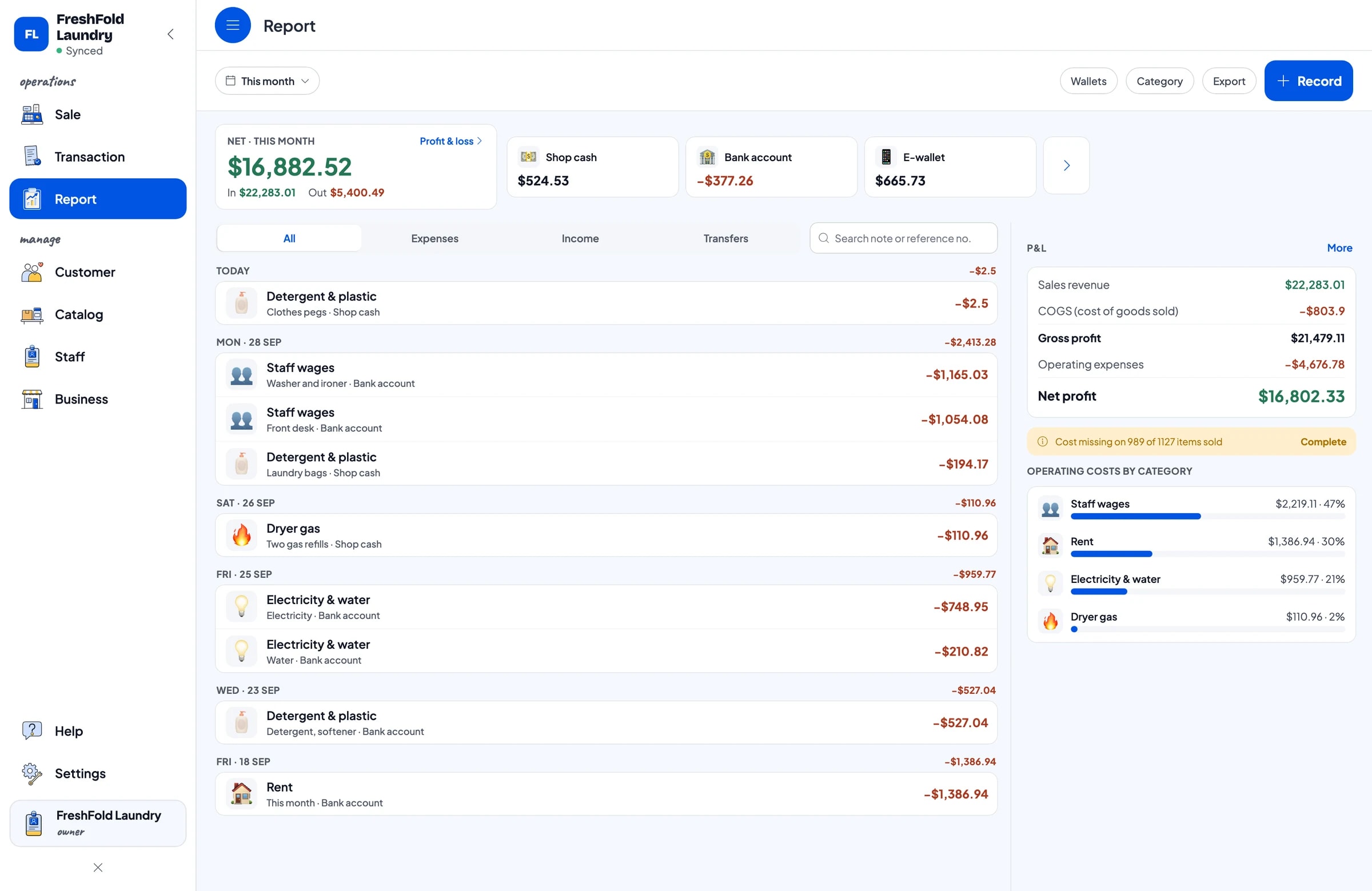
Reports are available by day, week, month and year. You see total revenue, gross and net sales, discounts, tax collected, payment methods, and which services bring in the most: regular wash-and-fold, express, or piece work.
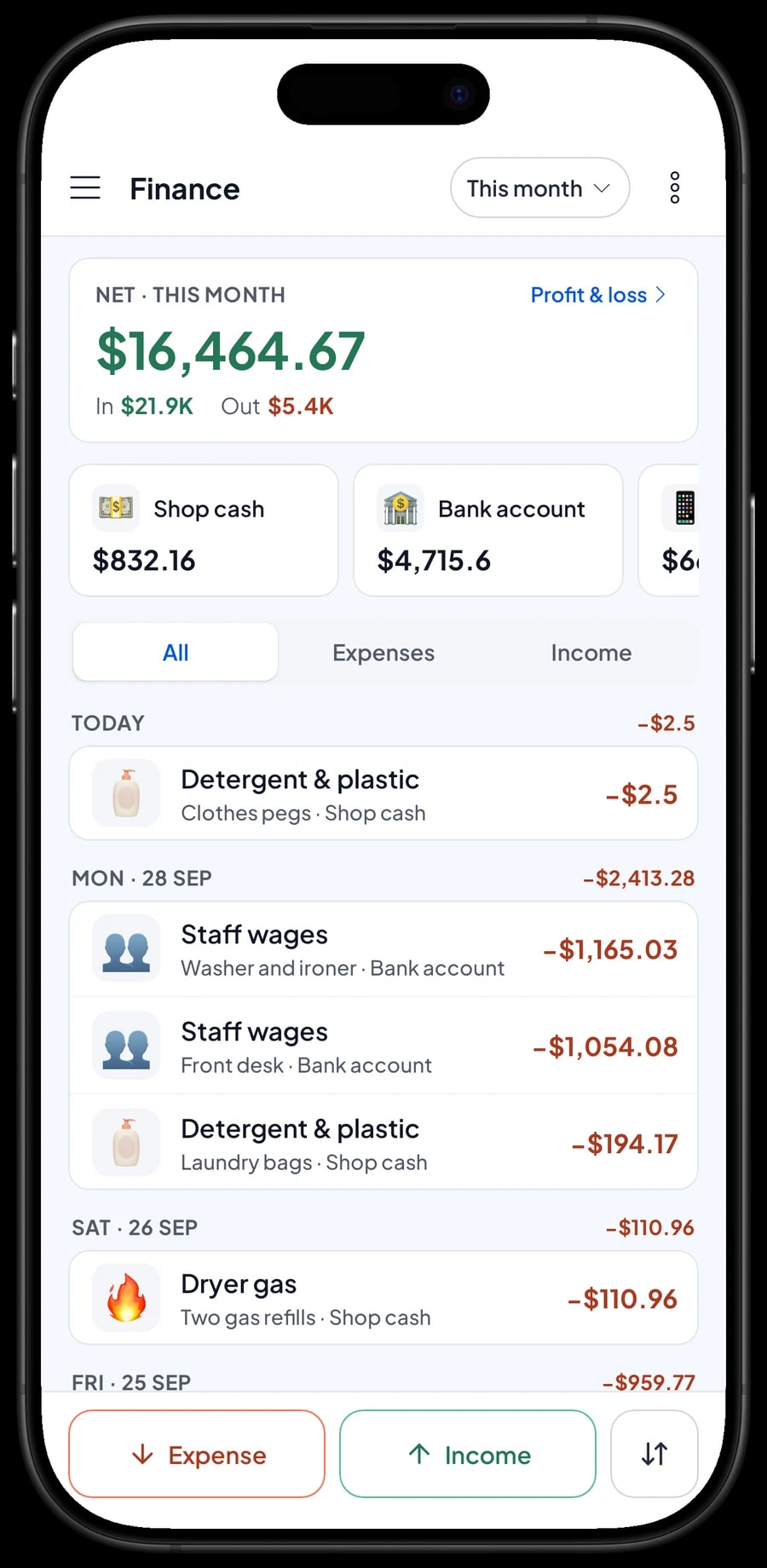
For real profit, record expenses in Finance: detergent and bags, staff wages, rent, electricity and water, and dryer gas. Each expense has a category and the wallet it was paid from, such as shop cash, a bank account or an e-wallet. The Finance report then shows revenue minus costs: your laundry's net profit.
Reports export to Excel or PDF for your accountant or business partner. Remember that orders not yet collected and paid aren't in revenue yet, so the figures show money you have actually received.
Start in a day, keep going offline
You don't need to close to switch to Salesmaster. Install the app on the counter phone or tablet, create an account, and enter your by-weight services with their turnaround variants, then the piece services you are asked for most. Add the fragrance and packing add-on groups last. Most laundries finish this in a morning.
Bags taken in on paper tickets before the switch can be settled as usual, or entered as saved orders when the customer comes back. On the first evening, open the daily report and compare it with the cash in the drawer. Once the counter runs smoothly, start recording expenses in Finance.
If the internet or Wi-Fi goes down, the till keeps working. Sales are saved on the device and sent to the cloud when the connection is back. Offline mode works for up to 7 days; after that the app needs to connect briefly to sync and verify your account.
An example laundry price list
Use this table as a starting point and replace the names, units and prices with your own services.
| Category | Service | Unit | Variants | Add-ons |
|---|---|---|---|---|
| By the kilo | Wash, Dry & Iron | kg | Regular 3 days, Express 1 day, Same day 6 hours | Fragrance, Packing |
| By the kilo | Wash, Dry & Fold | kg | Regular 3 days, Express 1 day | Fragrance |
| By the kilo | Ironing Only | kg | Regular 3 days, Express 1 day | Packing |
| By the piece | Bed Cover | pc | Single, Queen, King | Fragrance |
| By the piece | Suit, 2 pieces | pc | - | Packing |
| By the piece | Dress | pc | - | Packing |
| By the piece | Rug | m² | - | - |
| Shoes & bags | Shoe Cleaning | pair | Regular clean, Deep clean | - |
| For sale | Canvas Laundry Bag | pc | - | - |
Cleaning services have no stock, so they are service items. Products sold as they are, such as laundry bags or fragrance spray, are regular products with their own stock.
Which plan fits your laundry
Start by counting customers per day. A laundry that takes in and hands back about 20 orders a day records roughly 600 transactions a month.
| Plan | Price | Transactions / month | Staff accounts | Good for |
|---|---|---|---|---|
| Free | Free | 30 | Owner only | To try drop-offs and saved orders before using it for real. |
| Solo Pro | $4.90/month | 3,000 | Owner only | Laundries where the owner runs the counter. |
| Bronze Pro | $6.90/month | 5,000 | 1 staff | Laundries with one counter clerk on their own device. |
| Silver Pro | $9.90/month | 8,000 | 2 staff | Laundries open long hours, or with two staff on separate devices. |
Every plan includes checkout, catalog, receipts, reports and offline mode. You can change plans at any time. See pricing →
Frequently asked questions
- Can Salesmaster price laundry by weight?
- Yes. Create the service with kg as its unit and a price per kg, and the clerk enters the weight, rounded up to the next whole kg, as the quantity. Cart quantities are whole numbers, so a 3.4 kg bag is charged as 4 kg. Turnaround options such as regular, express and same day are variants with their own price per kg.
- How do I handle orders that are paid at pickup?
- Use Save order. Save the cart with the customer's name and a note such as the ready date, then complete the payment from Saved orders when they collect. Saved orders stay on the device that created them and aren't counted as sales until they are paid.
- Can customers pay a deposit or keep an account balance?
- No. Salesmaster doesn't keep customer balances and one sale can't be paid in parts. A saved order is a cart waiting to be paid. If a customer pays something up front, sell it as a separate Service item called Down payment, then at pickup sell the order at full price with an Add Deduction equal to that amount.
- Does Salesmaster text customers when their laundry is ready?
- No, there is no automatic ready notification. What you can send is the receipt, by WhatsApp, email or web link, once the sale is paid. Customers' phone numbers are saved under Customers, so your staff can contact them directly.
- Can I charge a lower rate for large loads?
- Prices don't change automatically with weight. Create a separate variant, such as a commercial or regulars' rate, that the clerk chooses, or apply a discount from Deductions.
- Can the counter keep working when the internet is down?
- Yes. Sales and saved orders are kept on the device, and sales sync when the internet is back. Offline mode works for up to 7 days before the app needs to connect.
- Can my counter staff use their own device while I check reports from home?
- Yes, through staff accounts. Add the clerk as staff and register their device; they sign in with a PIN. Sales sync to your account, so you can see reports on your own device. Staff accounts come with Bronze Pro (1 staff) and Silver Pro (2 staff).
Need help setting up your catalog? Chat with our team on WhatsApp →



