

Salesmaster is a point-of-sale (POS) app for party and event rental businesses, such as tents, chairs, stages, PA systems, projectors and generators, on Android, iPhone & iPad, Windows and Mac. Each rental is an item with size variants and their own prices, crew and delivery are added as add-ons or items, orders paid after the event are kept with Save order, and expenses like crew wages and truck fuel go into Finance so you can see net profit. A Free plan lets you try it first.
Problems every rental business knows
If any of these sound familiar, this page is for you.
- 01
Prices depend on size and length
A 10 x 10 pop-up is not priced like a 16 x 33 frame tent, and a plain chair is not priced like one with a cover. When prices live in someone's head or an old spreadsheet, quotes drift.
- 02
One event, a long bill
A backyard party needs two tents, 150 chairs, a PA system, a sound tech and delivery. Adding that up on a calculator while the customer waits invites mistakes, and crew time is the first thing to go unbilled.
- 03
Paid after the event, tracked on paper
Many customers settle up once the event is over. If the order only lives in a notebook or a text thread, it is easy to lose track of who still owes what.
- 04
Big months, big costs
Crew wages, truck fuel, warehouse rent and tent repairs never stop. Without recorded expenses, you cannot tell how much a busy month actually earned.
Building your rental list
Start from the price list you already send to customers. In Salesmaster, each rental is one item in the Catalog. Group items into categories such as Tents & furniture, Sound & AV, Power & cooling, and Delivery & supplies, so whoever is at the counter finds anything in one or two taps on the Sale screen.
Set the rental unit on each item: per day for tents, stages and generators, per chair or per table for furniture, per foot for a carpet runner, per trip for delivery and setup. The unit shows on the receipt, so customers see exactly what they are paying for.
Rentals work best as service items, because the equipment comes back to the warehouse. Things you actually sell and use up, like AA batteries, cable ties or gaffer tape, are regular stock items, so their stock goes down every time one is sold.
- Step 1: Open Catalog → Categories and create categories such as Tents & furniture and Sound & AV.
- Step 2: Open Catalog → List Items and add each rental with its name, rental unit and price.
- Step 3: Add consumables such as batteries and tape as stock items with an opening stock.
- Step 4: Check the Sale screen: every item should appear under the right category.
One item, several sizes and prices
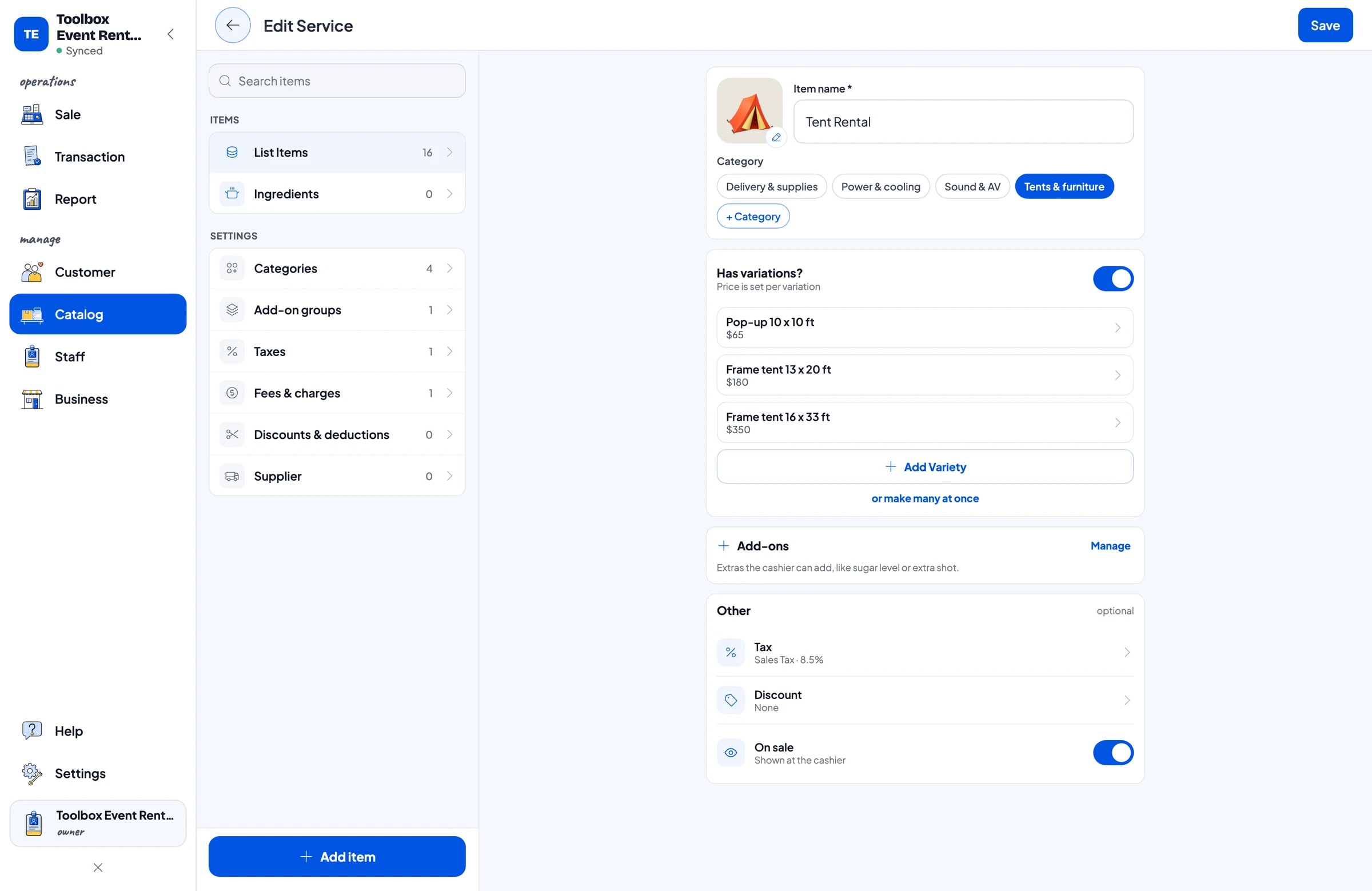
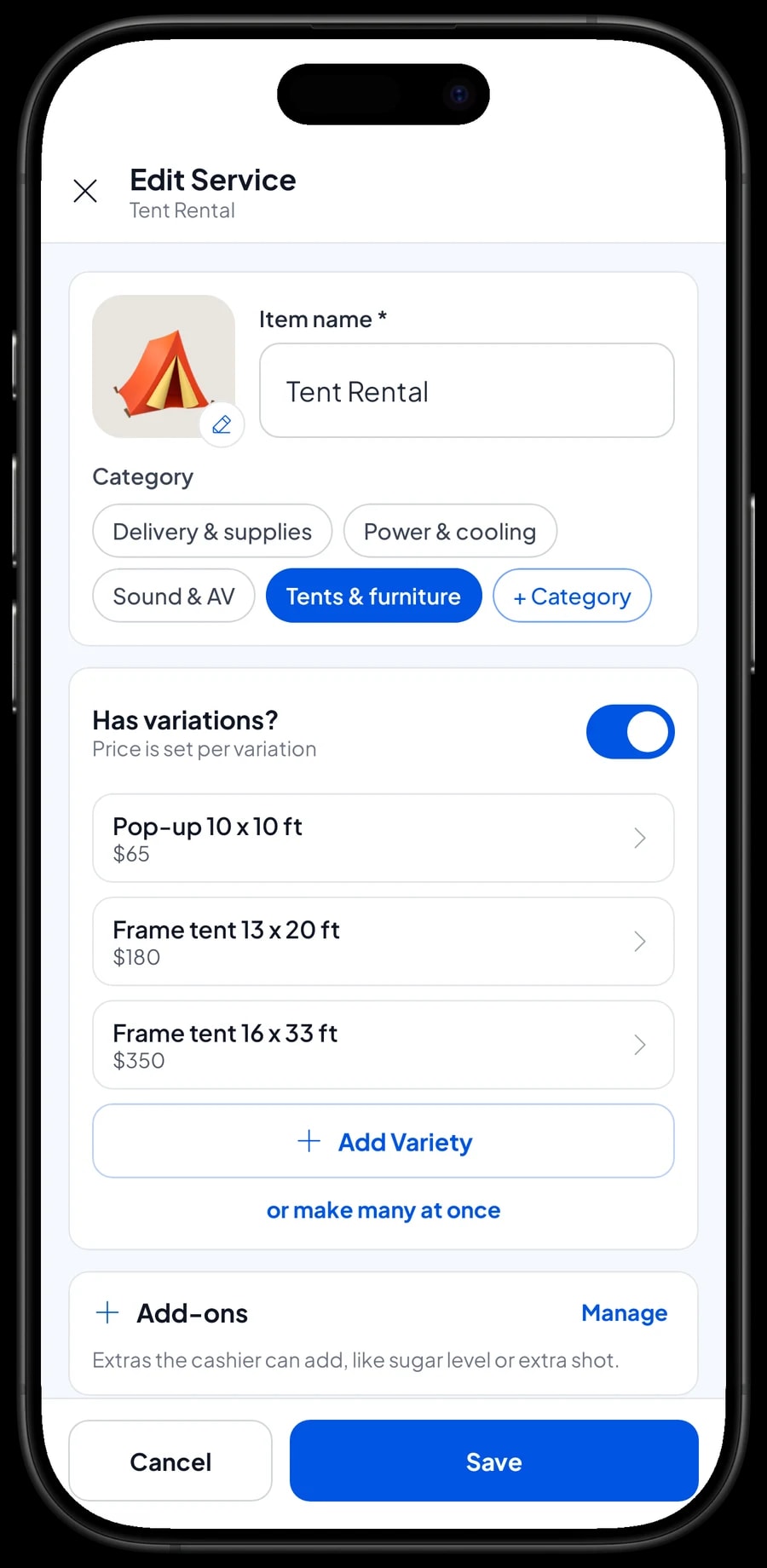
A 10 x 10 ft pop-up, a 13 x 20 ft frame tent and a 16 x 33 ft frame tent do not need to be three separate items. Create one Tent Rental item with three variants. Each variant has its own price, so the cashier picks the size and the price follows.
The same approach works for plain chairs and chairs with covers, small and medium PA systems, or local and out-of-town delivery. Your list stays short, and every quote uses the same prices.
Salesmaster has no automatic tiered or bulk pricing. If you give a special rate for large chair orders, create a separate variant, for example Package rate 100+, or apply a discount at checkout.
- Step 1: Open the Tent Rental item from Catalog → List Items.
- Step 2: Add a variant for each size, for example Pop-up 10 x 10 ft.
- Step 3: Enter the daily rental price for each variant and save the item.
- Step 4: Tap the item on the Sale screen and confirm the cashier is asked to pick a size.
Crew, technicians and fuel as add-ons
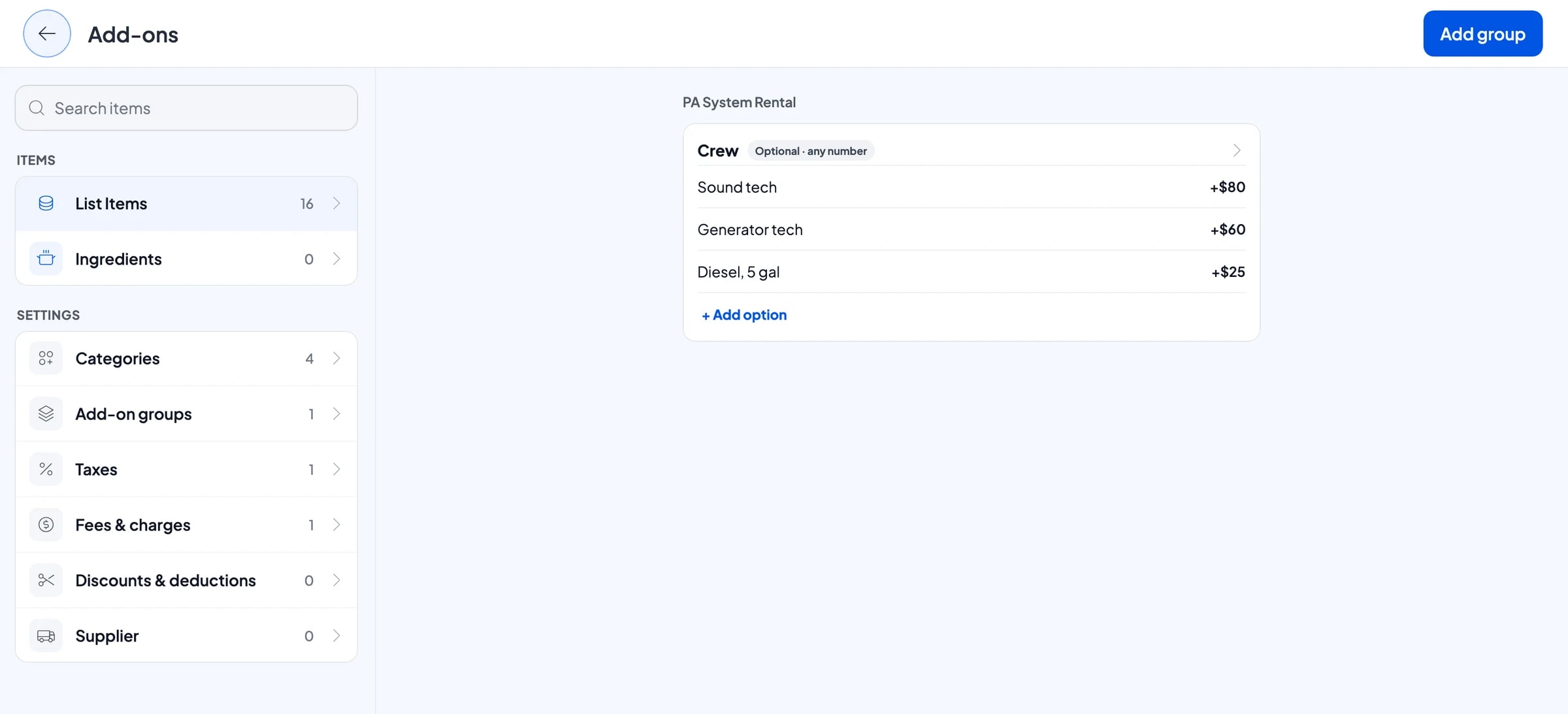
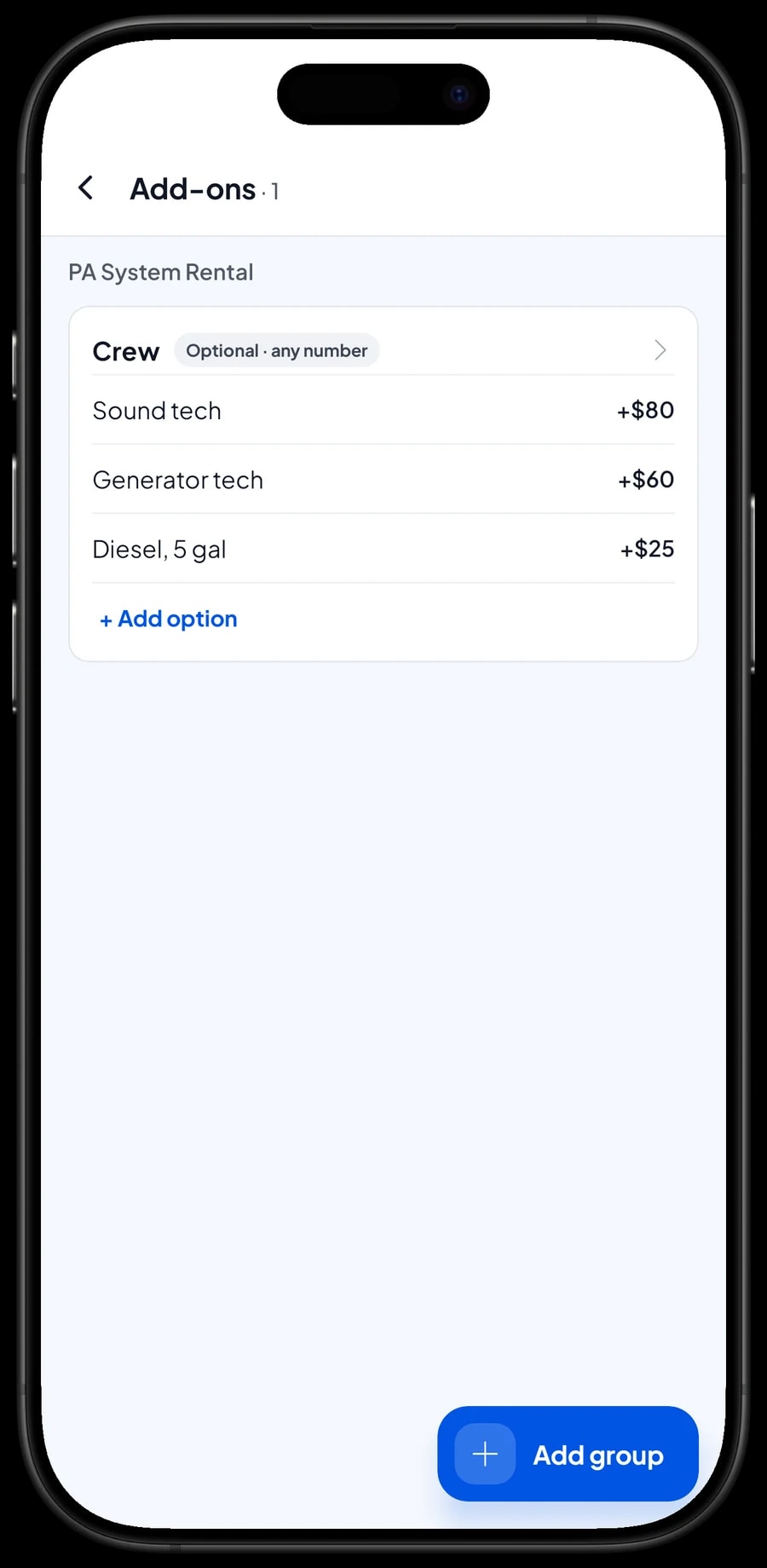
A PA system is often rented with a sound tech, and a generator with a technician and fuel. To make sure none of that goes unbilled, set them up as add-ons. One add-on group called Crew can hold Sound tech, Generator tech and Diesel, 5 gal, each with its own extra price.
Attach the group to the items that use it, such as PA System Rental, 5,000 W Generator, Projector & Screen and Stage Platform. When the cashier adds a PA system to the cart, the crew options appear right away and the price is added to the total.
Add-ons are managed on each item. If your crew rate changes, you update it in one place.
- Step 1: Open the PA System Rental item and go to its add-ons.
- Step 2: Create a Crew group and add options such as Sound tech and Generator tech with their prices.
- Step 3: Attach the same group to your generator, projector and stage items.
- Step 4: Try it on the Sale screen: add the PA system and check that the crew options appear.
Orders paid after the event
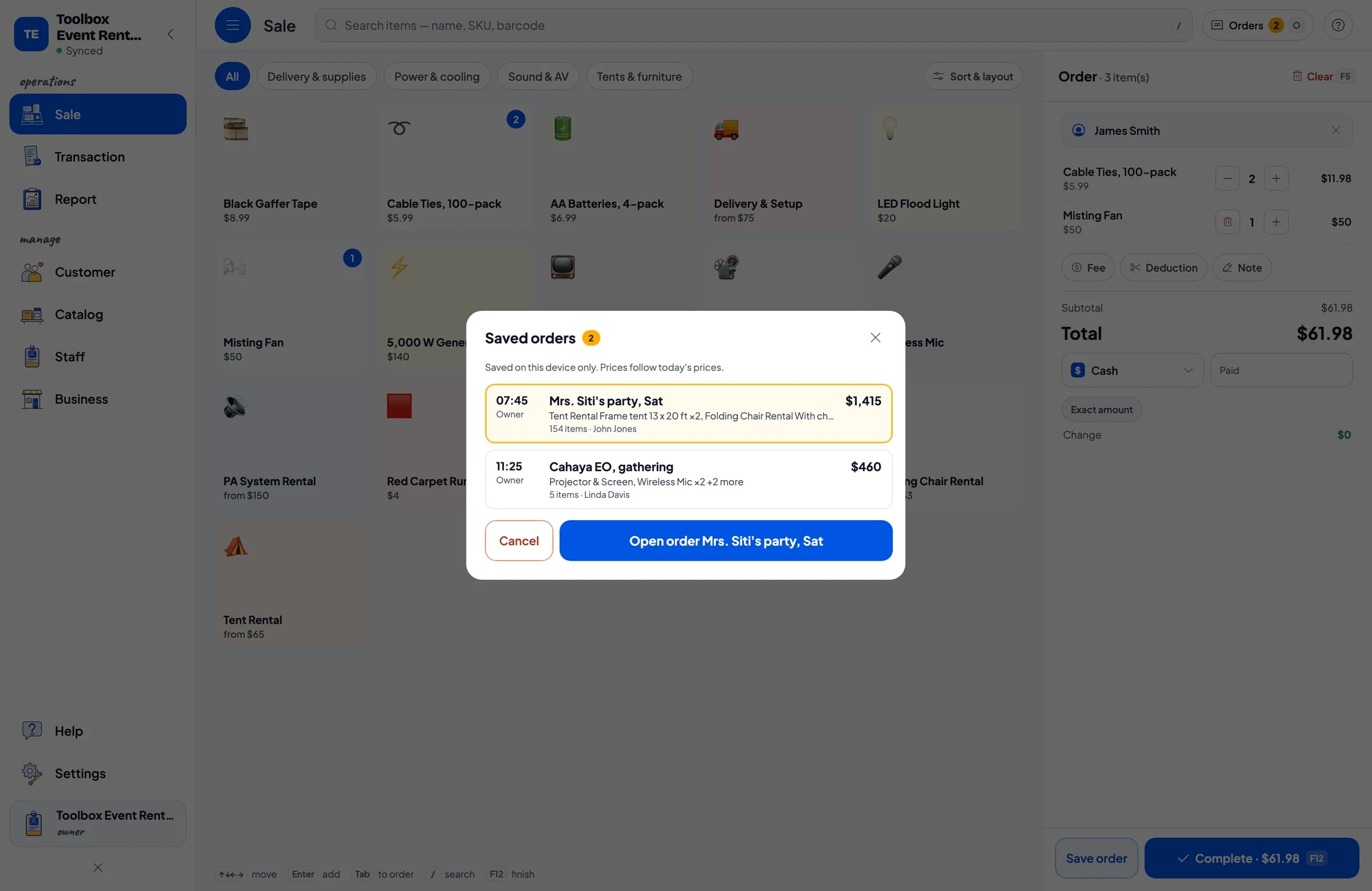
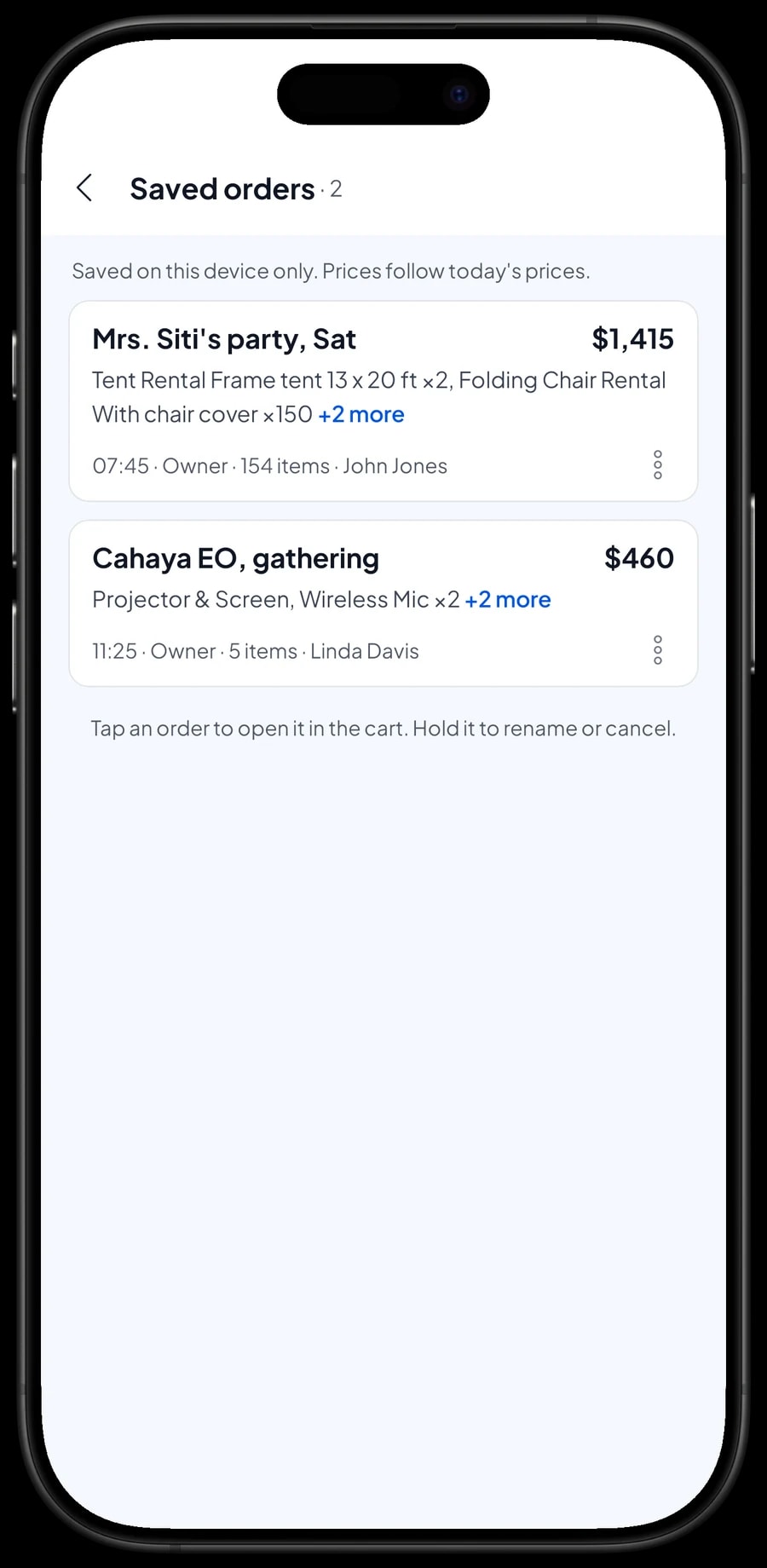
In the rental business, an order is often put together days before the event and paid once it is over. That is what Save order is for. Build the cart as usual, for example two tents, 150 chairs, a PA system and delivery, then save it under a clear name such as Mrs. Siti's party, Sat.
The order waits in Saved orders. If the customer adds something, open the order and add it. After the event, open the order again and complete the payment. Only then is it recorded as a sale.
Know the limits. A saved order is a stored cart, not an invoice or an account receivable: it lives on the device that created it, it is not in your reports yet, and Salesmaster has no customer credit, payment terms or due dates. Collect payment when the event is over and complete it on the same device.
Items out, items back and security deposits
Something to know from day one: Salesmaster does not track which rental items are currently out or when they are due back, and it does not hold security deposits. It records the sale of a rental, not a warehouse schedule.
What many rental businesses do instead: write the delivery and pickup dates in the sale note or in the saved order name, for example Drop Fri, pick up Sun. Your list of unpaid saved orders then doubles as a list of events in progress.
If you take a security deposit, keep it separate from the rental price. Note in the sale how much you received and when it is returned. If something comes back damaged, charge the replacement as its own item, for example Damage fee, at the amount you agreed.
Payments, sales tax, delivery and receipts
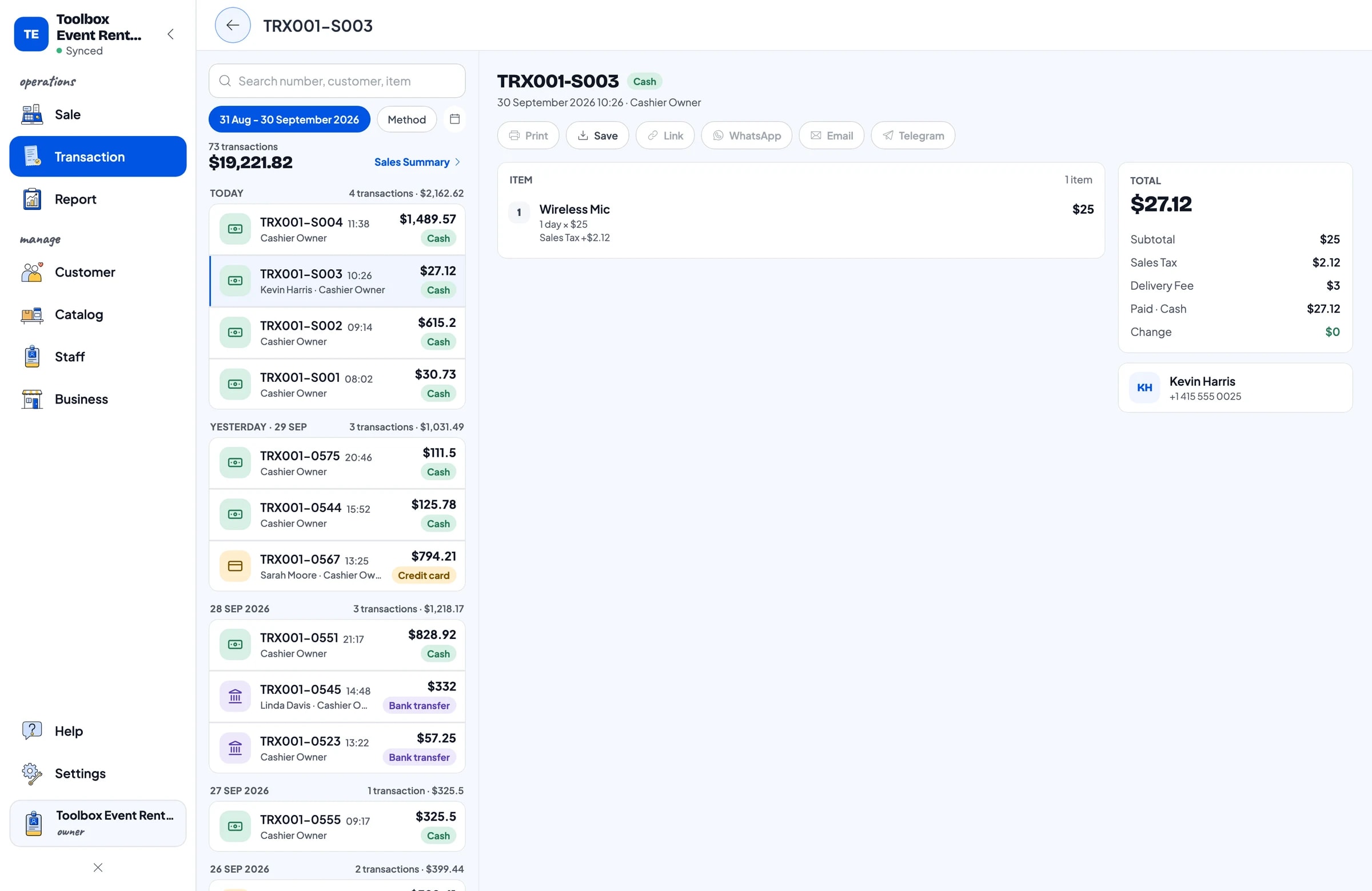
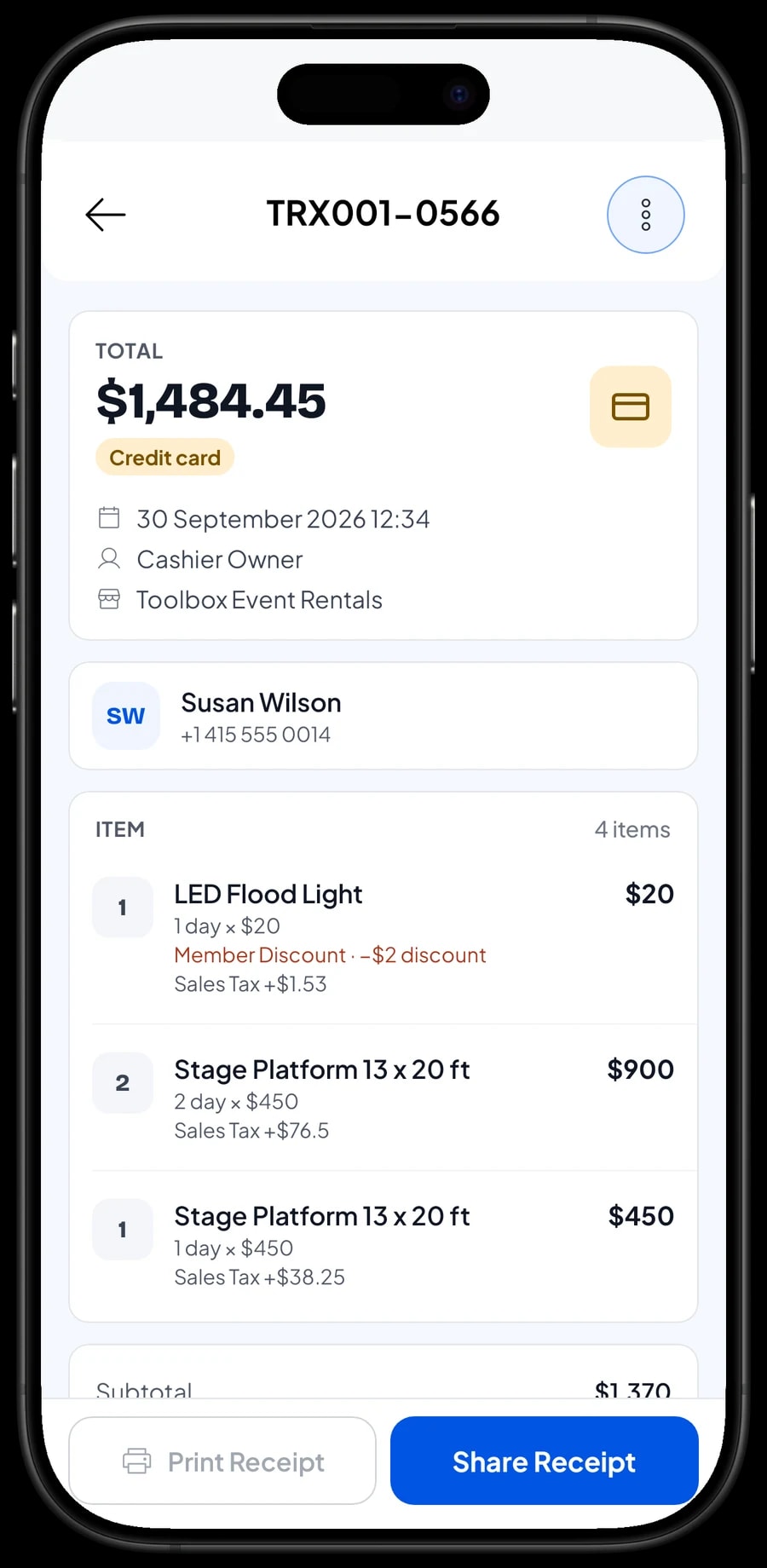
Set up the payment methods you accept, such as cash, card and bank transfer. You create these methods yourself, and reports show how much came in through each one, so cash and bank deposits are easy to match.
If you charge sales tax, set it once and it is calculated on every sale. Delivery can be an item with local and out-of-town variants, so it shows clearly on the bill.
Once paid, the receipt can be printed on a Bluetooth or USB thermal printer, or sent by WhatsApp, email or as a web receipt link with your logo and contact details. Customers planning a party often prefer a receipt they can forward to whoever is splitting the cost.
Office staff and crew
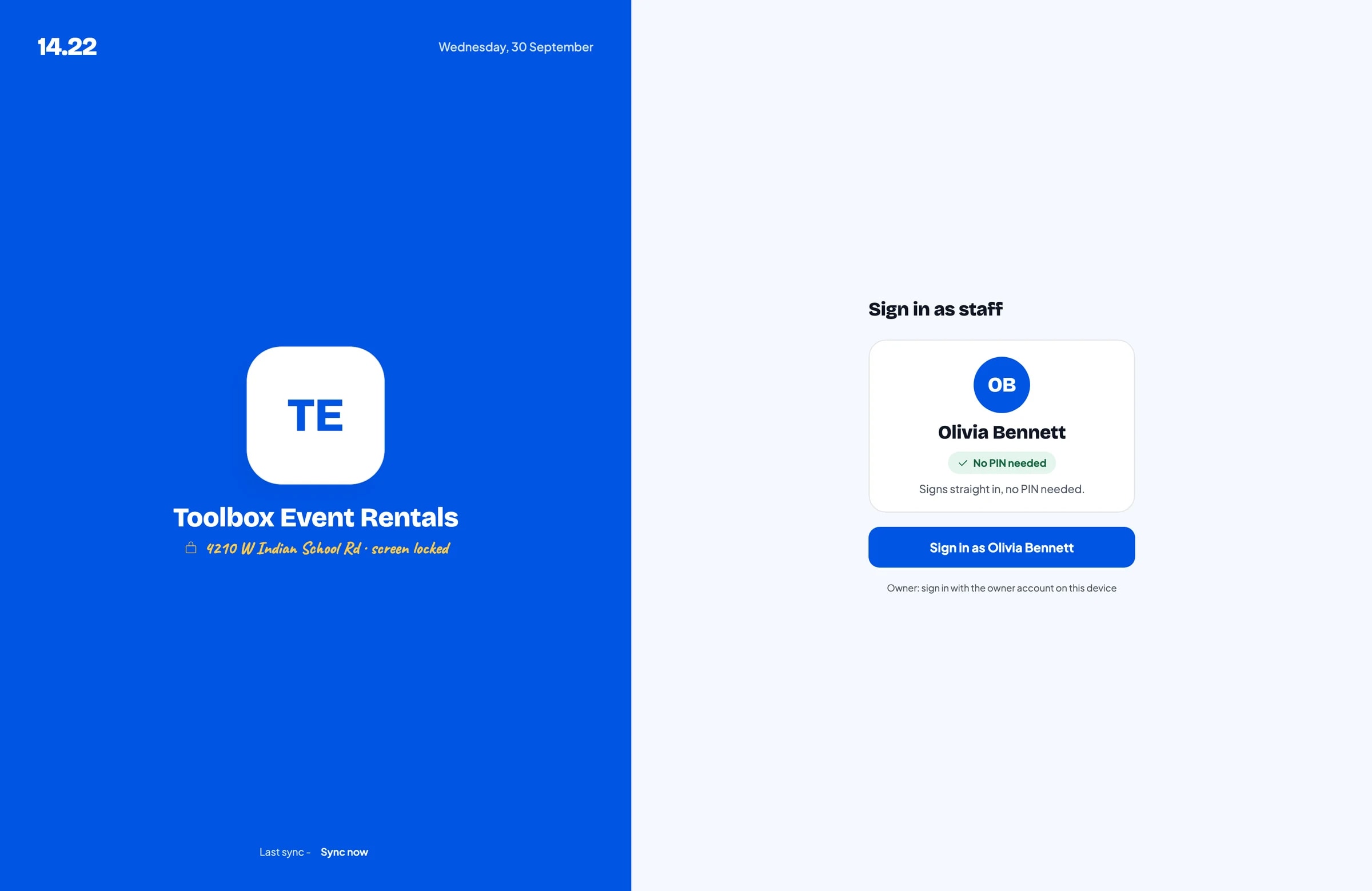
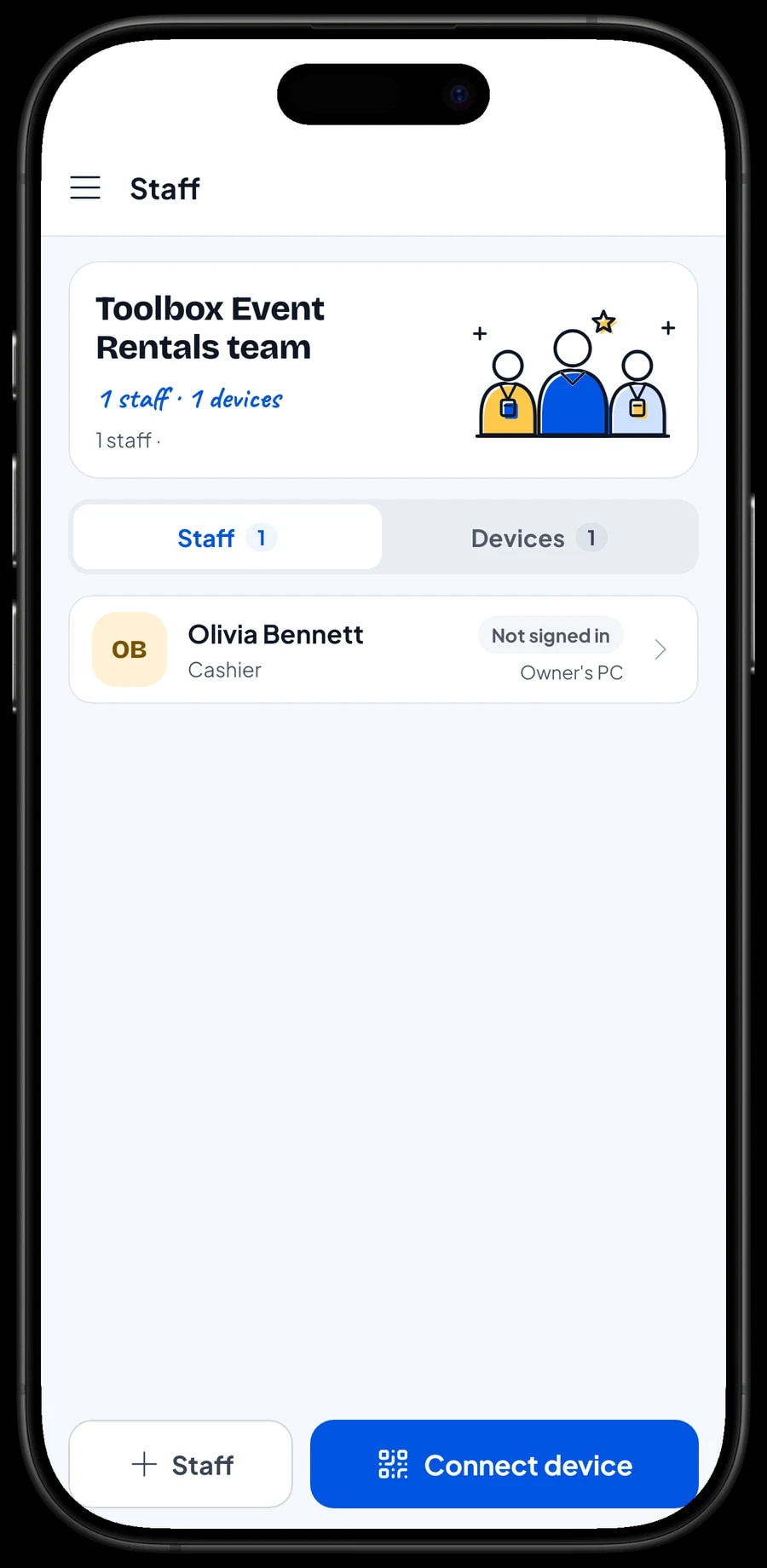
A Salesmaster account signs in on one device at a time. If someone in the office or the warehouse needs to take orders on their own device, add them as staff and register that device as a staff device. Staff sign in with a PIN, and you decide what they can see and change. Staff accounts come with Bronze Pro (1 staff) and Silver Pro (2 staff).
Rental reports and net profit
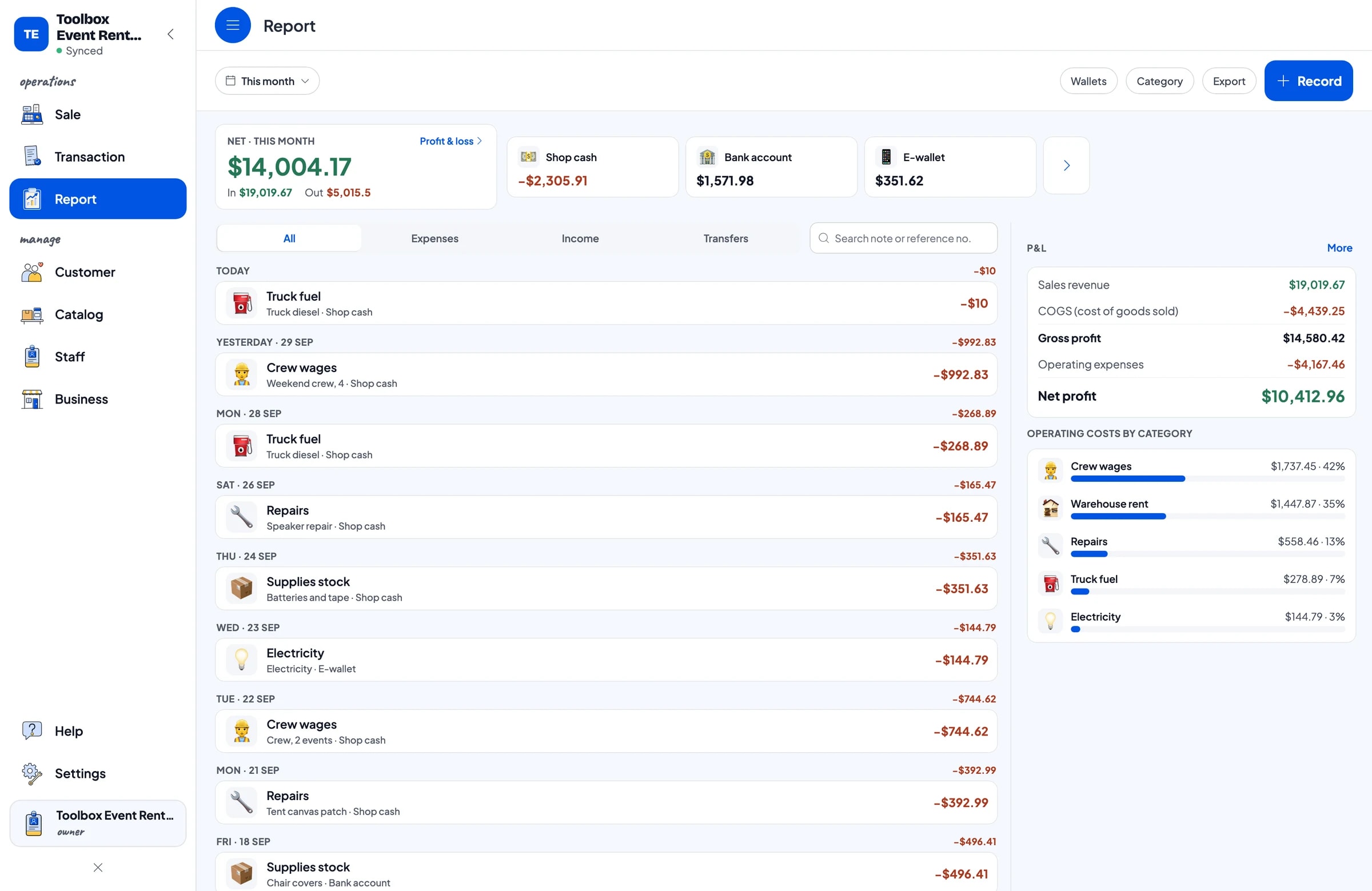
Reports are available by day, week, month and year. You see total revenue, discounts, sales tax collected, payment methods and revenue per item, so you know which rentals earn the most. It might be tents, or it might be the PA system with its sound tech.
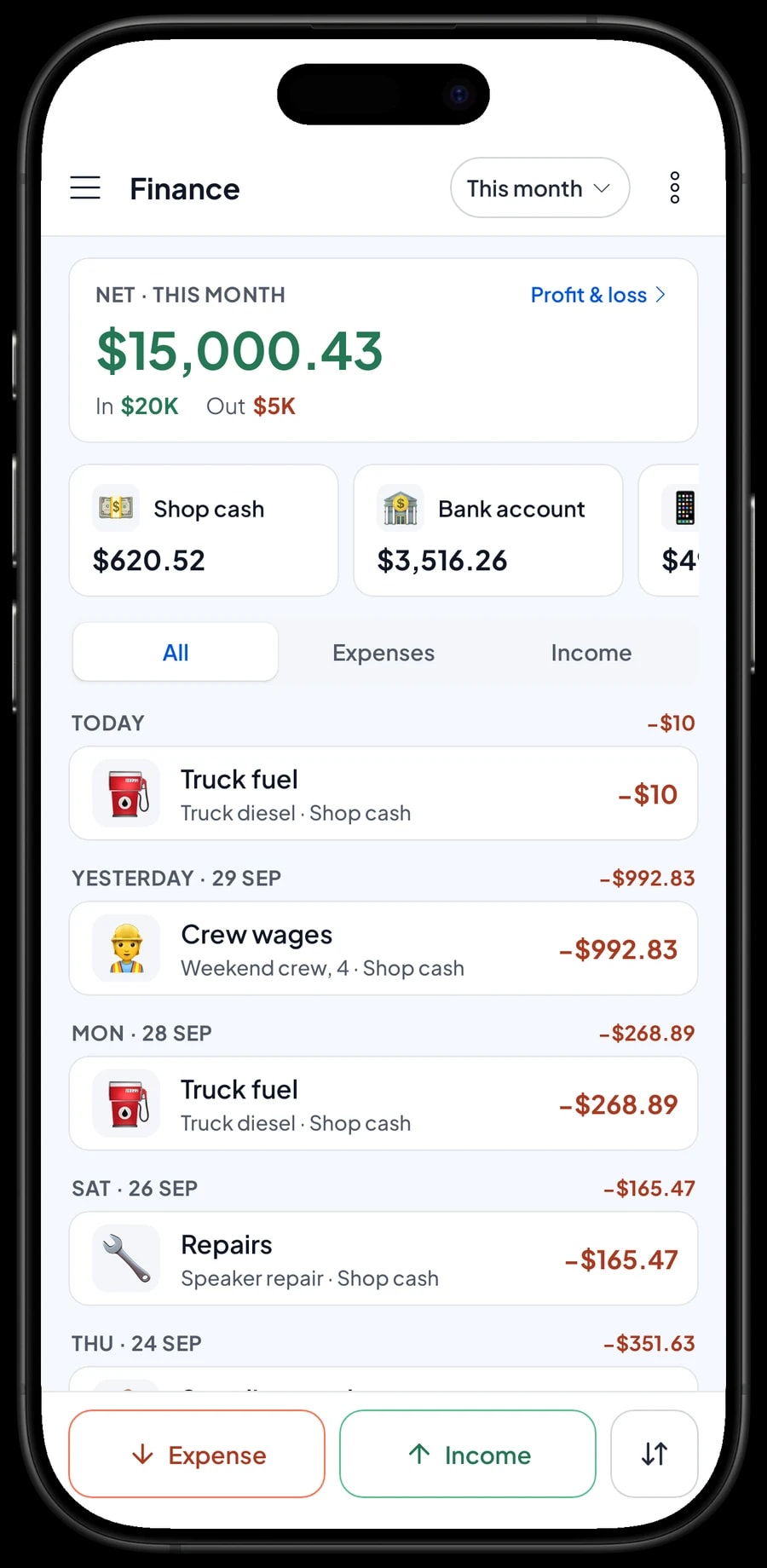
A rental business has costs that never appear on a bill: crew wages for setup and teardown, truck diesel, warehouse rent, electricity, and repairs like patching tent canvas or fixing a speaker. Record them in Finance with a category and the wallet they came from, such as shop cash, bank account or e-wallet. The Finance report then shows revenue minus operating costs, which is your real net profit.
Reports export to Excel or PDF, ready for your accountant or a business partner.
Start in a day, keep working without signal
You don't need to wait for a quiet season to switch. Install Salesmaster on the office phone or laptop, create an account, and enter the rentals that go out most often, with their size variants and crew add-ons. Add the rest as you go.
Event sites are often far from good signal. Sales in Salesmaster are saved on the device first and sent to the cloud when the connection is back. Offline mode works for up to 7 days; after that the app needs a short connection to sync.
After a week or two of recording orders and expenses, you will have a clear picture: which rentals pay best, what one event really costs, and what is left each month.
Example rental list
Use this table as a starting point. Replace the names, sizes and prices with your own.
| Category | Item | Unit | Variants | Item type |
|---|---|---|---|---|
| Tents & furniture | Tent Rental | day | Pop-up 10 x 10 ft, Frame 13 x 20 ft, Frame 16 x 33 ft | Service |
| Tents & furniture | Folding Chair Rental | chair | Plain, With chair cover | Service |
| Tents & furniture | Stage Platform 13 x 20 ft | day | - | Service |
| Sound & AV | PA System Rental | day | Small, Medium | Service |
| Sound & AV | Projector & Screen | day | - | Service |
| Power & cooling | 5,000 W Generator | day | - | Service |
| Delivery & supplies | Delivery & Setup | trip | Local, Out of town | Service |
| Delivery & supplies | AA Batteries, 4-pack | pack | - | Stock item |
Rentals are service items because the equipment comes back. Consumables you sell, like batteries and tape, are stock items with their own stock. Crew and fuel are attached as add-ons.
Which plan fits your rental business
A rental business handling two or three events a day on weekends usually records 50 to 100 transactions a month.
| Plan | Price | Transactions / month | Staff accounts | Good for |
|---|---|---|---|---|
| Free | Free | 30 | Owner only | To try your rental list and receipts before using it for real. |
| Solo Pro | $4.90/month | 3,000 | Owner only | Rental businesses where the owner takes every order. |
| Bronze Pro | $6.90/month | 5,000 | 1 staff | Businesses with one office person taking orders on their own device. |
| Silver Pro | $9.90/month | 8,000 | 2 staff | Businesses with office and warehouse staff on separate devices. |
Every plan includes checkout, catalog, receipts, reports and offline mode. You can change plans at any time. See pricing →
Frequently asked questions
- Can Salesmaster price tents by size?
- Yes. Create one Tent Rental item with a variant for each size. Each variant has its own price, and the cashier picks the size on the Sale screen.
- Does Salesmaster track which equipment is out and when it is due back?
- No. Salesmaster records rental sales, not a warehouse schedule. Write the delivery and pickup dates in the sale note or in the saved order name, for example Drop Fri, pick up Sun.
- How do I handle security deposits or down payments?
- Salesmaster does not hold security deposits and does not take partial payments on one sale. For a down payment, sell it right away as a separate Service item called Down payment for the amount received. When the order is paid off, sell it at its full price with an Add Deduction equal to the down payment. Security deposits are kept outside the app, and damage charges can be a separate item.
- Is a saved order the same as an invoice with payment terms?
- No. A saved order is a cart stored on the device that created it, and it is not a sale until it is paid. There is no receivables balance, credit or due date per customer, so plan to collect payment when the event ends.
- How do I charge for a sound tech or generator technician?
- Create an add-on group such as Crew with options like Sound tech and Generator tech, and attach it to your PA system and generator items. The price is added to the total automatically.
- Does Salesmaster work at event sites with weak signal?
- Yes. Sales are saved on the device and sync when the connection returns. Offline mode works for up to 7 days before the app needs to connect.
Need help setting up your catalog? Chat with our team on WhatsApp →



