
Salesmaster is a point-of-sale (POS) app for pet shops on Android, iPhone & iPad, Windows and Mac. You can sell pet food with a variant for each bag size, each with its own stock, ring up grooming and boarding as services with extras like cologne or a bandana, keep grooming orders open with Save order until pickup, reward regulars with loyalty points, and see net profit in Finance. A Free plan lets you try it first.
Problems every pet shop knows
If any of these sound familiar, this page is for you.
- 01
Same food, many bag sizes
Dry cat food comes in 500 g, 1.5 kg and 5 kg. Each size has its own price and cost, and each needs its own count so the popular size doesn't sell out without warning.
- 02
Grooming is paid at pickup
The cat is dropped off in the morning and collected in the afternoon. In between, the owner asks for cologne or a bow. On paper, those extras often go unbilled.
- 03
Boarding for several nights
A dog stays three nights and gets a bath before going home. Without a clear record, the number of nights and the services owed are easy to get wrong.
- 04
Loyal customers, but not locked in
Pet owners buy food and litter every month. Without a reason to come back, they can just as easily switch to the store closer to home.
Setting up your catalog: food, care, toys and services
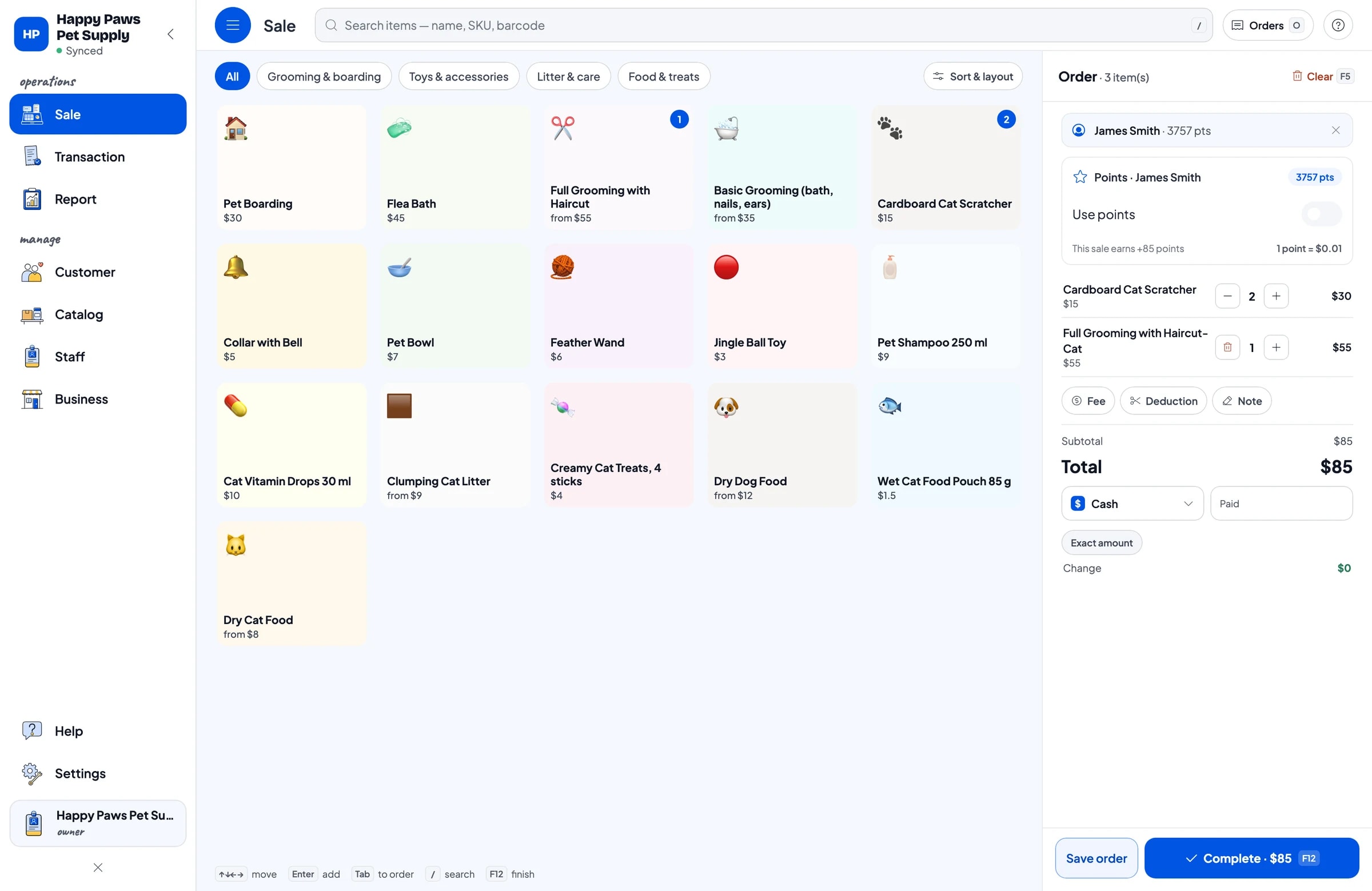
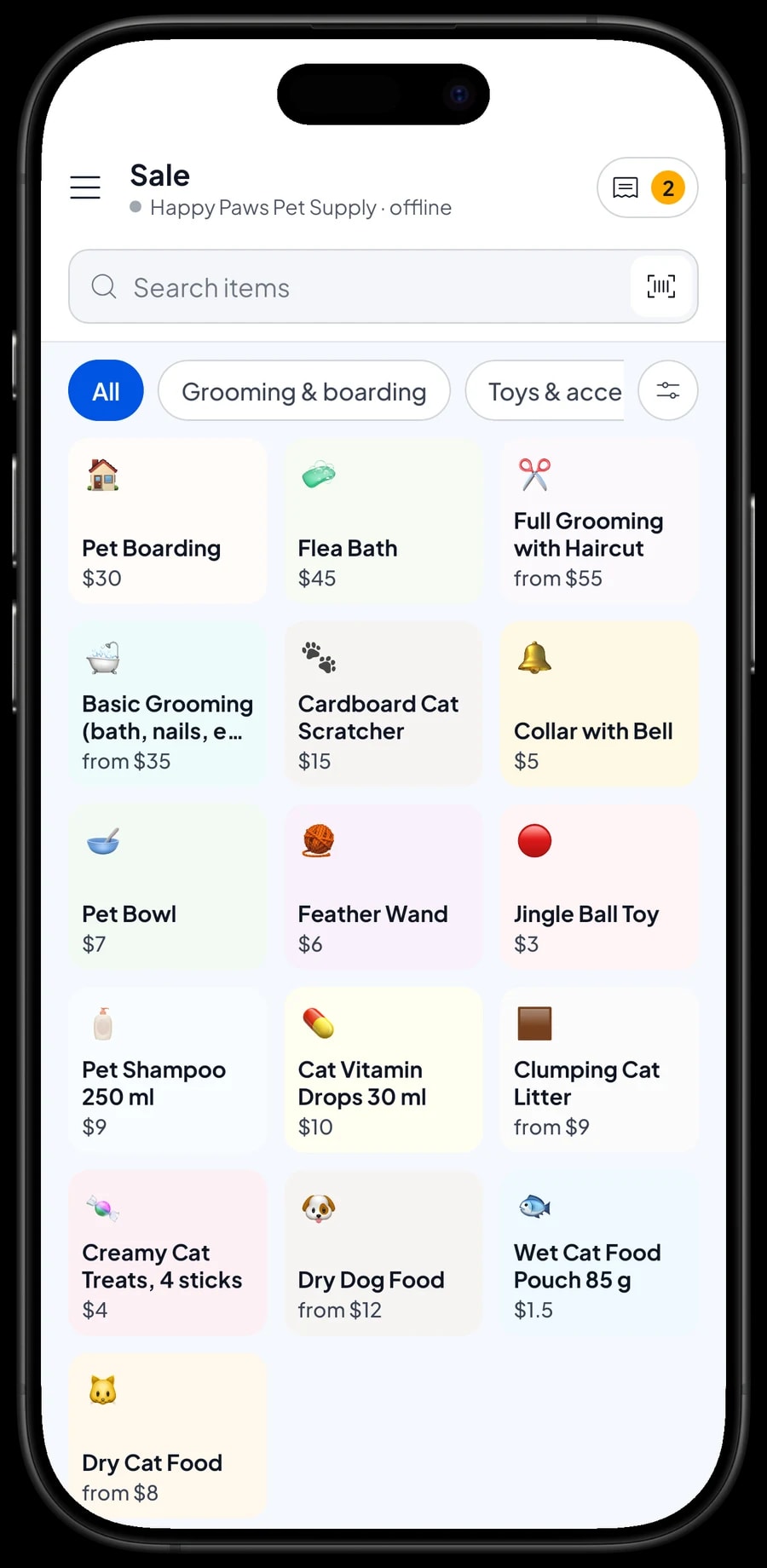
A pet shop sells two kinds of things: products on the shelf and services in the back room. Build categories that reflect both, such as Food & treats, Litter & care, Toys & accessories, and Grooming & boarding. On the Sale screen the cashier taps a category and finds the item straight away.
Products like wet cat food pouches, creamy treats, vitamin drops, pet shampoo, jingle balls and collars are regular items with stock. If they carry barcodes, the cashier can scan them with the camera or a barcode scanner instead of hunting for a brand name.
Grooming, flea baths and boarding are service items. Services have no stock, but they still show up on the transaction and in reports, so you can see how much comes from services compared with products.
- Step 1: Open Catalog → Categories and create categories such as Food & treats, Litter & care, Toys & accessories, and Grooming & boarding.
- Step 2: Open Catalog → List Items and add each product with its name, category, price, cost and opening stock.
- Step 3: Add grooming, flea baths and boarding as service items.
- Step 4: Open the Sale screen and add one product and one service to the cart to check everything works.
Pet food by bag size, each with its own stock
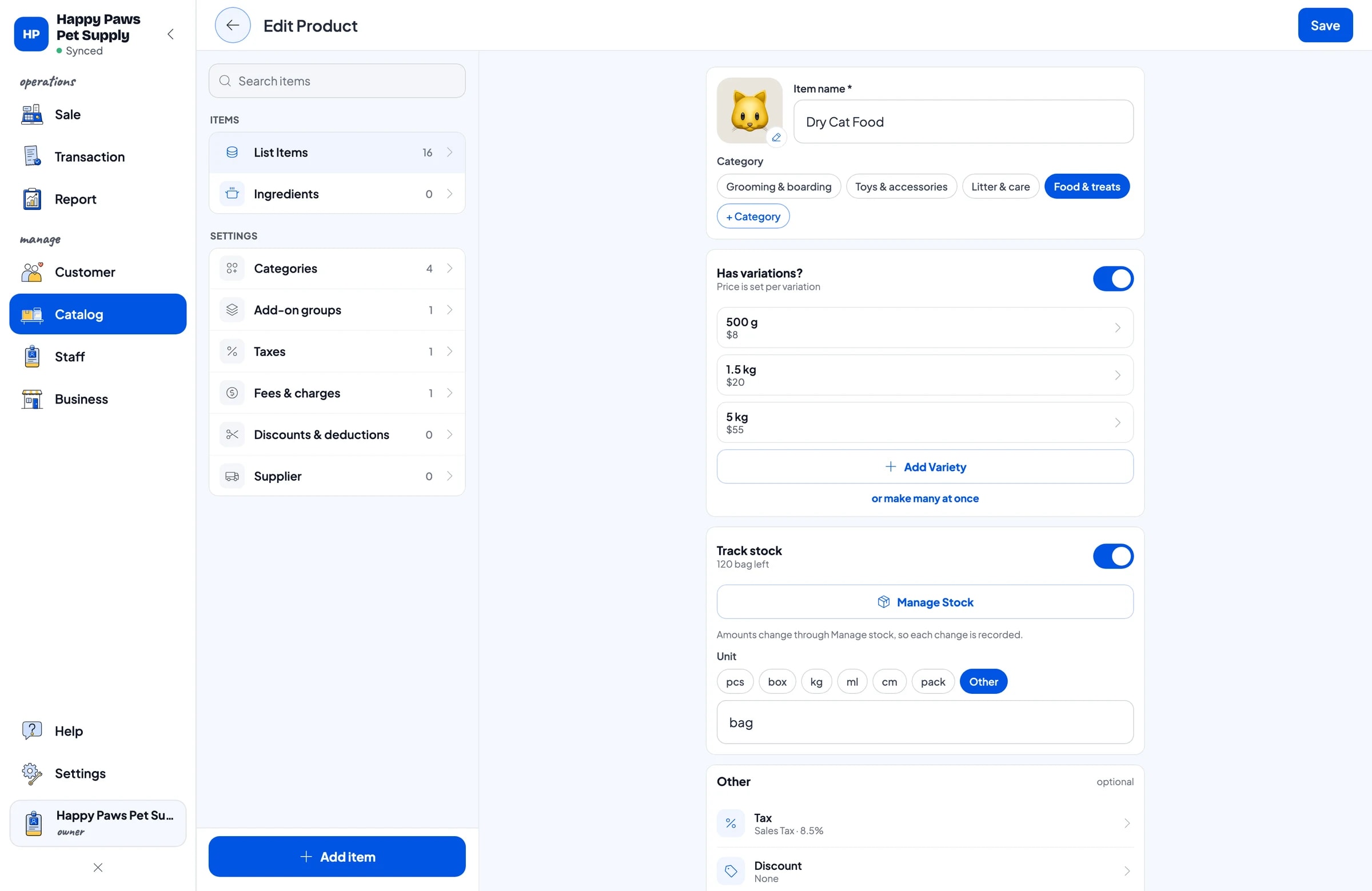
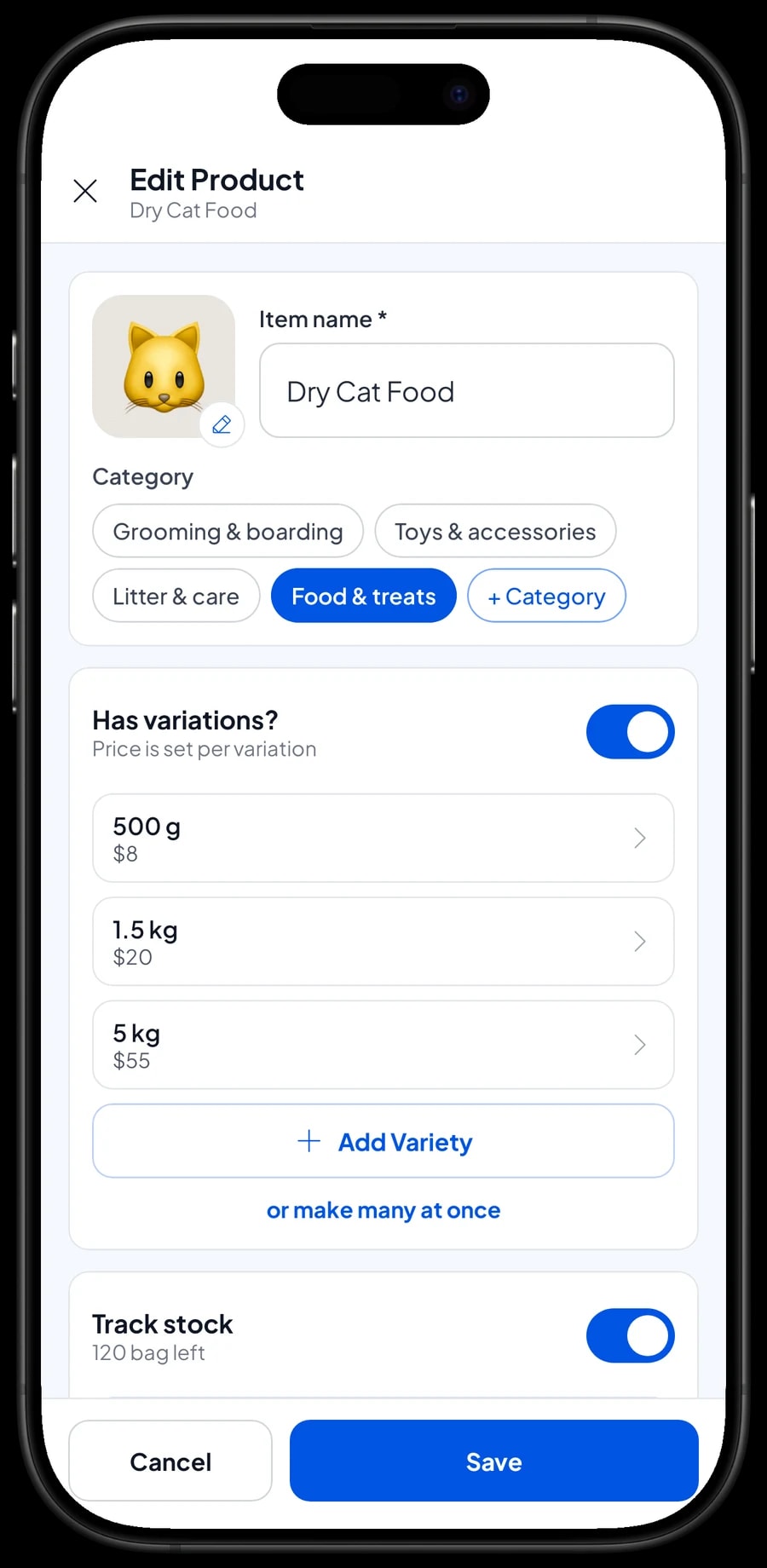
Create one item per food product and add a variant for each bag size. Dry Cat Food can have 500 g, 1.5 kg and 5 kg variants; dry dog food 1 kg, 3 kg and 10 kg; clumping litter 5 L and 10 L. The cashier picks the size and the right price follows.
Every variant has its own price, its own cost and its own stock. You can see at a glance that the 1.5 kg bag is running low while the 5 kg bag is well stocked, and order from your distributor accordingly.
Many pet shops also sell loose food from a large sack. Cart quantities are whole numbers, so set the loose food up as a fixed-weight variant, such as a 250 g scoop, and sell it by the scoop. Salesmaster does not convert stock between sizes automatically: opening a 5 kg sack does not add to the 500 g stock by itself. When you open a sack for loose sales, record it as a stock adjustment, taking one off the sack variant and adding to the loose variant.
- Step 1: Open Catalog → List Items and open or create a food item, for example Dry Cat Food.
- Step 2: Add a variant for each bag size, such as 500 g, 1.5 kg and 5 kg.
- Step 3: Enter the price, cost and opening stock for each variant, then save.
- Step 4: When a delivery arrives, add the stock to the matching variant.
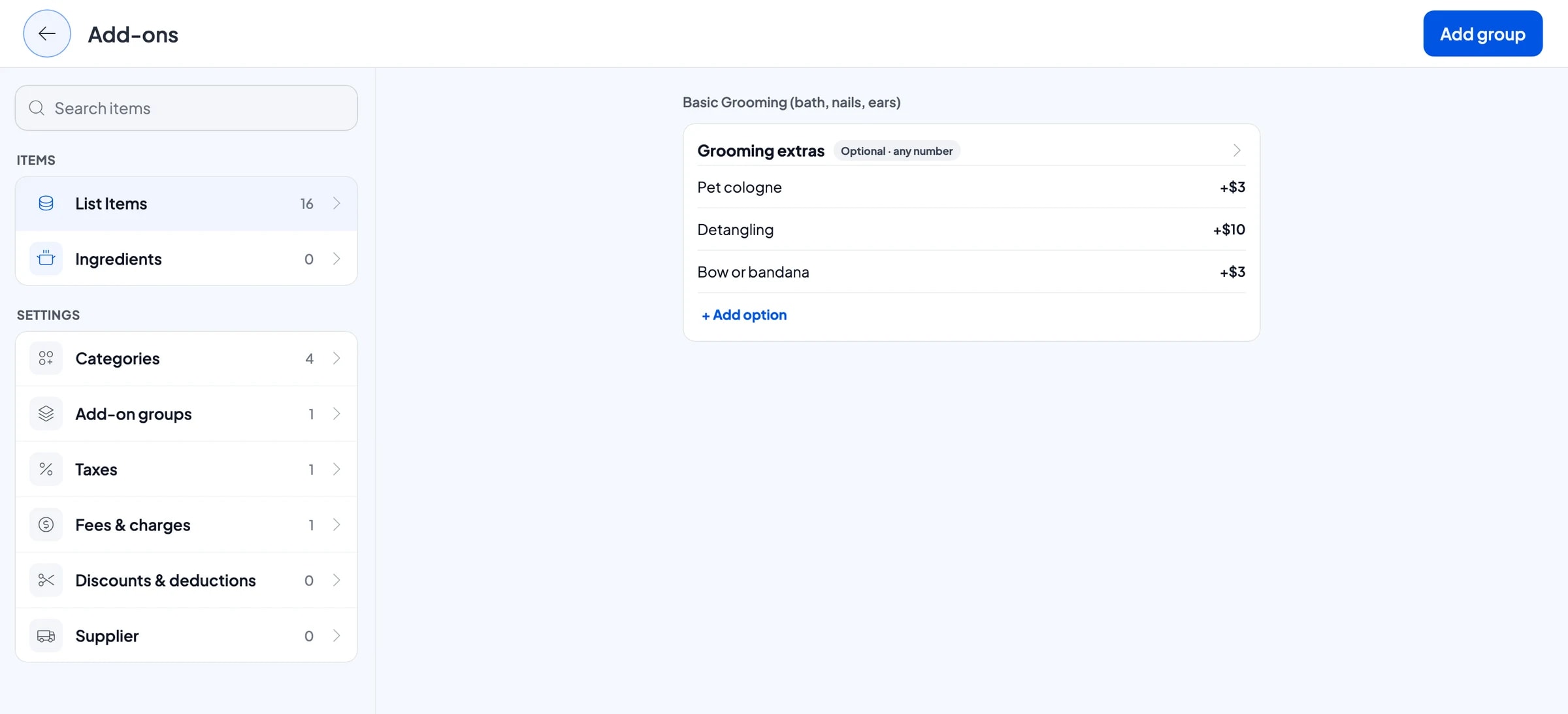
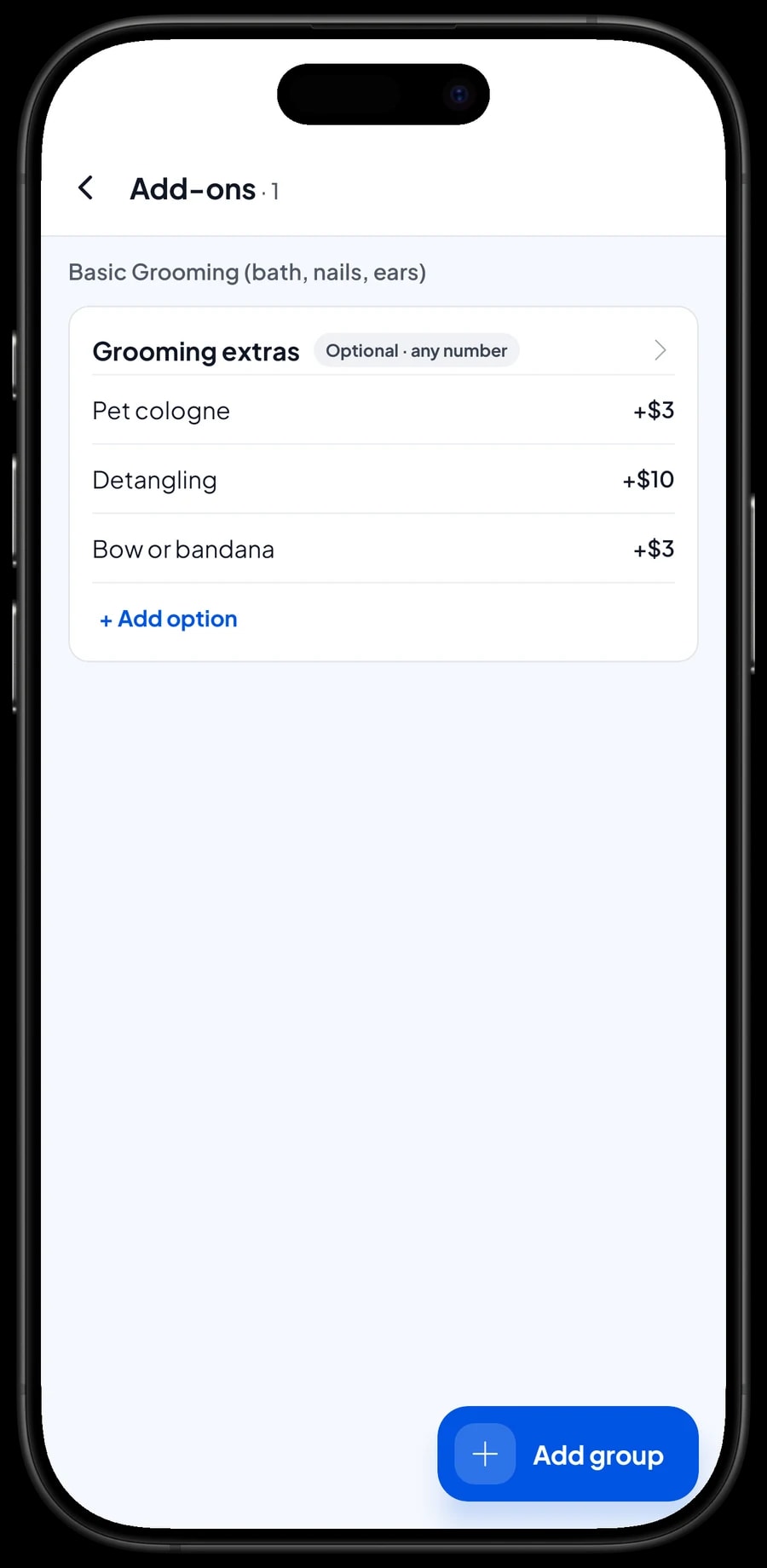
Grooming with extras: cologne, detangling, a bow
Grooming prices usually depend on the animal. Create Basic Grooming (bath, nails, ears) as a service with Cat, Small dog and Large dog variants. Full Grooming with Haircut works the same way.
Extras that owners often ask for, such as pet cologne, detangling, or a bow or bandana, are add-ons. Manage the add-ons from the grooming item, and the cashier simply ticks whatever the owner chose. The extra price is added to the total, so nothing is forgotten.
Special requests, like a cat that is scared of the dryer or a dog on a skin treatment, go in the transaction Note so the groomer sees them.
- Step 1: Create a Basic Grooming service item with Cat, Small dog and Large dog variants.
- Step 2: Open the item, choose to manage its add-ons, and create a Grooming extras group.
- Step 3: Add options such as Pet cologne, Detangling and Bow or bandana with their extra prices.
- Step 4: Attach the same group to Full Grooming so you only build it once.
Boarding, and orders paid at pickup
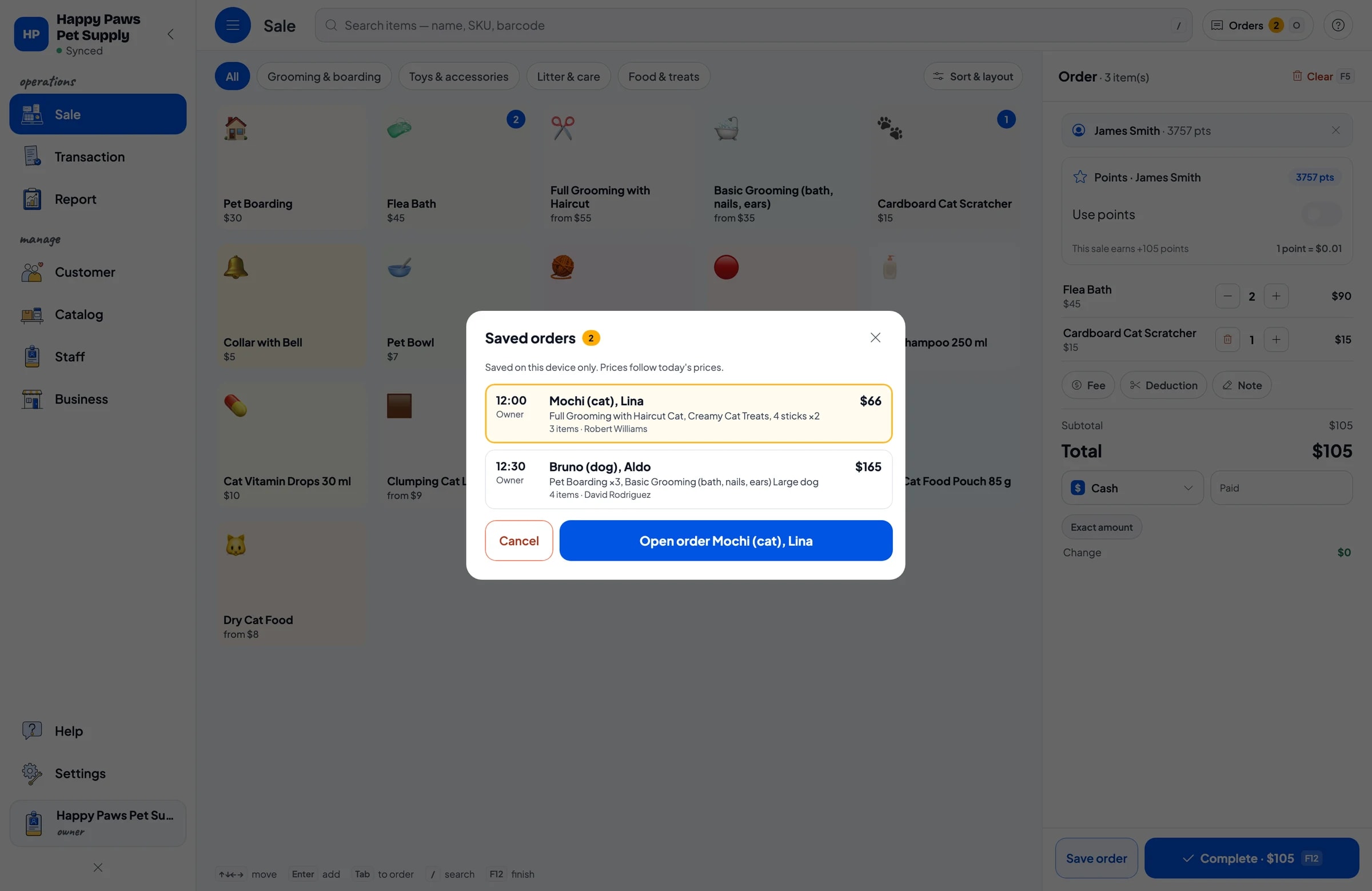
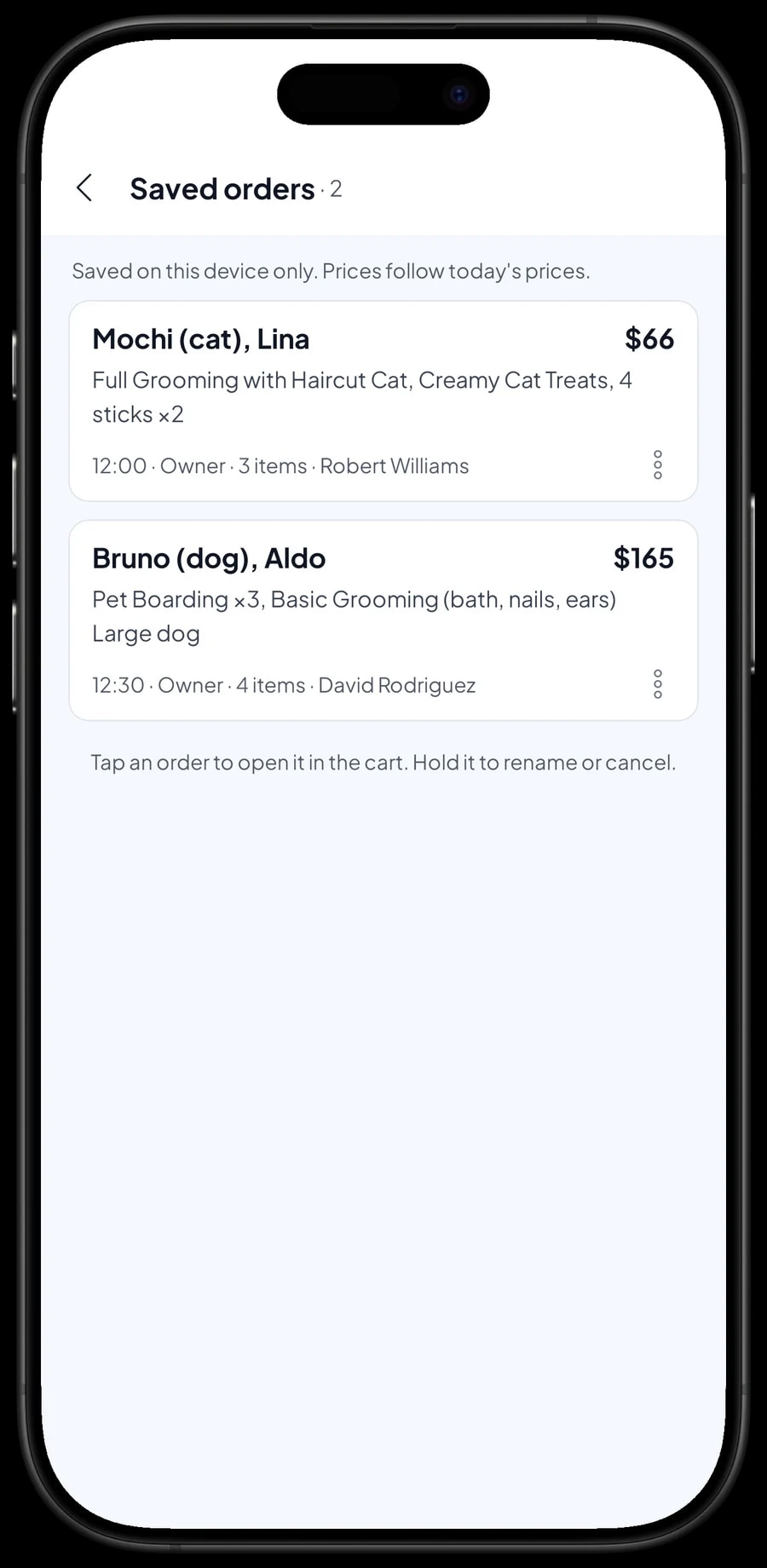
Pets that are groomed or boarded are usually paid for when they go home. That is what Save order is for. Put the services and products in the cart, tap Save order, and give it a name that is easy to spot, such as the pet's name, the animal and the owner: Mochi (cat), Lina.
Pet Boarding is priced per day, so you just enter the number of nights as the quantity. The order for Bruno (dog), Aldo can hold three days of boarding plus a Basic Grooming before he leaves. When the owner arrives, open Saved orders, add anything they pick up on the way out, such as treats or litter, and take payment.
A saved order is not a sale and does not take stock off until it is paid. It lives on the device that created it, so finish the payment on the same device. Salesmaster does not track deposits or part payments on one sale. If the owner pays something up front, sell it right away as a separate Service item called Down payment for the amount received; at pickup, the order keeps its full price and the cashier taps Add Deduction for the down payment, so the drawer and reports match on both days.
Regulars: loyalty points and member cards
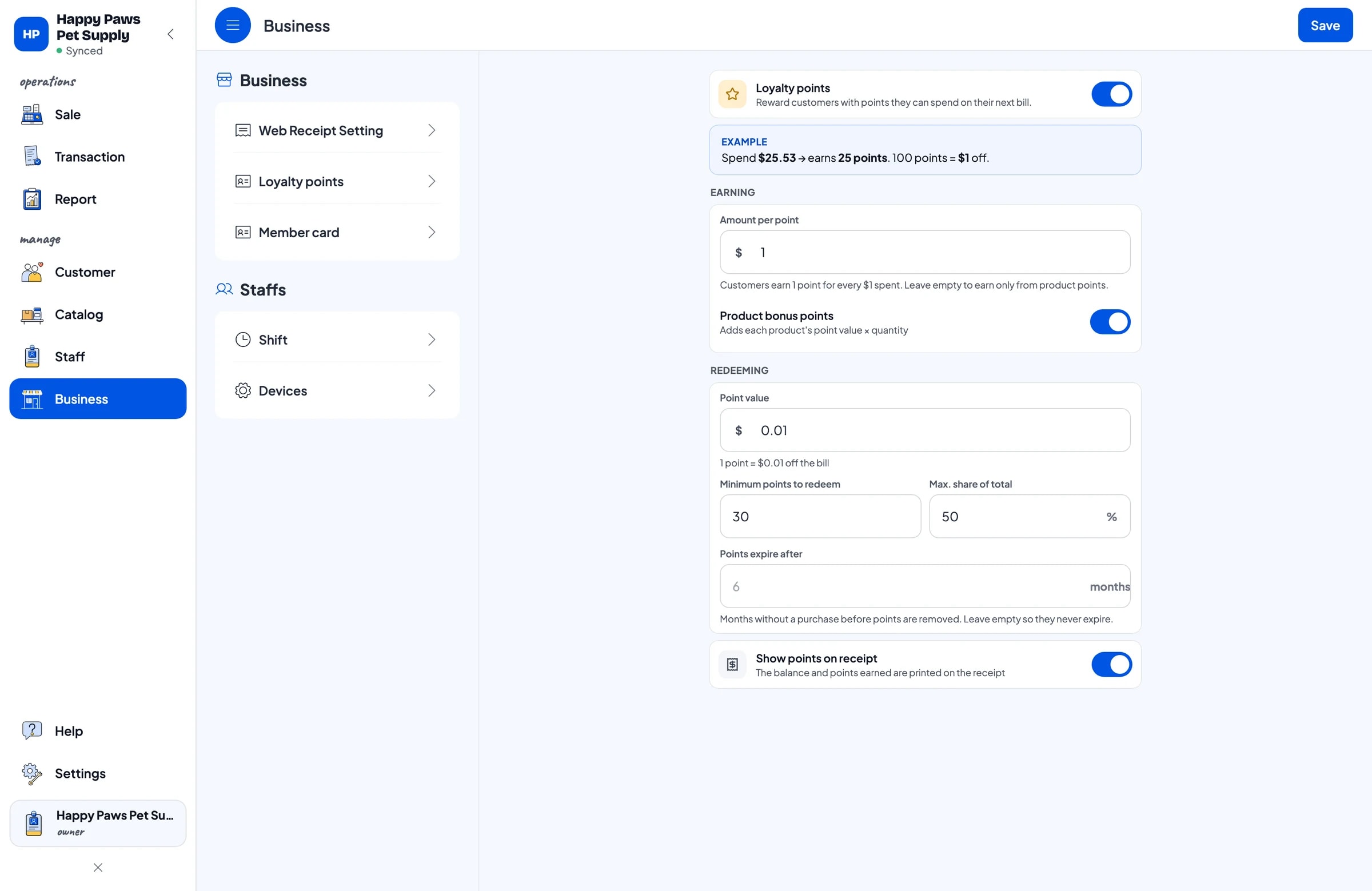
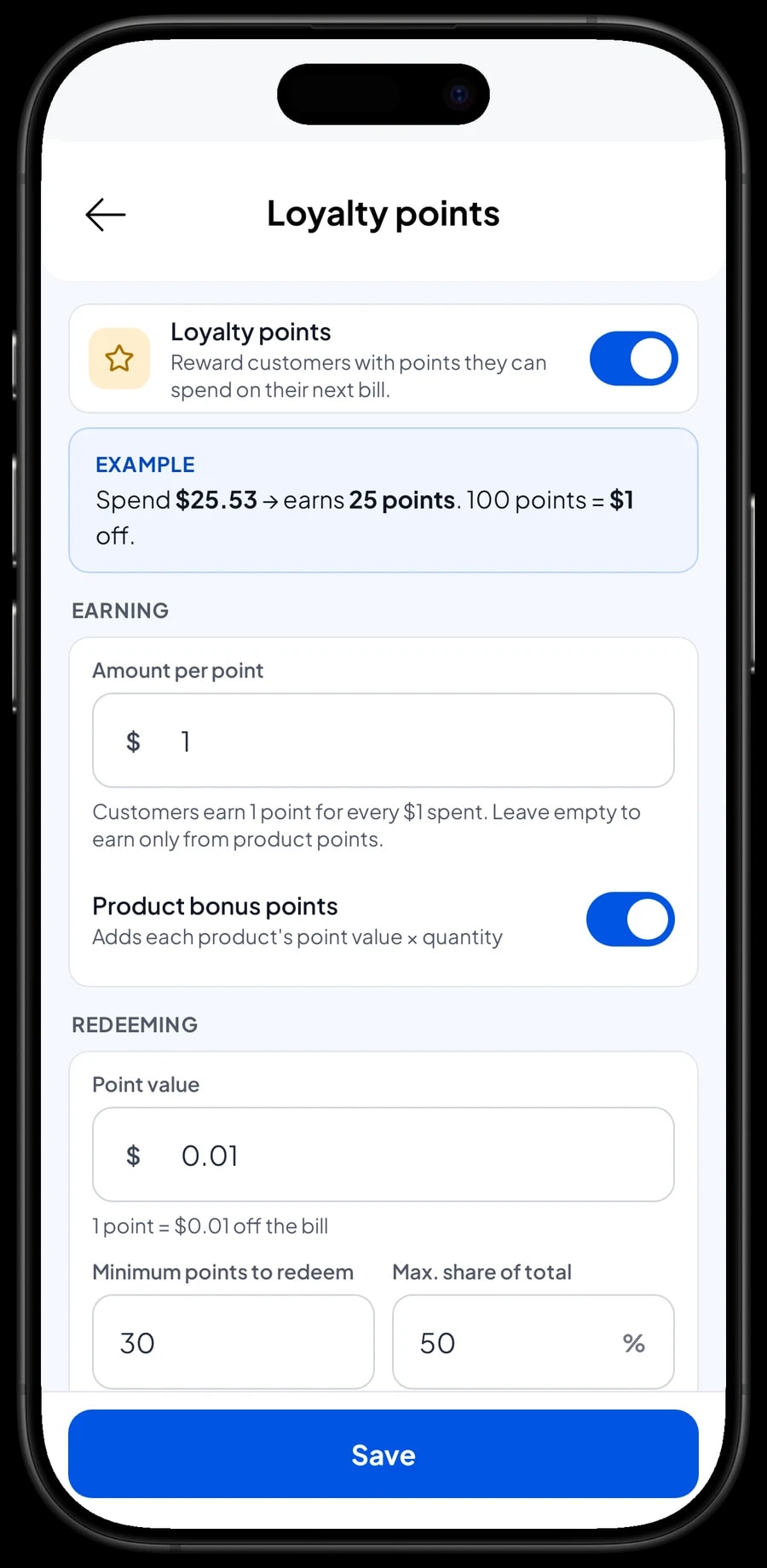
Pet owners are repeat buyers: food every few weeks, litter every week, grooming every month. Save the customer at checkout, a name and phone number is enough, and turn on Loyalty points.
You set the rules: how much a customer spends per point, what a point is worth when redeemed, the minimum points to redeem, and the maximum share of a bill that points can cover. Points are added with every sale, and the discount is applied as soon as the customer redeems. Regulars can also get a member card in their name.
Each customer's purchase history is kept, so when Lina asks which food she bought last month, the cashier can look it up in a few taps.
Payments, tax and receipts
Create the payment methods you accept, such as cash, card, bank transfer or a mobile wallet. Reports show how much came in through each one, so the cash drawer and your bank balance are easy to reconcile at the end of the day.
If you charge sales tax, set it once in Fees or Tax and it is added to every sale. A delivery fee for food dropped at a customer's door can be set up there too. Discounts, such as money off two bags of litter, are set up in Deductions.
Receipts print on a Bluetooth or USB thermal printer, or go out by WhatsApp, email or a web receipt link with your shop's logo and social links.
Cashiers and groomers
The owner signs in with the main account. An account signs in on one device at a time, so a cashier on their own device is added as staff. Staff sign in with a PIN and see only what their role allows. Staff accounts come with Bronze Pro (1 staff) and Silver Pro (2 staff).
Sales reports and real net profit
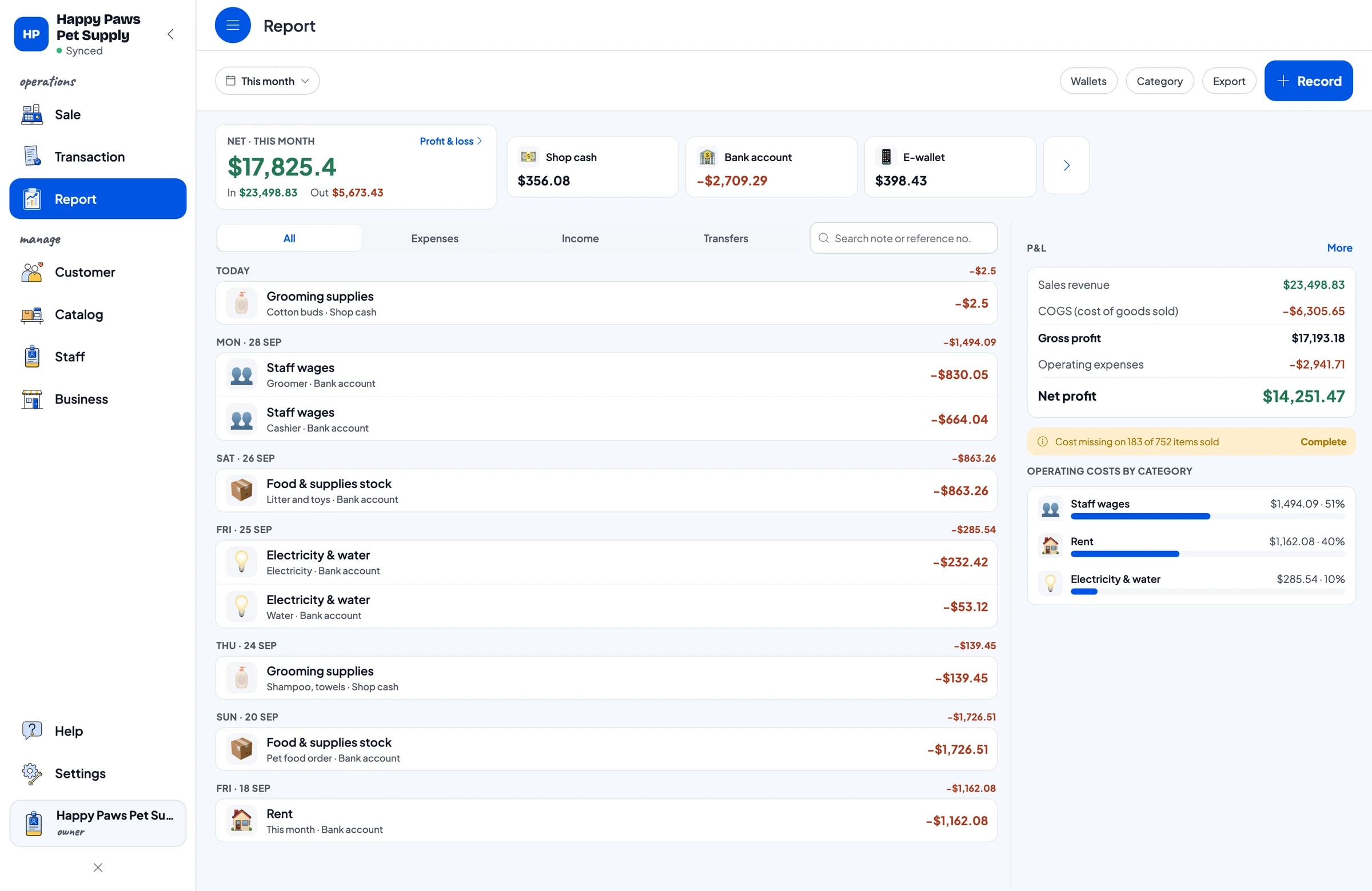
Reports are available by day, week, month and year, with total revenue, discounts, tax, payment methods and revenue per item. You can see how much comes from food and how much from grooming.
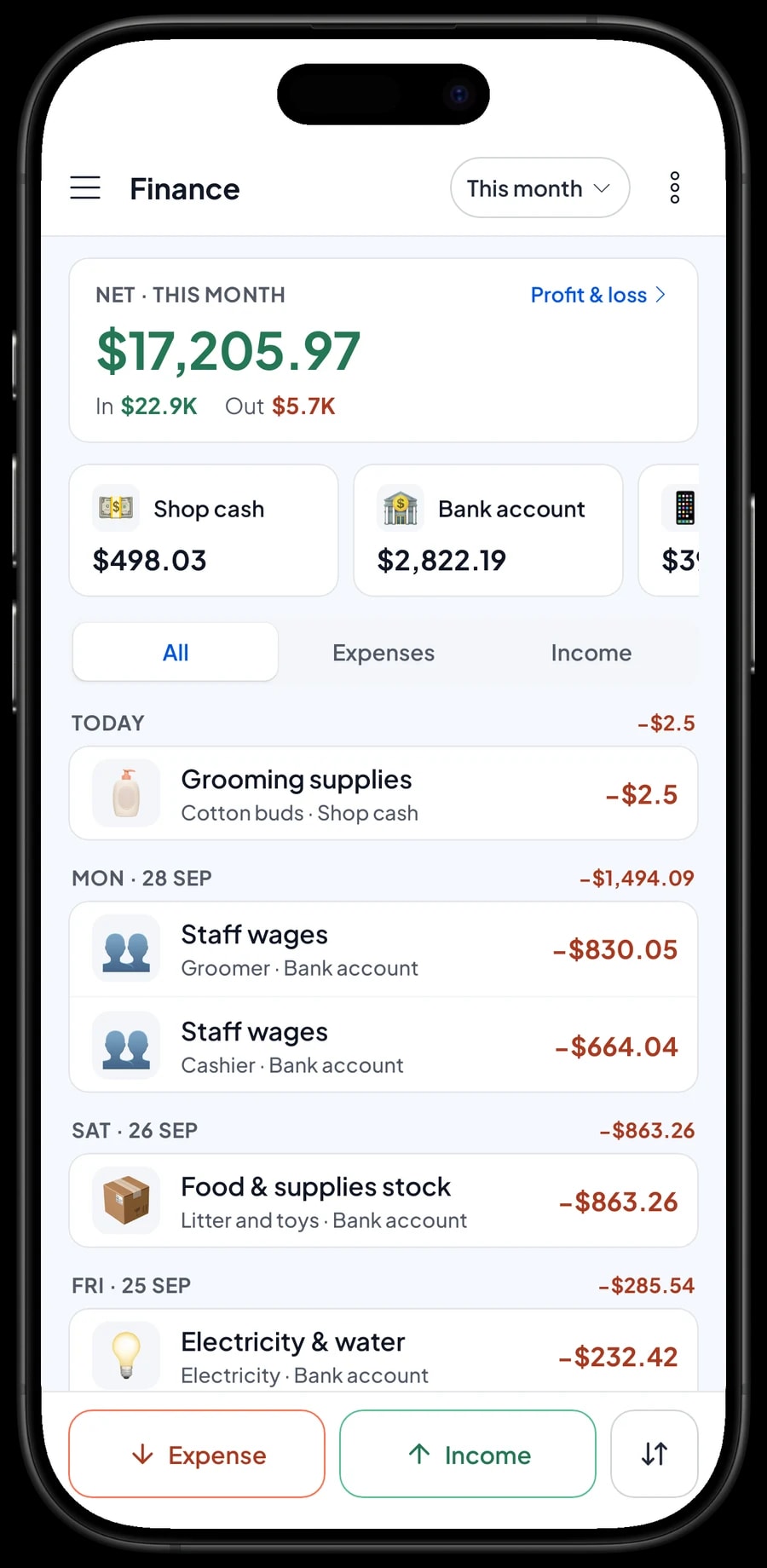
For real profit, record expenses in Finance: food orders, litter and toys, shampoo and towels for grooming, wages for the groomer and cashier, rent, electricity and water. The Finance report shows revenue minus cost of goods and operating costs: your shop's net profit. Reports export to Excel or PDF.
Get started in a day
Enter your 20 to 30 best sellers first, especially food with its bag sizes, then your grooming and boarding services. Connect a printer and barcode scanner if you use them. Everything else can be added during quiet hours.
If the internet drops, the till keeps working: sales are saved on the device and sync when the connection is back, with offline mode for up to 7 days. Once the cashier is comfortable, move on to loyalty points and recording expenses.
An example pet shop catalog
Use this table as a starting point and replace the names and sizes with your own products and services.
| Category | Item | Variants | Add-ons | Item type |
|---|---|---|---|---|
| Food & treats | Dry Cat Food | 500 g, 1.5 kg, 5 kg | - | Product |
| Food & treats | Dry Dog Food | 1 kg, 3 kg, 10 kg | - | Product |
| Food & treats | Wet Cat Food Pouch 85 g | - | - | Product |
| Litter & care | Clumping Cat Litter | 5 L, 10 L | - | Product |
| Litter & care | Cat Vitamin Drops 30 ml | - | - | Product |
| Toys & accessories | Feather Wand | - | - | Product |
| Grooming & boarding | Basic Grooming (bath, nails, ears) | Cat, Small dog, Large dog | Pet cologne, Detangling, Bow or bandana | Service |
| Grooming & boarding | Flea Bath | - | - | Service |
| Grooming & boarding | Pet Boarding | - | - | Service (per day) |
Food, litter and accessories are products with stock per variant. Grooming and boarding are services with no stock; for boarding, enter the number of days as the quantity.
Which plan fits your pet shop
Start by counting sales. A pet shop serving about 12 customers and a few grooming appointments a day records roughly 370 transactions a month.
| Plan | Price | Transactions / month | Staff accounts | Good for |
|---|---|---|---|---|
| Free | Free | 30 | Owner only | To try the checkout and grooming flow before using it for real. |
| Solo Pro | $4.90/month | 3,000 | Owner only | Small pet shops where the owner runs the till. |
| Bronze Pro | $6.90/month | 5,000 | 1 staff | Pet shops with one cashier on their own device while the owner handles grooming. |
| Silver Pro | $9.90/month | 8,000 | 2 staff | Busier shops with two staff on separate devices, such as the front till and the grooming desk. |
Every plan includes checkout, catalog, receipts, reports and offline mode. You can change plans at any time. See pricing →
Frequently asked questions
- Can Salesmaster track pet food stock by bag size?
- Yes. Create one food item with variants such as 500 g, 1.5 kg and 5 kg. Each variant has its own price, cost and stock, and each sale takes stock off the variant the cashier chose.
- I sell loose food from a sack. Does loose stock go up when I open a sack?
- No. Salesmaster does not convert stock between variants automatically. When you open a sack for loose sales, take it off the sack variant and add to the loose variant with a stock adjustment.
- How do I handle grooming that is paid at pickup?
- Add the grooming service to the cart, tap Save order and name it, for example Mochi (cat), Lina. At pickup, open the order and take payment. Saved orders stay on the device that created them and are not sales until paid.
- Can I charge boarding by the day?
- Yes. Create Pet Boarding as a service priced per day and enter the number of nights as the quantity. A bath before going home can go on the same sale.
- Can Salesmaster track boarding deposits?
- There is no deposit or part-payment feature. If the owner pays something up front, sell it as a separate Service item called Down payment. At pickup, open the saved order at its full price, tap Add Deduction for the down payment, and take the rest.
- Can customers earn points on both food and grooming?
- Yes. Turn on Loyalty points and set how much spending earns a point. Points are added on every sale to a saved customer, whether it is products or services.
Need help setting up your catalog? Chat with our team on WhatsApp →



