

Salesmaster is a point-of-sale (POS) app for day spas and massage studios on Android, iPhone & iPad, Windows and Mac. Each treatment is a service item with duration variants and add-ons such as oil scents or an extra 30 minutes, guests who pay after their treatment are kept as saved orders, retail products like massage oil have tracked stock, and expenses such as therapist pay and linen laundry feed the Finance report so you see net profit. A Free plan lets you try it first.
Problems every spa front desk knows
A spa sells calm. When checkout is messy, the calm is the first thing to go, right at the front desk.
- 01
One treatment, many lengths and prices
A Balinese massage at 60, 90 or 120 minutes, plus a scent, warm stones or a flower bath. Pricing that from a paper menu means small extras slip through unbilled.
- 02
Guests pay after they're done
A couple goes into room 3 for two hours and asks for an extra half hour halfway through. Without a clear record, the desk loses track of which rooms have paid.
- 03
The cash drawer never quite matches
Cash, cards, bank transfers and e-wallets, plus petty cash for fresh flowers and water. At closing, the drawer rarely agrees with the notebook.
- 04
Busy weekends, unclear profit
Weekend revenue looks great, but therapist pay, oils, linen, utilities and rent are big too. Without tracked expenses you don't know what's actually left.
Building your treatment menu: durations as variants
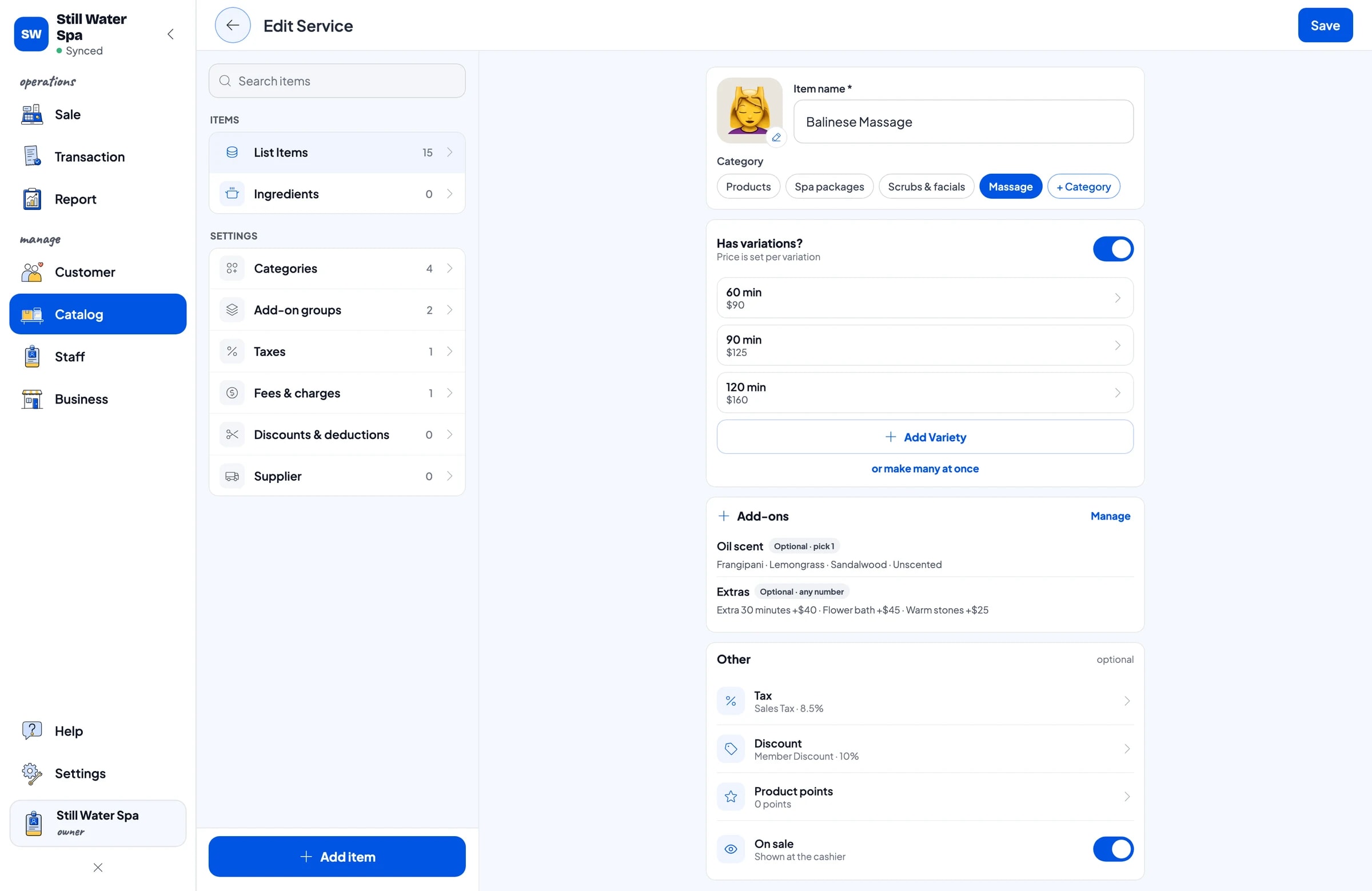
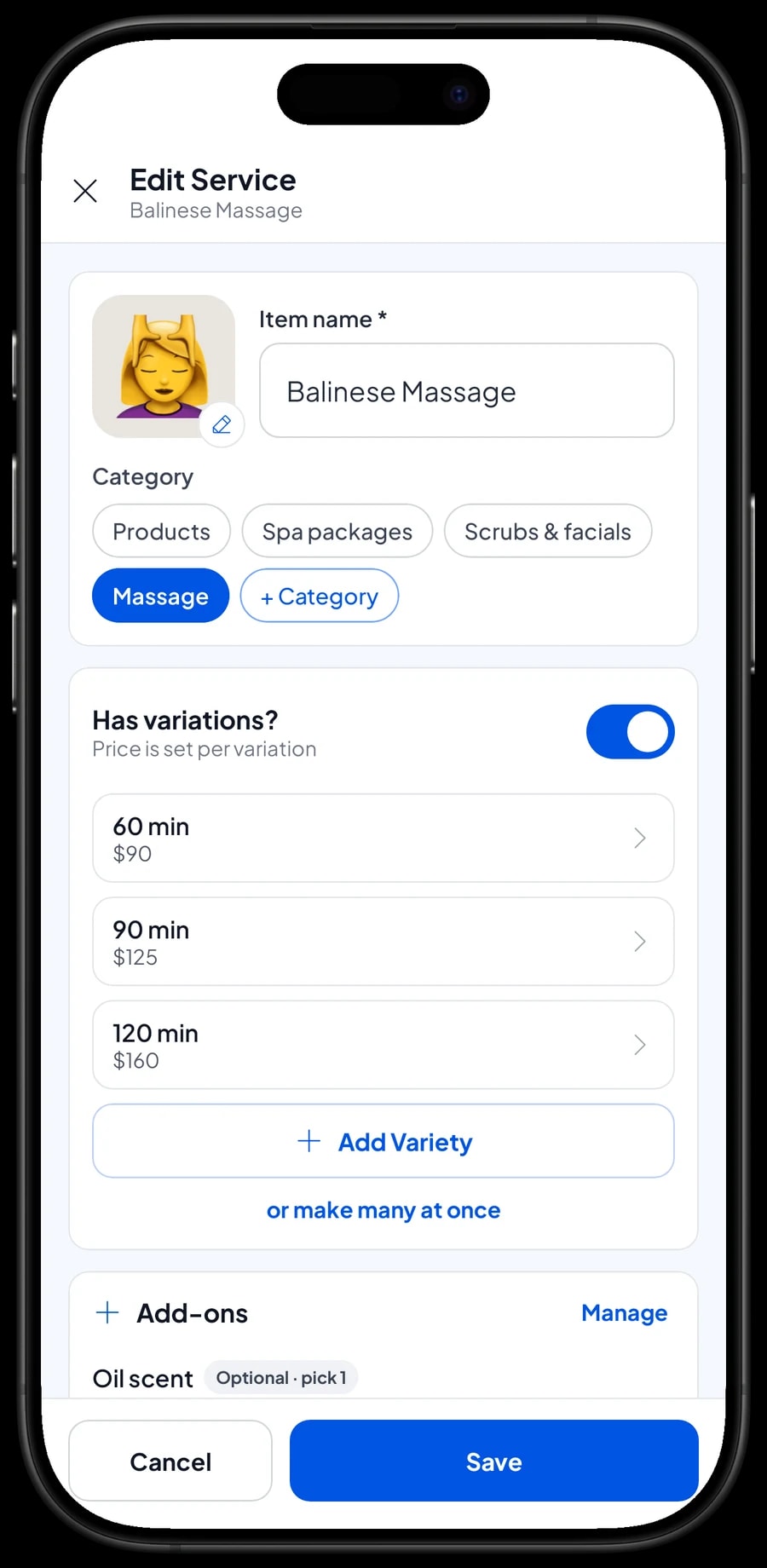
Start with the price list you already use. In Salesmaster, each treatment is one Service item in the Catalog. Group them into categories such as Massage, Scrubs & facials, Spa packages and Products, so the front desk finds any treatment in one or two taps on the Sale screen.
A treatment sold in several lengths only needs one item with variants. Balinese Massage at 60, 90 and 120 minutes is three variants of one item, each with its own price. The front desk picks the length and the price follows. Treatments with a single length, like a 90-minute hot stone massage or a 45-minute head, neck and shoulder session, are plain items with one price.
Each variant can also carry a cost, such as the oil and towels one session uses, so the profit report accounts for supplies, not just revenue.
- Step 1: Open Catalog → Categories and create categories such as Massage, Scrubs & facials, Spa packages and Products.
- Step 2: Open Catalog → List Items and add each treatment as a Service item with its name and category.
- Step 3: For treatments sold in several lengths, add 60, 90 or 120 minute variants, each with its price.
- Step 4: Enter a cost per variant if you want the profit report to include the supplies each session uses.
Oil scents and extras, billed every time
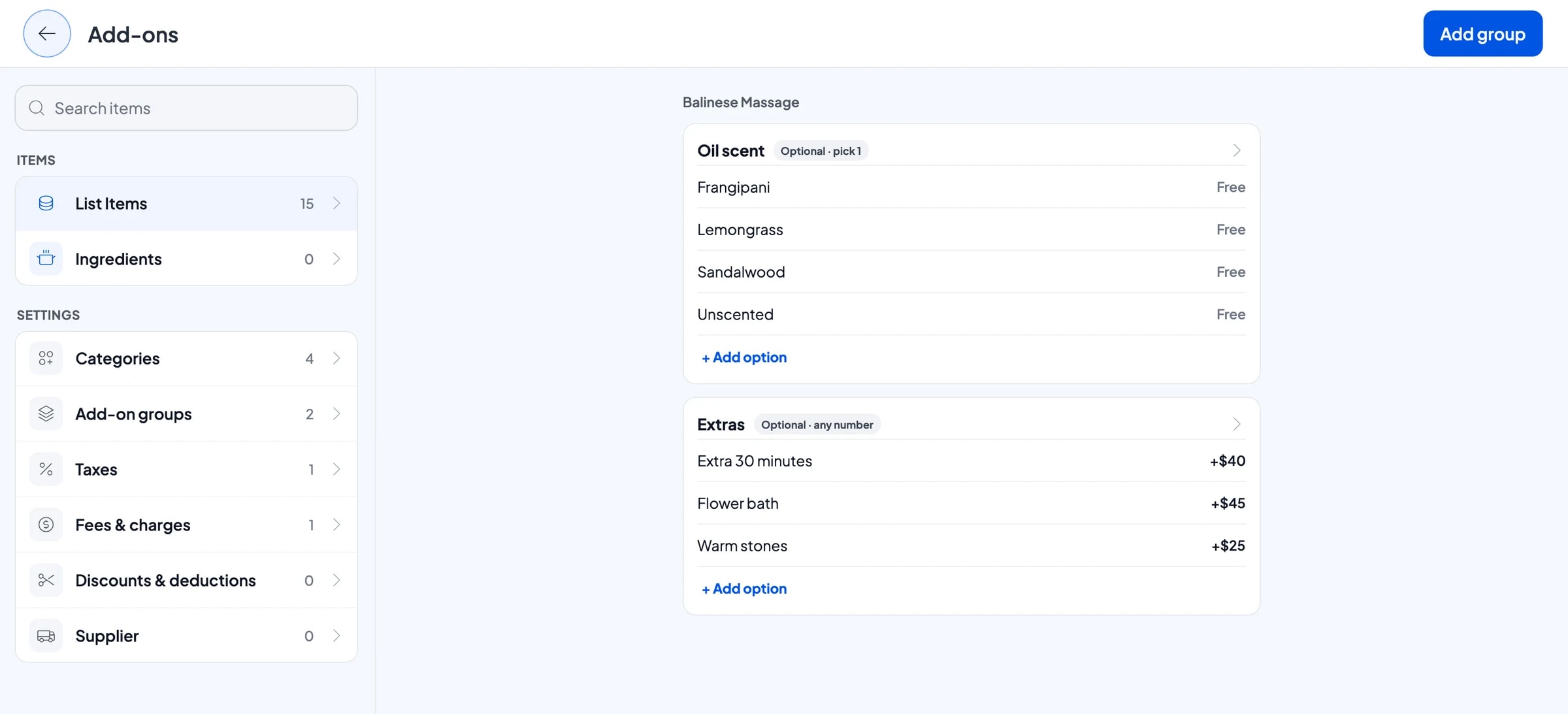
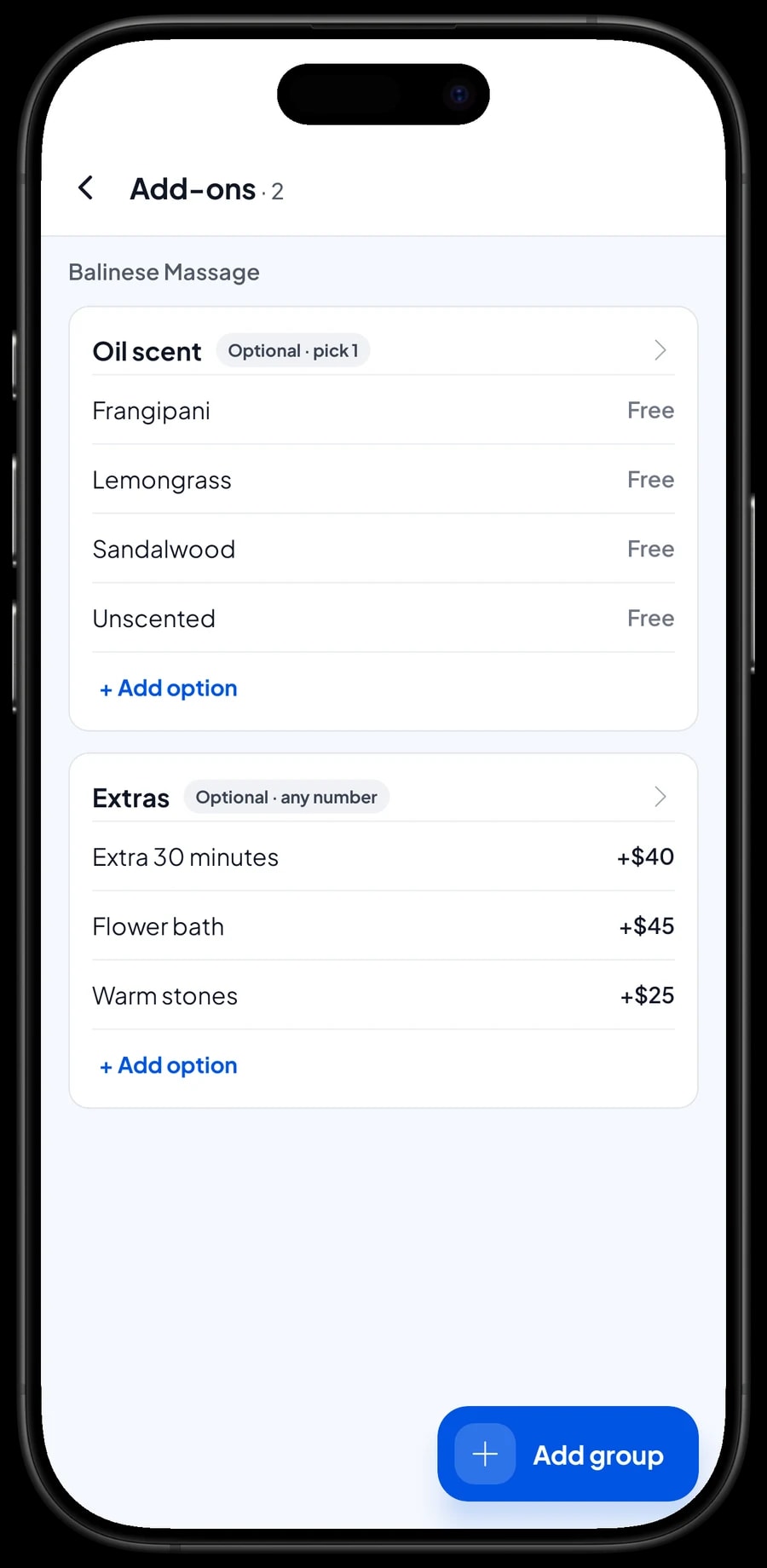
Spa guests often choose something beyond the base treatment: a particular oil, an extra 30 minutes, warm stones, or a flower bath afterwards. In Salesmaster these are add-ons. Create an Oil scent group with Frangipani, Lemongrass, Sandalwood and Unscented at no charge, and an Extras group for the paid options.
One add-on group can be attached to many treatments. Build Extras once and attach it to your massages, scrubs and spa packages, so you never need a separate "Balinese Massage + flower bath" item. When the guest chooses, the front desk ticks the add-on and the total is right.
Free scent options still earn their place: the choice is saved with the sale, so the therapist knows which oil to prepare.
- Step 1: Create an Oil scent add-on group with the scents you offer, priced at zero.
- Step 2: Create an Extras add-on group for extra time, warm stones and a flower bath, each with its price.
- Step 3: Open each treatment that uses them, such as massages, scrubs and packages, and attach both groups under Manage add-ons.
- Step 4: Ring up a test sale on the Sale screen and check that the extras are added to the total.
Spa packages, couples and pre-wedding
Packages are how a spa sells the full experience: massage, scrub and flower bath in two hours, a couples package for two guests, or a three-hour pre-wedding ritual. In Salesmaster, each package is its own Service item with its package price, in a Spa packages category. Put what's included in the item name, such as "Spa Package, 2 hours (massage, scrub, flower bath)", so the desk and the guest both know what they're getting.
Because each package is a separate item, reports show how many packages sold each month apart from single massages.
Salesmaster doesn't count down sessions automatically for multi-visit packages, such as a five-massage card. If you sell those, ring the package up as one item, then write the remaining sessions in the sale note at each visit. The customer's purchase history shows when the package was bought.
Open bills per room with Save order
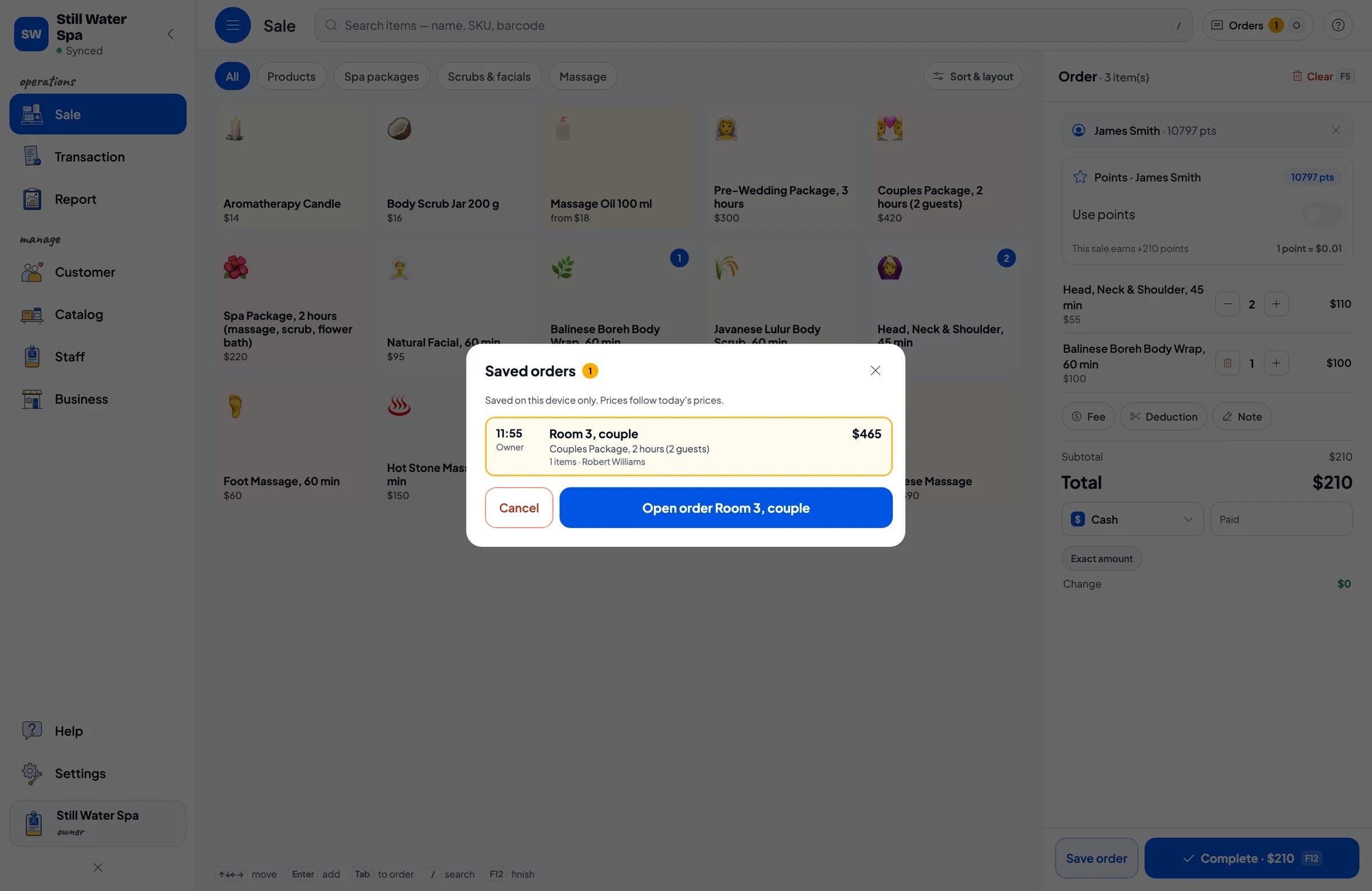
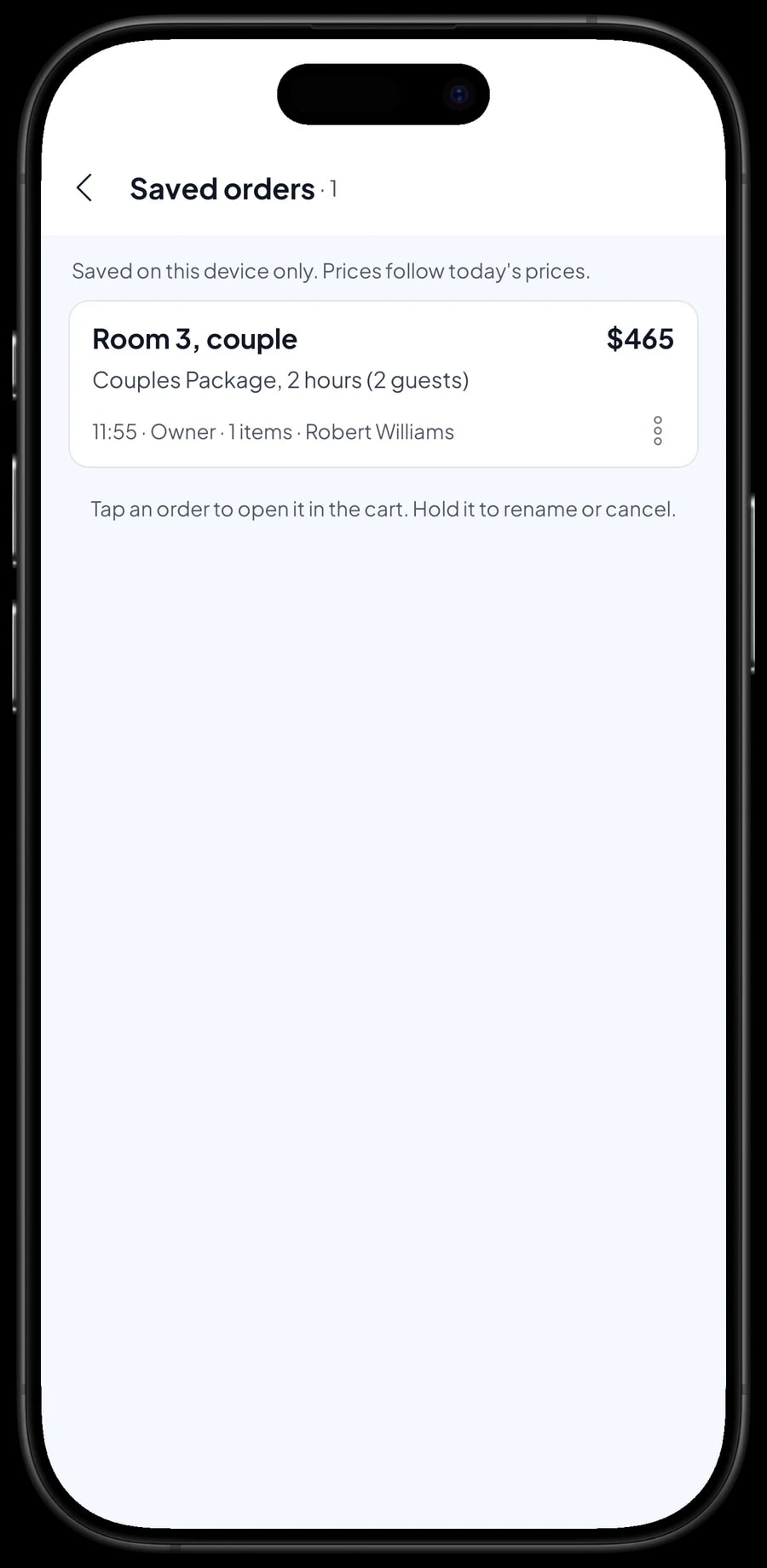
At a spa, guests nearly always pay after the treatment. When a guest arrives, the front desk adds the booked treatment to the cart and taps Save order. The cart is kept as a saved order under the name you give it, for example "Room 3, couple" or "Sarah, room 1". The desk can move straight on to the next guest.
If a guest asks for an extra half hour or a flower bath mid-treatment, open their order from Saved orders and add it. Once they're out of the room and dressed, open the order again and take payment. Nothing gets forgotten.
A saved order is not counted as a sale and does not take stock off until it is paid, so your reports stay clean if a guest cancels. Saved orders live on the device that created them, so finish the payment on the same front-desk device.
Selling massage oil, scrubs and candles with stock
Many guests want to take their favourite scent home. Massage oil, body scrub jars and aromatherapy candles are Product items, with stock that goes down each time one is sold. A 100 ml massage oil can have Frangipani, Lemongrass and Sandalwood variants. Each variant has its own price, purchase cost and stock, so you see which scent is running low.
Products and treatments go on the same sale. A guest who has just finished a massage and picks up a bottle of oil pays once and gets one receipt.
When a delivery arrives, record the added stock with its purchase price, so retail profit uses what you really paid.
- Step 1: Open Catalog → List Items and add each retail product as a Product item with its selling price and purchase cost.
- Step 2: For products that come in several scents, add a variant per scent.
- Step 3: Open Catalog → Inventory → Stock and enter the opening stock for each product or variant.
- Step 4: When a delivery arrives, record the added stock so quantities and costs stay accurate.
Front desk and therapists
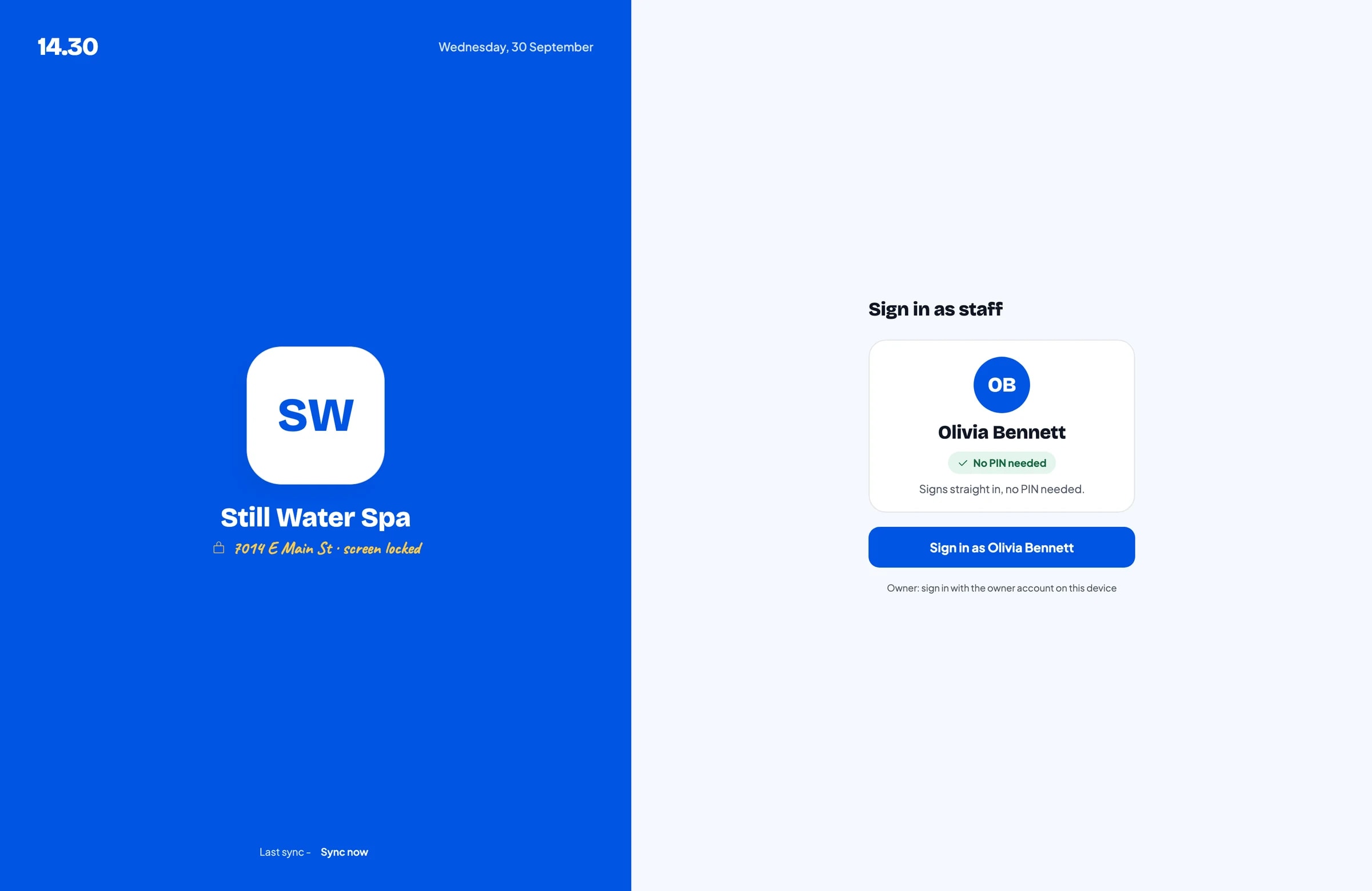
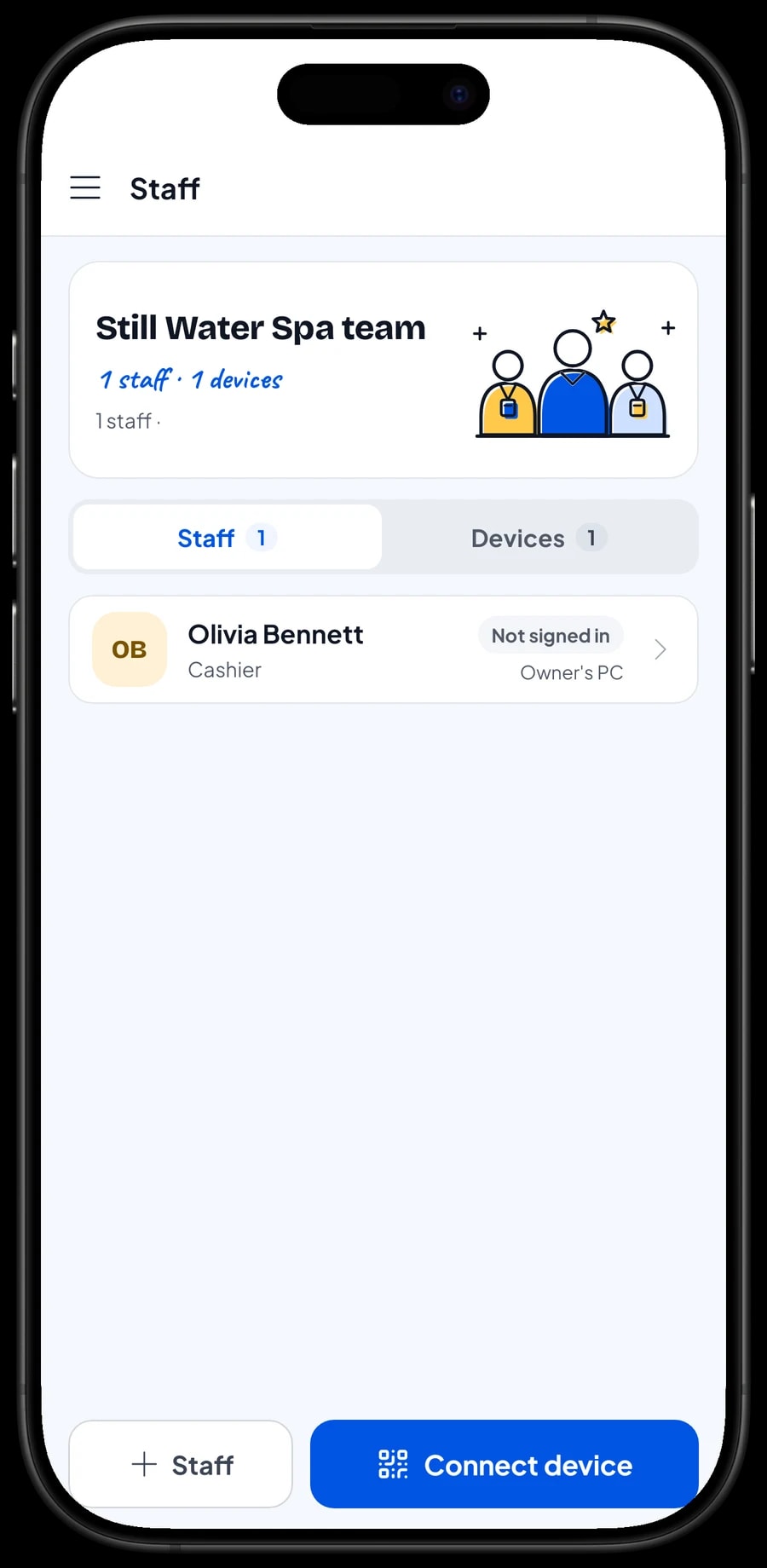
The owner signs in with the main account. Your front-desk staff don't need your login: add them as staff with their own roles, then register a cashier device for them. Staff sign in with a PIN, and you decide what they can see and change. An account signs in on one device at a time, so extra checkout devices use staff accounts. Staff accounts come with Bronze Pro (1 staff) and Silver Pro (2 staff).
Salesmaster doesn't calculate therapist commission or tips automatically. What many spas do: write the therapist's name in the sale note, then record the commission or pay you hand out as an expense in Finance under a Therapist pay category.
Guests who come back: loyalty points and member cards
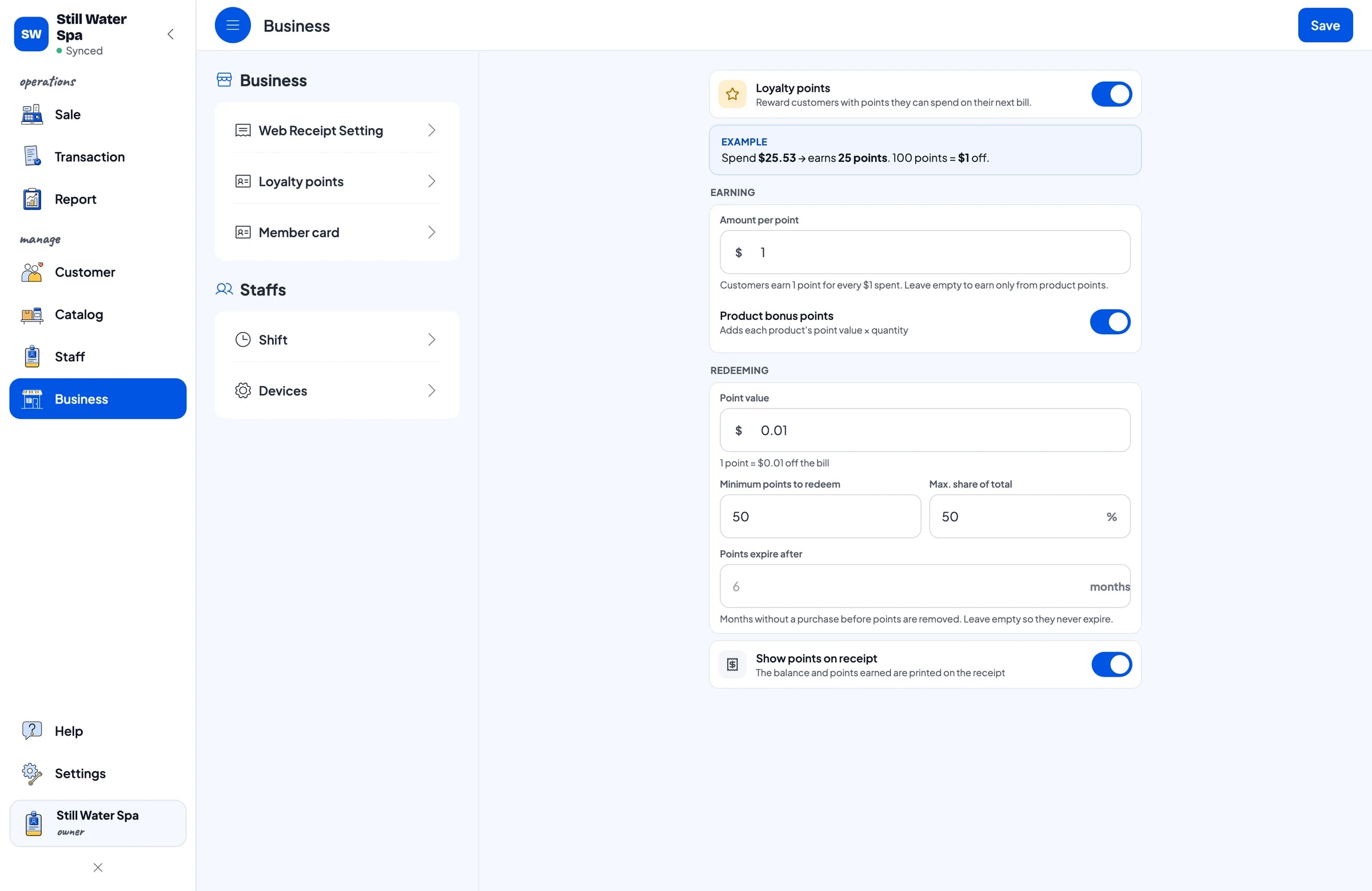
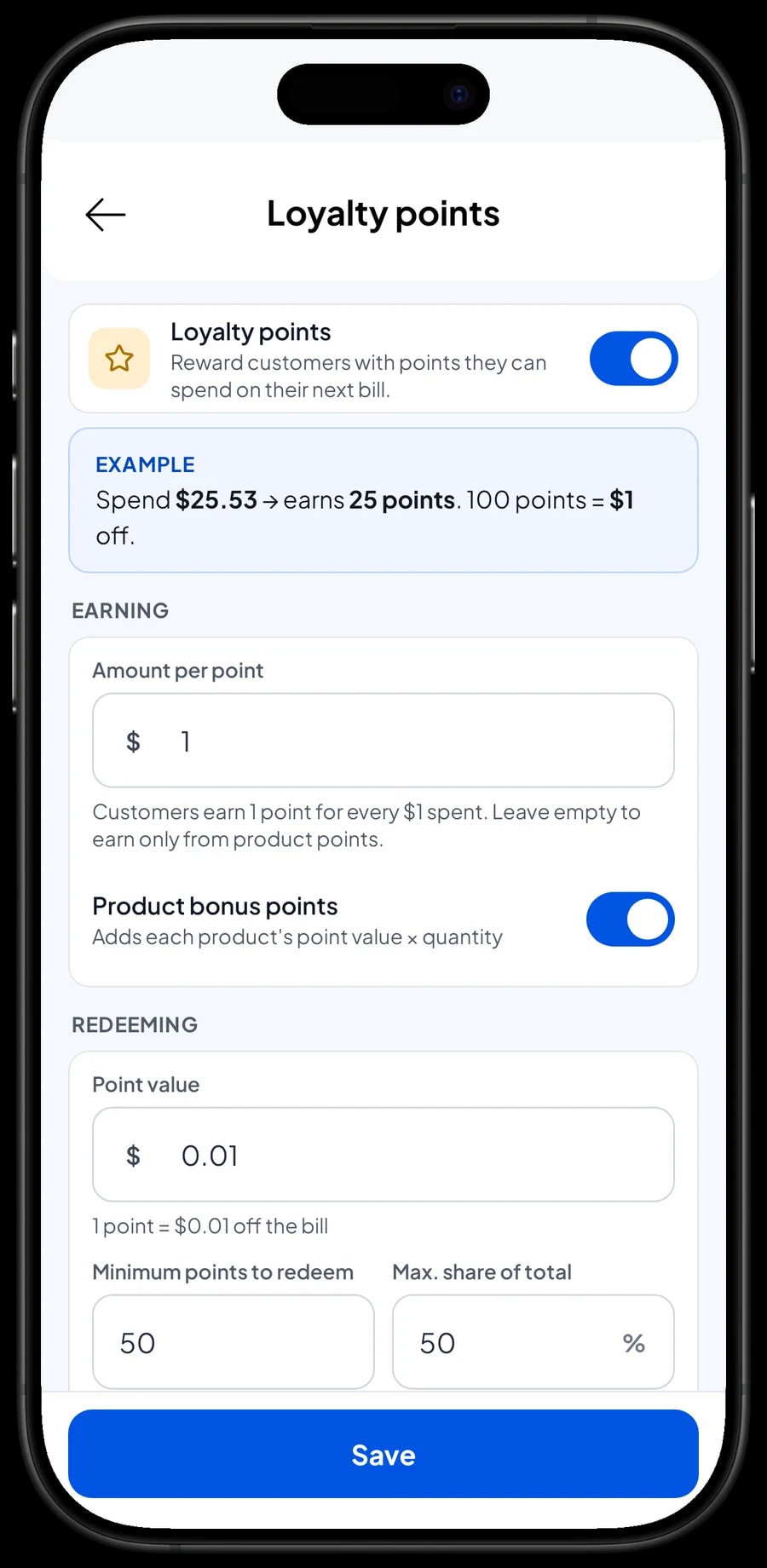
A spa lives on guests who come back every few weeks. In Salesmaster, save the customer at checkout (a name and phone number is enough) and turn on Loyalty points. You set the rules: the amount spent per point, the value of a point when redeemed, the minimum points to redeem, and the maximum share of a bill that points can cover.
The front desk doesn't calculate anything. Points are added with every sale, and when a guest wants to use them, the discount is applied straight away. Regulars can also get a member card in their name.
Each customer's purchase history is kept, so you can see which treatments a guest usually books and when they last visited.
Sales reports and your spa's net profit
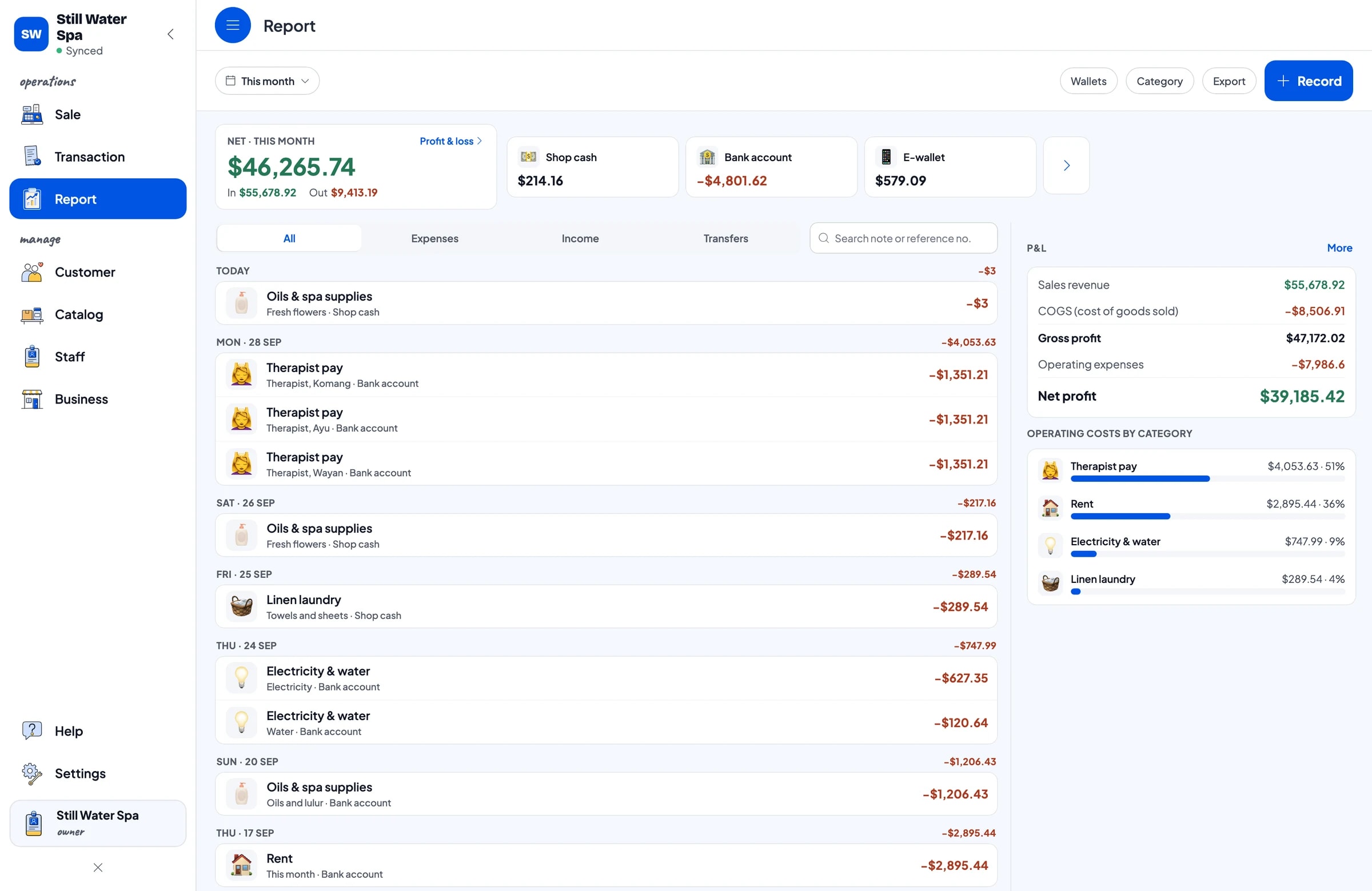
Reports are available by day, week, month and year. You see total revenue, gross and net sales, discounts, tax collected, payment methods, and revenue by treatment, so it's clear whether single massages or packages bring in more.
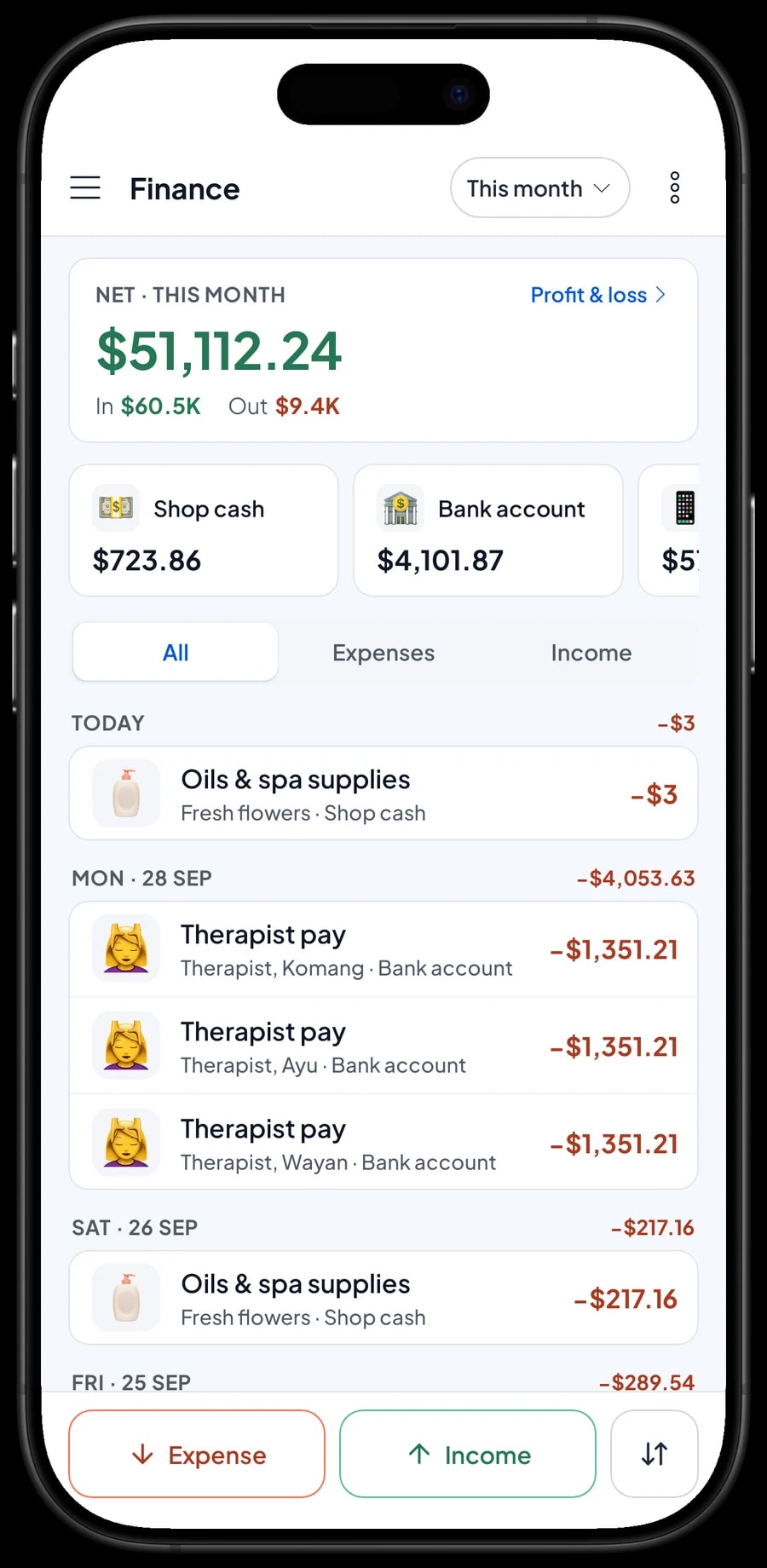
For real profit, record expenses in Finance: oils and scrubs, fresh flowers, therapist pay, rent, electricity and water, and laundry for towels and sheets. Each expense has a category and the wallet it was paid from, such as shop cash, a bank account or an e-wallet. The Finance report then shows revenue minus cost of goods and operating costs: your spa's net profit.
If you charge sales tax, set it once in Fees or Tax; it's calculated on every sale and kept apart from profit. Reports export to Excel or PDF.
Get started in a day, keep working offline
You don't need to close to switch to Salesmaster. Before your first guest, install the app on the front-desk phone or tablet and create an account. Enter your most-booked treatments first, with their lengths and add-ons, and connect a Bluetooth thermal printer if you print receipts. Guests who don't want paper can get their receipt by WhatsApp, email or a web receipt link with your spa's logo and colours.
Every sale is saved on the device first and sent to the cloud when the connection is back. If the Wi-Fi drops, the desk can still take payments. Offline mode works for up to 7 days; after that the app needs to connect briefly to sync.
Once checkout runs smoothly, move on to retail stock, then to recording expenses in Finance. Our team is on WhatsApp if you need help setting up your catalog.
An example spa treatment menu
Use this table as a starting point and replace the names and lengths with your own treatments.
| Category | Item | Variants | Add-ons | Item type |
|---|---|---|---|---|
| Massage | Balinese Massage | 60, 90, 120 min | Oil scent, Extras | Service |
| Massage | Aromatherapy Massage | 60, 90 min | Oil scent, Extras | Service |
| Massage | Hot Stone Massage, 90 min | - | - | Service |
| Massage | Foot Massage, 60 min | - | Extras | Service |
| Scrubs & facials | Javanese Lulur Body Scrub, 60 min | - | Extras | Service |
| Scrubs & facials | Natural Facial, 60 min | - | - | Service |
| Spa packages | Couples Package, 2 hours (2 guests) | - | Oil scent, Extras | Service |
| Spa packages | Pre-Wedding Package, 3 hours | - | - | Service |
| Products | Massage Oil 100 ml | Frangipani, Lemongrass, Sandalwood | - | Product |
| Products | Aromatherapy Candle | - | - | Product |
Treatments are Service items with no stock. Things guests take home, like massage oil and candles, are Products so their stock is tracked.
Which plan fits your spa
Start by counting guests per day. A four-room spa seeing about 8 guests a day records roughly 200 to 250 transactions a month.
| Plan | Price | Transactions / month | Staff accounts | Good for |
|---|---|---|---|---|
| Free | Free | 30 | Owner only | To try checkout and saved orders before using it for real. |
| Solo Pro | $4.90/month | 3,000 | Owner only | Small massage studios where the owner runs the desk. |
| Bronze Pro | $6.90/month | 5,000 | 1 staff | Spas with one front-desk person on their own checkout device. |
| Silver Pro | $9.90/month | 8,000 | 2 staff | Busier spas with two staff on separate devices, such as front desk and a retail counter. |
Every plan includes checkout, catalog, receipts, reports and offline mode. You can change plans at any time. See pricing →
Frequently asked questions
- Can Salesmaster handle bookings or therapist schedules?
- No. Salesmaster is a point-of-sale app and has no booking calendar. Keep appointments in your current booking tool or diary. When the guest arrives, add their treatment and tap Save order with their name and room, then take payment after the treatment.
- How do I set up massages with different lengths?
- Create one Service item, such as Balinese Massage, and add 60, 90 and 120 minute variants, each with its price. For extra time, attach an Extra 30 minutes add-on.
- Can Salesmaster calculate therapist commission or tips?
- Not automatically. Write the therapist's name in the sale note so you know who served each guest. Record the commission, tips or pay you hand out as expenses in Finance, so they are part of your net profit.
- Can I sell multi-visit packages or gift cards?
- You can sell a package as one item at its package price, but Salesmaster doesn't count down remaining sessions or track gift card balances. Write the remaining sessions in the sale note at each visit, and check the customer's purchase history to see when the package was bought.
- What if a guest pays after the treatment?
- Use Save order. The guest's cart is kept as a saved order under the name you give it, and you can add extras before they pay. Saved orders live on the device that created them and aren't counted as sales until paid, so finish them on the same device.
- Does the front desk keep working if the internet goes down?
- Yes. Sales are saved on the device and sync when the internet is back. Offline mode works for up to 7 days before the app needs to connect to sync.
- How much does Salesmaster cost for a spa?
- You can start on the Free plan to try it. Spas with front-desk staff usually choose Bronze Pro or Silver Pro, because both include staff accounts. Prices for each plan are in the plan table on this page, and paying yearly costs less.
Need help setting up your catalog? Chat with our team on WhatsApp →



