

Salesmaster is a point-of-sale (POS) app for bubble tea and drink shops on Android, iPhone & iPad, Windows and Mac. Cup sizes are variants, while toppings, sugar level and ice level are add-ons, so every total is right. Each drink sold deducts cups, sealer film, straws, milk and pearls by recipe, and the Finance report shows net profit after rent, wages and delivery app fees.
Problems every bubble tea shop knows
A drink menu looks simple until one cup has dozens of possible combinations. That is where the counter gets stuck.
- 01
One drink, endless options
Large, less sugar, less ice, add pearls and cheese foam. When the cashier adds it up in their head, toppings go unbilled and drinks get made wrong.
- 02
The after-school and afternoon rush
Customers arrive in groups, delivery orders land at the same moment, and the same person is shaking drinks and taking payments. Every second at the counter counts.
- 03
Cups and pearls run out mid-shift
Large cups or sealer film run low on the busiest day. Cooked pearls don't keep, so you need to know how much you actually use.
- 04
Busy counter, unclear margins
Milk prices go up, delivery apps take a commission, and the kiosk rent is due either way. Without a cost per cup, you can't tell which drinks really make money.
Building your menu: categories and cup sizes
Start with the menu board you already have. In Salesmaster, every drink is one item in the Catalog. Use the same groups as your board, for example Milk tea, Fruit tea, Smoothies and Snacks, so the cashier finds any drink in one or two taps on the Sale screen.
Cup sizes are variants. Brown Sugar Boba Milk is a single item with Medium and Large variants, each with its own price. The cashier taps the drink, picks the size, and the price follows. You never need a separate item for every size of every flavor.
Snacks such as popcorn chicken and fries can have their own category. Because you fry them on site, they can have a recipe too, so frozen stock and snack boxes come off as you sell.
- Step 1: Open Catalog → Categories and create categories such as Milk tea, Fruit tea, Smoothies and Snacks.
- Step 2: Open Catalog → List Items and add each drink with its name and category.
- Step 3: Add size variants, for example Medium and Large, and set a price for each.
- Step 4: Check the Sale screen and make sure every category is one tap away.
Toppings, sugar level and ice level as add-ons
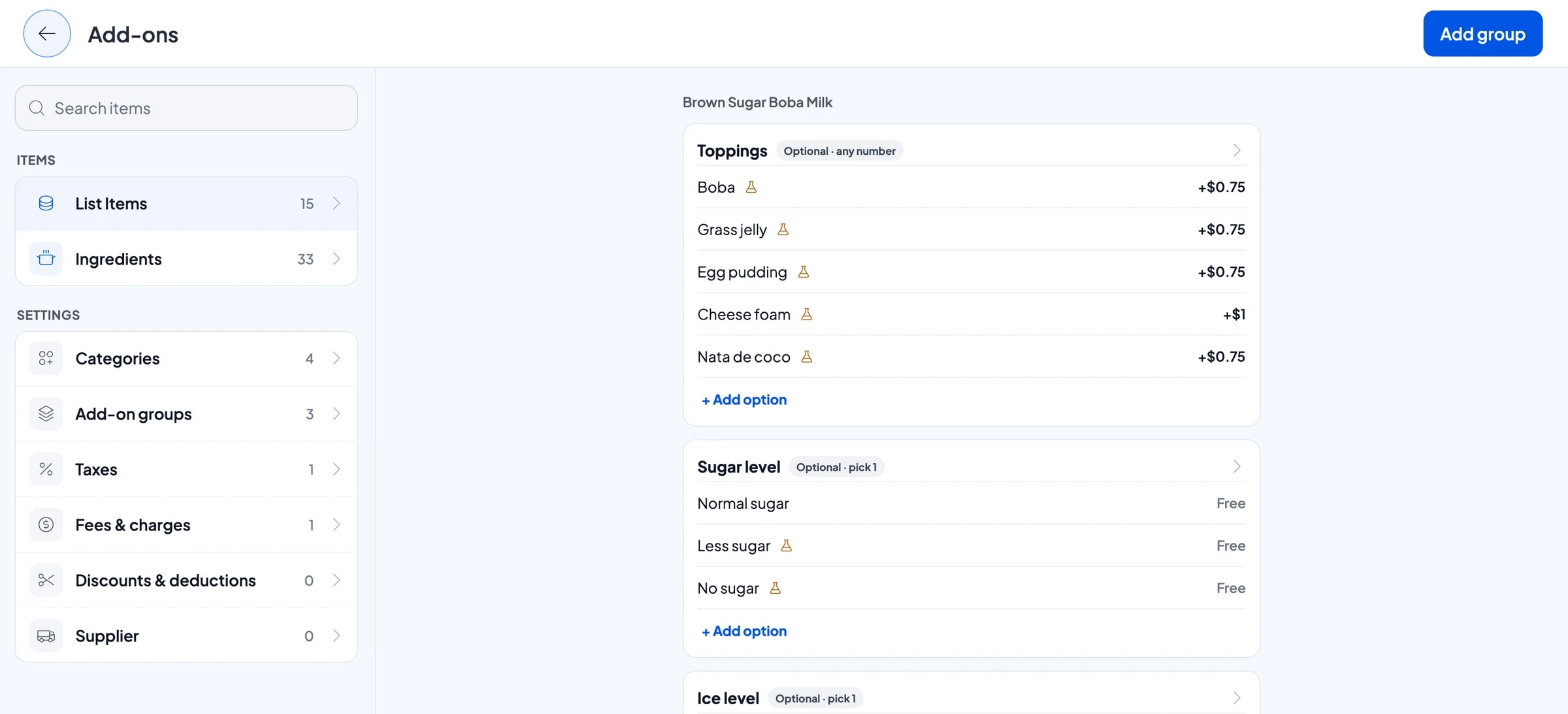
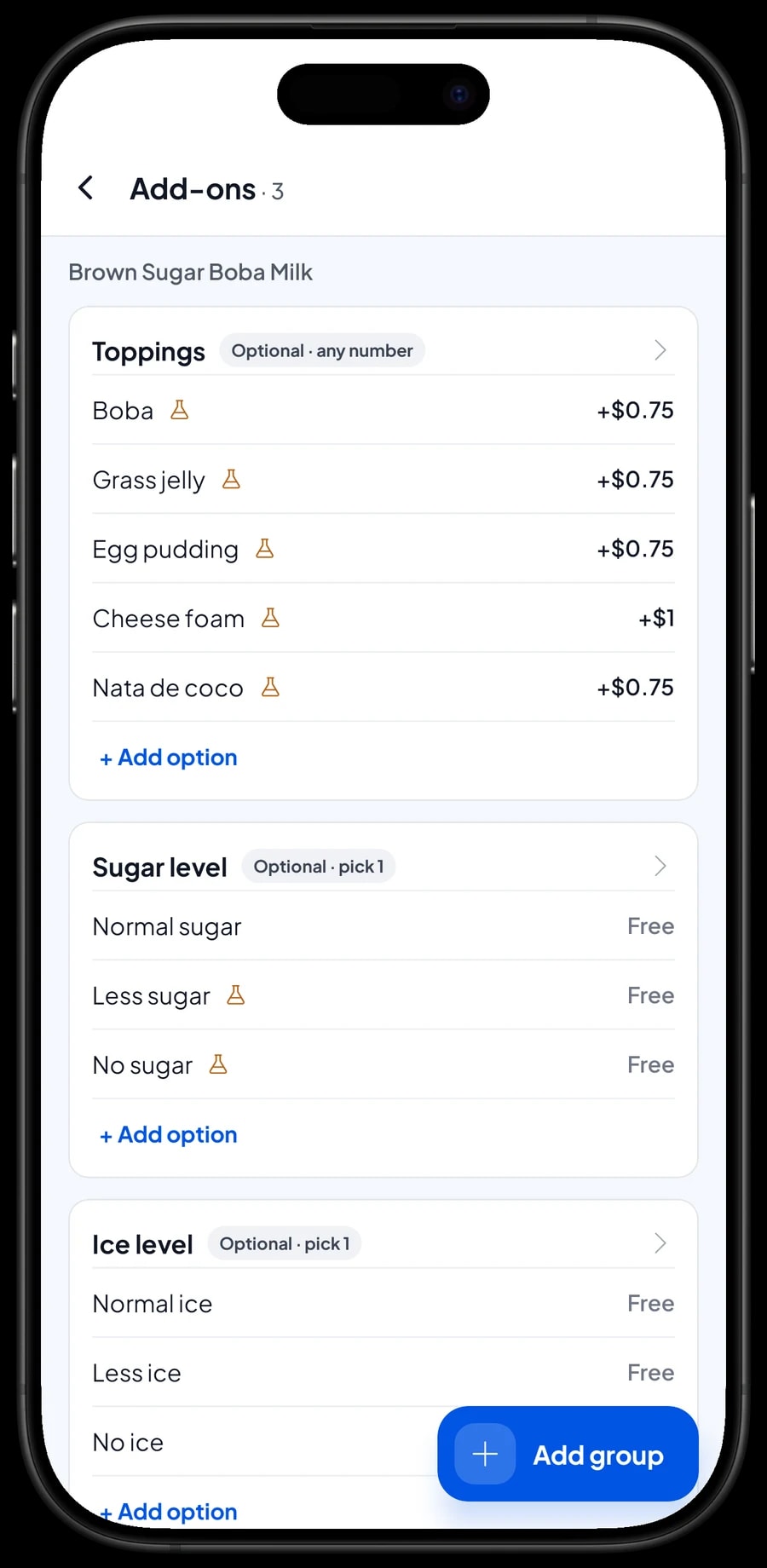
This is where most bubble tea counters lose money. In Salesmaster, anything a customer adds or adjusts is an add-on. Create a Toppings group with options such as boba, grass jelly, egg pudding, cheese foam and nata de coco, each with its extra price. When the cashier ticks a topping, its price goes straight onto the total.
Sugar level and ice level are add-on groups too, with options at no extra charge: Normal sugar, Less sugar, No sugar, then Normal ice, Less ice, No ice. The choices are saved with the sale, so whoever makes the drink knows exactly what to make without asking again.
One add-on group can be attached to many drinks at once. Build Toppings once and attach it to every milk tea, fruit tea and smoothie. If cheese foam goes up in price, change it in one place and every drink follows.
- Step 1: Create a Toppings add-on group and enter each topping with its extra price.
- Step 2: Create Sugar level and Ice level groups with options at no extra charge.
- Step 3: Attach all three groups to the drinks that use them.
- Step 4: Ring up a test sale: Large, Less sugar, add boba, and check the total.
Cup, sealer, milk and pearl stock from recipes
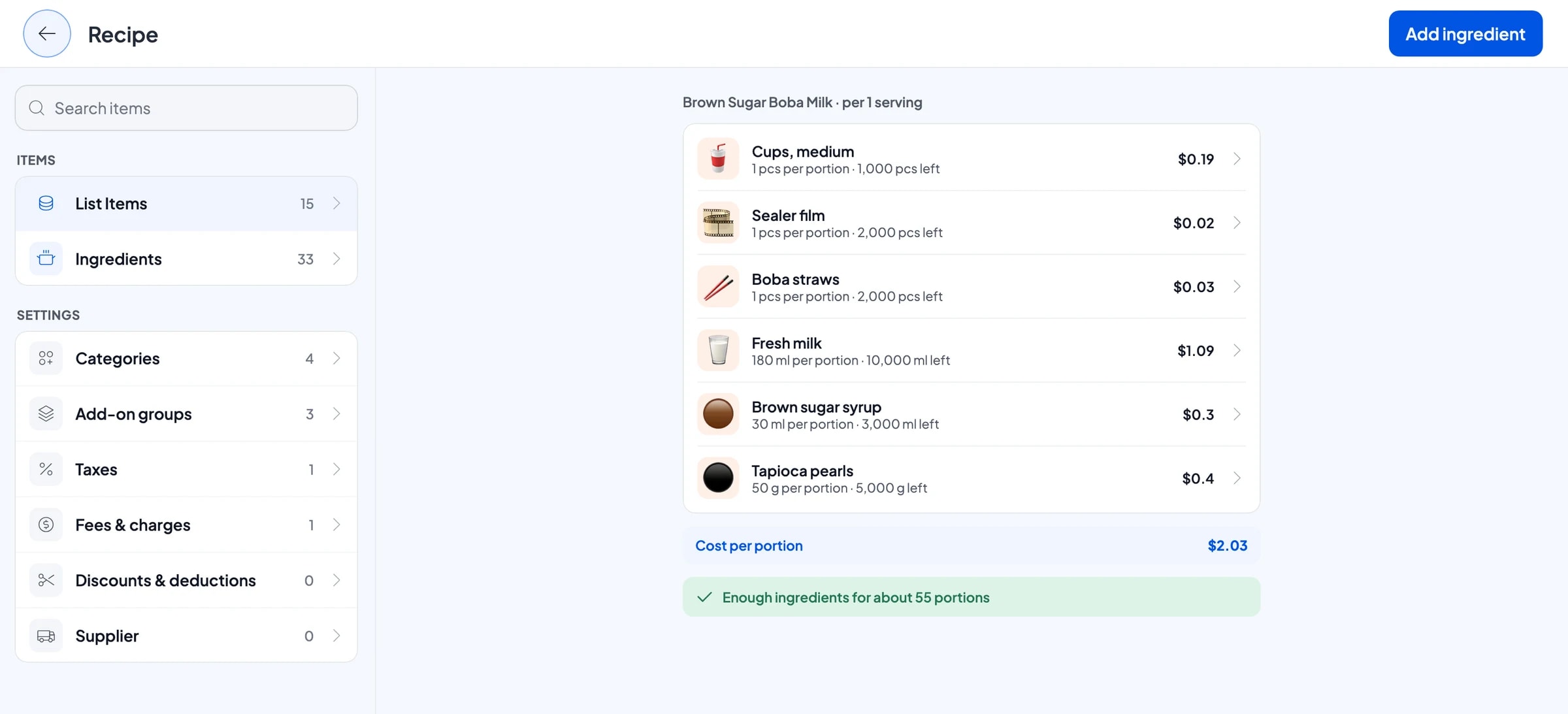
A bubble tea shop doesn't sell finished goods. It sells drinks made from milk, tea, syrup, pearls and packaging. In Salesmaster, these are made-to-order items with a recipe. Enter your ingredients once, packaging included: medium cups, large cups, sealer film, dome lids and boba straws.
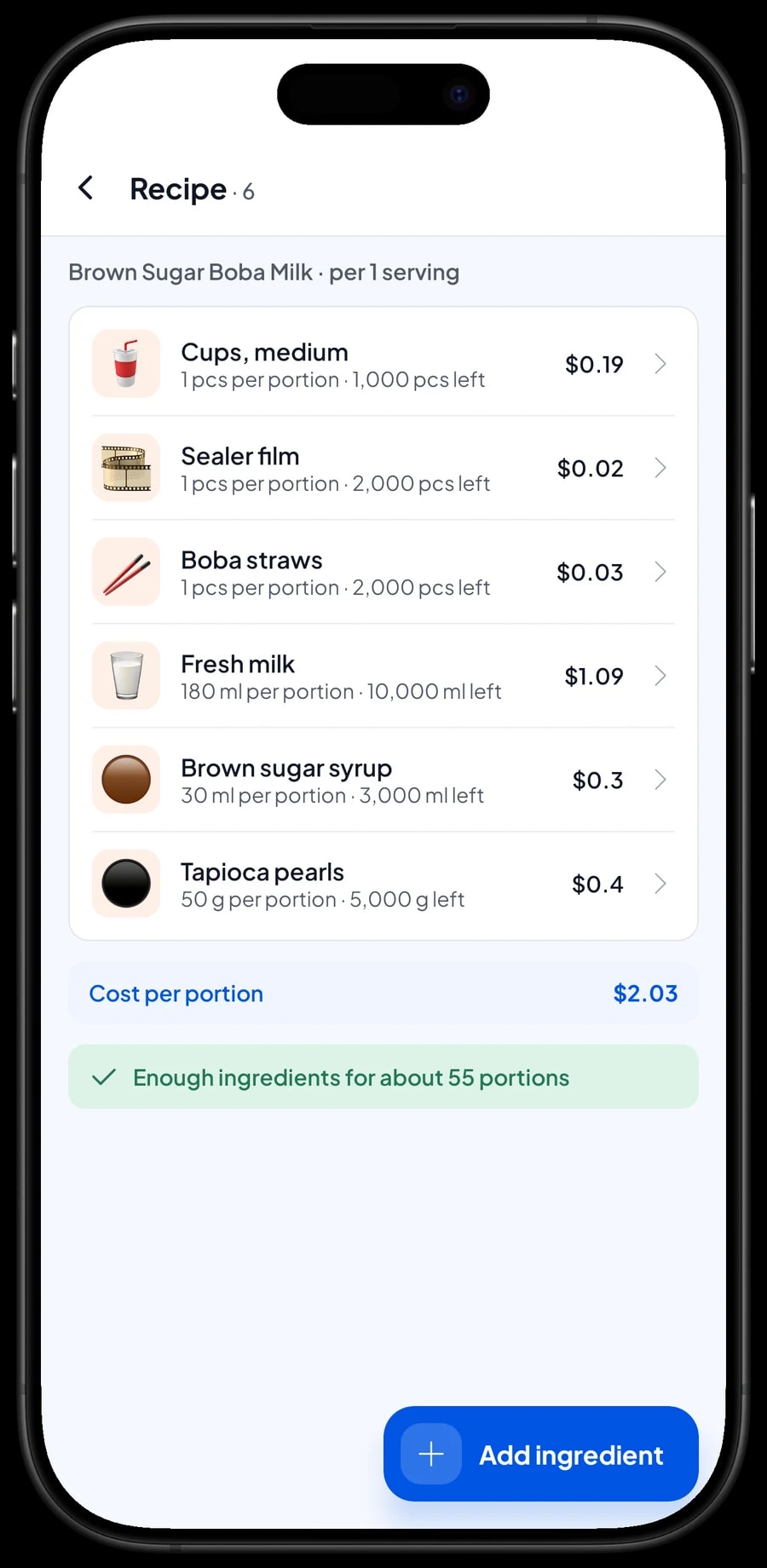
Then fill in a recipe for each size. A medium Brown Sugar Boba Milk, for example, uses 1 medium cup, 1 sealer film, 1 boba straw, 180 ml fresh milk, 30 ml brown sugar syrup and 50 g tapioca pearls. The large uses a large cup and bigger measures. Every drink sold takes all of that off stock.
What you watch is what actually runs out. Fresh milk getting low, or large cups nearly gone before the weekend? You see it in the ingredient list, not when a customer is already waiting. The measures in the recipe also help a new hire make every drink taste the same.
- Step 1: Turn on made-to-order items, then open Catalog → Inventory → Raw materials.
- Step 2: Add each ingredient and packaging item with its unit: pcs for cups and straws, ml for milk and syrups, g for tea, powders and pearls.
- Step 3: Create each drink as a made-to-order item and fill in a recipe for every size.
- Step 4: Record every purchase with its price so stock and cost per cup stay accurate.
Office orders and pick-up-later orders
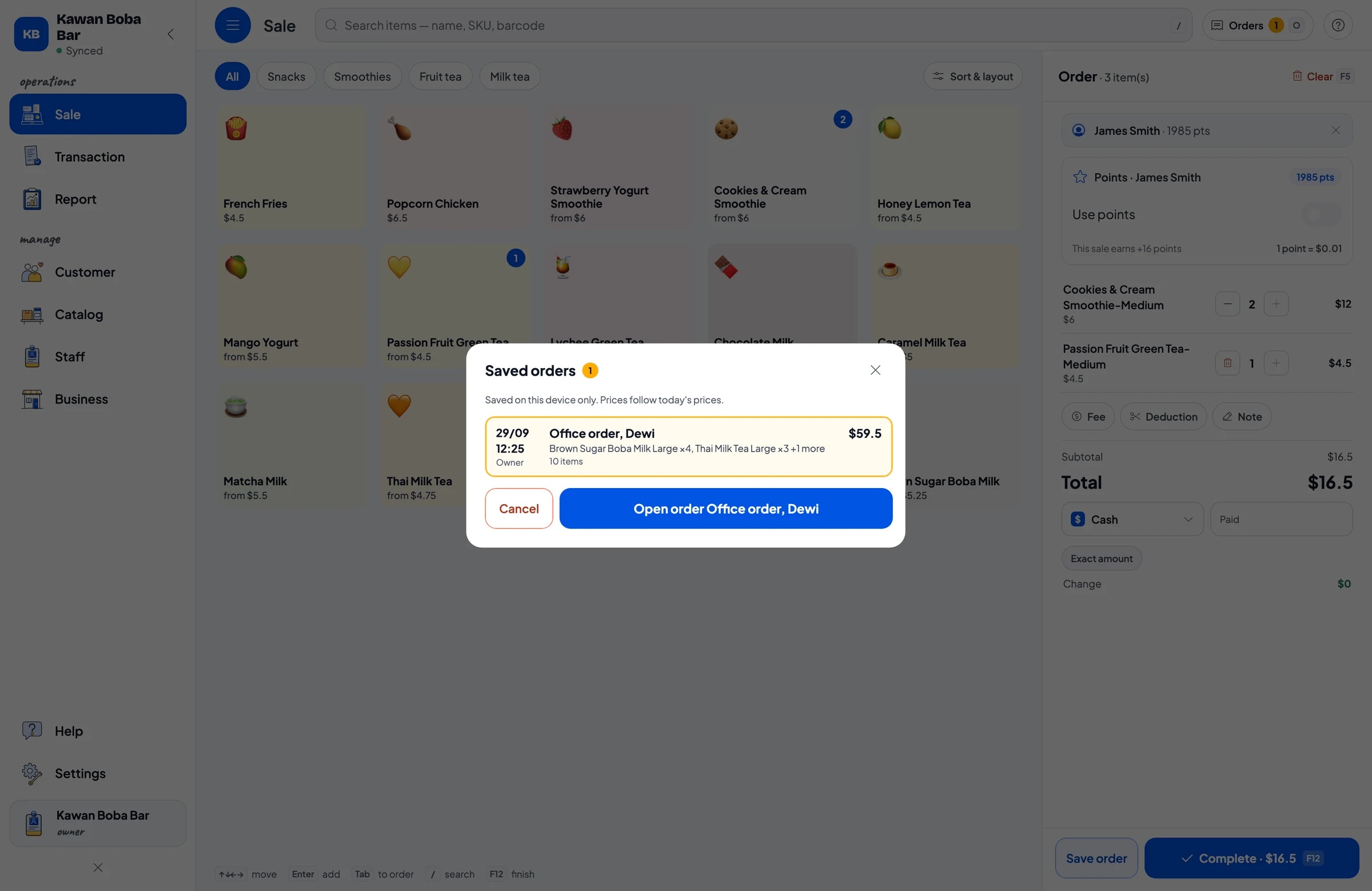
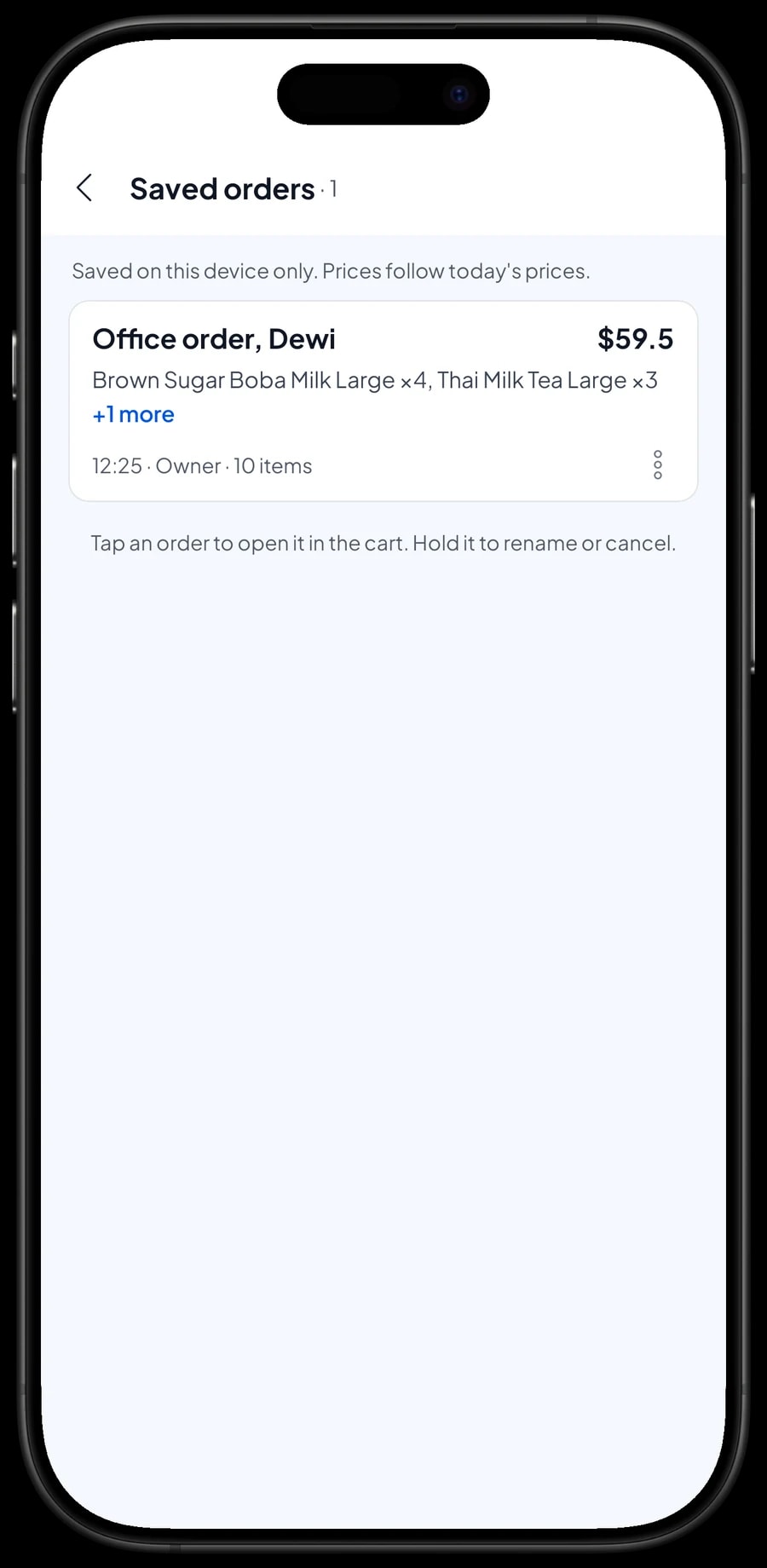
Drink shops often get big orders, like ten drinks for an office to be picked up after lunch. That is what Save order is for. Ring up every drink with its size and toppings, then save the cart under a clear name, for example "Office order, Dewi", with a note of the pick-up time.
The cashier moves straight on to the next customer. When the order is collected, open Saved orders, pick it, add anything that was ordered later, and complete the payment.
A saved order is not counted as a sale and doesn't take stock off until it is paid, so your reports stay clean if an order is cancelled. Saved orders live on the device that created them, so finish the payment on the same device.
Payments, tax, delivery orders and receipts
Set up the payment methods you accept: cash, bank transfer, e-wallets, or any other method you create. For cash, the cashier enters the amount received and the change is worked out for them. Reports show how much came in through each method, so the cash drawer and your bank balance are easy to reconcile.
If you charge sales tax, set it once in Fees or Tax and it is added to every sale. Orders from delivery apps can be rung up like any other sale with their own payment method, so delivery sales show up separately in your reports. The app's commission goes into Finance as an expense.
Once paid, the receipt can print on a Bluetooth thermal printer with 58 mm or 80 mm paper, or go out by WhatsApp, email or a web receipt link. The web receipt carries your logo, colours and social media, so customers can find your Instagram when the next seasonal drink launches.
Staff and cashier devices
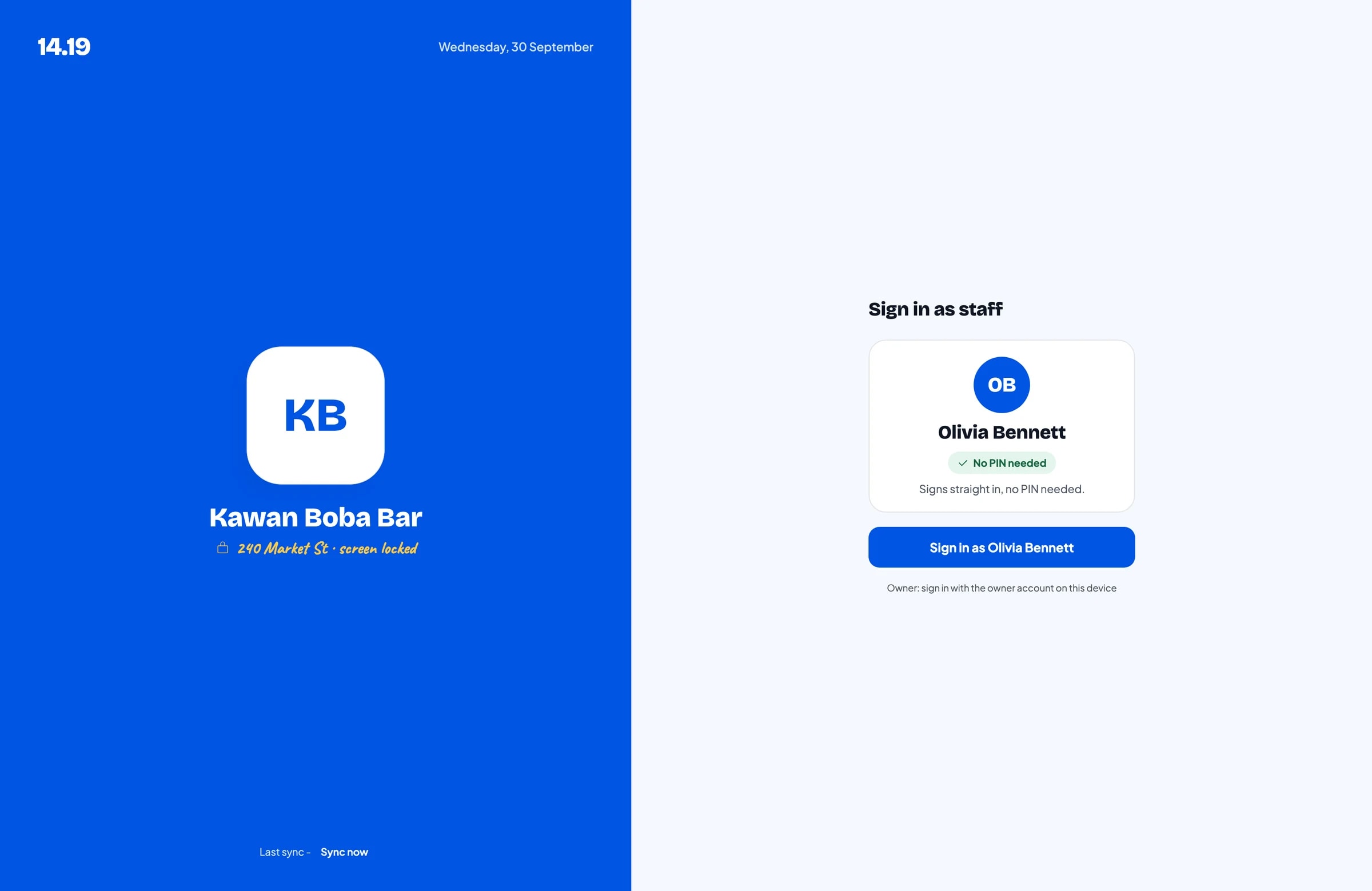
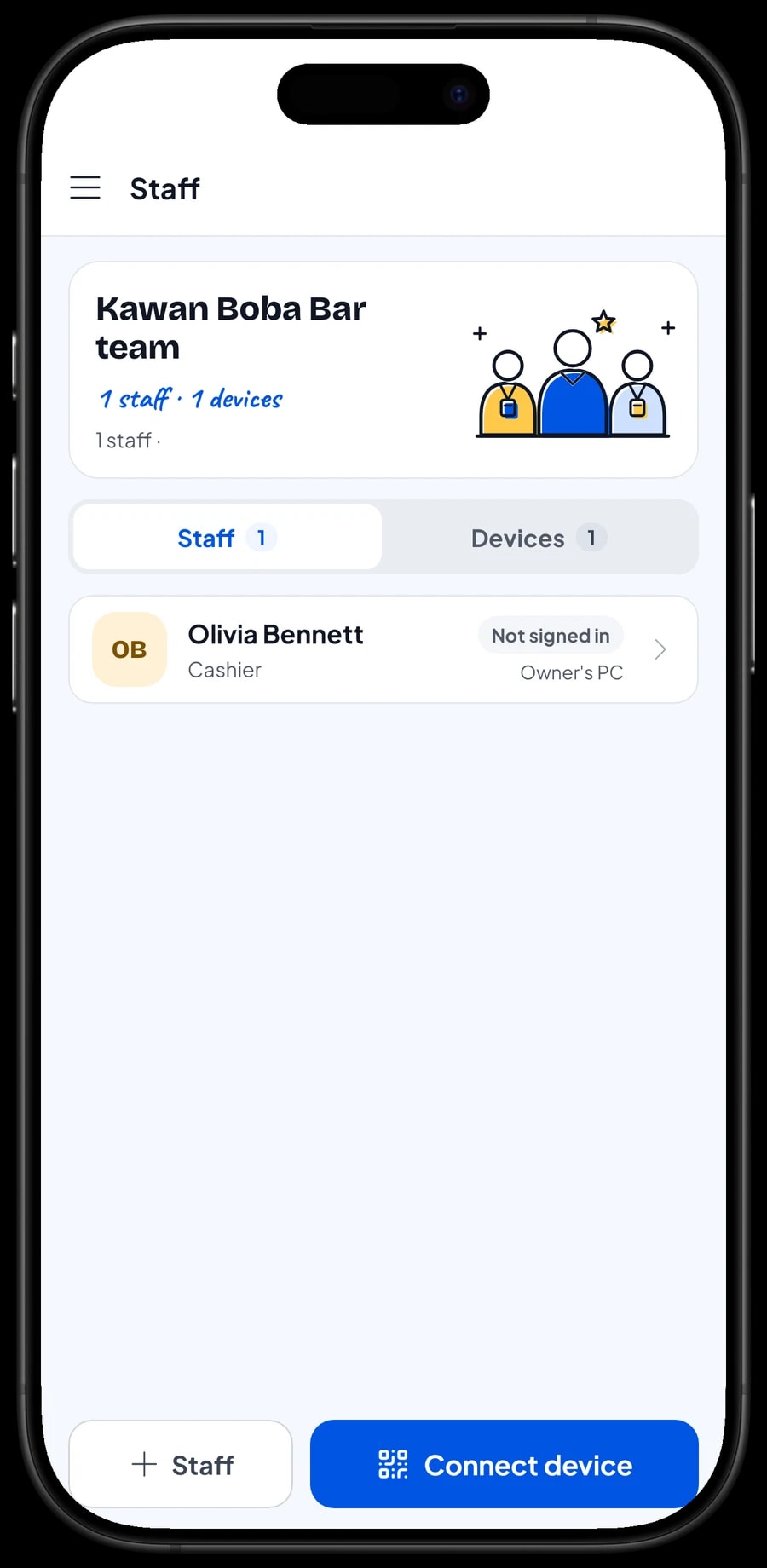
The owner signs in with the main account on their own device. Baristas and cashiers are added as staff, and the phone or tablet at the counter is registered as a staff device. Staff sign in with a PIN and only see what you allow. Staff accounts come with Bronze Pro (1 staff) and Silver Pro (2 staff).
Regulars: loyalty points and member cards
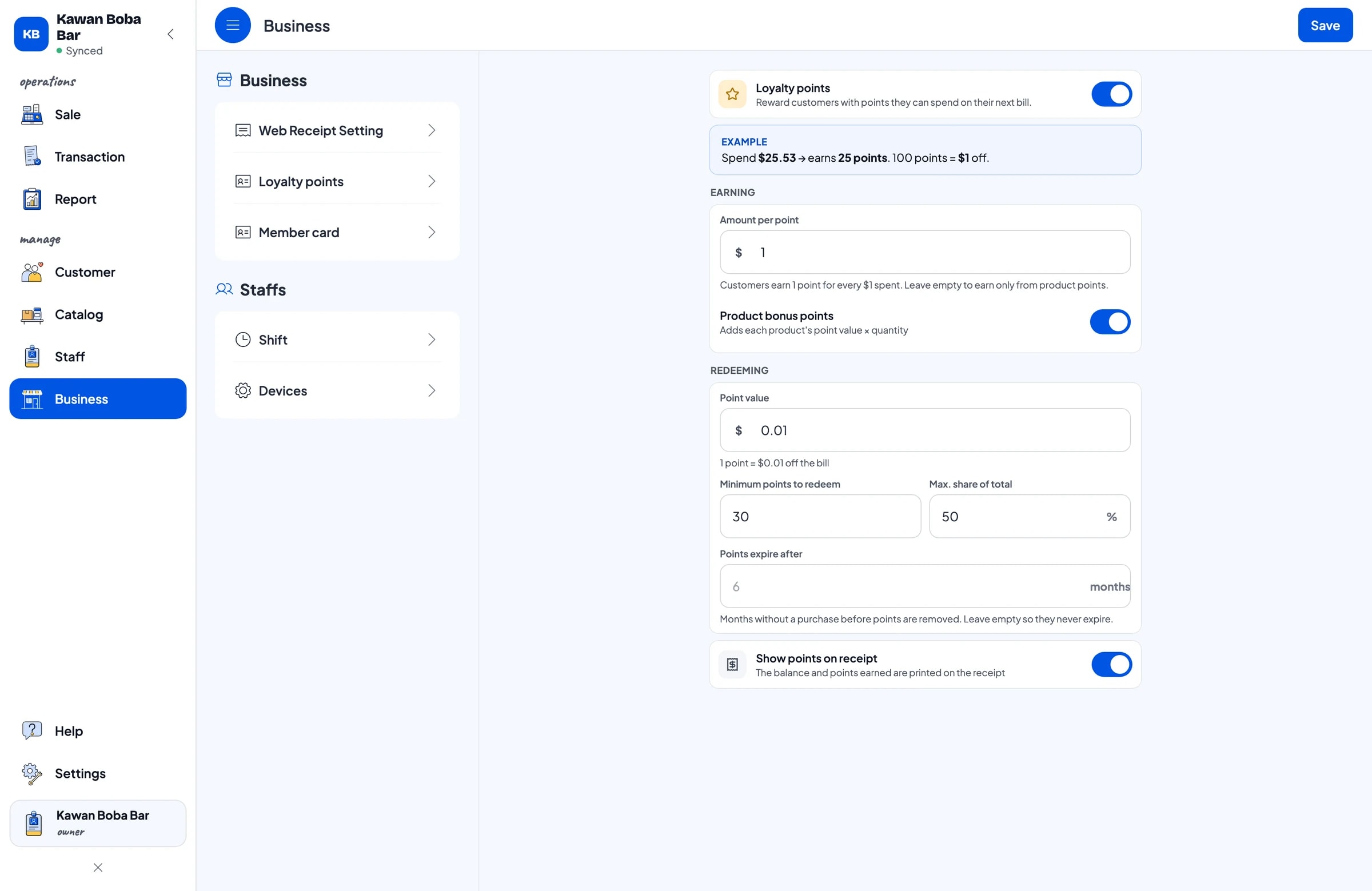
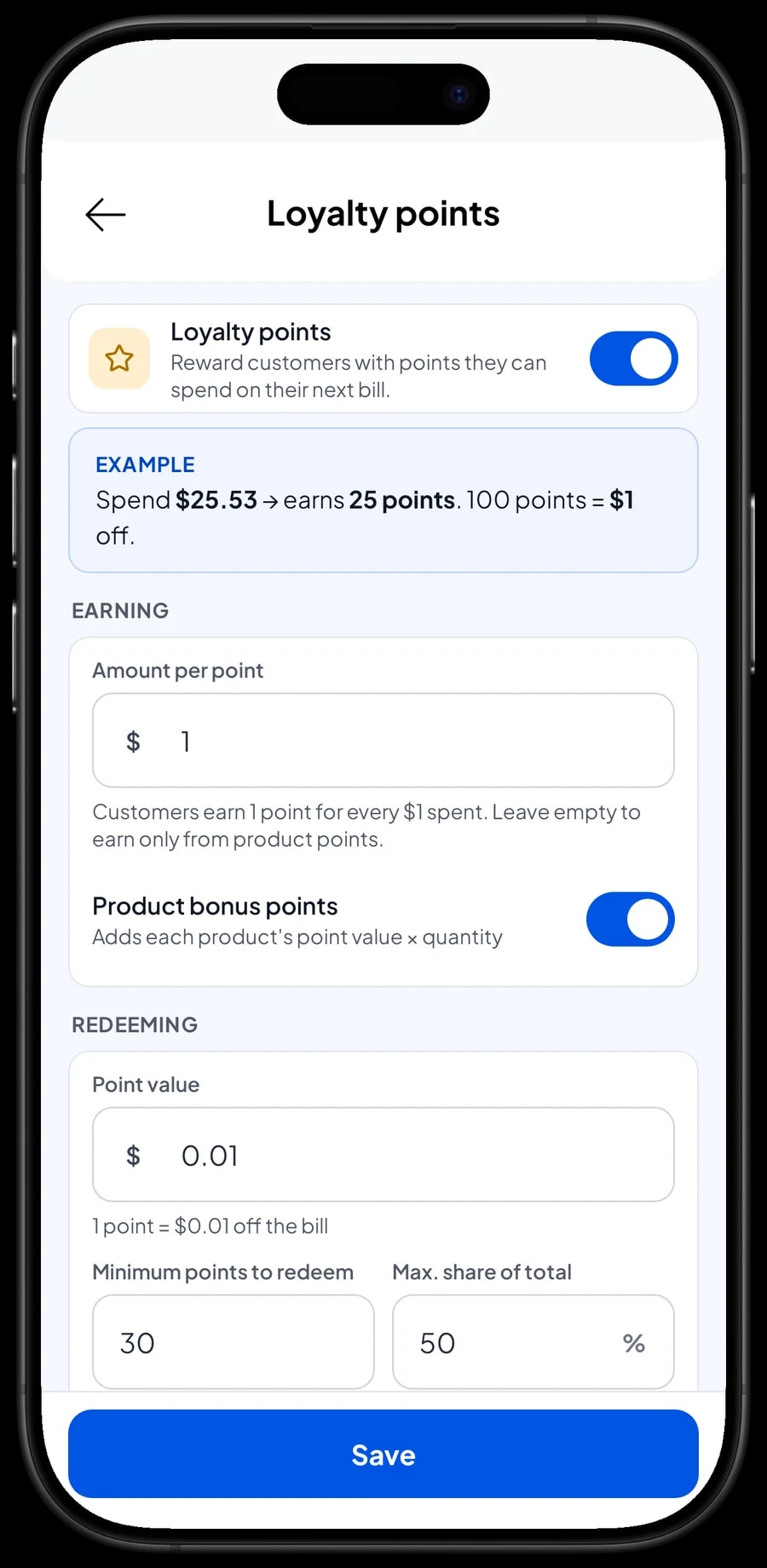
There is usually another bubble tea shop a few doors down selling something similar. The simplest way to win the repeat visit is to give customers a reason to come back. Save the customer at checkout with just a name and phone number, and turn on loyalty points.
You set the rules: how much a customer spends to earn 1 point, what a point is worth when redeemed, the minimum points to redeem, and the maximum share of a bill that points can cover. Points are added automatically on every sale, so the cashier doesn't calculate anything. Your most loyal customers can also get a member card in their name.
Paper stamp cards get lost and are easy to fake. Points in Salesmaster live on the customer record, along with their purchase history, so you also learn which flavors your regulars keep ordering.
Sales reports and real net profit
Reports are available by day, week, month and year. You see total revenue, discounts, tax, payment methods and revenue by drink. That shows which flavors sell best, which size customers pick most, and at what hours you need an extra pair of hands.
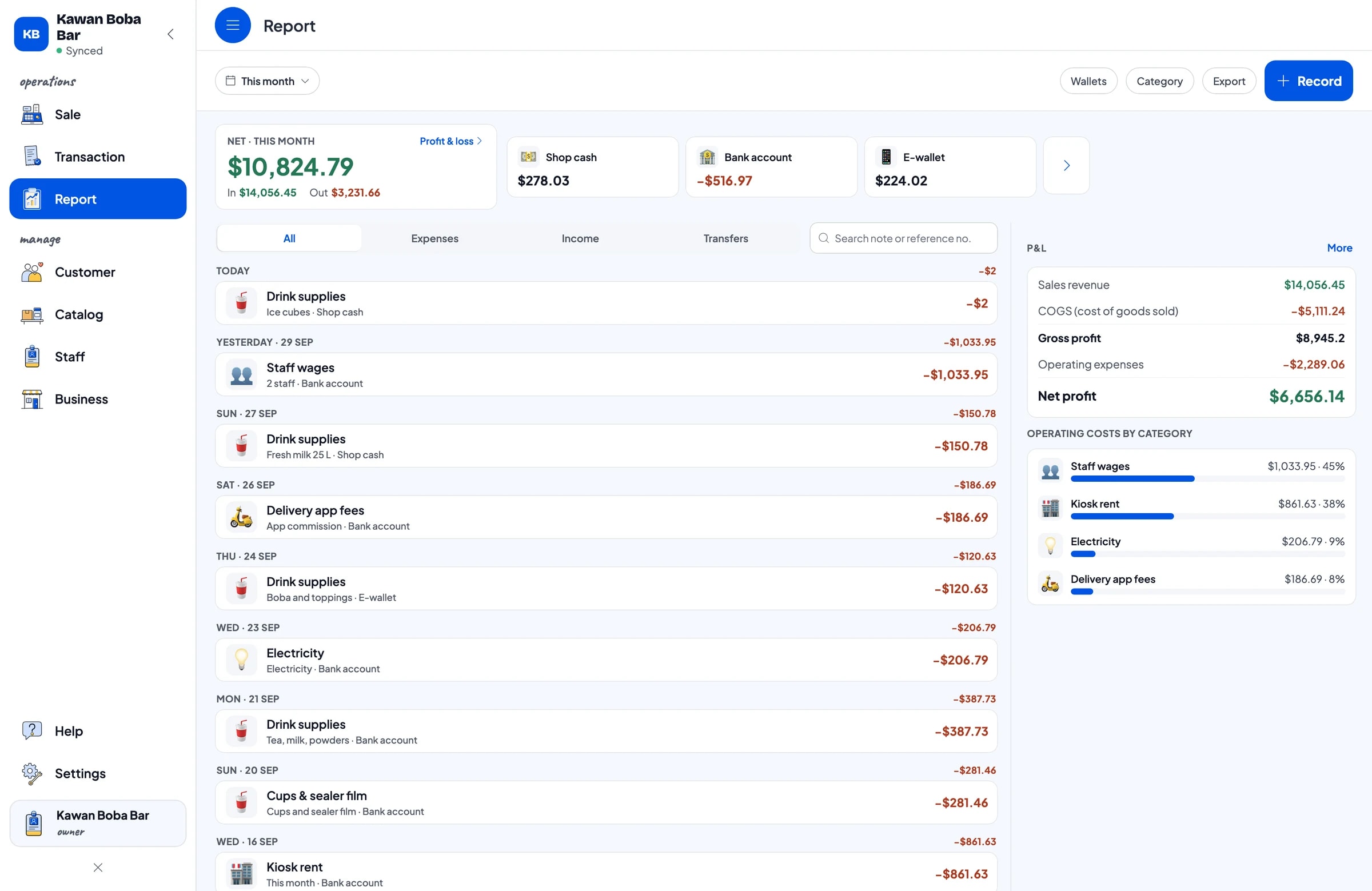
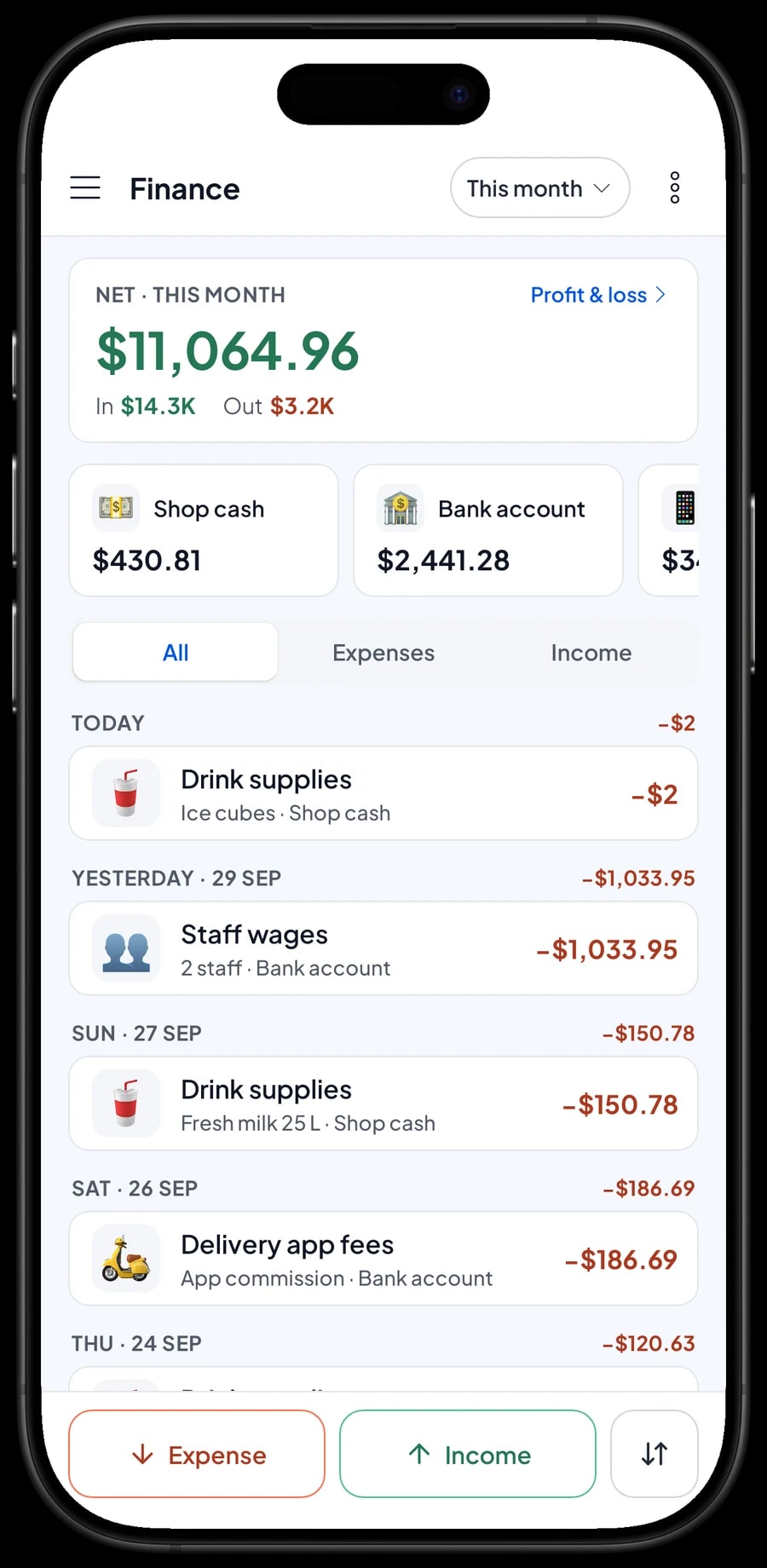
For real profit, record expenses in Finance: drink supplies, fresh milk, cups and sealer film, kiosk rent, staff wages, electricity and delivery app fees. Each expense has a category and the wallet it came from, such as shop cash, a bank account or an e-wallet. The Finance report then shows revenue minus recipe cost and operating costs, which is your shop's net profit.
Get started in a day, keep selling offline
You don't need to close to switch to Salesmaster. Before opening, install the app on the counter phone or tablet and create your account. Add your best sellers first with their sizes, then create the Toppings, Sugar level and Ice level groups. Connect a Bluetooth thermal printer if you use one.
Once the counter runs smoothly, move on to ingredients and recipes, starting with packaging and milk since they run out fastest. Within a week or two you have a full record of revenue, ingredient stock and profit per cup.
Signal inside a mall or at a roadside kiosk can drop. Sales are stored on the device and sent to the cloud when the connection is back. Offline mode works for up to 7 days; after that the app needs to go online to sync.
Example bubble tea menu setup
Use this as a starting point and swap in your own drinks and prices.
| Category | Item | Variants | Add-ons | Item type |
|---|---|---|---|---|
| Milk tea | Brown Sugar Boba Milk | Medium, Large | Toppings, Sugar level, Ice level | Made to order |
| Milk tea | Classic Milk Tea | Medium, Large | Toppings, Sugar level, Ice level | Made to order |
| Milk tea | Thai Milk Tea | Medium, Large | Toppings, Sugar level, Ice level | Made to order |
| Milk tea | Matcha Milk | Medium, Large | Toppings, Sugar level, Ice level | Made to order |
| Fruit tea | Lychee Green Tea | Medium, Large | Toppings, Sugar level, Ice level | Made to order |
| Fruit tea | Mango Yogurt | Medium, Large | Toppings, Sugar level, Ice level | Made to order |
| Smoothies | Cookies & Cream Smoothie | Medium, Large | Toppings | Made to order |
| Snacks | Popcorn Chicken | - | - | Made to order |
| Snacks | French Fries | - | - | Made to order |
Add packaging (cups per size, sealer film, dome lids, boba straws, snack boxes) as ingredients in each recipe. In a drink shop, packaging is usually the first thing to run out.
Which plan fits your drink shop
Start with how many cups you sell a day. A shop serving around 30 orders a day records roughly 900 transactions a month; a shop next to a school or in a mall can do far more.
| Plan | Price | Transactions / month | Staff accounts | Good for |
|---|---|---|---|---|
| Free | Free | 30 | Owner only | To try the checkout flow and build your menu before going live. |
| Solo Pro | $4.90/month | 3,000 | Owner only | A small shop where the owner runs the counter. |
| Bronze Pro | $6.90/month | 5,000 | 1 staff | A shop with one barista or cashier on the counter device, owner checking in from their own. |
| Silver Pro | $9.90/month | 8,000 | 2 staff | A busy shop, or one open long hours, with two staff on separate devices. |
Every plan includes checkout, catalog, receipts, reports and offline mode. You can switch plans at any time. See pricing →
Frequently asked questions
- How do I set up sizes, sugar level, ice level and toppings?
- Sizes are variants on each drink, each with its own price. Toppings, sugar level and ice level are add-on groups; toppings can carry an extra price, while sugar and ice levels can be free. The cashier just picks, and the total is calculated for them.
- Can Salesmaster track stock of cups, sealer film and straws?
- Yes. Add cups per size, sealer film and straws as ingredients in the recipe for each size. Every drink sold takes packaging off stock along with the milk, tea, syrup and pearls.
- Can toppings deduct stock too?
- Yes. Add-ons can have their own recipe, so extra boba takes tapioca pearls off stock and cheese foam takes cheese foam each time it's chosen.
- How do I record delivery app orders?
- Ring them up like any sale and create a payment method for each delivery app, so delivery sales show separately in your reports. Record the app's commission as an expense in Finance to keep net profit accurate. Salesmaster doesn't connect to delivery apps directly, so the cashier enters those orders.
- Can a large order be saved and paid at pick-up?
- Yes, with Save order. The order is saved under a name, such as "Office order, Dewi", and isn't counted as a sale until it's paid. Saved orders live on the device that created them, so finish the payment on the same device.
- Does it keep working if the internet goes down?
- Yes. Sales are stored on the device and sync when the connection returns. Offline mode works for up to 7 days before the app needs to go online.
- Can two baristas use their own devices?
- Yes, with staff accounts. An account signs in on one device at a time, so extra devices are registered as staff devices. Staff accounts come with Bronze Pro (1 staff) and Silver Pro (2 staff).
Need help setting up your catalog? Chat with our team on WhatsApp →



