

Salesmaster is a point-of-sale (POS) app for bookstores and stationery shops on Android, iPhone & iPad, Windows and Mac. Every title is an item with its own barcode and stock, and series volumes or editions are variants with their own price, cost and stock. Covers and gift wrap are add-ons, regular readers earn loyalty points, and the reports show your best-selling titles and your store's net profit.
Problems every bookstore knows
A bookstore carries thousands of titles, with only a few copies of each. If any of these sound familiar, this page is for you.
- 01
Thousands of titles, prices on stickers
The cashier reads each price sticker and types it in. A sticker that fell off or a price the distributor changed last month brings the line to a stop.
- 02
Nobody knows what is on the shelf
A customer asks whether volume 3 is in. Someone walks the aisles and checks the back room, and only then finds out it sold out a week ago.
- 03
Back-to-school rush
Before term starts, parents arrive with long book lists and want every book covered. Counting books and covers by hand slows the register right when it is busiest.
- 04
Cash tied up in slow titles
Not every book you order sells. Without sales data per title, the next order to your distributor is still based on a hunch, and slow titles pile up.
Setting up your titles
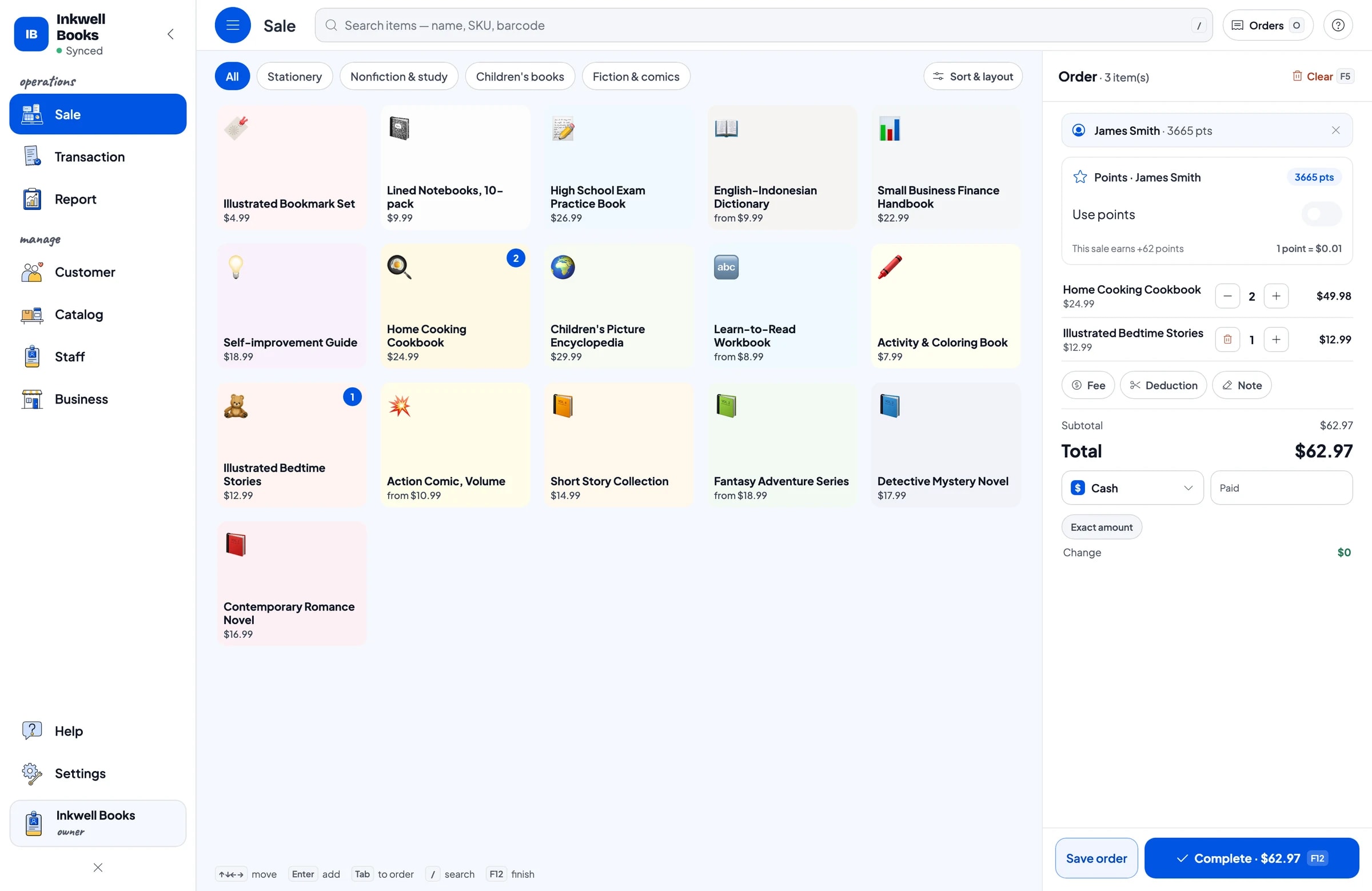
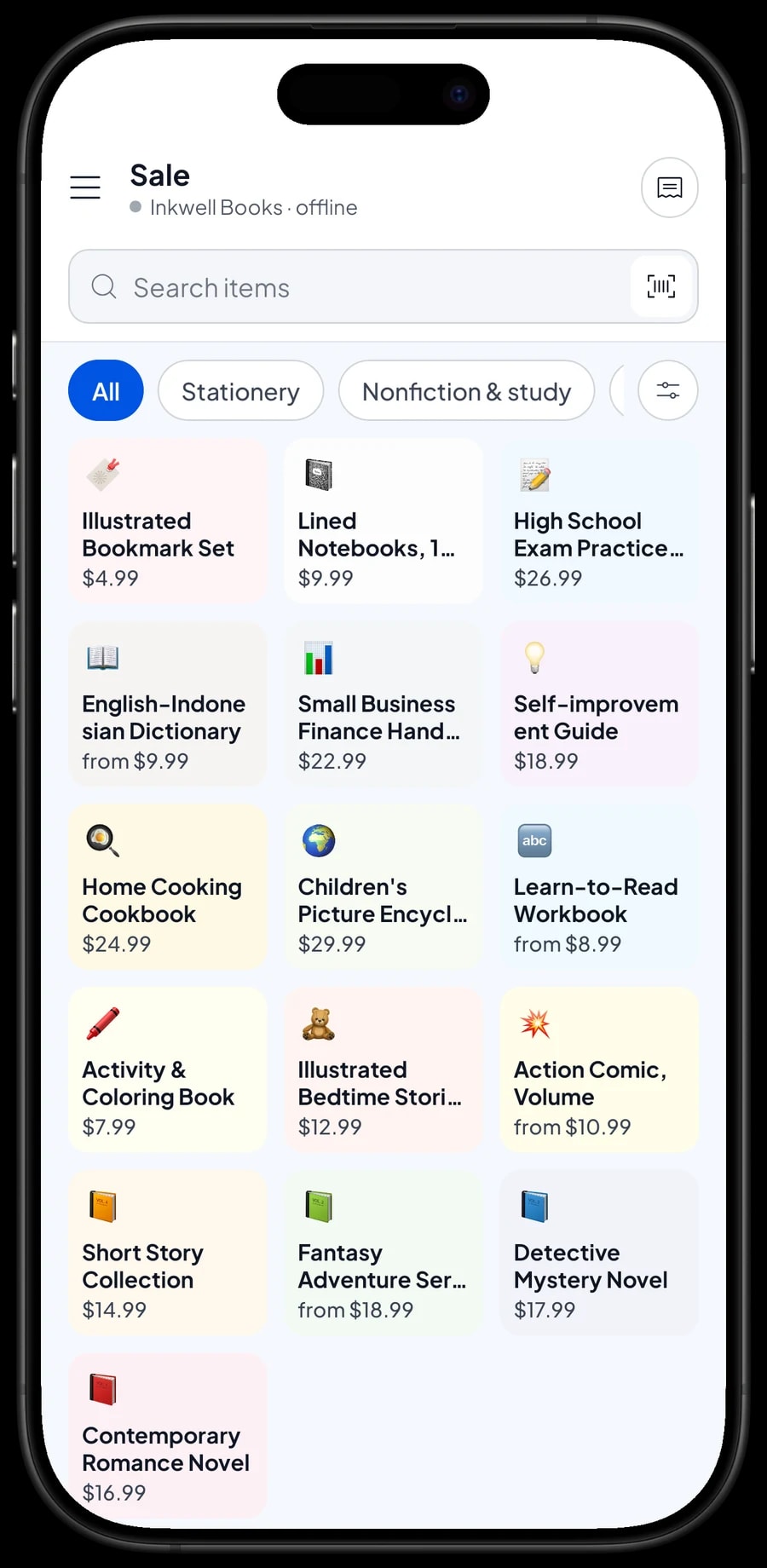
Split your stock into categories that match your shelves, such as Fiction & comics, Children's books, Nonfiction & study, and Stationery. Categories show up as tabs on the Sale screen. With thousands of titles, the search box on the Sale screen lets staff find a book by typing part of its name.
Each title is one item, sold by the copy. Enter the selling price and the cost you pay your distributor, then turn on Stock Tracking. Add the barcode printed on the back cover, and a sale becomes a single scan.
Building a big catalog is faster on a laptop (Windows or Mac); then sell from a phone or tablet at the counter. Start with the titles people ask for most, and add the rest during quiet hours.
- Step 1: Open Catalog → Categories and create categories that match your shelves.
- Step 2: Open Catalog → List Items and add each title with its selling price, cost and category.
- Step 3: Enter the barcode from the back cover.
- Step 4: Turn on Stock Tracking and enter the number of copies on the shelf and in the back room.
Scanning barcodes at the register
Salesmaster supports barcode scanning with the phone's camera or a barcode scanner. The cashier scans the back cover and the title, with its price, lands in the cart. A customer with five books is checked out in seconds, no stickers to read.
Books without a barcode, such as small-press titles or used books, are picked from a category tab or found with the search box. You can also put your own barcode labels on them.
Prices live in the catalog, so when a distributor changes a price you update it once and every register in the store uses the new price.
Series, volumes and editions as variants
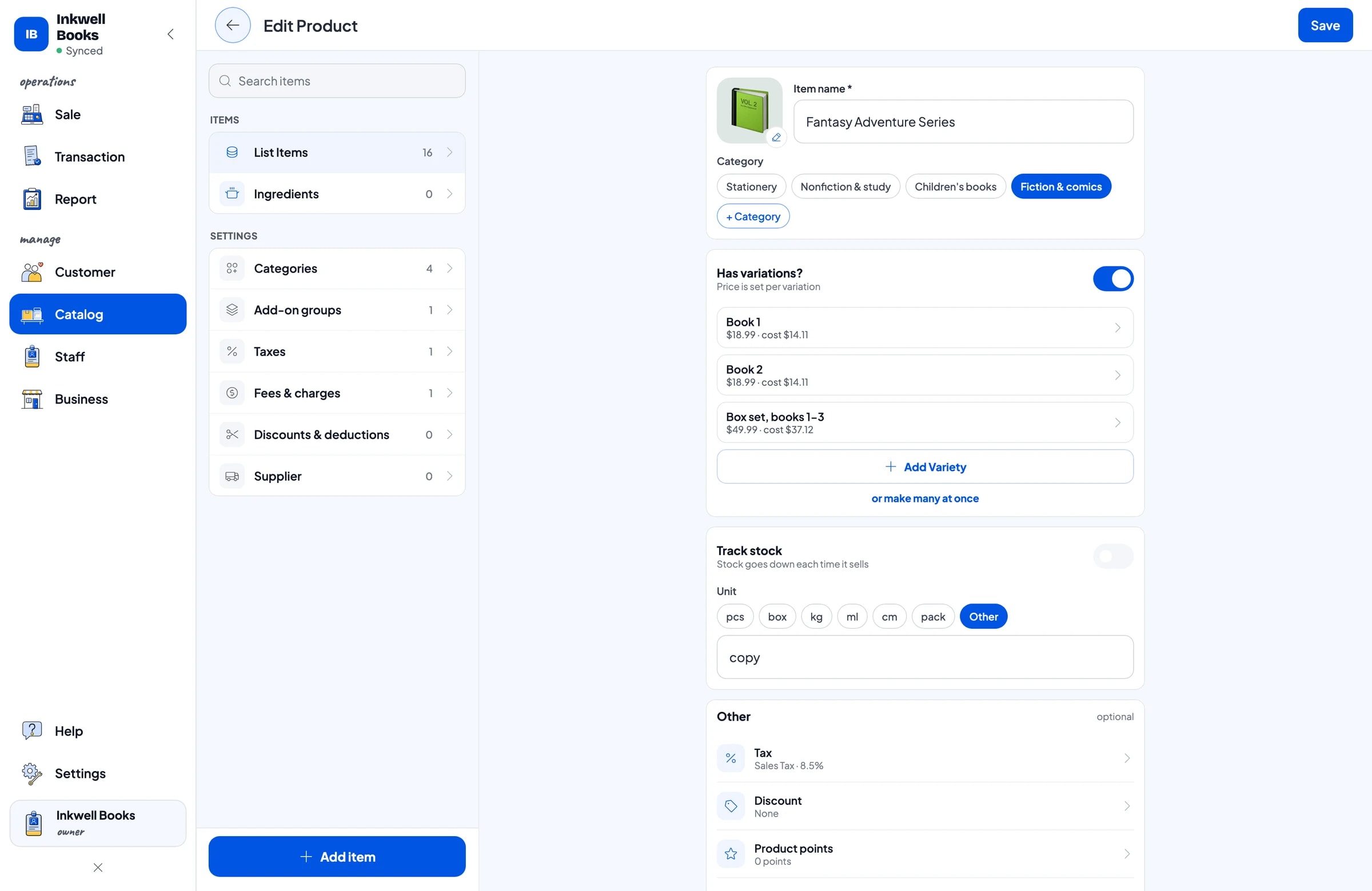
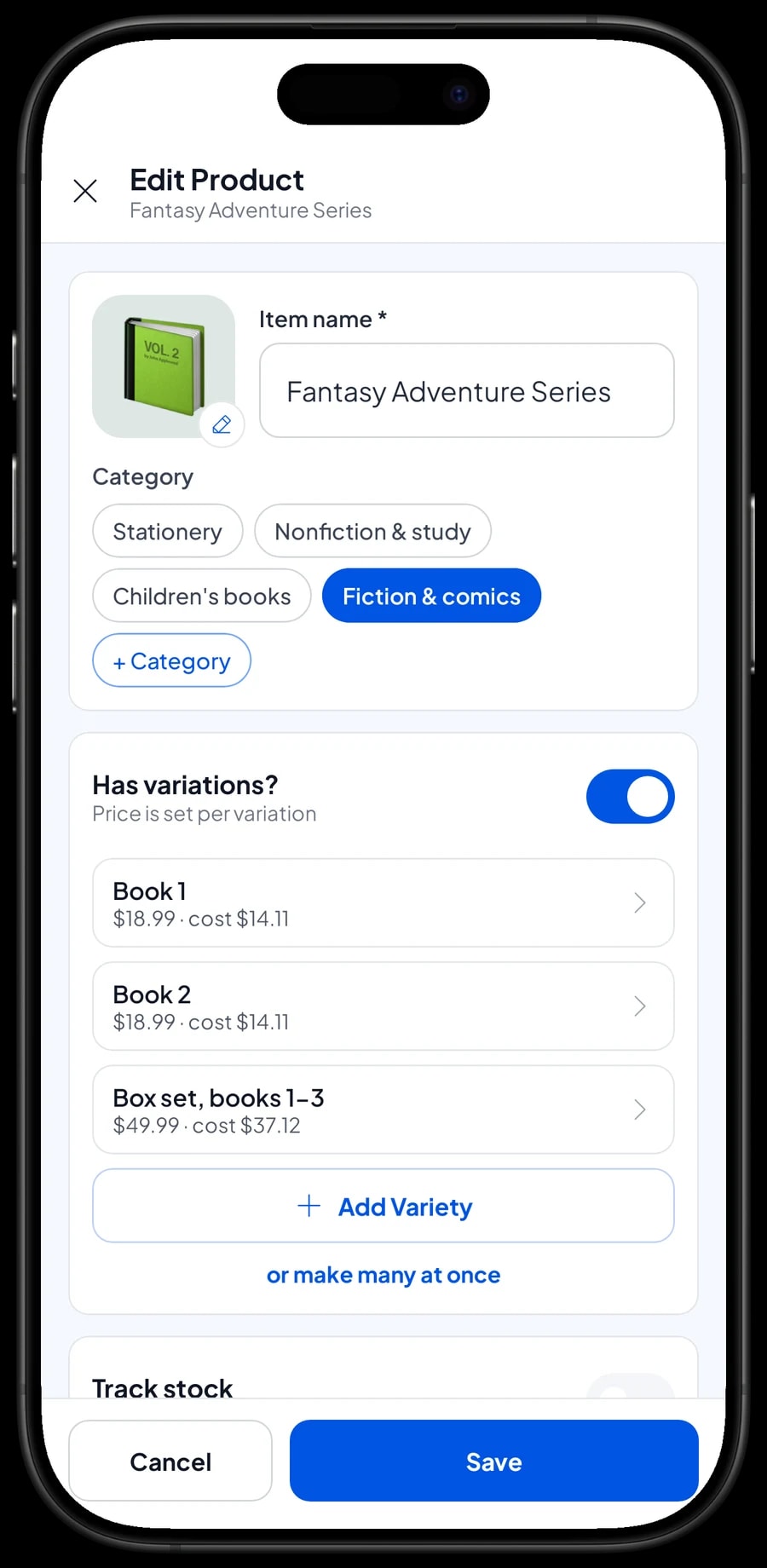
Books that come in volumes can be one item with variants. In our sample store, the Fantasy Adventure Series has Book 1, Book 2 and a Box set, books 1-3. The Action Comic has Vol. 1, Vol. 2 and Vol. 3, and the Learn-to-Read Workbook has Level 1, Level 2 and Level 3.
Each variant has its own selling price, its own cost and its own stock, so you can see that volume 2 is down to one copy while volume 1 still has five. Variants also work for editions of the same title, like the Pocket and Complete English-Indonesian Dictionary.
A box set is a variant with its own stock. Selling one does not reduce the stock of the single books, and Salesmaster never moves stock between variants on its own. If you break up a box set to sell the books separately, record a stock adjustment on both variants.
- Step 1: Open the item from Catalog → List Items.
- Step 2: Add a variation for each volume or edition, such as Vol. 1, Vol. 2 and Vol. 3.
- Step 3: Enter the selling price and cost for each variant, then save.
- Step 4: Open Inventory → Stock and enter the opening stock for each variant.
Plastic covers and gift wrap as add-ons
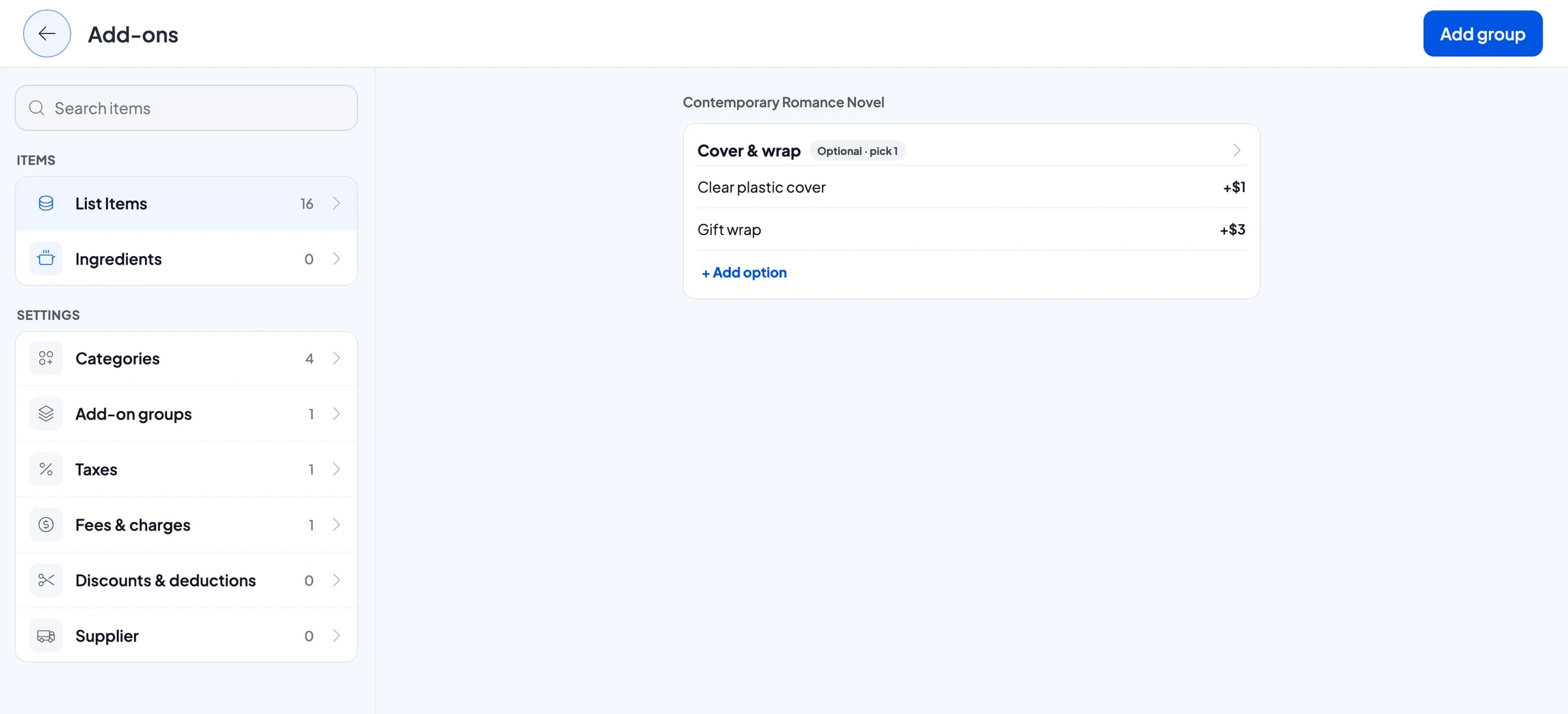
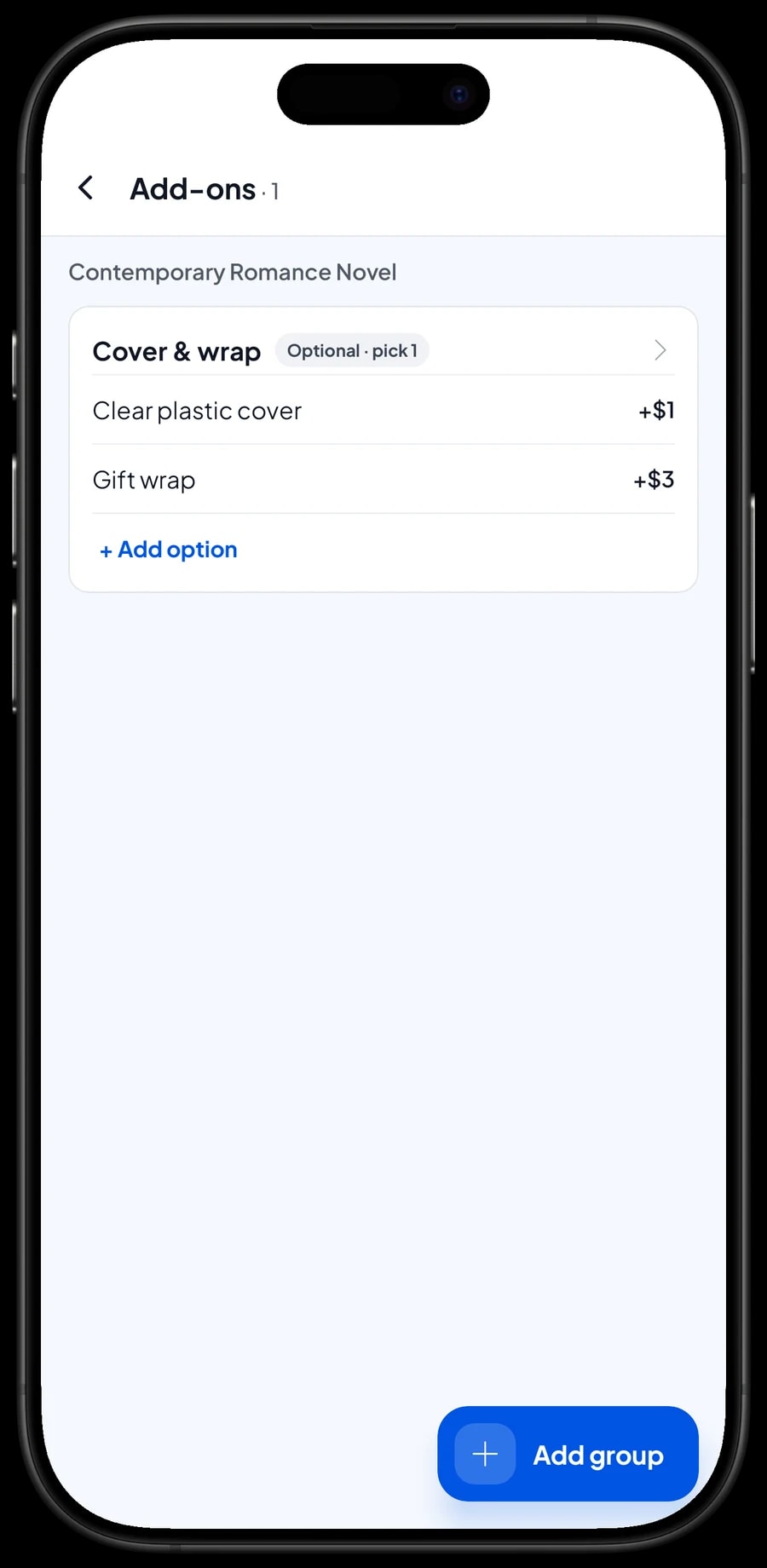
Plenty of customers want a clear plastic cover on school books and children's books, or gift wrap for a present. Create an add-on group called Cover & wrap with Clear plastic cover (+$1.00) and Gift wrap (+$3.00), and attach it to your book titles.
When a book goes into the cart, the cashier picks the cover or the wrap, and the charge is added. There is no separate "cover" item to remember and nothing to count at the end of the day. Add-ons are managed from the item itself with Manage add-ons, and one group can be attached to many titles at once.
In the back-to-school rush this saves real time. A parent buying ten covered books is rung up once, and every cover is on the receipt.
Stationery next to the books
Most bookstores also sell notebooks, pens and bookmarks, and many stationery shops carry a shelf of books. Stationery works the same way: each product is an item with its own price, cost and stock, sold by the piece, pack or set.
Products sold both singly and by the pack can be one item with Single and Pack variants, each priced on its own. Pack stock does not turn into single stock by itself, so when you open a pack to sell pieces, record a stock adjustment on both variants.
Salesmaster has no automatic bulk pricing. If a school or office buys in quantity, offer a Pack or Wholesale variant, or add a discount to the cart.
Stock per title and reordering
Every sale takes stock off the title or variant that was sold. Under Inventory → Stock you can see how many copies of each title are left, so the fast sellers get reordered before they run out.
Keep your distributors and publishers under Inventory → Suppliers and record incoming stock when a delivery arrives. Damaged books and returns to the distributor are recorded as stock adjustments, and so is any difference you find when you count the shelves.
Salesmaster has no consignment feature. If you sell books on consignment from local authors or small presses, add them as normal items with the cost set to the consignor's share, then settle up from the sales report for those titles.
Loyalty points for regular readers
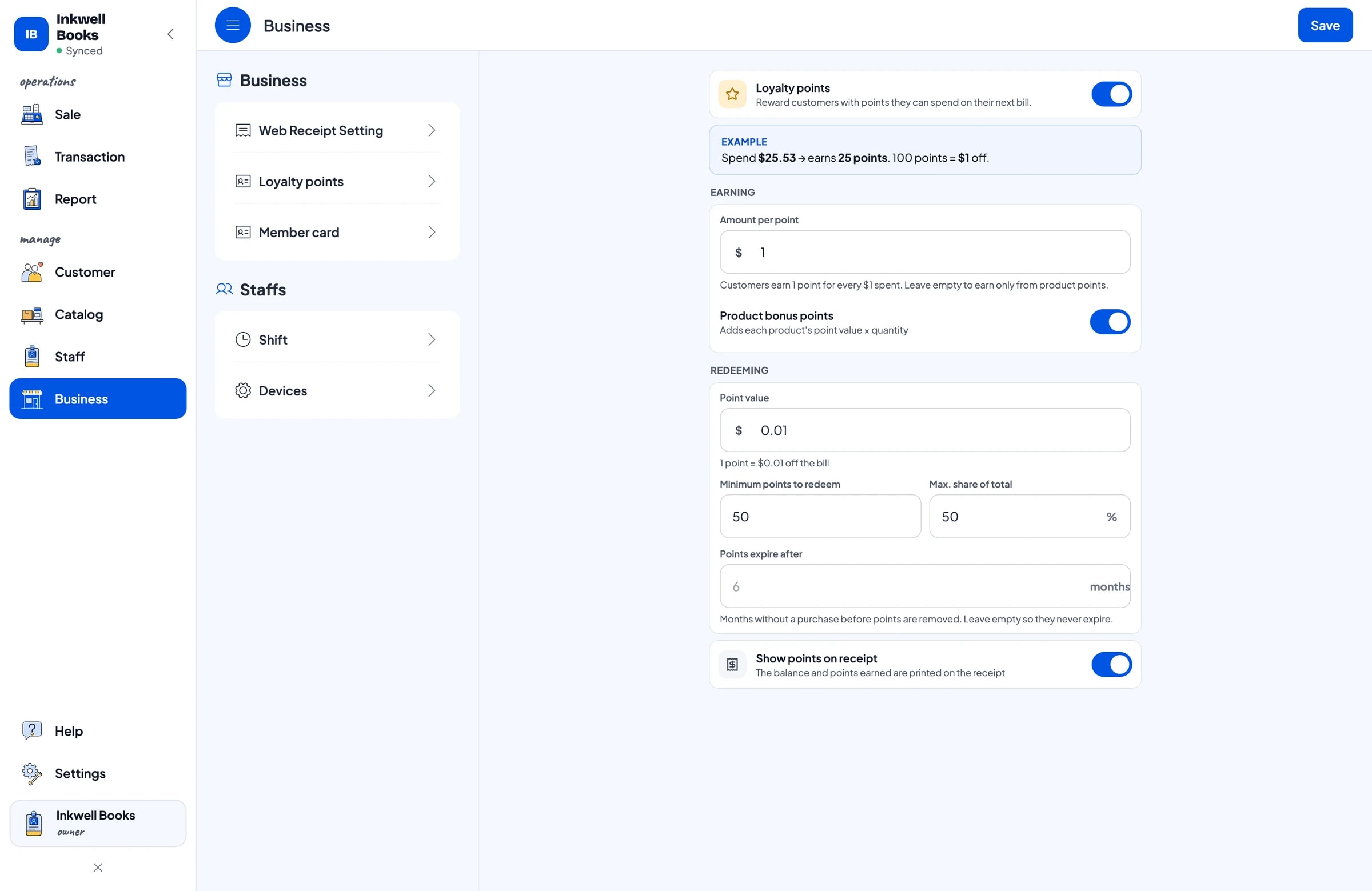
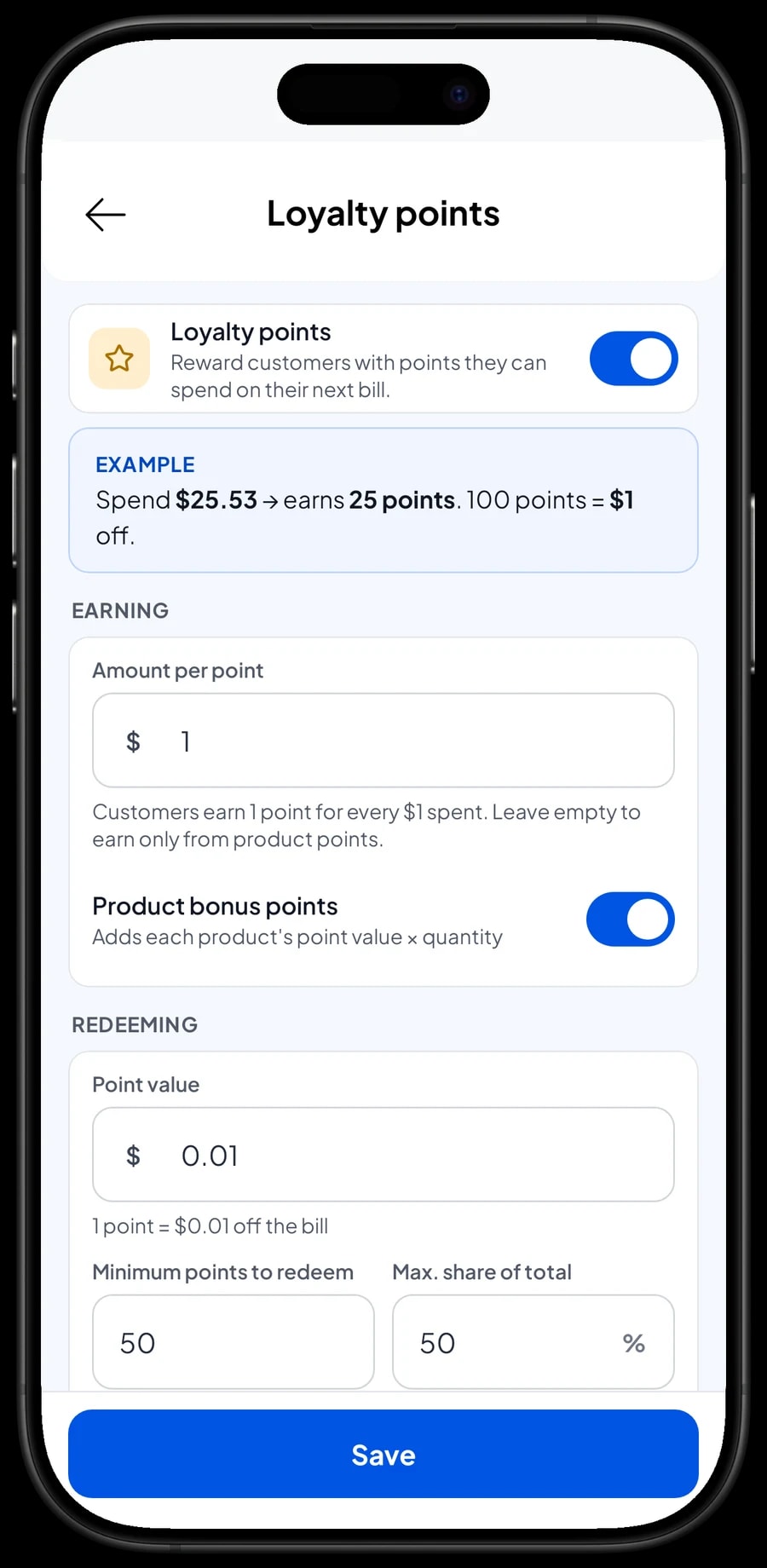
Bookstores live on readers who come back every month for the next title. Turn on Loyalty points and set the rules yourself: the amount spent per point, the value of a point when redeemed, the minimum points to redeem, and the maximum share of a bill that points can cover.
Save the customer at checkout with a name and phone number. Points are added automatically, and the discount is worked out when a customer redeems. Regulars can also get a member card in their name, and their purchase history is kept under Customers, so you know who is waiting for the next volume of their favourite series.
Staff, payments and receipts
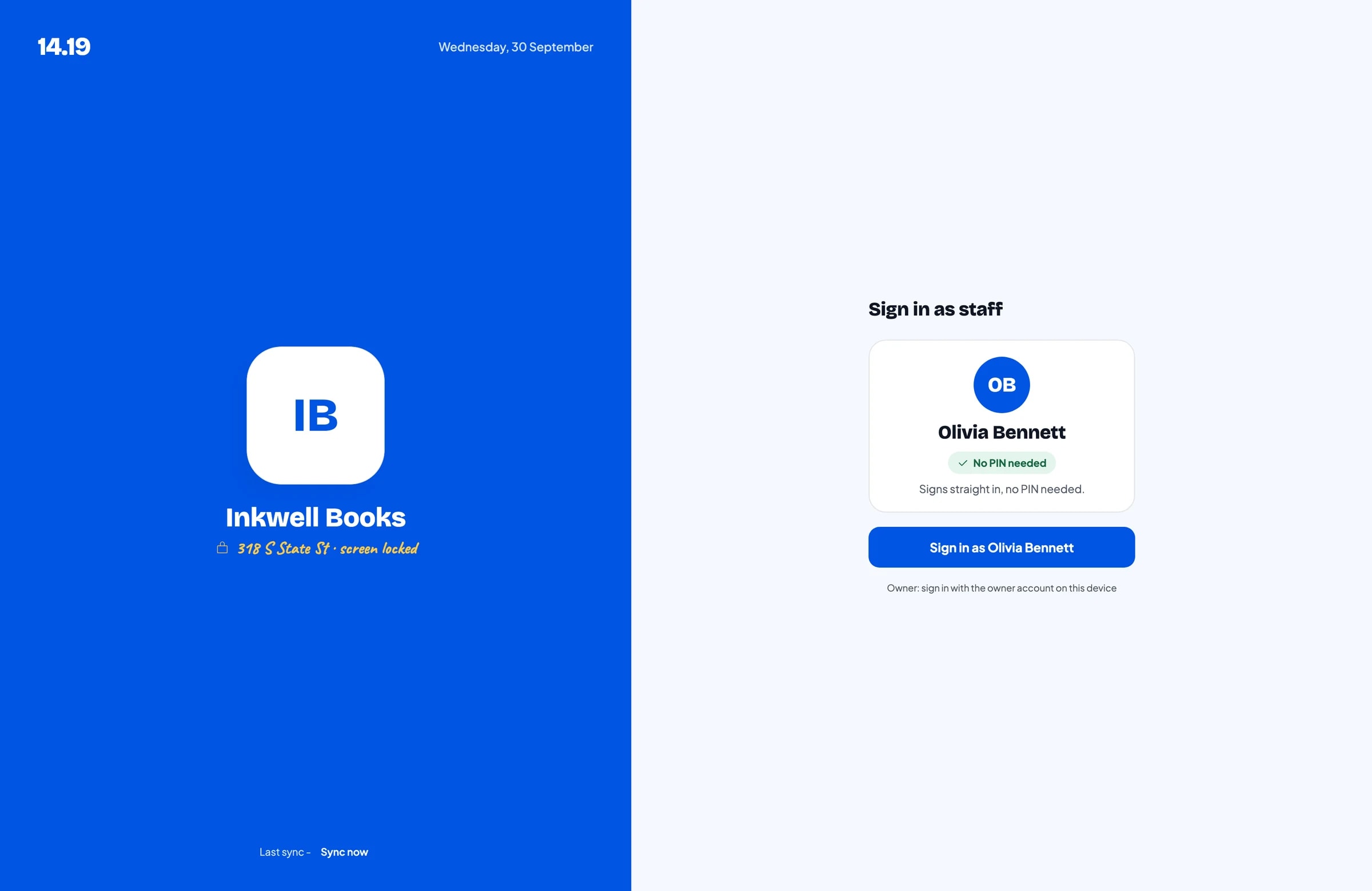
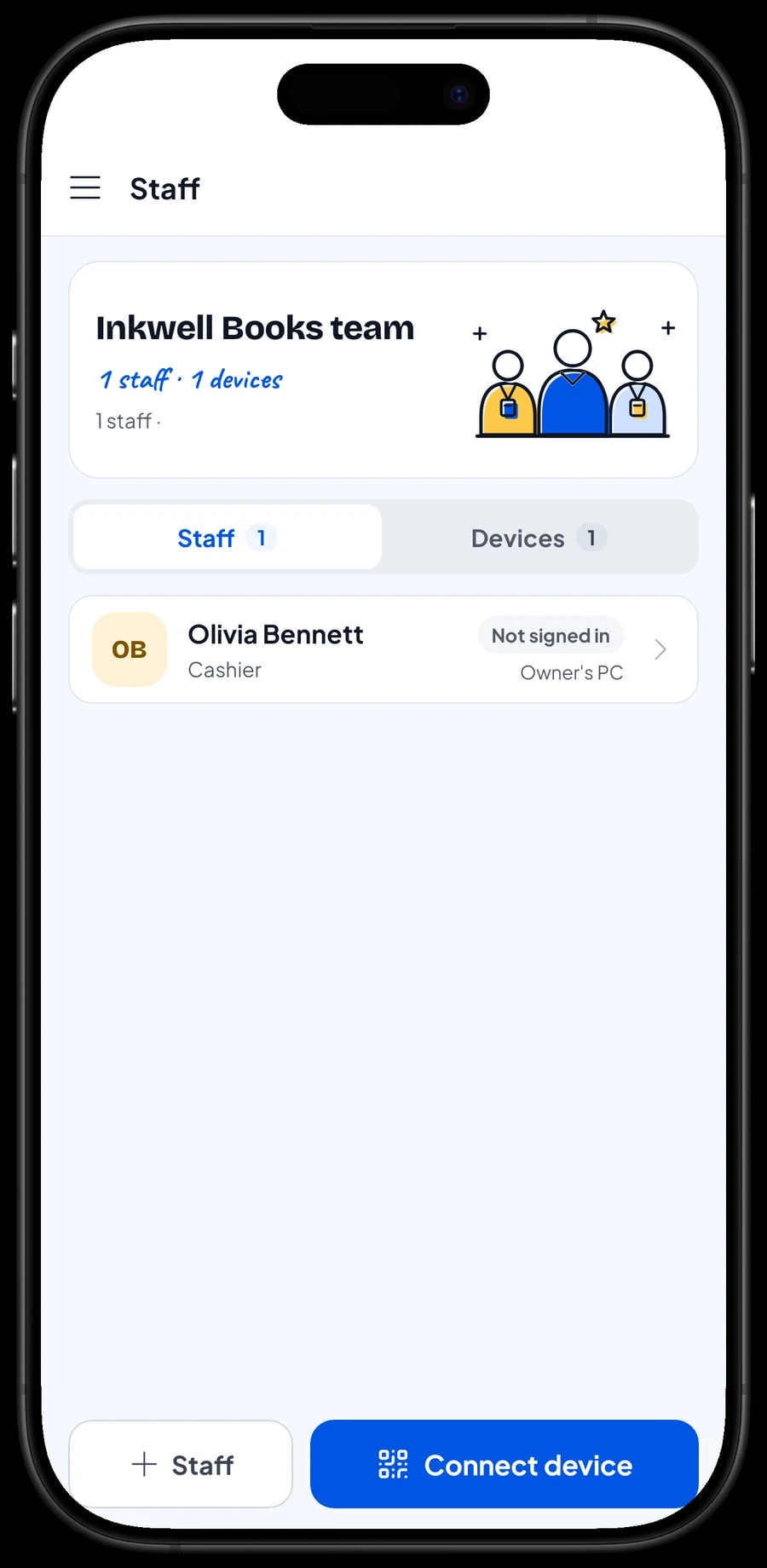
The owner signs in with the main account. Cashiers and shop assistants are added as staff with their own role and PIN, and a register device is set up for them. An account signs in on one device at a time, so extra registers use staff accounts. Staff accounts come with Bronze Pro (1 staff) and Silver Pro (2 staff).
You create your own payment methods, such as cash, card, bank transfer or a QR payment. Receipts print on a thermal printer or go out by WhatsApp, email or a web receipt link, which helps schools and offices that need proof of purchase.
Reports, net profit and offline mode
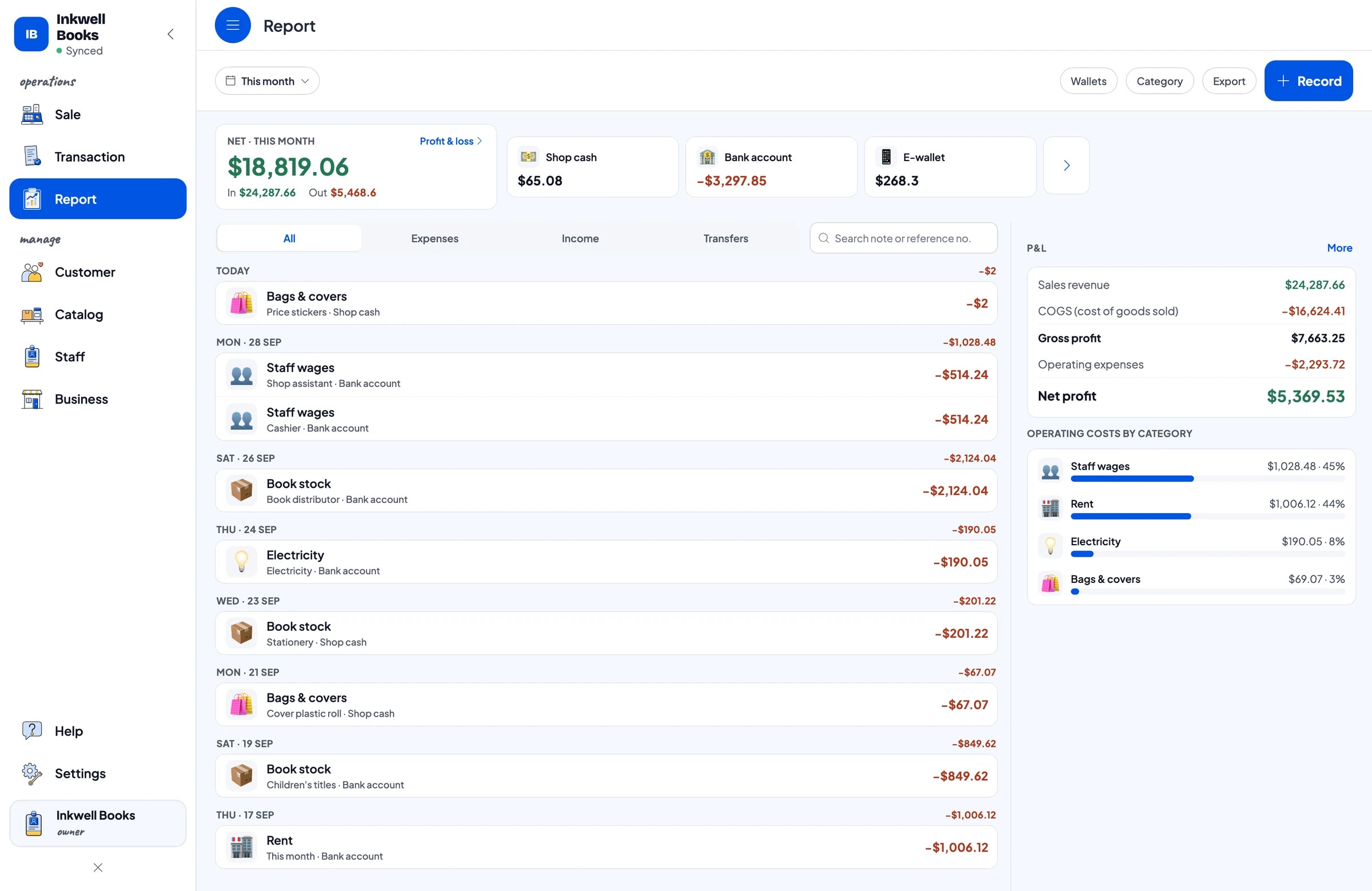
Reports are daily, weekly, monthly and yearly. You see total revenue, gross and net sales, discounts, tax, payment methods and your best-selling titles. Compare the back-to-school months with a normal month to plan next year's study guides and notebooks. Reports export to Excel or PDF.
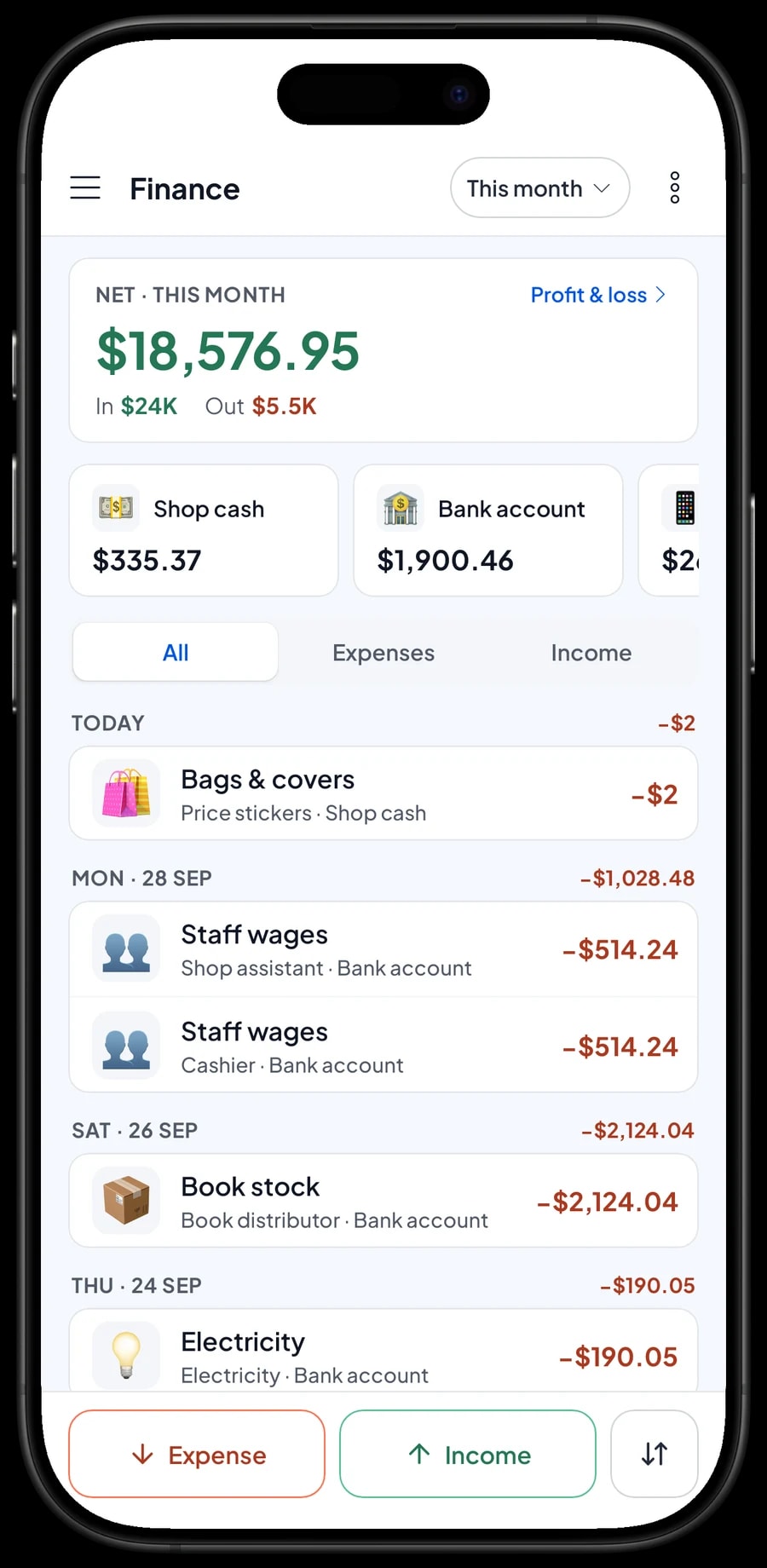
Record expenses in Finance with a category and the wallet they were paid from: book stock, staff wages, rent, electricity, and bags & covers. Because every title has a cost, Salesmaster works out the cost of the books you actually sold, and the Finance summary shows your store's net profit.
If the internet drops, sales are saved on the device and sync to the cloud when you're back online. Offline mode works for up to 7 days; after that the app needs to connect briefly to sync.
An example bookstore catalog
Use this table as a starting point, then swap in your own titles, variants and prices.
| Category | Item | Variants | Unit | Add-on |
|---|---|---|---|---|
| Fiction & comics | Detective mystery novel | - | copy | Cover & wrap |
| Fiction & comics | Fantasy adventure series | Book 1, Book 2, Box set | copy | Cover & wrap |
| Fiction & comics | Action comic | Vol. 1, Vol. 2, Vol. 3 | copy | Cover & wrap |
| Children's books | Illustrated bedtime stories | - | copy | Cover & wrap |
| Children's books | Learn-to-read workbook | Level 1, Level 2, Level 3 | copy | Cover & wrap |
| Nonfiction & study | English-Indonesian dictionary | Pocket, Complete | copy | Cover & wrap |
| Nonfiction & study | High school exam practice book | - | copy | Cover & wrap |
| Stationery | Lined notebooks, 10-pack | - | pack | - |
| Stationery | Illustrated bookmark set | - | set | - |
Each title is an item with its own barcode and stock. Series and editions are variants, and covers and gift wrap are an add-on group attached to your book titles.
Which plan fits your bookstore
A bookstore serving about 15 customers a day records roughly 450 transactions a month, and more during the back-to-school season.
| Plan | Price | Transactions / month | Staff accounts | Good for |
|---|---|---|---|---|
| Free | Free | 30 | Owner only | To try barcode scanning and stock per title before using it for real. |
| Solo Pro | $4.90/month | 3,000 | Owner only | Small bookstores and stationery shops run by the owner. |
| Bronze Pro | $6.90/month | 5,000 | 1 staff | Stores with one cashier on their own device. |
| Silver Pro | $9.90/month | 8,000 | 2 staff | Larger stores with a cashier and a shop assistant on separate devices. |
Every plan includes checkout, catalog, receipts, reports and offline mode. You can change plans at any time. See pricing →
Frequently asked questions
- Can Salesmaster scan the barcode on a book?
- Yes. Enter the barcode from the back cover on each title, and the cashier scans it with the phone's camera or a barcode scanner. Books without a barcode are picked from a category tab or found with search.
- Can I track stock per title and per volume?
- Yes. Every title is an item with its own stock. For series and comics, add each volume as a variant; every variant has its own price, cost and stock.
- How do I charge for plastic covers on school books?
- Create an add-on group, such as Cover & wrap, with a plastic cover and gift wrap option, and attach it to your titles. The cashier picks the cover when the book goes into the cart, and the charge is added.
- Does Salesmaster handle consignment books?
- There is no consignment feature. Add consignment books as normal items with the cost set to the consignor's share, and use the sales report to settle up with them.
- Can customers order a book that hasn't arrived yet?
- You can keep the order with Save order under the customer's name. Saved orders live on the device that created them, aren't a sale until paid, and can't take a partial payment. If the customer pays a deposit, sell it right away as a Service item called "Down payment" for the amount received. When the book arrives, sell it at full price with an Add Deduction equal to the deposit.
- Does it keep working if the internet goes down?
- Yes. Sales are saved on the device and sync when you're back online. Offline mode works for up to 7 days before the app needs to connect to sync.
Need help setting up your catalog? Chat with our team on WhatsApp →



