

Salesmaster is a point-of-sale (POS) app for electronics and appliance stores on Android, iPhone & iPad, Windows and Mac. Each product is an item with size or capacity variants, each with its own price, cost and stock; extended warranty and installation are sold as add-ons; buyers and their purchase history are kept on file; and expenses such as stock purchases, wages and delivery fuel feed the Finance report so you see net profit. A Free plan lets you try it first.
Problems every electronics store knows
If any of these sound familiar, this page is for you.
- 01
One missing unit is real money
Being one fridge or one TV short in the back room is not a rounding error. Without stock per unit, you only find out at the stock count, and by then nobody knows where it went.
- 02
Many sizes, many prices
32, 43 and 50 inch TVs, 9,000 and 12,000 BTU air conditioners, single-door and top-freezer fridges. If prices live in the salesperson's head, a wrong quote is only a matter of time.
- 03
The buyer is back, the record isn't
A customer returns with an AC problem or a warranty claim. The paper receipt is gone, and you are flipping through a notebook to find when they bought it.
- 04
Big revenue, thin margins
Appliances move a lot of money on small margins. After stock, wages, rent, electricity and pickup fuel, what is left? Without recorded expenses, profit is a guess.
Building your catalog: sizes and capacities as variants
Start with what is on the shop floor and in the back room. In Salesmaster, every product is one item in the Catalog, grouped into categories such as TV & audio, Cooling & laundry, Kitchen appliances and Home & services. Staff find any product in one or two taps on the Sale screen, or simply scan the barcode on the box.
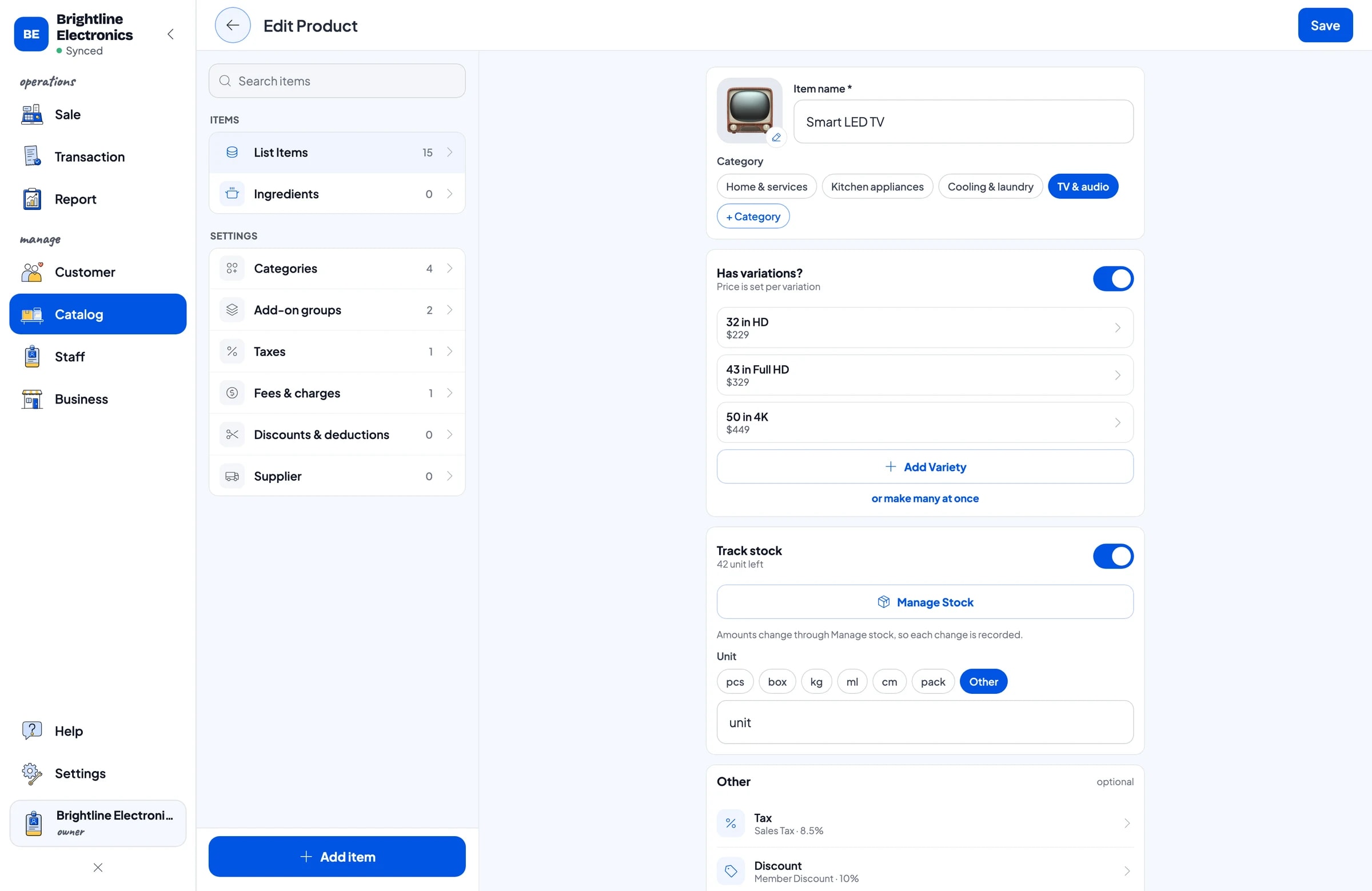
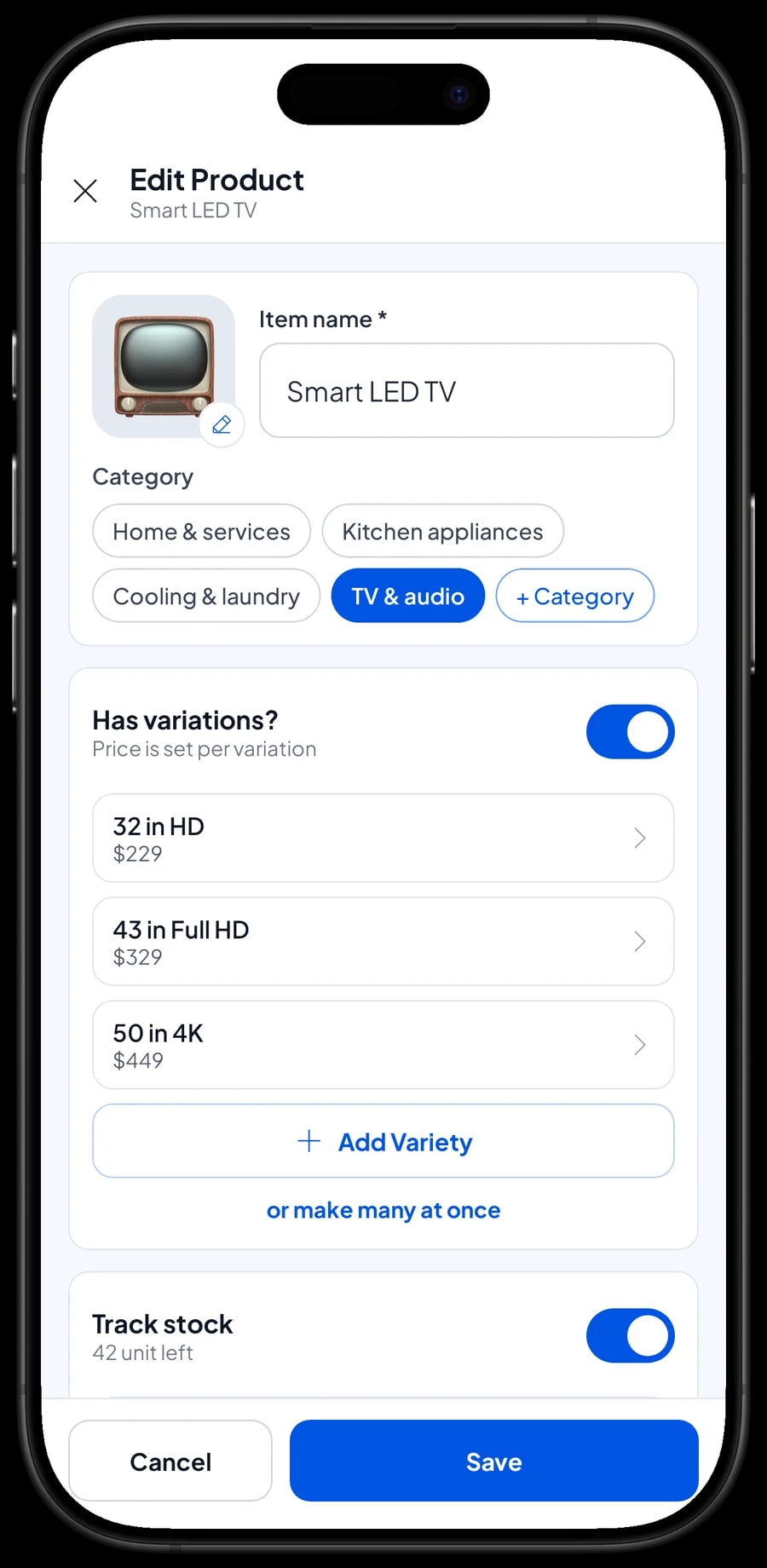
A product sold in several sizes or capacities only needs one item with variants. Smart LED TV with 32 in HD, 43 in Full HD and 50 in 4K; Mini-Split Air Conditioner with 9,000 and 12,000 BTU; Washing Machine with twin tub and front load. Each variant has its own selling price, purchase cost and stock, so running out of 43 inch TVs isn't hidden by a pile of 32 inch ones.
If you carry a lot of products, enter the catalog on a laptop first (Windows or Mac), then use it on the phone or tablet at the counter. The catalog syncs to your store's devices.
- Step 1: Open Catalog → Categories and create categories such as TV & audio, Cooling & laundry and Kitchen appliances.
- Step 2: Open Catalog → List Items and add each product with its selling price, purchase cost and barcode.
- Step 3: For products in several sizes or capacities, add variants with their own prices.
- Step 4: Open Catalog → Inventory → Stock and enter the units on hand for each variant.
Stock per unit for high-value goods
In an electronics store, one lost unit can equal a week's profit. Salesmaster takes stock off every time something sells, per variant. When a delivery arrives from your distributor, add the stock and record the purchase in Finance. If a unit is damaged, faulty or returned to the supplier, record a stock adjustment.
Check the stock in the app against the back room regularly, for example at the end of each month. Because stock is kept per variant, a gap is specific: one top-freezer fridge short, not just "a fridge missing". Suppliers can be recorded in Catalog → Inventory → Supplier so you know where each product came from.
Salesmaster doesn't track serial numbers per unit. If you need the serial number for warranty, write it in the transaction note when the unit is sold, so it is saved in the buyer's history.
Extended warranty and installation as add-ons
TV buyers often want the set mounted on the wall and the channels set up. Fridge and washer buyers often ask about a longer warranty. Instead of typing extra lines, make these offers add-ons attached to the products.
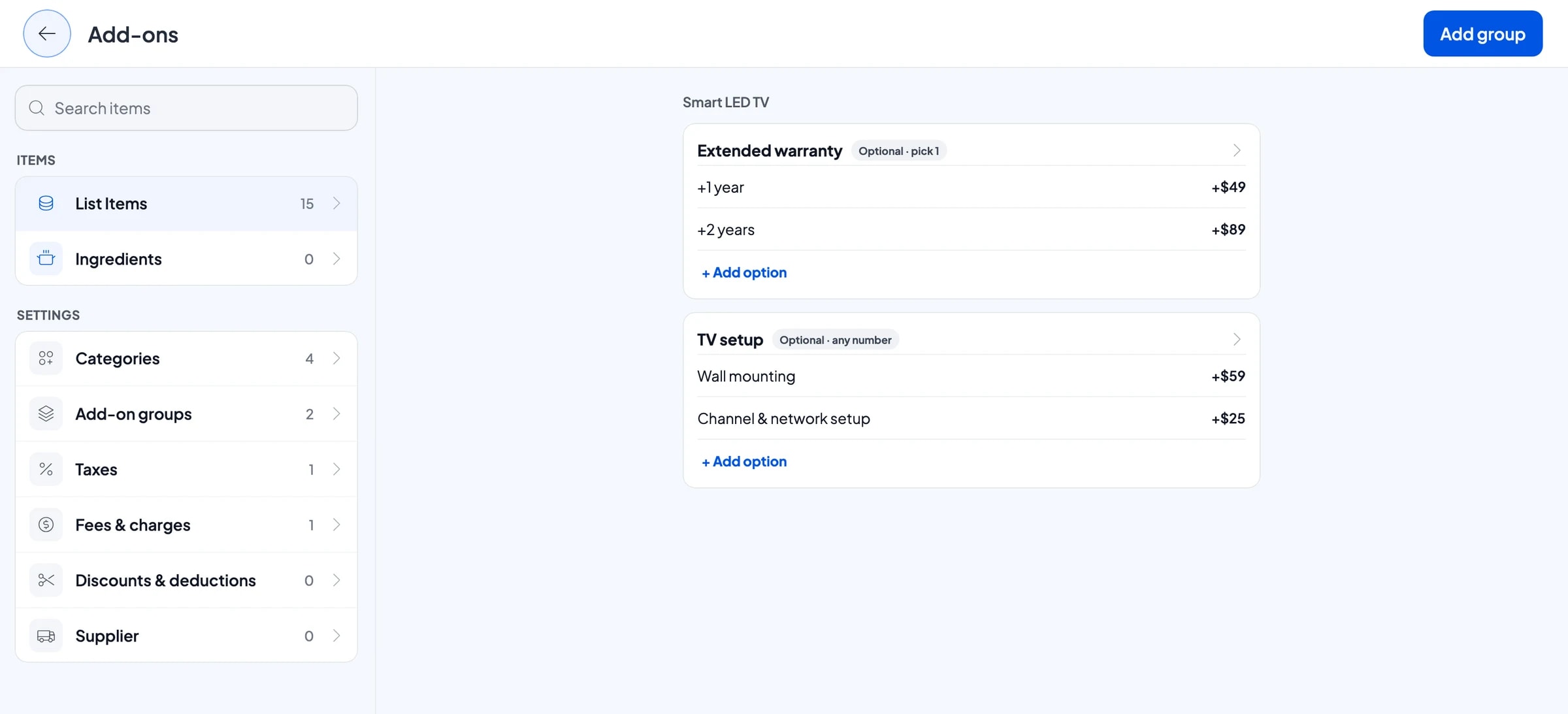
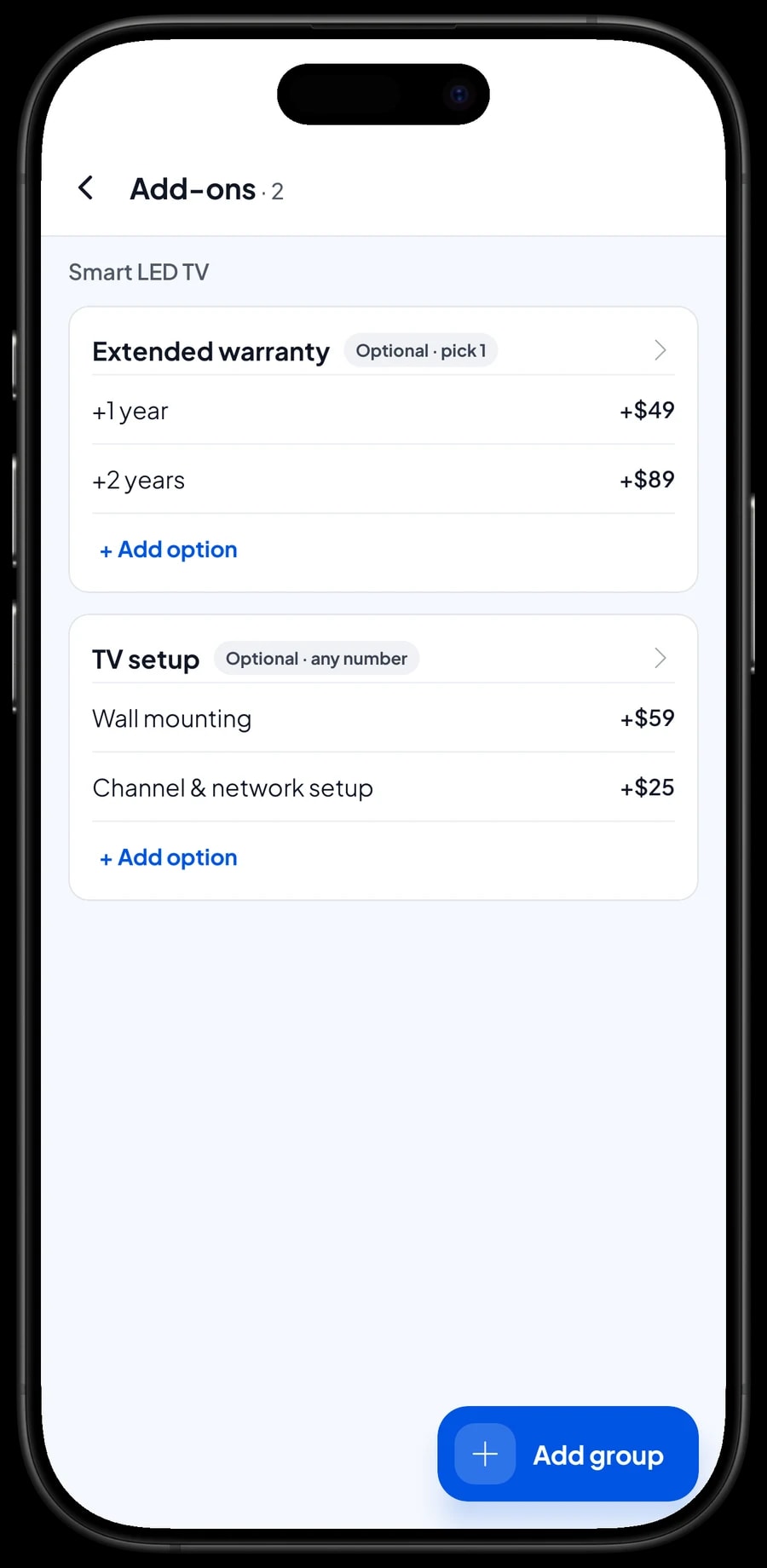
For example, an Extended warranty group with +1 year and +2 years, attached to Smart LED TV, Refrigerator, Washing Machine, Mini-Split Air Conditioner and Microwave Oven. A TV setup group with Wall mounting and Channel & network setup, attached to Smart LED TV and the soundbar. The cashier ticks what the buyer wants and the price adds up.
Services that stand on their own, such as AC Installation with a 10 ft line set or Local Delivery, are Service items with no stock. Salesmaster doesn't schedule deliveries or installs; write the address and time in the transaction note.
- Step 1: Open Smart LED TV and choose Manage add-ons.
- Step 2: Create an Extended warranty group with +1 year and +2 years and their prices.
- Step 3: Create a TV setup group for mounting and setup.
- Step 4: Attach the same groups to the other products that offer warranty or installation.
Buyer records and purchase history
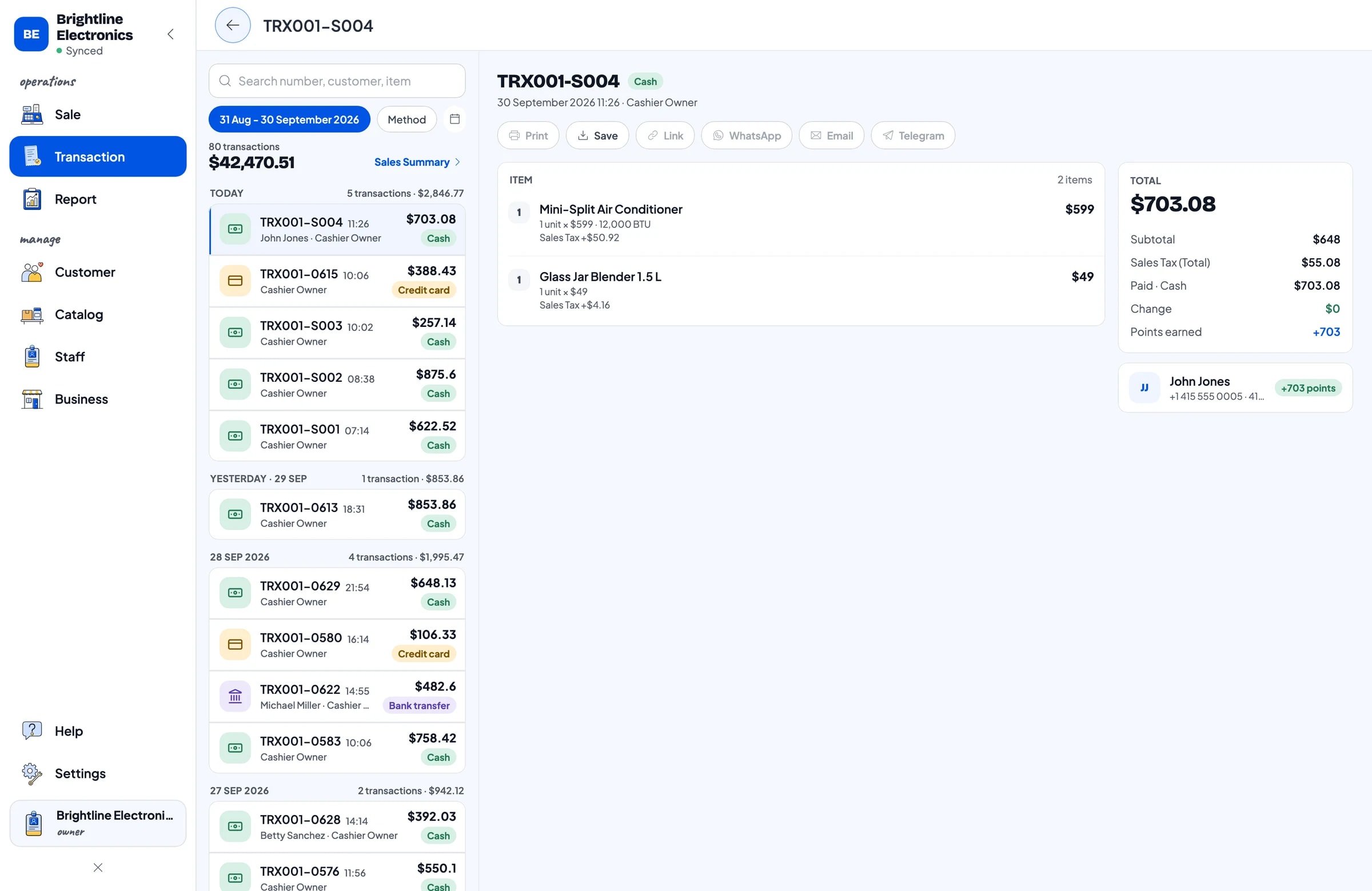
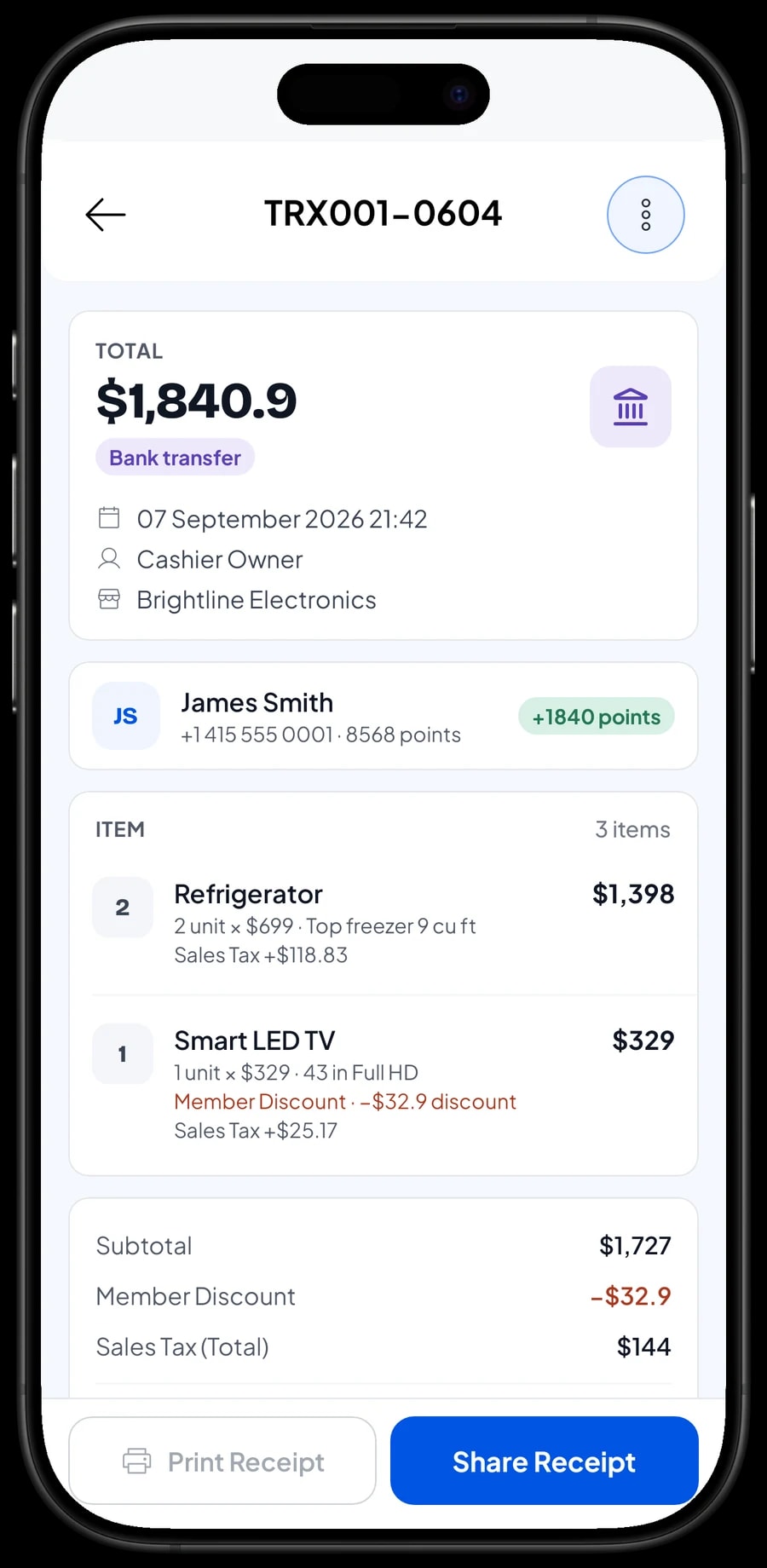
Appliances are bought once and used for years, so the history matters. Save the buyer's name and phone number with every sale. When they come back for a warranty claim or another purchase, look them up in Customers and see when they bought, which variant, and which extended warranty they took.
Receipts print on a Bluetooth or USB thermal printer, or go out by WhatsApp, email or a web receipt link with your store's logo and contact details. A digital receipt doesn't get lost like paper, and it serves as proof of purchase for the manufacturer's warranty.
Salesmaster doesn't count down warranty periods or send reminders. The sale date and the warranty on the receipt are the reference for you and the buyer.
Cash, card, transfer and financing
Create the payment methods you accept: cash, debit or credit card, bank transfer, a payment app, and financing from a consumer finance company. Salesmaster doesn't connect to card terminals or finance companies directly, so each payment is recorded by choosing its method. Reports show how much came in through each one.
Salesmaster doesn't track installment plans or money owed by customers. If a buyer pays through financing, record the sale with that payment method and follow up on the payout outside the app. For a buyer who wants to hold an item while a transfer clears, keep the cart with Save order. The order stays on the device that created it and isn't a sale until it is paid.
Sales tax is set once in Fees or Tax and calculated on every sale. Weekend promotions or bundle discounts are set up in Deductions.
Repeat buyers: loyalty points and member cards
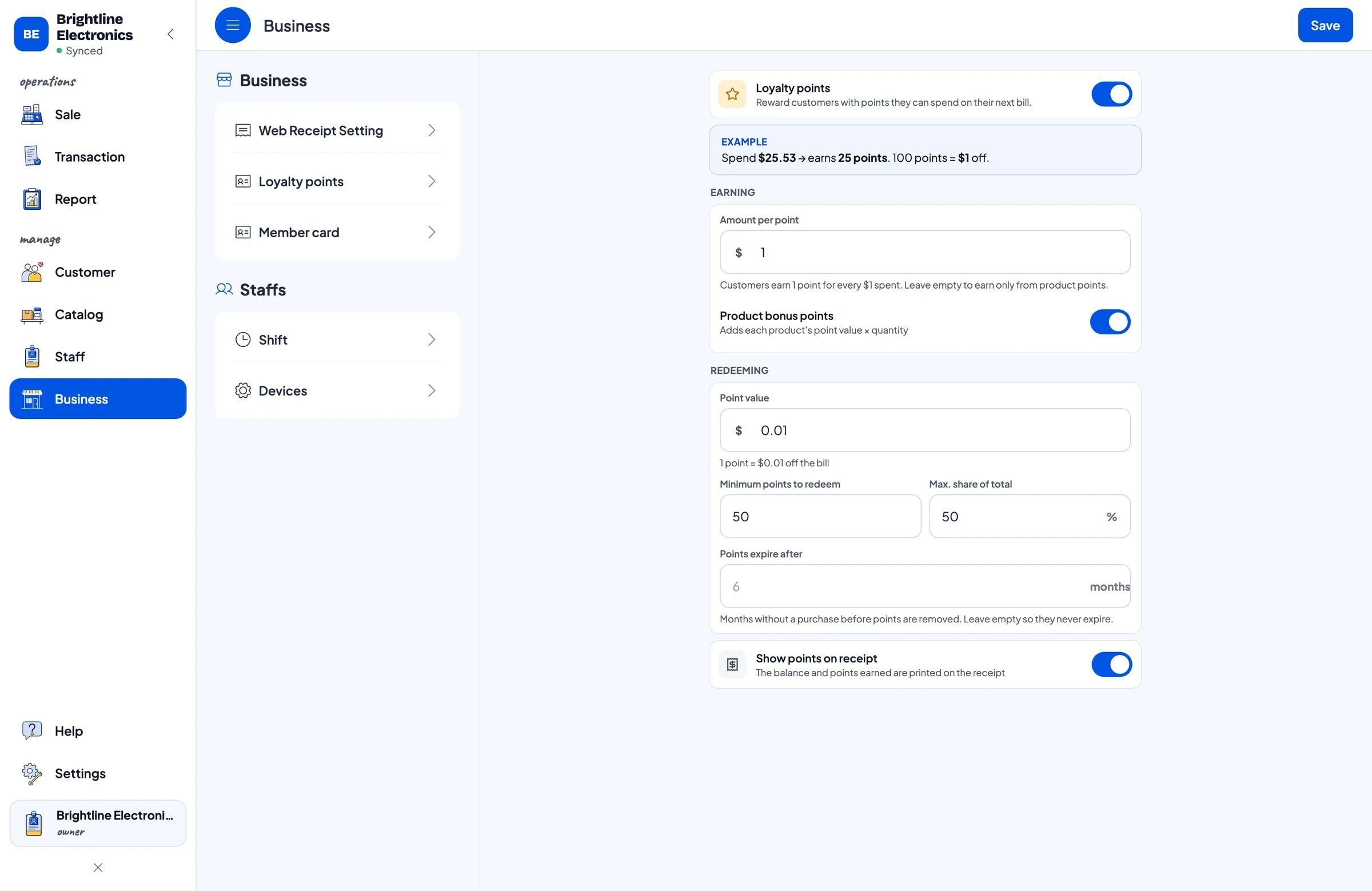
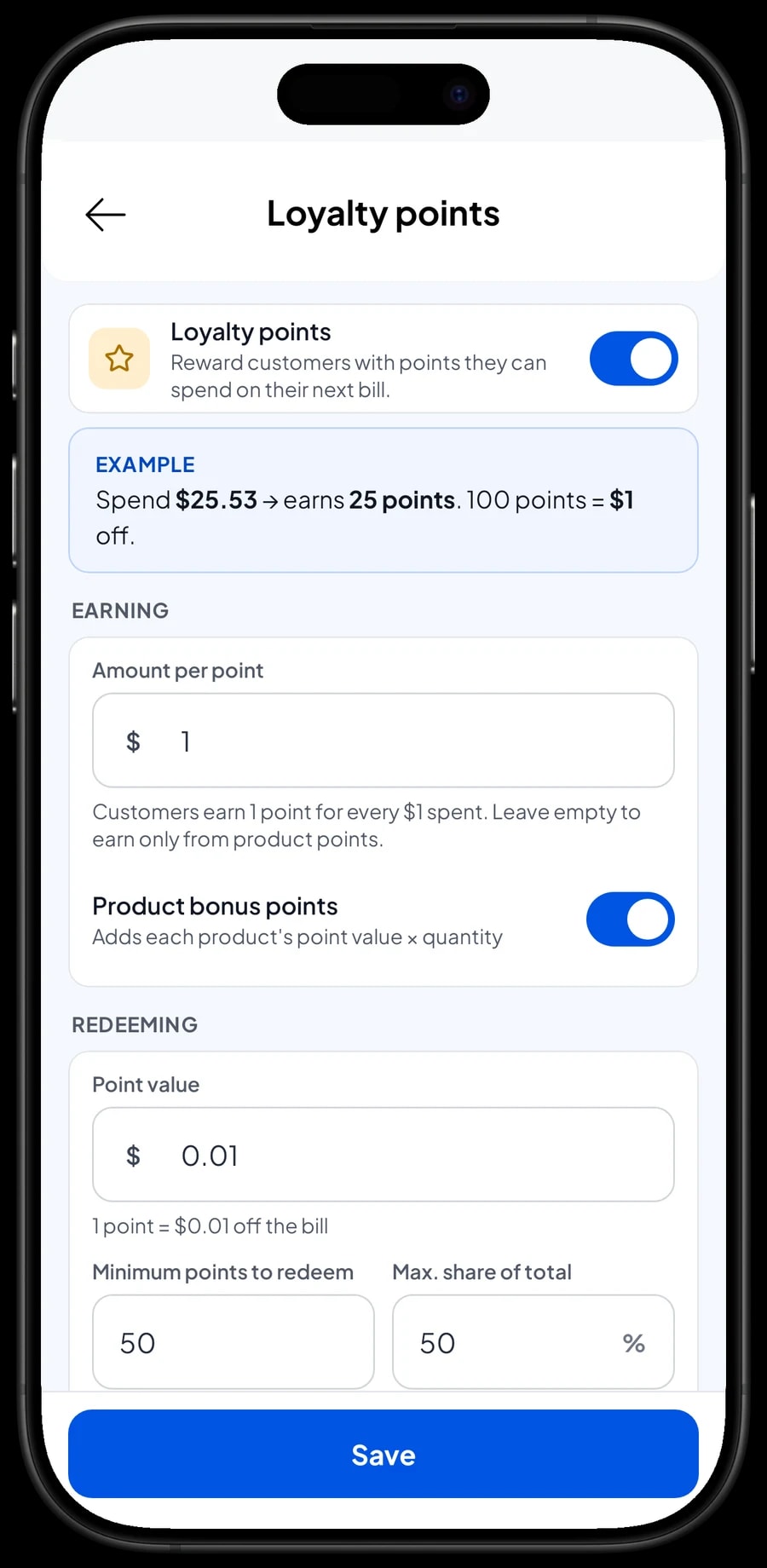
A family that buys a TV from you often comes back for a rice cooker, a fan or an iron. Turn on Loyalty points and set your own rules: the amount spent per point, the value of a point when redeemed, the minimum points to redeem, and the maximum share of a bill points can cover.
Points are added with every sale, and when a buyer wants to use them, the discount is applied straight away. Regulars can also get a member card in their name. Because appliance bills are large, set the point value carefully so rewards don't eat into margins that are already thin.
- Step 1: Open Business → Loyalty points and turn it on.
- Step 2: Set the amount spent for 1 point and the value of 1 point.
- Step 3: Set the minimum points to redeem and the maximum discount percentage.
Sales staff and cashiers
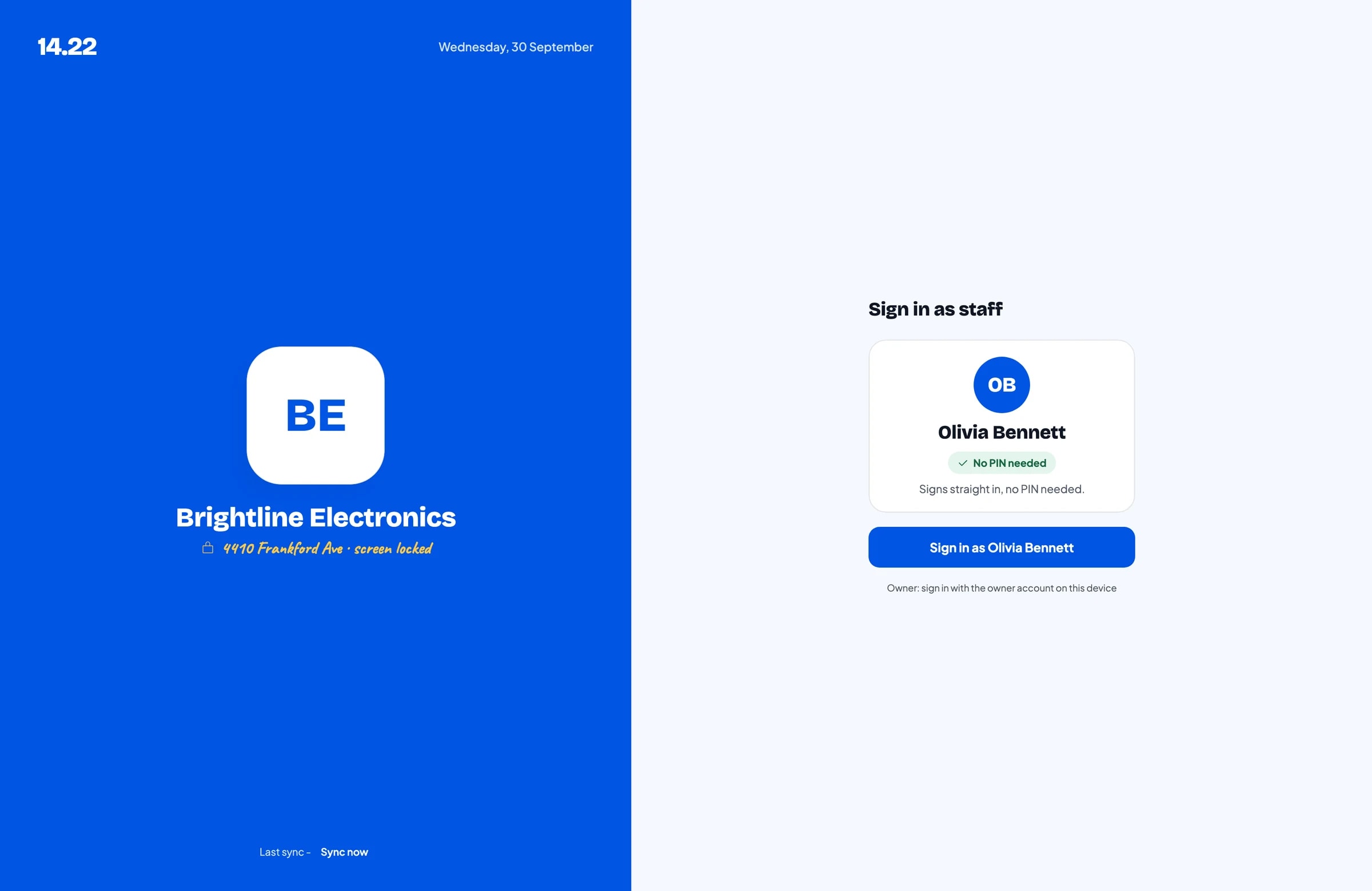
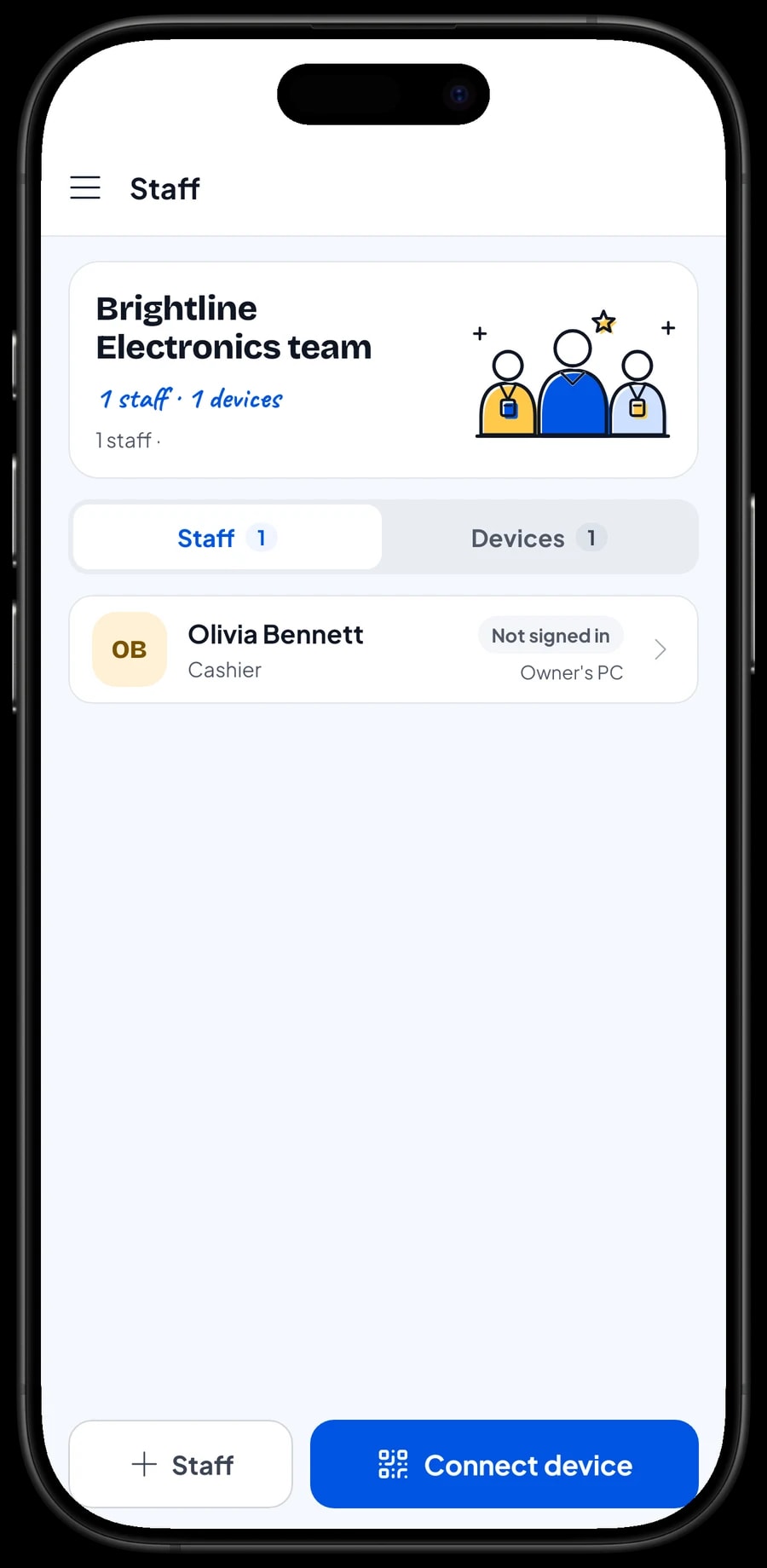
The owner signs in with the main account. An account is signed in on one device at a time, so a cashier or salesperson on their own device is added as staff. Register a device for them; staff sign in with a PIN, and you decide what they can see and change. Staff accounts come with Bronze Pro (1 staff) and Silver Pro (2 staff).
Sales reports and real net profit
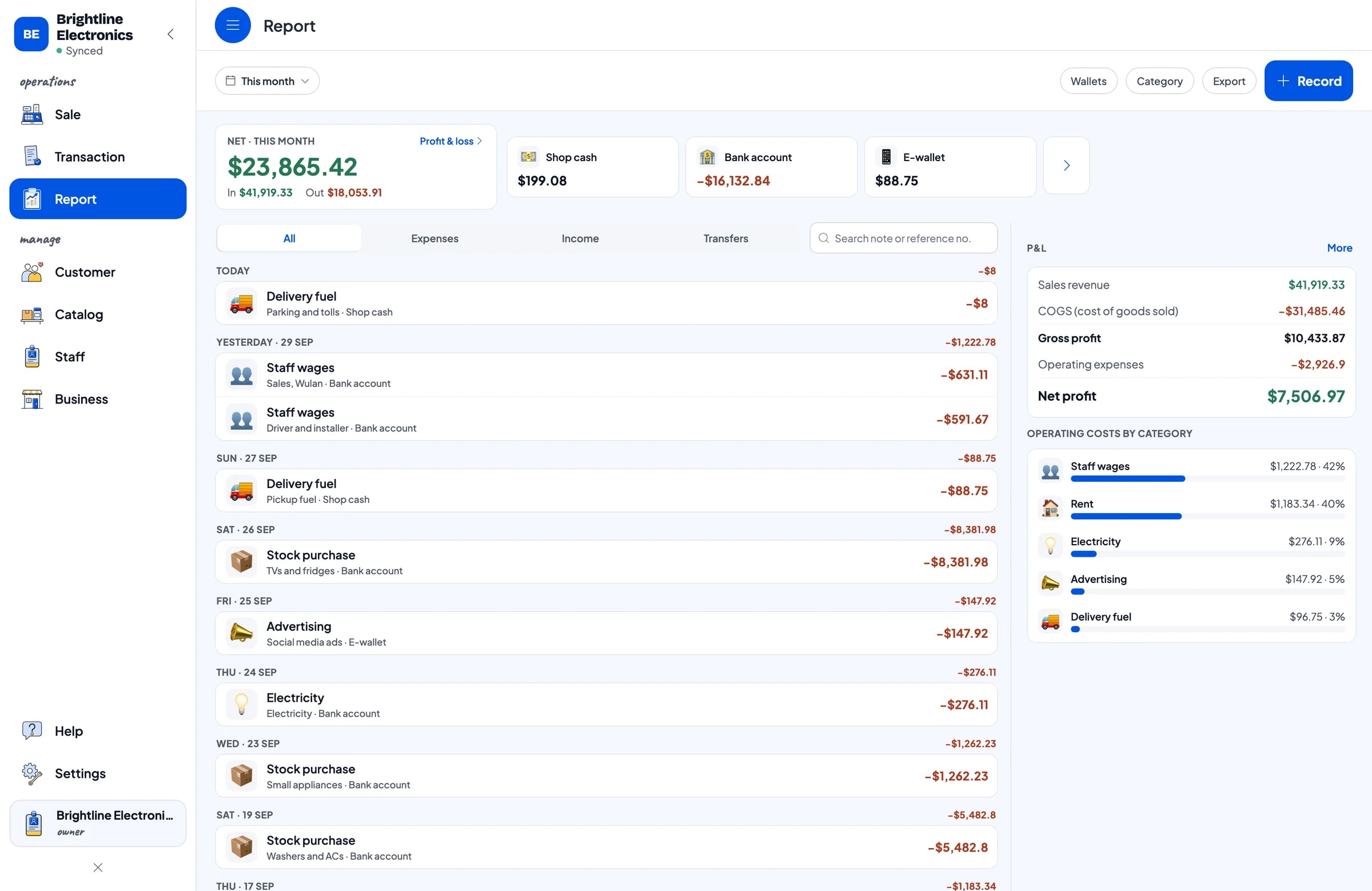
Reports are available by day, week, month and year. You see total revenue, gross and net sales, discounts, tax, payment methods and revenue by item, so it is clear which TV size or AC capacity brings in the most.
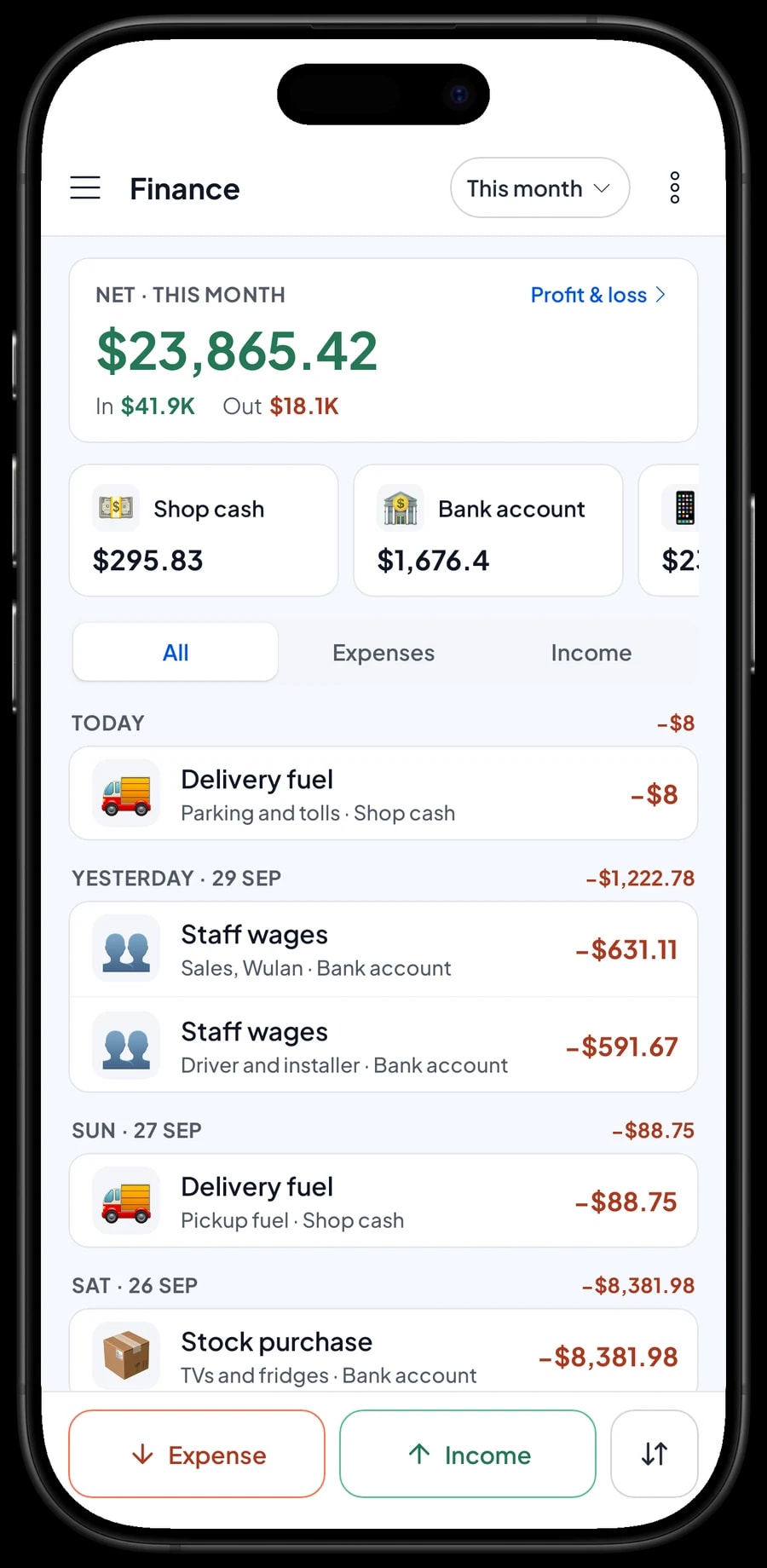
For real profit, record expenses in Finance: TVs and fridges, washers and ACs, small appliances, sales staff wages, the driver and installer, rent, electricity, pickup fuel and social media ads. Each expense has a category and the wallet it came from. The Finance report then shows revenue minus cost of goods and operating costs: your store's net profit. Sales tax collected is kept apart from profit.
Reports can be exported to Excel or PDF to send to your accountant or a business partner.
Get started in a day, keep going offline
You don't need to close the store to start. Install Salesmaster on the counter phone, tablet or laptop, create an account, and enter your best sellers first with their variants, barcodes and stock. Other products can be added during quiet hours. In the evening, open the daily report and compare it with the cash in the drawer.
Sales are saved on the device first and sent to the cloud when the connection is back. Offline mode works for up to 7 days; after that the app needs to connect briefly to sync and verify your account. Your data lives in your account, so sales and buyer history aren't lost if a device breaks or is replaced.
Step-by-step guides for every feature are in the Salesmaster Help Centre, and our team is on WhatsApp if you need help setting up your catalog.
An example electronics store catalog
Use this table as a starting point and replace the names and prices with your own products.
| Category | Item | Variants | Add-ons | Item type |
|---|---|---|---|---|
| TV & audio | Smart LED TV | 32 in HD, 43 in Full HD, 50 in 4K | Extended warranty, TV setup | Product |
| TV & audio | 2.1 Soundbar with Subwoofer | - | TV setup | Product |
| Cooling & laundry | Refrigerator | Single door 6 cu ft, Top freezer 9 cu ft | Extended warranty | Product |
| Cooling & laundry | Washing Machine | Twin tub, Front load | Extended warranty | Product |
| Cooling & laundry | Mini-Split Air Conditioner | 9,000 BTU, 12,000 BTU | Extended warranty | Product |
| Kitchen appliances | Digital Rice Cooker 1.8 L | - | - | Product |
| Kitchen appliances | Microwave Oven 0.7 cu ft | - | Extended warranty | Product |
| Home & services | AC Installation, 10 ft Line Set | - | - | Service |
| Home & services | Local Delivery | - | - | Service |
Goods are Product items with stock per variant. Installation and delivery are Service items with no stock, so service revenue shows separately in your reports.
Which plan fits your electronics store
Electronics stores record fewer, larger sales. A store closing about 3 to 5 sales a day records roughly 100 to 150 transactions a month.
| Plan | Price | Transactions / month | Staff accounts | Good for |
|---|---|---|---|---|
| Free | Free | 30 | Owner only | To try checkout and the catalog before using it for real. |
| Solo Pro | $4.90/month | 3,000 | Owner only | Small stores where the owner runs the till. |
| Bronze Pro | $6.90/month | 5,000 | 1 staff | Stores with one cashier or salesperson on their own device. |
| Silver Pro | $9.90/month | 8,000 | 2 staff | Larger stores with two staff on separate devices. |
Every plan includes checkout, catalog, receipts, reports and offline mode. You can change plans at any time. See pricing →
Frequently asked questions
- Can Salesmaster track TV stock by screen size?
- Yes. Create one Smart LED TV item with a variant per size, such as 32, 43 and 50 inches. Each variant has its own selling price, purchase cost and stock, and stock comes off per variant when it sells.
- Does Salesmaster record serial numbers for each unit?
- There is no serial number field per unit. Write the serial number in the transaction note when you sell the unit, so it is saved in the buyer's history and easy to find for a warranty claim.
- How do I sell extended warranties?
- Create an Extended warranty add-on group, such as +1 year and +2 years, and attach it to the products that offer it. The warranty is recorded on the sale and the receipt. Salesmaster doesn't count down warranty periods, so the date on the receipt is the reference.
- Can I record sales on installments or financing?
- Salesmaster doesn't track installment plans or customer balances. Create a payment method such as "Financing" and choose it at checkout, then follow up on the payout from the finance company outside the app. Reports show total sales per payment method.
- Can a buyer put down a deposit on an ordered item?
- Salesmaster doesn't take part payments on a single sale. Sell the deposit right away as a separate Service item called "Down payment" for the amount received, and keep the cart with Save order. When the balance is paid, open the order at its full price, tap Add Deduction for the deposit amount, and complete the payment on the same device, because saved orders stay on the device that created them.
- Can it schedule deliveries and installations?
- No. Sell delivery and installation as Service items and write the address and time in the transaction note. Keep the driver's and installer's schedule in a notebook or group chat.
- Which plan suits an electronics store?
- Start on the Free plan to try it. A store where the owner runs the till fits Solo Pro, while stores with a cashier or salesperson on their own device use Bronze Pro or Silver Pro, because both include staff accounts. Prices for each plan are in the plan table on this page.
Need help setting up your catalog? Chat with our team on WhatsApp →



