

Salesmaster is a point-of-sale (POS) app for frozen food stores and distributors on Android, iPhone & iPad, Windows and Mac. Each frozen product can have pack-size variants with their own price, stock goes down automatically with every pack sold, pack barcodes can be scanned, reseller orders are kept with Save order, and costs such as freezer electricity, ice packs and courier fees are recorded in Finance to show net profit. A Free plan lets you try it first.
Problems every frozen food store knows
You sell finished goods, but in many sizes and brands, with a lot of money sitting in the freezer. If any of these sound familiar, this page is for you.
- 01
One product, many pack sizes
Nuggets in 1 lb and 2 lb bags, meatballs in 25 and 50 counts, dim sum in three flavors. When prices live in the cashier's head, someone eventually pays the wrong one.
- 02
Nobody knows what is in the freezer
You find out a product is gone when a customer asks for it, or you discover a stack of packs that has sat in the back for weeks. Reorders from the distributor become guesswork.
- 03
Reseller orders mixed in with walk-ins
Resellers order by text or WhatsApp, the packs get bagged, and then everyone waits for the courier. The order lives in a chat thread and is easy to miss on a busy afternoon.
- 04
Thin margins, big freezer bills
The gap between cost and price on each pack is small, while three freezers, bags, ice packs and courier fees keep costing money. Without records, profit is a guess.
Setting up your catalog: categories and pack-size variants
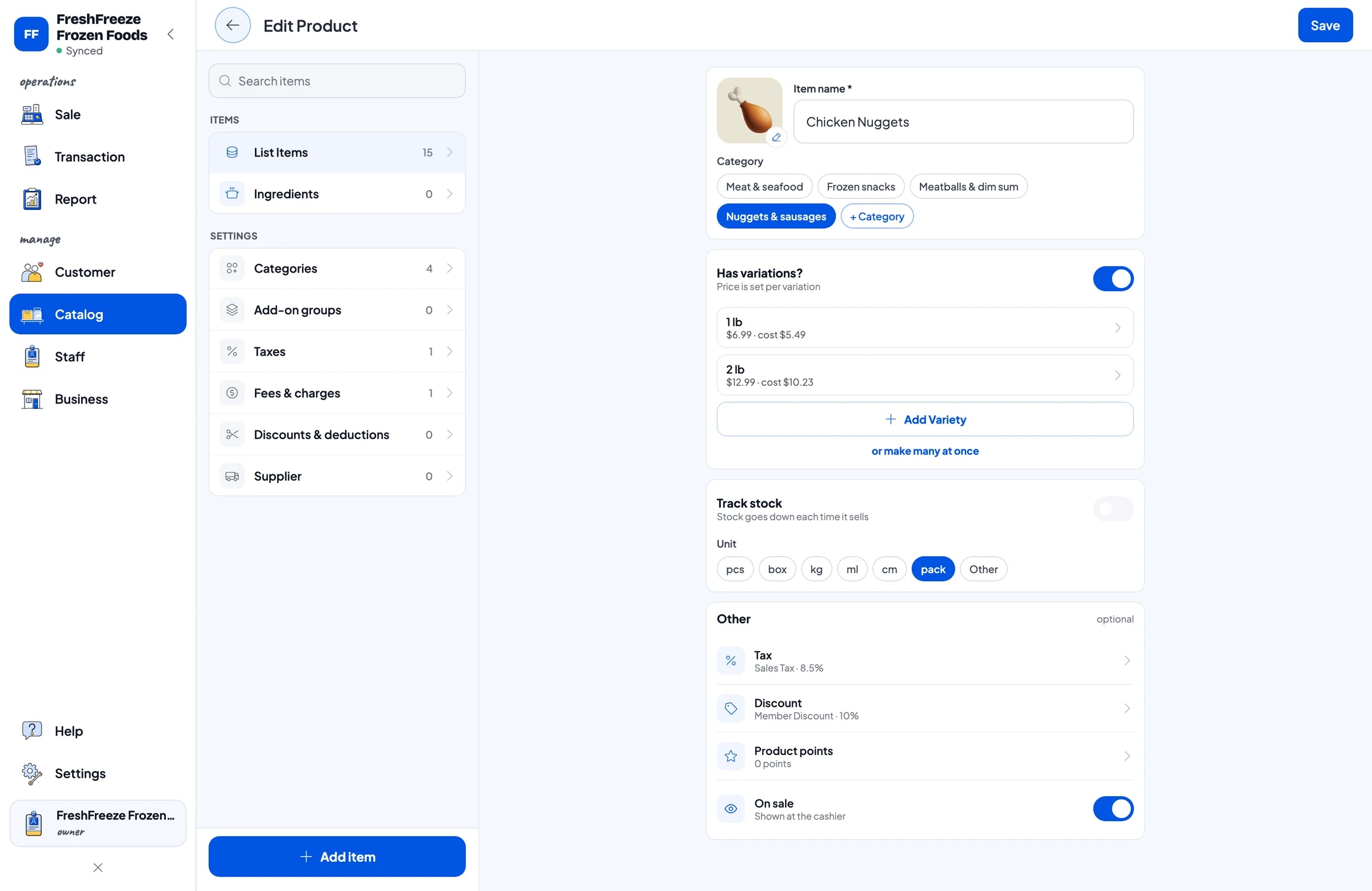
A frozen food store sells finished goods, so every product is a regular item with its own stock. Group products into categories your cashier recognizes at a glance, such as Nuggets & sausages, Meatballs & dim sum, Frozen snacks, and Meat & seafood.
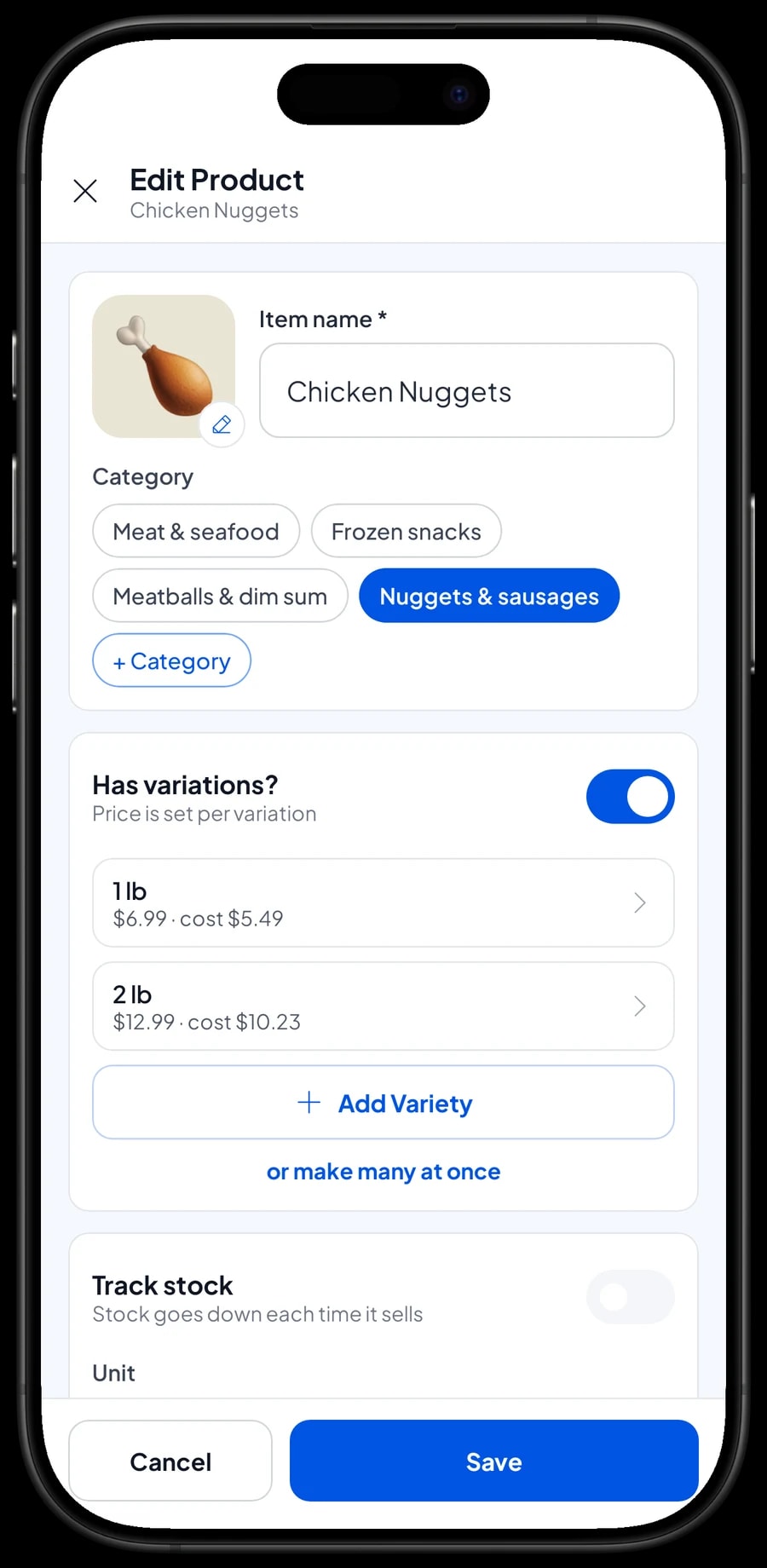
A product sold in several sizes only needs one item with variants. Chicken Nuggets in 1 lb and 2 lb, Beef Meatballs in 25 and 50 counts, Chicken Dim Sum in original, shrimp and mushroom: the cashier picks the variant and the price follows. Each variant has its own price, so the larger bag that costs less per pound is still charged correctly.
Products that come in one size only, like Smoked Beef Sausages 1 lb or Fish Cakes with Egg (5 ct), can be plain items without variants. Put the size in the name so nobody has to guess.
- Step 1: Open Catalog → Categories and create categories such as Nuggets & sausages, Meatballs & dim sum, and Meat & seafood.
- Step 2: Open Catalog → List Items and add each product with its name, unit (for example, pack) and category.
- Step 3: For products with several sizes or flavors, add variants and set a price for each one.
- Step 4: Turn on stock tracking for each product and enter what is in the freezer today.
Freezer stock that stays up to date
Every pack you sell takes one off that product's stock automatically. You no longer have to dig through the freezer to find out how many 2 lb bags of nuggets are left. When a delivery arrives from the distributor, add it in Inventory → Stock so the app matches what is actually on the shelves.
Keep your distributors and suppliers in Inventory → Suppliers: their name, phone number, and what you usually buy from them. When stock runs low, you know who to call without scrolling through old messages.
Once a week, on a quiet morning, count the freezer and correct any difference in the app. Packs that thawed during a power cut or split open should come off stock too, so your reports never count goods you can no longer sell.
- Step 1: Open Inventory → Suppliers and save each distributor's details.
- Step 2: When a delivery arrives, open Inventory → Stock and add the quantity received for each product.
- Step 3: Once a week, count the freezer and adjust any stock that does not match.
Serving walk-in customers quickly
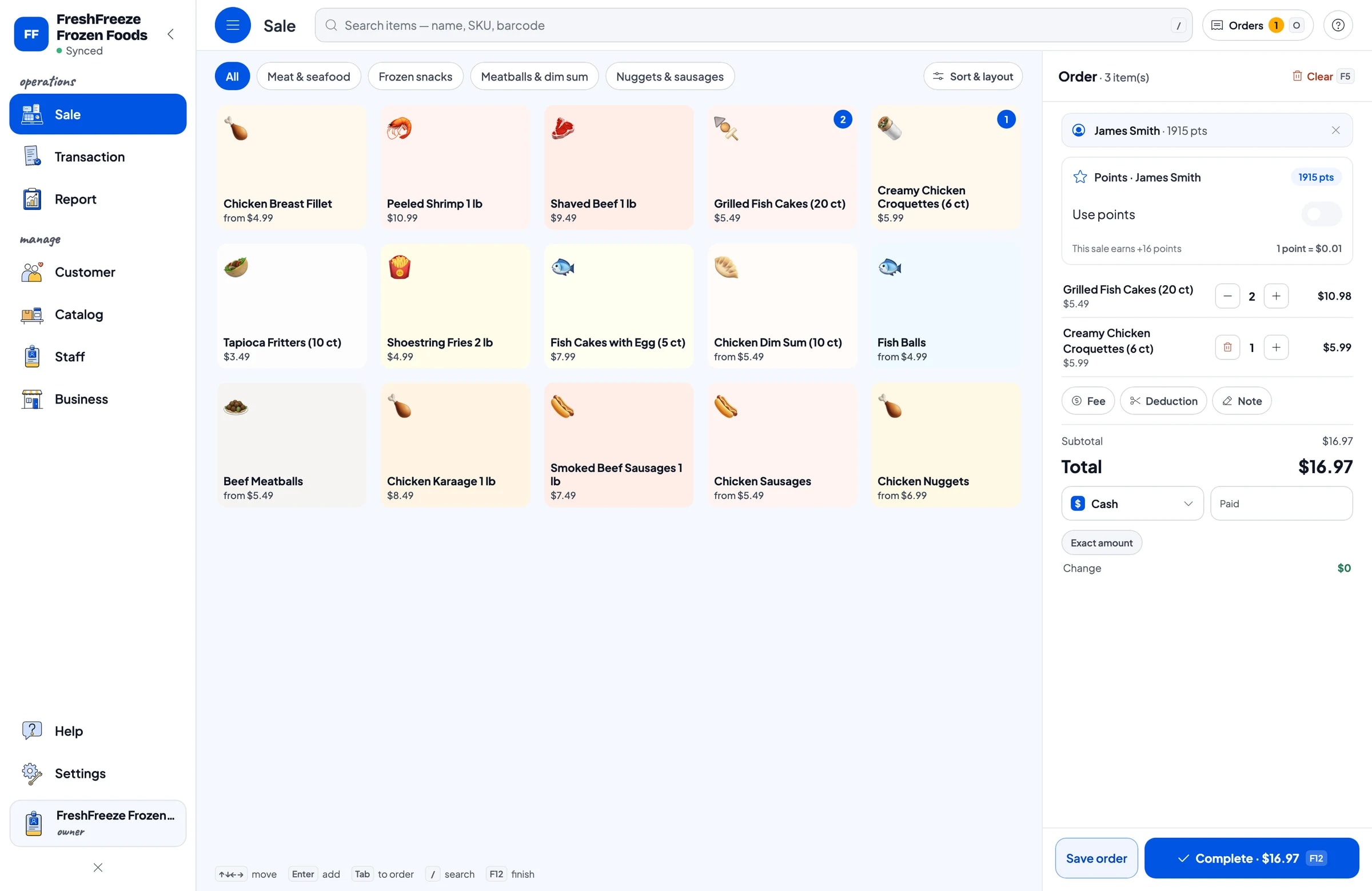
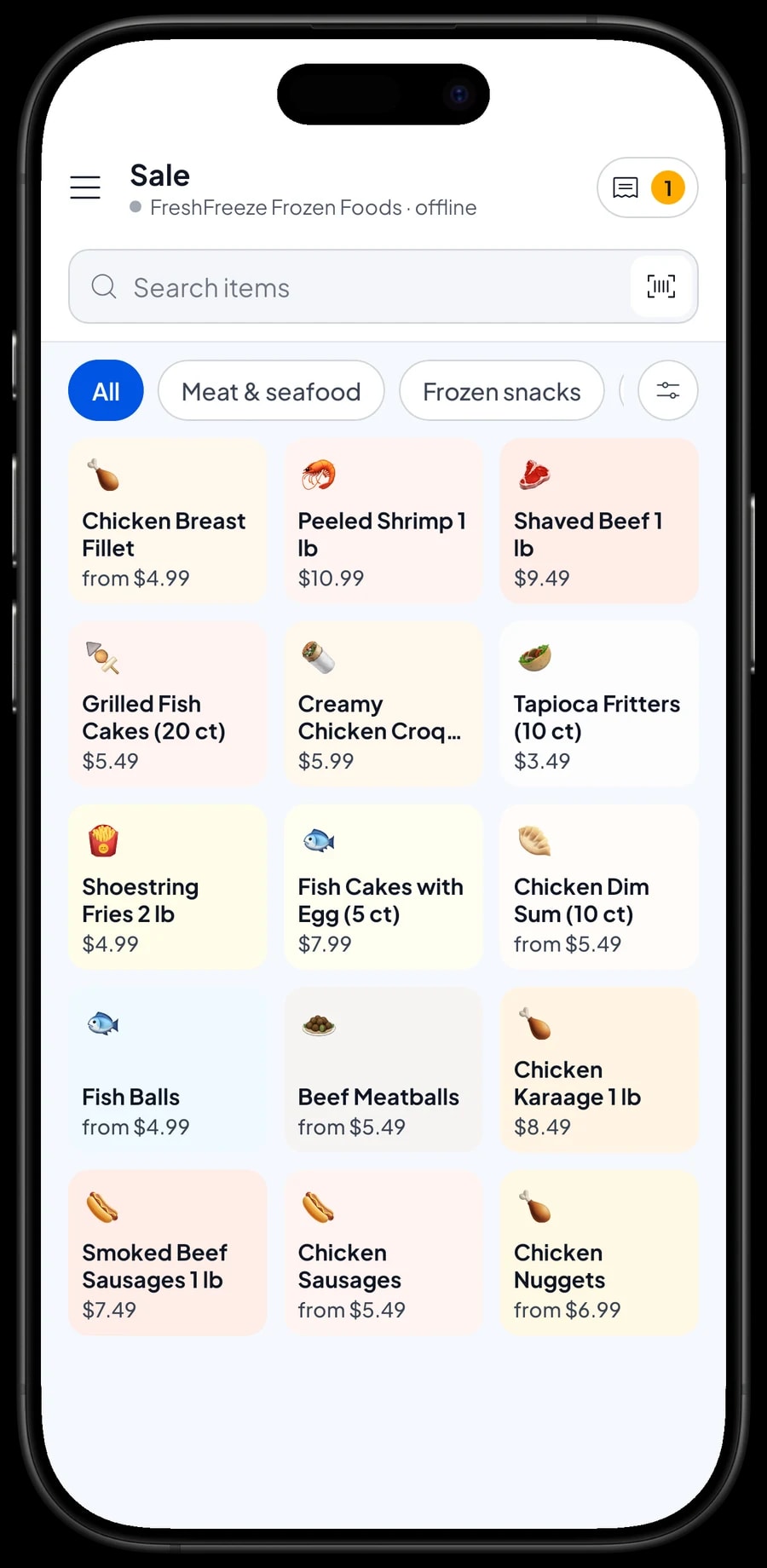
On the Sale screen, the cashier picks a category or searches by name, then taps the product and its variant. Most frozen packs already carry a barcode, so you can add it to the item and the cashier simply scans the bag with the device camera or a barcode scanner.
Frozen food customers usually buy several packs at once: two bags of nuggets, a pack of sausages, a bag of fries. Change the quantity in the cart, then choose the payment method: cash, card, bank transfer, or any other method you create. For cash, change is calculated for you.
Receipts can print on a Bluetooth thermal printer (58 mm or 80 mm paper), or go out by WhatsApp, email or a web receipt link. The web receipt shows your logo and contact details, so it is easy for customers to order again.
Reseller and delivery orders with Save order
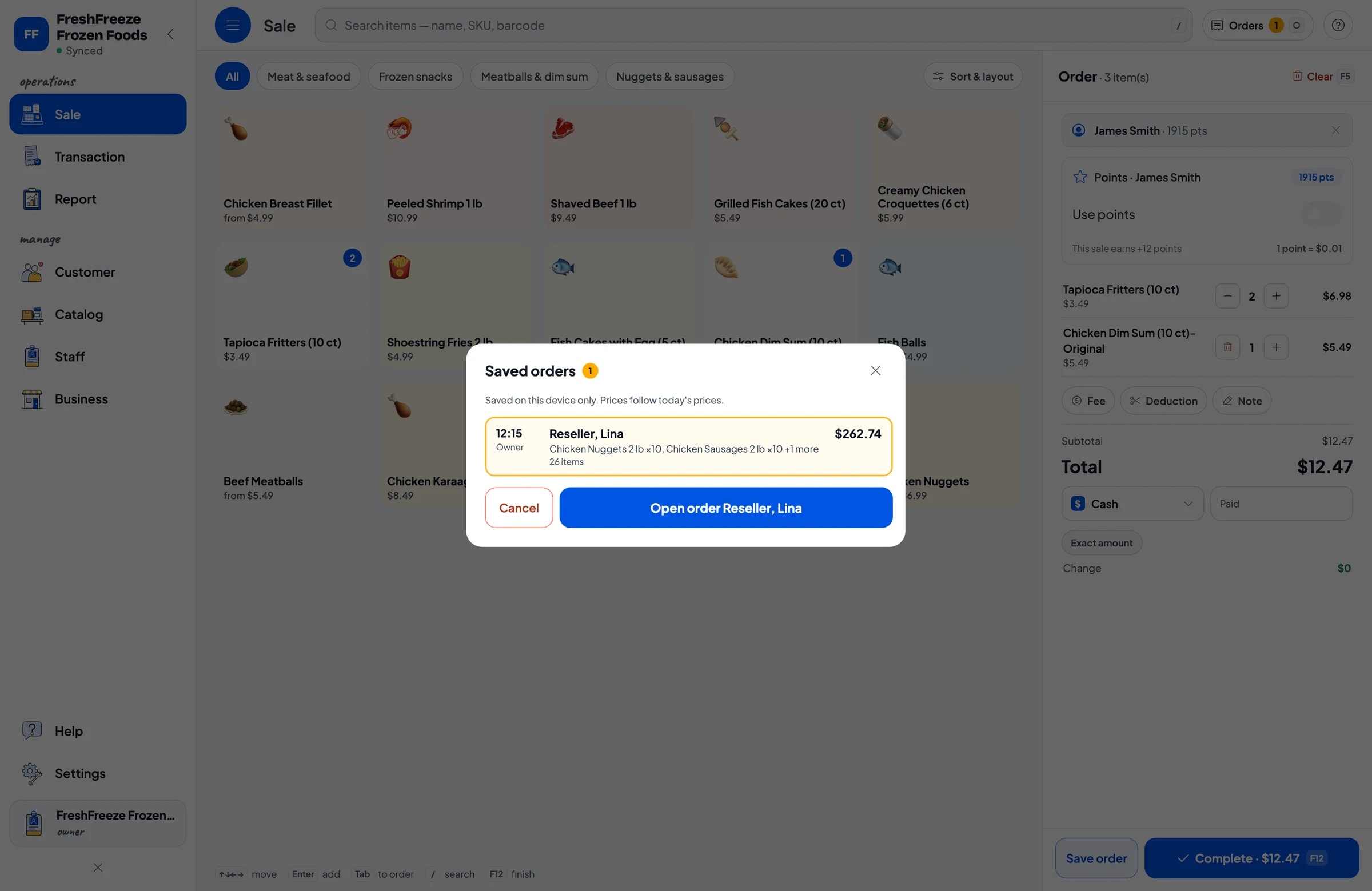
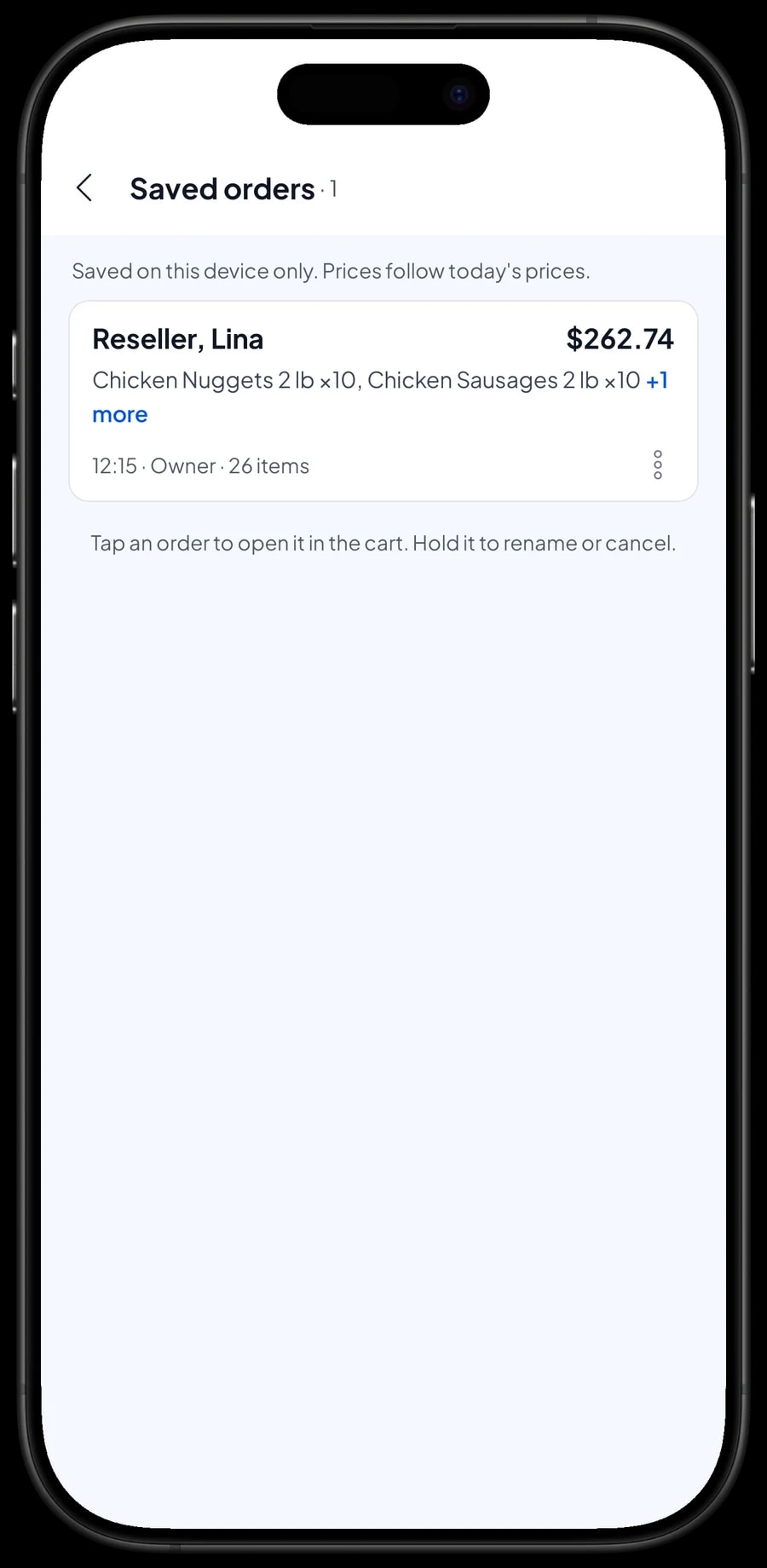
Many frozen food stores also supply resellers. The order comes in by message, the packs get bagged, and a courier picks them up later in the day. For orders like this, ring up the items on the Sale screen and tap Save order. The cart is kept under the name you give it, for example "Reseller, Lina, courier at 3 pm".
The cashier can go straight back to walk-in customers. When the courier arrives or the reseller has paid, open Saved orders, check the contents, add anything they asked for later, and complete the payment. Delivery fees can be added through Fees or Tax.
A saved order is not a sale yet and does not take stock off until it is paid. It lives on the device that created it and uses today's prices, so finish the payment on that same device.
Transaction history, sales tax and regular customers
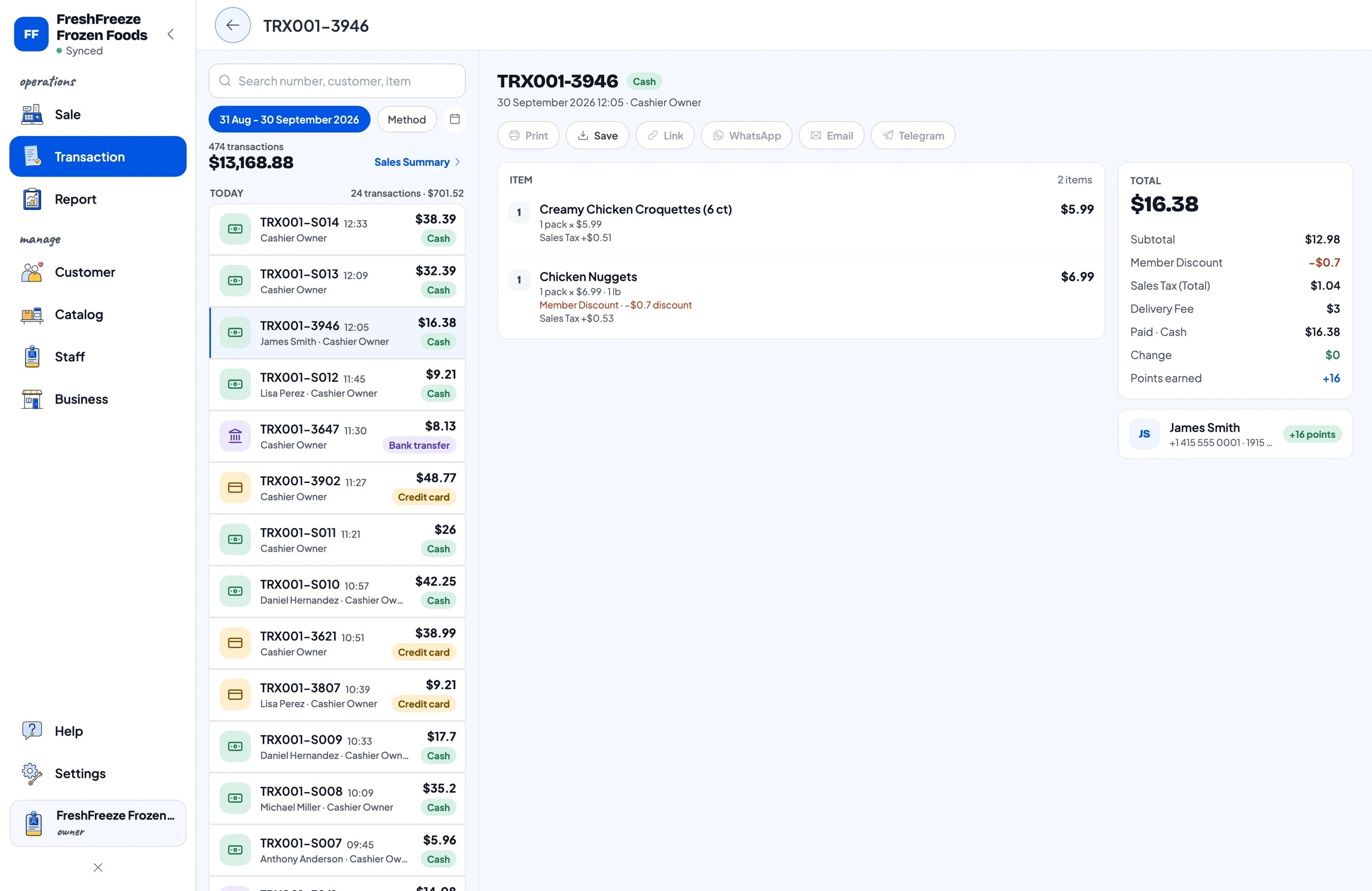
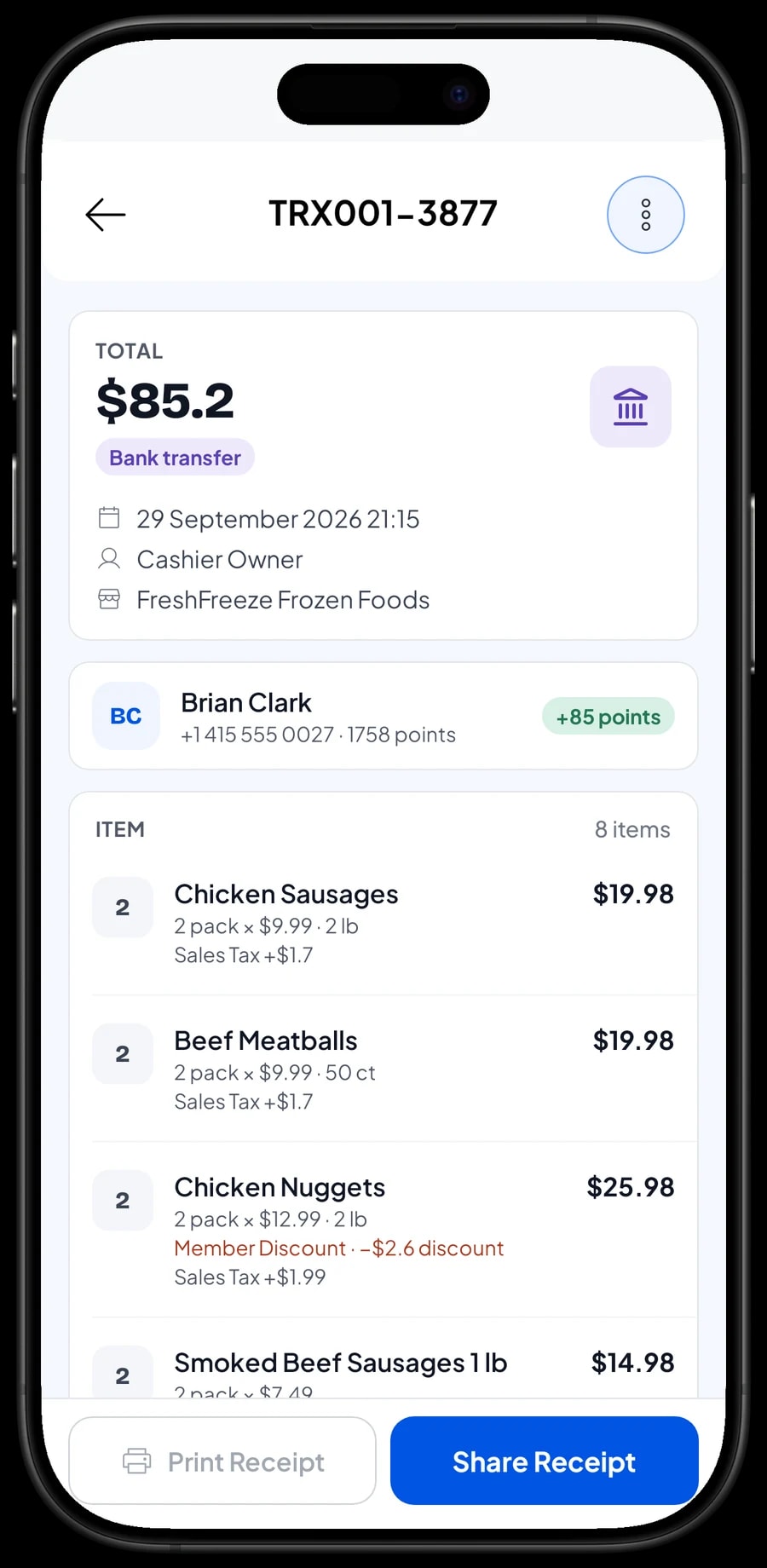
Every sale is kept in Transactions with its date, customer, payment method, and each product by variant. When a customer asks which size of fish balls they bought last week, you can look it up in seconds.
If you charge sales tax, set it up once in Fees or Tax and it is added to every sale and shown separately in your reports. Tax you collect is kept out of your profit, because it was never your money.
Save your regulars' names and phone numbers at checkout. With Loyalty points you set your own rules, such as one point for every dollar spent and a fixed value per point when they redeem. Families who stock up every week get a reason to keep coming back to you, and a member card in their name.
Shop assistants and cashier devices
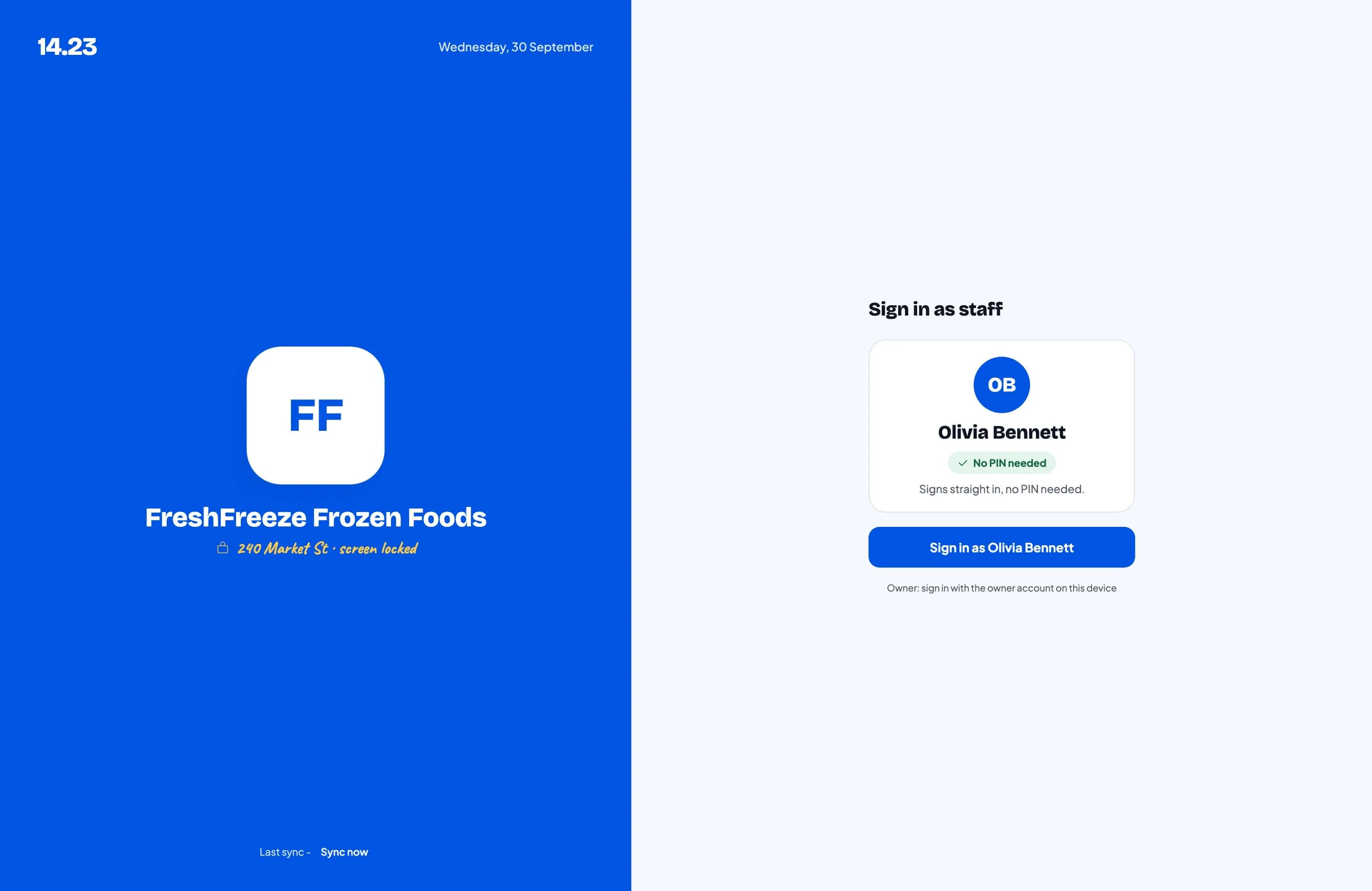
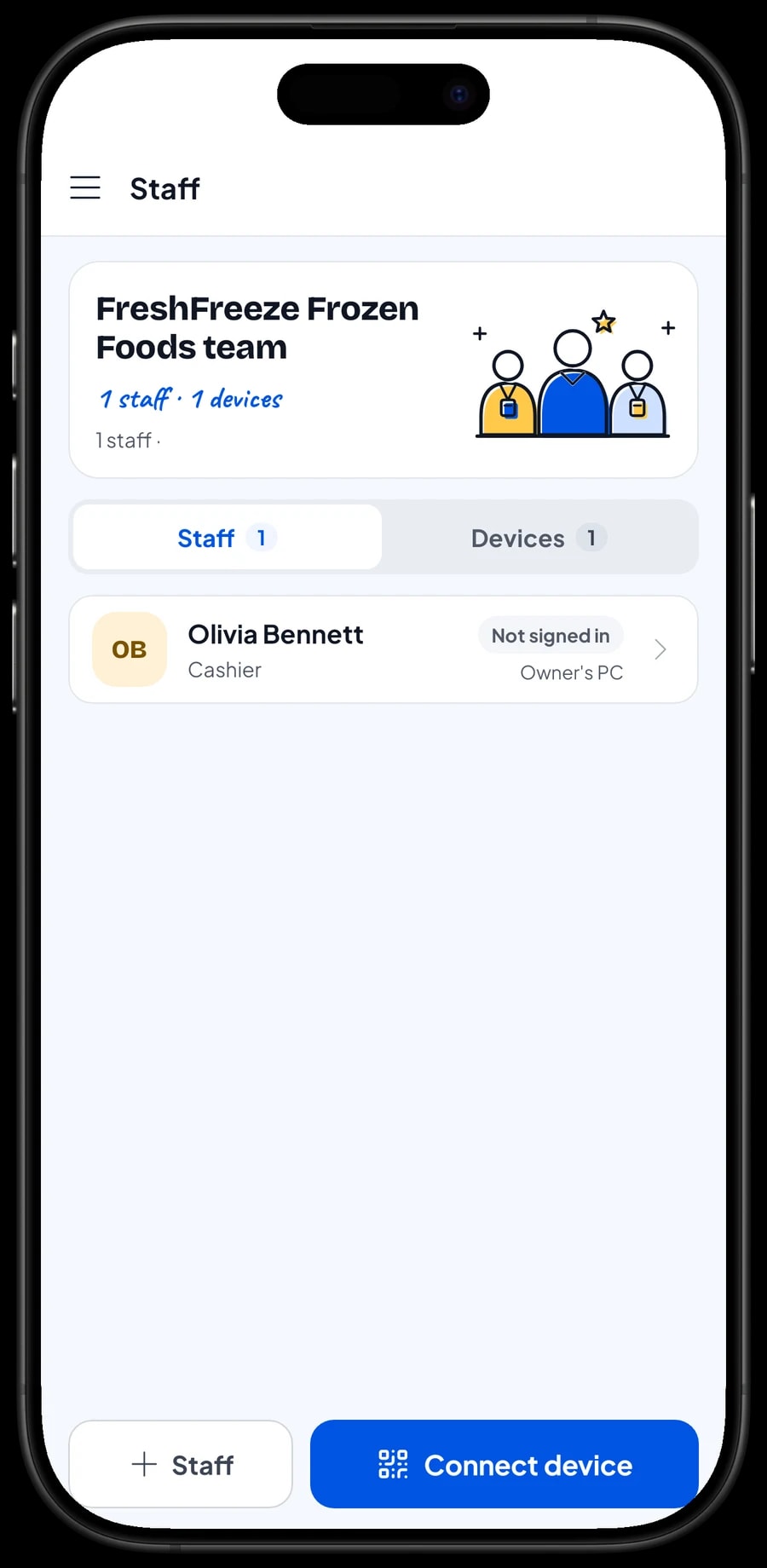
The owner signs in with the main account. Shop assistants don't use your account: add them as staff, then register the counter phone or tablet as their staff device. Staff sign in with a PIN and only see what you allow. Staff accounts come with Bronze Pro (1 staff) and Silver Pro (2 staff).
Every sale from the store device syncs to the owner's account, so you can check today's sales and which reseller orders have been paid without driving to the shop.
Expenses, net profit and best sellers
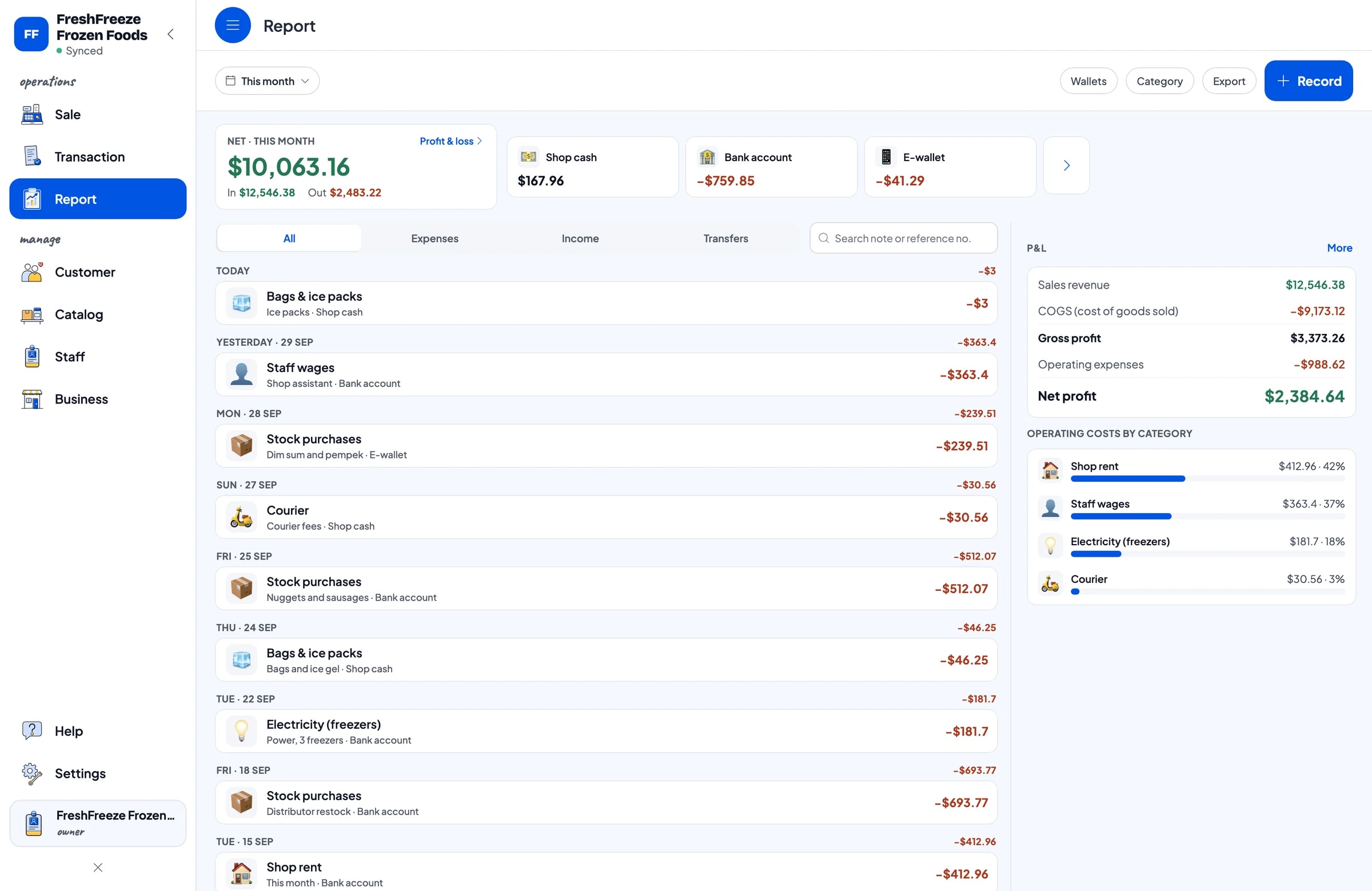
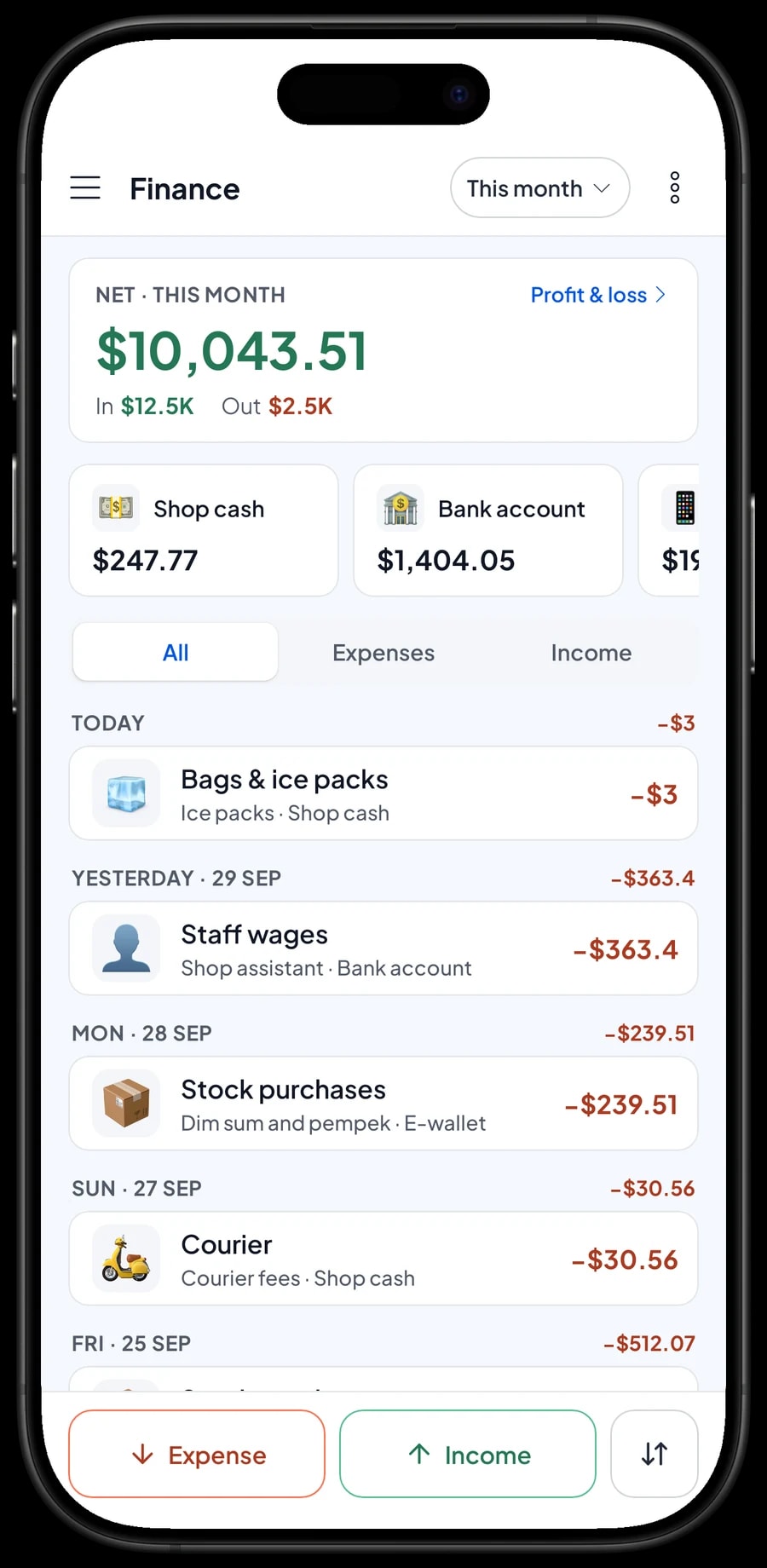
In a frozen food store, the biggest cost is restocking from the distributor, followed by rent, wages, freezer electricity, bags and ice packs, and courier fees. Record them all in Finance with a category and the wallet the money came from: shop cash, bank account or e-wallet.
The Finance report shows sales minus cost of goods and operating expenses, which is your real net profit. It tells you whether the margin on each pack is enough to cover the freezers and the rent, or whether some prices need to move.
Sales reports are available by day, week, month and year, including revenue by product. You may find that peeled shrimp and shaved beef bring in the most money, while frozen snacks sell often but add less. Reports export to Excel or PDF for your partner or accountant.
Keep selling when the internet drops
Every sale in Salesmaster is saved on the device first and sent to the cloud when the connection returns. If the shop Wi-Fi goes down, the cashier keeps ringing up sales. Offline mode works for up to 7 days; after that, the app needs a short connection to sync and verify your account.
Because your data lives in your account, not on one phone, a broken or replaced device doesn't cost you your catalog, stock or sales history. Sign in with the same account on the new device and your store comes with you. An account is signed in on one device at a time; extra cashier devices use staff accounts.
Get started in a day
Start with the products customers ask for most. Install Salesmaster on the counter phone or tablet, create your account, and add your 15 to 20 best sellers with their pack sizes and prices. If your catalog is long, type it in on a Windows or Mac laptop first.
Count the freezer and enter your opening stock, and save your distributors under Suppliers. On day one, run the register as usual and add missing products during quiet moments. In the evening, open the daily report and check it against the cash drawer.
Once checkout feels natural, start recording expenses in Finance and use Save order for reseller orders. Within a week or two you will see which products turn over fastest and what the store really earns after every cost.
An example frozen food catalog
Use this table as a starting point and replace the names, sizes and prices with the products you carry.
| Category | Product | Variants | Unit | Item type |
|---|---|---|---|---|
| Nuggets & sausages | Chicken nuggets | 1 lb, 2 lb | pack | Product |
| Nuggets & sausages | Chicken sausages | 1 lb, 2 lb | pack | Product |
| Meatballs & dim sum | Beef meatballs | 25 ct, 50 ct | pack | Product |
| Meatballs & dim sum | Chicken dim sum (10 ct) | Original, Shrimp, Mushroom | pack | Product |
| Meatballs & dim sum | Fish balls | 1 lb, 2 lb | pack | Product |
| Frozen snacks | Shoestring fries 2 lb | - | pack | Product |
| Frozen snacks | Creamy chicken croquettes (6 ct) | - | pack | Product |
| Meat & seafood | Chicken breast fillet | 1 lb, 2 lb | pack | Product |
| Meat & seafood | Peeled shrimp 1 lb | - | pack | Product |
Every frozen product is a regular item with its own stock. Put the pack size in the name or in the variant so the cashier never grabs the wrong bag.
Which plan fits your frozen food store
Start by counting sales per day, reseller orders included. A store serving about 15 customers a day records roughly 450 transactions a month.
| Plan | Price | Transactions / month | Staff accounts | Good for |
|---|---|---|---|---|
| Free | Free | 30 | Owner only | To try checkout and stock before using it for real. |
| Solo Pro | $4.90/month | 3,000 | Owner only | Home-based or small stores run by the owner. |
| Bronze Pro | $6.90/month | 5,000 | 1 staff | Stores with one assistant on the counter device while the owner checks in from their own. |
| Silver Pro | $9.90/month | 8,000 | 2 staff | Busier distributors with two staff, such as a cashier and someone packing reseller orders. |
Every plan includes checkout, catalog, receipts, reports and offline mode. You can change plans at any time. See pricing →
Frequently asked questions
- Can Salesmaster track stock for each pack size?
- Yes. Create one product with size variants, such as Chicken Nuggets 1 lb and 2 lb, each with its own price. Stock goes down with every pack sold, and you add stock when a delivery arrives.
- Can the cashier scan the barcodes on frozen packs?
- Yes. Add the pack's barcode to the item in your catalog, and the cashier scans it with the device camera or a barcode scanner to add it to the cart.
- How do I handle a reseller order that a courier picks up later?
- Ring up the items on the Sale screen, tap Save order and name it, for example with the reseller's name and pickup time. The order is saved on the device that created it and is not counted as a sale until it is paid.
- Can I give resellers a different price?
- Yes, with a discount created in Deductions and applied when you ring up the reseller's order. Your catalog prices stay the same for retail customers.
- Where do I keep my distributors and suppliers?
- In Inventory → Suppliers. Save each distributor's name and contact details so they are easy to reach when stock runs low.
- Can the store keep selling when the internet is down?
- Yes. Sales are saved on the device and sync when the connection returns. Offline mode works for up to 7 days before the app needs to connect to sync.
- Can my shop assistant use their own device?
- Yes, with a staff account. The owner keeps the main account, adds staff, and registers a cashier device for them. Staff accounts come with Bronze Pro (1 staff) and Silver Pro (2 staff).
Need help setting up your catalog? Chat with our team on WhatsApp →



