

Salesmaster is a point-of-sale (POS) app for furniture stores on Android, iPhone & iPad, Windows and Mac. Fabrics, finishes and sizes are variants with their own price, cost and stock, orders delivered on another day are held with Save order, delivery and assembly go on the same receipt as the furniture, and the Finance report shows net profit after showroom costs. A Free plan lets you try it first.
Problems every furniture store knows
If any of these sound familiar, this page is for you.
- 01
One model, many options
The same sofa comes in grey fabric, cream fabric and faux leather, at different prices. The bed comes in queen and king. When sales staff quote from memory, two customers can hear two different prices.
- 02
Nobody knows what is in the back
A customer asks if the 3-door wardrobe is in stock and someone has to call the warehouse. With only two or three of a large piece on hand, it is easy to sell the same one twice.
- 03
Saturday delivery, details on paper
The customer chooses today, and the piece is delivered and assembled another day. The address, delivery day and deposit end up on a paper slip that can go missing before the truck leaves.
- 04
Big tickets, unclear profit
One sale can be worth more than a week of groceries, but workshop orders, showroom rent, driver wages and truck fuel are big too. Without recorded expenses, it is hard to say what the month actually earned.
Building your catalog: models, fabrics, finishes and sizes
Start with what is on your showroom floor. In Salesmaster, each model is one item in the Catalog, such as the 3-Seater Sofa or the Teak Bed Frame. Group items into categories that follow your floor plan, like Living room, Bedroom, Dining & office, and Delivery & assembly, so staff can find any piece in a tap or two on the Sale screen.
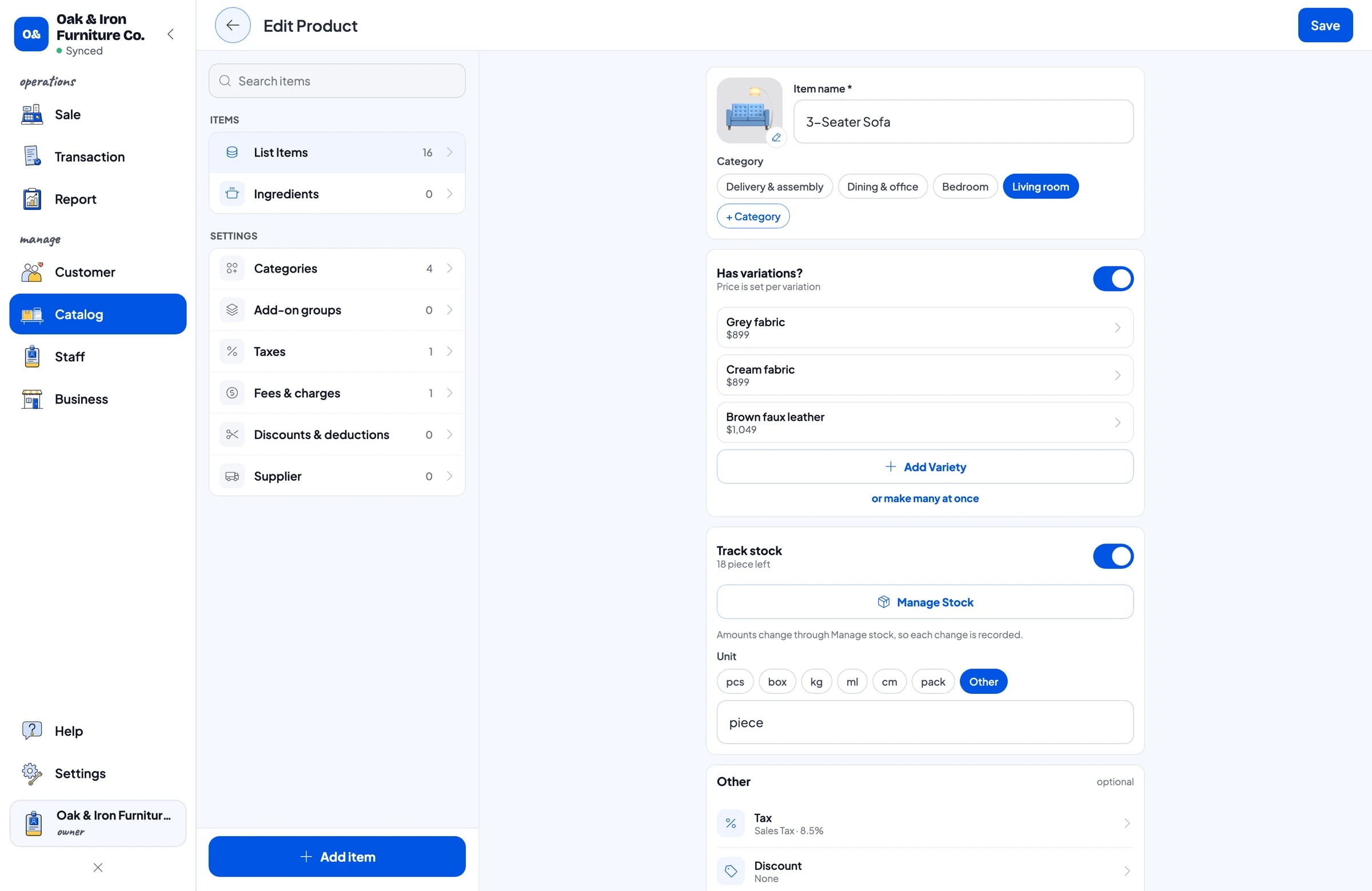
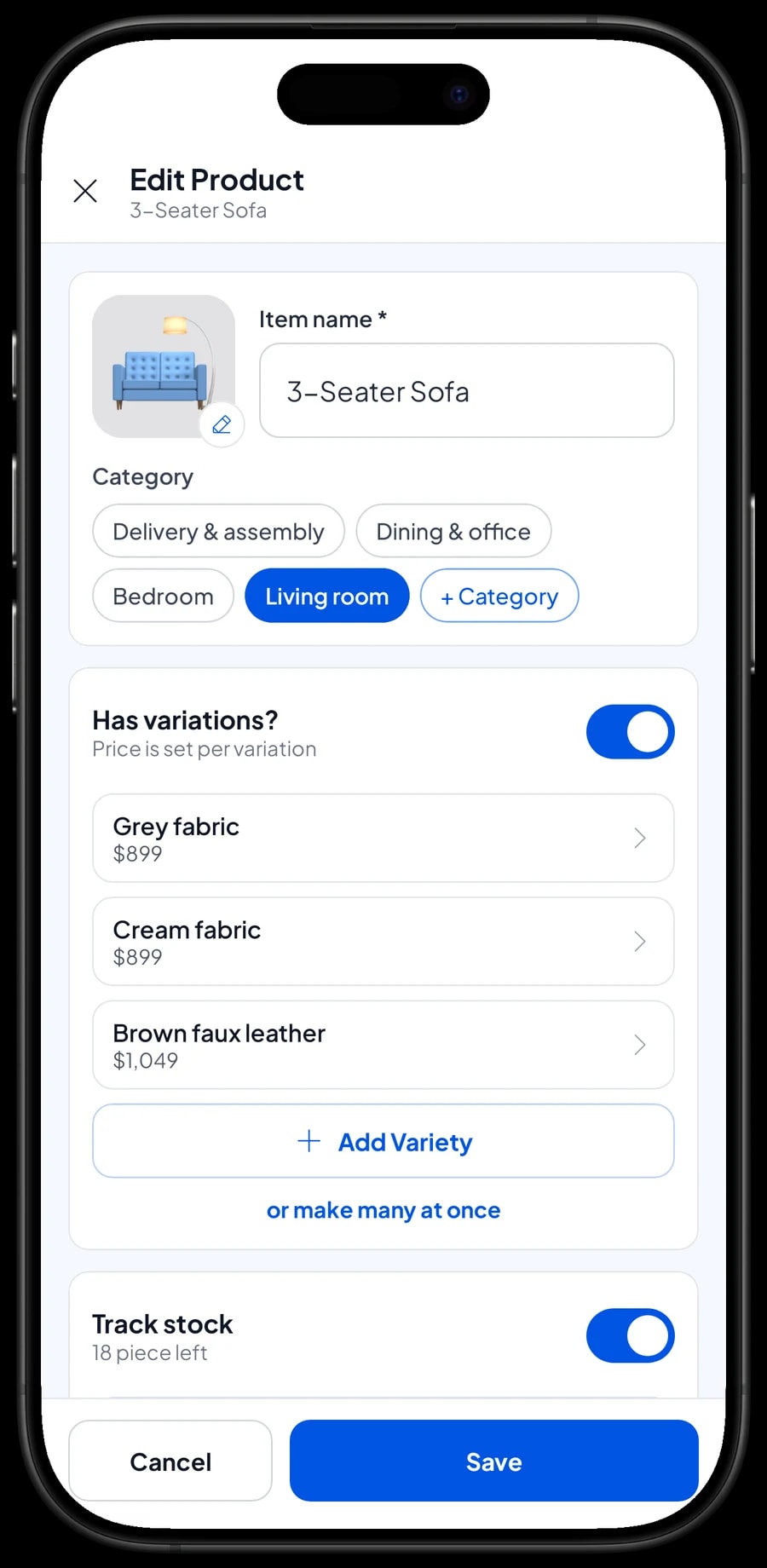
Options that change the price are variants. A 3-Seater Sofa in grey fabric, cream fabric and brown faux leather is one item with three variants. Queen and king beds, a dining set with four or six chairs, a TV console in natural oak or white: staff pick the variant and the price follows. Each variant has its own selling price, its own cost and its own stock.
Add a photo or image to each item so new staff recognise pieces on screen. If your catalog is long, enter it on a Windows or Mac laptop first, then use it on a tablet or phone while you walk customers through the showroom.
- Step 1: Open Catalog → Categories and create categories such as Living room, Bedroom, Dining & office, and Delivery & assembly.
- Step 2: Open Catalog → List Items and add each model with its name, unit (piece or set) and category.
- Step 3: In the variants section, add each fabric, finish or size with its selling price and cost.
- Step 4: Turn on stock tracking and enter how many pieces you have of each variant.
Stock by piece and by variant
A furniture store does not sell hundreds of things a day, but every piece is expensive. So it matters to know exactly how many cream sofas and how many grey ones are left. Every sale takes stock off the variant that was chosen, and the stock screen in the Catalog shows what is left of everything, including pieces kept in the warehouse.
When pieces arrive from the workshop or the upholsterer, add them to the right variant. Keep your workshops and suppliers in the Catalog's supplier list so reordering a model that sells well is quick. A floor model sold at a special price can be its own variant, such as "Floor model", so its stock and price stay separate from new pieces.
Salesmaster does not convert stock between items automatically. If you sell a Dining Set as one item and also sell Teak Dining Chairs on their own, each has its own stock. If you break up a set to sell the chairs separately, record it as a stock adjustment: one set out, the chairs in.
Selling on the showroom floor
Furniture customers rarely buy one thing and leave. They walk the floor, compare, and then decide on a whole room: a bed, a wardrobe and two nightstands. On the Sale screen, staff tap each piece, pick its variant, and the total adds itself up. Sales tax is set once in Fees or Tax and calculated on every sale.
Discounts, such as a showroom event price or a bedroom-set deal, are set up in Deductions and chosen at checkout. You create the payment methods you accept yourself: cash, card, bank transfer or any other method. Reports show how much came in through each one, so the cash drawer and your bank deposits are easy to reconcile.
Save the customer's name and phone number with each sale. It is kept under Customers with their purchase history, so when the driver needs to call ahead, or a customer comes back to finish their dining room, you know what they already bought. The delivery address can go in the sale's note.
Delivery and assembly on the same receipt
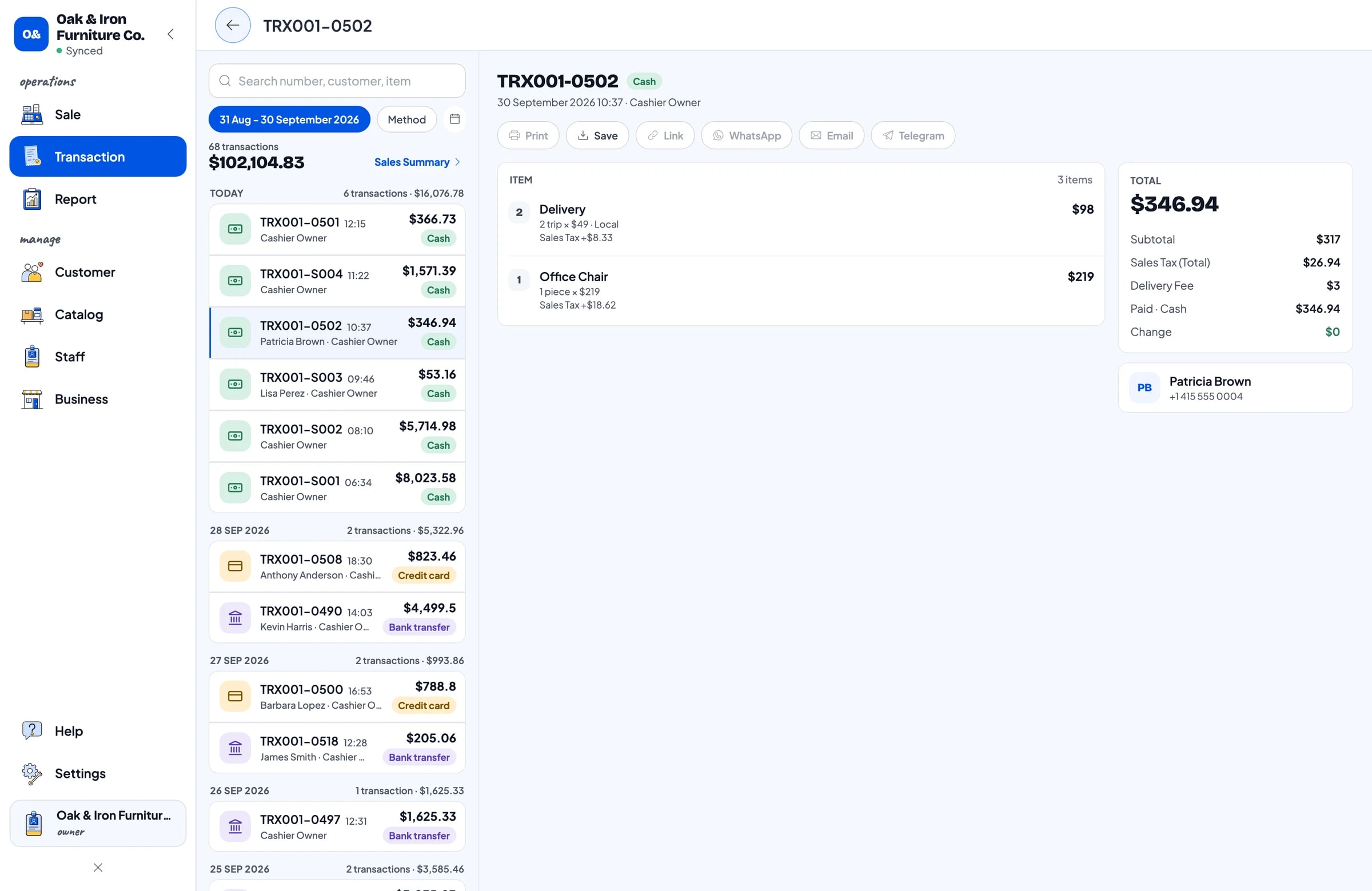
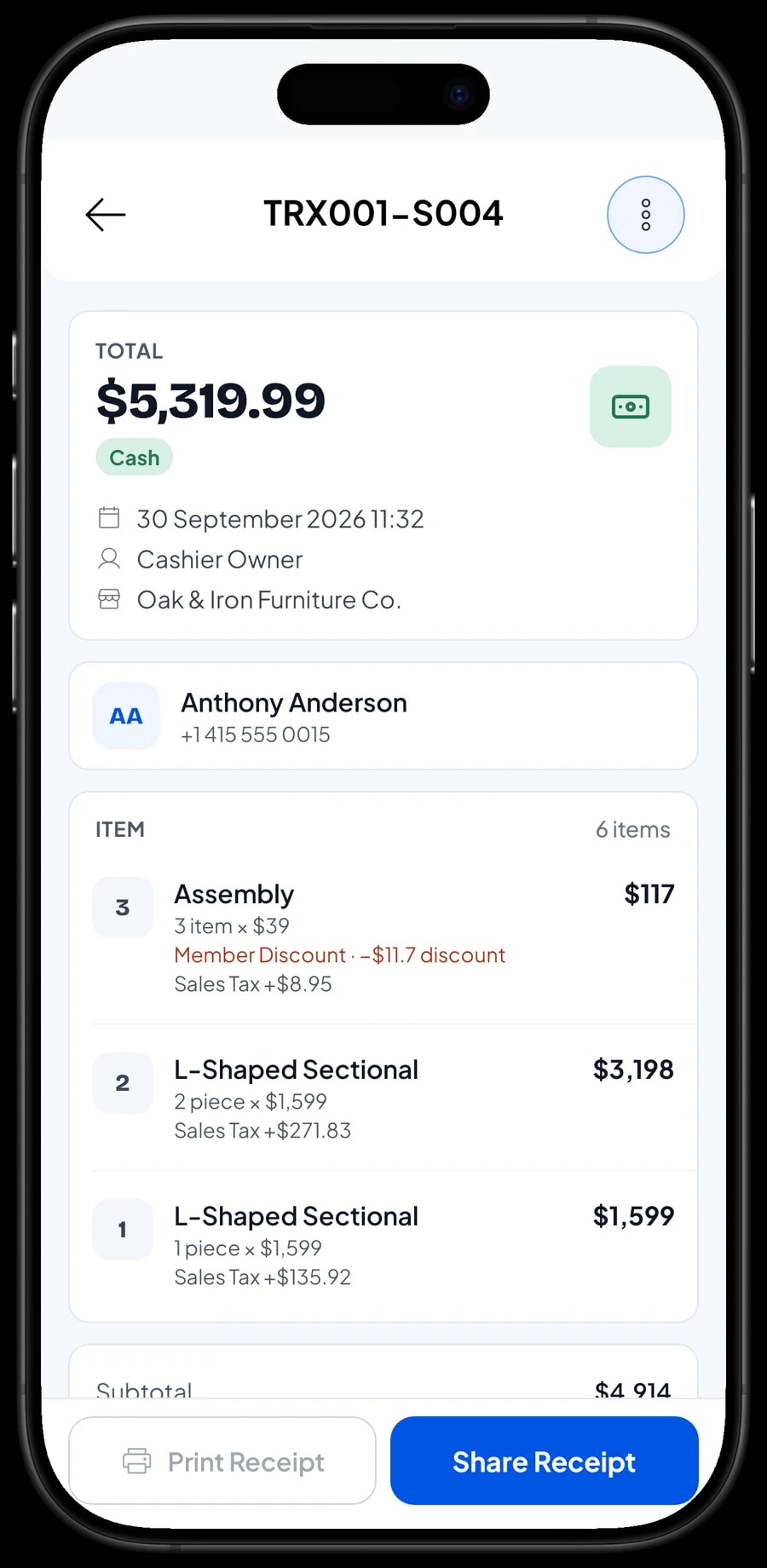
Almost every furniture sale comes with a delivery, and many pieces need assembling at the customer's home. In Salesmaster, delivery is a service item with stock tracking turned off and variants such as Local and Out of town. Assembly is a separate item, and its quantity follows how many pieces are assembled.
That way the bed frame, the wardrobe, one local delivery and two assemblies all sit on one receipt, and the customer sees every line clearly. Reports also show how much revenue came from delivery and assembly, apart from furniture sales. If you charge delivery per order instead, you can set it up in Fees or Tax and add it at checkout.
What delivery costs you, like wages for the driver and helper, truck fuel and bubble wrap, is recorded as an expense in Finance. So you can see whether the delivery fees you charge actually cover the cost of delivering.
- Step 1: Open Catalog → List Items and add a Delivery item in the Delivery & assembly category.
- Step 2: Turn off stock tracking, then add Local and Out of town variants with their rates.
- Step 3: Add an Assembly item priced per piece, also without stock tracking.
- Step 4: At checkout, add delivery and assembly to the cart together with the furniture.
Orders delivered another day: Save order
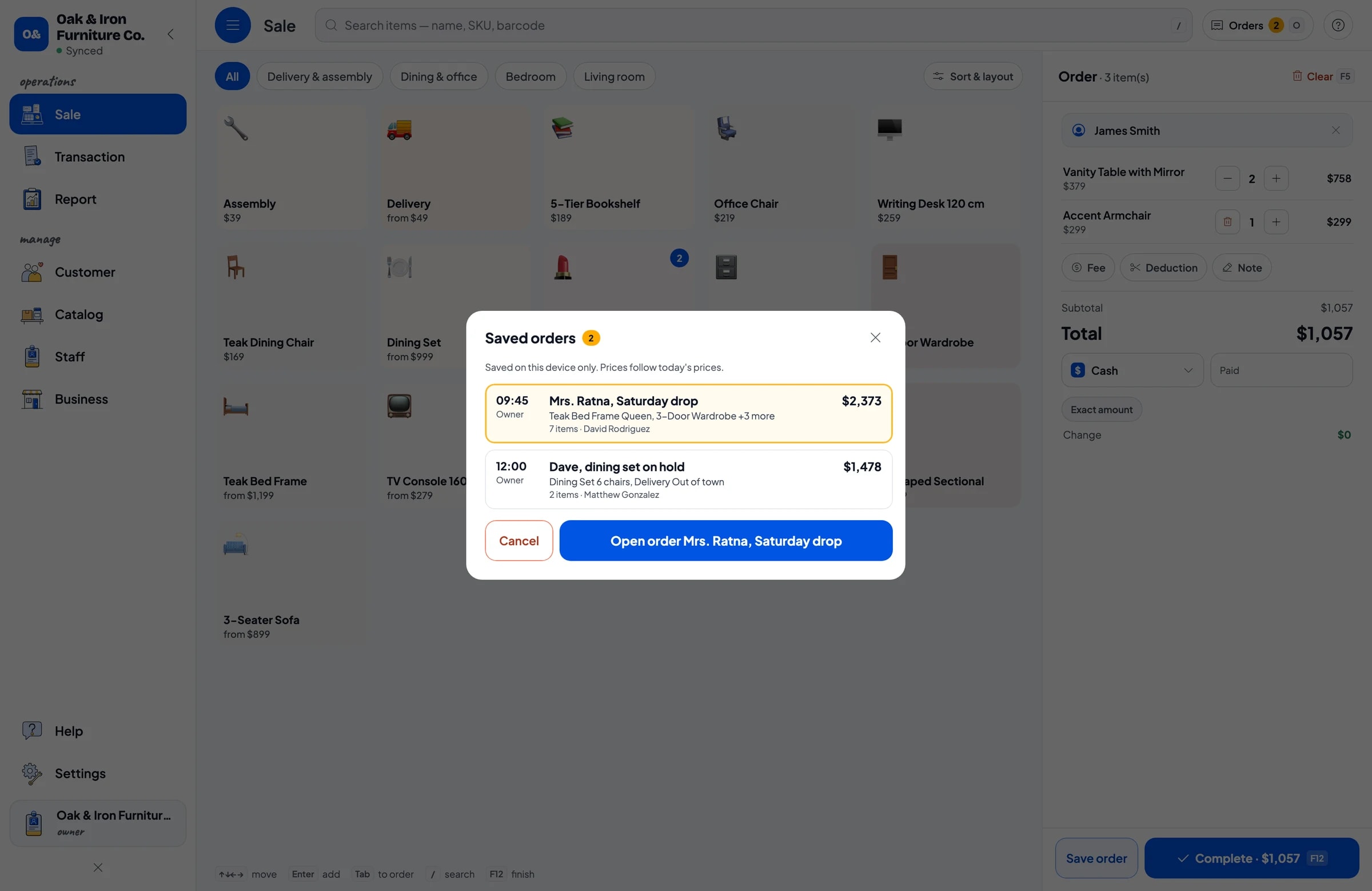
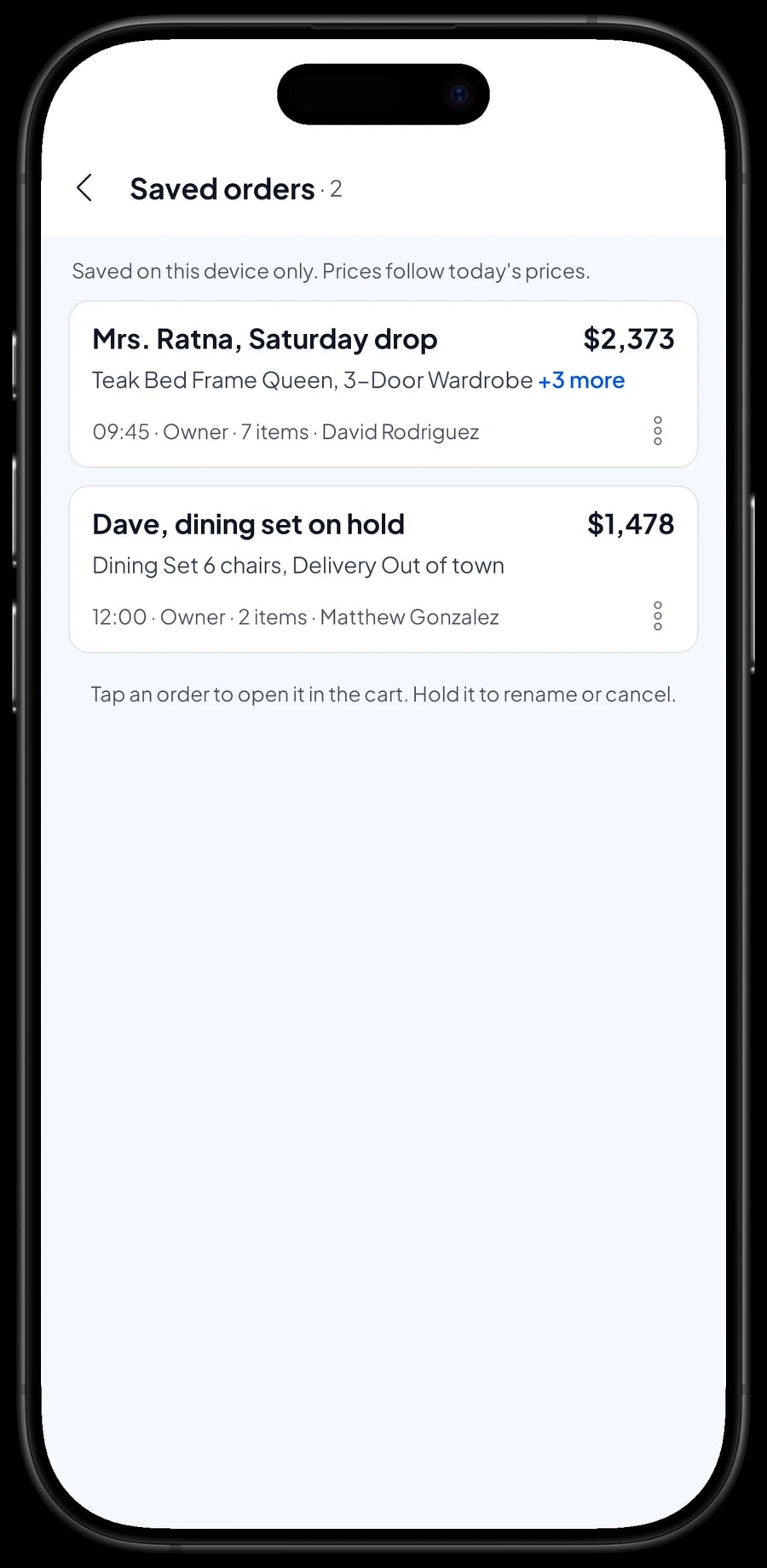
Customers often choose a set today, ask for it on Saturday, and pay the balance when it arrives. That is what Save order is for. The cart is kept as a saved order under the name you give it, for example "Mrs. Ratna, Saturday drop". If the customer pays a deposit, sell it right away as a separate Service item called "Down payment" for the amount received. Staff can move straight on to the next customer.
When the customer pays, open Saved orders, pick the order, add anything they decided on later, and complete the payment. A saved order is not counted as a sale and does not take stock off until it is paid. Saved orders live on the device that created them, so finish the payment on the same device.
To be clear about the limits: Salesmaster does not record partial payments or deposits on a single sale, and it has no accounts-receivable or store-credit ledger per customer. So when the balance is paid, the saved order keeps every piece at its full price, and whoever takes the payment taps Add Deduction for the deposit amount. The drawer and reports then match on both days.
Sales staff and cashier devices
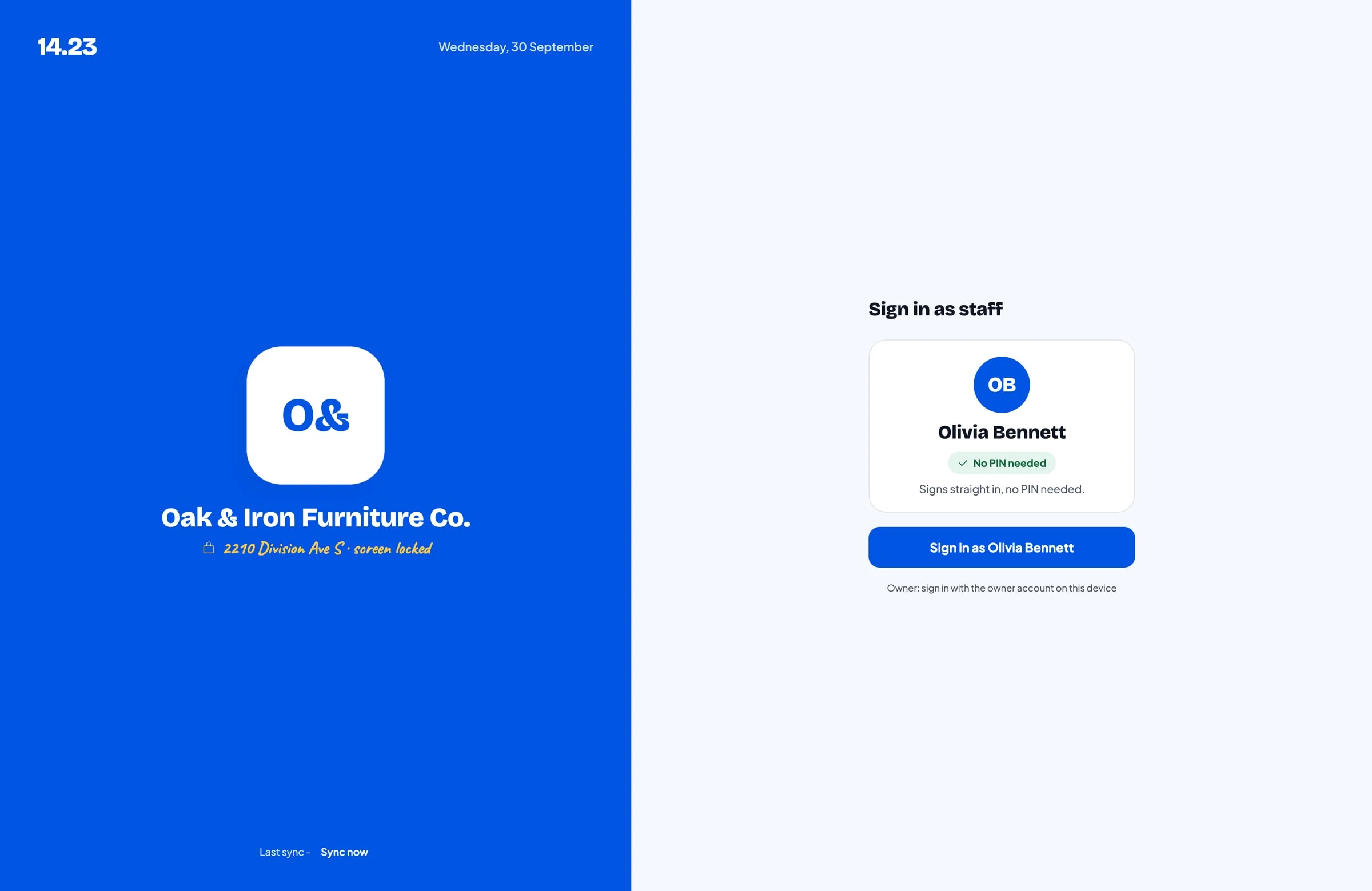
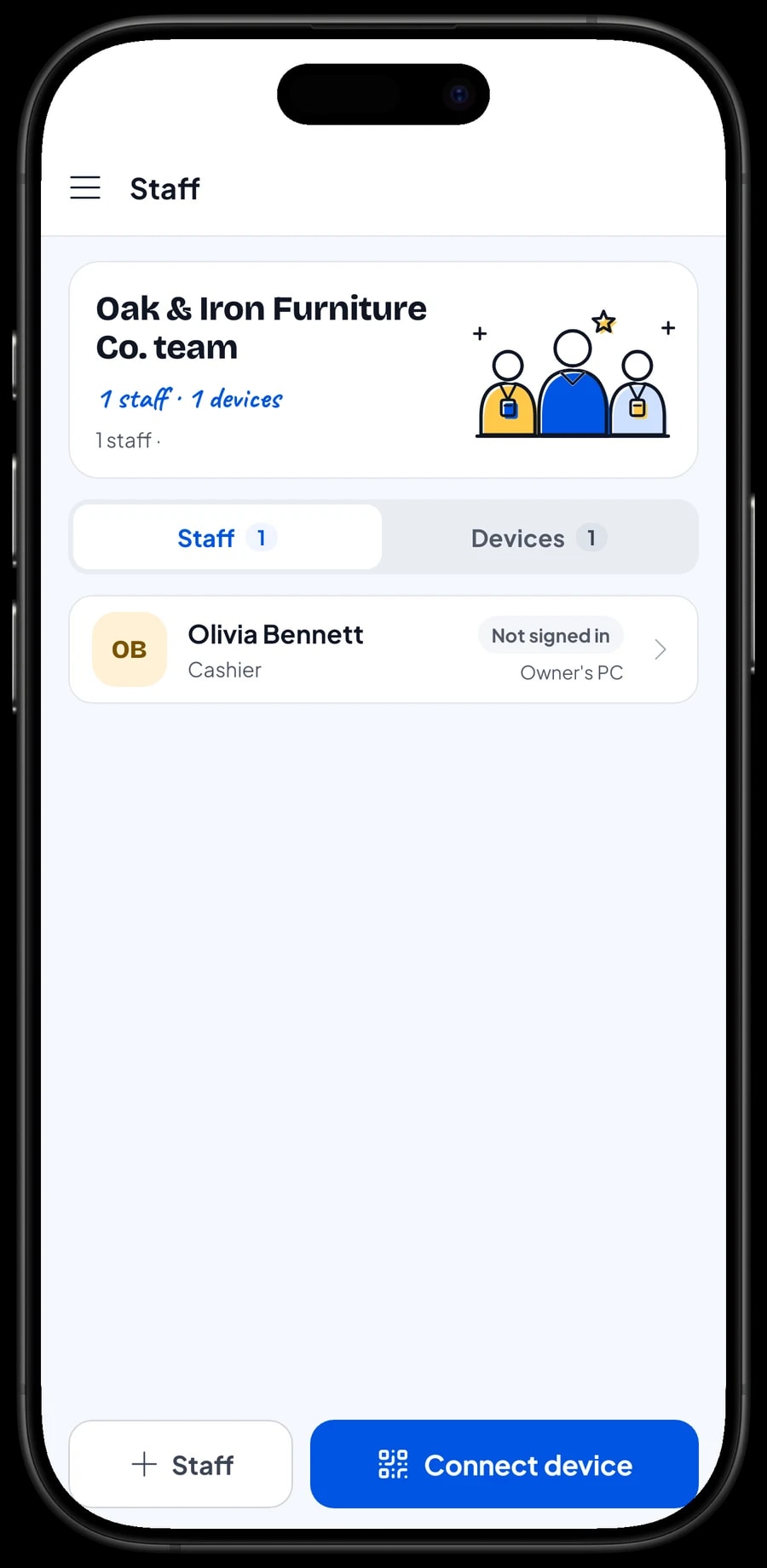
The owner signs in with the main account. Sales staff don't need your account: add them as staff with their own roles, then register a cashier device for them. Staff sign in with a PIN, and you decide what they can see and change, for example recording sales without seeing what you paid the workshop. Staff accounts come with Bronze Pro (1 staff) and Silver Pro (2 staff). An account signs in on one device at a time.
Showroom costs and net profit
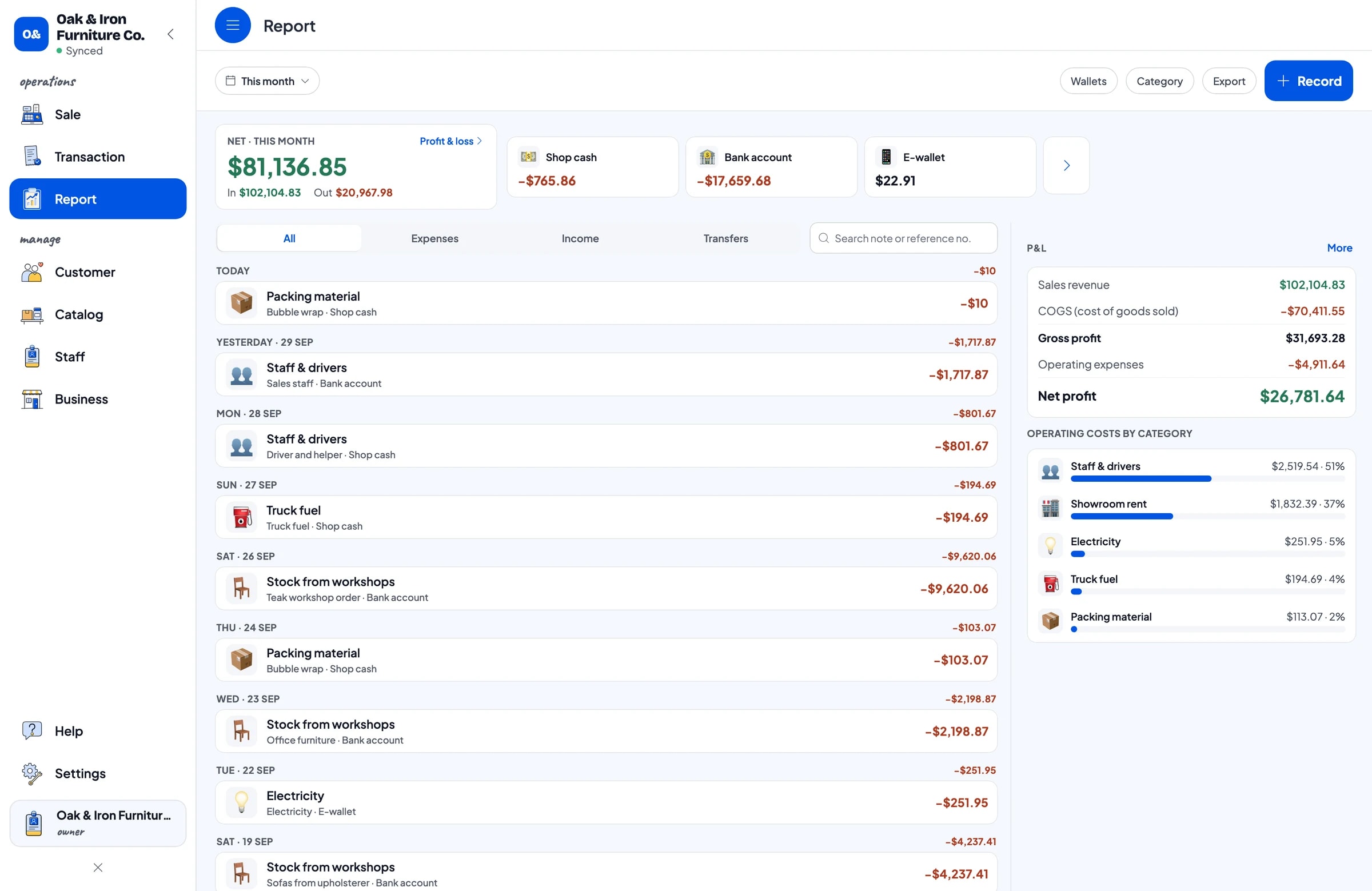
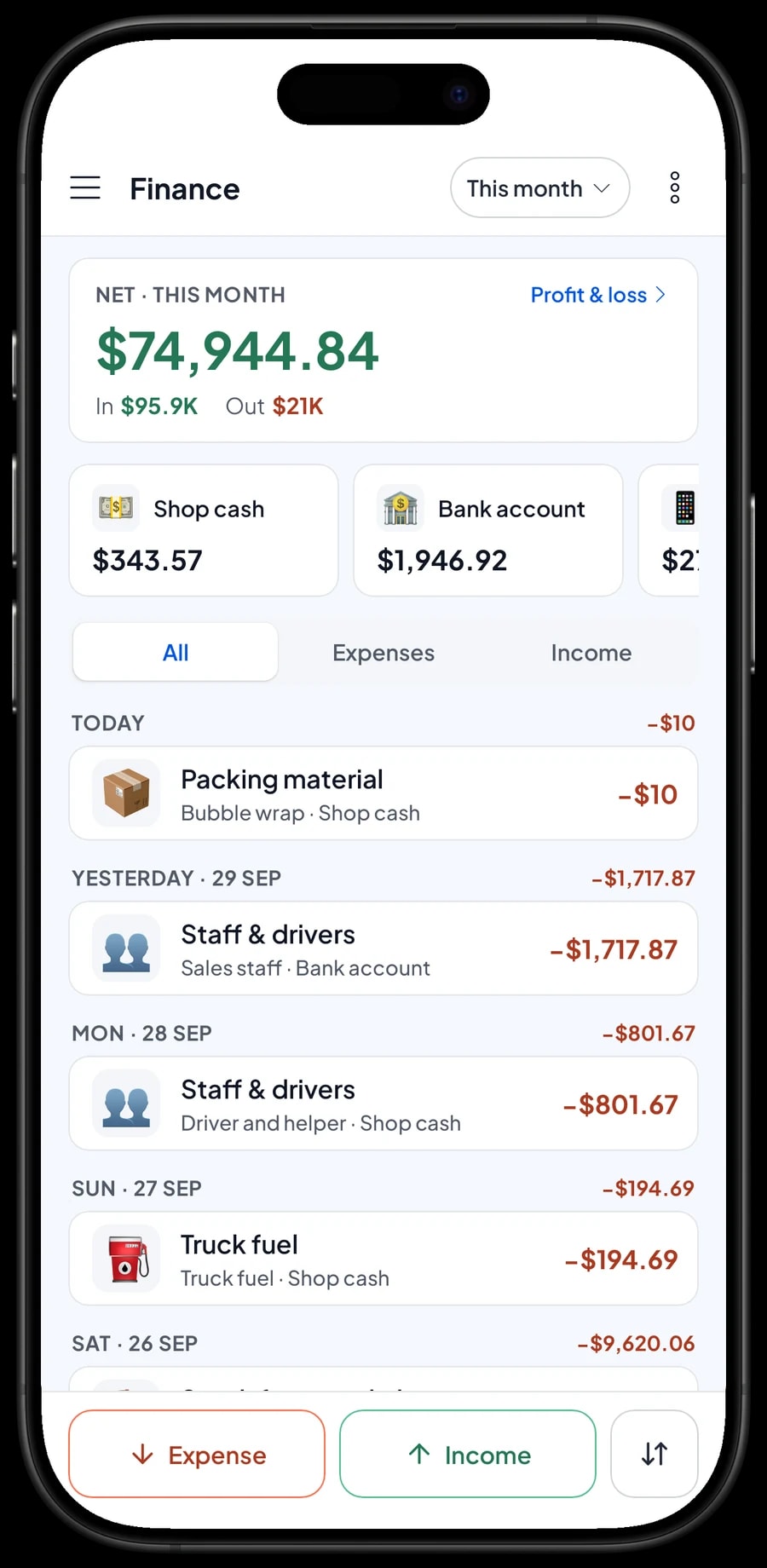
For real profit, record expenses in Finance: stock bought from workshops and upholsterers, wages for sales staff, drivers and helpers, showroom rent, truck fuel, packing material and electricity. Each expense has a category and the wallet it came from, such as shop cash, the bank account or an e-wallet.
The Finance report then shows revenue minus the cost of goods and operating costs, which is your store's net profit. Because every variant keeps its own cost, the faux-leather sofa and the fabric sofa are costed separately instead of averaged. Sales tax you collect is kept apart from profit.
Sales reports: which models earn the most
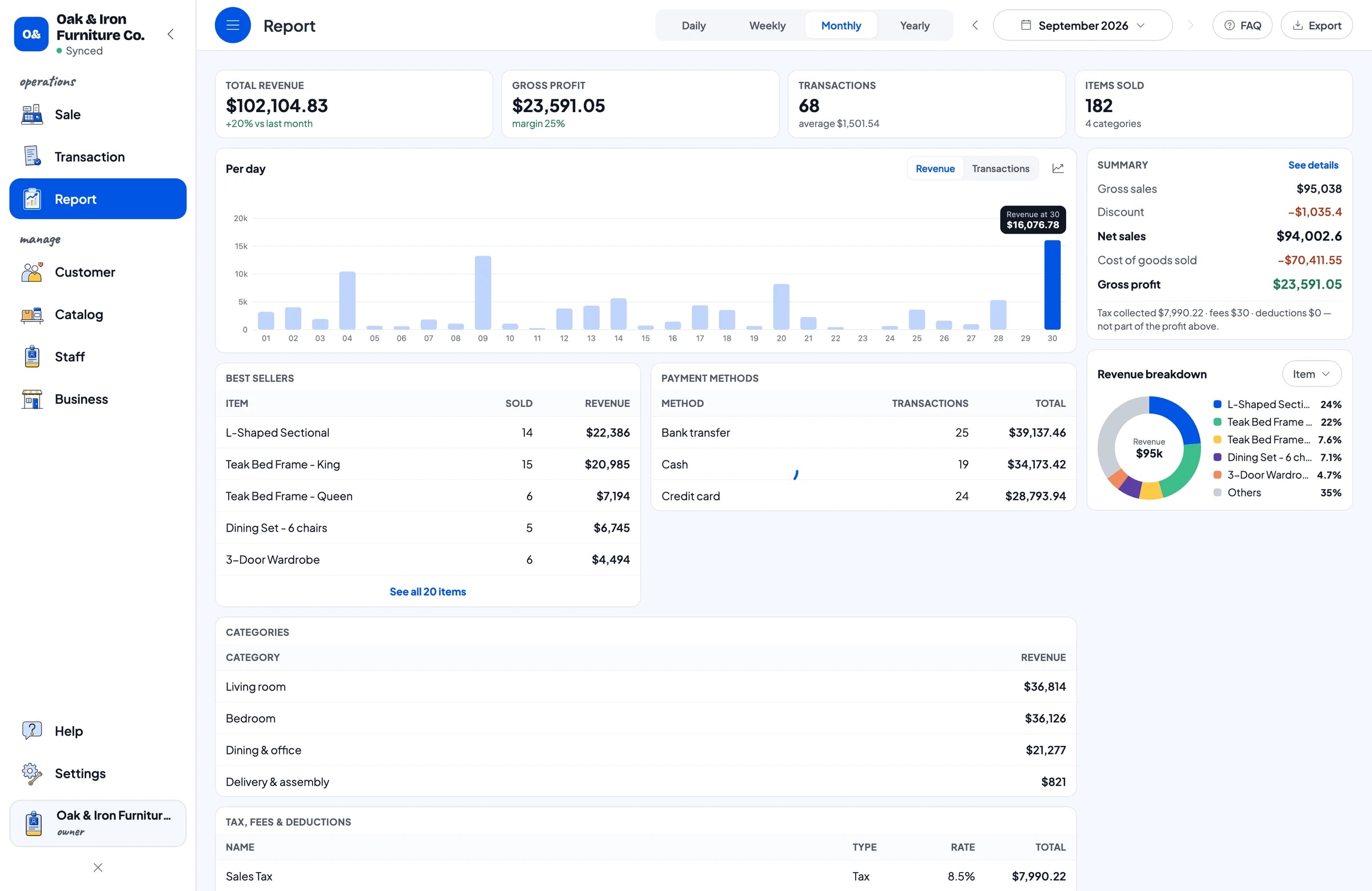
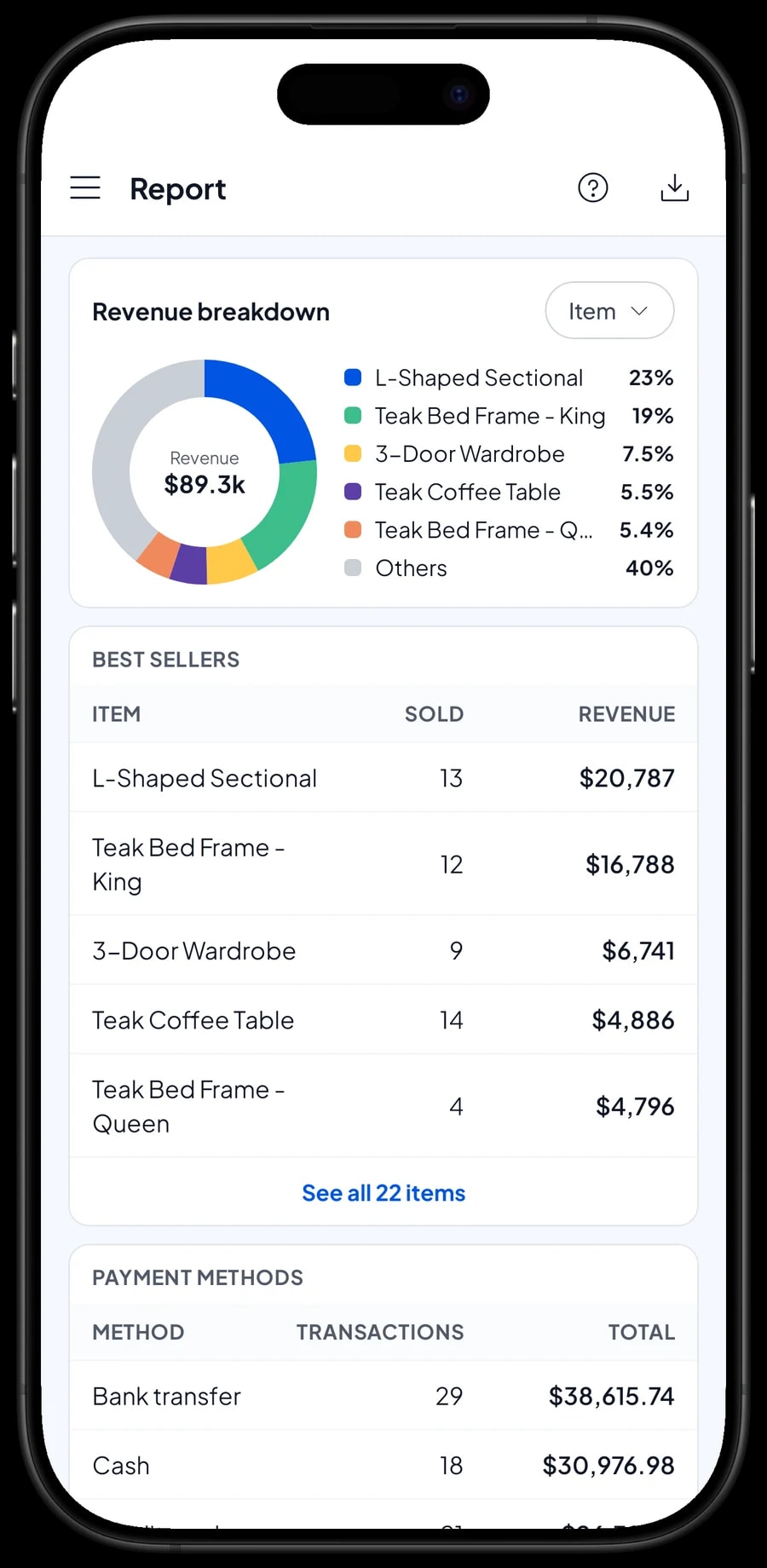
Reports come daily, weekly, monthly and yearly. You see total revenue, gross and net sales, discounts, tax, gross profit, and revenue broken down by item. For a furniture store, that breakdown is the useful part: it shows whether the sectional or the dining set brings in the most, and which variants sell best.
Reports export to Excel or PDF for your accountant or business partner. The numbers help decide which models to reorder from the workshop and which ones should come off the floor.
Get started in a day
You don't need to close the showroom to switch. Install Salesmaster on a tablet or phone, sign up, and enter the models on your floor with their variants. Add Delivery and Assembly items, then connect a Bluetooth or USB thermal printer if you print receipts. Receipts can also be sent by WhatsApp, email, or a web receipt link that carries your store's logo and contact details.
If the signal in the warehouse or showroom is weak, that's fine. Sales are saved on the device and sync when the internet is back. Offline mode works for up to 7 days; after that the app needs to connect briefly to sync. The first sync needs internet.
Once checkout runs smoothly, enter the stock of every piece, then start recording expenses in Finance. Our team is available on WhatsApp if you want help setting up your catalog.
An example furniture store catalog
Use this table as a starting point and replace the names, options and prices with your own pieces.
| Category | Item | Unit | Variants | Stock |
|---|---|---|---|---|
| Living room | 3-Seater Sofa | piece | Grey fabric, Cream fabric, Brown faux leather | Per variant |
| Living room | L-Shaped Sectional | piece | - | Yes |
| Living room | TV Console 160 cm | piece | Natural oak, White | Per variant |
| Bedroom | Teak Bed Frame | piece | Queen, King | Per variant |
| Bedroom | 3-Door Wardrobe | piece | - | Yes |
| Dining & office | Dining Set | set | 4 chairs, 6 chairs | Per variant |
| Dining & office | Teak Dining Chair | piece | - | Yes |
| Delivery & assembly | Delivery | trip | Local, Out of town | No |
| Delivery & assembly | Assembly | item | - | No |
Fabrics, finishes and sizes are variants with their own stock and cost. Delivery and assembly are items without stock tracking, so they go on the same receipt as the furniture.
Which plan fits your furniture store
A furniture store records fewer sales than a grocery store, but each one is worth more. A showroom making 2 to 3 sales a day records roughly 60 to 90 transactions a month.
| Plan | Price | Transactions / month | Staff accounts | Good for |
|---|---|---|---|---|
| Free | Free | 30 | Owner only | To try the checkout flow and set up your showroom catalog before using it for real. |
| Solo Pro | $4.90/month | 3,000 | Owner only | Showrooms where the owner handles every sale. |
| Bronze Pro | $6.90/month | 5,000 | 1 staff | Showrooms with one salesperson recording sales on their own device. |
| Silver Pro | $9.90/month | 8,000 | 2 staff | Larger showrooms with two staff on separate devices. |
Every plan includes checkout, catalog, receipts, reports and offline mode. You can change plans at any time. See pricing →
Frequently asked questions
- Can Salesmaster track stock by fabric, finish and size?
- Yes. Create one item per model and add each fabric, finish or size as a variant. Every variant has its own selling price, cost and stock, and every sale takes stock off the variant that was chosen.
- Can customers pay a deposit first?
- Salesmaster does not record partial payments on one sale. Sell the deposit right away as a separate Service item called "Down payment" for the amount received, and hold the order with Save order. When the balance is paid, open the order at its full price, tap Add Deduction for the deposit amount and complete the payment, on the device where it was saved.
- How do I charge for delivery and assembly?
- Create Delivery and Assembly as items without stock tracking, with variants such as Local and Out of town. Add them to the cart with the furniture, so everything is on one receipt and shows up in your reports.
- Is there a delivery schedule or calendar?
- There is no delivery calendar. What many stores do instead: put the delivery day in the saved order's name, for example "Mrs. Ratna, Saturday drop", and the address in its note. The Saved orders list then works as your list of deliveries still to complete.
- Can I keep customer details for delivery and warranty claims?
- Yes. Save the customer's name and phone number at checkout. Their purchase history is kept under Customers, and any receipt can be opened again from Transactions and resent by WhatsApp or email.
- Can my sales staff use their own devices?
- Yes, through staff accounts. The owner uses the main account, adds staff and registers cashier devices for them. Staff sign in with a PIN according to their role. Staff accounts come with Bronze Pro (1 staff) and Silver Pro (2 staff).
- Can the showroom keep selling when the internet is down?
- Yes. Sales are saved on the device and sync when the internet is back. Offline mode works for up to 7 days before the app needs to connect to sync.
Need help setting up your catalog? Chat with our team on WhatsApp →



