

Salesmaster is a point-of-sale (POS) app for hardware stores and building suppliers on Android, iPhone & iPad, Windows and Mac. Each item can have size or unit variants with their own price, cost and stock, delivery and paint mixing sell on the same ticket as the goods, job orders wait as saved orders until they are paid, and the Finance report shows net profit after operating costs. A Free plan lets you try it first.
Problems every hardware store knows
If any of these sound familiar, this page is for you.
- 01
Thousands of items, all in different units
Cement by the bag, bricks by the piece, nails by the kilo, cable by the meter, paint from 1 kg to 25 kg. Prices the cashier keeps in their head go wrong fast, especially after a supplier price rise.
- 02
Stock never matches the yard
The notebook says 40 bags of cement, the yard has 25. The 3/4 in pipe ran out and nobody noticed until a plumber was waiting at the counter.
- 03
Job orders that aren't paid yet
A contractor orders cement, sand and rebar for delivery tomorrow and pays when it is unloaded. On a paper slip, that order gets lost or billed at the wrong price.
- 04
Big turnover, thin margins
A lot of money moves through the store, but margins on cement and steel are small. After the driver's wages, truck fuel and rent, you are not sure what the store really makes.
Building your catalog: categories and selling units
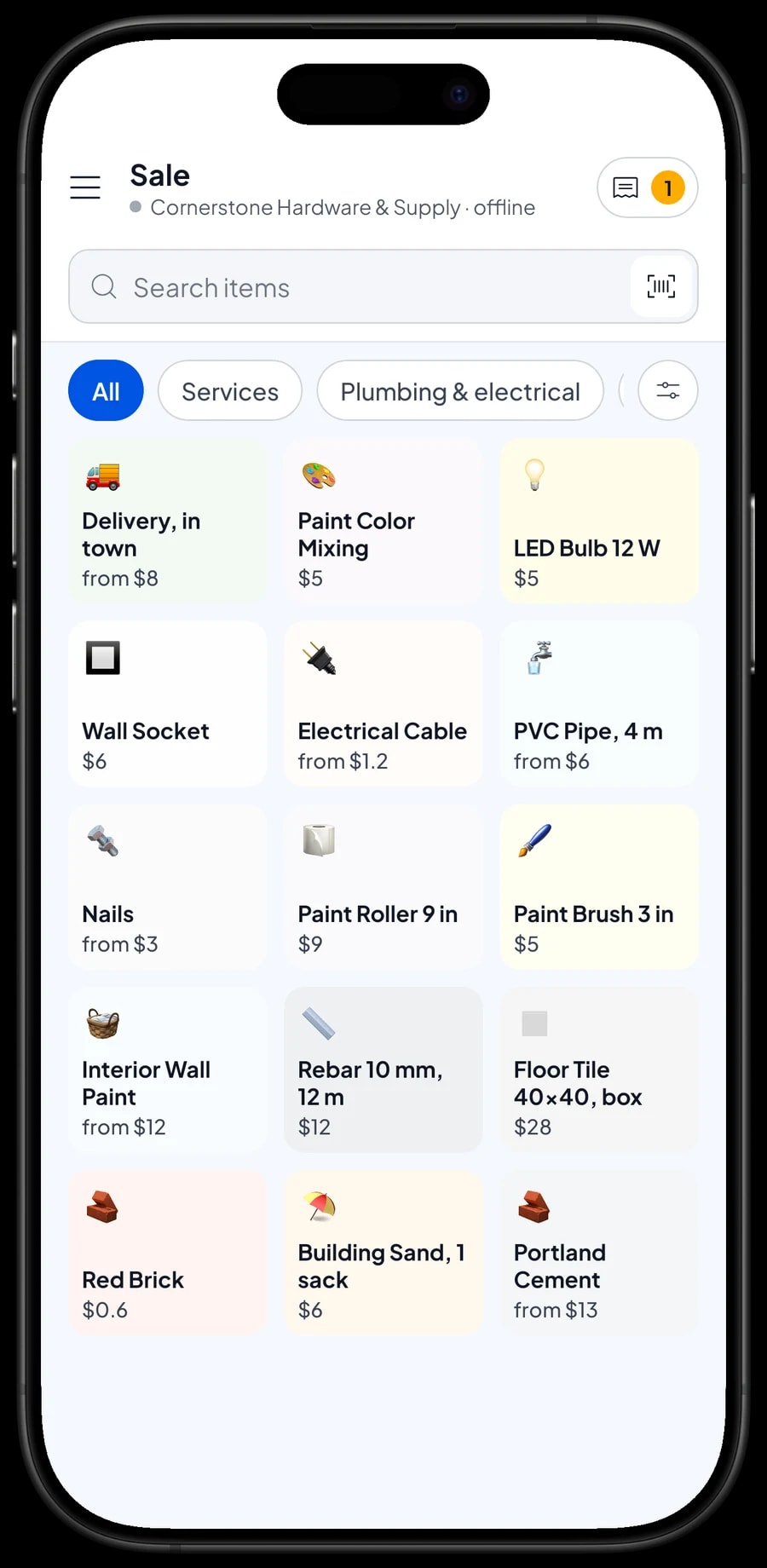
A hardware store can carry hundreds or thousands of items, so start with the categories your staff already think in: Building materials, Paint, Plumbing & electrical, and Services. On the Sale screen, the cashier taps a category to narrow the list, or types the item name in Search.
Every item in Salesmaster has a unit, such as bag, sack, piece, length, box, can, kg or meter. The unit prints on the receipt, so the customer sees "12 lengths x $12" instead of a bare number. Use the unit you sell in, not the unit you buy in from the supplier.
Items with a factory barcode, like wall sockets, LED bulbs or brushes, can be scanned with a barcode scanner so the cashier doesn't have to look for them. For loose goods like sand or nails, a clear name in the catalog is enough.
- Step 1: Open Catalog → Categories and create categories such as Building materials, Paint, Plumbing & electrical and Services.
- Step 2: Open Catalog → List Items and add each item with its name, unit, selling price and cost.
- Step 3: Turn on stock tracking for the items you want to count.
- Step 4: Add the barcode to factory-packed items so they can be scanned at the counter.
One item, many sizes: use variants
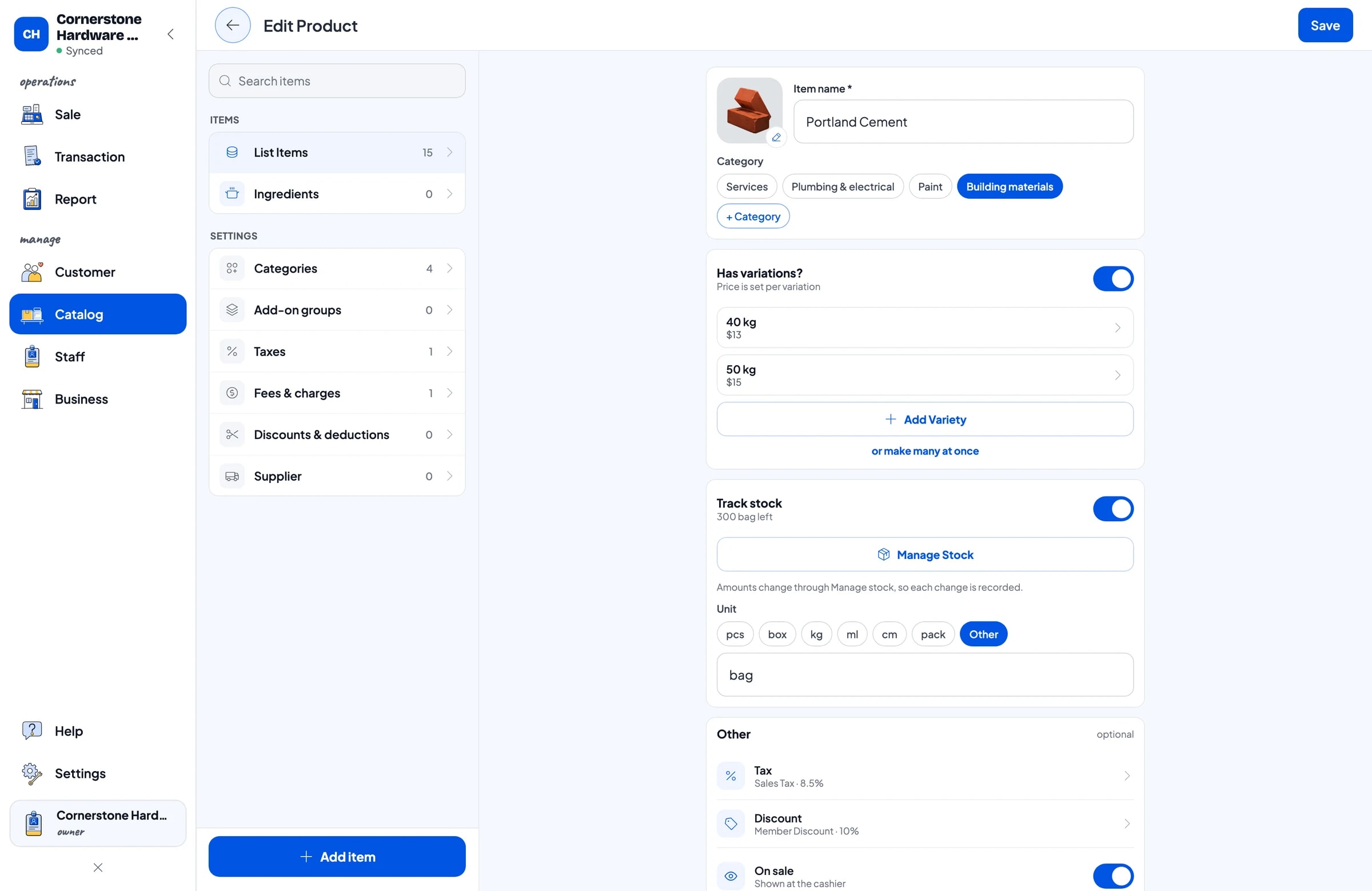
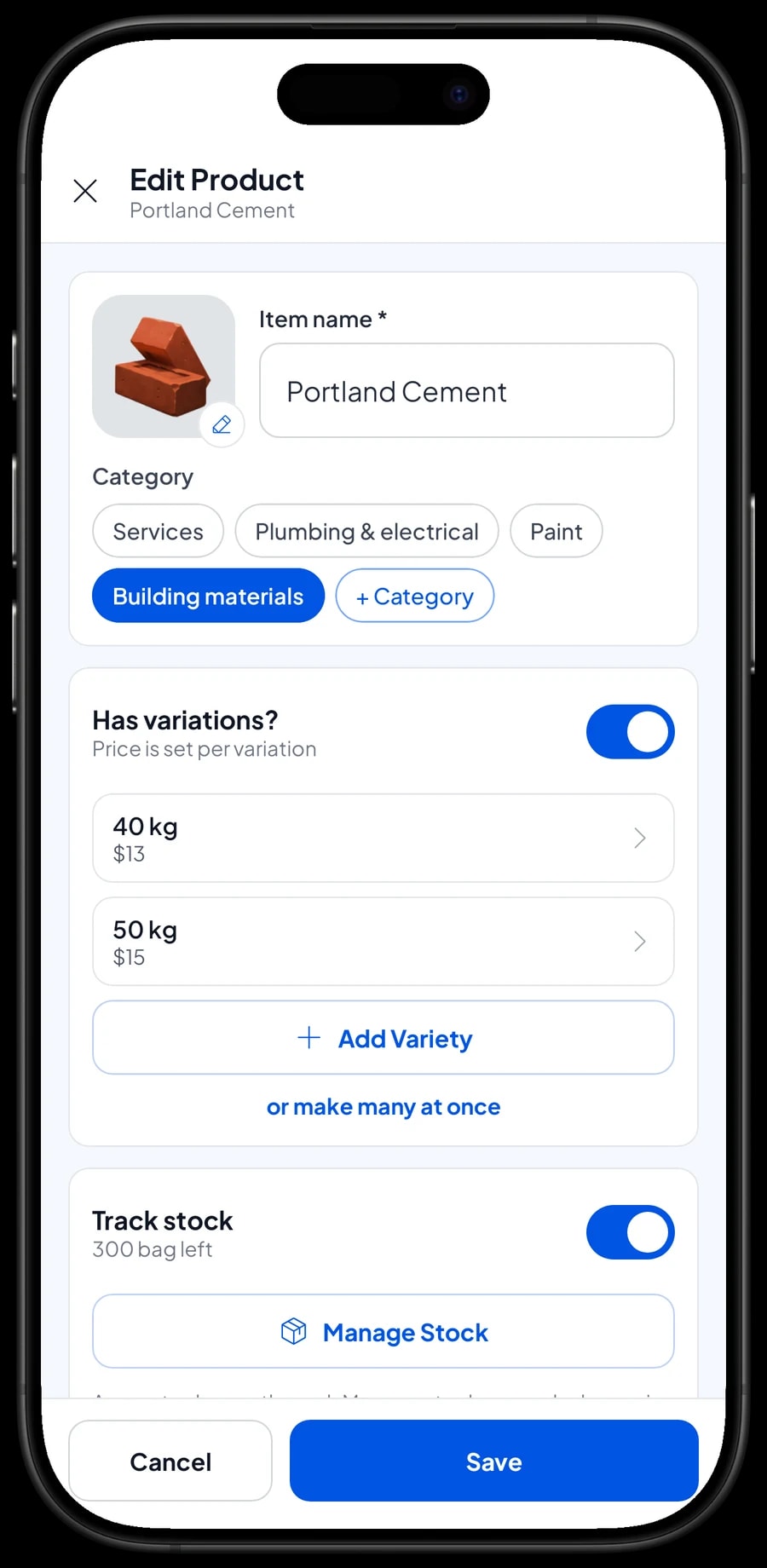
Cement in 40 kg and 50 kg bags, wall paint in 1, 5 and 25 kg, PVC pipe in 1/2, 3/4 and 1 in, cable in two gauges. Instead of a dozen separate items, create one item with variants. The cashier picks the variant on the Sale screen and the price follows.
Each variant has its own selling price, its own cost and its own stock. The 5 kg paint never gets mixed up with the 25 kg, and your profit report uses the right cost for every size. Quantities in the cart are whole numbers, so cable sells by the whole meter and nails by the whole kilo.
One thing to know: Salesmaster does not convert between units. If you open a reel of cable to sell by the meter, or break open a box of tiles, the reel's stock doesn't drop and the per-meter stock doesn't rise on its own. Record that change as a stock adjustment in Catalog → Inventory → Stock.
The same goes for contractor pricing. There is no automatic tiered or quantity pricing. If you give trade customers a better price, create separate variants such as "Retail" and "Trade" and let the cashier choose.
- Step 1: Open Catalog → List Items and choose an item, for example Portland Cement.
- Step 2: Add a variant and name it the way customers ask for it, such as 40 kg or 50 kg.
- Step 3: Enter the selling price, cost and opening stock for each variant.
- Step 4: Save, then try picking the variant on the Sale screen.
Serving contractors and walk-in customers
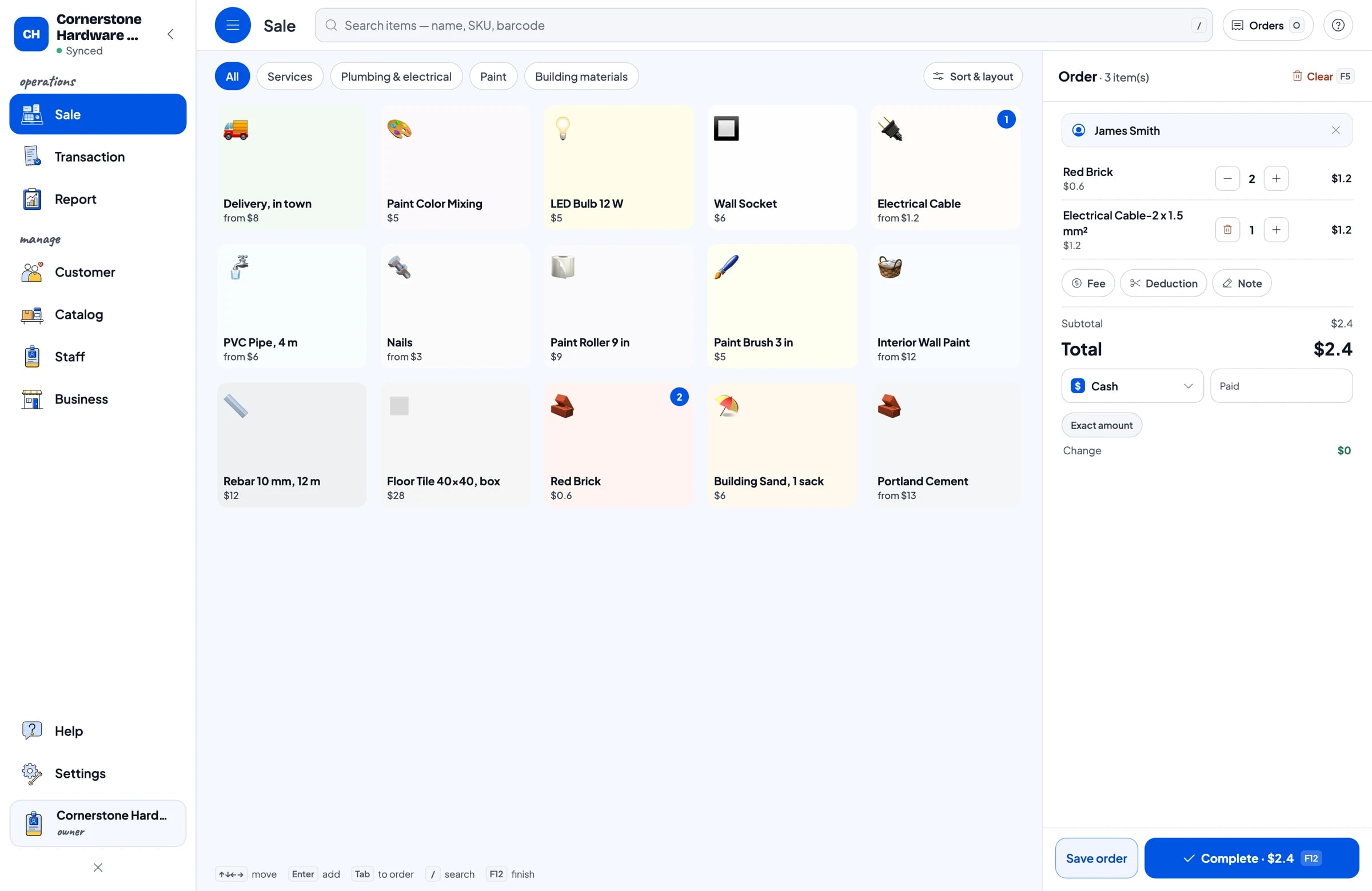
Early morning is usually the busiest time: contractors arrive with a shopping list, homeowners ask about paint, and the driver waits to load. On the Sale screen, the cashier taps items, changes quantities, and the total is worked out straight away, including sales tax if your store charges it.
Add the customer's name to the sale when it is a regular, such as a contractor who buys every week. Their purchase history is kept under Customers, so you know who your biggest buyers are and what they usually take.
For orders that need instructions, like "cream, mix in store" or "cut rebar in half", use Add Note. The note is saved with the sale and can be read again when the order is prepared.
Delivery and paint mixing on the same ticket
A hardware store sells more than goods. There is delivery by motorbike or pickup truck, paint colour mixing, sometimes cutting. In Salesmaster, these are service items with no stock, sold on the same ticket as the goods.
Delivery can have variants by vehicle, such as Motorbike and Pickup truck, each with its own price. If the fee depends on the address, you can also use Add Fee in the cart and type the amount for that sale.
Because services are recorded as sales, the report shows how much delivery brought in each month. That tells you whether the fuel and the driver's wages are actually covered.
- Step 1: Open Catalog → List Items and add a new service item, for example Delivery, in town.
- Step 2: Add Motorbike and Pickup truck variants with their prices.
- Step 3: Put the service in the cart with the goods and complete the payment.
Job orders that are paid on delivery
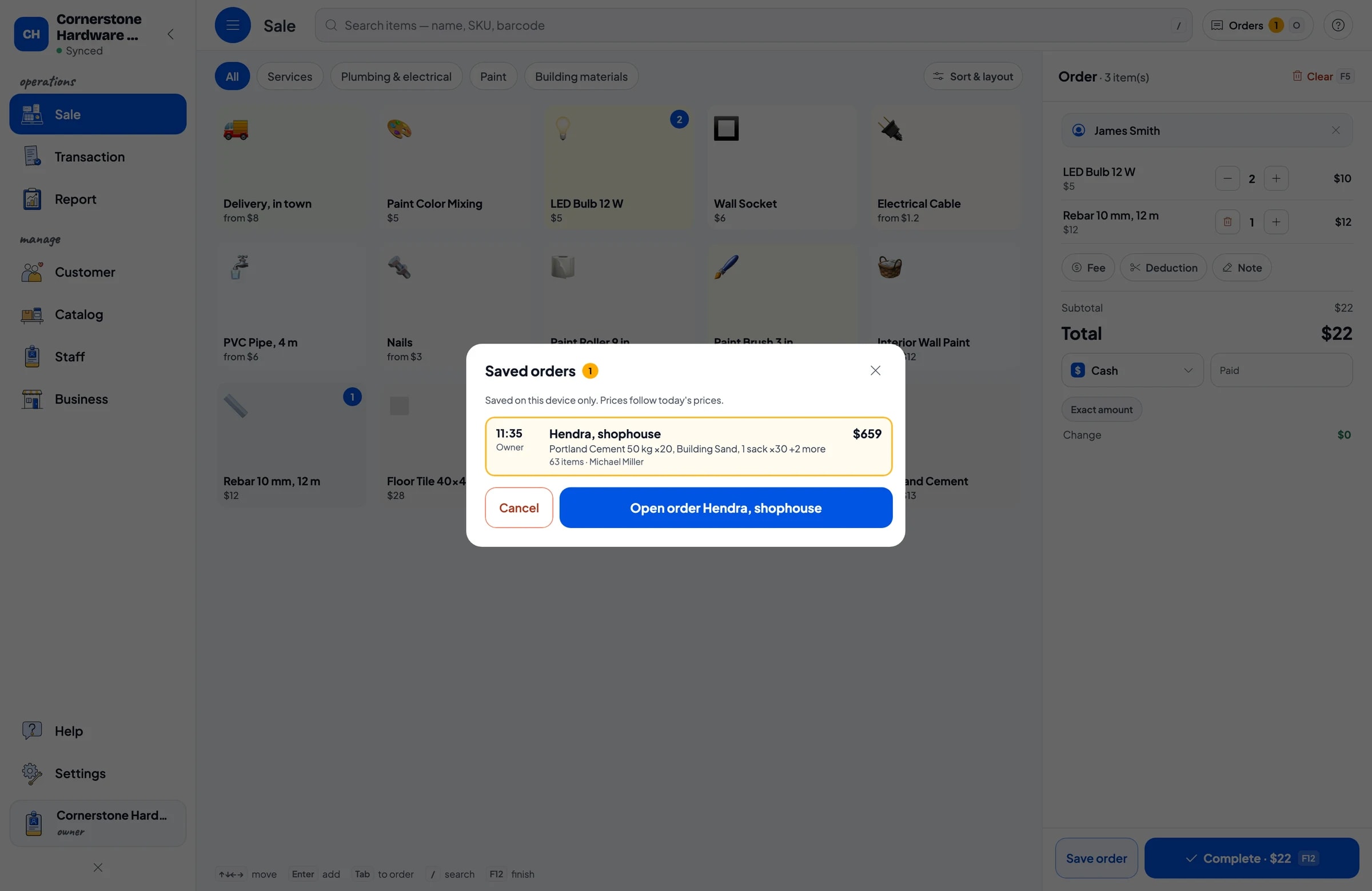
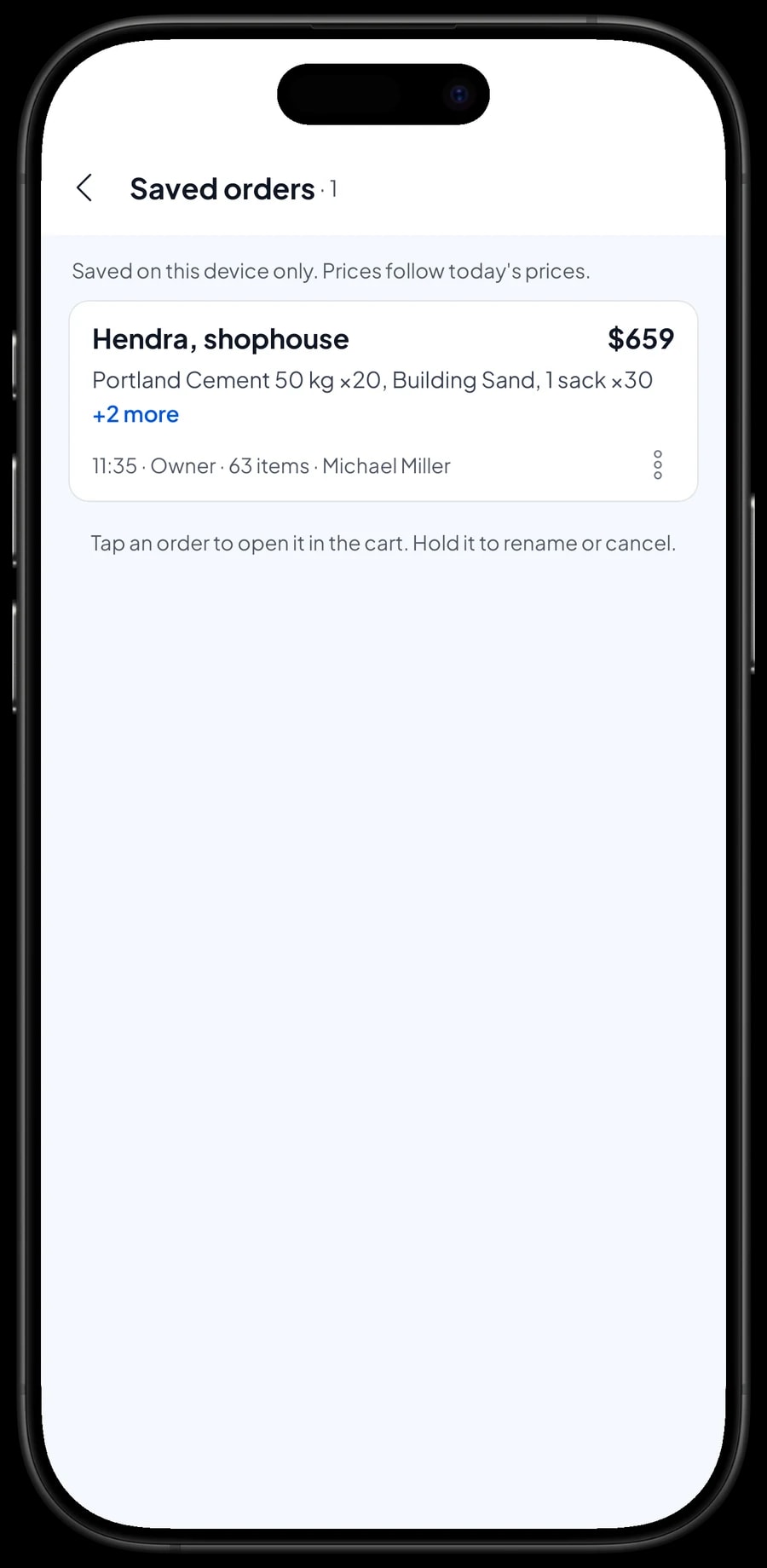
Contractors and homeowners often order today for delivery tomorrow morning and pay once the goods are unloaded. That is what Save order is for. The cashier builds the cart as usual and saves it under a clear name, for example "Hendra, shophouse", with a note like "Deliver tomorrow".
Saved orders appear in the Saved orders list. When the driver is back and the money is in, open the order, add anything the customer asked for on site, and complete the payment. Only then is it recorded as a sale and taken off stock.
Two things to keep in mind. A saved order lives on the device that created it, so finish the payment on that same device. And a saved order is not a customer credit account: Salesmaster doesn't track receivables or partial payments on one sale. If a customer pays a deposit, sell it right away as a separate Service item called "Down payment" for the amount received. At the final payment, the order keeps its full price and the cashier taps Add Deduction for the deposit amount, so the drawer and reports match on both days.
Payments, sales tax, discounts and receipts
Create the payment methods you accept: cash, card, bank transfer, or any other method. There is no built-in link to a card terminal, so the cashier records the method used. Reports split the money by method, so the cash drawer and your bank statement are easy to reconcile.
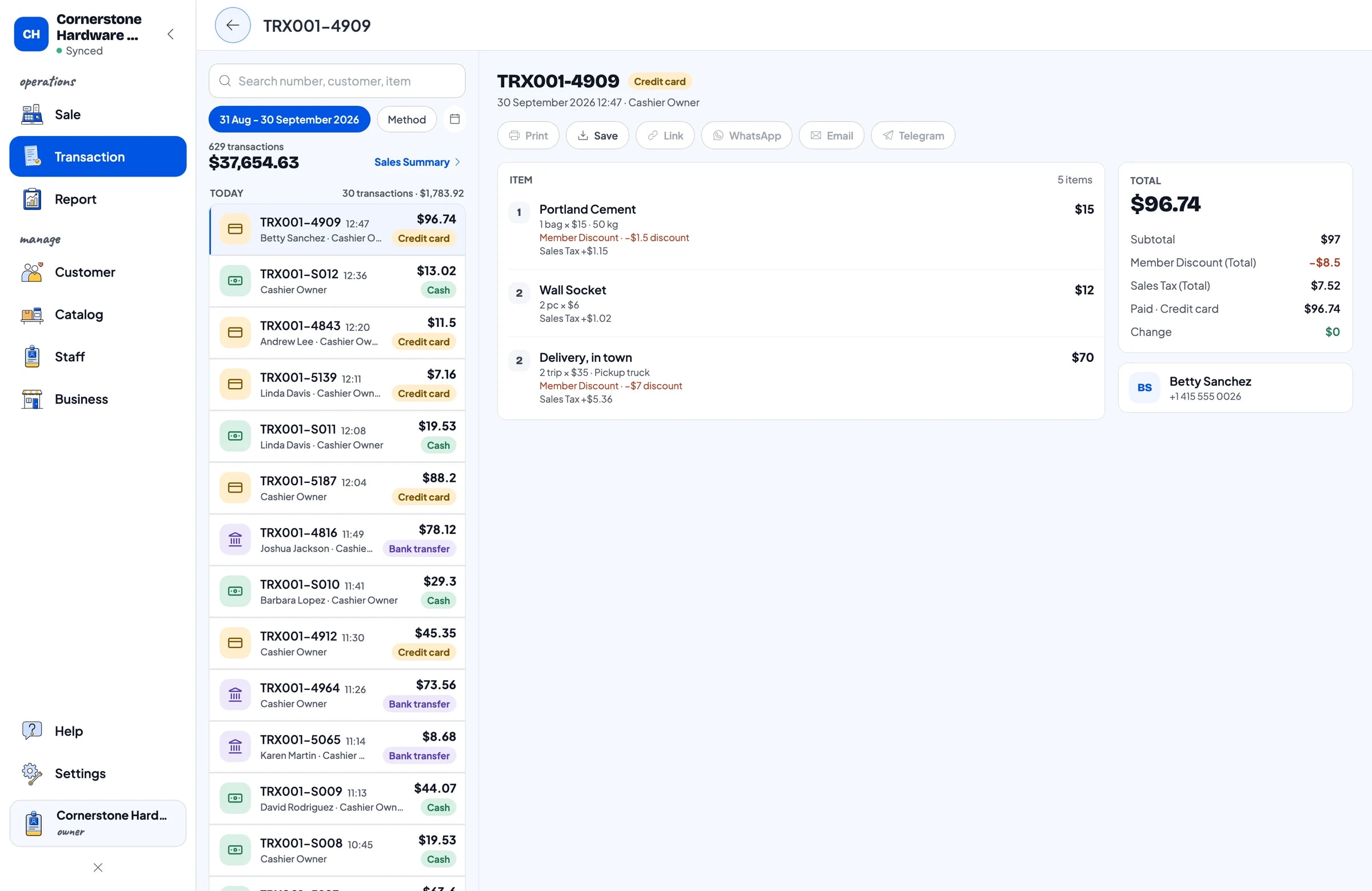
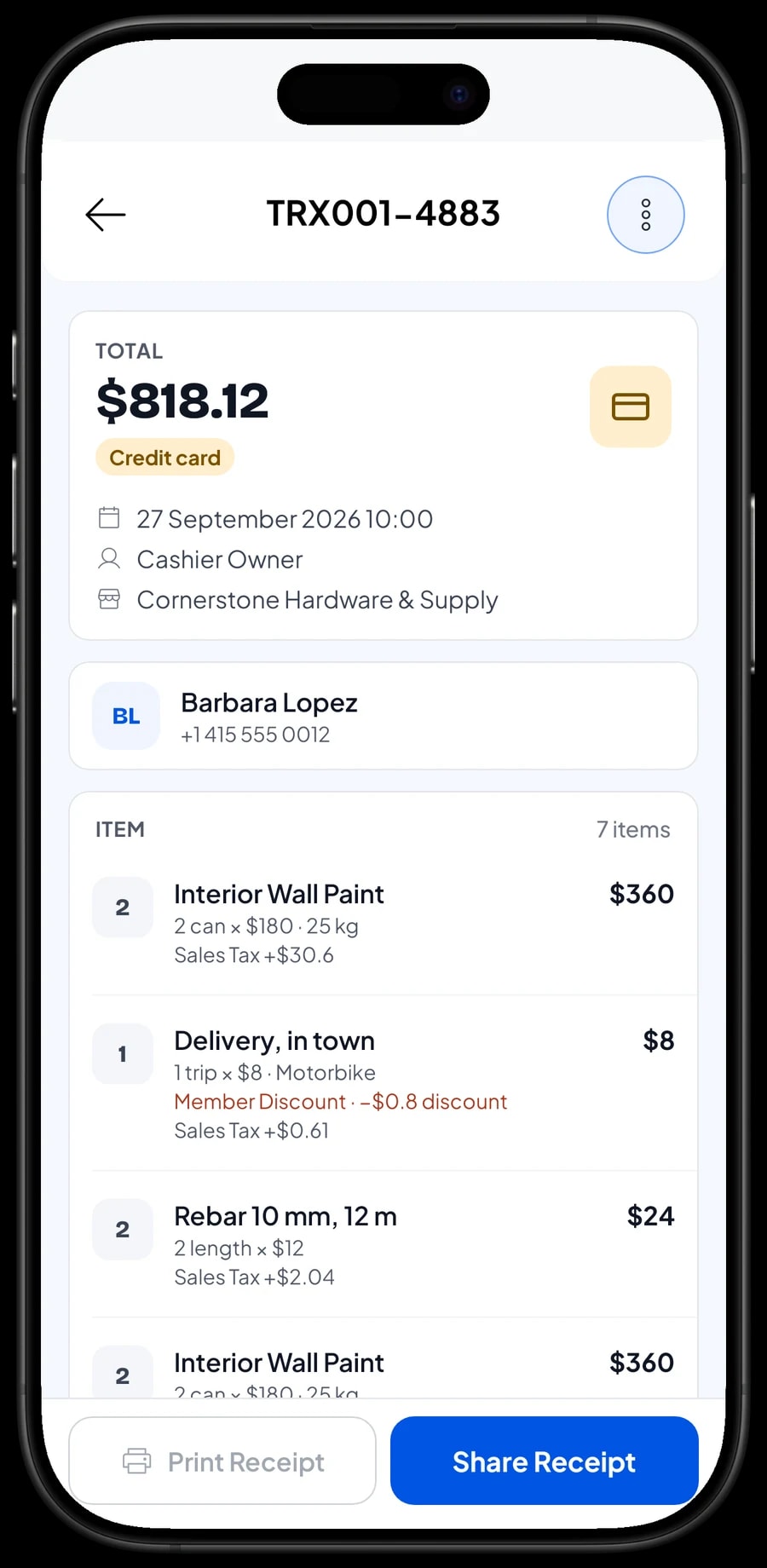
Sales tax is set up once in Catalog → Fees or Tax and applied to the items it covers. Discounts for regulars, such as a member discount, are set up in Deductions. Everything is calculated on each sale and shown separately in the transaction details.
Receipts can print on a Bluetooth or USB thermal printer, or go out by WhatsApp, email or a web receipt link. Contractors who need receipts for a job file get a link that doesn't fade like thermal paper.
Stock in from suppliers, and yard counts
Every sale takes stock off automatically, including stock per variant. When a supplier's truck arrives, record the delivery in Catalog → Inventory → Stock so the count goes up. Supplier details can be kept in Catalog → Inventory → Supplier.
Count the items that drift most on a regular schedule: cement bags that split, sand that spills, paint cans that get dented. Record the difference as a stock adjustment, and the app matches the yard again.
With stock recorded, you see what is running low before a contractor asks for it.
- Step 1: Open Catalog → Inventory → Supplier and save your cement, paint and pipe suppliers.
- Step 2: When goods arrive, open Catalog → Inventory → Stock and record the quantity received per item or variant.
- Step 3: Once a week, count the items that drift and adjust their stock in Catalog → Inventory → Stock.
Cashiers and counter staff
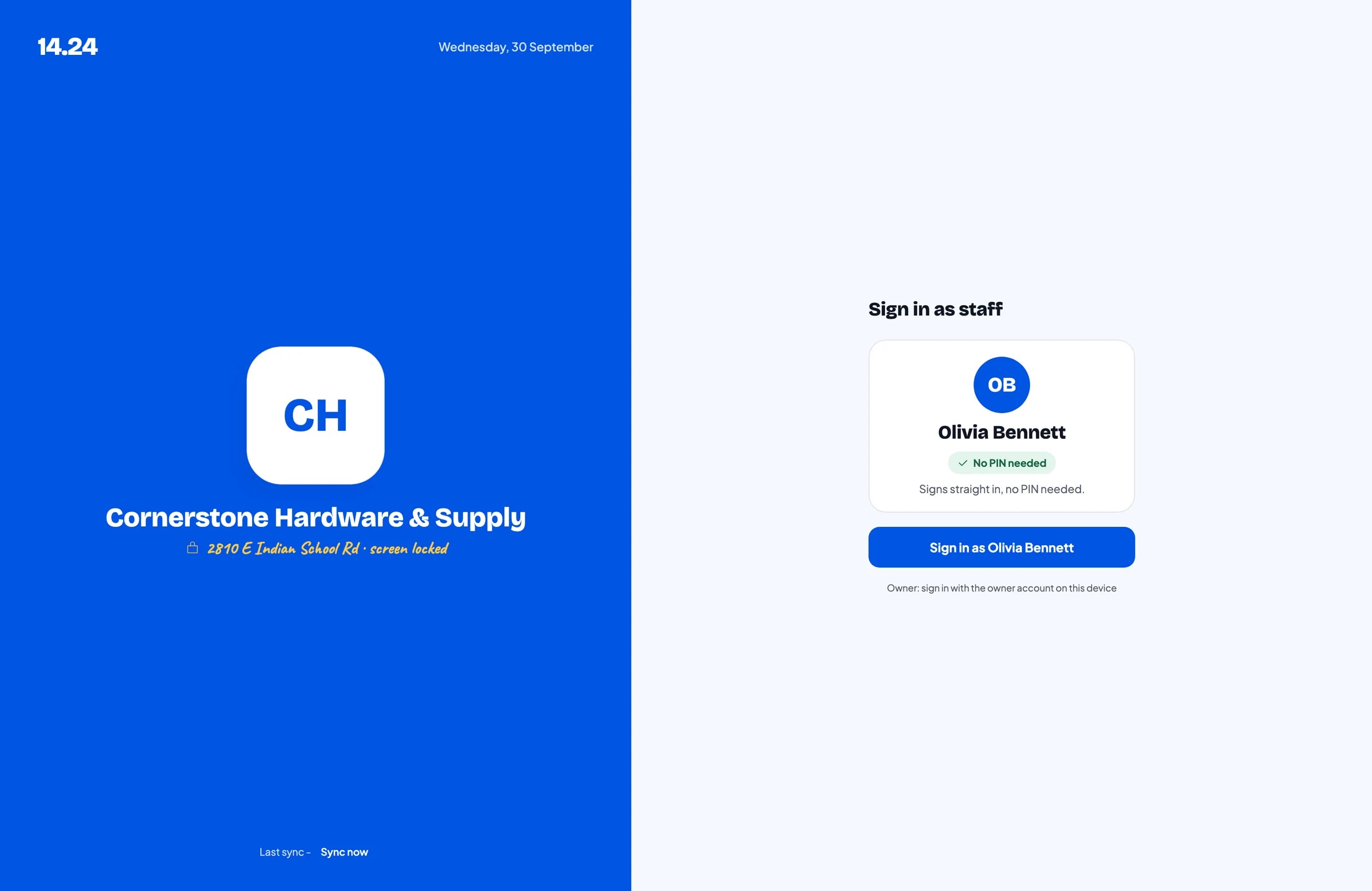
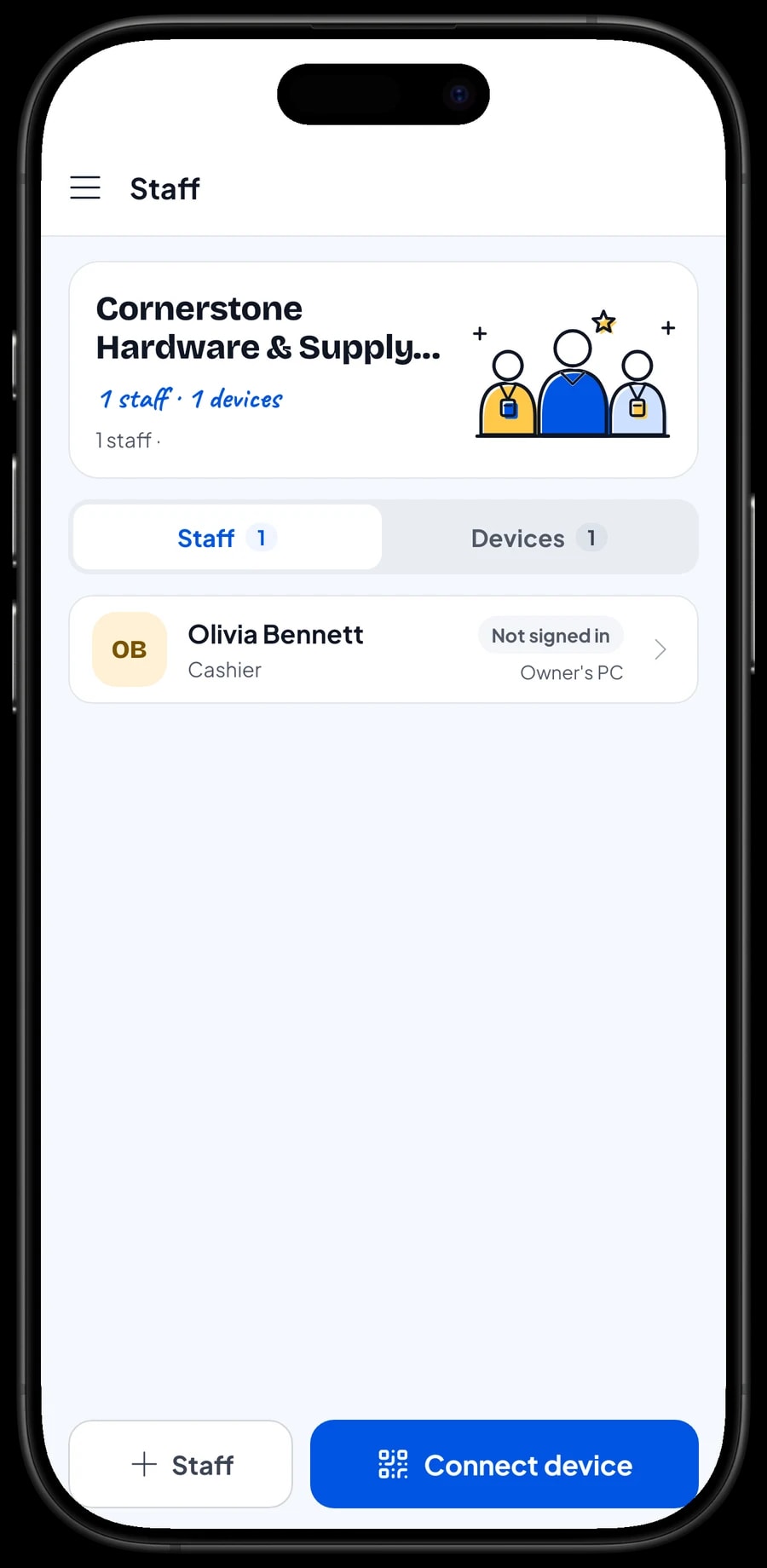
The owner signs in with the main account, and an account can be signed in on one device at a time. Cashiers and counter staff are added as staff, with a cashier device registered for them. Staff sign in with a PIN, and you decide what they can see and change. Staff accounts come with Bronze Pro (1 staff) and Silver Pro (2 staff).
Sales reports and real net profit
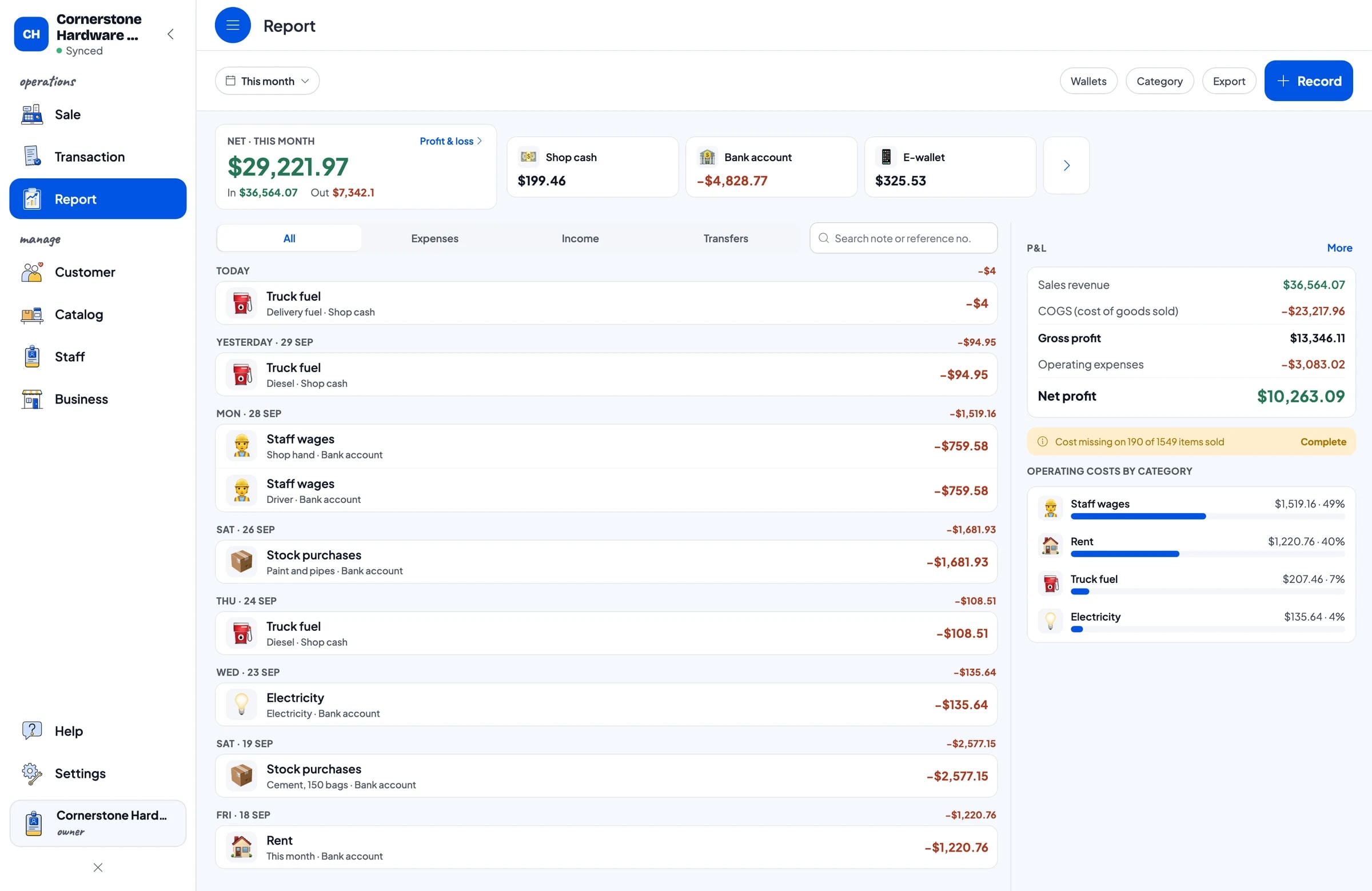
Reports are available by day, week, month and year: total revenue, gross and net sales, discounts, sales tax collected, payment methods, and which items bring in the most. Because every variant has its own cost, gross profit per item is visible too.
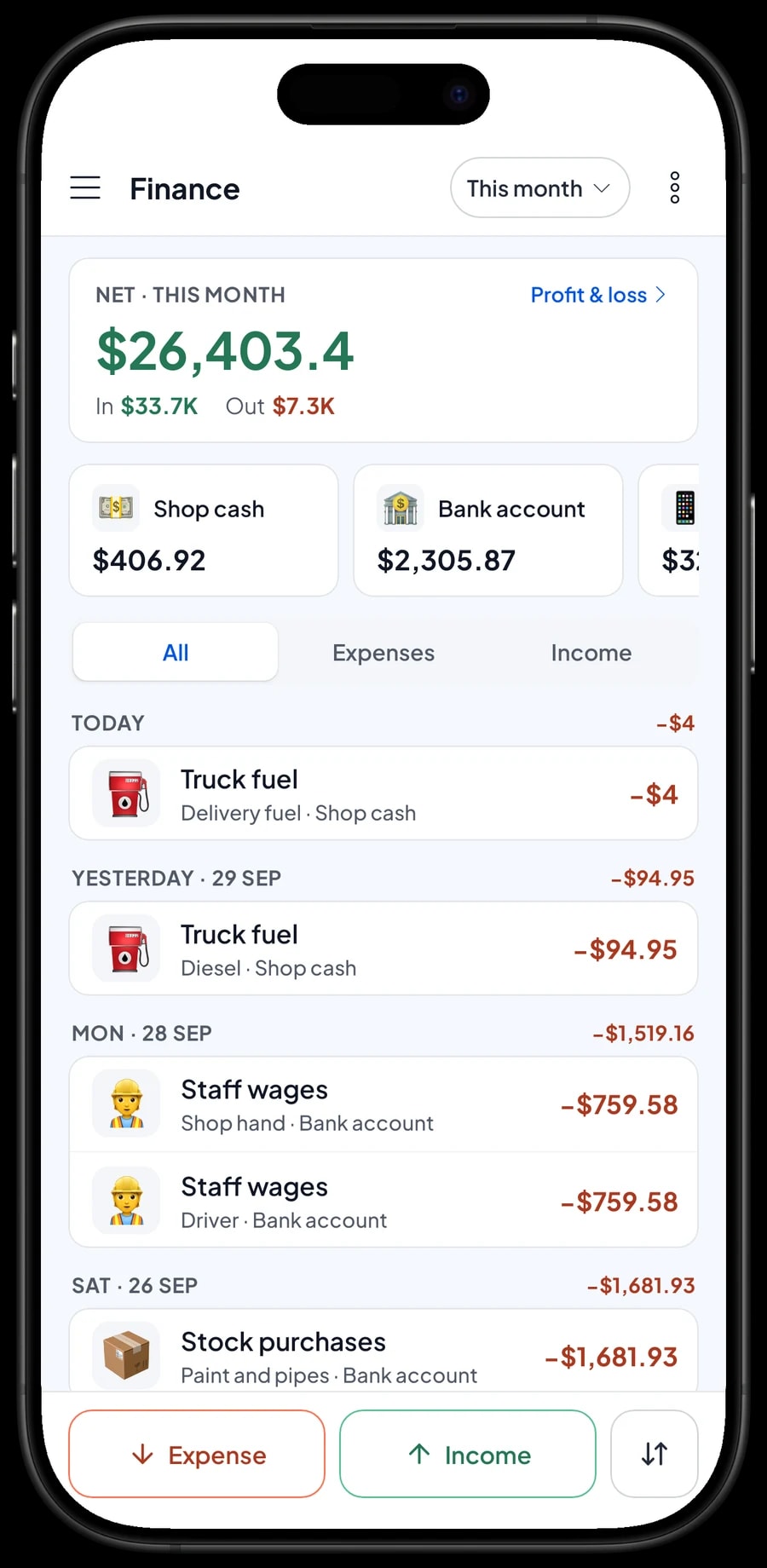
For net profit, record expenses in Finance: stock purchases, wages for counter staff and the driver, rent, truck fuel and electricity. Each expense has a category and the wallet it was paid from, such as shop cash, a bank account or an e-wallet. The Finance report then shows revenue minus cost of goods and operating costs.
Reports export to Excel or PDF for your accountant or for month-to-month comparisons. And the store keeps selling when the internet drops: sales are saved on the device and sync when the connection is back, with offline mode for up to 7 days.
An example hardware store catalog
Use this table as a starting point and replace the names, units and prices with your own.
| Category | Item | Unit | Variants | Item type |
|---|---|---|---|---|
| Building materials | Portland cement | bag | 40 kg, 50 kg | Product |
| Building materials | Building sand | sack | - | Product |
| Building materials | Red brick | piece | - | Product |
| Building materials | Rebar 10 mm, 12 m | length | - | Product |
| Paint | Interior wall paint | can | 1 kg, 5 kg, 25 kg | Product |
| Plumbing & electrical | PVC pipe, 4 m | length | 1/2 in, 3/4 in, 1 in | Product |
| Plumbing & electrical | Electrical cable | meter | 2 x 1.5 mm², 2 x 2.5 mm² | Product |
| Plumbing & electrical | Nails | kg | 2 in, 3 in, 4 in | Product |
| Services | Paint colour mixing | can | - | Service |
| Services | Delivery, in town | trip | Motorbike, Pickup truck | Service |
Items sold in several sizes are one item with variants, each with its own price, cost and stock. Services carry no stock.
Which plan fits your hardware store
Start by counting tickets per day. A hardware store serving about 20 customers a day records roughly 600 transactions a month.
| Plan | Price | Transactions / month | Staff accounts | Good for |
|---|---|---|---|---|
| Free | Free | 30 | Owner only | To try the checkout flow and build your catalog before using it for real. |
| Solo Pro | $4.90/month | 3,000 | Owner only | Stores where the owner runs the counter. |
| Bronze Pro | $6.90/month | 5,000 | 1 staff | Stores with one cashier or counter hand on their own device. |
| Silver Pro | $9.90/month | 8,000 | 2 staff | Busier stores with two staff on separate devices, such as the counter and the yard. |
Every plan includes checkout, catalog, receipts, reports and offline mode. You can change plans at any time. See pricing →
Frequently asked questions
- Can Salesmaster track stock per size, like paint in 1, 5 and 25 kg?
- Yes. Create one item with a variant for each size. Every variant has its own selling price, cost and stock, and each one's stock goes down separately when it sells.
- If I open a reel of cable and sell it by the meter, does stock change automatically?
- No. Salesmaster doesn't convert between units. Record the change as a stock adjustment in Catalog → Inventory → Stock: take the reel off and add the meters.
- Can I give contractors trade pricing?
- There is no automatic tiered or quantity pricing. What stores do instead is create separate variants, such as "Retail" and "Trade", and the cashier picks the trade variant for customers who qualify. You can also give a discount through Deductions.
- Can Salesmaster keep a contractor's account or tab?
- No. There are no receivables or credit accounts per customer. Save order keeps a cart until it is paid, on the device that saved it, and it isn't a sale yet. A deposit is sold as a separate Service item called "Down payment", then taken off the full order price with Add Deduction when the order is paid.
- How do I charge for delivery with a pickup truck?
- Create a service item, for example Delivery, in town, with Motorbike and Pickup truck variants, and add it to the ticket with the goods. If the fee depends on the address, use Add Fee in the cart.
- Can the store keep selling when the internet is down?
- Yes. Sales are saved on the device and sync when the internet is back. Offline mode works for up to 7 days before the app needs to connect to sync.
- Can the counter and the yard use their own devices?
- Yes, with staff accounts. An account signs in on one device at a time, so staff use staff accounts on registered devices. Staff accounts come with Bronze Pro (1 staff) and Silver Pro (2 staff).
Need help setting up your catalog? Chat with our team on WhatsApp →



