

Salesmaster is a point-of-sale (POS) app for photo studios, self-portrait booths and videographers on Android, iPhone & iPad, Windows and Mac. Each session package is an item with variants for length and its own price, extras like a makeup artist or a traditional outfit are add-ons, prints and frames go on the same sale, orders paid at pickup are kept with Save order, and photographer, editor, rent and ad costs go into Finance so you can see real net profit.
Problems every photo studio knows
If any of these sound familiar, this page is for you.
- 01
Many packages, even more extras
A one-hour or two-hour family session, an extra person, a traditional outfit, a makeup artist, then an 8 x 10 print and a frame. Forget one extra on the invoice and that money is gone.
- 02
Shoot today, pay next week
Clients shoot today, pick their photos later and collect prints a few days after that. When the details live in chats and a notebook, it is easy to lose track of who still owes what.
- 03
Frames and albums, stock unknown
The 8 x 10 frame runs out just after a client has chosen it, while the 16 x 20 frames pile up in the back. Stock by size is never counted properly.
- 04
Big invoices, big costs
An event job looks lucrative, but there is the freelance photographer, the editor, the photo lab, studio rent, online ads and camera upkeep. Without recorded expenses, profit is a guess.
Building your packages: items, categories and session lengths
Start with the price list you already send clients. In Salesmaster, every package is one item in the Catalog: ID & Passport Photos, Self-Portrait Booth, Family Portrait Session, Graduation Package, Newborn & Maternity Session, Product Photos, Engagement Shoot, all the way to Event Photo + Video Coverage. Group them into categories such as Studio sessions, Events & video, and Prints & frames.
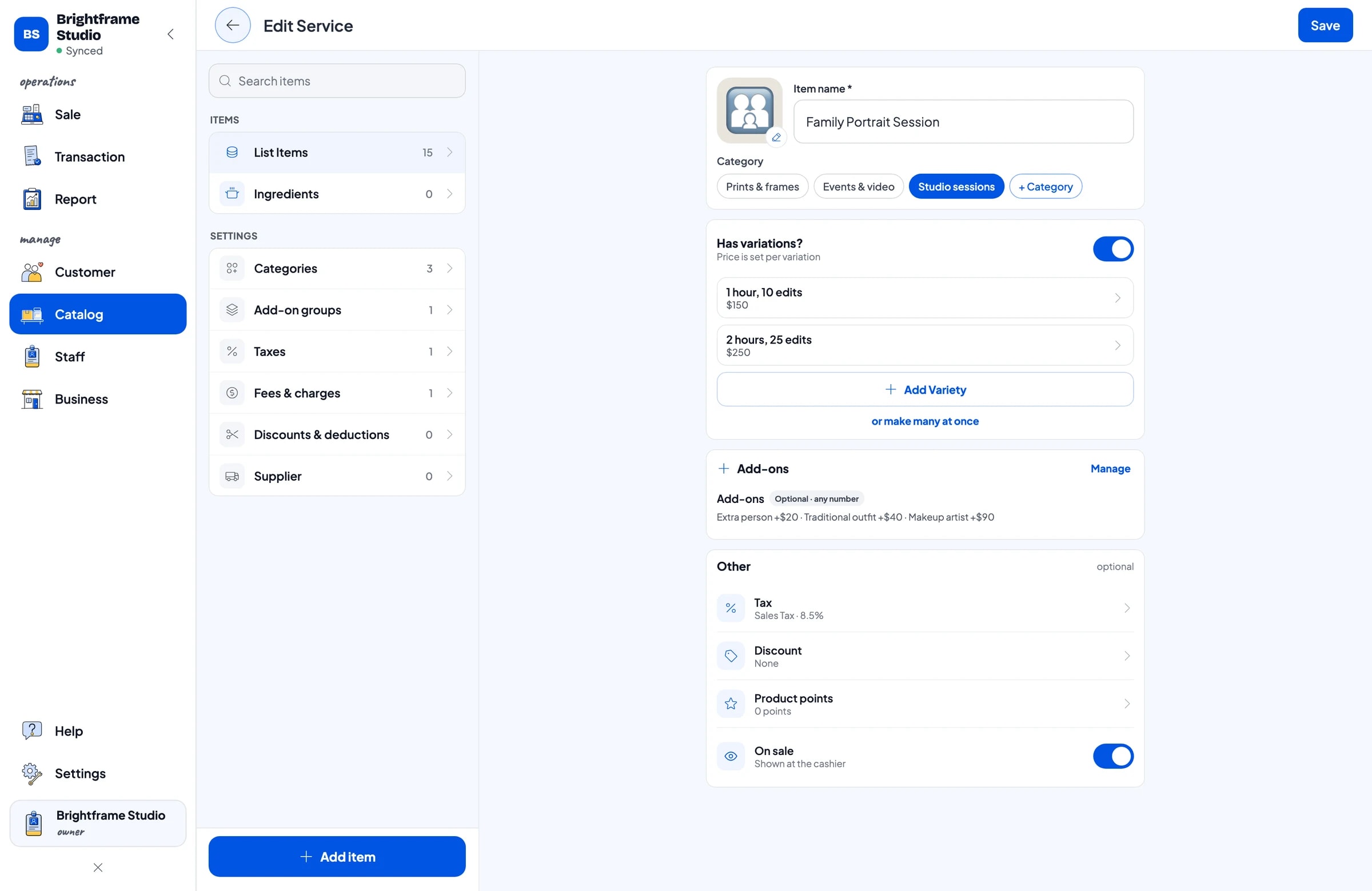
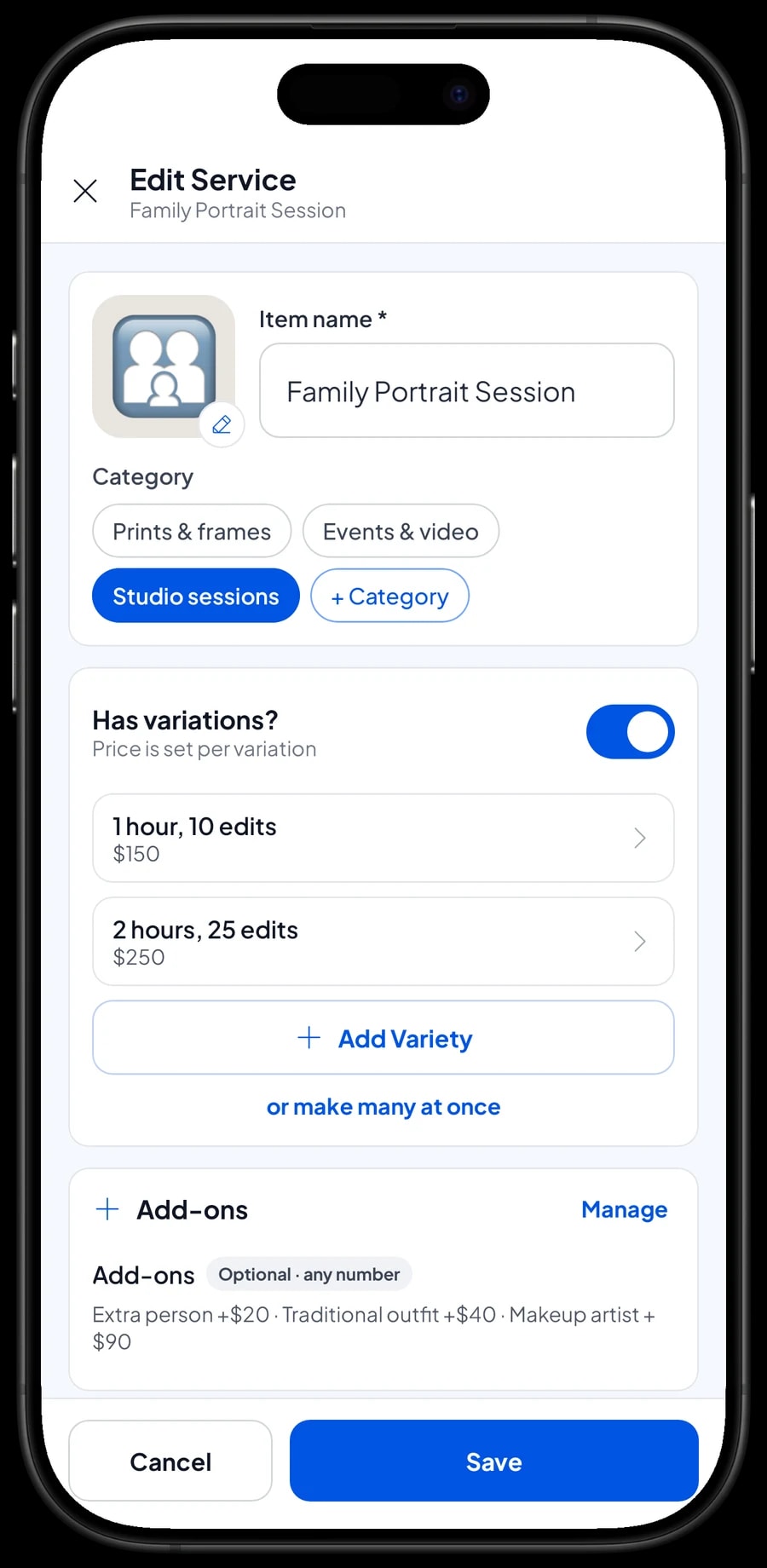
A package with several options only needs one item with variants. Family Portrait Session can have a 1 hour, 10 edits variant and a 2 hours, 25 edits variant, each with its own price. Engagement Shoot can have Studio and On location. The cashier picks the variant and the right price goes straight into the cart.
Because every package and variant has a clear name, the receipt is clear for the client too: what they bought, how long the session was, and how many edited photos are included.
- Step 1: Open Catalog → Categories and create categories such as Studio sessions, Events & video, and Prints & frames.
- Step 2: Open Catalog → List Items and add each package with its name, unit (session, package or photo) and category.
- Step 3: For packages with a choice of length or location, add variants with their own prices.
- Step 4: Check the packages on the Sale screen against the price list you send to clients.
Extra people, outfits and a makeup artist as add-ons
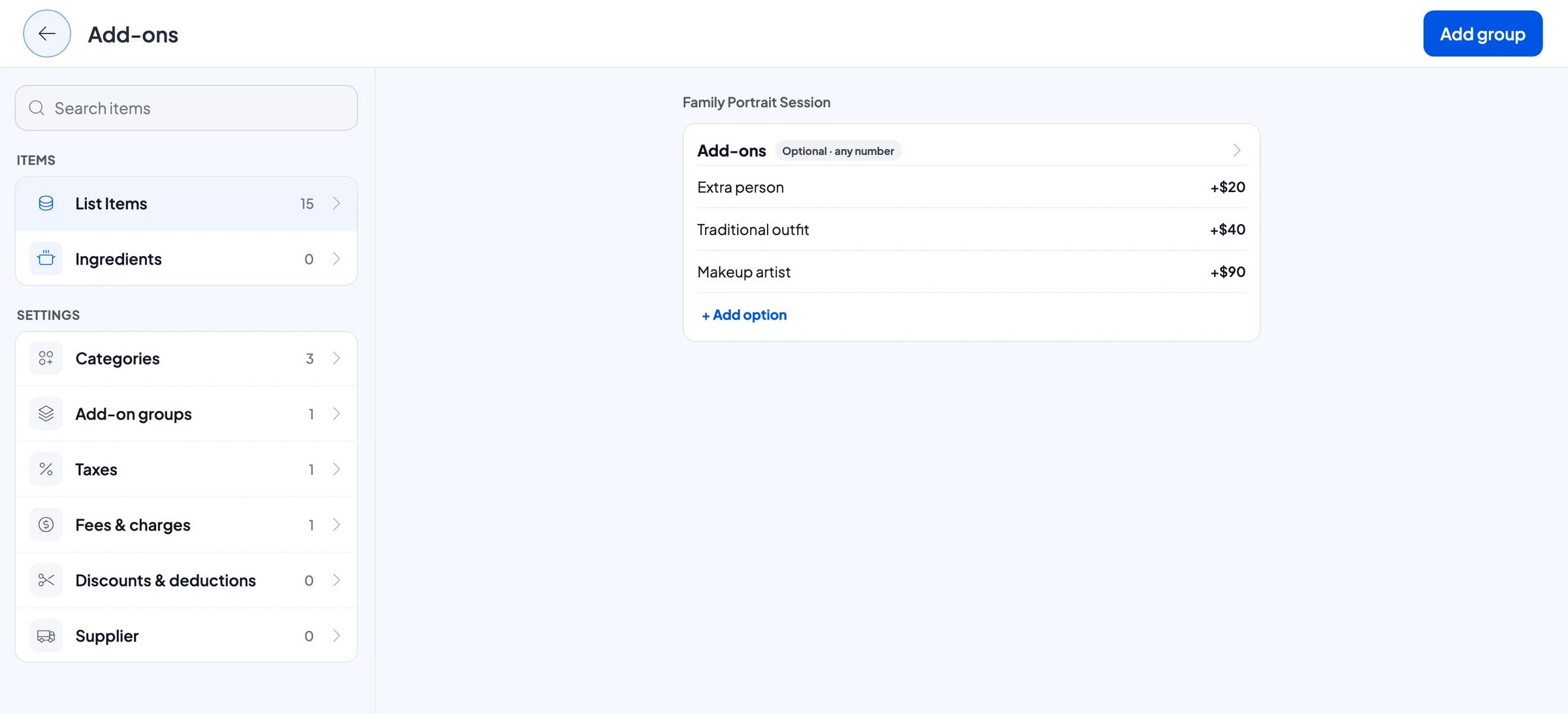
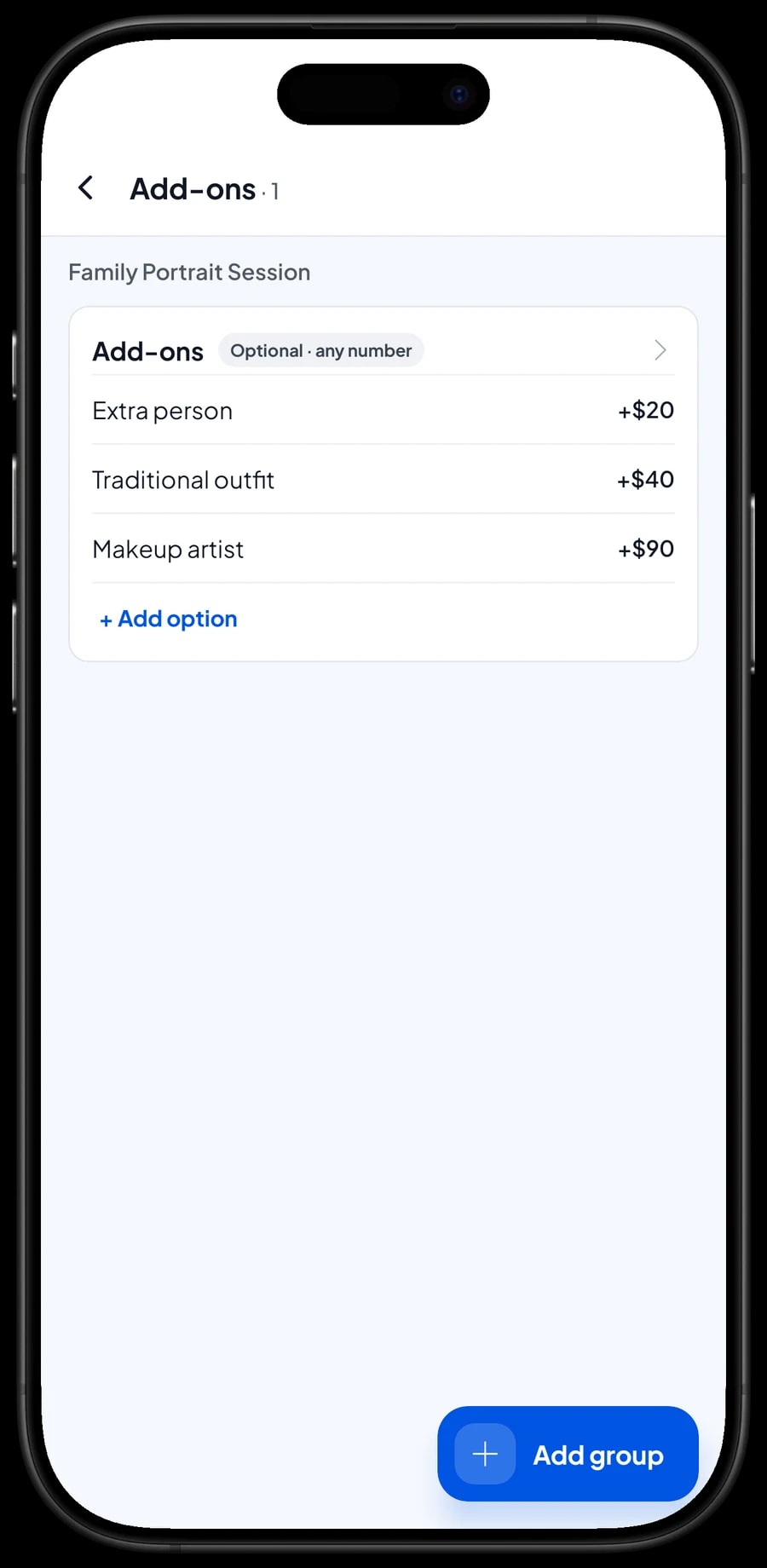
Almost every session comes with extras. Instead of creating a separate Family Session + Makeup package, create one add-on group called Add-ons with the options Extra person, Traditional outfit and Makeup artist, each with its extra price. The same group can be attached to several packages at once, such as Family Portrait Session, Graduation Package, Newborn & Maternity Session and Engagement Shoot.
When recording a session, the cashier picks the package and ticks the extras the client used. The add-on price is added to the total automatically and the chosen extras print on the receipt. The client sees the breakdown, and you stop forgetting to bill for the makeup artist.
- Step 1: Open the package in Catalog → List Items and choose Manage add-ons.
- Step 2: Create an Add-ons group with the options Extra person, Traditional outfit and Makeup artist, each with its extra price.
- Step 3: Attach the same group to the other packages that use these extras.
- Step 4: Ring up a test sale on the Sale screen to check that the extras are added to the total.
Prints, frames and albums on the same sale
Clients rarely pay for the session alone. After choosing their photos, they add 4 x 6, 8 x 10 or 16 x 20 prints, a wooden frame, a photo book or a USB drive with the files. All of it can go on the same sale as the session, so the client gets one receipt for everything.
Photo Print is a service item with size variants. Physical goods such as the Wooden Photo Frame, the 32 GB USB Drive with Files and the Pocket Album are products with stock. When the frame has 8 x 10 and 16 x 20 variants, each variant has its own price, its own purchase cost and its own stock, so you know exactly how many 8 x 10 frames are left.
Remaining stock is shown in Catalog → Inventory → Stock. When a delivery arrives from your supplier, add the stock; if a frame is damaged, record a stock adjustment so the app matches the shelf.
Shoot today, pay when the client collects
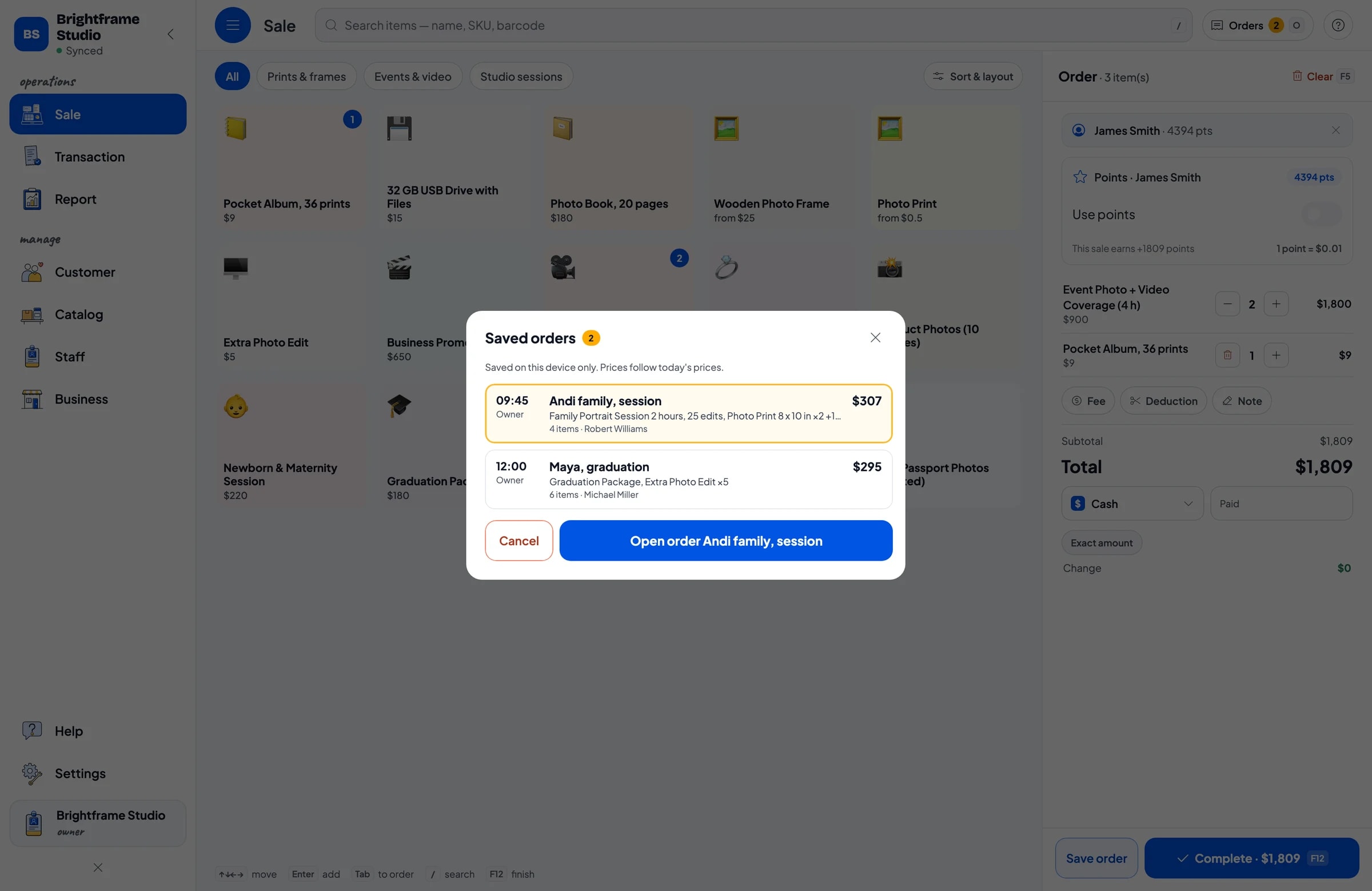
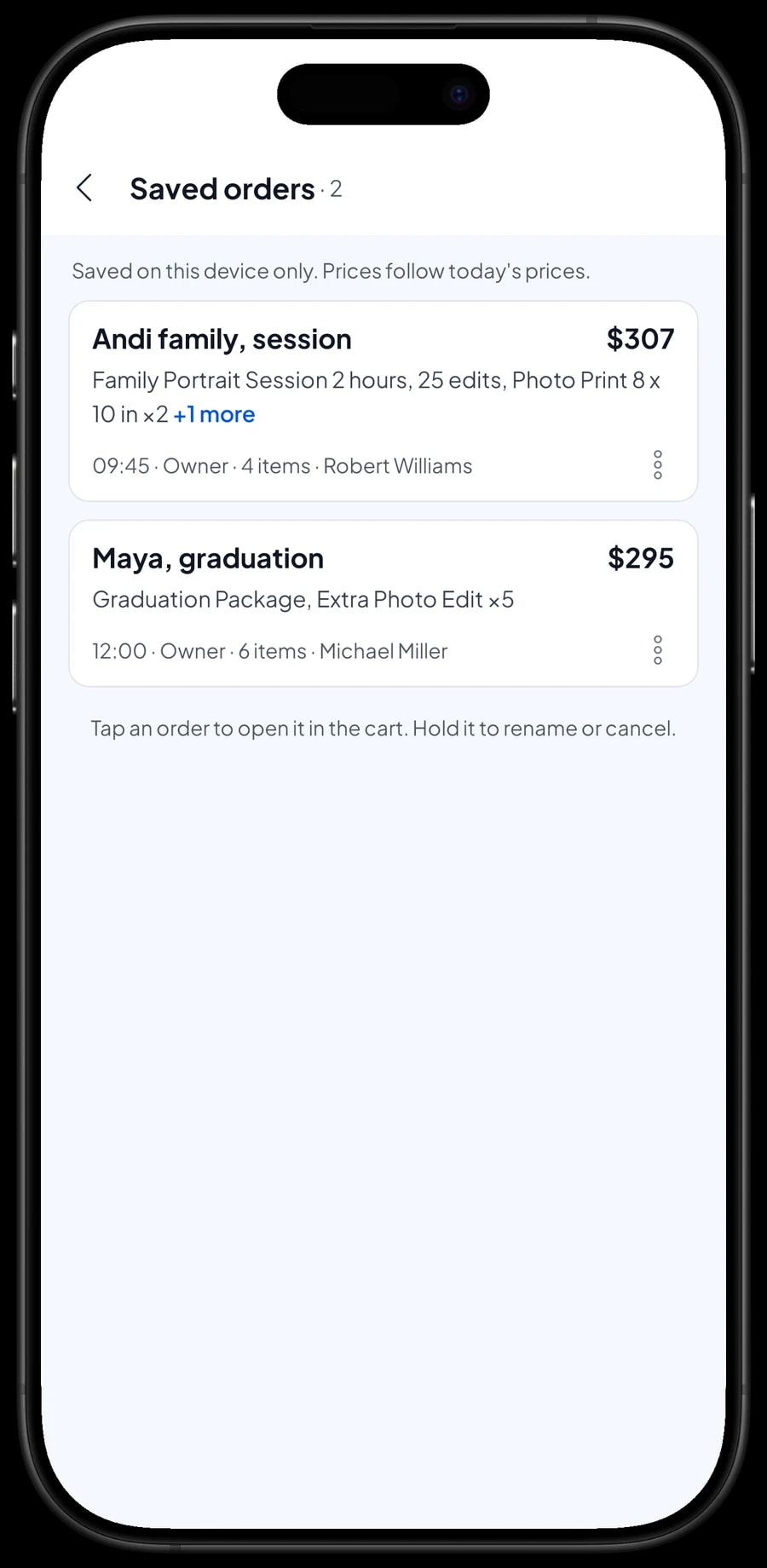
Many studios let clients pay when they collect their prints or files. That is what Save order is for. After the session, put the package, extras, prints and frame in the cart, tap Save order and give it a name, for example Andi family, session, with the note Pays when prints ready.
The order goes to Saved orders and is not counted as a sale yet. When the client comes back, open the order, add extra photo edits if they picked more photos, and complete the payment. Saved orders live on the device that created them, so finish them on the same device.
A saved order is not a customer credit account. It is simply a cart kept until it is paid. If a client pays a deposit when booking, sell it right away as a separate Service item called Down payment for the amount received. When the client pays the rest, the saved order keeps its full price and the cashier taps Add Deduction for the deposit amount, so the drawer and reports match on both days.
Transfers, card, cash and receipts for clients
Engagement shoots and event coverage are usually paid by bank transfer or card, while ID photos and booth sessions are often cash. Create the payment methods you accept and the cashier just picks one. Reports show a total for each method, so transfers are easy to match against your bank statement.
Salesmaster does not connect directly to card terminals or payment apps; payments taken on them are recorded as a payment method. Once paid, the receipt can print on a Bluetooth thermal printer or go out by WhatsApp, email or a web receipt link with your studio's logo and colours. For business clients ordering product photos or a promo video, that receipt doubles as proof of payment.
Sales tax, if you charge it, is set once in Fees or Tax and calculated on every sale. A travel fee for on-location jobs can be set up in the same place.
Clients who come back: loyalty points and history
Photo studios live on returning clients: families who come every holiday season, parents who photographed a newborn and come back for a graduation. Save clients under Customers with a name and phone number, and every sale lands in their history.
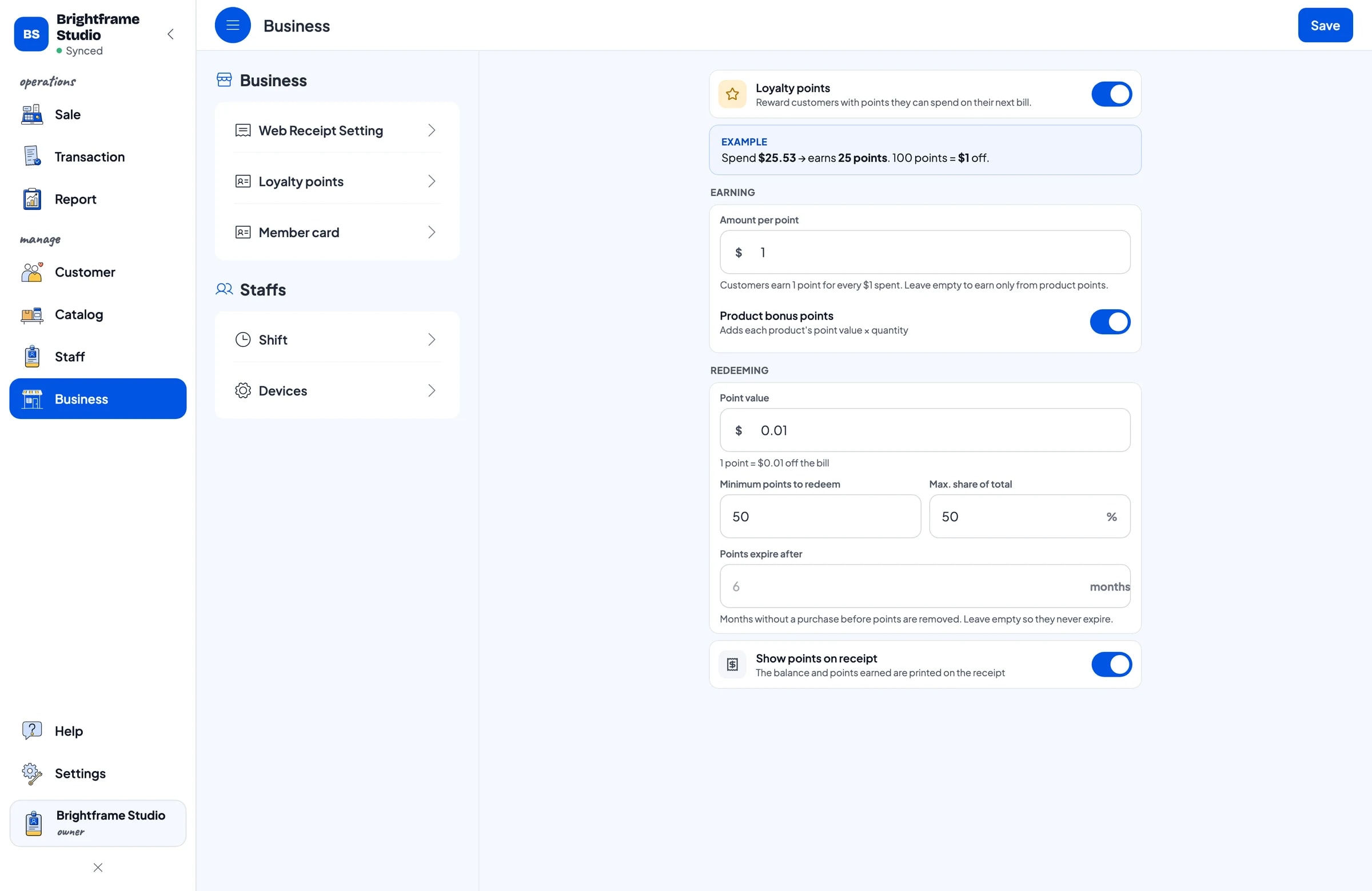
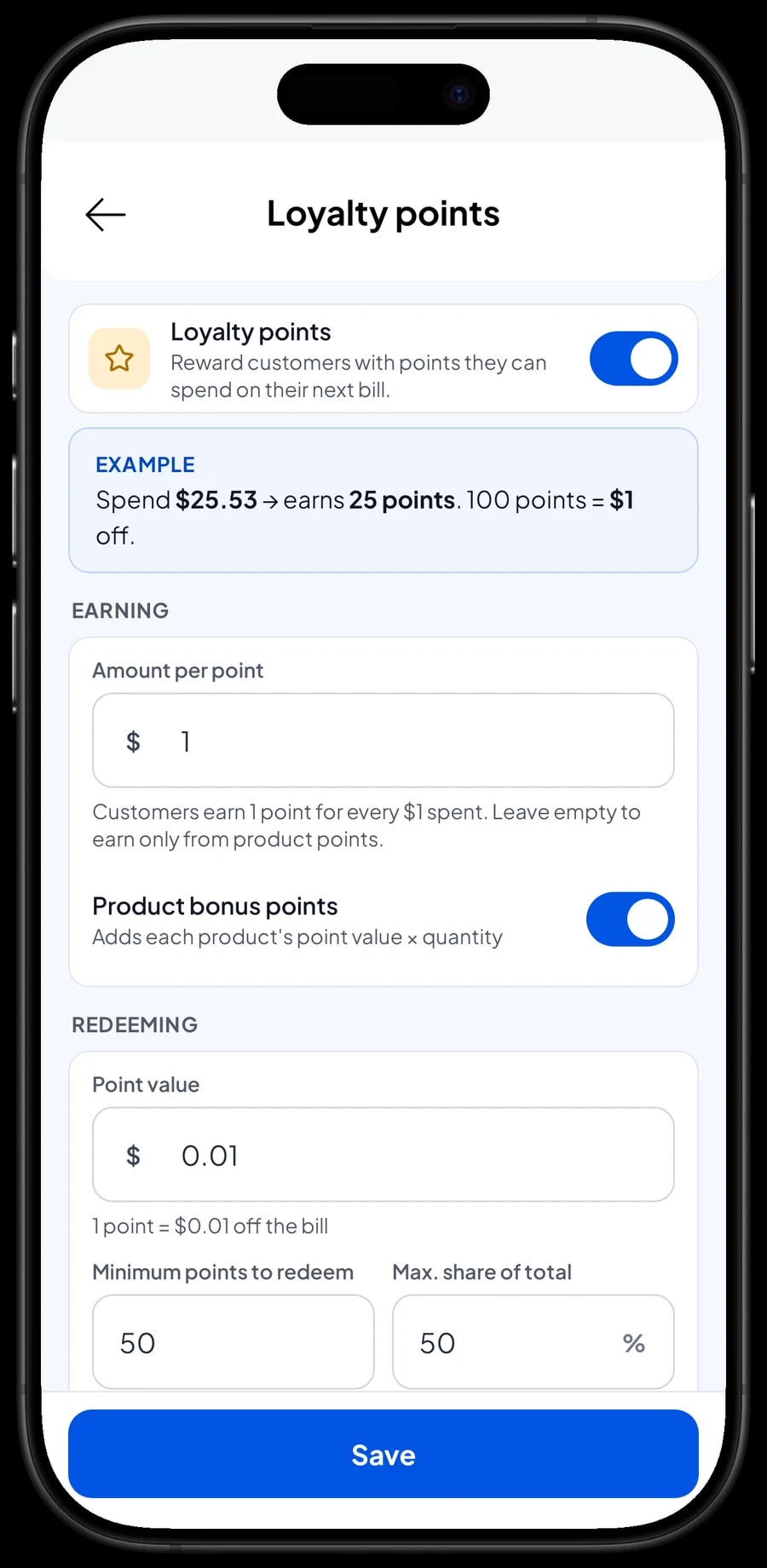
Turn on Loyalty points and set the rules yourself: how much spending earns 1 point, what a point is worth when redeemed, the minimum points to redeem, and the maximum share of a bill points can cover. Points are added automatically, and when a client wants to use them, the discount is applied straight away. Regular clients can also get a member card.
Freelancers, lab prints, rent and ads: real net profit
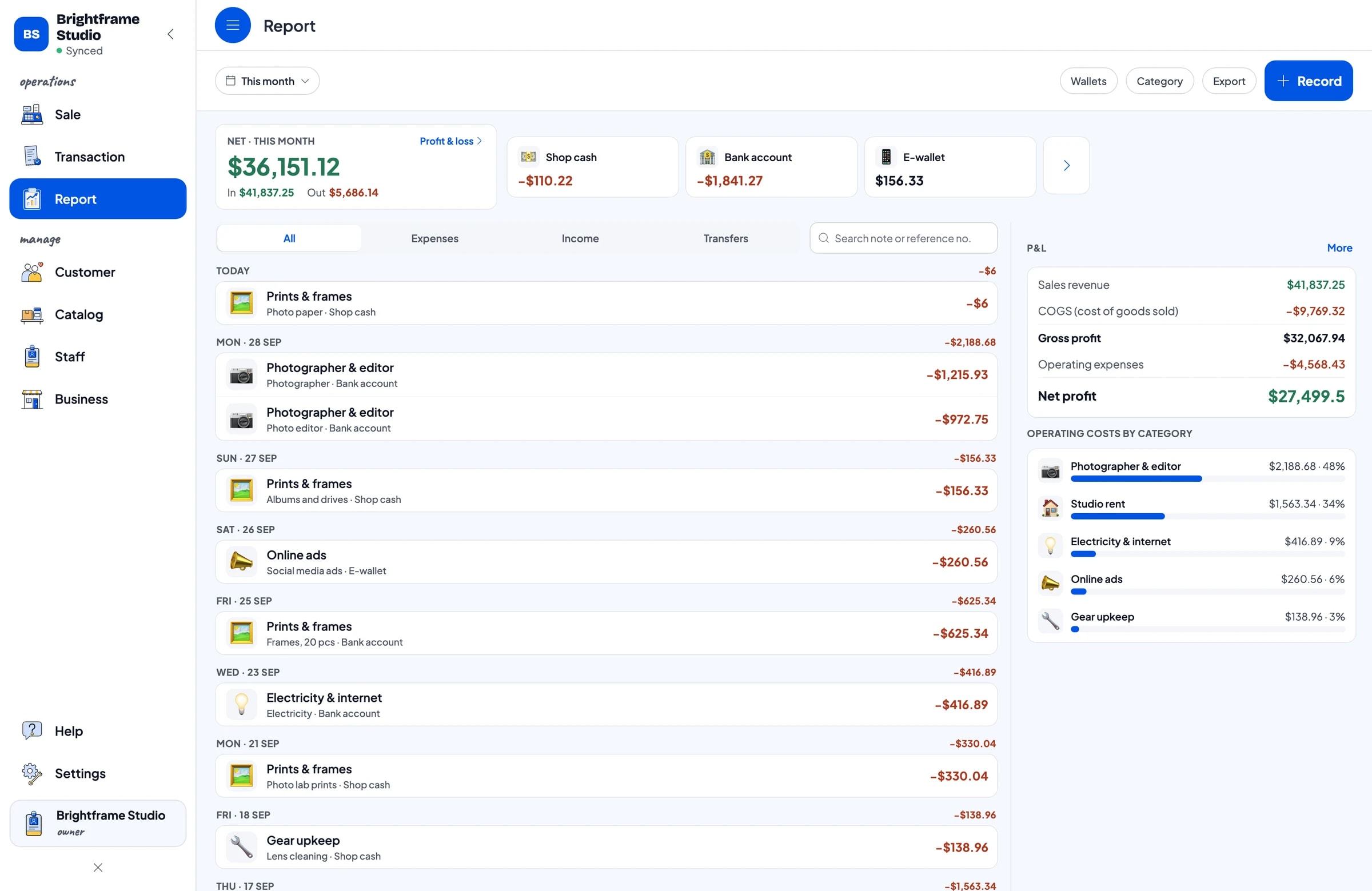
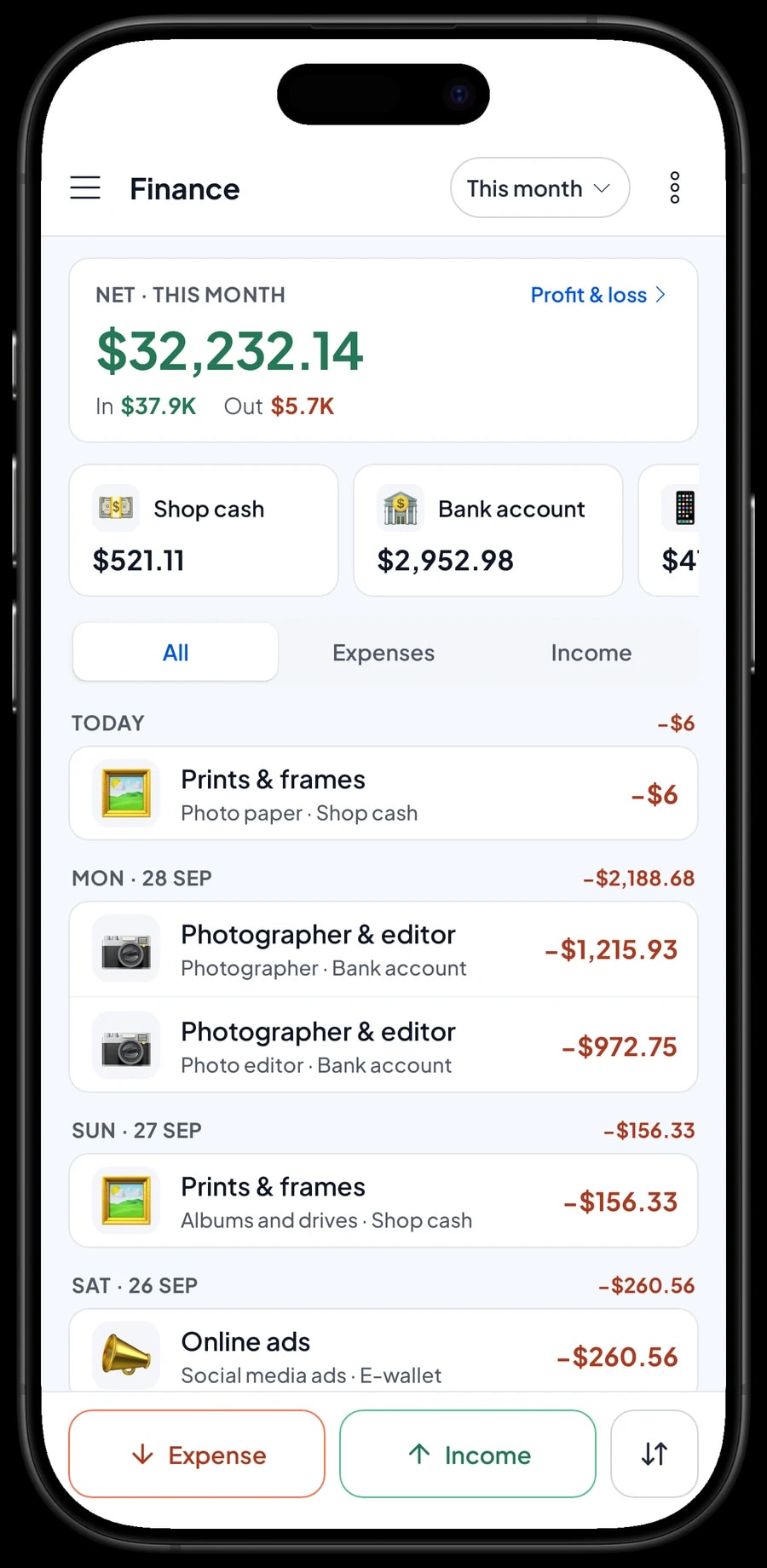
Many of a studio's costs never show on an invoice: fees for freelance photographers and editors, prints from the photo lab, frames, studio rent, electricity and internet, online ads, and upkeep for cameras and lights. Record them all in Finance with categories such as Prints & frames, Photographer & editor, Studio rent, Electricity & internet, Online ads and Gear upkeep.
Each expense also records the wallet it came from, such as shop cash, the bank account or an e-wallet. The Finance report then shows revenue minus cost of goods and operating costs: your studio's net profit this month. You can see whether this month's ads paid for themselves in booked sessions.
Monthly reports and your busy seasons
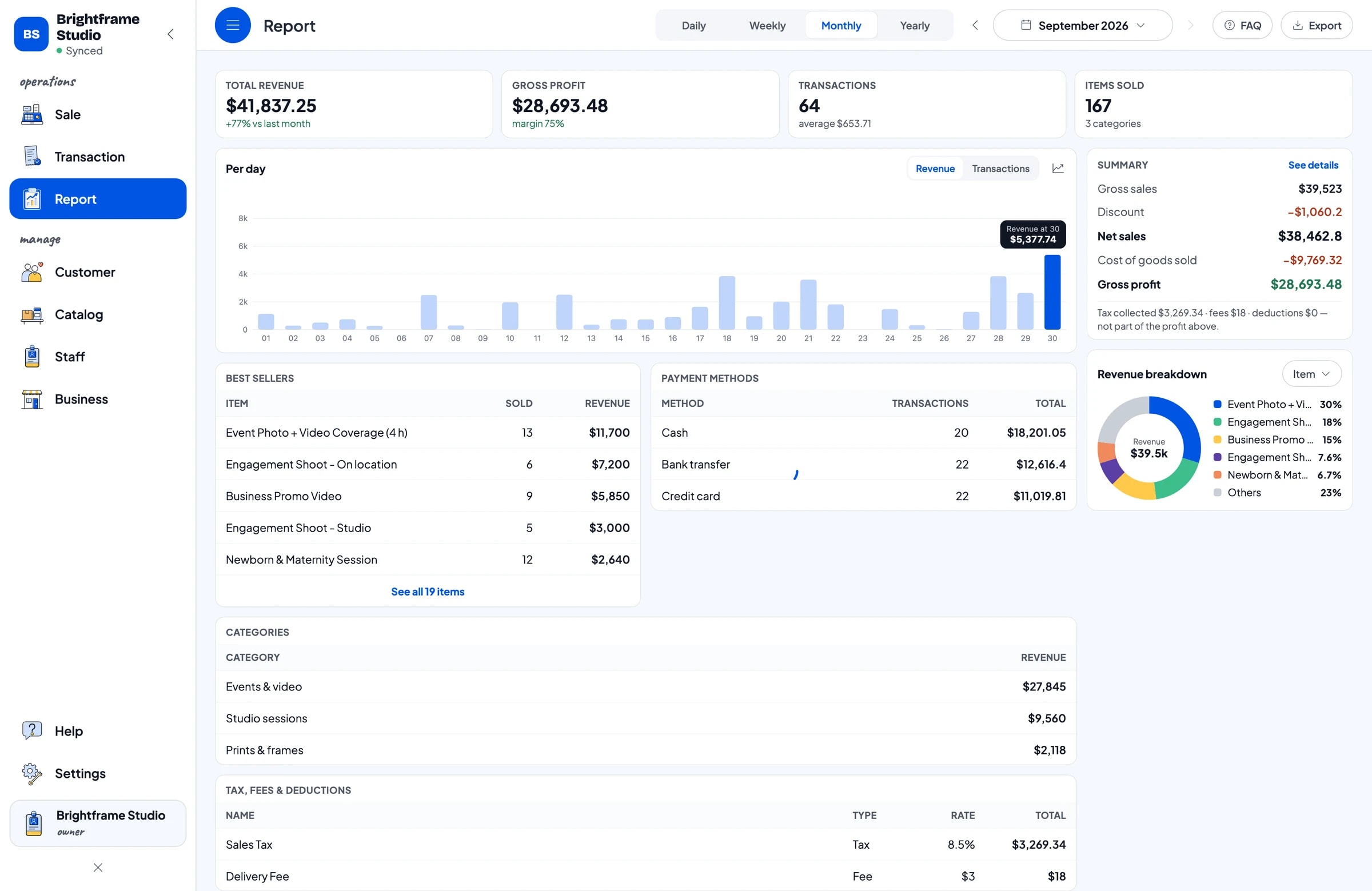
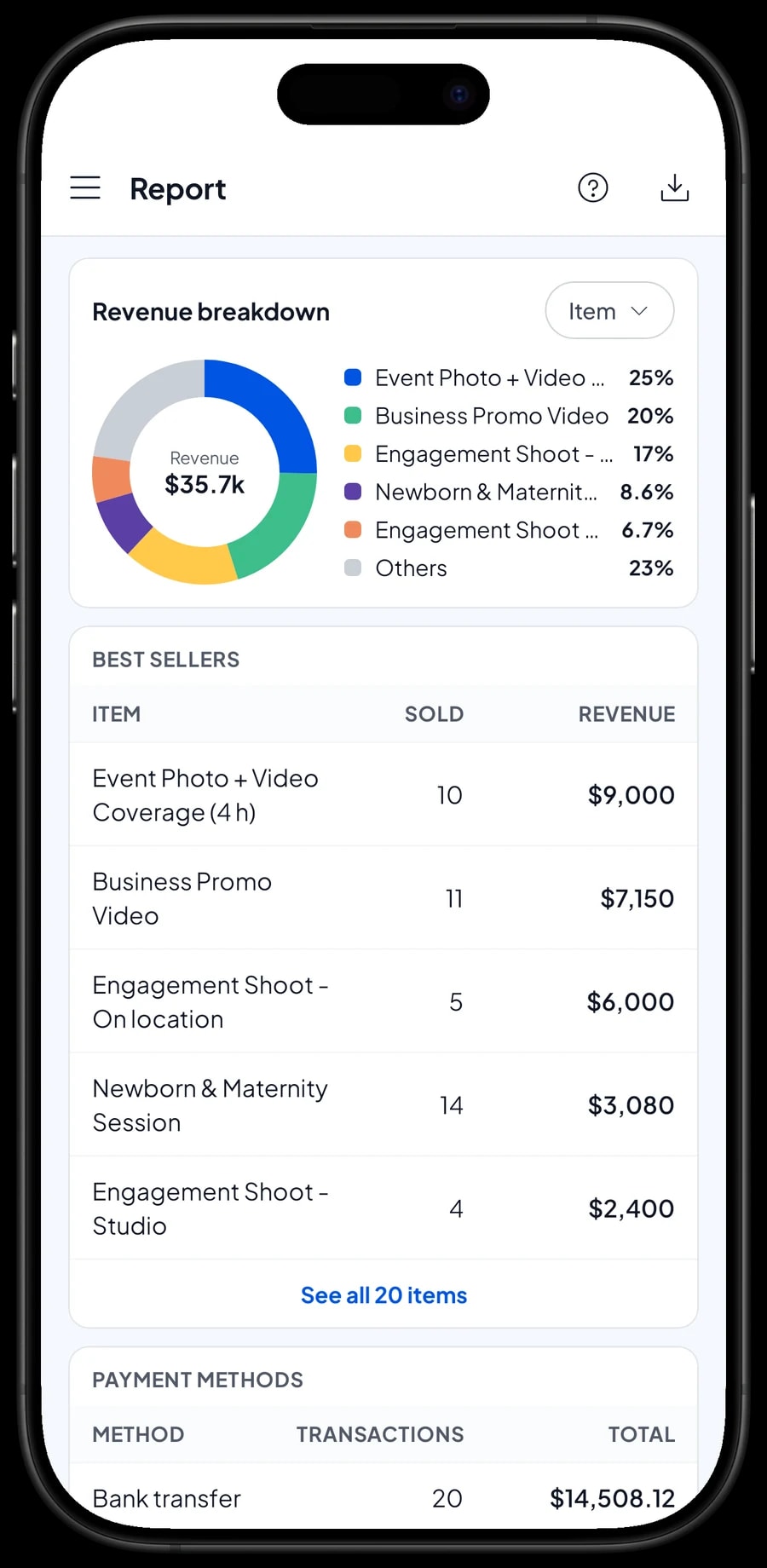
Reports are available by day, week, month and year. You see total revenue, discounts, tax, payment methods and the revenue split by item, so it is clear which packages bring in the most: graduations, engagement shoots, event coverage or prints and frames.
Studios have clear seasons: graduations, the holidays, year-end and wedding season. The daily chart in the monthly report shows when you need an extra photographer, when to stock up on frames and when to run a promotion. Reports export to Excel or PDF for a partner or your accountant.
Start from the price list you already have
You don't need to close the studio to get started. Install Salesmaster on the phone, tablet or laptop at the front desk, create an account, and enter the packages from your price list with their variants and the Add-ons group. Products like frames and albums can follow with their opening stock.
Sales are saved on the device first and sync when the connection is back, so checkout keeps working at an event venue with weak signal. Offline mode works for up to 7 days before the app needs to connect to sync. If a front-desk assistant handles payments, add them as staff with their own device; staff accounts come with Bronze Pro (1 staff) and Silver Pro (2 staff).
An example photo studio catalog
Use this table as a starting point and replace the names and prices with your own packages.
| Category | Item | Variants | Add-ons | Item type |
|---|---|---|---|---|
| Studio sessions | ID & Passport Photos (printed) | - | - | Service |
| Studio sessions | Self-Portrait Booth, 15 min | - | - | Service |
| Studio sessions | Family Portrait Session | 1 hour 10 edits, 2 hours 25 edits | Extra person, Traditional outfit, Makeup artist | Service |
| Studio sessions | Graduation Package | - | Extra person, Traditional outfit, Makeup artist | Service |
| Events & video | Engagement Shoot | Studio, On location | Extra person, Traditional outfit, Makeup artist | Service |
| Events & video | Event Photo + Video Coverage (4 h) | - | - | Service |
| Prints & frames | Photo Print | 4 x 6 in, 8 x 10 in, 16 x 20 in | - | Service |
| Prints & frames | Wooden Photo Frame | 8 x 10 in, 16 x 20 in | - | Product |
| Prints & frames | 32 GB USB Drive with Files | - | - | Product |
Sessions, edits and prints are service items without stock. Frames, pocket albums and USB drives are products, and each size variant keeps its own stock.
Which plan fits your studio
A studio serving two or three clients a day records roughly 60 transactions a month; a self-portrait booth or an ID photo counter can record many more.
| Plan | Price | Transactions / month | Staff accounts | Good for |
|---|---|---|---|---|
| Free | Free | 30 | Owner only | To try the checkout flow with your own packages and add-ons. |
| Solo Pro | $4.90/month | 3,000 | Owner only | Solo photographers and small studios where the owner runs checkout. |
| Bronze Pro | $6.90/month | 5,000 | 1 staff | Studios with one front-desk assistant on their own device. |
| Silver Pro | $9.90/month | 8,000 | 2 staff | Busier studios with two staff on separate devices. |
Every plan includes checkout, catalog, receipts, reports and offline mode. You can change plans at any time. See pricing →
Frequently asked questions
- Can Salesmaster schedule photo session bookings?
- No. Salesmaster has no booking calendar. Keep your schedule in your calendar or chat app and record the session at checkout. For sessions paid later, use Save order and put the pickup day in the order name.
- How do I record a deposit for an engagement shoot?
- Salesmaster doesn't record deposits or part payments on one sale. Sell the deposit right away as a separate Service item called Down payment for the amount received, and keep the job as a saved order. When the client pays, open the order at its full price and tap Add Deduction for the deposit amount before taking the balance.
- Can a makeup artist or outfit be added to a package?
- Yes, as add-ons. Create an Add-ons group with Extra person, Traditional outfit and Makeup artist and attach it to the packages that use them. The price is added to the total and printed on the receipt.
- Can I track frame stock by size?
- Yes. Create the Wooden Photo Frame as a product with 8 x 10 and 16 x 20 variants. Each variant has its own price, purchase cost and stock, and stock comes off with every sale.
- Can unpaid orders be kept as client credit?
- No. Salesmaster has no customer credit accounts. Save order keeps the cart on the device that created it, and it only becomes a sale once it is paid.
- Does it work at an event venue with no signal?
- Yes. Sales are saved on the device and sync when the internet is back. Offline mode works for up to 7 days before the app needs to connect.
Need help setting up your catalog? Chat with our team on WhatsApp →



