

Salesmaster is a point-of-sale (POS) app for event organizers, festivals, small concerts, markets and fairs, on Android, iPhone & iPad, Windows and Mac. You can sell tickets with price tiers such as presale and at the gate, track merchandise stock by size, sell food and drinks with ingredient stock taken off by recipe, and see each event's net profit once costs are recorded in Finance. Sales keep saving offline for up to 7 days.
Problems every event organizer knows
If any of these sound familiar, this page is for you.
- 01
The rush when the gates open
Hundreds of people arrive in the first hour. The cashier is counting change, writing on paper and looking up the child or VIP price while the line keeps growing.
- 02
No signal when it's busiest
Fields, halls and beaches rarely have strong coverage, and it gets worse when the crowd shows up. A till that has to stay online stops selling exactly when you need it.
- 03
Sold out in the size everyone wants
Large sells out on day one while XXL piles up. Without stock by size, you only find out after fans walk away, and the next print run is ordered blind.
- 04
Great ticket sales, unclear profit
Ticket money looks big, but the venue, sound, lighting, security, permits and crew still have to be paid. Without recorded costs, event profit is a guess.
Setting up tickets as items with price tiers
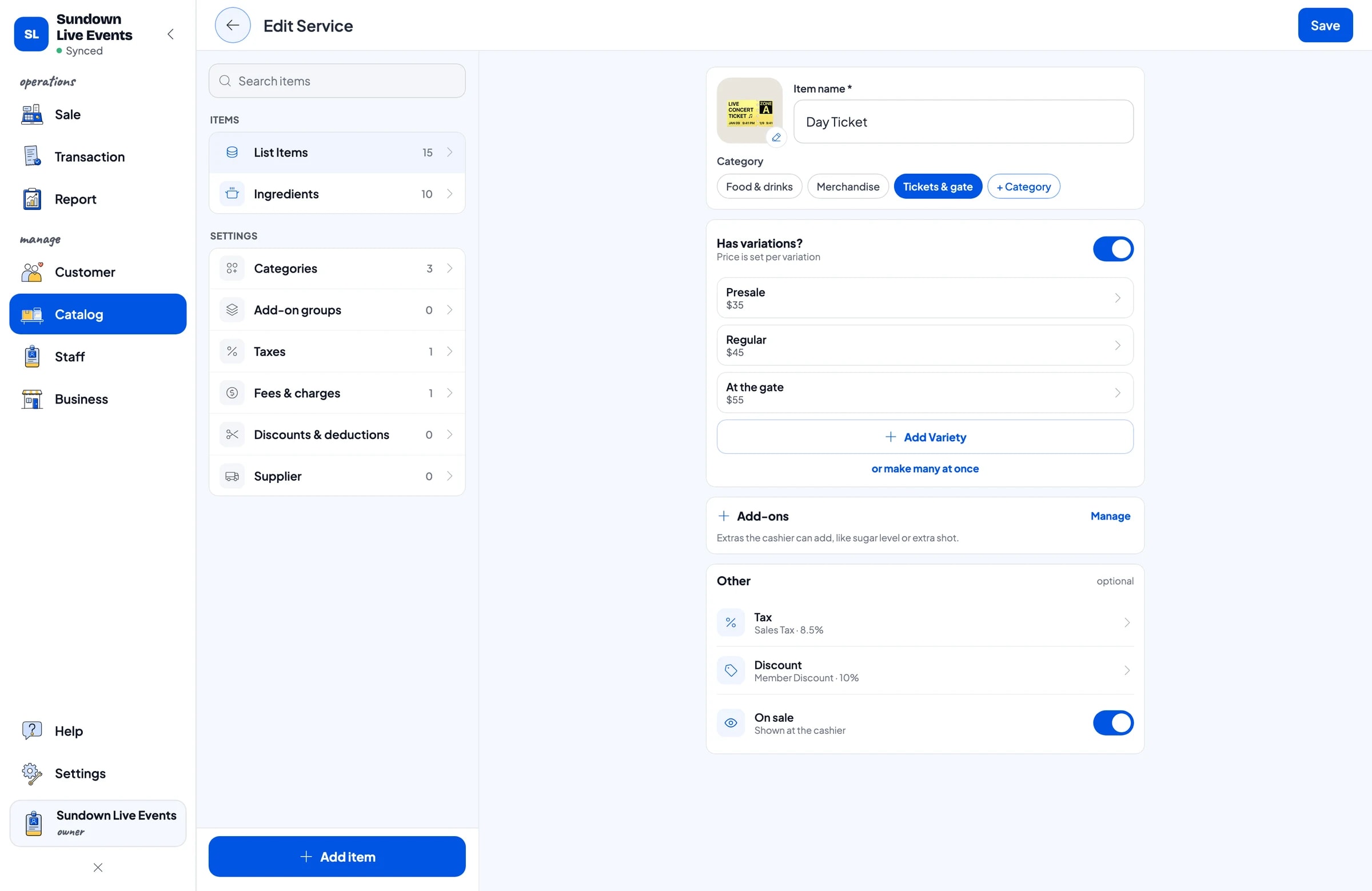
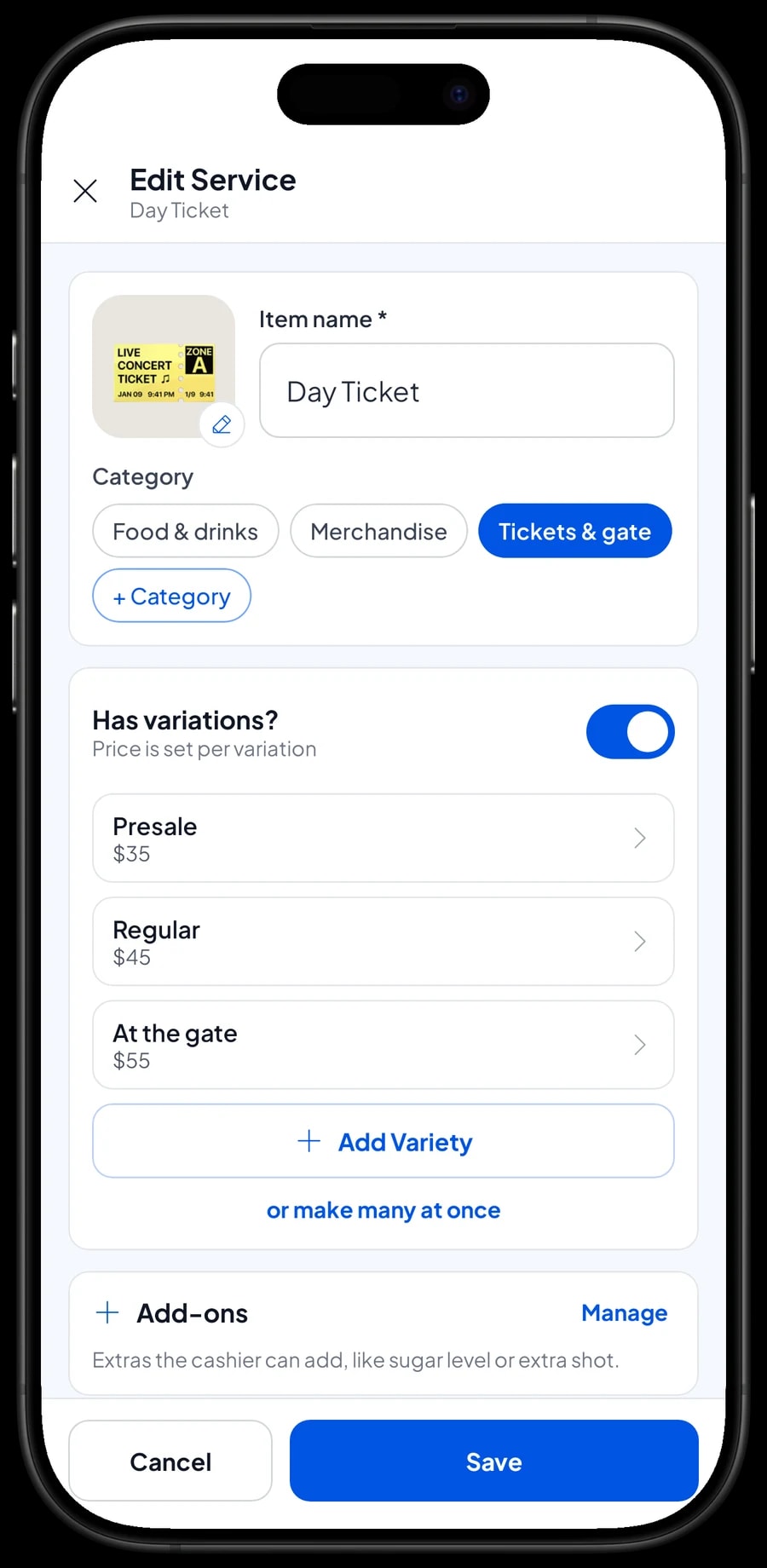
In Salesmaster, every kind of ticket is one item in the Catalog. A day ticket with three prices doesn't need three items: create one Day Ticket with the variants Presale, Regular and At the gate. The cashier picks the variant and the price follows. A 2-day pass, a VIP ticket and a child ticket can be their own items, because what they include is different.
Gate services are items too: parking with Motorcycle and Car variants, bag check or lockers, and re-entry if you offer it. Tickets and services like these are set up as service items without stock, because you are selling access, not goods.
Group everything into categories such as Tickets & gate, Merchandise, and Food & drinks. The gate cashier opens the tickets category, the merch table opens merchandise. The catalog syncs to your team's devices, so a price you change the night before the event is the price used on site.
- Step 1: Open Catalog → Categories and create Tickets & gate, Merchandise, and Food & drinks.
- Step 2: Open Catalog → List Items and add a Day Ticket item in Tickets & gate.
- Step 3: Add the variants Presale, Regular and At the gate, each with its own price.
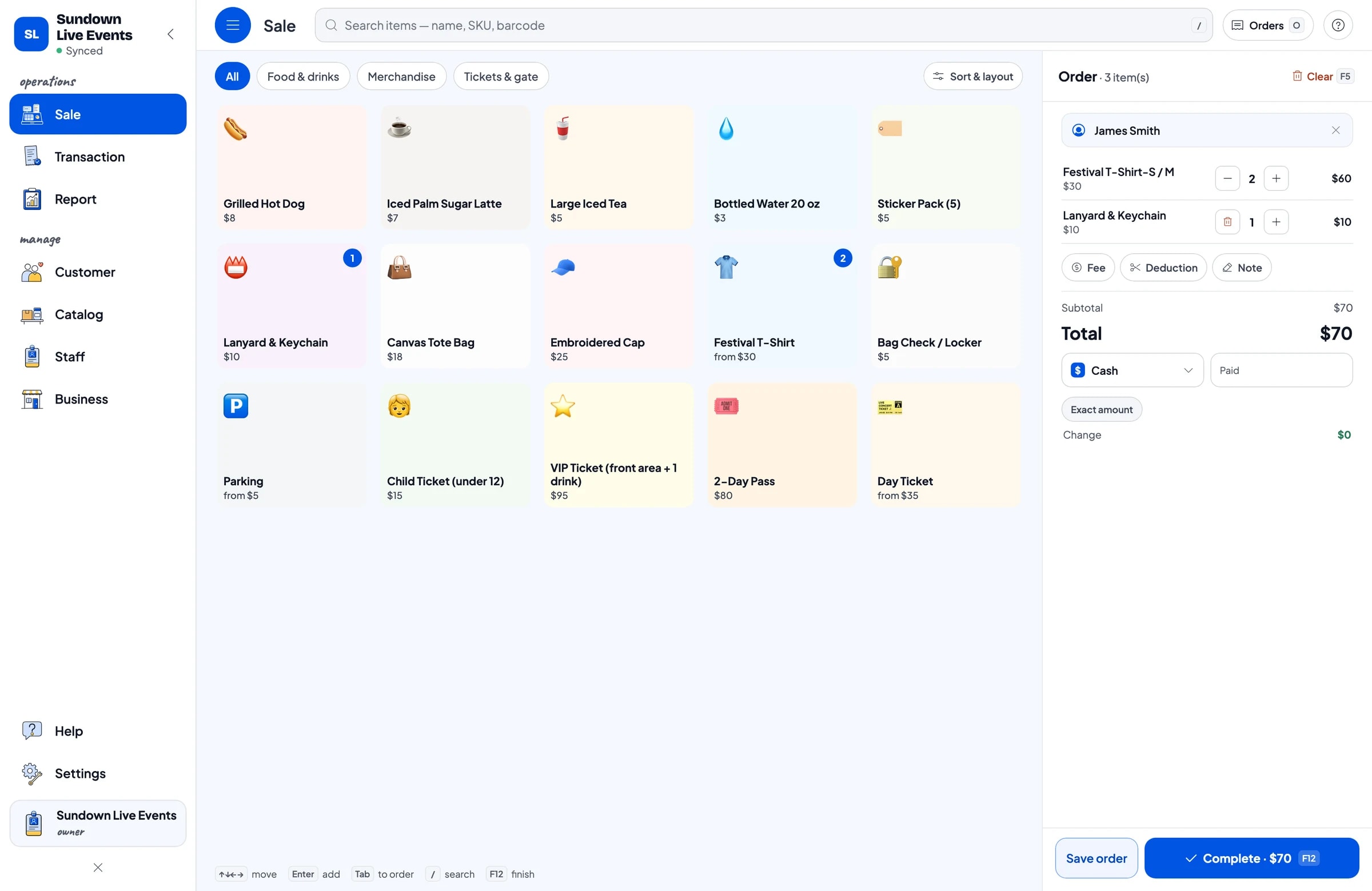
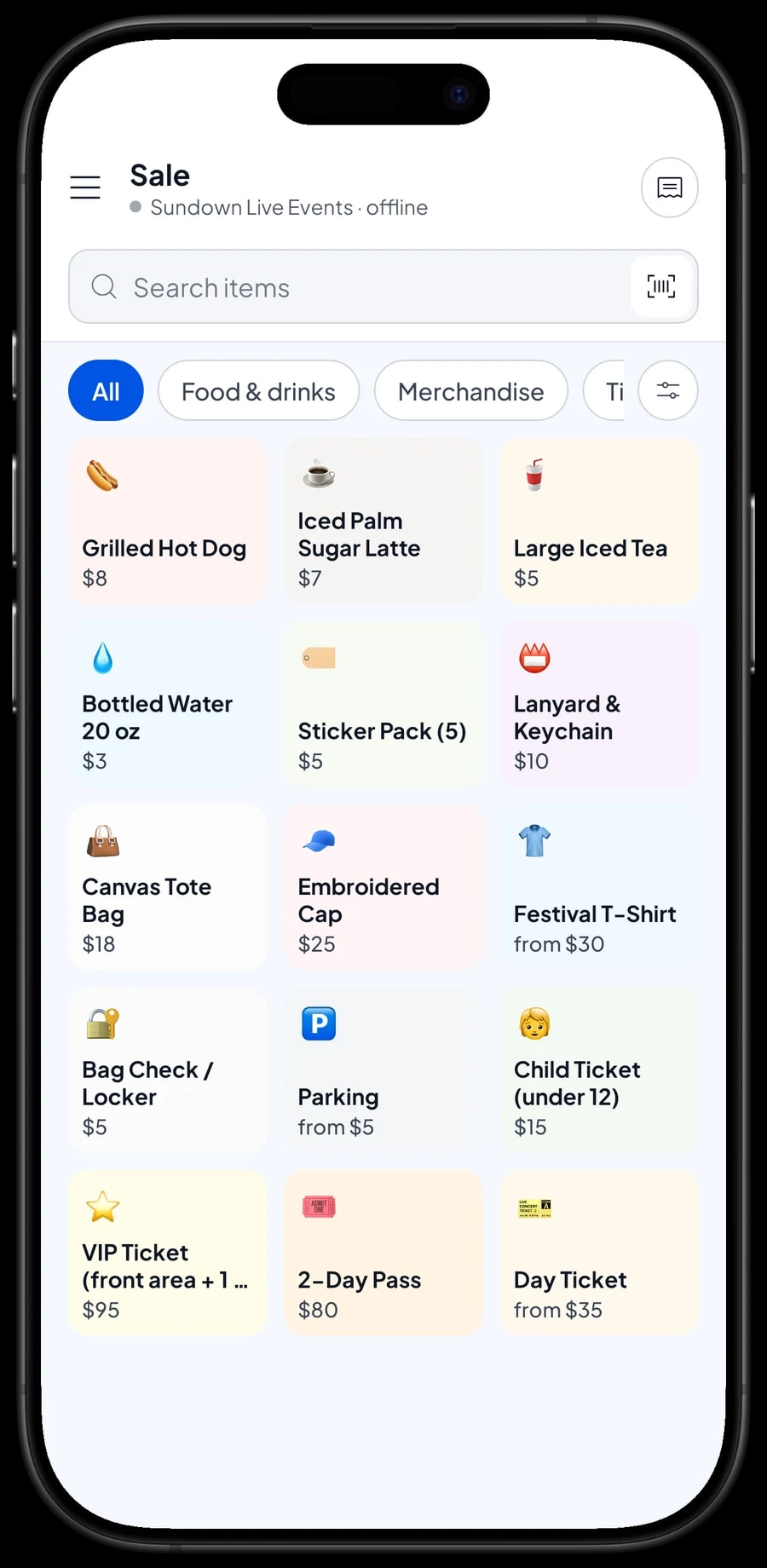
- Step 4: Add the other items, such as VIP, Child, Parking and Locker, then check how they look on the Sale screen.
Selling tickets fast at the gate
When the gates open, speed is everything. On the Sale screen, the cashier taps Day Ticket, picks At the gate, bumps the quantity for a group of five, and chooses the payment method. No prices to memorize, no change to work out in your head.
You create the payment methods yourself, to match what you take on site: cash, card, bank transfer, a QR payment or an e-wallet. Salesmaster isn't connected to card terminals or payment providers, so card and QR payments are recorded as a payment method once the money has gone through. Reports show how much came in through each method, which makes it easy to match the cash box and your bank statement after the event.
As proof of purchase, the receipt can print on a Bluetooth thermal printer or go out by WhatsApp, email or a web receipt link. Be aware that Salesmaster is a point-of-sale app, not an e-ticketing system: it doesn't scan or validate QR tickets at the entrance. Many organizers hand out a wristband or a hand stamp once the receipt is done.
Merchandise with stock by size
Merchandise is physical stock, so it is set up as products with stock. A festival T-shirt is one item with size variants such as S / M, L / XL and XXL. Each variant has its own price, its own cost and its own stock, so the XXL that costs more to print can sell for more, and you always know which sizes are left.
Caps, tote bags, lanyards and sticker packs are regular products with their own stock. Enter the opening stock when the boxes arrive from the printer. Every sale takes stock off the chosen variant, and at the end of day one you can see which sizes moved and decide whether to bring more from storage.
If your merch has barcodes, the cashier can scan them to add items to the cart.
- Step 1: Open Catalog → List Items and add Festival T-Shirt as a product with stock.
- Step 2: Add the size variants, each with its own price and cost.
- Step 3: Open Catalog → Inventory → Stock and enter the opening stock for every size.
- Step 4: At the end of each day, check stock by variant before you restock the table.
Food and drink stands with ingredient stock by recipe
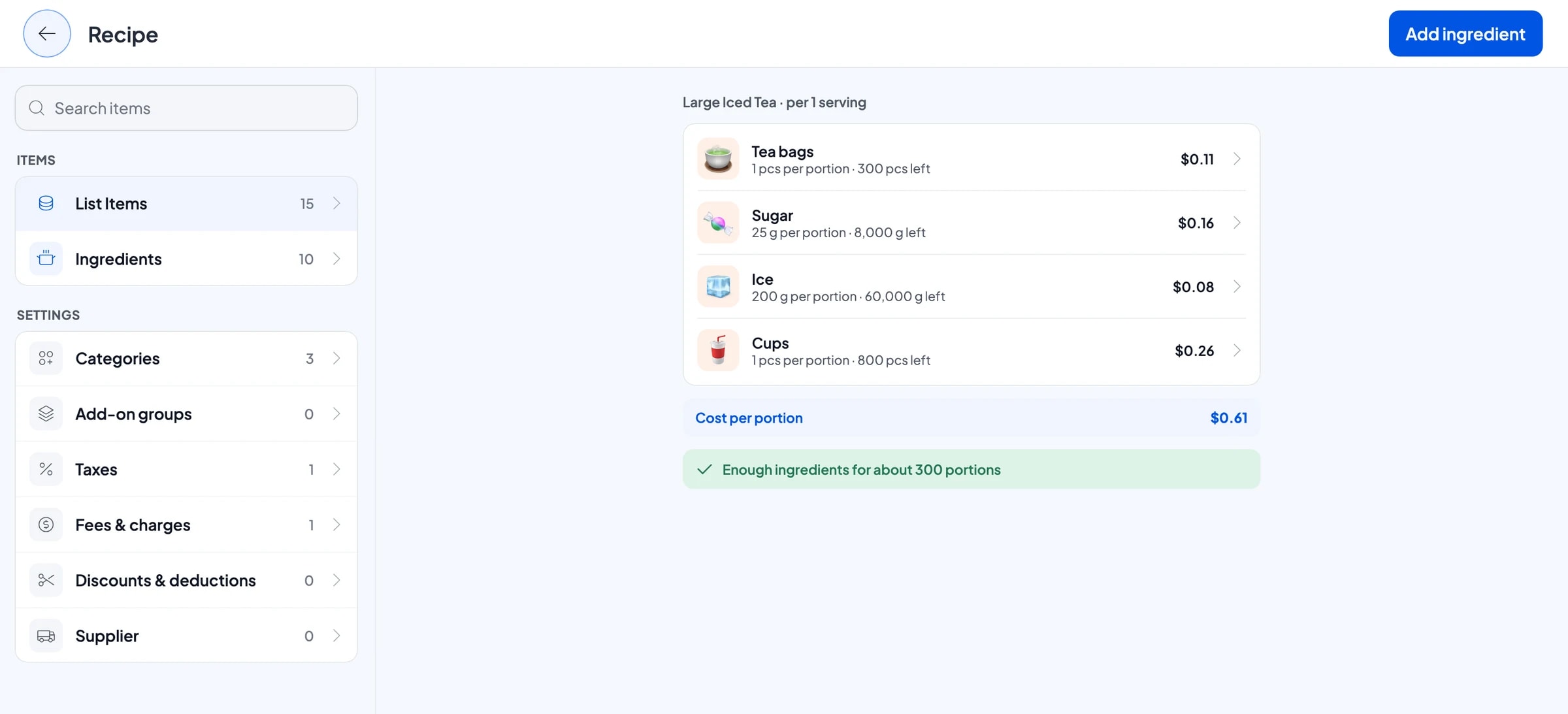
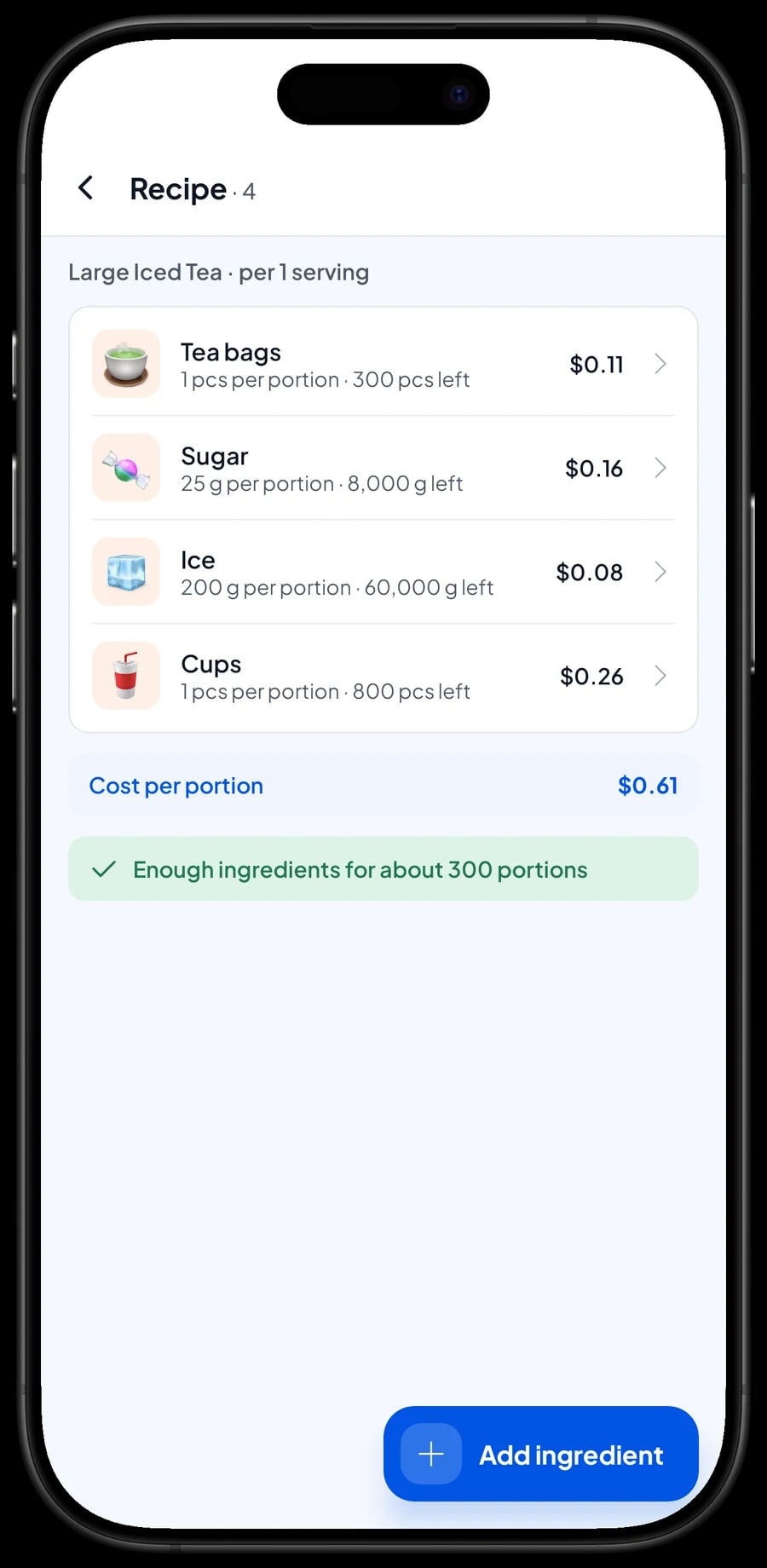
If you run your own food and drink stand, items such as large iced tea, iced palm sugar latte and grilled hot dogs are Made-to-order items with a recipe. You enter the ingredients once, like tea bags, sugar in grams, ice and cups, and then how much each serving uses.
Every cup sold takes its ingredients off stock, cups included. In the middle of the event you can check how much ice or how many sausages are left and send someone for more before you run out. Packaged drinks such as bottled water are regular products with their own stock.
Because purchase prices are recorded, Salesmaster works out the cost of each serving.
- Step 1: Turn on made-to-order items, then open Catalog → Inventory → Raw materials.
- Step 2: Add ingredients such as tea bags, sugar, ice and cups, with opening stock and purchase price.
- Step 3: Create Large Iced Tea as a Made-to-order item and fill in its recipe per cup.
- Step 4: Whenever the crew buys more supplies, record the purchase so stock and costs stay accurate.
Keep selling when the signal drops
Event sites are often far from reliable coverage, and thousands of phones on the same network slow it down even more. In Salesmaster, every sale is saved on the device first and sent to the cloud when the connection is back. The gate cashier never has to wait for a signal to sell a ticket.
Offline mode works for up to 7 days. After that, the app needs to connect briefly to sync and verify your account. For a one- to three-day event, that is more than enough. Make sure every device is signed in and the catalog has synced before you head to the venue, because the first sync needs internet.
After the event, connect the devices to Wi-Fi or mobile data. Every sale from the gate, the merch table and the food stand lands in your account, and the full event report opens on the owner's device.
Crew cashiers and separate devices
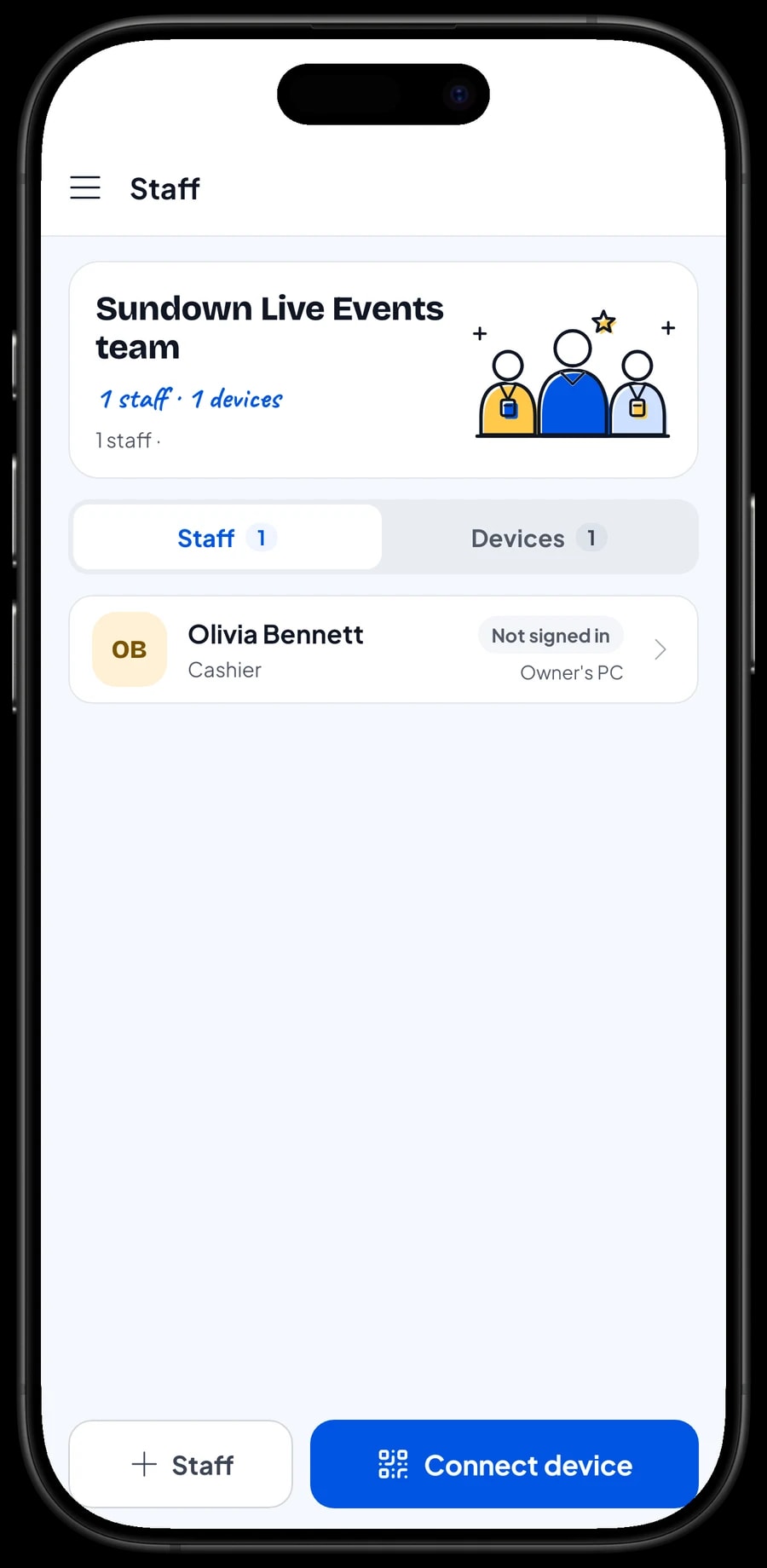
A Salesmaster account signs in on one device at a time. So if you have several points of sale, such as the ticket gate and the merch table, the crew on the other devices use staff accounts. Add crew members as staff with their roles, then register their devices. Staff sign in with a PIN, and you decide what they can see and change. Staff accounts come with Bronze Pro and Silver Pro.
Recording event costs and seeing net profit
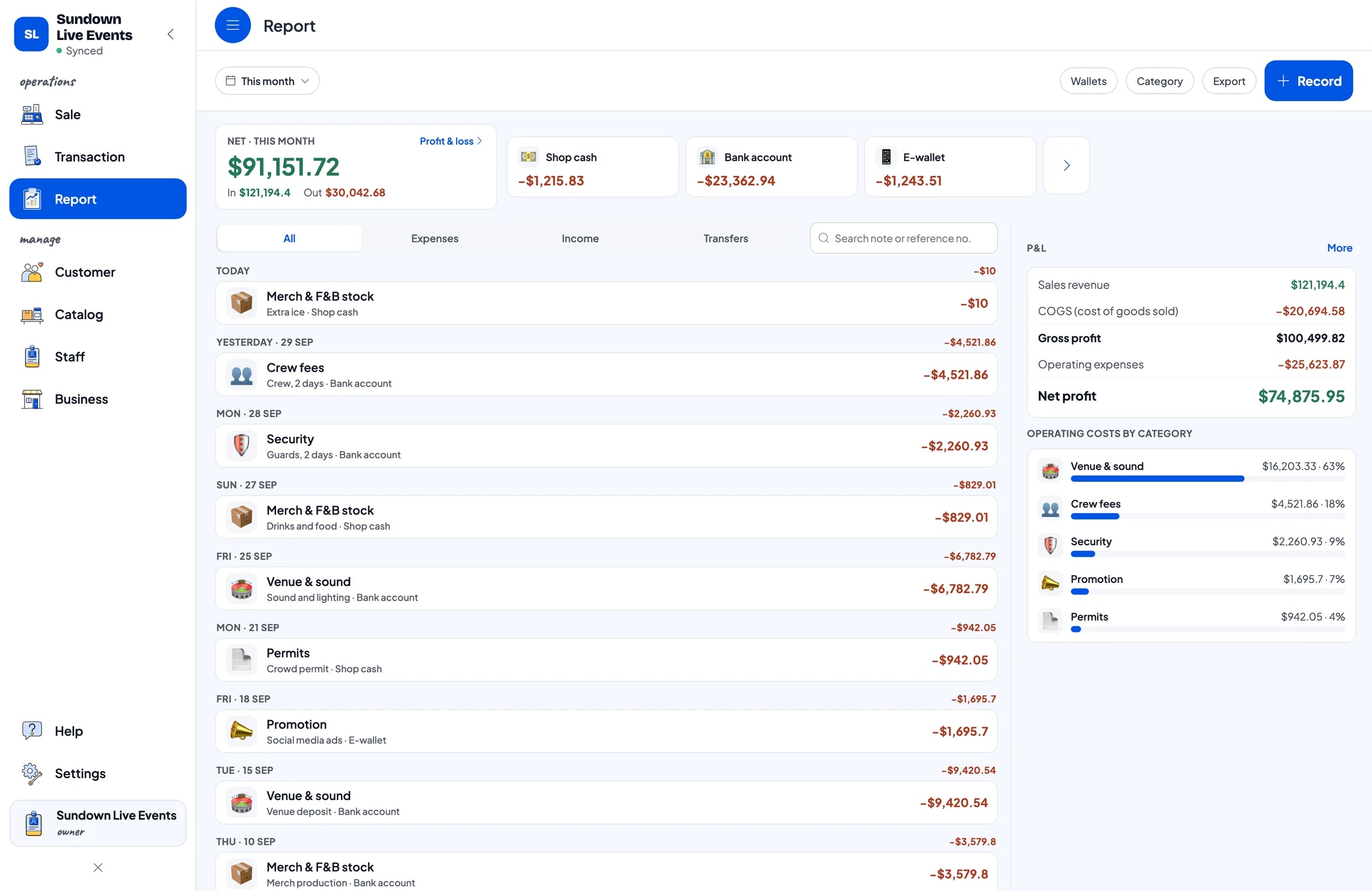
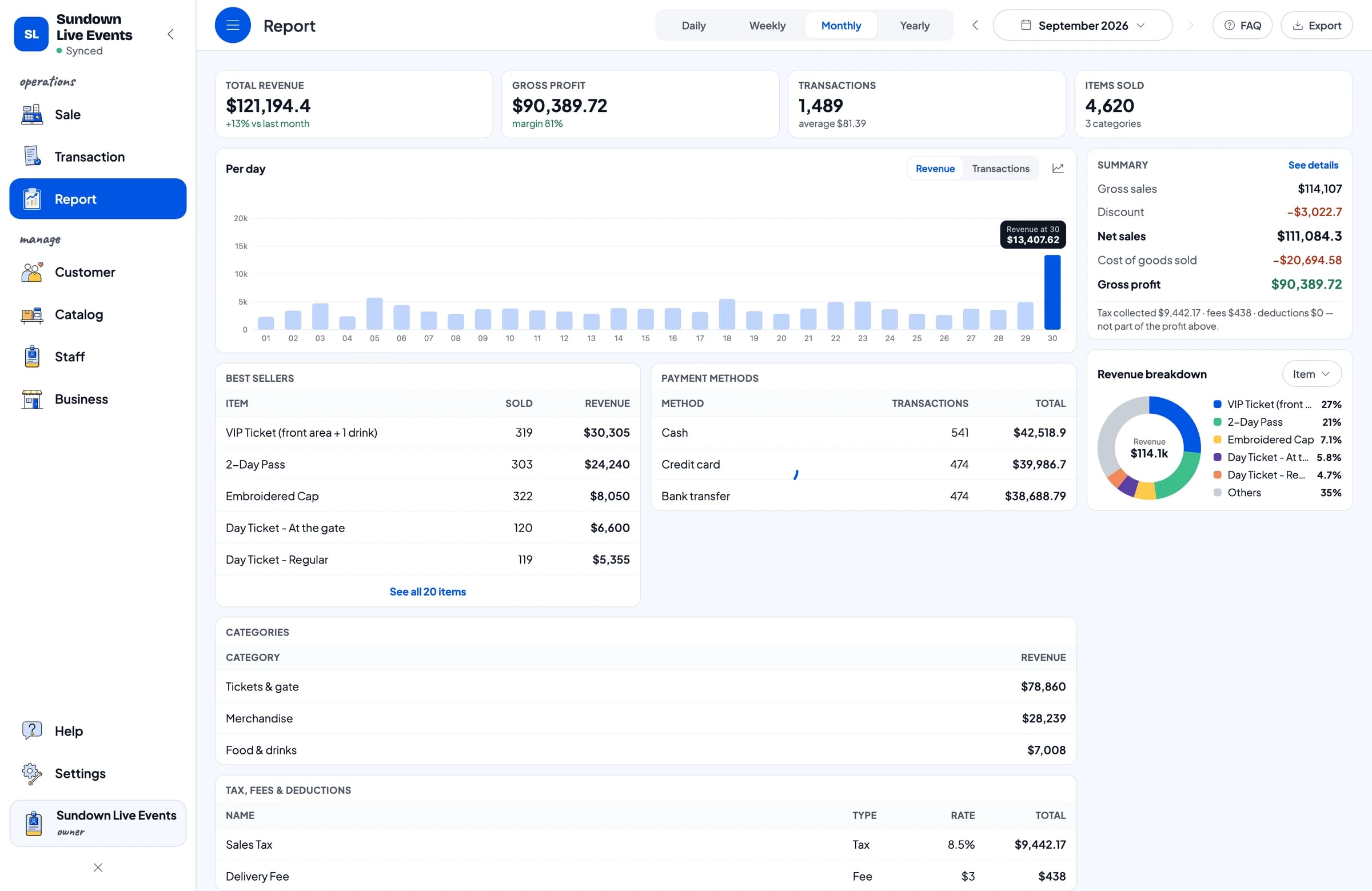
Event profit only shows once the costs are in. In Finance, record expenses under categories that fit your event: venue and sound, crew fees, security, promotion, permits, and merch and food stock. Each expense has the wallet it was paid from, such as the cash box, a bank account or an e-wallet, so you know where the money went.
A deposit paid to the venue or the sound company is simply recorded as an expense when you pay it, with “deposit” in the note. Salesmaster doesn't track what you still owe suppliers or refundable deposits, so write the balance due in the expense note and record the final payment when you make it.
The Finance report then shows revenue minus cost of goods and operating costs: your net profit. Any sales tax you collect, set up in Fees or Tax, is shown separately and isn't counted as profit.
Reports by event day and best sellers
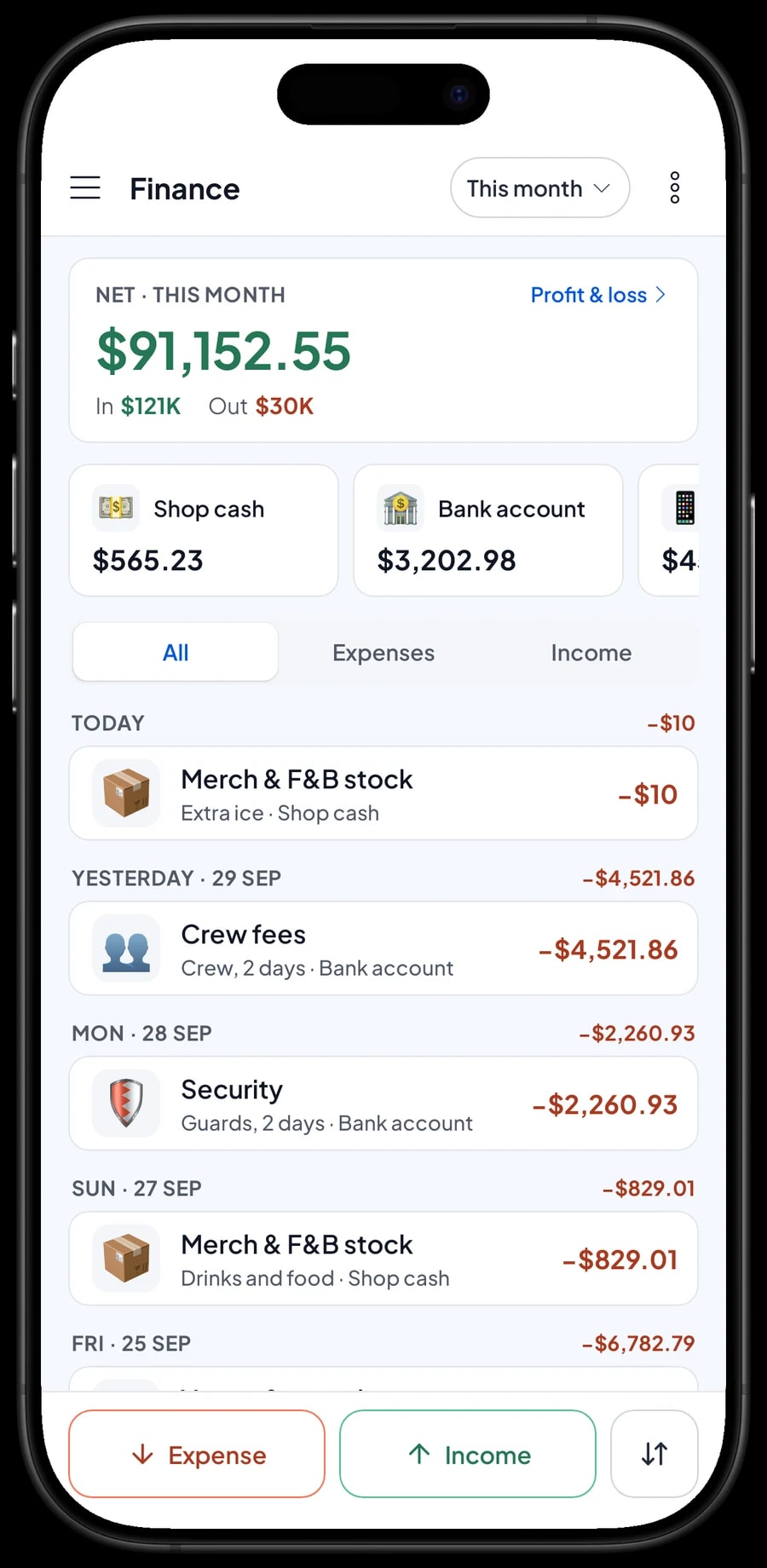
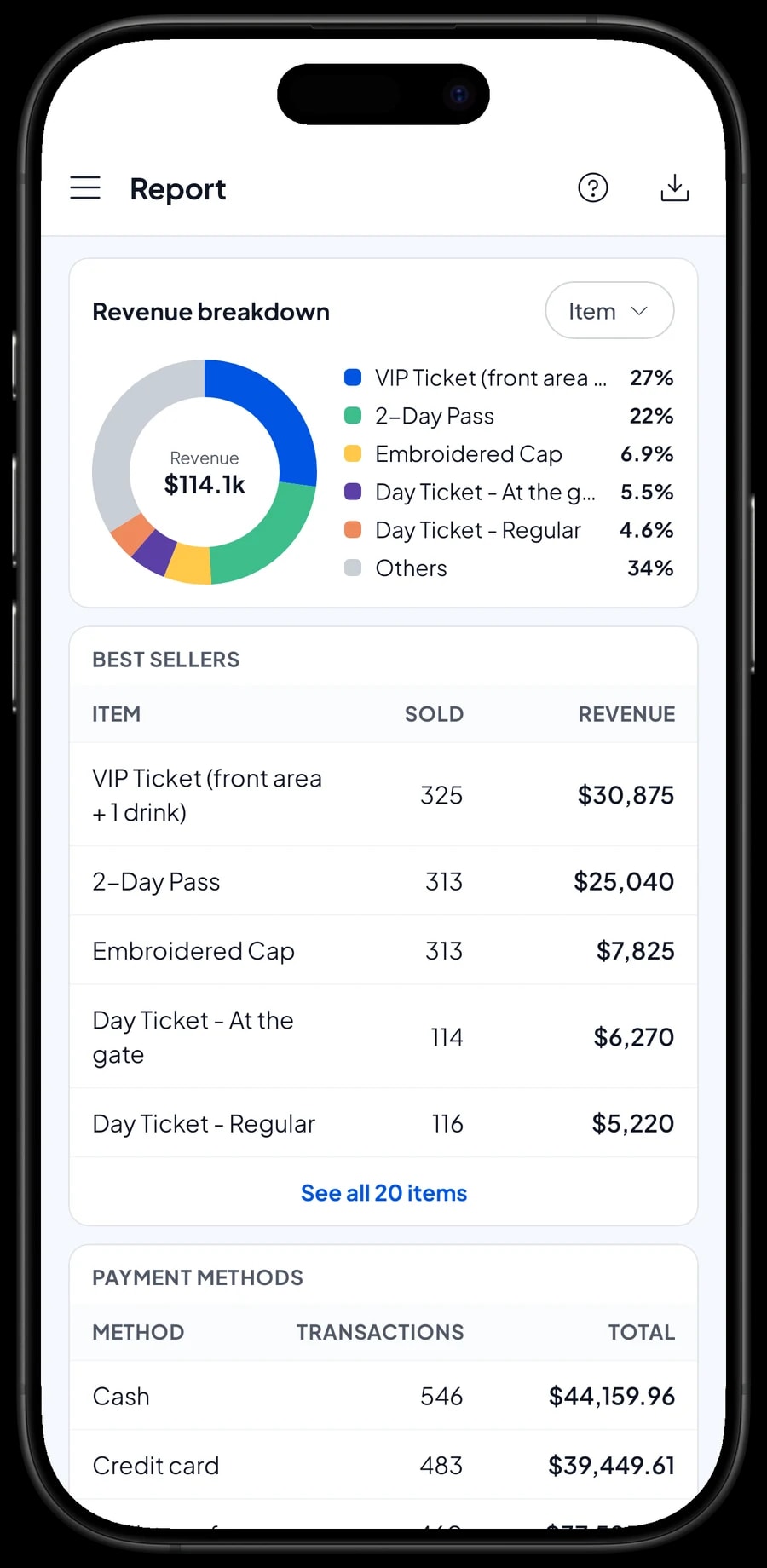
Reports are available by day, week, month and year. For a two-day festival, open the daily report for each day and compare: how many tickets sold at the gate, how many presale, and what time the gate was busiest. You also see gross and net sales, discounts, tax, and money in by payment method.
The revenue split by item shows what brought in the most: regular tickets, VIP, T-shirts or iced lattes.
Reports can be exported to Excel or PDF to send to sponsors, co-organizers, or a venue that shares revenue with you.
Getting ready before event day
Set everything up a few days before the event, while you still have good internet. Install Salesmaster, create an account, and build the catalog on a laptop, which is faster: tickets with their variants, parking, lockers, merch with stock by size, and food and drinks with recipes. Create the payment methods you will accept, and set up sales tax if your event charges it.
Add your crew as staff, register their devices, and run a short rehearsal a few days early: sell one ticket, one T-shirt and one drink on each device. Because reports open by day, the rehearsal doesn't mix with event-day sales. Connect a Bluetooth thermal printer if you print receipts.
On the day, just sell. Afterwards, connect every device to the internet so sales sync, record the remaining costs in Finance, and open the reports to see the event's profit. Our team is on WhatsApp if you need help setting up your catalog.
An example event catalog
Use this table as a starting point and replace the names and prices with your own tickets and merch.
| Category | Item | Variants | Item type | Stock |
|---|---|---|---|---|
| Tickets & gate | Day Ticket | Presale, Regular, At the gate | Service | No stock |
| Tickets & gate | 2-Day Pass | - | Service | No stock |
| Tickets & gate | VIP Ticket | - | Service | No stock |
| Tickets & gate | Parking | Motorcycle, Car | Service | No stock |
| Tickets & gate | Bag Check / Locker | - | Service | No stock |
| Merchandise | Festival T-Shirt | S / M, L / XL, XXL | Product | By size |
| Merchandise | Embroidered Cap | - | Product | Per piece |
| Food & drinks | Large Iced Tea | - | Made-to-order | From recipe |
| Food & drinks | Grilled Hot Dog | - | Made-to-order | From recipe |
| Food & drinks | Bottled Water | - | Product | Per bottle |
Tickets and gate services are service items without stock. If ticket numbers are capped, keep an eye on tickets sold in the daily report during the event.
Which plan fits your event
Estimate sales across every point of sale. A two-day festival with a ticket gate, a merch table and a food stand can record around 1,400 transactions in the month it runs.
| Plan | Price | Transactions / month | Staff accounts | Good for |
|---|---|---|---|---|
| Free | Free | 30 | Owner only | To try the checkout flow at a small market or a rehearsal. |
| Solo Pro | $4.90/month | 3,000 | Owner only | Small events with one point of sale run by the organizer. |
| Bronze Pro | $6.90/month | 5,000 | 1 staff | Events with one crew cashier on their own device, for example at the gate. |
| Silver Pro | $9.90/month | 8,000 | 2 staff | Events with a ticket gate and a merch table run by two crew on separate devices. |
Every plan includes checkout, catalog, receipts, reports and offline mode. You can change plans at any time. See pricing →
Frequently asked questions
- Can Salesmaster scan QR tickets at the entrance?
- No. Salesmaster is a point-of-sale app for selling tickets on site, not an e-ticket validation system. Once a visitor has paid, hand out a wristband or a stamp, and print or send the receipt as proof of purchase.
- Can the gate keep selling without internet?
- Yes. Sales are saved on the device and sync when the connection is back. Offline mode works for up to 7 days. Make sure devices are signed in and the catalog has synced before the event, because the first sync needs internet.
- Can I charge different prices for presale, regular and walk-up tickets?
- Yes. Create one ticket item with the variants Presale, Regular and At the gate, each with its own price. The cashier picks the variant, and reports show the sales of each one.
- Can Salesmaster track T-shirt stock by size?
- Yes. Set the T-shirt up as a product with size variants. Each variant has its own price, cost and stock, and every sale takes stock off the size that was chosen.
- Can several cashiers sell at the gate and the merch table at the same time?
- Yes, with staff accounts. An account signs in on one device at a time, so crew on other devices use staff accounts with a PIN. Staff accounts come with Bronze Pro and Silver Pro, and every sale lands in the owner's account.
- Can I record locker deposits?
- Salesmaster doesn't track refundable deposits. If you take one, write it in the sale note, or charge a locker fee without a deposit so the cash box always matches your sales.
- How do I see the profit of one event?
- Record every event cost in Finance, such as the venue, sound, crew, security and permits. The Finance report shows revenue minus cost of goods and expenses, which is your net profit, and it exports to Excel or PDF.
Need help setting up your catalog? Chat with our team on WhatsApp →



