
Salesmaster is a point-of-sale (POS) app for toy stores on Android, iPhone & iPad, Windows and Mac. Each toy is one item with size, colour or pack variants, and every variant has its own price, cost and stock, which goes down automatically when it sells. Gift paper and gift boxes are add-ons, regular customers earn loyalty points, and the reports show your best sellers and your store's net profit.
Problems every toy store knows
A toy store sells hundreds of models with lots of options, and the rush comes in waves. If any of these sound familiar, this page is for you.
- 01
One model, lots of options
A teddy bear in 30, 50 and 80 cm, an RC truck in red and blue, a jigsaw in 500 and 1,000 pieces. Count them as one item and you never know which option is gone.
- 02
Holiday and birthday rushes
School breaks and the holiday season fill the store. Parents want to be quick, kids are impatient, and a slow register turns into a long line.
- 03
Gift wrap that never gets charged
Almost every birthday present gets wrapped. If the paper and boxes aren't rung up, that money disappears and the wrapping supplies run out without anyone noticing.
- 04
Shelves full of last year's toys
Trending toys sell out while older models sit in the back room. Without sales data, the next order to your importer is based on a guess.
Setting up your toy catalog
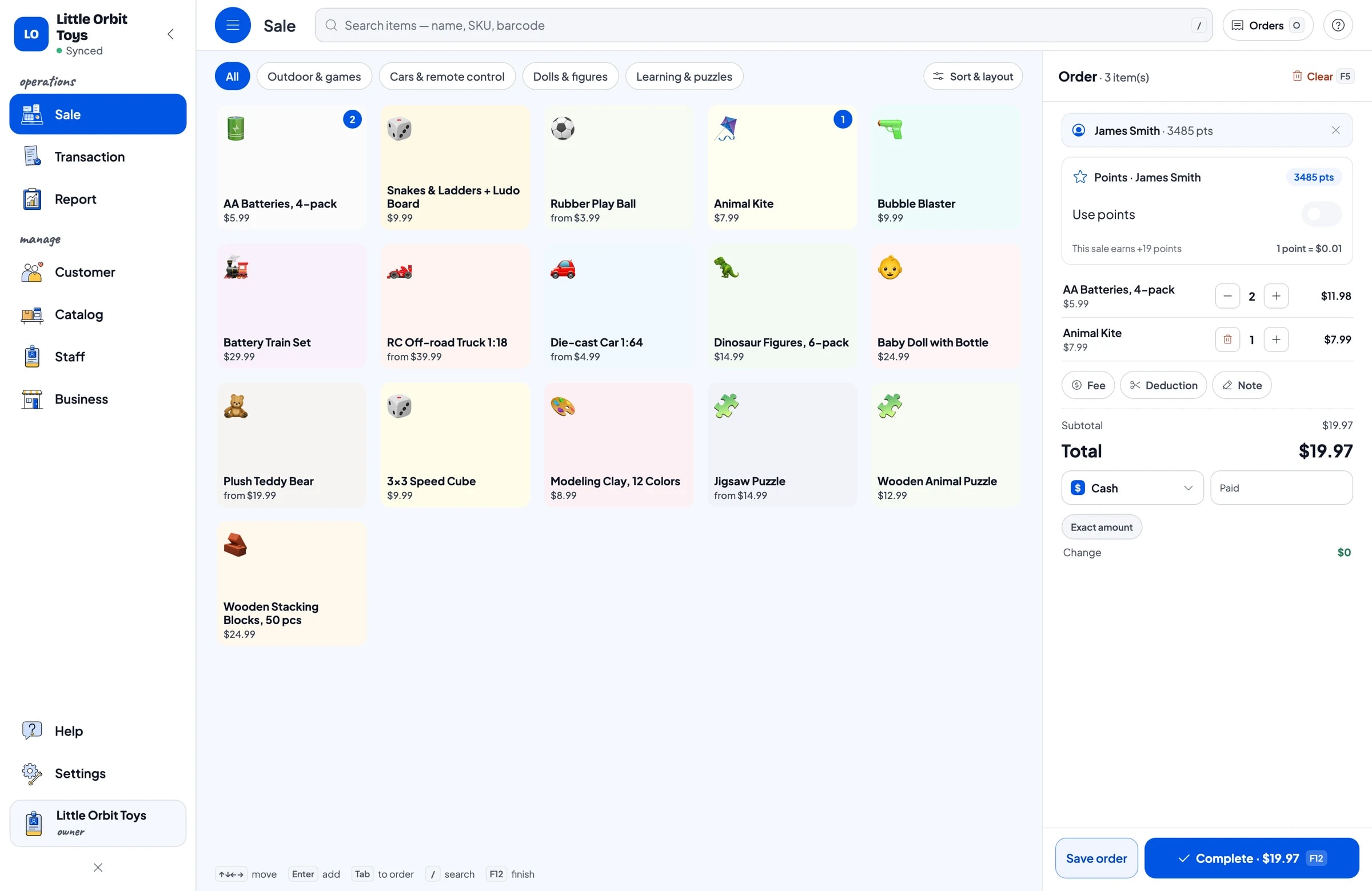
Group your toys the way parents shop for them, such as Learning & puzzles, Dolls & figures, Cars & remote control, and Outdoor & games. Categories show up as tabs on the Sale screen, so staff find any toy in a tap or two.
Each toy is one item with a unit that fits: piece, set or box. Enter the selling price and the cost, then turn on Stock Tracking. Add a photo so a new hire can spot the toy without asking.
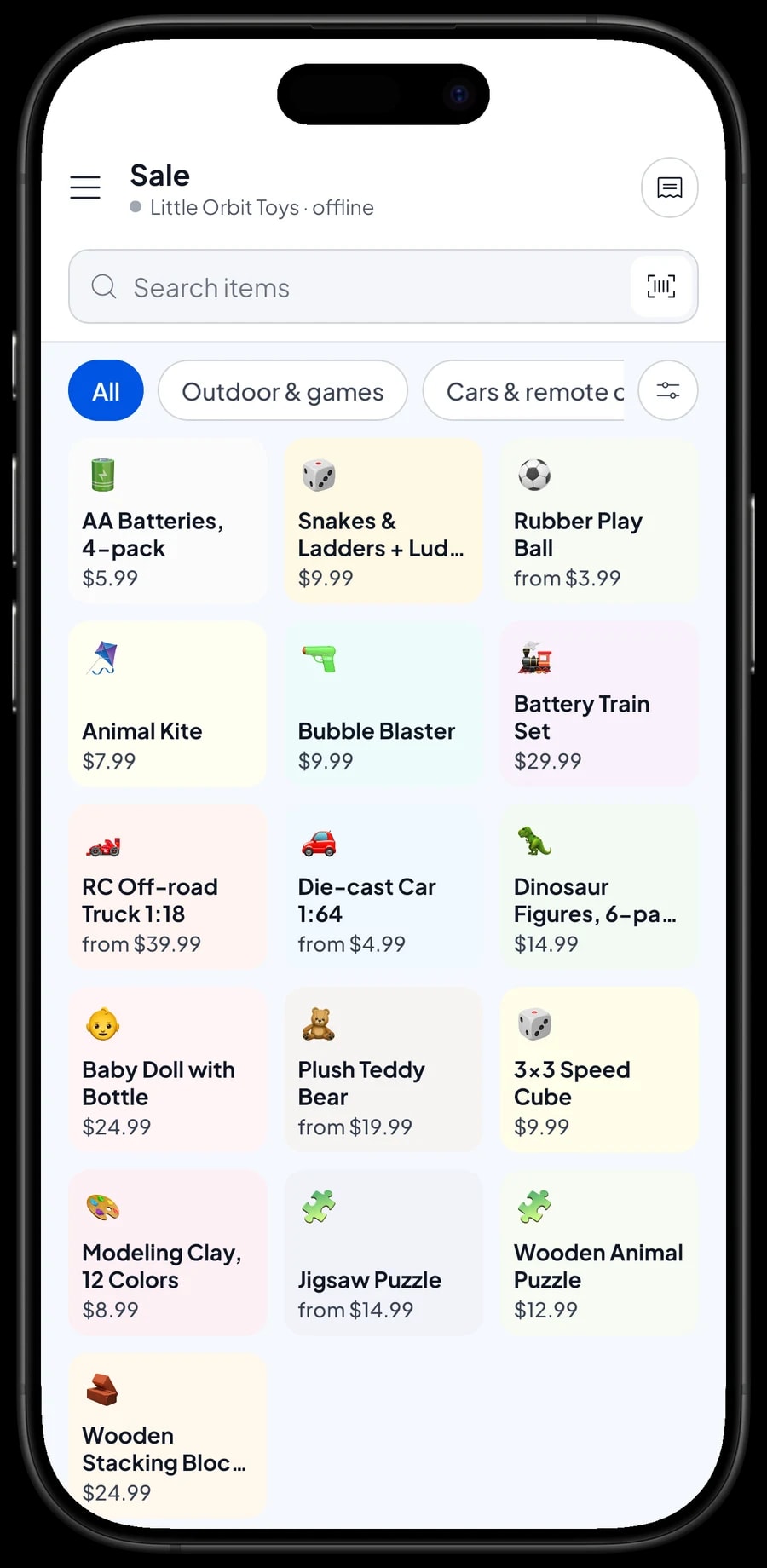
Boxed toys with a barcode can be scanned at checkout with the phone's camera or a barcode scanner. Loose toys like kites or play balls are picked from a category tab or found with the search box.
- Step 1: Open Catalog → Categories and create categories that match your shelves.
- Step 2: Open Catalog → List Items and add each toy with its name, unit, selling price and cost.
- Step 3: Add a photo and a barcode where there is one.
- Step 4: Turn on Stock Tracking and enter what you have on the shelves and in the back room.
Size, colour and pack variants
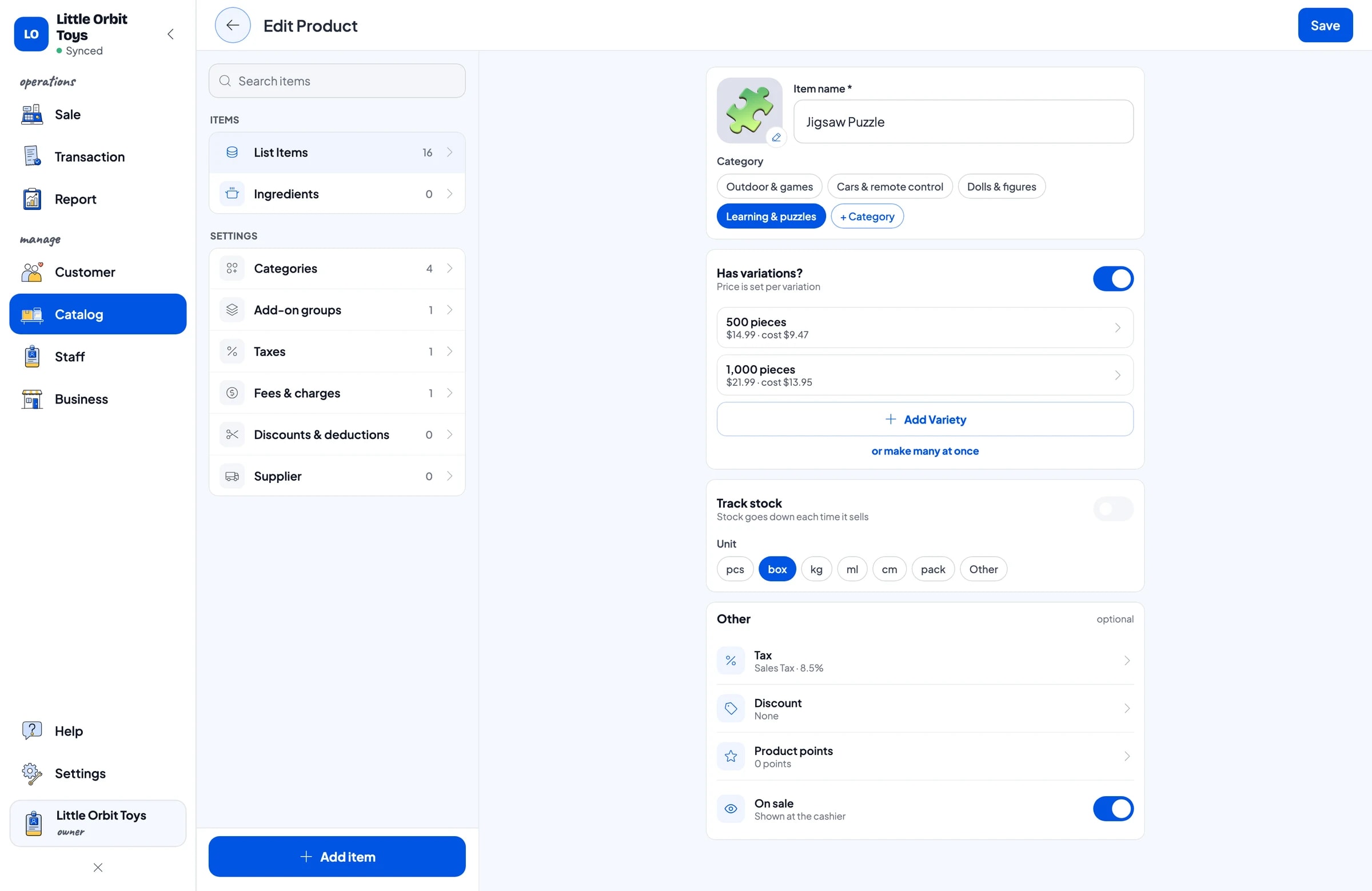
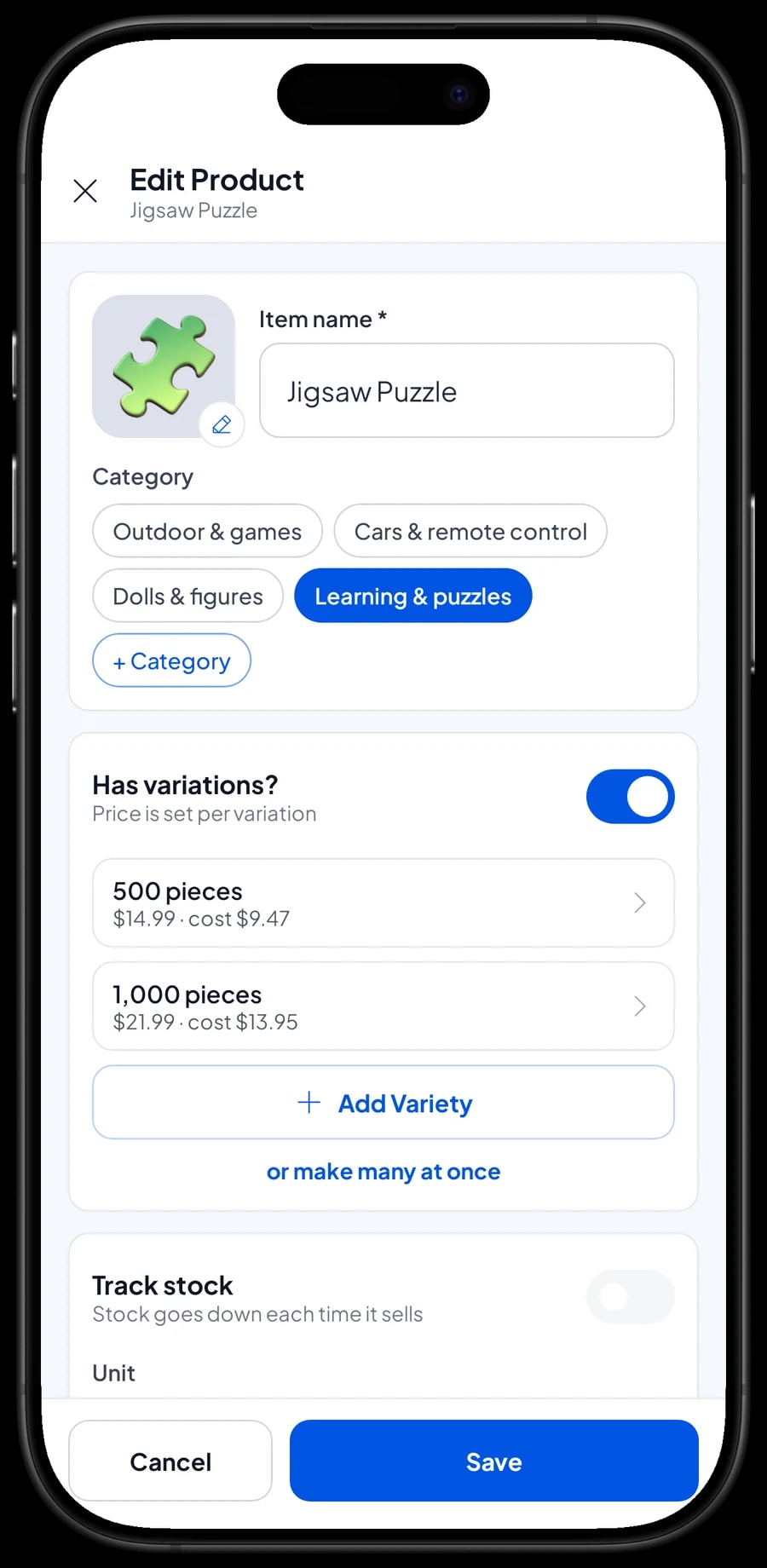
Many toys come in several options. Make the Jigsaw Puzzle one item with 500 pieces and 1,000 pieces variants. The Plush Teddy Bear has 30 cm, 50 cm and 80 cm, the RC Off-road Truck 1:18 has Red and Blue, and the Rubber Play Ball has Small and Large.
Each variant has its own selling price, its own cost and its own stock. When a 50 cm bear sells, only the 50 cm stock goes down, so you can see the blue truck is down to one while four red ones are still on the shelf.
Variants work for pack sizes too. The Die-cast Car 1:64 can have Single and 5-car set variants, each with its own price. Set stock does not turn into single-car stock by itself, so if you open a set to sell the cars one by one, record a stock adjustment on both variants.
- Step 1: Open the item from Catalog → List Items.
- Step 2: Add a variation for each option, such as 500 pieces and 1,000 pieces, or Red and Blue.
- Step 3: Enter the selling price and cost for each variant, then save.
- Step 4: Open Inventory → Stock and enter the opening stock for each variant.
Gift wrap as an add-on
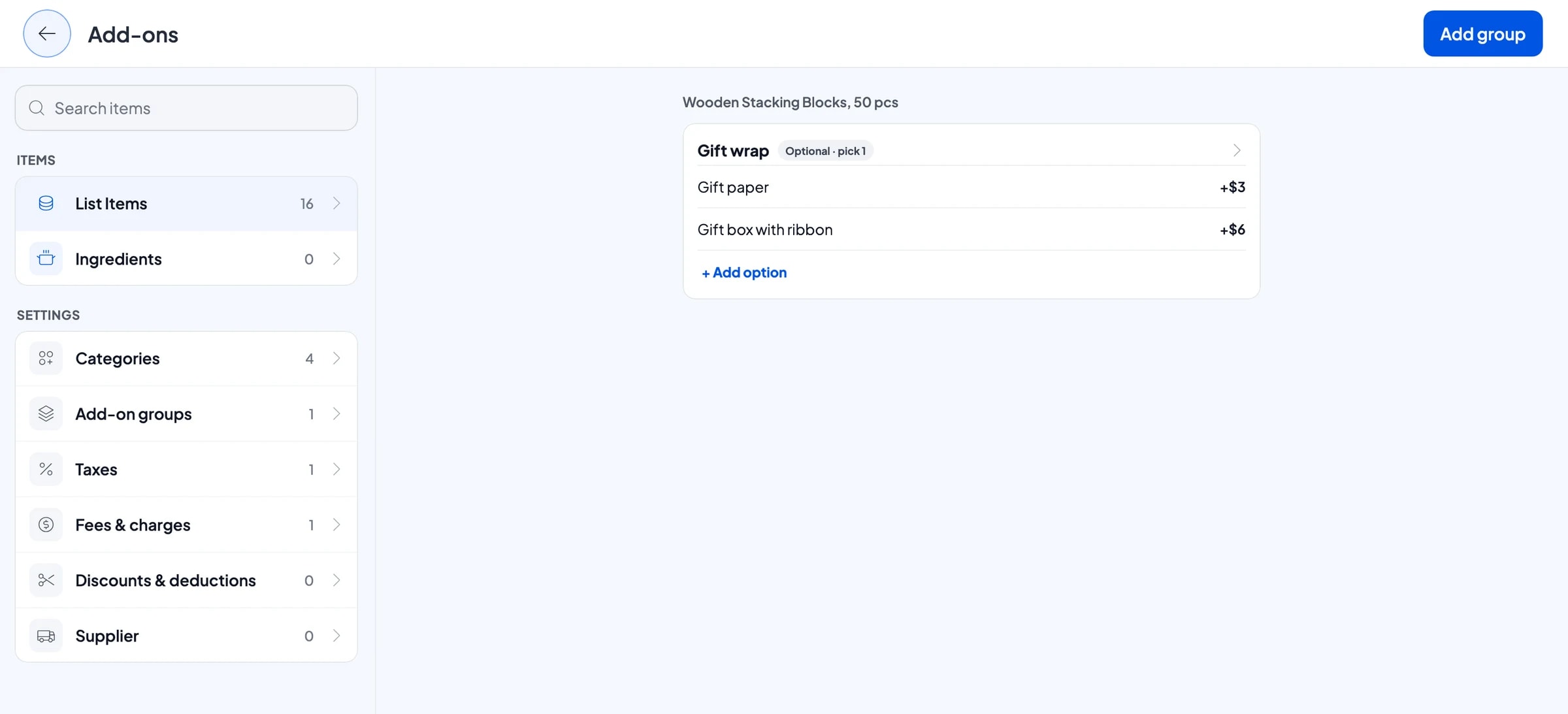
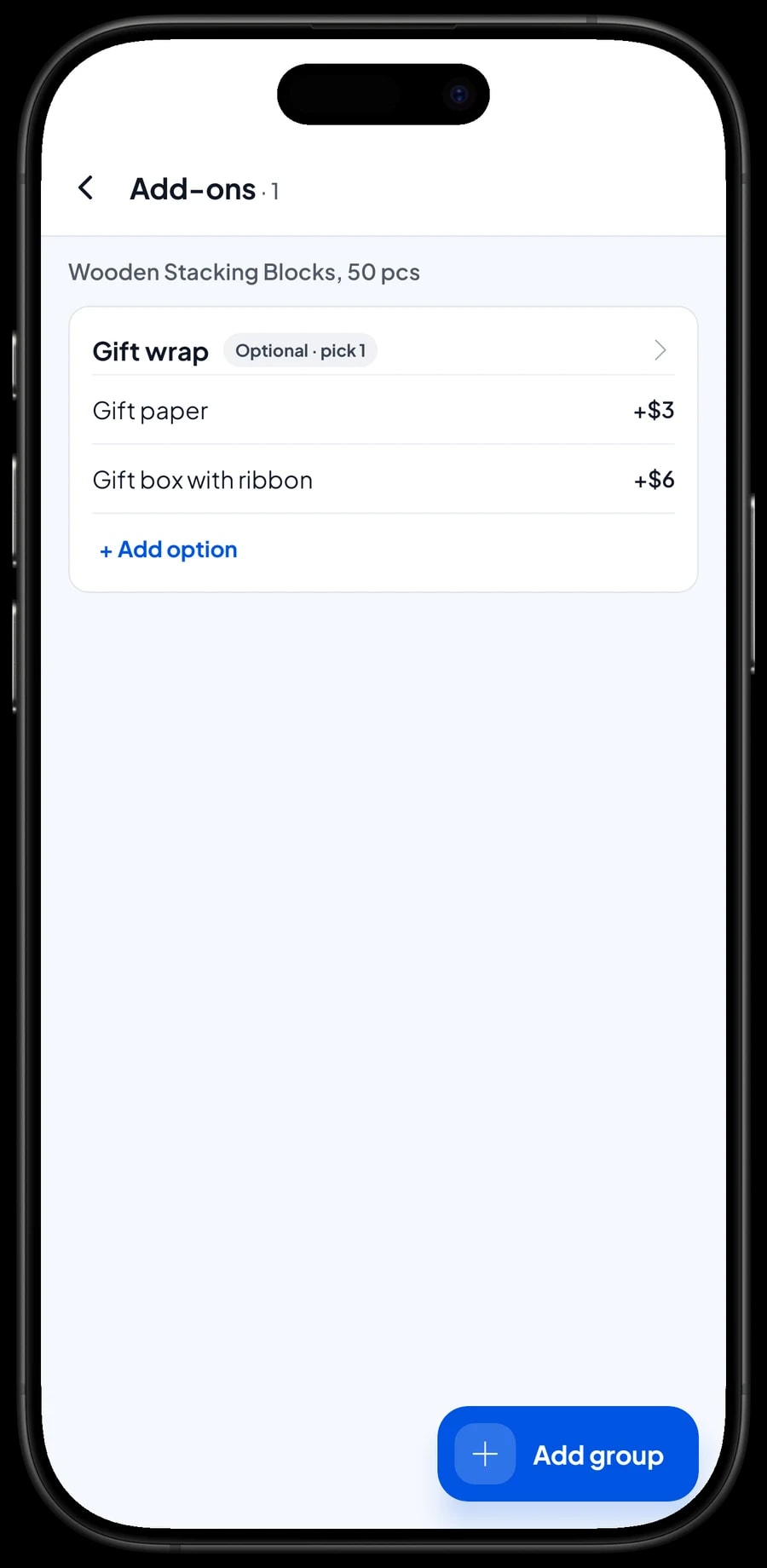
A lot of toys leave the store as birthday presents. Create an add-on group called Gift wrap with Gift paper (+$3.00) and Gift box with ribbon (+$6.00), and attach it to the toys people usually give as gifts.
When a toy goes into the cart, the cashier picks the wrap the customer asked for and the charge is added. The choice is saved on the sale, so whoever does the wrapping knows what to do. Add-ons are managed from the item itself with Manage add-ons, and one group can be attached to many toys at once.
Record gift paper, ribbon and bags as expenses in Finance, so you can check that the wrapping charge actually covers what you spend on supplies.
A fast checkout when the store is full
On the Sale screen, staff pick a category tab, tap the toy, choose the variant and add gift wrap if asked. For toys that need batteries, suggest AA Batteries, 4-pack in the same cart so the kids can play as soon as they get home.
You create your own payment methods, such as cash, card, bank transfer or a QR payment, and every sale records which one was used. Receipts print on a Bluetooth or USB thermal printer, or go out by WhatsApp, email or a web receipt link.
Discounts on certain toys, like older models you want to clear, are set up once in Deductions. A discount on the whole sale, for example for a school buying prizes, is added right in the cart.
Stock that updates itself
Every sale takes stock off the variant that was sold, so there is no stock book to update by hand. Under Inventory → Stock you can see what is left of every toy and variant, and reorder the trending ones before they sell out.
Keep your importers and distributors under Inventory → Suppliers and record incoming stock when a delivery arrives. Broken toys, crushed boxes you can't sell, and any difference you find when you count are recorded as stock adjustments.
Before the holiday season, count the shelves and back room and match the numbers in the app. That way your reports and reorders during the rush use the right figures.
Loyalty points for regular parents
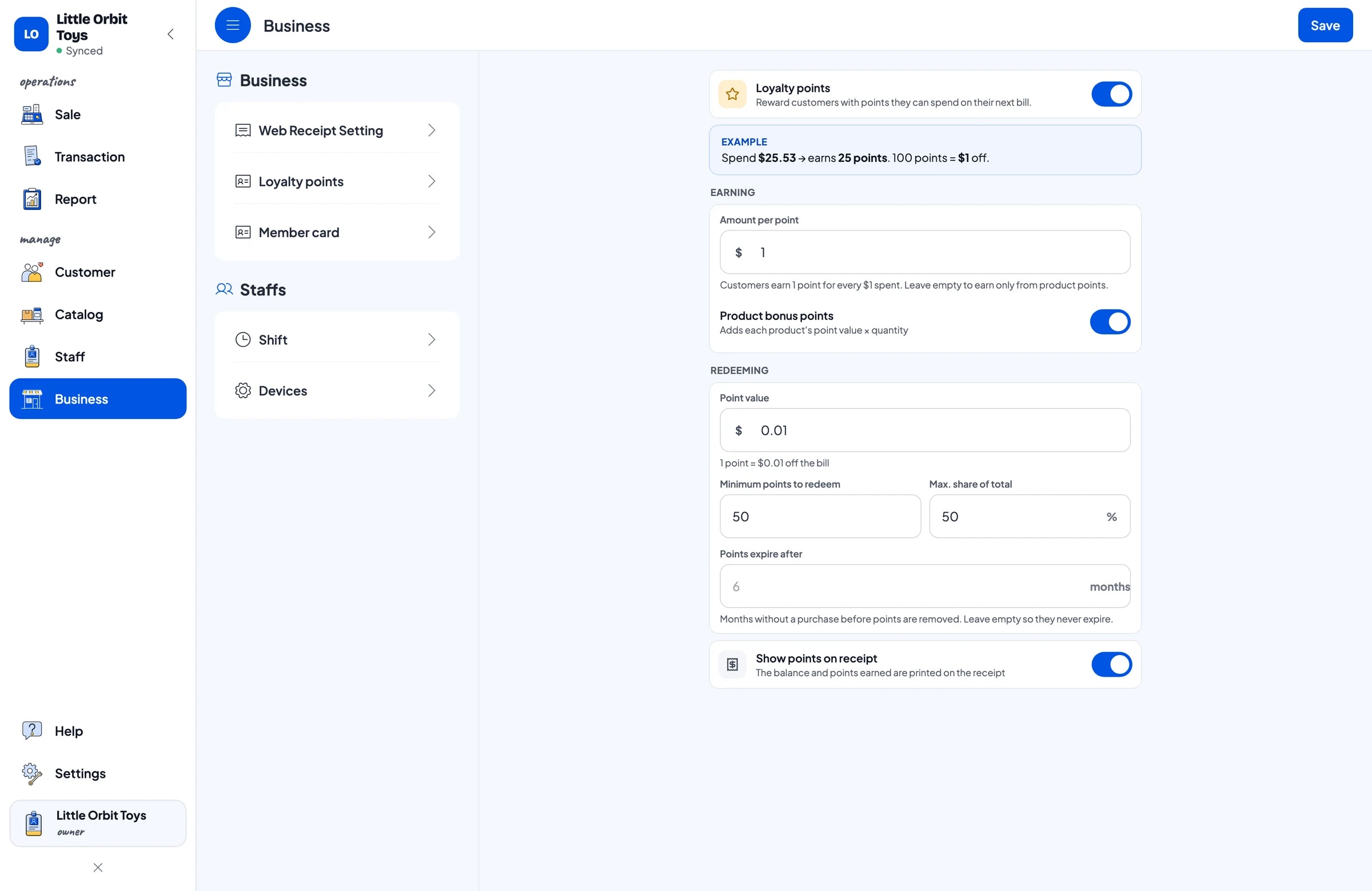
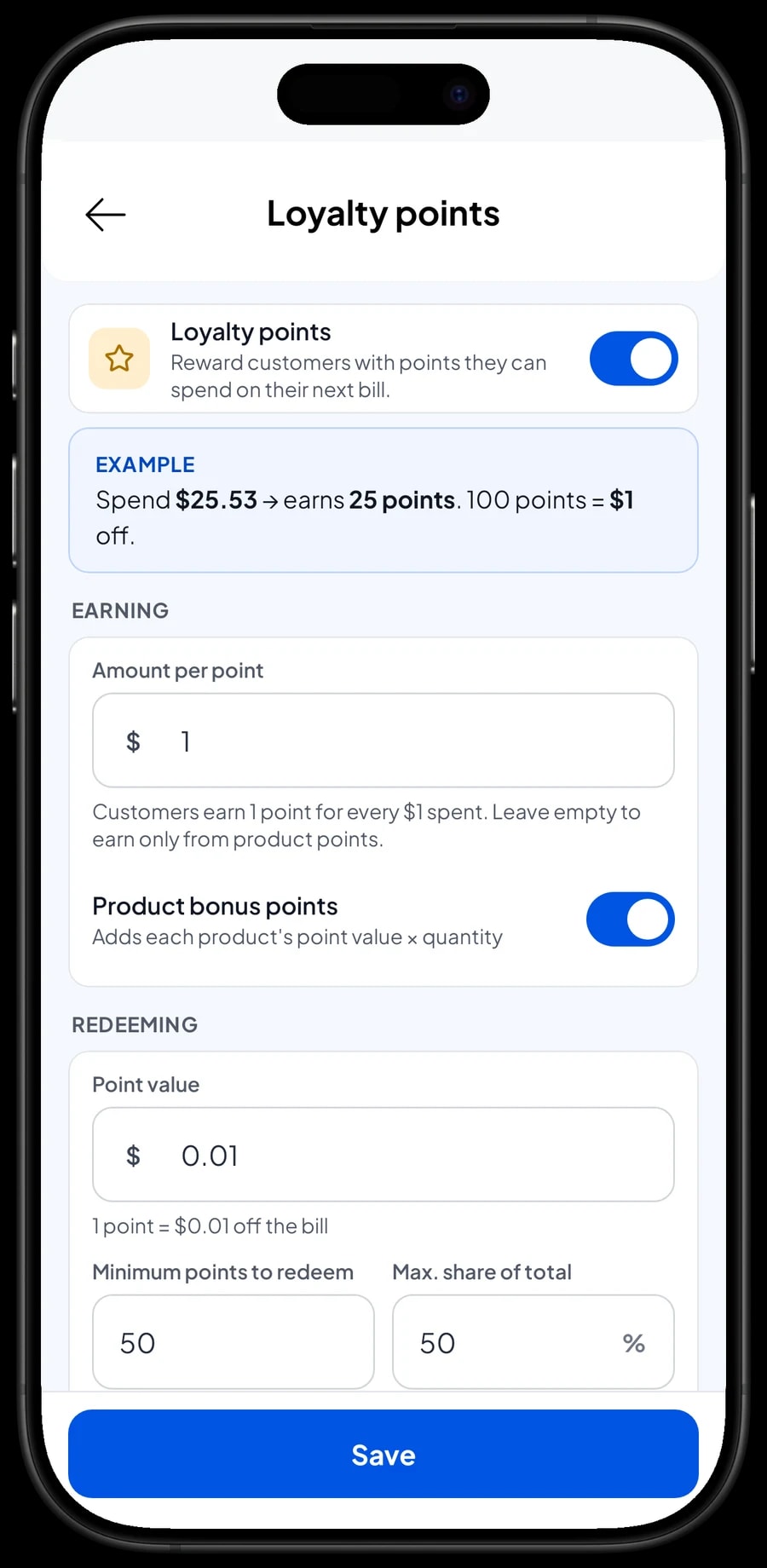
Happy parents come back for the next birthday, the holidays or a new learning toy. Turn on Loyalty points and set the rules yourself: the amount spent per point, the value of a point when redeemed, the minimum points to redeem, and the maximum share of a bill that points can cover.
Save the customer at checkout with a name and phone number. Points are added automatically, and the discount is worked out when a customer redeems. Regulars can also get a member card in their name, and their purchase history is kept under Customers.
Cashiers and shop assistants
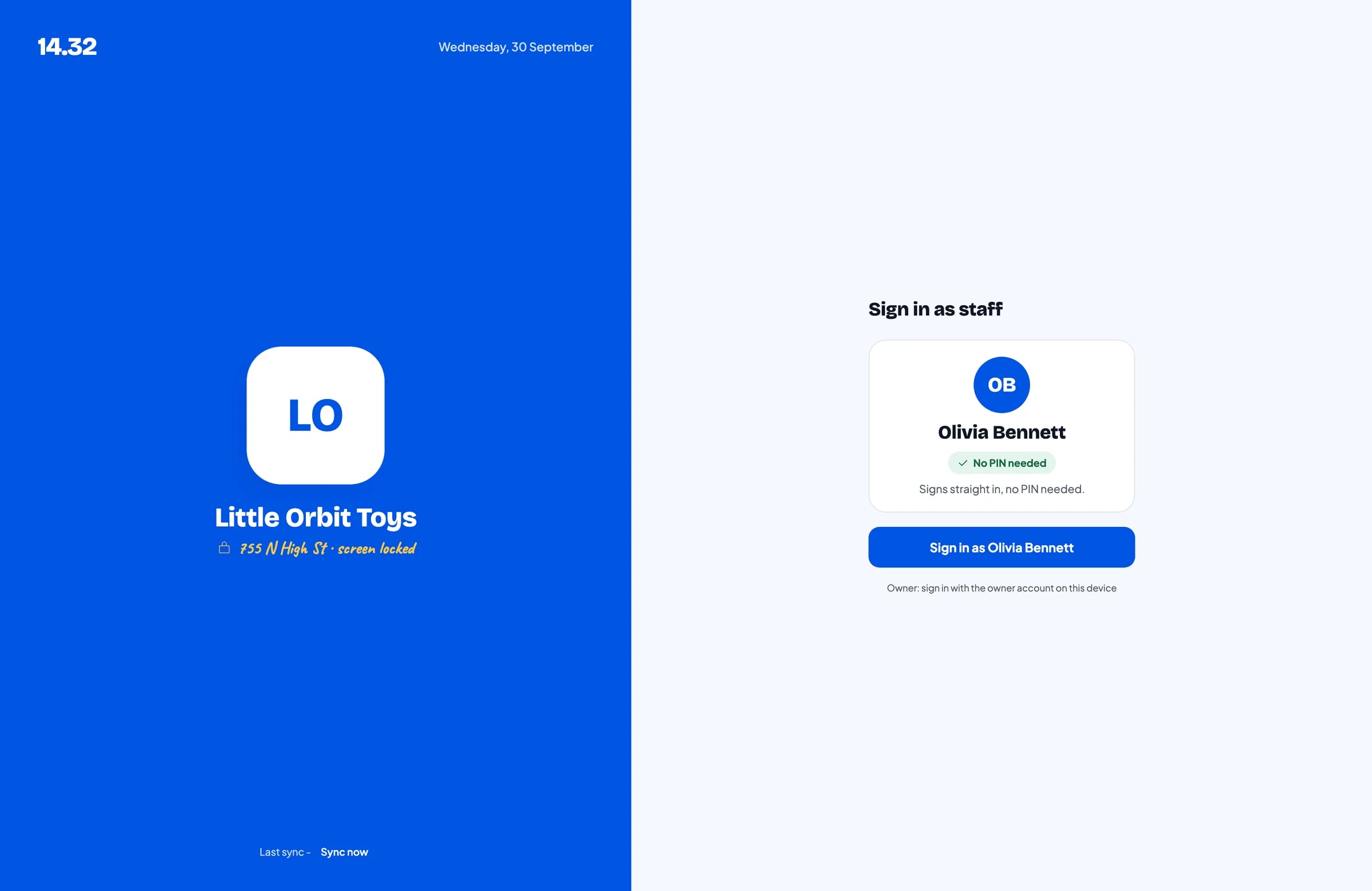
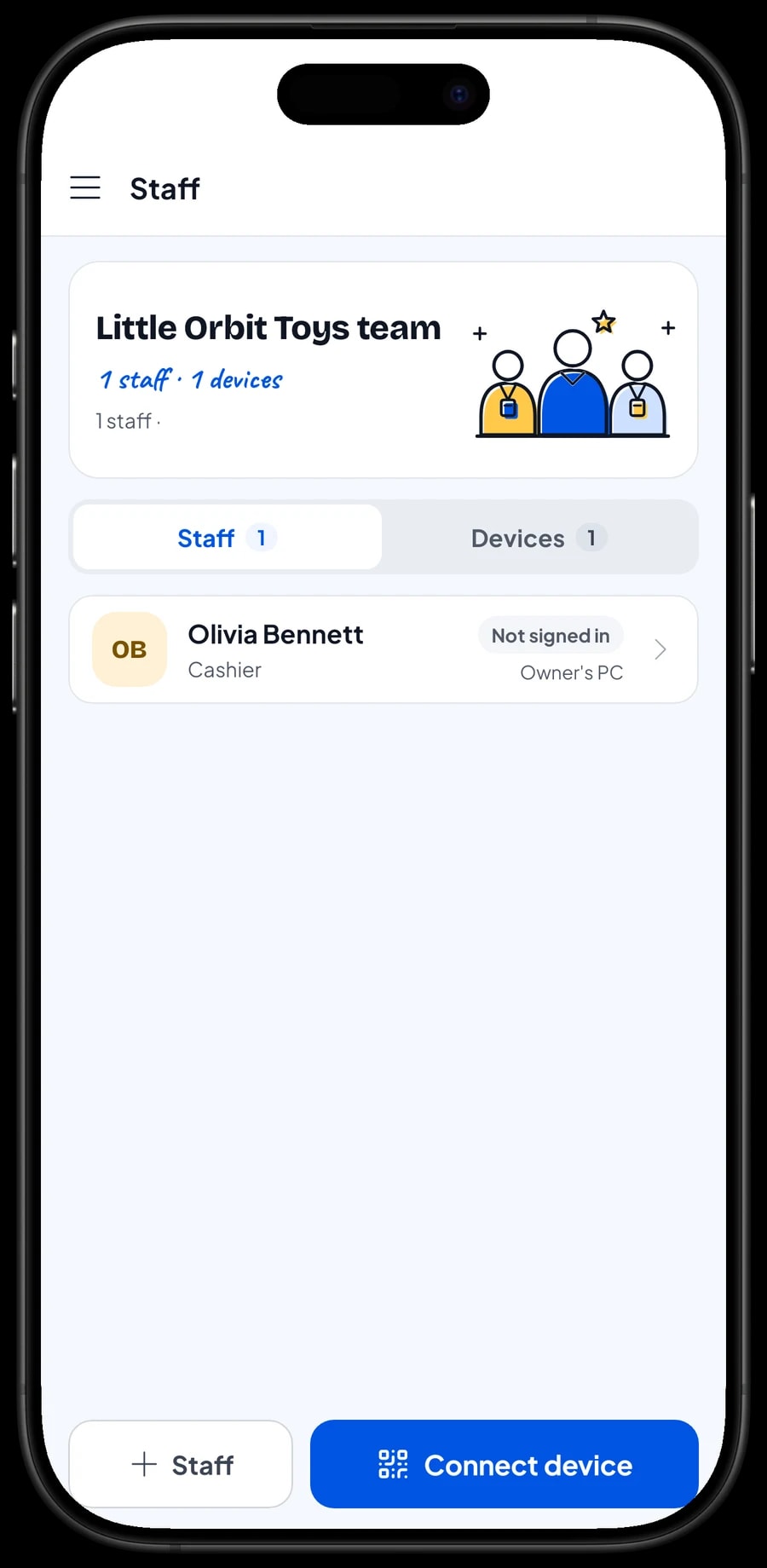
The owner signs in with the main account. Cashiers and shop assistants are added as staff with their own role and PIN, and a register device is set up for them. An account signs in on one device at a time, so extra registers use staff accounts. Staff accounts come with Bronze Pro (1 staff) and Silver Pro (2 staff).
Reports, net profit and offline mode
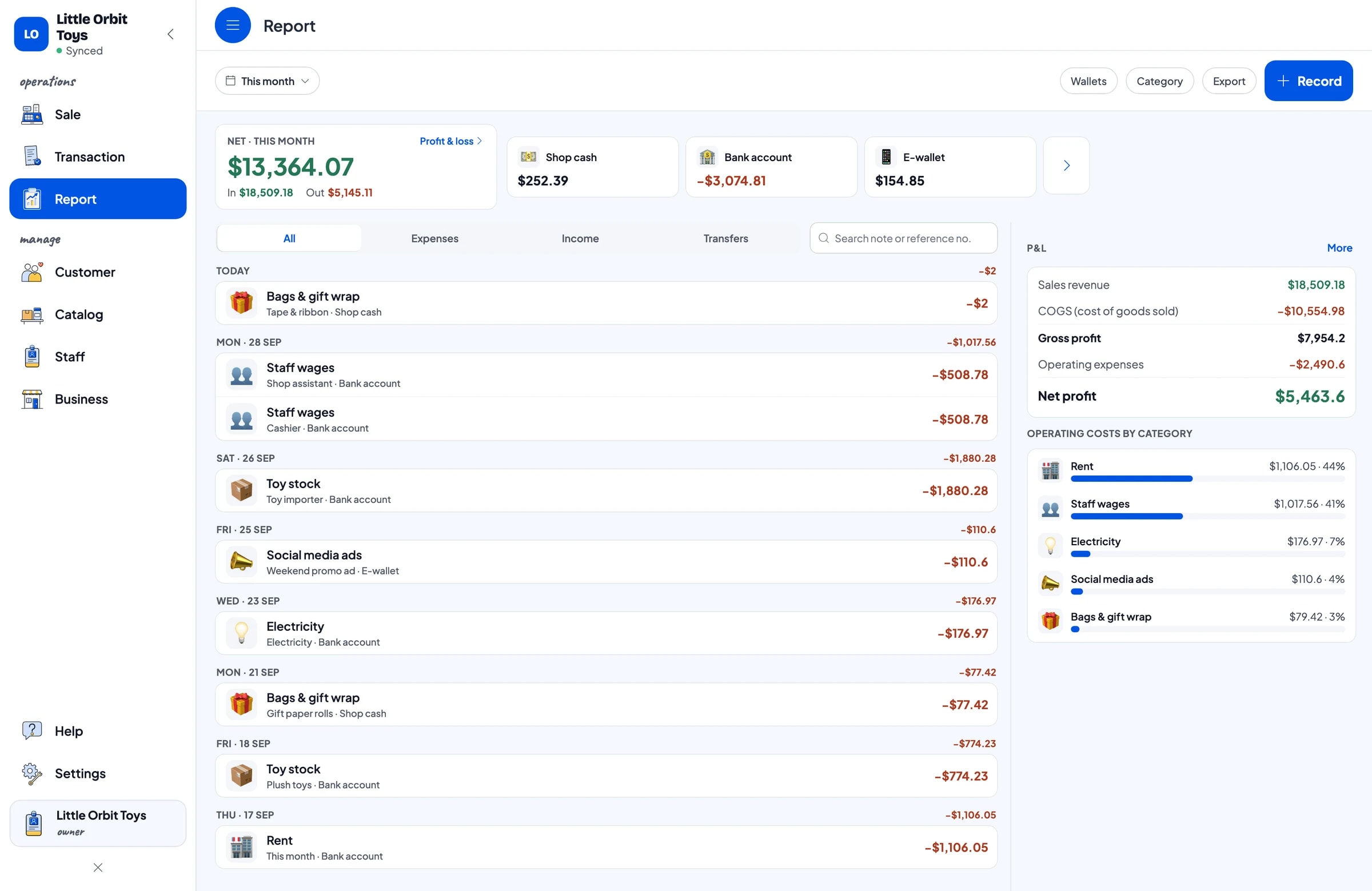
Reports are daily, weekly, monthly and yearly. You see total revenue, gross and net sales, discounts, tax, payment methods and your best-selling toys. Before your next order, look at last month and compare it with last year's holiday season. Reports export to Excel or PDF.
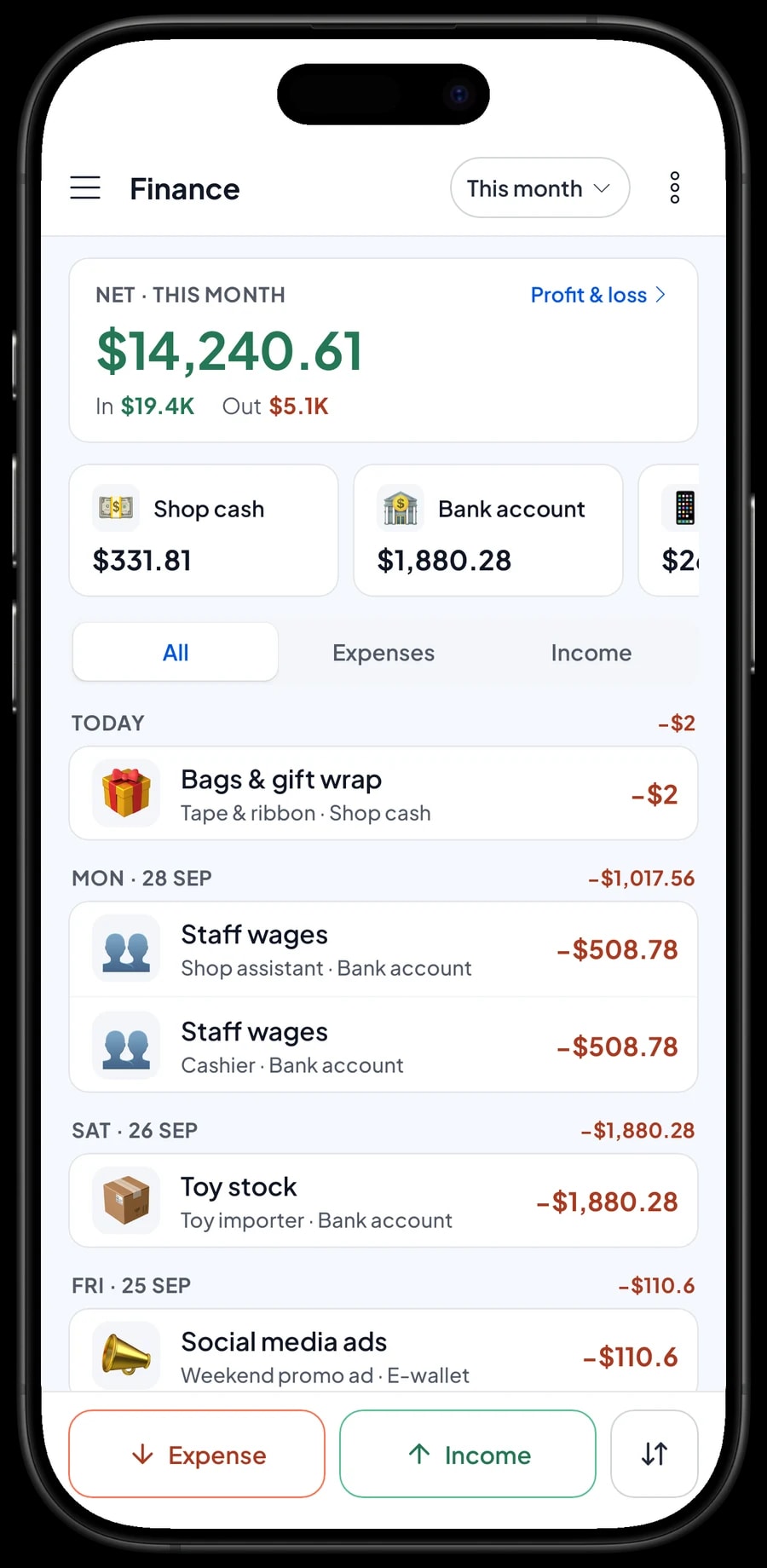
Record expenses in Finance with a category and the wallet they were paid from: toy stock, staff wages, rent, electricity, social media ads, and bags & gift wrap. The Finance summary shows revenue minus cost of goods and operating costs: your store's net profit.
If the internet drops, sales are saved on the device and sync to the cloud when you're back online. Offline mode works for up to 7 days; after that the app needs to connect briefly to sync.
An example toy store catalog
Use this table as a starting point, then swap in your own toys, variants and prices.
| Category | Item | Variants | Unit | Add-on |
|---|---|---|---|---|
| Learning & puzzles | Wooden stacking blocks, 50 pcs | - | set | Gift wrap |
| Learning & puzzles | Jigsaw puzzle | 500 pieces, 1,000 pieces | box | Gift wrap |
| Learning & puzzles | Modeling clay, 12 colours | - | box | Gift wrap |
| Dolls & figures | Plush teddy bear | 30 cm, 50 cm, 80 cm | piece | Gift wrap |
| Dolls & figures | Dinosaur figures, 6-pack | - | set | Gift wrap |
| Cars & remote control | Die-cast car 1:64 | Single, 5-car set | piece | Gift wrap |
| Cars & remote control | RC off-road truck 1:18 | Red, Blue | piece | Gift wrap |
| Outdoor & games | Rubber play ball | Small, Large | piece | - |
| Outdoor & games | AA batteries, 4-pack | - | pack | - |
Each model is one item, and sizes, colours or pack sizes are variants with their own stock. Gift wrap is an add-on group attached to the toys people usually buy as presents.
Which plan fits your toy store
A toy store serving about 15 customers a day records roughly 450 transactions a month, and can double that in the holiday season.
| Plan | Price | Transactions / month | Staff accounts | Good for |
|---|---|---|---|---|
| Free | Free | 30 | Owner only | To try variants and gift wrap before using it for real. |
| Solo Pro | $4.90/month | 3,000 | Owner only | Toy stores where the owner runs the register. |
| Bronze Pro | $6.90/month | 5,000 | 1 staff | Stores with one cashier on their own device. |
| Silver Pro | $9.90/month | 8,000 | 2 staff | Busy stores with a cashier and a shop assistant on separate devices. |
Every plan includes checkout, catalog, receipts, reports and offline mode. You can change plans at any time. See pricing →
Frequently asked questions
- Can I track stock per size or colour?
- Yes. Make each model one item and add its sizes or colours as variants. Every variant has its own price, cost and stock, and its stock goes down each time it sells.
- What if a toy comes in several sizes and colours?
- Variants are a single list of options, so combine both in the variant name, like "30 cm Brown" or "50 cm White". Each combination keeps its own stock and price. If there are too many combinations, make one item per colour.
- Can I charge for gift wrap at the register?
- Yes. Create a Gift wrap add-on group with options like Gift paper and Gift box with ribbon, and attach it to your toys. The cashier picks the wrap when the toy goes into the cart, and the charge is added.
- Is there automatic bulk pricing for schools or resellers?
- No, there is no tiered pricing by quantity. Add a wholesale price as its own variant, or give a discount in the cart when someone buys in bulk.
- Can Salesmaster scan the barcode on a toy box?
- Yes. Salesmaster supports barcode scanning with the phone's camera or a barcode scanner. Toys without a barcode are picked from a category tab or found with search on the Sale screen.
- Does it keep working if the internet goes down?
- Yes. Sales are saved on the device and sync when you're back online. Offline mode works for up to 7 days before the app needs to connect to sync.
Need help setting up your catalog? Chat with our team on WhatsApp →



