

Salesmaster is a point-of-sale (POS) app for caterers and boxed-meal businesses on Android, iPhone & iPad, Windows and Mac. You can build a menu of boxed meals, per-guest buffet packages, snack boxes and party trays with variants and add-ons, keep event orders open with Save order until the customer pays, deduct ingredient stock by recipe, and see net profit after ingredients, packaging, cooks' wages and delivery fuel in the Finance report. A Free plan lets you try it first.
Problems every caterer knows
If any of these sound familiar, this page is for you.
- 01
Orders scattered across chats
One customer wants 50 boxes for Saturday, an office wants a buffet on Monday, a neighbor wants a party tray. Each lives in a different message thread, and one missed order means one ruined event.
- 02
Shopping by guesswork
How much rice, how many chicken pieces, how many boxes for 80 guests? Worked out in your head, you either run short on the day or throw food away afterwards.
- 03
Deposits and balances get lost
The customer paid half up front and the rest is due the day before. Without a clear record, it is easy to forget who paid what and who still owes you.
- 04
Big orders, thin margins
Monthly sales look healthy, but after ingredients, boxes, gas, delivery fuel and the cooks' pay, what is left? Without tracking expenses, your price per box is a guess.
Building the menu: boxed meals, buffets, snack boxes and trays
Start with the menu you already send customers. Every dish or package is one item in the Catalog. Group them into categories such as Boxed meals, Buffet and Trays & drinks to find anything in a tap or two.
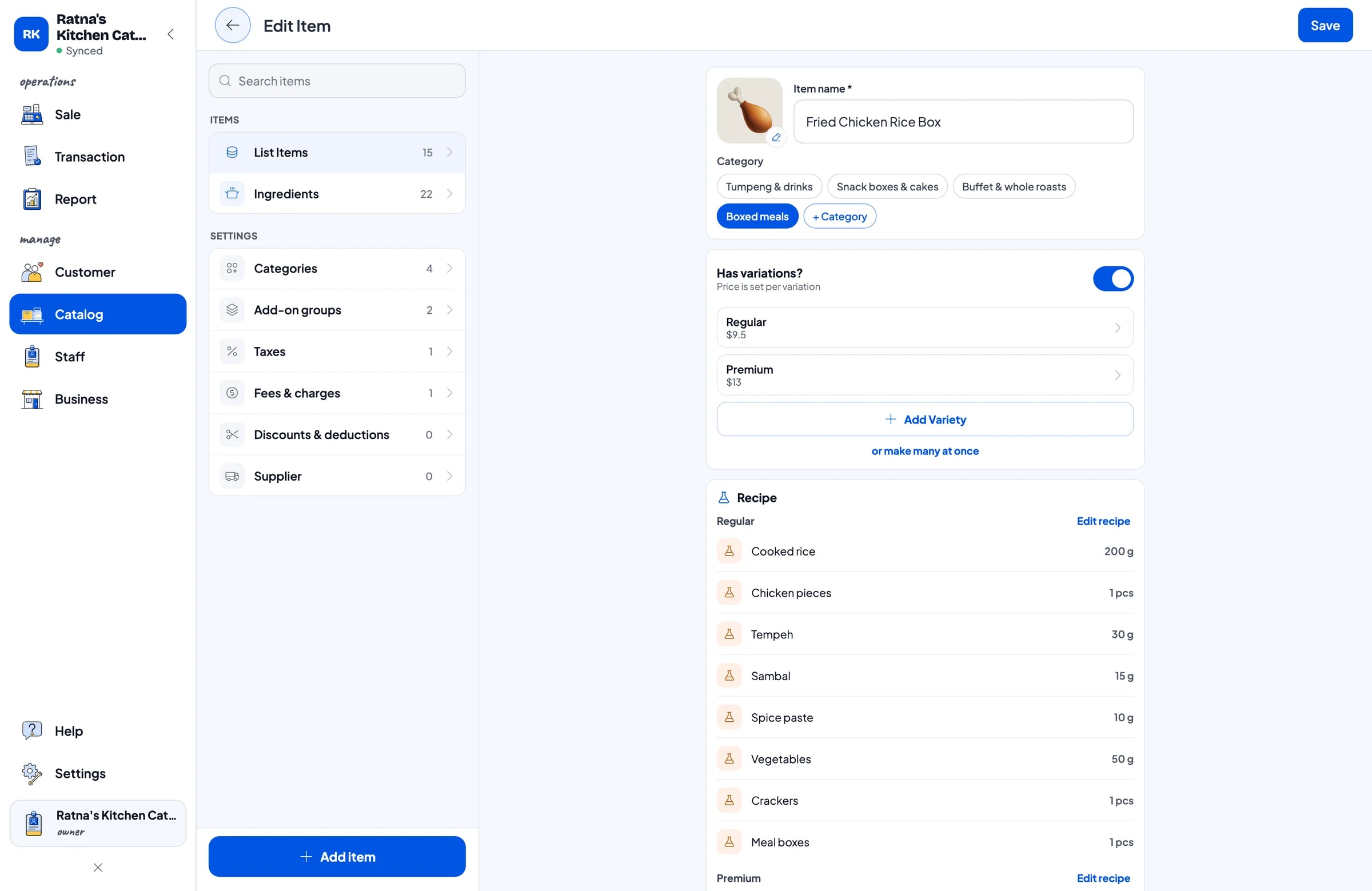
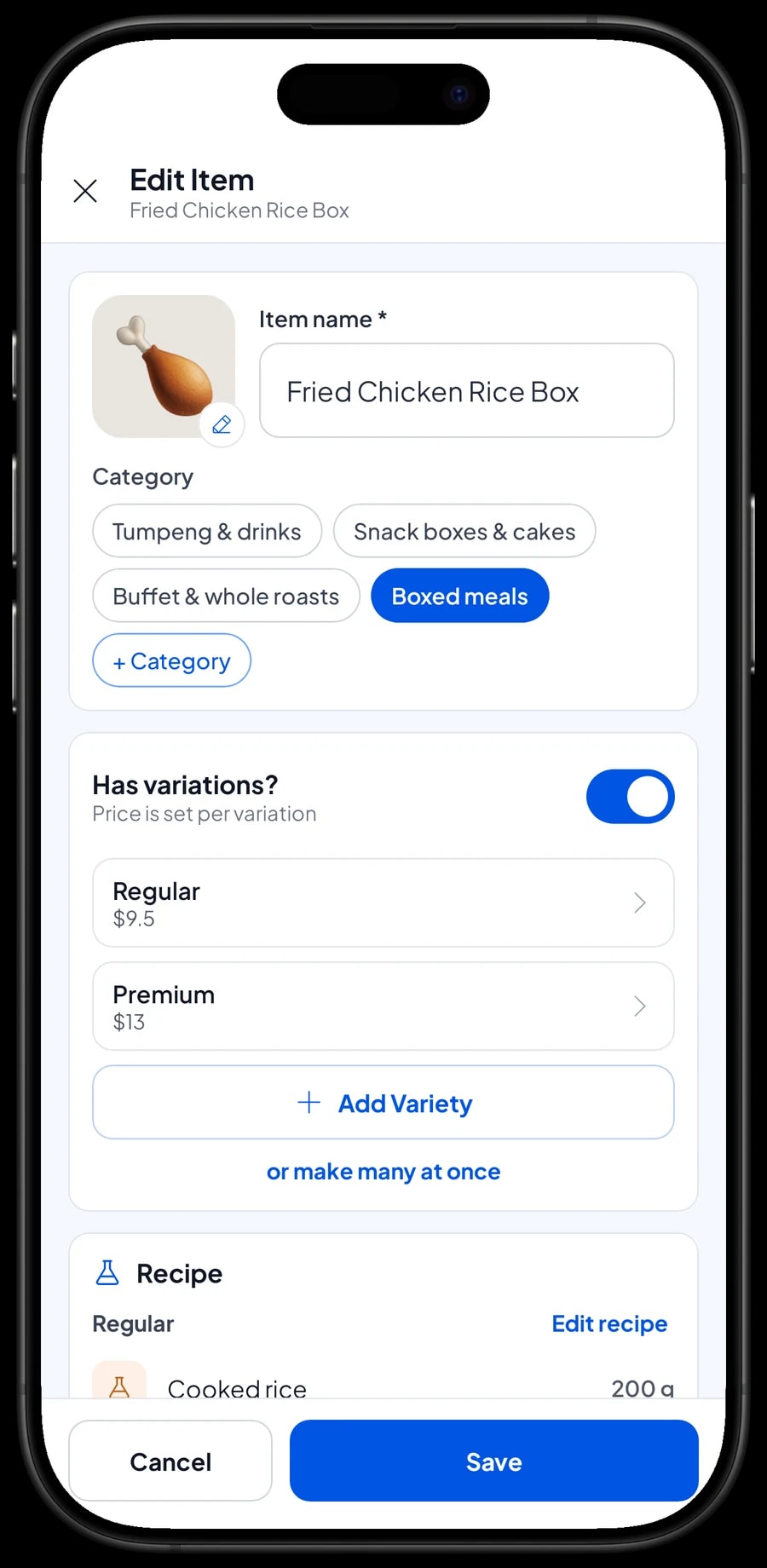
Catering rarely has one price per dish. A fried chicken box comes in Regular and Premium, a buffet is sold per guest in Silver, Gold and Platinum packages, a snack box holds 3, 4 or 5 pieces, and a party tray serves 10 or 20. Each of these is one item with variants. Each variant has its own price and recipe. The unit is whatever you sell by: box, guest, tray, jug or set.
Extras the customer picks, such as a chili egg, extra sambal, extra crackers or a premium box with cutlery, are add-ons. One add-on group can be attached to every boxed meal at once, so you never have to create "beef rendang box + egg" as a separate item. Services such as buffet equipment rental can be Service items, which have no stock to count.
- Step 1: Open Catalog → Categories and create categories such as Boxed meals, Buffet and Trays.
- Step 2: Open Catalog → List Items and add each dish with its name, unit, price and category.
- Step 3: For dishes sold in several sizes or packages, add variants such as Regular and Premium.
- Step 4: Create add-ons for extras and packaging, then attach them to the items that use them.
Taking event orders with Save order
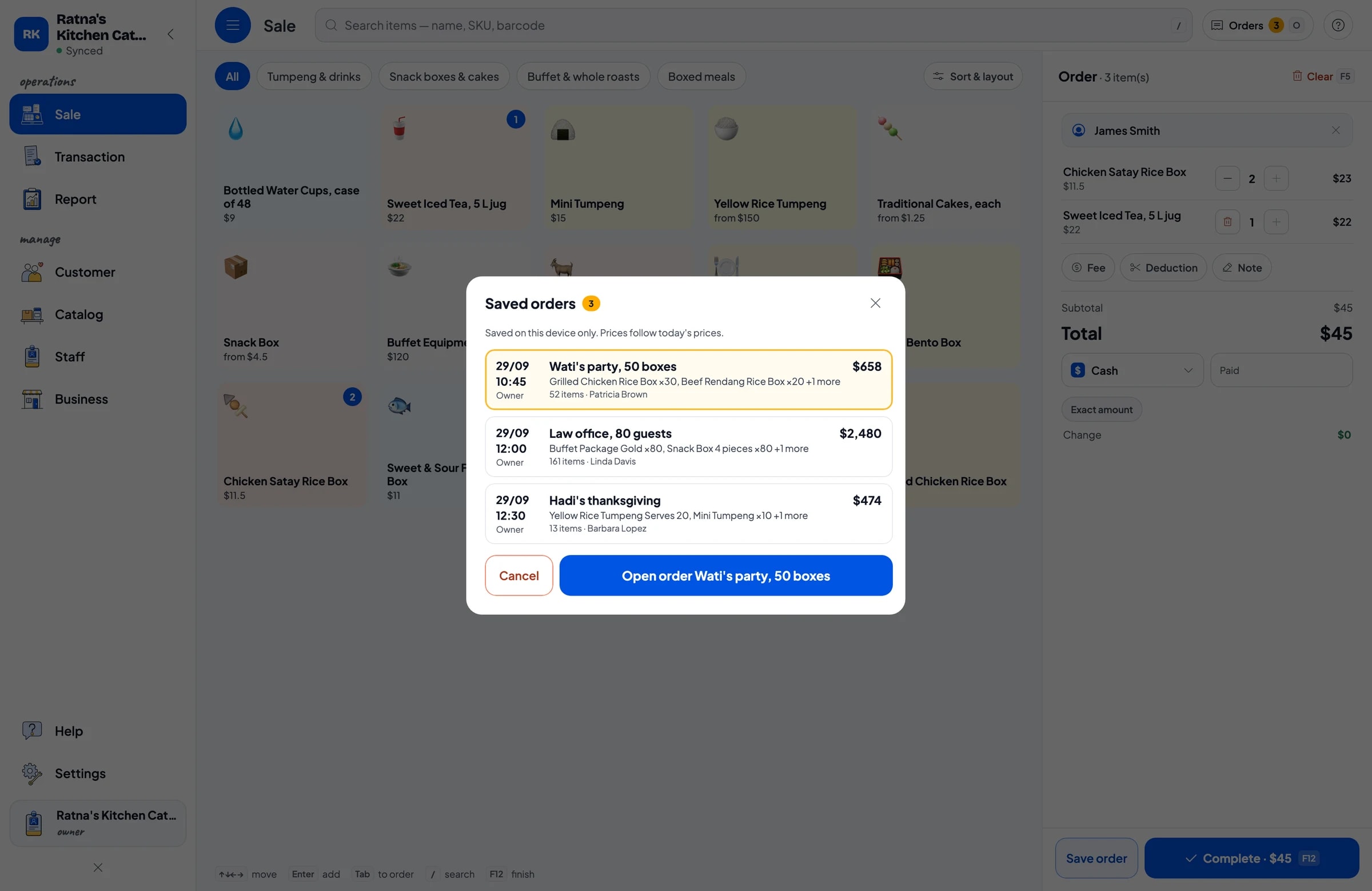
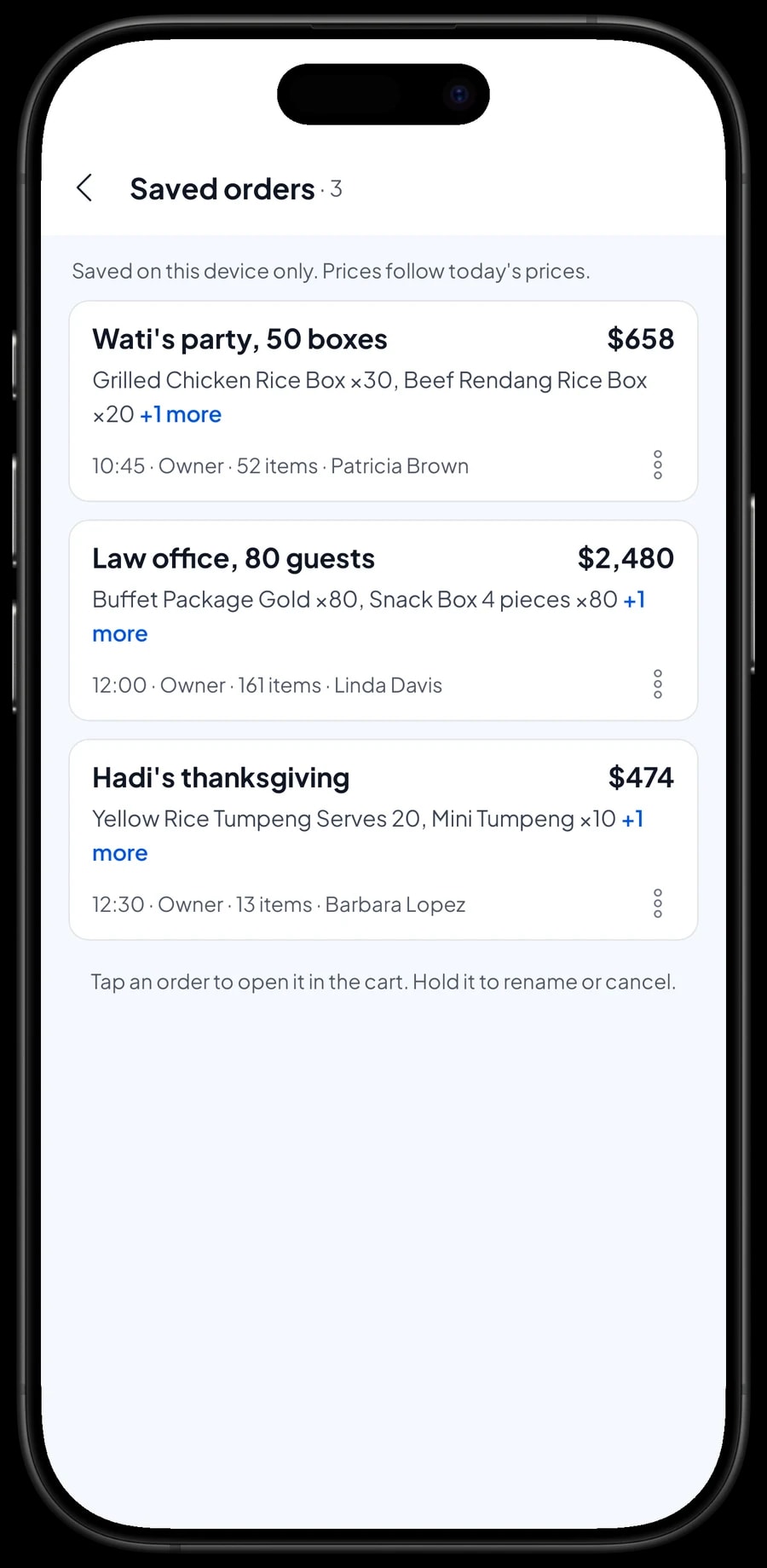
Catering orders usually come in days before the event. Build the cart on the sale screen as usual, for example 30 grilled chicken boxes, 20 beef rendang boxes and two cases of water cups, then tap Save order. The cart is kept under the name you give it. Use something clear, such as "Law office, 80 guests", and add a note with the delivery day.
A saved order is not counted as a sale and does not take stock off yet. Cancellations and headcount changes leave your reports clean. If they add ten boxes, open the order from Saved orders, change the quantity and save it. On the day the balance is paid, open the order and complete the payment; only then is the sale recorded and the ingredients deducted.
Two things to know. Saved orders are stored on the device that created them, so take and finish catering orders on the same device, for example the owner's phone. And prices in a saved order follow today's prices, so if you raise a menu price before the order is paid, the order picks up the new price.
Deposits and final payments: how to record them
To be clear up front: Salesmaster does not split one sale into a deposit and a balance. An order becomes a sale when it is paid in full. You can still keep deposits organised.
When the customer pays a deposit, sell it right away as a separate Service item called "Down payment" for the amount received, and mark the saved order's name, for example "DP paid, deliver Saturday". When the balance comes in, open the order, which keeps every item at its full price, tap Add Deduction for the deposit amount, and complete the payment with the method that fits, such as bank transfer.
The deposit shows up in your reports on the day it was paid, and the balance on the day the order is paid off, so the drawer and reports match on both days. To see which deposits you hold, look for "DP paid" in Saved orders and check the Down payment sales in your transaction list.
Recipes per box: your shopping list works itself out
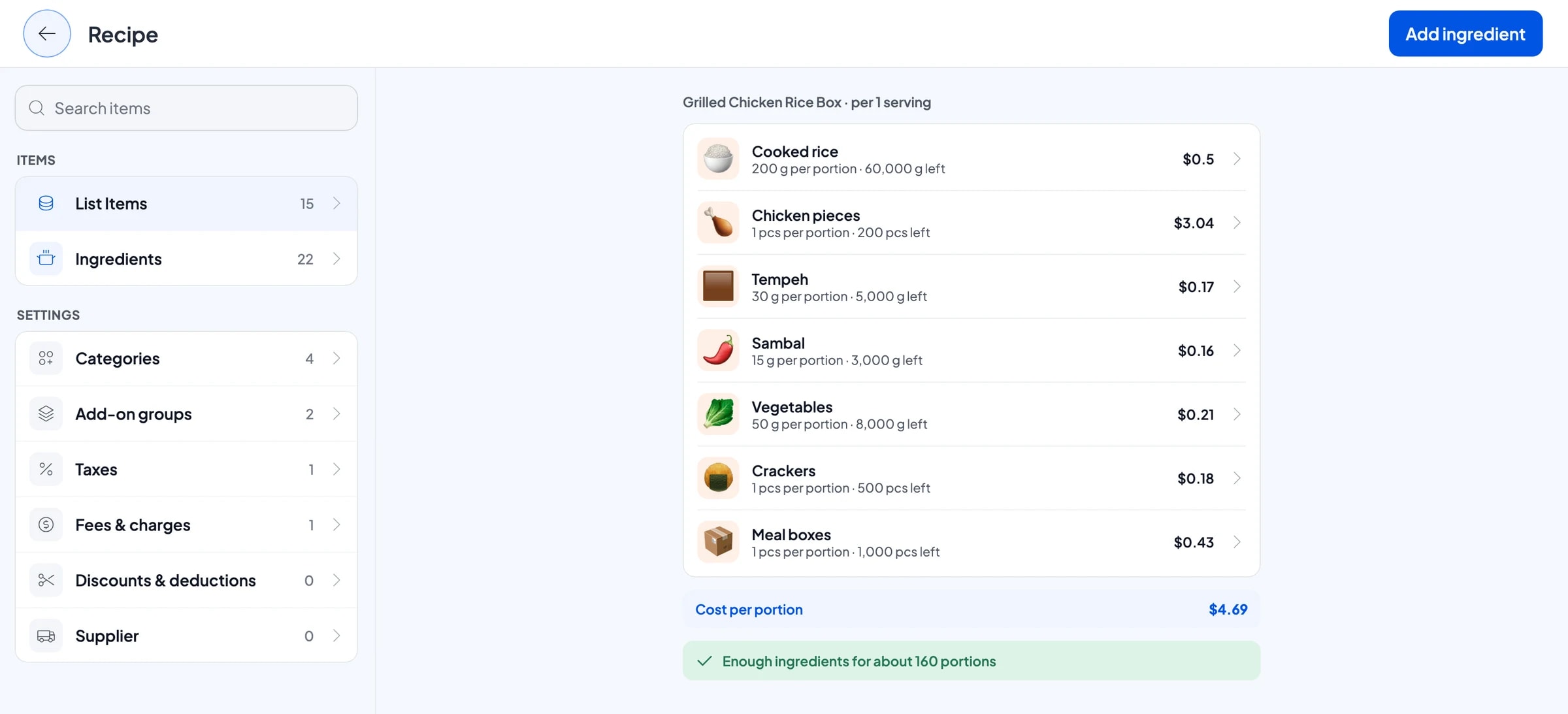
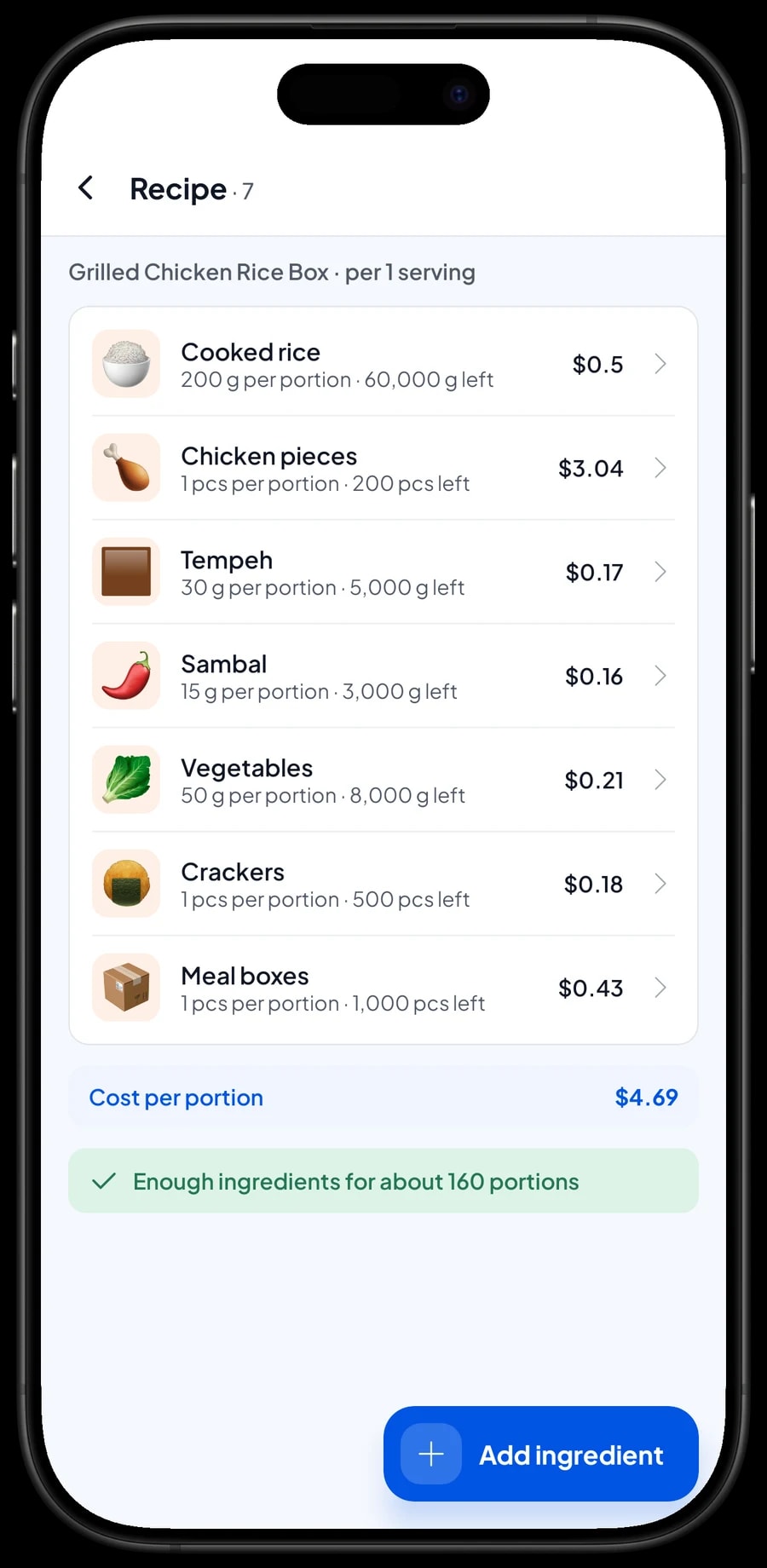
Dishes like boxed meals are Made-to-order items with a recipe. You set up each ingredient once, such as cooked rice in grams, chicken in pieces, vegetables in grams, and crackers and meal boxes in pieces, then enter how much one box or one guest uses.
Each box sold deducts its ingredients, packaging included. Add-ons can carry a recipe too: a chili egg takes an egg off stock, a premium box takes a premium box. For an order of 80 guests, multiply the recipe by 80 to know what to buy, and compare it with what is left in your ingredient list.
Because each purchase is recorded with its price, the cost of goods per box comes from real costs, so when beef prices rise you can tell whether your rendang box still makes money.
- Step 1: Turn on made-to-order items, then open Catalog → Inventory → Raw materials.
- Step 2: Add each ingredient with its unit, opening stock and purchase price.
- Step 3: Open a boxed meal and fill in its recipe: which ingredients and how much per box.
- Step 4: Record every market run as an ingredient purchase so stock and cost stay accurate.
Payments, tax, delivery fees and receipts
Set up the payment methods you accept: cash, bank transfer, e-wallet, or any method you create yourself. Reports show how much came in through each one.
If you charge sales tax, set it once under taxes and fees and it is added to every sale automatically. A delivery fee for orders you drop off can be set up there too. Discounts for regulars or large orders are set up once too.
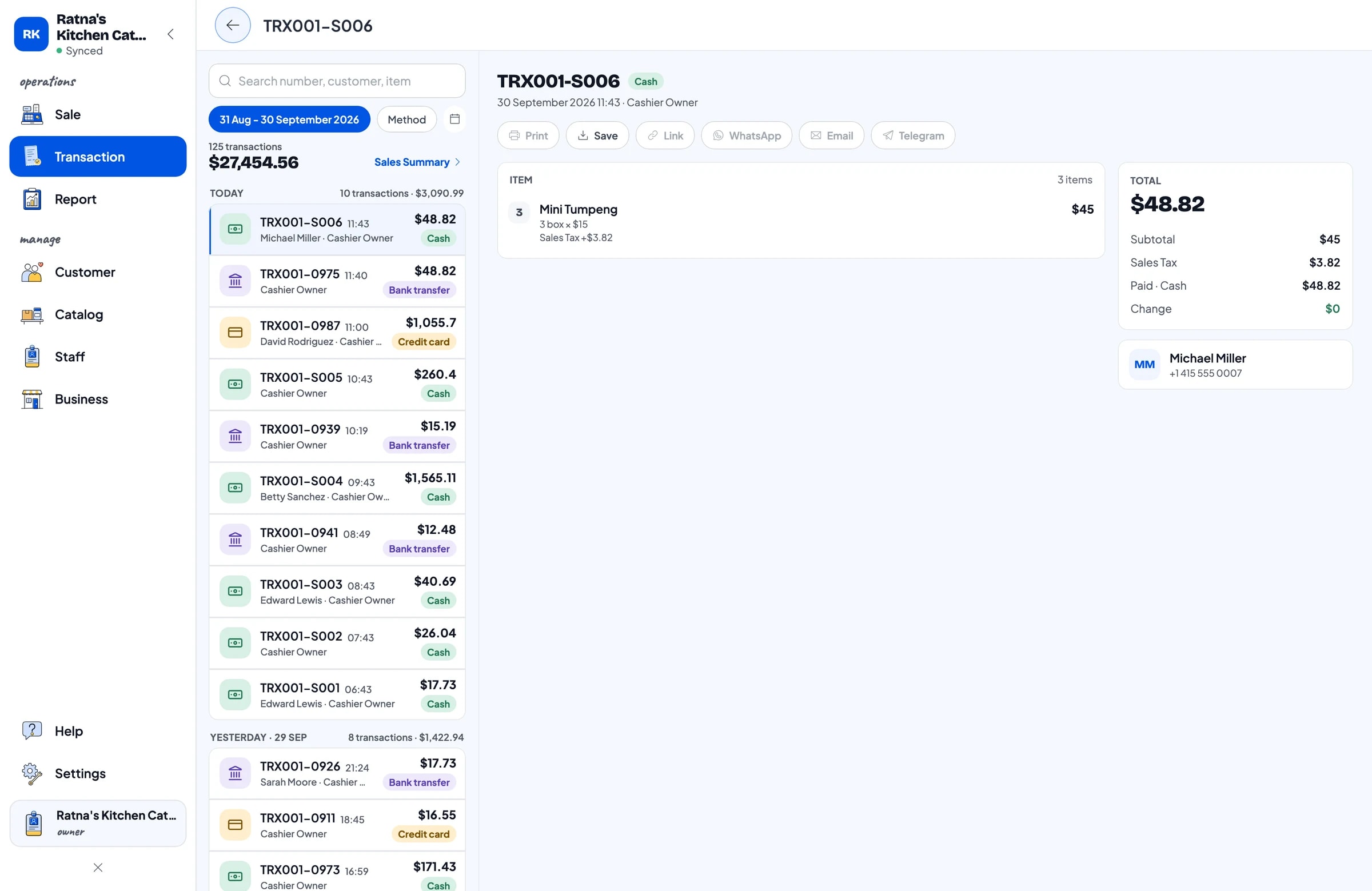
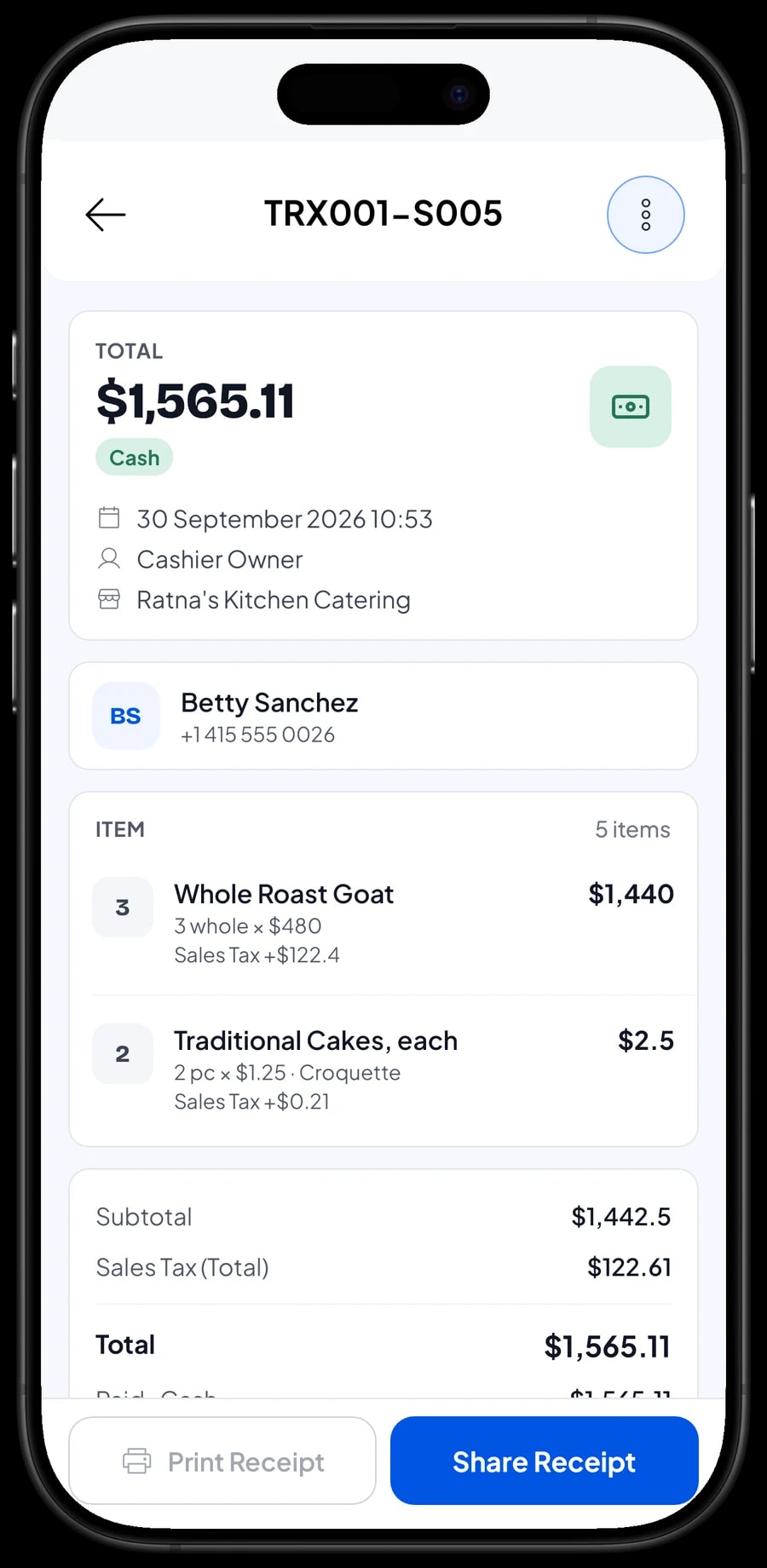
Once paid, the receipt can print on a Bluetooth or USB thermal printer with 58 mm or 80 mm paper, or go out by WhatsApp, email, or a web receipt link with your logo and colours.
Staff and a second device
An account signs in on one device at a time. If you have an assistant who takes orders in the kitchen while you are out delivering, add them as staff and register a cashier device for them. Staff sign in with a PIN and see only what you allow. Staff accounts come with Bronze Pro (1 staff) and Silver Pro (2 staff).
Expenses and your real catering profit
Sales reports come daily, weekly, monthly and yearly, with revenue, gross and net sales, discounts, tax collected, payment methods and your top items.
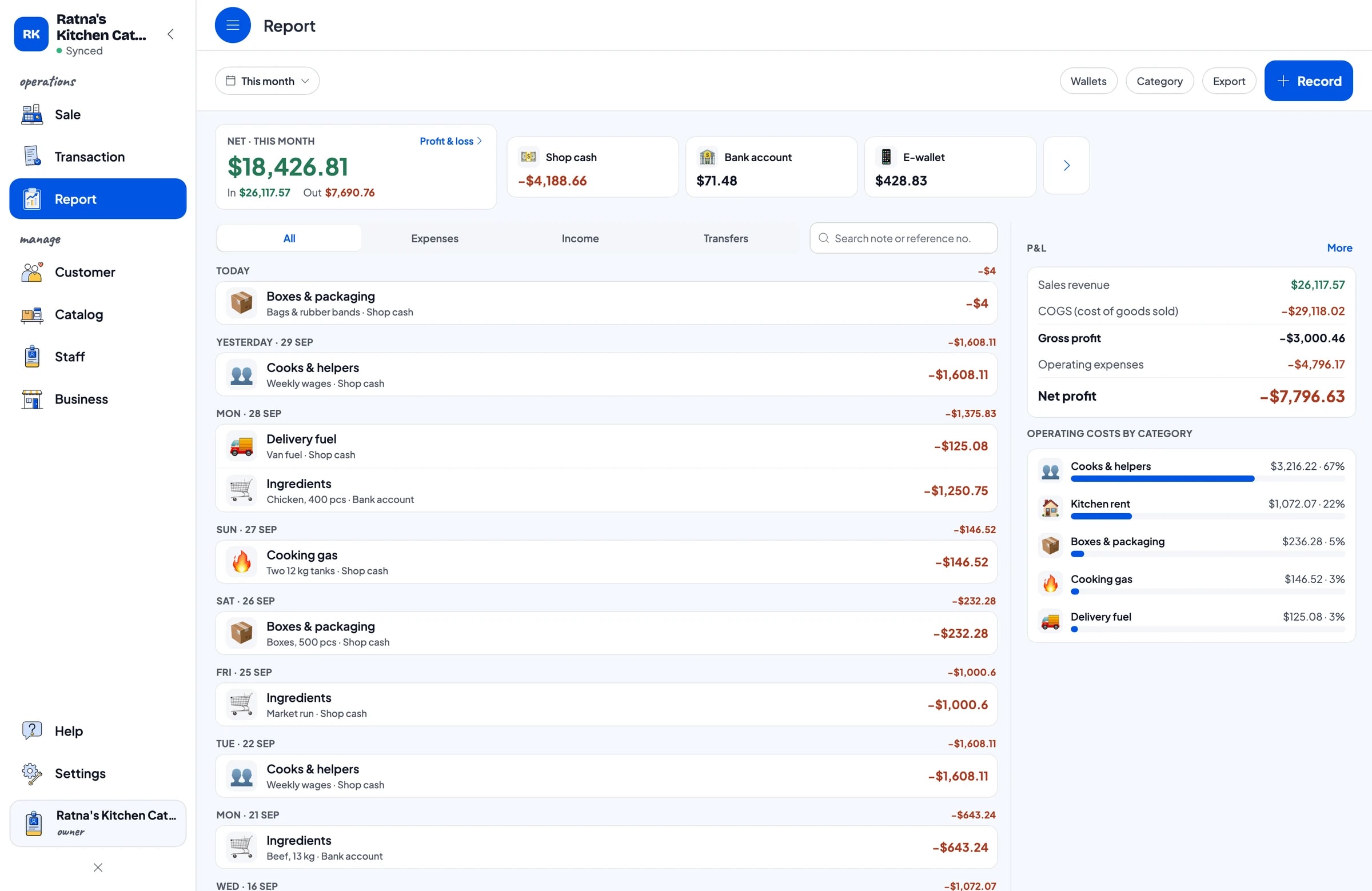
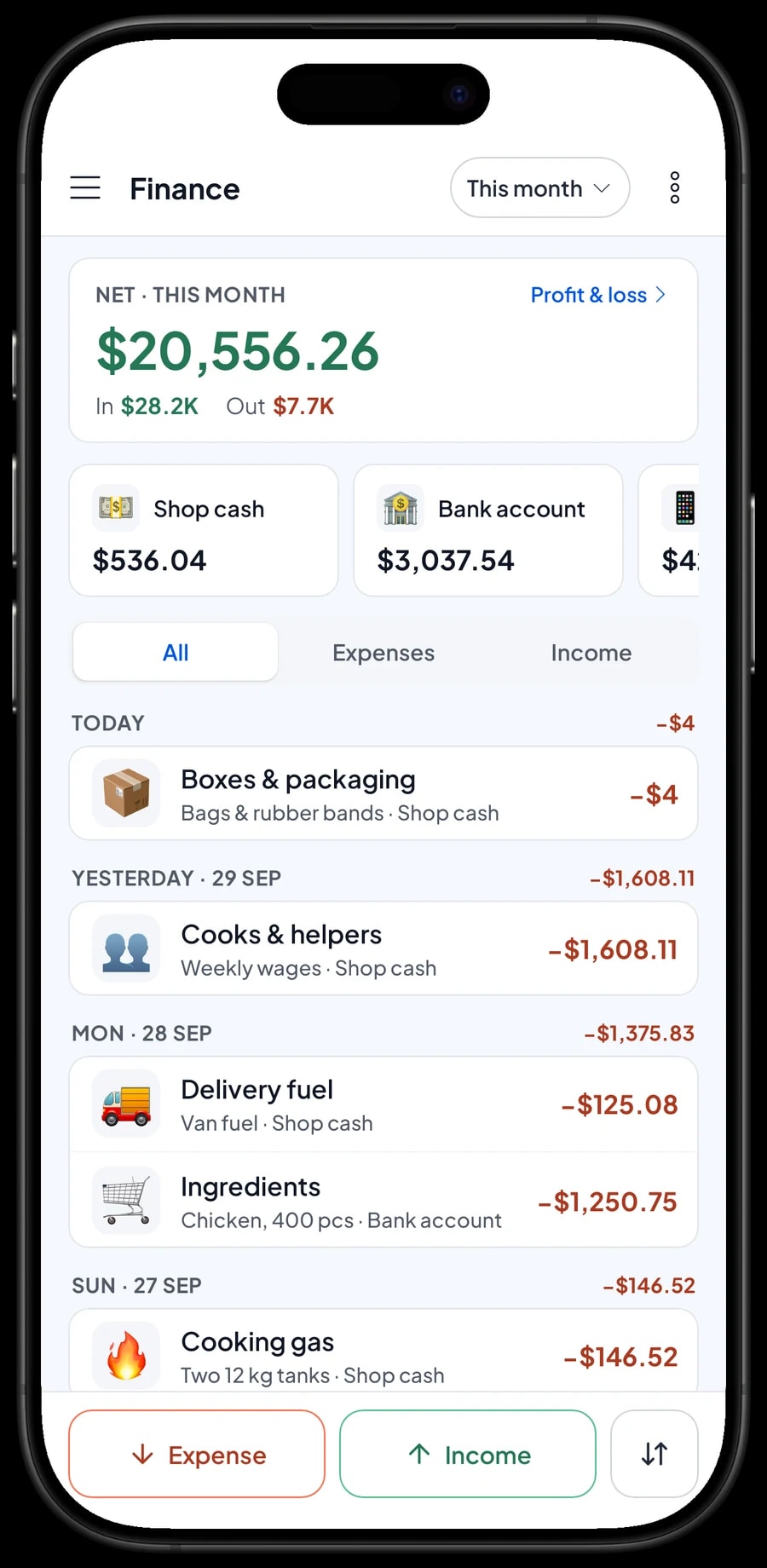
For real profit, record your expenses in Finance: ingredients, boxes and packaging, cooks and helpers, cooking gas, delivery fuel and kitchen rent. Each expense has a category and the wallet it came from, such as shop cash, a bank account or an e-wallet. Finance then shows revenue minus cost of goods from your recipes and operating costs: the net profit of your catering business.
Reports export to Excel or PDF, or print on the thermal printer.
Keeps working at the venue
Events are often in halls or homes with weak signal. Every sale in Salesmaster is stored on the device first and sent to the cloud when the connection is back. Offline mode works for up to 7 days; after that the app needs to go online briefly to sync and verify the account. The first sign-in needs internet.
Your sales live in your account, so nothing is lost if a phone breaks. Unpaid saved orders stay on the device that created them, so finish those before you switch devices.
Get started in a week
Install Salesmaster on your phone or laptop, create an account, and add the items customers order most: a few boxed meals, your buffet packages, snack boxes and trays, with their variants and add-ons. Connect a thermal printer if you use one.
In the first week, save every new order with Save order, with the delivery day in its name, and sell each deposit as a Down payment item. Once that feels natural, add ingredients and recipes for your best sellers, then start recording market runs and other expenses in Finance.
Step-by-step guides for every feature are in the Salesmaster Help Centre, and our team is on WhatsApp if you need help setting up your catalog.
Example catering menu
Use this table as a starting point. Replace the names, units and prices with your own.
| Category | Item | Unit | Variants | Add-ons |
|---|---|---|---|---|
| Boxed meals | Grilled chicken rice box | box | - | Chili egg, Packaging |
| Boxed meals | Fried chicken rice box | box | Regular, Premium | Chili egg, Packaging |
| Boxed meals | Beef rendang rice box | box | - | Extra sambal, Packaging |
| Boxed meals | Kids' bento box | box | - | Packaging |
| Buffet | Buffet package | guest | Silver, Gold, Platinum | - |
| Buffet | Buffet equipment rental | set | - | - |
| Snack boxes | Snack box | box | 3, 4 or 5 pieces | - |
| Trays & drinks | Yellow rice party tray | tray | Serves 10, Serves 20 | - |
| Trays & drinks | Bottled water cups | case | - | - |
Cooked dishes are Made-to-order items with a recipe, so their ingredients come off stock. Things you sell as they are, like cases of water, are Goods items with their own stock, and equipment rental is a Service item with no stock.
Which plan fits your catering business
Caterers record fewer sales than a café, but each one is large. A boxed-meal business with a few event orders and some walk-in sales each day usually records around 100 to 300 transactions a month.
| Plan | Price | Transactions / month | Staff accounts | Good for |
|---|---|---|---|---|
| Free | Free | 30 | Owner only | To try saved orders and recipes before using them for real. |
| Solo Pro | $4.90/month | 3,000 | Owner only | Home caterers where the owner takes every order. |
| Bronze Pro | $6.90/month | 5,000 | 1 staff | Caterers with one assistant taking orders on their own device. |
| Silver Pro | $9.90/month | 8,000 | 2 staff | Larger caterers with two staff on separate devices. |
Every plan includes checkout, catalog, receipts, reports and offline mode. You can change plans at any time. See pricing →
Frequently asked questions
- Can Salesmaster record a deposit on a catering order?
- Salesmaster does not split one sale into a deposit and a balance. Keep the order open with Save order, and sell the deposit right away as a separate Service item called "Down payment" for the amount received. When the customer pays the rest, open the order at its full price, tap Add Deduction for the deposit amount, and complete the payment. The drawer and reports then match on both days.
- Can I save an order for an event several days away?
- Yes, with Save order. The order is kept under the name you give it and does not count as a sale until it is paid. It is stored on the device that created it, so finish it on the same device. Prices in the order follow today's prices.
- How do I sell a buffet priced per guest?
- Create a Buffet item with the unit set to guest and a variant for each package, such as Silver, Gold and Platinum, each with its own price and recipe. For 80 guests, pick the package and set the quantity to 80.
- Does ingredient stock come off automatically for large orders?
- Yes, for Made-to-order items with a recipe. Ingredients, boxes and crackers included, are deducted by recipe times quantity when the order is paid. Orders still waiting in Saved orders don't touch stock.
- Can my assistant take orders on their own phone?
- Yes, with a staff account. An account signs in on one device at a time, so your assistant uses a staff account with a PIN on their own device. Staff accounts come with Bronze Pro (1 staff) and Silver Pro (2 staff).
- Does Salesmaster have an event calendar?
- No. What many caterers do instead: put the event date at the start of the saved order's name, for example "Sat 10/12 Wati's party", so the list reads like a schedule.
- How do I see my catering business's net profit?
- Record expenses such as ingredients, packaging, gas, delivery fuel and cooks' wages in Finance. The Finance report shows revenue minus cost of goods from your recipes and operating costs, which is your net profit for the month.
Need help setting up your catalog? Chat with our team on WhatsApp →



