

Salesmaster is a POS app for food and drink stands, booths, carts, food trucks and food-court tenants. Checkout runs on an Android phone or iPhone with no special hardware, menus use variants for sizes and add-ons for toppings, receipts go out by WhatsApp or print on a mini Bluetooth thermal printer, cups, straws and ingredients come off stock by recipe, and the owner sees sales reports on their own device. It keeps working offline for up to 7 days.
What stands and booths deal with
A small stand has different problems from a restaurant. Salesmaster is built for fast and compact.
- 01
Queues at rush hour
At lunch or after school, customers arrive all at once. Every second at the till counts, and one wrong change makes the queue longer.
- 02
Tight space, no counter
A two-metre booth has no room for a cash register. All you have is a phone, and sometimes no socket for a big printer.
- 03
Cups and toppings run out
The small things run out first: large cups, boba straws, the favourite topping. You notice when a customer has already ordered.
- 04
The owner isn't always there
Many owners run stands in other places or have another job. The daily cash handover from the person on duty rests on trust and a paper note.
A phone is all the till you need
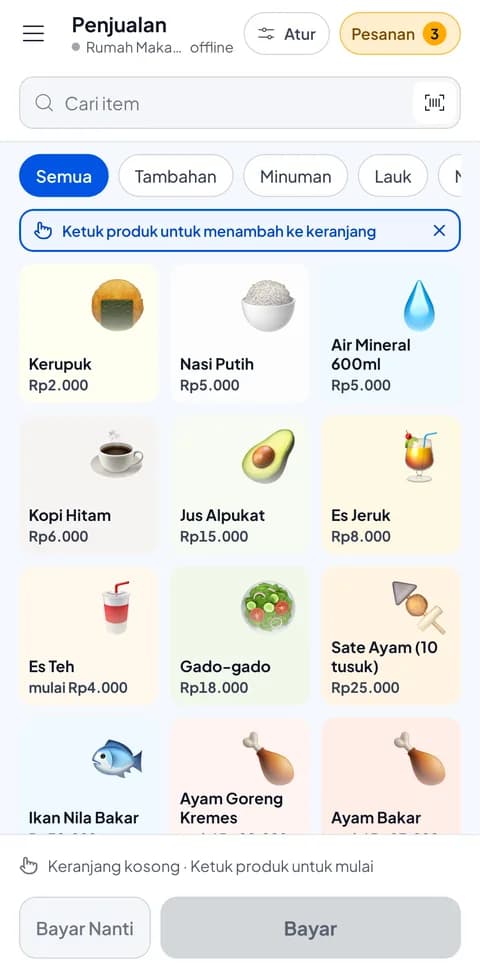
Salesmaster runs on Android phones and iPhones, as well as tablets, Windows and Mac. For a stand, an ordinary phone is enough: no computer, no special cash register and no big counter. The Sale screen is made for fast one-handed tapping: pick a category, tap the item, choose the variant, done.
Because everything is stored in your account, you can change phones at any time without losing your menu, stock or sales history. Download Salesmaster on the new phone, sign in with the same account, and the stand is ready to sell again.
Sizes, sugar levels and toppings without mistakes
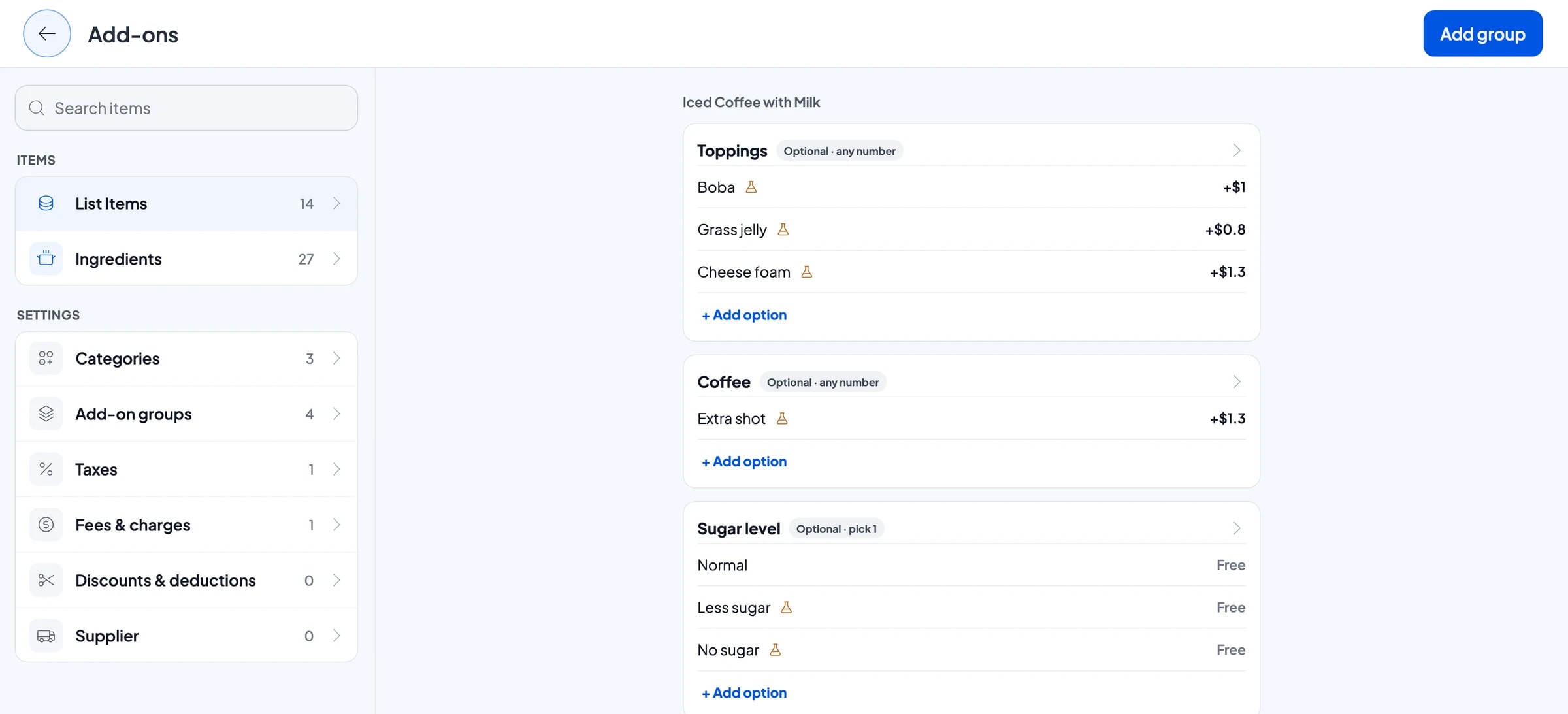
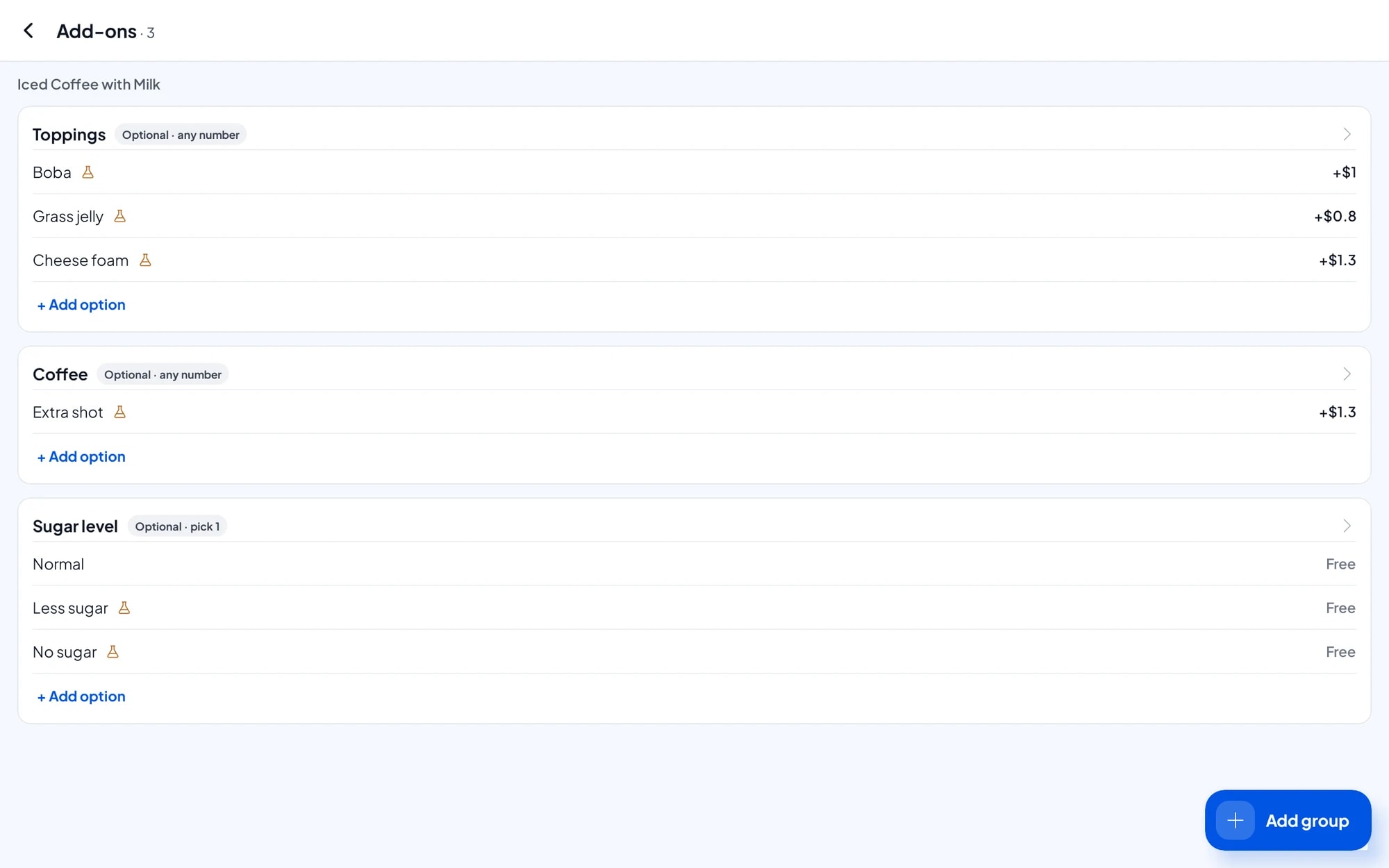
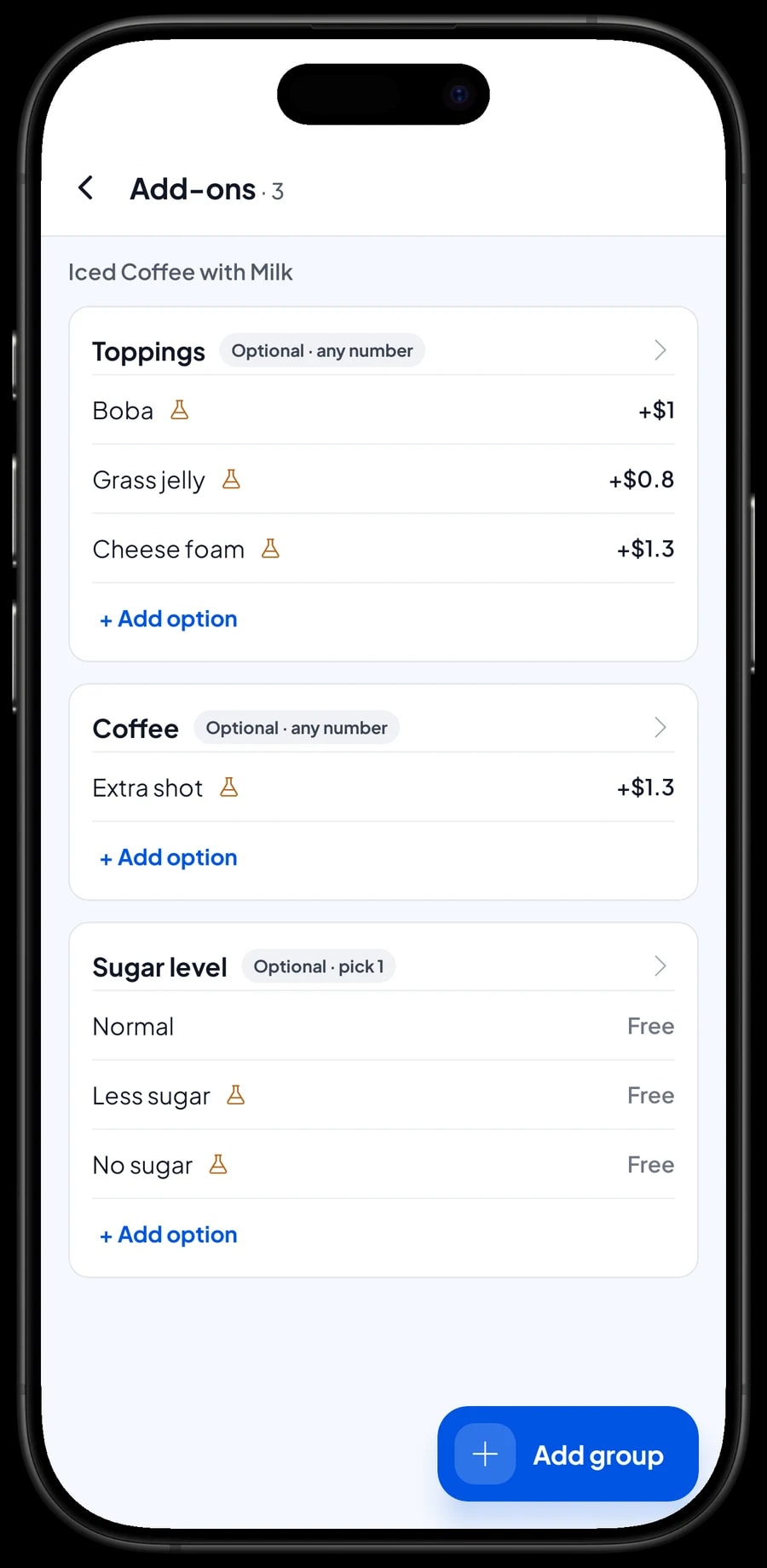
A stand's menu is usually short, but full of options. One drink can come in regular and large, with normal sugar, less sugar or no sugar, and toppings like boba, jelly or cheese foam. In Salesmaster, sizes and levels are variants, and toppings are add-ons whose price is added to the total.
The cashier never needs to remember the price of a "large less-sugar extra boba". Pick the variant, tick the add-ons, and the total is right. For food stands the same works for spice levels, portions, or extras like egg, sausage and cheese.
Meal deals, like a snack and a drink at a special price, can be their own item. Happy-hour discounts or opening promotions are set up in Deductions and picked at checkout.
- Step 1: Open Catalog → List Items and create each item with its base price.
- Step 2: Add variants for size, sugar level or spice level.
- Step 3: Create add-ons for toppings and extras, then attach them to the items that use them.
- Step 4: Keep categories few, such as Drinks, Food and Deals, so the cashier finds items fast.
Fast payment, and receipts even without a printer
Create the payment methods you accept at the stand: cash, transfer or e-wallets. For cash, the cashier enters the amount received and the change is calculated automatically.
Many stands don't use a printer at all. Receipts can be sent by WhatsApp or email, or shared as an image. There is also the web receipt: the customer gets a link to a receipt showing your logo, colours, social links and the stand's location, so every receipt is also a reason to come back or follow you on Instagram.
If you want paper receipts, use a mini Bluetooth thermal printer with 58 mm paper. Printers like this fit on a booth counter and run on battery. Receipts can print automatically after every sale.
Cup, straw and ingredient stock from recipes
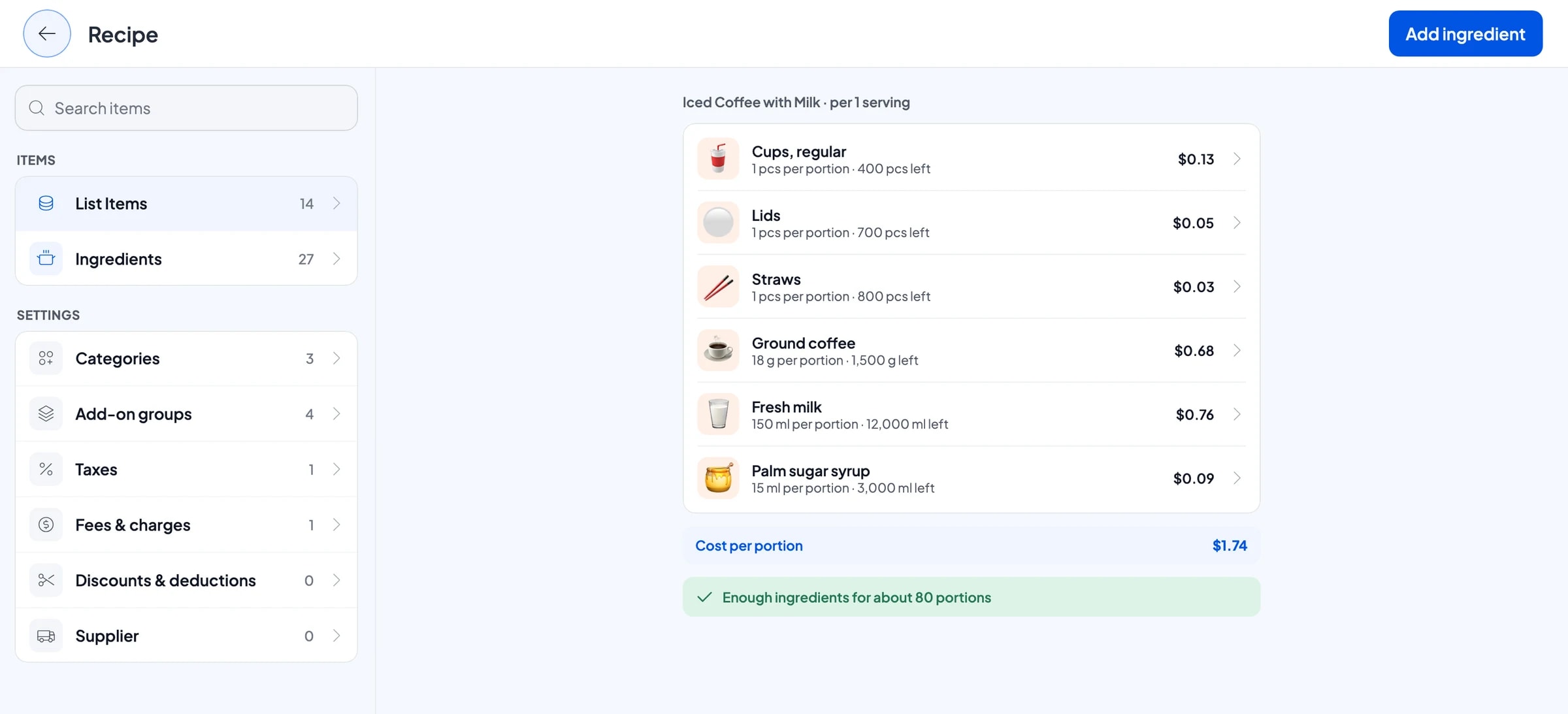
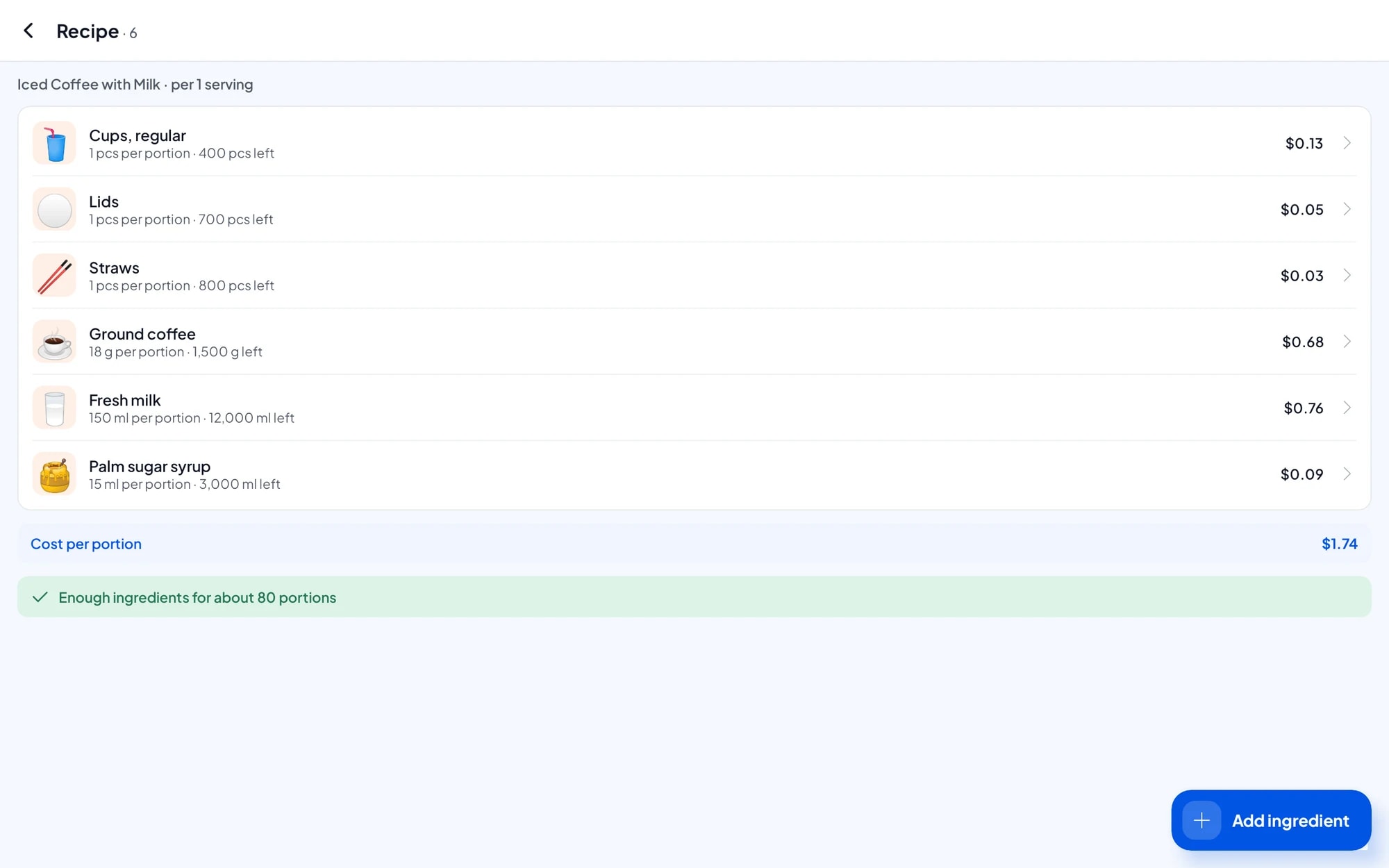
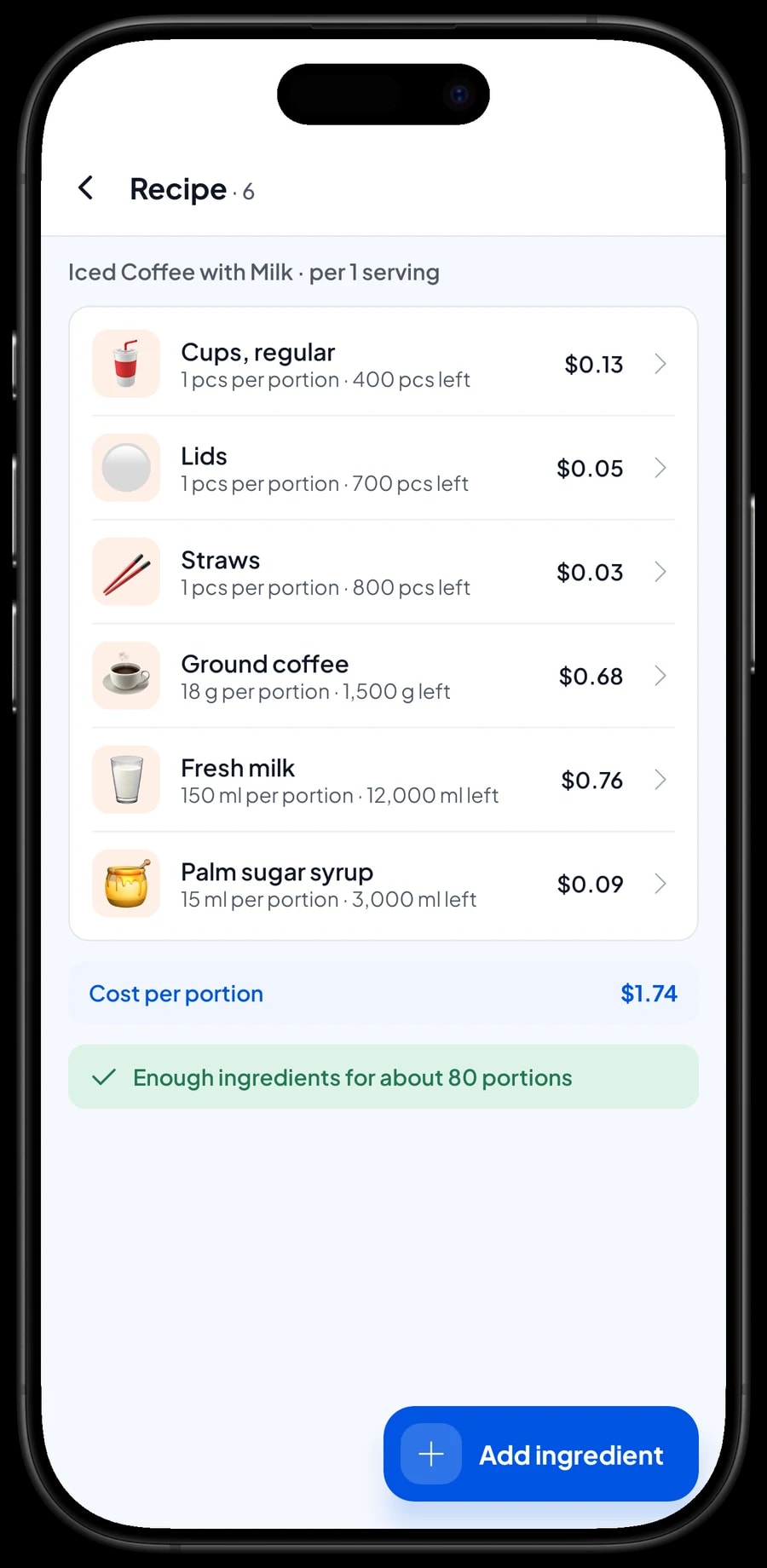
Drinks and snacks made on the spot are Made-to-order items. You record the ingredients, packaging included, and write a recipe per portion. For example, a large iced coffee with milk: 1 large cup, 1 lid, 1 straw, 18 g coffee, 150 ml milk and 15 ml palm sugar syrup. Every cup sold takes all of that off stock.
Add-ons use their own ingredients too: extra boba takes boba off stock, an extra shot takes coffee. So what you track is what is actually running out, not just how many cups you sold. Large cups nearly gone? You know before a customer orders.
Every time you buy supplies and packaging, record the purchase with its price. Salesmaster uses it to work out the cost of goods per cup or portion, so you know the margin on every item and can set prices that make sense.
- Step 1: Turn on made-to-order items, then open Catalog → Inventory → Raw materials.
- Step 2: Add ingredients and packaging: cups per size, lids, straws, coffee, milk, syrups, toppings.
- Step 3: Create items as Made-to-order and fill in a recipe for each size variant.
- Step 4: Record every purchase of supplies so stock and cost of goods stay up to date.
A staff sign-in for the person on duty, remote view for the owner
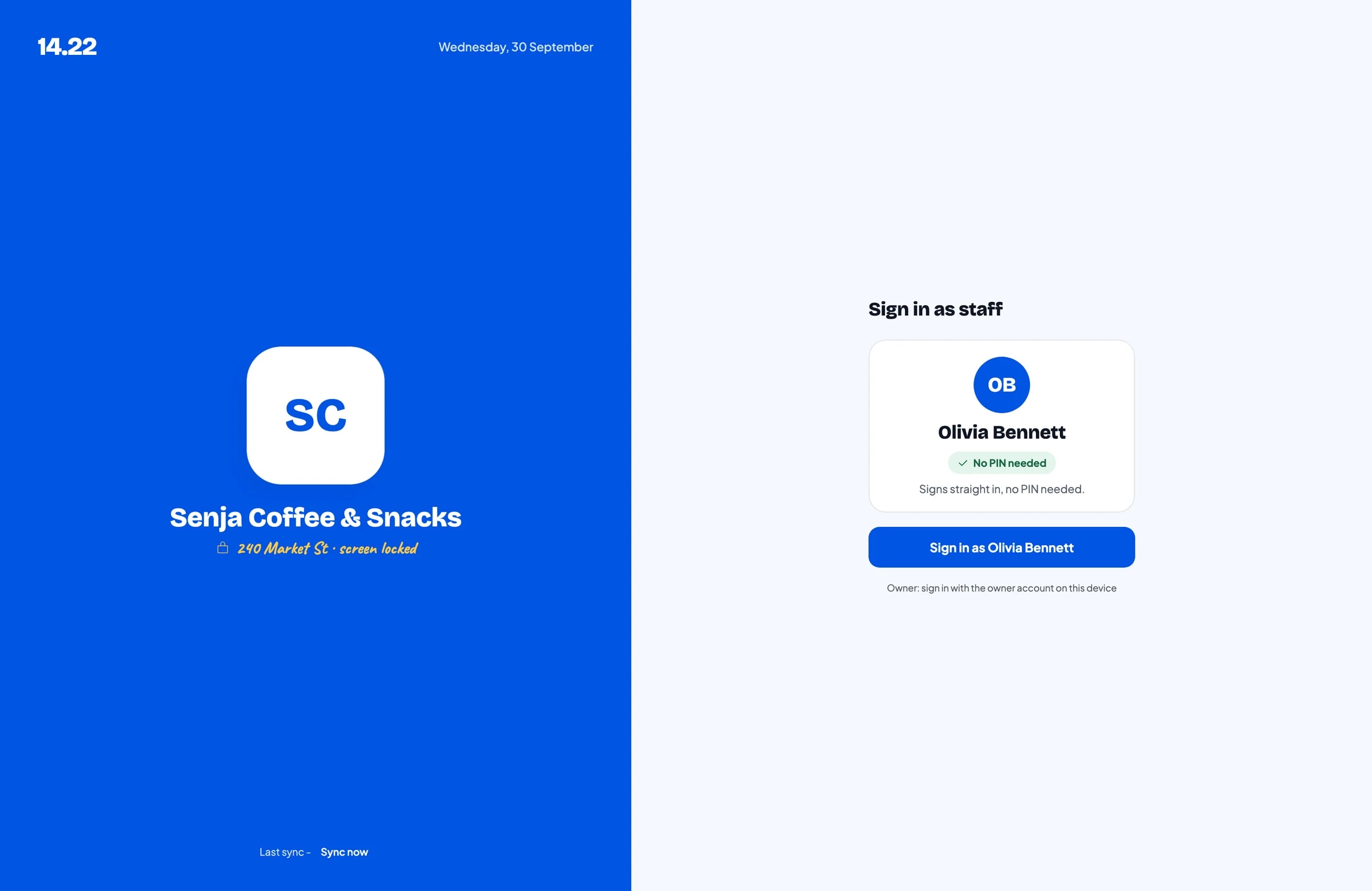
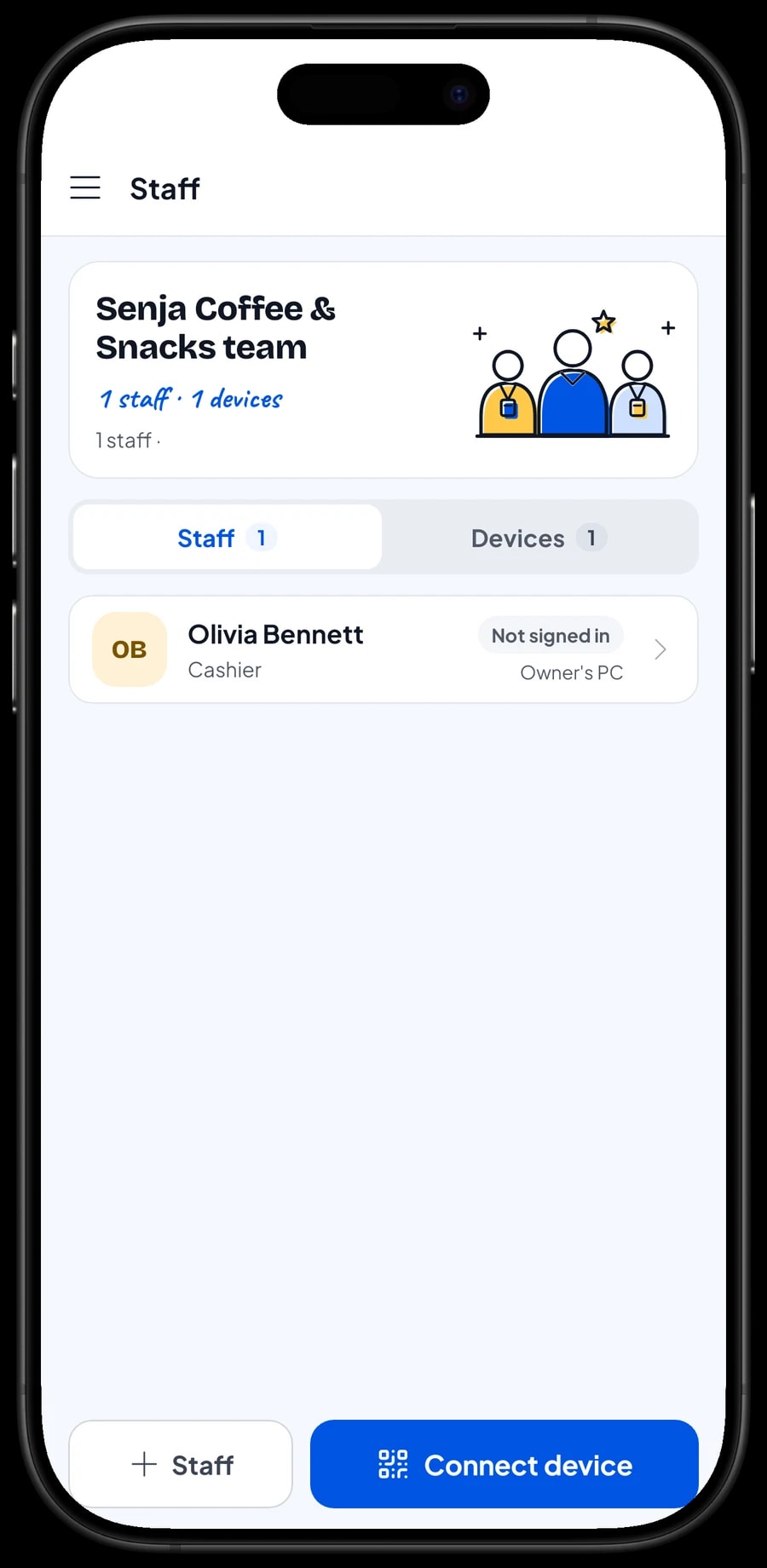
The owner uses the main account on their own device. The person running the stand is added as staff, and the stand's phone is registered as a staff device. Staff sign in with a PIN and can only reach what you allow. Staff accounts come with Bronze Pro (1 staff) and Silver Pro (2 staff).
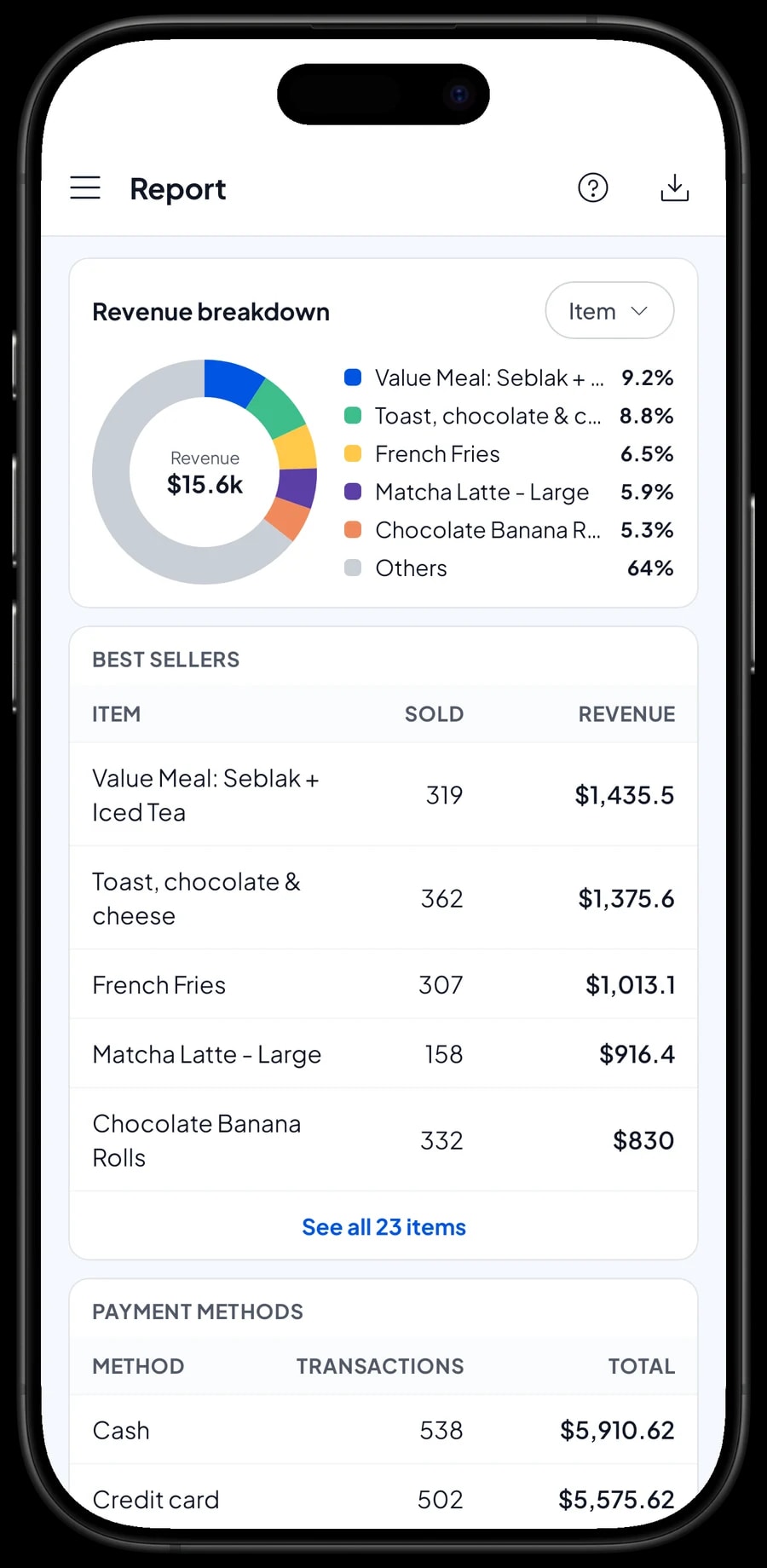
Every sale from the stand's phone syncs to your account. On the owner's device you can see today's sales, best sellers and payment methods without going to the stand.
For food-court tenants and bazaars
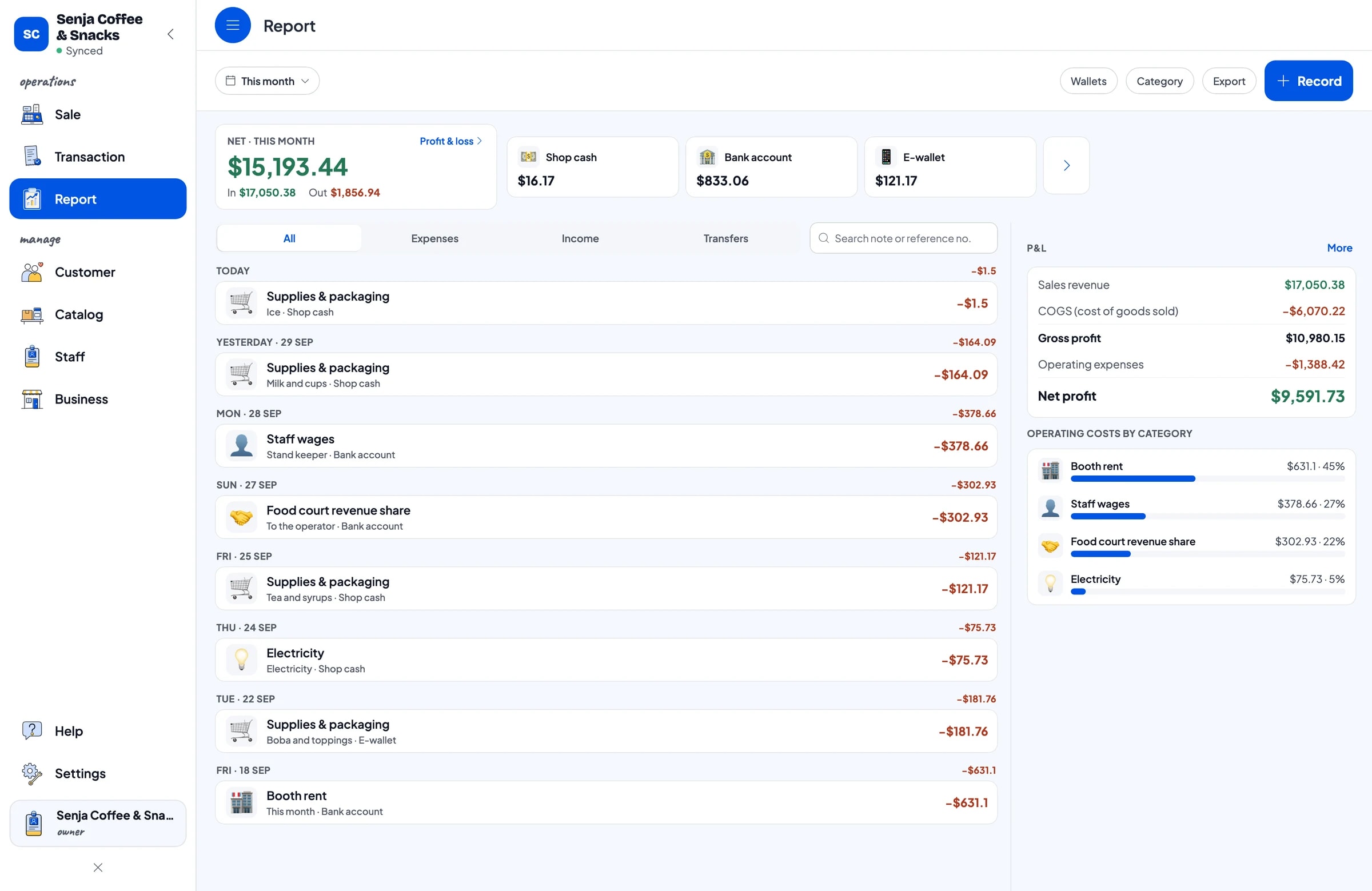
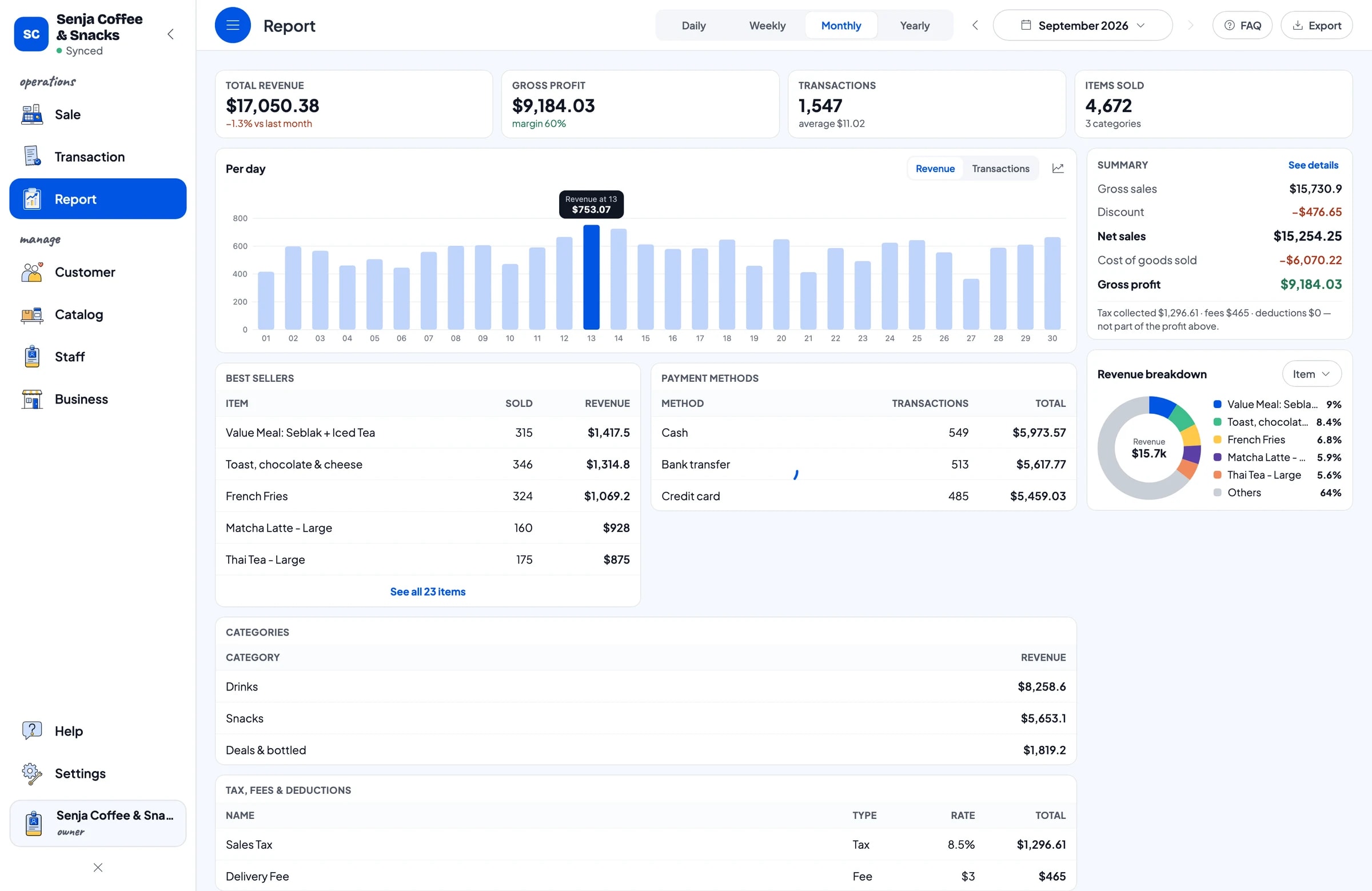
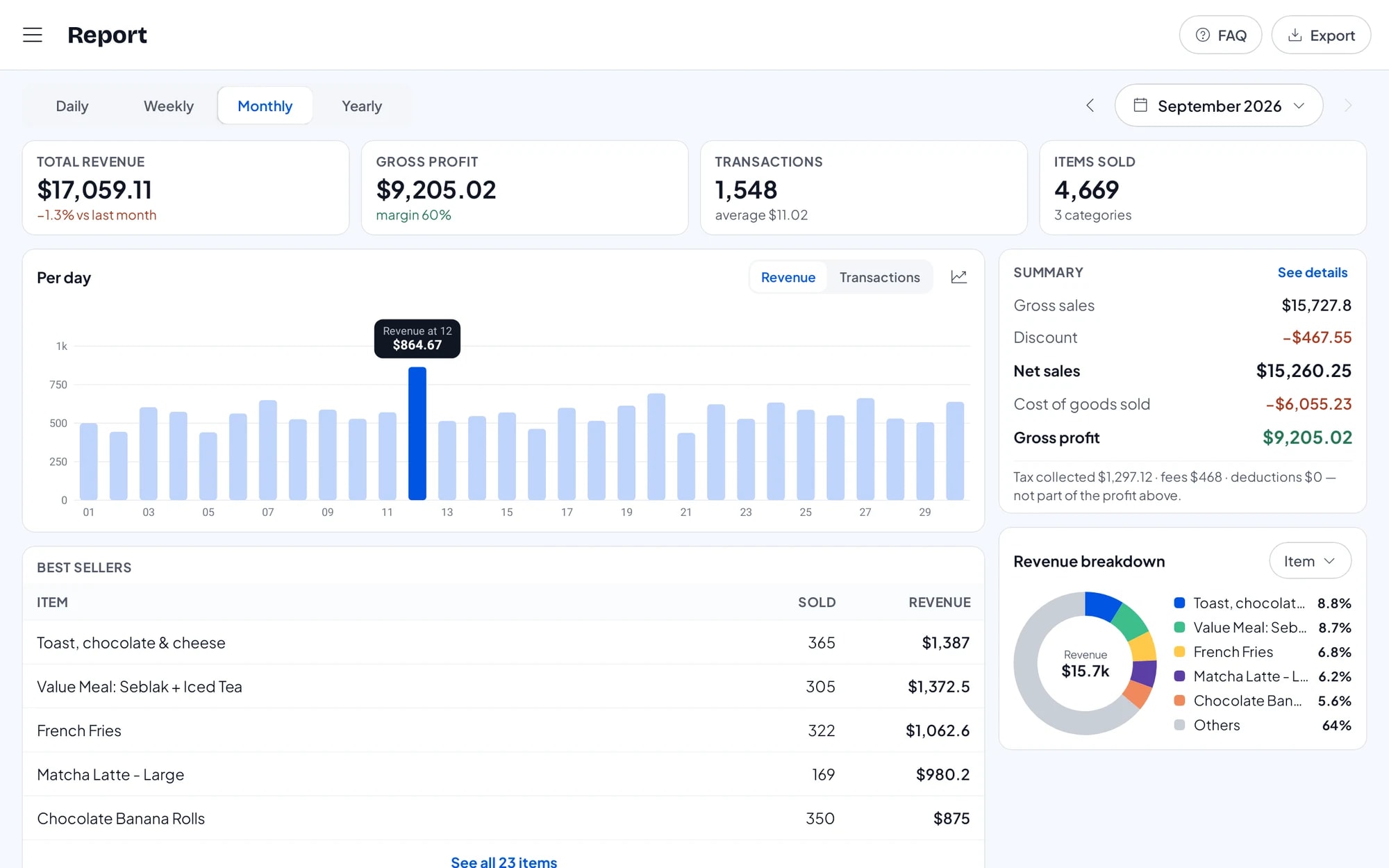
Food-court tenants often report sales to the operator for revenue sharing or turnover-based rent. Salesmaster's daily, weekly and monthly reports export to Excel or PDF, so the numbers you hand over match what the till recorded.
Signal in mall basements, bazaar fields or concerts often drops. Salesmaster keeps recording sales offline and syncs them when the signal returns. Offline mode works for up to 7 days.
For a bazaar or a multi-day event, set up an event menu and compare sales day by day to see which day was busiest.
Bring customers back: points and member cards
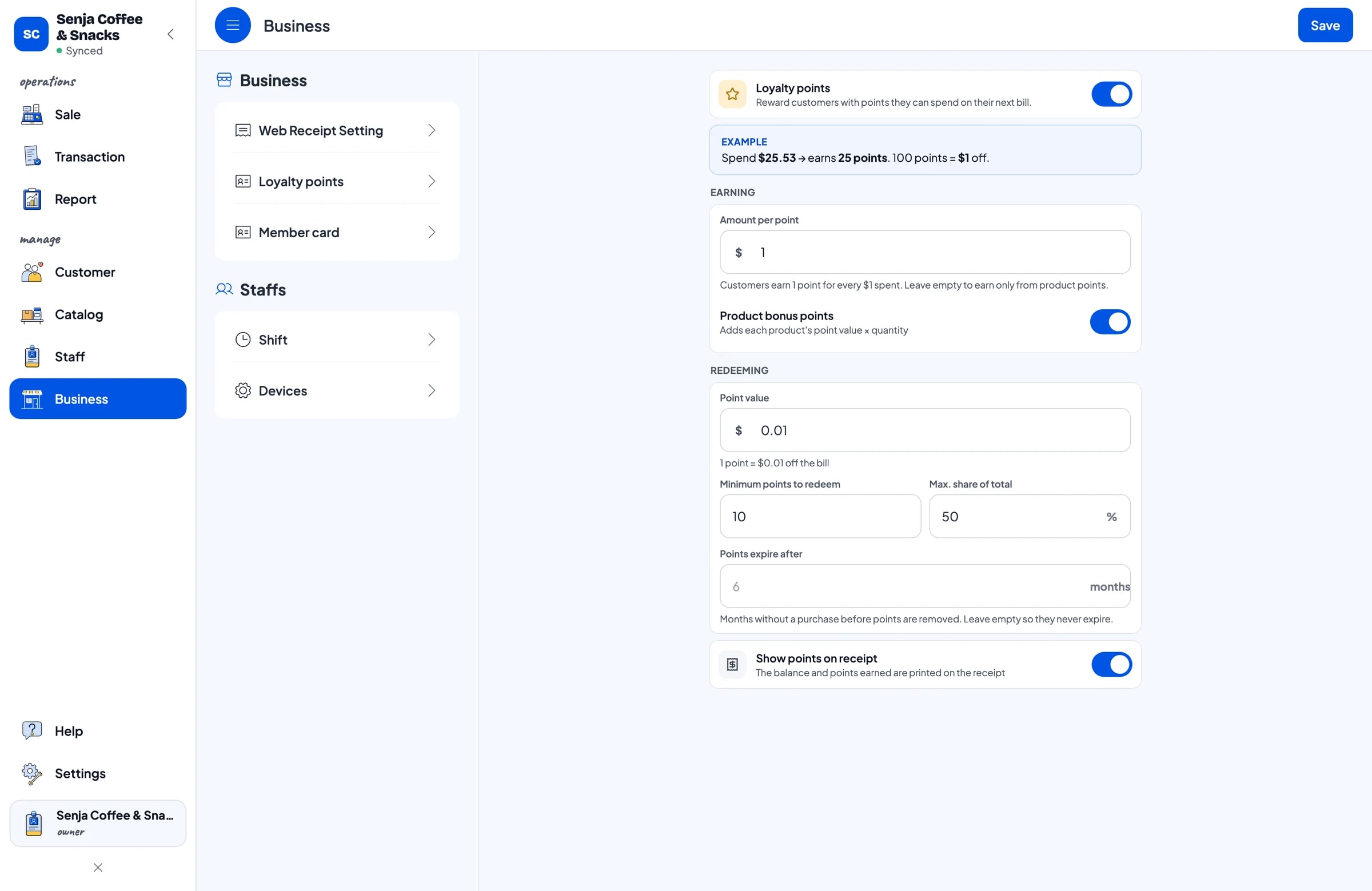
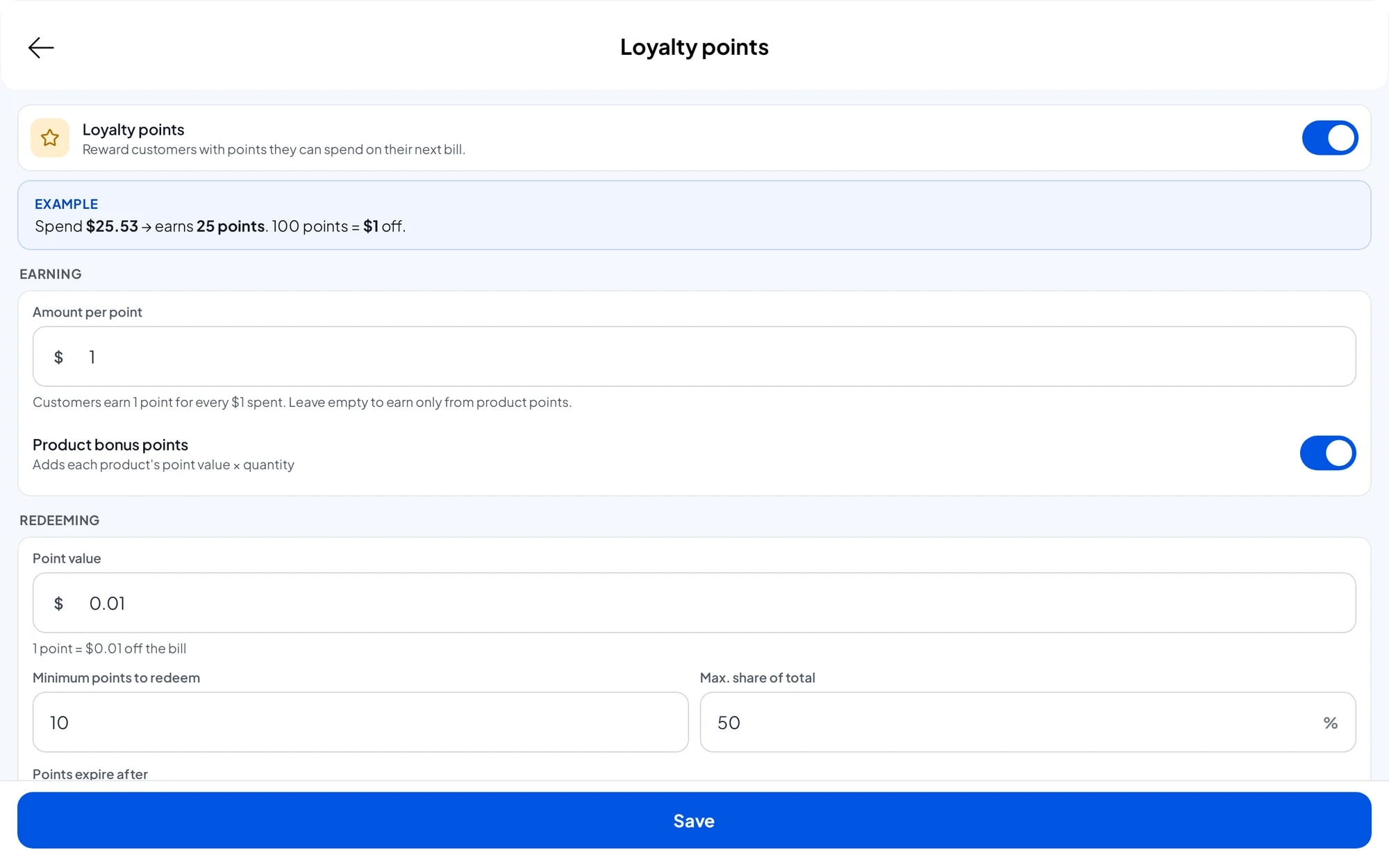
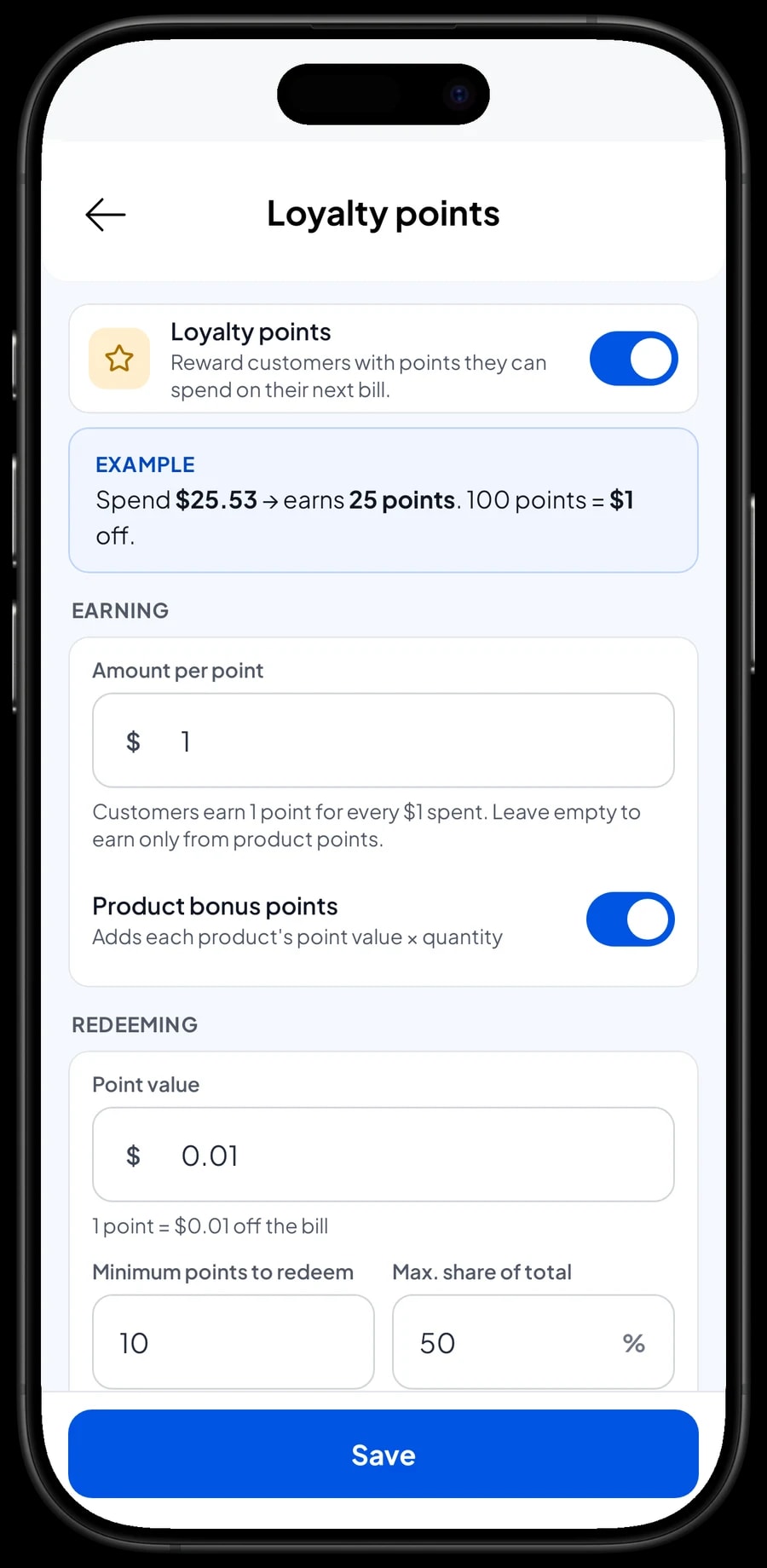
A drink stall competes with the stall next door selling something similar. The simplest way to be chosen again is to give people a reason to return. Turn on Loyalty points in Salesmaster and set the rules, for example one point for every 10,000 spent and a discount once someone has ten points. Points are added automatically for every customer whose name is on the sale.
Give your regulars a member card in their name. With web receipts, customers also take home a link with your social links and location, so they can find you again when the stand moves or goes to a bazaar.
Takings, profit and best sellers
Reports show total revenue, discounts, tax, payment methods and the revenue split by item. For a stand, that answers simple but important questions: which items to keep, which toppings to stock more of, and when you need an extra pair of hands.
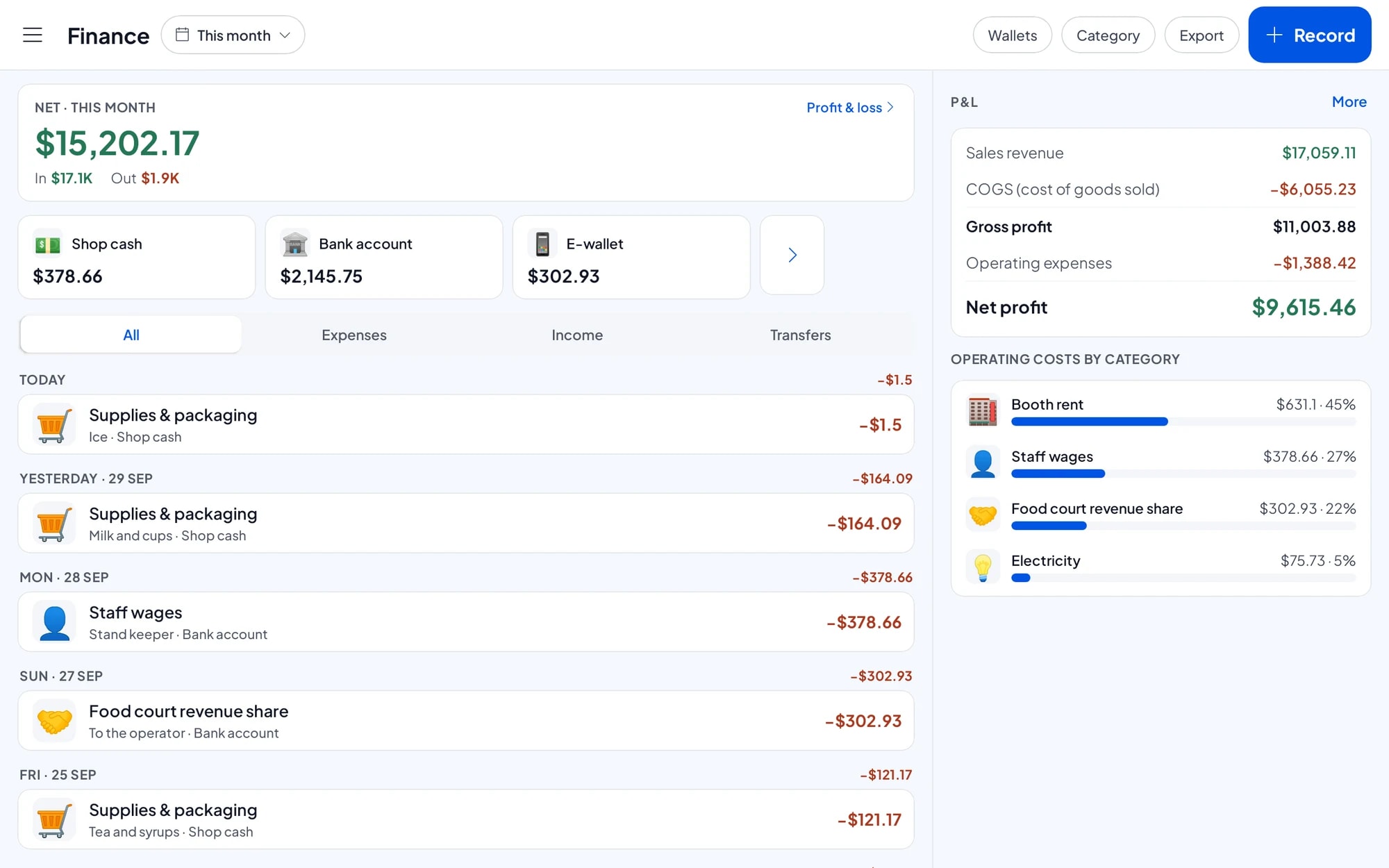
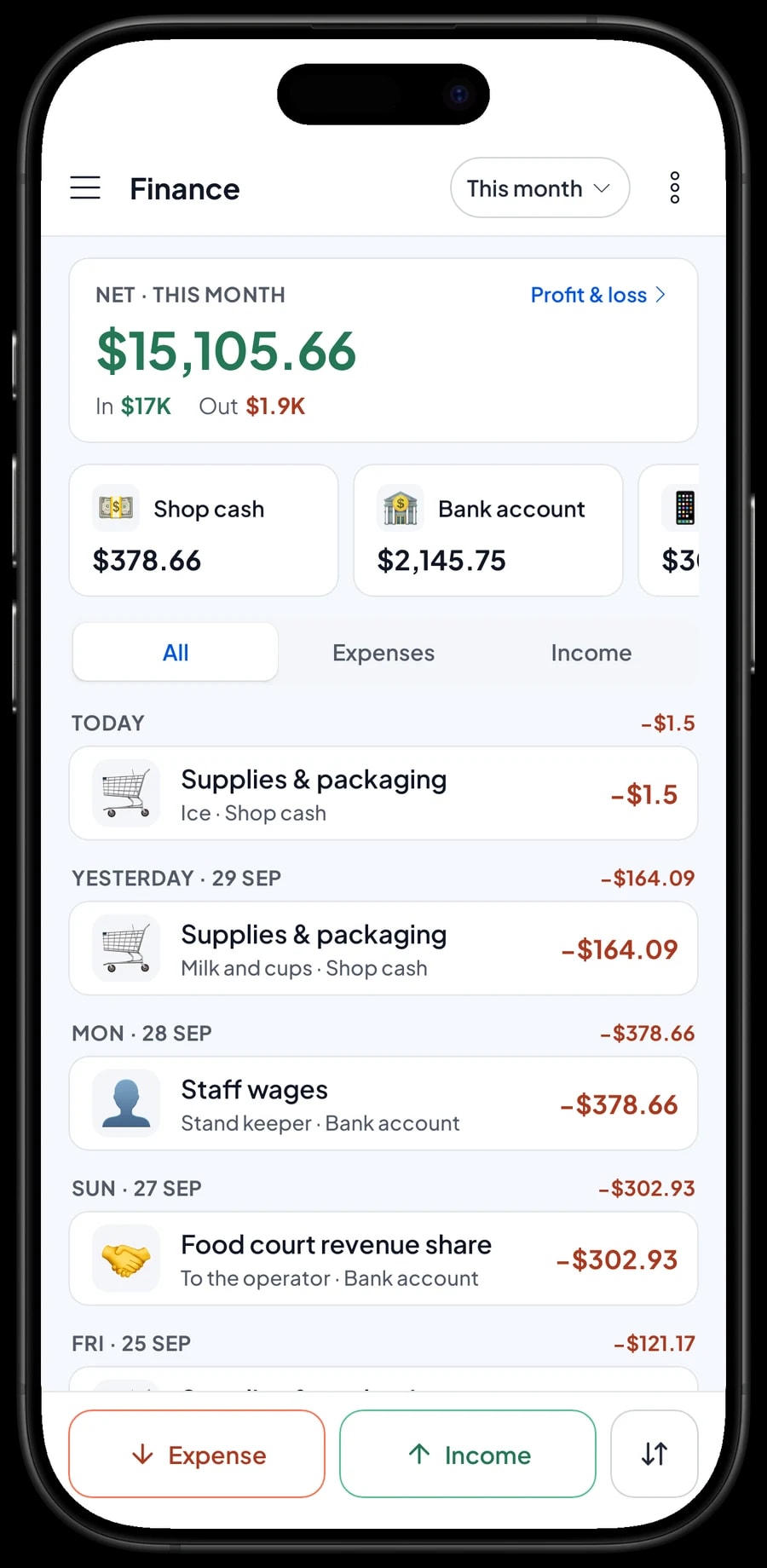
Record expenses in Finance, such as booth rent, revenue share, wages and supplies, with their category and wallet. The Finance report then works out revenue minus cost of goods and operating costs: your stand's net profit.
Opening a new stand with Salesmaster
New stands usually start on a tight budget, so start with what you have. Install Salesmaster on your phone, create an account and use the Free plan for the first few days. Enter your main items with their variants and toppings, then create the payment methods you accept.
Before opening day, record your ingredients and packaging with their opening stock, and fill in the recipes for your main items. From the very first sale you will know how many cups and how much of each ingredient were used. After a week of selling, check the reports: which items sell, which toppings are rarely picked, and what is left after booth rent and supplies.
When the stand gets busy and you take on help, move to Bronze Pro or Silver Pro for staff accounts. Everything you have recorded stays; there is no starting over.
An example menu for a drink and snack stand
Adjust it to your menu. The fewer categories, the faster the till at rush hour.
| Category | Item | Variants | Add-ons | Item type |
|---|---|---|---|---|
| Drinks | Iced coffee with milk | Regular, Large | Extra shot, Boba | Made-to-order |
| Drinks | Milk tea | Regular, Large · Normal, Less sugar | Boba, Jelly, Cheese foam | Made-to-order |
| Drinks | Jumbo iced tea | Sweet, Unsweetened | Lemon | Made-to-order |
| Food | Seblak (spicy crackers soup) | Spice level 1–5 | Egg, Sausage, Chicken feet | Made-to-order |
| Food | Corn dog | Sausage, Mozzarella | Cheese sauce | Made-to-order |
| Deals | Value meal | - | - | Made-to-order |
| Bottled | Mineral water | - | - | Product |
Add packaging (cups per size, lids, straws, paper bags) as ingredients in your recipes. Packaging is usually what runs out first at a stand.
Which plan fits your stand
A stand serving about 60 customers a day records roughly 1,800 transactions a month.
| Plan | Price | Transactions / month | Staff accounts | Good for |
|---|---|---|---|---|
| Free | Free | 30 | Owner only | To try on your first day or at a small bazaar. |
| Solo Pro | $4.90/month | 3,000 | Owner only | Stands run by the owner. |
| Bronze Pro | $6.90/month | 5,000 | 1 staff | Stands with one person on duty using the stand's phone, while the owner checks in from their own device. |
| Silver Pro | $9.90/month | 8,000 | 2 staff | Busy stands with two staff. |
Every plan includes checkout, catalog, digital receipts, reports and offline mode. See pricing →
Frequently asked questions
- Can Salesmaster run on a phone only, without a computer?
- Yes. Salesmaster runs on Android phones and iPhones, and every checkout, stock and report feature is available on the phone. Tablets, Windows and Mac are supported too if you ever need them.
- Does a drink stand need a receipt printer?
- No. Receipts can be sent by WhatsApp, email or a web receipt link. For paper receipts, use a mini Bluetooth thermal printer with 58 mm paper.
- How do I set up sizes, sugar levels and toppings in Salesmaster?
- Sizes and levels are variants on each item, and toppings are add-ons whose price is added to the total. The cashier just picks the variant and add-ons, and the price is worked out automatically.
- Can Salesmaster track cups and straws?
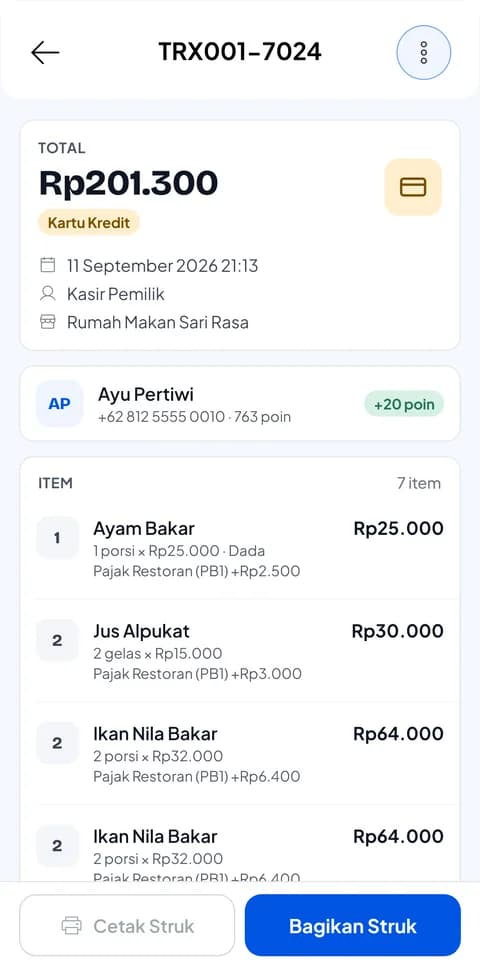
- Yes. Add cups, lids and straws as ingredients in each item's recipe. Every cup sold takes the packaging off stock along with the other ingredients.
- Does Salesmaster work in a food court with weak signal?
- Yes. Sales are saved on the phone while offline and sync when the signal returns. Offline mode works for up to 7 days before the app needs to connect.
- How can the owner keep an eye on a stand run by staff?
- Add the person on duty as staff and register the stand's phone as a staff device. Every sale syncs to the owner's account, so sales can be checked from the owner's device.
- Can I hand sales reports to the food-court operator?
- Yes. Daily, weekly and monthly reports export to Excel or PDF and can be sent to the operator for revenue-share calculations.
Need help setting up your catalog? Chat with our team on WhatsApp →



