
Salesmaster is a point-of-sale app for mini fuel stations on Android, iPhone & iPad, Windows and Mac. Fuel is sold as an item priced per litre with stock kept in litres, bottled fuel, oil and drinks are regular products, and quick jobs like tyre air, tyre patches and oil changes are service items with no stock. Attendants sign in with their own PIN on a staff device, and fuel purchases, wages and pump upkeep go into Finance so you can see real net profit.
Problems every mini fuel station knows
Retail fuel moves fast on a thin margin, and cash changes hands many times a day. Clean records make the difference.
- 01
A very thin margin per litre
The gap between what you pay and what you charge is small. A short cash drawer or a few unrecorded litres can wipe out a whole day's profit.
- 02
Small services that never get recorded
Tyre air, tyre patches and oil changes are quick and paid in cash. If they aren't rung up, that income never shows in your reports.
- 03
Fuel runs and pump upkeep
Hauling jerry cans, calibrating the meter and powering the pump are regular costs. Without recording them, you never really know your net profit.
Building your catalog: fuel, oil, quick services and drinks
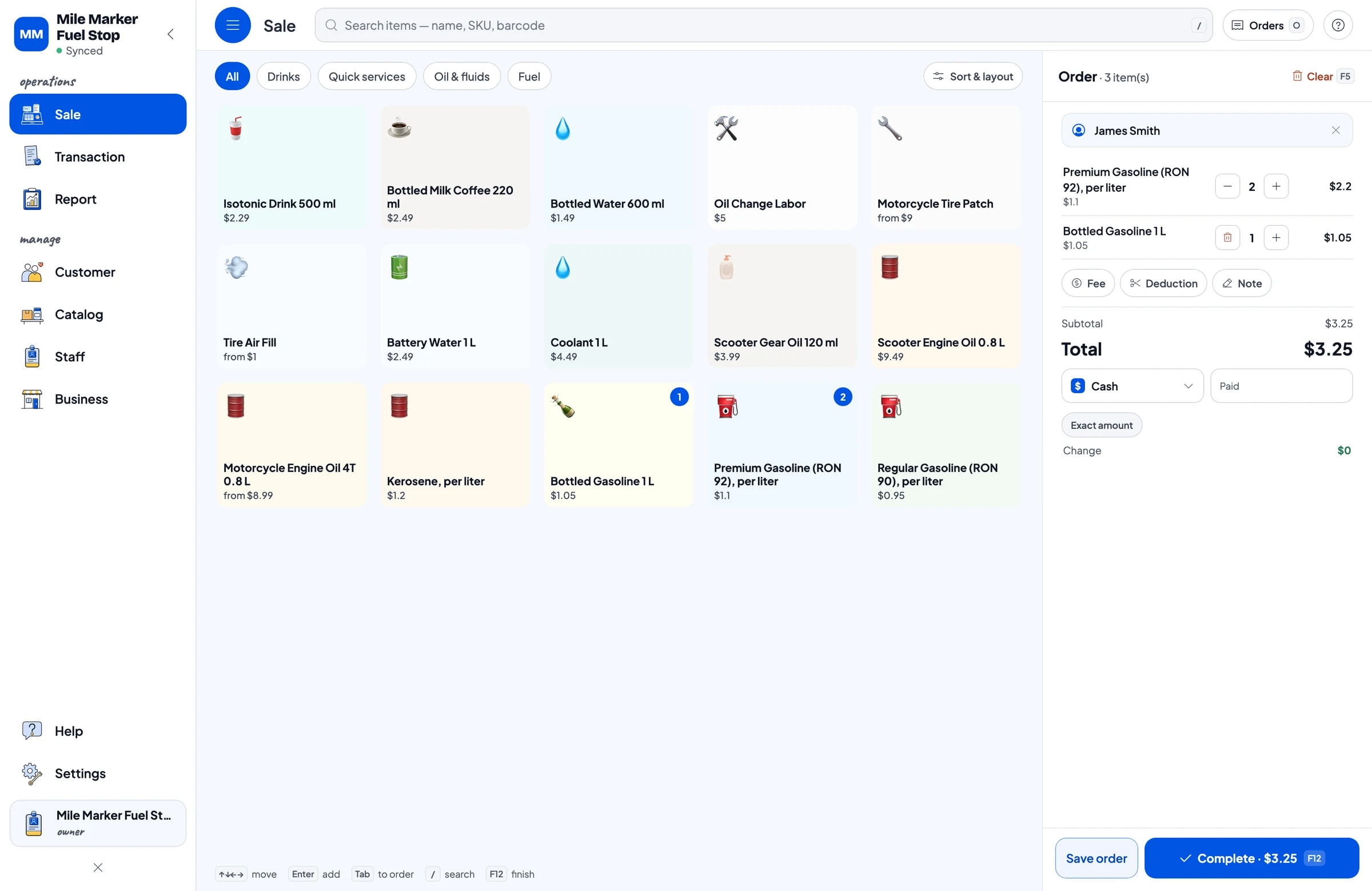
In Salesmaster, each fuel grade is one item in the Catalog with litres as its unit, for example Regular Gasoline (RON 90), per litre, Premium Gasoline (RON 92), per litre and Kerosene, per litre. Bottled fuel is a separate item sold by the bottle. Engine oil, scooter oil, gear oil, coolant and battery water are regular products with their own stock.
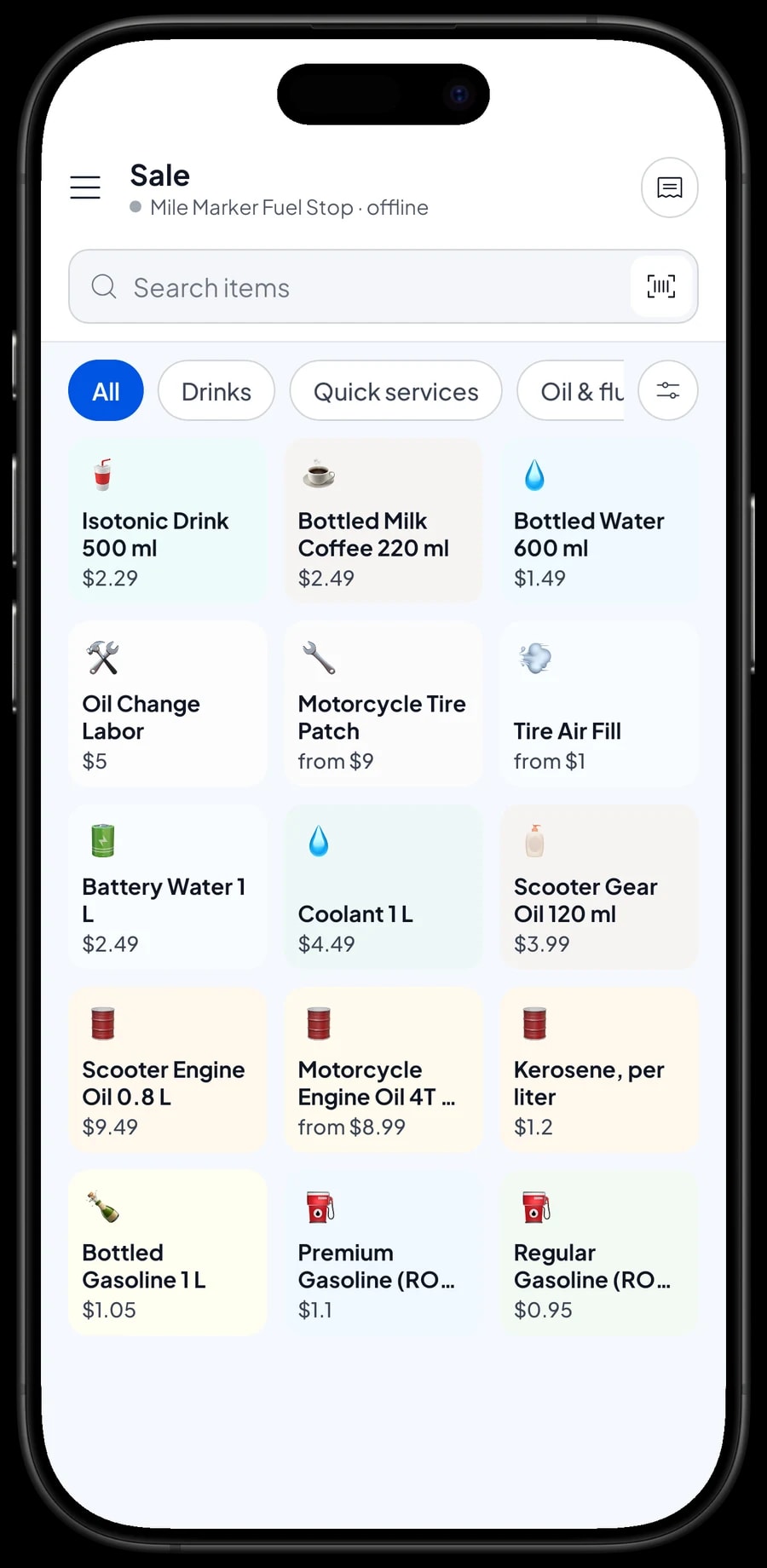
Group items into categories such as Fuel, Oil & fluids, Quick services and Drinks. On the Sale screen, the attendant taps a category and then the item, and the total appears right away. Packaged products with a barcode, such as oil and bottled drinks, can be scanned with a barcode scanner.
Cold drinks like bottled water, bottled coffee and isotonic drinks are often bought by riders who stop to fill up. Put them in the catalog so they count toward revenue and their stock is tracked.
- Step 1: Open Catalog → Categories and create Fuel, Oil & fluids, Quick services and Drinks.
- Step 2: Open Catalog → List Items and add each fuel grade with litre as the unit and its price per litre.
- Step 3: Add oil, fluids and drinks as products with their own price and stock.
- Step 4: Open the Sale screen and check that each category shows the right items.
Selling fuel by the litre, or by amount
For sales by the litre, the attendant taps the fuel item and enters the number of litres. Cart quantities in Salesmaster are whole numbers, so fuel is recorded in whole litres, such as 1, 2 or 3. The total is worked out from the price per litre.
Some customers ask for a set amount instead of a number of litres. If that's common at your station, create a separate item such as "Regular gasoline, by amount" with a variant for each amount you usually sell. Keep in mind that each variant has its own stock and isn't converted to litres, so leave stock tracking off for the by-amount item and reconcile your litres against the pump meter.
Salesmaster doesn't connect to the pump or a digital meter. Meter readings and sales in the app are recorded separately, then compared at the end of each shift or day.
Fuel stock in litres, plus oil and drinks
Turn on stock tracking for each per-litre fuel item and enter the opening stock from your tank or drums. Every sale by the litre takes stock off automatically. When a delivery arrives, for example 300 litres, add it in Inventory → Stock.
Fuel always has some evaporation and small differences. Compare the stock in the app with what's actually in the tank on a regular schedule and record the difference as a stock adjustment. The stock history shows whether the difference is normal or worth looking into.
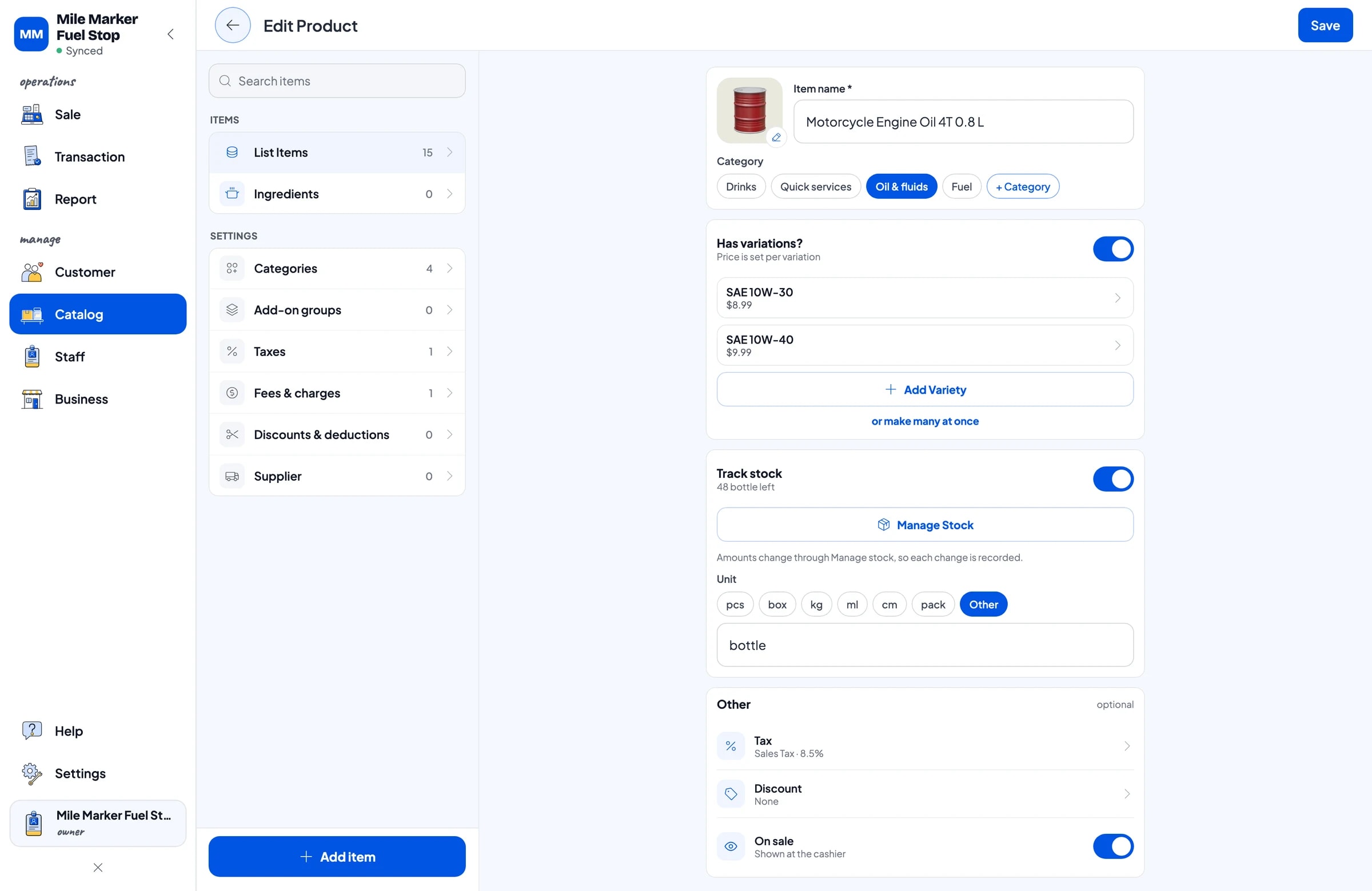
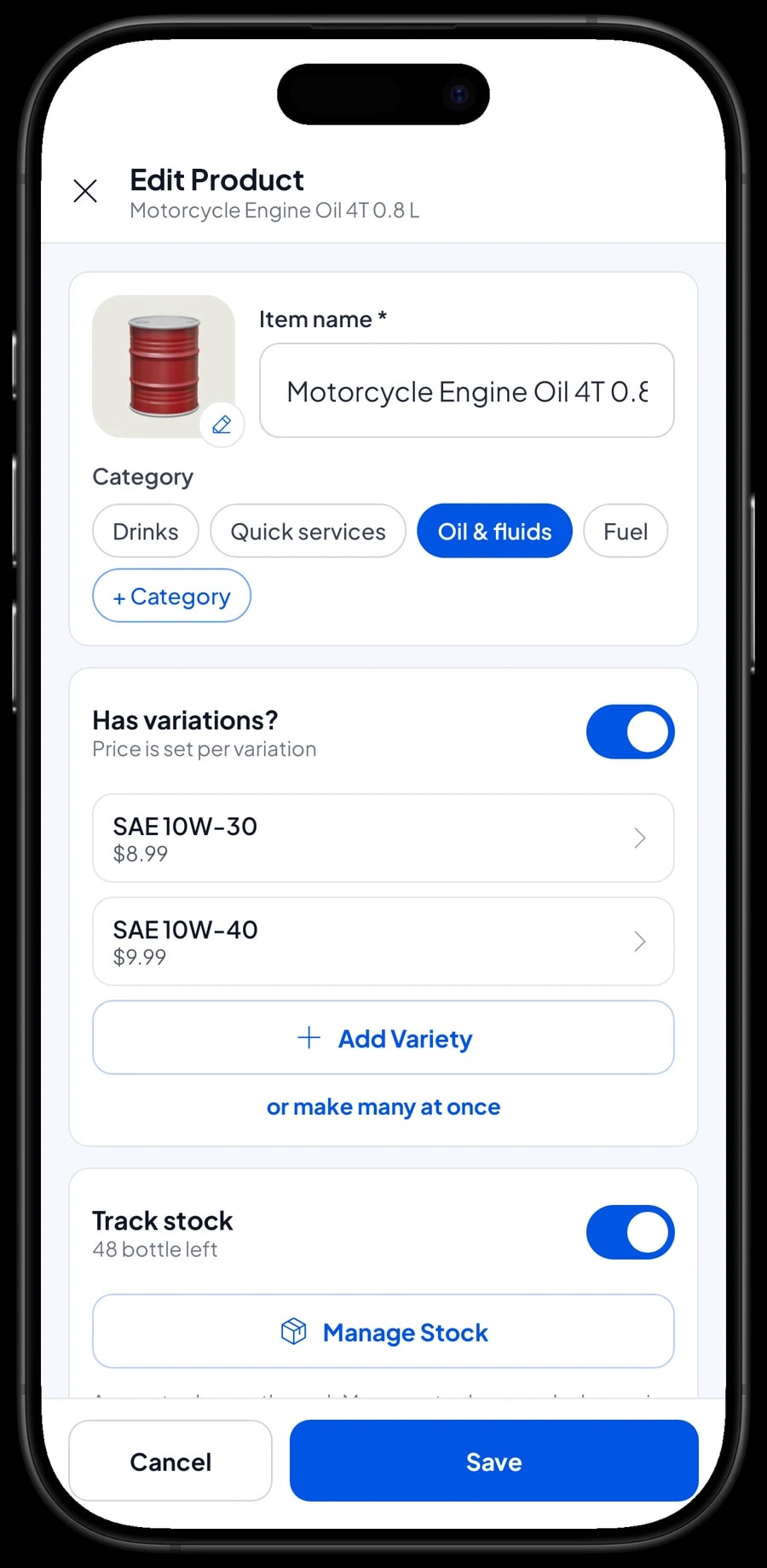
Oil, coolant and drinks are tracked by the bottle. Motorcycle Engine Oil 4T can have variants by grade, such as SAE 10W-30 and SAE 10W-40, each with its own price and stock. Save your fuel and oil suppliers in Inventory → Supplier.
- Step 1: Open Catalog → List Items, pick Regular Gasoline (RON 90), per litre, and turn on stock tracking.
- Step 2: Open Inventory → Stock and enter the opening stock in litres from your tank.
- Step 3: Each time fuel is delivered, add the litres received.
- Step 4: At the end of each week, compare stock with the tank and record any difference as a stock adjustment.
Tyre air, tyre patches and oil changes as service items
Quick services add real income at a mini station. In Salesmaster, they're service items with no stock. Tyre Air Fill has Motorcycle and Car variants, Motorcycle Tyre Patch has Inner tube and Tubeless variants, and Oil Change Labor has a single price.
When a rider gets an oil change, the attendant adds the bottle of oil and Oil Change Labor to the same cart. Oil stock goes down, the labor is recorded as income, and the total is right. In reports, service income shows separately from fuel sales.
If a service uses supplies such as patches or glue, enter their cost as the service item's cost, so gross profit for services in your reports stays close to reality.
- Step 1: Open Catalog → List Items and create Tyre Air Fill as a service.
- Step 2: Add Motorcycle and Car variants with their prices.
- Step 3: Create Motorcycle Tyre Patch and Oil Change Labor as service items the same way.
- Step 4: Try it on the Sale screen: add a bottle of oil and Oil Change Labor to one cart.
Morning and night attendants
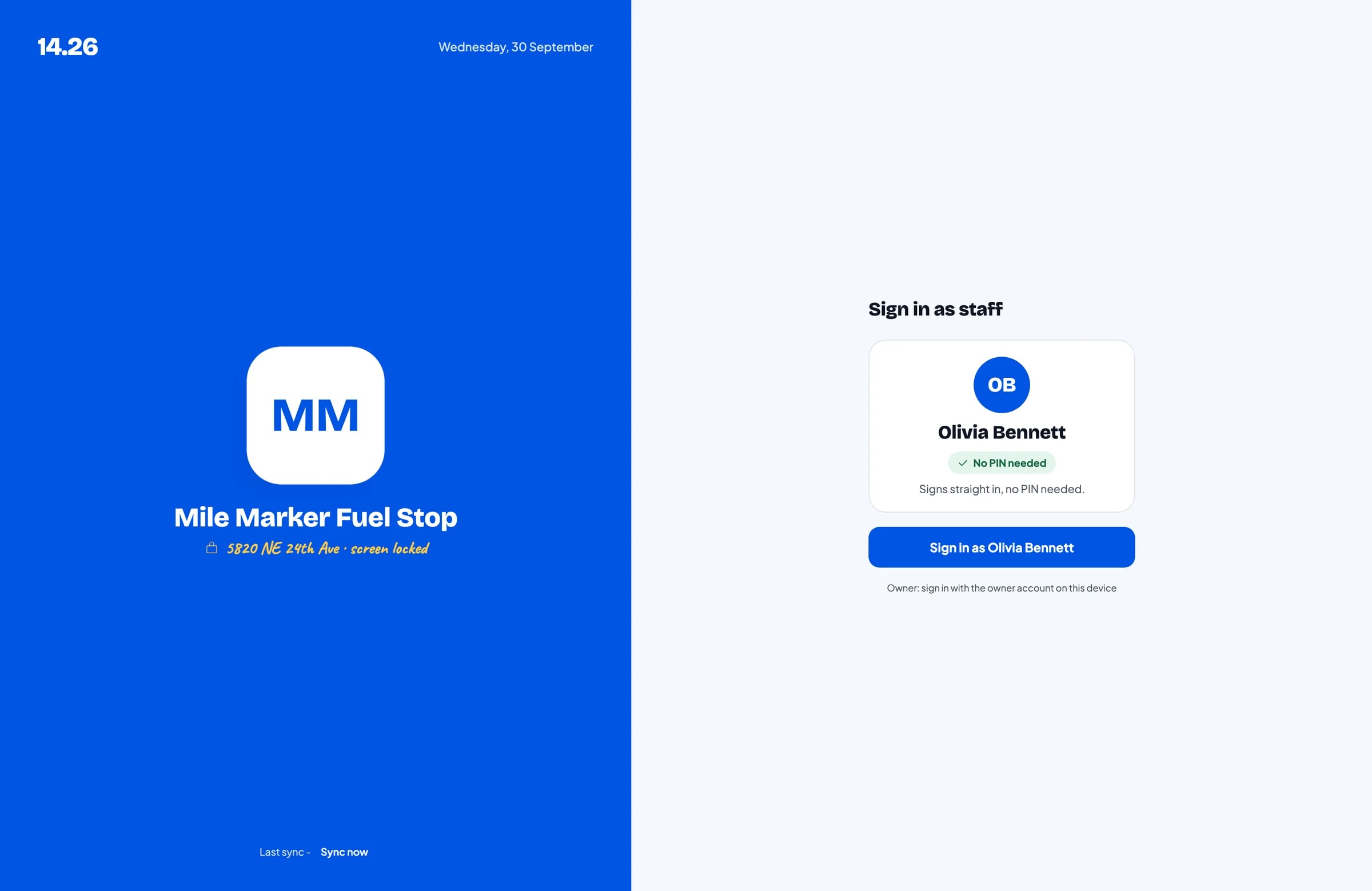
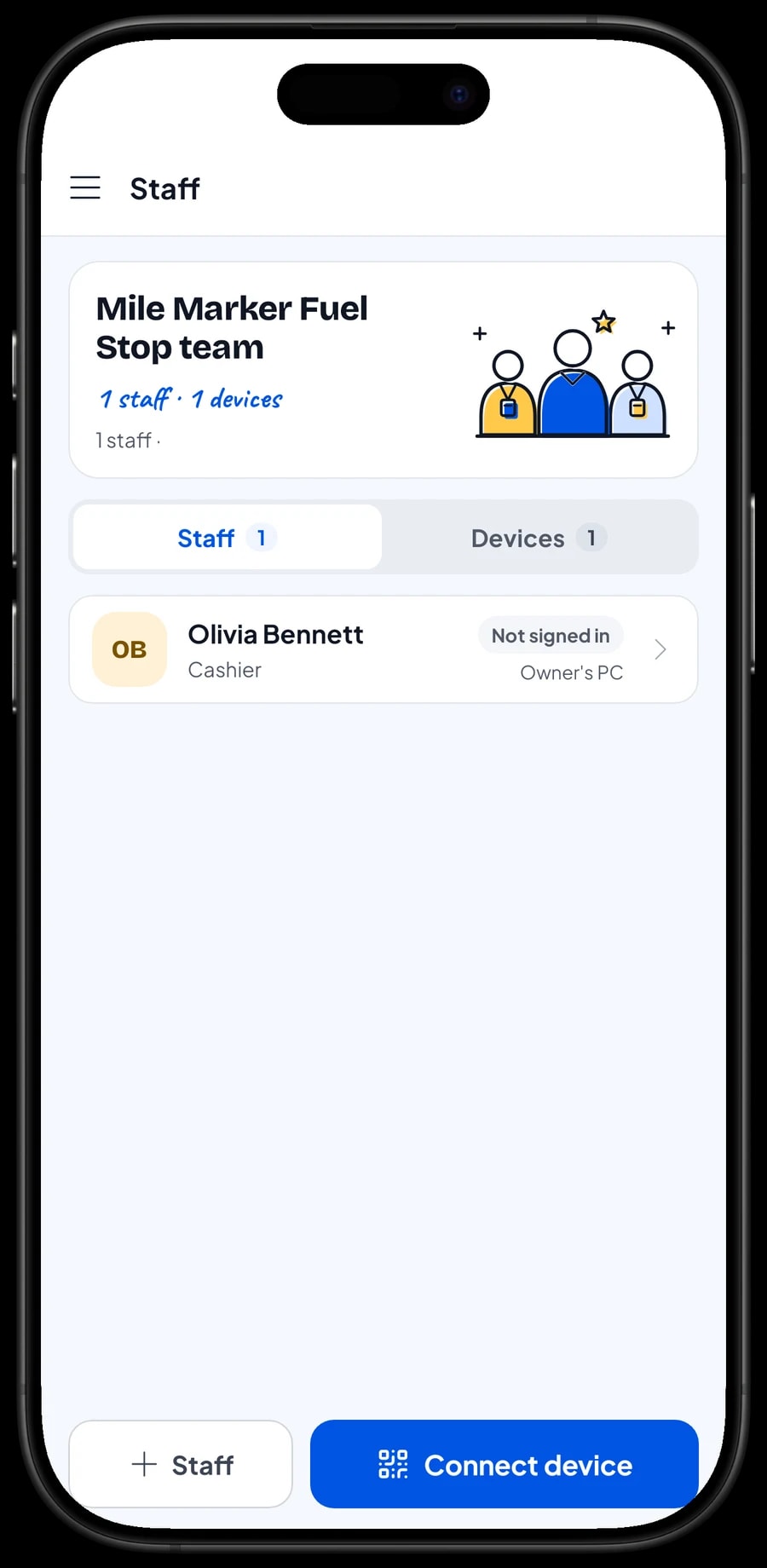
The owner signs in with the main account, and an account can be signed in on one device at a time. Attendants are added as staff, and the phone at the pump is registered as a staff device. Staff sign in with a PIN, and you decide what they can see and change. Staff accounts come with Bronze Pro (1 staff) and Silver Pro (2 staff), so a morning and a night attendant can each have their own.
Each attendant signs in with their own PIN on the staff device. From the owner's device, you can check each day's sales without driving out to the station.
Payments and receipts
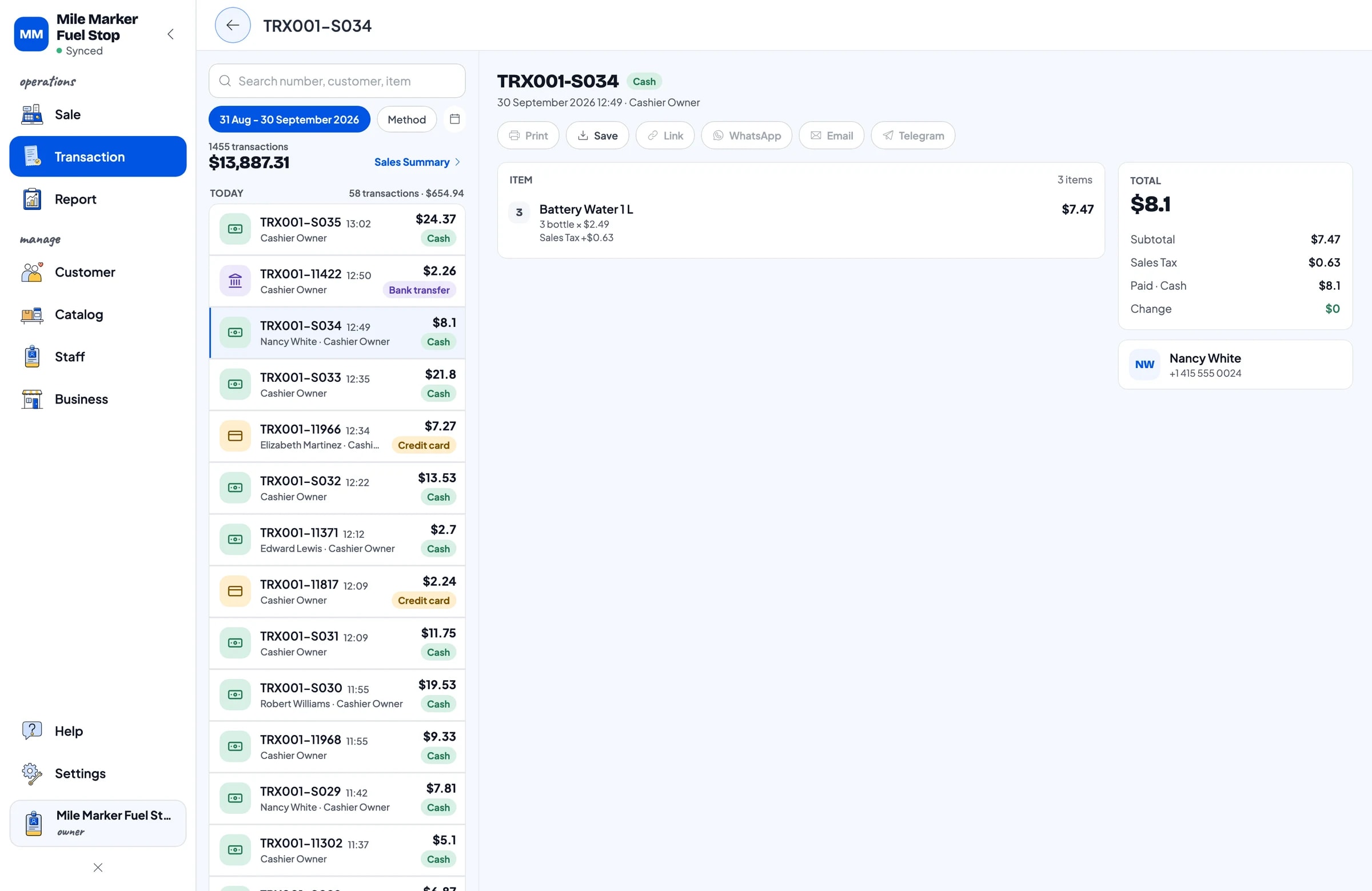
Most customers pay cash, but plenty pay by card or a mobile wallet. Create the payment methods you accept. Salesmaster records the method used; it doesn't connect to a card terminal, so card payments run on your terminal and the attendant picks Card in the app. For cash, the attendant enters the amount received and the change is calculated. Reports show how much came in through each method, so the cash count and your bank balance are easy to reconcile.
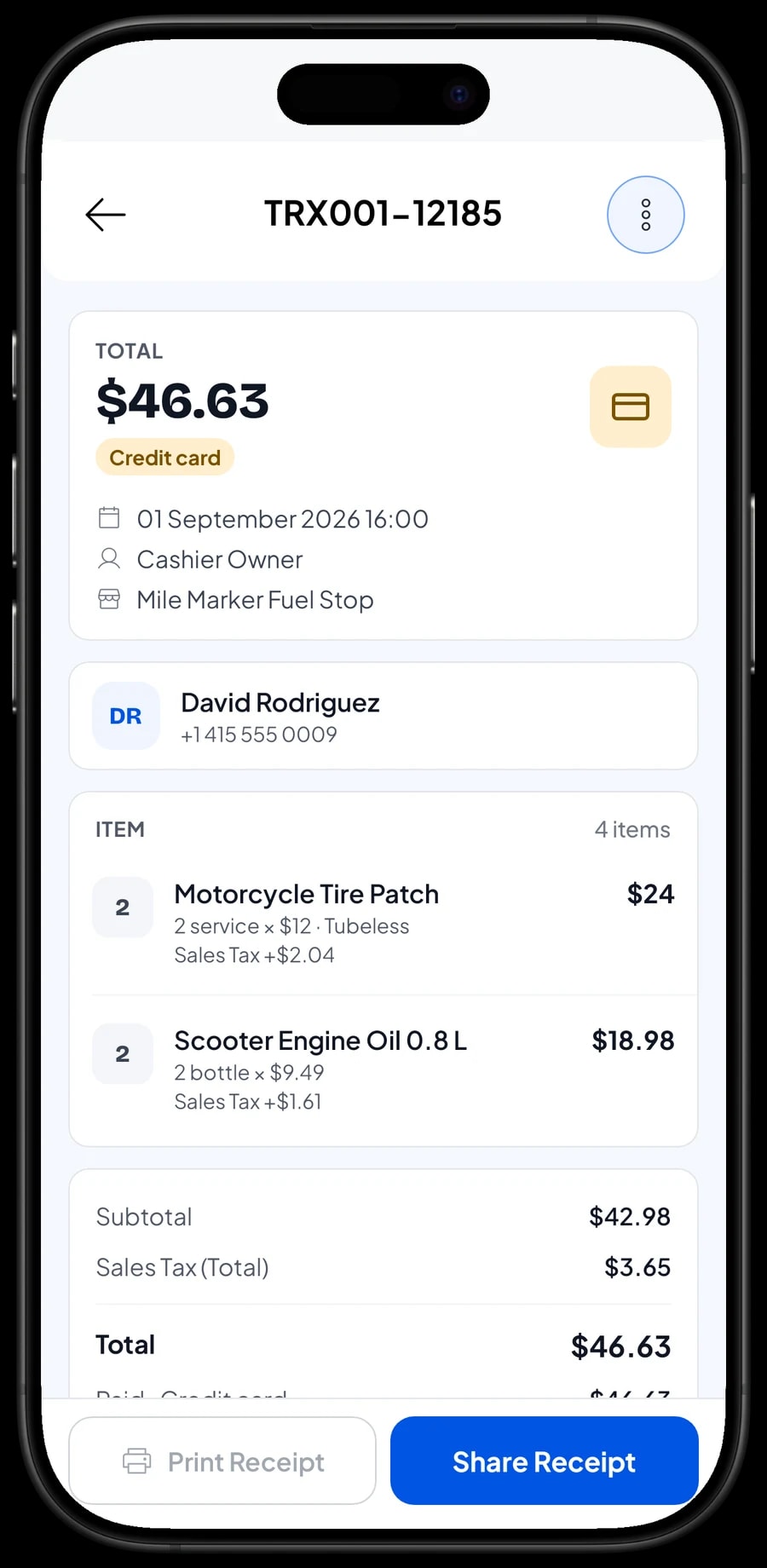
Not every fuel customer wants a receipt. When one does, it can print on a Bluetooth or USB thermal printer or go out as a web receipt link. Every sale is still kept in Transactions, receipt or not.
Fuel purchases, wages, pump upkeep and profit
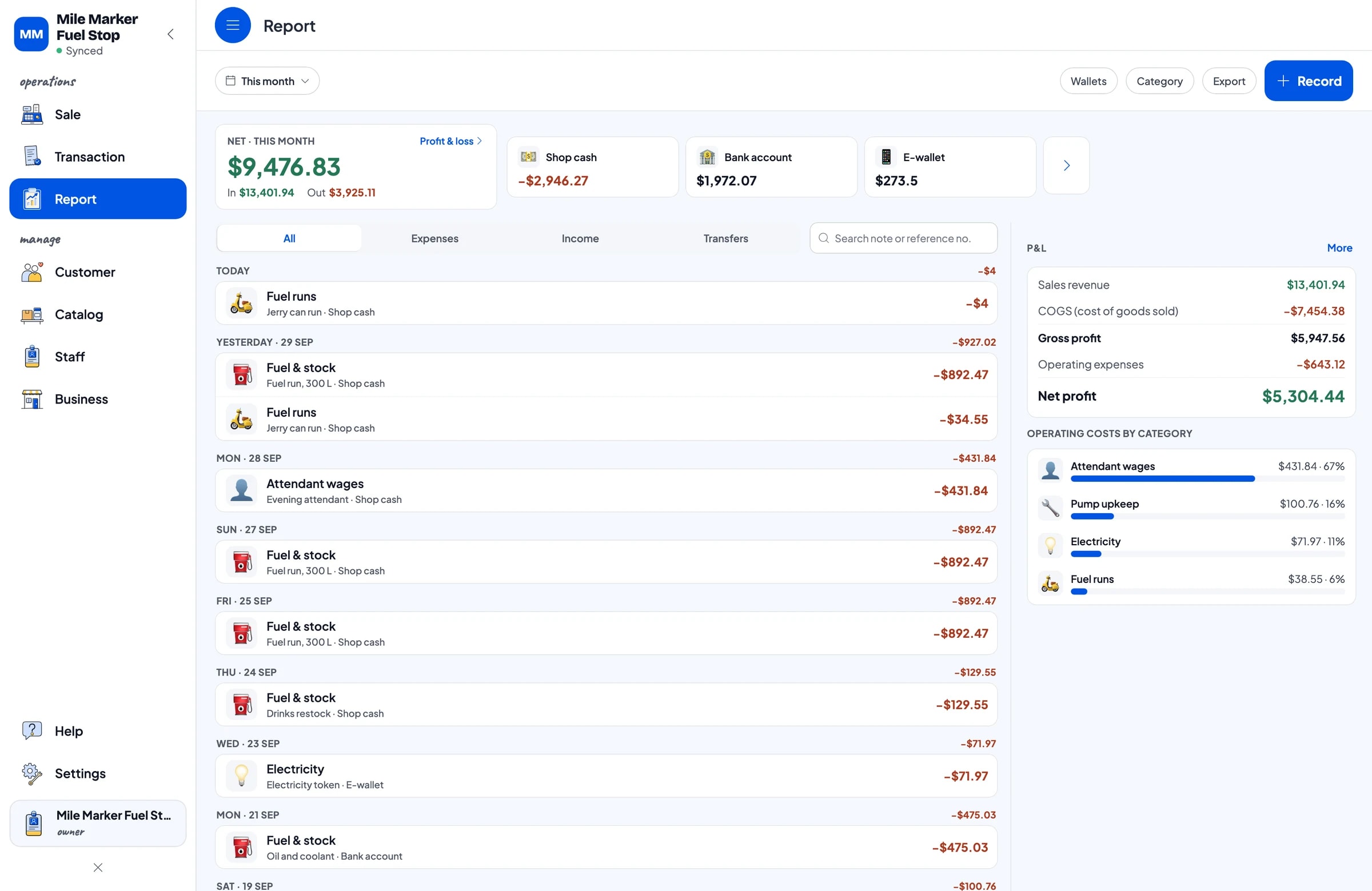
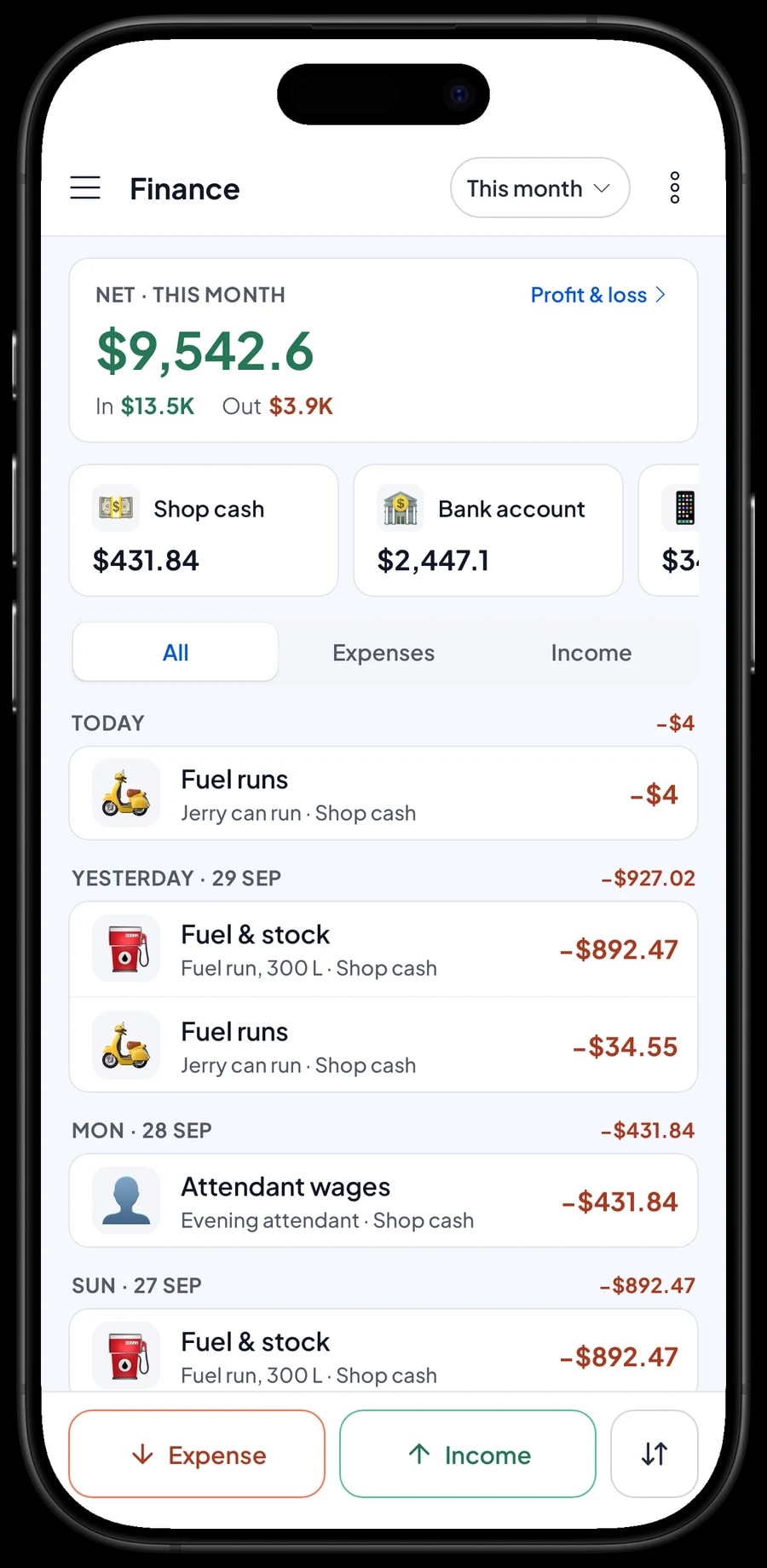
In Finance, record each expense with a category and the wallet it came from: fuel and stock purchases, oil and coolant, drinks, attendant wages, pump upkeep and meter calibration, electricity, and fuel runs. The Finance report then shows revenue, cost of goods, operating costs and net profit.
Because the margin per litre is thin, update the cost per litre whenever your purchase price changes. Cost is used to calculate gross profit, so the reports stay true to what you actually earn.
- Step 1: Open Finance and set up wallets such as Shop cash, Bank account and E-wallet.
- Step 2: Create expense categories such as Fuel & stock, Attendant wages, Pump upkeep, Electricity and Fuel runs.
- Step 3: Record each expense with its amount, category, wallet and a note.
- Step 4: At the end of the month, open the Finance summary to see your net profit.
Daily reports: litres sold, services and products
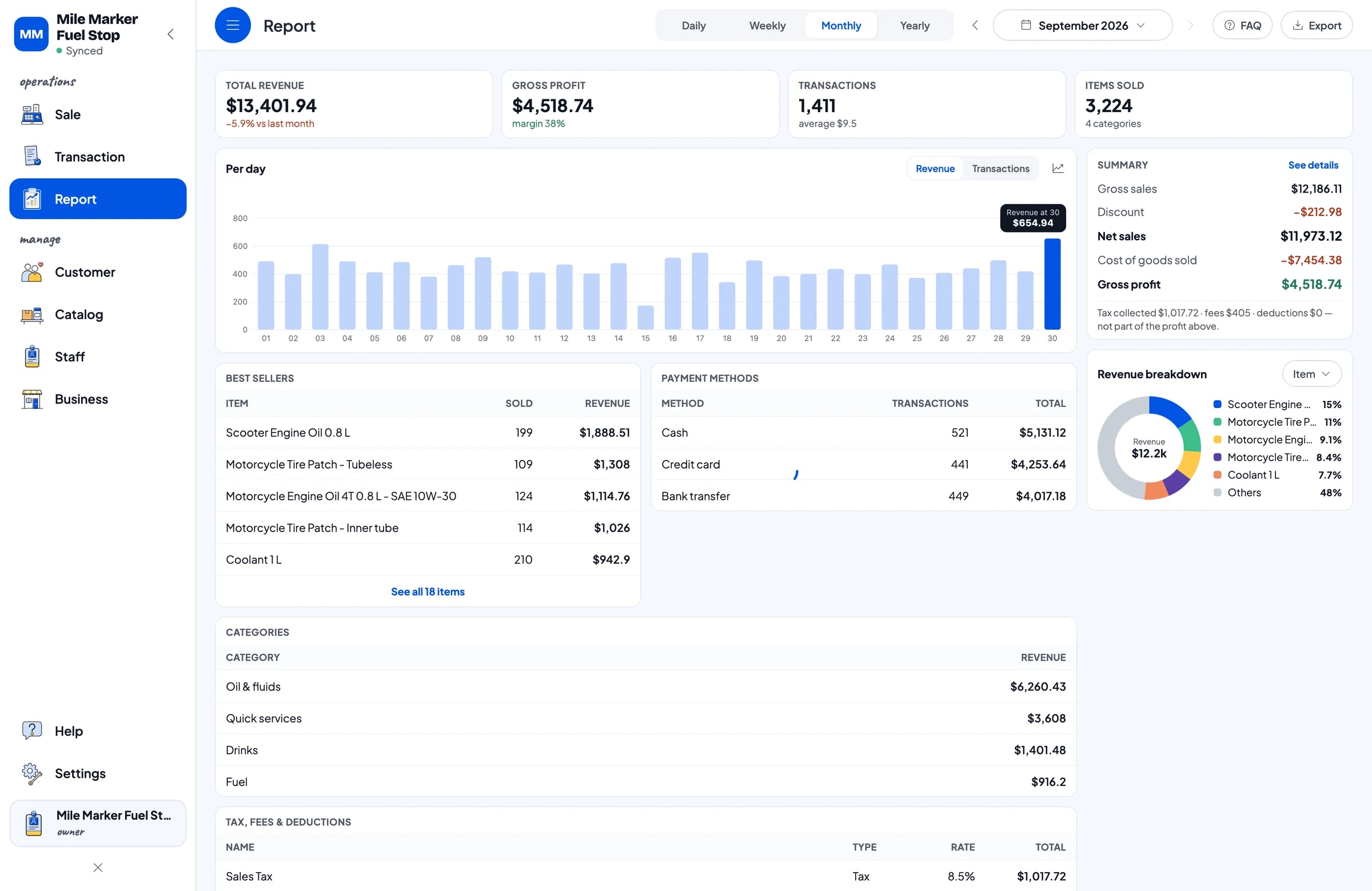
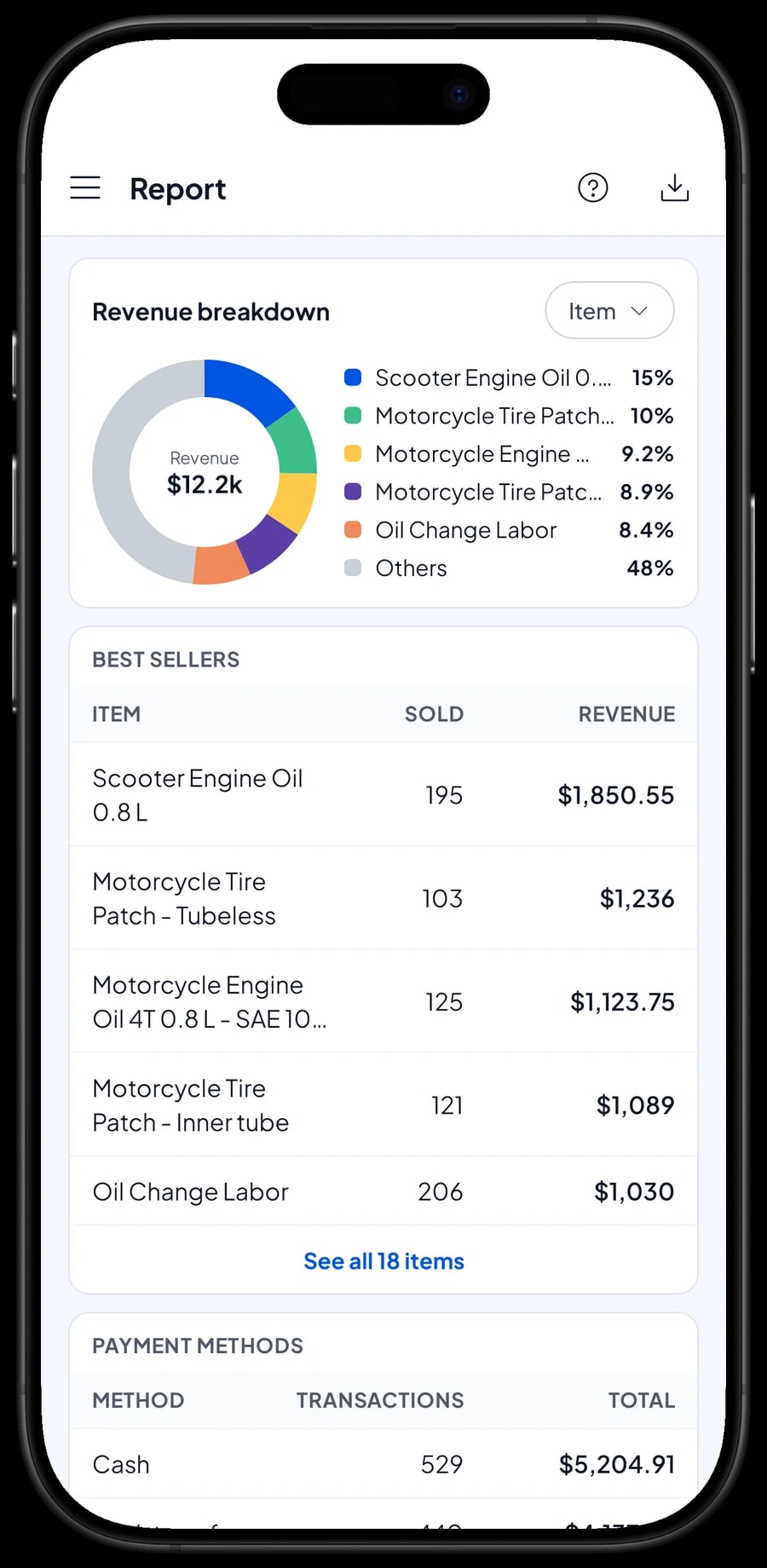
Reports are available by day, week, month and year. You see total revenue, gross and net sales, gross profit, a daily chart and revenue by item. It's clear how much came from fuel, from oil, from drinks and from services, so you know which part of the business earns the most.
Reports export to Excel or PDF for your records or for family members who help run the station.
Roadside stations often have weak signal. Sales are saved on the device and sync when the connection is back. Offline mode works for up to 7 days, and the first sync after signing in needs an internet connection.
An example mini fuel station catalog
Adjust it to the fuel and products you sell.
| Category | Item | Variants | Unit | Stock |
|---|---|---|---|---|
| Fuel | Regular Gasoline (RON 90), per litre | - | litre | Yes, in litres |
| Fuel | Premium Gasoline (RON 92), per litre | - | litre | Yes, in litres |
| Fuel | Bottled Gasoline 1 L | - | bottle | Yes |
| Fuel | Kerosene, per litre | - | litre | Yes, in litres |
| Oil & fluids | Motorcycle Engine Oil 4T 0.8 L | SAE 10W-30, SAE 10W-40 | bottle | Per variant |
| Oil & fluids | Coolant 1 L | - | bottle | Yes |
| Quick services | Tyre Air Fill | Motorcycle, Car | tyre | No stock |
| Quick services | Motorcycle Tyre Patch | Inner tube, Tubeless | service | No stock |
| Drinks | Bottled Water 600 ml | - | bottle | Yes |
Cart quantities are whole litres. If you also sell by amount, create a separate by-amount item with stock tracking off, and reconcile your litres against the pump meter.
Which plan fits your station
Start by counting sales per day. A mini station serving about 50 riders a day records roughly 1,500 transactions a month.
| Plan | Price | Transactions / month | Staff accounts | Good for |
|---|---|---|---|---|
| Free | Free | 30 | Owner only | To try the checkout flow at the pump before using it for real. |
| Solo Pro | $4.90/month | 3,000 | Owner only | Fuel stands run by the owner alone. |
| Bronze Pro | $6.90/month | 5,000 | 1 staff | Stations with one attendant on the pump phone while the owner checks in remotely. |
| Silver Pro | $9.90/month | 8,000 | 2 staff | Stations open from early to late, with a morning and a night attendant. |
Every plan includes checkout, catalog, receipts, reports and offline mode. You can change plans at any time. See pricing →
Frequently asked questions
- Can Salesmaster record fuel sales by the litre?
- Yes. Create the fuel as an item with litre as the unit and a price per litre, then enter the litres in the cart. Quantities are whole litres, and stock in litres goes down automatically when stock tracking is on.
- Does Salesmaster connect to the pump or a digital meter?
- No. Sales are recorded in the app and meter readings are written down separately. Compare the litres on the meter with the litres sold in the report at the end of each shift or day.
- What if a customer asks for a dollar amount instead of litres?
- Create a separate by-amount item with a variant for each amount you usually sell, and leave stock tracking off, because variants aren't converted to litres. Keep your litre stock in line using the meter and stock adjustments.
- Can I record tyre air and tyre patch jobs?
- Yes. Create each service as a service item with no stock, with variants such as Motorcycle and Car. Service income shows separately in reports.
- Does the register keep working when the signal drops?
- Yes. Sales are saved on the device and sync when the connection is back. Offline mode works for up to 7 days before the app needs to connect to sync.
Need help setting up your catalog? Chat with our team on WhatsApp →



