

Salesmaster is a point-of-sale (POS) app for outdoor and camping stores on Android, iPhone & iPad, Windows and Mac. Boots, packs and sleeping bags use variants with their own price, cost and stock, gear rental is sold as a per-night service, group rentals and items on hold are kept as saved orders, regulars earn loyalty points, and stock purchases, wages and rental gear cleaning go into Finance so you can see real net profit.
Problems outdoor stores know well
An outdoor store sells big-ticket gear and small consumables side by side, and often rents gear too. If any of these sound familiar, this page is for you.
- 01
Sizes and volumes get mixed up
Four boot sizes, two pack volumes, fleece and synthetic sleeping bags. If stock is only counted per product name, you find out a size is gone when a customer asks for it.
- 02
Rental gear with no clear record
A hiking club rents six tents and nine sleeping bags for three nights. On a paper notebook it is easy to lose track of who has what and what they owe when it comes back.
- 03
Long weekends hit all at once
Before a holiday weekend, everyone shows up for fuel, rain ponchos and headlamps at the same time. A cashier working from memory makes mistakes.
- 04
Big stock orders, unclear profit
One delivery of tents and packs can cost thousands. Add wages, rent, sleeping bag washing and ads, and it is hard to say what the store actually kept.
Building your catalog: gear, consumables and rentals
Set up categories that match your shelves, such as Tents & sleeping, Packs, boots & rainwear, Camp kitchen & light, and Gear rental. Categories show as tabs on the Sale screen, so staff find any item in one or two taps.
Each product is one item in your catalog. Products that come in options get variants: a Sleeping Bag with Fleece and Synthetic fill, 10°C variants, a Trekking Backpack in 45 L and 60 L, Hiking Boots in EU 40, 41, 42 and 43. Every variant has its own price, cost and stock.
Products with no options, like a 2-person Dome Tent, a Foil Roll-up Sleeping Mat or a Portable Camp Stove, are regular items with their own stock count.
- Step 1: In Catalog, create categories that match your shelves.
- Step 2: Add one item for each product, with its name, unit and category.
- Step 3: For products with sizes or options, add variants, each with its own price and cost.
- Step 4: Turn on Stock Tracking and enter the opening stock for every variant.
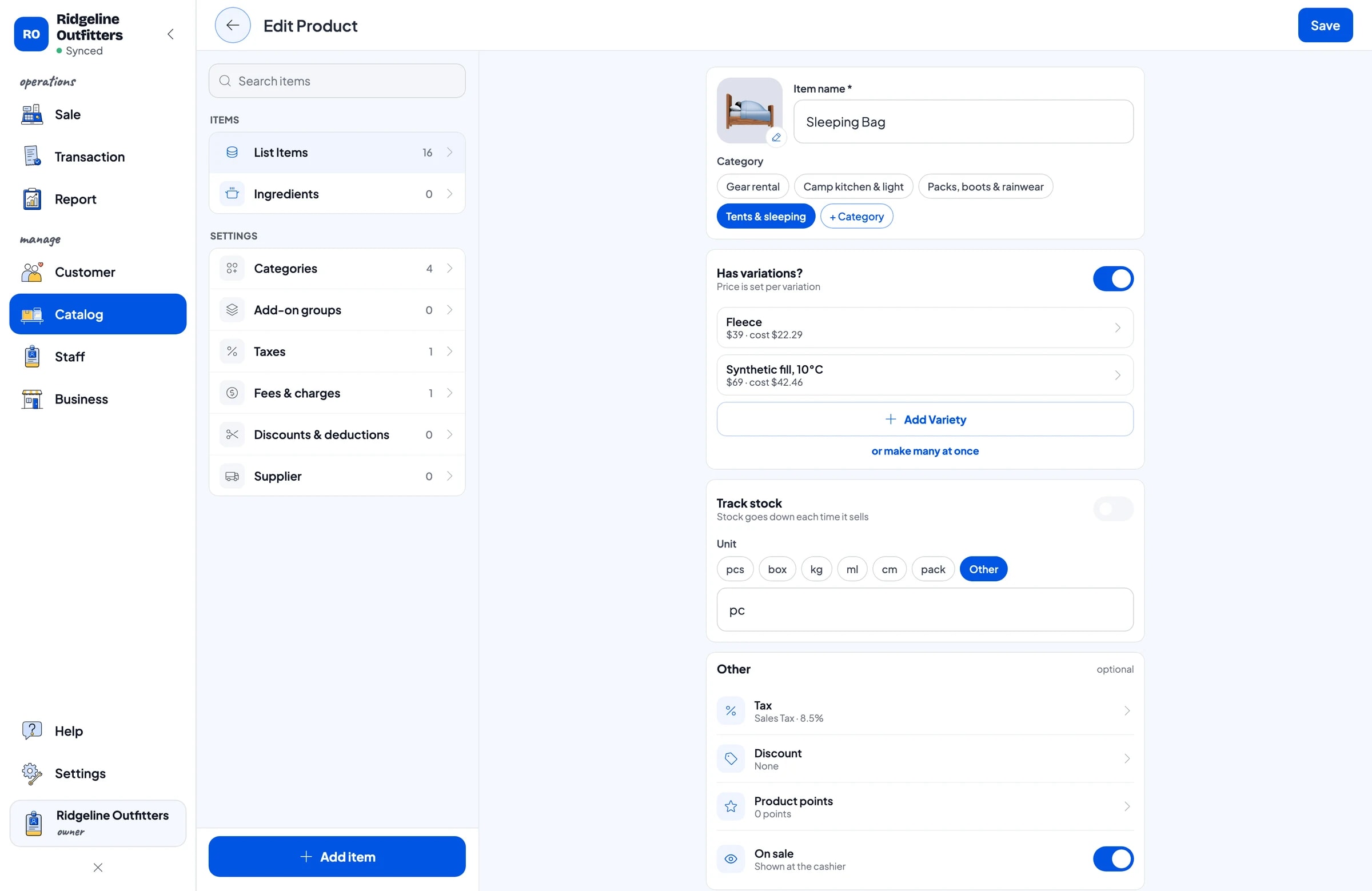
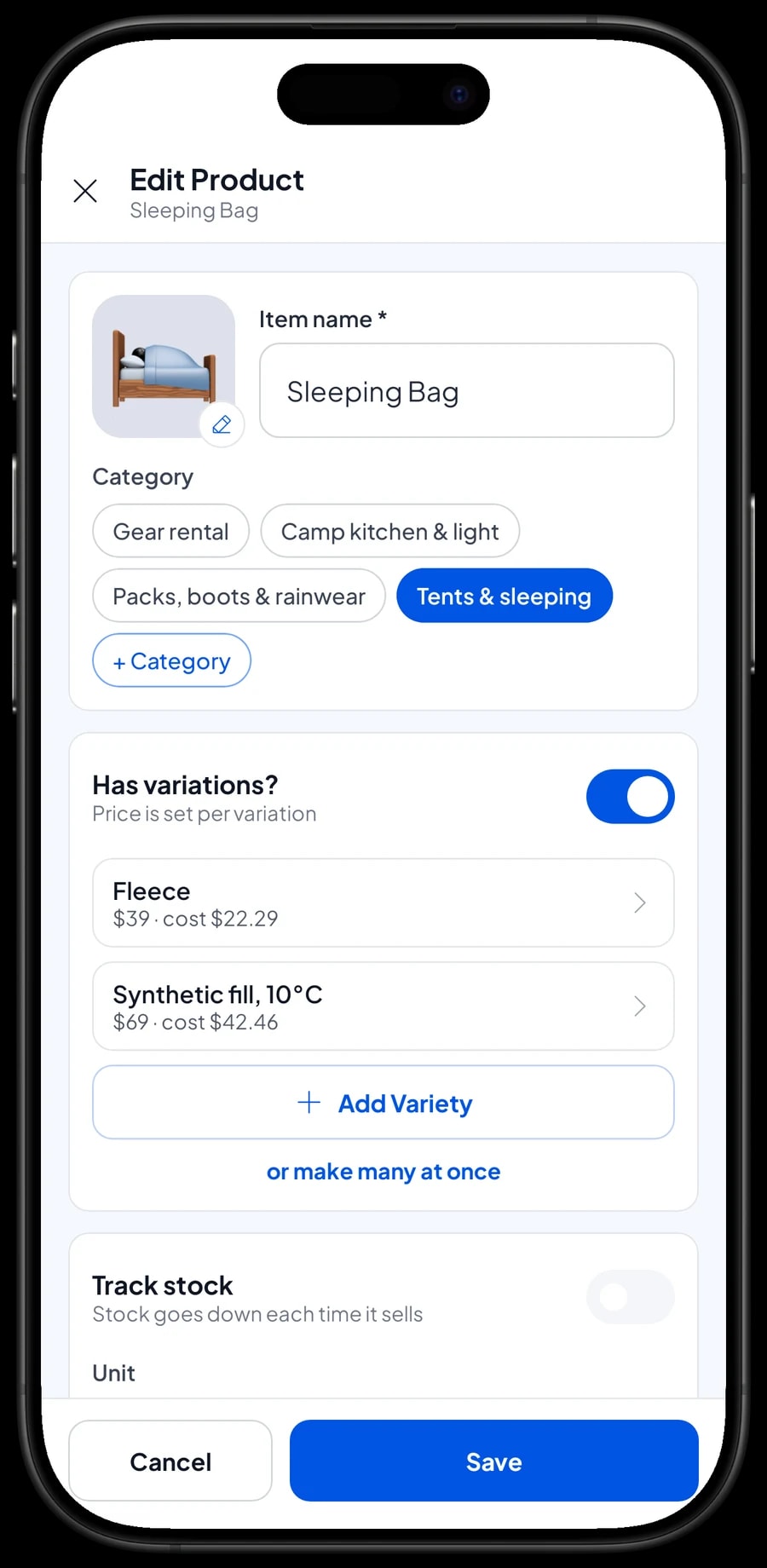
Boots by size, packs by volume
Hiking boots are what usually throws stock off, because every model comes in four to six sizes. With a variant per size, each size is counted separately. When a pair of EU 42 sells, only EU 42 goes down, and you know when to reorder the sizes people ask for most.
The same works for packs by volume, sleeping bags by fill, or jackets by size. If one model comes in both a size and a colour, combine them in the variant name, such as "Black 42" or "Green 60 L". Each combination keeps its own stock.
Consumables like the Butane Canister 230 g move fastest before the weekend. Add stock under Catalog → Inventory → Stock whenever a delivery arrives, and save your distributors under Catalog → Inventory → Supplier so reordering is quicker.
Gear rental by the night
Many outdoor stores rent tents, packs and sleeping bags too. In Salesmaster, a rental is a Service item with night as its unit, such as 4-person Tent Rental, 60 L Backpack Rental and Sleeping Bag Rental. For a three-night trip, enter the number of pieces times the number of nights.
Service items have no stock, so Salesmaster does not track which rental pieces are out or when they are due back. What most stores do: write the return date and the list of gear in the order note, then check the gear with the renter when it comes back.
Salesmaster doesn't track security deposits either. Write the deposit in the sale note, or create a separate item called "Rental deposit" so the money is recorded coming in. When you hand the deposit back, record the cash out in Finance with a clear category.
- Step 1: Create a Gear rental category in Catalog.
- Step 2: Add each rental as a Service item with night as the unit and the nightly price.
- Step 3: When renting, add pieces times nights to the cart.
- Step 4: Write the return date and any deposit in the order or sale note.
Group rentals and items on hold: saved orders
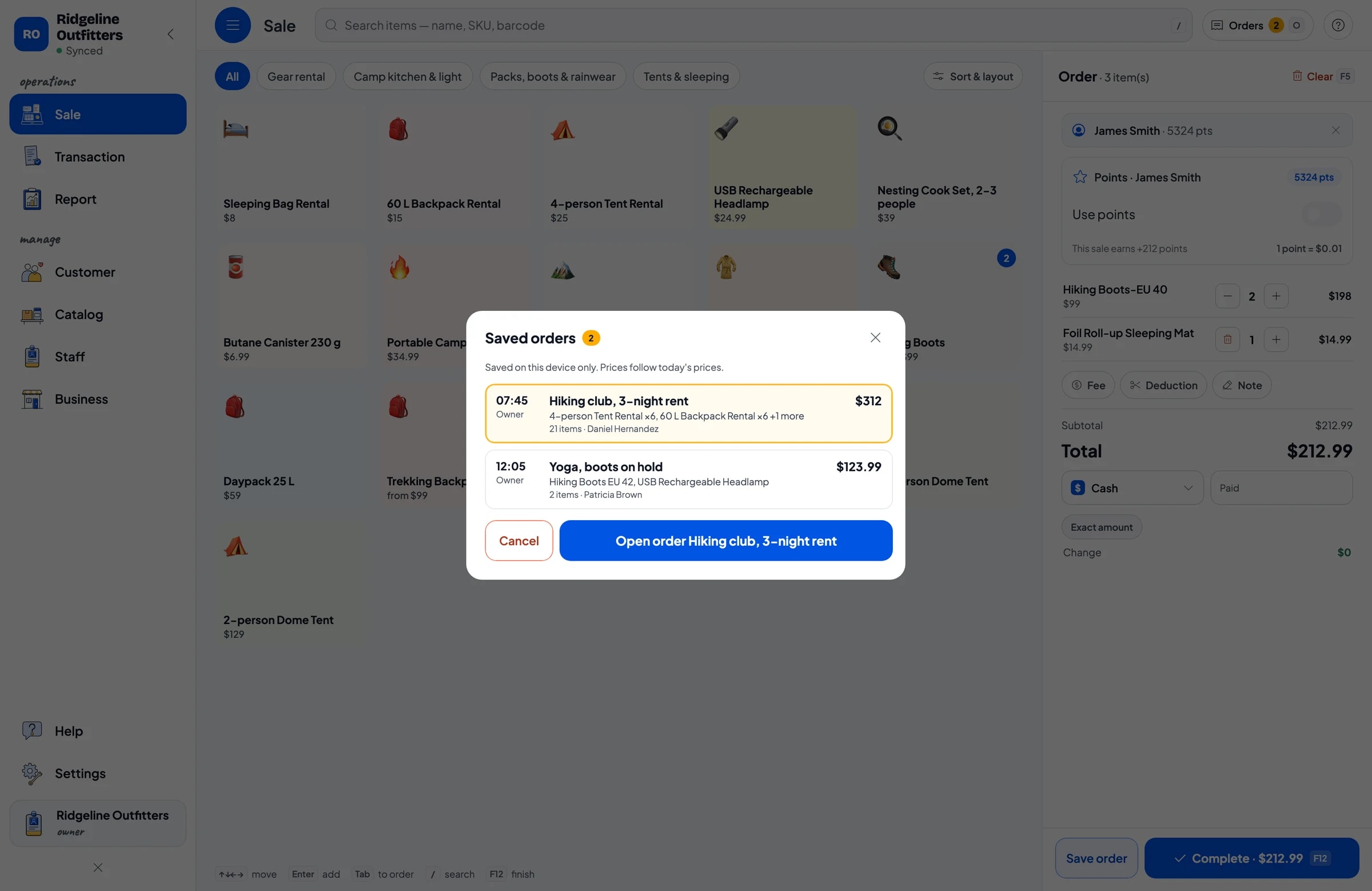
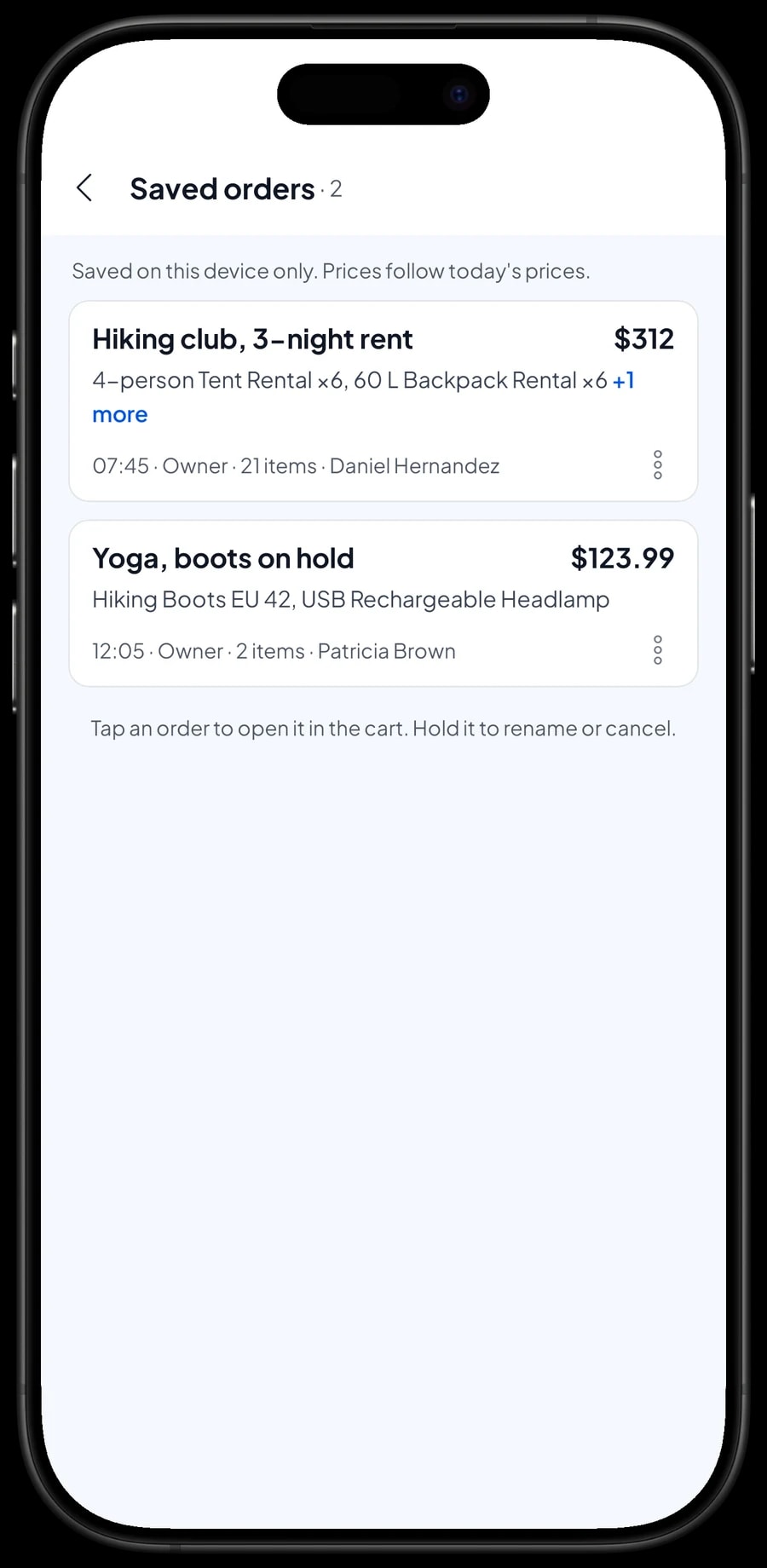
Some renters pay when the gear comes back, and some customers want a pair of boots held until payday. That is what Save order is for: the cart is kept as a saved order under the name and note you give it, such as "Hiking club, 3-night rent" with the note "Pays on return".
When the renter comes back or the customer returns, open Saved orders, pick the order, add anything new, and complete the payment. A saved order isn't a sale and doesn't take stock off until it is paid, so boots on hold still show in your stock until they are actually paid for.
Saved orders live on the device that created them, so finish the payment on the same device. A saved order is not a customer tab or credit account, and one sale can't be paid in part. If a renter leaves a down payment, sell it right away as a separate Service item called "Down payment" for the amount received. When the order is paid off, it keeps its full price and staff tap Add Deduction for the down payment, so the drawer and reports match on both days.
Regular hikers: loyalty points and member cards
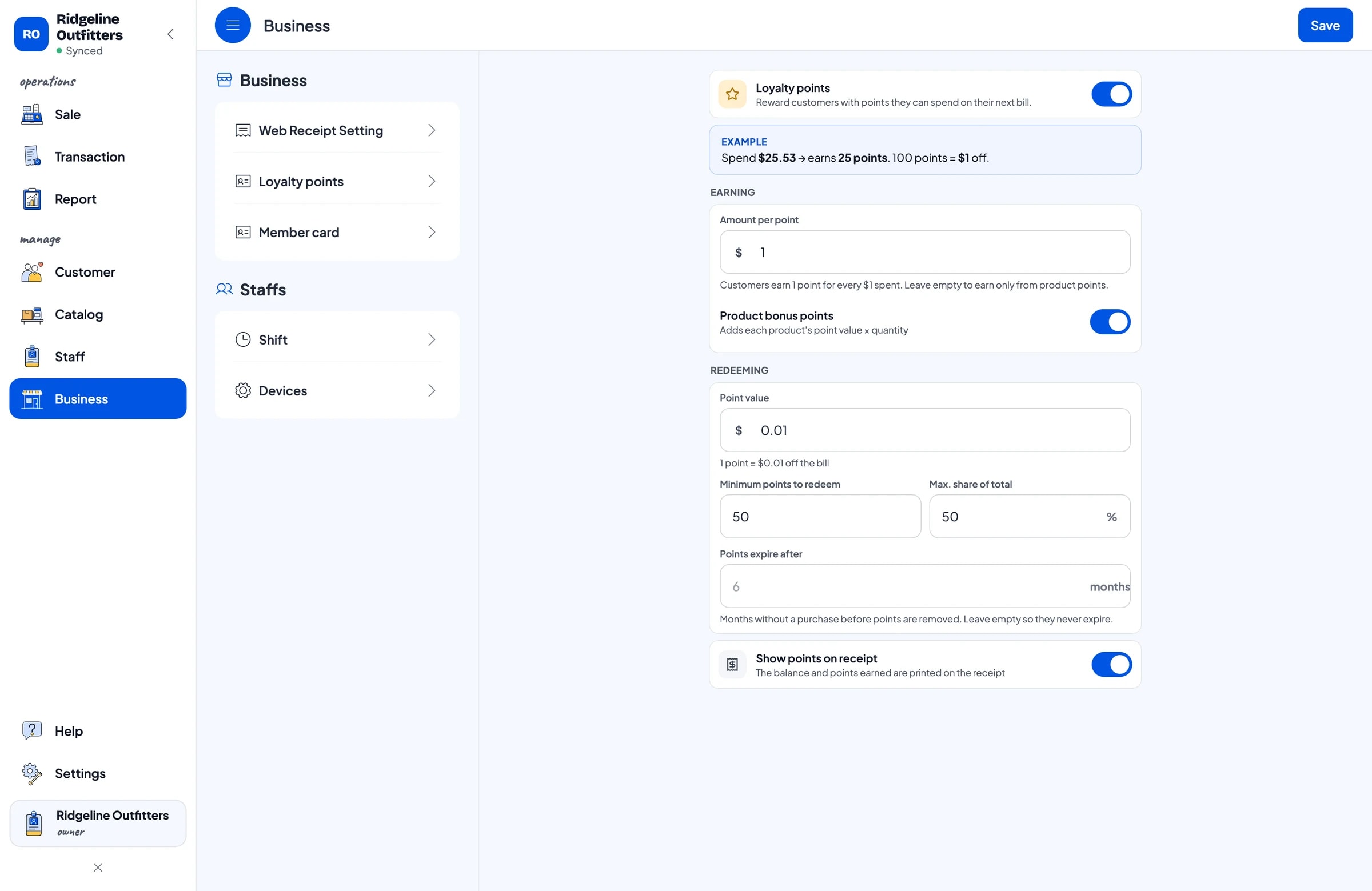
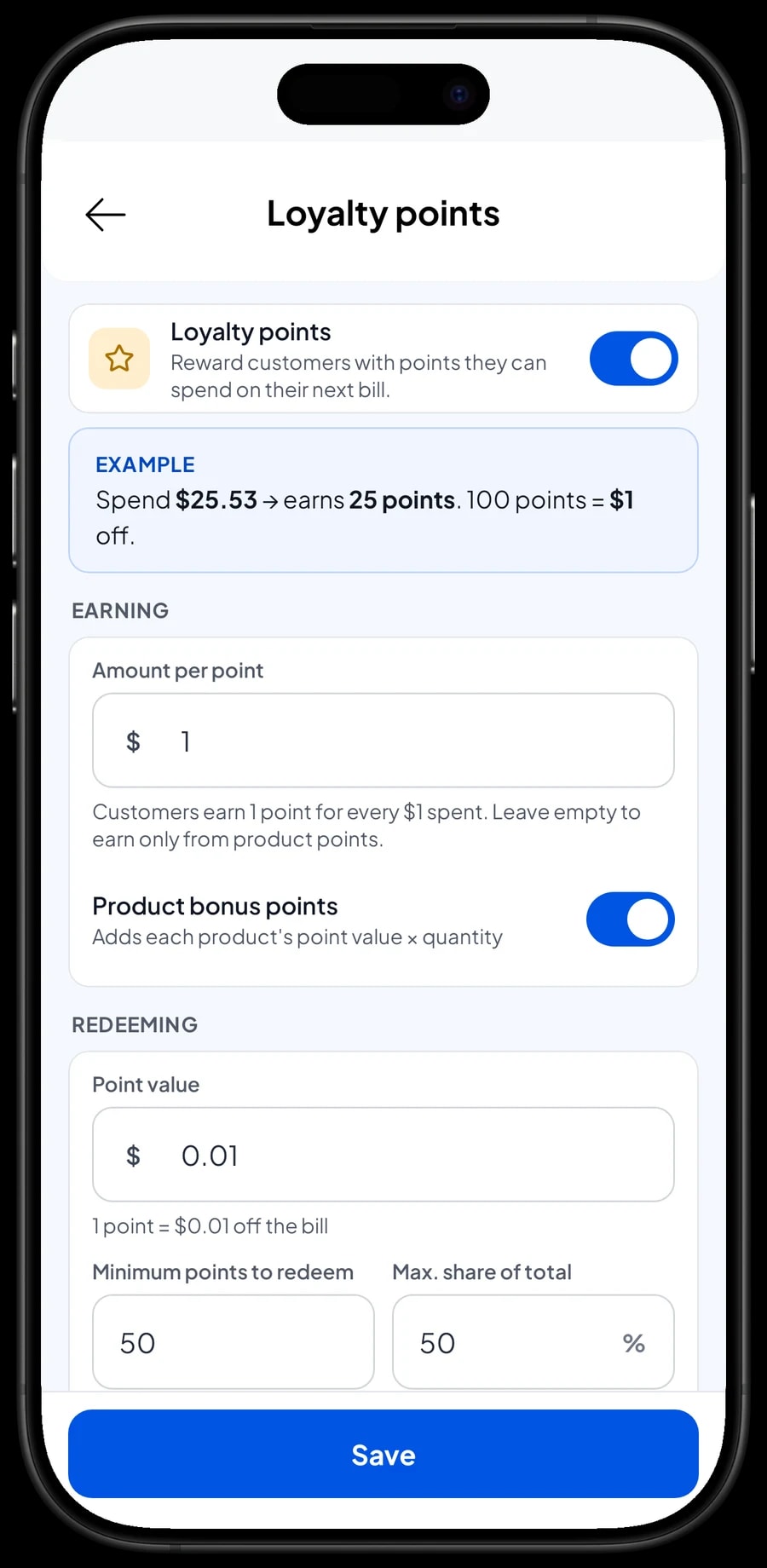
Hikers and camping groups tend to come back to the same store for fuel, rentals and new gear. Save the customer on the sale (a name and phone number is enough), then turn on Loyalty points. You set the rules: how much spending earns 1 point, what 1 point is worth, the minimum points to redeem, and the most a redemption can take off a sale.
Points add up automatically on every sale, and the discount is worked out when the customer redeems. Regulars can also get a member card in their name, and their purchase history is kept under Customers. You can see who rents a tent every month and who just bought new boots.
Shop crew and rental desk
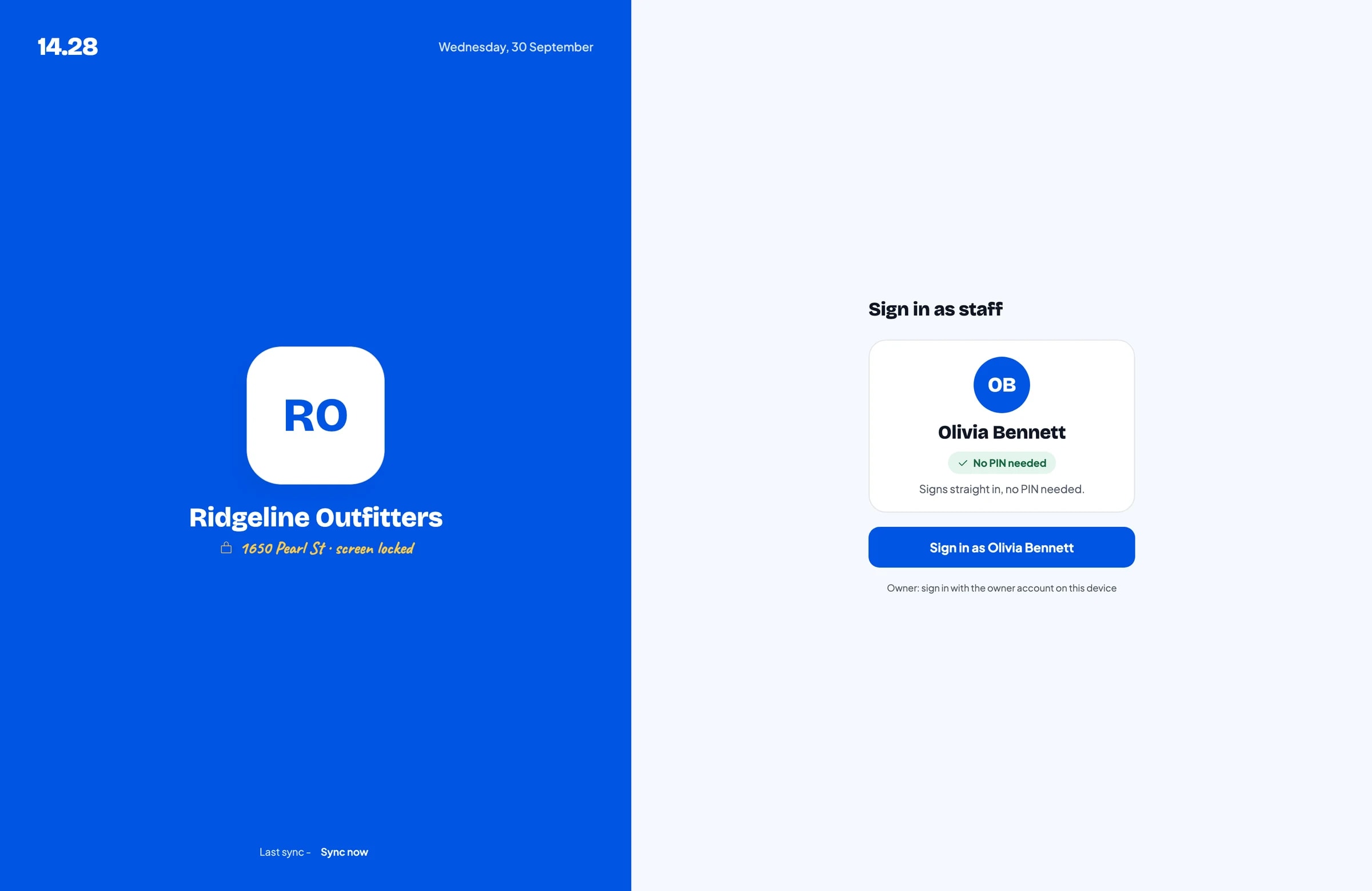
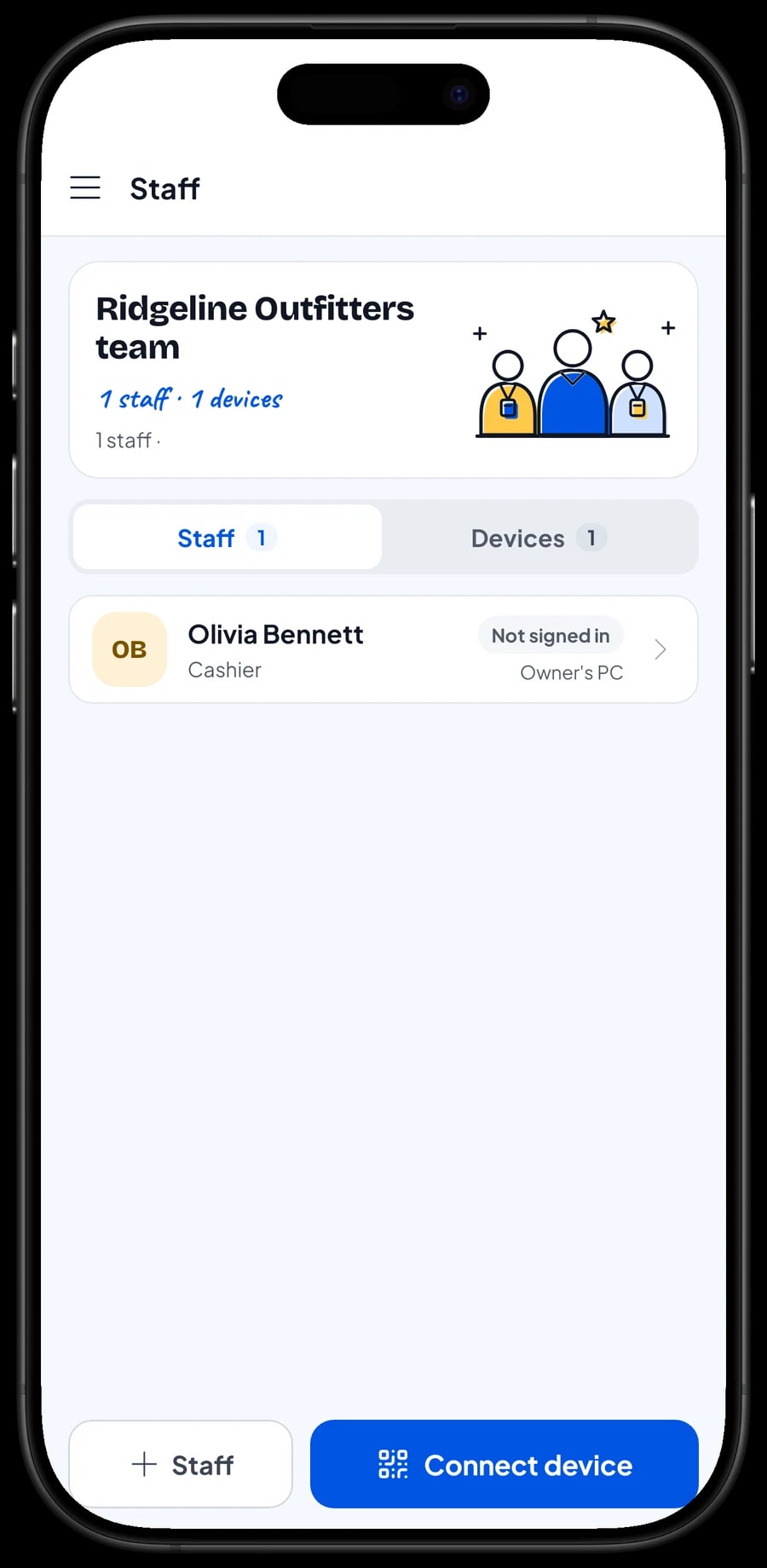
The owner signs in with the main account. An account signs in on one device at a time, so your shop crew and rental desk don't use your account. Add them as staff and register a cashier device for them. Staff sign in with a PIN, with the role you give them. Staff accounts come with Bronze Pro (1 staff) and Silver Pro (2 staff).
Reports: best sellers and hiking season
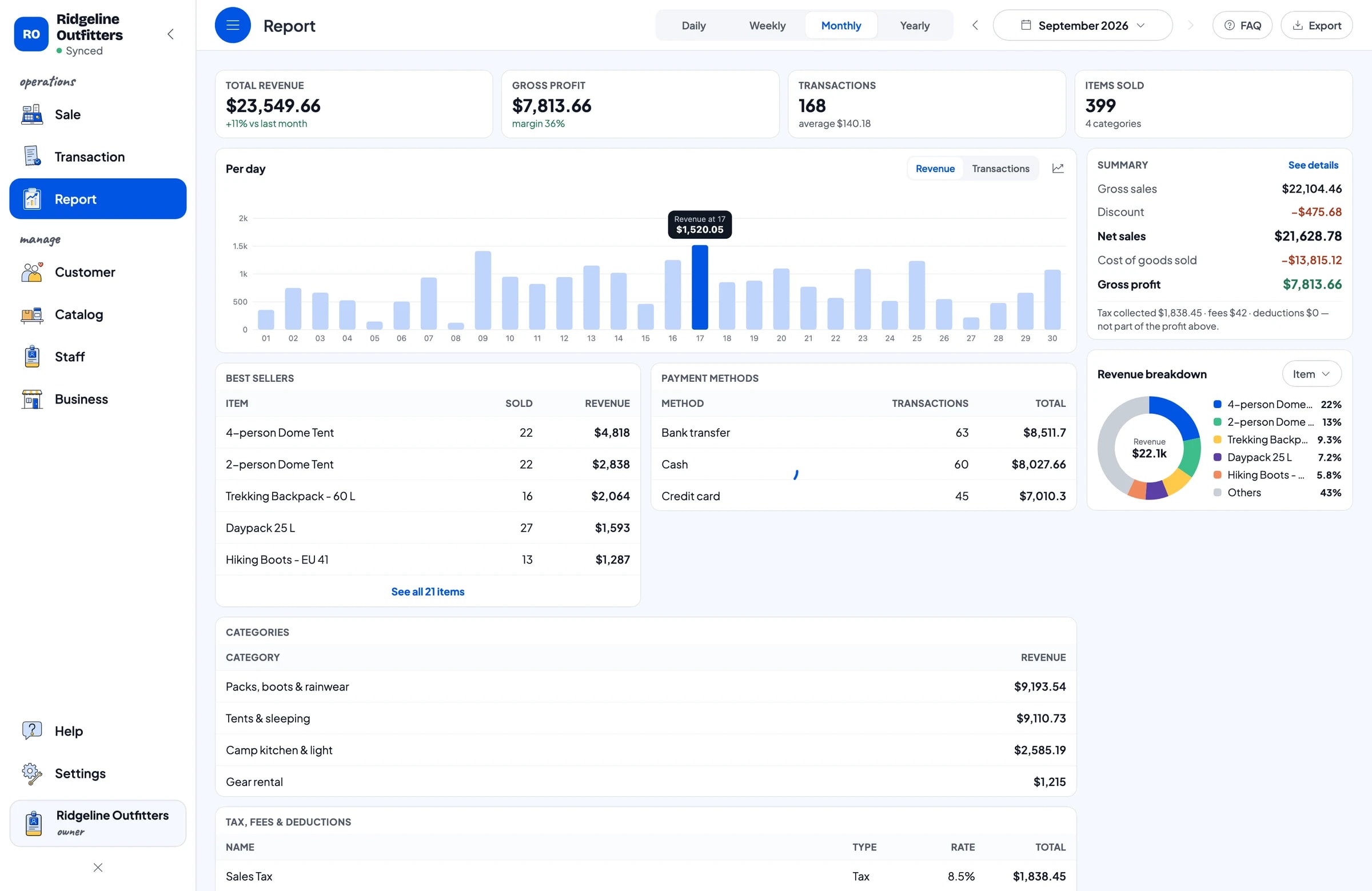
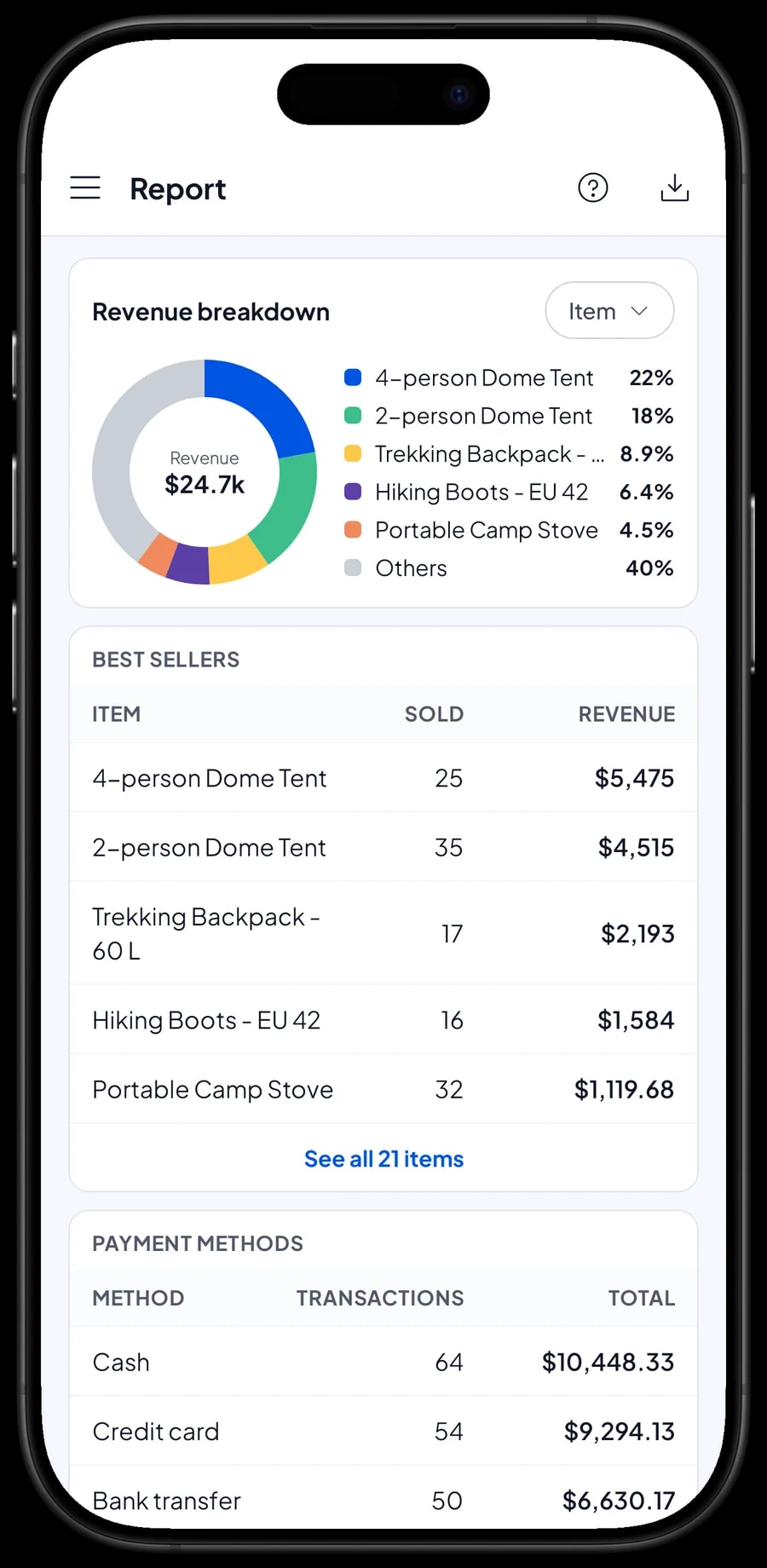
Reports come daily, weekly, monthly and yearly. You see total revenue, gross profit, tax collected, payment methods and best sellers. Because rentals are their own items, you can also see how much revenue came from rentals and how much from sales.
Outdoor retail follows the seasons: holiday weekends, the months when trails open, and school breaks. Compare monthly reports to decide when to stock up on fuel and rain gear, and when it is worth adding rental pieces.
Reports export to Excel or PDF, or print on a thermal printer. Every sale can be opened again under Transactions, with its items, sales tax and payment method.
Expenses and real net profit
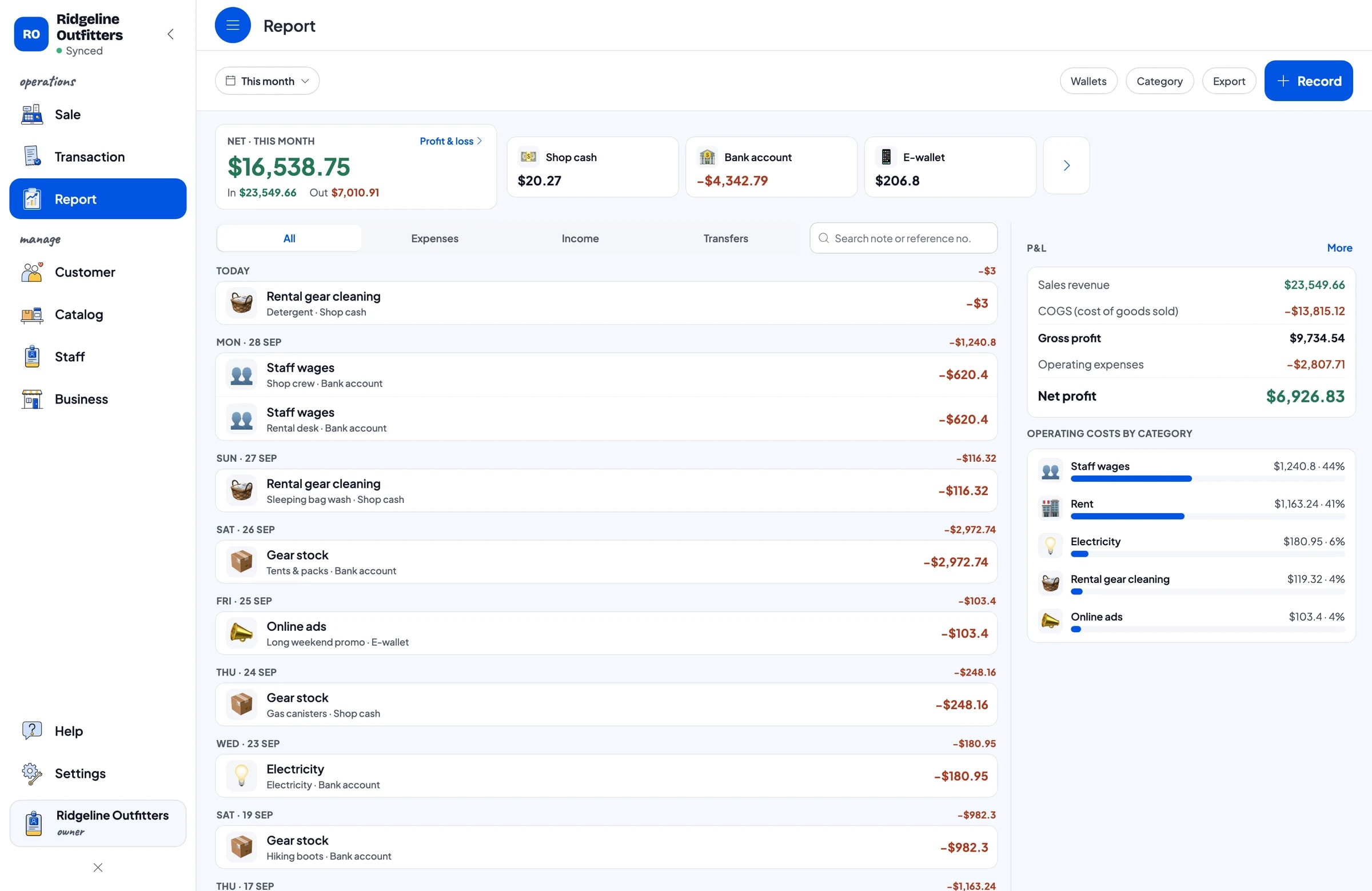
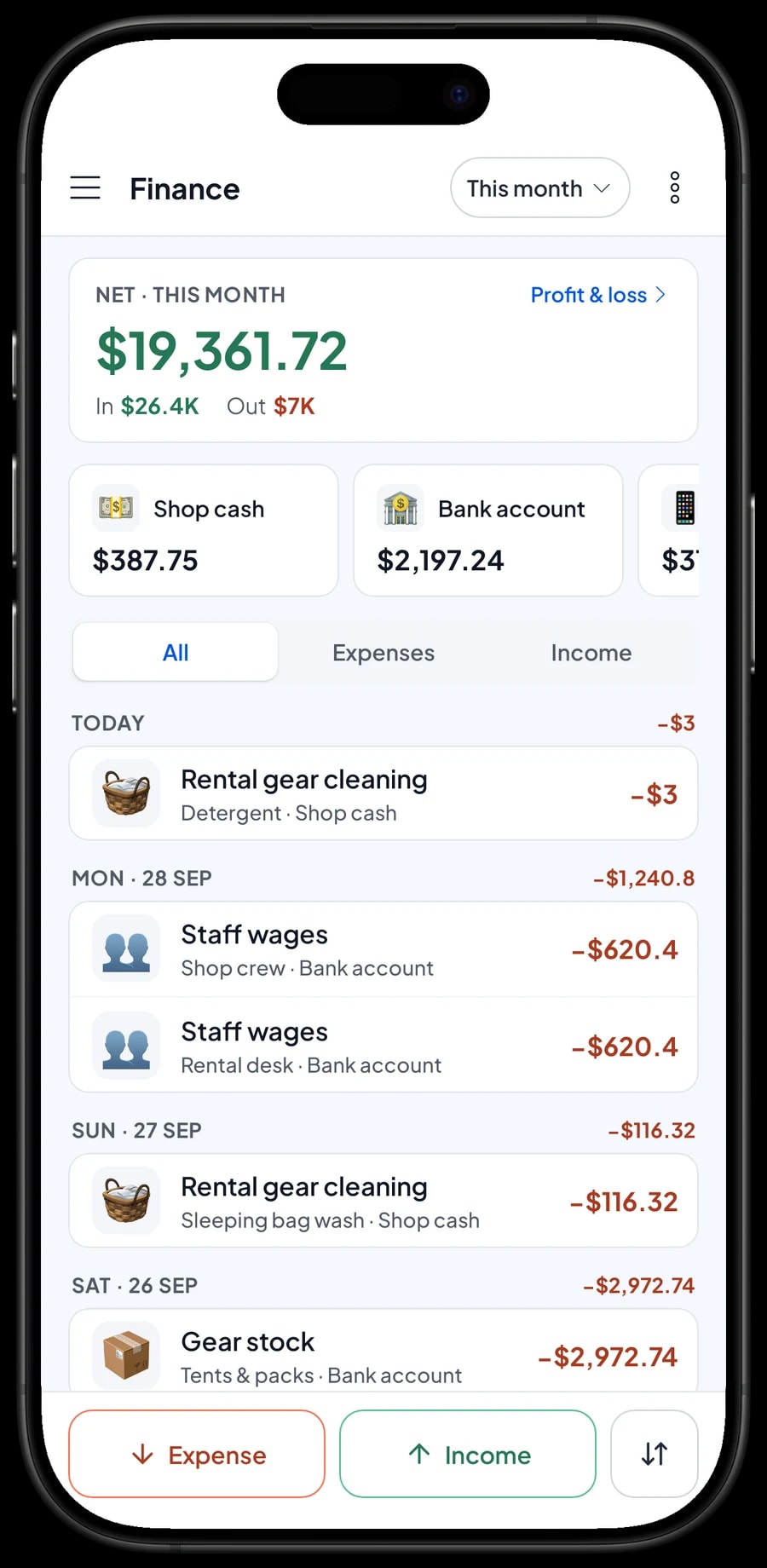
Record expenses in Finance with categories that fit your store, such as Gear stock, Staff wages, Rent, Electricity, Rental gear cleaning and Online ads. Sleeping bag washing and tent cleaning are easy to forget, yet they are the main running cost of a rental business. Every expense also has the wallet it came from: shop cash, bank account or e-wallet.
The Finance report then shows revenue minus the cost of goods sold and operating costs, which is your store's net profit. Sales tax you collect is kept apart from profit. With these numbers you can see whether rentals still pay after cleaning, and whether a long weekend promo was worth it.
- Step 1: Open Finance and set up wallets such as shop cash, bank account and e-wallet.
- Step 2: Create expense categories such as gear stock, rental gear cleaning and online ads.
- Step 3: Record every expense with its category, wallet and a short note.
- Step 4: At month end, check revenue, cost of goods, operating costs and profit in the Finance report.
Get started in a day, and keep selling offline
Install Salesmaster on your cashier phone, tablet or laptop and create an account. Add your fastest movers first, such as fuel canisters, headlamps, rain ponchos and boots with their sizes, then your rental gear with nightly prices. Receipts print on Bluetooth or USB thermal printers, or go out by WhatsApp, email or a web receipt link.
Sales are saved on the device first and sent to the cloud when the internet is back. Offline mode works for up to 7 days; after that the app needs to connect briefly to sync. A store near a trailhead with a weak signal can keep selling.
Example catalog for an outdoor store
Use this table as a starting point. Swap in your own products, sizes and prices.
| Category | Item | Variants | Unit | Item type |
|---|---|---|---|---|
| Tents & sleeping | 2-person Dome Tent | - | pc | Product |
| Tents & sleeping | Sleeping Bag | Fleece, Synthetic fill 10°C | pc | Product |
| Packs, boots & rainwear | Trekking Backpack | 45 L, 60 L | pc | Product |
| Packs, boots & rainwear | Hiking Boots | EU 40, 41, 42, 43 | pc | Product |
| Packs, boots & rainwear | Rain Poncho | - | pc | Product |
| Camp kitchen & light | Butane Canister 230 g | - | can | Product |
| Camp kitchen & light | USB Rechargeable Headlamp | - | pc | Product |
| Gear rental | 4-person Tent Rental | - | night | Service |
| Gear rental | Sleeping Bag Rental | - | night | Service |
Gear you sell is a Product with its own stock. Rental gear is a per-night Service with no stock, so note which pieces went out and when they are due back on the order.
Which plan fits your store
Start by counting sales per day, rentals included. A store serving about 8 buyers and renters a day records roughly 250 transactions a month, and many more in a month with a holiday weekend.
| Plan | Price | Transactions / month | Staff accounts | Good for |
|---|---|---|---|---|
| Free | Free | 30 | Owner only | To try checkout, size variants and rentals before using it for real. |
| Solo Pro | $4.90/month | 3,000 | Owner only | Outdoor stores where the owner runs the register. |
| Bronze Pro | $6.90/month | 5,000 | 1 staff | Stores with one crew member or rental clerk on their own cashier device. |
| Silver Pro | $9.90/month | 8,000 | 2 staff | Busy stores with a separate rental desk, with two staff on their own devices. |
Every plan includes checkout, catalog, receipts, reports and offline mode. You can change plans at any time. See pricing →
Frequently asked questions
- Can Salesmaster track hiking boot stock by size?
- Yes. Create each model as one item and add its sizes as variants. Every size has its own price, cost and stock, and its stock goes down each time that size sells.
- Can I use Salesmaster for camping gear rental?
- Yes, by setting up each rental as a per-night Service item. Salesmaster doesn't track which rental pieces are out or when they are due back, so write the gear list and return date in the order or sale note.
- How do I record a rental deposit?
- There is no dedicated deposit tracking. Write the deposit in the sale note, or create a separate item called "Rental deposit" so the money is recorded coming in. When you return the deposit, record the cash out in Finance.
- Can renters pay when they bring the gear back?
- Yes, with Save order. The cart is kept under the renter's name with a note, and paid when the gear comes back. Saved orders live on the device that created them and aren't sales until paid, so finish the payment on the same device.
- Can regular hikers earn points?
- Yes. Turn on Loyalty points and set how much spending earns a point, what a point is worth, the minimum to redeem and the maximum discount. Points add up automatically on every sale saved to a customer, rentals included.
- Can the store keep selling when the internet is down?
- Yes. Sales are saved on the device and sync when the internet is back. Offline mode works for up to 7 days before the app needs to connect to sync.
Need help setting up your catalog? Chat with our team on WhatsApp →



