

Salesmaster is a point-of-sale (POS) app for restaurants on Android, iPhone & iPad, Windows and Mac. You can build a menu with variants and add-ons, keep a table's order open with Save order until it is paid, print receipts on a Bluetooth thermal printer or send them by WhatsApp, deduct ingredient stock by recipe, and see net profit in the Finance report. A Free plan lets you try it first.
Problems every restaurant knows
If any of these sound familiar, this page is for you.
- 01
Lunch rush, cashier overwhelmed
Orders arrive all at once, guests are waiting, and the cashier is still looking up prices on paper. One wrong total is enough to make the queue even longer.
- 02
One dish, many prices
Regular or large, breast or thigh, add an egg, add rice. If the cashier has to remember all of it, something always goes unbilled.
- 03
Ingredients run out unnoticed
You only find out the chicken is nearly gone when the order comes in. Shopping becomes a last-minute rush, and nobody knows what a plate really costs.
- 04
Busy tills, unclear profit
Plenty of money comes in, but after ingredients, wages, rent and electricity, what is left? Without recorded expenses, profit is a guess.
Building your menu: categories, variants and add-ons
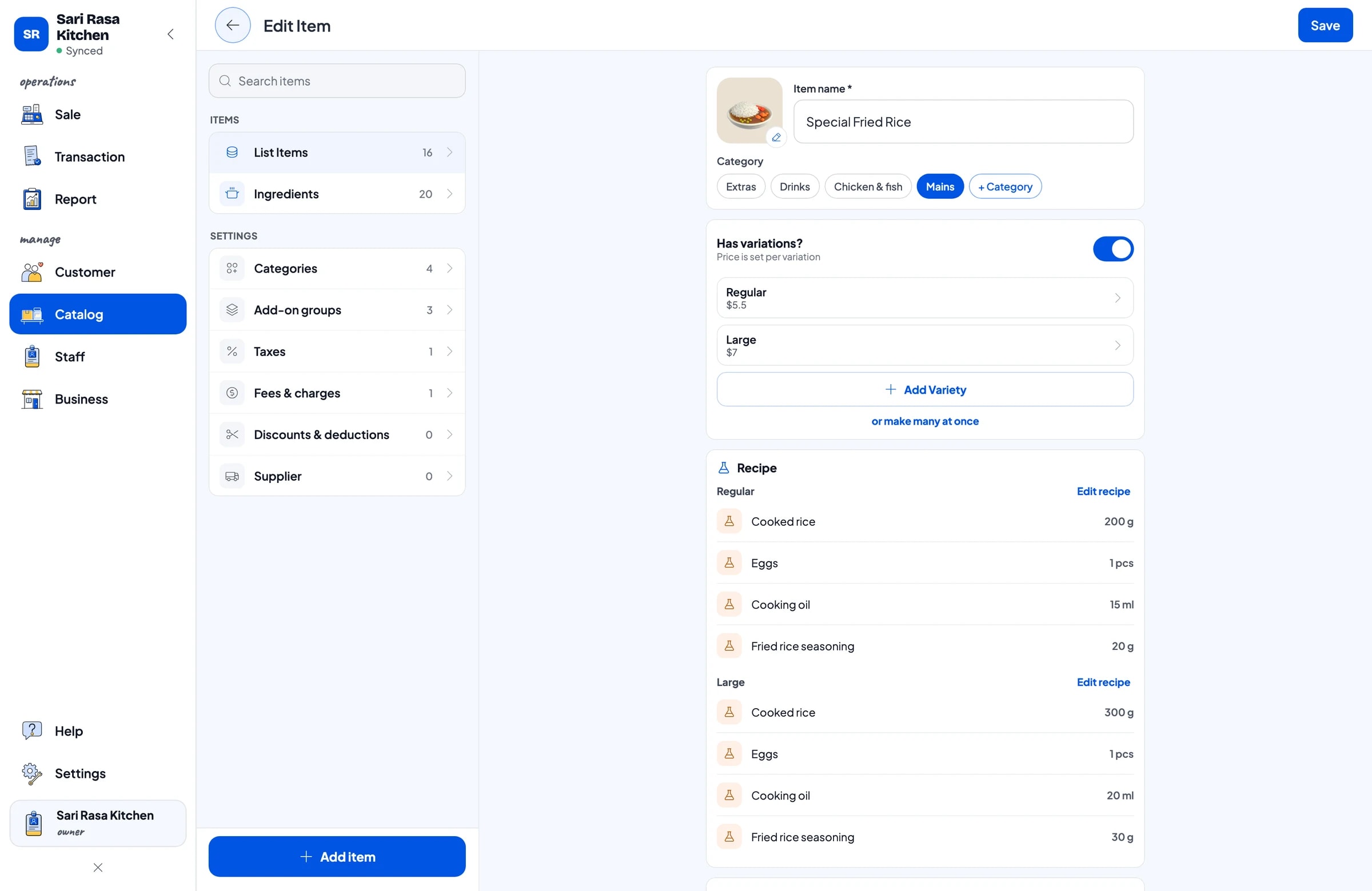
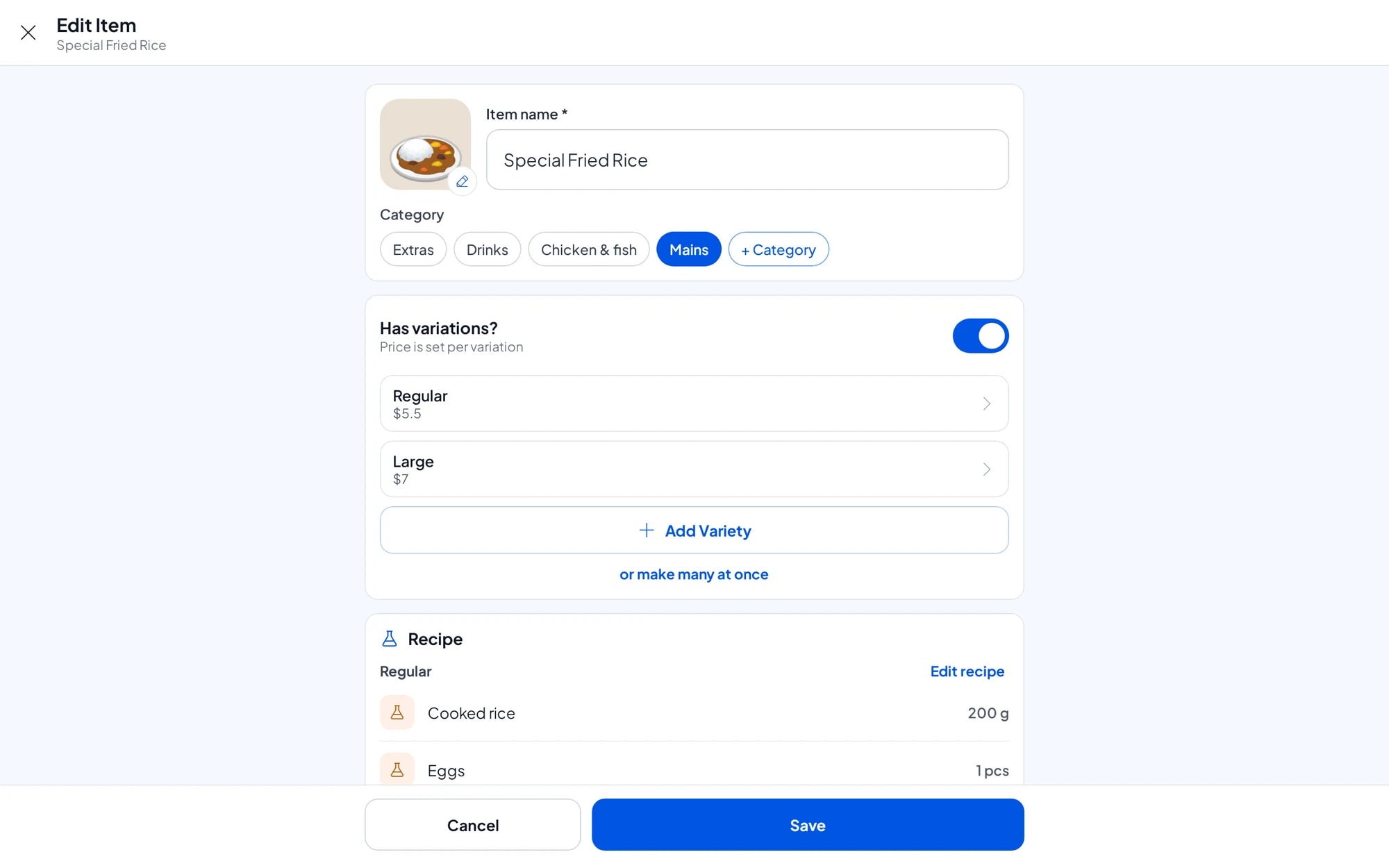
Start with the menu you already have. In Salesmaster, every dish is one item in the Catalog. Group them into categories such as Mains, Sides, Drinks and Extras so the cashier finds any dish in one or two taps on the Sale screen.
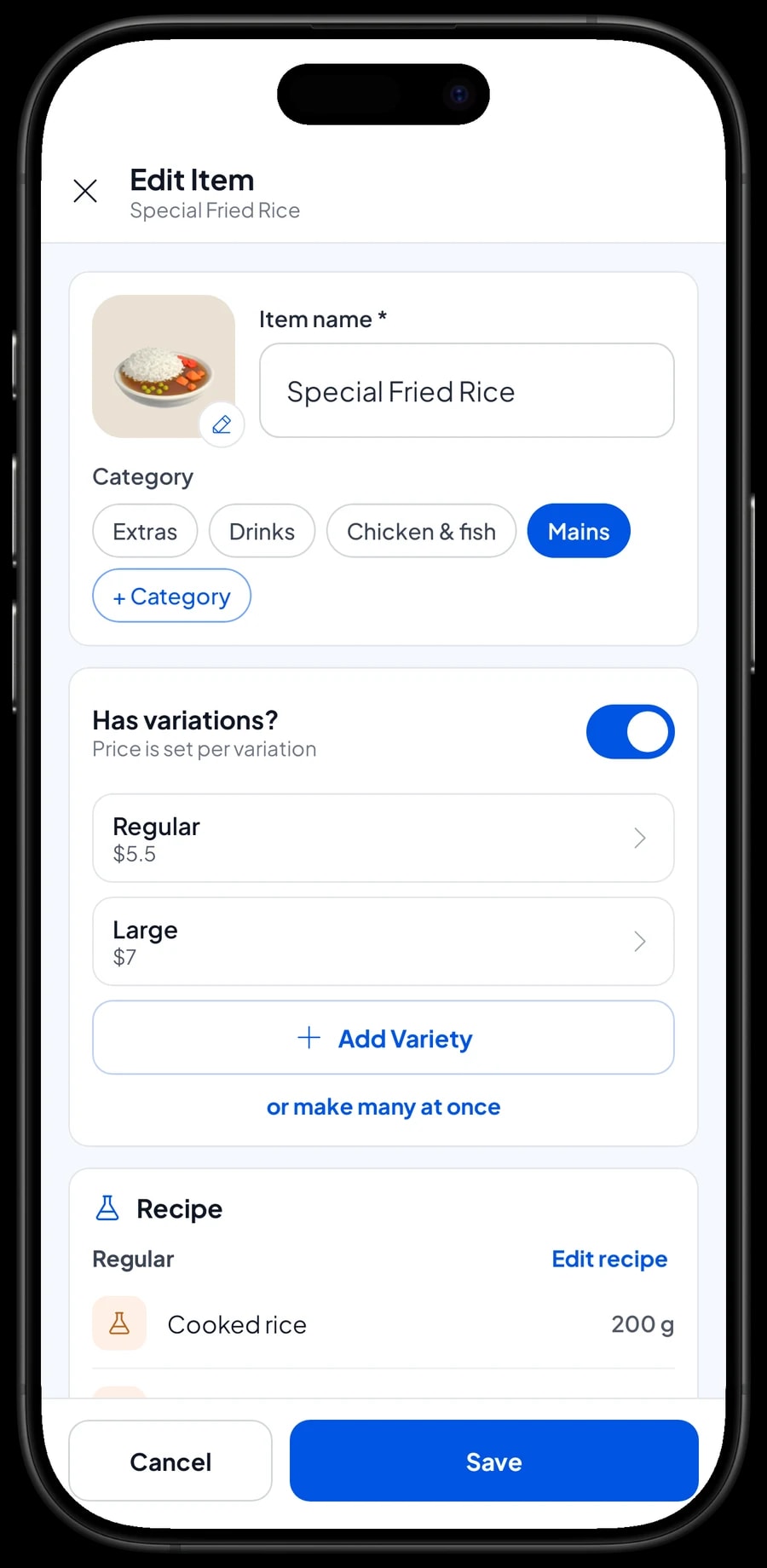
A dish with several prices only needs one item with variants. Fried rice regular and large, grilled chicken breast and thigh, sweet or unsweetened iced tea: the cashier picks the variant and the price follows. For extras a guest can choose, like a fried egg, crackers, extra chilli or cheese, use add-ons. One add-on can be attached to many dishes, so you never need a separate "fried rice + egg" item.
If your menu is long, enter the catalog on a laptop first (Windows or Mac) and then use it on the phone or tablet at the counter. The catalog syncs to every device in your shop.
- Step 1: Open Catalog → Categories and create categories such as Mains, Drinks and Extras.
- Step 2: Open Catalog → List Items and add each dish with its name, price and category.
- Step 3: For dishes with several sizes or options, add variants to the item.
- Step 4: Create add-ons for extras such as egg, cheese or extra chilli, then attach them to the dishes that use them.
Taking orders, including bills paid at the end
On the Sale screen, the cashier taps a dish, picks its variant and add-ons, and adds a Note when needed, such as "not spicy" or "sauce on the side". The note is saved with the transaction.
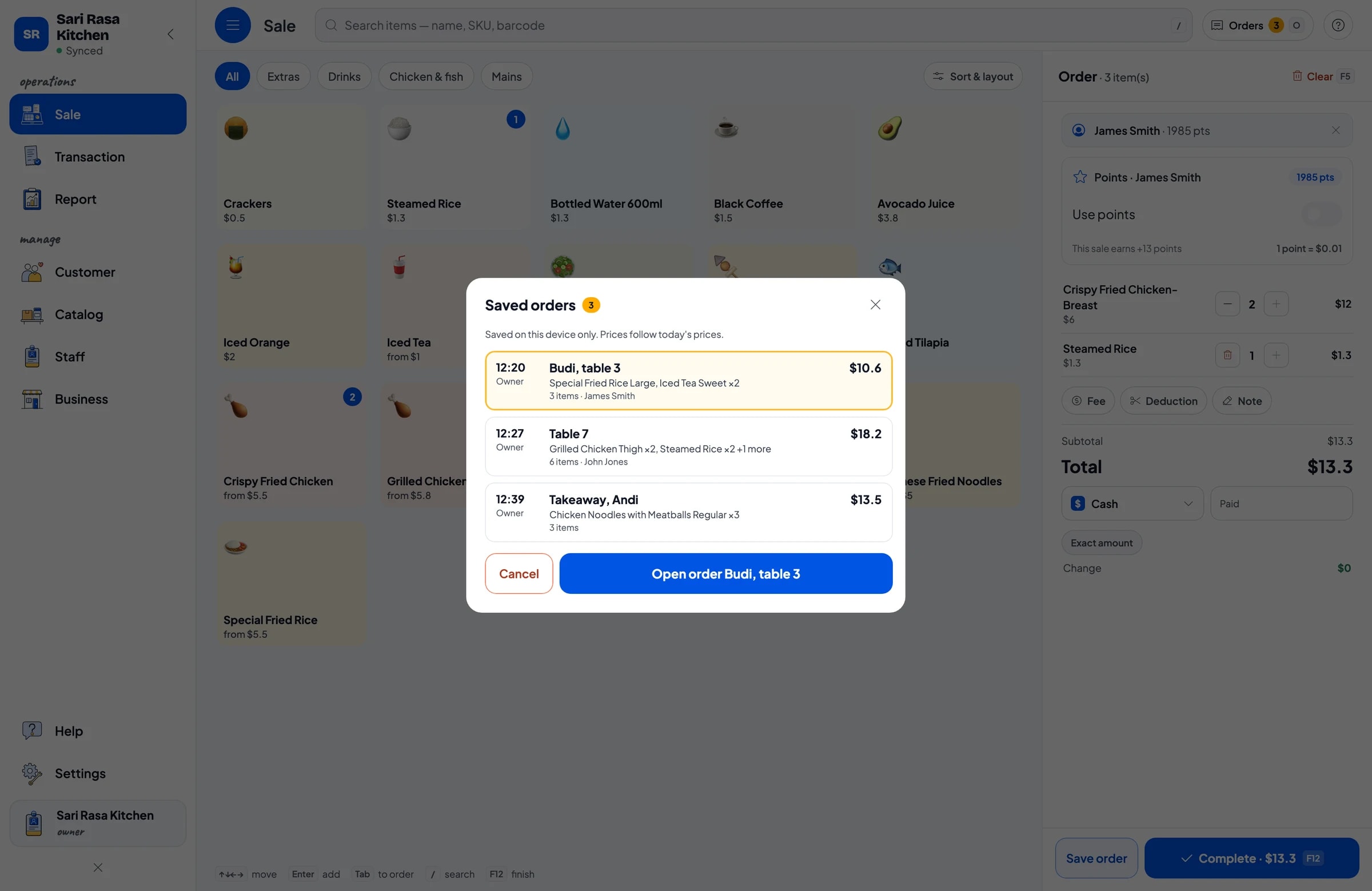
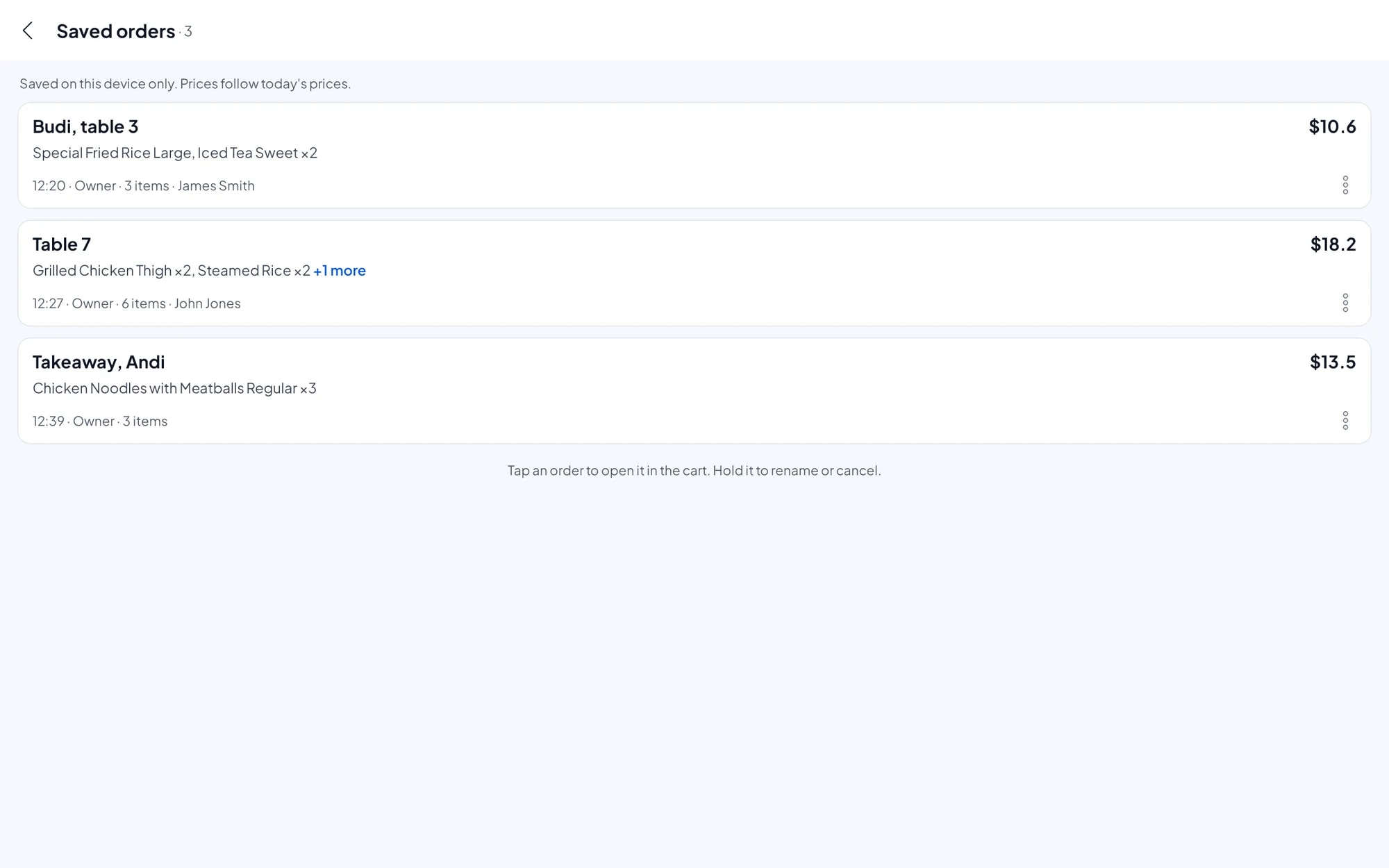
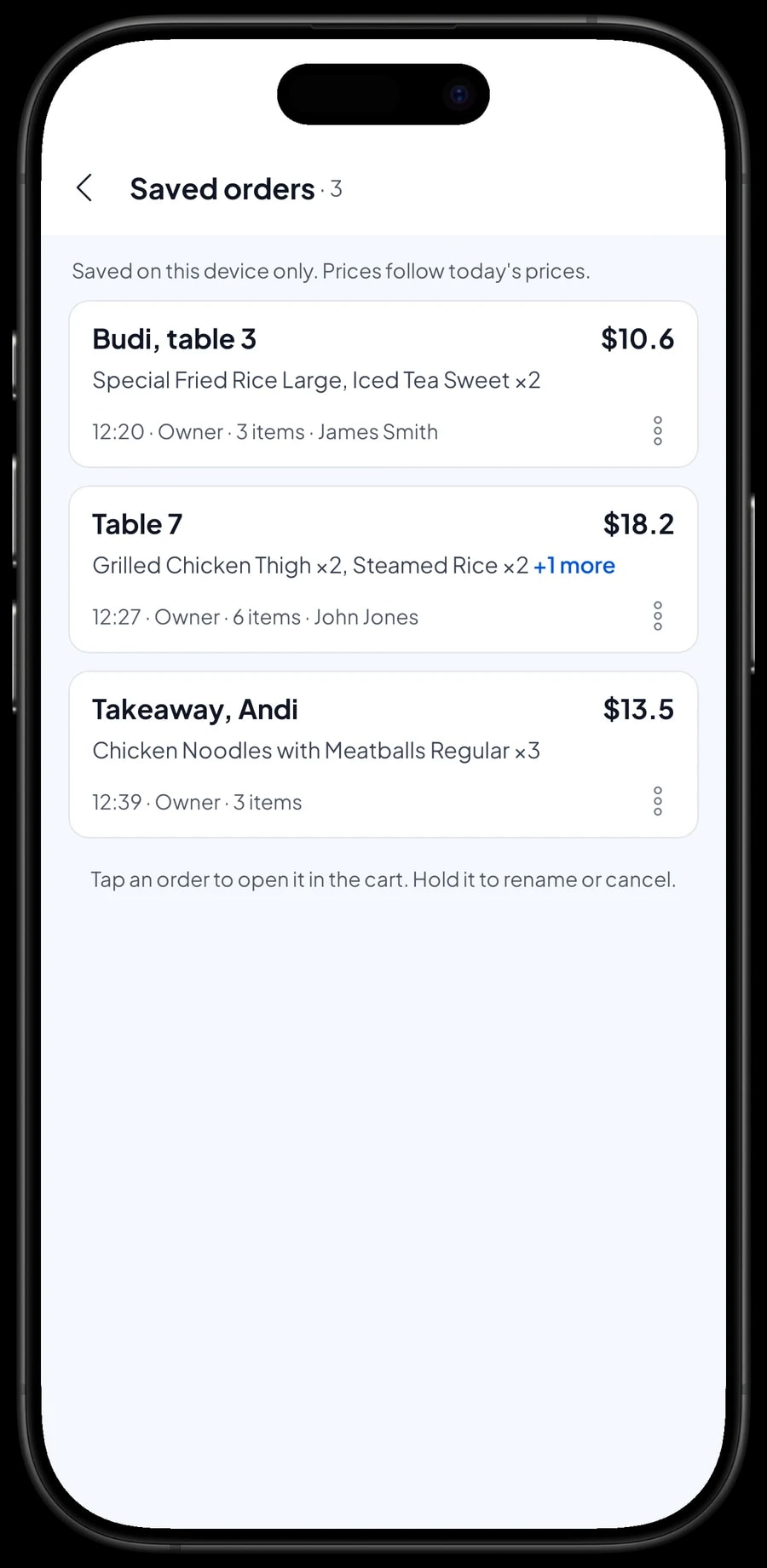
Many restaurants let guests eat first and pay at the end. That is what Save order is for: the cart is kept as a saved order under the name you give it, for example "Budi, table 3". The cashier can move straight on to the next guest. When table 3 is ready to pay, open Saved orders, pick the order, add anything they ordered later, and complete the payment.
A saved order is not counted as a sale and does not take stock off until it is paid, so your reports stay clean if an order is cancelled. Saved orders live on the device that created them, so finish the payment on the same device.
Payments, tax, service charge and receipts
Set up the payment methods you accept: cash, bank transfer, e-wallets, or any other method you create. Reports show how much came in through each method, so cash in the drawer and your bank balance are easy to reconcile.
Restaurant tax and service charge are set once in Fees or Tax and then calculated on every sale. The same goes for delivery fees. Discounts, such as a happy-hour price or a regulars' discount, are set up in Deductions.
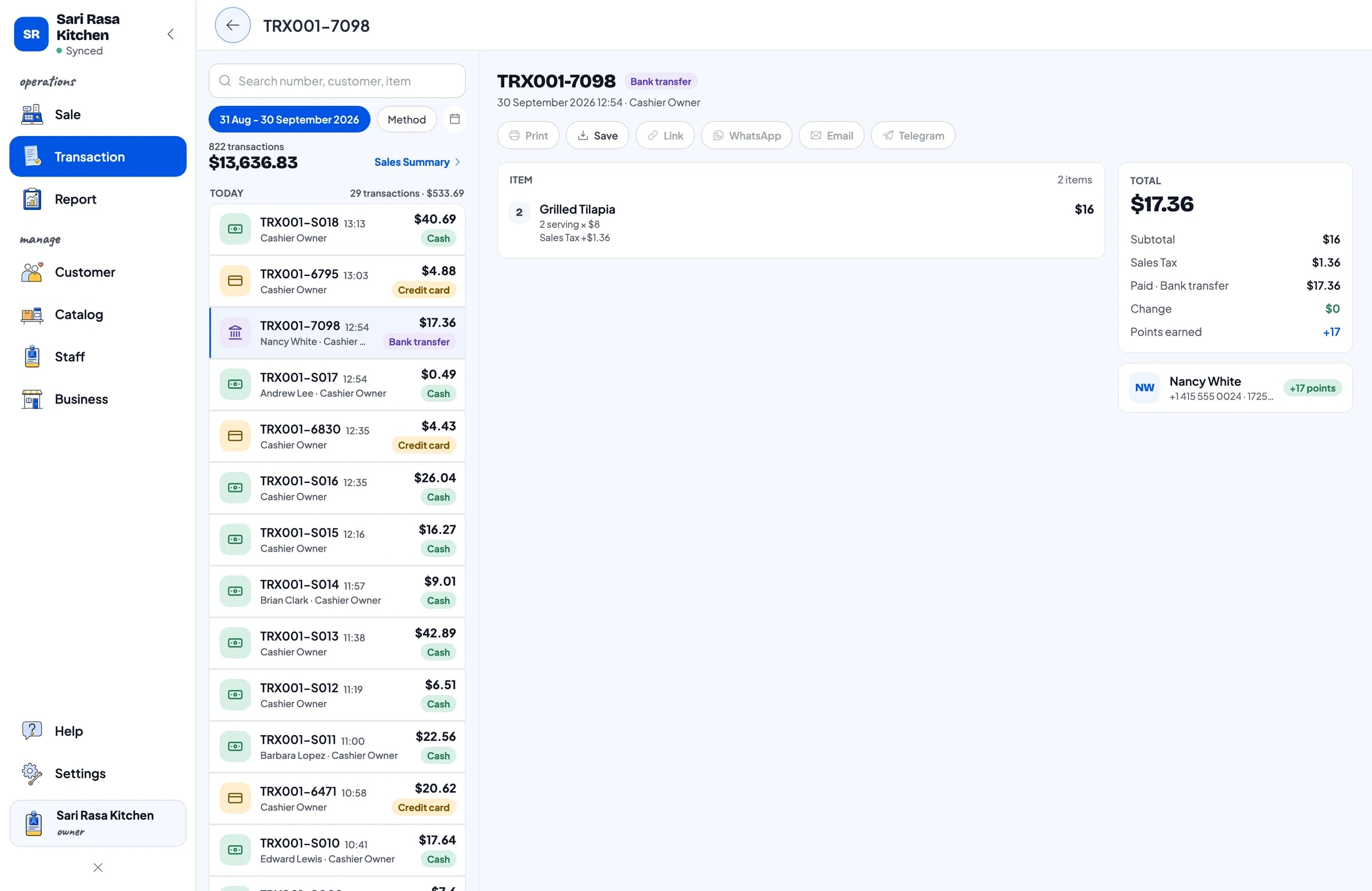
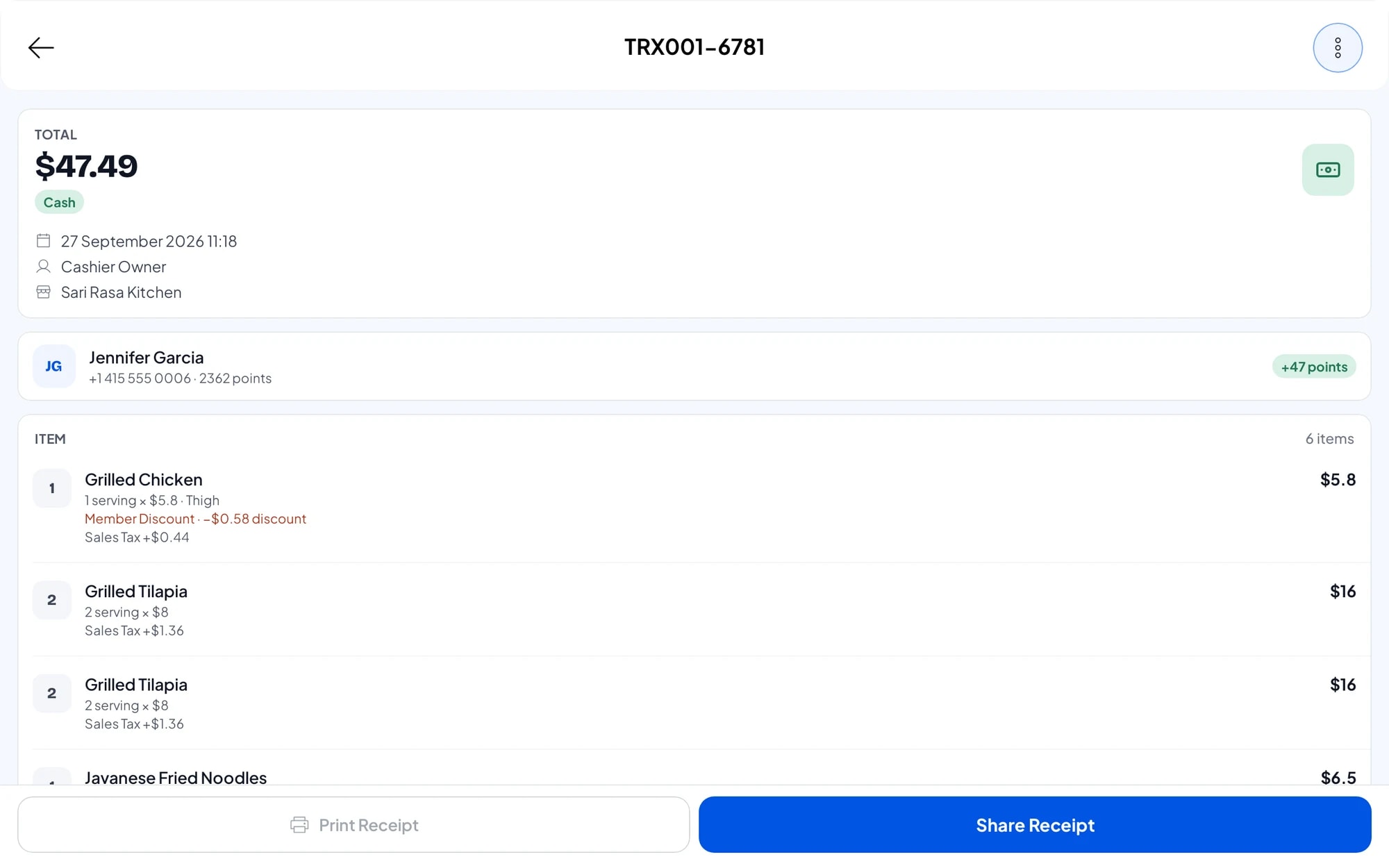
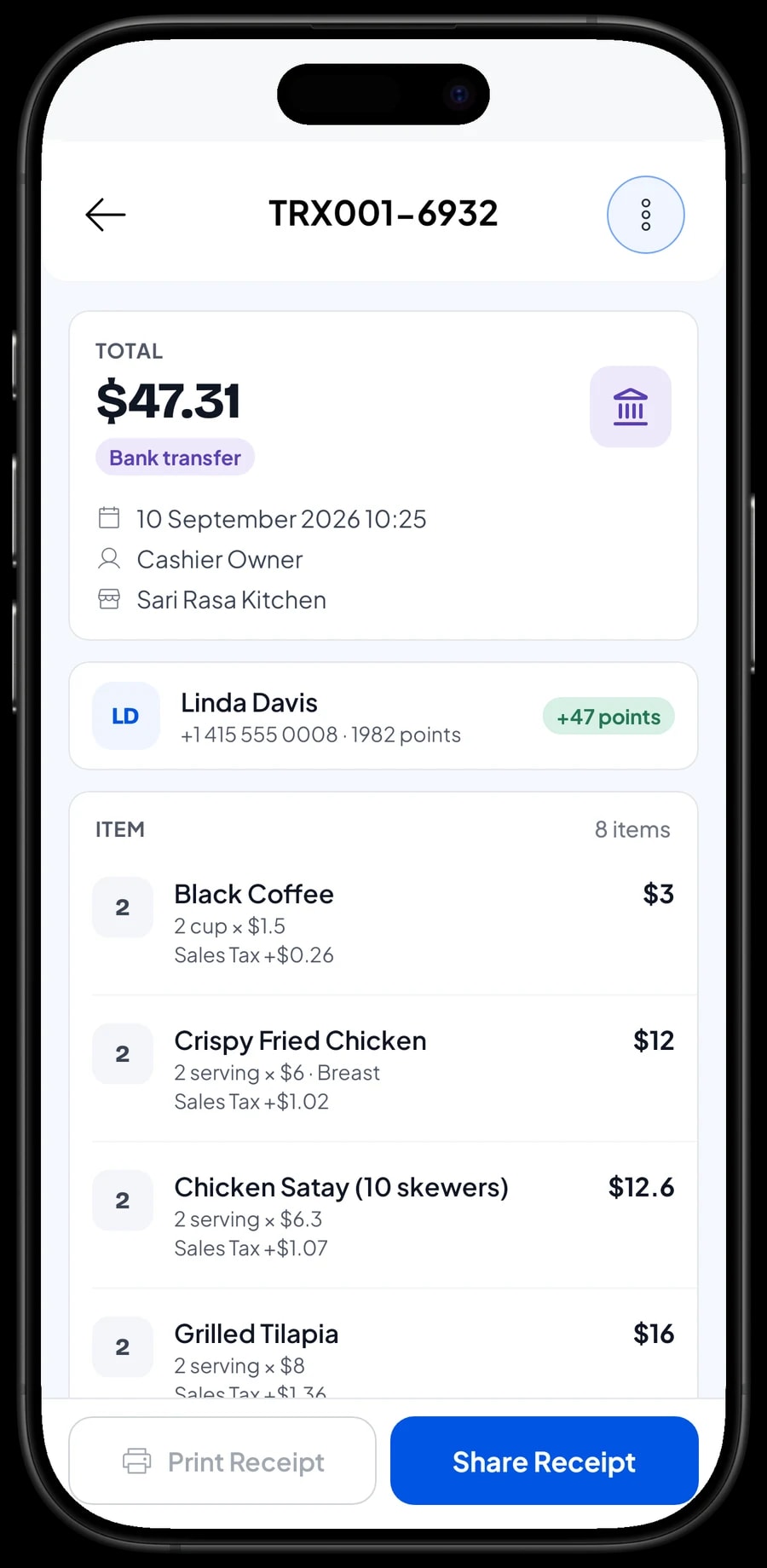
Once paid, the receipt can print on a Bluetooth thermal printer (58 mm or 80 mm paper), automatically after every sale if you like. If a cash drawer is connected to the printer, it can open automatically too. Guests who don't want paper can get the receipt by WhatsApp, email, or a web receipt link that carries your restaurant's logo, colours and social links.
Ingredient stock from recipes, and the cost of each plate
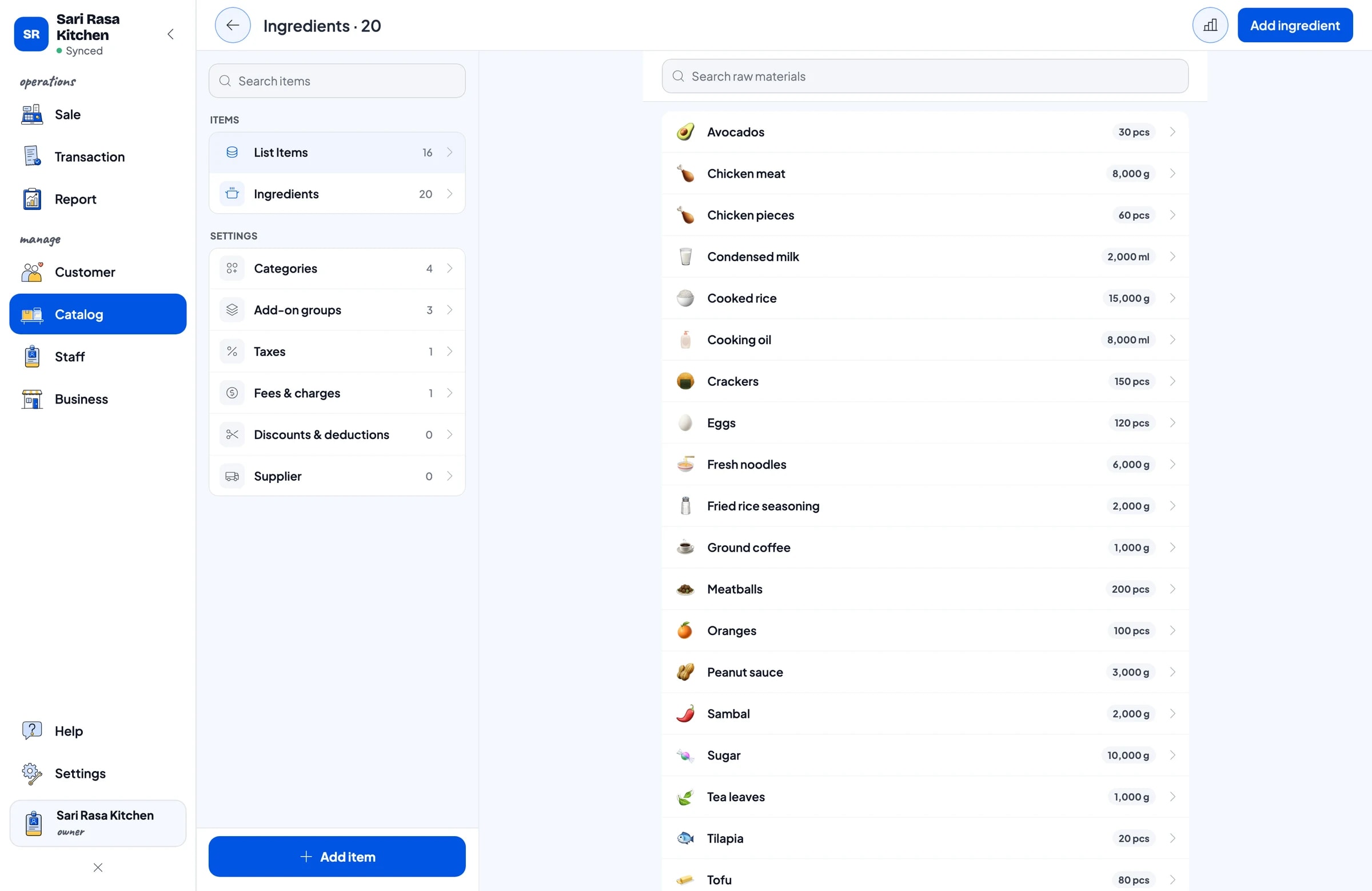
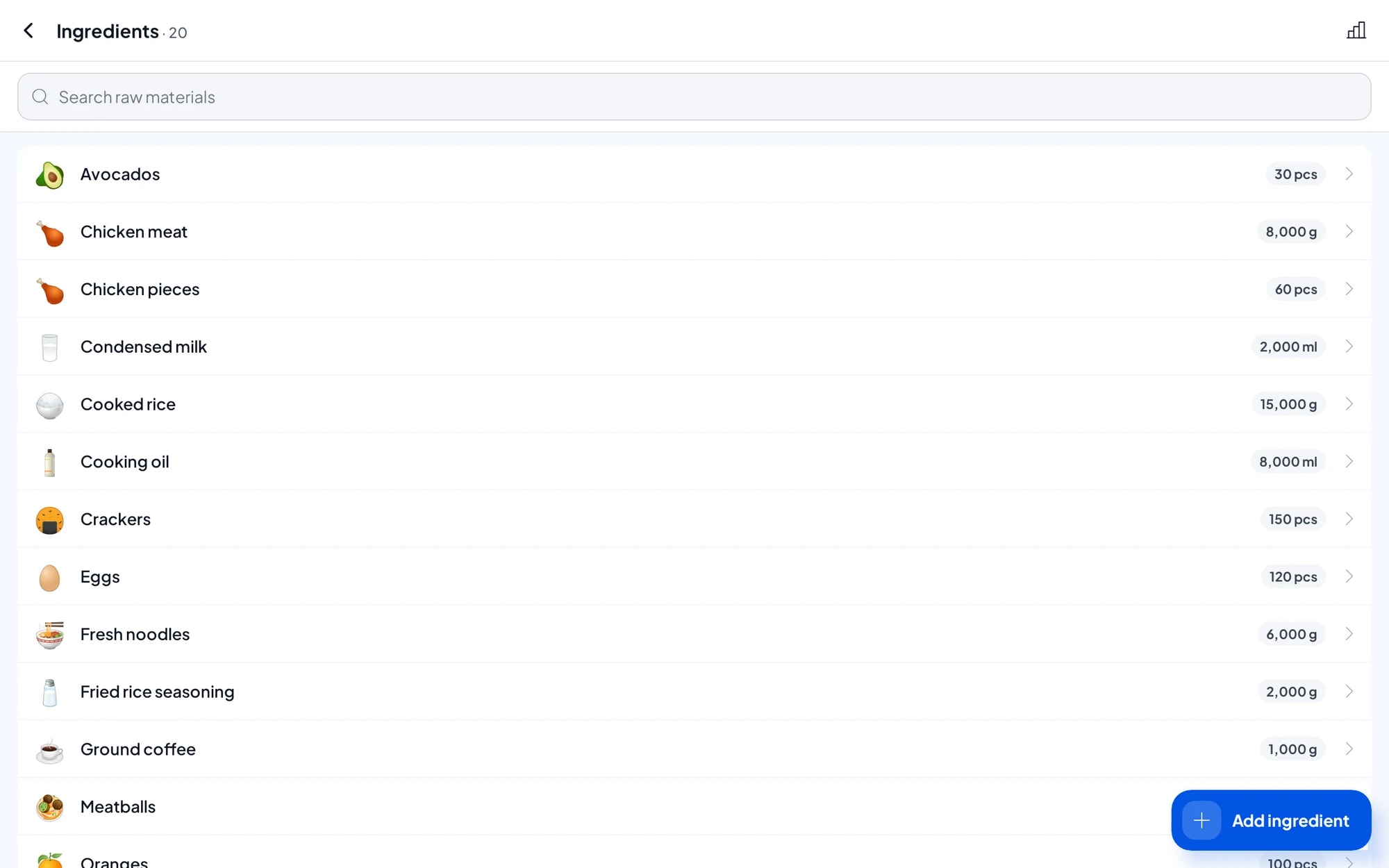
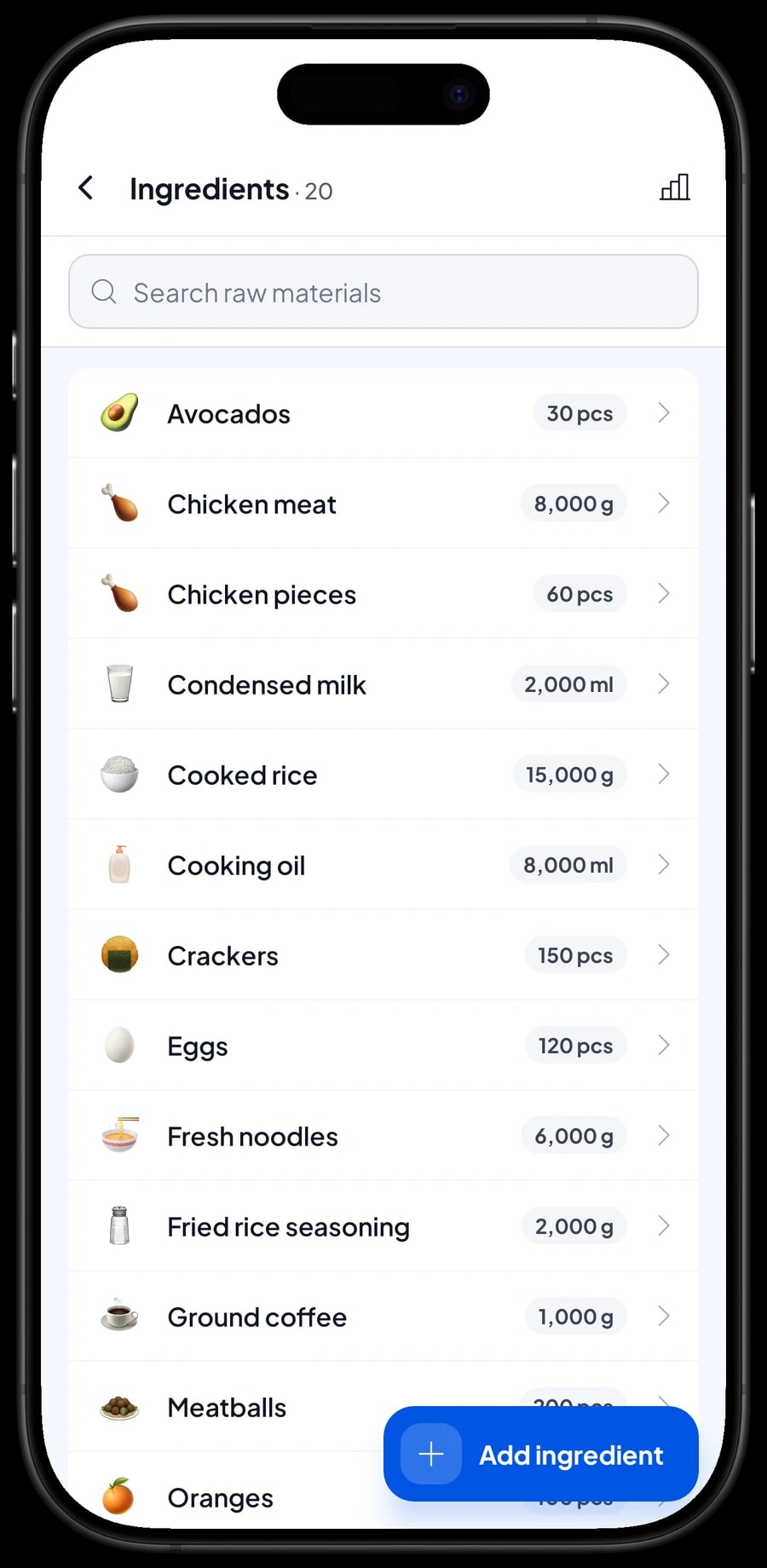
Restaurants rarely sell things as they are. What they sell is made to order: fried rice is made from rice, egg, spices and oil. In Salesmaster, dishes like this are Made-to-order items with a recipe. You record each ingredient once (rice in grams, chicken in pieces, oil in millilitres) and write how much one portion uses.
Every portion sold takes its ingredients off stock according to the recipe. Add-ons can carry their own ingredients too: an extra egg takes an egg off stock, extra cheese takes cheese. When you buy supplies, record the purchase with its price, and Salesmaster uses that price to work out the cost of goods for each plate. So the profit report uses real costs, not estimates.
The result is two things small restaurants rarely have: you know an ingredient is running low before the kitchen runs out, and you know which dishes make the most money, not just which sell the most.
- Step 1: Turn on made-to-order items, then open Catalog → Inventory → Raw materials.
- Step 2: Add each ingredient with its unit, and record the opening stock and purchase price.
- Step 3: Create dishes as Made-to-order items and fill in the recipe: which ingredients, how much per portion.
- Step 4: Record every purchase of ingredients so stock and cost of goods stay accurate.
Staff and cashier devices
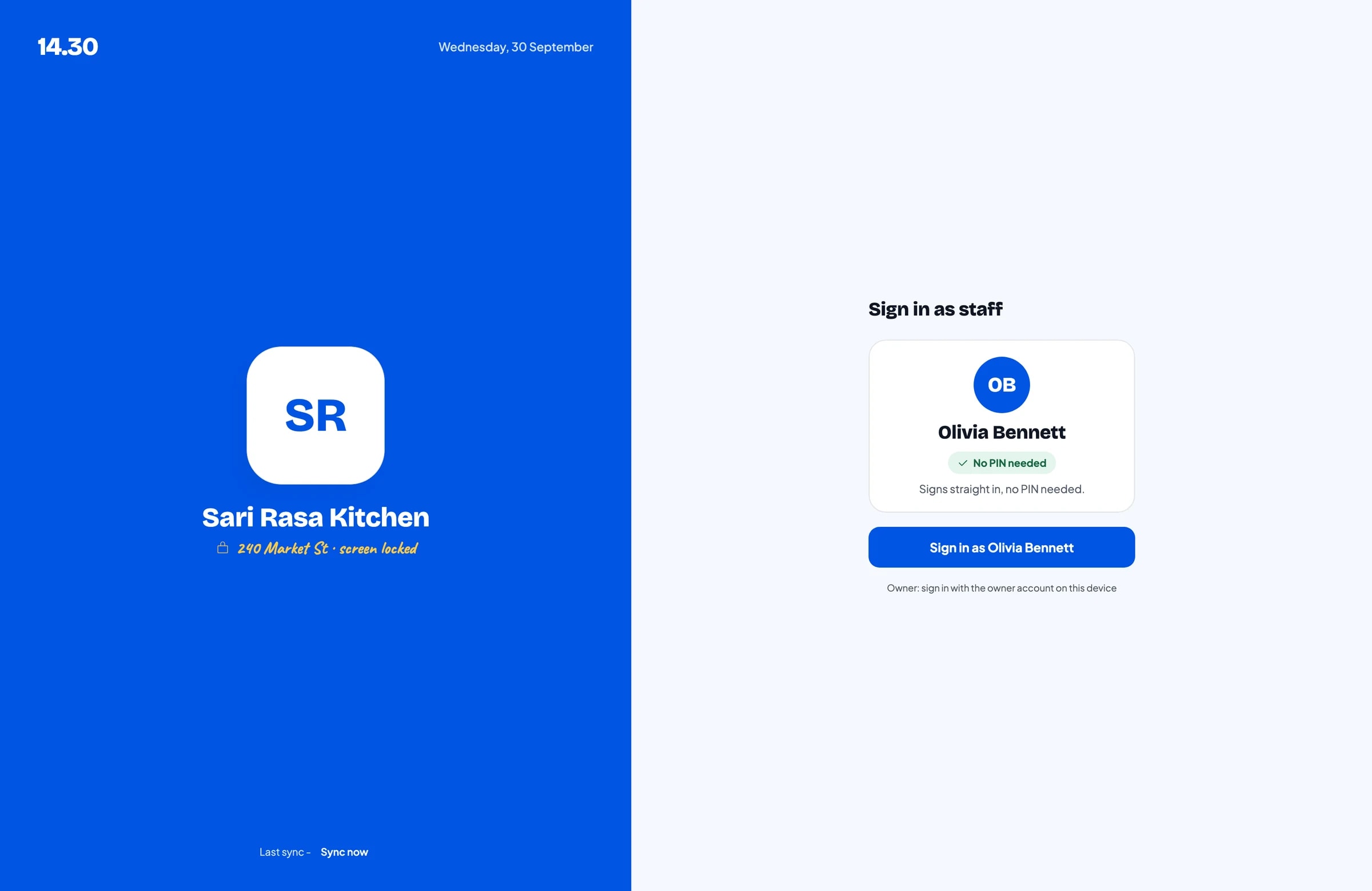
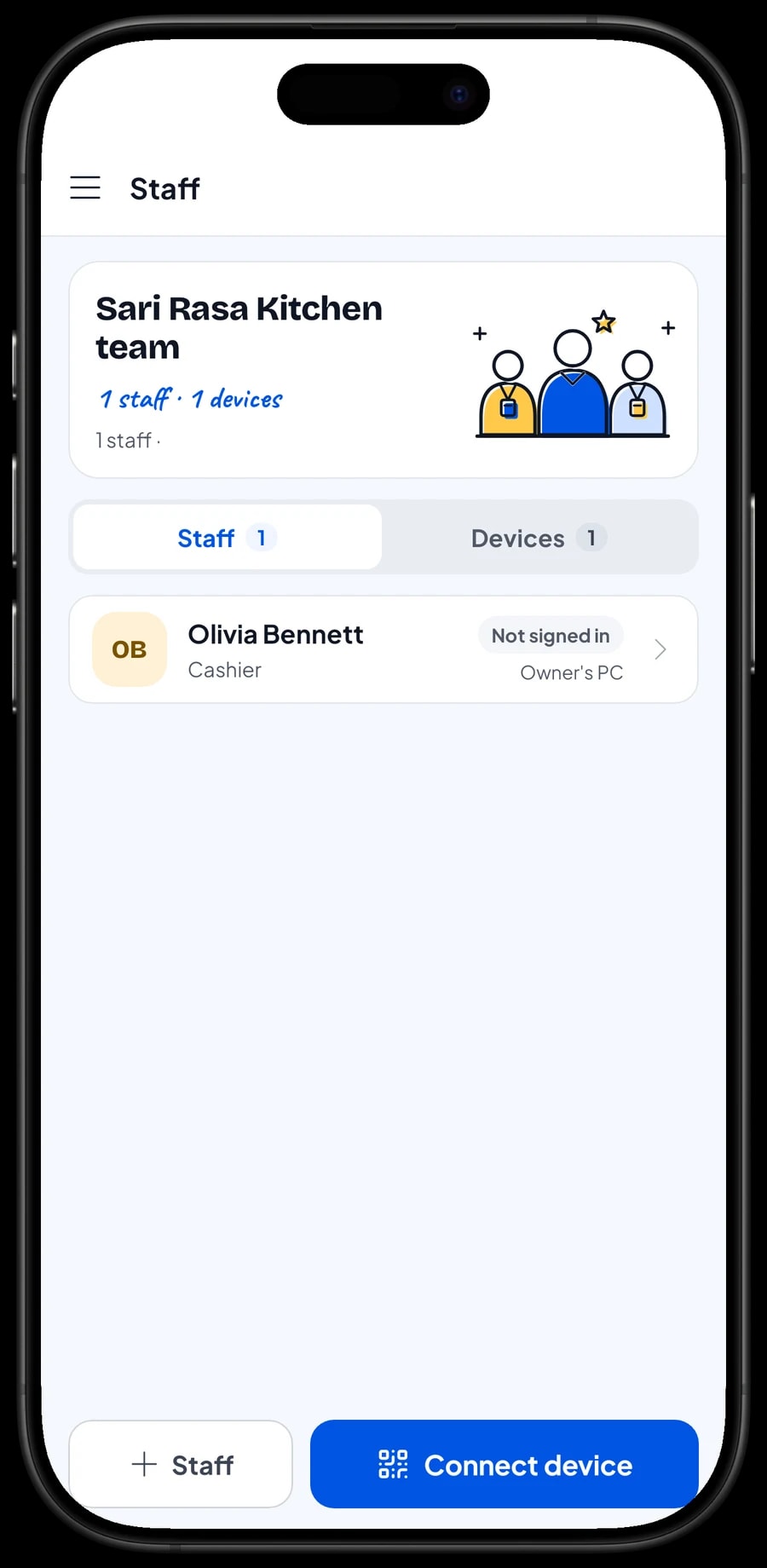
The owner signs in with the main account. Cashiers and waiters don't need your account: add them as staff with their own roles, then register a cashier device for them. Staff sign in with a PIN, and you decide what they can see and change. Staff accounts come with Bronze Pro (1 staff) and Silver Pro (2 staff).
Regulars: loyalty points and member cards
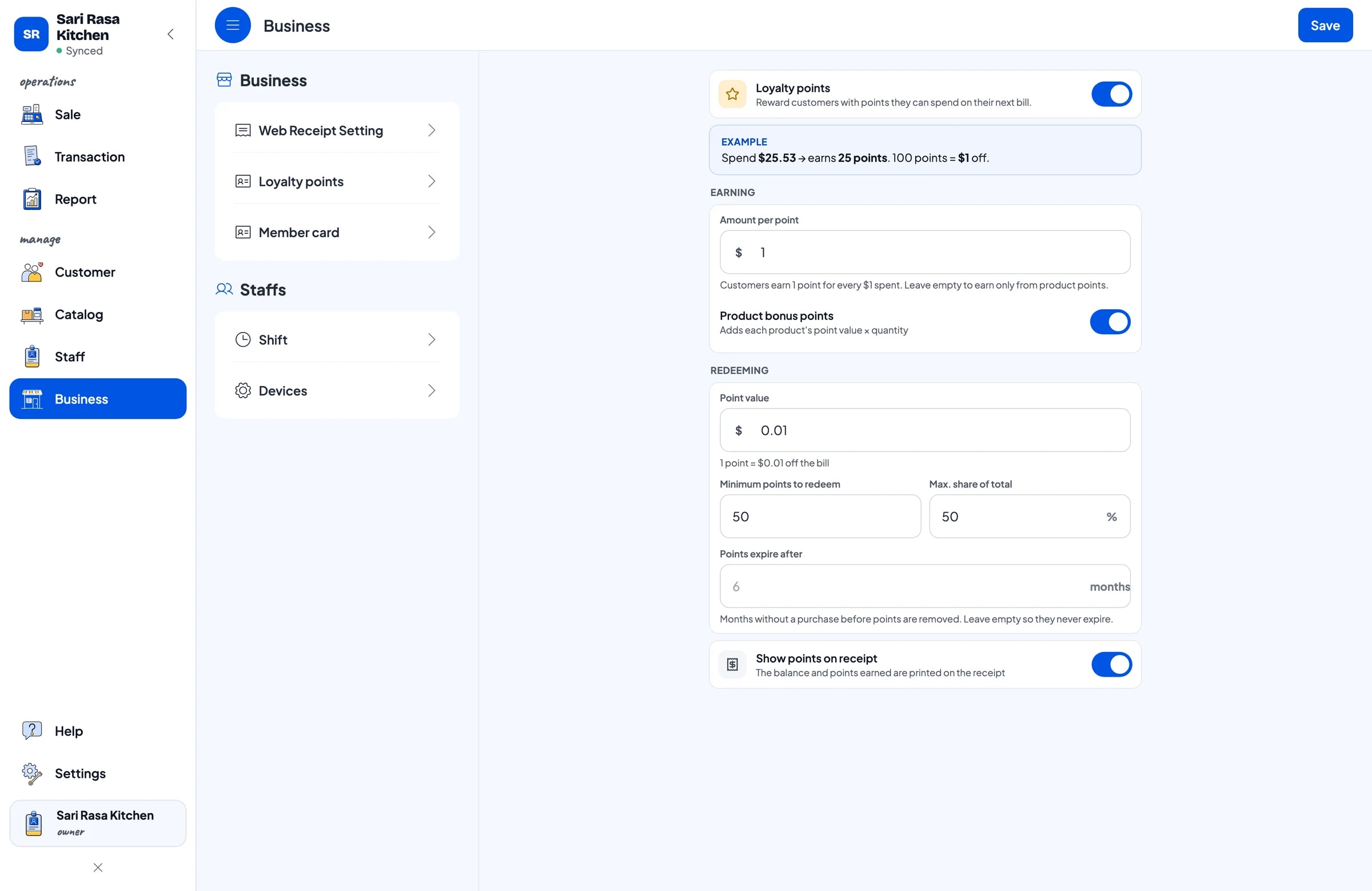
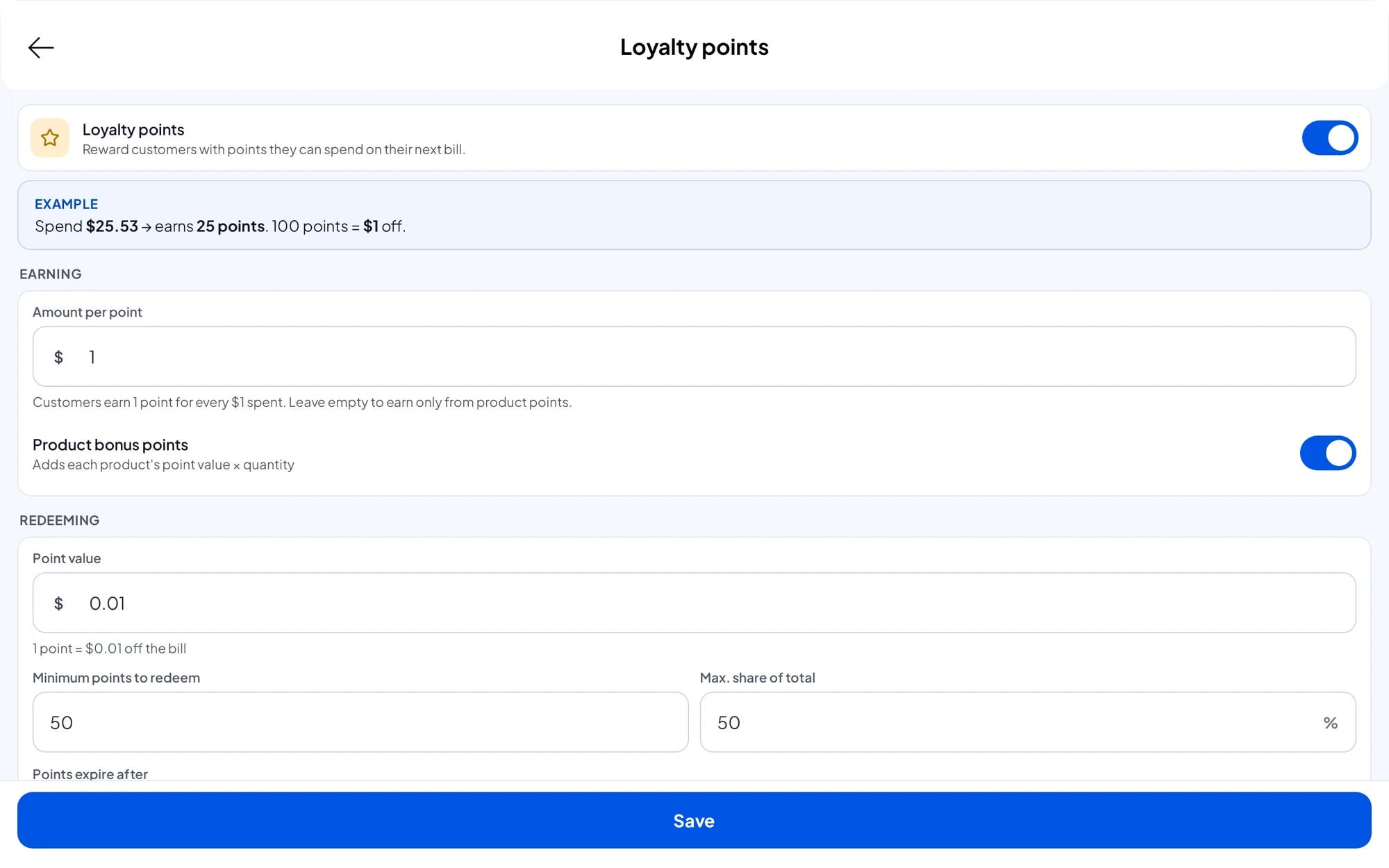
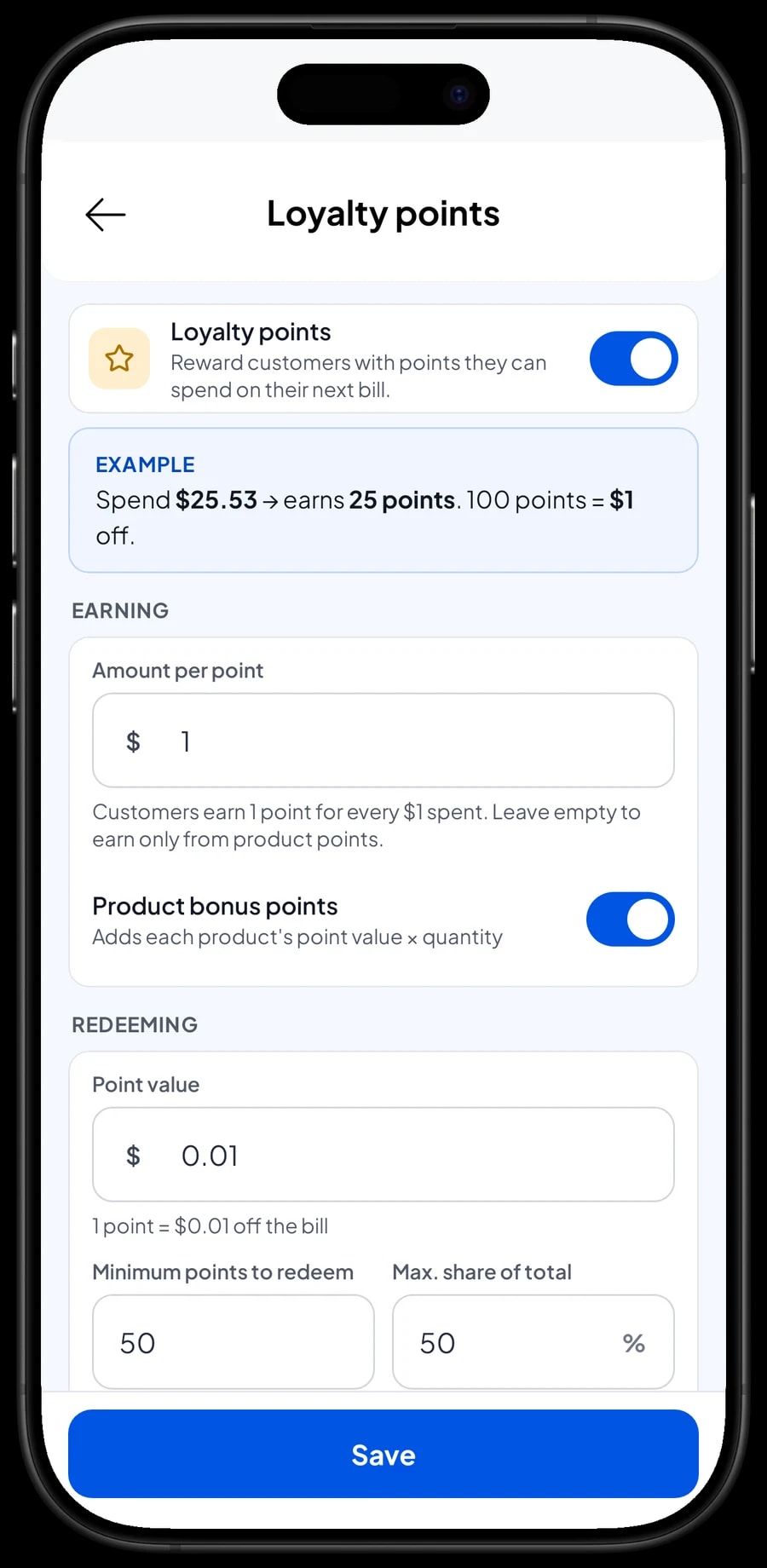
Restaurants live on guests who come back. In Salesmaster, save the customer at checkout (a name and phone number is enough) and turn on Loyalty points. You set the rules: the amount spent per point, the value of a point when redeemed, the minimum points to redeem, and the maximum share of a bill that points can cover.
The cashier doesn't calculate anything. Points are added with every sale, and when a guest wants to use them, the discount is applied straight away. Regulars can also get a member card in their name, and their purchase history is kept, so you know who comes every week and what they like to order.
Sales reports and real net profit
Reports are available by day, week, month and year. You see total revenue, gross and net sales, discounts, tax collected, payment methods, and the revenue split by dish, so it is clear which dishes bring in the most.
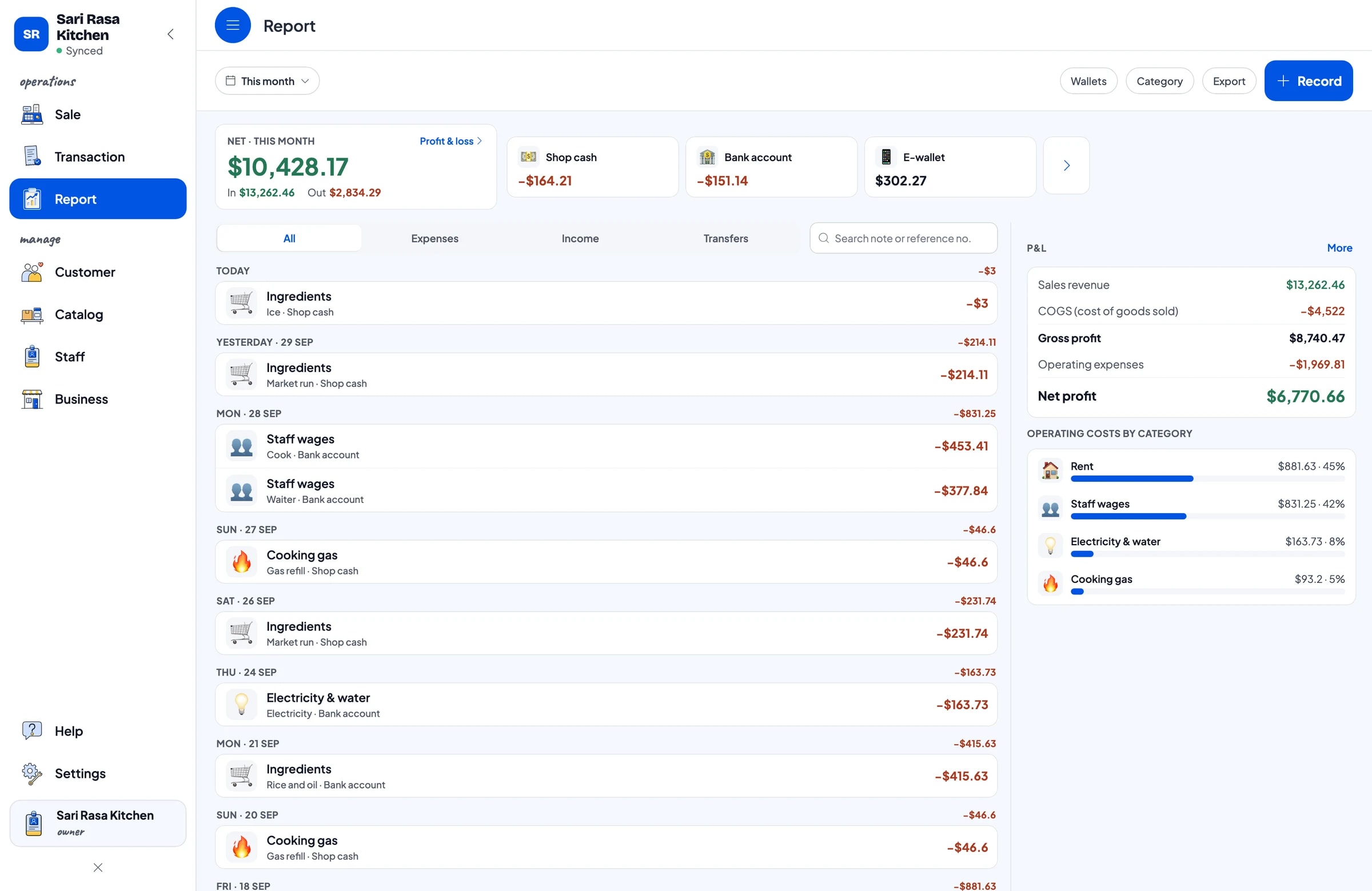
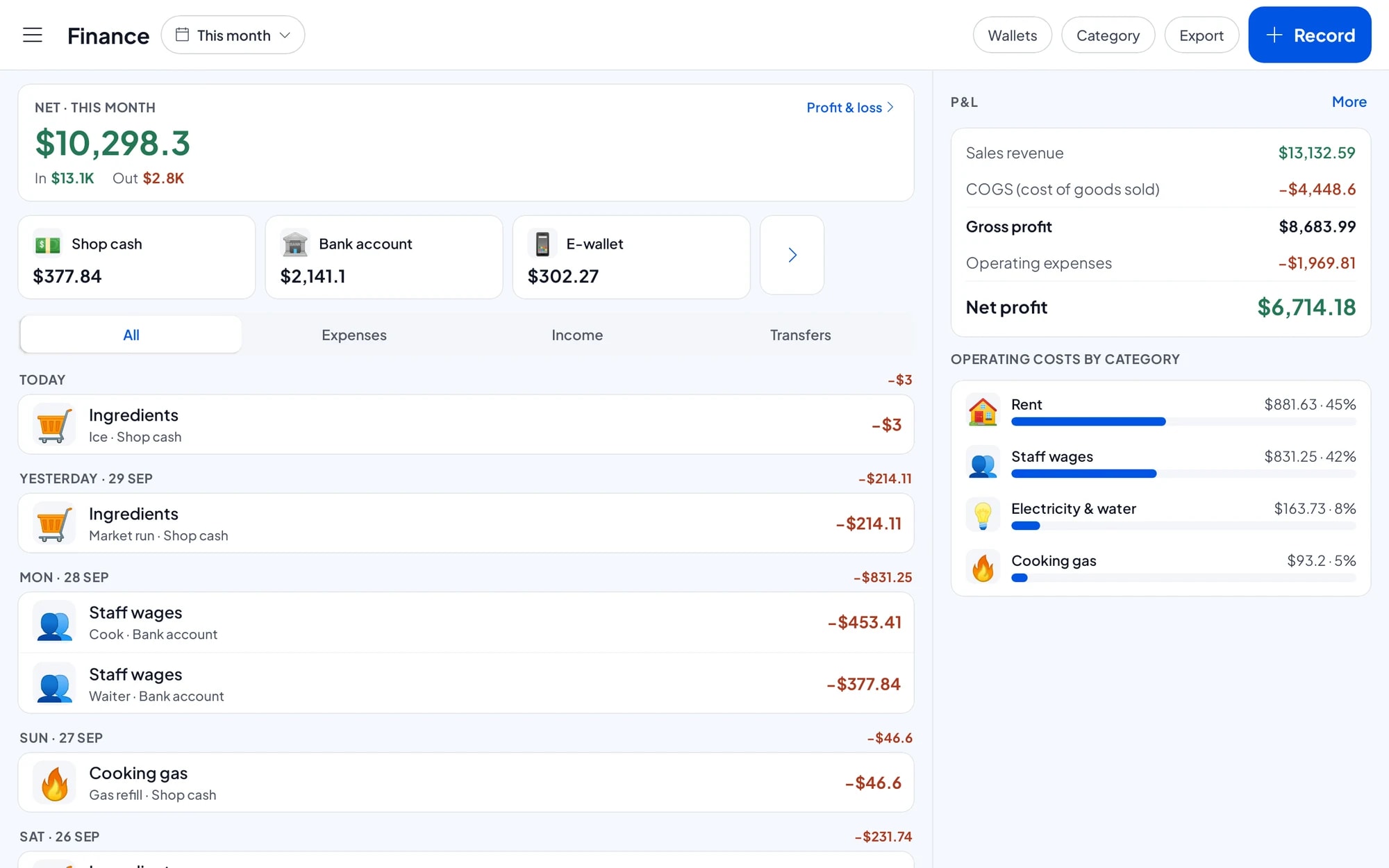
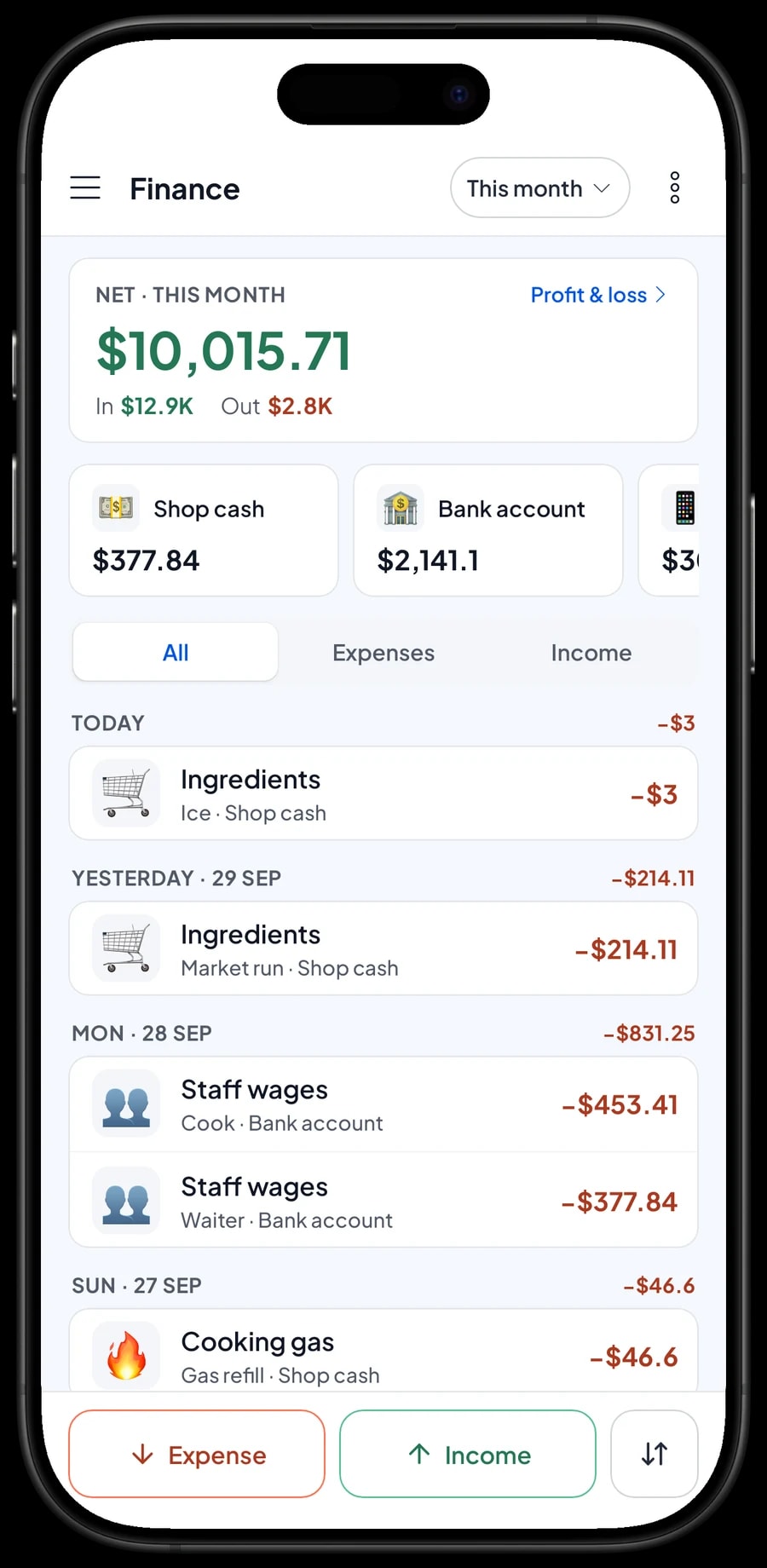
For real profit, record expenses in Finance: ingredients, wages, rent, electricity, gas. Each expense has a category and the wallet it was paid from, such as the cash drawer, a bank account or an e-wallet. The Finance report then shows revenue minus cost of goods and operating costs: your restaurant's net profit. Tax collected from guests is kept apart from profit, because that money isn't the restaurant's.
Reports can be exported to Excel or PDF, or printed on the thermal printer, to send to your accountant, a business partner or the family group chat that helps run the place.
Keep selling when the internet drops
A restaurant can't stop because the Wi-Fi is down. Every sale in Salesmaster is saved on the device first and sent to the cloud when the connection is back. Offline mode works for up to 7 days; after that the app needs to connect briefly to sync and verify your account.
Because your data lives in your account, not only on one phone, nothing is lost if a device breaks or is replaced. Download Salesmaster on the new device, sign in with the same account, and your restaurant's data comes with it.
Get started in a day
You don't need to close the restaurant to switch to Salesmaster. Most places start like this: in the morning before opening, install the app on the counter phone or tablet and create an account. Enter your 10 to 20 best-selling dishes first, with their variants and add-ons, and connect the Bluetooth thermal printer if you use one.
On day one, run the till as usual. Dishes that aren't in the catalog yet can be added during quiet moments. In the evening, open the daily report and compare it with the cash in the drawer. Once the cashier is comfortable, move on to ingredients and recipes, then to recording expenses in Finance. Within a week or two, your restaurant has complete records of sales, ingredient stock and profit.
Step-by-step guides for every feature are in the Salesmaster Help Centre, and our team is on WhatsApp if you need help setting up your catalog.
An example restaurant menu
Use this table as a starting point and replace the names and prices with your own dishes.
| Category | Dish | Variants | Add-ons | Item type |
|---|---|---|---|---|
| Mains | Fried rice (nasi goreng) | Regular, Large | Fried egg, Crackers | Made-to-order |
| Mains | Chicken noodles (mie ayam) | Regular, Large | Meatballs, Dumplings | Made-to-order |
| Sides | Grilled chicken | Breast, Thigh | Extra chilli | Made-to-order |
| Sides | Fried fish | Tilapia, Catfish | Fresh vegetables | Made-to-order |
| Drinks | Iced tea | Sweet, Unsweetened, Less sugar | - | Made-to-order |
| Drinks | Avocado juice | - | Chocolate syrup | Made-to-order |
| Drinks | Bottled water | - | - | Product |
| Extras | Steamed rice | - | - | Made-to-order |
Things sold as they are, like bottled water or packaged crackers, are regular products with their own stock. Dishes that are cooked are Made-to-order items, so it is their ingredients that come off stock.
Which plan fits your restaurant
Start by counting sales per day. A restaurant serving about 100 guests a day records roughly 3,000 transactions a month.
| Plan | Price | Transactions / month | Staff accounts | Good for |
|---|---|---|---|---|
| Free | Free | 30 | Owner only | To try the checkout flow before using it for real. |
| Solo Pro | $4.90/month | 3,000 | Owner only | Restaurants where the owner runs the till. |
| Bronze Pro | $6.90/month | 5,000 | 1 staff | Restaurants with one cashier or waiter on their own device. |
| Silver Pro | $9.90/month | 8,000 | 2 staff | Busier restaurants with two staff on separate devices. |
Every plan includes checkout, catalog, receipts, reports and offline mode. You can change plans at any time. See pricing →
Frequently asked questions
- Can Salesmaster keep orders per table?
- Salesmaster has no table map, but orders per table work with Save order. Put the table number in the order name, for example "table 3", and open it again from Saved orders when the guests are ready to pay.
- Can Salesmaster add restaurant tax and service charge automatically?
- Yes. Set tax and service charge once in Fees or Tax and both are calculated on every sale. Tax collected is shown separately in reports and is not counted as profit.
- Which printers work with Salesmaster in a restaurant?
- Bluetooth thermal printers with 58 mm or 80 mm paper. Receipts can print automatically after every sale, and a cash drawer connected to the printer can open automatically. Receipts can also be sent by WhatsApp, email or a web receipt link.
- How does Salesmaster track ingredient stock for restaurant dishes?
- Create dishes as Made-to-order items and fill in their recipes. Every portion sold takes its ingredients off stock, including ingredients used by add-ons. Record ingredient purchases with their prices so the cost per plate and the profit in your reports use real costs.
- Can a restaurant keep selling when the internet is down?
- Yes. Sales are saved on the device and sync when the internet is back. Offline mode works for up to 7 days before the app needs to connect to sync.
- Can cashiers and waiters use their own devices?
- Yes, through staff accounts. The owner uses the main account, adds staff and registers cashier devices for them. Staff sign in with a PIN according to their role. Staff accounts come with Bronze Pro (1 staff) and Silver Pro (2 staff).
- How much does Salesmaster cost for a restaurant?
- You can start on the Free plan to try it. Owner-run restaurants usually choose Solo Pro, and restaurants with staff choose Bronze Pro or Silver Pro. Each plan's price is in the plan table on this page and on the Pricing page; paying yearly costs less.
Need help setting up your catalog? Chat with our team on WhatsApp →



