

Salesmaster is a point-of-sale (POS) app for street food stalls, night-market vendors and food carts on Android, iPhone & iPad, Windows and Mac. You can record every small sale from your phone, keep open bills for customers who pay when they leave with Save order, deduct ingredient stock such as rice, skewers and charcoal by recipe, keep selling when the signal drops, and see net profit after supplies, consignment payouts and spot fees in the reports. A Free plan lets you try it first.
Problems every street food vendor knows
If any of these sound familiar, this page is for you.
- 01
Customers count, you guess
People grab skewers and fritters themselves and tell you what they had when they pay. Without a record, you never really know how much you sold tonight.
- 02
Hundreds of tiny sales
A fritter here, a coffee there. Too many small sales to write in a notebook on a busy night, so in the end nothing gets written down at all.
- 03
Eat first, pay on the way out
Regulars sit down, order another coffee, add a few skewers, and settle up when they leave. With ten people on the benches, it is easy to mix up who had what.
- 04
A full cash box is not a profit
Tonight's cash looks good, but some of it belongs to the neighbor whose snacks you sell, some goes to charcoal, the spot fee and tomorrow's shopping. What is actually yours?
Putting your stall's menu on your phone
Start with what is on the cart tonight. In Salesmaster, everything you sell is one item in the Catalog. Group items into categories such as Rice packs, Satay & grill, Fritters & snacks, and Hot & iced drinks. On the sale screen, categories appear as tabs along the top, so ringing up is a tap on the tab and a tap on the item.
Anything that comes in a few versions is one item with variants. A rice pack with anchovy sambal or sweet tempeh, fritters made from tempeh, tofu or vegetables, coffee black or with milk, tea hot or iced: the cashier picks the variant and the price follows. The unit can be whatever you sell by, such as pack, skewer, piece or glass.
Because prices are small and people buy several at once, quantities are quick to change. Five skewers is five taps, or type the number straight in. All of it runs on the same phone you carry every day.
- Step 1: Open Catalog → Categories and create categories such as Rice packs, Satay & grill and Drinks.
- Step 2: Open Catalog → List Items and add each item with its name, unit and price.
- Step 3: For items that come in several versions, such as fritters or coffee, add variants.
- Step 4: Open the sale screen and ring up one test sale to check the prices.
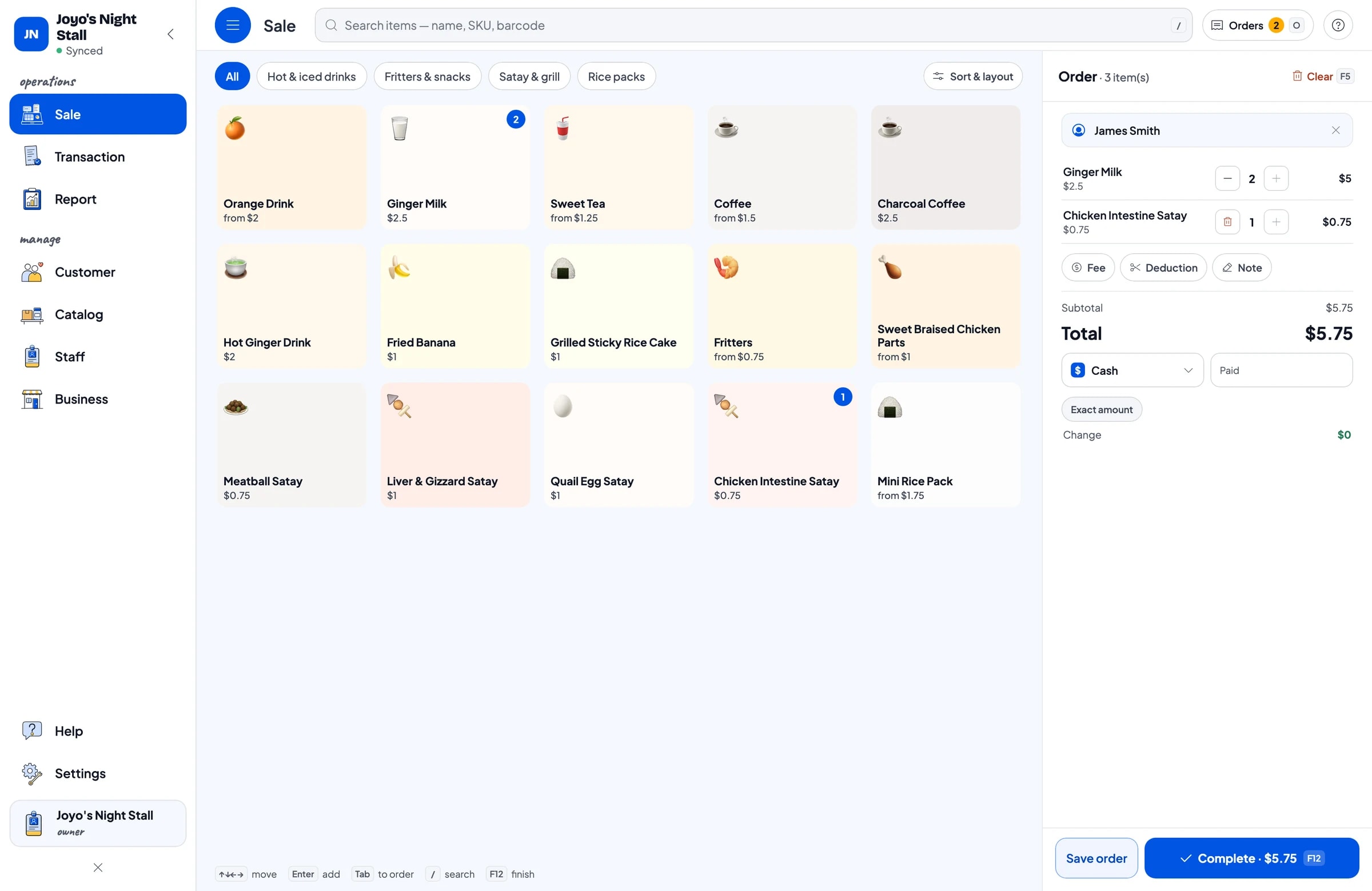
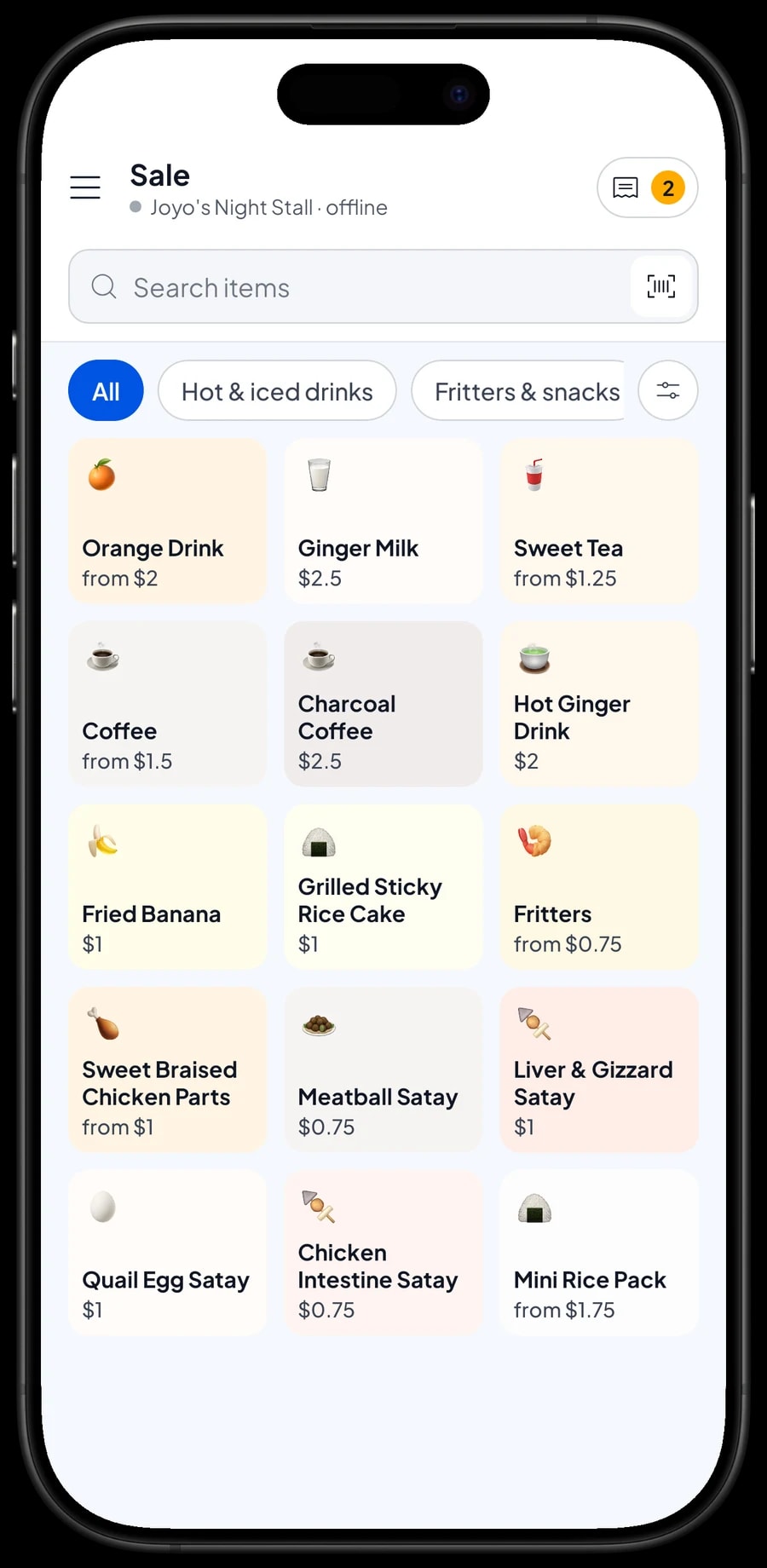
Grilled or as is, less sugar or normal
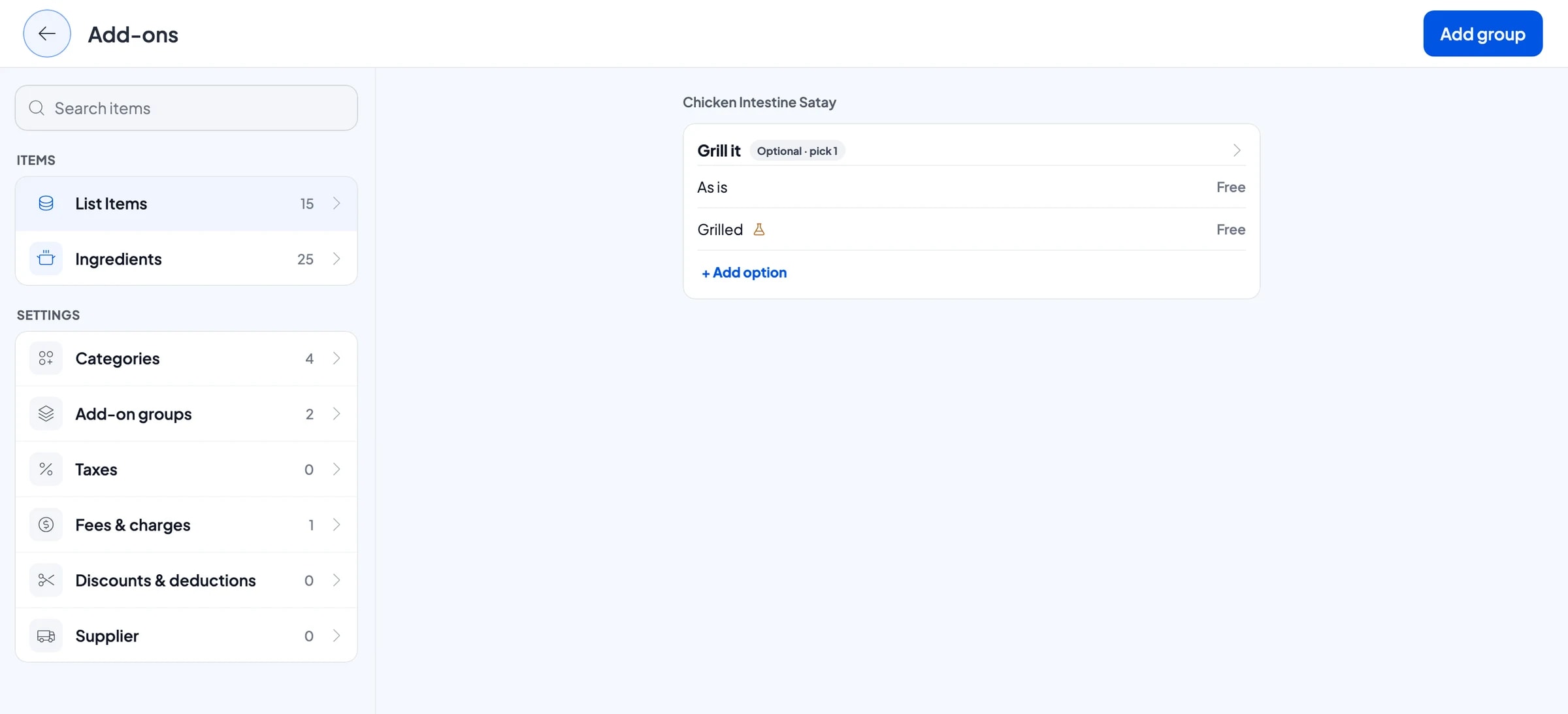
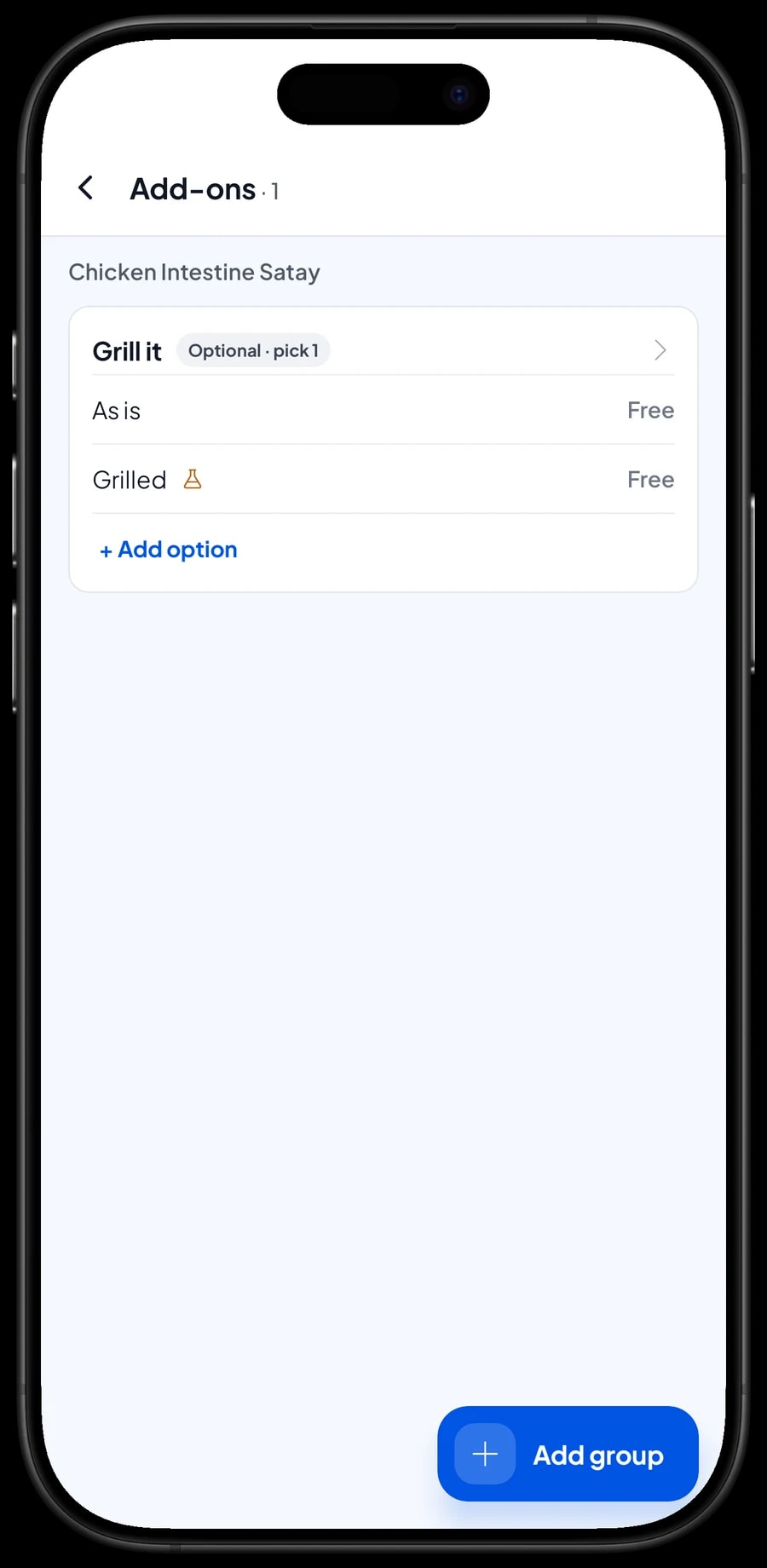
Street food customers often want their skewers put back on the grill, or their coffee with less sugar. Choices like these are add-ons. One add-on group, such as "Grill it" with the options As is and Grilled, can be attached to every skewer and braised item at once. A "Sugar" group with Normal and Less sugar goes on coffee, tea and orange drinks.
Add-on options can be free or cost extra. If a choice doesn't change the price, like grilling, leave it at zero; it is still recorded on the sale, so whoever is at the grill knows which order to heat up. If you later sell a paid extra, such as an extra quail egg skewer, give that option a price.
Open bills for people who pay when they leave
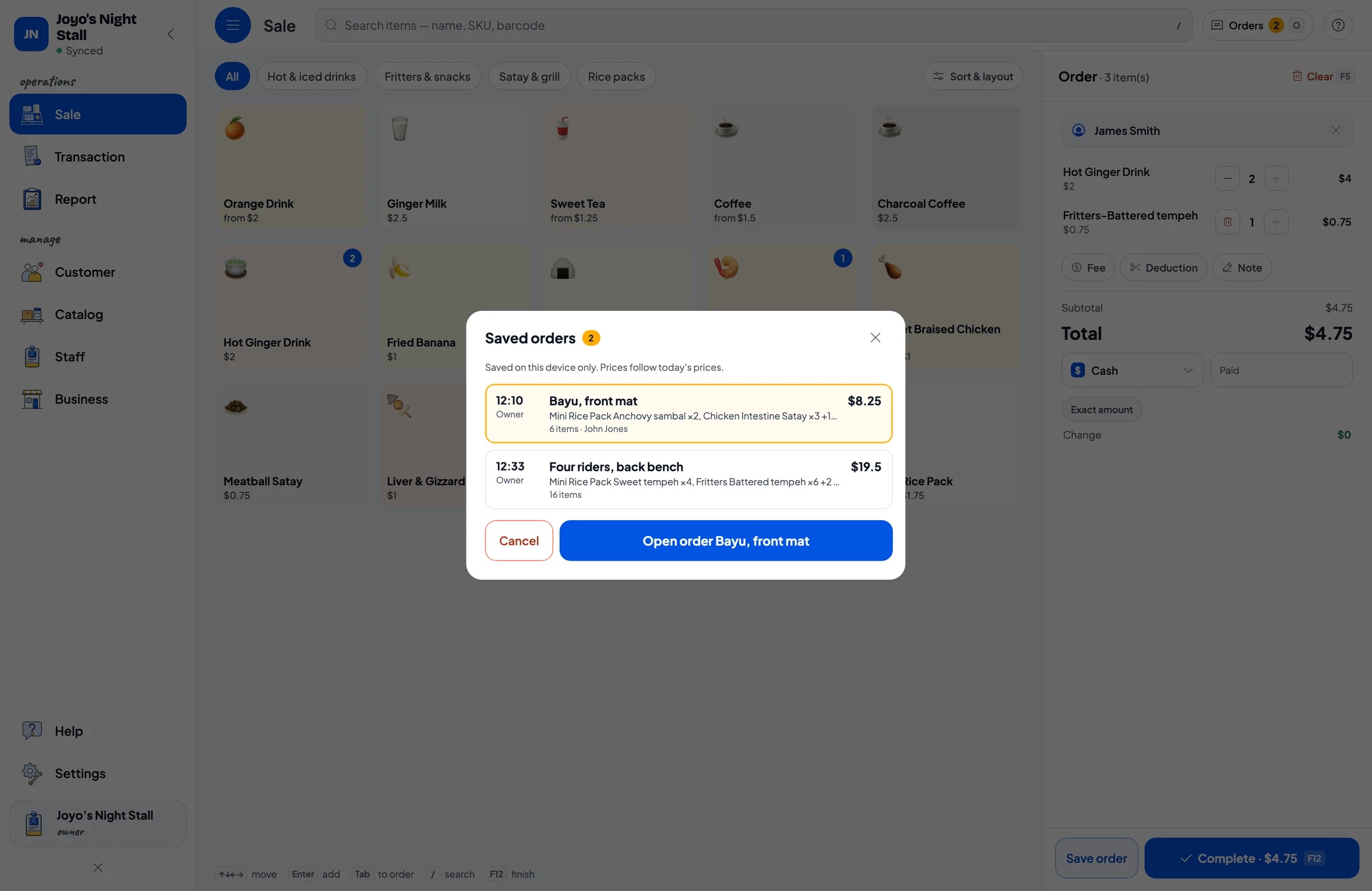
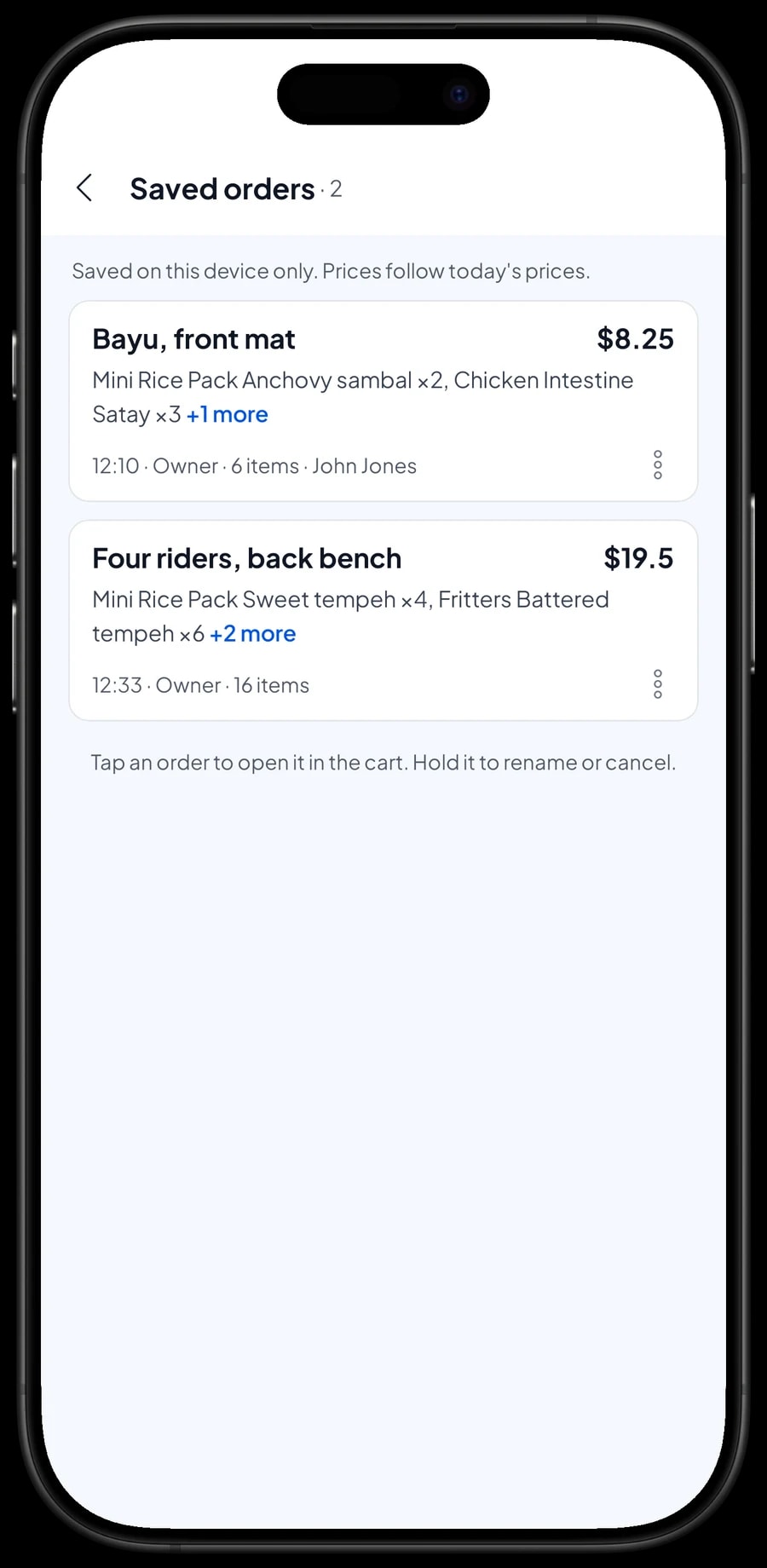
This is the habit that is hardest to track on paper. With Salesmaster, when a customer sits down, add what they ordered to the cart and tap Save order. The cart is kept as a saved order under the name you give it. Use the name and where they are sitting, for example "Bayu, front mat" or "Four riders, back bench".
When they order more, open their order from Saved orders, add the items and save it again. When they get up to leave, open the order, read out the total and complete the payment. A saved order isn't a sale and doesn't take stock off until it is paid, so if someone cancels, your numbers stay right.
Saved orders are stored on the device that created them. At a stall with one phone at the till that is no problem: open and close every bill on the same phone.
Stock of rice, skewers and charcoal by recipe
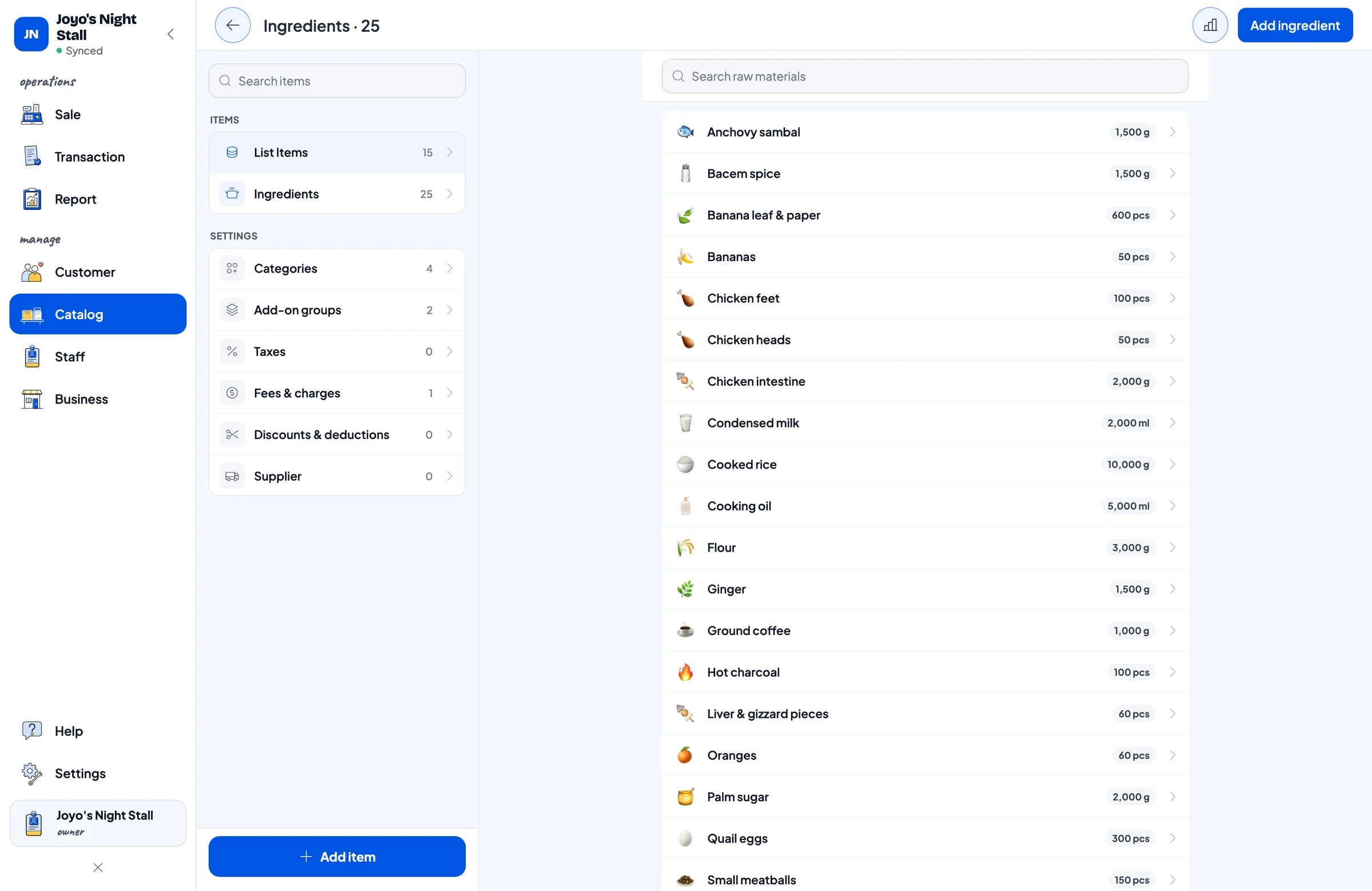
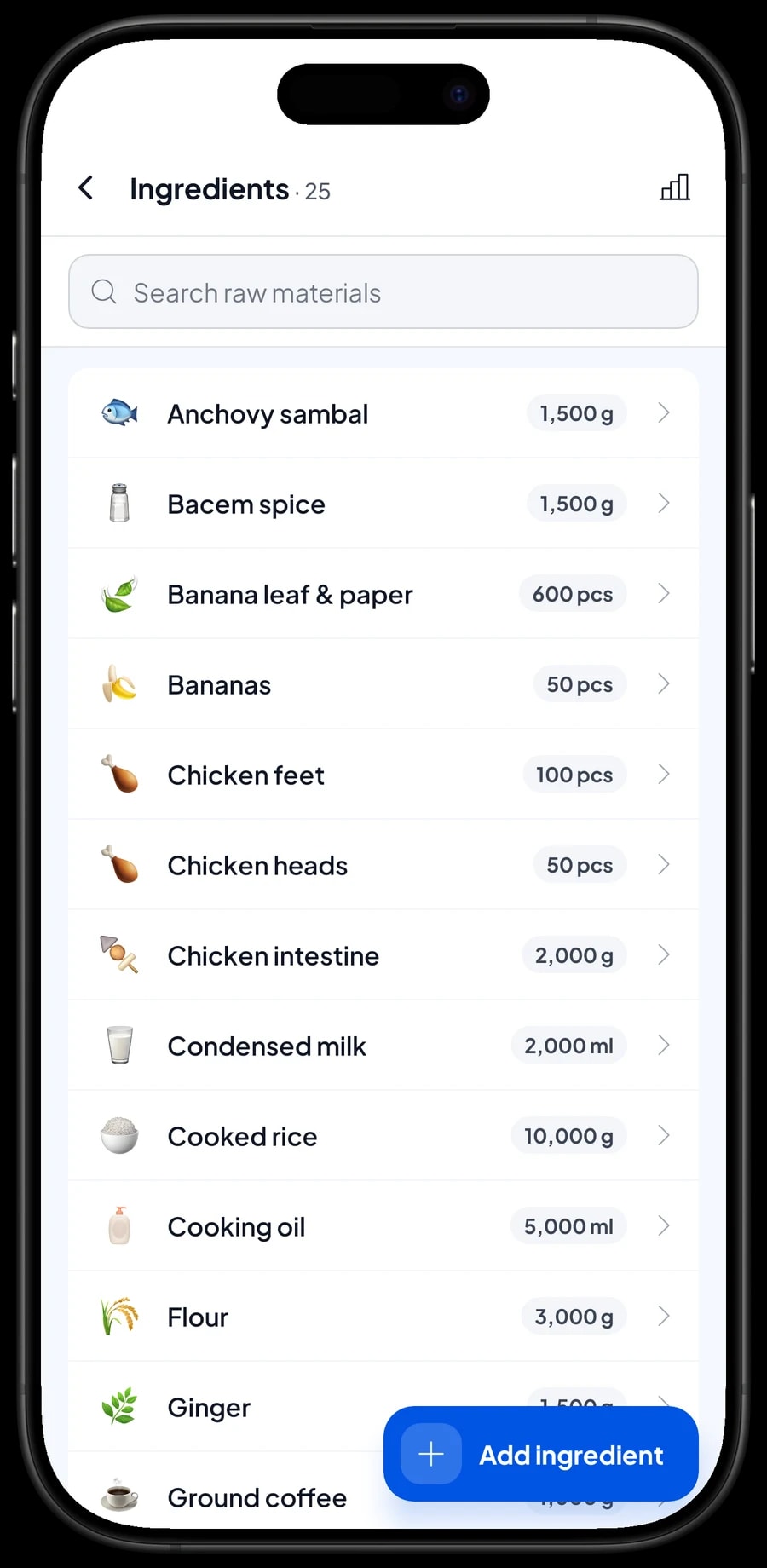
A lot of what a stall sells is made on the spot: a rice pack from rice, sambal and a banana-leaf wrap; an intestine skewer from chicken intestine and sweet soy sauce; charcoal coffee from ground coffee, sugar and a piece of hot charcoal. In Salesmaster these are Made-to-order items with a recipe. You set up each ingredient once, in grams, milliliters or pieces, then enter how much each pack, skewer or glass uses.
Every sale takes its ingredients off stock by recipe. Before you head out, check the ingredient list to see whether quail eggs, chicken feet, charcoal and wraps will last the night. You can also set a low-stock level so you know what to buy tomorrow morning.
Because you record every purchase with its price, Salesmaster works out the cost of each item from real costs. You can see whether a rice pack still makes money after the price of rice goes up.
- Step 1: Turn on made-to-order items, then open Catalog → Inventory → Raw materials.
- Step 2: Add ingredients such as cooked rice, chicken intestine, ground coffee and charcoal, with their unit, opening stock and purchase price.
- Step 3: Open each made-to-order item and fill in its recipe per pack, skewer or glass.
- Step 4: After every shopping run, record the purchase so stock and costs stay accurate.
Selling other people's food on consignment
Many stalls sell fritters, sticky rice cakes or snacks that a neighbor drops off. Salesmaster has no dedicated consignment feature, but you can still keep it tidy. Create each consigned product as a normal item with its selling price and sell it like everything else, so the sales are recorded.
When you pay the maker their share, record it as an expense in Finance under its own category, such as "Consigned food payouts". That way your profit report doesn't count the maker's money as yours. Your sales report also shows how many of each consigned item sold, so settling up with the maker is quick.
Cash, cards, digital wallets and receipts
Most street food is paid in cash, but more customers want to pay by card or with a phone. Set up the payment methods you accept: cash, bank transfer, e-wallet, or any method you create yourself. Reports show how much came in through each one, so the cash box and your e-wallet balance are easy to check against each other.
Most stalls rarely print receipts, and that is fine. If a customer asks, a receipt can print on a small Bluetooth thermal printer with 58 mm paper, or go out by WhatsApp or as a web receipt link. Every sale is recorded in full whether or not you print.
When someone else runs the stall: staff accounts
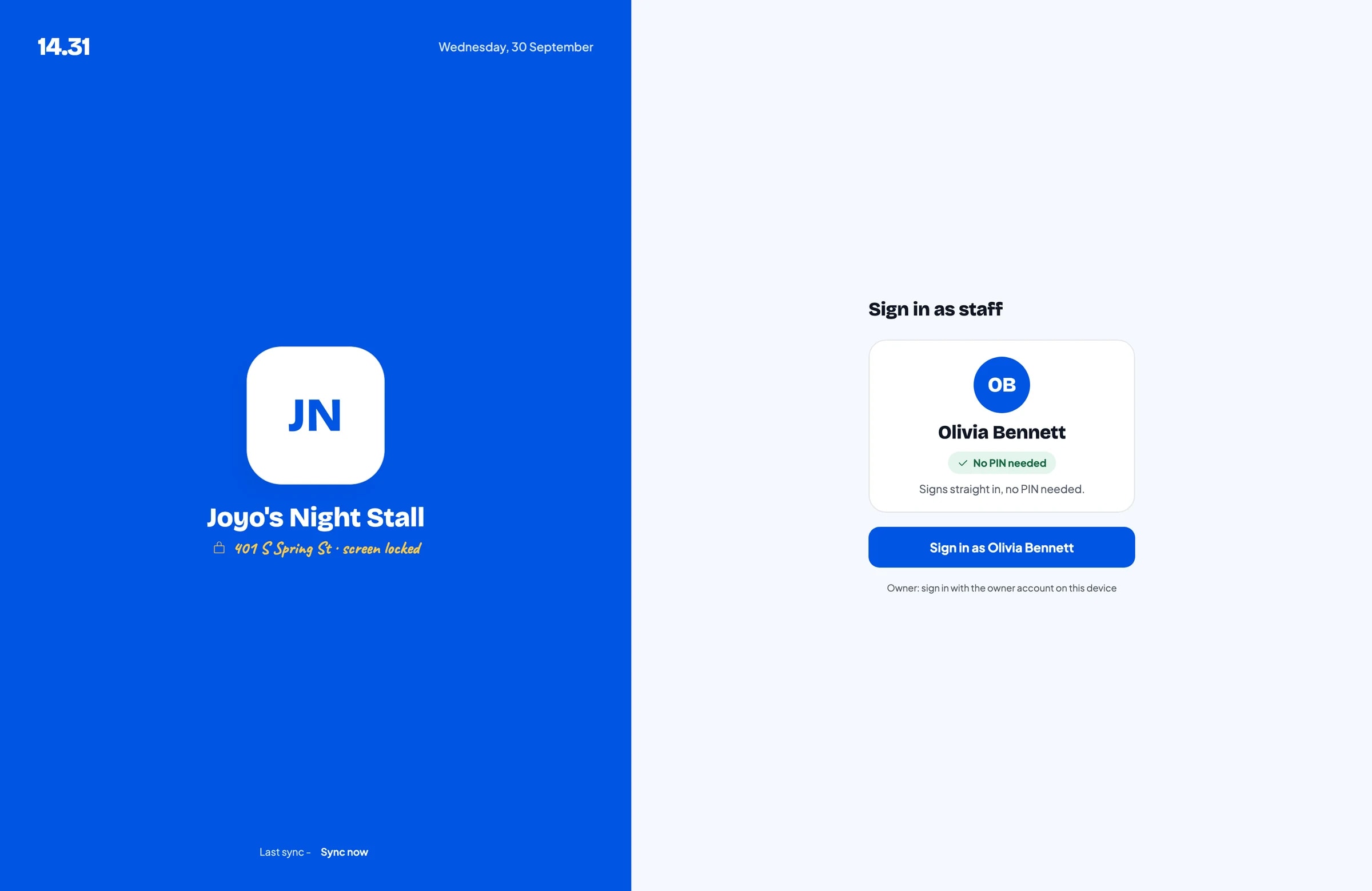
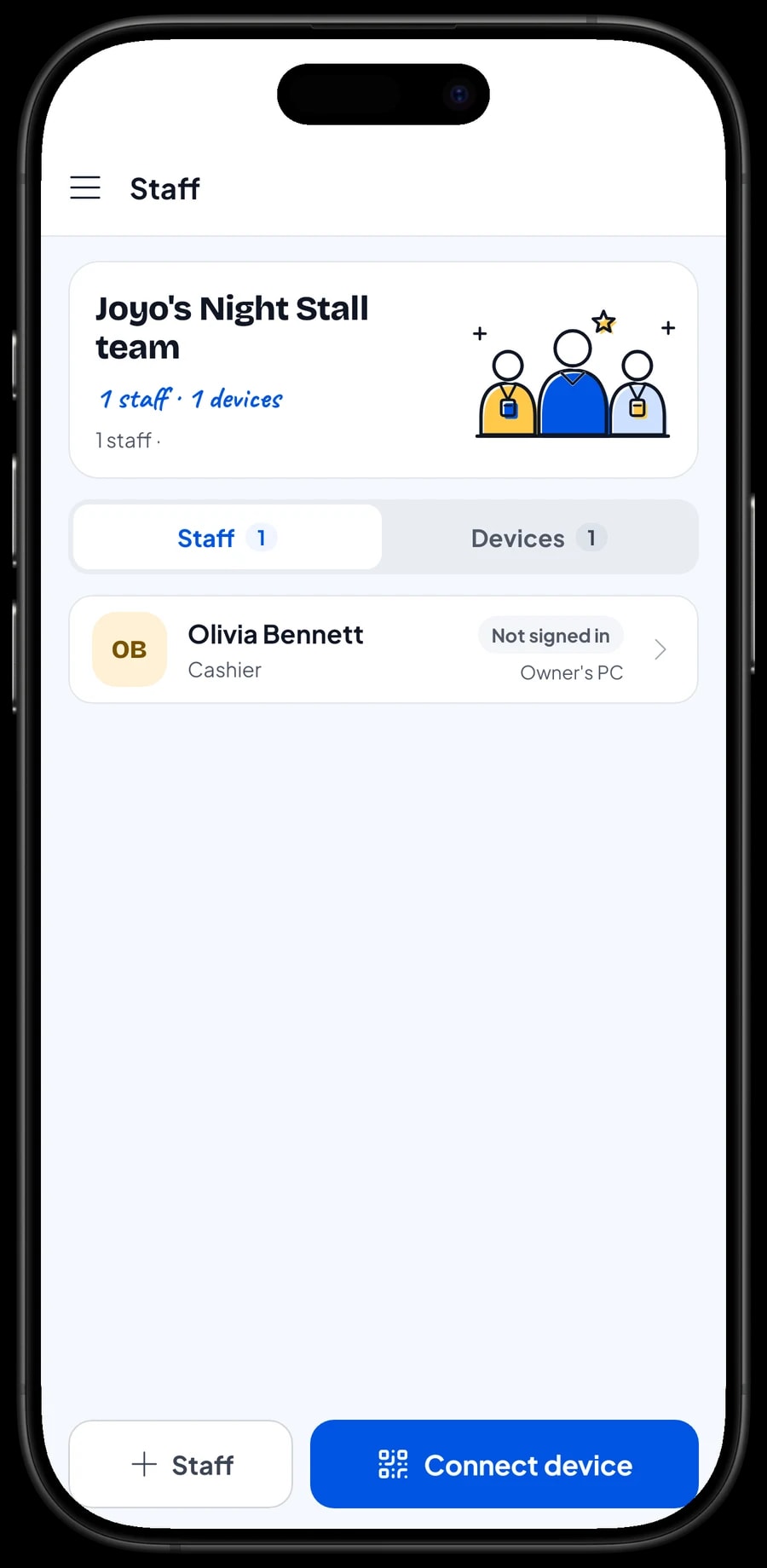
An account signs in on one device at a time. If an employee or a family member runs the stall, add them as staff and register their phone as a cashier device. Staff sign in with a PIN, and you decide what they can see and change. Staff accounts come with Bronze Pro (1 staff) and Silver Pro (2 staff).
Tonight's takings and this month's profit
Before you close up, open the daily report: total revenue, number of sales, payment methods, and which items sold best tonight. Reports are also weekly, monthly and yearly, so you can see which nights are busiest and which items hardly move.
For real profit, record your expenses in Finance: stock and ingredients, consignment payouts, charcoal and gas, the spot fee, and lighting. Each expense has a category and the wallet it came from, such as shop cash, a bank account or an e-wallet. Finance then shows revenue minus the cost of goods from your recipes and operating costs: your net profit.
Reports export to Excel or PDF when you need to show them to family, a partner, or a lender.
Keeps working when the signal drops
Street corners and night markets often have poor signal. Every sale in Salesmaster is stored on the phone first and sent to the cloud when the connection is back. Offline mode works for up to 7 days; after that the app needs to go online briefly to sync and verify the account. The first sign-in needs internet.
Because your data lives in your account, nothing is lost if a phone breaks or goes missing. Sign in with the same account on a new phone and your sales history comes with it. Unpaid saved orders stay on the old phone, so close every bill before you pack up.
Example street food menu
Use this table as a starting point. Replace the names and prices with what you sell.
| Category | Item | Unit | Variants | Add-ons |
|---|---|---|---|---|
| Rice packs | Mini rice pack | pack | Anchovy sambal, Sweet tempeh | - |
| Satay & grill | Chicken intestine satay | skewer | - | Grill it |
| Satay & grill | Quail egg satay | skewer | - | Grill it |
| Satay & grill | Sweet braised chicken parts | piece | Feet, Head | Grill it |
| Fritters & snacks | Fritters | piece | Tempeh, Tofu, Veggie | - |
| Fritters & snacks | Fried banana | piece | - | - |
| Hot & iced drinks | Coffee | glass | Black, With milk | Sugar |
| Hot & iced drinks | Charcoal coffee | glass | - | Sugar |
| Hot & iced drinks | Hot ginger drink | glass | - | - |
Things you prepare yourself are Made-to-order items with a recipe, so their ingredients come off stock. Things you sell as they are, like bottled water or packaged crackers, are Goods items with their own stock.
Which plan fits your stall
Start by counting customers per night. A stall serving about 30 customers a night records roughly 900 transactions a month.
| Plan | Price | Transactions / month | Staff accounts | Good for |
|---|---|---|---|---|
| Free | Free | 30 | Owner only | To try recording sales before using it every night. |
| Solo Pro | $4.90/month | 3,000 | Owner only | Stalls and carts run by the owner alone. |
| Bronze Pro | $6.90/month | 5,000 | 1 staff | Stalls with one helper on their own phone. |
| Silver Pro | $9.90/month | 8,000 | 2 staff | Owners with two helpers, for example two carts in different spots. |
Every plan includes checkout, catalog, receipts, reports and offline mode. You can change plans at any time. See pricing →
Frequently asked questions
- Is one phone enough to run a street food stall on Salesmaster?
- Yes. Salesmaster runs on Android phones and iPhones, so checkout, catalog, stock and reports all live on the phone you bring to the stall. A printer and cash drawer are optional.
- How do I handle customers who eat first and pay when they leave?
- Add their order and tap Save order with a name, for example "Bayu, front mat". When they order more, open it again. When they leave, complete the payment. Saved orders are stored on the phone that created them and aren't counted as sales until paid.
- Can Salesmaster work without a signal?
- Yes. Sales are stored on the phone and sync when the connection is back. Offline mode works for up to 7 days before the app needs to go online to sync.
- How do I record snacks I sell for someone else?
- Salesmaster has no dedicated consignment feature. Create the snacks as items with their selling price and sell them as usual. When you pay the maker, record it as an expense in Finance under a category such as "Consigned food payouts", so it isn't counted as your profit.
- Can customers pay with a card or a phone?
- You can create your own payment methods, such as card or a specific e-wallet, and pick one at checkout. Salesmaster records the method on the sale and in reports; the payment itself still goes through the card reader or wallet you already use.
- If an employee runs the stall, can I see how it went?
- Yes, with a staff account. The employee signs in with a PIN on their own phone, and their sales sync to your account. Staff accounts come with Bronze Pro (1 staff) and Silver Pro (2 staff).
Need help setting up your catalog? Chat with our team on WhatsApp →



