

Salesmaster is a point-of-sale (POS) app for supplement and nutrition shops on Android, iPhone & iPad, Windows and Mac. Each product can have flavor and size variants with their own price, cost and stock, products can be scanned by barcode, and every customer's purchase history is kept alongside loyalty points and member cards. Your expenses and real net profit show up in Finance.
Problems every supplement shop knows
If any of these sound familiar, this page is for you.
- 01
The favourite flavor runs out unnoticed
Chocolate whey flies off the shelf while vanilla piles up. If stock is only counted per product, you find out chocolate is gone when a regular walks in asking for it.
- 02
Cash tied up on the shelf
A single tub of protein costs a lot. Order the wrong size or flavor from the distributor and that money sits on a slow-moving shelf for months.
- 03
Regulars nobody remembers
Gym-goers come back every month for the same product. Without a record, you don't know who buys what, and they have no particular reason to keep buying from you.
- 04
Big sales, thin profit
Supplement margins are slimmer than they look. After stock, wages, rent and social media ads, what is left? Without recorded expenses, profit is a guess.
Building your catalog: protein, amino acids, vitamins and accessories
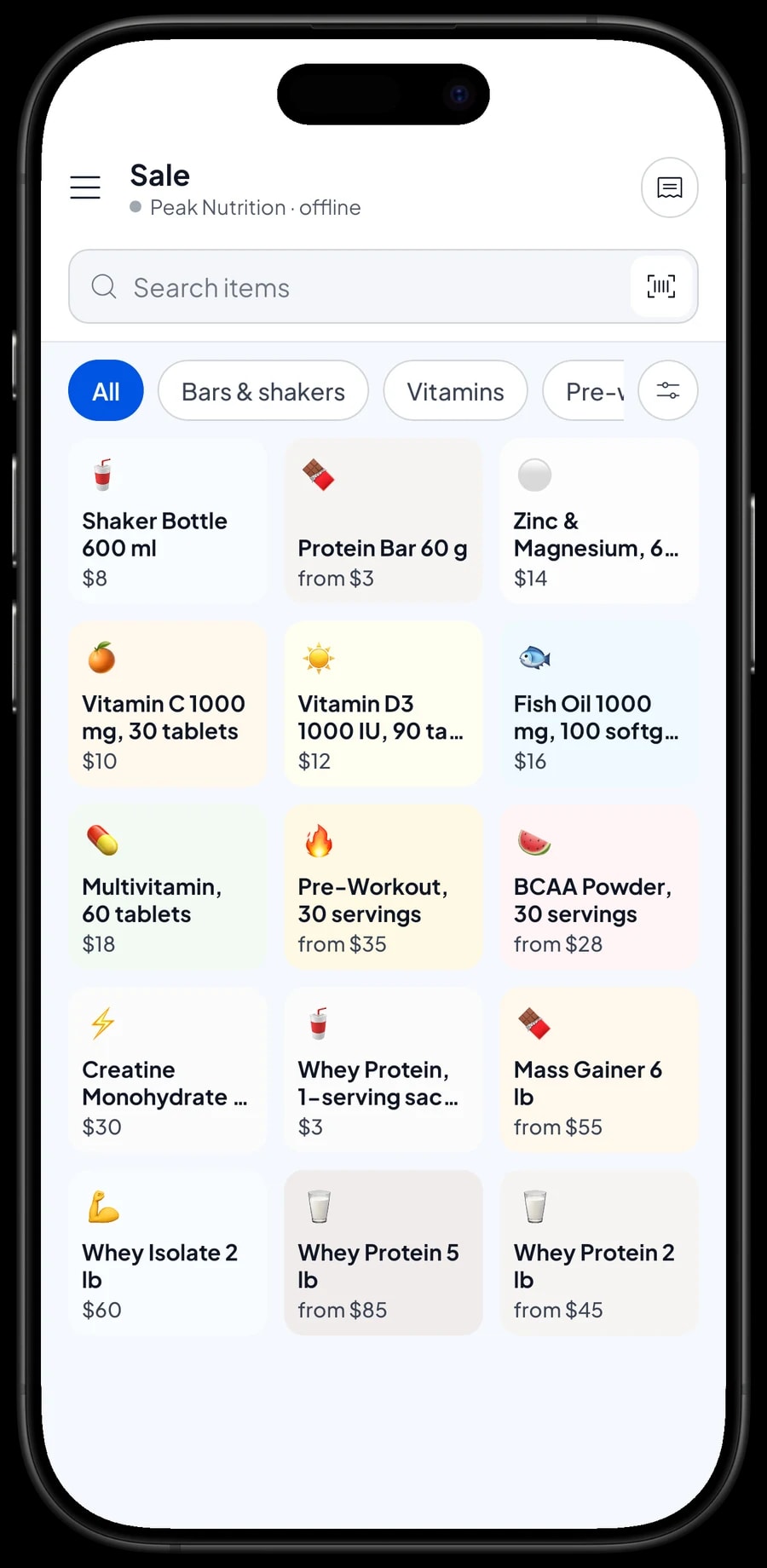
Start with the shelves you already have. In Salesmaster, every product is one item in the Catalog. Group items into categories your cashier understands, such as Protein, Pre-workout & amino, Vitamins, and Bars & shakers. Categories show up as tabs on the Sale screen, so any product is one or two taps away.
Give each item the unit you sell it in: tub for whey and creatine, bag for mass gainer, bottle for vitamins, bar for protein bars, sachet for single-serving whey. Enter the selling price and the cost per unit too, because that cost is what your profit is later calculated from.
Almost every supplement package carries a barcode. Enter it on the item or on each variant, and the cashier simply scans the package with the phone camera or a barcode scanner. The product lands in the cart without anyone searching through long, similar-looking names.
- Step 1: Open Catalog → Categories and create categories such as Protein, Pre-workout & amino, Vitamins, and Bars & shakers.
- Step 2: Open Catalog → List Items and add each product with its unit, selling price and cost.
- Step 3: Enter the barcode from the product's package.
- Step 4: Start with your best sellers, then fill in the rest over time.
Flavor and size variants, each with its own stock
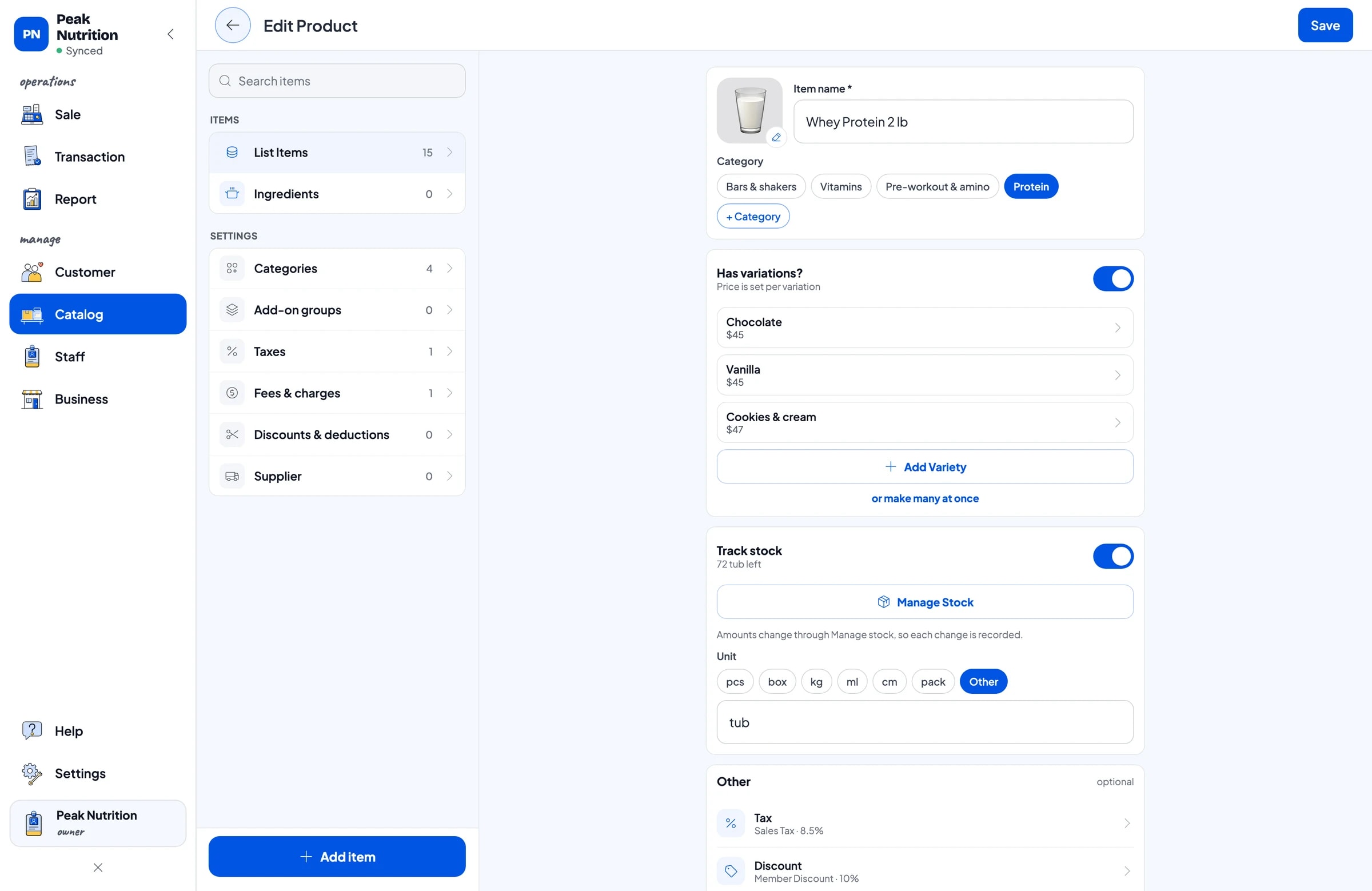
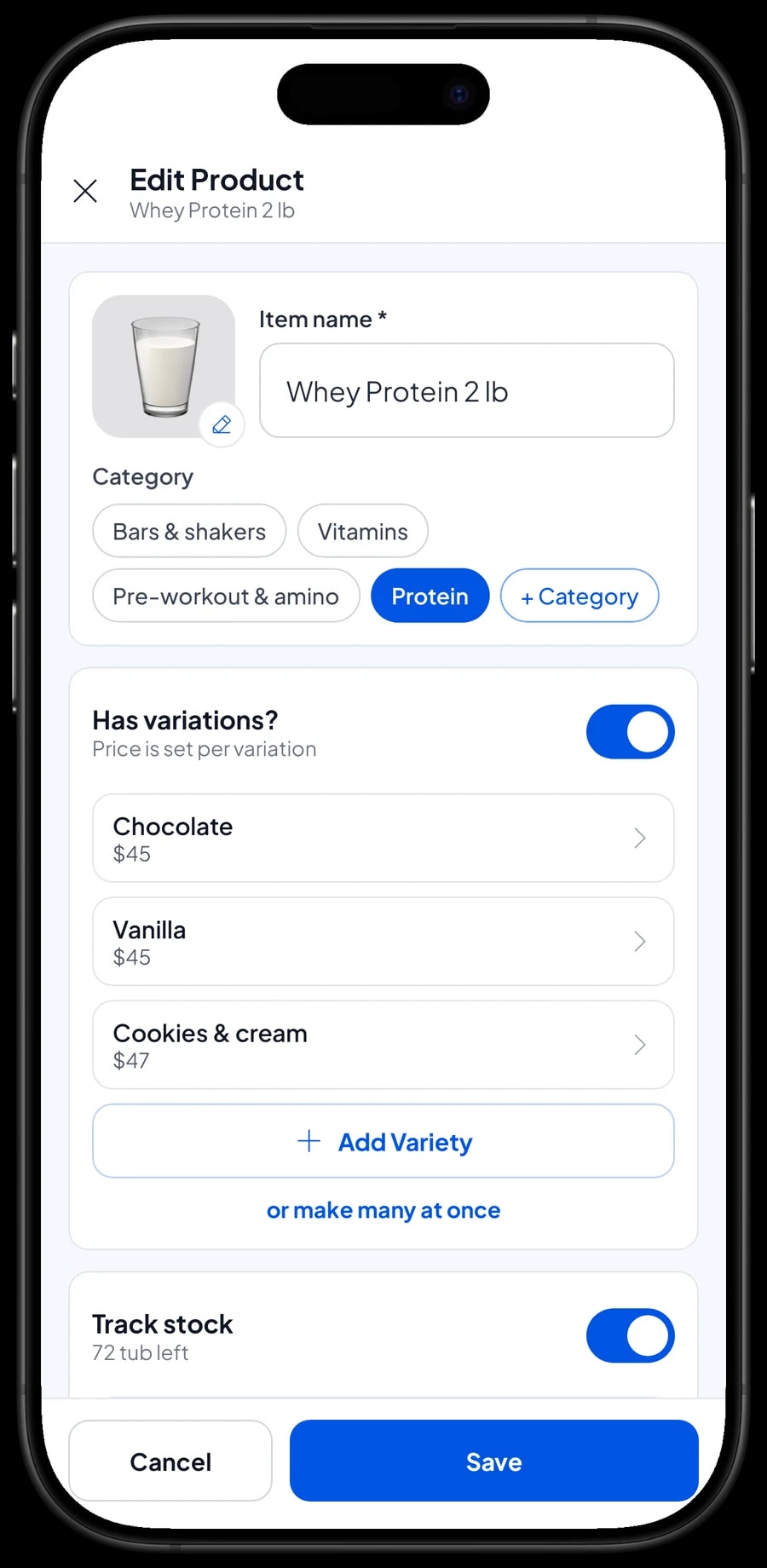
Whey Protein 2 lb in chocolate, vanilla and cookies & cream is one item with three variants. Each variant has its own selling price, cost and stock. If one flavor costs more from your distributor, give that variant a different price. The cashier picks the flavor on the Sale screen and the price follows.
For clearly different sizes, like 2 lb and 5 lb tubs, create a separate item per size with flavor variants inside it. This keeps the Sale screen tidy and makes reports per size easy to read. BCAAs in watermelon, lemon and grape, pre-workout in several flavors, and protein bars in chocolate or peanut butter all work the same way.
Because stock is tracked per variant, you can see exactly which flavor is running low and which one is piling up. Stock does not move between variants on its own. If you open a large tub to sell by the scoop or sachet, record it as a stock adjustment: take stock off the tub and add it to the sachet.
- Step 1: Open Catalog → List Items and choose a product that comes in several flavors.
- Step 2: Add a variant for each flavor with its selling price and cost.
- Step 3: Enter a barcode for each variant if every flavor has its own package code.
- Step 4: Switch on Stock Tracking and enter the opening stock for every variant.
Stock, suppliers and distributor orders
Every sale takes stock off the variant that was sold. In Stock you see what is left of each product and its stock history: when it arrived, when it sold, and when it was adjusted. With that, your next distributor order is based on the flavors and sizes that actually move.
Save your distributors and other vendors in Suppliers. When a delivery arrives, add the quantity per variant with the purchase price, so the cost in your reports reflects the latest price. Dented tubs, damaged packages and in-store samples are recorded as stock adjustments, so the app matches what is on the shelf.
Salesmaster doesn't track product expiry dates. If you need to watch expiry dates, a simple routine works: write the expiry month in the note when you add stock, stock the shelves first-in first-out, and check the shelves on a regular schedule.
- Step 1: Add your distributors in Inventory → Supplier.
- Step 2: When a delivery arrives, open Inventory → Stock and add the quantity for each variant.
- Step 3: Record damaged packages and samples as stock adjustments.
- Step 4: Check stock per flavor before you place the next order.
Fast checkout: scan, pick a flavor, pay
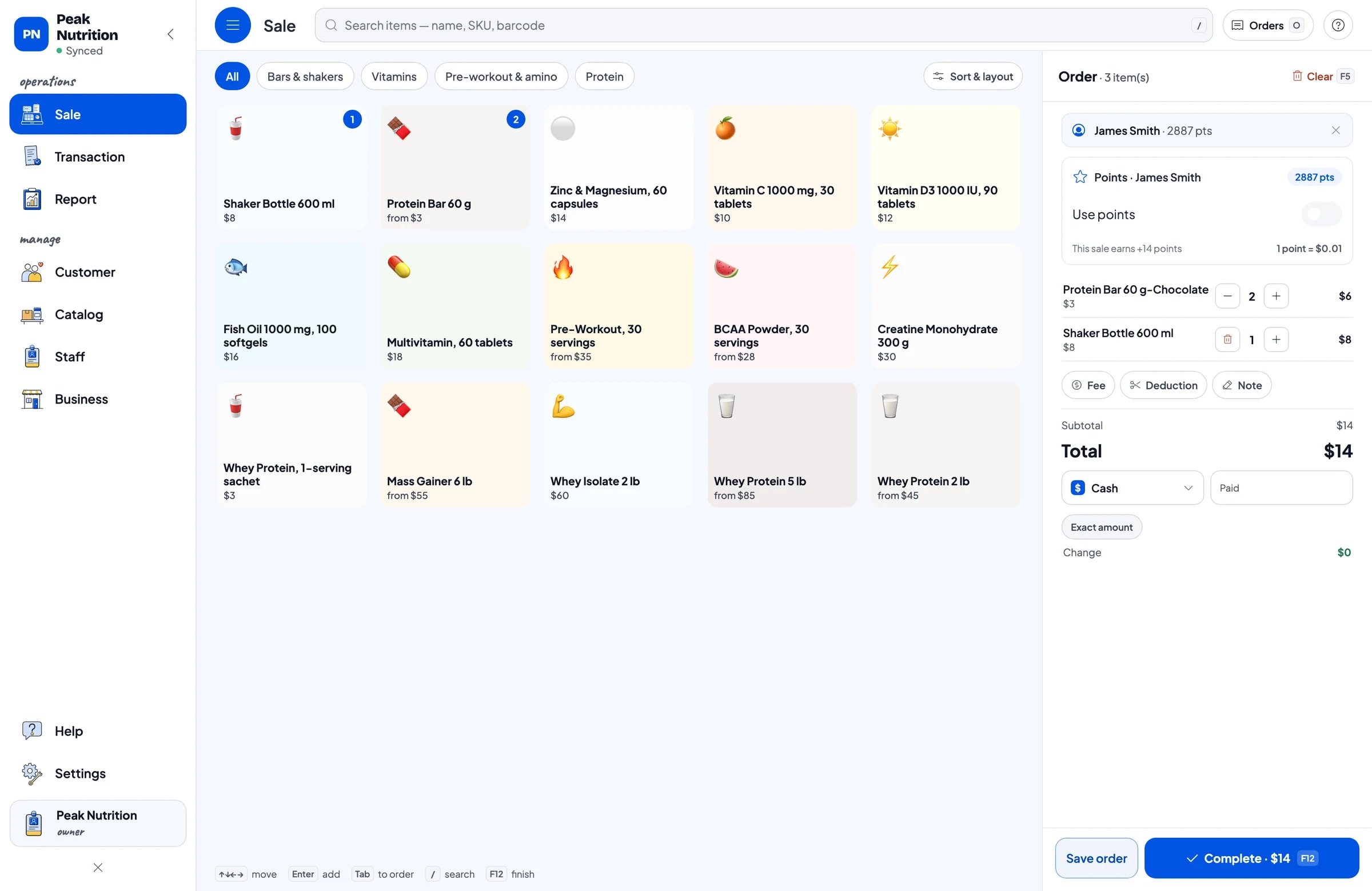
On the Sale screen, the cashier scans the barcode or taps the product, picks a flavor if needed, and selects the customer. You create the payment methods your shop accepts: cash, card, bank transfer, e-wallet or anything else. Card terminals are not connected to the app, so card payments are recorded as their own payment method, and the report shows how much came in through each one.
Discounts, such as a member discount or a whey-plus-shaker bundle, are set up in Discounts. Sales tax is set once in Taxes, Fees and Charges and then calculated automatically on every sale. A delivery fee for local orders can be added from the same place.
Customers who order by message and pick up later can be kept with Save order, with their name on the order. A saved order isn't a sale until it is paid, and it stays on the device where it was created. Receipts can be printed on a thermal printer or sent by WhatsApp, email or a web receipt link.
Regulars: purchase history, loyalty points and member cards
Supplement buyers tend to stick with one product and come back every month. Save the customer on the sale, a name and phone number is enough. In Customers, each person's purchase history is kept, so you know who buys chocolate whey 5 lb and when they last came in. That helps you keep the right stock and greet regulars with the product they are looking for.
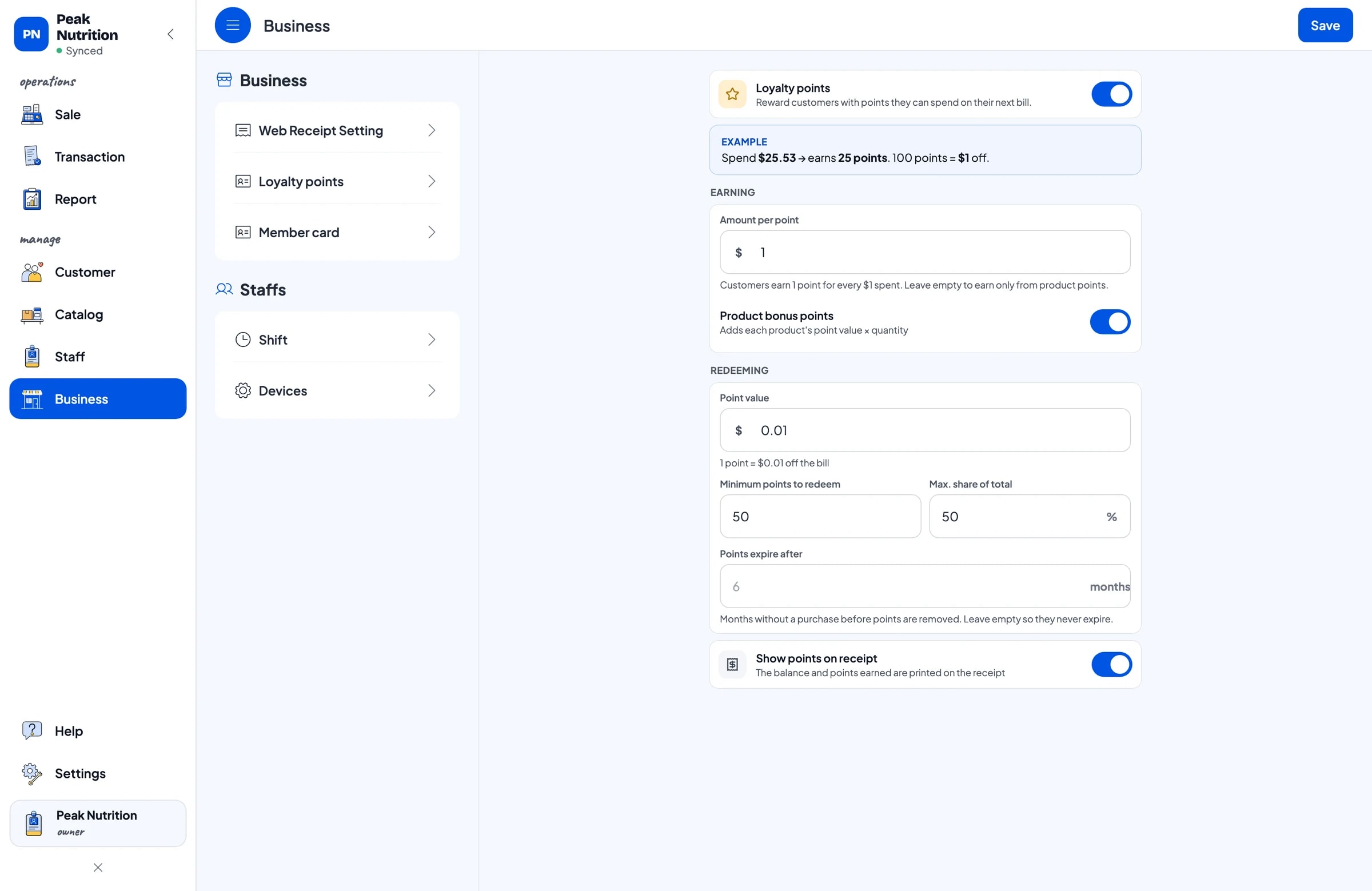
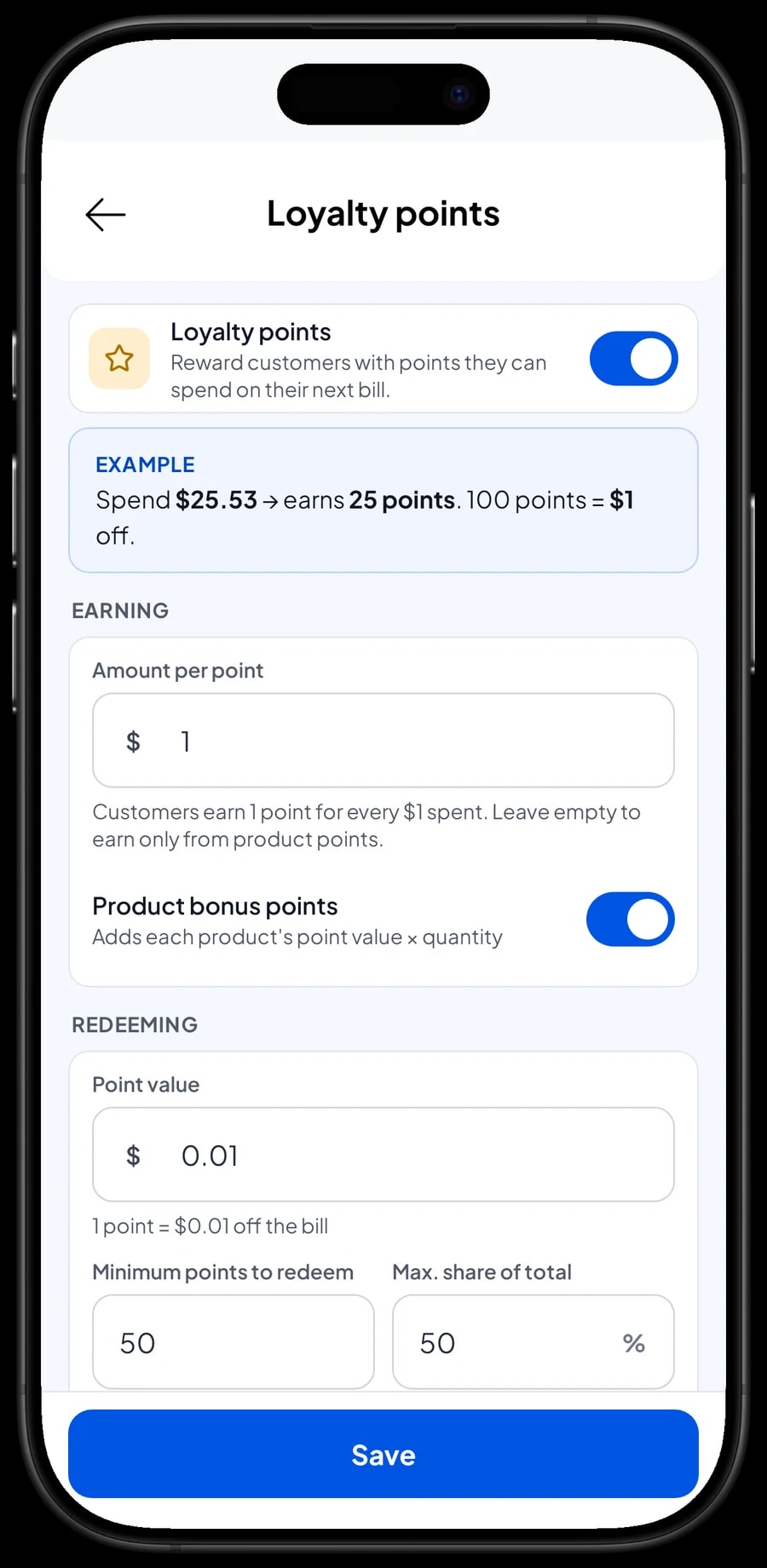
Turn on Loyalty points under Business and set your own rules: how much a customer spends for 1 point, what 1 point is worth when redeemed, the minimum points to redeem, and the maximum share of the bill that points can cover. Points are added automatically on every sale, and the discount is calculated for the cashier when a customer redeems.
Regulars can also get a member card in their name. For a shop near a gym, points and a member card are a simple reason for customers to keep coming back to you.
Shop staff and cashier devices
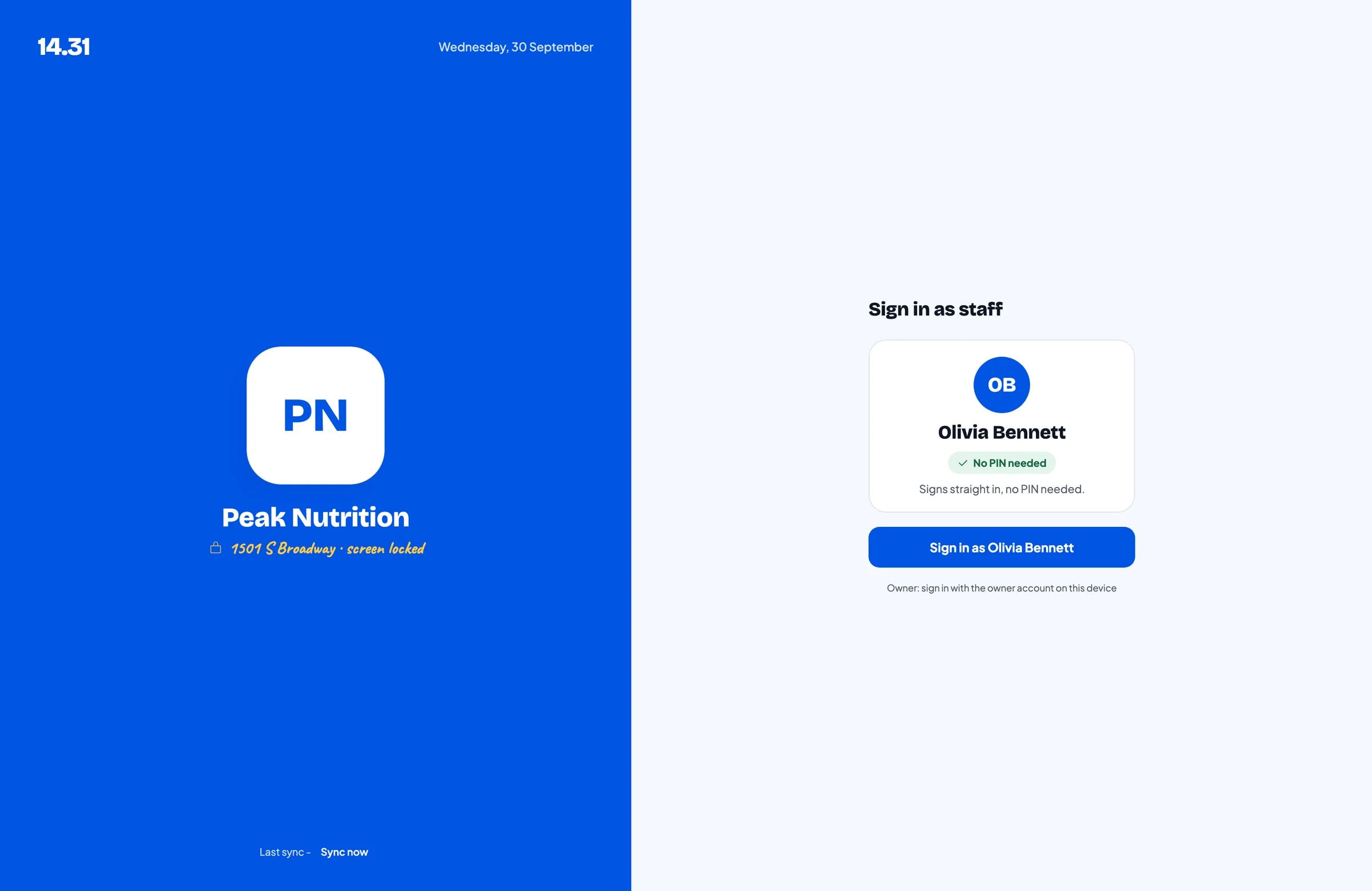
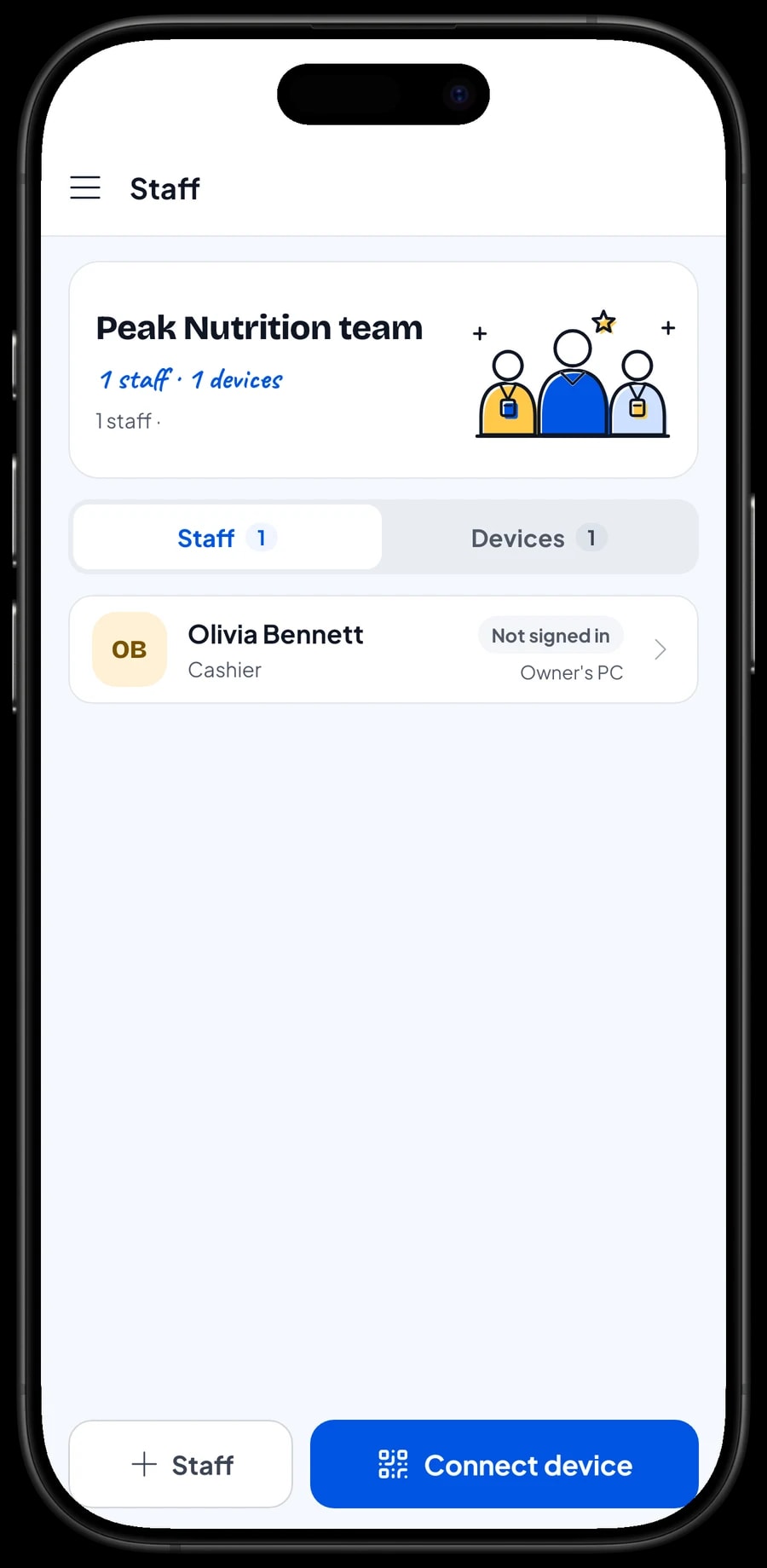
The owner signs in with the main account. Your shop assistant doesn't use your account: add them as staff and register a cashier device for them. Staff sign in with a PIN, and you decide what they can see and change, such as product costs. Staff accounts are included in Bronze Pro (1 staff) and Silver Pro (2 staff). One account can be signed in on one device at a time.
Sales reports: the flavors and sizes that sell
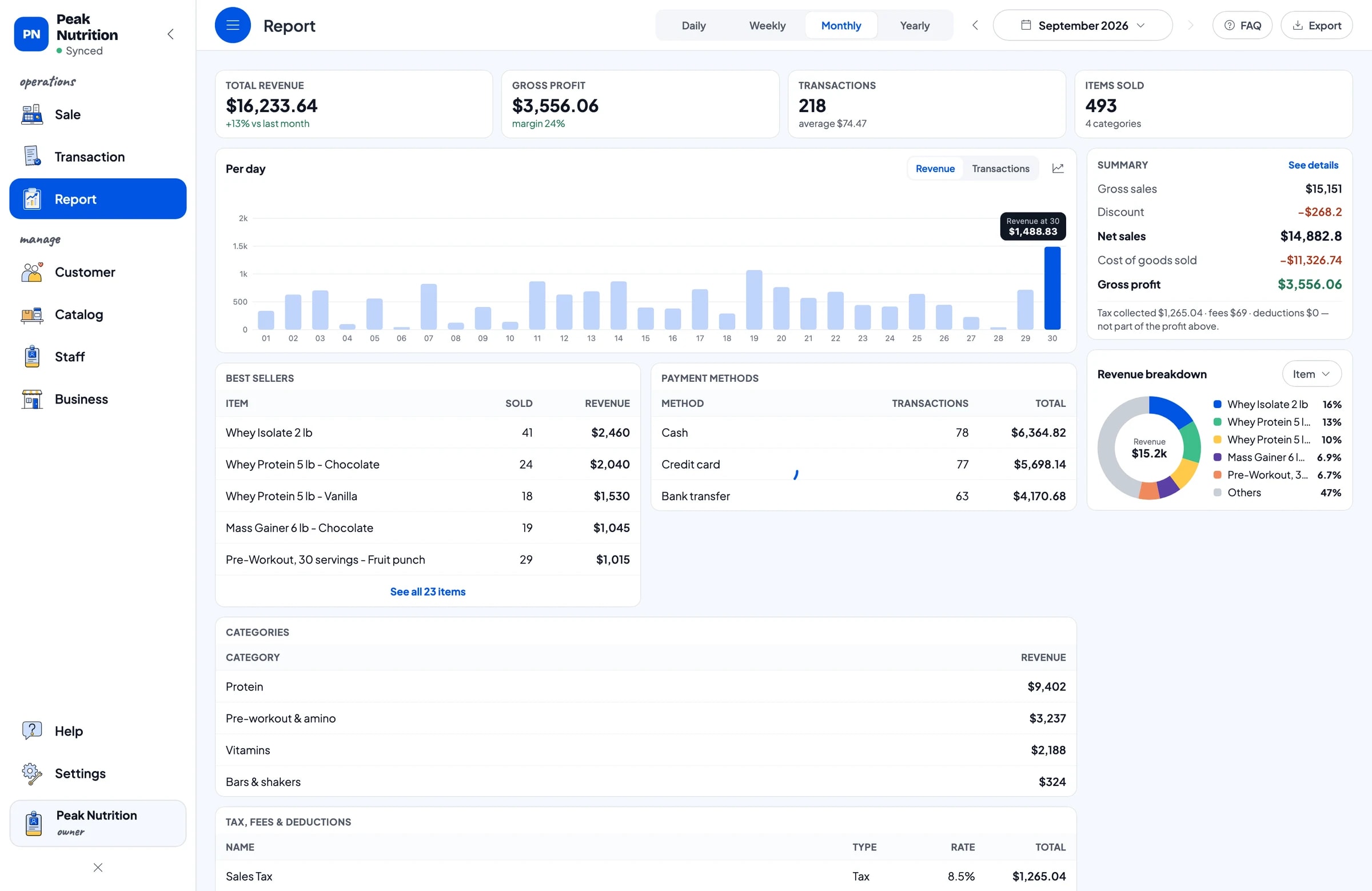
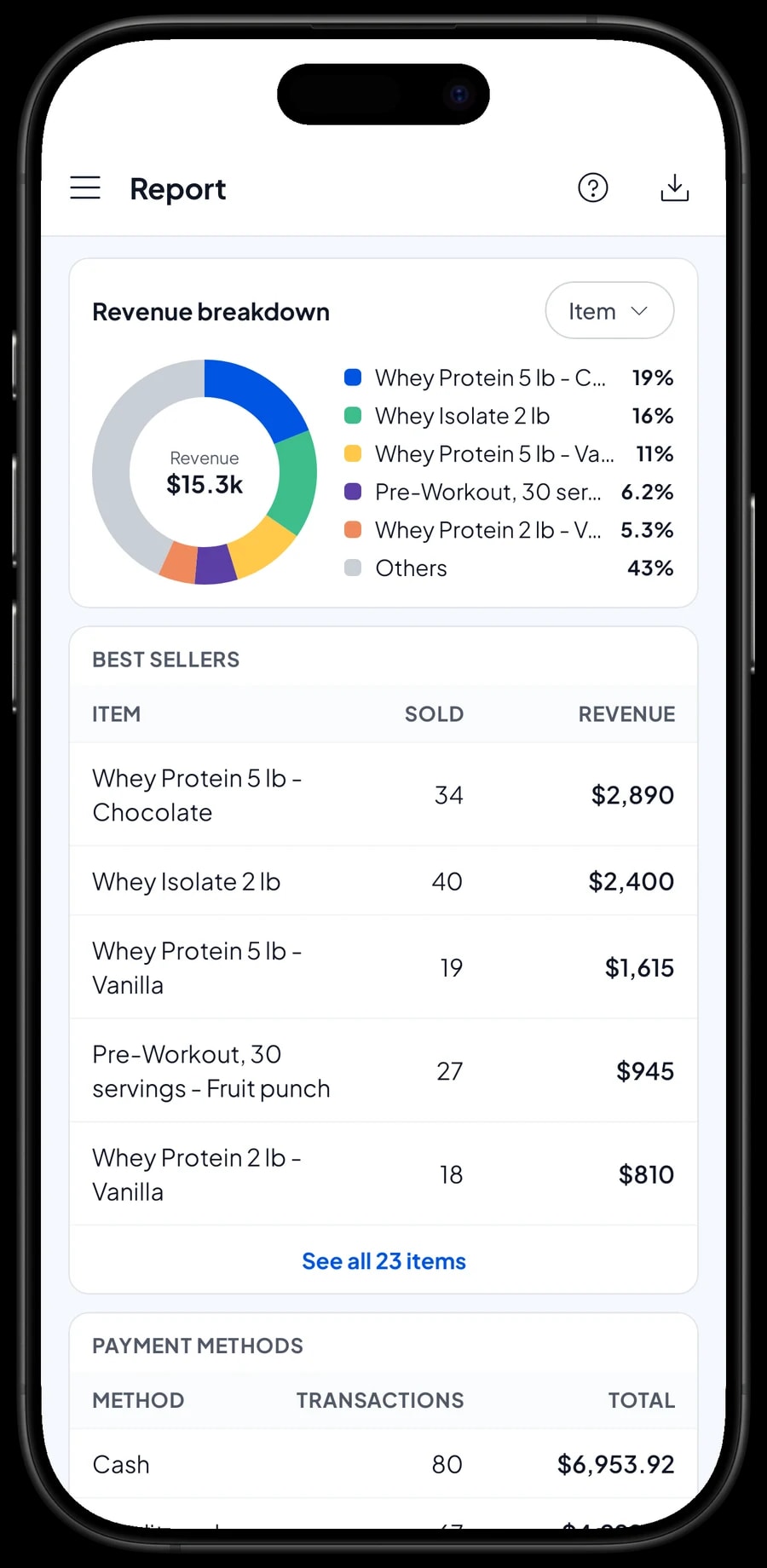
Reports are available by day, week, month and year. You see total revenue, gross and net sales, discounts, tax collected, payment methods and revenue by product. That shows whether whey, vitamins or protein bars bring in most of your revenue.
Check the report before every distributor order. If vitamins sell steadily each week while pre-workout only picks up at the start of the month, adjust your order to match. Reports can be exported to Excel or PDF, or printed on a thermal printer.
Shop expenses and real net profit
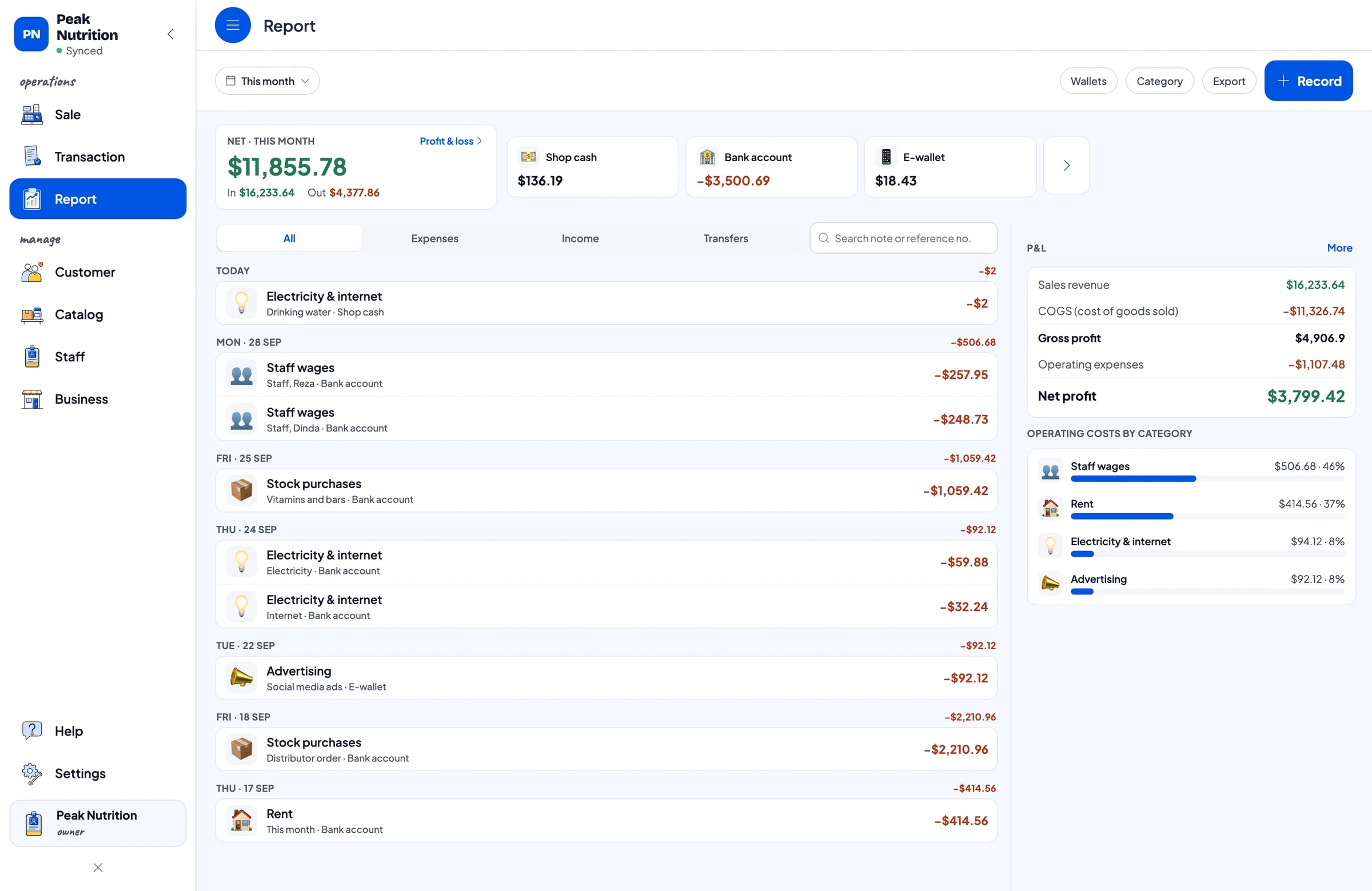
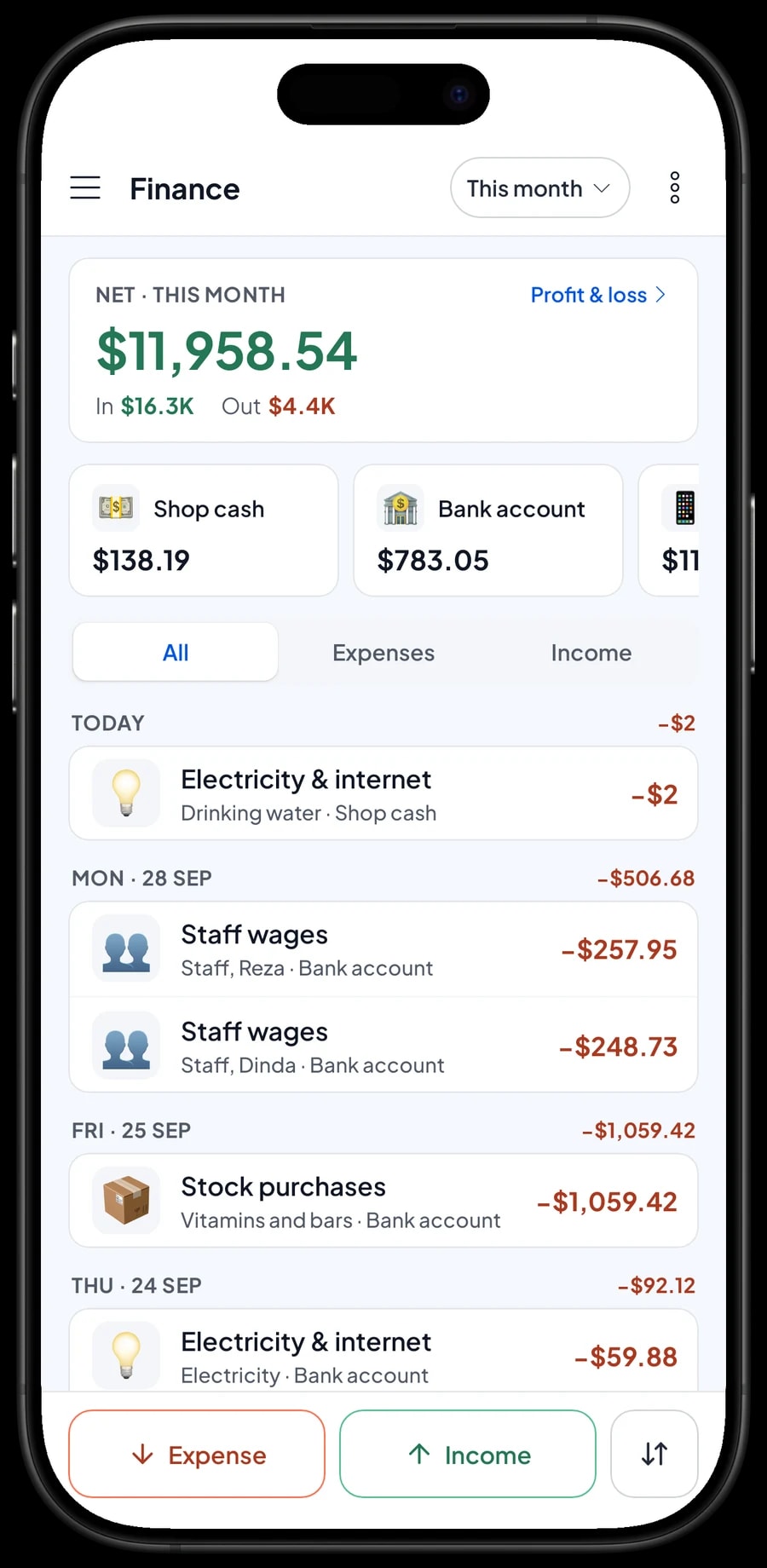
For real profit, record your expenses in Finance: distributor orders, vitamins and protein bars, staff wages, rent, electricity, internet and social media ads. Every expense has a category and the wallet it came from, such as shop cash, bank account or e-wallet.
The Finance report then shows revenue minus cost of goods and operating costs, which is your shop's net profit. Because every variant has its cost recorded, cost of goods is based on what actually sold, not on how much stock you bought that month. Sales tax collected from customers is kept separate from profit.
- Step 1: Open Finance and set up wallets such as shop cash, bank account and e-wallet.
- Step 2: Create expense categories such as Stock purchases, Staff wages, Rent, Electricity & internet and Advertising.
- Step 3: Record every expense with its category, wallet and a short note.
- Step 4: At month end, check revenue, cost of goods, operating costs and profit in the Finance report.
Get set up in a day, and keep selling offline
Install Salesmaster on your cashier phone, tablet or laptop and create an account. Enter your best sellers first, with flavor variants, barcodes and opening stock. A long catalog is easier to enter on a Windows or Mac laptop. The rest can be added during quiet hours.
Sales are saved on the device first and sent to the cloud when the connection is back. Offline mode works for up to 7 days; after that the app needs to go online briefly to sync. Because your data lives in your account, nothing is lost if a device breaks or gets replaced.
Example catalog for a supplement shop
Use this table as a starting point. Swap in the names, flavors and sizes on your own shelves.
| Category | Product | Variants | Unit | Stock tracked per |
|---|---|---|---|---|
| Protein | Whey protein 2 lb | Chocolate, Vanilla, Cookies & cream | tub | flavor |
| Protein | Whey protein 5 lb | Chocolate, Vanilla | tub | flavor |
| Protein | Mass gainer 6 lb | Chocolate, Vanilla | bag | flavor |
| Protein | Whey protein sachet | - | sachet | product |
| Pre-workout & amino | BCAA powder, 30 servings | Watermelon, Lemon, Grape | tub | flavor |
| Pre-workout & amino | Creatine monohydrate 300 g | - | tub | product |
| Vitamins | Multivitamin, 60 tablets | - | bottle | product |
| Bars & shakers | Protein bar 60 g | Chocolate, Peanut butter | bar | flavor |
| Bars & shakers | Shaker bottle 600 ml | - | pc | product |
Products that come in several flavors are one item with variants, so price and stock are tracked per flavor. Clearly different sizes, like 2 lb and 5 lb, are tidier as separate items.
Which plan fits your supplement shop
A supplement shop serving about 7 customers a day records roughly 215 transactions a month.
| Plan | Price | Transactions / month | Staff accounts | Good for |
|---|---|---|---|---|
| Free | Free | 30 | Owner only | To try checkout, variants and barcodes before using it for real. |
| Solo Pro | $4.90/month | 3,000 | Owner only | Shops where the owner runs the counter. |
| Bronze Pro | $6.90/month | 5,000 | 1 staff | Shops with one assistant on their own cashier device. |
| Silver Pro | $9.90/month | 8,000 | 2 staff | Busier shops with two staff. |
Every plan includes checkout, catalog, receipts, reports and offline mode. You can change plans at any time. See pricing →
Frequently asked questions
- Can Salesmaster track stock per flavor and size?
- Yes. Create products with flavor variants, and each variant has its own price, cost and stock. Different sizes can be separate items with flavor variants inside. Stock does not move between variants on its own, so record a stock adjustment when you move product.
- Can I scan products by barcode?
- Yes. Enter the package barcode on the item or on each variant. The cashier scans with the device camera or a barcode scanner, and the product goes straight into the cart.
- Does Salesmaster track supplement expiry dates?
- No. Salesmaster doesn't track product expiry dates. A practical routine: note the expiry month when you add stock, stock the shelves first-in first-out, and check them regularly. Anything you have to throw away is recorded as a stock adjustment.
- Can I see each customer's purchase history?
- Yes. Select the customer on the sale and their purchase history is kept in Customers, so you can see what a person usually buys and when they last came in.
- How do loyalty points work in Salesmaster?
- You set how much a customer spends for 1 point, what a point is worth when redeemed, the minimum points to redeem, and the maximum share of the bill points can cover. Points are added on every sale and the discount is calculated when they redeem.
- Can I give wholesale prices to gyms or resellers?
- There is no automatic tiered or quantity pricing. Instead, create separate variants such as "Retail" and "Wholesale" with their own prices, and the cashier picks the right one. You can also apply a discount for specific buyers.
- Can my staff use their own cashier device?
- Yes, with staff accounts. The owner uses the main account, adds staff and registers a cashier device for them. Staff sign in with a PIN. Staff accounts are included in Bronze Pro (1 staff) and Silver Pro (2 staff).
Need help setting up your catalog? Chat with our team on WhatsApp →



