
Salesmaster is a point-of-sale (POS) app for motorcycle and car repair shops on Android, iPhone & iPad, Windows and Mac. Labor is priced with variants per vehicle type, extras like a wash or nitrogen tyre fill are add-ons, oil and parts keep their own stock and go on the same ticket as the labor, jobs still in the bay are kept as saved orders, and mechanic wages, parts restocks and rent go into Finance so you can see real net profit.
Problems repair shops know well
A workshop sells labor and parts at once, often with several vehicles in the bay at the same time. If any of these sound familiar, this page is for you.
- 01
Bikes waiting, tickets everywhere
Three bikes come in at once, each needing different labor and parts. On paper, tickets get swapped and a part that went in never gets charged.
- 02
Labor priced by vehicle type
A scooter service, an underbone service and a sport bike service all cost different amounts, before extras like a wash or a chain lube. Memorized prices mean billing mistakes.
- 03
Oil and parts stock never matches
Oil and spark plugs go out every day, and you find out you are out once a customer's bike is already apart. Without tracked stock, restocking is always a rush.
- 04
Busy every day, profit still unclear
After mechanic wages, parts, rent, electricity and new tools, what is actually left? Without recorded expenses, profit is a guess.
Setting up labor: service priced by vehicle type
Every labor job is a Service item in your catalog. Service items have no stock, which suits routine service, oil changes, CVT service, injector cleaning, tyre fitting and tube patches. Group them with categories like Service & labor, Oil & fluids and Parts, so they are quick to find on the Sale screen.
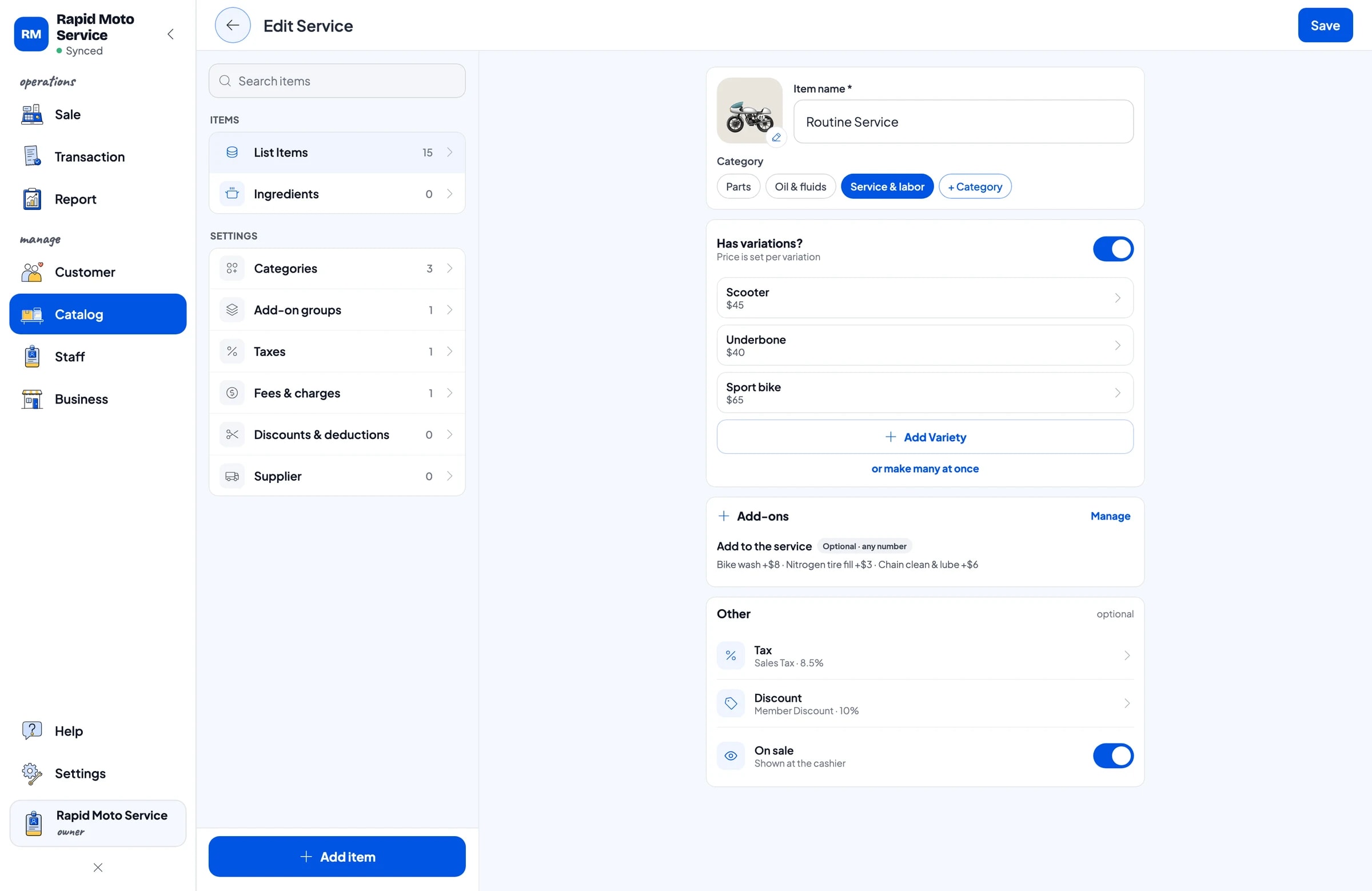
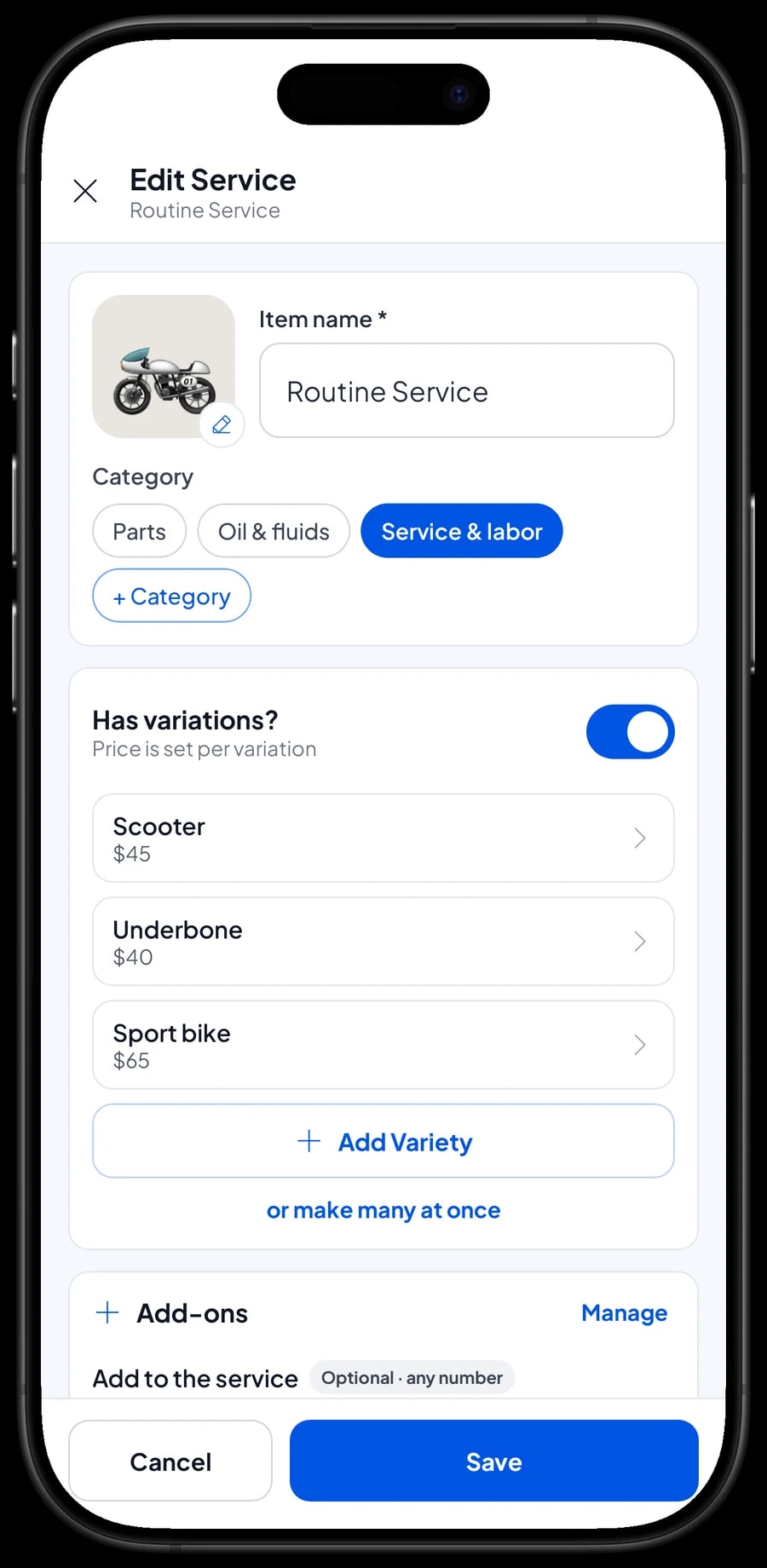
Labor that costs different amounts per vehicle is one item with variants. Routine Service can have Scooter, Underbone and Sport bike variants, each at its own price. For a car shop, the same idea works with variants like Small car, SUV and Diesel. The cashier picks the variant for the vehicle that came in, and the price follows.
Labor with one price, like Oil Change Labor, CVT Service or Tube Patch, is a regular item. Keeping oil change labor separate from the oil means a customer who brings their own oil just pays for the labor.
- Step 1: In Catalog, create categories such as Service & labor, Oil & fluids and Parts.
- Step 2: Add each labor job as a Service item.
- Step 3: For labor priced by vehicle type, add variants, each with its own price.
- Step 4: Ring up a test sale on the Sale screen to check the prices.
Extras: bike wash, nitrogen fill and chain lube
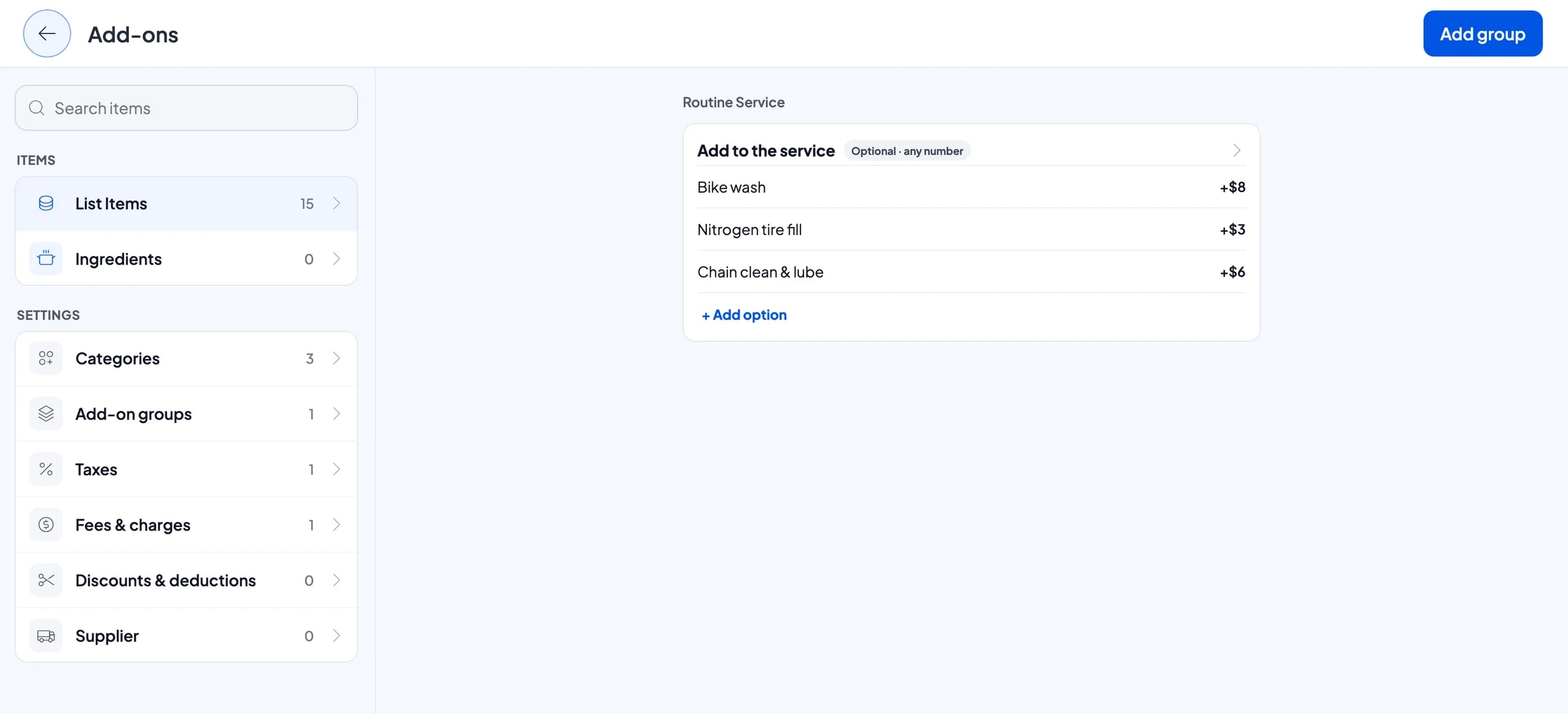
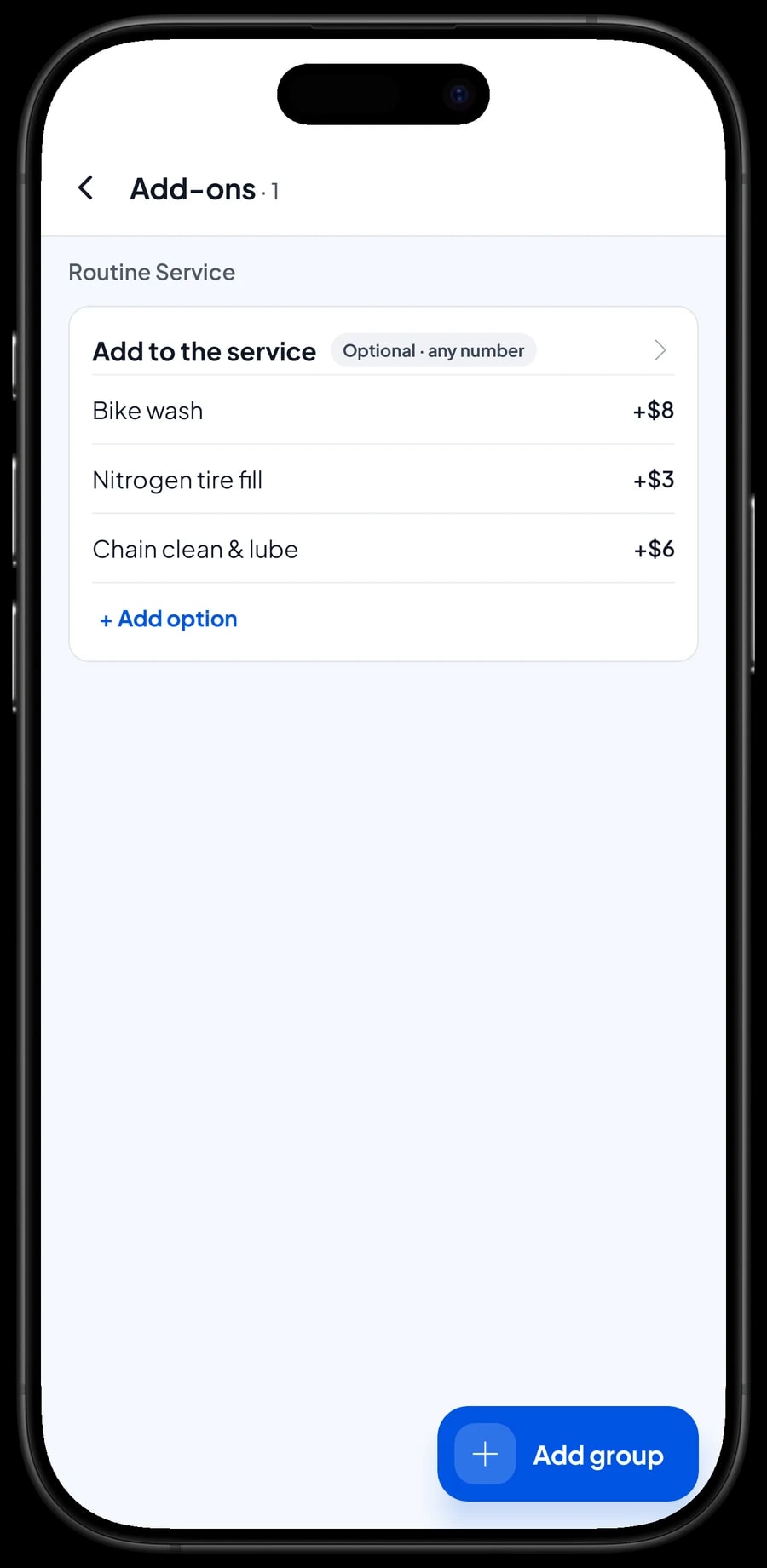
Plenty of customers ask for something on top of the basic service: a wash while it is in, nitrogen in the tyres, or a chain clean and lube. In Salesmaster these are add-ons. One add-on group can be attached to several services at once, such as Routine Service and CVT Service.
When ringing up a service, the cashier picks the vehicle type and ticks the extras the customer asked for. Add-on prices go straight into the total, so nothing is forgotten. From your sales you can also see which extras customers pick most often.
- Step 1: Open Routine Service in your catalog and choose Manage add-ons.
- Step 2: Create an add-on group called Add to the service.
- Step 3: Add the options, such as Bike wash, Nitrogen tyre fill and Chain clean & lube, each with its price.
- Step 4: Attach the same group to CVT Service.
Oil and parts with their own stock
Oil, spark plugs, brake pads, tyres and batteries are Product items with their own stock, such as Scooter Engine Oil 0.8 L, Gear Oil 120 ml, Spark Plug and Inner Tube 17 in. Each time one is sold or fitted, its stock goes down. Parts that come in types, like Brake Pads with Front disc and Rear drum variants, keep a price, cost and stock per variant.
When a delivery arrives, add the stock under Catalog → Inventory → Stock, and save your distributors under Catalog → Inventory → Supplier. Oil bought by the case is counted per bottle, since that is how you sell it. Salesmaster doesn't turn a case into bottles automatically, so enter the number of bottles when you add stock.
If oil or parts packaging has a factory barcode, add it to the item. The cashier just scans it and the part lands in the cart.
- Step 1: Add oil and parts as Product items with a unit such as bottle, pc or set.
- Step 2: Turn on Stock Tracking and enter the opening stock for each item or variant.
- Step 3: Save your parts and oil distributors under Catalog → Inventory → Supplier.
- Step 4: When stock arrives, add the quantity under Catalog → Inventory → Stock.
Vehicles in the bay: saved orders
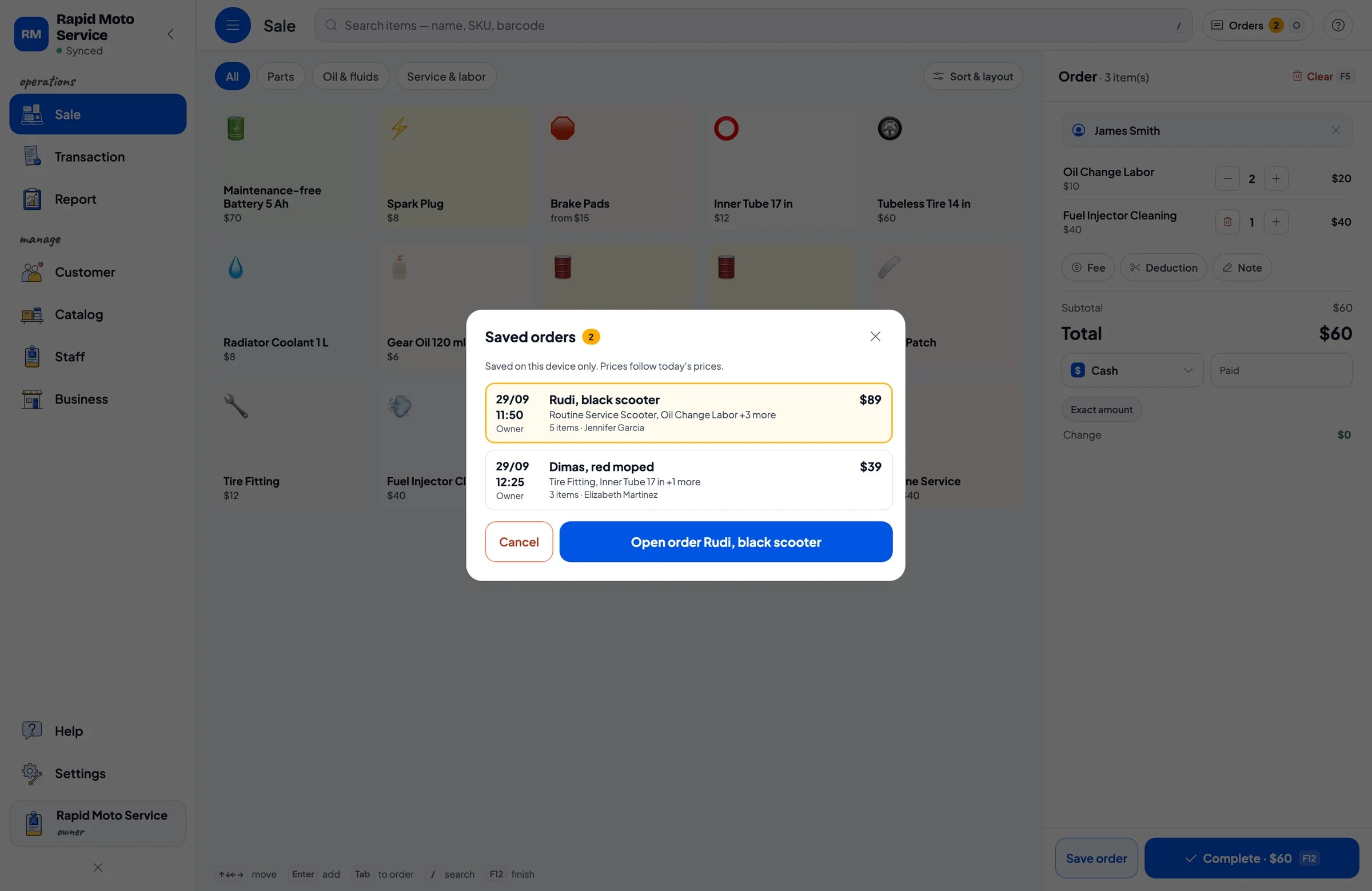
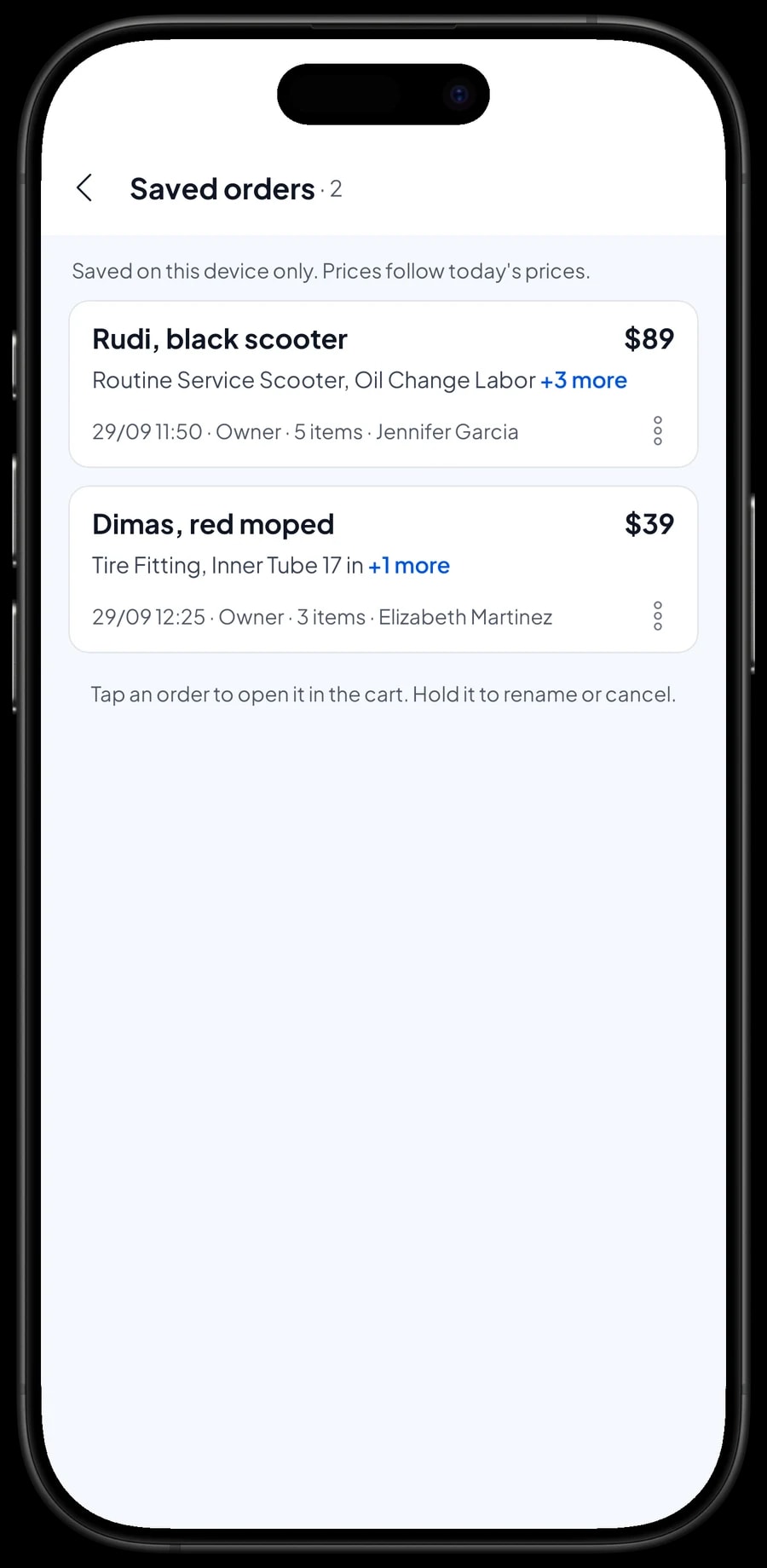
In a workshop, the vehicle comes in, gets worked on, and is paid for when it is done. That is what Save order is for: the cart is kept as a saved order under the name and note you give it. Put the customer's name and the vehicle in the order name, such as "Rudi, black scooter", and the plate number in the note.
While the job is in progress, the mechanic can add parts that turn out to need replacing, like a spark plug or gear oil, to the same order. When the vehicle is ready, open Saved orders, pick the order, go through it with the customer, and complete the payment. A saved order isn't a sale and doesn't take stock off until it is paid.
Saved orders live on the device that created them, so finish the payment on the same device. A saved order is not a customer tab or credit account: it holds the cart until the job is done, not a bill the customer pays later.
Payments, receipts and customer history
Set up the payment methods you accept, such as cash, card, bank transfer or e-wallets. Receipts print on Bluetooth or USB thermal printers, or go out by WhatsApp, email or a web receipt link. The receipt lists labor and parts line by line, so the customer can see exactly what was replaced.
Save the customer on the sale under Customers; a name and phone number is enough. Their service history is kept, so when they come back you can see when they last had an oil change and which parts were fitted. Salesmaster doesn't send service reminders; many shops write the next service date or the odometer reading in the sale note.
Regulars can earn loyalty points too. Turn on Loyalty points and set your own rules, so customers have a reason to keep coming back to your shop.
Mechanics and cashiers
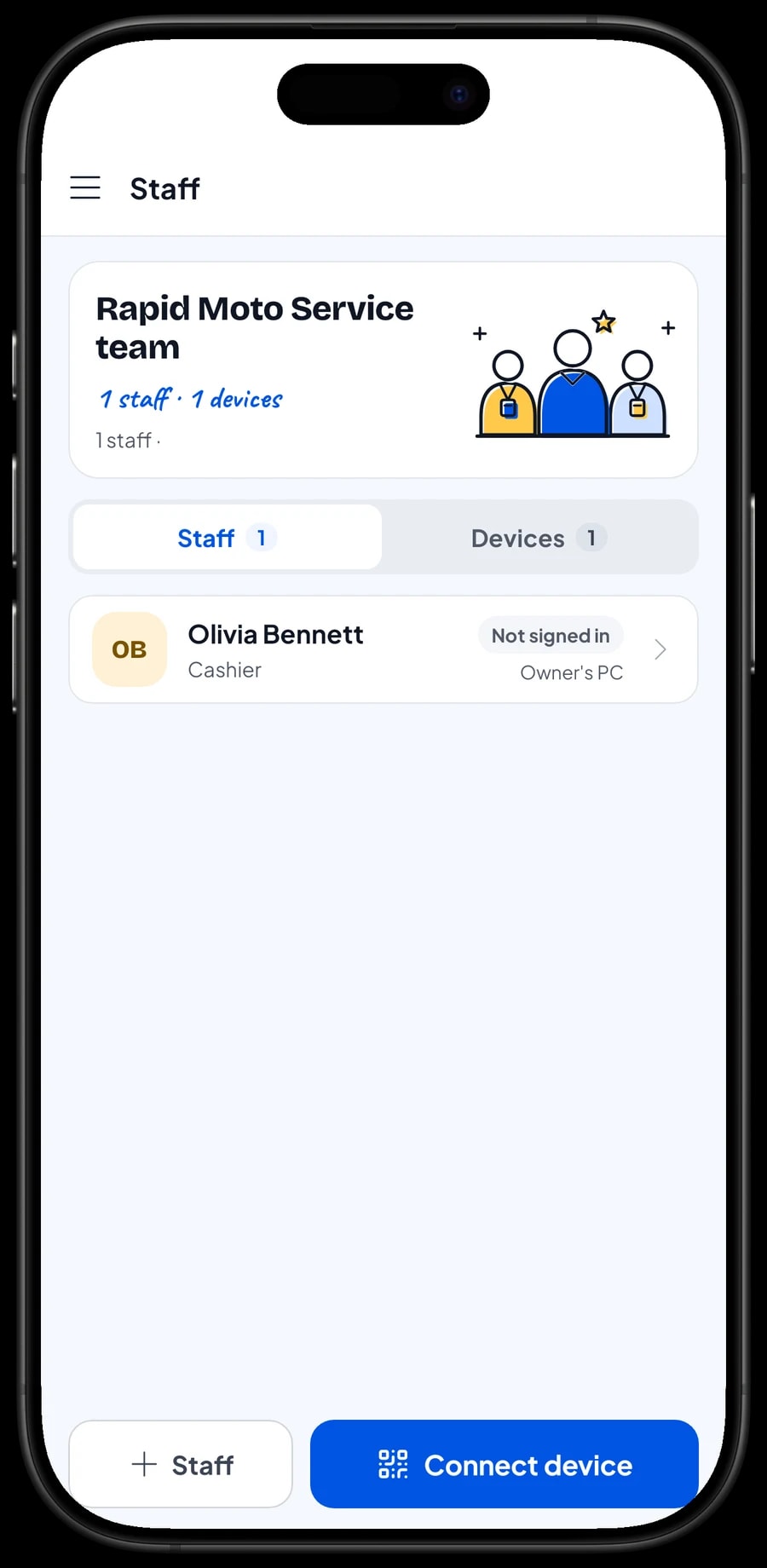
The owner signs in with the main account. An account signs in on one device at a time, so your cashier or head mechanic doesn't use your account. Add them as staff and register a cashier device for them. Staff sign in with a PIN, with the role you give them. Staff accounts come with Bronze Pro (1 staff) and Silver Pro (2 staff).
Salesmaster doesn't calculate mechanic commission. If you pay a bonus per job, write the mechanic's name in the sale note, then work it out and record the payment in Finance at month end.
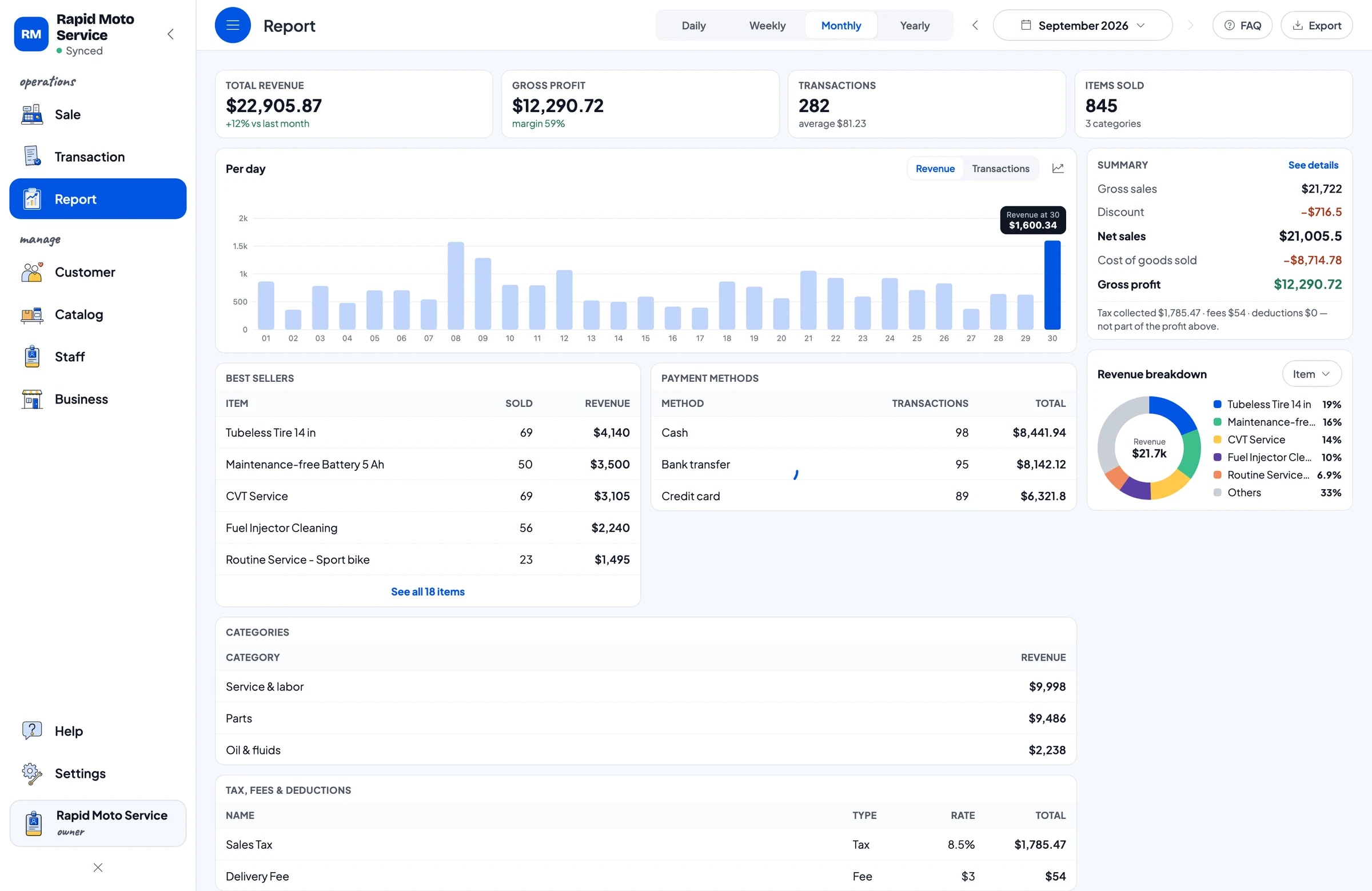
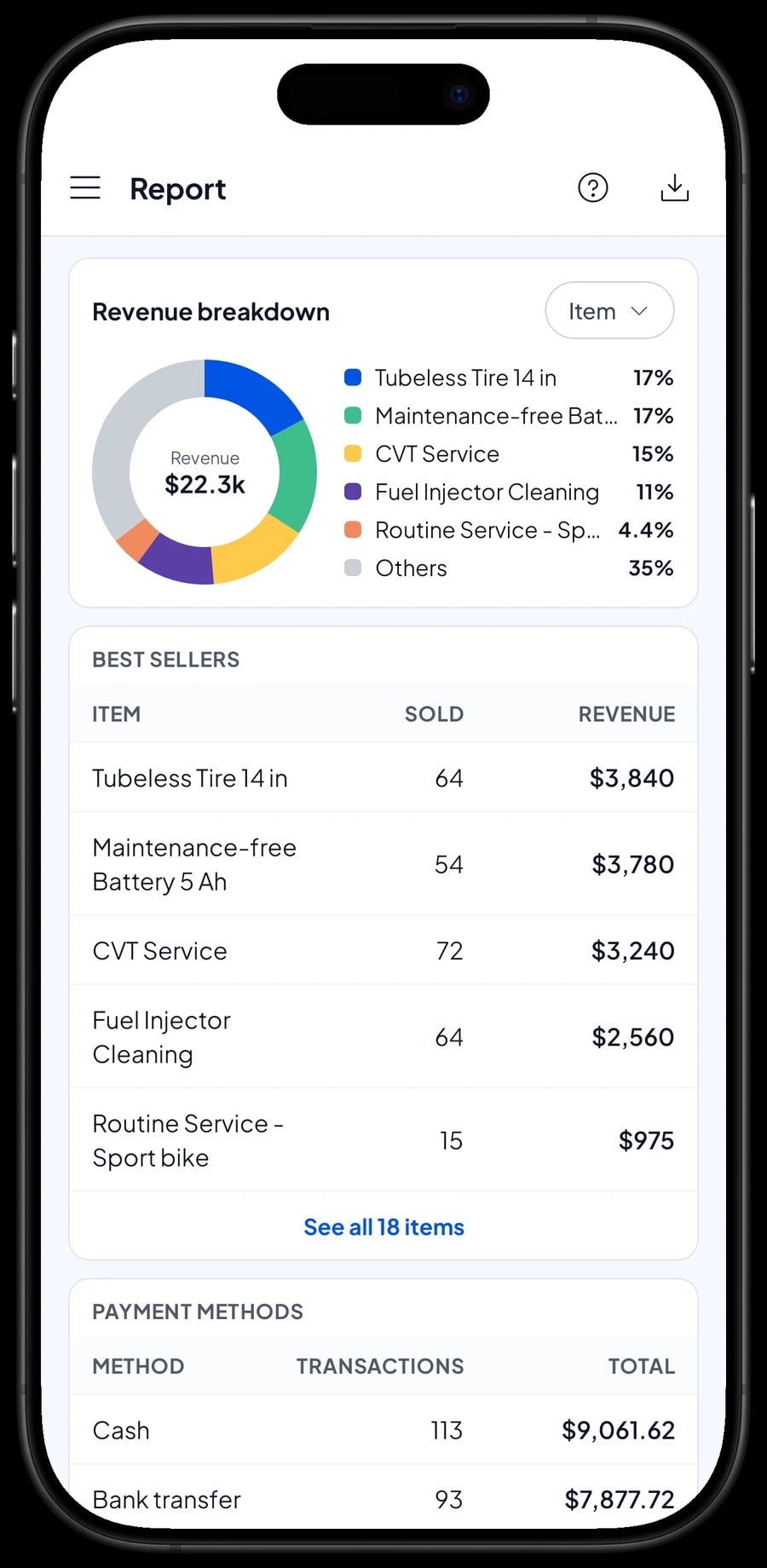
Reports: top labor and top parts
Reports come daily, weekly, monthly and yearly. You see total revenue, gross profit, sales tax, payment methods and best sellers. Because labor and parts are separate items, you can see how much revenue came from labor and how much from oil and parts.
Workshops get busy on weekends, after payday, and before holidays and long trips when people get their vehicles checked. Compare monthly reports to stock up on oil and brake pads before the rush.
Reports export to Excel or PDF, or print on a thermal printer. Every sale can also be opened again under Transactions.
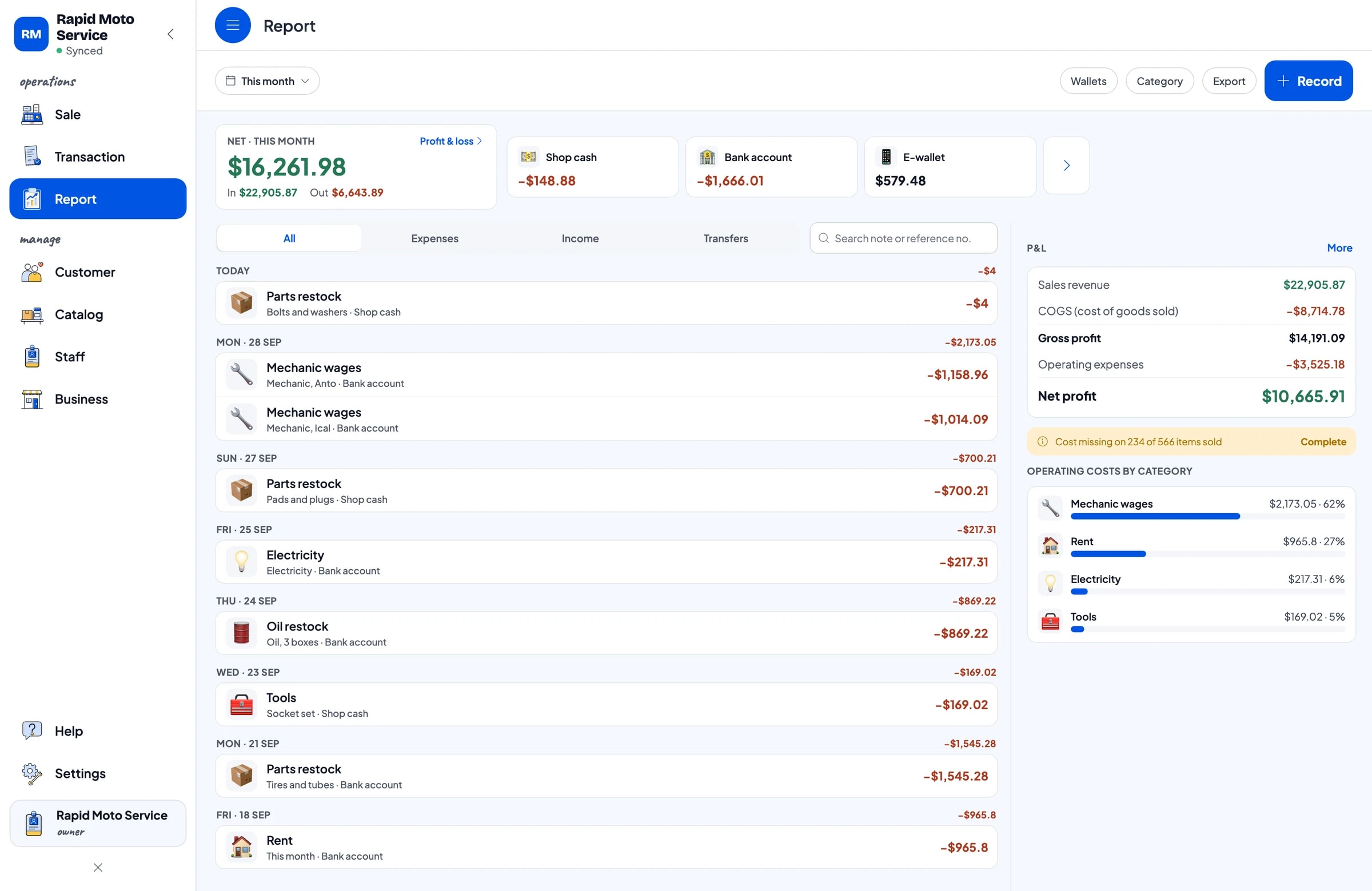
Expenses and real net profit
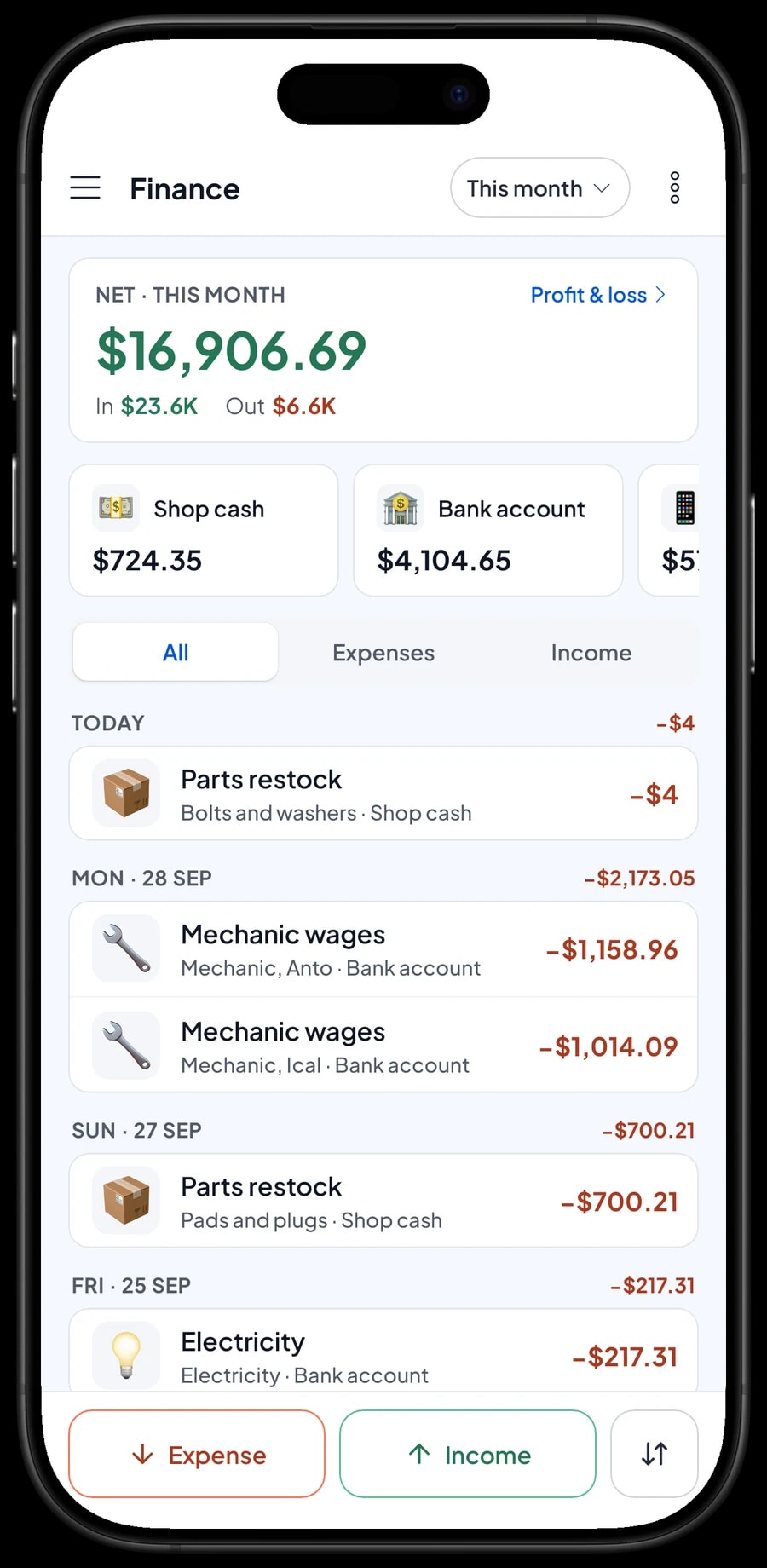
Record expenses in Finance with categories that fit your shop, such as Parts restock, Oil restock, Mechanic wages, Rent, Electricity and Tools. A new socket set or compressor is easy to forget. Every expense also has the wallet it came from: shop cash, bank account or e-wallet.
The Finance report then shows revenue minus the cost of parts sold and operating costs, which is your shop's net profit. With these numbers you know whether labor covers your mechanics' wages and how much parts sales add to profit.
- Step 1: Open Finance and set up wallets such as shop cash, bank account and e-wallet.
- Step 2: Create expense categories such as parts restock, oil restock, mechanic wages and tools.
- Step 3: Record every expense with its category, wallet and a short note.
- Step 4: At month end, check revenue, cost of goods, operating costs and profit in the Finance report.
Get started in a day, and keep working offline
Install Salesmaster on your cashier phone, tablet or laptop and create an account. Add the labor jobs you do most with their variants first, then the oil and parts that move fastest, like scooter oil, spark plugs, brake pads and inner tubes. The rest can be added during quiet hours.
Sales are saved on the device first and sent to the cloud when the internet is back. Offline mode works for up to 7 days; after that the app needs to connect briefly to sync. Because your data lives in your account, you don't lose records if the shop phone gets dropped or broken.
Example catalog for a motorcycle workshop
Use this table as a starting point. Swap in your own labor, parts and prices.
| Category | Item | Variants | Add-ons | Item type |
|---|---|---|---|---|
| Service & labor | Routine Service | Scooter, Underbone, Sport bike | Bike wash, Nitrogen tyre fill, Chain clean & lube | Service |
| Service & labor | CVT Service | - | Bike wash, Nitrogen tyre fill, Chain clean & lube | Service |
| Service & labor | Oil Change Labor | - | - | Service |
| Service & labor | Tube Patch | - | - | Service |
| Oil & fluids | Scooter Engine Oil 0.8 L | - | - | Product |
| Oil & fluids | Gear Oil 120 ml | - | - | Product |
| Parts | Brake Pads | Front disc, Rear drum | - | Product |
| Parts | Spark Plug | - | - | Product |
| Parts | Inner Tube 17 in | - | - | Product |
Labor is a Service item with no stock, with variants per vehicle type and add-ons for extras. Oil and parts are Products with their own stock, sold on the same ticket as the labor.
Which plan fits your workshop
Start by counting jobs and sales per day. A workshop handling about 10 vehicles a day records roughly 300 transactions a month, and more before holiday travel.
| Plan | Price | Transactions / month | Staff accounts | Good for |
|---|---|---|---|---|
| Free | Free | 30 | Owner only | To try checkout, labor variants and add-ons before using it for real. |
| Solo Pro | $4.90/month | 3,000 | Owner only | Workshops where the owner runs the register. |
| Bronze Pro | $6.90/month | 5,000 | 1 staff | Workshops with one cashier or head mechanic on their own device. |
| Silver Pro | $9.90/month | 8,000 | 2 staff | Busy workshops with several mechanics, with two staff on separate devices. |
Every plan includes checkout, catalog, receipts, reports and offline mode. You can change plans at any time. See pricing →
Frequently asked questions
- Can labor and parts go on the same ticket?
- Yes. Create labor as Service items and parts as Product items. The cashier adds both to the same cart, and the receipt lists labor and parts line by line. Parts stock goes down; labor has no stock.
- Can I price a service differently per vehicle type?
- Yes. Create one labor item, such as Routine Service, with variants like Scooter, Underbone and Sport bike, or Small car and SUV for cars. Each variant has its own price, and the cashier picks the one that fits the vehicle.
- How do I keep track of vehicles left for repair?
- Use Save order. Save the cart under the customer's name and vehicle, write the plate number in the note, and add parts as the job goes on. Saved orders live on the device that created them and aren't sales until paid.
- Can Salesmaster remind customers about their next service?
- Not automatically. Each customer's service history is kept under Customers, so you can see when they last came in. Write the next service date or the odometer reading in the sale note so it is saved with the sale.
- Does Salesmaster calculate mechanic commission?
- No. Write the mechanic's name in the sale note, work out commission at month end from the recorded sales, and record the payment as an expense in Finance.
- Can the shop keep ringing up sales when the internet is down?
- Yes. Sales are saved on the device and sync when the internet is back. Offline mode works for up to 7 days before the app needs to connect to sync.
Need help setting up your catalog? Chat with our team on WhatsApp →



